






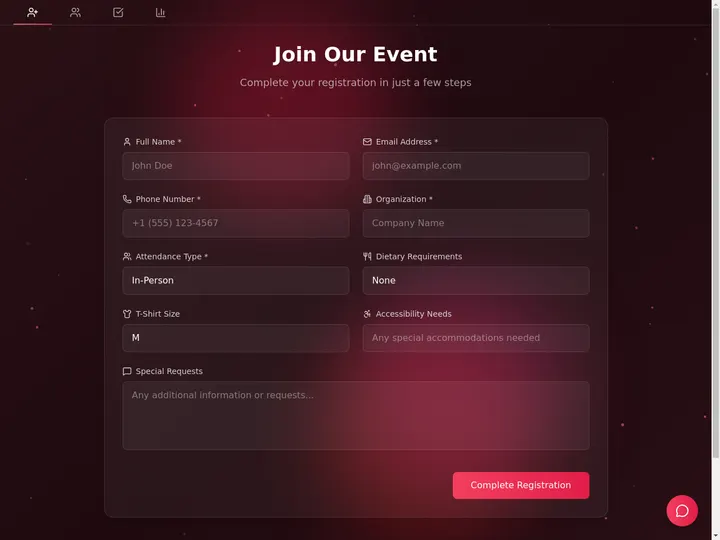
Updated June 2026. Event software should not make you stitch a registration tool to an email tool to a spreadsheet. Build the whole thing in Taskade Genesis, then run it as one live app, registration, schedule, attendees, and check-in in a workspace you keep. Cvent leads on enterprise depth, Eventbrite on ticketing reach, Whova on the attendee app, and Luma on a beautiful free meetup page. But only Taskade Genesis unifies the event into a system you own. Try Taskade Genesis free →
Try It Live: An Event Manager You Can Actually Run
Most tools on this list hand you a registration form and stop. This one keeps going. The app below was built from a single prompt in Taskade Genesis: it holds the registration page, the session schedule, the speaker hub, the attendee list, and check-in, all in one app you can open, clone, and run. Click it, clone it, and watch an event stop being five disconnected tools.
Watch a working app built from one prompt, image generation, agent preview, and 100+ integrations:
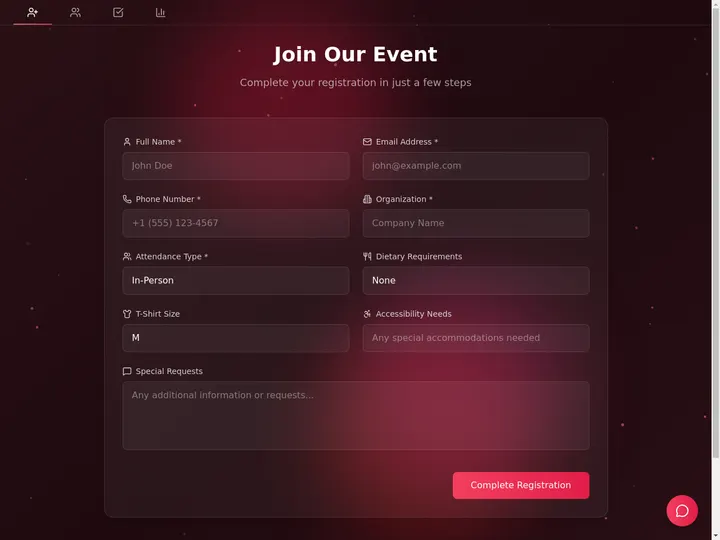
This is the difference the rest of the article is about. Event software that gives you a form is a tool. Event software that gives you a running portal, registration through follow-up, is leverage. Clone this app and run your next event from one place →
The Evolution of Event Software: From Paper Sign-Up to Living App
Event software has moved through five eras, and 2026 is the start of the sixth. It began as a paper sign-up sheet and a printed agenda. It became an online ticketing page. It became an all-in-one registration and badge platform. It became a virtual-stage tool for the remote era. It became an AI assistant that drafts the event page for you. And now, with Taskade Genesis, it becomes a living app, registration, schedule, attendees, and check-in generated from one prompt and run as a system you own. Each era kept the previous job and added a new one. The pattern holds: the event page got smarter, but it stayed a page in someone else's system. The 2026 shift is the first time the output is a running app you keep.
Here is the whole arc, era by era:
Read the same arc as a milestone table, what changed, and what each era still left on the table:
| Era | What you ran the event on | What you got | What it still couldn't do |
|---|---|---|---|
| 1990s — Paper | A clipboard and a printout | A stack of names | No live count, no reminders |
| 2006–12 — Ticketing | A hosted RSVP page (Eventbrite) | Online sign-ups | Page lives in their system |
| 2013–19 — Suites | Registration + badges (Cvent, Whova) | On-site check-in, agenda | Rebuild and re-pay each event |
| 2020–23 — Virtual stages | A stream + lounge (RingCentral, Airmeet) | A remote room | Data scattered across tools |
| 2024–25 — AI drafting | A prompt-built event page (Luma, Splash AI) | A faster first page | Still a page, still siloed |
| 2026 — Living app | A full event app (Taskade Genesis) | An app you own and reuse | — (this is the frontier) |
The plain-English takeaway: every era made the event page look better or build faster. Only the 2026 era makes the event run as one app you keep. That is the whole reason Taskade Genesis tops this list. For the conceptual deep-dive on how prompt-to-app generation works, see our Genesis Loop and Taskade Genesis overview explainers.
What Is the Best AI Event Management Software in 2026?
Taskade Genesis is the best AI event management software in 2026 because it unifies the entire event into one live app. Describe the event, the dates, the sessions, the speakers, the ticket types, and Taskade Genesis generates a registration page, a session schedule, a speaker hub, an attendee table, and a check-in board, then wires reminder and follow-up automations around them. Every dedicated tool on this list owns one slice, ticketing, or the attendee app, or the virtual stage. Taskade Genesis owns the whole event and hands it to you as a system you keep and reuse for the next one.
The plain-English version: the event that used to need a registration tool, a mass-email tool, a spreadsheet, and a check-in app gets generated and run from a single workspace. Taskade's first Enterprise customer — an IT program manager with no engineering team — built a production field-service dashboard on Taskade Genesis and put it this way: "What I accomplished in a few weeks would have taken a team of 40+ people 18 months in a Fortune 500." He didn't generate a page. He generated the app that runs the work.
Five Tools or One App: Why a Registration Page Isn't Enough
A registration tool gives you a sign-up form. An app generator gives you the thing the form was for, a running event. That is the whole gap. Eight of the nine tools below own one part of the event: Eventbrite owns the ticket, Whova owns the attendee app, RingCentral Events owns the stream. You stitch the rest together with an email platform and a spreadsheet, and you re-wire it from scratch for the next event. Taskade Genesis takes the same brief and returns a working event app, registration, schedule, speakers, attendees, and check-in. That your team opens, edits, and reuses the same afternoon.
Here is the path an event actually travels when the tool doesn't stop at the form:
Most tools on this list live in the first two boxes. Taskade Genesis is the only one that carries the event all the way to the last one, a running, reusable app, not a hosted form.
Side by side, the week of the event looks like this:
  A REGISTRATION TOOL                     AN APP GENERATOR (Taskade Genesis)
  ──────────────────────                  ──────────────────────────
  [ you ] make a sign-up page             [ you ] describe the event
      │                                       │
      ▼                                       ▼
  export the attendee CSV                 a live event app
      │                                       │
      ▼                                       ├─ registration → attendee table
  paste it into a spreadsheet             ├─ schedule + speakers in one place
      │                                       ├─ check-in on a board or phone
      ▼                                       ├─ agent sends reminders + recaps
  email reminders by hand                 ▼
  (rebuild it next event)                 clone it → reuse for the next event
                                          (your whole event in one workspace)
The left column is where eight of these tools end. The right column is where the event actually runs.
Why Running the Whole Event in One Place Is the Game
The event you can see end to end is the event that runs smoothly. When registration lives in one tool, the schedule in a second, the attendee list in a spreadsheet, and reminders in a fourth, every change means copying data by hand, and event day is exactly when you have no time for that. A unified app does the opposite: a new sign-up lands in your attendee table, a schedule change updates the public agenda, and check-in flows from the same list you registered people into.
That is the difference between a tool that hands you a form and one that hands you a system. Every tool on this list can build a decent registration page in 2026; AI made that a solved problem. The unsolved problem, the one that actually decides whether an event runs smoothly, is everything around the form: the schedule, the attendees, the check-in, and the follow-up. Taskade Genesis is built around that whole loop. The registration page is table stakes. The running event is the product.
How We Ranked
We ranked 9 AI event management tools on six criteria that matter to the person who has to run the event, not just publish a page:
- Setup speed, how fast you go from an idea to a working event page.
- Scope covered, registration only, or schedule, speakers, attendees, and check-in too.
- Output you keep, a hosted page in their system, or a live app you own and reuse.
- Automation & follow-up, do reminders, confirmations, and recaps run themselves.
- Branding & privacy, your logo, your domain, and role-based access to attendee data.
- Pricing, free-tier generosity, per-ticket fees, and cost at the annual price.
Scored against those six, here is how the field stacks up at a glance, the column that separates the leader from the pack is "Output you keep":
| Tool | Setup speed | Scope covered | Output you keep | Automation | Branding | Price value |
|---|---|---|---|---|---|---|
| Taskade Genesis | Excellent | Full event | Live app | Agent + workflows | Logo + domain | Excellent (free) |
| Cvent | Fair | Full enterprise | Hosted suite | Strong | Strong | Low (enterprise) |
| Bizzabo | Fair | Full enterprise | Hosted suite | Strong | Strong | Low (high floor) |
| Eventbrite | Excellent | Ticketing | Hosted page | Basic emails | Basic | Good (free events) |
| Whova | Good | App + check-in | Hosted app | Good | Good | Fair (quote) |
| Luma | Excellent | RSVP + page | Hosted page | Basic emails | Good | Excellent (free) |
| RingCentral Events | Good | Virtual/hybrid | Hosted stage | Good | Strong | Fair |
| Airmeet | Good | Virtual/webinar | Hosted stage | Good | Good | Fair |
| Splash | Good | Marketing pages | Hosted page | Strong | Strong | Low (custom) |
The grid tells the story before the reviews: most tools earn "Good" on setup, then narrow to ticketing, an app, or a virtual stage on scope, and every one drops to "Hosted" on output, except the one that hands you a live app.
The 9 Best AI Event Management Software
1. Taskade Genesis: Best Overall: Run the Whole Event as One App
Taskade Genesis is the only tool on this list that runs your entire event as a single live app. Describe the event in one prompt, the dates, the ticket types, the sessions, the speakers, and Taskade Genesis builds a registration page wired to an attendee table, a session schedule on a Calendar or Gantt view, a speaker hub, and a check-in board. Then it adds the part the rest of the category skips: reliable automation workflows that send reminders before, confirmations on sign-up, and follow-ups after, plus an agent that answers attendee questions and nudges no-shows.
That is the structural gap in the whole category. Cvent owns the enterprise suite, Eventbrite owns the ticket, Whova owns the attendee app, RingCentral Events owns the stream, and you stitch the rest together. Taskade Genesis carries the event end to end and keeps the system around it, in a workspace you own. The event that used to need four tools and a spreadsheet runs from one app you can clone for the next one.
The workspace ships multiple project views (List, Board, Calendar, Table, Mind Map, Gantt, Org Chart, the Timeline lives inside Gantt), so you run the schedule on a Calendar, the attendees on a Table, the run-of-show on a Gantt, and check-in on a Board. A role model (Owner to Viewer) means organizers see the full attendee list while volunteers and speakers see only the surface you share. Taskade Genesis runs on 15+ frontier models from OpenAI, Anthropic, Google, and open-weight providers, so the copy reads in your voice, and 100+ bidirectional integrations wire Stripe for payments, Zoom for sessions, and email or chat for reminders. Brand the public event page with your logo and a custom domain on Business and above.
Best for: Anyone, a community organizer, a conference team, an agency, or a startup, who wants to run the event from one place, not assemble it from five tools.
Strengths: Only tool that runs the full event as a cloneable app you own; registration, schedule, speakers, attendees, and check-in in one workspace; reminder and follow-up automations plus an event agent; multiple views and role-based access; custom branding and domain; generous free tier with no per-ticket fee.
Weaknesses: No built-in badge-printing hardware or RFID for very large on-site conferences (you wire a printer or check-in flow through integrations); the on-site networking lounge is younger than Whova's dedicated app.
Pricing: Free (Free Forever plan), Pro $10/mo (the Popular ★ tier), Business $25/mo, Max $100/mo, Enterprise $250/mo, all annual billing, no per-ticket platform fee.
The catch: Honest one, for a 5,000-person conference that needs RFID badges and on-site scanning hardware, a dedicated suite like Cvent or Whova ships that out of the box. Everything around the event, though, is built in.
Verdict: The clear winner for anyone who wants the event to run as one app they own, from a 30-person workshop to a multi-track summit. Clone a live event portal →
2. Cvent: Best Enterprise End-to-End Suite
Cvent is the enterprise incumbent and the deepest platform in the category. It covers the entire lifecycle, AI-powered venue sourcing, registration, marketing, on-site badge printing, exhibitor and sponsor management, and post-event analytics, for complex, large-scale corporate events. If your event has thousands of attendees, a procurement team, and a venue-sourcing budget, Cvent's breadth and on-site hardware are genuinely best in class, and few tools match its depth for managed meetings programs.
Best for: Large enterprises and agencies running high-volume, complex events with venue sourcing and on-site hardware.
Strengths: End-to-end suite; AI venue sourcing; strong on-site check-in and badging; exhibitor and sponsor tooling; deep analytics; enterprise-grade.
Weaknesses: Heavy and complex to learn; enterprise pricing that runs into the tens of thousands per year; overkill for a meetup or a small team.
Pricing: Custom enterprise contracts, commonly five to six figures per year.
The catch: It is a hosted enterprise suite, not an app you own and clone, and the floor is far above what a community organizer or startup needs.
Verdict: Best for large enterprises running complex events with venue sourcing and on-site hardware.
3. Bizzabo: Best Event Experience Platform for Corporate Events
Bizzabo is the event-experience benchmark for professional and corporate gatherings. It combines event websites, registration, on-site check-in, and analytics in one system, and its Klik SmartBadge brings AI-powered networking and contact exchange to in-person events, a genuinely differentiated feature for conferences where the connections are the point. For mid-market and enterprise teams that want a polished, branded attendee experience, Bizzabo's design and data depth are real strengths.
Best for: Corporate and B2B teams that want a premium, branded event experience with smart-badge networking.
Strengths: Polished event websites; integrated registration and check-in; Klik SmartBadge networking; strong analytics and integrations.
Weaknesses: High annual floor regardless of event volume; enterprise-oriented; more than a small organizer needs.
Pricing: Subscription starting around $18,000/year, rising with scale.
The catch: A hosted platform with a high entry price. You get a great experience, but not a workspace app you own across your other workflows.
Verdict: Best for corporate teams that want a premium branded experience with smart-badge networking.
4. Eventbrite: Best Ticketing and Discovery Reach
Eventbrite is the ticketing and discovery benchmark. It is the fastest way to publish a public event, sell tickets, and get found, its built-in discovery marketplace puts your event in front of people already browsing. Publishing free events costs nothing, and its reach for consumer and community events is unmatched. New ownership has signaled a push toward AI-driven event creation and messaging tools, building on a platform millions already trust for ticketing.
Best for: Consumer, community, and public events that need ticketing plus discovery reach.
Strengths: Fast public publishing; built-in discovery marketplace; trusted ticketing; free to publish free events; strong mobile experience.
Weaknesses: Per-ticket fees add up on paid events; thin on schedule, speaker, and deep attendee management; the page lives in Eventbrite's system.
Pricing: Free to publish; about 3.7% + $1.79 per paid ticket plus payment processing; Pro email plans $15–$100/mo.
The catch: It is a ticketing page, not a full event app, schedule, check-in, and follow-up live in other tools you bolt on.
Verdict: Best if you need to sell tickets fast and get discovered by a built-in audience.
5. Whova: Best Attendee App and On-Site Engagement
Whova is the attendee-experience leader and a perennial top-rated event app. Its strength is the in-event experience: a polished mobile app with agenda management, attendee networking, community boards, exhibitor promotion, and on-site check-in for in-person, virtual, and hybrid conferences. For an event where engagement and networking are the measure of success, Whova's dedicated app and check-in tooling are a genuine advantage over a general builder.
Best for: Conferences and associations that want a top-rated attendee app with networking and on-site check-in.
Strengths: Excellent mobile attendee app; agenda and networking features; community boards; exhibitor tools; works in-person, virtual, and hybrid.
Weaknesses: Quote-based pricing that climbs for large events; per-ticket fee on paid registration; the app lives in Whova's ecosystem.
Pricing: Quote-based per event; roughly 3.0% + $0.99 per paid ticket on registration.
The catch: A hosted attendee app, not a workspace you own, and you request a quote rather than starting free.
Verdict: Best for conferences that want a top-rated attendee app and on-site engagement.
6. Luma: Best Free Page for Meetups and Communities
Luma is the modern meetup benchmark. It generates a beautiful event page in minutes with a free plan that covers unlimited events and guests, RSVP management, QR check-in, Zoom integration, and event chat. For a community organizer, a launch party, or a recurring meetup, Luma's polish and free tier are hard to beat, and the upgrade to Luma Plus removes the platform fee. It is the closest competitor on "fast and free," and a Luma page genuinely looks great out of the box.
Best for: Community organizers, meetups, and creators who want a beautiful free event page fast.
Strengths: Stunning free pages; unlimited events and guests; QR check-in; Zoom integration; calendar invites and reminders; clean mobile experience.
Weaknesses: 5% platform fee on paid tickets on the free plan; lighter on multi-track scheduling, speakers, and deep attendee management; the page lives in Luma's system.
Pricing: Free with a 5% ticket fee; Luma Plus $59/mo (annual) removes the platform fee and adds API and higher send limits.
The catch: Brilliant as a free RSVP page. But it is a hosted page, not an app you own with a connected schedule, speaker hub, and follow-up pipeline.
Verdict: Best for meetups and communities that want a beautiful free event page in minutes.
7. RingCentral Events (formerly Hopin): Best Large Virtual and Hybrid Stage
RingCentral Events, formerly Hopin Events, is the virtual-and-hybrid stage benchmark. It runs multi-track conferences and summits with live and pre-recorded sessions, expo booths, networking, ticketing, and post-event data, built for events that run online or hybrid over multiple days. Every plan includes unlimited events and registrations, and its session and stage tooling is mature. For a large virtual conference, the production depth is a real strength.
Best for: Teams running large virtual or hybrid conferences with multiple tracks and expo booths.
Strengths: Strong virtual stage and session tooling; expo booths and networking; unlimited events and registrations; 40+ integrations including HubSpot and Salesforce.
Weaknesses: Virtual-first focus; less suited to a simple in-person meetup; data spread across the platform's modules.
Pricing: From around $99/organizer/mo (annual) on the Events Pro plan; enterprise tiers higher.
The catch: Built around the stream and stage. You get a great virtual room, but not a workspace app you own across the rest of the event.
Verdict: Best for large virtual and hybrid conferences with multiple tracks.
8. Airmeet: Best Virtual Events and Webinars at Scale
Airmeet is the virtual-events-and-webinar specialist. Its AirStudio, AX360, AirControl, and AirIntel modules deliver a well-rounded virtual experience, and it scales to very large audiences with multiple streaming modes. Its networking features, virtual tables and lounges, are consistently praised for sparking real connections in a remote room. Airmeet charges by attendees rather than by number of events, which suits teams running frequent webinars, and its free plan supports up to 100 participants.
Best for: Marketing and community teams running frequent webinars and large virtual events.
Strengths: Strong virtual networking (virtual tables); scales to large audiences; multiple streaming modes; attendee-based pricing; free plan for small events.
Weaknesses: Virtual-first, light on in-person tooling; per-attendee pricing can climb for big events; the room lives in Airmeet.
Pricing: Free plan up to 100 participants; paid plans from around $167/mo (annual).
The catch: Excellent virtual stage and networking. But it is a hosted room, not an event app you own with a connected registration-to-follow-up pipeline.
Verdict: Best for teams running frequent webinars and large virtual events with strong networking.
9. Splash: Best Branded Event Marketing Pages
Splash is the event-marketing benchmark. It is built for brand and demand teams that send a high volume of on-brand event pages, beautiful, consistent event sites, registration, email, and reporting tied into the marketing stack. With unlimited events and registrations on its plans and strong CRM integrations, Splash shines when the event is a marketing motion and the page has to look exactly on-brand. Its design polish and automation around invites are genuine strengths.
Best for: Brand and demand-gen teams that run many on-brand events tied to the marketing stack.
Strengths: Beautiful on-brand event pages at scale; unlimited events and registrations; strong email and CRM integrations; reporting tied to marketing.
Weaknesses: Custom quote-based pricing with a mid-market floor; marketing-page focus rather than deep on-site or scheduling tooling; the page lives in Splash.
Pricing: Custom, tiered (Standard, Professional, Enterprise), quoted annually.
The catch: Great for branded marketing pages. But it is a hosted page in Splash's system, not a workspace app you own and reuse across every other workflow.
Verdict: Best for brand teams that run many on-brand events tied to the marketing stack.
Comparison Table: Scope, Ownership, and the Annual-Pricing Wedge
Feature matrices hide the one thing that decides the buy: how much of the event the tool actually runs, and what you walk away with. This table strips it to the columns the category quietly skips, scope (ticketing, an app, a stage, or the whole event), what you keep (a hosted page or a live app you own), and the annual price. This is where Taskade Genesis is the only green row.
| Tool | Scope covered | What you keep | Per-ticket fee | Live cloneable app | Price (annual) |
|---|---|---|---|---|---|
| Taskade Genesis | Full event (reg + schedule + check-in) | Live app you own | None | Yes — clone it | Free / $10 / $25 |
| Cvent | Full enterprise suite | Hosted suite | Varies | No | Custom (enterprise) |
| Bizzabo | Full corporate suite | Hosted suite | Included | No | ~$18,000+/yr |
| Eventbrite | Ticketing + discovery | Hosted page | ~3.7% + $1.79 | No | Free + Pro $15–$100/mo |
| Whova | Attendee app + check-in | Hosted app | ~3.0% + $0.99 | No | Quote per event |
| Luma | RSVP page + check-in | Hosted page | 5% (free plan) | No | Free / Plus $59/mo |
| RingCentral Events | Virtual + hybrid stage | Hosted stage | Plan-based | No | ~$99/organizer/mo |
| Airmeet | Virtual + webinars | Hosted stage | Attendee-based | No | Free / ~$167/mo |
| Splash | Marketing event pages | Hosted page | Plan-based | No | Custom (mid-market) |
Read the rows top to bottom and the wedge is obvious: a hosted slice of the event is where the others finish, and a full app you own is where Taskade Genesis starts. On price, Taskade Genesis starts Free, then Pro $10 (the Popular ★ tier), Business $25, Max $100, and Enterprise $250, with no per-ticket platform fee. Most competitors either charge a percentage of every ticket or sit in the tens of thousands per year for an enterprise suite. You are not paying for a prettier registration page. You are paying for an event that runs as one app you keep.
Full Feature Matrix: Nine Tools, Eight Columns
This is the detailed grid the buyer's-guide pages bury. It scores all nine tools on the eight capabilities that decide an event workflow, AI setup, registration, schedule and speakers, attendee management, on-site check-in, reminder and follow-up automation, an owned reusable app, and a free tier. Taskade Genesis is the only row that is "Yes" or "Native" across the capability columns.
| Tool | AI setup | Registration | Schedule + speakers | Attendee mgmt | On-site check-in | Reminder automation | Owned reusable app | Free tier |
|---|---|---|---|---|---|---|---|---|
| Taskade Genesis | Yes | Yes | Yes (multiple views) | Yes (Table) | App / phone | Yes (agent) | Yes — clone it | Yes (Free Forever) |
| Cvent | Yes (venue) | Yes | Yes | Yes | Native hardware | Yes | No | No |
| Bizzabo | Partial | Yes | Yes | Yes | SmartBadge | Yes | No | No |
| Eventbrite | Partial | Yes | Basic | Basic | App scan | Basic emails | No | Free events |
| Whova | Partial | Yes | Yes | Yes | Native | Yes | No | Trial / quote |
| Luma | Yes | Yes | Basic | Basic | QR scan | Basic emails | No | Yes |
| RingCentral Events | Partial | Yes | Yes (virtual) | Yes | Virtual | Yes | No | Trial |
| Airmeet | Partial | Yes | Yes (virtual) | Yes | Virtual | Yes | No | Yes (≤100) |
| Splash | Partial | Yes | Basic | Yes | App scan | Yes | No | Trial |
The shape of the grid is the argument. Most tools earn a column of "Yes" on registration and one slice of the event, then go blank on owning a reusable app, every single one. Taskade Genesis is the only tool that fills the right-hand column, which is exactly where the event becomes a system you keep.
Use-Case → Tool Matrix: Pick by What You're Actually Running
Skip the feature war and start from your event. This matrix maps the most common event jobs to the tool that fits, and to the Taskade Genesis route that does the same job and hands you a live app afterward.
| Your event | Quick pick (hosted) | Taskade Genesis route (live app) |
|---|---|---|
| Free community meetup | Luma (free page) | /create → "event app with RSVP + schedule" |
| Sell tickets to the public | Eventbrite (discovery) | /create → "registration + attendee table + check-in" |
| Large corporate conference | Cvent or Bizzabo | /create → "multi-track event portal" |
| Top-rated attendee app | Whova (mobile app) | /create → "attendee hub + agenda + check-in board" |
| Big virtual or hybrid summit | RingCentral Events | /create → "virtual event hub wired to Zoom" |
| Frequent webinars | Airmeet (per-attendee) | /create → "webinar registration + reminder workflow" |
| On-brand marketing events | Splash (branded pages) | /create → "branded event page on a custom domain" |
| The whole event, end to end | — | Clone the event portal |
The pattern reads in one glance: every row has a perfectly good hosted option, and a Taskade Genesis route that does the same job and leaves you with a connected, reusable app instead of one more siloed tool. That bottom row, the whole event end to end, is where the platform story lives.
From Prompt to Production: What You Can Actually Build
The fastest way to understand the gap is to look at what people ship. These are real outcome shapes, not features, that start from one prompt in Taskade Genesis and end as a running event app. Each is the kind of system that used to need a registration tool, an email tool, and a spreadsheet.
| Outcome you want | What you prompt | What you get to run |
|---|---|---|
| Run a meetup | "Build an event app with an RSVP page, a schedule, and an attendee list" | A live event portal on multiple views with sign-ups in a Table |
| Host a conference | "Build a multi-track conference app with sessions, speakers, and check-in" | A schedule on Calendar/Gantt plus a check-in Board |
| Sell tickets | "Build a registration page with ticket tiers wired to Stripe" | A sign-up flow where a paid registration lands in your list |
| Manage attendees | "Build an attendee hub where people see the agenda and their tickets" | A branded portal app you reuse per event |
| Automate reminders | "Send a reminder 24 hours before and a recap the day after" | A reminder workflow that runs itself |
| Brief speakers | "Build a speaker hub with bios, talk titles, and run-of-show" | A speaker Table linked to the public agenda |
| Recap and follow up | "After the event, email attendees the recording and a survey" | A follow-up automation that closes the loop |
Each of these is a clone away. The event portal app above is the same idea ready to run, open it, clone it, and swap in your own event name, dates, and sessions. That single click is the activation event the rest of this category never reaches.
Wiring the event end to end, Stripe payments, Zoom sessions, email and calendar reminders, happens through Taskade's 100+ bidirectional integrations, so the event isn't an island. Triggers pull events in; actions push data out.
The Full Taskade Genesis Capability: What Event Software Looks Like When It's a Platform
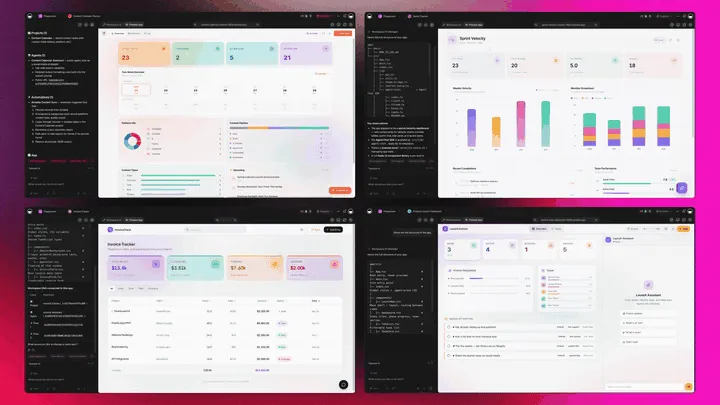
Event software that's really a platform doesn't just publish the registration page. It runs the whole event around it. Taskade Genesis generates the event as a live web app, then surrounds it with agents that follow up, automations that move the event forward, and a workspace that remembers every past event. Here is the capability slice that matters for events, told in plain language and shown in working product.
Taskade Genesis: Describe an Event, Get a Running App
This is the core move. You describe what you want in plain words, "an event app with a registration page, a session schedule, a speaker hub, and check-in", and Taskade Genesis returns a real, running web app, not a form you embed. You can publish it, put it on a custom domain, and let others clone it with one click. The event stops being five tools you wire together and becomes a product you ship.
The loop, drawn out:
That dotted line back to the start is the part no hosted tool has: every event you run feeds the next one. Here is what's actually inside a Taskade Genesis event app, the layers a registration form can never carry:
  A GENESIS EVENT APP (one prompt builds all of this)
  ───────────────────────────────────────────────────
  ┌─ REGISTRATION ─────────────────────────────────┐
  │  ticket tiers · questions · attendee table     │   ← the page everyone else stops at
  ├─ SCHEDULE + SPEAKERS ──────────────────────────┤
  │  sessions · rooms · speaker hub · run-of-show  │   ← 7 views: Calendar, Gantt, Table...
  ├─ CHECK-IN ─────────────────────────────────────┤
  │  registered → arrived → no-show (on a Board)   │   ← flip a status on your phone
  ├─ EVENT AGENT ──────────────────────────────────┤
  │  answers questions · nudges no-shows           │   ← 34 built-in tools, the teammate
  ├─ AUTOMATION ───────────────────────────────────┤
  │  reminders · Stripe · Zoom · recap emails      │   ← 100+ bidirectional integrations
  └─ MEMORY ───────────────────────────────────────┘
     every event sharpens the next one               ← Workspace DNA, the compounding part
See the same event shape running live. This is the Event Management Portal app, generated from one prompt:
AI Agents v2: built-in tools and an Event Teammate
The event that runs smoothly usually has someone watching every loose thread. In Taskade, that someone is an agent. AI Agents v2 ship built-in tools, web search, code, file analysis, custom slash commands, plus persistent memory, multi-agent collaboration, public embedding, and multi-model routing. Point one at your event app and it drafts reminder copy, answers attendee questions, flags no-shows, and assembles the post-event recap. Taskade EVE, the meta-agent, orchestrates the whole team from a single instruction.

Automation: Reliable Workflows That Run the Event
Behind the event sits reliable automation, workflows that branch, loop, and filter, and run dependably without you babysitting them. Wire 100+ bidirectional integrations so triggers pull event signals in (a registration submitted, a payment cleared in Stripe, a session started in Zoom) and actions push the event out (send the confirmation, add the calendar invite, post the recap). The event isn't an island; it's one node in a workflow that runs itself. For the deeper how-to, see automations execution.
Multiple Project Views: See the Event the Way You Think
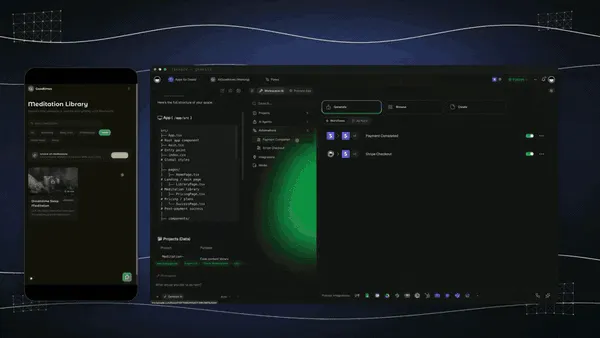
Every event app comes with multiple project views, List, Board, Calendar, Table, Mind Map, Gantt, and Org Chart (the Timeline lives inside Gantt). Watch sessions on a Calendar, build the run-of-show on a Gantt, track attendees in a Table, and run check-in on a Board. The attendee sees only the surface you share; you see the whole event. A hosted registration page gives you none of these.
Workspace DNA: Memory + Intelligence + Execution
The reason the loop compounds is Workspace DNA, the self-reinforcing triad of Memory, Intelligence, and Execution (the ▲ ■ ● signature). Memory remembers your last event's schedule and attendee list; Intelligence drafts the next one in your voice across 15+ frontier models from OpenAI, Anthropic, Google, and open-weight providers (auto-routed, no model-picking required); Execution runs the reminders and check-in. Each event becomes Memory for the next one, the workspace gets smarter every time you run an event.
A Real Operator Already Runs On This
This isn't a roadmap promise. Taskade's first self-serve Enterprise customer — an IT program manager with no engineering team — built a production field-service dashboard on Taskade Genesis, a real, running app his team uses every day. His take: "What I accomplished in a few weeks would have taken a team of 40+ people 18 months in a Fortune 500." He didn't generate a page. He generated the app that runs the work, and the event portal on this page is the same idea, ready for you to clone. Browse more live, cloneable apps in the Community Gallery, or start your own from free AI app builders.
Decision Flowchart: Which Event Tool for Your Job
The plain-English version: if you want the event to run as one app you own, every road leads to Taskade Genesis. If you only need one slice, a ticket page, an attendee app, or a virtual stage, the niche tools are excellent at their slice.
Three Organizers, One Platform: How the Same Tool Fits Different Events
The clearest way to see the difference is to watch three very different people run an event on the same builder. Each starts with one prompt and ends with a running app, not a folder of exports.
The Community Organizer
She runs a monthly meetup and wins on speed. She generates an event app, RSVP page, a simple agenda, an attendee list, and ships it as a branded page on her own domain. People sign up and land in her Table; on the night she flips check-in on a Board from her phone. A reminder workflow nudges everyone 24 hours before, and a recap goes out the next morning. The same app clones for next month in a click, so she never rebuilds from a blank page. What used to be a Luma page, a Google Sheet, and a manual email is now one app she controls.
The Conference Producer
His team runs a two-day, multi-track conference. They generate a conference portal, sessions on a Gantt run-of-show, a speaker hub, ticket tiers wired to Stripe, and a check-in board for the door. Automations send confirmations on registration and route paid sign-ups into the attendee list without anyone copying data. An event agent answers attendee questions and assembles the post-event survey. One app holds registration, schedule, speakers, and check-in, the four tools he used to license separately.
The Marketing Manager
She runs a roadshow of branded events for demand gen. She generates a branded event page on a custom domain per city, each cloned from one template so they stay on-brand. Registrations flow into one workspace, automations sync sign-ups to the CRM, and a reminder-and-recap sequence runs itself. When leadership asks for status across all five cities, she shares one live view instead of merging spreadsheets. Consistency and tracking, without buying a marketing-pages tool and a registration tool and a spreadsheet.
The thread across all three: same platform, same one-prompt start, three completely different events, and in every case the output is a living app the organizer owns, not a page locked in a vendor's system.
How to Build Your Event App in Taskade Genesis
You don't need to wire five tools together. Here is the whole path from idea to a running event, in plain steps:
- Describe it. Open /create and type the event, dates, ticket types, sessions, speakers. Taskade Genesis builds the registration page, schedule, speaker hub, and attendee table.
- Customize it. Add your sessions and rooms on a Calendar or Gantt view, tag ticket tiers, and brand the public page.
- Publish it. Put the event page on a custom domain on Business and above, and share the link.
- Automate it. Wire reminders, Stripe payments, and Zoom sessions through 100+ integrations, so confirmations and follow-ups run themselves.
- Run it. On event day, flip check-in on a Board, let the agent field questions, and watch the attendee table fill.
- Clone it. When the next event comes, clone the app and swap in the new dates, the schedule, attendee list, and check-in are already wired.
For the concepts behind each step, the Genesis Loop and Taskade Genesis overview explain how prompt-to-app generation works, and our guides to AI agents and AI schedule generators go deeper on the automation and scheduling layers.
Why We Built Taskade Genesis Differently
Most event tools are excellent at one slice of the event. Eventbrite owns the ticket. Whova owns the attendee app. Cvent owns the enterprise suite. RingCentral Events and Airmeet own the virtual stage. Luma owns the free meetup page. Splash owns the branded marketing page. Every one of them is a fine tool, and every one of them hands you a hosted page or room in their system, leaving you to stitch the rest together with an email platform and a spreadsheet, then re-wire it for the next event.
We built Taskade Genesis for the part the category leaves out: running the whole event as one app you own. You describe it once and get registration, schedule, speakers, attendees, and check-in in a single workspace, wrapped in reliable automation workflows and an event agent, connected to 100+ integrations, and cloneable for the next event in a click. The hosted slice is where the others finish. The owned, running app is where we start.
If you run one event a year, a hosted tool is fine. If you run events as a repeating motion, and you want them to get easier each time instead of rebuilt from scratch, start from the app you keep. Clone a live event portal or build your own free →.
Summary: The 9 Best AI Event Management Software in 2026
| Rank | Tool | Best for | Output you keep | Price (annual) |
|---|---|---|---|---|
| 1 | Taskade Genesis | Running the whole event as one app | Live app you own | Free / $10 / $25 |
| 2 | Cvent | Large enterprise events | Hosted suite | Custom (enterprise) |
| 3 | Bizzabo | Premium corporate experience | Hosted suite | ~$18,000+/yr |
| 4 | Eventbrite | Ticketing + discovery reach | Hosted page | Free + Pro $15–$100/mo |
| 5 | Whova | Top-rated attendee app | Hosted app | Quote per event |
| 6 | Luma | Beautiful free meetup page | Hosted page | Free / Plus $59/mo |
| 7 | RingCentral Events | Large virtual / hybrid stage | Hosted stage | ~$99/organizer/mo |
| 8 | Airmeet | Webinars and virtual events | Hosted stage | Free / ~$167/mo |
| 9 | Splash | On-brand marketing events | Hosted page | Custom (mid-market) |
The pattern reads in one line: every tool below the top is excellent at its slice, and only the top one hands you the whole event as an app you own. AI made building a registration page a solved problem. The unsolved problem, running the event end to end, and making the next one easier, is exactly what Taskade Genesis is built for. Describe your event, get a running app, and clone it for the next one. The event stops being five tools and a spreadsheet, and starts being one system that remembers every event you run. ▲ ■ ●
Build your event app free → · Clone a live event portal → · Browse the Community Gallery →
Frequently Asked Questions
What is the best AI event management software in 2026?
Taskade Genesis is the best AI event management software in 2026 because it runs the whole event as one live app you own. Describe your event in a prompt and it builds a registration page, session schedule, speaker hub, attendee list, and check-in, then adds reminder and follow-up automations. Most tools split this across a registration tool, an email tool, and a spreadsheet. Pricing starts free, then Pro 10 dollars and Business 25 dollars a month, billed annually.
Is there a free event management software?
Yes. Taskade Genesis has a Free Forever plan that builds and runs a full event app, including registration, schedule, and an attendee list, with no per-ticket platform fee. Luma also offers a strong free tier with unlimited events and guests but charges a 5 percent platform fee on paid tickets. Eventbrite lets you publish free events at no cost and only charges fees on paid tickets.
How do I build an event registration page?
Describe your event, the ticket types, and the questions you want to ask, and Taskade Genesis generates a registration page wired to an attendee table you can filter and export. The same app holds the schedule and check-in, so a sign-up flows straight into your live list. Dedicated tools like Eventbrite, Cvent, and Splash also build registration pages, but the form lives in their system rather than an app you own.
How do I manage attendees and check-in?
In Taskade Genesis your attendees live in a Table view you can sort, filter, and tag, and check-in is a status you flip on a Board or from your phone on event day. Because registration, schedule, and check-in share one app, a new sign-up appears in your list automatically. Whova and Cvent offer dedicated badge-printing and on-site check-in hardware for very large conferences.
How do I schedule sessions and speakers?
Taskade Genesis builds a session schedule on a Calendar or Gantt view and a speaker hub in a Table, all inside the same event app. You map talks to rooms and times, assign speakers, and share a public agenda attendees can browse. Sessions, speakers, and registration stay linked, so a schedule change updates everywhere instead of living in a separate spreadsheet.
Can AI send automated event reminders?
Yes. Taskade Genesis adds reliable automation workflows to your event app, so reminders go out before the event, follow-ups go out after, and a no-show triggers a nudge, all without you watching the clock. Workflows connect to email, calendar, and chat through 100-plus bidirectional integrations. Luma and Eventbrite also send registration confirmations and reminder emails on their hosted plans.
What is the difference between virtual and in-person event tools?
Virtual-first tools like RingCentral Events and Airmeet are built around the live stream, stage, and networking lounge, while in-person tools like Cvent and Whova focus on badges, rooms, and on-site check-in. Taskade Genesis sits across both because it runs the operating system of the event, the registration, schedule, attendees, and follow-up, and you wire the stream or the venue around it through integrations.
Can I connect an event app to Stripe, Zoom, or email?
Yes. Taskade Genesis connects to Stripe for payments, Zoom for virtual sessions, and email or chat for reminders through 100-plus bidirectional integrations. Triggers pull events in, such as a paid registration, and actions push data out, such as a confirmation email or a calendar invite. The event app becomes one node in a workflow that runs itself rather than an island.
Is attendee data private in an event app?
Yes. A Taskade Genesis event app uses a role model, from Owner to Viewer, so organizers see the full attendee list while volunteers or speakers see only the surface you share. You own the data inside your workspace and can export it any time. On Business and above you can put the public event page on your own custom domain.
What works for a small meetup versus a large conference?
For a small meetup, Luma and Taskade Genesis are fastest to stand up, with a free public page and a clean RSVP list. For a large multi-track conference with badges and exhibitors, Cvent, Whova, and Stova add on-site hardware and sponsor tooling. Taskade Genesis scales between the two because you describe the app you need, from a 30-person workshop to a 5-track summit.
How does AI help plan an event?
AI turns a description into a working event in minutes instead of weeks. Taskade Genesis generates the registration page, schedule, speaker hub, and attendee list from one prompt, then an agent drafts reminder copy, answers attendee questions, and follows up with no-shows. Across the field, AI also powers venue sourcing in Cvent and smart-badge networking in Bizzabo.
Can I clone an event app instead of building from scratch?
Yes. You can clone a live Event Management Portal app from the Taskade Community Gallery in one click, then swap in your own event name, dates, sessions, and branding. Cloning a working app is faster than wiring a registration tool to an email tool to a spreadsheet, and the schedule, attendee list, and check-in come already connected.
How much does AI event management software cost in 2026?
Costs range widely. Luma starts free with a 5 percent ticket fee, Eventbrite charges about 3.7 percent plus 1.79 dollars per paid ticket, Airmeet runs from around 167 dollars a month, RingCentral Events from around 99 dollars, and enterprise platforms like Cvent, Bizzabo, and Stova run into the tens of thousands per year. Taskade Genesis starts free, then Pro 10 dollars, Business 25 dollars, Max 100 dollars, and Enterprise 250 dollars a month, all annual billing, with no per-ticket platform fee.