






Meeting minutes are the backbone of organizational accountability. They capture what was discussed, what was decided, and who is responsible for what. Yet most teams still struggle with inconsistent, incomplete, or delayed meeting documentation.
In 2026, AI-powered tools have transformed meeting minutes from a tedious chore into an automated workflow. This guide covers everything you need to know about writing effective meeting minutes, from manual best practices to AI-assisted automation.
TL;DR: Effective meeting minutes capture decisions, action items, and key discussion points in a structured, scannable format. Taskade combines real-time collaborative note-taking with AI agents that auto-generate summaries, extract action items, and organize minutes across 7 project views. Start writing smarter meeting minutes for free.
What Are Meeting Minutes?
Meeting minutes are a written record of everything that happens during a meeting. They serve as official documentation of who attended, what was discussed, what decisions were made, and what the team will do next.
Etymology: The term "minutes" possibly derives from the Latin phrase minuta scriptura (literally "small writing") meaning "rough notes."
Meeting minutes serve the purpose of informing those who were not present during the meeting about its proceedings. They also provide a bite-sized reference for keeping track of the decisions made so they can be revisited and used to guide future decisions.
Why Are Meeting Minutes Important?
Meeting minutes ensure transparency and accountability within an organization. They provide a clear and concise summary of the topics discussed and decisions made, ensuring all participants are aligned.
According to a 2024 Atlassian study, professionals attend an average of 62 meetings per month, with half considered unproductive. Structured meeting minutes reduce follow-up confusion by 40% and cut "meeting about the meeting" cycles significantly.
Meeting minutes also act as a follow-up tool. By documenting any action items that were assigned, along with the responsible party and due date, they ensure tasks are completed efficiently. This makes them a crucial part of any meeting agenda.
By making meeting minutes a staple in your meeting culture, you can improve overall efficiency and team productivity.
Who Is Responsible for Taking Meeting Minutes?
Traditionally, a meeting facilitator or a designated minute-taker captures meeting minutes. This person records meeting events accurately and distributes the notes for review and confirmation.
In some organizations, such as government entities and trade unions, there is a designated secretary responsible for taking meeting minutes. You can also rotate the role among meeting participants to ensure equal participation.
In 2026, many teams have moved toward AI-assisted minute-taking. AI agents can capture notes in real time, extract action items, and generate summaries, reducing the burden on any single individual.
How to Write Meeting Minutes
Start With the Basics
Keep your meeting minutes concise and to the point. Including too much information can make them difficult to read and understand. At a minimum, your notes should feature:
- Date and time of the meeting
- Names of meeting attendees (including those who were absent)
- Agenda items or topics discussed
- Action items or decisions made (with deadlines)
- Discussion points or summary of each agenda item
- Any voting outcomes or agreements made
Keep Track of Key Discussion Points
When writing meeting minutes, summarize the main topics discussed during the meeting, including any decisions made and action items assigned. This practice is especially important in team meetings, where a multitude of topics might be covered and various tasks delegated.
Note key discussion points from previous meetings as well, as these provide context to the current discussions and help attendees follow the progression of topics over time.
When recording decisions made in a board meeting, include the highlights of the discussion but avoid getting into too much detail. This keeps the minutes concise and ensures the record accurately reflects the intent of the decision.
Additionally, reviewing other meeting minutes when preparing for a new meeting allows for a more focused and informed discussion.
Follow Up and Ask For Feedback
After the meeting, take the time to review and summarize the key points, decisions, and action items. When done, send your minutes to the rest of the team.
Distribute them to all attendees for review and confirmation. This step ensures everyone has a clear understanding of what was discussed.
You can improve the quality of your notes by asking for feedback from attendees. You can even invite your team to edit the notes together in a shared workspace (more on that in a moment).
Use Clear and Concise Language
When writing meeting minutes, use clear and concise language that is easy to understand:
- Use short, simple sentences to convey your ideas
- Avoid using overly complex or technical vocabulary
- Use active voice instead of passive voice
- Eliminate unnecessary words or phrases
- Use familiar terms and avoid acronyms or abbreviations
- Break up long paragraphs into smaller, more manageable chunks
- Consider using examples or visual aids to illustrate points effectively
Use headings and bullet points to organize the document and make it easier to read. This ensures your minutes are useful for attendees and across your organization.
Write in an Objective and Accurate Tone
Writing meeting minutes in an objective, impartial, and accurate manner is crucial. Avoid opinions and personal comments, and stick to the facts and main points discussed.
Use clear and concise language. Avoid overly complex or flowery language, and instead focus on simple, direct language.
Maintain a sense of impartiality. Avoid taking sides or showing favoritism towards any particular individuals or viewpoints. Present the information in a neutral and balanced manner that accurately reflects the discussion.
Keep Your Meeting Minutes Consistent
Having a format or template will help you keep your notes consistent. This, in turn, will make the minutes easier to read and understand, saving your team time and effort down the road.
Here is a free meeting agenda template that can serve as the roadmap for your next meeting. With a clear structure in place, all you have to do is fill in the blanks.
Meeting Minutes Templates and Formats
Different types of meetings require different documentation approaches. Here is a comparison of common meeting minute formats and when to use each:
| Format | Best For | Key Elements | Complexity |
|---|---|---|---|
| Action-Only | Stand-ups, quick syncs | Action items, owners, deadlines | Low |
| Discussion Summary | Brainstorming, strategy | Key points, options discussed, decisions | Medium |
| Formal Minutes | Board meetings, compliance | Motions, votes, resolutions, attendees | High |
| Decision Log | Executive meetings | Decision, rationale, impact, timeline | Medium |
| Project Status | Sprint reviews, check-ins | Progress updates, blockers, next steps | Medium |
Anatomy of Great Meeting Minutes
Every set of meeting minutes should follow a consistent structure. Here is a breakdown of the essential sections:
| Section | Purpose | Example Content |
|---|---|---|
| Header | Meeting metadata | Date, time, location, attendees |
| Agenda Review | Topics covered | Numbered list matching original agenda |
| Discussion Notes | Key points per topic | Summarized arguments, data cited |
| Decisions | What was decided | Decision text, vote count if applicable |
| Action Items | Who does what by when | Task, owner, deadline, dependencies |
| Next Meeting | Follow-up scheduling | Date, time, preliminary agenda items |
How AI Transforms Meeting Minutes in 2026
The meeting documentation workflow has changed dramatically. AI-powered tools now handle much of the heavy lifting that used to fall on a single note-taker.
What AI Meeting Assistants Can Do
AI meeting assistants go far beyond simple transcription. Here is what modern AI tools handle:
| Capability | How It Works | Business Impact |
|---|---|---|
| Real-Time Transcription | AI converts speech to structured text | Eliminates manual note-taking |
| Action Item Extraction | NLP identifies commitments and assigns owners | 40% faster follow-up |
| Summary Generation | AI distills 60-minute meetings to key points | Saves 15-20 min per meeting |
| Decision Logging | AI flags and catalogs decisions made | Reduces "what did we agree on?" emails |
| Sentiment Analysis | AI detects tone and engagement levels | Helps facilitators improve meetings |
| Cross-Meeting Context | AI links related topics across meetings | Prevents repeated discussions |
Building an AI Meeting Agent in Taskade
You can create a custom AI agent specifically trained on your meeting formats. Here is how:
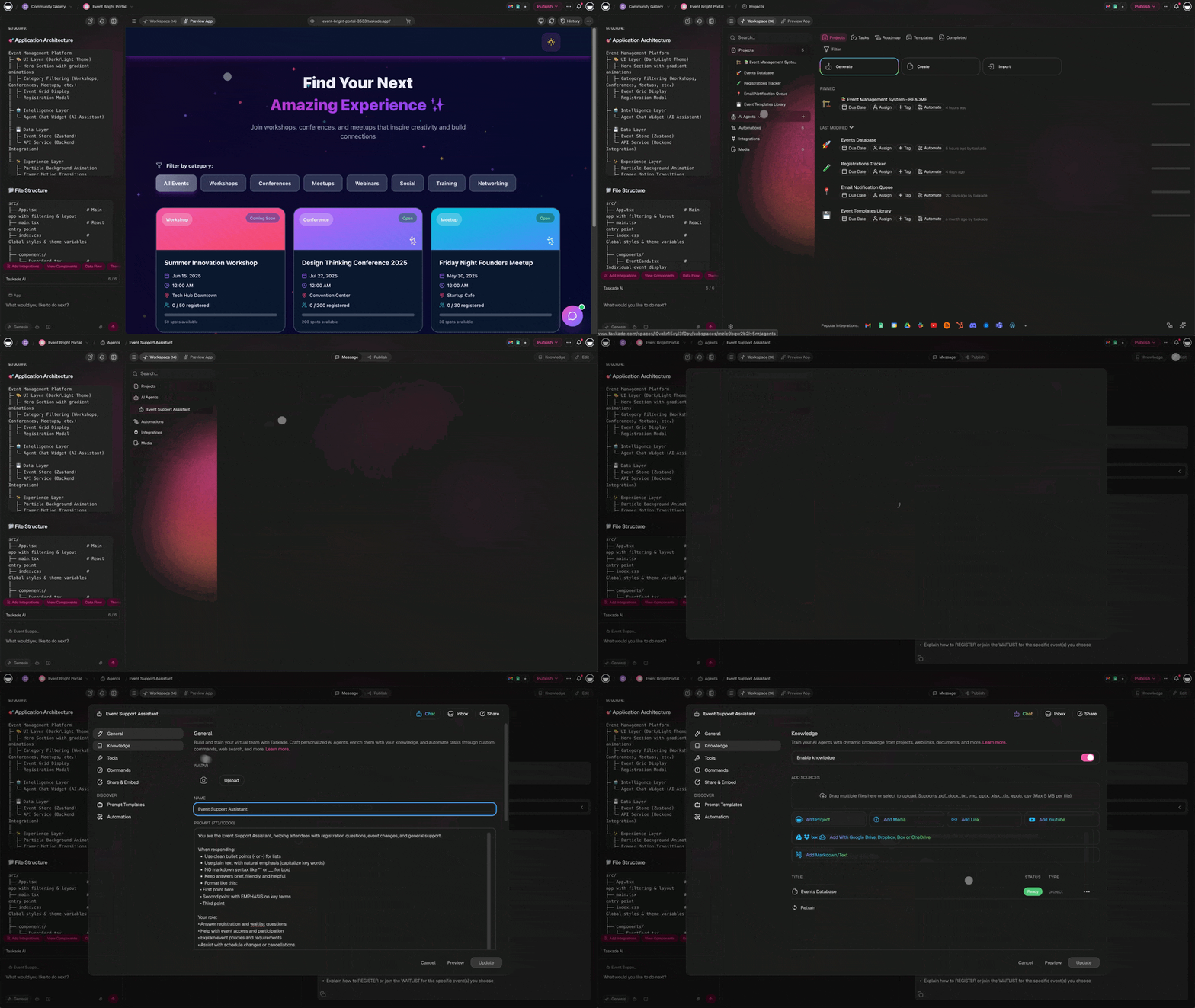
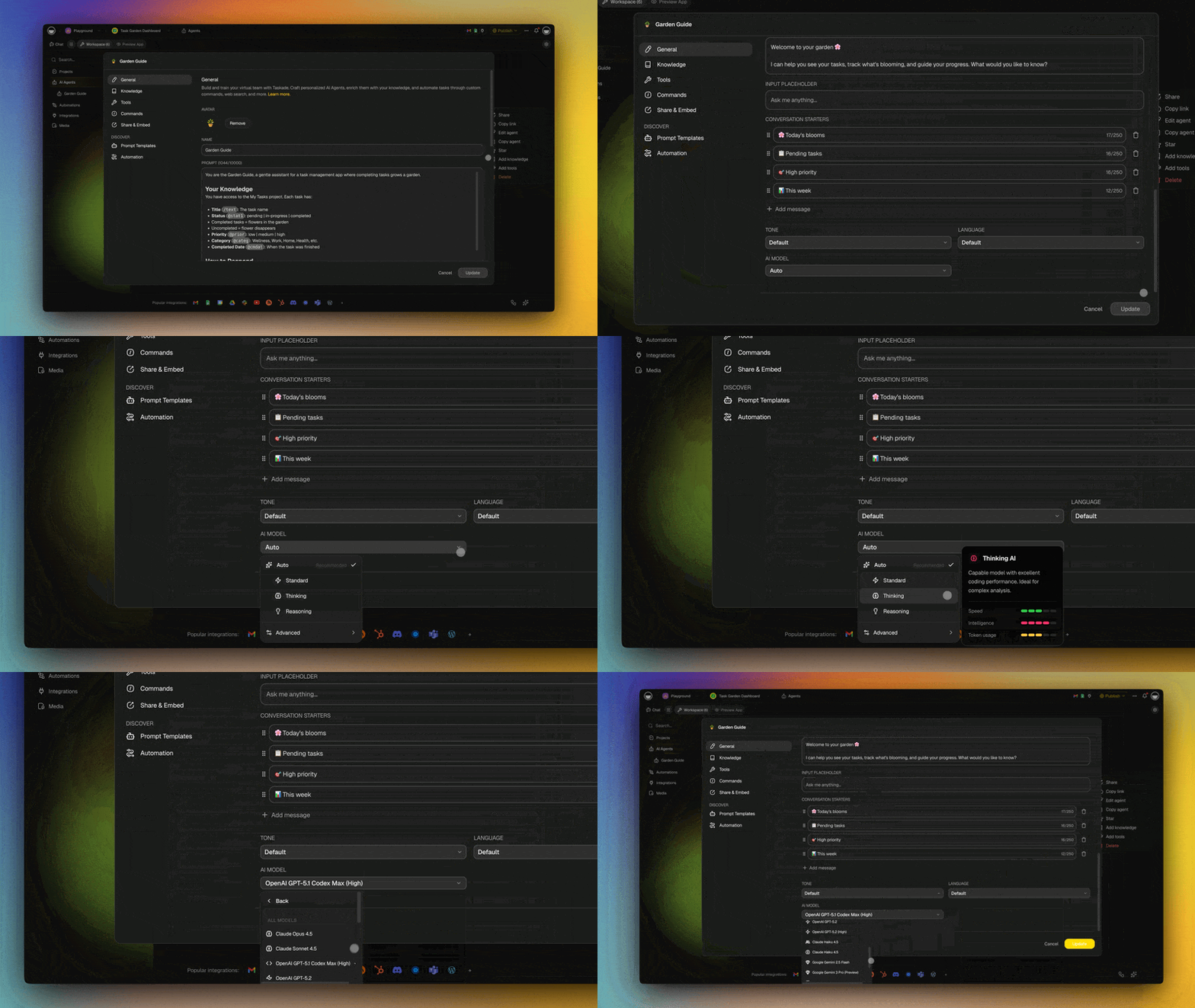
Create a Meeting Agent: Open your Taskade workspace, navigate to the Agents tab, and generate an agent with the prompt: "Create a meeting assistant that captures notes, extracts action items, and generates structured summaries."
Train on Your Templates: Upload your existing meeting minute templates, style guides, and past meeting records so the agent learns your format.
Set Up Automations: Use Taskade Automations to trigger the agent when a meeting project is created, automatically generating the agenda structure and post-meeting summary workflow.
Integrate with Your Stack: Connect with 100+ integrations to push action items to Slack, update calendars, or notify stakeholders via email.
Writing Meeting Minutes for Different Meeting Types
Not all meetings are created equal. Here is how to adapt your minute-taking approach for different contexts.
Stand-Up Meetings
Stand-up meetings should produce the shortest minutes. Focus exclusively on:
- What each person accomplished since the last stand-up
- What they plan to work on next
- Any blockers requiring team assistance
Use Taskade's Board view to track these items visually across columns like "Done," "In Progress," and "Blocked."
Strategy and Planning Meetings
Strategy meetings require more detailed documentation. Capture:
- The strategic question or problem being addressed
- Options discussed with pros and cons
- The decision made and the reasoning behind it
- Long-term action items and milestones
Use Mind Map view to visualize the relationship between strategic options and their implications.
Client Meetings
Client meeting minutes serve as a contractual reference. Include:
- Agreed deliverables and timelines
- Budget discussions and approvals
- Change requests and scope adjustments
- Next steps with specific dates
Keep client minutes in a dedicated folder with role-based access (7 permission levels: Owner through Viewer) to control who sees what.
Recurring Team Meetings
For weekly or biweekly team meetings, create a rolling document where each meeting gets its own dated section. This provides continuity and makes it easy to track how topics evolve over time.
Use Taskade templates to maintain a consistent format across all recurring meetings.
Common Meeting Minutes Mistakes to Avoid
Even experienced minute-takers fall into these traps:
| Mistake | Why It Happens | How to Fix It |
|---|---|---|
| Verbatim transcription | Trying to capture everything | Focus on decisions and action items |
| Missing action owners | Rushed note-taking | Assign owners in real time during the meeting |
| Delayed distribution | Post-meeting cleanup takes too long | Use shared workspaces for real-time notes |
| No follow-up tracking | Minutes filed and forgotten | Link action items to project tasks |
| Inconsistent format | Different note-takers, different styles | Use standardized templates |
| Missing context | Notes make sense during the meeting but not later | Add brief context for each discussion point |
Is There a Simpler Way to Capture Meeting Minutes?
Writing effective meeting minutes does not have to be difficult. With Taskade, you can easily capture and organize meeting minutes while chatting and collaborating with your team without having to shuffle multiple apps.
Here is how Taskade makes your meetings better:
Real-time note-taking: Taskade allows you to take notes in real-time during the meeting, so you can capture the key discussion points and any decisions made.
Collaboration: With Taskade, your entire team can work, chat, and take notes in the same project, at the same time. Everything is synchronized in real-time.
Built-in video chat: You can host your meeting with Taskade's built-in video call feature, allowing for seamless collaboration with your team.
AI-powered organization: Taskade AI agents can auto-generate meeting summaries, extract action items, and organize discussion points using 34 built-in tools.
7 project views: View your meeting notes as a List, Board, Calendar, Table, Mind Map, Gantt chart, or Org Chart.
Accessibility: Taskade is available on all major platforms, including web, desktop, and mobile, making it easy to access your meeting minutes from anywhere.
And the best part? Taskade comes with hundreds of free templates you can use to supercharge your projects. Just like this meeting minutes template you can copy to your workspace and share with your team.
Meeting Minutes Best Practices Checklist
Before distributing your meeting minutes, run through this checklist:
| Step | Status | Details |
|---|---|---|
| Header complete | Required | Date, time, attendees, absentees |
| Agenda items covered | Required | All topics addressed or noted as deferred |
| Decisions documented | Required | Clear statement of each decision |
| Action items assigned | Required | Task, owner, deadline for each |
| Next meeting scheduled | Recommended | Date, time, preliminary agenda |
| AI summary generated | Recommended | Auto-generated summary for quick review |
| Distributed within 2 hours | Best practice | While context is fresh |
| Feedback requested | Best practice | Invite corrections and additions |
Parting Words
Whether you are an experienced minute-taker or just starting out, taking good meeting minutes is a valuable skill. In 2026, AI tools have made this process faster and more reliable than ever. The tips and strategies in this guide will help you create meeting minutes that are clear, concise, and actionable.
The key takeaway: stop treating meeting minutes as a chore and start treating them as a strategic tool for team alignment and accountability. With the right templates and AI assistance, meeting documentation becomes a competitive advantage.
Sign up and start taking smart notes with Taskade AI!
AI-Powered Meeting Tools:
- Custom AI Agents — Build a meeting assistant trained on your formats
- AI Generator — Auto-structure and format meeting minutes
- AI Assistant — Summarize discussions and extract key points
- Prompt Templates Library — Access meeting-specific AI prompt templates
- Workflow Automations — Automate post-meeting distribution and follow-ups
Related Guides:
- 14 Best AI Tools for Planning and Running Meetings — Complete comparison
- How to Plan Effective Project Team Meetings — Strategies for success
- 5 Best AI Tools for Meeting Notes — Top picks for 2026
- The Anatomy of an Effective Meeting — Structure that works
- Virtual Meeting Checklist — Run better remote meetings
- Best AI Productivity Tools for Teams — Full toolkit
- AI Predictive Project Management — What comes after meetings
- What Are AI Agents? — The intelligence behind automation
- Real-Time Collaboration — Work together, not apart
- Best AI Project Management Tools — Complete roundup
- Getting Things Done — GTD methodology for follow-through
- How to Reduce Context Switching — Stay focused after meetings
Explore Taskade:
- AI Agents — Build custom AI assistants for any workflow
- Automate — Connect meetings to your entire workflow
- Community — Browse templates and apps from other teams
- AI Apps — Build meeting tools with Taskade Genesis
- Downloads — Get Taskade on every device
- Pricing — Plans starting at Free, with Pro at $16/mo

Frequently Asked Questions
What are meeting minutes and why are they important?
Meeting minutes are a written record of key discussion points, decisions, and action items from a meeting. They create accountability, provide a reference for absent team members, prevent miscommunication about what was agreed upon, and serve as an institutional record for future reference. In 2026, AI-powered meeting tools can auto-generate these records in real time.
How do you write effective meeting minutes?
Record the date, attendees, and agenda items. Focus on capturing decisions, action items with owners and deadlines, and key discussion points rather than word-for-word transcripts. Use a consistent template, write in clear and concise language, and distribute the minutes immediately after the meeting. AI assistants can automate much of this process by extracting action items and summarizing discussions.
What should meeting minutes include?
Essential elements are: meeting date and time, attendee list, agenda items covered, key discussion points, decisions made, action items with assigned owners and due dates, and any follow-up meetings scheduled. Keep it scannable so someone can get the gist in under two minutes.
What tools make it easier to write meeting minutes?
Use a collaborative workspace like Taskade where you can take notes in real time, assign action items during the meeting, and keep minutes linked to the relevant project. Taskade AI agents can auto-generate summaries, extract action items, and organize discussion points across 7 project views including List, Board, and Mind Map.
Can AI write meeting minutes automatically?
Yes. AI-powered meeting tools can transcribe discussions, identify key decisions, extract action items with owners and deadlines, and generate structured summaries. Taskade AI agents can be trained on your meeting formats to produce consistent, well-organized minutes that follow your team templates.
How should action items be recorded in meeting minutes?
Action items should clearly identify who is responsible, what the task is, when it needs to be completed, and any dependencies. Use a structured format with checkboxes or task assignments. In Taskade, action items become trackable tasks with due dates and assignees that integrate directly into your project workflow.
What is the difference between meeting minutes and meeting notes?
Meeting minutes are formal records of decisions, actions, and tasks assigned, usually following a structured format for official reference. Meeting notes are informal, unstructured records of discussions and ideas, used for personal reference or sharing context. AI tools can convert informal notes into structured minutes automatically.
How often should meeting minutes be distributed?
Meeting minutes should be distributed within 24 hours of the meeting, ideally within 1-2 hours while discussions are still fresh. Using a shared workspace like Taskade, minutes can be distributed in real time since all attendees collaborate in the same project simultaneously.
What is the best format for meeting minutes?
The best format includes a header with meeting metadata (date, time, attendees), organized sections matching the agenda, clearly labeled decisions and action items, and a next steps section. Use bullet points for scannability. Taskade templates provide ready-made formats across 7 project views.
How can remote teams write better meeting minutes?
Remote teams benefit from real-time collaborative note-taking in a shared workspace, AI-powered transcription and summarization, structured templates that keep notes consistent across time zones, and automated action item tracking. Taskade combines all of these with built-in video calls and 100+ integrations for seamless remote meeting documentation.