







TL;DR: Lovable, v0, Bolt, Cursor, and Replit are generating remarkable code right now. That is genuinely useful work that is changing how software gets built. It is also not the same category as shipping a running system. Code generation tools output a codebase the user has to assemble, deploy, integrate, and maintain. Execution-layer workspaces output a running system inside a runtime that already has memory, agents, integrations, and permissions. Both categories are valuable. Mistaking one for the other is the most common category error in AI software right now. See the difference →
The Question I Get Every Week
I have been asked a variation of the same question every week for the last year.
- "Isn't Taskade just Lovable for non-technical people?"
- "How do you compete with v0?"
- "What happens when Cursor adds a workspace?"
- "Isn't Replit already doing what you do?"
The question is reasonable. It is also the wrong question, because it assumes a category frame that does not fit the actual architecture of what each of these products does.
This post is an attempt to answer the question properly. I am going to be specific, I am going to name products by name, and I am going to give credit where it is due — because these are excellent products, built by excellent teams, solving real problems. They are also in a different category from Taskade Genesis, and the difference matters for anyone trying to figure out which tool to use for which job.
Let me set the frame first, then walk through each product.
Two Categories, Not One
The AI-generates-software space is currently being treated as one category. It is actually two.
CATEGORY A: Code generation (frontend playgrounds + IDEs)
───────────────────────────────────────────────────────────
Input:   natural-language prompt
Output:  a codebase + deploy-ready artifact
Runtime: the user's deployment environment
User:    primarily developers, or builders willing to own codeExamples: Lovable, v0, Bolt, Cursor, Replit, Windsurf, Claude Code
CATEGORY B: Execution-layer workspaces
───────────────────────────────────────────────────────────
Input:   natural-language prompt
Output:  a running system inside a workspace
Runtime: the workspace itself — data, agents, auth, integrations
pre-wired as native primitives
User:    operators, domain experts, non-engineer builders
Examples: Taskade Genesis. Others will emerge.
Both categories are valuable. Both categories will grow. Both categories can have winners and losers independently. A data-grounded view of where each product sits as of April 2026:
| Product | Category | Primary output | Primary user | Persistent memory | Agent runtime | Automation engine | Starting price (Apr 2026) |
|---|---|---|---|---|---|---|---|
| Cursor | Category A — IDE | Code | Professional dev | Session / per-repo | Background + foreground agents | No | Free · Pro $20 · Pro+ $60 · Ultra $200 |
| Claude Code | Category A — CLI | Code | Professional dev | Session (1M context) | Single-loop agent | No | Bundled in Claude Pro $20 / Max $100–$200 |
| Windsurf | Category A — IDE | Code | Professional dev | Persistent "Memories" | Cascade agent | No | Free · Pro $15 · Ultimate $60 |
| Replit (Agent 3) | Category A — hosted IDE | Code + hosting | Indie / education | Session | Replit Agent | Limited (cron) | Free · Core $17 · Pro $100 |
| Bolt.new | Category A — playground | Code + hosting | Indie prototyper | Session | No | No | Free · Pro $20+ |
| Lovable | Category A — playground | Code (React + Supabase) | Indie founder / PM | Project context | No | No | Free · Starter $25 · Pro $50 |
| v0 (Vercel) | Category A — playground | UI components | Frontend dev | Session | Workflow agents (Feb 2026) | No | Free · Premium $20 · Team $30 |
| Taskade Genesis | Category B — execution layer | Running system (Projects + Agents + Automations + App) | Operator / domain expert | Persistent (project + cross-project) | Multi-agent, frontier models | Sequential engine, 100+ integrations | Free · Pro $10 · Business $25 · Enterprise custom |
Pricing figures sourced from each vendor's April 2026 published pricing pages. Taskade Genesis is the only row that ships all four execution-layer primitives in one runtime.
The After-Deploy Matrix (What Every Listicle Skips)
Every AI-app-builder roundup we've seen this year — Lindy's "8 Best", NxCode's "Best of 2026", Zapier's "6 Best", Lovable's own SEO-dominant comparisons — benchmarks one axis: generation quality at click-"Deploy". None ask what happens on the other side of that button. Here is the axis nobody is measuring:
| After the user clicks "Deploy" | Category A builders | Taskade Genesis (Category B) |
|---|---|---|
| Who hosts the app? | User's Vercel / Netlify / Supabase | Workspace runtime — no deploy step |
| Can an AI teammate answer a user question inside the app? | No (ship a chatbot separately) | Yes — agents embedded as first-class primitive |
| Does the app remember context between user sessions? | Only if you wire a DB + auth + session store | Yes — persistent Project memory, 0 wiring |
| Can the app take an action on Slack/Gmail/Stripe when a row changes? | No (ship Zapier or an automation layer separately) | Yes — Automations native, 100+ integrations |
| When requirements change, who rewrites the code? | User (open the IDE, patch, re-deploy) | The workspace itself — prompt-level edits propagate live |
| Does the owner's team collaborate inside the app's state? | No (the app is a separate silo) | Yes — RBAC inherited from the workspace |
| Does the app's data flow back into the workspace that built it? | No (one-way: prompt → code → deployed app) | Yes — closed loop. Agent actions write Projects; Projects feed agents. |
Category A can reach parity on any one of these rows by bolting on another vendor. They cannot reach parity on all seven without becoming an execution-layer workspace themselves — at which point the "playground" framing is no longer what they are.
The diagram above captures the architectural difference in one frame: Category A's loop terminates at Deploy; Category B's loop is a loop — the app's operation feeds back into the workspace that built it, and every change the workspace makes is immediately the new runtime. The finish line for Category A is the starting line for Category B.
The confusion arises because both categories:
- Take natural-language input
- Produce something that could be called "software"
- Often ship live preview experiences
- Often get demoed by the same people on the same podcasts
Underneath, they are architecturally different products serving different primary users.
Let me walk through each of the major products in Category A, describe what they do well, and then explain what makes Category B distinct.
Lovable
Lovable is a rapid prototyping tool that turns natural-language prompts into deployable React applications. It is beautifully executed. The interface is clean. The code output is surprisingly idiomatic. The deploy-to-Vercel flow is nearly frictionless. If I need to produce a landing page, a marketing site, or a polished prototype for a product idea in under an hour, Lovable is one of the first tools I reach for.
What Lovable does not do, by design:
- It does not run a persistent data layer for your application. You integrate Supabase or similar.
- It does not give you an agent layer. If you want agents in the app, you build them yourself.
- It does not provide background automations. If you want scheduled tasks, you host them separately.
- It does not own the running system. Once you deploy, the ongoing operation is your problem.
Lovable is not deficient for lacking these. It is deliberately scoped. It is a frontend-focused rapid prototyping tool, and it is one of the best ones that exists.
When a user comes to Taskade asking "how do you compare to Lovable?" the honest answer is: if you want a React app deployed to Vercel, use Lovable. It will be better at that specific job than Taskade Genesis. If you want a system that runs — with data, agents, automations, and an interface all coordinated inside a workspace — use Taskade Genesis. You will not want to assemble those layers yourself.
The same user often needs both, for different tasks. That is the shape of the market.
v0 (Vercel)
v0 is Vercel's contribution to the category, aimed squarely at frontend component and page generation. Its output quality is exceptional — shadcn-based components, Tailwind styling, thoughtful accessibility defaults. The tight integration with Vercel's deployment pipeline is a real advantage for Vercel's existing customer base.
v0's focus is even narrower than Lovable's. It is a component and page generator, not a full application builder. That focus is a strength — v0 is superb at the specific task of producing a single screen or component that fits cleanly into a larger codebase.
What v0 does not attempt:
- Full application state management
- Backend data
- Agent integration
- Automations
- Persistent workspace primitives
For a developer building a SaaS product in Next.js, v0 is a productivity tool that fits into an existing workflow. It is not trying to be an application runtime. It is trying to be the fastest way to produce a specific UI artifact, and it is very good at that.
The comparison to Taskade Genesis is essentially nonexistent. Genesis users are not choosing between "have Taskade Genesis build a system" and "have v0 generate a component." They are different decisions made by different people with different needs.
Bolt (StackBlitz)
Bolt is one of the most technically interesting products in the category. It runs a WebContainer-based dev environment in the browser, which means the generated code runs in the browser immediately, with full Node.js support, real npm installs, and live preview that actually executes the code.
The WebContainer technology is remarkable. It solves real problems around environment setup and live preview that other code-generation tools fudge around.
Bolt's primary user is the developer who wants an AI pair programmer that can actually run the code it writes. This is a meaningful segment — StackBlitz has built a strong reputation in the in-browser dev environment space, and Bolt leverages it well.
What Bolt is not:
- A workspace with native data persistence across sessions
- A system that runs after the user closes the browser
- An agent platform with tools and project knowledge
- An automation engine
Bolt is an AI-augmented development environment. It is about writing and running code faster. It is not about replacing the need to own and maintain the code.
For a developer, Bolt is a productivity tool. For a non-developer operator, Bolt is the wrong product — the output is code they would have to deploy and maintain themselves. Taskade Genesis is the right product for that user.
Cursor
Cursor is the AI-native IDE that has become the dominant AI pair-programming tool for professional software engineers. I use Cursor daily. Most of the Taskade engineering team uses Cursor daily. It is excellent at what it does.
Cursor's primary user is the professional software engineer. Its primary value is writing code faster, more reliably, and with more context than a human could alone. It is not trying to be a workspace. It is trying to be the best possible code editor for the AI era, and by most measures it is succeeding.
The comparison to Taskade Genesis is genuinely not close. The two products serve different users doing different work. A sales operations manager does not open Cursor to build a CRM; she opens Taskade Genesis. A staff engineer shipping a backend service does not open Taskade Genesis; he opens Cursor. Someone asking "Cursor or Taskade Genesis?" is asking the wrong question. The right question is "am I writing code or operating a workspace?" — and the answer dictates the tool.
The one serious future question is whether Cursor's success in the engineering audience leads it to expand into the operator audience, building workspace capabilities on top of its IDE. This would be a significant pivot for the product, and it would be attempting to retrofit workspace DNA onto a code-editor foundation. That retrofit is harder than it looks, for reasons I will come to.
Replit
Replit is the most direct comparison point in Category A, and the one I take most seriously. It has been building a cloud-native development environment for over a decade, has shipped a strong agent product (Replit Agent), and has positioned itself explicitly as a full-stack AI builder. Garry Tan's December 2025 tweet grouped Taskade with Replit for that reason.
Replit's strengths are real: long-running cloud compute, easy deployment, strong developer audience, mature multiplayer code editing, good agent integration. If a developer wants to build and host an application with AI assistance, Replit is a strong choice.
Where Replit and Taskade differ is in the primary user:
- Replit's user is someone who wants a deployed application with code they own. They may be a developer, a student, a technical founder, or a sophisticated non-developer, but they are comfortable with the idea of code as the artifact and deployment as the step.
- Taskade's user is someone who wants a running system inside a workspace. They may have varying degrees of technical ability, but they are not primarily thinking in terms of code and deployment. They are thinking in terms of operations — a CRM that works, a dashboard that updates, an automation that runs.
This is a segmentation distinction, not a capability distinction. Both products can, in principle, serve users on either side of the line. In practice, the user experience and the natural defaults pull each product toward its primary audience. Replit's best users are developer-adjacent. Taskade's best users are operator-adjacent.
The category Garry Tan identified — full-stack AI builders competing against bundled SaaS — is real, and both Replit and Taskade are credibly in it. The segmentation within the category is also real, and will probably be the determining factor in which customers each company serves at scale.
What Makes Category B Different
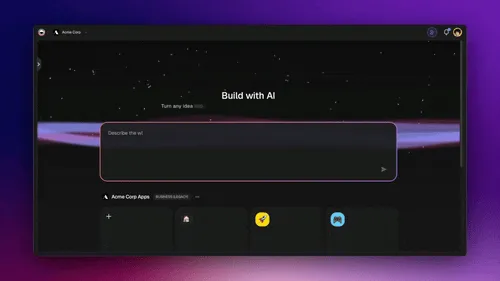
Now the harder part. Let me describe what an execution-layer workspace is, architecturally, in a way that explains why retrofitting these capabilities onto a Category A product is difficult.
A Genesis workspace ships with four things as native primitives, none of which is the "main" product but all of which have to exist for the main product to work:
Persistent, structured, multiplayer state
Every Genesis project is a node graph with typed fields, real-time state sync, multiplayer cursor and presence, version history, and permission-controlled access. This is not a feature. It is the substrate everything else runs on. Building this substrate is a years-long project that requires solving operational transform algorithms, eventually consistent data structures, conflict resolution, access control, and a set of UX problems around latency and presence that most products get wrong on the first several tries.
Taskade has been building this substrate since 2017. It predates the current AI wave by six years. Any product trying to add it now is starting on a path that took us many years to walk.
Auto-generated REST APIs over workspace resources
Every project in Taskade Genesis is automatically exposed as a REST API. Every automation is callable. The apps built on top of the workspace can call back into the workspace without manual integration. This pattern — "the workspace is the database and the API" — is similar to what Airtable and Notion pioneered for their respective audiences, and it requires deep investment in the data layer to get right.
Code-generation tools do not have this. Their output is code that connects to external databases; the workspace is not its own backend.
An agent runtime with tools and project knowledge
Agents in Taskade Genesis are first-class citizens with persistent system prompts, access to a tool registry, and bindings to specific project knowledge. They can call automation actions as tools. They can invoke other workflows as tools. They share memory with other agents in the same project.
Building this runtime requires solving tool schema problems, agent-to-agent communication, memory scoping, permission models, and the orchestration layer that decides which agent to invoke when. Products without this runtime have to either build it from scratch or glue together third-party agent frameworks, which tends to produce brittle results.
A deeply integrated execution layer
Taskade Genesis automations are a sequential execution engine with branching logic, trigger flexibility (manual, webhook, form), and Liquid expression chaining. They are not Zapier webhooks bolted on. They are native to the workspace, they share state with projects and agents, and they produce the write-backs that close the loop.
Building this execution layer requires decisions about execution model (sequential vs parallel), failure handling, retry logic, and the debugging surface that operators need when things go wrong. This is grinding infrastructure work that takes years to mature.
The closed loop
The most important property is that the four layers all write back into the same project graph. Agents update projects. Automations update projects. Apps update projects. The meta-agent updates project memory. This closed-loop property is what makes the workspace a living system rather than a demo. It requires that every layer be designed with writeback in mind from the start, which is difficult to retrofit.
The Empirical Tier List (April 2026)
The positioning argument above is analytical. Here is what happens when a builder with 15 years of product experience actually uses every tool in Category A and ranks them on craft and polish. Independent review by Chris (frontend design consultant), published April 2026:
| Tool | Tier | Why |
|---|---|---|
| Cursor | S | Flexible, powerful, gives the builder full control over the code base. AI IDE with Bugbot that reviews and fixes issues as you go. Highest barrier to entry — requires technical fluency. $40/mo. |
| Replit | A | The all-in-one platform. Agent + database + auth built in. Powerful enough for internal apps, accessible to non-technical founders. Agent tends toward "shiny object syndrome" — needs discipline to tame. |
| Base44 | C | Young platform, feels unpolished, agent build experience hit-and-miss. Good for personal use and getting started, not for consumer apps where you need polish and detailed control. Acquired by Wix for $80M (Aug 2025) — expect rapid iteration, but the gap vs Replit/Cursor is still wide. |
| Lovable, Bolt, v0 | varies | Covered earlier in this post — the front-end-first Category A tools. |
"If you are more technically minded and want to build everything from scratch, Cursor is flexible enough for any type of app. For non-technical founders who want batteries included, Replit wins. Base44 has a niche in internal/personal apps but lacks the polish for consumer ship-ready products."
Note what this review is not comparing against: a workspace-first platform like Taskade Genesis. Because Chris's rubric is "best AI app builder for producing code and deployed apps," Genesis falls outside the comparison frame — it does not produce a codebase for you to host. It produces a living app inside a workspace. Different category, different rubric, different winning architecture.
This is the subtle point non-technical founders miss when they start with Lovable or Bolt: the code is not the problem. The code has been solved. The problem is everything else — hosting, auth, DB, memory, integrations, team access, customer surface — and no Category A tool ships those as primitives. That is what Category B is for, and it is why the real tier list looks different once you include workspace-first platforms.
If the right answer is workspace-first, the tier list stops being a tier list. It becomes a category decision.
Why Retrofitting Is Hard
The specific claim that gives me confidence in Taskade Genesis's category position is: it is much harder to add a workspace runtime to a code-generation product than to add code generation to a workspace.
Here is why.
Workspace runtime is multi-year infrastructure work. Real-time state sync, multiplayer collaboration, permission models, compliance readiness, integration surface — none of these is a sprint. Each is a multi-quarter or multi-year project. Stacking them together is what produces a workspace. Shortcuts do not compound the way slow-building infrastructure does.
Code generation is a single-function wrapper around a frontier model. It's not trivial — there are real engineering problems in file management, preview rendering, and model orchestration — but it is a smaller surface area than workspace infrastructure. A team focused on code generation can ship a credible product in months. A team focused on workspace runtime cannot.
The asymmetry means the right strategic move is workspace first, code generation second. Adding code generation to a workspace runtime is a modular extension — you add a code-generation module, it plugs into the existing runtime. Adding a workspace runtime to a code-generation product is a foundational rebuild.
Taskade Genesis took the workspace-first path starting in 2017. The code-generation component — the meta-agent that constructs React apps — was added on top of an eight-year workspace runtime in 2025. The stack compounds. Products attempting the reverse path start their clock now.
I say this with genuine respect for the teams in Category A. They are doing excellent work. Some of them will add meaningful workspace capabilities over time and will compete credibly in Category B. Most will not, because the infrastructure investment required is substantially larger than it appears from outside.
What Taskade Is Also Not
The inverse claim is also worth stating. Taskade is not a substitute for code-generation tools when the user's goal is code.
If you are a professional developer building a production SaaS product in Next.js, Cursor is your tool, not Taskade Genesis. If you are prototyping a marketing site that will live on Vercel, Lovable or v0 is your tool. If you want to hack on a Node.js side project in your browser with AI assistance, Bolt is your tool. If you are a technical founder building a hostable application with agent integration, Replit is a strong choice.
Taskade Genesis is the right tool when:
- You want a system running, not code you'll deploy
- The output will live inside a shared workspace your team uses
- You need persistent data, agents, and automations coordinating
- You are not primarily thinking in terms of code as the artifact
These are different needs. Pretending otherwise serves no one.
The User Segmentation, Visualized
Before the predictions, here is the segmentation as a simple flowchart:
The Segmentation Question
If the categories are distinct, the interesting question is which users fall on which side.
My prediction, based on the customer data we see in our product:
- Developers will continue to use Category A products as primary tools for code work. Cursor will remain dominant for professional engineering. v0, Lovable, and Bolt will continue to own the rapid prototyping and frontend-focused workflow segments.
- Operators, non-engineer builders, and domain experts will gravitate to Category B. The user who wants a CRM running for their small business, the agency operator shipping client projects, the enterprise internal builder, the content creator automating their workflow — these users do not want code. They want systems.
- Technical founders and sophisticated builders will use both. They will use Cursor or Replit when they want code ownership and Taskade Genesis or equivalent when they want operational deployment.
The segmentation produces a roughly stable equilibrium. Both categories grow. Neither cannibalizes the other. Products that straddle the line uncomfortably — trying to serve developers with workspace features, or trying to serve operators with code-first products — tend to underperform in both segments.
Closing
Lovable is a beautiful frontend prototyping tool (and was at roughly $200M ARR by the end of 2025, so the market for Category A is not theoretical). v0 is the best shadcn component generator that exists. Bolt has the most impressive in-browser dev environment I have used. Cursor is the dominant AI-native IDE for professional engineering, around $2B ARR by early 2026. Replit is the strongest full-stack AI builder targeting the developer audience.
Taskade Genesis is the execution layer for operators, builders, and domain experts who need running systems inside workspaces with memory, agents, integrations, and permissions pre-wired.
All six of us are shipping good products. Some of us compete for adjacent users. Most of us serve different primary audiences doing different primary work.
The category confusion is understandable — all six demos look superficially similar, and the boundaries between "code" and "system" blur on first inspection. The confusion will resolve over the next twelve to twenty-four months as each product's actual user base stabilizes. My prediction is that when the dust settles, the two categories will be clearly distinct, each with its own leaders, and the question "how do you compete with [Category A product X]?" will feel as strange as "how does Stripe compete with Shopify?" — both are commerce-adjacent, both are excellent, and they are not in the same business.
In the meantime, the honest answer to the question I started this post with is:
- If you want code, pick from Category A
- If you want a system running, pick from Category B
- If you want both, you will probably use several tools, and that is fine
Taskade Genesis is the tool I would bet on, on the Category B side. Not because we are better at code than Cursor — we are not — but because we are in a different business, building a different product, for different people, with a different thesis. The thesis is that software should run itself. The category is the execution layer. The work ahead is to keep building the deepest, most capable workspace runtime in the industry and to keep adding intelligence on top of it.
That is the bet. It is the bet we have been making since 2017. The fact that the broader industry has finally named the category we were already in is, frankly, a relief.
Deeper Reading
- Software That Runs Itself: The Taskade Genesis Thesis — The positive version of the argument this post makes in negative space
- The Execution Layer: Why the Chatbot Era Is Over — The three-tier stack and why Category B sits above Category A
- The Genesis Equation: P × A mod Ω — What the execution layer is architecturally
- One Week, Forty People — A Category B customer whose need was never code
- The Customer Who Wrote Our Documentation — The platform depth that Category A products structurally cannot match
John Xie is the founder and CEO of Taskade. He is a daily Cursor user, occasional Lovable user, and has spent more time reading Replit's product changelog than is strictly necessary. He believes the category distinction described here will be obvious in retrospect and is only controversial now because we are early.
Build with Taskade Genesis: Create an AI App | Deploy AI Agents | Automate Workflows | Explore the Community
Frequently Asked Questions
What is the difference between code-generation tools and execution-layer workspaces?
Code-generation tools — like Lovable, v0, Bolt, Cursor, and Replit — turn a prompt into code. The code is often beautiful, often works, and often deploys quickly. The user then has to maintain that code: integrate it with their data sources, configure authentication, wire up scheduled tasks, handle state, and keep it running over time. Execution-layer workspaces — like Taskade Genesis — turn a prompt into a running system inside a workspace that already has data storage, agents, authentication, and integrations pre-wired. The output is an operating system, not a codebase.
Is Taskade competing with Cursor?
No. Cursor is an AI-native IDE for software engineers writing code. Its users are professional developers improving their code-writing velocity. Taskade Genesis is a workspace for operators, builders, and domain experts — many of them non-engineers — who need systems running rather than code written. A sales manager does not pick between Cursor and Taskade Genesis. A software engineer does not pick between Cursor and Taskade Genesis for the same task. The products serve different users doing different work.
Why did Garry Tan group Taskade with Replit and Emergent in December 2025?
Garry Tan's December 2025 tweet grouped these products under the banner of 'full-stack' AI builders competing against bundled SaaS incumbents — Notion, ClickUp, Monday, Airtable. The grouping identified a shared competitive target rather than claiming identical architectures. Within the full-stack category there are meaningful architectural differences: Replit is oriented toward developers shipping deployed apps; Emergent and similar products focus on the build step; Taskade Genesis is oriented toward operators shipping running systems inside persistent workspaces.
What is a 'frontend playground'?
Frontend playground is a term for a class of AI tools focused on rapid generation of web interfaces and small-to-medium applications — typically single-page apps, landing pages, dashboards, and prototypes. Products in this category include Vercel's v0, Lovable, Bolt, and similar offerings. They are outstanding at turning a prompt into beautiful, functional frontend code that deploys in minutes. The term is descriptive, not dismissive — frontend playgrounds are genuinely useful and have accelerated prototyping dramatically. The limitation is structural: the output is frontend code, which means the user is responsible for the backend, the data, the integrations, the authentication, and the ongoing operation of the system.
Can a developer use Lovable or v0 to build what Taskade Genesis builds?
Eventually, yes — with significantly more work. A skilled developer can take the frontend code generated by Lovable or v0, provision a database, build a backend service, integrate with authentication, wire up scheduled tasks, add agent logic, and host the result. What takes Taskade Genesis five minutes might take the developer several days to weeks, with ongoing maintenance responsibility after launch. The comparison is not that one is possible and the other is not. The comparison is that one is a unified runtime and the other is a starting point that requires assembly.
Is the execution-layer thesis a threat to the code-generation category?
No. Code-generation tools are solving real problems for real users — primarily developers who want higher velocity on code they will then deploy and maintain. That category is large and growing. The execution-layer category is different and serves a different primary user — operators, domain experts, non-engineer builders. The two categories will likely both grow in parallel. The risk for code-generation products is not that execution-layer products will displace them; it is that execution-layer products will capture the portion of demand coming from users who didn't actually want code, they wanted running systems.
What does Taskade Genesis do that v0, Lovable, Bolt, Cursor, and Replit do not?
Taskade Genesis constructs four layers in one runtime: a persistent memory layer (projects with structured data), an intelligence layer (agents with tools and project knowledge), an execution layer (automations with sequential execution and branching), and an interface layer (a live React app). These four layers write back to each other through a closed-loop architecture, so the running system can update its own state as it operates. Code-generation tools output the interface layer — sometimes exceptionally well — but the other three layers are the user's responsibility. This is not a feature gap; it is an architectural gap.
Will code-generation tools add the missing layers over time?
Some will try. A few may succeed. The pattern we expect is that code-generation tools will add workspace features incrementally — persistent state, some form of agent integration, simple automation — but retrofitting a workspace runtime onto a code-generation product is substantially harder than it looks. Multiplayer collaboration, real-time state sync, permission models, compliance infrastructure, and deep integration surfaces take years to build and mature. Products starting with workspace DNA (Taskade, Notion, Airtable) have compounded this infrastructure over a decade or longer.
What is the 'integration tax' and why does it matter?
The integration tax is the ongoing cost — in time, attention, and maintenance — of stitching together tools that were not built to work as a unified system. A typical modern knowledge worker has Slack, Notion, Google Docs, Gmail, Figma, Linear, GitHub, Stripe, Salesforce, and a dozen other tools in active use. Getting data to flow between them, keeping authentication consistent, managing permissions, and handling edge cases consumes real time every day. Code-generation tools add another integration surface — the code they produce has to be connected to all the other tools in the user's stack. Execution-layer workspaces eliminate most of the integration tax by making all of the layers (data, logic, automation, interface) native to the same runtime.
How should buyers evaluate code-generation vs execution-layer products?
Ask a specific question: what happens after the first prompt? With code-generation tools, the user receives code they then deploy, integrate, and maintain. With execution-layer products, the user receives a running system that continues operating without further work. If the user's goal is code they intend to own, deploy, and maintain, code-generation tools are the right category. If the user's goal is a system that runs, an execution-layer product is the right category. Many buyers need both categories for different tasks. The mistake is treating them as substitutes when they are complements serving different needs.