







You can automate roughly 99% of your marketing with AI agents in 2026 — and the 1% you keep is the part that actually needs you: strategy, brand judgment, and the final yes. AI agents now set a goal, plan the steps, execute across channels, check the result, and adjust without asking you at every turn. Teams that make this shift cut content-creation time 60-80% and marketing software costs 50-70%, while teams using AI for ad optimization report about 30% higher return on ad spend. The fastest way to get there is to stop wiring tools together and instead describe the marketing system you want — then let it build itself.
TL;DR: Marketing automation in 2026 is no longer fixed if-this-then-that rules — it is AI agents that reason, plan, and act across channels. Teams cut content time 60-80% and software costs 50-70% by consolidating point tools into one system. The fastest path: describe the outcome and let Taskade Genesis build the agents, automations, and live app. Clone the working marketing app below →
This is not another list of tools to compare. If you want the ranked roundup, read our top AI social media management tools guide — that one tells you which apps to buy. This guide is different. It shows you how to build the system — the agents, the automations, and the connected app that run your marketing while you sleep. By the end you will know exactly what to automate first, which agents to build, and how to wire them into one living workspace.
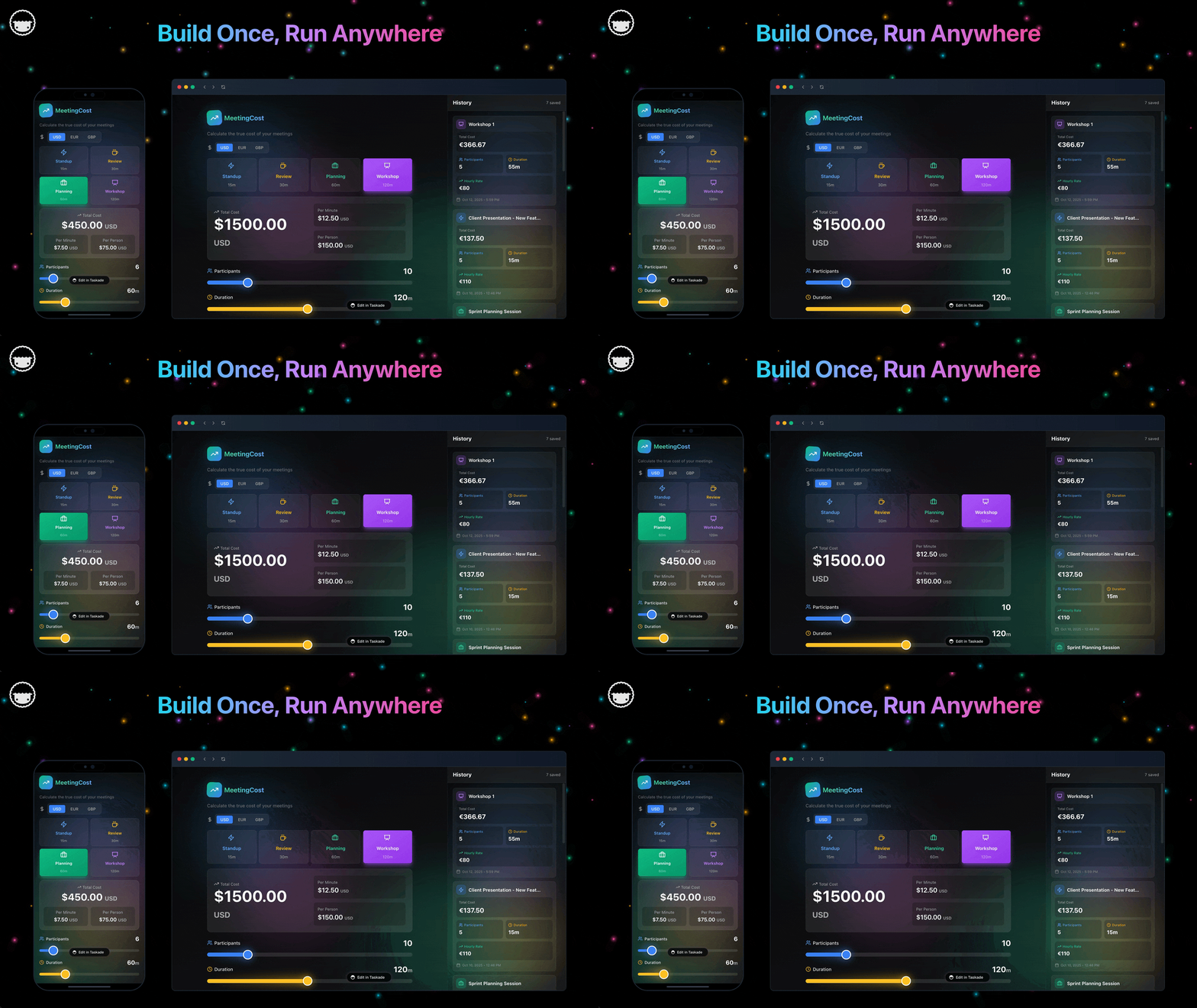
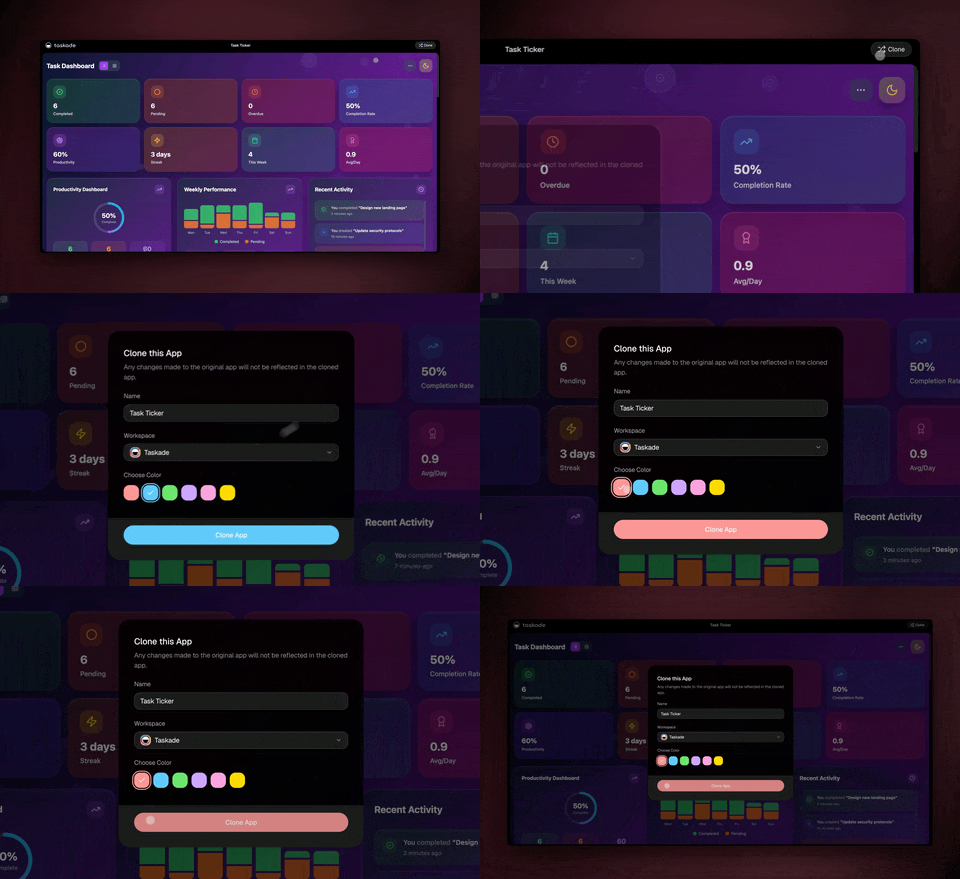
See it live — clone a working marketing app
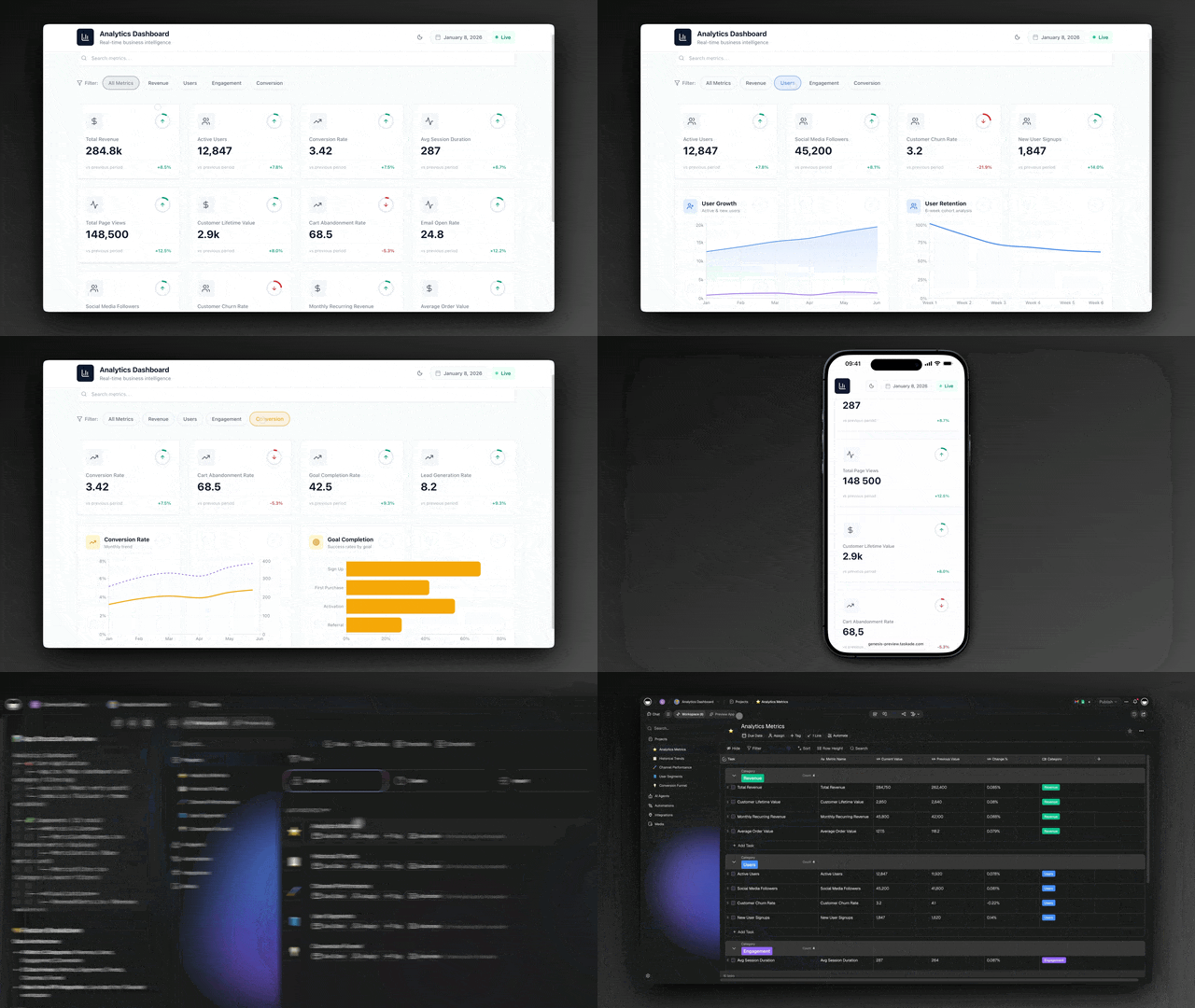
You do not have to imagine this. The app below was built from a single prompt and runs in your browser right now. Clone it in about 30 seconds and it lands in your own workspace, ready to connect to your tools.
That is the whole point of agentic marketing: the output is not a flowchart, it is software that works. You describe the marketing job, and you get a real app with a database, AI agents, and automations — no canvas to wire, no server to host. Browse more cloneable marketing apps or start your own from a prompt.
What does it mean to automate marketing with AI agents?
Automating marketing with AI agents means handing each repeatable job to software that reasons instead of software that just follows rules. According to McKinsey, agentic AI sets goals, plans the steps, executes across channels, evaluates the outcome, and adjusts — all without a human approving each step. That is the line between old automation and 2026 automation: old automation fires a pre-wired trigger; an agent decides what to do next.
Here is the difference in one picture. Classic marketing automation is a straight pipe. An AI agent is a loop that learns.
The practical upshot: you stop maintaining brittle if-this-then-that chains and start directing a system that handles the messy middle on its own. A rule-based flow breaks the moment your form changes a field. An agent reads the new field, figures out what it means, and keeps going. Learn the deeper mechanics in our AI content workflow guide and the automation hub.
Why automate marketing now? The numbers
Marketing teams that adopt AI agents in 2026 see two effects immediately: content-creation time drops 60-80% and marketing software costs drop 50-70% as separate point tools collapse into one system. On the revenue side, teams that apply AI to ad optimization report about 30% higher return on ad spend, because an agent can test and reallocate budget faster than a person checking a dashboard once a day.
Those are not vanity numbers — they compound. One writer agent replaces a separate AI-writing subscription. One scheduling automation replaces a social tool. One enrichment agent replaces a data-vendor seat. Consolidation is where the 50-70% software savings actually come from.
| What you automate | Typical manual time | With AI agents | What you save |
|---|---|---|---|
| Blog brief + draft | 4-6 hours | 30-60 min | 60-80% time |
| 20 ad-copy variants | 2-3 hours | Under 10 min | ~30% higher ROAS when tested |
| Lead enrichment + scoring | 5-10 min each | Seconds each | 50-70% tool cost |
| Repurpose 1 post → 8 formats | 3-4 hours | Minutes | 60-80% time |
| Weekly performance report | 2 hours | Auto-generated | Hours per week |
Treat that table as a starting menu, not a ceiling. Every recurring task you do more than once a week is a candidate. The teams getting the biggest wins automate the high-frequency, low-judgment work first and keep their attention for strategy. See how that plays out across channels on the marketing automation hub.
What the 2026 research actually says
The shift to agentic marketing is not a vendor talking point — it is the consensus of the people who measure this for a living. McKinsey's marketing practice estimates that agentic AI can power as much as two-thirds of current marketing activities, from content generation to synthetic audience testing to media planning. The same research projects that agentic systems accelerate campaign creation and execution 10-15x by speeding up both the brainstorming and the vetting of ideas — and that teams running agentic workflows can expect 10-30% revenue growth from hyperpersonalized marketing.
The market is moving to match. Gartner forecasts that 40% of enterprise applications will embed AI agents by the end of 2026, up from under 5% a year earlier, and that agentic-AI spending will reach roughly $201.9 billion in 2026. On the ground, teams that have already deployed marketing agents report saving 5-10 hours per week per agent, with reporting and campaign agents saving more, alongside double-digit cost reductions and productivity gains.
| 2026 research signal | The number | What it means for you |
|---|---|---|
| Marketing work agentic AI can power | ~2/3 of activities | Most of your weekly task list is automatable |
| Campaign creation + execution speedup | 10-15x faster | A week of work compresses into hours |
| Revenue lift from hyperpersonalization | 10-30% growth | Personalized at scale beats batch-and-blast |
| Enterprise apps embedding agents by end of 2026 | 40% (from <5%) | Agentic is becoming the default, not the edge |
| Time saved per deployed agent | 5-10 hrs/week | Each agent you ship pays for itself fast |
The takeaway is simple. The question in 2026 is no longer whether to automate marketing with AI agents — it is how fast you can stand up the first few agents and whether they live in one connected system or scatter across a dozen tools. The rest of this guide answers exactly that.
The 15 marketing AI agents worth building
There are roughly 15 common marketing agent types, and you do not need all of them on day one. The seven below cover the work that eats most marketing teams' weeks. Each one is a small, focused worker with a clear job — and in Taskade each ships with 33 built-in tools (web search, file analysis, code execution, custom slash commands, and more).
| Agent | What it does | Best built when |
|---|---|---|
| SEO brief agent | Researches a keyword, builds an outline, drafts | You publish weekly+ |
| Ad-variant generator | Spins 10-30 copy variants for testing | You run paid ads |
| Lead-enrichment agent | Fills in company, role, intent on new leads | You capture form leads |
| Lifecycle nurture agent | Picks the next message per contact stage | You run email/CRM |
| Social-listening agent | Watches mentions, flags sentiment, drafts replies | You manage a brand |
| Repurposing agent | Turns one asset into 8+ channel formats | You make long content |
| Competitor-monitor agent | Tracks rival launches, pricing, content | You're in a hot market |
A good rule: one agent, one job. A narrow agent is reliable, easy to test, and easy to trust. When you need something bigger — say, "research a topic, draft a post, fact-check it, and schedule it" — you do not build one giant agent. You build a team and let them hand work to each other.
This research → draft → review → approve → publish loop is the single most reliable pattern in agentic marketing. It keeps quality high because a human stays on the one decision that matters — final approval — while agents do everything around it. Taskade supports this multi-agent collaboration natively, and agents carry persistent memory, so they learn your tone and products over time. Walk through building your first one in the agent playbook.
How the pieces connect: the marketing system map
A real marketing automation system has four moving parts, and they form a loop — not a line. Memory (your projects and brand data) feeds Intelligence (your agents), which drives Execution (your automations and integrations), which produces new data that flows back into Memory. This is Taskade's Workspace DNA, and it is what turns disconnected agents into a system that gets smarter every week.
Below is the end-to-end map of how a single new lead travels through an automated marketing system — from capture to a synced CRM record — with agents and integrations doing every step.
┌──────────────────────────────────────────────────────────────────┐
│                  AUTOMATED MARKETING SYSTEM                        │
│            (one prompt → one living app in Taskade)               │
├──────────────────────────────────────────────────────────────────┤
│                                                                    │
│   INBOUND (triggers pull in)        OUTBOUND (actions push out)   │
│   ┌─────────────────┐               ┌──────────────────────┐     │
│   │  Form submitted │──┐         ┌─▶│  CRM record created  │     │
│   │  Ad click       │  │         │  │  Slack alert sent    │     │
│   │  Email opened   │  │         │  │  Email scheduled     │     │
│   │  @brand mention │  │         │  │  Post published      │     │
│   └─────────────────┘  │         │  └──────────────────────┘     │
│                        ▼         │                                │
│              ┌───────────────────────────────┐                   │
│              │   INTELLIGENCE (AI agents)     │                   │
│              │  ┌──────────┐  ┌────────────┐  │                   │
│              │  │ Enrich   │─▶│ Score &    │  │                   │
│              │  │ lead     │  │ qualify    │  │                   │
│              │  └──────────┘  └─────┬──────┘  │                   │
│              │  ┌──────────┐  ┌─────▼──────┐  │                   │
│              │  │ Draft    │◀─│ Decide next│  │                   │
│              │  │ follow-up│  │ best action│  │                   │
│              │  └────┬─────┘  └────────────┘  │                   │
│              └───────┼────────────────────────┘                   │
│                      ▼                                             │
│              ┌──────────────────┐                                 │
│              │  MEMORY (Projects)│  ◀── results flow back, system │
│              │  7 views, history │      learns and compounds      │
│              └──────────────────┘                                 │
│                                                                    │
└──────────────────────────────────────────────────────────────────┘
Notice there is no separate "writing tool," "scheduler," "enrichment service," and "reporting dashboard" bolted together with tape. It is one app. That single-system design is exactly why teams cut software costs 50-70% — you are not paying four vendors and stitching their data by hand. Each of the 100+ bidirectional integrations works in both directions, so a lead read from a form can come back as a synced CRM record without anyone copying a field.
How Taskade does it differently
Here is the honest landscape. n8n, Lindy, Zapier, Make, and Shopify Flow all do a genuinely good job at one thing: connecting apps. You wire a trigger to an action, map the fields, and data moves between tools. For pure data plumbing, these are excellent — and to be fair, Zapier's app catalog is unmatched (thousands of connectors), n8n is wonderfully cost-efficient for high-volume technical flows, and Make's visual canvas is a joy if you love designing every branch by hand. If your only goal is to move data from A to B, any of them will serve you well.
But notice what they all hand you at the end: an automation. A flowchart. Wiring. You still need a separate place to store your data, a separate AI tool to write, and a separate app to show a customer. You become the integration glue between four systems.
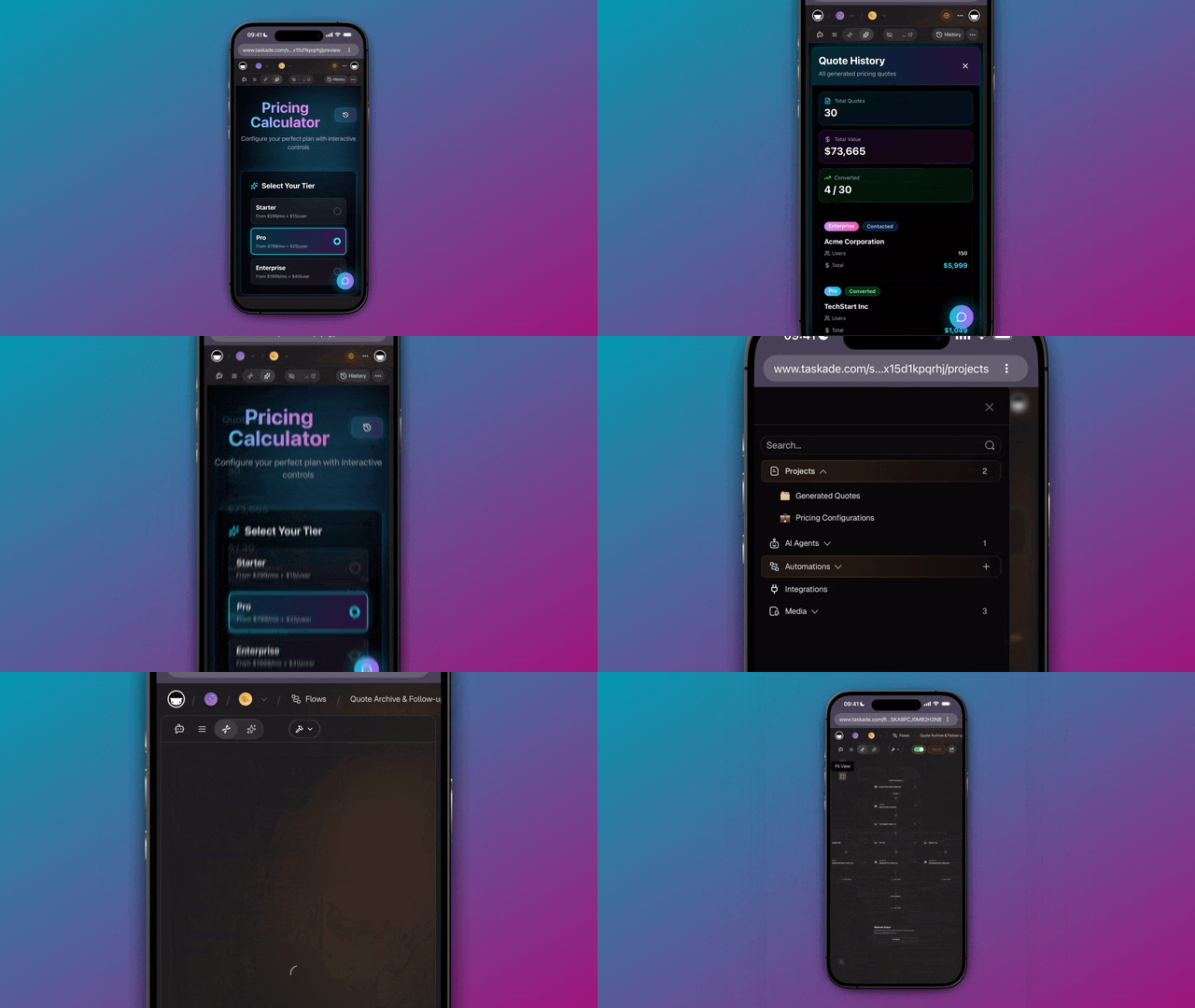
Taskade Genesis takes a different altitude. You do not wire nodes — you describe the marketing outcome, and it ships a living app: a database, AI agents, automations, and a shareable URL, all in one. That is the wedge.
| Node-wirers (n8n, Lindy, Zapier, Make, Shopify Flow) | Taskade Genesis | |
|---|---|---|
| You build by | Wiring triggers → actions on a canvas | Describing the outcome in plain English |
| You get | An automation (a flow) | A living app — data + agents + automations |
| AI agents | Add-on or bolt-on | Native, 33 built-in tools, 15+ models |
| Data lives | In another tool | In the app (Projects, 7 views) |
| Ship to a customer | Build a separate app | Built-in: custom domain + sign-in |
| Gets smarter over time | No — static flow | Yes — Workspace DNA loop |
Taskade Genesis vs the marketing-AI alternatives
The marketing-AI landscape splits into three honest camps, and the best tools in each are genuinely good at what they do. Content engines like Jasper write fast in your brand voice. CRM-native suites like HubSpot's AI agents act on the customer data already inside their platform. Analytics agents like Improvado turn unified marketing data into reports and benchmarks. Ops orchestrators like Vellum let revenue teams chain workflows without an engineer. Each is excellent in its lane — and each leaves you stitching the other lanes together.
Here is how Taskade Genesis stacks up against the leaders for the keyword "automate marketing with AI agents," with credit given where each competitor is strong:
| Platform | Best at | Where it's strong | The trade-off | Starting price |
|---|---|---|---|---|
| Taskade Genesis | Building a living marketing app from one prompt | Agents + automations + database + shareable app in one system; Workspace DNA memory; multi-agent teams; clone any app | Younger app catalog than the giant suites | Free, Starter $6/mo |
| Jasper | On-brand content at volume | Trusted by 100k+ businesses; deep brand-voice training; campaign-chaining workflows | Content-first — no database, automations, or shippable app of your own | Paid plans only |
| HubSpot AI (Breeze) | Acting on existing CRM data | CRM-native agents; mature marketing suite; strong reporting | Premium pricing ($800/mo Pro tier); you live inside HubSpot | $800/mo (Pro) |
| Improvado | Marketing analytics + reporting | 500+ data-source ETL; live benchmark search; clean analysis-ready data | Reporting and insight, not content or app-building | Enterprise quote |
| Vellum | Ops workflow orchestration | No-engineer automations; direct CRM/Ads/GA connectors | Orchestrates other tools — you still need the content and the app | Paid plans only |
Read the table honestly: if all you want is the best long-form copy, Jasper is a fine pick. If your whole company already runs on HubSpot, Breeze meets you there. If you need agency-grade attribution dashboards, Improvado is purpose-built. What none of them hand you is one app that holds your data, runs your agents, executes your automations, and ships to a customer — built from a sentence. That single-surface design is the Taskade Genesis wedge, and it is why teams consolidating point tools see the 50-70% software savings from earlier in this guide.
A content tool gives you copy. An orchestrator gives you wiring. A suite gives you a place to live — as long as you live there. Taskade Genesis gives you the whole system from one prompt, and then lets you clone it, brand it, and ship it. Compare the content side directly in our top AI social media management tools roundup and the AI content pipelines guide.
The mechanism behind that last row is Workspace DNA — the self-reinforcing loop where Memory feeds Intelligence, Intelligence drives Execution, and Execution creates new Memory.
A node-wirer cannot do this because a flowchart has no memory — every run starts cold. A Taskade Genesis marketing system remembers every campaign, every lead, every result, and each agent gets better because it is working inside that accumulating memory. Add multi-agent teams and the ability to clone any live app in seconds, and you have a marketing system that grows rather than a pipeline that you maintain. Explore the difference on the AI apps page and the agents hub.
What Taskade Genesis can do for your marketing
Taskade Genesis is a full marketing operating system, not a single feature — and every capability maps to a real marketing job. Here is the platform, translated into what it does for your campaigns:
| Capability | What it is | Your marketing use case |
|---|---|---|
| Workspace DNA loop | Memory + Intelligence + Execution, self-reinforcing | Every campaign result feeds back, so next month's agents start smarter |
| 33 built-in agent tools | Web search, file analysis, code execution, custom slash commands, persistent memory | One agent researches a keyword, reads your brand PDF, and drafts — no tool-switching |
| 7 project views | List, Board, Calendar, Table, Mind Map, Gantt, Org Chart | Run your content calendar, lead pipeline, and campaign roadmap from one dataset |
| Multi-agent teams | Agents hand work to each other natively | Research → write → review → schedule, with a human only on final approval |
| 100+ bidirectional integrations | Triggers pull events in, actions push data out | A form lead is enriched, scored, written to, and synced to your CRM in one run |
| 15+ frontier models | Models from OpenAI, Anthropic, Google, and open-weight providers | Pick the sharpest model per task — fast drafting here, careful reasoning there |
| Custom domains + app publishing | Ship a branded, sign-in-protected Genesis app | Launch a client portal, lead magnet, or campaign hub on your own URL |
The point is that these are not seven separate products you license and integrate. They are seven facets of one app you describe into existence. Your content calendar (Memory) informs your writer agent (Intelligence), which triggers your publishing automation (Execution), which logs results back into the calendar (Memory again). That loop is what turns a pile of one-off automations into a marketing system that compounds.
Every one of these capabilities is reachable from a single prompt on the Taskade Genesis builder, and you can stand up the first agent on the free plan. Want to see the loop in motion before you build? Watch it run in the Genesis loop walkthrough or browse cloneable marketing apps.
Where this is heading
The direction is clear, and it is bigger than marketing. In Taskade's vision, every team runs on a self-reinforcing Memory + Intelligence + Execution loop — where one prompt becomes a living, self-improving app that gets sharper with every campaign it runs. Today you describe a lead-routing system and it ships in an afternoon. Tomorrow that same system notices which follow-ups convert, rewrites its own playbook, and proposes the next experiment before you ask. Marketing stops being a stack of tools you maintain and becomes a system that learns alongside you — the agents handle the 99%, the loop compounds the gains, and your judgment steers the 1% that decides where the business goes next.
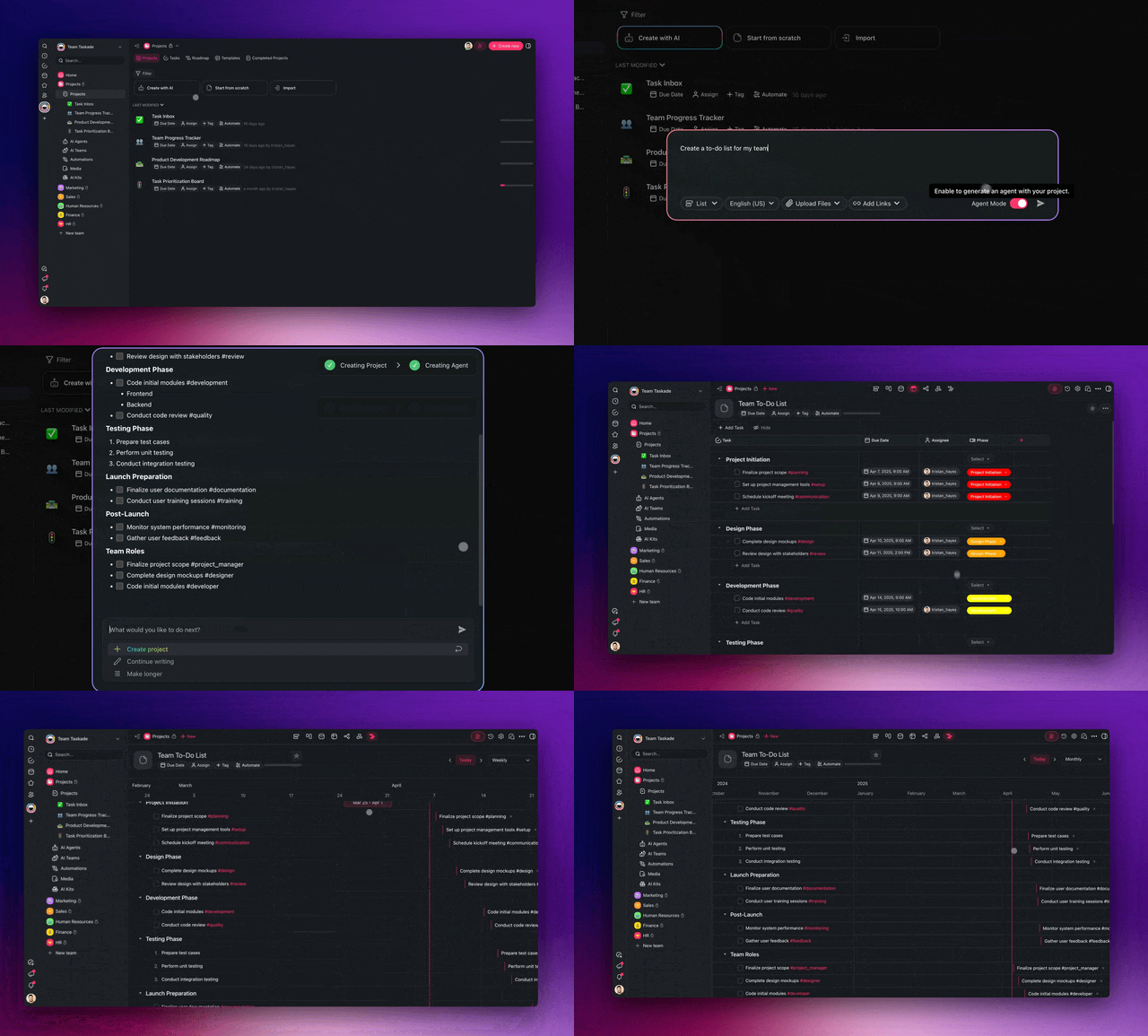
Build your first marketing automation in 4 steps
You can ship a working marketing automation in an afternoon — no engineer, no code. The pattern is always the same four moves, whether you are automating lead routing or content repurposing.
Step 1 — Pick the highest-frequency task. Choose the thing you do most often that needs the least judgment. For most teams that is content repurposing or lead enrichment. High frequency means the time savings show up immediately.
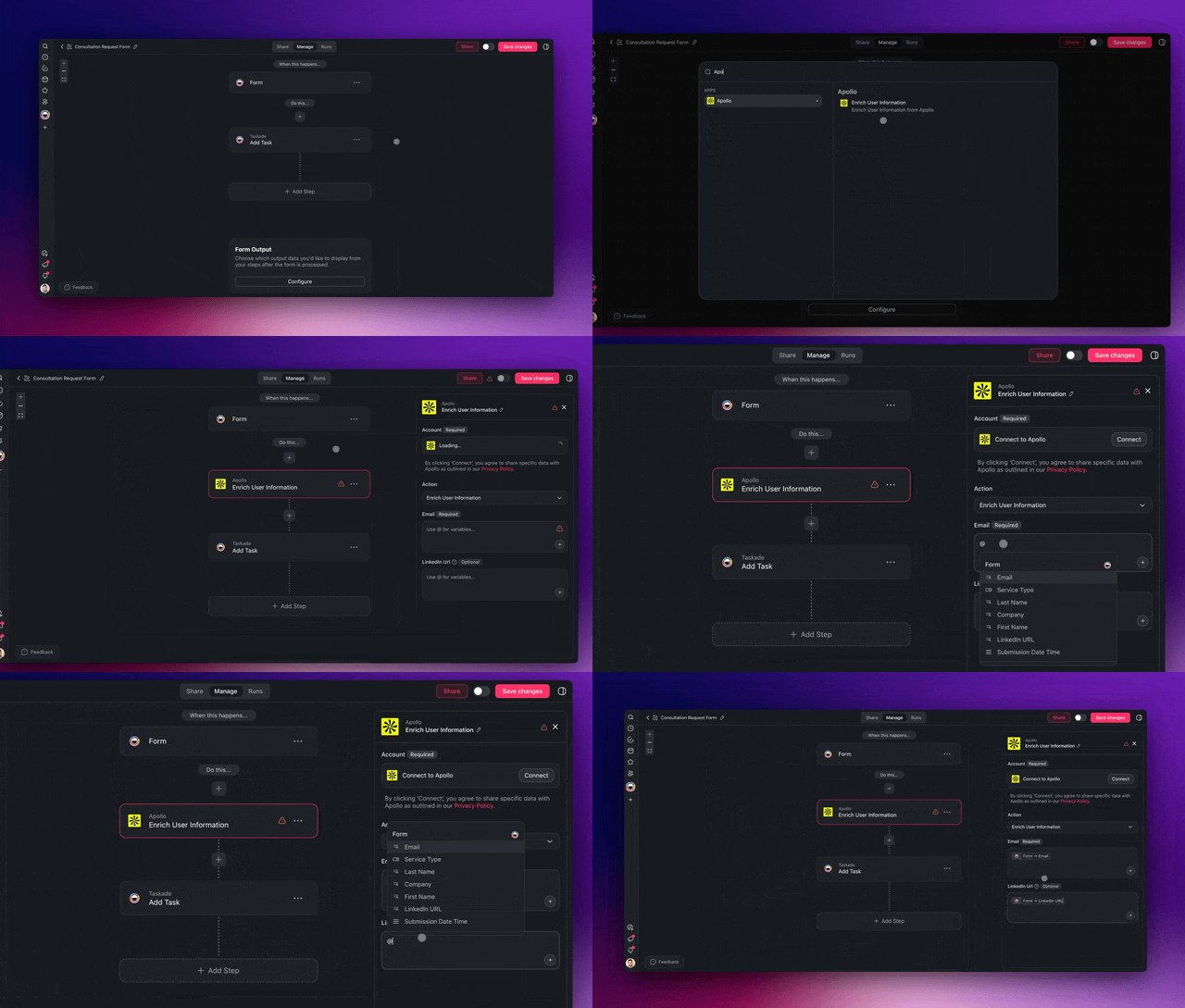
Step 2 — Describe the outcome to Taskade Genesis. Write what you want in plain English: "When a lead fills out my form, enrich it, score it, draft a personalized follow-up, and add it to my CRM." It builds the agent, the automation, and the app around it.
Step 3 — Connect your tools. Wire in your form, CRM, and email through the 100+ bidirectional integrations. Triggers pull events in, actions push results out — both directions, automatically synced.
Step 4 — Keep the human on the 1%. Add a final approval step for anything that publishes or sends. The agents do the 99%; you keep brand judgment and the final yes.
Then repeat. Add the next agent, then the next. Because everything lives in one workspace, each new agent reinforces the last — your lead agent feeds your nurture agent, which feeds your reporting. That compounding is the difference between a pile of automations and a marketing system. Step-by-step walkthroughs live in Learn Taskade and the agent playbook.
A second app: the always-on content agent
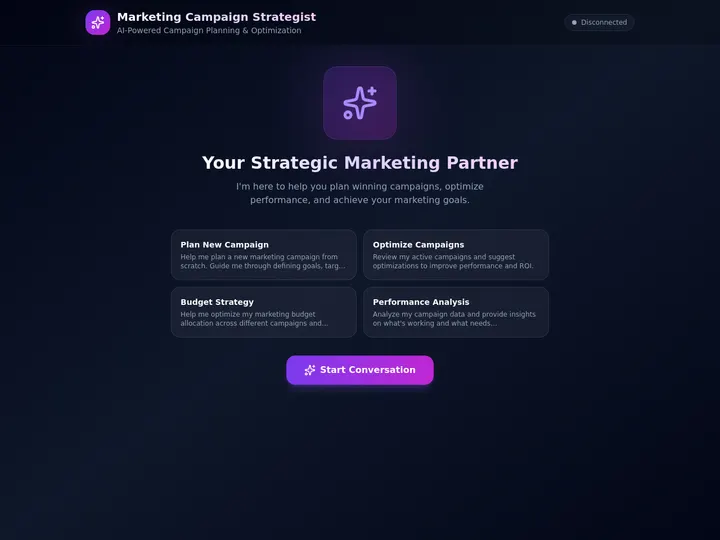
Want something narrower to start? Below is a content agent chatbot — a single focused agent that drafts, answers, and repurposes on demand. It is a great first build because it does one job extremely well and you can see exactly what an agent feels like before you build a full team.
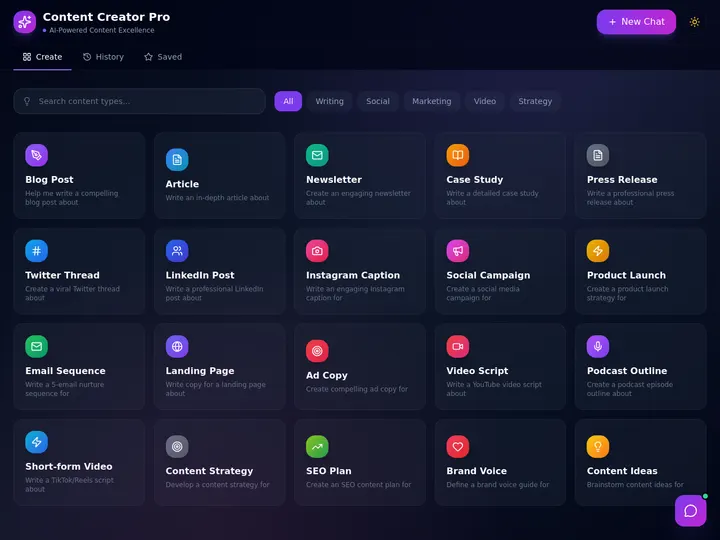
Clone this kind of agent, give it your brand guidelines and past content as memory, and it becomes a tireless writer that already knows your voice. From there, add a reviewer agent and a scheduling automation and you have the full research → draft → review → publish loop from earlier — built one piece at a time.
What to automate first (and what to keep)
Automate the work that is repeatable and low-judgment; keep the work that needs your taste, your strategy, and your name on it. The 99/1 split is not about replacing marketers — it is about pointing them at the 1% that actually moves the business.
| Automate the 99% (give to agents) | Keep the 1% (stays human) |
|---|---|
| Keyword research and SEO briefs | Brand strategy and positioning |
| First drafts and ad variants | Final voice and approval |
| Lead enrichment and scoring | High-stakes relationships |
| Repurposing into channel formats | Big creative bets |
| Scheduling and distribution | Pricing and offers |
| Weekly performance reports | Reading the numbers and deciding |
A useful gut check: if you would be comfortable explaining the task to a sharp new hire in two sentences, an agent can do it. If it needs your years of context and judgment, keep it. Start with one agent on one task, measure the hours it gives back, then add the next. For a tool-by-tool comparison of what is on the market, our top AI social media management tools roundup is the companion to this build guide — read that to choose, read this to build.
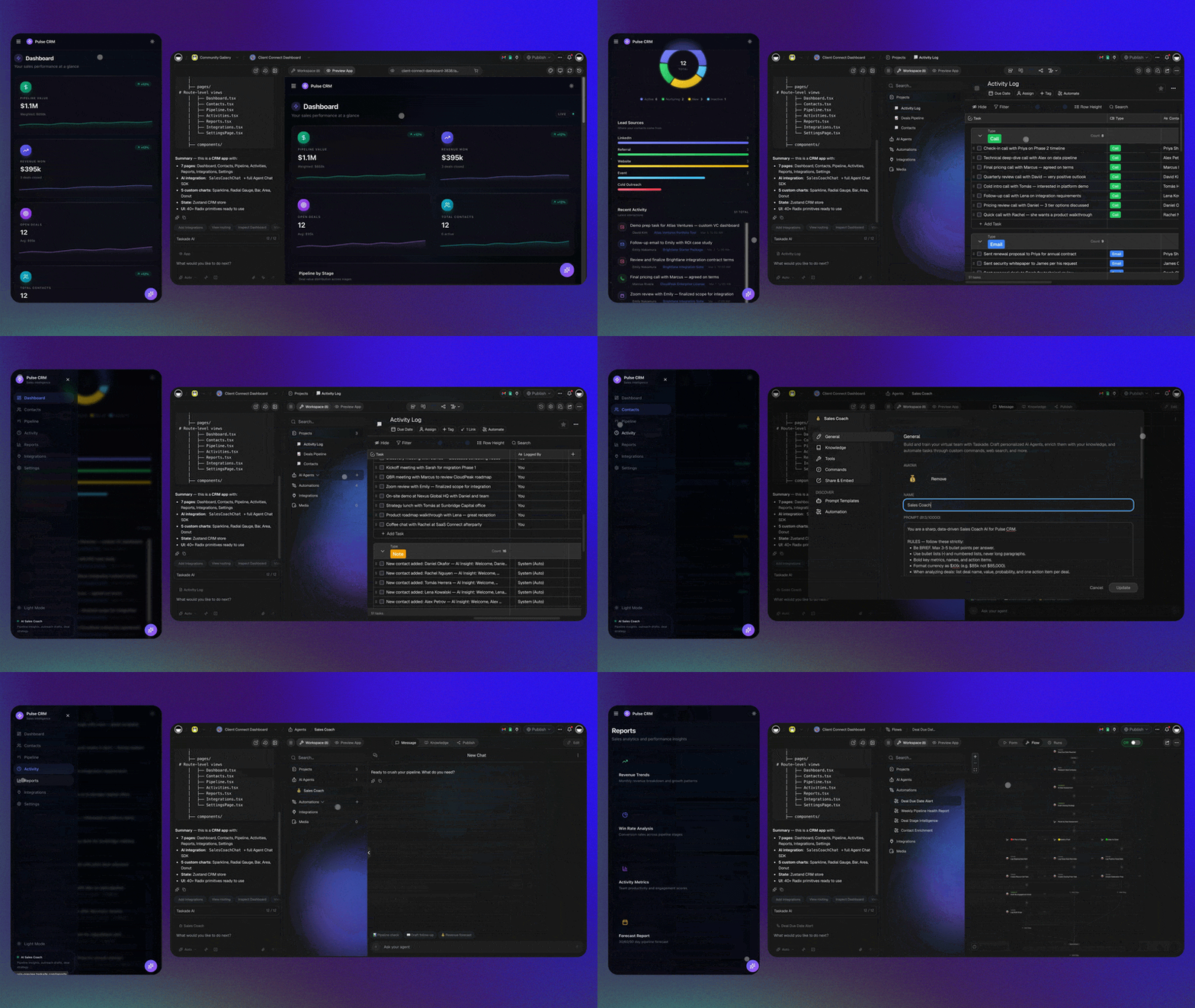
A worked example: automating an entire lead-to-customer journey
Let us make this concrete with one complete journey — the path most marketing teams spend the most manual hours on. A lead fills out a form, and today that kicks off a chain of copy-paste, lookup, and follow-up that can eat 15-20 minutes per lead across three different tools. Here is what that same journey looks like when AI agents run it: seconds, end to end, with a human only on the final send.
Picture a B2B software company that captures 200 demo requests a month. Manually, that is roughly 50-60 hours of enrichment, scoring, and follow-up drafting. Automated, it is near-zero hours and faster response times — and response speed is one of the biggest predictors of whether a lead converts.
Walk through what each agent does and why it matters:
| Stage | Agent / step | What happens | Time saved |
|---|---|---|---|
| Capture | Form trigger | Pulls the new lead in the instant it is submitted | Instant vs. checking inbox |
| Enrich | Enrich agent | Fills in company size, role, industry, intent signals | 5-10 min per lead |
| Qualify | Score agent | Ranks the lead so reps focus on the hot ones | Manual triage gone |
| Draft | Writer agent | Writes a follow-up in your brand voice, referencing their use case | 10-15 min per lead |
| Approve | Human (the 1%) | Reads, tweaks if needed, hits send | Seconds — judgment kept |
| Sync | CRM action | Pushes the enriched, scored, contacted record back to your CRM | No copy-paste |
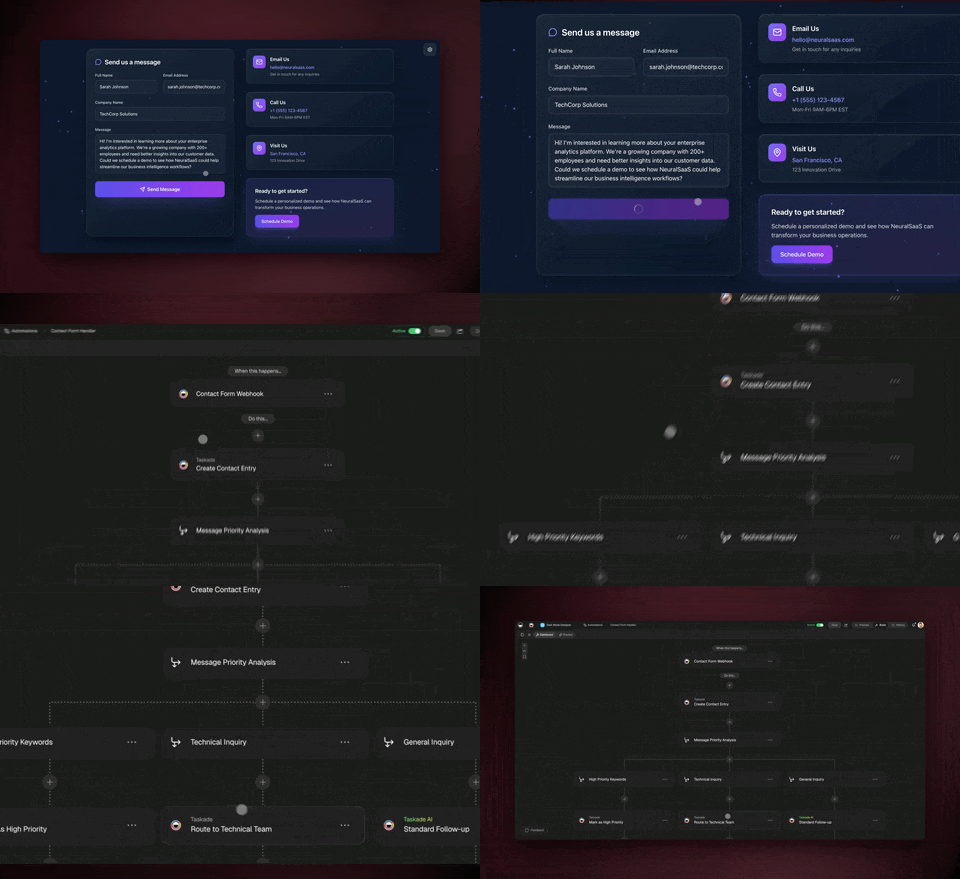
The magic is not any single step — it is that they run as one continuous flow inside one app. No exporting a CSV to an enrichment tool, no pasting into a separate writer, no manually logging the touch in the CRM. The lead is read, enriched, scored, written to, and synced before a rep has finished their coffee. And because it all lives in Taskade, the next agent in your stack — say, a lifecycle nurture agent — can pick up exactly where this one left off.
This is the lead-enrichment agent doing its job in a real workspace:
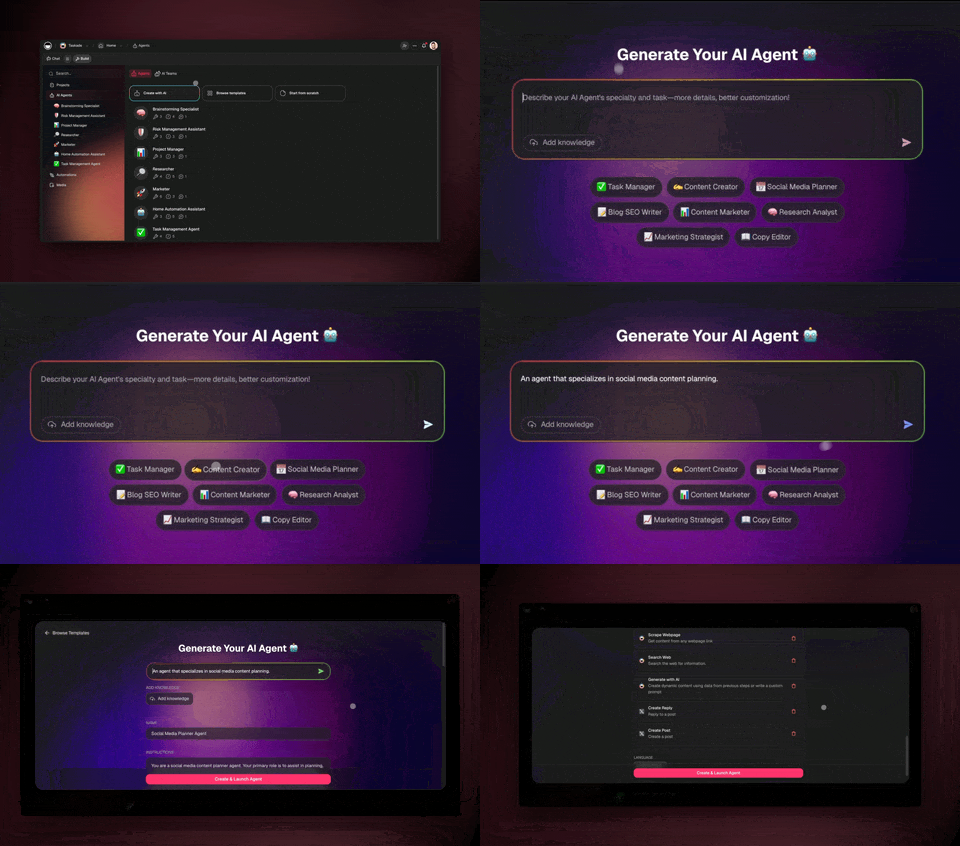
Build this once and it runs forever. Then point the same four-move pattern at your next journey — onboarding emails, churn-risk outreach, content distribution — and your marketing system grows one agent at a time. The full step-by-step is in the agent playbook and the forms trigger guide.
Orchestrating a full campaign: one prompt, every channel
The lead journey above is one workflow. A real campaign is many workflows running at once — content, social, email, and ads — and that is where a multi-agent team pulls ahead of any single tool. McKinsey's 10-15x campaign-speed estimate comes precisely from compressing this fan-out: a campaign lead agent plans the campaign, then hands parallel work to specialist agents that each own a channel, and the whole thing publishes on a schedule while a human approves the pieces that carry the brand.
Here is what a connected, agent-run campaign looks like end to end:
Notice the fan-out. One brief becomes four parallel streams of work, each handled by an agent that does one job well, all coordinated by a lead agent and all gated by a single human approval. That is the structure behind the "10-15x faster" number — you are not doing four channels in sequence over a week, you are running them in parallel in an afternoon. And because results flow back into Memory, the next campaign starts with everything this one learned about what converted.
You do not wire this by hand. You describe it — "plan a product-launch campaign across blog, social, email, and ads, draft everything in our brand voice, and hold each piece for my approval before it publishes" — and Taskade Genesis stands up the team. The companion build guides break down each channel: automate social media for the social agent, the AI content workflow for the SEO and writing agents, and automate sales for the lead handoff to revenue.
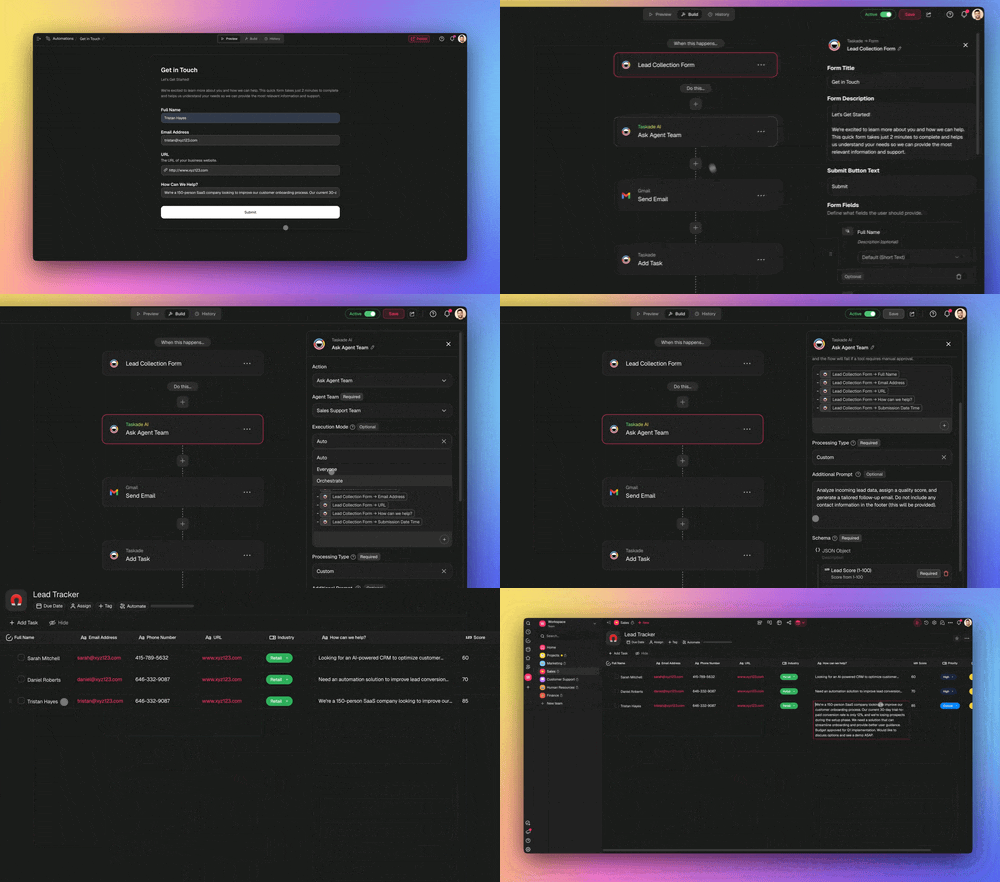
This is also where a real campaign-planning app earns its keep. Below is a cloneable campaign portal built the same way — one prompt, one living app — so your brief, your channels, and your results all live in one place instead of scattered across four tabs.
Keep your team in the loop with the right roles
Automation does not mean losing control — it means setting the right guardrails. Taskade uses 7-tier role-based access (Owner, Maintainer, Editor, Commenter, Collaborator, Participant, Viewer) so you can let an agent run while keeping approval rights with the people who own the brand. Your content lead can be an Editor who must approve drafts; a contractor can be a Commenter who suggests but cannot publish.
That governance is what makes "automate 99%" safe at a real company. The agents do the volume; the roles make sure nothing ships without the right human sign-off. Pair it with the multi-agent review loop and you get speed and accountability — the combination most marketing teams thought they had to choose between.
The real ROI: where the time and money go
The savings are not abstract — they show up in two places marketers feel immediately: hours back in the week and vendor invoices that shrink. The chart below maps the typical time reduction per task once an agent owns it. These are the same 60-80% content and 50-70% cost figures from earlier, broken out by job.
The first bar in each pair is the manual baseline; the second is the same job once an agent runs it. Add the gaps up and a typical small marketing team gets back 20-30 hours a week — nearly a full extra headcount — without hiring. On the cost side, the math is just as direct: each agent you build inside one platform retires a separate subscription. The table below shows the consolidation that produces the 50-70% software savings.
| You used to pay for | Now it's | Inside Taskade Genesis |
|---|---|---|
| A standalone AI writing tool | A writer agent | Native, in your app |
| A social scheduler | A scheduling automation | Native, in your app |
| A lead-enrichment service | An enrichment agent | Native, in your app |
| A reporting dashboard | A reporting agent | Native, in your app |
| A separate place to store it all | Projects (7 views) | Native, in your app |
When five line items collapse into one, the 50-70% number stops being a marketing claim and becomes arithmetic. See the pricing breakdown — it starts free, with Starter at $6/mo on annual billing.
Common mistakes to avoid
Most stalled automation projects fail for the same handful of reasons. Here is the decision logic that keeps yours on track — when to give a task to an agent, and when to keep it human.
┌─────────────────────────────────────────────────────────────┐
│            SHOULD I AUTOMATE THIS MARKETING TASK?            │
├─────────────────────────────────────────────────────────────┤
│                                                             │
│   Do I do it more than once a week?                         │
│        │                                                    │
│        ├── NO ──▶ Skip for now. Automate frequent work      │
│        │          first — the time savings compound.        │
│        │                                                    │
│        └── YES                                              │
│             │                                               │
│   Can I explain it to a sharp new hire in 2 sentences?      │
│        │                                                    │
│        ├── NO ──▶ Keep it human (the 1%). Needs your        │
│        │          judgment, taste, or relationships.        │
│        │                                                    │
│        └── YES                                              │
│             │                                               │
│   Does the output get sent/published externally?            │
│        │                                                    │
│        ├── YES ─▶ Build the agent + a HUMAN APPROVAL step.  │
│        │          Agent does 99%, you keep the final yes.   │
│        │                                                    │
│        └── NO ──▶ Build the agent. Let it run end to end.   │
│                                                             │
└─────────────────────────────────────────────────────────────┘
Beyond that flow, three traps catch most teams:
- Building one giant agent instead of a team. A single agent asked to "do all of marketing" is unreliable and impossible to debug. Build narrow, single-job agents and let them hand off — the multi-agent pattern from earlier.
- Skipping the human approval gate on anything public. Speed without a sign-off step is how off-brand copy ships. Keep the 1% — it is the whole point of the 99/1 split.
- Scattering agents across disconnected tools. An agent in your writing app that can't see the lead in your CRM can't get smarter. Keep everything in one workspace so the Workspace DNA loop can actually compound. That single-system design is the difference between four subscriptions and one living app.
Avoid those three and the rest is just adding one agent at a time. For the deeper build mechanics, the AI content pipelines guide and the agent playbook walk through each step.
Frequently asked questions
How do I start automating my marketing today?
Pick your single most-repeated task, then describe the outcome to Taskade Genesis in plain English. It builds the agent, the automation, and a live app — no code, no wiring. Teams that start this way cut content time 60-80% and software costs 50-70%. Start free and add one agent at a time.
What is the best AI for marketing automation in 2026?
The best fit is a platform that combines reasoning agents with reliable automations and a place to store your data — not just an app-connector. Taskade Genesis does all three from one prompt, with 33 built-in agent tools and 15+ frontier models from OpenAI, Anthropic, and Google. For a ranked tool comparison, see our top AI social media management tools guide.
Will AI agents replace marketers?
No — they replace the repeatable 99% so marketers can own the 1% that needs judgment: strategy, brand voice, and final approval. McKinsey frames agentic AI as goal-driven software that plans and executes, which fits recurring tasks, not creative direction. The marketer moves from doing the work to directing the agent team.
How do AI marketing agents connect to my CRM and email?
Through 100+ bidirectional integrations — triggers pull new leads and events in, actions push enriched records and messages back out. An agent can read a form lead, enrich it, draft a follow-up, and sync it to your CRM in one run, with both directions staying in sync automatically.
How much can I save by automating marketing?
Teams typically cut content-creation time 60-80% and marketing software costs 50-70% by consolidating point tools into one Taskade system, and report about 30% higher return on ad spend when AI optimizes ad budgets. Savings compound as one platform replaces a separate writer, scheduler, enrichment tool, and dashboard.
Can I try a real marketing app before building my own?
Yes. Clone a live marketing app from the Community Gallery in about 30 seconds and run it in your own workspace, or start from a prompt. Both the marketing automation app and the content agent chatbot embedded above are cloneable today.
Ready to automate 99% of your marketing? Start free with Taskade Genesis — describe the marketing system you want, and watch it build the agents, connect your tools, and ship a live app you can run today. Explore the marketing automation hub, browse cloneable apps, or learn the AI content workflow that powers it all.
▲ ■ ● Memory, Intelligence, Execution — describe the marketing outcome, and Taskade Genesis remembers your brand, reasons over your data, and runs the work across every channel. That is the difference between a stack of automations and a marketing system that runs itself.