






Updated June 2026. Property software should not lock your buildings inside a per-unit suite you rent forever. Build the property app in Taskade Genesis, then run it as a living workspace, units, tenants, rent, maintenance, and leases in one place you own. AppFolio and Buildium lead on built-in accounting, DoorLoop on a clean modern UI, TenantCloud and Hemlane on a free landlord tier. But only Taskade Genesis hands a small landlord an app they own. Try Taskade Genesis free →
Try It Live: A Property App You Can Actually Run
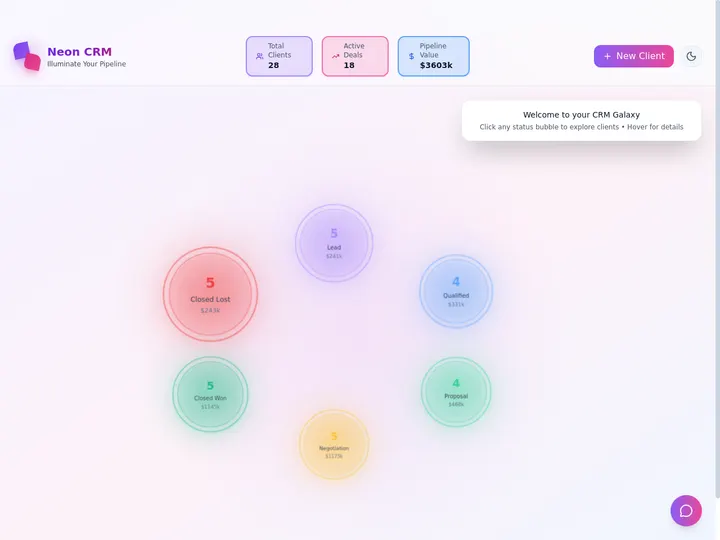
Every dedicated suite below hands you a login to their software and bills you per unit. This one hands you the app itself. The app below was built from a single prompt in Taskade Genesis: units, tenants, rent due dates, maintenance tickets, and lease dates in one workspace, branded, tenant-shareable, and tracked on a Board your whole team can see. Click it, clone it, and watch a property tracker stop being a per-unit subscription.
Watch a live, brandable app built from one prompt:

This is the difference the rest of the article is about. Property software that rents you a login is a tool. Property software that hands you a running app you own is leverage. Clone this app and run your next building from it →
The Evolution of Property Management Software: From Ledger to Living App
Property management software has moved through four eras, and 2026 starts the fifth. It began as a paper ledger and a filing cabinet. It became desktop accounting software for a single back office. It became a cloud suite with tenant portals and online payments. It became an AI-assisted suite that drafts leasing replies and screens applicants for you. And now, with Taskade Genesis, it becomes a living app, the property tracker and the automations and agents around it, generated from one prompt and owned by you. Each era kept the previous one's job and added a new one. The constant: the software got smarter, but it stayed their software on their per-unit meter. The 2026 shift is the first time the output is an app you own.
Here is the whole arc, era by era:
Read the same arc as a milestone table, what changed, and what each era still left on the table:
| Era | What you ran it on | What you got | What it still couldn't do |
|---|---|---|---|
| Pre-2000 — Paper | A ledger and folders | A record, eventually | No reminders, no portal |
| 2000–10 — Desktop | One office computer | Accounting + reports | Tenants locked out, no remote access |
| 2010–18 — Cloud suite | A per-unit subscription | Portals + online payments | Your data in their walled suite |
| 2019–24 — AI-assisted | A per-unit subscription | AI screening + replies | Still rented, still rigid, still per unit |
| 2025–26 — Living app | A workspace you own (Taskade Genesis) | An app you build, brand, and clone | — (this is the frontier) |
The plain-English takeaway: every era made the back office faster or smarter, but the buildings always lived inside someone else's per-unit suite. Only the 2026 era hands a landlord an app they actually own. That is the whole reason Taskade Genesis tops this list. It is built for the era the rest of the category is still catching up to. For the conceptual deep-dive on how prompt-to-app generation works, see our Genesis Loop explainer and the Taskade Genesis overview.
What Is the Best AI Property Management Software in 2026?
Taskade Genesis is the best AI property management software in 2026 for landlords who want an app they own, because it turns one prompt into a running property system instead of a per-unit login. Describe your units, tenants, rent schedule, maintenance workflow, and lease dates, and Taskade Genesis builds a live app, a tenant portal, a maintenance board, a rent-reminder automation, and a lease calendar, all in one workspace. Dedicated suites like AppFolio and Buildium are deeper on built-in accounting; Taskade Genesis is the only option on this list that hands you a system you keep, brand, and clone.
The plain-English version: the property setup that used to take a configuration consultant, an onboarding call, and a per-unit contract gets built and running in an afternoon. Taskade's first self-serve Enterprise customer — an IT program manager with no engineering team — built a production field-service dashboard on Taskade Genesis and put it this way: "What I accomplished in a few weeks would have taken a team of 40+ people 18 months in a Fortune 500." He didn't buy a seat. He generated the app that runs the work, and a property app is the same move.
Rent a Suite vs. Own the App: Why Per-Unit Pricing Adds Up
A dedicated suite rents you software and meters it per unit. An app generator hands you the running system and charges by workspace, not by door. That is the whole gap for a small landlord. Seven of the eight tools below bill per unit or enforce a monthly minimum, so a four-door landlord pays for a hundred-door platform. Taskade Genesis takes the same property workflow and returns a working app, branded, tenant-shareable, and yours to clone. That costs the same whether you run four units or forty.
Here is the path a property workflow actually travels when the tool doesn't stop at a rented login:
Most suites on this list live in the first two boxes and bill you per door to stay there. Taskade Genesis carries the workflow all the way to an owned, automated app, and the per-unit meter never starts.
Side by side, the month after you set up looks like this:
  A DEDICATED SUITE                        AN APP GENERATOR (Taskade Genesis)
  ──────────────────                       ──────────────────────────
  [ you ] sign a per-unit contract        [ you ] describe the property workflow
      │                                       │
      ▼                                       ▼
  configure their software                 a live property app you own
      │                                       │
      ▼                                       ├─ tenants submit maintenance
  pay per door, every month               ├─ rent dates on a Calendar
      │                                       ├─ agent triages + reminds
      ▼                                       ▼
  outgrow a tier, pay the next one        clone it → reuse per building
  (data lives in their suite)             (your whole portfolio in one workspace)
The left column is where seven of these tools keep you. The right column is where the app is yours.
Why Owning the App Is the Whole Game for a Small Landlord
The landlord who owns the app keeps the system when the portfolio changes. Dedicated suites are excellent at accounting depth, but they price by the door and lock your data inside their walls, which is overkill and over-budget for someone running a handful of units. An owned app does the opposite: it costs the same at four units or forty, it carries your brand on the tenant portal, and it extends into every other workflow you run, because it lives in the same workspace as your tasks, agents, and automations.
That is the difference between renting software and owning a system. Every suite on this list can collect rent and log a work order in 2026; the back office is a solved problem at the high end. The unsolved problem for a small or growing landlord is ownership and flexibility, an app that bends to your buildings instead of forcing your buildings into a fixed schema. Taskade Genesis is built around that: you describe the workflow, you own the result, and you reuse it forever.
How We Ranked
We ranked 8 AI property management tools on six criteria that matter to the person who actually has to run the building, not just admire the dashboard:
- App you keep, a rented login metered per unit, or a live app you own and clone.
- Core workflows, units, tenants, rent, maintenance, and leases in one place.
- AI and automation, does it triage maintenance, send rent reminders, and draft notices.
- Tenant portal and privacy, a branded surface tenants can use, with you in control of access.
- Accounting depth, built-in general ledger, owner statements, and payments for scale.
- Pricing, free-tier generosity and cost at the annual price, per unit or per workspace.
Scored against those six criteria, here is how the field stacks up at a glance, the single column that separates the leader from the pack is "App you keep":
| Tool | App you keep | Core workflows | AI + automation | Tenant portal | Accounting depth | Price model |
|---|---|---|---|---|---|---|
| Taskade Genesis | Live app you own | All in one workspace | Agents + automations | Branded + private | Via integrations | Flat per workspace |
| AppFolio | Rented suite | Excellent | AI leasing assistant | Strong | Deep (native) | Per unit + minimum |
| Buildium | Rented suite | Excellent | AI + automation | Strong | Deep (native) | Flat tiers, unit caps |
| DoorLoop | Rented suite | Strong | AI assistant | Good | Strong (native) | Per unit, modern UI |
| Yardi Breeze | Rented suite | Strong | AI chatbot | Good | Deep (native) | Per unit + minimum |
| TenantCloud | Rented suite | Good | Basic automation | Good | Good (native) | Free up to 75 units |
| Hemlane | Rented suite | Good | Maintenance routing | Good | Basic | Free tier + per door |
| Rentec Direct | Rented suite | Strong | Basic automation | Good | Strong (native) | Flat from ~$45/mo |
The grid tells the story before you read a word of the reviews: the suites earn "Strong" or "Excellent" on workflows and accounting, then every one of them is a rented login metered per unit, except the one that hands you a live app you own.
The 8 Best AI Property Management Software
1. Taskade Genesis: Best Overall: Build a Property App You Own
Taskade Genesis is the only tool on this list that builds your property system and hands it to you as a live app you own. Describe your buildings, units, tenants, rent schedule, maintenance workflow, and lease dates in one prompt, and Taskade Genesis returns a working app: a Table of every unit and tenant, a Board of open maintenance tickets, a Calendar of rent due dates and lease expirations, and a Mind Map of the whole portfolio. Then, in one more step, it becomes a branded tenant portal, a rent-reminder automation, and an agent that triages maintenance, all in the same workspace.
That is the structural gap in the whole category. Every dedicated suite rents you a login and meters it per unit, with your buildings locked inside their fixed schema. Taskade Genesis carries the property workflow all the way to an owned, brandable, cloneable app that costs the same at four units or forty. The setup that used to need a per-unit contract and an onboarding call gets built and running in an afternoon.
Taskade Genesis ships the workspace around the app, not just the app. It runs on 15+ frontier models from OpenAI, Anthropic, Google, and open-weight providers, so an agent can draft a clean late-rent notice in your voice. The workspace includes multiple project views (List, Board, Calendar, Table, Mind Map, Gantt, Org Chart, Timeline lives inside Gantt), so you watch maintenance on a Board, rent on a Calendar, and the portfolio on a Table. A role model (Owner to Viewer) governs your own team, and renters sign in to the portal as App Users, so each renter opens the unit you match to their login. And 100+ bidirectional integrations wire payments, accounting, and storage around the app, so a paid rent event flows in and a record posts out. Reliable automation workflows send rent reminders, escalate late payments, and route maintenance without you watching them. Brand the tenant portal with your logo and a custom domain on Business and above, and it stops looking like a template and starts looking like your own product.
Best for: Small and growing landlords, and operators who want a property app they own, brand, and extend, not a per-unit suite they rent.
Strengths: Only tool that hands you a live app you own; units, tenants, rent, maintenance, and leases in one workspace; rent-reminder and maintenance automations plus a triage agent; branded private tenant portal with built-in renter sign-in; flat per-workspace pricing with a generous free tier; clones in one click from the Community Gallery.
Weaknesses: Native trust accounting, owner statements, and bank reconciliation are wired through integrations rather than built in, so a large portfolio that lives in the general ledger will find AppFolio or Buildium more turnkey; the property-template gallery is younger than the dedicated suites'.
Pricing: Free (Free Forever plan), Pro $10/mo (the Popular tier), Business $25/mo, Max $100/mo, Enterprise $250/mo, all annual billing, flat per workspace with no per-unit fee.
The catch: Honest one, deep native accounting (trust accounts, owner draws, reconciliation) is integration-wired, so a 500-unit manager who needs the ledger in-platform should pair Taskade Genesis with, or pick, a dedicated suite. For everything else around the property, it is built in.
Verdict: The clear winner for any landlord who wants to own the app that runs their buildings, not rent it by the door.
2. AppFolio: Best Embedded AI for Large Portfolios
AppFolio is the enterprise property-management benchmark, and the deepest AI story among the dedicated suites. Its embedded generative AI and the Lisa leasing assistant automate tenant screening, scheduling, and replies to rental inquiries, while the platform handles full accounting, owner statements, and online payments at scale. For a property manager running 500+ units who wants AI woven into a mature, accounting-heavy suite, AppFolio is the heavyweight, and its native ledger is genuinely deeper than wiring one yourself.
Best for: Mid-to-large property management companies that need embedded AI plus deep native accounting at scale.
Strengths: Strong embedded AI and a leasing assistant; deep general-ledger accounting and owner statements; mature, full-featured suite; strong tenant and owner portals.
Weaknesses: You rent a login metered per unit with a monthly minimum, overkill and over-budget for a small landlord; data lives inside AppFolio's suite, not an app you own.
Pricing: Core from around $1.40/unit/month, with higher tiers, and a monthly minimum (commonly cited near $280–$298).
The catch: It is a premium per-unit suite with a real minimum. You get a powerful platform, but not an app you own, brand, or clone.
Verdict: Best if you run a large portfolio and want embedded AI plus deep accounting in one mature suite.
3. Buildium: Best Mature Suite With AI and Automation
Buildium is the mid-market workhorse, and it foregrounds "AI + automation + customization" to cut tedious tasks. It is best for landlords and managers with roughly 100–500 units who want a mature suite with strong communication features, efficient tenant interactions, and notably strong HOA support. Buildium pairs a proven accounting engine with flat tiered pricing and unit caps, which makes its costs more predictable than pure per-unit math for a growing portfolio.
Best for: Property managers with 100–500 units who want a mature suite with strong HOA and communication features.
Strengths: Mature accounting and reporting; AI plus automation messaging; strong HOA and association support; predictable flat tiers with unit caps; well-regarded ease of use.
Weaknesses: Still a rented suite, not an app you own; tiers and unit caps mean you upgrade as you grow; less modern UI than the newer challengers.
Pricing: Essential from around $58–$62/month, scaling by tier and unit count.
The catch: Flat tiers are friendlier than per-unit pricing, but you are still renting software with your data in their walls, no app to clone or own.
Verdict: Best for mid-market managers who want a proven, HOA-strong suite with predictable tiers.
4. DoorLoop: Best Modern UI and Fast Onboarding
DoorLoop is the modern challenger. It markets itself as a unified system for accounting, maintenance, and leasing with a 24/7 AI assistant, and it earns praise for a cleaner UI, faster onboarding, and better mobile apps than the older incumbents. For a small-business landlord who wants an all-in-one suite that feels like 2026 software, DoorLoop's usability and quick setup are a genuine advantage over the heavier platforms.
Best for: Small-business landlords who want an all-in-one suite with a clean modern UI and fast onboarding.
Strengths: Clean, modern interface; fast onboarding; strong mobile apps; 24/7 AI assistant; unified accounting, maintenance, and leasing.
Weaknesses: Per-unit pricing climbs with portfolio size; still a rented suite, not an owned app; deeper trust-accounting features sit in higher tiers.
Pricing: Starter from around $69–$139/month for up to 20 units depending on billing, scaling up per unit.
The catch: The modern feel is real, but it is still a per-unit subscription. You rent the polish, you don't own the app.
Verdict: Best if you want the most modern, easy-to-onboard all-in-one suite for a small business.
5. Yardi Breeze: Best Step-Up Suite With Deep Accounting
Yardi Breeze is the on-ramp to the Yardi ecosystem, built for firms that have outgrown a starter tool but aren't ready for a full enterprise Voyager implementation. It pairs deep, Yardi-grade accounting with an included AI chatbot and a low headline per-unit price, which makes it attractive for a growing operator who wants room to scale into heavier Yardi products later. The accounting depth and the upgrade path are its real strengths.
Best for: Growing firms that want deep Yardi-grade accounting with a clear path to scale up later.
Strengths: Deep, mature accounting; low headline per-unit price; AI chatbot included; a real upgrade path into the broader Yardi ecosystem.
Weaknesses: Monthly minimum makes it pricey for tiny portfolios; rented suite, not an owned app; the interface is more utilitarian than the modern challengers.
Pricing: From around $1/unit/month residential with a ~$100 monthly minimum; Breeze Premier from ~$2/unit/month with a higher minimum.
The catch: Great accounting and a scale path, but the monthly minimum and per-unit meter mean a small landlord pays for headroom they don't use yet.
Verdict: Best if you want serious accounting now and a Yardi upgrade path later.
6. TenantCloud: Best Free Tier for Small Landlords
TenantCloud is the free-friendly benchmark, letting you manage up to 75 units on a genuinely usable free plan with online rent collection, basic accounting, maintenance requests, and tenant communication. For a small landlord who wants a real suite without a bill, the free tier is a standout, and the paid Starter and Growth plans add property-manager tools and owner portals as you grow. It is the closest dedicated suite to "start for free."
Best for: Small landlords who want a real, usable suite free for up to 75 units.
Strengths: Generous free tier (up to 75 units); online rent collection, basic accounting, and maintenance on free; simple, low learning curve; affordable paid upgrades.
Weaknesses: Lighter automation and AI than the premium suites; still a rented platform, not an app you own; deeper accounting and PM tools sit behind paid tiers.
Pricing: Free up to 75 units; Starter from ~$15/month; Growth from ~$50/month.
The catch: Free and capable, but it is a fixed-schema suite. You can't brand it as your own app, clone it, or extend it into other workflows.
Verdict: Best if you want a free, usable suite for a small portfolio and minimal setup.
7. Hemlane: Best Free Landlord Tier With Maintenance Coordination
Hemlane is the landlord-first option with a standout maintenance story. It offers a free landlord version with a unified dashboard, tenant applications, pre-screening, and basic accounting, then shines on maintenance coordination, including routing and a 24/7 repair-management layer, and tenant communication. For a hands-off landlord who wants help running maintenance without a full property manager, Hemlane's coordination tools are a genuine differentiator.
Best for: Hands-off landlords who want strong maintenance coordination and tenant communication.
Strengths: Free landlord tier; excellent maintenance routing and coordination; solid tenant screening; automated rent collection and late fees.
Weaknesses: Accounting is lighter than the deep suites; paid tiers add per-door cost as you scale; rented platform, not an owned app.
Pricing: Free landlord tier; Basic from ~$30/month, Essential ~$40, Complete ~$60, with per-door add-ons.
The catch: Brilliant on maintenance, lighter on accounting, and it is still a suite you rent, not an app you own and reuse.
Verdict: Best if maintenance coordination is your biggest headache and you want a free starting tier.
8. Rentec Direct: Best Value Suite for Accounting-First Landlords
Rentec Direct is the dependable, accounting-first value pick. It pairs general-ledger accounting and financial reporting (with optional QuickBooks sync) with tenant and owner portals, work-order tracking, automated ACH and card payments, and tenant screening, all at a flat starting price with unlimited US-based support and free onboarding. Its Rentec Pro and Rentec PM editions cleanly separate self-managing landlords from managers who need trust accounting, and the flat pricing is a relief next to per-unit meters.
Best for: Landlords and small managers who want solid accounting and flat, predictable pricing.
Strengths: Strong general-ledger accounting and reporting; QuickBooks sync; flat starting price; unlimited US-based support and free onboarding; distinct landlord and manager editions.
Weaknesses: Lighter on AI than AppFolio or DoorLoop; interface is functional rather than modern; rented suite, not an owned app.
Pricing: From around $45/month, scaling with portfolio size.
The catch: Excellent accounting value, but the AI layer is thin and you are still renting software, not owning an app you can clone and brand. (For a mobile-first, near-free alternative, RentRedi runs from around $15/month with an AI receipt-categorizing app.)
Verdict: Best if you want dependable accounting at a flat, predictable price.
Comparison Table: App Ownership, Automation, and the Annual-Pricing Wedge
Feature matrices hide the one thing that actually decides the buy for a small landlord: what you walk away with, and how the price scales. This table strips it down to the columns the suites quietly skip, what you own (a rented login or a live app), whether the price scales by door, and the annual price model. This is where Taskade Genesis is the only green row.
| Tool | What you own | Scales by unit | Tenant portal | Live cloneable app | Price (annual) |
|---|---|---|---|---|---|
| Taskade Genesis | Live app you own | No — flat per workspace | Branded + private | Yes — clone it | Free / $10 / $25 |
| AppFolio | Rented suite | Yes + minimum | Strong | No | ~$1.40/unit/mo + min |
| Buildium | Rented suite | Tiered, unit caps | Strong | No | ~$58+/mo by tier |
| DoorLoop | Rented suite | Yes, per unit | Good | No | ~$69+/mo, scales |
| Yardi Breeze | Rented suite | Yes + minimum | Good | No | ~$1/unit/mo + min |
| TenantCloud | Rented suite | Free to 75 units | Good | No | Free / $15 / $50 |
| Hemlane | Rented suite | Free tier + per door | Good | No | Free / $30–$60/mo |
| Rentec Direct | Rented suite | Flat, scales w/ size | Good | No | From ~$45/mo |
Read the rows top to bottom and the wedge is obvious: a rented suite metered per door is where the others finish, and an app you own is where Taskade Genesis starts. On price, Taskade Genesis starts Free, then Pro $10 (the Popular tier), Business $25, Max $100, and Enterprise $250, flat per workspace, the same at four units or forty. The dedicated suites charge per unit or enforce a minimum, so the small landlord subsidizes capacity they don't use. You are not paying for a prettier dashboard. You are paying for an app you actually own.
Full Feature Matrix: Eight Tools, Eight Columns
This is the detailed grid the buyer's-guide pages bury. It scores all eight tools on the eight capabilities that decide a property workflow, rent tracking, maintenance, leases, a tenant portal, AI automation, native accounting, an owned reusable app, and a free tier. Taskade Genesis is the only row that is "Yes" or "Owned" on the ownership column straight across.
| Tool | Rent tracking | Maintenance | Lease mgmt | Tenant portal | AI automation | Native accounting | Owned app | Free tier |
|---|---|---|---|---|---|---|---|---|
| Taskade Genesis | Yes (Calendar) | Yes (Board) | Yes (Calendar) | Branded | Agents + workflows | Via integrations | Yes — clone it | Yes (Free Forever) |
| AppFolio | Native | Native | Native | Yes | Embedded AI | Deep native | No | No |
| Buildium | Native | Native | Native | Yes | AI + automation | Deep native | No | Trial only |
| DoorLoop | Native | Native | Native | Yes | AI assistant | Strong native | No | Demo only |
| Yardi Breeze | Native | Native | Native | Yes | AI chatbot | Deep native | No | Demo only |
| TenantCloud | Native | Native | Native | Yes | Basic | Good native | No | Yes (75 units) |
| Hemlane | Native | Native (routing) | Native | Yes | Routing | Basic | No | Yes (landlord) |
| Rentec Direct | Native | Native | Native | Yes | Basic | Strong native | No | Demo only |
The shape of the grid is the argument. The suites earn a column of "Native" on the core workflows, which is exactly what you'd expect from mature software. Then every single one goes blank on owning a reusable app. Taskade Genesis is the only tool that fills the ownership column, which is exactly where a property system becomes yours.
Pricing Matrix: Per-Unit Suites vs. a Flat Workspace
Most property-software pages quote a low per-unit "from" price and hide the monthly minimum and the tier jumps. Here is the honest annual-billing picture across the field, with what you actually keep at each price. Taskade Genesis is the only one with a real free tier and a flat per-workspace climb instead of per-door math.
| Tool | Free tier | Entry (annual) | Mid tier | Top / Enterprise | What you keep |
|---|---|---|---|---|---|
| Taskade Genesis | Free Forever | Pro $10/mo ★ | Business $25 | Max $100 · Enterprise $250 | A live app you own + clone |
| AppFolio | No | ~$1.40/unit/mo + min | Plus ~$3/unit/mo | Max ~$5/unit/mo | A rented premium suite |
| Buildium | No (trial) | ~$58/mo (Essential) | Growth tier | Premium / custom | A rented mature suite |
| DoorLoop | No (demo) | ~$69+/mo (20 units) | Pro tier | Premium / custom | A rented modern suite |
| Yardi Breeze | No (demo) | ~$1/unit/mo + $100 min | Premier ~$2/unit/mo | Enterprise (Voyager) | A rented Yardi suite |
| TenantCloud | Yes (75 units) | ~$15/mo (Starter) | ~$50/mo (Growth) | Custom | A rented free-friendly suite |
| Hemlane | Yes (landlord) | ~$30/mo (Basic) | ~$40–$60/mo | Per-door add-ons | A rented landlord suite |
| Rentec Direct | No (demo) | ~$45/mo | Scales w/ size | Custom | A rented accounting suite |
The math is the message. The dedicated suites bill per unit or enforce a minimum, so the cost climbs with every door and the data stays in their walls. Taskade Genesis starts free, climbs by workspace rather than by unit, and every paid tier ships a live, brandable, cloneable app. The Pro tier at $10/mo is the Popular ★ pick, and the Business tier at $25/mo adds the custom domain that makes the tenant portal look like your own product.
Use-Case → Tool Matrix: Pick by What You're Actually Running
Skip the feature war and start from your situation. This matrix maps the most common landlord jobs to the tool that fits, and to the Taskade Genesis app that does the same job and hands you a system you own afterward.
| Your situation | Quick pick (dedicated suite) | Taskade Genesis route (owned app) |
|---|---|---|
| 4–20 units, want to own the app | — | Build a property app |
| 500+ units, accounting-heavy | AppFolio (deep native ledger) | Pair with a Taskade Genesis ops app |
| 100–500 units, HOA features | Buildium (mature + HOA) | Add a portfolio dashboard |
| Want a modern, easy UI | DoorLoop (clean + fast) | Generate a branded portal |
| Free up to 75 units | TenantCloud (free tier) | Own it instead of renting |
| Maintenance is the headache | Hemlane (routing) | Automate triage with agents |
| Flat-price accounting | Rentec Direct (value) | Wire books via integrations |
| Mobile-first, near-free | RentRedi (~$15/mo app) | Clone a mobile-ready app |
The pattern reads in one glance: every row has a perfectly good dedicated-suite option, and a Taskade Genesis route that does the same job and leaves you with an app you own instead of a per-unit subscription. That is the whole reason to start on the right-hand column. If you also run leasing and sales, pair this with a real estate CRM you generate from a prompt.
From Prompt to Property Portal: What You Can Actually Build
The fastest way to understand the gap is to look at what people ship. These are real outcome shapes, not features, that start from one prompt in Taskade Genesis and end as a running app. Each is the kind of system that used to need a configured suite and a per-unit contract.
| Outcome you want | What you prompt | What you get to run |
|---|---|---|
| Track every unit | "Build a property tracker with units, tenants, and rent due dates" | A Table and Calendar app of your whole portfolio |
| Run maintenance | "Build a maintenance board where tenants submit requests and vendors get assigned" | A Board where tickets move new → assigned → done |
| Manage leases | "Build a lease tracker with start, end, and renewal dates per unit" | A Calendar app that surfaces expirations before they lapse |
| Give tenants a portal | "Build a branded tenant portal for requests and rent reminders" | A branded portal app on your own domain |
| Send rent reminders | "Build a workflow that reminds tenants before rent is due and escalates if late" | A reliable automation that runs on schedule |
| Screen applicants | "Build an application intake with screening checklist and status" | An app that moves applicants from new → approved |
Each of these is a clone away. The property app above is the same idea ready to run, open it, clone it, and swap in your own buildings and rent amounts. That single click is the activation event a per-unit suite never reaches.
Wiring payments, accounting, and storage around the app happens through Taskade's 100+ bidirectional integrations, so the property app isn't an island. Triggers pull events in; actions push records out.
The Full Taskade Genesis Capability: What Property Software Looks Like When You Own It
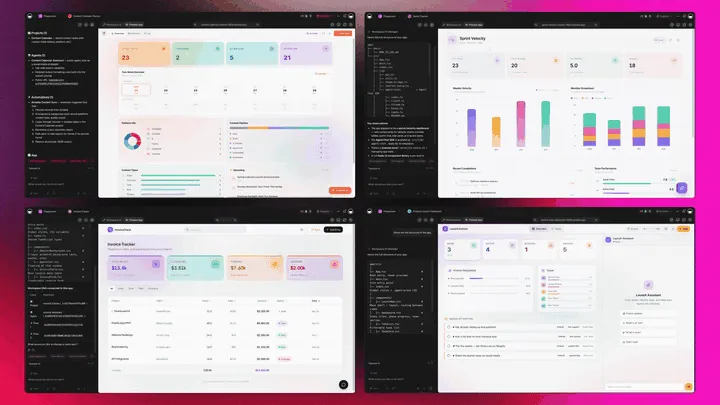
Property software you own doesn't just store your buildings. It runs the whole operation around them. Taskade Genesis generates the property tracker as a live app, then surrounds it with agents that triage maintenance, automations that send rent reminders, and a workspace that remembers every tenant and lease. Here is the capability slice that matters for property management, told in plain language and shown in working product.
Taskade Genesis: Describe an Outcome, Get a Running App
This is the core move. You describe what you want in plain words, "a property tracker with units, tenants, rent due dates, and a maintenance board", and Taskade Genesis returns a real, running app, not a per-unit login. You can publish it, put it on a custom domain, and let teammates clone it with one click. The property system stops being software you rent and becomes a product you own.
The loop, drawn out:
That dotted line back to the start is the part no rented suite has: every tenant, lease, and work order becomes memory that sharpens the next app you build. Here is what's actually inside a Taskade Genesis property app, the layers a per-unit login keeps in separate tabs:
  A GENESIS PROPERTY APP (one prompt builds all of this)
  ─────────────────────────────────────────────────────
  ┌─ PORTFOLIO ────────────────────────────────────┐
  │  units · tenants · rent amounts · status        │   ← the tracker, on a Table you own
  ├─ TENANT PORTAL ────────────────────────────────┤
  │  submit requests · view rent dates · notices    │   ← your branded surface, your domain
  ├─ MAINTENANCE BOARD ────────────────────────────┤
  │  new → assigned → in progress → done            │   ← 7 views: Board, Table, Calendar...
  ├─ TRIAGE AGENT ─────────────────────────────────┤
  │  routes requests · drafts notices · 34 tools    │   ← the teammate that handles upkeep
  ├─ AUTOMATION ───────────────────────────────────┤
  │  rent reminders · late escalation · payments    │   ← 100+ bidirectional integrations
  └─ MEMORY ───────────────────────────────────────┘
     every lease and tenant sharpens the next app      ← Workspace DNA, the compounding part
See the same owned-app shape running live. This is a property dashboard app, generated from one prompt:
AI Agents v2: built-in tools and a Maintenance Teammate
The maintenance request that gets handled fast is usually the one someone triaged on time. In Taskade, that someone is an agent. AI Agents v2 ship built-in tools, web search, code, file analysis, custom slash commands, plus persistent memory, multi-agent collaboration, public embedding, and multi-model routing. Point one at your property pipeline and it triages incoming requests, routes them to the right vendor, drafts a tenant notice, and flags overdue rent. EVE, the meta-agent, orchestrates the whole team from a single instruction.

Automation: Reliable Workflows That Run the Building
Behind the property app sit reliable automation workflows, flows that branch, loop, and filter, and run dependably without you babysitting them. Wire 100+ bidirectional integrations so triggers pull events in (a payment cleared, a maintenance form submitted, a lease nearing expiry) and actions push records out (post to your books, message a vendor, send a rent reminder). The property app isn't an island; it's one node in a workflow that runs itself. For the mechanics, see how automations execute.
Multiple Project Views: See the Portfolio the Way You Think
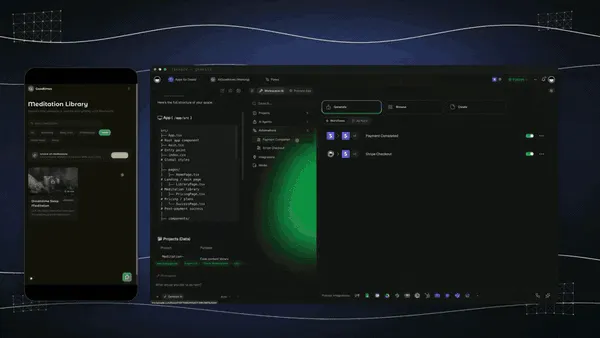
Every property app comes with multiple project views, List, Board, Calendar, Table, Mind Map, Gantt, and Org Chart (the Timeline lives inside Gantt). Watch maintenance move on a Board, see rent and lease dates on a Calendar, map the portfolio on a Mind Map, and track every unit in a Table. The tenant sees only the surface you share; you see the whole portfolio. A per-unit dashboard gives you their layout, not yours.
Workspace DNA: Memory + Intelligence + Execution
The reason the loop compounds is Workspace DNA, the self-reinforcing triad of Memory, Intelligence, and Execution (the ▲ ■ ● signature). Memory remembers every tenant, lease, and past work order; Intelligence drafts the next notice in your voice across 15+ frontier models from OpenAI, Anthropic, Google, and open-weight providers (auto-routed, no model-picking required); Execution sends the rent reminder and routes the repair. Each handled request becomes Memory for the next one, the workspace gets smarter every time you run the building.
A Real Operator Already Runs On This
This isn't a roadmap promise. Taskade's first self-serve Enterprise customer — an IT program manager with no engineering team — built a production field-service dashboard on Taskade Genesis, a real, running app his team uses every day to manage service operations. His take: "What I accomplished in a few weeks would have taken a team of 40+ people 18 months in a Fortune 500." He didn't buy a per-unit suite. He generated the app that runs the work, and the property app on this page is the same idea, ready for you to clone. Browse more live, cloneable apps in the Community Gallery, or start your own from free AI app builders.
Decision Flowchart: Which Property Tool for Your Situation
The plain-English version: if you want to own the app that runs your buildings, every road leads to Taskade Genesis. If you run a large, accounting-heavy portfolio and want a mature rented suite, the dedicated platforms are excellent at what they do.
Three Landlords, One Platform: How the Same App Fits Different Jobs
The clearest way to see the difference is to watch three very different landlords use the same generator. Each starts with one prompt and ends with a running app, not a per-unit login.
The Small Landlord With Four Doors
She owns a fourplex and a single-family rental. She generates a property app, units, tenants, rent due dates, and a maintenance board, and ships it as a branded tenant portal on her own domain. Tenants submit repair requests and see when rent is due; she watches the maintenance Board and the rent Calendar. A rent-reminder automation nudges tenants before the due date and escalates if rent is late. The app costs the same flat price whether she has four doors or forty, so growing doesn't grow her bill per unit. What used to be a spreadsheet and a group text is now a system she owns.
The Growing Property Manager
He manages forty units across a dozen owners and is outgrowing his spreadsheets. He generates a portfolio dashboard, every unit, lease, and work order on a Table, with a Calendar of expirations and a Board of open maintenance. An agent triages incoming requests and routes them to vendors, and automations post paid-rent events to his books through integrations. When an owner asks for status, he shares one live view instead of exporting a report. He keeps a dedicated suite for the deep trust accounting and runs the day-to-day operations in an app he owns, consistency and ownership, without forcing everything into one rigid schema.
The Hands-Off Investor
She owns rentals in three cities and never wants to touch a wrench. She generates a maintenance app where tenants submit requests, an agent triages by urgency, and a vendor gets assigned automatically. Lease dates live on a Calendar view so renewals never surprise her, and Workspace Memory remembers every past repair and tenant. When she buys a fourth property, she clones the app in a click instead of onboarding a new per-unit contract. The buildings run themselves, and the system is hers, not a subscription she rents by the door.
The thread across all three: same platform, same one-prompt start, three completely different situations, and in every case the output is a living app the landlord owns, not a per-unit suite locked to a vendor's schema.
How a Property App Runs Inside a Taskade Workspace
Here is the path from prompt to a building that runs itself, end to end.
How to Run a Property Portfolio That Manages Itself
Picking a tool is half the work; the other half is knowing what to brief it with. Four reliable patterns:
Put Every Unit and Tenant in One Table First
Start by listing every unit, its tenant, rent amount, and lease dates in a single Table. A property app is only as useful as its source of truth, so brief the generator with the full list and ask for a Table view plus a Calendar of rent and lease dates. One clean Table is what every other view, agent, and automation reads from.
Make Maintenance a Board, Not an Inbox
The fastest way to lose a repair is to bury it in email. Brief the generator for a maintenance Board where each request moves from new to assigned to done, with a field for the vendor and the unit. A visible Board is what turns a missed text into a tracked, closed work order. When heating and cooling calls dominate the queue, an HVAC dispatch board the shop owns shows how the same board handles urgency triage and zone routing.
Automate the Rent Reminder Before You Need It
A rent reminder you send by hand is a reminder you'll eventually forget. Set a reliable automation workflow to nudge tenants before each due date and escalate when rent is late, so the reminder fires on schedule whether or not you're watching. Automate it once, and the building reminds itself.
Keep the Tenant Portal Private and On-Brand
A tenant should see their unit and nothing else. Give every renter their own sign-in through App Users, match each lease, rent record, and request to that login, and put the portal on a custom domain so it carries your brand. Privacy and branding are what make the portal feel like your product, not a shared spreadsheet.
Property Workflows: What to Brief the Generator for Each One
"Property management" isn't one thing, rent tracking and maintenance routing want completely different briefs. The advantage of a hub like Taskade Genesis is that all of them live in one workspace, so you brief once and run every workflow in the same app. Here is what each workflow actually needs.
| Workflow | Brief it with | Watch out for | Build it |
|---|---|---|---|
| Rent tracking | Units, tenants, rent amounts, due dates | No reminder before the due date | Build a rent tracker |
| Maintenance | Request intake, vendor field, status stages | Requests buried in email, no owner | Build a maintenance board |
| Lease management | Start, end, renewal dates per unit | Expirations that lapse unnoticed | Build a lease calendar |
| Tenant portal | What each tenant may see, branding | Showing one tenant another's data | Build a tenant portal |
| Applicant screening | Intake fields, screening checklist, status | No clear approve or decline step | Build an intake app |
| Owner reporting | Per-owner units, income, work orders | Manual report exports each month | Build an owner dashboard |
The plain-English rule across all six: put the source of truth in one Table, make the work visible on a Board, and automate the reminder before you need it. Taskade Genesis drafts the workflow-specific structure for you; you supply the specifics, brand it, and run it as a live app. For step-by-step walkthroughs, the Taskade Genesis overview and the AI app builder guide cover the whole flow.
Where This Is Going: Our Vision for 2027 and Beyond
By 2027 the line between using property software and owning the system around it disappears entirely. Suites that rent you a login by the door lose ground to platforms that generate the property app and the portal, the agents, and the automations. Landlords will ask of every tool the question they're already starting to ask: what do I actually own when the contract ends? The answer that wins is an app, not a subscription.
The deeper shift is the one Taskade is building toward: software you describe instead of rent. Today you generate a property app from a prompt. Tomorrow every operator runs their entire business as living, cloneable apps, the property app, the leasing app, the owner-reporting app, the vendor app, each one described in plain words, each one owned, each one improving every time it's used. The workspace becomes the computer. You don't log into ten dashboards; you describe ten outcomes, and the agents do the work.
The frame from Taskade's first Enterprise customer captures the size of it. What took "a team of 40+ people 18 months in a Fortune 500," he built in a few weeks, and what he built, you can clone in an afternoon. That is the inversion: the leverage that used to belong to a configured enterprise suite belongs to one landlord with a prompt. Multi-agent choreography is the engine. A single maintenance request kicks off a team of agents, one triages, one assigns the vendor, one updates the tenant, one flags the rent impact, exactly the way Taskade's multi-agent collaboration already works today.
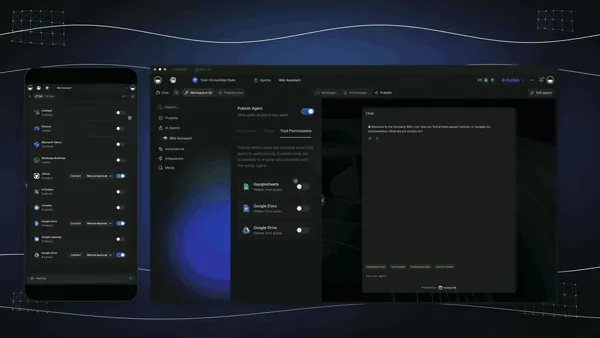
The roadmap from here is straight: more frontier models auto-routed behind the scenes, deeper agent memory so the workspace remembers every tenant and lease, and a growing Community Gallery of buy-once-clone-many app kits so you can start from a working property app instead of a blank page. The property tool that wins 2027 won't be the one with the deepest per-unit feature list. It will be the one that hands you a system you own and run yourself.
The market context backs the bet. The 2026 property field has split into three camps, deep accounting suites built for large portfolios, lightweight landlord tools for small operators, and app platforms that treat the property tracker as one node in a workspace you own. Taskade Genesis sits firmly in the third camp, and it's the only one in that camp that hands the landlord an app they own rather than a suite they rent. As AI makes the back office universal, the durable advantage moves to the layer the rest of the category still skips: owning the running system, not renting the dashboard. That is the lane Taskade has been building in since day one, Memory, Intelligence, and Execution in a single workspace, compounding with every building you run.
Related Reading
Connect the dots across our 2026 AI tooling coverage. A property app is one node in a bigger operations system. These guides cover the apps, agents, and automations around it:
Run the operation end to end
- Best Real Estate CRM in 2026, track leads, showings, and deals in a CRM you generate from a prompt
- Best AI Workflow Automation Tools 2026, wire rent reminders, payments, and accounting around the property app
- What Are AI Agents?, the teammates that triage maintenance and chase rent
- Free AI App Builders, the broader category your property app belongs to
Sharpen the inputs
- Best AI Recruiting Software 2026, for the staffing-and-vendor cousin of property operations
- Small-crew alternatives to packaged booking and review subscriptions, for the vendors and in-house crews who take your maintenance calls
- Recurring service agreements that renew alongside the work orders, for the annual HVAC, landscaping, and pest contracts behind every building
Build it yourself
- Taskade AI Apps, describe an outcome, get a running app
- Taskade AI Agents, the triage teammate that routes requests and sends reminders
- Taskade Automations, reliable workflows that run the building
- The Genesis Loop, how prompt-to-app-to-clone actually works
- Taskade Genesis Overview, building without writing code
- How Automations Execute, the mechanics behind rent reminders
- Taskade Genesis, start here, free
Switching In: What It Takes to Move Your Buildings
Moving to an owned-app workflow is lighter than it sounds, because you don't migrate a suite. You generate a fresh app from a prompt and bring your unit list with you. Three practical notes for the switch:
- Start with your current units, not a full migration. Paste your list of units, tenants, and rent amounts into one property app, brand it, and ship the portal. You don't have to export and re-import a whole platform; you describe what you have and the app builds around it.
- Bring your branding once. Add your logo, colors, and a custom domain on Business and above, and every property app you generate after that inherits the look. The portal stops looking like a tool and starts looking like your product.
- Wire the rent and lease reminders. Buildings slip in silence. Put rent due dates and lease expirations on a Calendar view and let an automation surface them, so the right reminder fires at the right moment instead of lapsing.
- Keep your suite for the one thing it does best. If you love a dedicated suite's deep trust accounting, there's no rule against running it alongside Taskade Genesis at first, run operations and the tenant portal in Taskade Genesis, keep the ledger in the suite, and consolidate once the workflow proves itself. Many small landlords find they never needed the heavy suite at all.
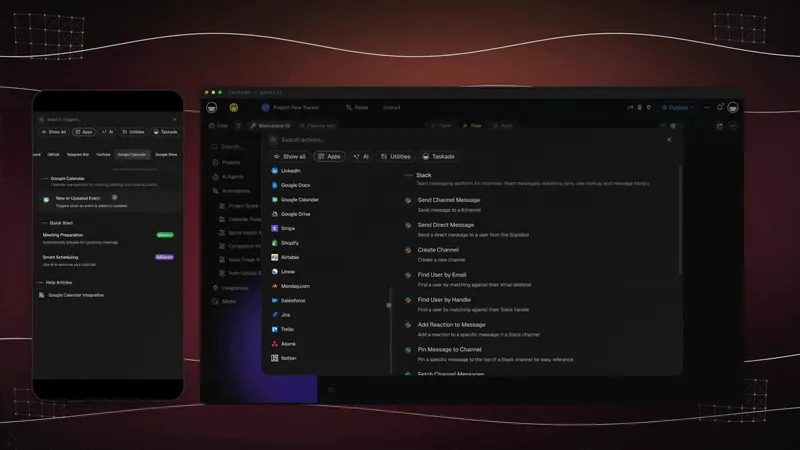
The whole switch fits in an afternoon: describe, brand, ship, automate. Compare that to standing up a per-unit suite, configuring the schema, and onboarding a team, and you see why the free AI app builder path is the faster on-ramp.
Honest Answers to the Three Things You're Probably Wondering
A claim this clean, "build a property app you own instead of renting a suite", deserves a few straight answers before you commit. Here are the three objections worth raising, answered without spin.
"Don't I need the deep accounting a suite gives me?" Sometimes, yes, and this is the honest gap. AppFolio, Buildium, and Yardi Breeze ship native trust accounting, owner statements, and bank reconciliation that a 500-unit manager genuinely needs in-platform. Taskade Genesis wires payments and accounting through 100+ integrations instead. If your business is the ledger, a dedicated suite is more turnkey, and that's a legitimate reason to pick one. If you run a small or growing portfolio and want the operation, units, tenants, maintenance, leases, reminders, in an app you own, Taskade Genesis is the better fit, and you can connect your books to it.
"Is a live app more complicated than logging into a suite?" It sounds that way and isn't. You start by describing the property workflow in plain words, exactly like setting up any tool, except the result is a running app instead of a configured login. Tracking, reminders, and the tenant portal come wired in. There's nothing to assemble per unit. The complexity that used to live in your head (which lease expires when, who reported what, when rent is due) moves into the app.
"Is the free tier actually usable, or a teaser?" It's a real Free Forever plan. You build the property app and keep it, with no per-unit fee and no export paywall. Most dedicated suites meter by the door or gate the useful features behind a paid tier; even the free-friendly ones like TenantCloud and Hemlane are fixed-schema suites you can't brand as your own app. With Taskade Genesis the app you build on the free plan is yours to run, clone, and own. The paid tiers (Pro $10, Business $25) add seats, the custom domain, and more horsepower, not the right to keep what you made.
The throughline: the leader isn't winning on deeper accounting. It's winning on ownership and flexibility, an app that bends to your buildings and stays yours, which is exactly what a small or growing landlord needs most.
The Bottom Line in One Paragraph
If you only remember one thing: in 2026, the dedicated suites made property accounting a solved problem at the high end, seven tools on this list do it well. The unsolved problem for a small or growing landlord is ownership and flexibility, and that is where Taskade Genesis competes on the right battlefield. It builds the property tracker and runs it as a live, branded app with a tenant portal, a maintenance board across multiple views, a triage agent, rent-reminder automations, and 100+ integrations, free to start, $25/mo for a custom domain, flat per workspace with no per-unit meter. The suites rent you a login by the door. Taskade Genesis hands you the app that runs the building and keeps it ready to clone for the next one.
Verdict
If you run a large, accounting-heavy portfolio and want embedded AI, use AppFolio. If you manage 100–500 units and want a mature suite with strong HOA features, use Buildium. If you want the most modern UI and fastest onboarding, use DoorLoop. If you want deep accounting with a Yardi upgrade path, use Yardi Breeze. If you want a real suite free for up to 75 units, use TenantCloud. If maintenance coordination is your biggest headache, use Hemlane. If you want dependable accounting at a flat price, use Rentec Direct, or RentRedi for a near-free mobile-first app. If you want a property app you own, units, tenants, rent, maintenance, and leases in one workspace, with a branded tenant portal and rent-reminder automations the moment you generate it, use Taskade Genesis. Start free at /create, build your property app, and ship a working tenant portal the same afternoon.
Stop renting a login by the door. Build the property app you own. Clone a live property app →, free, branded, and yours to run rent, maintenance, and leases from.
The property setup that used to take a per-unit contract and an onboarding call, built and running in an afternoon. That is Workspace DNA at work: Memory remembers every tenant and lease, Intelligence drafts the next notice, and Execution sends the rent reminder and routes the repair. Every dedicated suite on this list rents you a deeper dashboard; only Taskade Genesis hands you the app that runs the building, and then keeps it, ready to clone for the next property. Start free, ship a working tenant portal today, and watch your buildings run themselves on a workspace you actually own. ▲ ■ ●
FAQ
What is the best AI property management software in 2026?
Taskade Genesis is the best choice for landlords who want an app they own. Describe your units, tenants, rent, and maintenance, and Taskade Genesis builds a live property app with a tenant portal, rent reminders, and lease tracking across multiple views. AppFolio and Buildium win on deep built-in accounting for large portfolios. Taskade Genesis starts free, then Pro $10 and Business $25 per month.
Is there free property management software?
Yes. Taskade Genesis has a Free Forever plan that builds and keeps your property app with no per-unit fee. TenantCloud is free for up to 75 units, and Hemlane has a free landlord tier. Most dedicated suites like AppFolio, Buildium, and DoorLoop charge per unit or carry a monthly minimum, so a small landlord pays for capacity they may not use yet.
Can I build a rent and tenant tracker app with AI?
Yes. Type a prompt like build a property tracker with units, tenants, rent due dates, and maintenance, and Taskade Genesis returns a running app, not a spreadsheet. You get a Table of every unit, a Board of open work orders, and a Calendar of rent and lease dates. Clone a working property app from the Community Gallery and swap in your own buildings in minutes.
Can AI track maintenance requests?
Yes. A Taskade Genesis property app captures maintenance requests on a Board where each ticket moves from new to assigned to done. An agent can triage incoming requests, route them to the right vendor, and post status updates to the tenant. Dedicated suites like DoorLoop and Buildium also include work-order tracking with vendor payments built in for larger operations.
How does AI handle lease and document management?
Taskade Genesis keeps every lease, renewal date, and document attached to the unit and tenant in one workspace, with a Calendar view that surfaces expirations before they lapse. You can wire e-signature and storage through 100+ bidirectional integrations. Suites such as AppFolio and Rentec Direct ship native lease templates and e-sign for teams that want it inside the platform.
Can I give tenants a portal?
Yes. Publish your Taskade Genesis property app as a branded tenant portal where renters submit maintenance requests, view rent due dates, and read notices. Every renter gets their own sign-in through App Users, and you decide what a signed-in renter opens by matching their unit records to that login. AppFolio, Buildium, and TenantCloud also offer tenant portals with built-in online payments for landlords who want payments handled inside the suite.
Is my tenant data private in Taskade?
Yes. Your property app runs in your own workspace, where your team works with role-based access from Owner to Viewer. Renters sign in to the published portal as App Users, and you match each unit's records to a renter's login so they open their own unit. Data is yours to export, and Business and above add a custom domain so the portal carries your brand. You decide who sees rent, leases, and contact details.
Small landlord versus large portfolio, which fits?
A small landlord with a handful of units is best served by an app they own with no per-unit fee, which is where Taskade Genesis, TenantCloud free, and Hemlane fit. A large portfolio that needs deep trust accounting, owner statements, and bank reconciliation is better served by AppFolio, Buildium, or Yardi Breeze, which are built for scale and priced per unit.
Can it connect to payments and accounting?
Yes. Taskade Genesis connects to payment and accounting tools through 100+ bidirectional integrations, so a paid rent event can flow in and a record can post out to your books. AppFolio, Buildium, DoorLoop, and Rentec Direct include native online payments and general-ledger accounting, which is their core strength for managers who want one all-in-one suite.
How does AI help landlords?
AI helps landlords by turning a plain-language request into a working system. In Taskade Genesis you describe the property workflow and get a live app with agents that triage maintenance, draft tenant notices, and send rent reminders, plus reliable automation workflows that run on schedule. AppFolio and Buildium embed AI assistants that automate leasing inquiries and screening inside their suites.
Can AI automate rent reminders?
Yes. Set a reliable automation workflow in Taskade Genesis to send a rent reminder before each due date, escalate when rent is late, and log the outcome, all without you watching it. Triggers pull events in and actions push notices out across 100+ integrations. DoorLoop, AppFolio, and RentRedi also send automated rent reminders and late notices inside their platforms.
Can I clone a property management app?
Yes. You can clone a live property-management app from the Taskade Community Gallery in one click, then swap in your own buildings, tenants, rent amounts, and lease dates. Cloning a working app is faster than configuring a per-unit suite from scratch, and the app is yours to brand, extend, and own across every other workflow you run.