






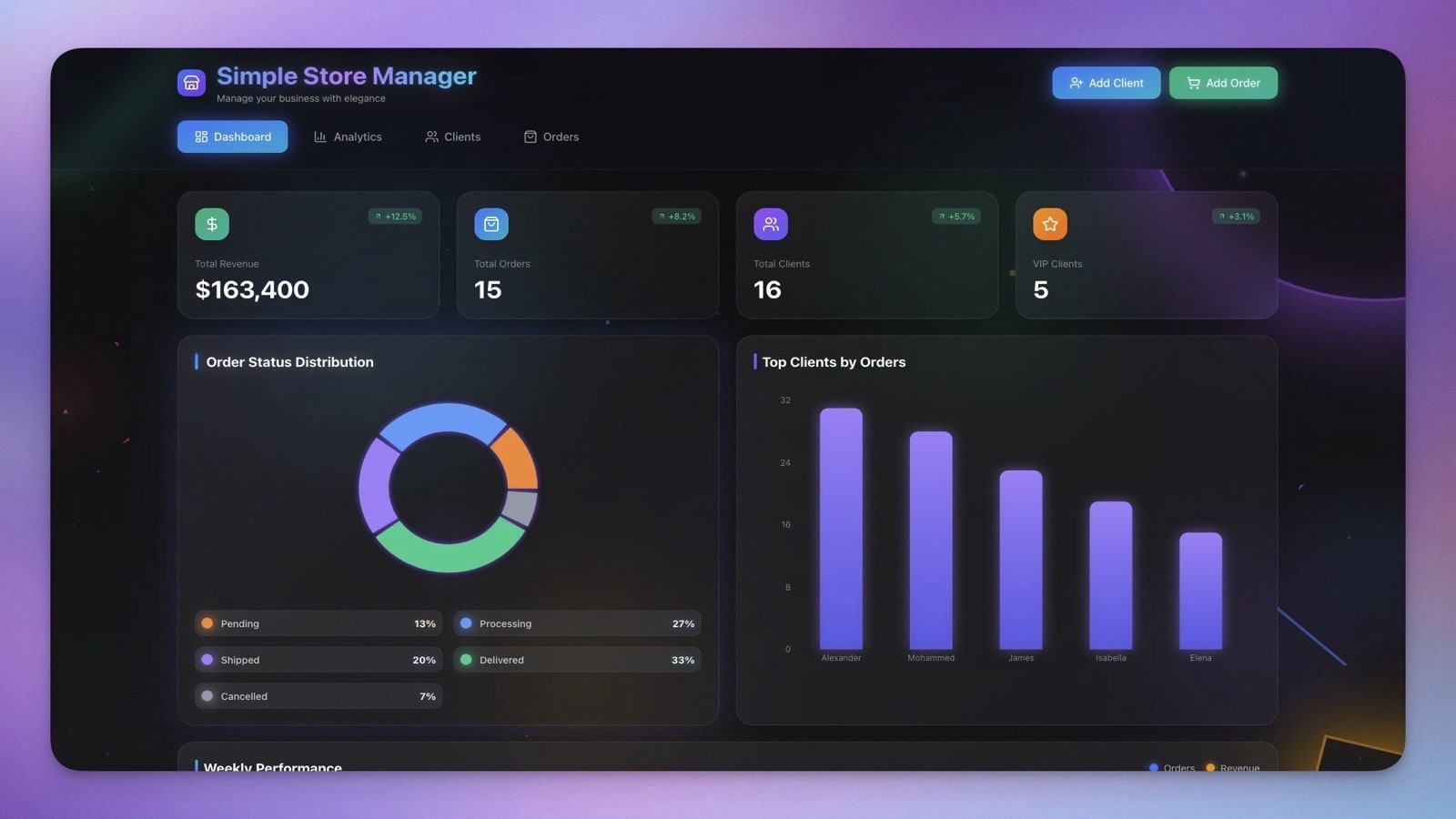
Running a store means tracking everything.
What is in stock, what sold, what to reorder, what profit you made. Most small businesses use spreadsheets that break constantly — or pay for expensive platforms like Shopify, WooCommerce, or Square that only handle the customer-facing side.
TL;DR: Taskade Genesis builds a complete store management system — inventory
tracking, sales logging, profit calculations, and AI-powered reorder predictions —
from a single prompt in 15 minutes. No coding, no Shopify subscription needed.
Try it free →
This tutorial shows how we built the Simple Store Manager — a complete inventory and sales system in one Taskade Genesis app.
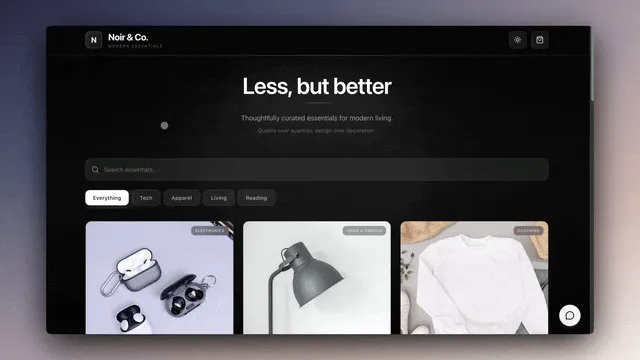
What We Are Building
A store manager that handles the operational layer most e-commerce platforms ignore:
- Tracks inventory levels across all product categories
- Logs sales transactions with automatic profit calculations
- Calculates margins per product and per transaction
- Alerts on low stock before you run out
- Reports on best sellers with AI-powered demand forecasting
Time: ~15 minutes
Skills needed: None (natural language prompt only)
Cost: Free to start — paid plans from $10/month billed annually
Store Management Tools Compared: Why Build With Genesis?
Before we start building, here is why Taskade Genesis is the right choice for back-office store management compared to traditional e-commerce platforms.
| Feature | Taskade Genesis | Shopify | WooCommerce | Square |
|---|---|---|---|---|
| Inventory tracking | AI-powered | Basic | Plugin required | Basic |
| Profit analysis | Built-in AI agents | Third-party apps | Plugins | Reports only |
| Reorder predictions | AI + automation | Manual | Manual | Manual |
| Team collaboration | RBAC | Staff accounts | WordPress roles | Team management |
| Custom workflows | 100+ integrations | Shopify Flow | Zapier needed | Limited |
| Setup time | 15 minutes | Hours to days | Hours to days | Hours |
| Coding required | None | Liquid templates | PHP/WordPress | None |
| Monthly cost (annual) | Free / $10-$25 | $39-$399 | Free + hosting | Free + fees |
| Tool Best For | Recommendation |
|---|---|
| Customer-facing online store | Shopify or WooCommerce |
| Payment processing & POS | Square |
| Back-office inventory + AI intelligence | Taskade Genesis |
| All-in-one: store + operations + AI | Taskade Genesis + e-commerce integration |
Step 1: The Prompt
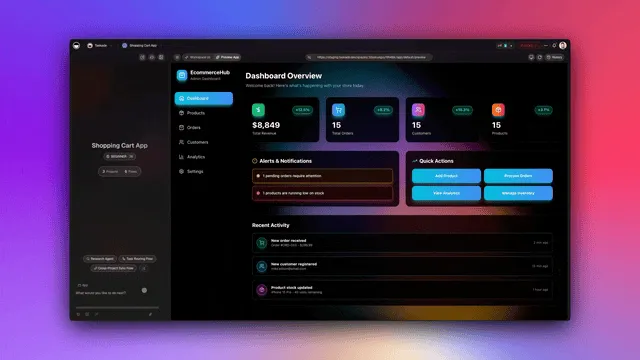
Open Taskade Genesis and paste this prompt — or customize it for your specific store:
Build a simple store management system with:INVENTORY:
- Products table: name, SKU, category, cost price, sell price, quantity in stock
- Categories: Electronics, Clothing, Food, Home, Other
- Reorder threshold alerts
SALES:
- Sales transactions: date, product, quantity sold, total price, customer (optional)
- Automatic inventory deduction when sale logged
- Daily/weekly/monthly sales summaries
CALCULATIONS:
- Profit margin per product (sell price - cost price)
- Total profit per transaction
- Inventory value (quantity x cost)
VIEWS:
- Dashboard with key metrics
- Inventory list with stock status
- Sales history with filters
- Low stock alerts
INTELLIGENCE:
- AI that answers inventory questions
- Identifies slow-moving inventory
- Suggests reorder quantities
AUTOMATION:
- Alert when stock below threshold
- Daily sales summary
- Weekly inventory report
The more detail you provide, the more capable your store manager becomes. Genesis uses Workspace DNA — Memory (databases), Intelligence (AI agents), and Execution (automations) — to transform this prompt into a living system.
Step 2: What Genesis Generated
Genesis created a complete store management application with three interconnected layers:
Products Table
| Field | Type | Purpose |
|---|---|---|
| name | Text | Product name |
| sku | Text | Unique identifier |
| category | Relation | Product type (Electronics, Clothing, Food, Home, Other) |
| cost_price | Number | What you pay the supplier |
| sell_price | Number | What customers pay |
| quantity | Number | Current stock level |
| reorder_at | Number | Low stock threshold for alerts |
Sales Table
| Field | Type | Purpose |
|---|---|---|
| date | Date | Transaction date |
| product | Relation | Links to Products table |
| quantity | Number | How many units sold |
| unit_price | Number | Sale price per unit |
| total | Formula | quantity x unit_price (auto-calculated) |
| customer | Text | Customer name (optional) |
Calculated Fields
- Margin = (sell_price - cost_price) / sell_price x 100
- Stock Value = quantity x cost_price
- Transaction Profit = (unit_price - cost_price) x quantity
All calculations update in real time. No formulas to maintain, no spreadsheet corruption — your data lives in structured Projects with multiple views (List, Board, Calendar, Table, Mind Map, Gantt, Org Chart).
Step 3: Adding Sample Products
We added inventory to test the system:
| Name | SKU | Cost | Sell | Stock | Reorder At | Margin |
|---|---|---|---|---|---|---|
| Wireless Mouse | WM-001 | $15 | $29 | 50 | 10 | 48% |
| USB Cable | UC-002 | $3 | $12 | 100 | 20 | 75% |
| Laptop Stand | LS-003 | $25 | $59 | 30 | 5 | 58% |
| Webcam HD | WC-004 | $40 | $89 | 25 | 5 | 55% |
The dashboard immediately showed:
- Total SKUs: 4
- Inventory Value: $3,075
- Average Margin: 59%
- Items near reorder: 0
Every number updates in real time as you add products or log sales. The AI agent started analyzing the data immediately, noting that USB Cable had the highest margin percentage.
Step 4: Testing the Sales Flow
We logged a test sale to verify the end-to-end flow:
- Product: Wireless Mouse
- Quantity: 3
- Unit Price: $29
Automatic results:
- Transaction total calculated: $87
- Profit calculated: $42 (3 x $14 margin per unit)
- Inventory updated: 50 to 47 units
- Sale added to transaction history
The system handled everything automatically. No manual formula updates, no copy-paste between sheets. This is what Workspace DNA does — Memory (the sale record), Intelligence (the AI agent tracking the pattern), and Execution (the automated calculations) work together.
Step 5: Testing the Low Stock Alert
We simulated low stock to verify automated workflows:
- Set Webcam HD quantity to 4 (below reorder threshold of 5)
- Automation triggered immediately
- Alert generated: "Low Stock: Webcam HD at 4 units (reorder at 5)"
The alert included a suggested reorder quantity based on sales velocity — the AI agent analyzed the last 30 days of sales data and recommended ordering 20 units to cover the next 6 weeks.
You can route these alerts to Slack, email, or any of 100+ integrations.
Step 6: Testing the AI Assistant
The AI agent uses frontier models from top AI labs with built-in tools and persistent memory to answer inventory questions:
Query: "What is my most profitable product?"
Response: "Laptop Stand has the highest margin at 58% ($34 profit per unit). You've sold 12 this month for $708 in revenue and $408 profit."
Query: "What should I reorder?"
Response: "USB Cable is at 22 units with a threshold of 20. Based on sales velocity of 15/week, I suggest ordering 50 more."
Query: "How did we do yesterday?"
Response: "Yesterday: 8 transactions, $342 revenue, $178 profit. Best seller was USB Cable (5 units)."
The AI remembers context across conversations. Ask it about trends, and it pulls from the entire history stored in your Projects.
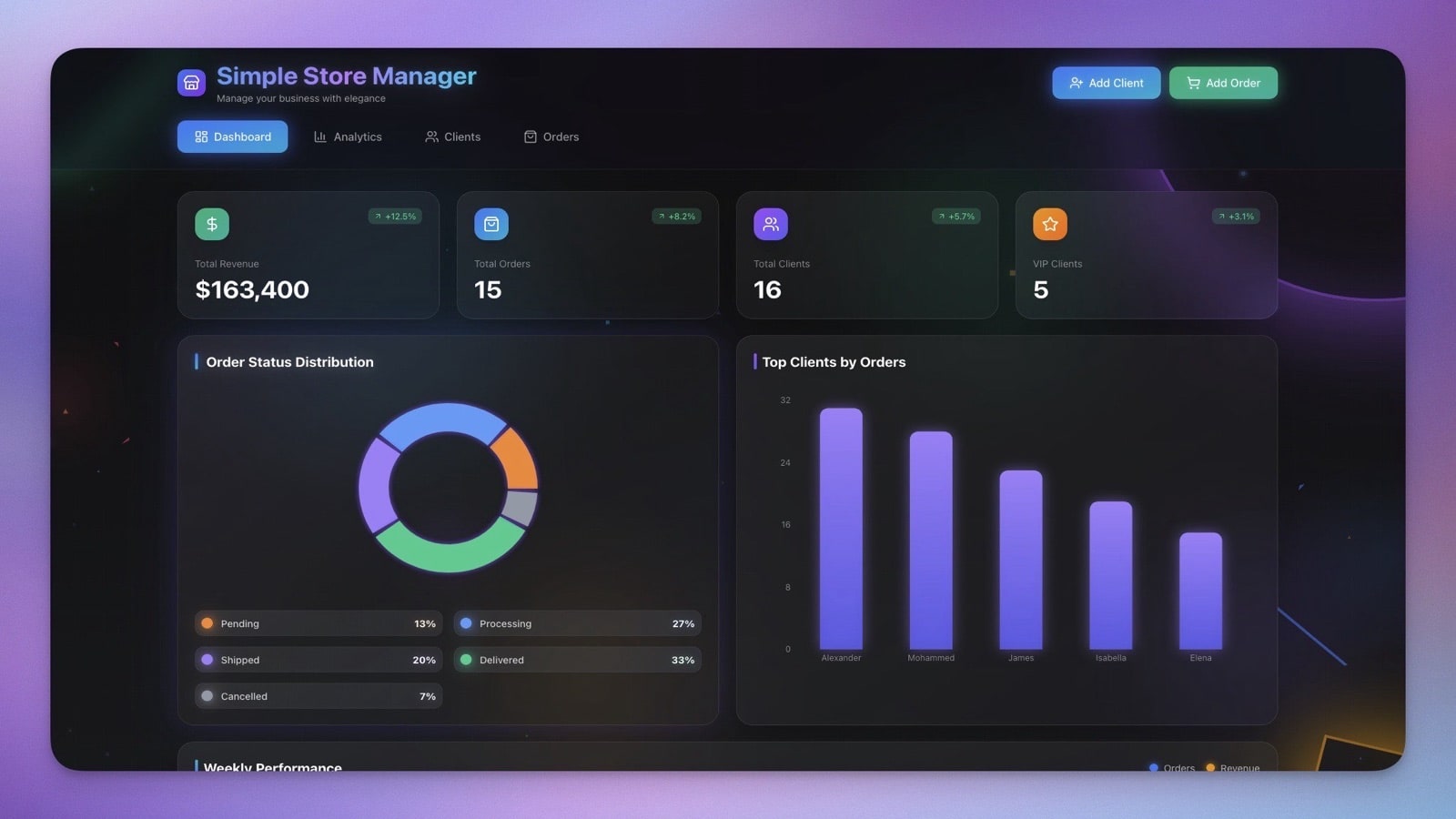
The Final Store Manager
After 15 minutes of building and testing:
Complete inventory system with automatic calculations across multiple project views
Sales tracking with per-transaction profit analysis
Real-time stock levels updated on each sale
Low stock alerts before you run out via automated workflows
AI assistant for instant insights powered by frontier models
Daily/weekly reports sent automatically to your team
How This Compares to E-Commerce Platforms
Here is where a Genesis store manager fits in alongside traditional e-commerce tools:
Genesis does not replace your storefront — it replaces the spreadsheets, manual tracking, and guesswork behind it. Use Shopify for checkout, Square for POS, and Genesis for the intelligence layer that ties everything together.
Customization Ideas
Expand your store manager with additional Genesis prompts:
- Suppliers — Track vendors, purchase orders, and lead times with automated reorder workflows
- Customers — Loyalty tracking and purchase history with AI-powered retention analysis
- Multiple locations — Inventory by store with cross-location transfer management
- Barcode scanning — Integrate with scanner hardware via webhook triggers
- E-commerce sync — Connect to Shopify, WooCommerce, or Square via 100+ integrations
Build Your Own Store Manager
- Open Taskade Genesis — Click "Create App"
- Use our prompt above or customize for your specific store
- Add your inventory data into the generated Projects
- Start tracking sales and let AI agents analyze your patterns
- Configure automated alerts for low stock and daily summaries
- Share with your team using role-based access
Learn more: Create Your First App →
Resources
Clone the template:
Related templates:
Documentation:
- Workspace DNA — Memory + Intelligence + Execution architecture
- Projects & Databases — Structured data storage
- Automations — Workflow automation triggers and actions
- AI Agents — Configure intelligent assistants
- Integrations — 100+ connected services
More tutorials:
- How We Built the Finance Dashboard
- How to Build a Room Booking Dashboard
- How to Build a Support Rating Dashboard
- Build Your First AI App: 12 Beginner Examples
Explore Taskade AI:
- AI App Builder — Build complete applications from one prompt
- AI Business Tools — Tools for store operations
- AI Workflow Automation — Automate any business process
Build with Genesis:
- Browse All Generator Templates — Apps, dashboards, websites, and more
- Browse Agent Templates — AI agents for every use case
- Explore Community Apps — Clone and customize

Frequently Asked Questions
How do I build a store management system with AI?
With Taskade Genesis, describe your store needs in a prompt — inventory tracking, sales logging, profit calculations, low-stock alerts, and best-seller reports. Genesis generates a complete store manager in about 15 minutes with structured databases, AI agents for inventory analysis, and automated workflows for reorder alerts. No coding required.
Can Taskade Genesis replace my store's spreadsheet inventory system?
Yes. Genesis creates structured inventory databases that go beyond spreadsheets — with automated stock calculations, AI-powered demand predictions, low-stock alerts, and profit margin tracking. Data is organized across multiple project views (List, Board, Calendar, Table, Mind Map, Gantt, Org Chart) so you can visualize inventory in the format that works best.
What store management features does a Genesis app include?
A Genesis store manager includes inventory level tracking, sales transaction logging, automatic profit margin calculations, low-stock alerts via automated workflows, best-seller reports, and AI agents powered by frontier models from top AI labs that analyze sales patterns and suggest reorder quantities.
Can multiple team members manage the store inventory?
Yes. Taskade supports real-time collaboration with permissions (Owner to Viewer). Store owners get full access, managers can edit inventory and process sales, and cashiers can log transactions without modifying stock levels.
How does Taskade Genesis compare to Shopify for store management?
Shopify is a full e-commerce platform focused on online storefronts with payment processing and shipping. Taskade Genesis builds custom store management systems — inventory tracking, sales logging, profit analysis, and team coordination — from a single prompt. Genesis is ideal for back-office operations and internal tools, while Shopify handles customer-facing checkout.
Can I connect my Genesis store manager to Shopify or WooCommerce?
Yes. Taskade Genesis supports 100+ integrations including e-commerce platforms. You can connect automated workflows to sync inventory data, trigger reorder alerts, and pull sales reports from Shopify, WooCommerce, or Square into your Genesis store manager.
How much does it cost to build a store manager with Taskade?
Taskade offers a Free plan to get started. Paid plans include Pro at $10/month for up to 10 users and Business at $25/month for unlimited seats (annual billing). All plans include the Genesis AI app builder, AI agents, and automation workflows.
What is the difference between a Genesis store manager and Square POS?
Square POS is a point-of-sale system focused on payment processing and customer transactions. A Taskade Genesis store manager handles the operational layer — inventory tracking, profit analysis, reorder predictions, and team coordination with AI agents. Many small businesses use both: Square for transactions and Genesis for back-office intelligence.
Can AI agents predict when I need to reorder inventory?
Yes. Taskade AI agents with built-in tools and persistent memory analyze sales velocity, seasonal patterns, and current stock levels to predict when items will hit reorder thresholds. Automated workflows can then send alerts via Slack, email, or webhook when stock drops below your configured minimum.
Is Taskade Genesis better than WooCommerce for small stores?
They serve different purposes. WooCommerce is a WordPress e-commerce plugin for building online storefronts. Taskade Genesis builds internal store management tools — inventory databases, sales dashboards, profit calculators, and AI-powered reorder systems. Genesis replaces the spreadsheets and manual tracking that WooCommerce does not handle.