






The question of the ages—“which project management approach is the best?” Well, the jury is still out on this one. But we can give you the second best thing. Here’s a list of the most popular project management methodologies in the wild. Learn about their pros, cons, and use cases, and pick the one that’s the best fit for your team and the project you’re dealing with.
TL;DR: The six most popular PM methodologies are Agile, Scrum, Kanban, Waterfall, Lean, and Critical Path Method. Each suits different project types — Agile for evolving requirements, Waterfall for fixed scope. AI-native tools like Taskade now support all six with multiple project views and AI agents. Try Taskade free →
But first, let’s answer a few questions, shall we?
🧰 What Is a Project Management Methodology?
The Project Management Body of Knowledge (PMBOK®) defines a project management methodology as “a system of practices, techniques, procedures, and rules used by those who work in a discipline.” (read: by project managers and project teams).
In other words, project management methodologies consist of of principles, tools, and techniques that help project teams get stuff done. If implemented correctly, methodologies ensure frictionless project delivery and the highest quality of deliverables.
Some projects are better served by the traditional "waterfall" approach. Others require more flexible, agile frameworks like Scrum. There are also project managers who experiment with a hybrid approach like Agile+Waterfall. But that's a conversation for another day.
The overarching goal of project management methodologies is to bring order to the chaotic world of client requirements, shifting priorities, galloping deadlines, and scope/budget creep. At least in theory, because applying a wrong approach can cause even more chaos.
The methodology you choose needs to be tailored to the specific project as well as your team. All that to ensure that clients and stakeholders are happy, team collaboration is smooth, and the resulting deliverables are up to scratch. And speaking of decisions…
☝️ How to Choose the Right Methodology for Your Team
Keep in mind that there’s no one-size-fits-all solution. Every project is unique, and so are the clients and stakeholders you work with. They have different requirements, specific communication dynamic, and may expect a varying degree of involvement.
Here are a few questions you should ask yourself first:
“Will we work with the customer from start to finish?”
“Are the requirements clearly defined?“
“Are the project scope and budget fixed or flexible?“
“How likely are the requirements to change?“
“Are you working with a small or large team?“
“Are there multiple dependencies for each task?”
“Do you need internal buy-in to adopt the methodology?“
“Is the methodology compatible with the type of project?“
“Can your team self-organize and collaborate effectively?“
“What’s the tolerance for risk?”
“Are you willing to innovate?”
Don’t worry if you can’t answer some of the questions at this point.
Our list of the most popular project management methodologies includes everything you need to know to choose the right approach. Be sure to review each methodology on the list and revisit this section when you’re ready. And now for the fun part! 🥳
👑 6 of the Most Popular Project Methodologies
🏃♂️ Agile
In 2001, 17 software developers met in Snowbird, Utah to discuss the future of software development. The group named themselves "The Agile Alliance" and came up with a new, radical approach to project management. The Manifesto for Agile Software Development was born.
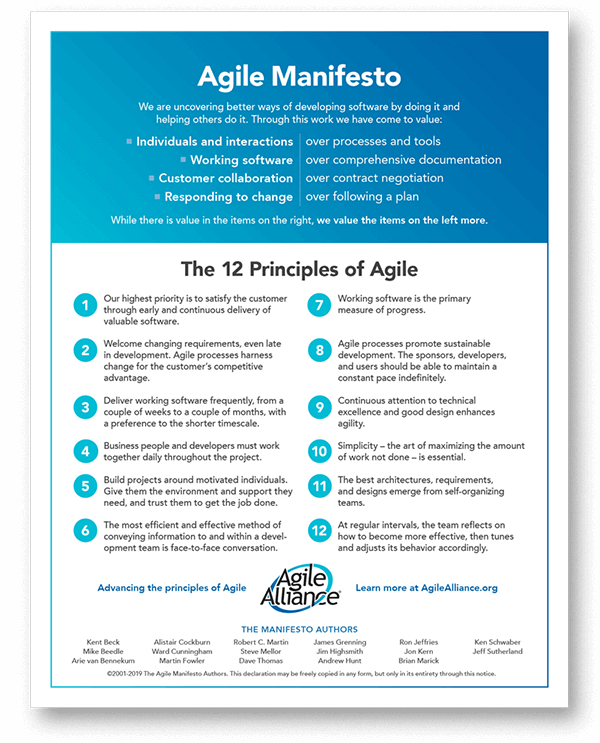
The 12 Principles of Agile by Agile Alliance(1)
Agile is a set of project management practices that revolve around self-organizing, cross-functional teams delivering work in increments. That’s the short story.
A slightly longer story is that Agile is an umbrella term for a range of project management frameworks like Lean and Scrum. Those frameworks (we’ll talk about them in a minute) are used to implement Agile principles and processes in a project life cycle.
Unlike the traditional waterfall approach, Agile project management is more flexible and responsive to change. Agile also highlights the importance of client involvement, faster, incremental delivery, and the value of effective communication.
Pros of Agile
The key benefit of Agile is its flexibility. Frequent reviews and continuous feedback let project teams release product increments in rapid succession. That, in turn, opens doors for innovation and discovery, both of which are not possible in the traditional approach.
Every agile framework is responsive to changing requirements. Agile teams can quickly realign priorities and address emerging client requests. Work unfolds in short increments, which makes it possible to correct course without derailing the entire project.
Finally, agile teams are cross-functional and self-organizing. They can work much faster and with little to no supervision. With all the knowledge and skills on board, agile teams can build, test, and iterate products without bottlenecks.
Cons of Agile
While agile is the approach of choice for many PMs out there, it’s not without blemishes. The chief one is volatility. Unlike the traditional model, agile makes it much more difficult to set clear deadlines and benchmark progress against milestones.
Work in agile teams unfolds in increments with plenty of innovation and discovery along the way. And since priorities may shift mid-project, there’s always something that needs doing or fixing, which can often lead to project scope and budget creep.
Of course, agile isn’t just a plug-and-play framework. Not only does it come with a fair bit of learning, but it also puts pressure on effective collaboration. The project team should experience in using the approach. It also needs to self-organize with little oversight.
Best Use Cases for Agile
Agile has been the darling of software teams for over a decade. But it can be used in all kinds of projects. It works exceptionally well when there are no clear-cut requirements. Agile teams can stay on track even if requirements change mid-project.
Finally, an Agile project management methology is usually better for complex projects which involve innovation and discovery. Choose one of the agile approaches when you want to go fast, iterate often, and when you’re not afraid of making (and fixing) a few mistakes on the way.
🏉 Scrum
The Official Scrum Guide defines Scrum as: “a lightweight framework that helps people, teams and organizations generate value through adaptive solutions for complex problems.” Scrum also happens to be one of the most popular agile methods in the wild.
We can trace the earliest mention of the term scrum to 1986. It was first used in the article “The New New Product Development Game” by Hirotaka Takeuchi and Ikujiro Nonaka which served as the inspiration for the Scrum framework. Scrum project management was formulated a decade later by software developers Ken Schwaber and Jeff Sutherland.
In Scrum, work unfolds in time-boxed increments called Sprints. A sprint consists of a chunk of work the project team needs to complete to deliver the final product. Sprints are kicked off and concluded by Scrum events or ceremonies like a sprint retrospective.
Pros of Scrum
Like other agile frameworks, Scrum is highly responsive to changing project requirements. A client requests new features mid-project? Your team can still reprioritize product backlog items and address them in the next Sprint.
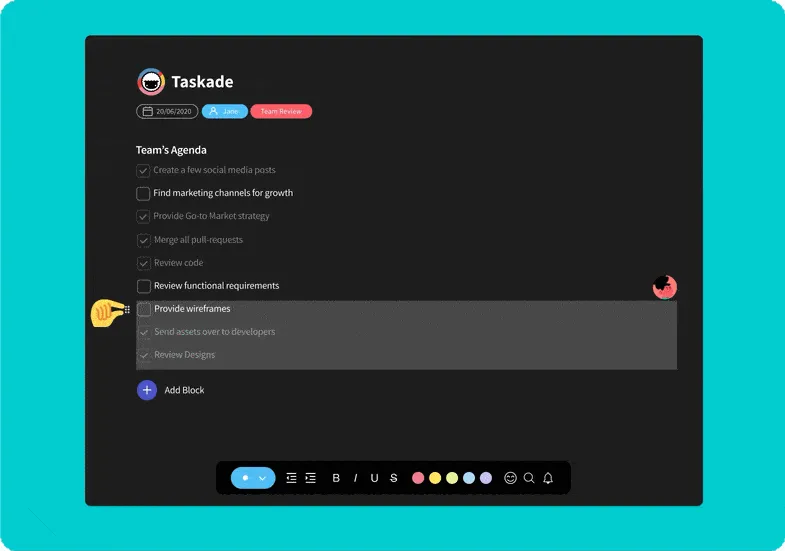
Taskade lets you quickly adjust to changing project requirements
Scrum is also one of the most popular project management methodologies for teams that need a highly structured workflow. Daily stand-ups and regular reviews help build a reliable routine and more predictable outcomes without compromising Scrum’s inherent flexibility.
Cons of Scrum
But every rose has its thorn. While Scrum teams can respond and adjust to shifting requirements, changes often take projects in unexpected directions. This leads to scope/budget creep and makes scaling risky. Flexibility, after all, can be a double-edged sword.
Scrum team members have to feel comfortable communicating and collaborating with each other. Newly-formed teams with no track record of completed projects may find it difficult to adopt Scrum and self-organize, especially with inexperienced product owners/Scrum masters.
Finally, the pressure for constant innovation and the frequency of events/ceremonies can interfere with the workflow. The fast pace of iterations—they are not called sprints for kicks—and potential scope creep may also be problematic for some organizations.
Best Use Cases for Scrum
Like other agile frameworks, Scrum is cut out for projects with fluent requirements that may change as the project unfolds. For instance, if the customer doesn’t have a clear vision of the app they’re building, Scrum makes it easier to continuously innovate and deliver value.
Scrum thrives on iterations. If you need to release quickly and extensively test the product, it’s the methodology for you. Thanks to short feedback loops, Scrum makes it possible to release, inspect, and adapt as many times as needed.
🚩 Kanban
The PM world, especially that part of it concerned with software development, knows Kanban as a Lean methodology for implementing Agile. But before it went mainstream, Kanban had been used in factories to increase productivity and reduce wasteful practices.
Kanban (meaning “signboard”) was developed in the 1940s by Taiichi Ōno, an employee of the Toyota Motor Corporation. Decades later (2010 to be exact) a Microsoft engineer David J. Anderson adapted Kanban to software development and knowledge work.
A Kanban workflow consists of a board with columns and cards. Each column represents a step in the workflow—a simple would be divided into "to-do," "doing," and "done"—while cards correspond to tasks. Combined, all those elements help visualize work and control its flow.
Pros of Kanban
The Original Kanban implementation helped Toyota reduce waste and increase efficiency. Those benefits are still relevant today. Kanban boards help effectively manage resources on all steps of a workflow.
Teams that use Kanban “pull” tasks only when they have the capacity to do so. Work-in-progress limits help prevent overload and ensure that the project team addresses each task before moving on to the next step.
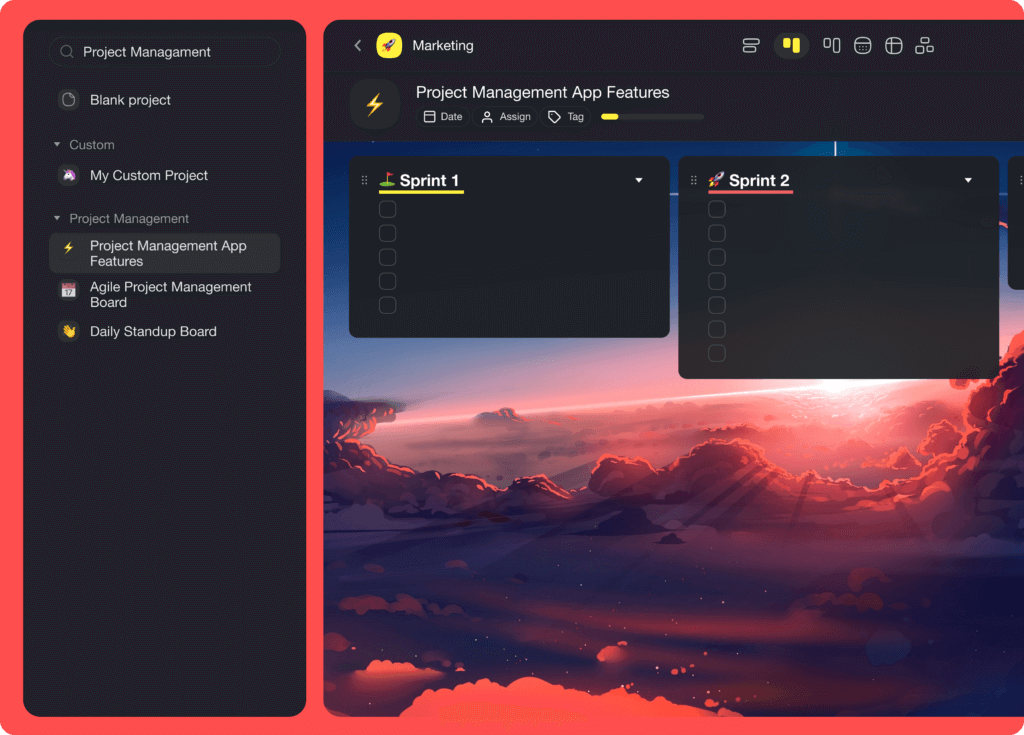
A collaborative Kanban board will keep your team in sync and in the know
A Kanban board is also an excellent collaboration tool. Cards organized into columns are a simple and effective way to gain an insight into what has been completed, what’s still in progress, and which items are in the backlog.
Cons of Kanban
Kanban is not a standalone methodology. It’s merely a set of principles for gradual process improvement. You need preexisting project management processes in order to implement Kanban in your team.
“It is actually not possible to develop with only Kanban. The Kanban Method by itself does not contain practices sufficient to do product development.”
David J. Anderson
Kanban offers stability, but it also makes it challenging to plan and set deadlines for each step in a workflow. Work items usually don’t have fixed dates, so it’s difficult to build up momentum for pulling tasks.
Best Use Cases for Kanban
Kanban boards found their way to all kinds of industries, from manufacturing to IT and DevOps. It’s one of the best project management tools for visualizing work in progress.
The rise of Kanban board apps has enabled distributed teams to collaborate on boards in real-time. This makes Kanban a reliable single source of truth for remote teams . It also cuts the need for frequent (virtual) meetings which saves time and improves efficiency.
🏔 Waterfall
Waterfall is a "traditional" project management methodology. Some attribute it to computer scientist Winston W. Royce, but it was actually created by Felix Torres and Herbert D. Benington in the 50s. Waterfall had been the leading PM methodology before agile became popular.
In waterfall project management, projects are divided into sequential, linear phases. Each phase is a separate step that starts once the preceding phase is completed.
Most waterfall projects use a 5-step workflow:
📑 Requirements phase
✏️ Design phase
🛠 Coding/implementation Phase
👁 Verification/testing phase
⚙️ Deployment/maintenance phase
The waterfall approach highlights the importance of clear documentation and precise requirements. And there's a good reason for that. Unlike agile, waterfall projects don’t involve client collaboration outside of key milestones, so communication and collaboration is limited.
Pros of Waterfall
While Waterfall is not as flexible as Agile, it’s a much better choice for projects with clear requirements that are less likely to change. Upfront planning and fixed milestones reduce the risk of scope/budget creep and help the project team stay within time/budget.
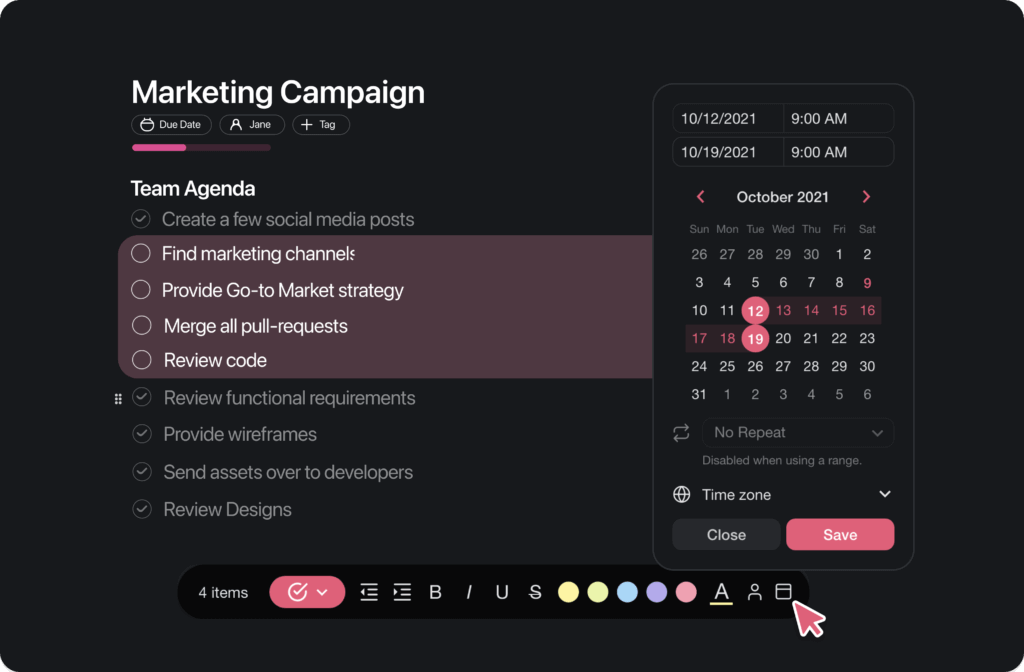
Don't let tasks slip through the cracks. Add due dates and define start/end time to stay on track
Cons of Waterfall
The biggest problem with Waterfall—that also contributed to its demise—is the lack of flexibility. Project phases unfold sequentially so you can’t backtrack, innovate, or test things on the go.
Since you set all requirements upfront, there's no need to involve customers and stakeholders until the very end (testing phase). But limited collaboration can often make meeting the customer’s vision of the final product challenging.
Finally, without precise requirements and good documentation, Waterfall projects are difficult to get off the ground. Mistakes made during the planning phase can also force the team to go back to the drawing board which is costly and time-consuming.
Best Use Cases for Waterfall
Thanks to little tolerance for errors and mistakes, the Waterfall approach is used in large-scale construction, engineering projects, and industrial applications. Before agile, Waterfall had also been the primary project management method used by software teams.
Waterfall works best for projects where requirements are known from day one. If, however, the client is not sure about specs, you may want to choose a more flexible approach instead. The same is true for scope and budget, both of which should be clearly defined from the start.
🌱 Lean
Toyota started implementing Lean practices after WWII as part of the Toyota Production System (PTS). The overarching goal of Lean was to increase manufacturing efficiency and reduce waste (“muda”). Those objectives are still at the heart of modern Lean project management.
“To be Lean is to provide what is needed, when it is needed, with the minimum amount of materials, equipment, labor, and space.”
“Lean Project Management,” The Project Management Institute
Lean identifies three types of waste (3M)—muda (wasteful activities that don't produce value), muri (unevenness in an operation), and mura (putting too much pressure on tools and people). While Lean aims to reduce all three, it's not always possible to do so completely.
Lean was popularized in software development by Mary and Tom Poppendieck in the 2003 book Lean Software Development. They par adapted the original lean principles and proposed a set of tools for implementing lean as part of the agile philosophy:
Eliminate waste: Perfect is the enemy of good. Examples of waste include overproduction, e.g. features that won’t be used by the customer, complexity, or task switching.
Amplify learning: The development team has to constantly expand their skill sets to deliver value to customers.
Decide as late as possible: Critical decisions should be deferred until the team fully understands their implications.
Deliver as fast as possible: Build a minimum viable product (MVP) quickly and iterate afterward based on customer feedback.
Empower the team: Foster team communication, resolve internal issues, and encourage team members to contribute.
Build integrity in (or build quality in): Focus on customer needs to deliver perceived (what the end-user sees/interacts with) and conceptual integrity (internal architecture).
Optimize the whole: See the big picture and optimize the entire product instead of prioritizing individual components.
Like other popular project management methodologies in the agile family, Lean highlights the importance of continuous improvement. The process doesn’t end once you've submitted the deliverables; there’s always something to fix and optimize.
Pros of Lean
Lean involves customers early in the project. It relies on constant communication and a hands-on approach to identify and deliver value according to client requirements.
Lean aims to eliminate waste both in the product and process. That means there’s less overproduction, bugs, bottlenecks, or iterations that contribute very little to the final product.
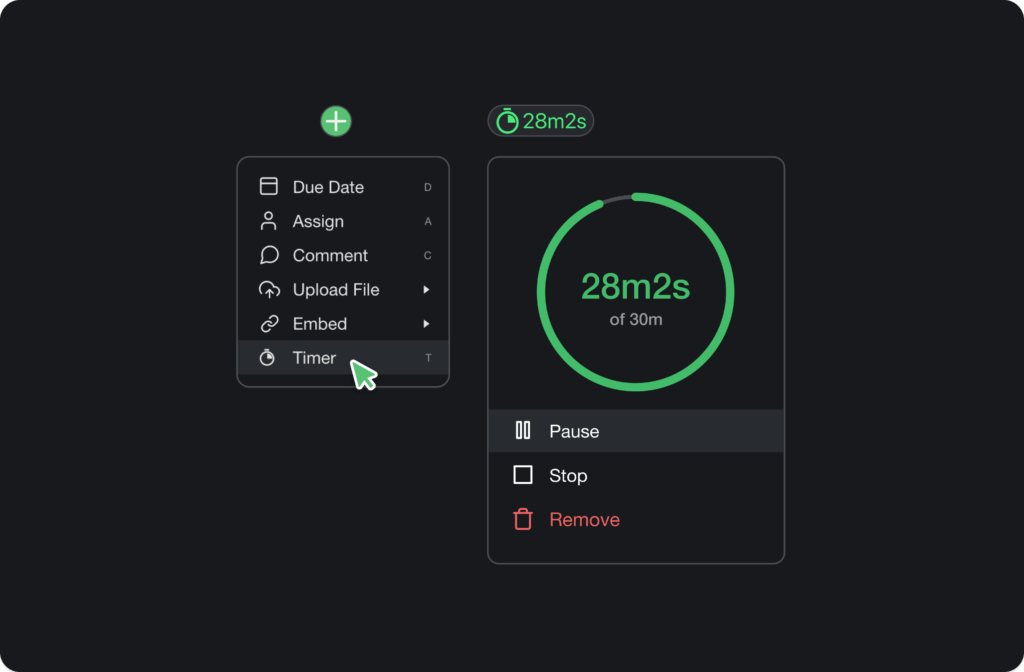
The Pomodoro technique is one of the best tools for reducing slack and increasing team productivity
Cons of Lean
Lean strives for long-term change and continuous improvement. Implementing it requires a company-wide transformation so it can’t work without buy-in on all levels. It's not possible to use Lean or a single project as it involves adopting a completely new mindset across an organization.
Sometimes project managers take Lean too far; maximizing productivity and efficiency can lead to burnout and disengagement. If you focus too much on reducing waste and simplifying, you may lose track of what’s the most important: delivering value to the customer.
Best Use Cases for Lean
Lean works best for small teams and short projects. It’s recommended when customers prefer a hands-on approach and are willing to participate and provide regular feedback.
Lean is also a good choice when you’re working with a limited project budget and little tolerance for scope creep. Optimizing the process is always a good thing, especially when cost-saving is a nice side effect. Lean is one of the most cost-effective methodologies you can choose from.
🔗 Critical Path Method (CPM)
The critical path method (CPM) is a project modeling technique developed in the 1950s. It helps the project manager find the optimal sequence of tasks that must be completed to finalize a project.To calculate the critical path, list project tasks and dependencies, estimate their duration, and crunch the numbers using an algorithm (often integrated into project management tools).
Pros of CPM
The CPM helps estimate project duration and identify task dependencies. It also tells project managers which tasks are mission critical and which can be delayed without consequences.
Calculating the critical path makes it possible to optimize project delivery by modifying its individual components. For example, you can shorten the critical path by assigning more people to a task or breaking it into sub-tasks. Finding the optimal route lies at the heart of CPM.
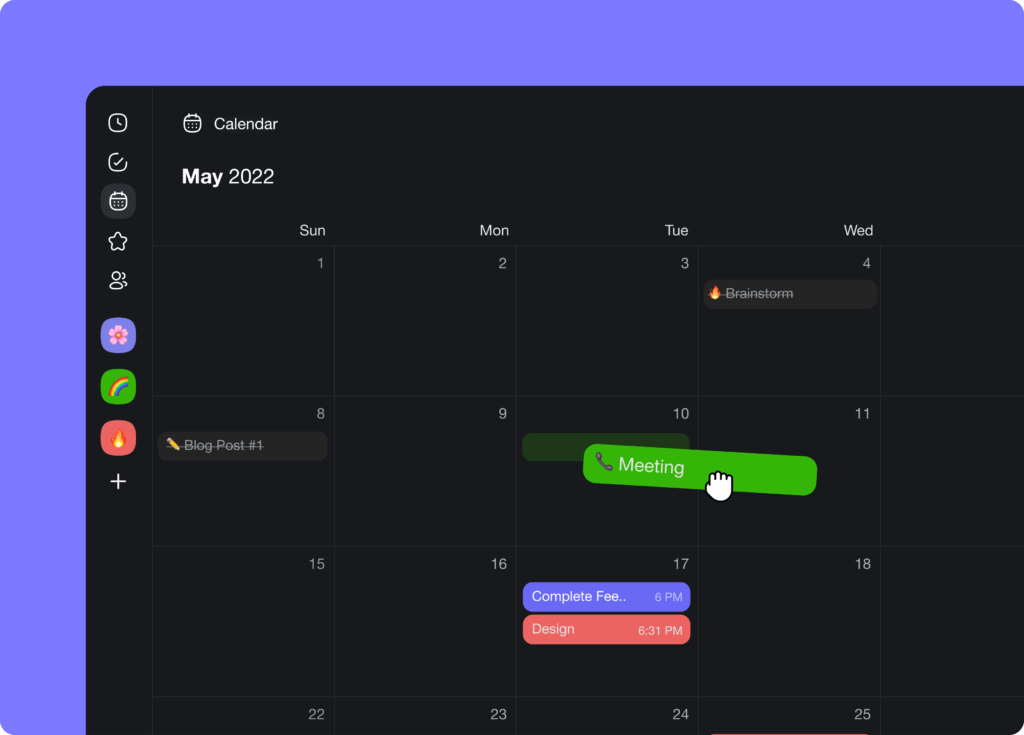
Taskade lets you drag & drop tasks to quickly reorder them in the calendar
Cons of CPM
Despite its obvious benefits, relying too much on CPM is risky. While critical path calculations are done using automated software, you still need oversight of the process. The output—usually in the form of a Gantt chart—needs to be manually verified and adjusted.
In order to calculate the critical path, project tasks and activities must unfold sequentially and have a fixed duration. That’s why CPM doesn't play well with research-based projects. Any anomaly—think a task with too many dependencies—can easily throw off the CPM output.
Calculating the critical path requires the project manager to estimate the duration of each activity. This is usually based on experience, past projects, or industry standards. And since non of those routes are an exact science, the results can be a mixed bag.
Best Use Cases for CPM
The CPM framework is an absolute must if you’re working with time-sensitive projects where predictability is key. Some examples include construction projects and designing/building complex IT systems.
Quick Comparison: All 6 Methodologies at a Glance
| Methodology | Flexibility | Best For | Team Size | Planning | Taskade View |
|---|---|---|---|---|---|
| Agile | High | Evolving requirements | Small-medium | Iterative | Board, List |
| Scrum | High (within sprints) | Software, product dev | 5-9 per team | Sprint-based | Board, Calendar |
| Kanban | Medium | Continuous workflows | Any | Continuous flow | Board |
| Waterfall | Low | Fixed scope, compliance | Any | Upfront | Gantt, Timeline |
| Lean | Medium | Cost-sensitive projects | Small | Continuous improvement | Table, List |
| CPM | Low | Time-critical projects | Large | Upfront | Gantt, Timeline |

No matter which methodology you choose, Taskade supports it with multiple project views (List, Board, Calendar, Table, Mind Map, Gantt, and Org Chart), AI agents for automating methodology-specific workflows, and 100+ integrations to connect your existing tools. Plans start free, with Pro from $10/month billed annually. Get started free →
Workspace DNA: One System for Every Methodology
No matter which methodology you choose, Workspace DNA ensures your tools evolve with your team. The self-reinforcing loop of Memory + Intelligence + Execution means your Agile sprint data, Kanban throughput metrics, and Waterfall milestone history all live in one unified system. Memory (Projects) captures every task, document, and decision. Intelligence (AI agents) learns from past sprints to predict velocity, flag risks, and recommend methodology adjustments. Execution (Automations) triggers cross-tool workflows — updating Slack channels, syncing calendars, and routing approvals — across 100+ integrations. The result: your project management system gets smarter with every completed project. Learn more about how Workspace DNA powers living software.
Agentic AI: The Methodology-Agnostic Project Manager
Agentic AI goes beyond chatbot-style assistance. Autonomous AI agents operate continuously within your chosen methodology — running daily standups for Scrum teams, enforcing WIP limits for Kanban workflows, or tracking phase gates for Waterfall projects. Taskade agents come with built-in tools, 100+ bidirectional integrations, and persistent memory that retains full project context. Deploy a Sprint Master agent that prepares backlog grooming sessions, a Risk Analyst agent that monitors budget burn rate, or a Documentation agent that auto-generates meeting notes and status reports. Build custom agent teams with Taskade Genesis or explore the Community Gallery for ready-made PM systems. It's vibe coding for project management: describe what you need, and Taskade builds it.
Methodology Selection Matrix: AI-Powered Decision Guide
| Decision Factor | Choose Agile | Choose Waterfall | Choose Kanban | Choose AI-Native (Taskade) |
|---|---|---|---|---|
| Requirements clarity | Evolving | Fixed upfront | Continuous flow | Any — AI adapts |
| Team experience | Self-organizing | Structured roles | Any level | AI guides onboarding |
| Client involvement | High (every sprint) | Low (milestones only) | Moderate | AI manages updates |
| Risk tolerance | High | Low | Medium | AI predicts and mitigates |
| Budget flexibility | Variable | Fixed | Variable | AI optimizes allocation |
| Recommended view | Board, List | Gantt, Timeline | Board | All views |
👋 Parting Words
Project management methodologies are like fashion. They gain popularity, fall from grace, and transform in endless cycles as the world moves forward. While some will work off the shelf, you'll need to tailor others to fit different projects, clients, and most importantly, your team.
But what good is a fancy methodology if you don't have the right tools to implement it? 🤷♂️
🤷
If you're fed up with clunky, unintuitive, and outdated project management software, you're not alone. Many mainstream PM tools look and feel like digital dinosaurs plucked straight from the early 2000s. So, why waste time ⏰ and money 💰 out when you can upgrade today?
Taskade is an AI-native project management platform for modern teams. Plan projects, chat, manage tasks, collaborate on documents, and deploy AI agents that automate methodology-specific workflows — sprint reports, backlog grooming, standup summaries, and more. Powered by frontier AI models from top AI labs.
Build custom PM systems with Taskade Genesis — describe your ideal workflow and get a live app in seconds. It's vibe coding: describe what you need, Taskade builds it as living software. Explore what the community has built, or browse 500+ templates to get started. Learn more: Ultimate Guide to Taskade Genesis | How Workspace DNA Works.
Create a free account and supercharge your project management today!
🔗 Resources
Frequently Asked Questions
What are the most popular project management methodologies?
The six most widely used PM methodologies are: Agile (iterative sprints with continuous feedback), Scrum (structured Agile framework with defined roles and ceremonies), Kanban (visual workflow management with WIP limits), Waterfall (linear sequential phases), Lean (eliminating waste and maximizing value), and Six Sigma (data-driven quality improvement). Most modern teams use Agile or Scrum for software development, while Waterfall remains common in construction and manufacturing.
How do you choose the right project management methodology?
Consider four factors: project predictability (fixed scope → Waterfall; evolving requirements → Agile), team size and structure (small self-organizing teams → Scrum; large cross-functional groups → Scaled Agile), stakeholder expectations (need fixed timelines → Waterfall; want early deliverables → Agile), and industry constraints (regulatory compliance → Waterfall; fast-moving markets → Lean/Agile). Many teams use hybrid approaches — combining Scrum sprints with Kanban boards, for example.
What is the difference between Agile, Scrum, and Kanban?
Agile is the overarching philosophy — iterative development, continuous feedback, and adaptability. Scrum is a specific Agile framework with defined sprints (2-4 weeks), roles (Product Owner, Scrum Master, Dev Team), and ceremonies (planning, standups, reviews). Kanban is a visual flow system with no fixed iterations — work items move through columns with WIP limits to prevent overload. Scrum is time-boxed; Kanban is continuous. Teams often combine them in 'Scrumban.'
What tools support multiple project management methodologies?
The best PM tools support multiple methodologies through flexible views and workflows. Taskade offers multiple project views — Board (Kanban), List (backlog management), Gantt (Waterfall timelines), Calendar (sprint planning), Mind Map (brainstorming), Table (data tracking), Org Chart (team structure), and Timeline (milestones) — plus AI agents that can automate methodology-specific workflows like sprint reporting, backlog grooming, and daily standup summaries.
How does Taskade Genesis help teams implement project management methodologies?
Taskade Genesis lets teams build custom methodology-specific project management apps from a single prompt. With 150,000+ apps already created, teams generate Scrum boards, Kanban workflows, Waterfall trackers, and hybrid systems that deploy instantly with custom domains. Visit taskade.com/ai/apps to explore ready-made PM systems or build your own.
What is vibe coding and how does it apply to project management?
Vibe coding means building software by describing what you want in natural language instead of writing code. For project management, teams describe their ideal workflow — such as a Scrum board with automated sprint reports or a Kanban system with WIP limits — and Taskade Genesis builds it as a live app. This eliminates manual tool configuration and lets teams focus on execution.
How do AI agents automate project management across different methodologies?
Taskade AI agents with built-in tools and 100+ integrations adapt to any methodology. For Agile, agents automate sprint planning and retrospective summaries. For Kanban, agents enforce WIP limits and flag bottlenecks. For Waterfall, agents track phase gates and generate milestone reports. Agents retain persistent memory across projects, so institutional knowledge compounds over time.
What is Workspace DNA and how does it improve project management?
Workspace DNA is Taskade's self-reinforcing loop of Memory, Intelligence, and Execution. Memory (Projects) stores tasks, documents, and historical data. Intelligence (AI agents) analyzes patterns and recommends methodology adjustments. Execution (Automations) acts on decisions by triggering workflows across 100+ integrations. This loop ensures every project insight feeds back into smarter planning.