







Connecting Google Forms to Slack eliminates the manual step of checking form responses and forwarding them to your team. With Taskade as the automation bridge, each form submission instantly becomes a Slack notification, a tracked task, or both. This guide walks you through the complete setup, compares Taskade to alternatives like Zapier and Make, and shows you how to extend the workflow with AI agents.
TL;DR: Taskade connects Google Forms to Slack with zero coding using trigger-action automations. Unlike Zapier ($29.99/month) or Make ($10.59/month), Taskade bundles automation, AI agents with built-in tools, and project management in one workspace starting at $0/month. Build your first automation →
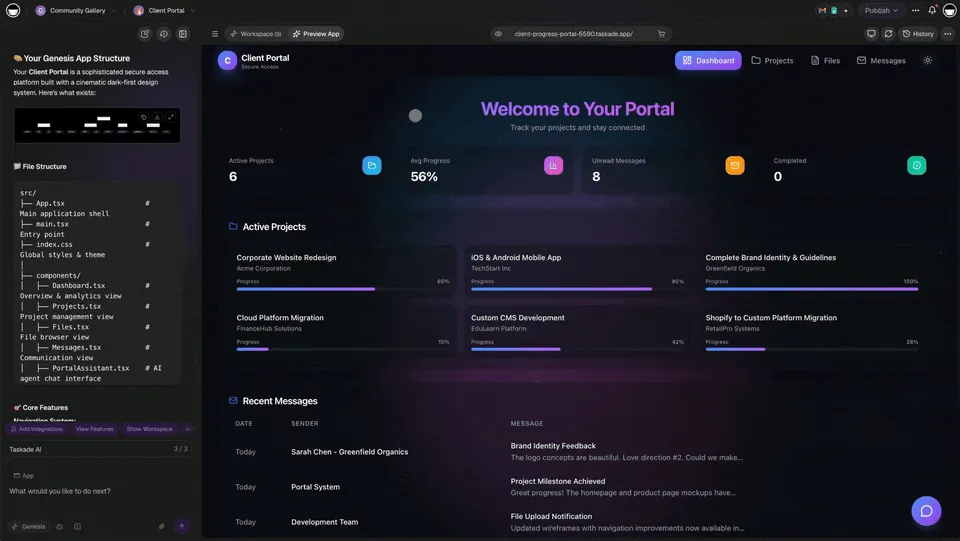

How Google Forms to Slack Integration Works
Every automation in Taskade follows a simple trigger-action pattern. A trigger is the event that starts the workflow (a new form submission). An action is the response that follows (send a Slack message, create a task, update a field). This "if this, then that" logic is the foundation of every integration.
In a Google Forms to Slack workflow, Taskade acts as the bridge between the two platforms. When someone submits a form, Taskade receives the data, processes it (optionally with AI), and sends the result to your chosen Slack channel.
Google Forms is a free tool for creating surveys and collecting structured data. Slack is a real-time messaging platform for team communication. Taskade connects both and adds AI agents, task management, and 100+ additional integrations.
Taskade vs Zapier vs Make: Which Should You Use?
Before diving into setup, here is how Taskade compares to the two most popular automation platforms for this specific workflow:
| Feature | Taskade | Zapier | Make (Integromat) |
|---|---|---|---|
| Google Forms trigger | Yes | Yes | Yes |
| Slack action | Yes | Yes | Yes |
| AI automation generator | Yes (natural language) | No | No |
| Built-in AI agents | built-in tools, persistent memory | No | No |
| Project management | Multiple views, real-time collaboration | No (requires separate tool) | No (requires separate tool) |
| Free tier | Yes ($0/month) | Yes (limited to 100 tasks/month) | Yes (limited to 1,000 operations/month) |
| Paid plans start at | $10/month (Pro, billed annually) | $29.99/month | $10.59/month |
| Multi-step workflows | Yes | Yes | Yes |
| Integrations | 100+ | 7,000+ | 2,000+ |
| Native form builder | Yes (Form trigger) | No | No |
| Team collaboration | Real-time, role-based access | No | No |
Zapier and Make have broader integration libraries, but they are standalone automation tools. You still need a separate project management platform to track and act on the tasks that automations create. Taskade combines automation, AI agents, and project management in a single workspace.
When to Choose Each Platform
| Scenario | Best Choice | Why |
|---|---|---|
| Simple form-to-Slack notification | Taskade | Free tier covers it; no extra tools needed |
| Form data needs AI analysis + task creation | Taskade | AI agents classify and route submissions |
| 50+ app integrations in one workflow | Zapier | Largest integration library |
| Complex branching logic with visual builder | Make | Scenario designer excels at conditional flows |
| Team needs automation + project management | Taskade | Single platform for both |
| Budget-conscious team | Taskade | Full automation + PM from $0/month |
Benefits of Integrating Google Forms with Slack
Workflow automation lets you mix and match tools from your digital toolbox and control the flow of information. Once you connect Google Forms to Slack, you unlock diverse use cases:
Event planning. An event team organizing a conference can use Google Forms to gather RSVPs. As responses roll in, Taskade automatically sends updates to a dedicated Slack channel, keeping the team informed about attendance numbers.
Feedback collection. After launching a new product, collect customer feedback via Google Forms. Taskade sends each new response directly to a designated Slack channel so the team can address issues in real time.
Team surveys. HR departments can conduct employee satisfaction surveys through Google Forms. Taskade routes responses to a private Slack channel for review, improving workplace morale and engagement.
Content idea submissions. A content team can gather blog post or video ideas from across the company using Google Forms. Taskade alerts the team by sending each submission to a specific Slack channel.
Volunteer coordination. Nonprofits can use Google Forms for volunteer sign-ups. Taskade sends this information to Slack so coordinators can track numbers and roles to ensure proper staffing.
Lead qualification. Sales teams can route new lead submissions through AI agents that analyze the data, assign a priority score, and create follow-up tasks in the appropriate Slack channel.
You can extend every workflow with additional automation connectors for Gmail, HubSpot, Google Sheets, and dozens of other services.
Step-by-Step Guide: Google Forms to Slack via Taskade

There are two ways to build automations in Taskade. You can configure each step manually, or you can use the AI Automation Generator to create a workflow from a natural-language prompt. This guide uses the AI-assisted approach.
Step 1: Define Your Automation Goal
Before building anything, identify the repetitive task you want to eliminate. Be specific. "Send Google Forms responses to Slack" is better than "automate my workflow." Consider what data you need, which Slack channel should receive it, and whether you want AI to process the responses before they arrive.
For this example, the goal is: When someone registers for a webinar via Google Forms, send their details to a Slack channel and create a tracked task in Taskade.
Step 2: Create Your Google Form
Open Google Forms and build your form with the fields you need:
- Name — Participant's full name
- Email Address — For confirmations and follow-ups
- Phone Number — For direct contact
- Organization/Company — To identify affiliations
- Job Title — To tailor content during the webinar
- Special Requirements — A text field for accommodations
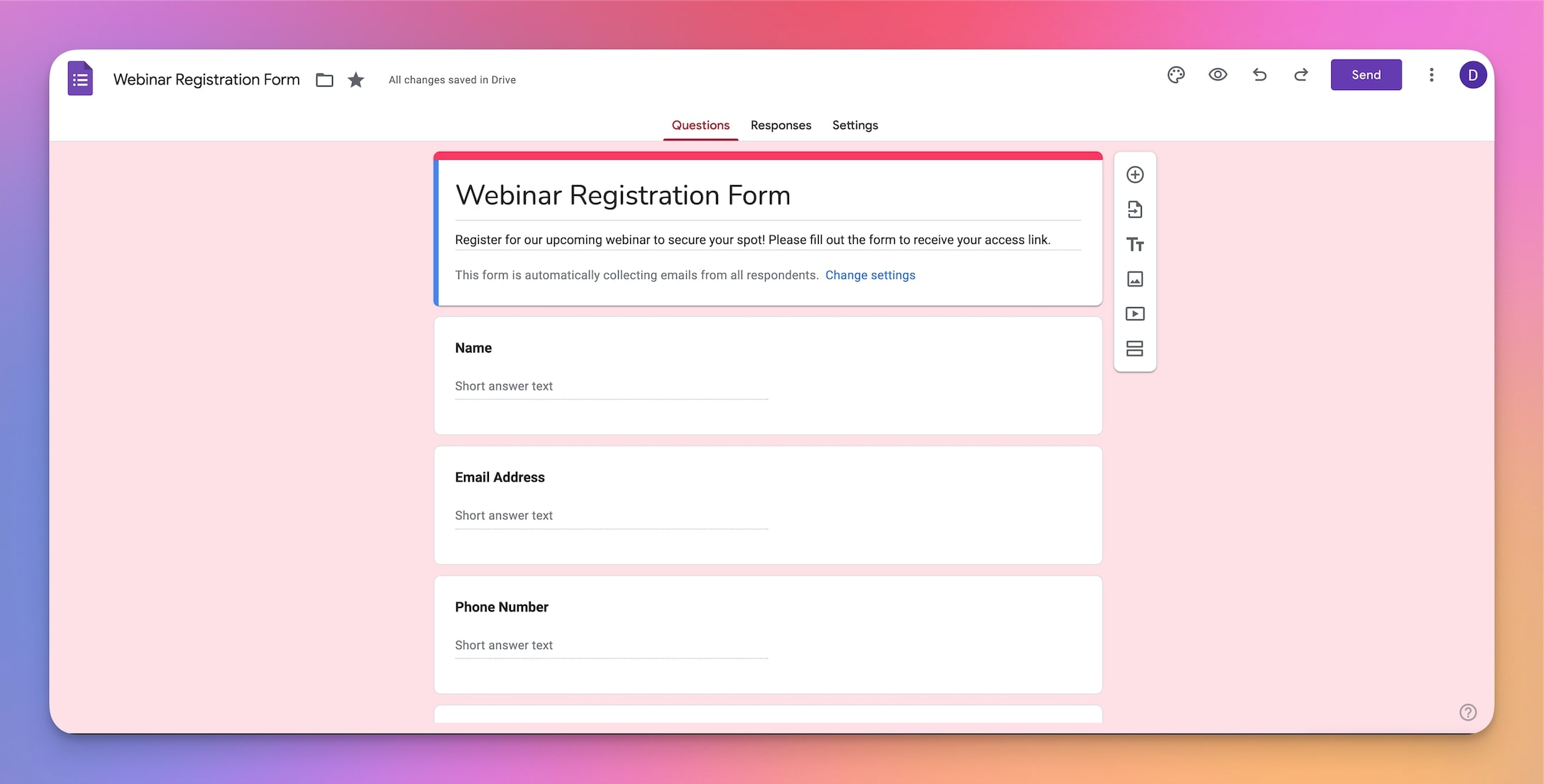
Customize the fields to match your use case. The key requirement is that each field maps to a piece of information your team needs.
Step 3: Generate Your Automation with AI
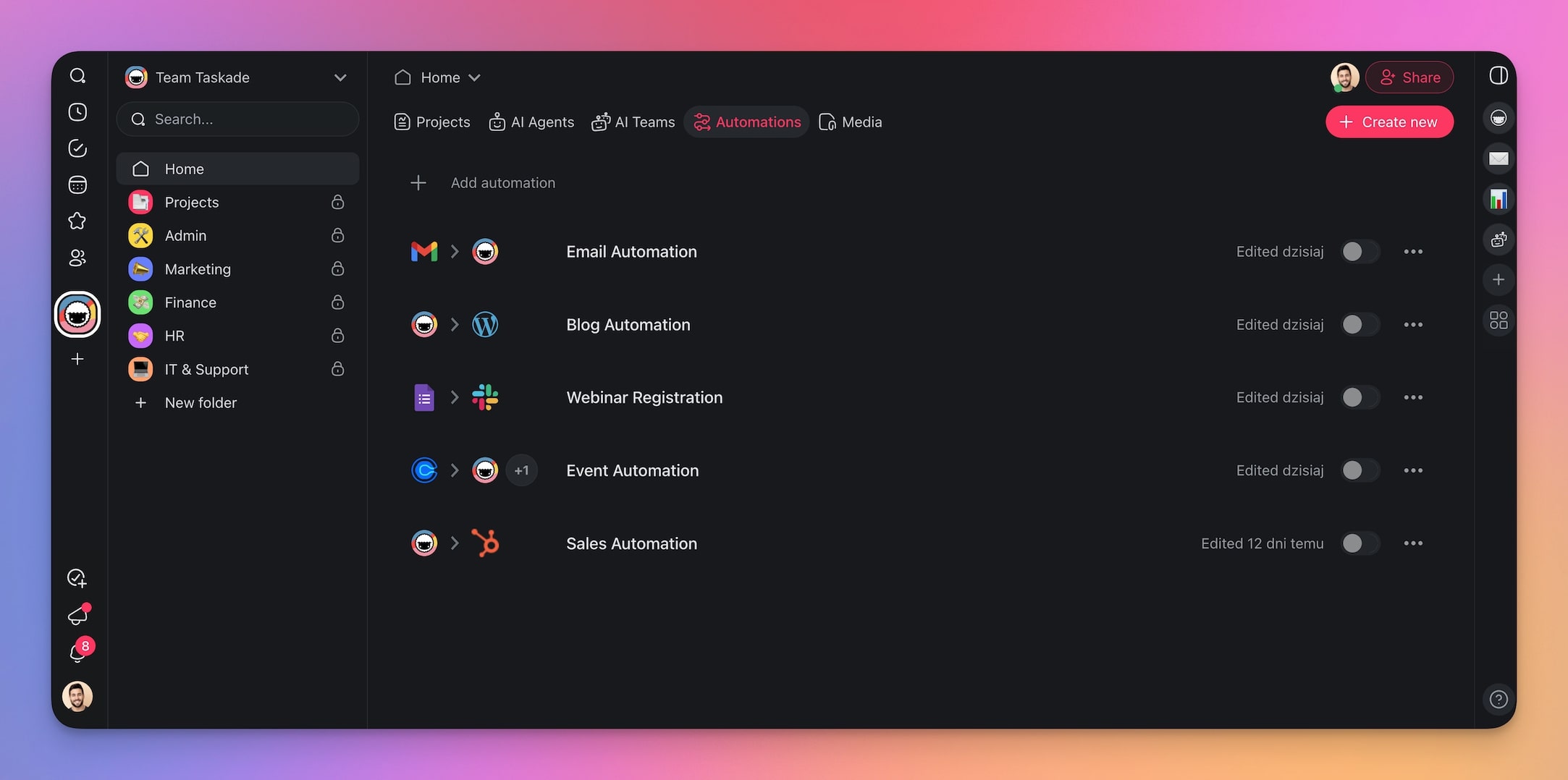
Go to the Automations tab in your Taskade workspace.
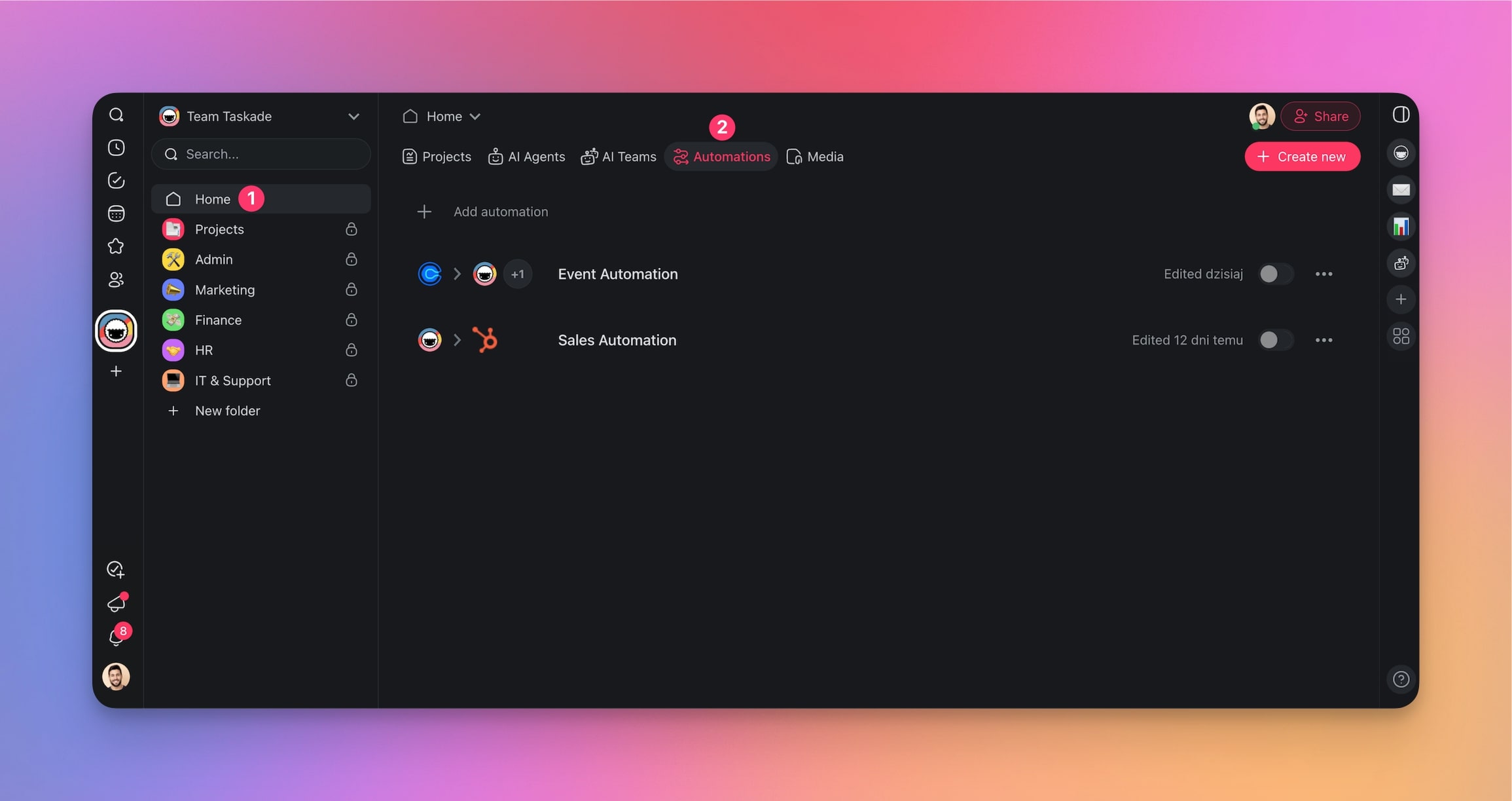
Click Add automation and select the Generate With AI tile.
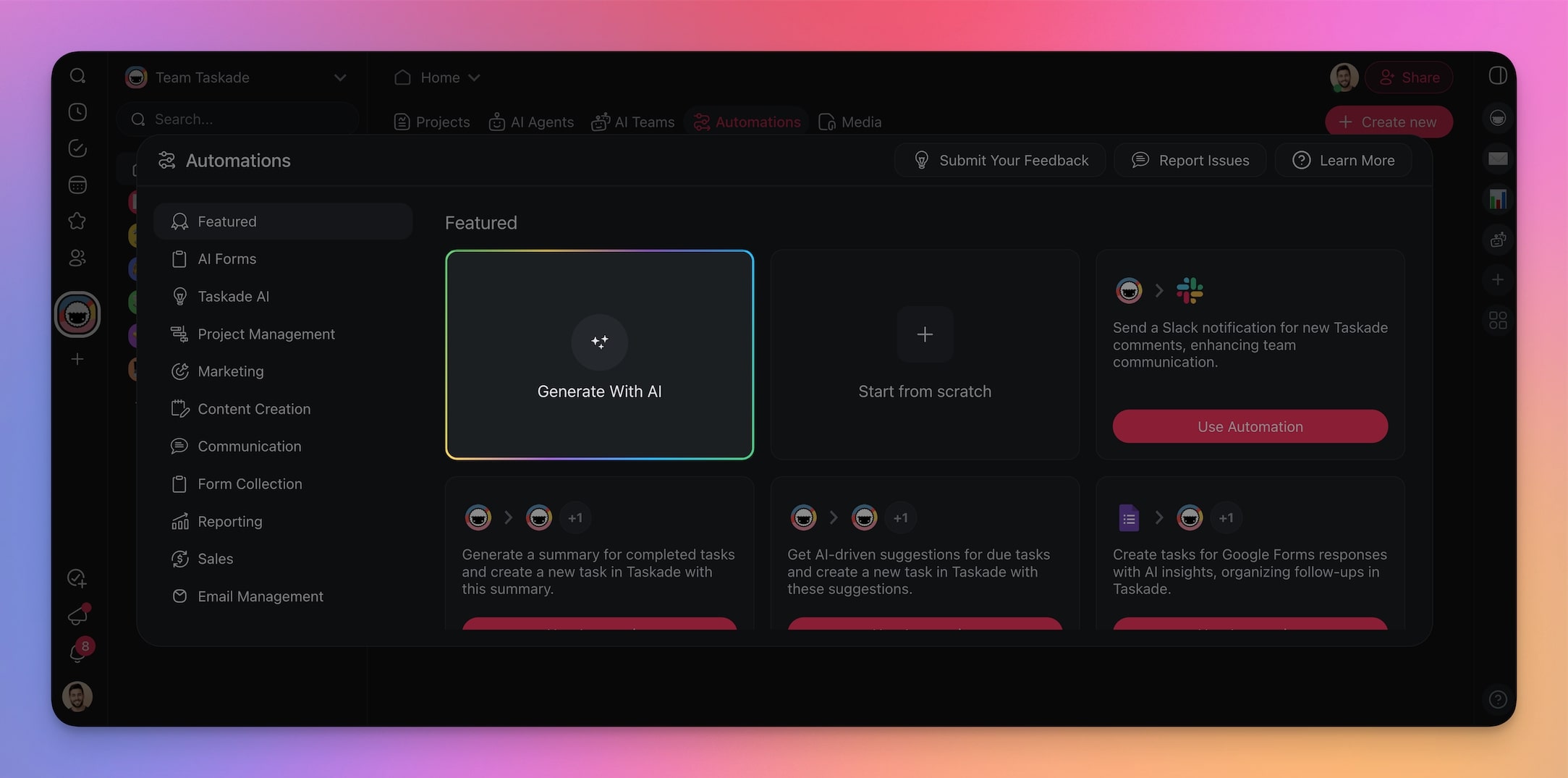
Describe what you want in the prompt box:
"Create an automation that links Google Forms to Slack to manage webinar registrations. When someone submits a form, send a notification to a Slack channel with their details."
If you need additional requirements (specific tools, form fields, AI processing), mention them in the prompt. You can always edit each step later.
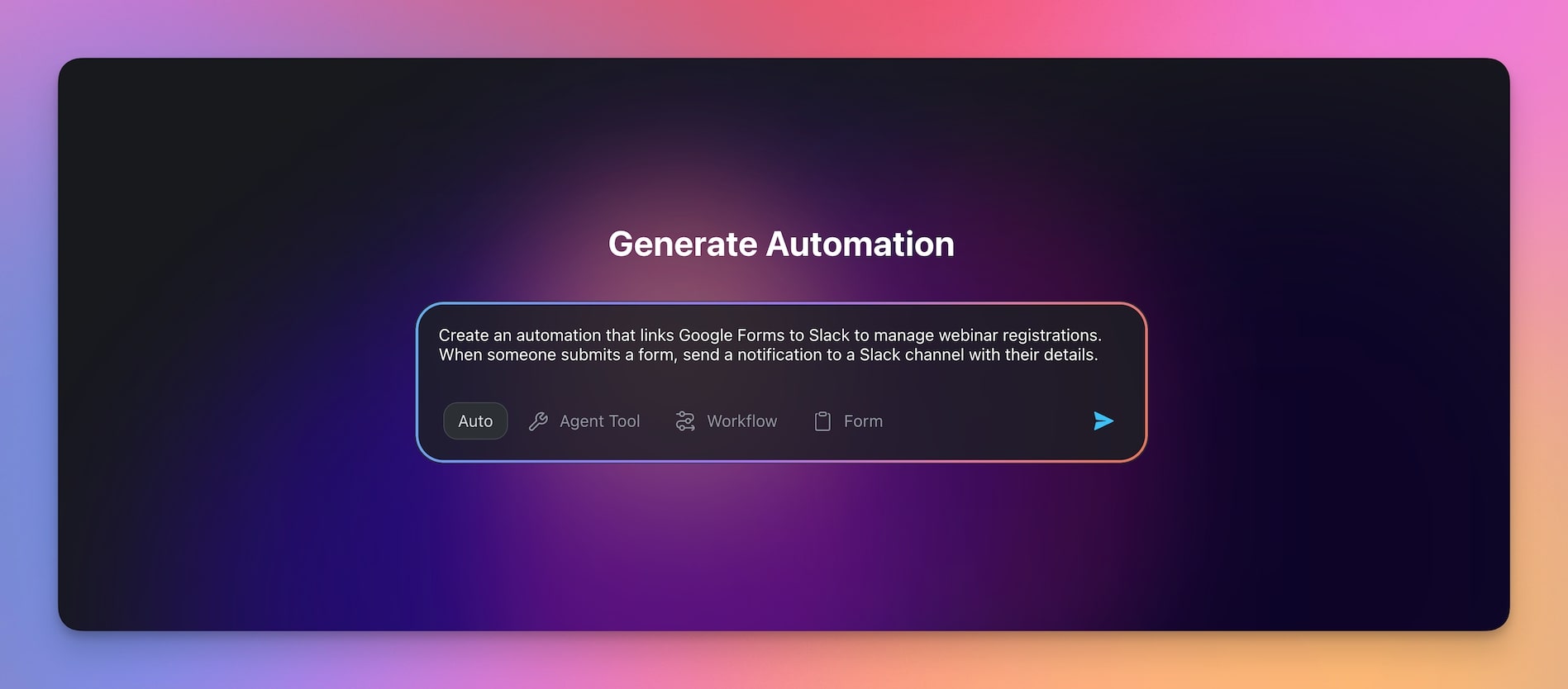
Press Enter, wait for the generator to finish, and click Create Automation.
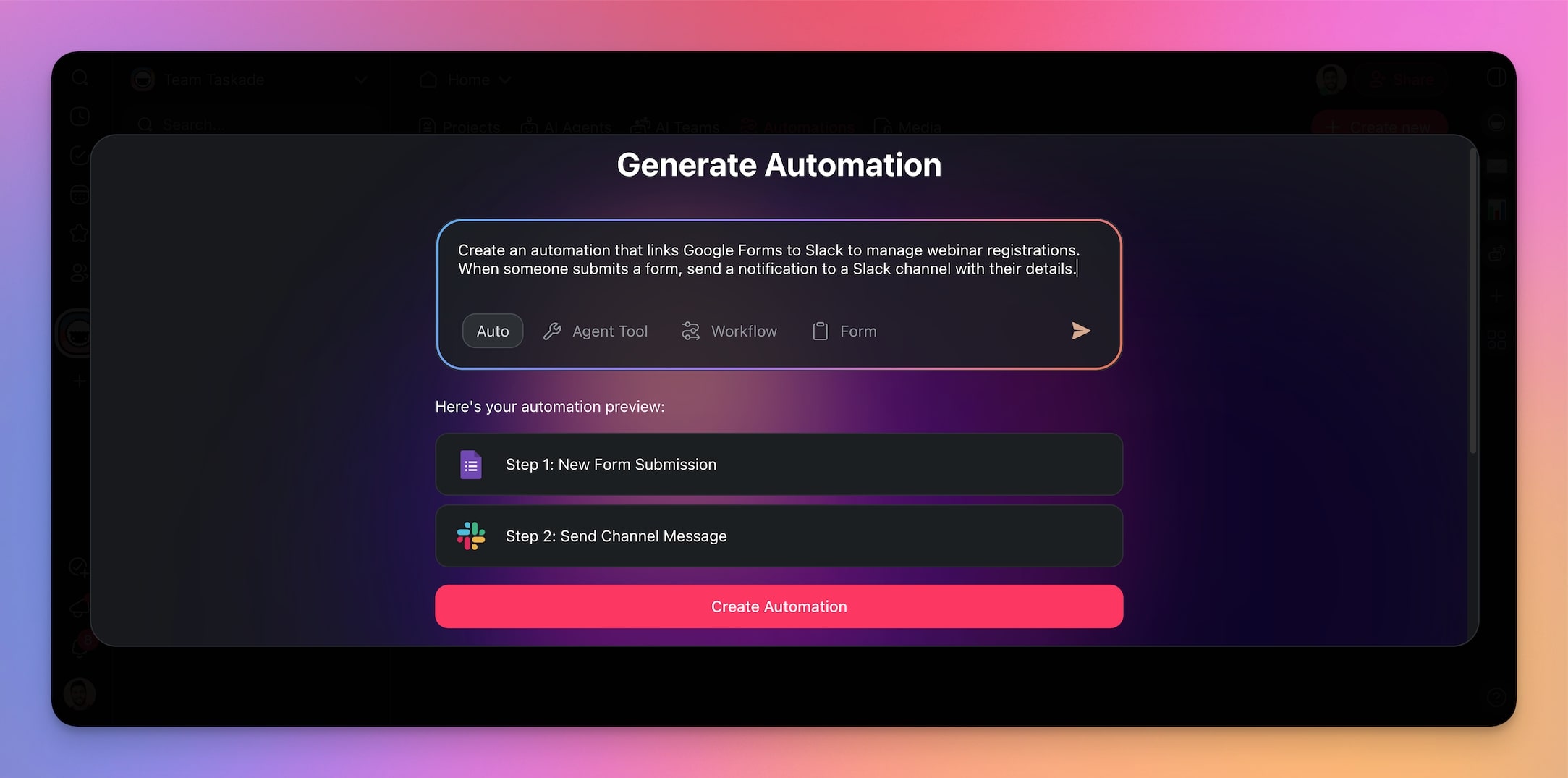
Step 4: Connect Google Forms to Taskade
Select the Google Forms trigger in your automation. Click Connect in the right sidebar and follow the authorization instructions. Then choose the form you want to monitor from the drop-down list.
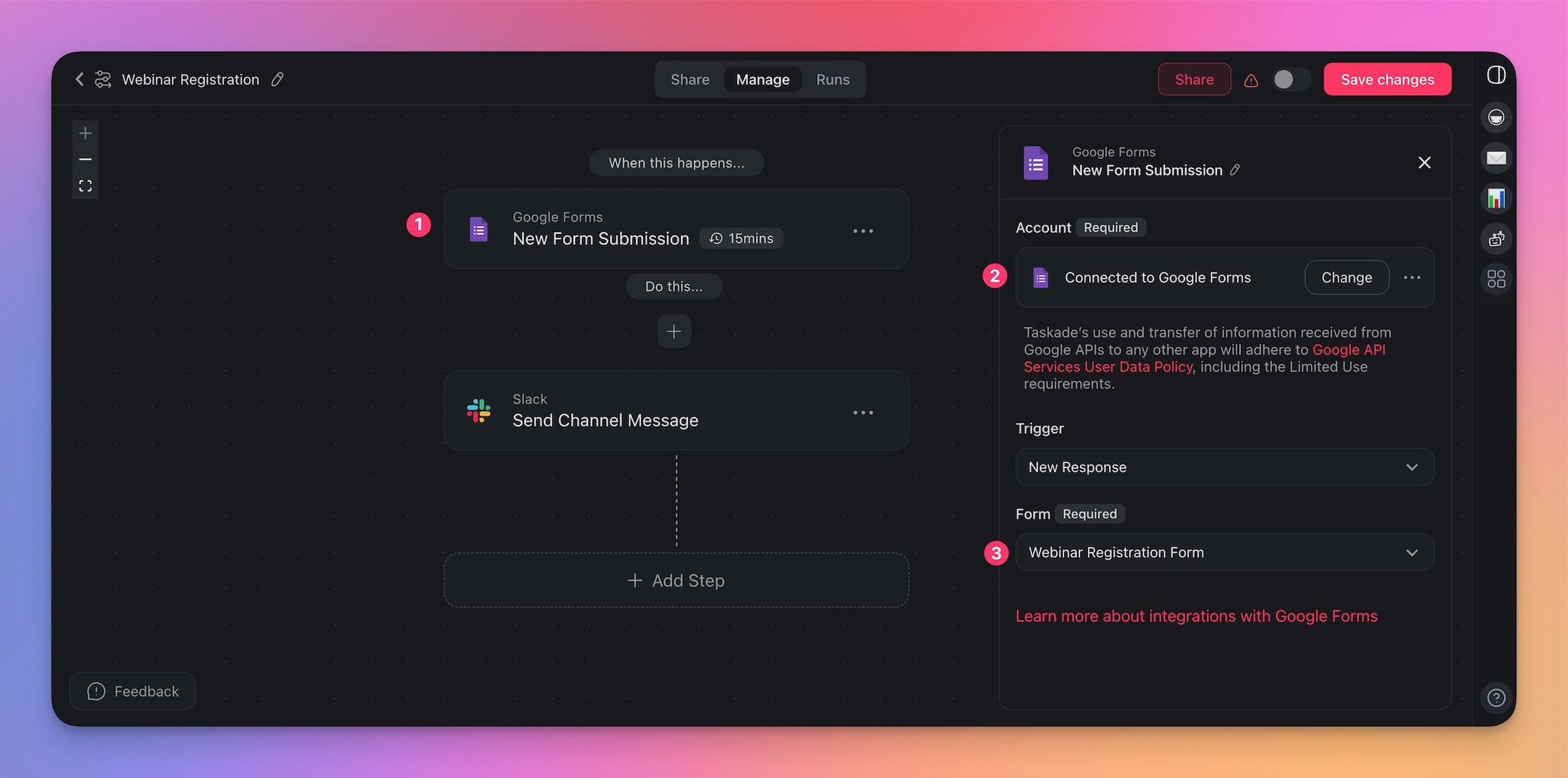
Step 5: Configure the Slack Action
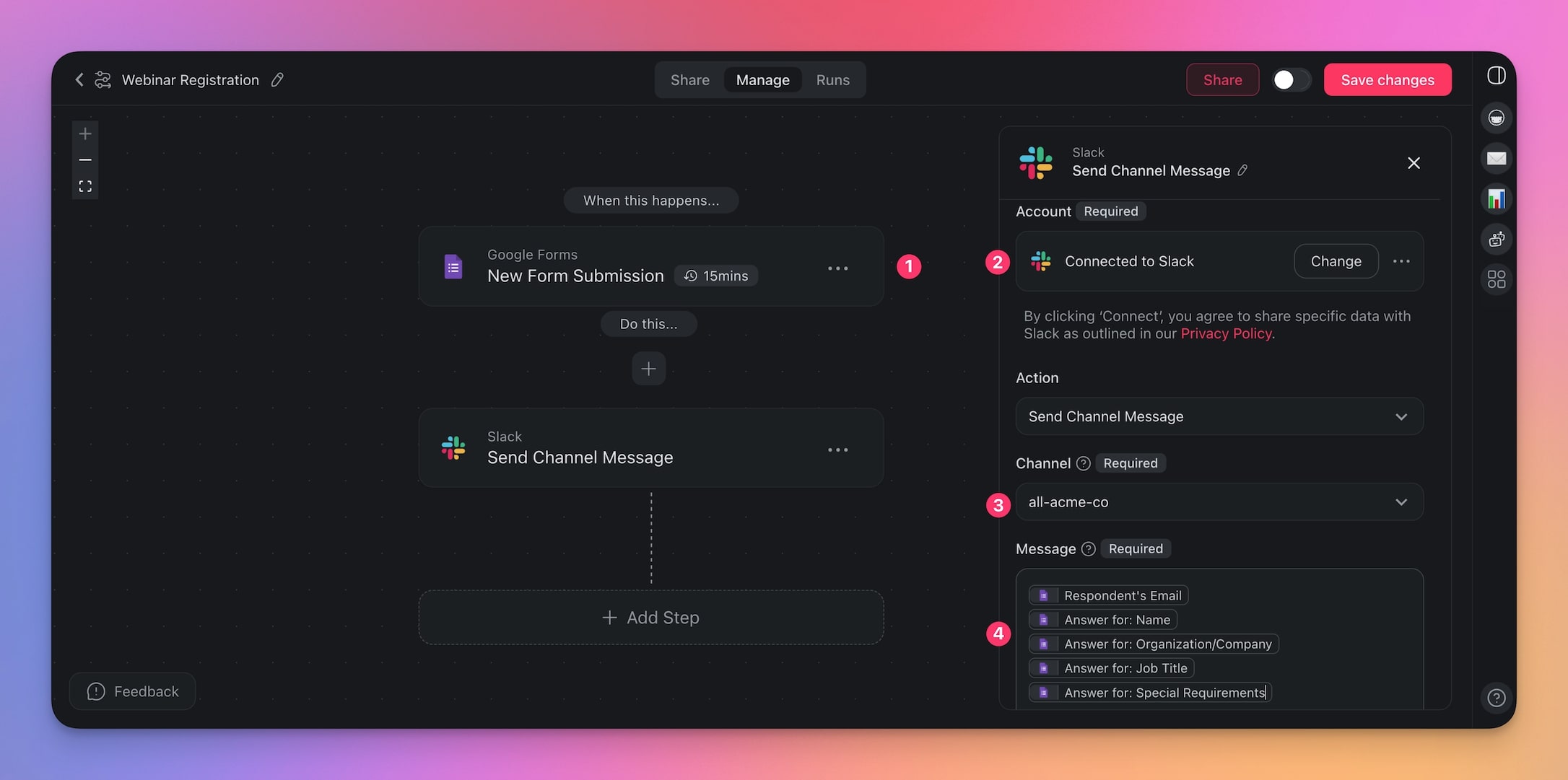
Select the Slack action step, connect your Slack account, and configure the output:
- Choose the target channel
- Format the message with form field variables
- Add any additional context your team needs
Step 6: Test and Launch
Open your Google Form and click the eye icon to preview it. Fill out the form with sample data and verify:
- A task appears in your Taskade project
- A notification arrives in your Slack channel
- All form fields display correctly
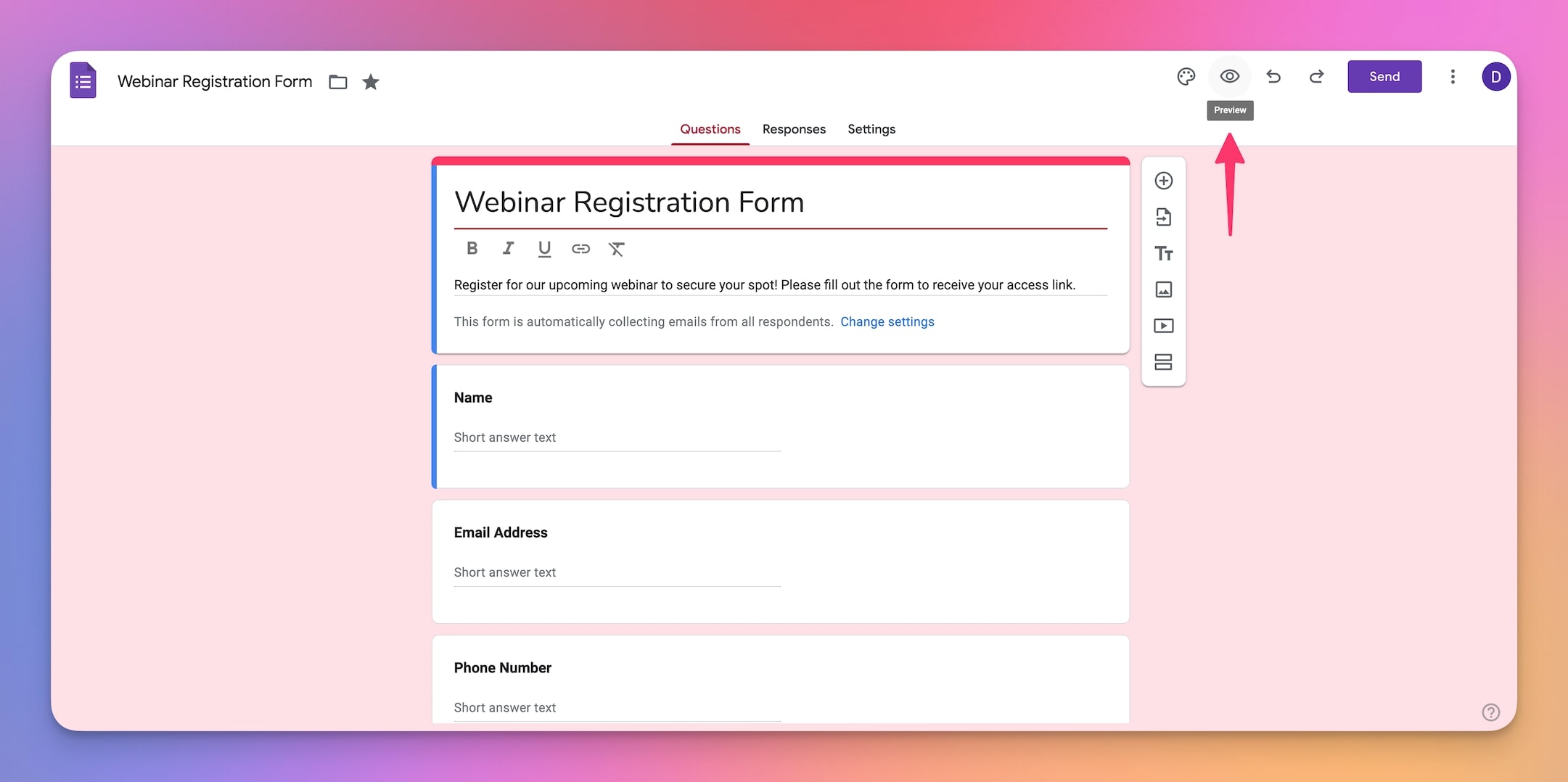
Note: The Google Forms trigger checks for new data every 15 minutes. For instant processing, consider using Taskade's native Form trigger instead.
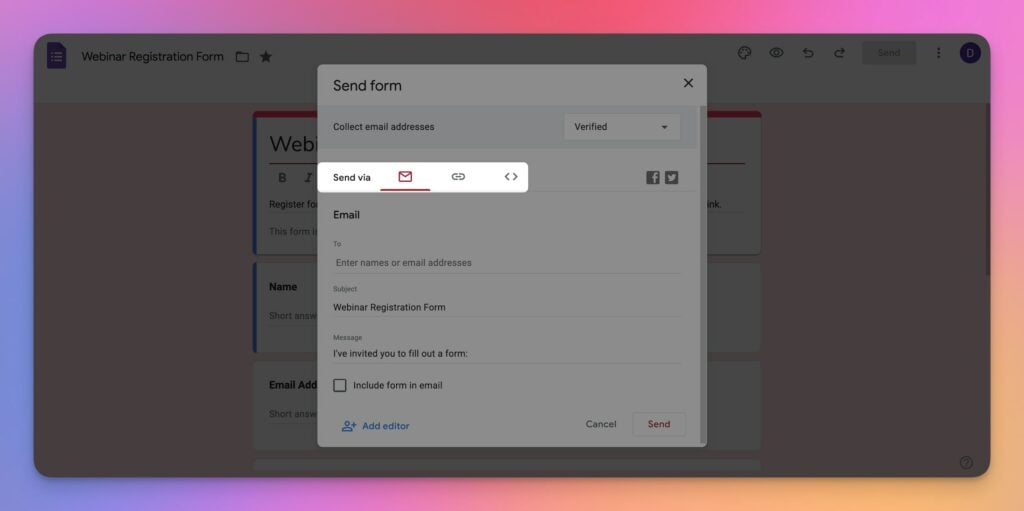
Once the form works correctly, embed it on your website or share the link. Every submission will automatically trigger your Slack notification workflow.
Advanced Tips for Google Forms to Slack Automations
Add AI-Powered Processing
Deploy an AI agent as an intermediate step between the form submission and the Slack notification. The agent can:
- Classify submissions by priority (urgent, normal, low)
- Draft personalized response emails
- Route different types of requests to different Slack channels
- Summarize long-form responses into key bullet points
Chain Multiple Integrations
A single form submission can trigger a sequence of actions across multiple platforms:
| Step | Action | Integration |
|---|---|---|
| 1 | Receive form submission | Google Forms |
| 2 | Create task in Taskade | Built-in |
| 3 | Send Slack notification | Slack |
| 4 | Log response to spreadsheet | Google Sheets |
| 5 | Send confirmation email | Gmail |
| 6 | Update CRM record | HubSpot |
Use Taskade's automation actions and triggers to build multi-step workflows that span your entire tool stack.
Manage Multiple Forms
Running multiple events or programs? Set up separate forms with corresponding automations:
- Conference RSVPs route to #events in Slack
- Job applications route to #hiring in Slack
- Customer feedback routes to #support in Slack
- Content ideas route to #content-team in Slack
Each form can have its own automation flow with different AI processing, Slack channels, and follow-up actions.
Replace Google Forms with Taskade Forms
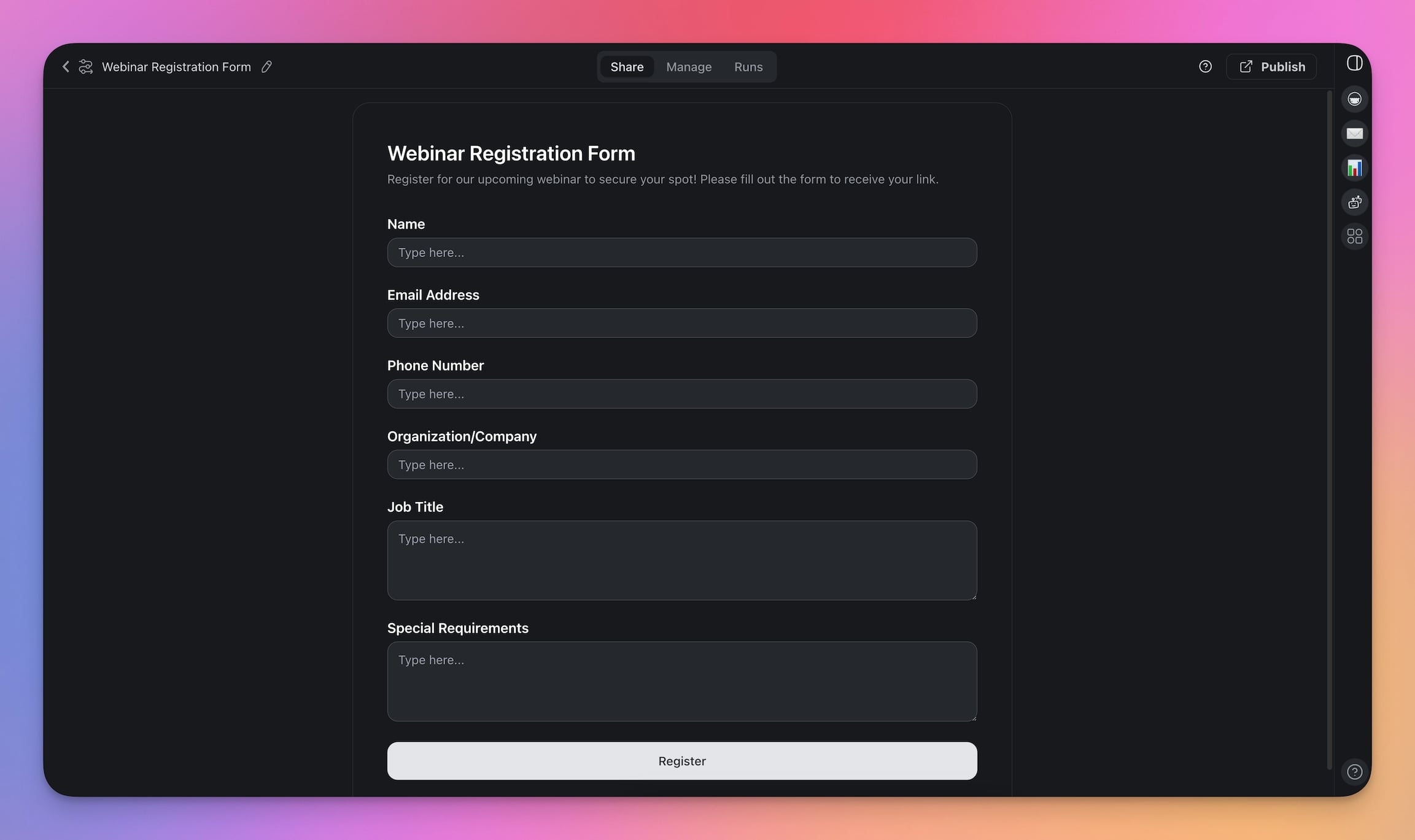
The Form Trigger in Taskade eliminates the need for a separate form tool entirely. Taskade Forms support the same field types as Google Forms plus file uploads, conditional logic, and instant processing (no 15-minute polling delay).
To switch, go to your automation and replace the Google Forms trigger with the Form Trigger. Configure the same fields, and your form is ready to use directly within your Taskade workspace.
Cost Comparison: Google Forms + Slack Automation
Here is what each platform costs to run a Google Forms to Slack automation for a team of 5:
| Platform | Automation Cost | Project Management | Total Monthly Cost |
|---|---|---|---|
| Taskade Free | $0 | Included | $0 |
| Taskade Pro | $10/mo (annual, up to 10 users) | Included | $10/mo |
| Zapier Starter | $29.99/mo | Not included (add Asana/Monday) | $40-60/mo |
| Make Core | $10.59/mo | Not included | $20-40/mo |
Taskade plans include AI agents, automations, and multiple project views in every tier. Zapier and Make charge separately for automation and require a third-party project management tool.
Frequently Asked Questions
How do I connect Google Forms to Slack?
Connect Google Forms to Slack using Taskade as a bridge. Set up an automation where a Google Forms submission triggers a Taskade task, which then sends a notification to a Slack channel. This creates a seamless flow from form response to team notification without manual forwarding. No coding required.
Can Google Forms responses automatically create tasks?
Yes. Using Taskade's Google Forms integration, each form submission automatically creates a structured task with the response data. Tasks can be assigned to team members, added to projects, and trigger follow-up workflows across 100+ connected services.
What is a trigger-action automation?
A trigger-action automation follows if-this-then-that logic. The trigger is an event (a form submission, a new file, a status change) and the action is the automatic response (create a task, send a message, update a record). Taskade supports triggers and actions across 100+ connected services.
Do I need coding skills to integrate Google Forms with Slack?
No. Taskade's automation builder uses a visual interface where you select triggers and actions from connected services. No coding, API knowledge, or technical setup required. Connect your Google and Slack accounts and configure the workflow in minutes.
How does Taskade compare to Zapier for Google Forms to Slack automation?
Taskade includes AI agents, project management, and automation in one platform starting at $0/month. Zapier charges separately for automation (from $29.99/month) and requires a separate project management tool. Taskade also offers an AI automation generator that builds workflows from natural language prompts.
How does Taskade compare to Make for form-to-chat automation?
Make (formerly Integromat) offers visual scenario builders starting at $10.59/month. Taskade combines automation with AI agents, multiple project views (List, Board, Calendar, Table, Mind Map, Gantt, Org Chart), and real-time collaboration. Taskade's AI generator creates automation flows from plain-English descriptions.
Can I use Taskade Forms instead of Google Forms?
Yes. Taskade includes a native Form trigger that eliminates the need for a separate form tool. Taskade Forms support file uploads, conditional fields, and connect directly to automation workflows without any external integration setup.
How often does the Google Forms trigger check for new submissions?
The Google Forms trigger in Taskade checks for new data every 15 minutes. For real-time data collection, use Taskade's native Form trigger which processes submissions instantly and feeds them directly into your automation workflows.
What other integrations can I add to a Google Forms to Slack workflow?
Taskade connects to 100+ services including Gmail, HubSpot, Google Sheets, Trello, Asana, GitHub, and more. You can chain multiple actions after a form submission, such as creating a task, sending a Slack notification, logging data to Google Sheets, and emailing a confirmation.
Can AI agents process Google Forms responses automatically?
Yes. Taskade AI agents with built-in tools can analyze form responses, classify submissions by priority, draft follow-up messages, and route tasks to the right team members. Agents learn from your project context and improve over time.
Wrapping Up
You now know how to connect Google Forms to Slack through Taskade automations, process submissions with AI agents, and extend the workflow across 100+ integrations. Whether you are managing webinar registrations, collecting feedback, or qualifying leads, the trigger-action pattern scales to any use case.
The next step is to experiment. Connect your automations to additional tools, explore AI agent workflows, and try replacing Google Forms with Taskade's native Form trigger for instant processing.
Build your first AI-powered automation with Taskade.
