






Google Sheets is the default tool for organizing data, but organizing data is not the same as acting on it. Without automation, spreadsheets become information graveyards where tasks hide, updates go unnoticed, and follow-ups slip through the cracks. Taskade AI Kits turn your spreadsheets into automation engines with one-click setup.
TL;DR: Taskade offers 6 pre-built AI Kits that connect Google Sheets to your workflow: submission tracking, task logging, change alerts, project creation, email organization, and order processing. Each kit includes AI agents with built-in tools and installs in one click. Plans start at $0/month. Get started →

According to McKinsey, knowledge workers spend nearly 20% of their time just looking for information. Shared spreadsheets are a major contributor. Google Sheets automation surfaces that data and converts it into action items, notifications, and structured projects.
Taskade AI Kits vs Google Apps Script vs Zapier
Before diving into the kits, here is how Taskade compares to the two most common alternatives for Google Sheets automation:
| Feature | Taskade AI Kits | Google Apps Script | Zapier |
|---|---|---|---|
| Setup method | One-click install | Write JavaScript code | Visual builder |
| Coding required | No | Yes (JavaScript) | No |
| AI-powered processing | Yes (built-in tools per agent) | No (manual logic only) | No |
| Built-in project management | Yes (multiple views) | No | No |
| Integrations beyond Google | 100+ services | Google ecosystem only | 7,000+ services |
| Team collaboration | Real-time, role-based access | No | No |
| Free tier | Yes | Yes | Yes (100 tasks/month) |
| Paid plans from | $10/month (Pro, billed annually) | Free (Google-only) | $29.99/month |
| Maintenance | Managed by Taskade | You maintain the code | Managed by Zapier |
| AI agent included | Yes (per kit) | No | No |
Google Apps Script is powerful but requires JavaScript skills, manual deployment, and ongoing code maintenance. Zapier offers broad integrations but charges separately for automation and lacks project management. Taskade bundles automation, AI agents, and project management in a single platform.
When to Choose Each
| Scenario | Best Choice | Why |
|---|---|---|
| Simple row-to-task automation | Taskade | Free, one-click, includes PM |
| Complex custom logic in Google ecosystem | Apps Script | Free, full programmatic control |
| 50+ non-Google integrations | Zapier | Largest integration library |
| AI-powered data classification + task routing | Taskade | Only option with built-in AI agents |
| Team needs automation + project management | Taskade | Single platform, no tool switching |
Top Google Sheets Automations at a Glance
| Kit | What It Does | Best For | Time Saved |
|---|---|---|---|
| Submission Tracker | Turns new rows into Taskade tasks | Intake forms, lead tracking | 2-4 hrs/week |
| Weekly Task Log | Sends completed tasks to Google Sheets | Reports, audits, billing | 3-5 hrs/month |
| Change Alert | Turns Sheet updates into tasks with alerts | Lead follow-ups, submissions | 1-2 hrs/week |
| Sheets to Project | Builds full projects from spreadsheet data | Onboarding, campaigns | 1-3 hrs/week |
| Email Organizer | Logs emails to Sheets and triggers tasks | Inbox backup, follow-ups | 2-4 hrs/week |
| Order Processing | Pushes new orders from Sheets to Taskade | Ecommerce, fulfillment | 3-6 hrs/week |
Kit 1: Track Form and Client Submissions
Time saved: 2-4 hours per week by eliminating manual task creation from spreadsheets.
When your team logs client intakes, content requests, or support tickets into spreadsheets, rows pile up fast. Unless someone actively monitors the sheet, submissions get missed, delayed, or forgotten. This is how work falls through the cracks.
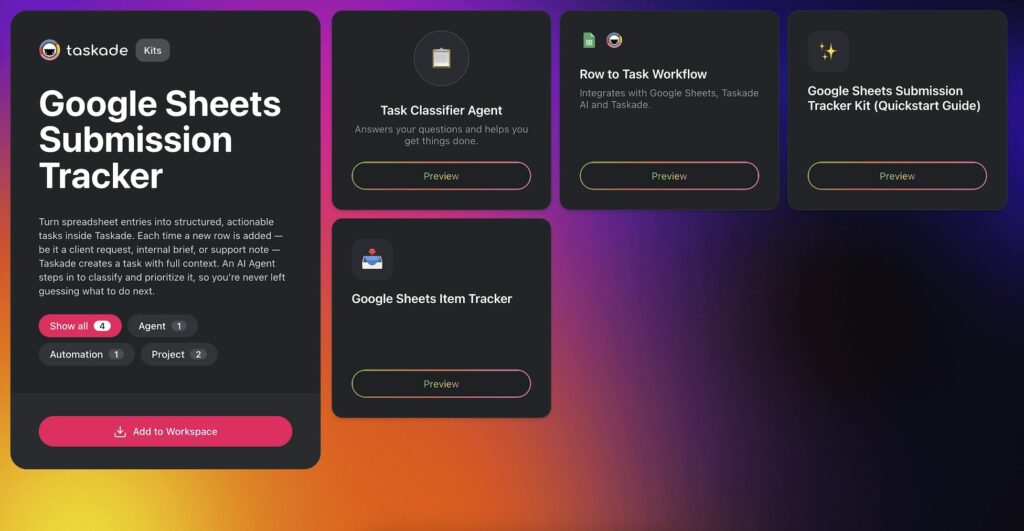
The Google Sheets Submission Tracker Kit monitors your spreadsheet for new rows. Each time a row is added, Taskade creates a clear, trackable task inside a designated project. The included AI agent assesses priority, drafts next steps, and categorizes the item type.
Who It's For:
- Teams managing client requests or content briefs in Google Sheets
- Support or operations teams tracking incoming submissions
- Anyone who wants to reduce manual task creation from spreadsheet entries
Kit Contents:
- Project: Submission Intake Tracker
- Automation: Row to Task Workflow
- Agent: Task Classifier Agent (analyzes and routes submissions)
Business Benefits:
- Capture incoming requests with zero manual entry
- Assign follow-up work instantly inside Taskade
- Never miss a form response or client request
Add the Google Sheets Submission Tracker Kit to your workspace
Kit 2: Log Completed Tasks Automatically
Time saved: 3-5 hours per month by automatically logging completed tasks to a spreadsheet.
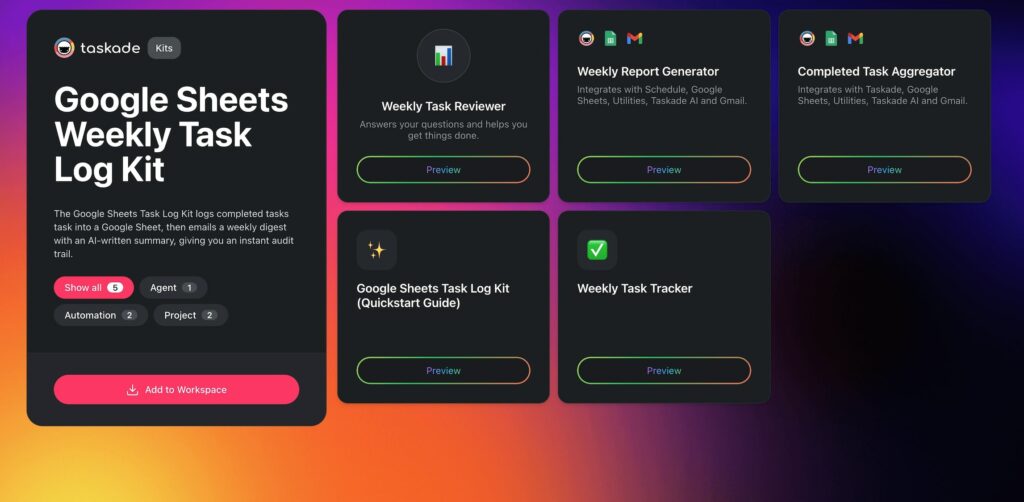
Teams lose visibility once a task is completed. Reconstructing what happened for client reports, billing, or performance reviews is tedious. The Google Sheets Weekly Task Log Kit solves this by automatically logging every completed task to Google Sheets.
Each time a task is marked "done" in Taskade, the details (title, assignee, completion date, project) are written to your spreadsheet. You get a clean, up-to-date record ready for audits, client reports, or team retrospectives.
Who It's For:
- Operations teams and account managers
- Anyone responsible for reporting, billing, or oversight
- Teams tracking deliverables in spreadsheets
Kit Contents:
- Project: Weekly Task Tracker
- Automations: Completed Task Aggregator + Weekly Report Generator
- Agent: Weekly Task Reviewer (summarizes and highlights patterns)
Business Benefits:
- Maintain an accurate audit trail without manual logging
- Automate reporting and invoicing workflows
- Create transparency and accountability across your team
Add the Google Sheets Weekly Task Log Kit to your workspace
Kit 3: Send Alerts When Your Sheet Changes
Time saved: 1-2 hours per week by turning spreadsheet updates into actionable tasks.
Google Sheets is great for collecting data but poor at notifying you when something changes. When rows are added or updated, those changes go unnoticed unless someone is actively watching. For leads, support tickets, or time-sensitive requests, missed updates mean missed opportunities.
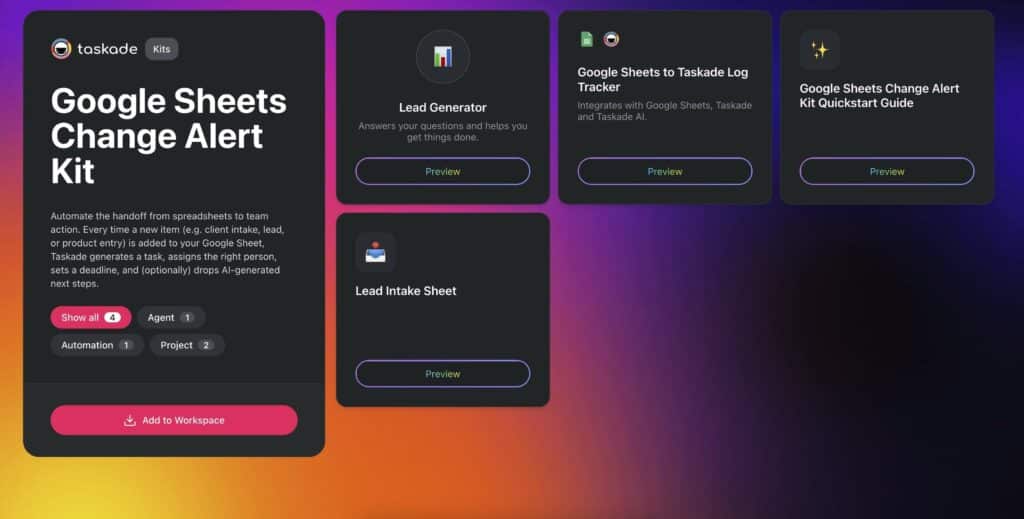
The Google Sheets Change Alert Kit turns each new or updated row into a Taskade task with full context: names, emails, sources, and suggested next steps. An AI agent analyzes the data and generates follow-up recommendations.
Who It's For:
- Cross-functional teams using shared spreadsheets
- Project managers tracking progress or submissions
- Sales teams following up on new leads
Kit Contents:
- Project: Lead Intake Sheet
- Automation: Google Sheets to Taskade Log Tracker
- Agent: Lead Generator (classifies and scores new entries)
Business Benefits:
- Get notified when something changes in your Sheet
- Turn lead submissions into assigned follow-ups
- Keep everyone aligned without micromanaging
Add the Google Sheets Change Alert Kit to your workspace
Kit 4: Turn Spreadsheet Rows into Full Projects
Time saved: 1-3 hours per week by converting spreadsheet rows into structured projects. See more AI conversion tools.
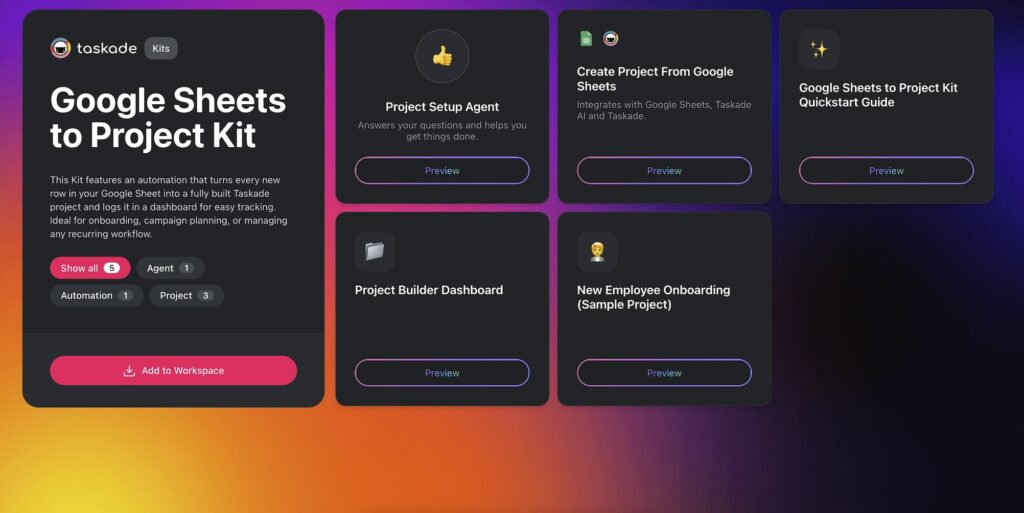
Many teams plan in spreadsheets and manage work elsewhere. Copying information between tools or manually recreating projects slows everything down. The Google Sheets to Project Kit automates the handoff.
Every time a new row is added to your planning spreadsheet, Taskade creates a full project based on your template. This is ideal for onboarding new clients, launching campaigns, or kicking off repeatable workflows.
Who It's For:
- Teams managing incoming work via Google Sheets
- Project managers automating task creation
- Operations teams streamlining onboarding or recurring workflows
Kit Contents:
- Project: Project Builder Dashboard
- Automation: Row to Project Builder
- Template: Project Template Pack (customizable)
Business Benefits:
- Save time recreating project workspaces
- Standardize repeatable workflows
- Turn planning sheets into action with no friction
Add the Google Sheets to Project Kit to your workspace
Kit 5: Store and Organize Emails Automatically
Time saved: 2-4 hours per week by automatically logging and categorizing incoming emails.
Your inbox is not a task manager, database, or project tracker, but it often ends up doing all three. Important requests, approvals, invoices, and client updates arrive daily. Manual sorting takes time, and relying on memory only works until it doesn't.
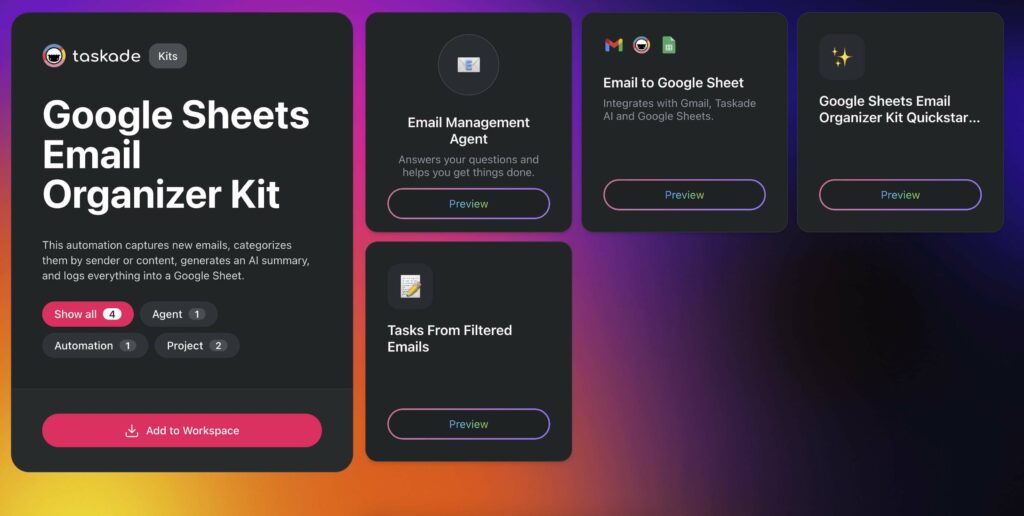
The Google Sheets Email Organizer Kit uses AI to scan incoming emails, categorize them by sender, subject, or content, and log them in a Google Sheet. Taskade then creates a follow-up task and deploys an AI Agent to summarize the message or suggest next steps.
Who It's For:
- Professionals managing high email volumes
- Teams that rely on structured email records
- Anyone looking to automate email follow-ups and summaries
Kit Contents:
- Automation: Email to Google Sheet Logger
- Template: Email Management Agent
Business Benefits:
- Automatically organize inbox content in a searchable format
- Summarize and track email actions without manual effort
- Create visibility and accountability for every important message
Add the Google Sheets Email Organizer Kit to your workspace
Kit 6: Process Orders from Google Sheets
Time saved: 3-6 hours per week by turning new orders into actionable tasks.
Tracking orders in Google Sheets works until the volume grows. Missed updates, unclear ownership, and lost fulfillment status are common problems. Spreadsheets log data but do not send reminders or keep teams in sync.
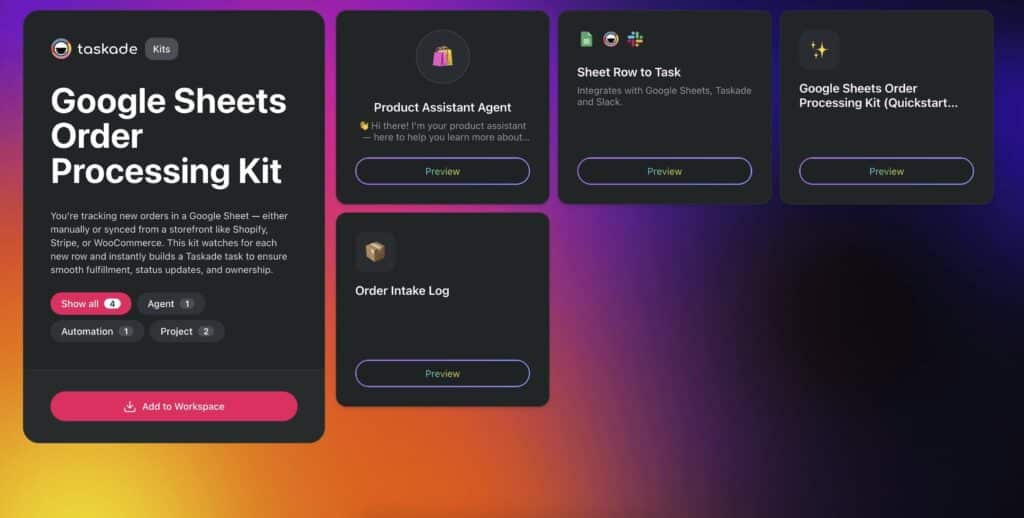
The Google Sheets Order Processing Kit connects your spreadsheet to Taskade so every new order becomes a task automatically. Tasks include all row details and get assigned to the right team members. The kit also includes an AI Agent you can embed on your site to answer product questions 24/7, trained on your own content.
Who It's For:
- Fulfillment or warehouse teams
- Small ecommerce brands managing orders in Sheets
- B2B teams tracking product/service requests before delivery
Kit Contents:
- Project: Order Intake Log
- Automation: Automated Order Intake
- Agent: Product Assistant Agent (embeddable, trainable)
Business Benefits:
- Keep fulfillment teams on track with real-time task updates
- Offer customers 24/7 product support with a trained AI chatbot
- Stay organized and responsive with minimal overhead
Add the Google Sheets Order Processing Kit to your workspace
How to Choose the Right Kit
Start with the automation that addresses your biggest time sink:
| Your Biggest Pain Point | Recommended Kit | Impact |
|---|---|---|
| Submissions pile up untracked | Submission Tracker | Immediate task visibility |
| No record of completed work | Weekly Task Log | Audit trail + billing accuracy |
| Team misses spreadsheet updates | Change Alert | Real-time awareness |
| Manual project creation from sheets | Sheets to Project | Standardized workflows |
| Email follow-ups slip through cracks | Email Organizer | Structured inbox management |
| Order fulfillment is disorganized | Order Processing | End-to-end order tracking |
Every kit works on the Taskade Free plan. For AI agents with persistent memory, custom tools, and advanced automation workflows, upgrade to Pro ($10/month billed annually).
Building Custom Google Sheets Automations
The six kits above cover the most common use cases. For anything else, build custom automations from scratch using Taskade's visual automation builder or the AI Automation Generator.
Common custom workflows include:
- Inventory tracking: When stock levels in Google Sheets drop below a threshold, create a reorder task and notify the procurement channel in Slack.
- Timesheet approval: When a team member logs hours in a spreadsheet, create an approval task for their manager with the AI agent summarizing the entries.
- Budget monitoring: When project expenses in a spreadsheet exceed a percentage of the budget, alert the project lead and create a review task.
Connect Google Sheets to any of 100+ integrations including Slack, Gmail, HubSpot, Trello, and GitHub. Use Taskade's multiple project views (List, Board, Calendar, Table, Mind Map, Gantt, Org Chart) to manage the tasks that automations create.
Frequently Asked Questions
How can I automate Google Sheets workflows?
Google Sheets automation turns spreadsheet data into actions. With Taskade AI Kits, new rows become tasks, completed work logs back to sheets, team alerts fire on changes, and full projects build from spreadsheet data. Each kit installs in one click with no coding required.
Can Google Sheets rows automatically create tasks?
Yes. The Submission Tracker Kit monitors Google Sheets for new rows and creates corresponding tasks in your Taskade project. This works for intake forms, lead tracking, client requests, and any workflow where spreadsheet data needs to trigger action items.
How do I track completed tasks in Google Sheets?
The Weekly Task Log Kit sends completed tasks from Taskade to Google Sheets automatically. This creates audit trails, billing logs, and progress reports without manual data entry. Tasks are logged with timestamps, assignees, and completion details.
What are the best Google Sheets automations for small businesses?
The most impactful automations are submission tracking (form responses to tasks), order processing (new orders to fulfillment tasks), change alerts (sheet updates to team notifications), and email organization (inbox to structured spreadsheet logs). Each eliminates a manual step that compounds over time.
How does Taskade compare to Google Apps Script for spreadsheet automation?
Google Apps Script requires JavaScript coding, manual deployment, and separate project management tools. Taskade AI Kits are no-code, install in one click, and include AI agents that classify data and suggest next steps. Taskade also connects to 100+ integrations beyond Google's ecosystem.
Do I need coding skills to automate Google Sheets with Taskade?
No. Taskade AI Kits are pre-built automation packages that install in one click. Each kit includes projects, automations, and AI agents configured to work together. You connect your Google account, select your sheet, and the automation runs without writing any code.
How much time do Google Sheets automations save?
Time savings depend on the workflow. Submission tracking saves 2-4 hours per week by eliminating manual task creation. Weekly task logging saves 3-5 hours per month on reporting. Change alerts save 1-2 hours per week by eliminating sheet monitoring. Order processing saves 3-6 hours per week.
Can I customize Taskade AI Kits after installing them?
Yes. Every kit is a starting point. You can modify the automation triggers, change the AI agent instructions, add new steps, connect additional integrations, and adjust the project templates to match your specific workflow requirements.
What integrations work with Google Sheets automations in Taskade?
Taskade connects Google Sheets to 100+ services including Slack, Gmail, HubSpot, Trello, GitHub, and more. You can chain multiple actions after a spreadsheet trigger, such as creating a task, sending a notification, updating a CRM record, and emailing a confirmation.
Can AI agents analyze Google Sheets data automatically?
Yes. Taskade AI agents with built-in tools and persistent memory can analyze spreadsheet data, classify entries by priority, draft follow-up messages, and route tasks to the right team members. Agents improve over time as they learn from your project context.
Wrapping Up
Google Sheets is great for organizing data. But organizing data is not the same as managing work. Taskade AI Kits bridge that gap by turning spreadsheet entries into tracked tasks, structured projects, and team notifications, all without writing a single line of code.
Each kit includes AI agents that classify data, suggest next steps, and learn from your project context. Combined with 100+ integrations and multiple project views, you get a complete workflow engine that starts where your spreadsheet ends.
Start creating with Taskade AI.
