






The average knowledge worker uses 9+ apps per day to manage tasks, projects, and communication — and most still don't have a to-do list that actually works. Whether you need a simple free task manager for personal to-dos or an AI-powered platform to manage complex team workflows, the right to-do list app can transform how you get things done.
In this guide, we compare the 15 best to-do list apps in 2026 — from AI-powered task management platforms like Taskade to classic options like Todoist and Google Keep. We cover features, pricing, pros and cons, and which app is the best fit for your workflow.
Looking specifically for AI-powered options? See our 10 Best AI To-Do List Apps or learn how to build your own AI task manager with Taskade Genesis.
💡 Related productivity guides:
⚡ The Benefits of Shared To-Do List Tools
“The list is the origin of culture. It’s part of the history of art and literature. What does culture want? To make infinity comprehensible [...]”
Umberto Eco
Simple lists go a long way. Whether it’s a project roadmap, daily/weekly task lists, or a crumpled shopping list, you can’t help but appreciate the peace of mind they offer.
Collaborative to-do software takes traditional to-do lists to a whole new level.
When you manage a team—especially one that’s spread across multiple time zones—you have to keep many moving parts in check. Project specs, assigned tasks, due dates, and key milestones all call for a holistic approach to project management.
The best collaborative task management software can give you a bird’s eye view of everything that happens across all stages of a project lifecycle, on any device. But there’s more.
Some of the awesome benefits of collaborative to-do software include:
⚡️ The ability to keep everybody on the same page
⚡️ Excellent user experience real-time synchronization
⚡️ Easy task management and progress tracking
⚡️ Email reminders (so nobody misses a thing)
⚡️ Support for attachments and file sharing
⚡️ Automation with recurring tasks and real-time sync
⚡️ Less time spent on memorizing stuff (shallow work)
⚡️ More time spent on high-impact tasks (deep work)
⚡️ Chat and video conferencing on any device
⚡️ Organization with color-coded tags and cross-linking
⚡️ Increased transparency and task ownership
⚡️ And more…
“So, where are all those tools when I need them?”
📊 Quick Comparison: 15 Best To-Do List Apps at a Glance
Before diving into detailed reviews, here's how the 15 best to-do list apps compare on the features that matter most:
| App | Best For | AI Features | Free Plan | Team Collab | Platforms | Starting Price |
|---|---|---|---|---|---|---|
| Taskade | AI task management for teams | ✅ Custom AI agents, 11+ models | ✅ Generous | ✅ Real-time | Web, Mac, Windows, Linux, iOS, Android | Free; see pricing |
| Todoist | Simple, reliable task manager | Basic (natural language) | ✅ Limited | ✅ Basic | Web, Mac, Windows, iOS, Android | Free; from $4/mo |
| Asana | Project management for teams | Basic AI | ✅ Up to 15 users | ✅ Advanced | Web, Mac, Windows, iOS, Android | Free; from $10.99/user/mo |
| TickTick | Personal productivity + habits | Minimal | ✅ Limited | ✅ Basic | Web, Mac, Windows, iOS, Android | Free; from $2.79/mo |
| Any.do | Clean personal task manager | Basic AI suggestions | ✅ Basic | ✅ Teams plan | Web, iOS, Android | Free; from $5/mo |
| Monday.com | Customizable team workflows | Basic AI | ✅ Up to 2 users | ✅ Advanced | Web, Mac, Windows, iOS, Android | Free; from $8/user/mo |
| Trello | Visual Kanban task management | Atlassian Intelligence | ✅ Limited | ✅ Basic | Web, Mac, Windows, iOS, Android | Free; from $5/user/mo |
| Google Keep | Quick notes and simple lists | ❌ None | ✅ Full | ✅ Basic sharing | Web, iOS, Android | Free |
| Things 3 | Apple ecosystem task manager | ❌ None | ❌ | ❌ Limited | Mac, iPhone, iPad | $9.99-$49.99 (one-time) |
| Microsoft To-Do | Microsoft 365 users | Basic (My Day) | ✅ Full | ✅ Basic sharing | Web, Mac, Windows, iOS, Android | Free |
| Habitica | Gamified habit + task tracking | ❌ None | ✅ Full | ✅ Party system | Web, iOS, Android | Free; in-app purchases |
| Wrike | Enterprise project management | Basic AI | ✅ Limited | ✅ Advanced | Web, Mac, Windows, iOS, Android | Free; from $9.80/user/mo |
| OmniPlan | Complex project planning | ❌ None | ❌ Trial only | ✅ WebDAV sync | Mac only | $19.99/mo |
| Remember the Milk | Location-based reminders | ❌ None | ✅ Basic | ✅ Pro sharing | Web, Mac, iOS, Android | Free; $39.99/year |
🏆 The 15 Best To-Do List Apps in 2026
From the most important assignments to bite-sized errands, every project breaks down into a series of smaller tasks — subtasks, deadlines, dependencies, and milestones. The right task manager helps you assemble those pieces and get things done. Here are the 15 best to-do list apps to help you do exactly that.
#1 Taskade — Best AI-Powered Task Manager for Teams
Taskade is more than a to-do list app — it's a complete AI-powered task management platform built for individuals and teams. Unlike most to-do apps that bolt on basic AI after the fact, Taskade is built from the ground up with custom AI agents, workflow automation, and real-time collaboration at its core.
What makes Taskade unique as a task manager is that every project supports 8 different views — List, Board, Calendar, Table, Mind Map, Gantt, and Org Chart — so you can manage tasks in whatever format fits your workflow. And with true real-time synchronization, every edit is instantly reflected across your team.
Why Taskade stands out as a to-do list app 🌟
Free Team Communication. Enter and track tasks while communicating with your team in real-time. Chat, video conference, and leave project comments.
7-Tier Permissions. Fine-grained access control with Owner, Maintainer, Editor, Commenter, Collaborator, Participant, and Viewer roles for team task management.
🤖 Custom AI Agents. Deploy autonomous agents with 22+ built-in tools, persistent memory, and multi-model support (11+ AI models from OpenAI, Anthropic, and Google) to automate task management.
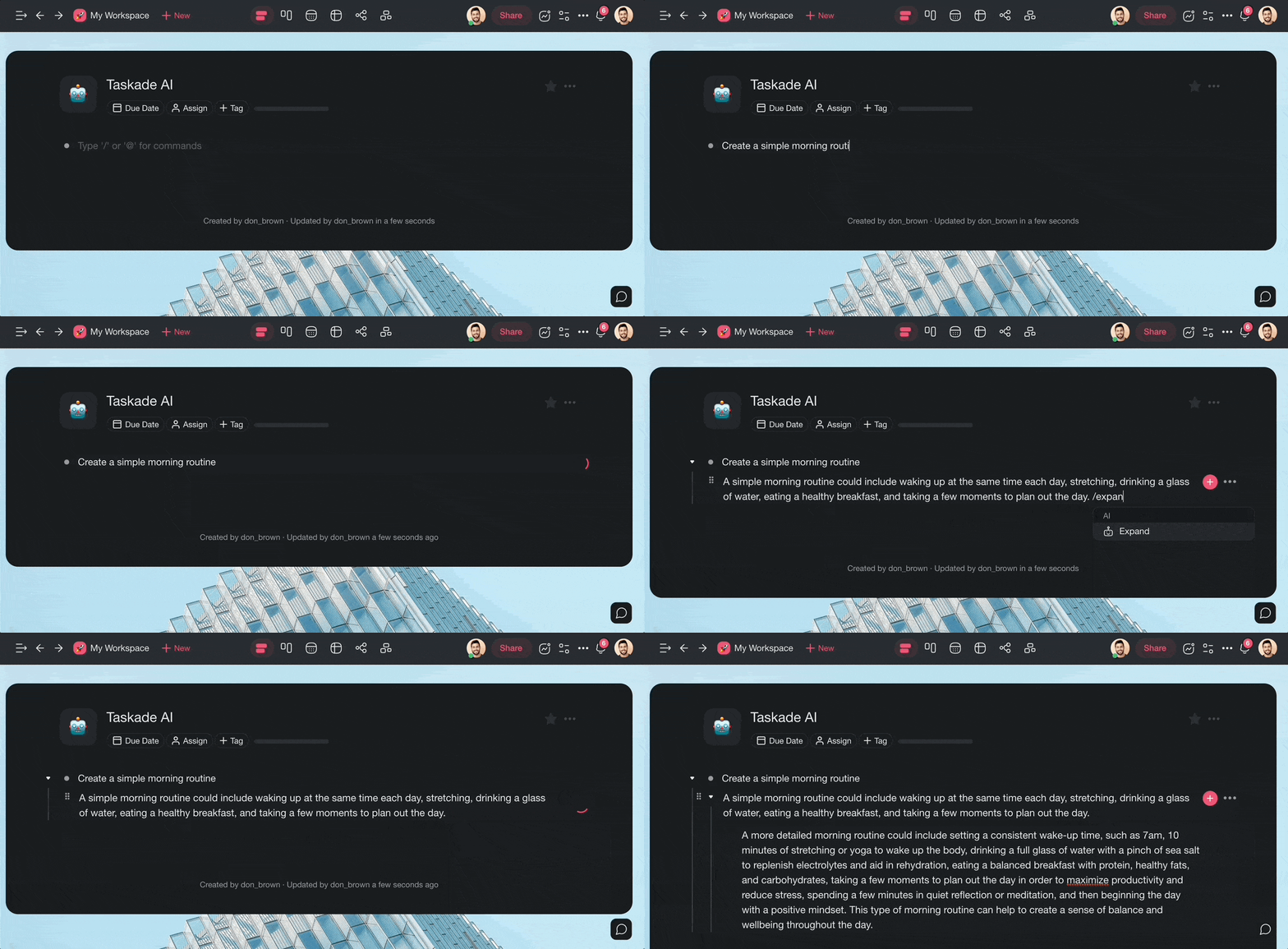
🪄 AI Project Studio. Generate complete task lists, project plans, and workflows from a single prompt. Upload documents for context.
⚡ Workflow Automation. Connect to 100+ tools (Slack, Gmail, Google Sheets, Shopify) with durable execution for production-grade task automation.
Folding To-Do Lists. Folding your to-do lists will hide sub-tasks and let you narrow your focus. Do it manually or use the ⌨️ Ctrl/⌘+↑ keyboard shortcut.
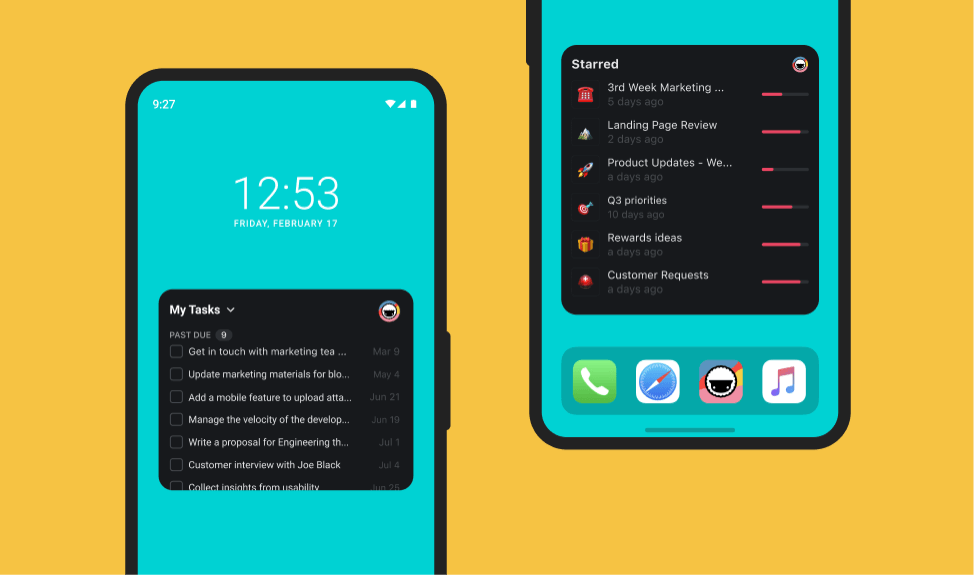
Mobile and Desktop Apps. Sync your to-dos between Mac, Linux, and Windows or tackle tasks on the go with Android and iOS mobile apps.
Keyboard Experience. Format lists, reorder elements, and complete tasks without taking your hands off the keyboard!
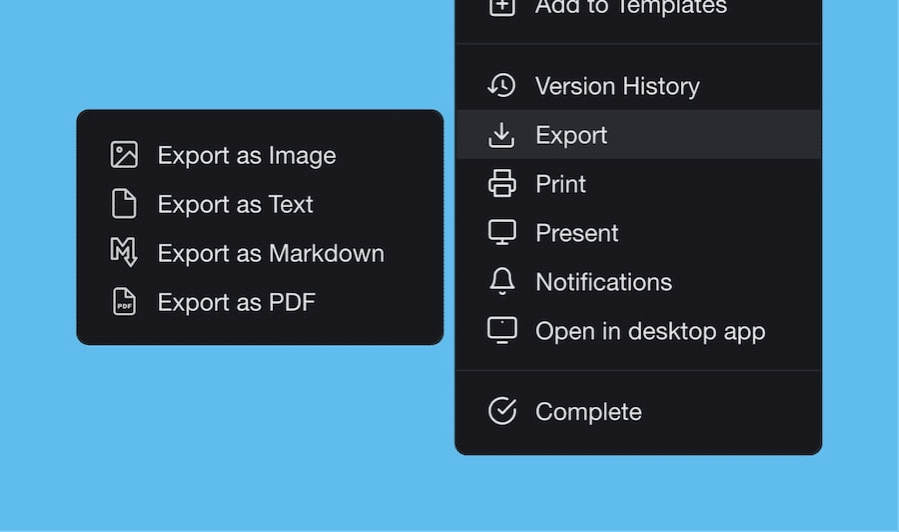
Export To-Do Lists. Export your shared to-do lists to plain text, PDF, or markdown files. Create convenient attachments for emails, presentations, or for print.
500+ Checklist Templates. Taskade comes packed with over 500 free checklist and to-do templates. Customize, share, or create new ones from scratch.
Customizable Sub-Tasks. Customize your sub-tasks individually. Select checkbox styles, change colors, and add emojis for a unique visual flavor.
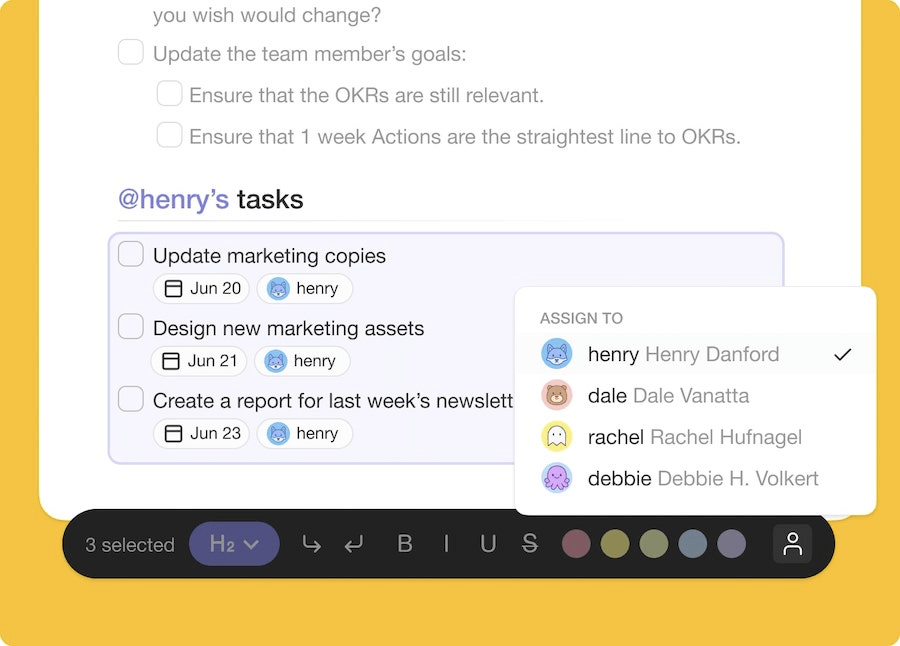
Multi-Select Formatting. Format or bulk assign multiple tasks at once. Select several content blocks to copy/paste, reorder, and customize the visuals.
Multiplayer Indicator. See when somebody’s editing a shared list in real-time. Every active editor is marked with a profile avatar miniature.
Drag-and-Drop Reorder. Drag tasks and sub-tasks to reorder your list. Multi-select several items to quickly reassemble entire list sections.
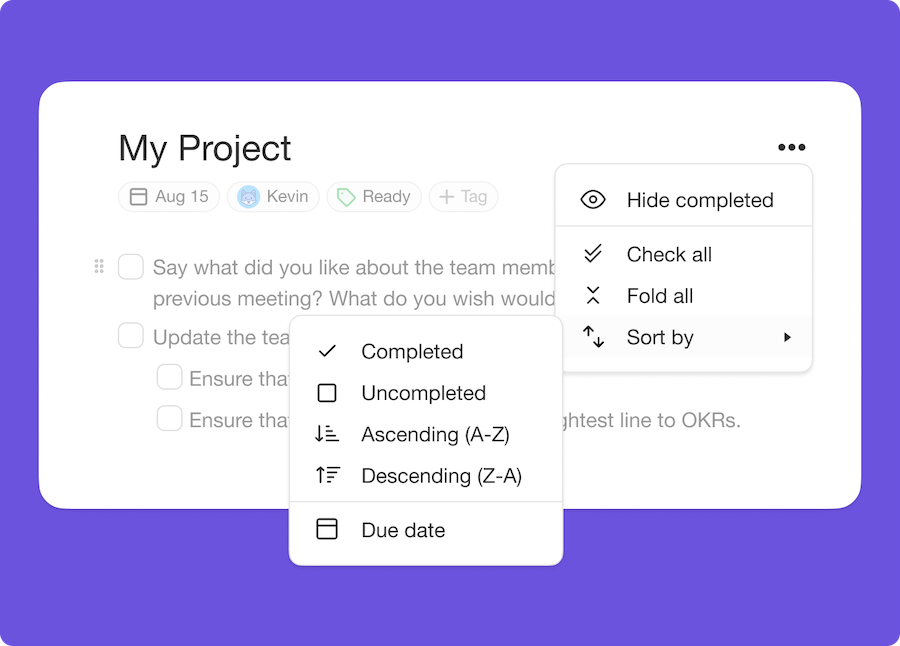
Sort Tasks. Sort tasks and sub-tasks by due dates or completed/uncompleted status. Define task sorting rules in a convenient pop-up menu.
Keyboard Shortcuts. Navigate your online to-do list with over 30 handy keyboard shortcuts. Add new tasks, reorder elements, and format your to-dos with ease.
Custom Notifications. Set push notification settings for workspaces and individual projects to stay up to date with the most important projects.
List Comments/Notes. Discuss the contents of your projects with other team members. Invite collaborators to edit projects together and gather valuable feedback.
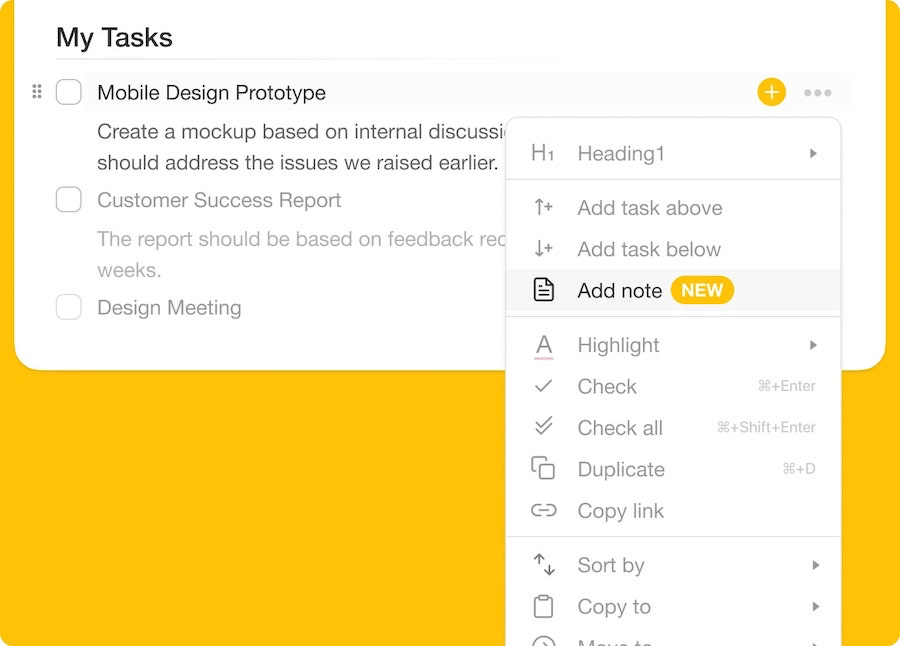
List Cross-Linking. Create connections between lists and tasks with @mention. Combine multiple lists into high-level checklists and never miss a thing
Copy Tasks/Sub-Tasks. Select and copy tasks/sub-tasks to other to-do lists in a shared workspace, subspace, or project. You’ll be notified on completion.
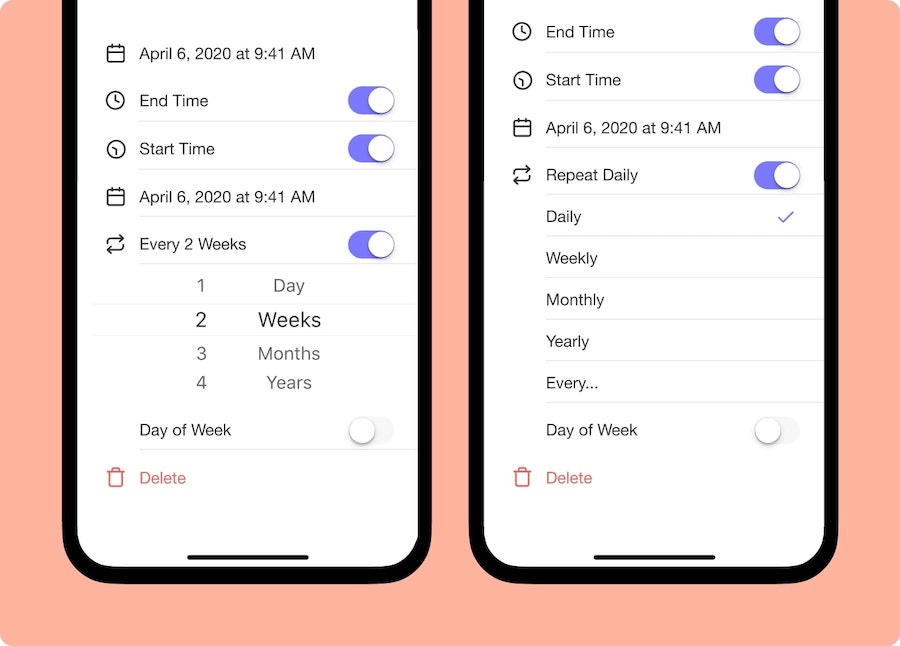
Recurring Tasks. Mark important team events as recurring tasks so you’re always prepared. Set custom due dates, start/end time, and intervals.
Taskade Search. Search for keywords inside to-do lists or run global searches across workspaces. Click on search results to quickly navigate to a project.
Project Activity. When a team member checks off a task or sub-task, you’ll see a chat notification with the editor’s nickname and change details.
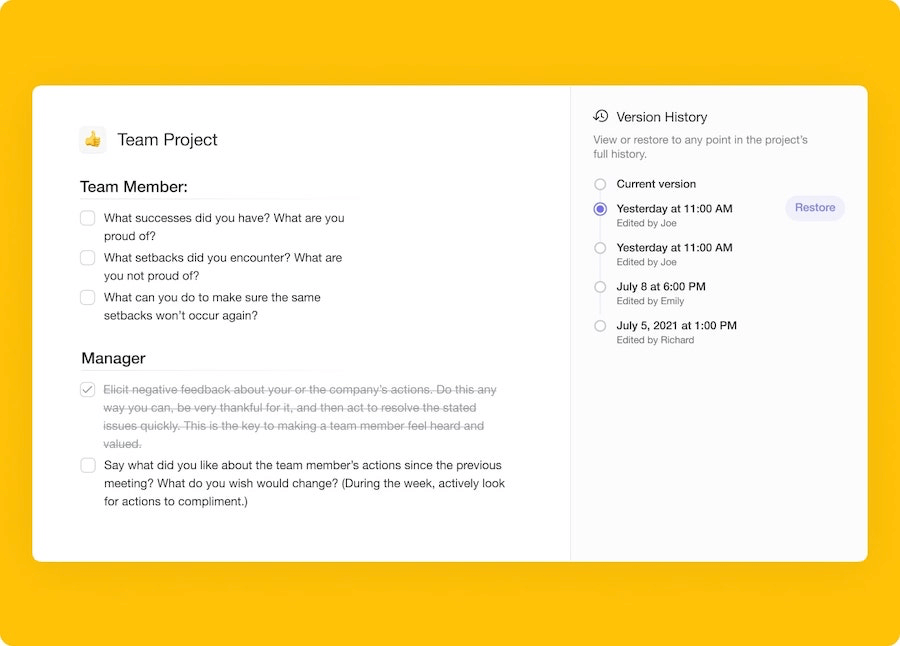
Project History. See all changes made by you and your team members. Select Project History entries to jump to edited items within your online to-do list.
Assign Tasks. Use @mention functionality to assign tasks. Team members will receive email notifications whenever you mention them in a project.
Workspaces and Subspaces. Organize your lists into workspaces and subspaces. Sort projects and filter lists with color-coded tags.
#Tags. Organize and filter collaborative to-do lists with hashtags. Add a #tag anywhere inside a project to create a clickable reference.
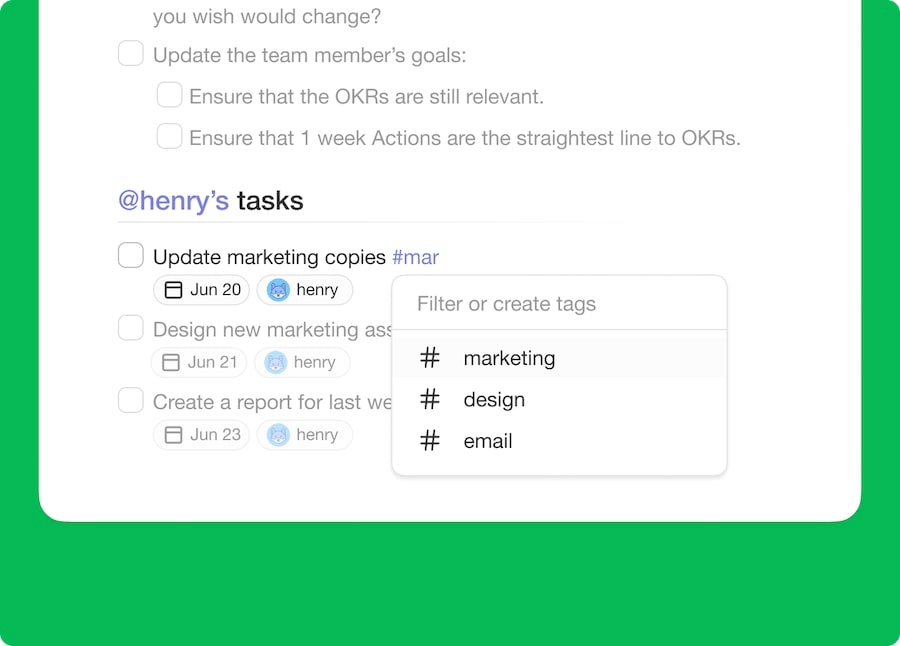
Undo/Redo. Undo to-do list actions whenever you make a mistake. Undo/redo works even when you’re editing a list with other team members in real-time.
File Uploads. Add visuals and other assets to your lists. Drag-and-drop videos, images, and documents to upload them directly to a project.
Flexible Views. Transform your online to-do list into a mind map, kanban board, org chart, or a customizable table of action items. View one project in many different ways!
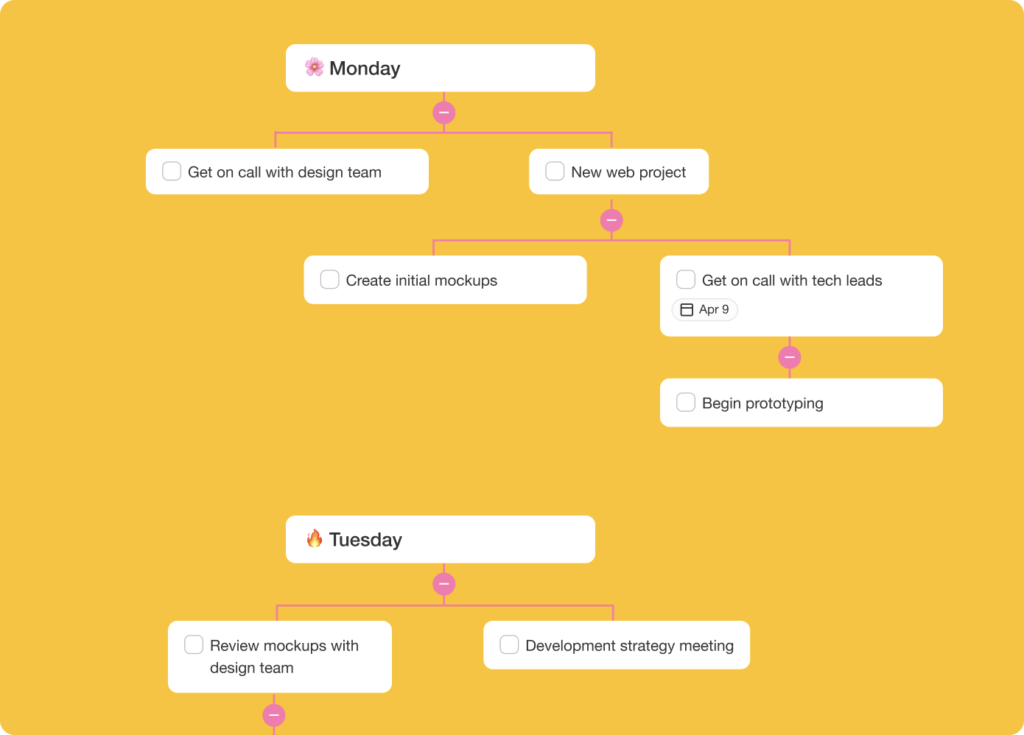
Shared Calendar. Taskade allows you to display all tasks and projects in a shared calendar. Sync with Apple, Outlook, and Google calendar.
🔍 Multi-Layer Search. Full-text, semantic HNSW, and file content OCR search across all workspaces.
Clone these AI task management apps built with Taskade Genesis:
| App | What It Does | Clone |
|---|---|---|
| Minimalistic ToDo | Clean, distraction-free task list | Clone → |
| AI Productivity Planner | AI builds your prioritized daily schedule | Clone → |
| Task List Board | Shared board with AI task creation | Clone → |
| Kanban Board | Visual workflow with AI automation | Clone → |
| Neon Task Dashboard | Real-time priority and progress tracking | Clone → |
| Habit Tracker | Streak tracking with AI reminders | Clone → |
🔍 Explore All Community Apps →
Taskade Pricing 💸
Visit the pricing page for a full breakdown. Taskade offers a generous free plan with AI features, unlimited tasks, and unlimited collaborators.
Want to learn how AI transforms task management? Read our guide on how to build an AI-powered to-do list.
#2 Todoist
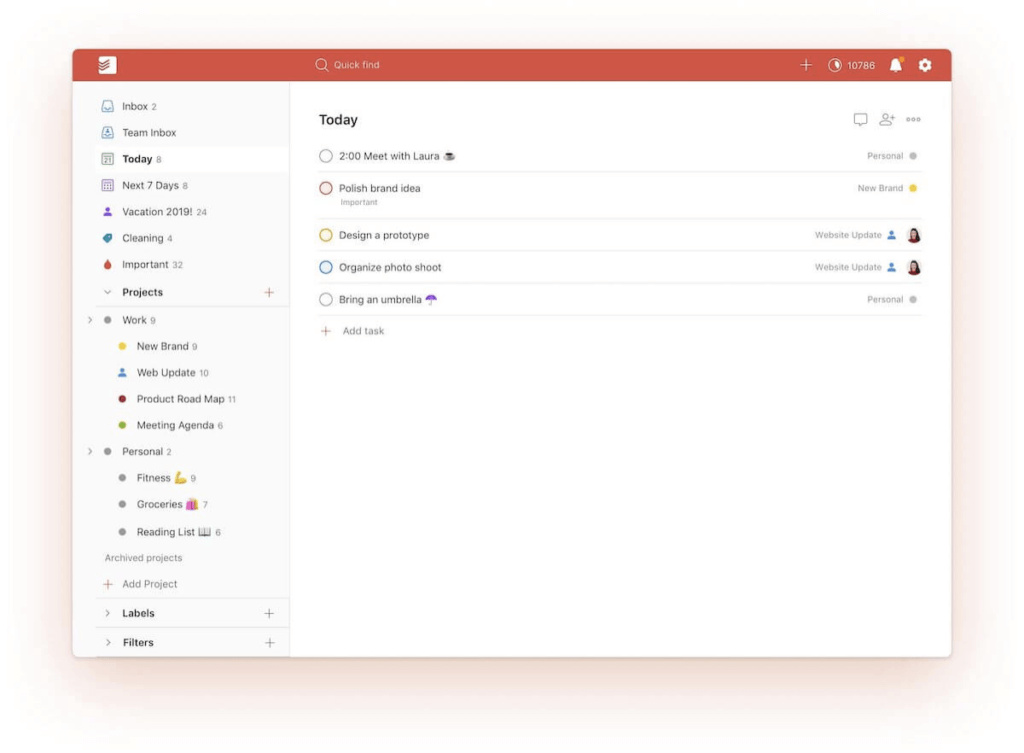
Todoist is a popular shared to-do list app that lets you share lists, assign tasks, and integrate with Twist for a convenient team chat. Thanks to a solid set of task and project management features, Todoist remains one of the best collaborative to-do list apps in the wild.
Here's a list of the best Todoist alternatives if you're looking for even more software to help you be more productive!
Todoist Select Features 🌟
Reminders and recurring due dates
Sections and sub-tasks
Task priority settings
Delegating tasks
Task notifications
Board view, labels, filters, and themes
Email and calendar integrations
Activity history and progress tracking
Todoist Pricing 💸
🟢 Free
Up to 5 projects and collaborators
5MB for file uploads
Activity history (1 week)
3 filters
🔵 Pro ($3/4 per user billed annually/monthly)
Up to 300 projects and 25 collaborators
100MB for file uploads
150 filters and unlimited activity history
Reminders, themes, and automatic backup
🟣 Business ($5/6 per user billed annually/monthly)
Everything in the Pro plan +
Up to 500 projects and 50 collaborators
Team inbox, admin tools, and roles
Team billing and priority support
See how Todoist compares to Taskade.
#3 Asana
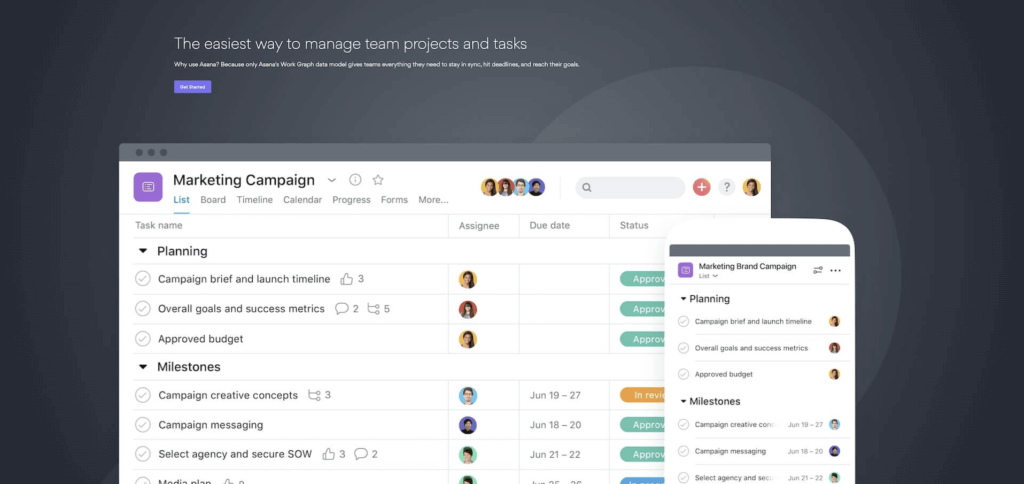
Asana is another notable shared to-do list app that has been around since 2008. A brainchild of Facebook co-founder Dustin Moskovitz and Justin Rosenstein, Asana lets you create aesthetic lists topped with the usual set of features you’d expect in a solid to-do app.
This project management software lets you manage projects and task lists so that you can get the important things done.
Asana Select Features 🌟
Task grouping/sorting
Custom fields and attachments
Reminders and recurring tasks
Forms and reusable templates
List, Board, Calendar, and Gantt views
Project Timeline and progress tracking
Automation and integrations
Shared and private projects
Asana Pricing 💸
🟢 Basic
Unlimited tasks, projects, and storage (up to 100MB per file)
Activity log, up to 15 collaborators, 100+ integrations
List, Board, and Calendar views + Project Overview
🔵 Premium ($13.49/10.99 per user billed annually/monthly)
Everything in the Basic plan +
Timeline, unlimited dashboards, and reporting
Advanced search, custom fields, unlimited guests
Forms, rules, milestones, private projects
Admin console
🟣 Business ($24.99 per user monthly)
Everything in the Premium plan +
Goals, custom rules, and customization
Advanced integrations
And more…
🟡 Enterprise (custom)
Everything in the Business plan +
SAML, SCIM, and priority support
Data export and custom branding
See how Asana compares to Taskade.
#4 TickTick
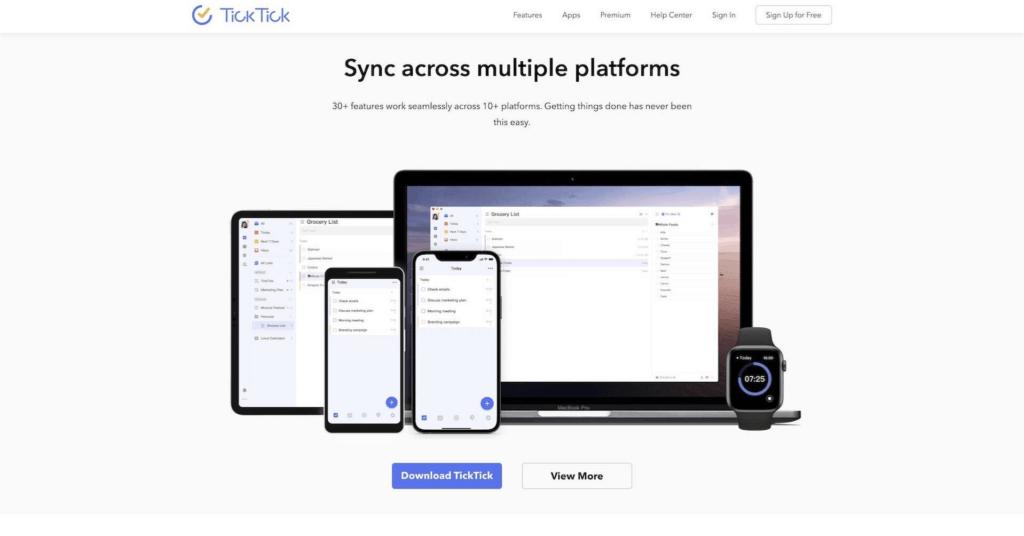
TickTick is a to-do list program with cross-platform availability and a handful of collaboration features. A successor to 2010 GTasks, the to-do list app lets you share lists, assign tasks, and check progress inside a simple and distraction-free environment.
This simple to-do list app has basic features to help you organize your daily tasks and get things done. A good match for those looking for a frictionless to-do experience.
TickTick Select Features 🌟
Shared lists and task assigning
Task duration and recurring events
Task and location reminders
Smart date/time parsing
Task prioritization settings
Calendar view and integrations
Pomodoro timer and white noise
TickTick Pricing 💸
🟢 Free
Limited to 9 lists
99 tasks/19 sub-tasks per list
2 reminders per task
1 attachment/day
2 list members
List/task activities
Advanced search
🔵 Premium ($27.99/2.79 billed annually/monthly)
Up to 299 lists
999 tasks/199 sub-tasks per list
5 reminders per task
99 attachment/day
30 members per list
Calendar, Timeline, and Grid views
Task duration, custom smart lists
Premium themes and integrations
See how TickTick compares to Taskade (click). 👈
#5 OmniPlan
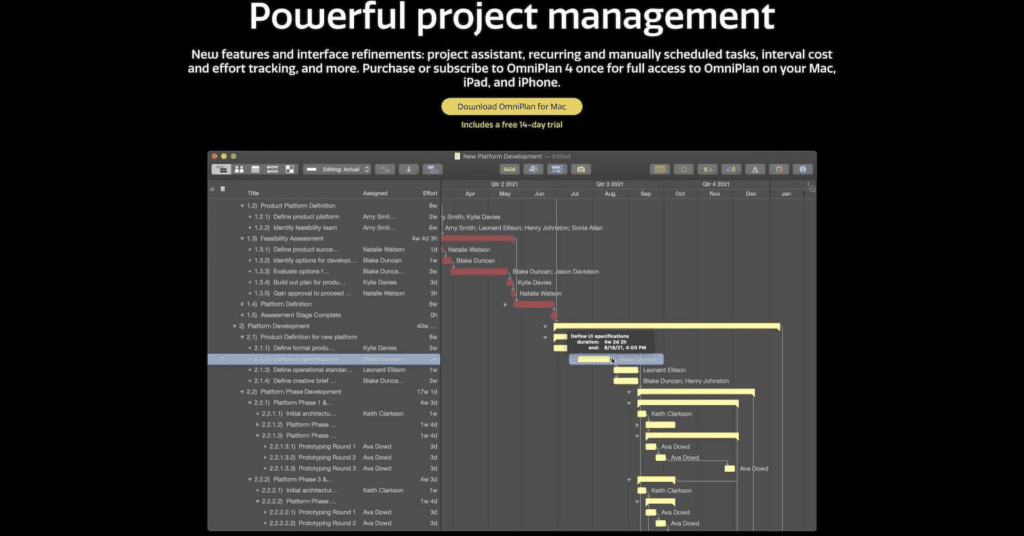
OmniPlan is dedicated project management software and a shared to-do list app from the creators of OmniOutliner and OmniFocus. The app is a good match for high-level, complex projects and managing multiple projects at the same time.
This project management software has the right tools to help you manage complex projects. But this also means that it might be overkill if you're looking for a simple to-do list app to track daily tasks.
OmniPlan Select Features 🌟
Proprietary WebDAV sync
Change tracking and reporting
Multi-project dashboard
Customizable work calendar
Recurring tasks and due dates
Import/export and project assistant
Project Outline, Resource View, and Gantt charts
OmniPlan Pricing 💸
- 🟢 OmniPlan Subscription ($19.99 monthly or $199.00 yearly)
Collaboration features
Gantt/Timeline/Outline views
Progress/project tracking
Resource management
And more...
#6 Any.do Teams
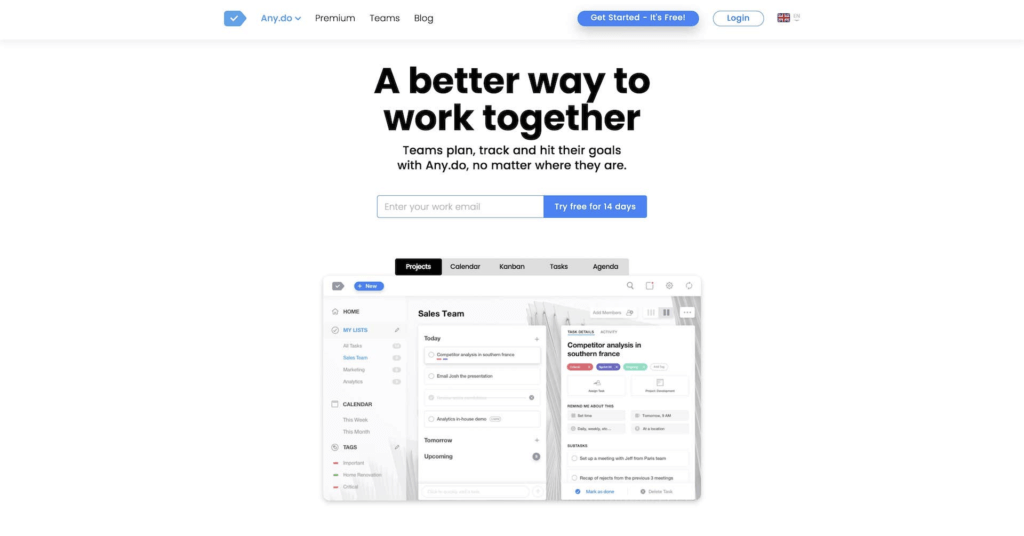
Any.do Teams is an offshoot of the popular Any.do to-do list app with a number of collaborative features sprinkled on top. The Teams subscription unlocks advanced list and file-sharing options, integrations, tagging, as well as priority support.
Any.do Teams Select Features 🌟
Recurring reminders
Any.do Moment view
Calendar, Kanban, and Agenda
Chat and notifications
List and file sharing
Color-coded tags
Integrations with Zapier and WhatsApp
Reminders and event notifications
Any.do Teams Pricing 💸
- 🟢 Teams Plan ($4.99 per user per month)
Access to Any.do Premium features
Advanced list sharing
Activity Tab and integrations
User roles for shared items
See how Any.do compares to Taskade (click). 👈
#7 Monday.com
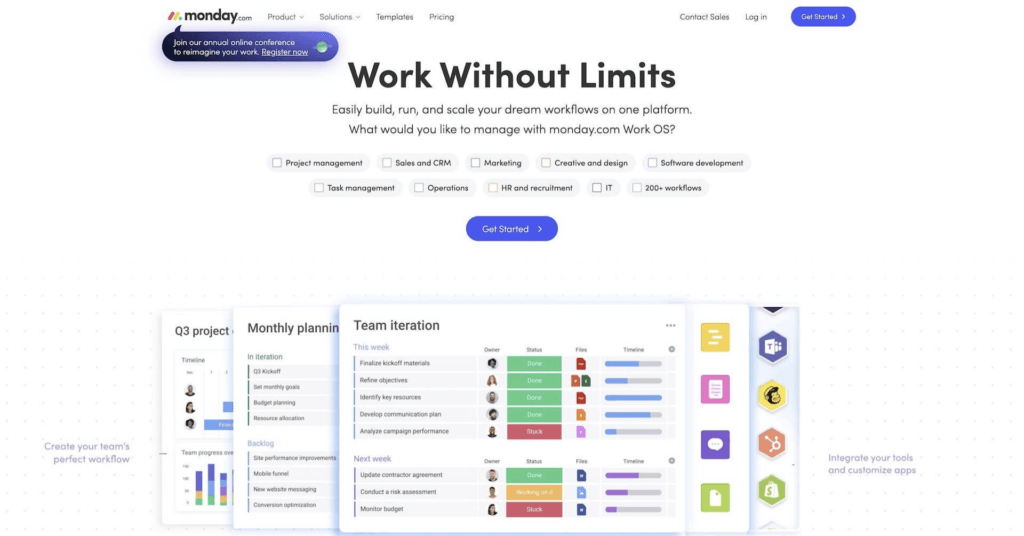
Monday.com is a complete package for advanced project management. Apart from its core task list functionality, Monday offers advanced automation and integrations as well as communication, planning, and collaboration tools for all types of projects. Monday can be used both as a project management software and a to-do list app to help you with your ongoing tasks.
Monday.com Select Features 🌟
Flexible workflows
200+ templates
30+ customizable column types
Drag-and-drop navigation
Data visualization tools
Desktop and mobile apps
Automation features
40+ integrations
Monday.com Pricing 💸
🟢 Free/Individual
Up to 2 team members
Unlimited boards
200+ templates
Over 20 column styles
🔵 Basic ($8 per user/month billed annually)
Everything in the Individual plan +
Unlimited viewers
5 GB for file storage
Priority support
Dashboard based on 1 board
🟣 Standard ($10 per user/month billed annually)
Everything in the Basic plan +
Timeline, Calendar, and Gantt views
250 automations/actions per month
250 integrations/actions per month
Dashboard based on 5 boards
🟡 Pro ($16 per user/month billed annually)
Everything in the Standard plan +
Private boards, Chart view, and time tracking
Formula/dependency columns
25,000 automations/integrations per month
Dashboard based on 10 boards
🟤 Enterprise (custom)
Enterprise automations/integrations
Security and governance
Reporting, analytics, and permissions
Custom onboarding and premium support
Dashboard based on 50 boards
See how Monday.com compares to Taskade (click). 👈
#8 Wrike
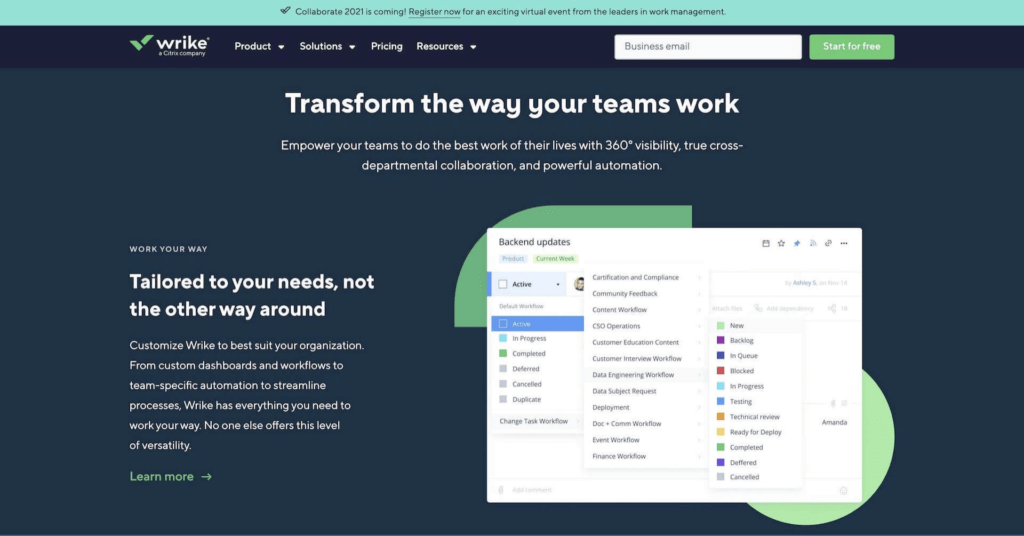
Wrike is an enterprise-grade project management tool and collaborative software. The platform can handle anything from simple lists to automated workflows and AI-backed data insights. Wrike is a solid choice for large organizations.
Wrike Select Features 🌟
Due dates and prioritization
Assigning and tracking tasks
Drag-and-drop navigation
Time and progress tracking
Customizable workflows
Templates, forms, and automations
Gantt charts and Kanban boards
Analytics and integrations
Wrike Pricing 💸
🟢 Free
Unlimited team members
Task/sub-task organization
Board and spreadsheet views
Cloud storage integrations
Limited active tasks
2GB of storage space per account
🔵 Professional ($9.80/month per user)
Everything in the Free plan +
5-200 team members
Dashboard sharing
Gantt charts
1-2GB of storage per user
Additional integrations
🟣 Business ($24.80/month per user)
Everything in the Professional plan +
Custom fields and workflows
Workspace branding
200 automations/actions per month
Project approvals and real-time reporting
Request forms and calendars
Time tracking and spreadsheets
🟡 Enterprise (custom)
Single Sign-On (SSO) + 2FA
Password policies
Custom roles and permissions
1000 automations/actions per month
10GB storage per user
See how Wrike compares to Taskade (click). 👈
#9 Google Keep
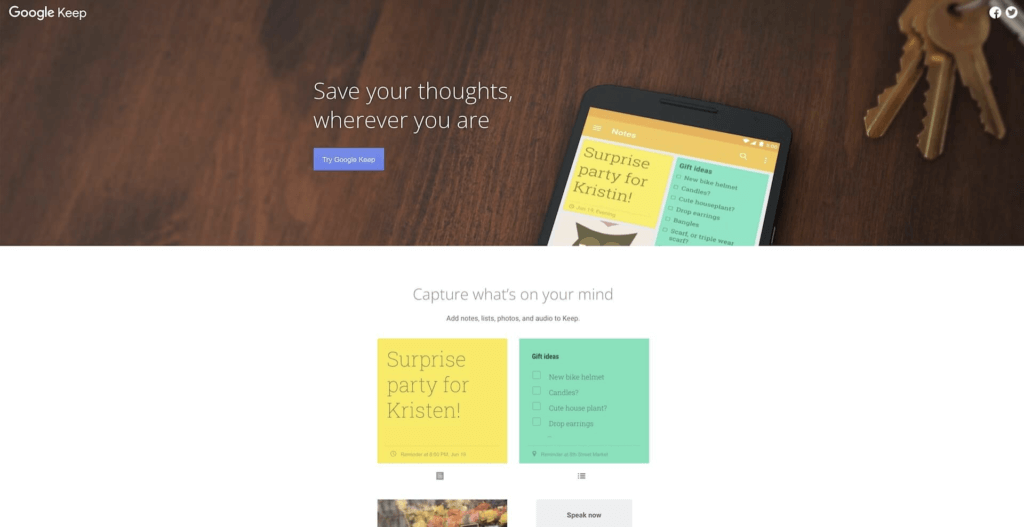
Keep is part of Google's Workspace suite (previously G Suite). The app complements the productivity/collaboration platform with basic note-taking and to-do list capabilities. It’s a keeper (pun not intended) if you’re hooked into Google’s ecosystem.
Google Keep is a simple to-do list app that is akin to using digital sticky notes. It has basic features and the right tools to help you keep track of ongoing tasks. What's more, you can also sync it to your Google Calendar to really be on top of things.
Google Keep Select Features 🌟
Customizable, color-coded lists
Labels and search functionality
Integration with Google Workspace
Sharing and task/note reminders
Google Keep Pricing 💸
- 🟢 Free
Basic note-taking capabilities
Collaborative to-do editing
Integration with Google services
See how Google Keep compares to Taskade (click). 👈
#10 Things 3
Things 3 is one of the best productivity and to-do list apps in Apple’s ecosystem. While the app doesn’t offer true collaboration features, you can share your Things account with one person and work on all your lists together. Available for iPhone, iPad, and Mac.
Things 3 Select Features 🌟
Calendar view with events and tasks
Drag-and-drop interface
Headings for breaking down large projects
Search, tags, and widgets
Reminders and recurring tasks
Email to Things to create tasks
Synchronization within Apple’s ecosystem
Things 3 Pricing 💸
🟢 Mac ($49.99 one-time purchase)
🔵 iPad ($19.99 one-time purchase)
🟣 iPhone ($9.99 one-time purchase)
See how Things 3 compares to Taskade (click). 👈
#11 Wunderlist/Microsoft To-Do
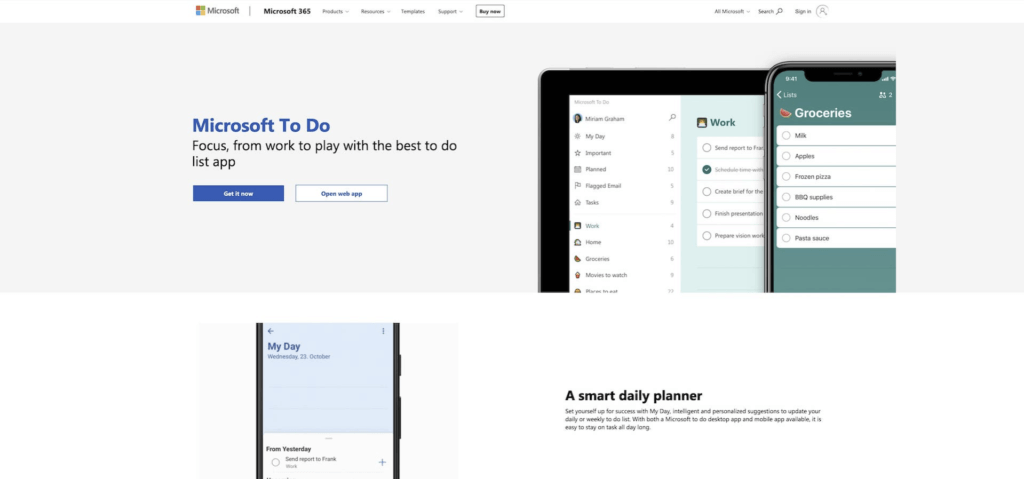
A spiritual successor to the legendary Wunderlist, Microsoft To-Do is a simple app with all the essential task management features. To-Do allows you to share lists with other users or integrate with Outlook and collaborate within the Microsoft 365 platform.
Wunderlist/Microsoft To-Do Select Features 🌟
Customizable, color-coded lists
Smart suggestions in My Day view
Breaking tasks into individual steps
Reminders and recurring tasks
Sync acrossiOS, Android, Mac, and Windows
Wunderlist/Microsoft To-Do Pricing 💸
- 🟢 Free
#12 Habitica
Habitica is a habit-building app that turns the garden-variety habit checklist into a fun game-like experience. The rules are simple. You create an avatar and add tasks or habits to your to-do list. As you complete each task, you earn points that help you level up and unlock new features.
Habitica Select Features 🌟
Gamified task list features
Filtering tasks with tags
Habit tracking and reminders
Avatar customization
Mobile apps for Android and iOS
Social interactions and collaboration
Habitica Pricing 💸
- 🟢 Free with in-app purchases
See how Habitica compares to Taskade (click). 👈
#13 Any.do
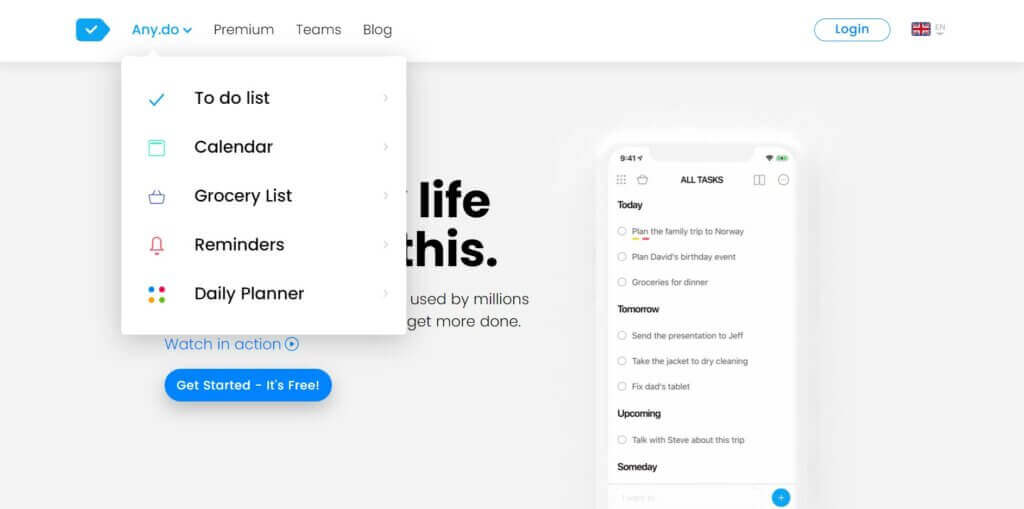
Any.do is a popular to-do list app that helps users manage your tasks, lists, and reminders. Any.do lets you create tasks and reminders with due dates and times, organize them into lists, and set reminders for important events. You can also use the app to collaborate on shared lists.
Any.do Select Features 🌟
Task creation with due dates and times
List organization for tasks and reminders
Shared tasks and lists for collaboration with others
Cross-device access (desktop, iOS, and Android)
"Moment" interface for reviewing and planning tasks
Integration with Google Calendar, Evernote, and Dropbox
Location-based reminders
Ability to add notes and attachments
Any.do Pricing 💸
🟢 Free
- Basic task management features
🔵 Premium Plan ($5.99 per user per month)
Recurring tasks
Color tags
Integrations
And more...
See how Any.do compares to Taskade (click). 👈
Remember The Milk is one of the oldest task management apps on our list. The app offers a range of advanced features, including smart lists that automatically update based on specific criteria, location-based reminders, and the ability to share tasks with others. Remember The Milk can also send reminders via email and SMS.
Remember the Milk Select Features 🌟
Task and subtask list features
List organization for tasks and subtasks
Tags and notes for tasks
Recurring tasks and postponed tasks
Email, SMS, and push notification reminders
Location-based reminders
Remember the Milk Pricing 💸
🟢 Free
- Basic task management features
🔵 Pro Plan ($39.99 per user per year)
To-do list sharing and color tags
Advanced sorting features
Add files and attachments
Widgets and reminders
And more...
See how Remember the Milk compares to Taskade (click). 👈
#15 Trello
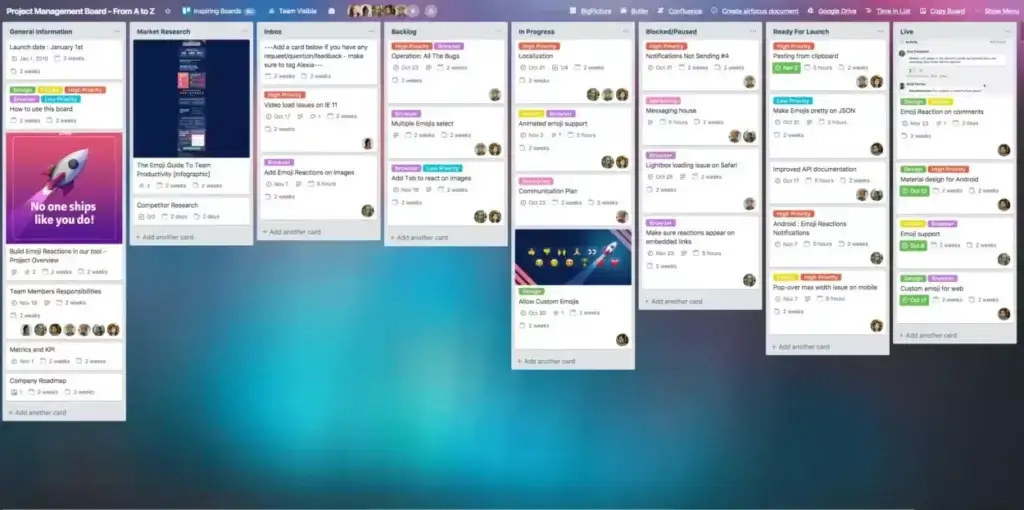
Trello is a web-based tool that assists individuals and groups in managing tasks, projects, and workflows in a visual and organized manner. What makes Trello stand out from other project management tools is its visual-first approach based on the Kanban workflow. Trello is frequently employed for agile project management, task management, and team collaboration.
Trello Select Features 🌟
Lists, boards, and coards
Collaboration features
Integrations with Google Drive, Slack, and GitHub
Desktop and mobile apps for iOS and Android
Additional features added via Power-up interface
Trello Pricing 💸
🟢 Free
Unlimited cards (up to 10 boards)
Unlimited storage (up to 10 MB per file)
50 automations per month
🔵 Standard ($5/month billed annually)
Everything in the Free plan +
Unlimited boards and custom fields
1,000 automations per month
🟣 Premium ($10/month billed annually)
Everything in the Standard plan +
Unlimited automations
Dashboard and Timeline views
Table, Calendar, and Map views
🟡 Enterprise ($17.50 per user/month billed annually)
Everything in the Premium Plan +
Organization-wide permissions
Extended permissions
And more...
See how Trello compares to Taskade (click). 👈
How to Choose the Best To-Do List App for Your Workflow
With so many task management apps available, choosing the right one depends on how you actually work. Here's a framework to help you decide:
1. Individual vs. Team Use
If you manage tasks alone, a simple app like Todoist, Google Tasks, or TickTick will get the job done. For team-based task management with real-time collaboration, shared projects, and role-based permissions, look at Taskade, Asana, or Monday.com.
2. Simple Lists vs. Full Task Management
Some apps focus purely on to-do lists (Google Tasks, Microsoft To Do). Others double as complete task management and project management platforms (Taskade, ClickUp, Asana). If you need multiple project views — like List, Board, Calendar, Table, Mind Map, Gantt, and Org Chart — choose a platform that offers that flexibility.
3. AI-Powered vs. Manual
Traditional to-do apps require you to create, organize, and prioritize every task by hand. AI-powered task managers like Taskade use custom AI agents to generate tasks, automate workflows, and even build entire project structures from a single prompt. If AI-driven task management matters to you, see our dedicated guide on the best AI to-do list apps.
4. Free vs. Paid
Most apps offer free tiers with limited features. For teams, pricing typically ranges from $3–$15/user/month. Taskade offers a generous free-forever plan with AI included — check the pricing page for a detailed breakdown.
5. Integrations & Automation
If your work relies on Slack, Google Calendar, GitHub, or CRM tools, look for a to-do list app with deep integrations. Taskade connects to 100+ services through workflow automations with branching, looping, and intelligent triggers — powered by enterprise-grade durable execution.
Start Managing Tasks Smarter with Taskade AI
The to-do list apps above all have their strengths, but the gap between traditional task management and AI-powered task management is widening fast. In 2026, the best to-do list app is one that doesn't just store your tasks — it actively helps you manage, prioritize, and automate them.
Here's why Taskade stands apart as the best to-do list app for teams and individuals:
- ⚡️ AI Task Generation — Describe your goal and let AI agents generate structured task lists, action items, and entire project plans
- ⚡️ 7 Project Views — Switch between List, Board, Calendar, Table, Mind Map, Gantt, and Org Chart — all in one workspace
- ⚡️ Multi-Model AI — Access 11+ AI models from OpenAI, Anthropic, and Google — choose the best model for each task
- ⚡️ Custom AI Agents — Build specialized AI teammates with custom tools, slash commands, persistent memory, and 22+ built-in capabilities
- ⚡️ Workflow Automation — Automate repetitive tasks with 100+ integrations, branching logic, and intelligent triggers
- ⚡️ Real-Time Collaboration — Chat, video call, and collaborate on tasks simultaneously — no app-switching required
- ⚡️ Multi-Layer Search — Full-text search + semantic AI search + file content OCR — find anything across your entire workspace
- ⚡️ 7-Tier Permissions — Owner, Maintainer, Editor, Commenter, Collaborator, Participant, Viewer — enterprise-grade access control
- ⚡️ Cross-Platform — Web, desktop (Mac, Windows, Linux), and mobile (iOS, Android) with true real-time sync
🧬 Build Your Own To-Do System with Taskade Genesis
Why settle for a pre-built app? With Taskade Genesis, describe your ideal task management workflow in plain English and Genesis builds it as a living application — complete with AI agents, project databases, and workflow automations. One prompt. One app. One living workspace.
| App | What It Does | Clone |
|---|---|---|
| Minimalistic ToDo App | Clean, distraction-free task lists | Clone → |
| Neon Task Dashboard | Visual task management board with AI | Clone → |
| AI Productivity Planner | AI-powered daily planner and scheduler | Clone → |
| Task List Board | Shared task board for teams | Clone → |
| Kanban Board | Drag-and-drop kanban task manager | Clone → |
| Study/Work Timer + Music | Pomodoro-style task sessions with timer | Clone → |
| Time Tracker | Track time spent on tasks and projects | Clone → |
| Habit Tracker Dashboard | Track daily habits alongside to-dos | Clone → |
| Team Capacity Planner | Manage team workloads and availability | Clone → |
| Application Tracker | Track job applications and status | Clone → |
🔍 Explore All Community Apps →
Want to take Taskade for a test drive? Check the Live Demo page to try a demo project or visit the Taskade YouTube Channel for introductory videos.
Frequently Asked Questions About To-Do List Apps
What is the best free to-do list app?
For basic personal use, Google Tasks and Microsoft To Do are both free with no paywalls. However, they lack AI features, automation, and collaboration tools. Taskade offers a free-forever plan that includes AI-powered task generation, custom AI agents, real-time collaboration, and 7 project views — making it the most feature-rich free to-do list app available. Compare all free options above →
What is the best to-do list app for teams?
The best to-do list app for teams depends on your workflow. Taskade is ideal for teams that want AI-powered collaboration with real-time editing, video chat, 7-tier permissions (Owner, Maintainer, Editor, Commenter, Collaborator, Participant, Viewer), and workflow automation in one workspace. Asana and Monday.com are strong for teams already invested in those ecosystems but lack integrated AI agents. For deeper AI team comparisons, see our guide to the best AI to-do list apps.
Todoist vs. TickTick: which is better?
Both are excellent personal task managers. Todoist excels at natural language task input and has a cleaner interface. TickTick includes a built-in Pomodoro timer, Eisenhower Matrix, and habit tracker — making it a better all-in-one personal productivity app. Neither offers AI agents, multi-model AI, or team collaboration at the level of platforms like Taskade. Choose Todoist for simplicity or TickTick for built-in productivity features.
What is the best AI to-do list app?
Taskade is the most advanced AI-powered to-do list app in 2026. It offers custom AI agents with 22+ built-in tools, persistent memory, and multi-model support (11+ models from OpenAI, Anthropic, and Google). Agents can generate tasks, break down projects, automate workflows, and even build complete applications through Taskade Genesis. For a full comparison, see our 10 Best AI To-Do List Apps guide.
Can a to-do list app replace project management software?
Modern to-do list apps like Taskade blur the line between simple task lists and full project management platforms. With features like Gantt charts, kanban boards, calendar views, custom fields, workflow automation, and real-time team collaboration, Taskade functions as both a to-do list and a complete project management solution. For smaller teams, a feature-rich to-do list app can absolutely replace standalone project management tools.
How do I share a to-do list with my team?
Most modern to-do list apps support sharing. In Taskade, create your to-do list in any project view, then click Share to invite team members by email or generate a shareable link. Collaborators can view, edit, comment, and check off tasks in real-time. Taskade's 7-tier permission system lets you control exactly who can view, edit, or manage each project.
What makes a good to-do list app?
The best to-do list apps share these qualities: intuitive interface (adding tasks should take seconds, not minutes), cross-platform sync (seamless experience on web, desktop, and mobile), collaboration features (shared lists, comments, and assignments), flexible views (list, board, calendar, and more), smart notifications (reminders that actually help, not distract), and integrations with your existing tools. In 2026, AI-powered features like automated task generation, smart prioritization, and workflow automation are becoming table stakes.
Can AI help manage my to-do list?
Yes — and the gap between manual and AI-powered task management is growing rapidly. AI can help you generate task lists from a single description, break down complex projects into actionable steps, prioritize tasks based on urgency and dependencies, automate routine workflows (like moving completed tasks, sending notifications, or triggering follow-ups), and build custom tools tailored to your specific workflow. Taskade's custom AI agents go further by offering persistent memory, multi-agent collaboration, and 22+ built-in tools including web search, code execution, and file analysis. Learn more in our guide on how to build an AI-powered to-do system.
What is the best to-do list app for students?
Students benefit from to-do list apps with free tiers, calendar integration, and study-specific features. TickTick is a strong choice for its built-in Pomodoro timer and habit tracker. Google Tasks integrates seamlessly with Google Calendar and Gmail (most students already use these). Taskade is ideal for students who collaborate on group projects — with real-time editing, mind map view for brainstorming, and AI agents that can generate study plans, break down assignments, and summarize research materials.
Is Taskade better than Todoist?
Todoist is a clean, focused task manager — great for personal productivity with natural language input. Taskade is a broader platform: it combines to-do lists with AI agents, 7 project views (including Mind Map, Gantt, and Timeline), real-time team collaboration, video chat, workflow automation, and the Genesis app builder. If you need a simple personal to-do list, either works. If you need a task manager for teams, AI-powered automation, or a platform to build custom productivity apps, Taskade is the stronger choice.