






Context switching—shifting focus between tasks—is the silent productivity killer in modern knowledge work. The average worker toggles between apps 1,200 times per day and loses over 23 minutes refocusing after each interruption.(1)(13) That adds up to roughly 9% of annual work time lost to switching alone.
But it doesn't have to be that way. In this guide, you'll learn exactly how context switching works, why it's so costly, and proven strategies to reduce context switching, achieve deep flow state, and reclaim your focus.
    The True Cost of Context Switching┌─────────────────────────────────────────────────┐
│  🧠 Focused Work          ░░░ Context Switch    │
├─────────────────────────────────────────────────┤
│                                                 │
│  Without switching:                             │
│  ████████████████████████████████  100% output  │
│                                                 │
│  With 4 switches/hour:                          │
│  ████████████░░████░░████░░████   ~60% output   │
│              ↑      ↑     ↑                     │
│          23 min  23 min  23 min recovery each   │
│                                                 │
│  💰 Cost: $450 billion/year globally            │
│  ⏱️  Recovery: 23 min 15 sec per interruption   │
│  📱 App toggles: 1,200/day per worker           │
│  🧪 IQ drop: 10 points (equiv. missing a        │
│     night of sleep)                             │
└─────────────────────────────────────────────────┘
According to psychologists Jeanne Nakamura and Mihaly Csikszentmihalyi, the human brain can process 120 bits of information per second. Impressive? Not really, because roughly half of this value is an equivalent of holding a 1-on-1 conversation.(1)
Of course, isolated human interactions are a tiny part of a typical workday. There’re mile-long to-dos, never-ending meetings, pesky distractions, and… and a heap of apps to switch between. No wonder deep, focused work is so rare to come by.
But there’s a better way. In today’s article, you’ll learn how to reduce context switching at work and get more done with less (read: use one tool instead of three).
💡 Hungry for more productivity tips? Check our other articles and guides on remote work and effective collaboration when you’re done reading.
TL;DR: Context switching — flipping between tasks, apps, meetings — costs 10–40% of productive hours through the "switch penalty." You lose 23 minutes of focus each time. The fix is structural, not willpower: batch similar work, route interruptions to AI agents, and let automations handle schedule-dependent work while you're deep in one thing. Taskade consolidates the stack into one workspace so there's less to switch between. Companion reads: Pomodoro Timer Guide, The 2026 Productivity Playbook.
▲ ■ ● One tab. One agent. One focus block.
🤯 Context Switching and Switch Penalty
People are hard-wired to focus on one thing at a time. Think you’re pretty good at multitasking? Try counting to 100 while watching Netflix and keeping up an intelligible conversation with your team. Good luck with that, because multitasking is a myth, just like unicorns. 🦄
Heck, even computers can’t really multitask. In computing, context switching happens when a processor (CPU) jumps between two or more tasks, executing them as needed. The process is super-efficient, but it doesn’t happen in parallel.
“[...] the human brain is not a computer processor. A silicon chip etched with microscopic circuits switches cleanly from instruction to instruction, agnostic to the greater context from which the current instruction arrived: op codes are executed; electrons flow; the circuit clears; the next op code is loaded.”
Cal Newport, "Our Brains Are Not Multi-Threaded"(2)
Unlike multi-core CPUs coupled with fast random-access memory (RAM), the human brain doesn’t do well with switching between tasks. While most people do that on a daily basis—the switching, not real multitasking—context switching leads to what's known as a cognitive switch penalty.
A series of experiments conducted in 2001 found that every “jump” between tasks takes a toll on concentration. The researchers behind the study also discovered that the penalty is higher for more complex and unfamiliar tasks.(3)
And apparently, everybody has to pay. In a 2015 AMA, Elon Musk himself admitted that he doesn’t do well with handling multiple tasks (read: he’s not a robot). 🤖
“I do kinda feel like my head is full! My context switching penalty is high and my process isolation is not what it used to be. […]”(4)
The more complex or unrelated tasks you’re dealing with, the higher the penalty. But context switching doesn’t only cost you time and focus.
🧘♂️ The Importance of Flow State at Work
In a 1975 study, Csikszentmihalyi formulated a theory that a good and fulfilled life is achieved through complete immersion in whatever we do. Csikszentmihalyi defined this experience as a flow state, a metaphor for the flow of water.
“The best moments in our lives are not the passive, receptive, relaxing times . . . The best moments usually occur if a person’s body or mind is stretched to its limits in a voluntary effort to accomplish something difficult and worthwhile.”
Mihaly Csikszentmihalyi, Flow: The Psychology of Optimal Experience(5)
In a nutshell, you get into a flow state when you focus on a single task and ignore everything else. The activity itself becomes so rewarding, that all other things fade into the background. Even your perception of time seems to change.
So, how do you know if you’re in a flow state?
🧠 You become immune to distractions.
⏰ Time seems to slow down.
🔋 You uncover hidden productivity reserves.
✊ You feel in total control of the present.
🍪 The activity itself becomes rewarding.
🧘♀️ Physical needs take the back seat.
The flow state boosts productivity, improves creativity, reduces stress, and makes work fun. Whether you want to write an email, outline a business strategy, create marketing materials, or brainstorm new ideas, getting in the zone will help you excel.
But achieving a state of flow requires the right conditions. The activity should be just above your skill level, you need clear feedback on the progress, and most importantly, no context switching is allowed; ergo you can’t multitask. 🤷♂️
Let’s talk about that.
❌ Why You Can’t Reach a Flow State
Remote work and flow state seem like a perfect match. You work when you’re the most productive, there’s no watercooler chit-chat, and nobody’s looking over your shoulder.
But remote work, especially in the post-pandemic world, has its challenges.
Fragmented Workflows
We live in a productivity paradise. Want to manage your client database? There’s a CRM platform for that. Need to make some calls or chat with customers? Hook up with a video conferencing app and watch some talking heads in high quality.
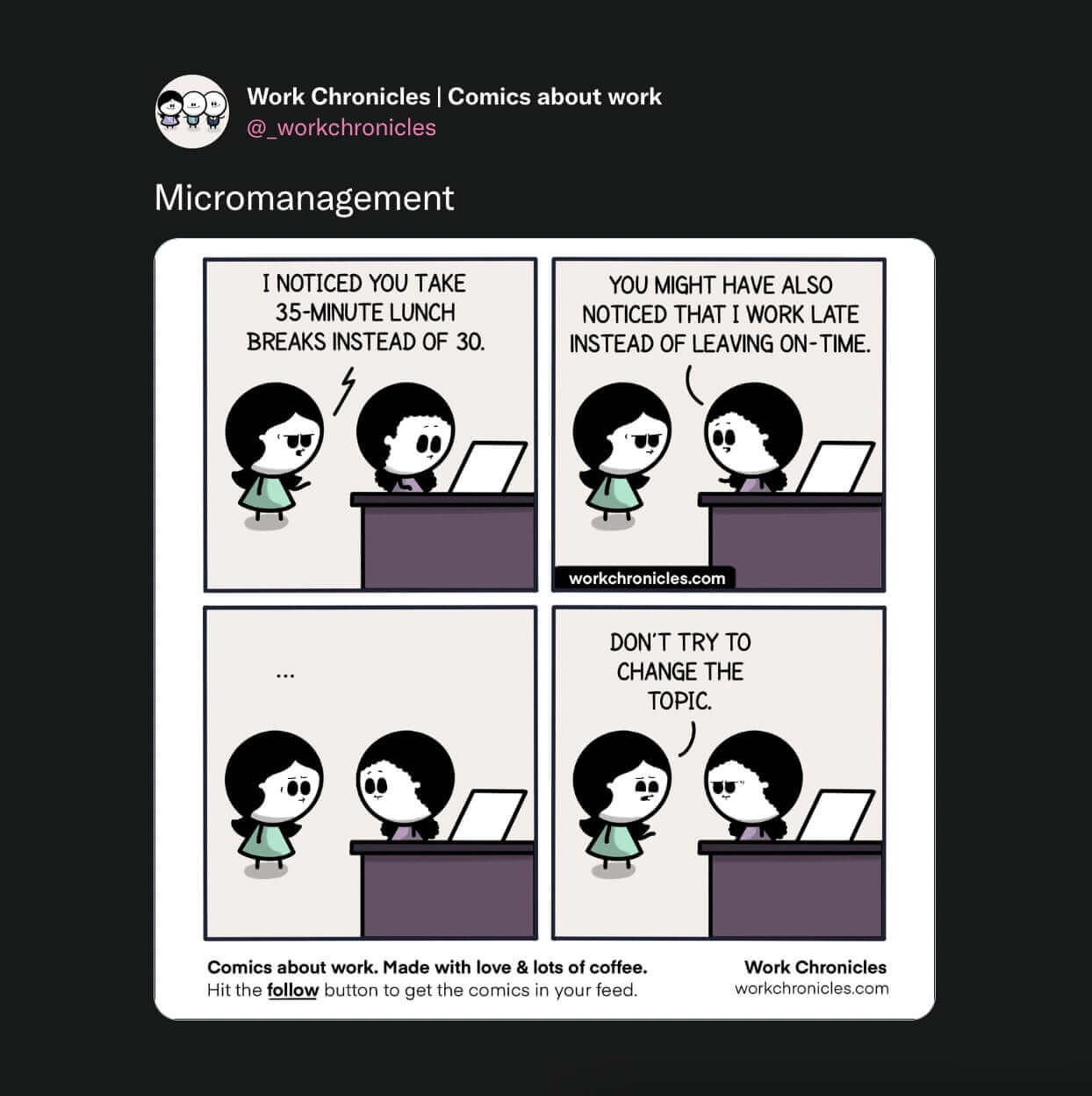
Heck, we even have apps to manage all those fragmented workflows.
Okta’s 2021 report found that U.S. businesses use an average of 88 apps. The number goes as high as 155 tools for tech companies.(6) Productive? Not really, because an average knowledge worker switches between all those apps 1,100 times a day.(7)
Fragmented workflows kill productivity. Every time your team has to switch between chat apps, project management tools, or cloud storage, they lose time and focus. And it’s not just time it takes to shuffle windows but also to adjust to a new context.
Too Many Remote Meetings!
Ok, we've bashed inefficient and long-winding team meetings several times on the blog. But for the sake of context (pun not intended), let’s give them one more shot.
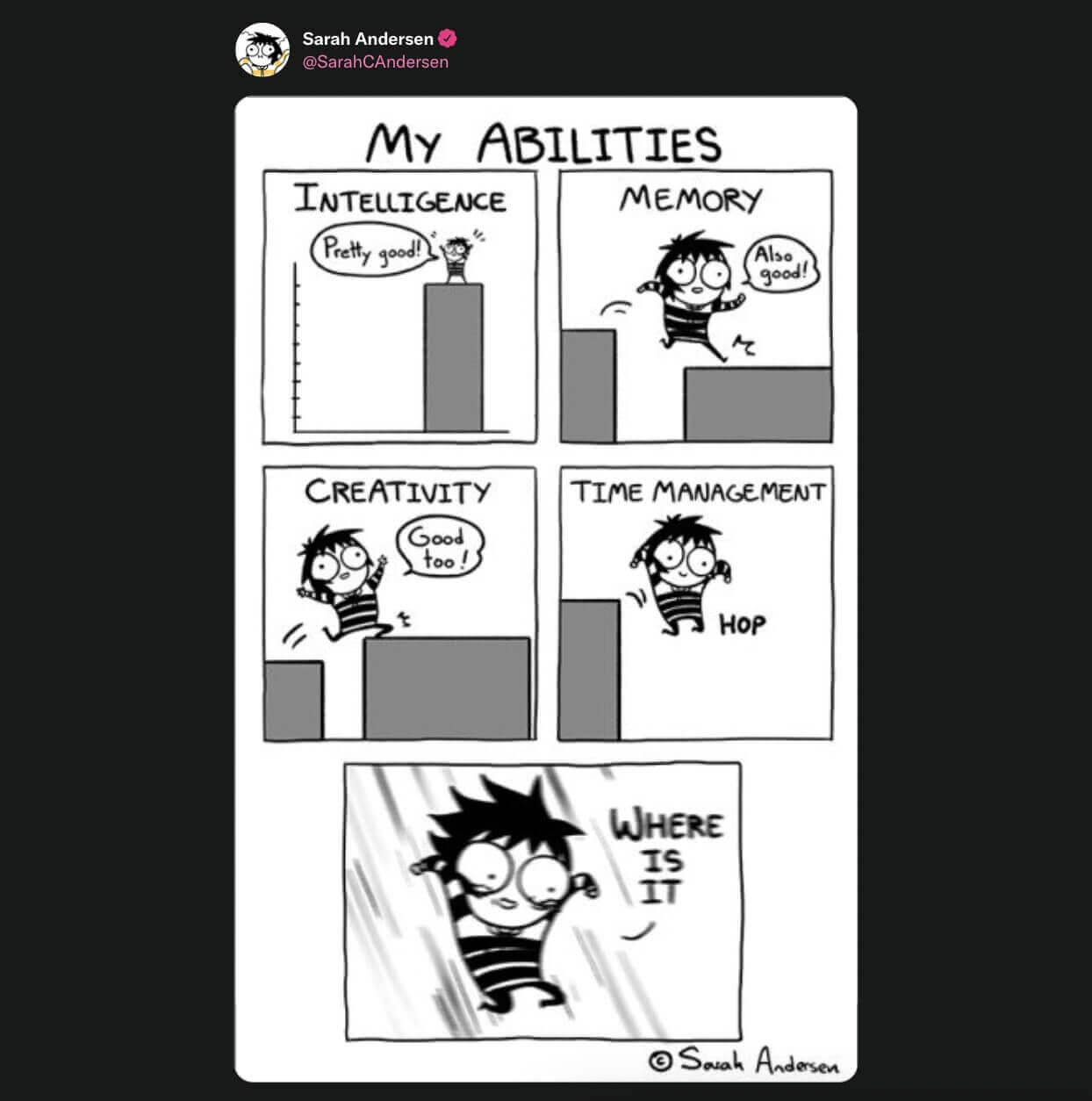
The average knowledge worker has 8 meetings/week.(8) Executives spend 21.5 hours of a typical work week doing so.(9) We run meetings to kick off the day, check in with the team, solve problems, brainstorm ideas, make plans, and give status updates.
No wonder we’re fed up with that as 80% of remote workers agree one day/week with no meetings would be great.(10) And that seems a reasonable proposition.
“For one thing, time is zero-sum. Every minute spent in a wasteful meeting eats into time for solo work that’s equally essential for creativity and efficiency. For another, schedules riddled with meetings interrupt “deep work” […].”
“Stop the Meeting Madness” at Harvard Business Review”(9)
Every meeting (that should’ve been an email) costs your team focus and leads to more context switching. Plus, you can’t get work done when you’re always “on the call.” The switch cost? Missed deadlines, flunked projects, and negative client feedback.
Typical Remote Work Distractions
Ok, but meetings are not the only reason why your team can’t get in the zone.
A 2020 study by Statista found that some of the most common distractions in 2020 included social media (61.6 %), smartphones (53.7%), and binge-watching (42.1%).(11)
After two years of the pandemic, distractions are still a major problem. In case you’re wondering. You’re not alone. According to Buffer’s 2022 State of Remote Work report, distractions and the inability to focus still bother 21% of remote workers.(12)
🔔 Phone notifications
📥 Incoming emails
🔉 Background noise
🧹 Household chores
🍪 Compulsive snacking
👋 Social calls
🚸 Family obligations
You get the idea. Every time you or any of your team members take an involuntary break from work, you have to pay. How much exactly? According to a study by the University of California, refocusing after an interruption takes over 23 minutes.(13)
Granted. Some of those distractions are beyond your control. After all, you can’t stop your team from doing the laundry or taking social calls during work hours.
But you can still make a difference and reduce context switching. Here’s how.
🐑 4 Ways to Reduce Context Switching With Taskade
Work and Chat in One Place
Maximize, minimize, rearrange, close, open, snap to the left, snap to the right… Sounds familiar? Juggling collaboration and communication apps is anything but productive.
But here's some good news! 🥳
Taskade lets teams work and chat in the same window, in the same app. Every Taskade Project is a digital canvas that can be filled with to-dos, documents, images/videos, and even mind maps. All that with chat and video conferencing on board.
With Taskade, your team can:
💬 Collaborate on a meeting agenda while attending a video conference.
✍️ Co-write documents and add feedback in project comments.
🧠 Brainstorm ideas and solve problems in real-time using mind maps.
🔄 Undo/Redo project changes, even when collaborating in real-time.
📢 Host a team meeting and jot down minutes in the same place.
🔗 Share project files so all team members can access them 24/7.
And much more!
Communicate With Intent
Effective communication is important, but staying in the loop 24/7 can break team momentum. At Taskade, we believe that asynchronous communication is one of the best ways to enable flow state and communicate with intent.
Taskade Notification Center gives you full control of what updates you receive. You can customize notification settings on the Project, Workspaces, and Folder level. Taskade also lets you define what updates you receive in the app, web browser, or on mobile.
And the best part? Your team can customize their settings to set their preferences.
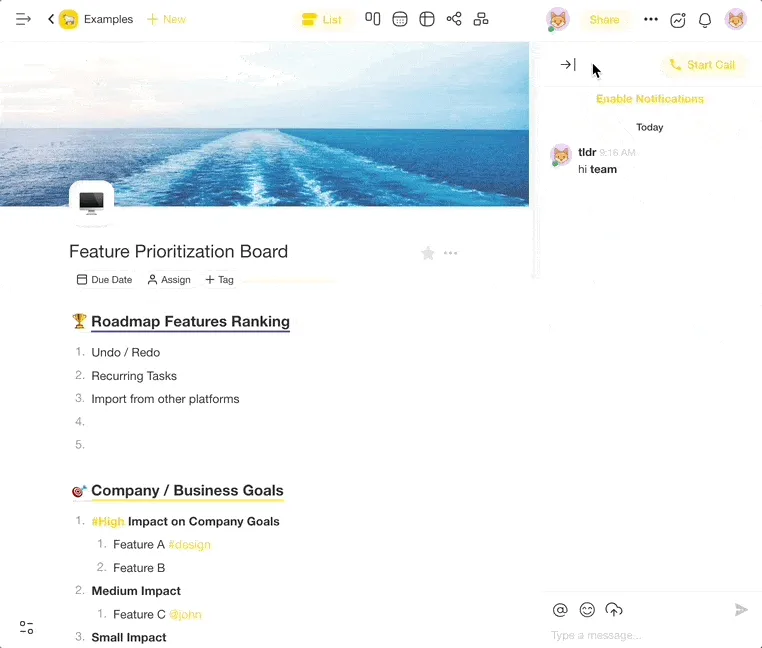
🔕 Customize notification settings on Project, Workspace, and Folder levels.
📲 Set notifications preferences for desktop, email, web browser, and mobile.
🤫 Hide the chat window to tune out conversations and focus on work.
🌗 Hover over your teammates’ profile icon to see their local time.
👁️ Fold the Project Sidebar to get more screen real estate.
Visualize Your Work in Different Ways
A creative mind knows no boundaries. That’s as long as you have the right tools. But what if you could transform your tasks into boards or mind maps on the same page?
Every Project you create in Taskade is like origami. It can be “folded” and “unfolded” in many different ways so you can choose the right workflow for the job. Cycle between the List, Mindmap, Org Chart, and Board view and work the way you want.
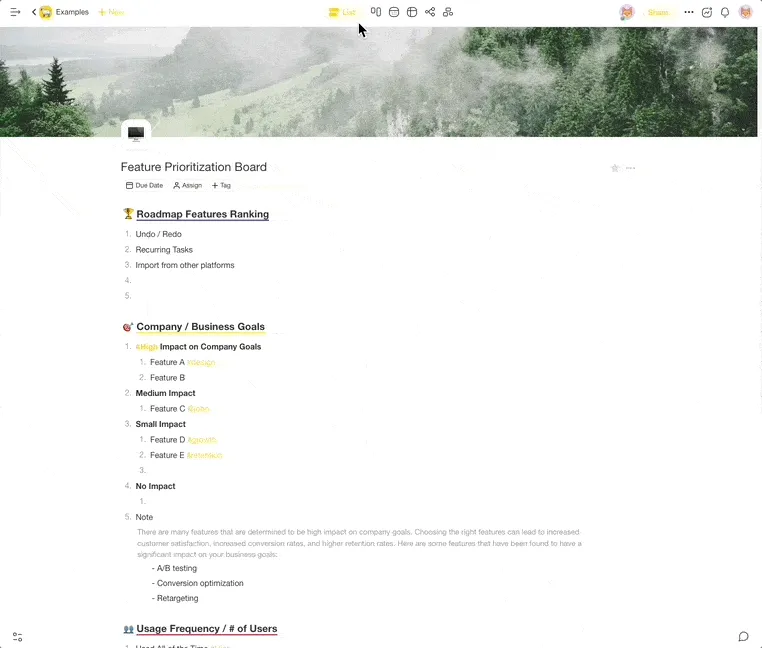
📋 Use the Board View to work in a Kanban workflow.
✅ Select the Action View and manage tasks in a table format.
🧠 Choose the Mindmap View to brainstorm and solve problems.
👥 Pick the Org Chart View to visualize hierarchical structures
Build Momentum With the Countdown Timer
Tired of starting over? If you struggle to stay focused, use one of the popular timer-based strategies to stay on track. And never lose precious minutes again.
Timer-based techniques like the Pomodoro or Flowtime method are excellent additions to every productivity workflow. With Taskade, you can add custom countdown timers to every Project you're working on and build momentum.
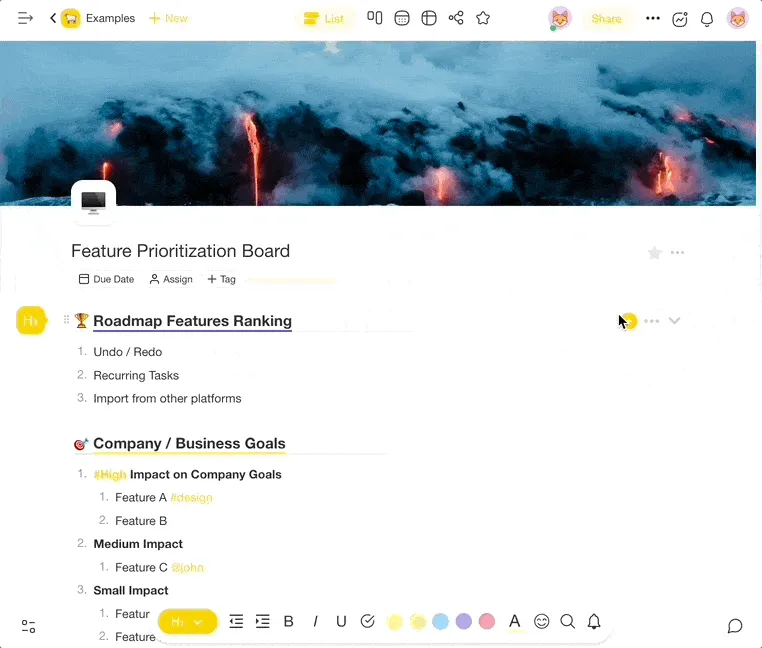
Simply open the Add-On menu and click on the timer icon or press the T key to add a new timer. You can add multiple timers and track tasks independently.
🍅 Use the Pomodoro or Flowtime technique to build momentum.
➕ Add a single Project timer or track time for multiple tasks.
👩🔬 Experiment with timer duration to find the optimal setting for you.
🪨 Break big tasks into smaller, more manageable chunks.
⏸️ Remember to take longer breaks between focus sessions.
📊 The Science Behind Context Switching Costs
The research is clear: context switching is one of the most expensive productivity problems in modern knowledge work. Here's what the data shows:
| Metric | Finding | Source |
|---|---|---|
| Recovery time | 23 minutes 15 seconds to refocus after an interruption | University of California, Irvine (2005)(13) |
| Daily app toggles | 1,200 times per day across apps | Harvard Business Review (2022)(14) |
| Productivity loss | 40% of productive time lost from brief mental blocks | American Psychological Association(15) |
| IQ equivalent drop | 10-point IQ reduction when multitasking | University of London(16) |
| Global economic cost | $450 billion annually | Qatalog & Cornell University (2022)(17) |
| Effective multitaskers | Only 2.5% of people can effectively multitask | Springer research (2010)(18) |
| Weekly time lost | 9.5 minutes to regain flow after each app switch | Qatalog Workgeist Report(17) |
These numbers aren't just statistics — they represent real hours lost every week. A study across 3 Fortune 500 companies tracking 137 users over 3,200 work days found that workers with higher context-switching rates completed fewer tasks and reported higher stress levels.(14)
The takeaway? Every notification, app switch, and "quick question" from a colleague compounds into massive productivity losses. The strategies in this article — unified workspaces, intentional communication, visual workflows, and timer-based focus — directly attack these costs.
👌 Build Your Focus Workflow with Taskade AI
Whether you prefer Pomodoro sessions or the Flowtime Technique, Taskade has the tools to eliminate context switching. Consolidate tasks, chat, video, and docs in one living workspace — and let AI Agents handle the busywork so you can stay in flow.
Clone These Focus & Productivity Apps
| App | What It Does | Link |
|---|---|---|
| Study/Work Timer + Music | Pomodoro timer with ambient sounds to protect focus blocks | Clone → |
| Breathe Circle | Guided breathing exercises between task transitions | Clone → |
| Minimalistic ToDo | Distraction-free task list — one project, zero app switching | Clone → |
| Kanban Board | Visual WIP-limited Kanban workflow to prevent task overload | Clone → |
Taskade AI Features to Reduce Context Switching
🤖 Custom AI Agents: Delegate shallow tasks — email drafts, meeting summaries, status updates — so you never leave your deep work tab.
🪄 AI Generator: Turn loose ideas into structured project outlines without switching to a brainstorming app.
✏️ AI Assistant: Refine, clarify, and organize tasks inline — no copy-pasting between tools.
🗂️ Prompt Templates: Ready-made workflows for recurring tasks so you skip the setup phase.
💬 AI Chat: Quick answers without leaving your workspace — no more tab-switching for research.
📄 Media Q&A: Summarize meetings, notes, and docs so you spend less time reviewing and more time doing.
Sign up for free and start focusing with Taskade AI! 🤖
Frequently Asked Questions About Context Switching
What is context switching in productivity?
Context switching is the mental process of shifting your focus from one task to another. Unlike simple task-switching, context switching carries a "cognitive switch penalty" — your brain needs time to disengage from the previous task's rules, goals, and mental models before fully engaging with the new one. Research shows this recovery takes an average of 23 minutes per switch, even for brief interruptions.(13)
How much does context switching really cost?
The costs are substantial. At the individual level, context switching causes a 40% productivity loss according to the APA, and a 10-point drop in effective IQ.(15)(16) At the organizational level, fragmented workflows cost the global economy an estimated $450 billion annually.(17) A Harvard Business Review study found that knowledge workers toggle between apps 1,200 times per day — roughly every 24 seconds during an 8-hour workday.(14)
What is the difference between context switching and multitasking?
Multitasking is a myth. What most people call "multitasking" is actually rapid context switching — your brain alternates between tasks rather than processing them simultaneously. Only 2.5% of people can effectively handle multiple cognitive tasks at once.(18) The rest of us pay the full switch penalty every time we jump between tasks, emails, and apps.
How can I reduce context switching at work?
The most effective strategies include: (1) Batching similar tasks together using methods like time-blocking or the Eisenhower Matrix, (2) Consolidating tools into a single workspace to eliminate app-switching, (3) Setting communication boundaries with async-first collaboration, (4) Using timer techniques like the Pomodoro or Flowtime method to protect focus blocks, and (5) Automating routine tasks with AI agents so you can stay in deep work mode.
Does context switching affect people with ADHD differently?
Yes. People with ADHD often experience heightened sensitivity to context switching because executive function — the cognitive system that manages task transitions — is already under strain. The "attention residue" from interrupted tasks can be more persistent and disruptive for neurodivergent individuals. Techniques like the Flowtime Technique (which allows natural focus periods rather than forced breaks) and AI-assisted task management can be especially helpful for managing context switching with ADHD.
🔗 Resources
Nakamura, J. & Csikszentmihalyi, M. (2014). The concept of flow. In Flow and the Foundations of Positive Psychology. Springer.
Newport, C. (2021). Our Brains Are Not Multi-Threaded. Cal Newport Blog.
Monsell, S. (2003). Task switching. Trends in Cognitive Sciences, 7(3), 134-140.
Musk, E. (2015). AMA on Reddit. https://www.reddit.com/r/IAmA/comments/2rgsan/
Csikszentmihalyi, M. (1990). Flow: The Psychology of Optimal Experience. Harper & Row.
Okta. (2021). Businesses at Work Report. https://www.okta.com/businesses-at-work/
Qatalog & Cornell University. (2022). Workgeist Report. https://assets.qatalog.com/language.work/qatalog-2021-workgeist-report.pdf
Atlassian. (2022). You waste a lot of time at work. https://www.atlassian.com/time-wasting-at-work-infographic
Perlow, L., Hadley, C., & Eun, E. (2017). Stop the Meeting Madness. Harvard Business Review.
Dialpad. (2022). Video conferencing statistics. https://www.dialpad.com/blog/video-conferencing-statistics/
Statista. (2020). Work from home distractions worldwide.
Buffer. (2022). State of Remote Work Report.
Mark, G., Gudith, D., & Klocke, U. (2008). The cost of interrupted work: more speed and stress. Proceedings of CHI 2008, ACM.
Mankins, M. (2022). What is the real cost of context switching? Harvard Business Review.
American Psychological Association. (2006). Multitasking: Switching costs. https://www.apa.org/topics/research/multitasking
Wilson, G. (2005). The Infomania Study. Institute of Psychiatry, University of London.
Qatalog & Cornell University. (2022). Workgeist Report: The hidden cost of context switching.
Watson, J. M., & Strayer, D. L. (2010). Supertaskers: Profiles in extraordinary multitasking ability. Psychonomic Bulletin & Review, 17(4), 479-485.