






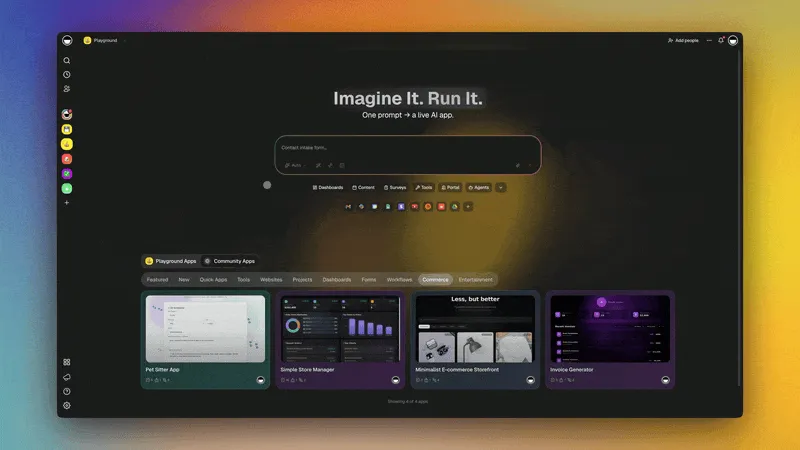
TL;DR: AI thinking modes control how much a model reasons before answering. Taskade exposes four selectable modes per agent: Auto (system picks), Standard (fast pattern completion), Thinking (extra analysis depth), and Reasoning (explicit step-by-step logic, and on Claude-backed models, this engages the underlying Extended Thinking token stream). Taskade Genesis lets you pin a specific mode to each agent. So your customer support bot runs Standard, your code reviewer runs Reasoning, automatically. Starting free.
Workspace DNA applied to thinking modes: In the Workspace DNA loop, thinking modes are the control surface for the Intelligence layer. Memory, the Projects storing task history, agent configurations, and previous outputs, feeds each agent exactly the context it needs. Intelligence decides how deeply to reason before responding: a customer support agent consumes Memory quickly in Standard mode; a research synthesis agent deliberates in Extended Thinking before writing its answer back. That output triggers Execution, automations, follow-up tasks, scheduled reports, which in turn creates new Memory. The mode you pin to each agent shapes the speed, quality, and cost of the entire loop.
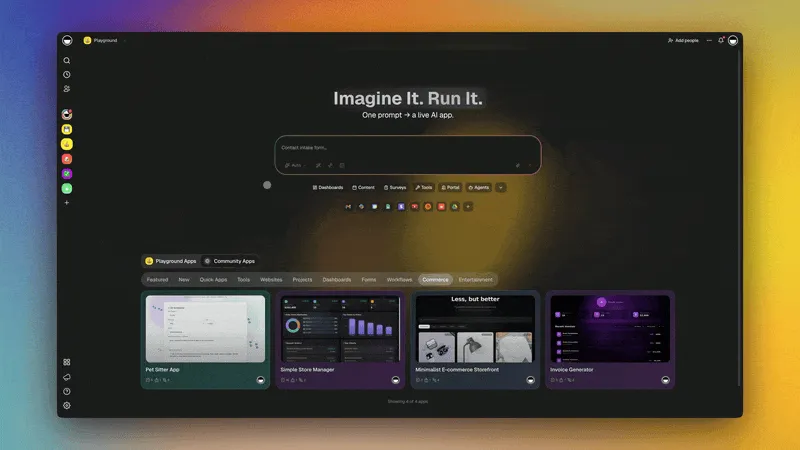
In March 2026, Taskade released the four-tier thinking mode system across its AI agents and the Taskade Genesis app generator. The newsletter described it simply: "pick the right depth for the task, from quick edits to multi-step reasoning."
That description is accurate, but it understates the architectural significance. Thinking modes are not just a quality dial. They are the mechanism by which AI systems balance speed, accuracy, and cost, and per-agent pinning means you can build workflows where every agent automatically uses the right compute budget for its specific role.
This article explains what each mode does, when to use it, and why per-agent pinning changes how teams build AI workflows.
What Are AI Thinking Modes?
AI thinking modes control the computational process a model uses before generating a response. The same underlying language model produces different outputs depending on how much reasoning it is allowed to do before answering.
The intuition: imagine asking an expert a hard question. The expert can answer immediately from memory (Standard mode), think through it carefully before responding (Thinking mode), walk you through their reasoning step by step (Reasoning mode), or go away, draft a full analysis, and come back with a carefully reasoned conclusion (Extended Thinking). Same expert, same knowledge base, different outputs depending on how much deliberation time they use.
Thinking Mode Capability Matrix
┌──────────────────────────────────────────────────────────────────┐
│  TASKADE GENESIS THINKING MODES (per-agent, configurable once)   │
├──────────────┬────────────┬────────────┬───────────┬────────────┤
│              │  Auto      │ Standard   │ Thinking  │ Reasoning  │
├──────────────┼────────────┼────────────┼───────────┼────────────┤
│  Speed       │ smart      │ fastest    │ medium    │ slowest    │
│  Latency     │ adaptive   │ < 2s       │ 2–5s      │ 5–30s+     │
│  Credit cost │ optimized  │ lowest     │ 2–3×      │ 4–8×       │
│  Visible     │            │            │           │            │
│  reasoning   │ no         │ no         │ no        │ YES        │
│  Best for    │ most jobs  │ FAQ/chat   │ planning  │ debug/audit│
├──────────────┼────────────┴────────────┴───────────┴────────────┤
│  Extended    │ Reasoning-token-stream deliberation engaged by    │
│  Thinking    │ Reasoning mode on Claude-backed models. 10–20×    │
│  (provider)  │ credits. 15–60s. Best for complex research,       │
│              │ multi-constraint optimization. Not selectable     │
│              │ — pin Reasoning + a Claude model to engage it.    │
└──────────────┴────────────────────────────────────────────────────┘  ▲ Memory     → stores agent config, mode setting, task history
■ Intelligence → applies pinned thinking mode to every incoming task
● Execution  → automation fires based on agent output quality + depth
Auto-Routing Matrix: Which Model Each Plan Tier Hits
Auto mode is the Taskade Genesis default, and the routing logic is deterministic, not magic. Every workspace tier maps to a specific frontier model the system reaches for when Auto mode picks the depth. The matrix below is verified against the live router (taskcade/src/backend/taa/helpers/resolveModelId.ts, v6.163+). These are the actual model IDs Auto-mode resolves to today.
| Plan tier | Plan size | Genesis-mode model | Agent-routing default | Notes |
|---|---|---|---|---|
| Free | xs | Gemini 3.1 Pro | Gemini 3 Flash | Free tier defaults are tuned for speed + free-tier credits |
| Starter | xs | Claude Sonnet 4.6 (GENESIS_MODEL_ID) |
Gemini 3 Flash | Annual-only ≤3 seats |
| Pro | sm | Claude Sonnet 4.6 | Gemini 3 Flash | ≤10 seats — the most popular tier |
| Business | md / lg | Claude Sonnet 4.6 | GPT-5.2 | Unlimited seats |
| Max | xl | Claude Opus 4.6 (OPUS_MODEL_ID) |
GPT-5.2 | Unlimited seats, deepest reasoning capacity |
| Enterprise | 2xl | Claude Opus 4.6 | GPT-5.2 | Custom SLA |
The pattern: Genesis app generation routes to Sonnet 4.6 across the paid mid-tier and Opus 4.6 at Max/Enterprise. Per-agent task routing flips for the larger plans, Business and above hit GPT-5.2 by default, exploiting OpenAI's higher concurrent throughput for agentic workloads. Both Opus 4.6 and Opus 4.7 exist in the registry today, but only Opus 4.6 is wired to auto-routing, tests in the resolver assert 4.6, the JSDoc claiming 4.7 is stale.
Why this matters competitively: every other AI workspace pins you to one provider's model family. Notion AI is OpenAI-only. Cursor's Auto mode is OpenAI-only. ChatGPT Teams is OpenAI-only by definition. Taskade Genesis Auto-routes across 15+ frontier models from 4 providers (OpenAI, Anthropic, Google, plus open-weight Qwen / Kimi / DeepSeek via Vercel AI Gateway), the right model picks itself per task. You never lose budget to a model mismatch.
┌──────────────────────────────────────────────────────────────────────┐
│  AUTO-ROUTING DECISION TREE (per incoming task, every agent)         │
├──────────────────────────────────────────────────────────────────────┤
│                                                                       │
│   incoming task                                                       │
│        │                                                              │
│        ▼                                                              │
│   ┌─────────────────┐  Simple Q? FAQ? Routine?                       │
│   │ classifier hop  │ ────────────────────────► Standard mode        │
│   └─────────────────┘                            (Sonnet 4.6, sub-2s) │
│        │ Multi-step / planning?                                       │
│        ▼                                                              │
│   ┌─────────────────┐                                                 │
│   │ depth selector  │ ────────────────────────► Thinking mode        │
│   └─────────────────┘                            (Sonnet 4.6, 2–5s)  │
│        │ Math, code, multi-constraint optimization?                   │
│        ▼                                                              │
│   ┌─────────────────┐                                                 │
│   │ reasoning hop   │ ────────────────────────► Reasoning mode       │
│   └─────────────────┘   on Max/Enterprise plans   (Opus 4.6, 5–30s+) │
│        │                                                              │
│        ▼                                                              │
│  emit answer + log mode used → AI credits debited per actual cost     │
└──────────────────────────────────────────────────────────────────────┘
The Auto router does not pick the model first; it picks the depth first, then resolves the depth to the right model for your plan tier. Override at any time by pinning a specific mode + a specific model to a specific agent, the router respects pins above its own routing logic.
The Four Selectable Thinking Modes (plus a provider-level layer)
Tier 1: Standard Mode
What it does: Generates responses immediately using pattern completion. No explicit reasoning step. The model maps the input to the most statistically likely output given its training.
Speed: Fastest. Typical response latency is under two seconds for most queries.
Credit cost: Lowest.
Best for:
- Customer support responses with standard answers
- Simple Q&A and factual lookups
- First drafts and brainstorming
- Chat responses in real-time conversations
- Routine task completion: schedule reminders, status updates, form fills
When not to use it: Multi-step problems requiring logical verification. Tasks where a wrong answer is costly (code with side effects, financial recommendations, legal analysis). Any task where reasoning quality matters more than speed.
Standard mode is the right default for the majority of AI agent interactions. It is what you want for the customer-facing chatbot that answers "what are your hours?" and the automation that writes a Slack summary of yesterday's project activity.
Tier 2: Thinking Mode
What it does: Allocates additional computation for analysis and planning before generating the response. The model effectively "thinks through" the problem before committing to an answer. The reasoning is internal, the user sees a higher-quality response without seeing the planning steps.
Speed: Moderate. Response latency increases by one to three seconds depending on task complexity.
Credit cost: Moderate, roughly 2-3x Standard mode compute for typical tasks.
Best for:
- Content strategy questions with multiple valid approaches
- Project planning that requires considering dependencies
- Email or proposal drafts where tone and persuasion matter
- Research questions that benefit from synthesis across multiple sources
- Complex scheduling or resource allocation decisions
When not to use it: Simple tasks (wasteful), tasks requiring explicit reasoning chains visible to the user (use Reasoning mode), maximum reasoning depth required (use Extended Thinking).
Thinking mode hits the optimal quality/cost tradeoff for most knowledge work tasks. It is the mode to use when you want noticeably better answers without paying for full Reasoning mode compute.
Tier 3: Reasoning Mode
What it does: Produces an explicit, step-by-step reasoning chain as part of the output. The model works through the problem visibly, stating assumptions, evaluating options, eliminating contradictions, and then delivers the conclusion. The chain of thought is part of the answer.
Speed: Slower. Response latency typically doubles to quadruples versus Standard mode.
Credit cost: High, 4-8x Standard mode for complex tasks.
Best for:
- Code architecture decisions and debugging
- Legal or compliance document analysis
- Mathematical and statistical reasoning
- Evaluating competing options against multiple constraints
- Decisions where the justification matters as much as the conclusion
- Any task where you want to audit the model's reasoning
When not to use it: Speed-sensitive tasks, simple questions, tasks where the reasoning chain would be noise rather than signal.
Reasoning mode is the mode to assign to agents that act as reviewers, auditors, or decision-support systems. The explicit chain lets humans spot where the reasoning went wrong, which is essential when the AI is advising on consequential decisions.
Sidebar: Extended Thinking (a provider-level technique)
Not a Taskade-selectable mode. Extended Thinking is Anthropic's inference-time scaling implementation in modern Claude models. It's the technique that powers Reasoning mode when you pair it with a Claude-backed agent, not a fifth tier you pick from a dropdown.
What it does: The model emits a separate stream of extended thinking tokens, typically collapsed or hidden in end-user interfaces, but returned by the provider API as a distinct content type, to reason through the problem over many steps before producing the visible response. The thinking stream can include self-correction, hypothesis testing, and multi-path exploration. It's still tokens (not a hidden compute scratchpad), interfaces just choose to render the final answer cleanly. The visible output is concise, but reflects significantly deeper deliberation than any of the preceding modes.
Speed: Slowest. Can take 15-60+ seconds for deeply complex tasks.
Credit cost: Highest, can be 10-20x Standard mode for maximum reasoning tasks.
Best for:
- Complex research synthesis across many sources
- Novel problem-solving without clear precedent
- Multi-constraint optimization (strategic planning, architecture decisions)
- High-stakes decisions where maximum accuracy is required
- Academic-quality analysis and evaluation
When not to use it: Routine tasks (massively wasteful), speed-sensitive interactions, tasks that do not benefit from deep deliberation.
How to engage it in Taskade: Pin the agent to Reasoning mode and pick a Claude-backed model. The provider engages Extended Thinking automatically; you don't toggle it directly.
Per-Agent Thinking Mode Pinning in Taskade Genesis
The four-mode framework is useful when choosing which mode to use for a single task. Per-agent pinning is what makes it operationally powerful: you configure the thinking mode for each agent once, and every task that agent handles uses the right mode automatically.
How it works in Taskade Genesis:
Each AI agent in your workspace has a thinking mode setting. Options: Auto (default), Standard, Thinking, Reasoning. (Extended Thinking, where supported by the underlying provider model, is engaged automatically by Reasoning mode, not exposed as a separate Taskade selectable mode.) The mode is stored with the agent, not with the task, not with the conversation. When the agent receives a new task, it processes using the assigned mode.
Practical configurations:
| Agent Role | Recommended Mode | Reasoning |
|---|---|---|
| Customer Support Bot | Standard | Fast, high-volume, repeatable answers |
| Email Drafting Agent | Thinking | Quality matters; speed acceptable |
| Code Review Agent | Reasoning | Explicit chain required for trust |
| Research Synthesis Agent | Reasoning (on a Claude-backed model) | Engages Extended Thinking under the hood; deep analysis justifies slower response |
| Daily Summary Agent | Standard | Routine compilation, speed preferred |
| Strategy Advisor Agent | Reasoning | Justification visible to stakeholders |
| Data Analysis Agent | Reasoning | Step-by-step verification required |
| Onboarding Q&A Bot | Standard | Simple, FAQ-driven, high speed |
Live Demo, Sprint Tracker (with AI agent):
Live Demo, Neon CRM Dashboard:
The Sprint Tracker illustrates the per-agent model in practice: the planning agent uses Thinking mode to recommend sprint priorities, the daily standup agent uses Standard mode for quick status formatting, and the retrospective analysis agent uses Reasoning mode to surface blockers and dependencies with explicit justification.
Thinking Mode Flow: How Per-Agent Pinning Routes Every Task
How Thinking Modes Affect AI Agent Workflows
The Workspace DNA Connection
In Taskade's Workspace DNA framework, Memory (Projects) → Intelligence (Agents) → Execution (Automations), thinking modes are the control surface for Intelligence. They determine how deeply the agent processes before it hands off to Execution.
A fast-reasoning agent in Standard mode responds in milliseconds and triggers automations at near-real-time speed. An Extended Thinking agent might take 30 seconds per analysis but produce research-grade outputs that save hours of human work. The mode setting is how you tune that trade-off per agent role.
Credit Economics: Choosing the Right Mode
Every thinking mode has a credit cost. Choosing the wrong mode in the wrong direction wastes credits (Reasoning mode for FAQ answers) or produces poor answers (Standard mode for complex decisions).
The Auto mode setting addresses this: it classifies incoming tasks by complexity and routes each one to the appropriate mode. For most workspaces, Auto is the right default. Override to a specific mode when:
- The agent has a known, consistent task profile (always simple, always complex)
- You need predictable costs (cap high-compute agents to Thinking mode)
- Trust and auditability require explicit reasoning chains (pin to Reasoning)
- Maximum quality on a specialized high-value workflow (pin to Extended Thinking)
Thinking Modes and Multi-Agent Systems
In multi-agent workflows, thinking mode pinning becomes a system architecture decision. The pattern that works well:
- Orchestrator agent: Thinking mode, analyzes the overall task, breaks it into subtasks, assigns to specialist agents
- Worker agents: Standard mode, execute the specific subtask quickly and report back
- Reviewer agent: Reasoning mode, audits outputs against requirements, flags issues with explicit reasoning
This architecture keeps costs low (worker agents run cheap), quality high (reviewer explicitly audits), and the system fast (workers don't over-think routine execution).
Comparing Thinking Mode Implementations Across AI Platforms
| Platform | Standard | Thinking/Analysis | Reasoning Chain | Extended Thinking | Per-Agent Pinning |
|---|---|---|---|---|---|
| Taskade Genesis | ✅ | ✅ | ✅ | ✅ | ✅ |
| Claude.ai | ✅ | ✅ | ✅ | ✅ | ❌ |
| ChatGPT | ✅ | ❌ | ✅ (provider's reasoning models) | ❌ | ❌ |
| Gemini Advanced | ✅ | ✅ | ✅ (provider's Pro tier) | ❌ | ❌ |
| Notion AI | ✅ | ❌ | ❌ | ❌ | ❌ |
| Cursor | ✅ | ❌ | ✅ (model-dependent) | ❌ | ❌ |
The critical differentiator in the table is the Per-Agent Pinning column. Every other platform applies thinking modes at the session or prompt level. You choose the mode when you start a conversation. Taskade Genesis applies it at the agent level, the agent always uses the right mode for its role, regardless of who starts the conversation or what task they give it.
This is the difference between a tool you configure per task and a system you configure once and then trust.
Frequently Asked Questions
Can I change the thinking mode mid-conversation in Taskade Genesis?
Yes. You can override an agent's default thinking mode for any individual conversation. The override applies only to that session, the agent's configured default remains unchanged for future conversations. This is useful when a normally Standard-mode support agent encounters an unusual escalation that warrants deeper analysis.
What happens if I run Standard mode on a very complex task?
The model produces a response, but it will reflect less deliberation. For pattern-complete tasks (summarization, simple Q&A), Standard mode is fine. For genuinely complex tasks (code architecture, strategic analysis), Standard mode may produce a confidently stated but logically flawed answer. The error is not obvious, which is why choosing the right mode for high-stakes tasks matters.
How does Extended Thinking relate to "chain-of-thought" prompting?
Chain-of-thought prompting asks the model to "think step by step" in the main output, producing visible reasoning interleaved with the answer. Extended Thinking runs a similar deliberation but returns it as a separate token stream, distinct from the visible answer. Both improve accuracy on hard problems, and both live in tokens; neither uses a hidden internal compute scratchpad. Extended Thinking is generally more thorough because the dedicated thinking stream can be much longer than what you would include in a visible output. The tradeoff: Extended Thinking is auditable through the API (the thinking stream is returned as a distinct content type) but is typically collapsed in end-user interfaces, while chain-of-thought is fully visible inline but adds length to the main output.
Does Taskade Genesis support all four thinking modes on the Free plan?
Taskade documents four selectable modes: Auto, Standard, Thinking, and Reasoning. The Free plan includes Auto and Standard. Full Thinking and Reasoning modes are available on Pro ($10/mo, billed annually) and above. Extended Thinking, where supported by the underlying provider model, is engaged automatically by Reasoning mode rather than configured as a separate Taskade mode. Per-agent mode pinning is available on all paid plans. See Taskade pricing for the full feature comparison.
Which thinking mode should I use for AI-generated app blueprints in Genesis?
The EVE meta-agent (the AI that builds your app from a prompt) uses Thinking mode by default for initial blueprint generation and Reasoning mode when handling complex multi-constraint apps. You can influence this with prompt detail, more detailed prompts with explicit requirements allow EVE to reason more precisely. For mission-critical app architectures, describe constraints explicitly in the prompt to engage deeper deliberation.
Get Started with AI Agents and Thinking Modes
The four-mode framework, Auto, Standard, Thinking, Reasoning, maps to how humans actually delegate work: routine tasks to fast responders, complex problems to careful thinkers, high-stakes decisions to deliberate analysts.
Per-agent pinning in Taskade Genesis operationalizes this at scale. You configure each agent once. The system handles mode selection for every task automatically. Your customer support runs fast. Your code reviewer runs thorough. Your research agent runs deep.
Workspace DNA: How Thinking Modes Power the Intelligence Layer
The three pillars of Workspace DNA determine when and how thinking modes fire:
- ▲ Memory (Projects + Knowledge), agent configurations, thinking mode settings, task history, and previous outputs are all stored as structured Project data. When an agent receives a new task, Memory provides the full context: what the agent has done before, what the pinned mode is, and what constraints apply. Richer Memory means more precise deliberation at every mode tier.
- ■ Intelligence (AI Agents v2), the built-in tools, custom system prompts, multi-model selection (15+ frontier models from OpenAI, Anthropic, Google, and open-weight providers), and per-agent thinking mode pinning all live here. Auto mode classifies incoming tasks and routes them to the appropriate tier. Pinned modes lock each agent to a consistent compute budget. So the reviewer agent always reasons explicitly, every time, for every task.
- ● Execution (Automations), agent output quality directly shapes automation behavior. A Reasoning-mode code reviewer that flags a blocker triggers a different automation path than a Standard-mode agent that passes a check. Execution is where the depth of Intelligence becomes action: Slack alerts, schedule updates, re-assignments, published reports. Each executed action logs back to Memory, closing the loop.
Build your first AI agent workspace free →
Related reading:
- AI Content Calendar Tools 2026: End-to-End Automation
- How to Build an AI Team Knowledge Base
- Connect Claude Desktop and Cursor to Your Workspace With MCP
- Best AI App Builders 2026
- Your Workspace Is a Computer
- Founder Operating System
- Browse AI Agent Apps in the Community Gallery →
- Browse Cloneable Genesis App Demos
- Browse AI Templates →
- Explore the AI App Builder →
- Build Autonomous Agents →
- Explore Automations →
- Wiki: Workspace DNA →
- Wiki: Autonomous AI Systems →