







There are many prompt engineering techniques that make interactions with large language models (LLMs) like GPT-4, Gemini, or Claude more efficient. In today’s article, you’ll learn how to link multiple prompts together to create a seamless, step-by-step workflow for complex tasks with prompt chaining.
Prompt chaining helps maintain the context and control of the AI’s output. Instead of overwhelming the AI with a single complex prompt, you guide it through a series of simpler, connected prompts.
Each response in a chain builds on the last, which leads to more accurate and coherent answers. By mastering this technique, you can handle intricate tasks more effectively and with greater precision.
Here's everything you need to know to get started! 👇

⚛️ What is Prompt Chaining?
Remember the scene in Harry Potter and the Sorcerer's Stone where Hermione solves the potion puzzle?
First, she eliminates the poison.
Next, she identifies the wine.
She narrows it down to two potions. One lets them move forward. The other sends them back. Each step builds on the last. And this is pretty much how prompt chaining works.
In a nutshell, prompt chaining is an AI prompting technique where you connect multiple prompts or instructions in a sequence. This allows large language models to generate more accurate and relevant responses. It also makes it easier for AI to tackle complex tasks in bite-sized steps.
So, how does it work?
Let’s say you’re planning a new marketing campaign. This is an inherently sequential task.
You outline your campaign goals and identify your target audience. Next, you use the information to create tailored content for each marketing channel. Then, you schedule and launch the campaign across various channels, using the created content. And this is just the beginning.
If you try to throw all that at the LLM at once, it will hallucinate or lose context. But if you break the task down into compounding steps, the AI will approach the task gradually and build on its own output.
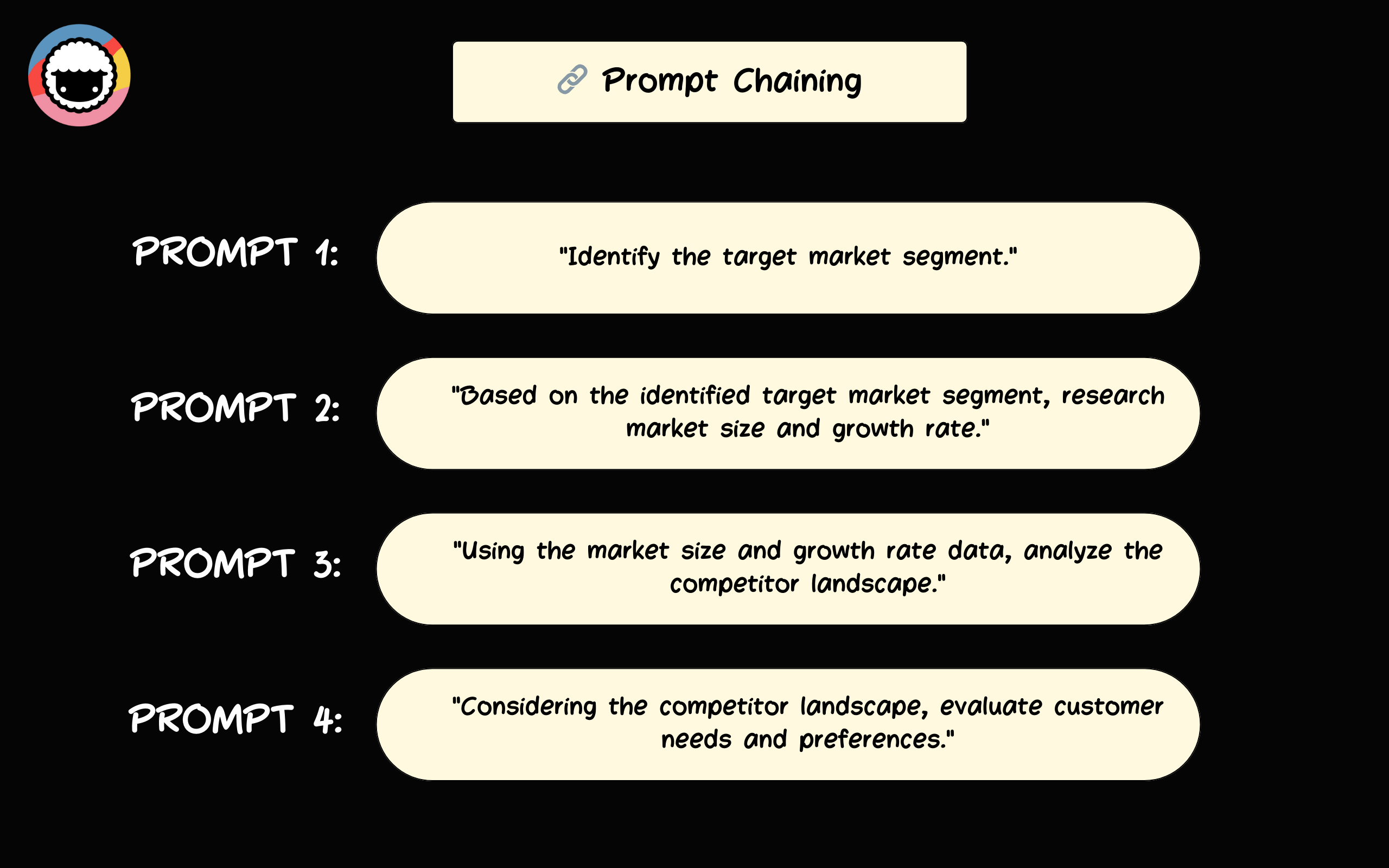
Each consecutive prompt in a chain instructs the LLM to “recycle” the result from the previous generation and incorporate it into the next. It also specifies the expected format for the output.
This approach is a more advanced version of other types of prompt engineering techniques like zero-few-shot prompting or chain-of-thought prompting. And it comes with a number of unique benefits.
➕ Benefits of Prompt Chaining
Enhanced Control
Regular prompting techniques leave a lot to chance. Even with multi-level, context-rich prompts, AI can still occasionally veer off the intended path or produce inconsistent results.
With prompt chaining, you gain enhanced control over the output by breaking the task into smaller, manageable chunks and continuously guiding the AI with clear-cut, specific instructions.
Improved Reliability
Prompt chaining is excellent for tasks like content generation that require consistency and precision. Each response builds on the previous one, which helps maintain a uniform style and tone.
For instance, when writing marketing materials, you may start by asking the AI to specify the target audience. Next, you can ask it to generate a list of words and phrases that resonate with that audience. All that's left is to prompt the AI to use the information to draft a hyper-personalized piece of content.
Reduced Error Rate
LLMs may know a lot about the world, but they still occasionally trip when faced with simple tasks. Prompt chaining acts as an additional safety mechanism that helps you keep those mistakes at bay.
By breaking tasks into smaller steps, the AI retains context better, reducing misunderstandings. On top of that, each step in the chain is validated before moving on, which makes it easier to catch errors early.
Finally, tackling tasks in increments allows the AI to “focus” on one aspect at a time, improving attention to detail. It also ensures that the final result is logically structured and coherent.
🪄 Applications of Prompt Chaining
Content Creation
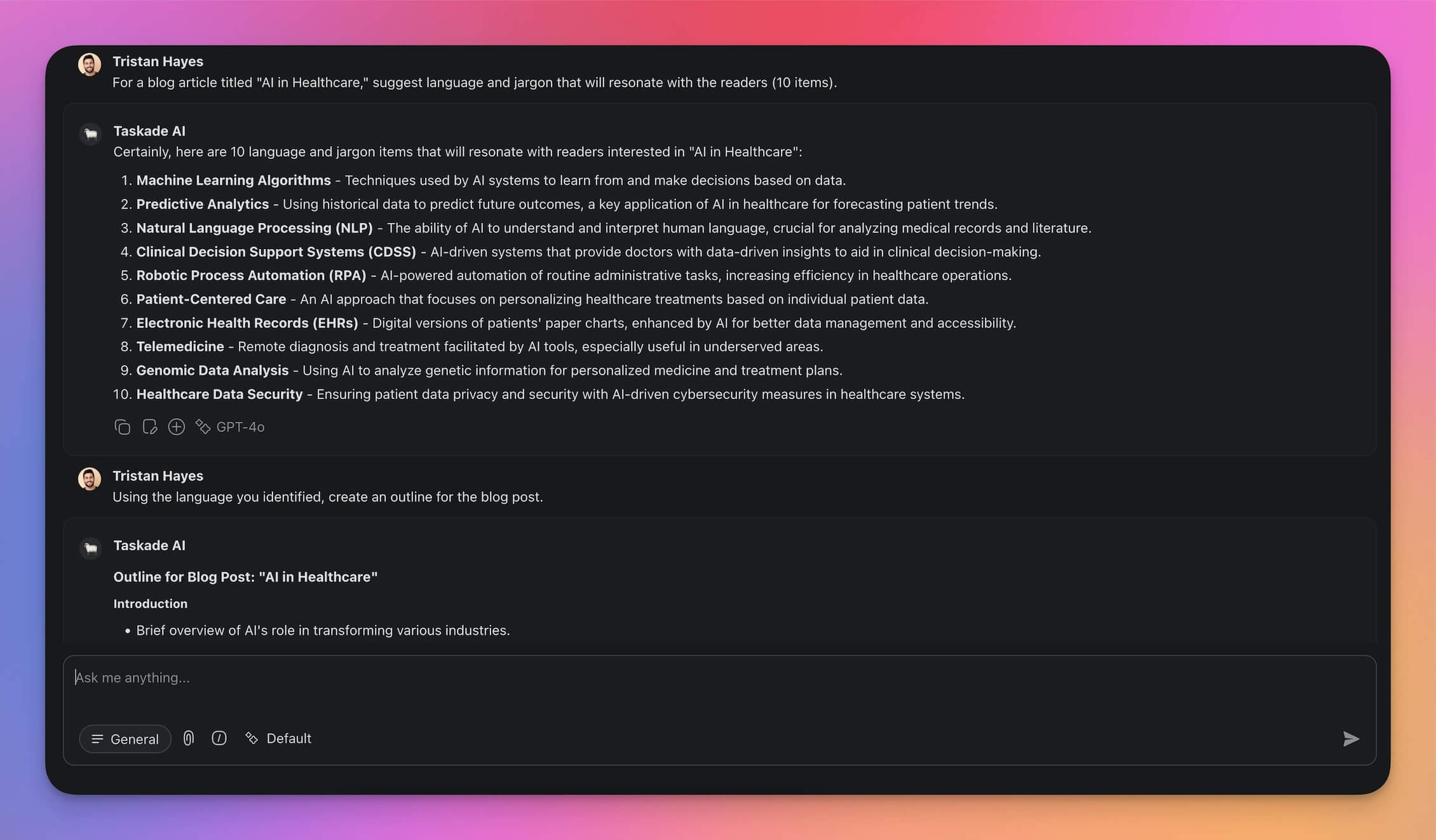
Creating content using LLMs is a mixed bag of constant experimentation, endless follow-ups, and Bob Ross-esque happy accidents when the AI finally spits out what you need. It can be… frustrating.
With prompt chaining, you can easily dissect any content creation task into manageable chunks to save time, make your content more consistent, and reduce the risk of AI hallucinations.
And the best part? Prompt chaining in content creation extends across various content types and formats, from outlining blog posts and scripting videos to researching e-books and drafting newsletters.
Customer Support
Traditionally, customer-facing roles have had to deal with a lot of back and forth to extract the information from customers, process it, and provide a solution.
With prompt chaining, you can use a canned response to gather basic details about the issue, and then input the information into the LLM for precise, targeted follow-up questions.
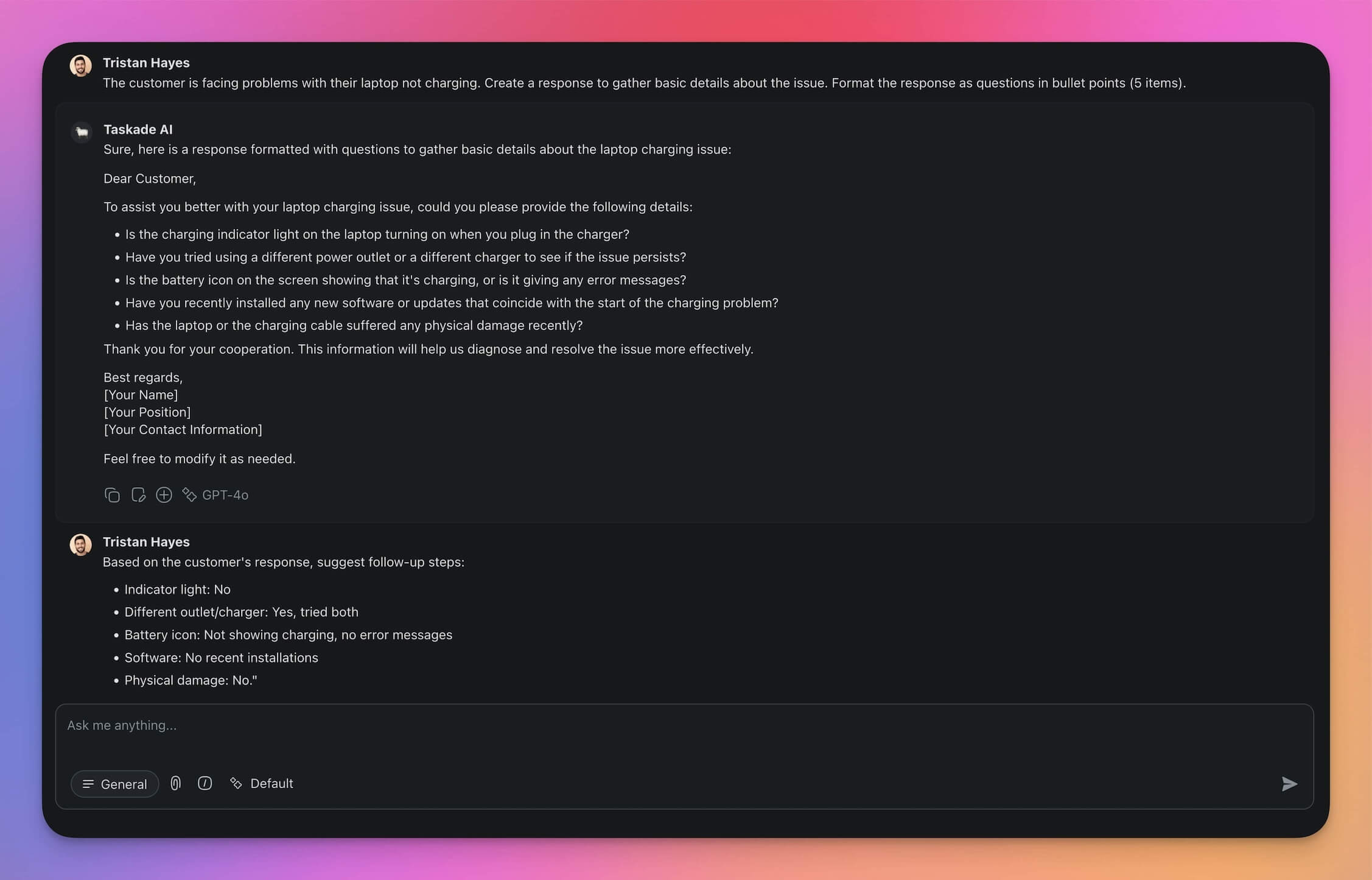
Once you have all the necessary information, all you need to do is prompt the AI again to create step-by-step instructions in a specific format tailored to the customer's skill level.
Programming Assistance
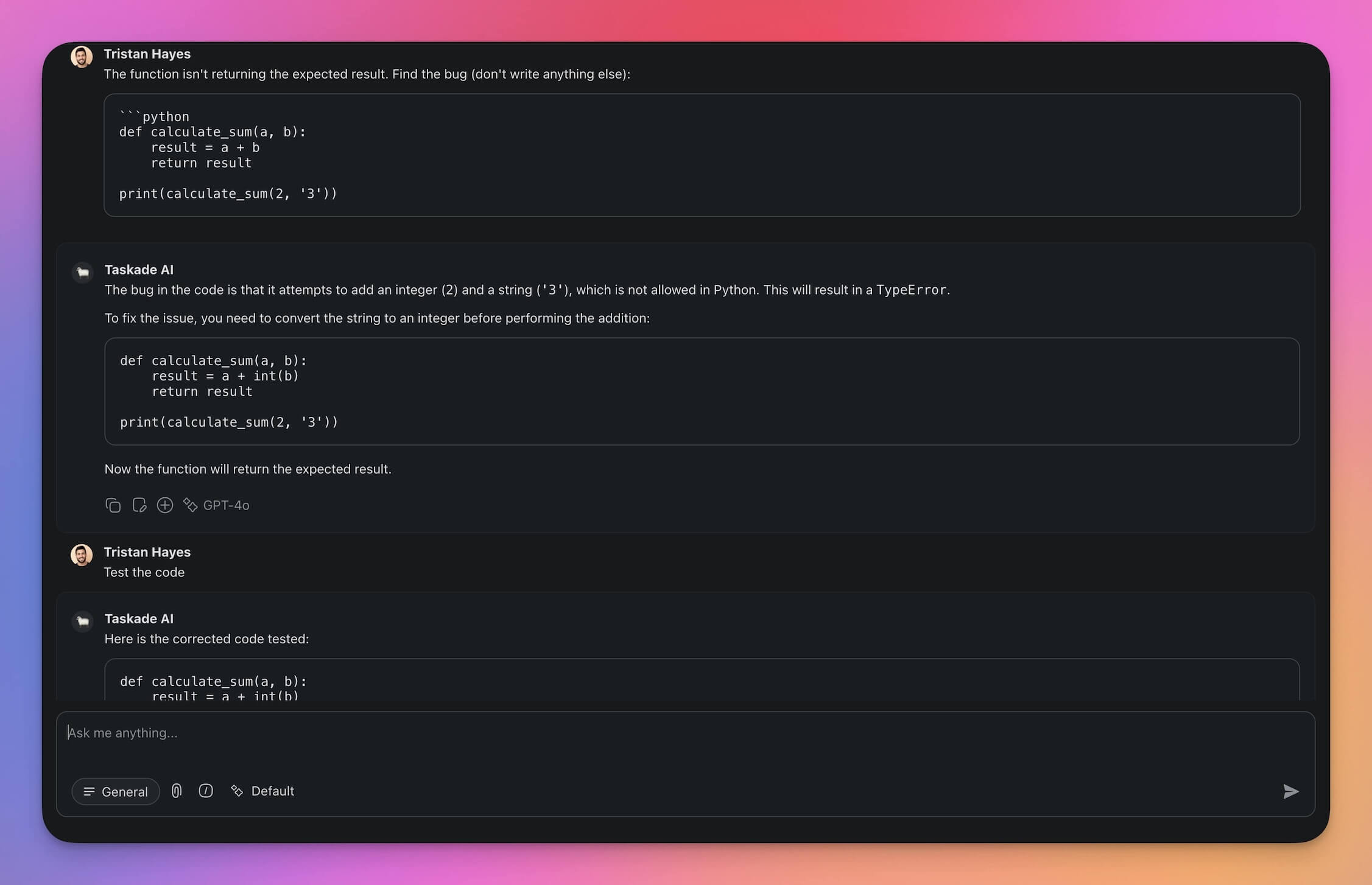
Prompt chaining can be a game-changer for programming tasks.
You can start similarly to any other tasks: feed the AI basic information about the project, determine the programming language you’re going to use, and specify the issue you are facing.
Next, prompt the AI to suggest solutions. If the problem involves a bug, ask it to review the code snippets and identify potential errors such as syntax issues, logic flaws, or compatibility problems.
Once this is done, you can prompt the LLM to provide detailed, step-by-step solutions based on the output. It could suggest code corrections, refactoring tips, or snippets to replace faulty portions.
This method can be universally applied to writing code documentation, generating unit tests, assisting with API integrations, performing code reviews, optimizing algorithms, and debugging.
Project Management
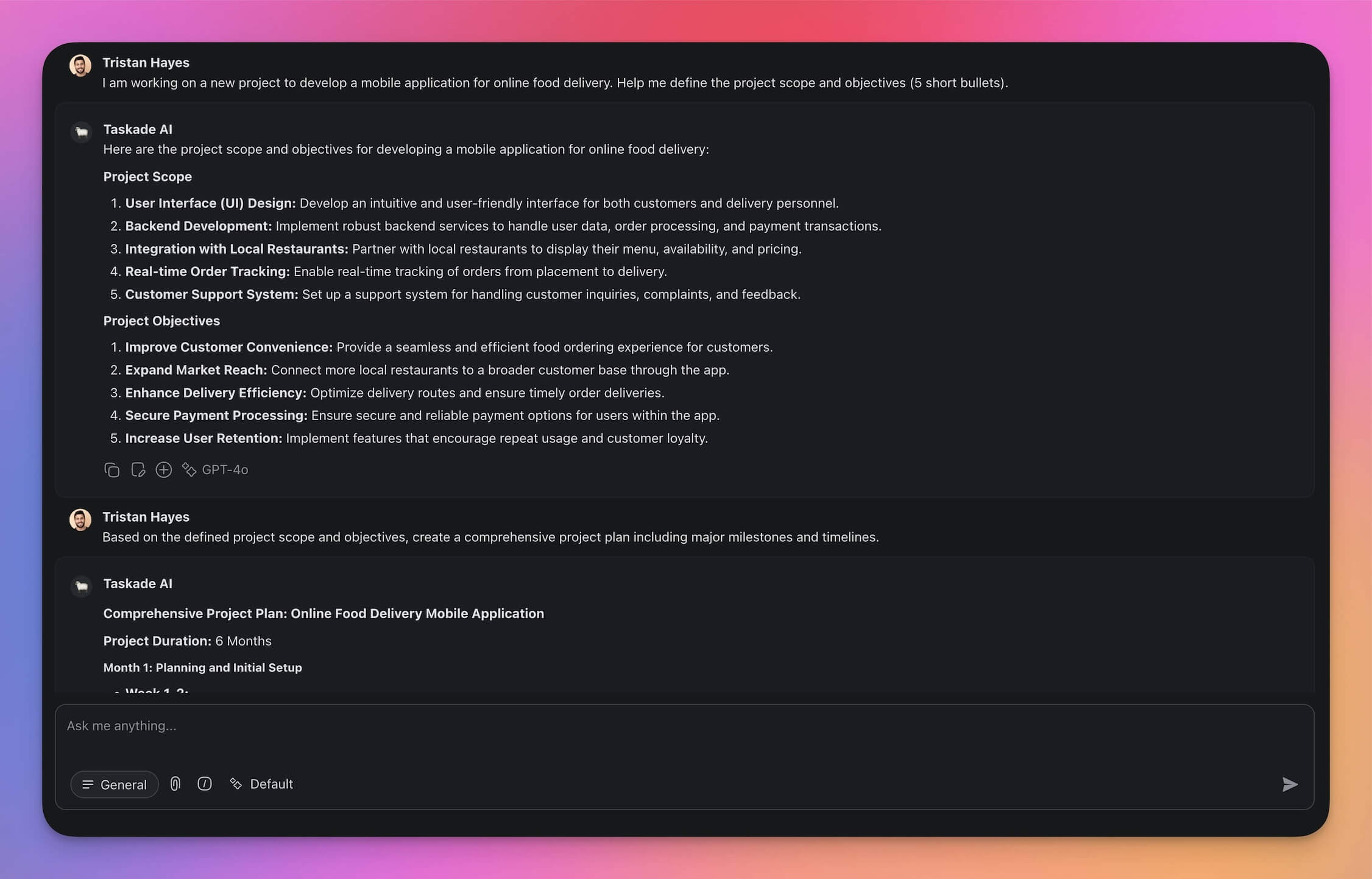
Effective project management breaks down a project into manageable subtasks completed in sequence. With prompt chaining, you can streamline and enhance each phase of your project.
By continuously feeding the AI-generated outputs into subsequent prompts, you can develop detailed project plans, optimize resource allocation, manage risks, and monitor progress.
For instance, you might start by having the AI define the project scope and objectives. The output from this can then be used to create a comprehensive project plan. This plan is then recycled within another prompt to determine the best resource allocation, and so on.
This method not only saves time but also increases efficiency throughout the entire project lifecycle.
How to Implement Prompt Chaining
Implementing prompt chaining into your interactions with LLMs is not as difficult as it may sound, especially since you can use the LLM’s own reasoning powers to help you out.
Step 1: Define Your Objective
Start by clearly defining the goal of your task. Do you want to create content, generate reports, or analyze data? Knowing your endgame will inform the structure and content of your chain.
We’ll use this statement as the foundation for all subsequent prompts.
“Launch a new product in the gym equipment space.”
Step 2: Decompose the Task
This is the most important phase of prompt chaining.
To write a sequence of prompts, you need to understand the natural flow of subtasks. This is much easier when you’re a subject expert in the field, but you can also ask the LLM to help you out.
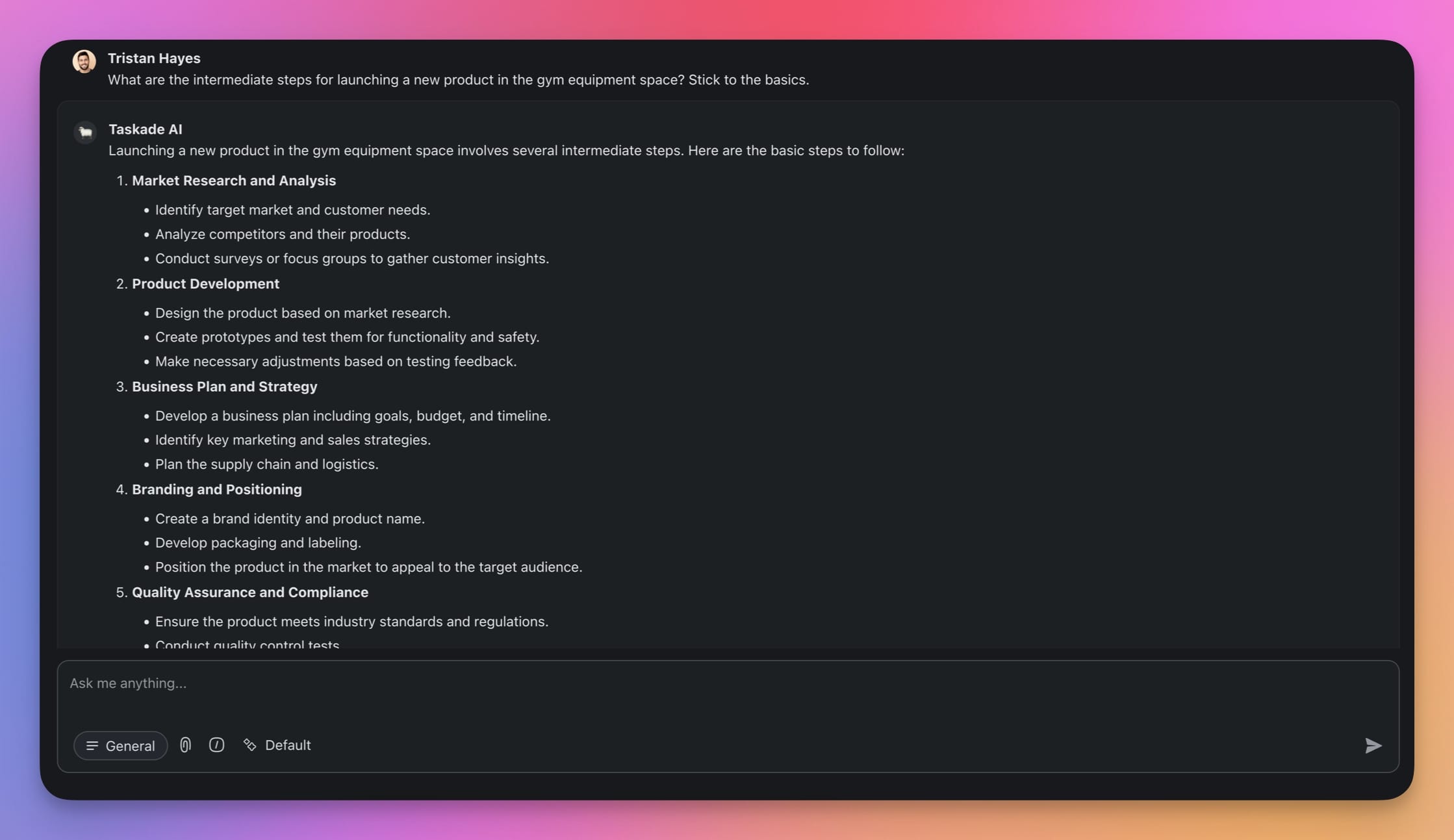
“What are the intermediate steps for launching a new product in the gym equipment space?”
According to the LLM, for our “big” task, intermediate steps should include defining the project scope, setting milestones, allocating resources, and identifying potential risks. That’s a good start.
Step 3: Craft the Prompts
Next, we need to design clear and precise prompts for the chain. For each of the subtasks, we will create corresponding prompt templates. Here are a few examples:
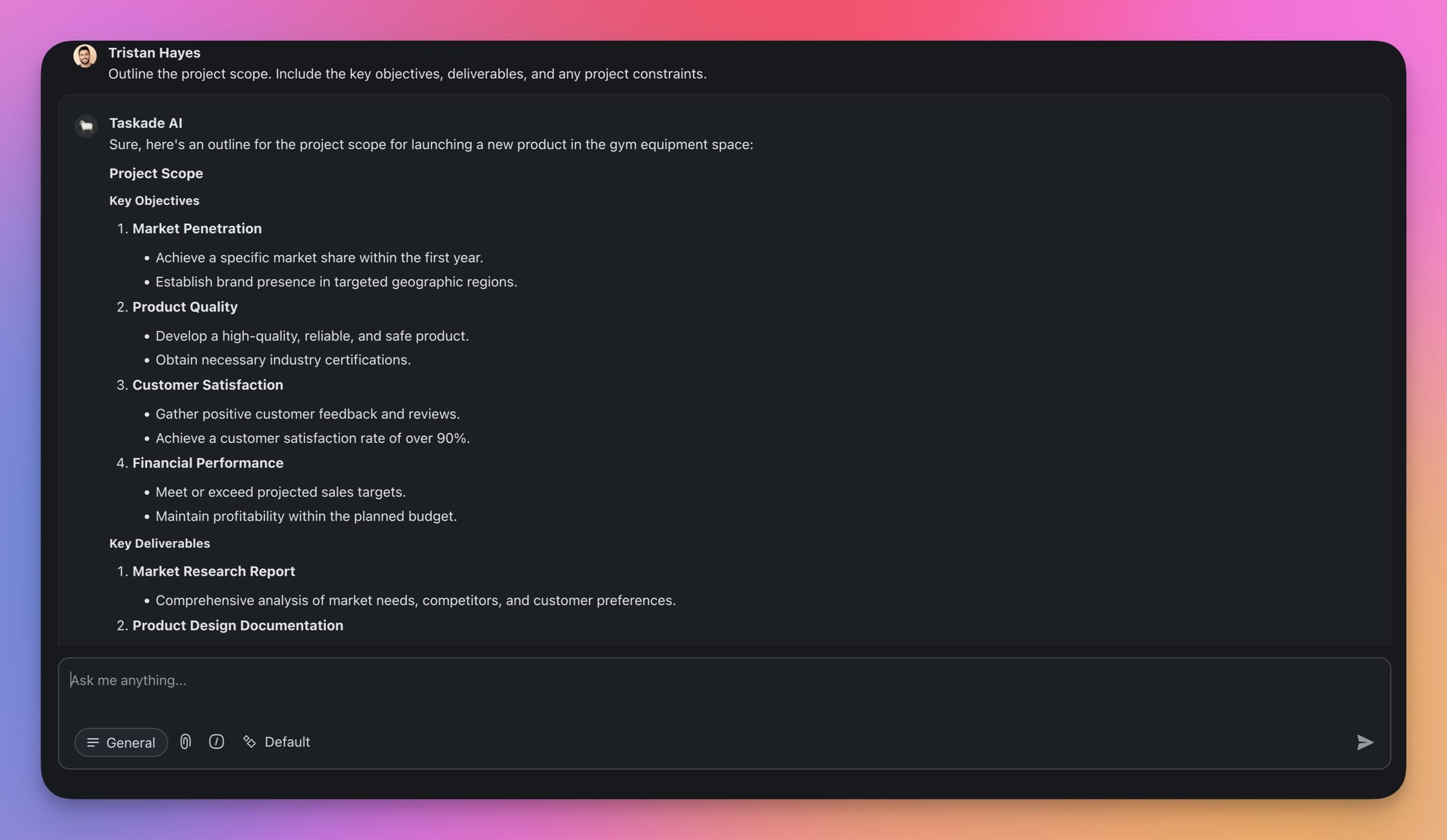
Prompt 1: Define the Project Scope
"Outline the project scope. Include the key objectives, deliverables, and any project constraints."
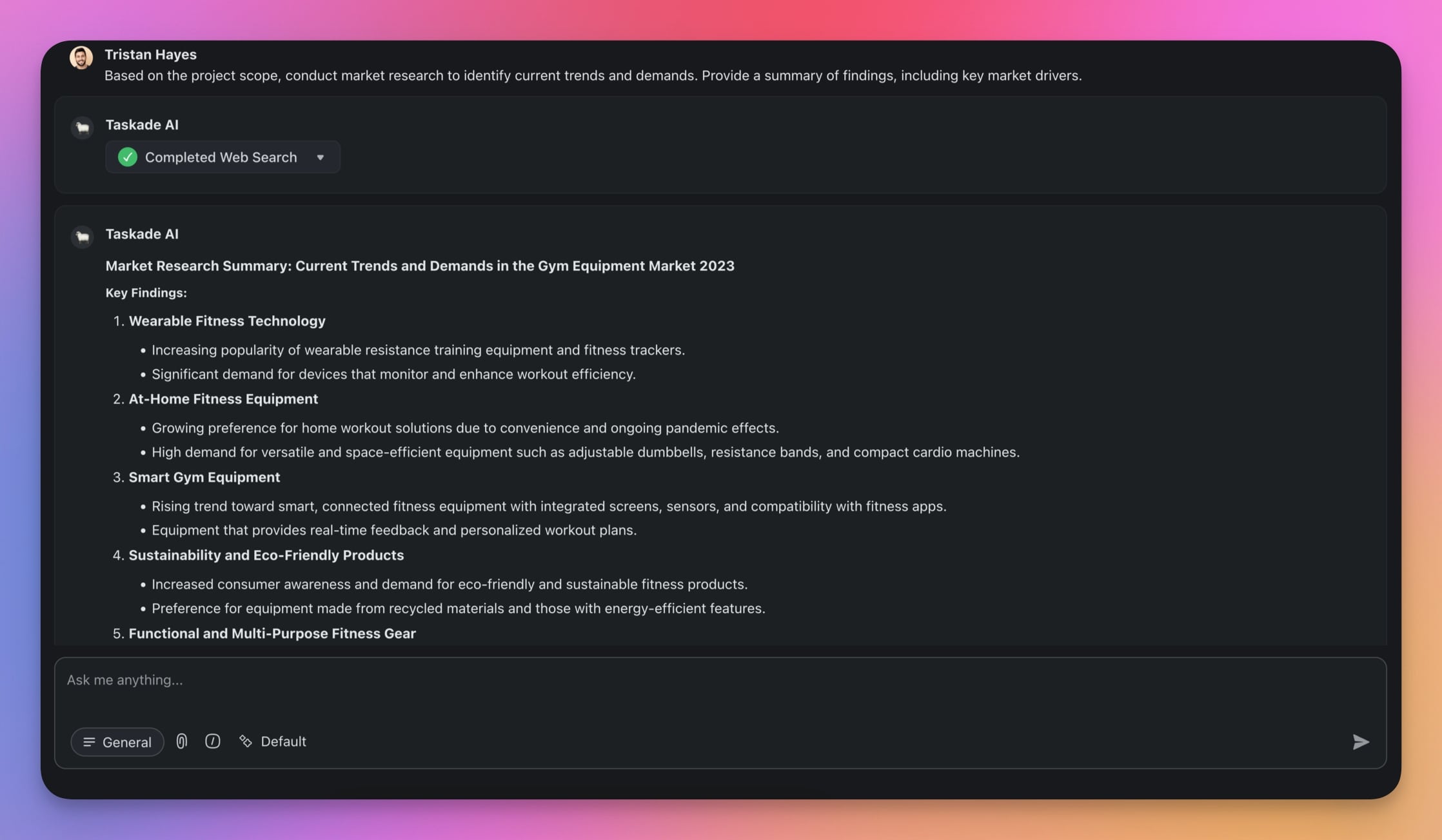
Prompt 2: Market Research
"Based on the project scope, conduct market research to identify current trends and demands. Provide a summary of findings, including key market drivers."
Prompt 3: Define Target Audience
"Considering the competitor analysis, define the target audience for the product. Include demographic information, purchasing behavior, and any other relevant details."
You can add as many prompts to the sequence as you need. Just don’t forget to build subsequent prompts on top of the previous ones to maintain a logical flow and keep the context fresh.
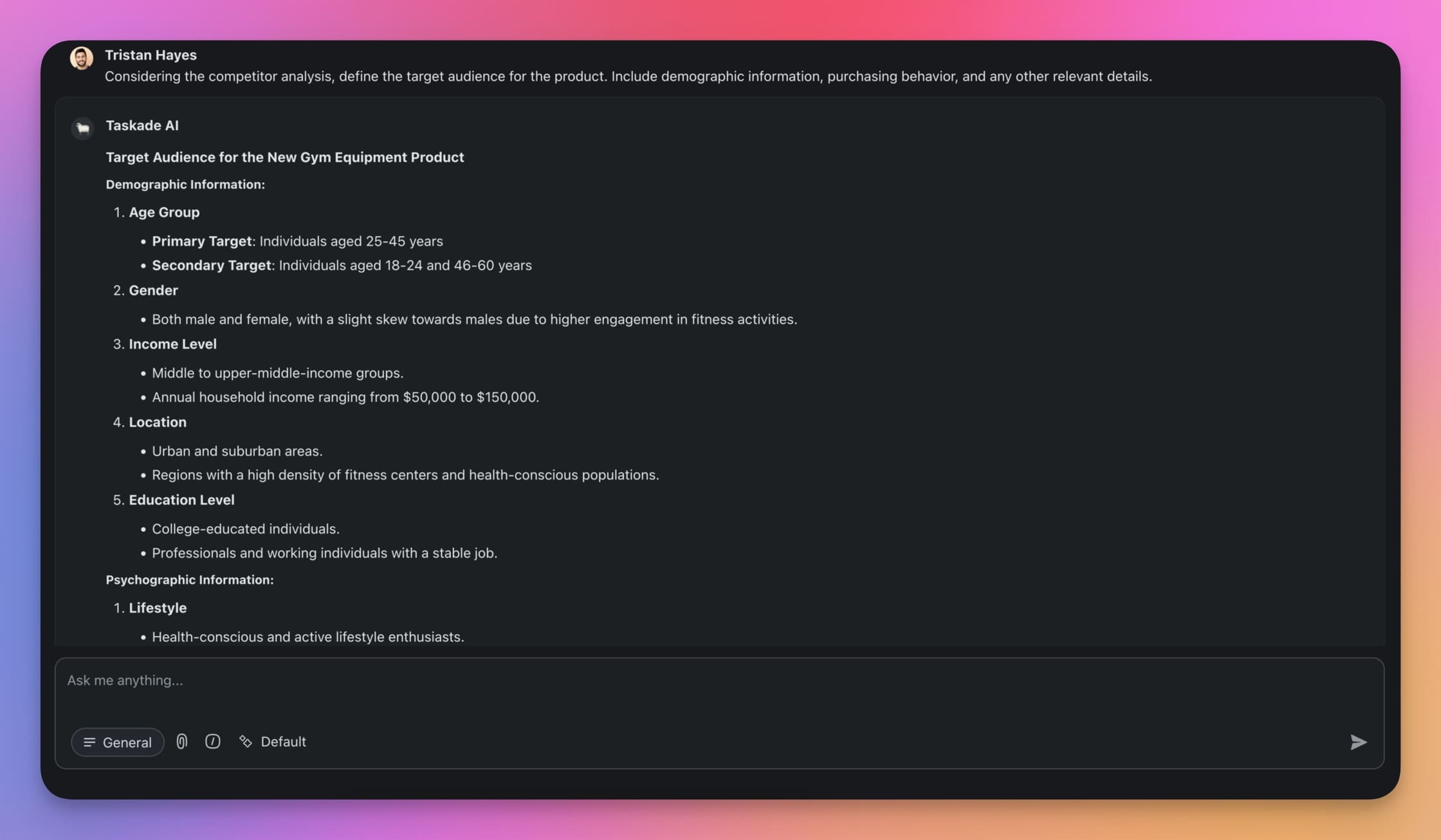
Step 4: Chain the Prompts
Now it’s time to put everything to the test.
Use the first prompt in your chain to kick off the interaction with the AI. After that, follow up with the next prompt in the sequence using the output as a foundation.
As you go through the chain, keep an eye on the quality of the responses.
Make sure each answer makes sense and builds on the previous one.
If the first prompt gives you the project scope, the next prompt should use that information to conduct market research. When you get to analyzing competitors, it should fit perfectly with the market research findings. Finally, the target audience should build on insights from the competitor analysis.
If something doesn’t look right or is incomplete, tweak the prompts and try again. Document any changes you make so you can track what works and what doesn’t.
Want to learn more? Visit our guide to AI prompting for advanced prompting tips.
🔗 + 🐑 Prompt Chaining in Taskade
While prompt chaining is a powerful technique, it still requires a fair bit of manual work.
With Taskade AI, you can use a combination of AI Agents and Automations to put your AI workflow on autopilot, save hours of your time each week, and ensure consistency in AI outputs.
The following examples will show you how to implement prompt chaining in three different ways.
🔥 During a regular AI chat to input prompts and get responses step-by-step.
🔥 Using AI Agents to streamline prompting with custom commands.
🔥 Combining AI Agents with Taskade's Automations to fully automate prompt chains.
Let’s get started. 👇
✨ Practical Examples of Prompt Chaining
Example 1: Coding a Simple Calculator (AI Chat 🟢)
Let’s use a simple prompt chain for a fun little project — a Python calculator.
First, we need to help the AI understand what we're building. Open the AI Chat (you can do that in any project by selecting the Chat with Project option in the chat box) and start with the prompt below:
“Define the scope and functionality of a simple calculator application.”
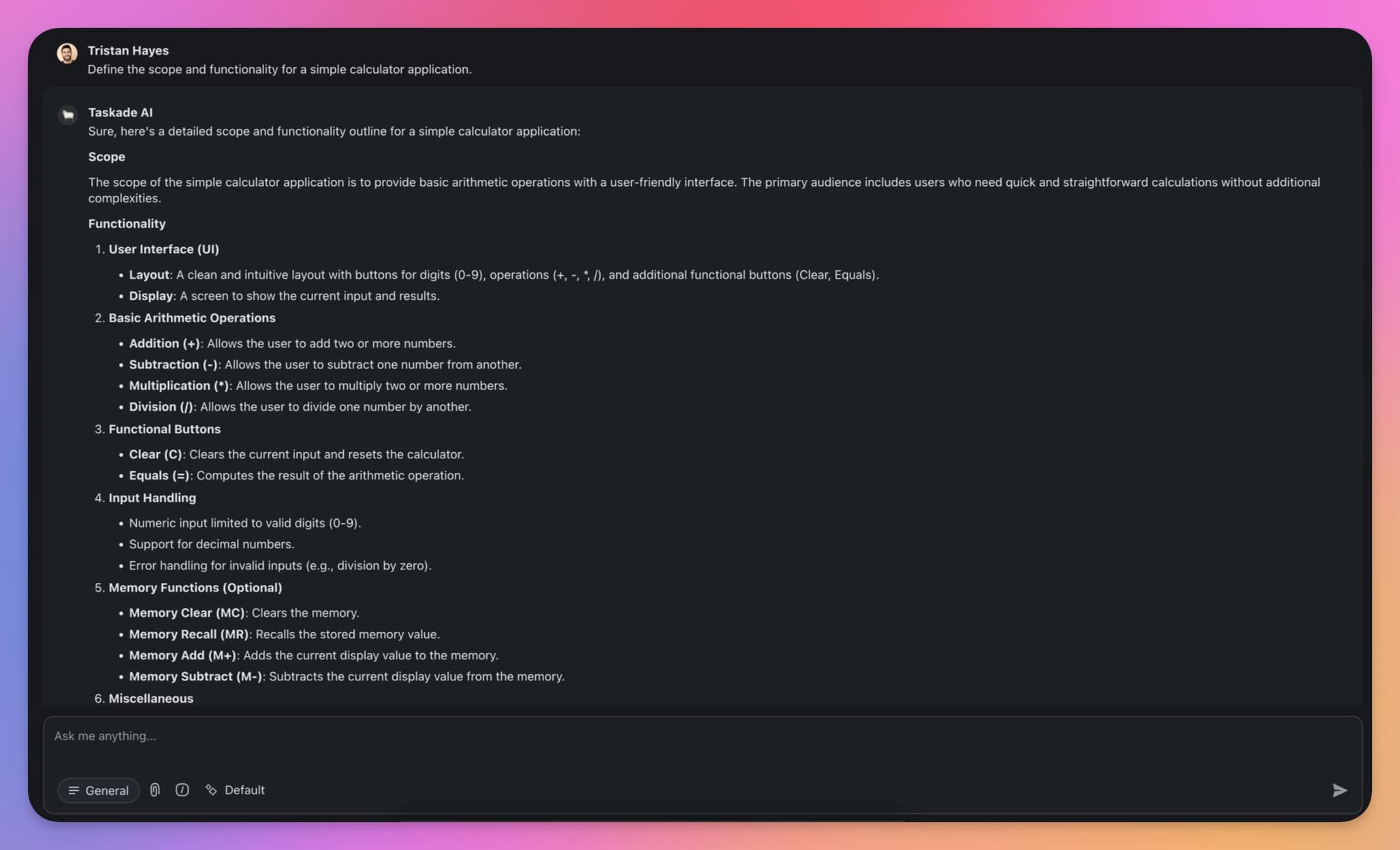
Now, let's get into coding a basic skeleton for our calculator; the follow-up prompt should refer to the preceding output. This will help the AI provide more accurate and contextually appropriate code.
“Based on the scope and functionality, write the basic code structure in Python.”
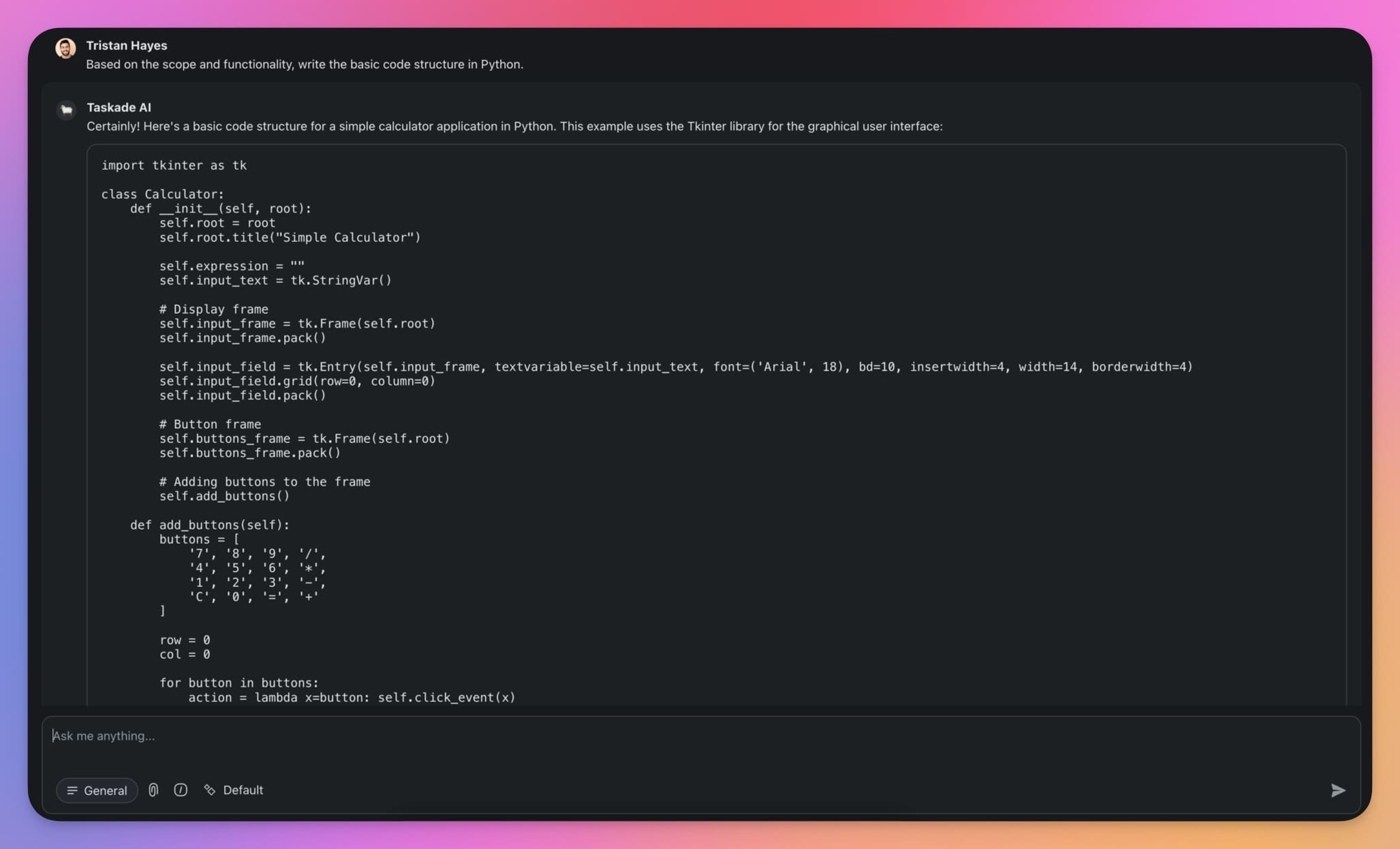
We need to make the calculator functional so it can take user inputs.
“Expand the calculator code to include user input for the numbers and the operation they want to perform. Ensure the code can handle invalid inputs.”
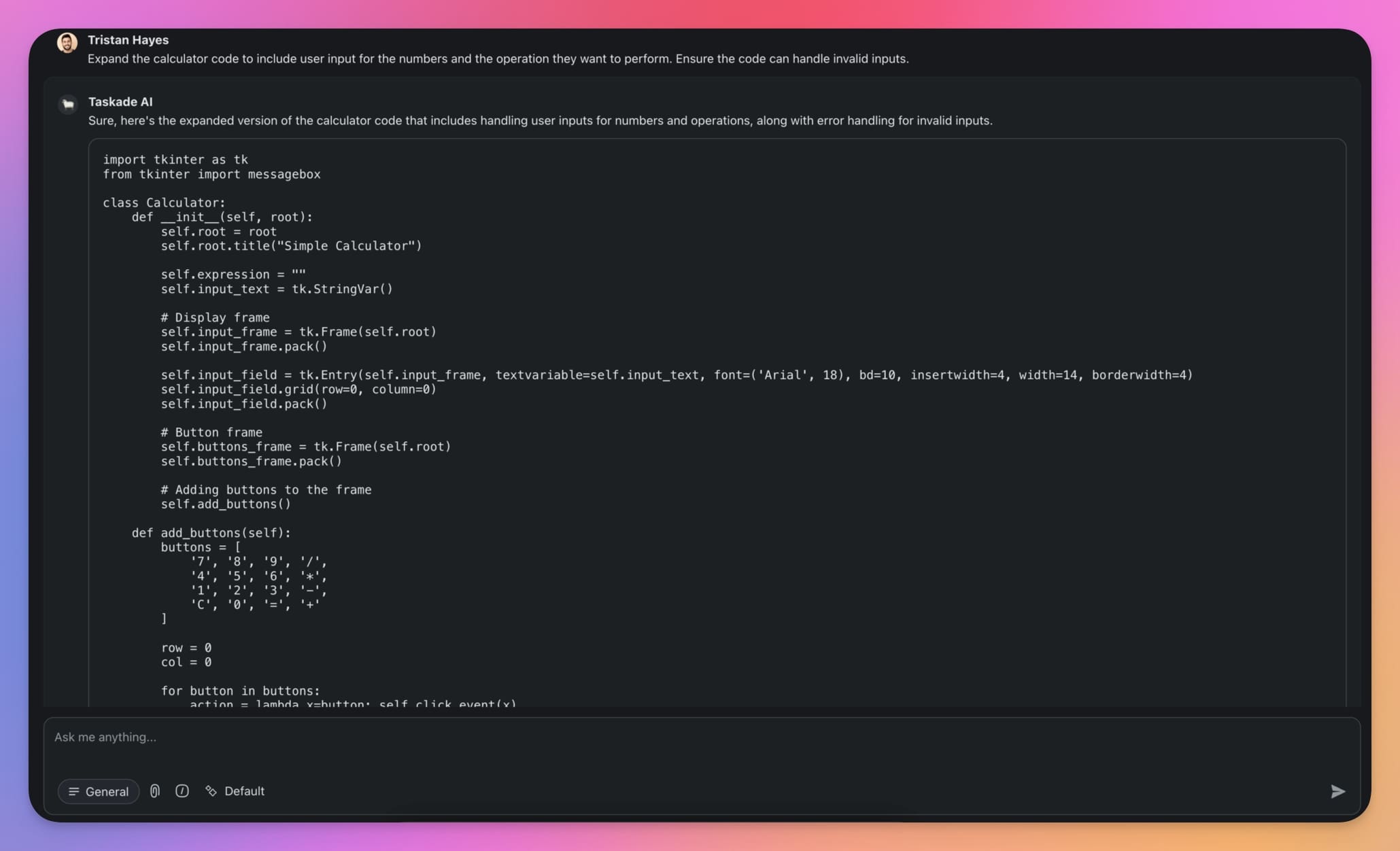
Before we wrap up, we must ensure everything works as expected.
“Write test cases to validate the functionality of each operation in the calculator application. Include tests for both valid and invalid inputs.”
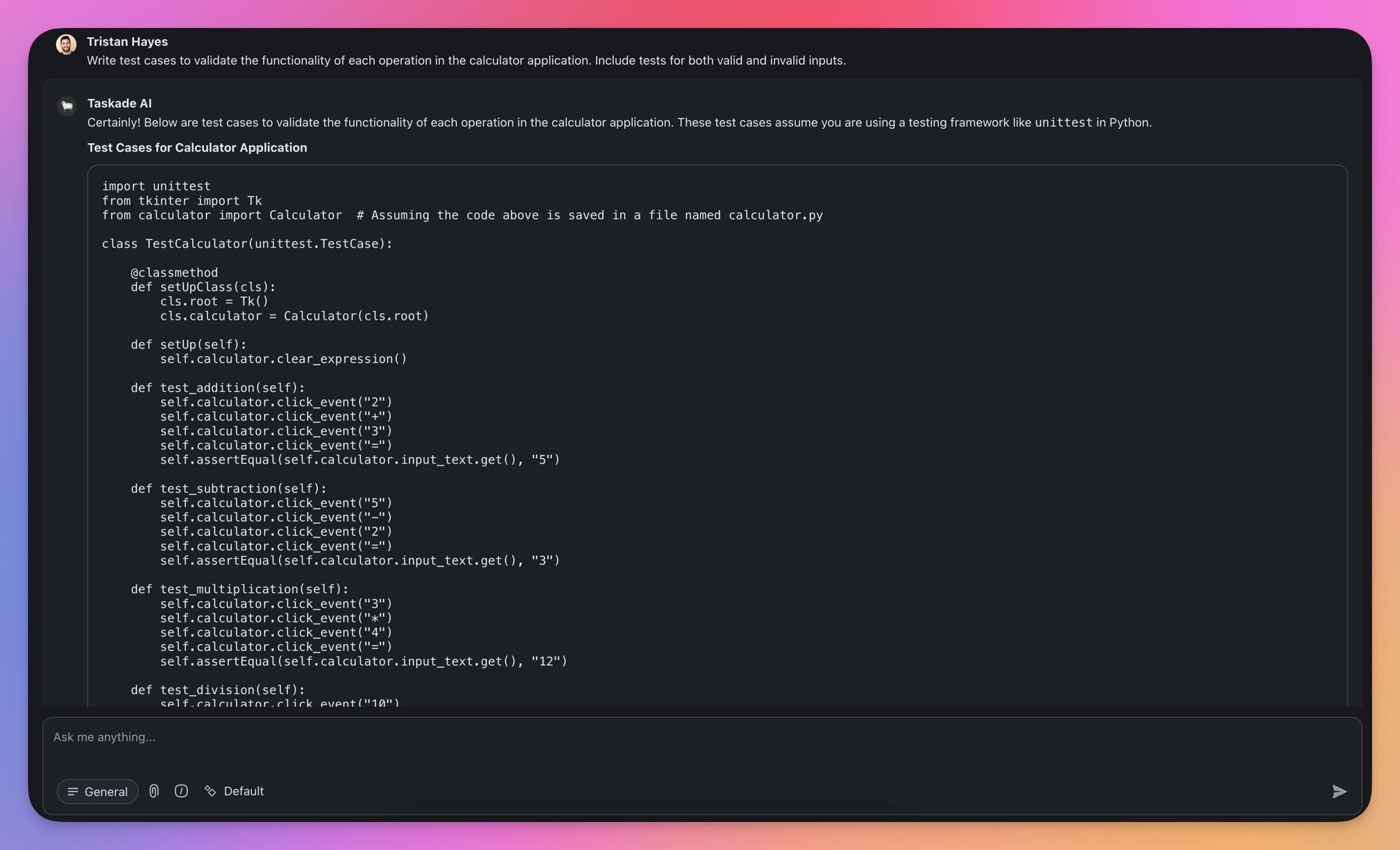
And that’s it! Using a simple chain, we defined the scope and functionality, wrote the basic code structure, added user input handling, and validated our calculator with test cases. We also validated the output at each step and made sure the code works. This is prompt chaining in action!
Now, let’s try something more advanced.
Example 2: Writing a Blog Post (Custom AI Agents 🟡)
Creative tasks come with a healthy dose of grunt work you need to get out of the way before you get to the fun stuff. We’re going to build an AI agent with simple set of prompt templates to speed things up.
Agent commands let you set up reusable prompt templates for the task that repeat frequently. No need to type out the same thing every time.
Let’s say you’re writing an article for your blog. The typical workflow is like this: you do the research, create an outline, write the content, and then edit it. Simple enough.
To set the stage, you can build a Blog Writer agent with a few basic commands.
First, let’s head to the 🤖AI Agents tab inside a workspace (learn how to set up a workspace).
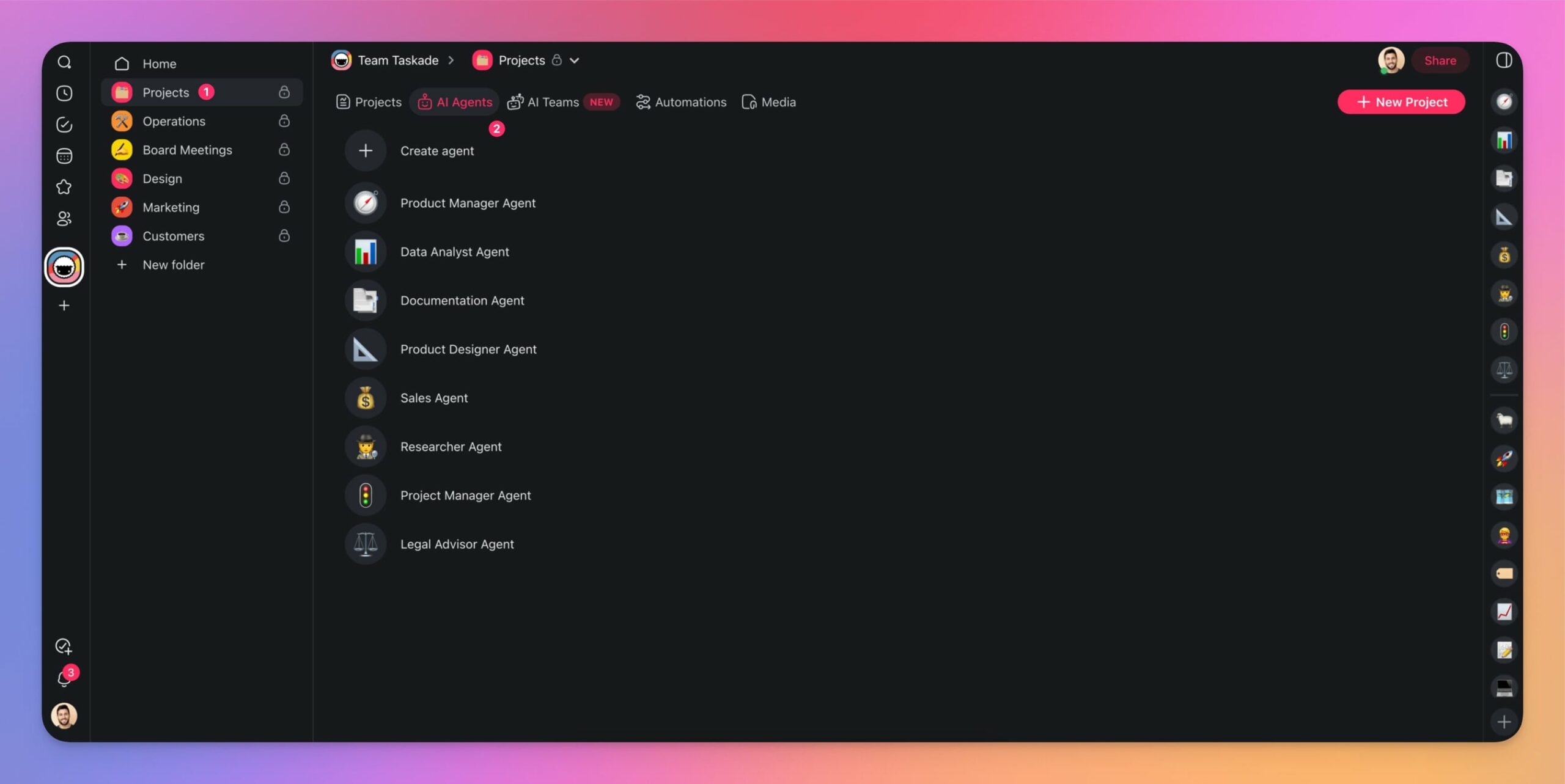
Next, click ➕ Create agent and choose the Generate with AI tile.

Finally, describe the type of agent you want to create.
"Create a blog writer agent to help with creating blog articles."

And here’s the result.
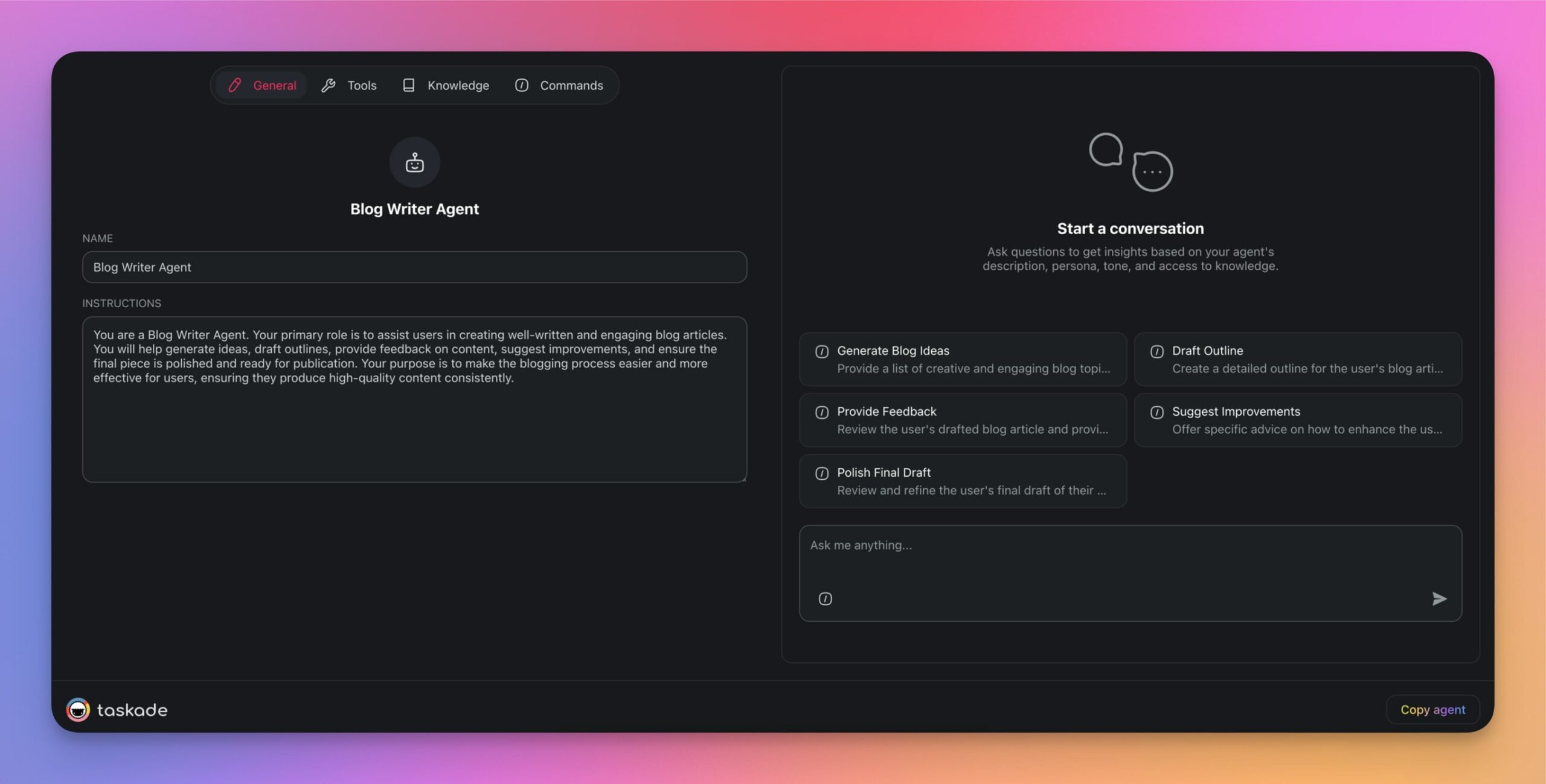
Now, head over to the Commands tab in the agent menu. As you can see, the agent already features a set of default commands, but we’re going to add a few more for our prompt chain.
To do that, click ➕Add command.

In the next window, choose a unique name, and type the prompt as usual. Click Update to save changes.
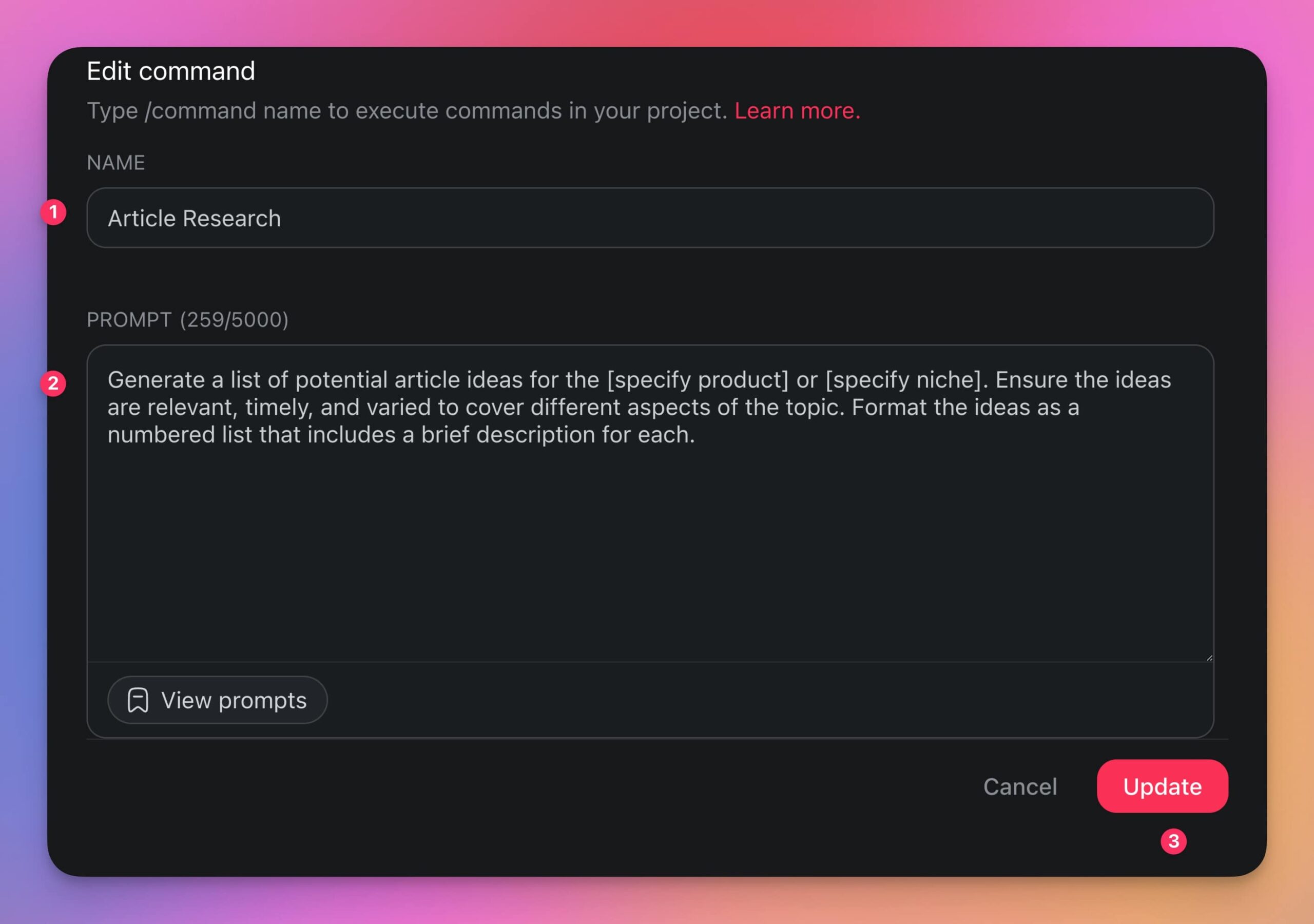
We’ve defined three unique commands for the chain.
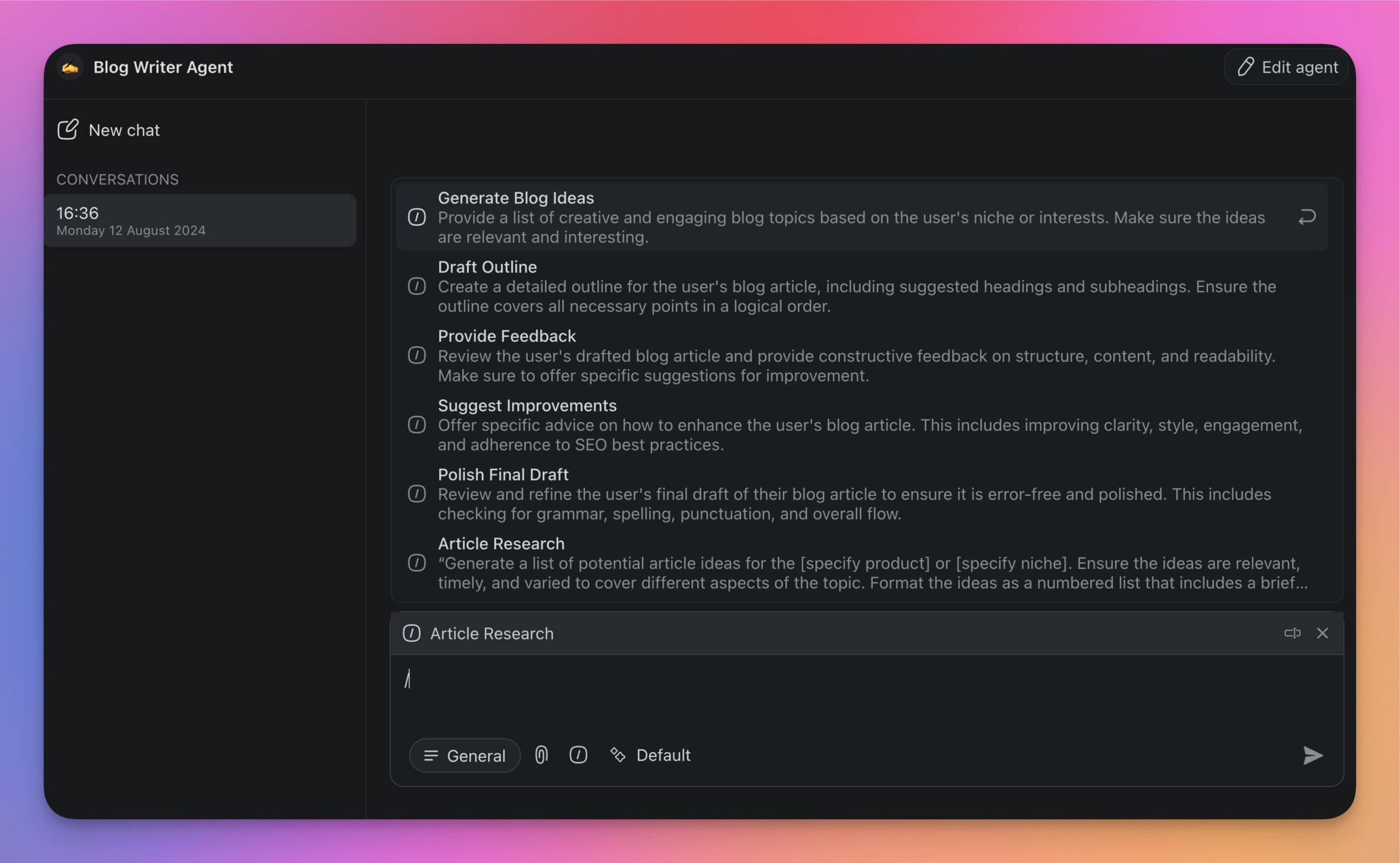
/article research
“Generate a list of potential article ideas for the [specify product] or [specify niche]. Ensure the ideas are relevant, timely, and varied to cover different aspects of the topic. Format the ideas as a numbered list that includes a brief description for each.”
/article brainstorming
“Perform detailed research on the article idea number [number from the list]. Summarize the information in bullet points. The information should include key statistics related to the topic, recent news articles or updates, expert opinions and quotes, and relevant facts and figures."
/article outline
“Based on the research points, generate a detailed outline for the blog article. The outline should include a compelling headline, an introduction that sets the stage for the reader, main body sections with clear subheadings, points under each subheading drawing directly from the research, and a conclusion that summarizes the key points and provides a call to action.”
All that's left is to use the chain in a conversation. Simply select the agent in the Agents tab, type / to open a list of the available commands, and choose the /article research prompt to kick off the chain.
Example 3: AI-Assisted Legal Case Preparation (Automation Flow 🔴)
Preparing a legal case is a complex and meticulous process. Let’s see how we can leverage prompt chaining to streamline this task by inserting a legal assistant agent into an automation flow.
To do that, we need to create another AI agent using the prompt below inside the Agent Generator.
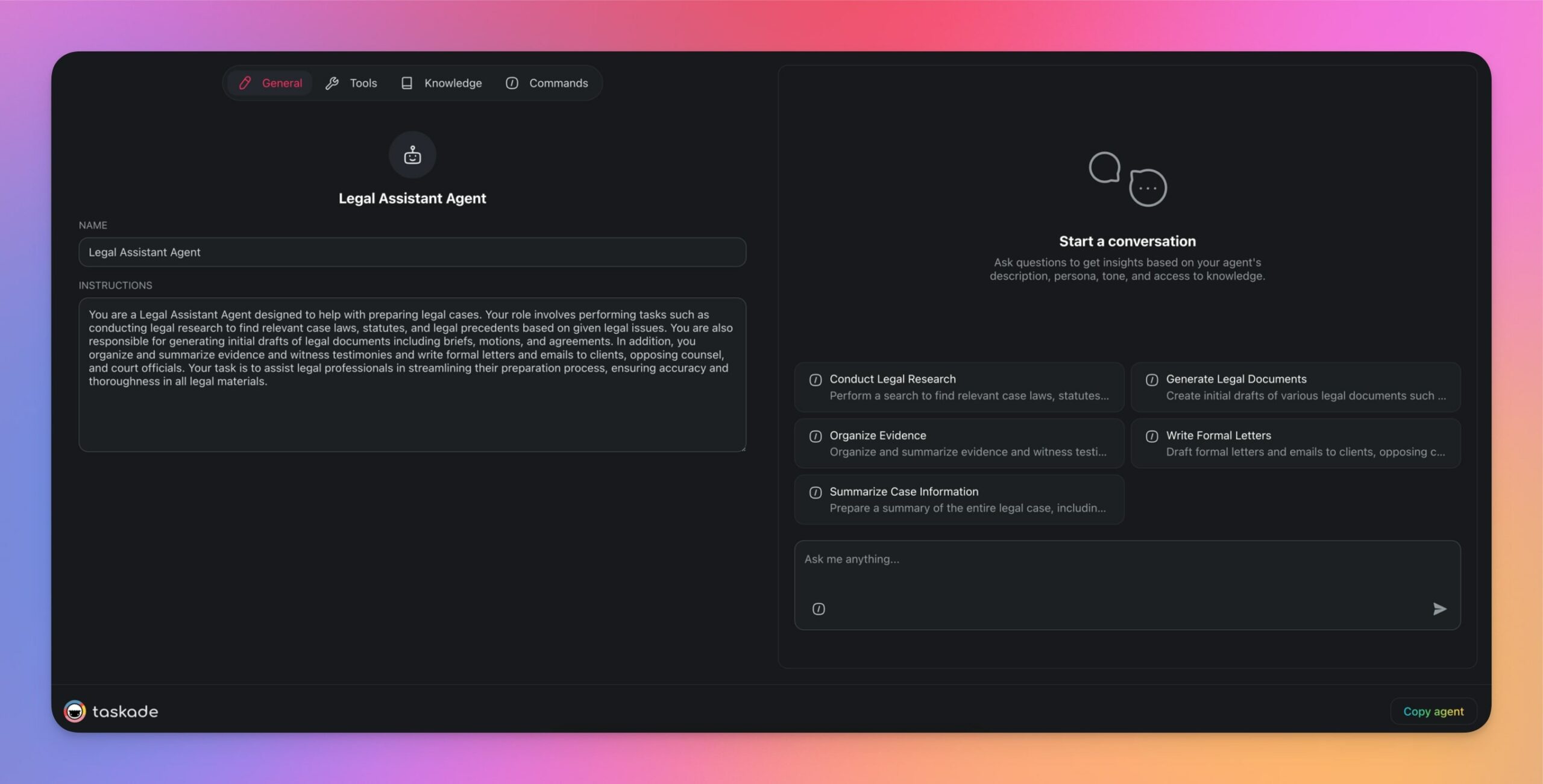
Here's a prompt you can use:
“Create a legal assistant agent that can help with preparing legal cases. The agent should be able to execute tasks like legal research by searching for relevant case laws, statutes, and legal precedents based on a given legal issue, generate initial drafts of legal documents such as briefs, motions, and agreements, organize and summarize evidence and witness testimonies, as well as write formal letters and emails to clients, opposing counsel, and court officials.
Our agent is ready. So let’s create a few commands we’ll use in our chain.
1. /lawsuit structure
"Outline the key steps for preparing a legal case for a civil lawsuit using the information and documents provided in the form."
2. /evidence collection
“Based on the outlined steps, list the types of evidence that would be relevant and admissible in a civil lawsuit related to the case."
3. /witness statements
“Create a set of interview questions for witnesses for the lawsuit based on the outlined steps and collected evidence to gather crucial information for the case.”
4. /legal precedents
“Identify key legal precedents that could impact the outcome of the civil lawsuit. Use the gathered witness statements and relevant evidence in the analysis.”
5. /case review
“Review the provided documents, relevant evidence, and witness statements gathered for the case, and suggest any additional information that might be needed.
With all the pieces of the puzzle in place, we’re going to create an automation that will walk you through the process step by step and eliminate the need for manual prompting.
To do that, go to the Automations tab ➡ ➕Add automation.
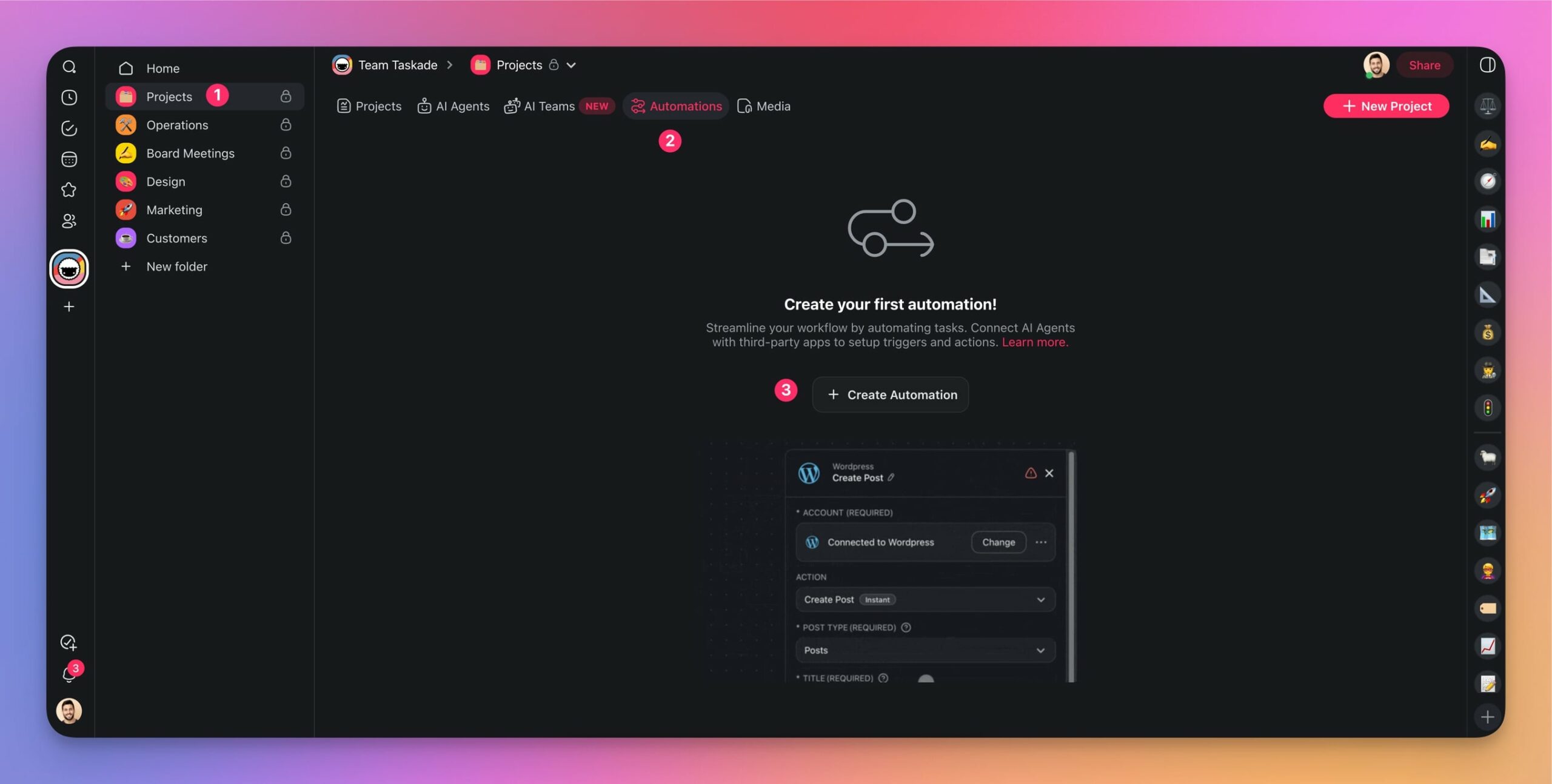
In the next window, choose the Start from scratch tile.
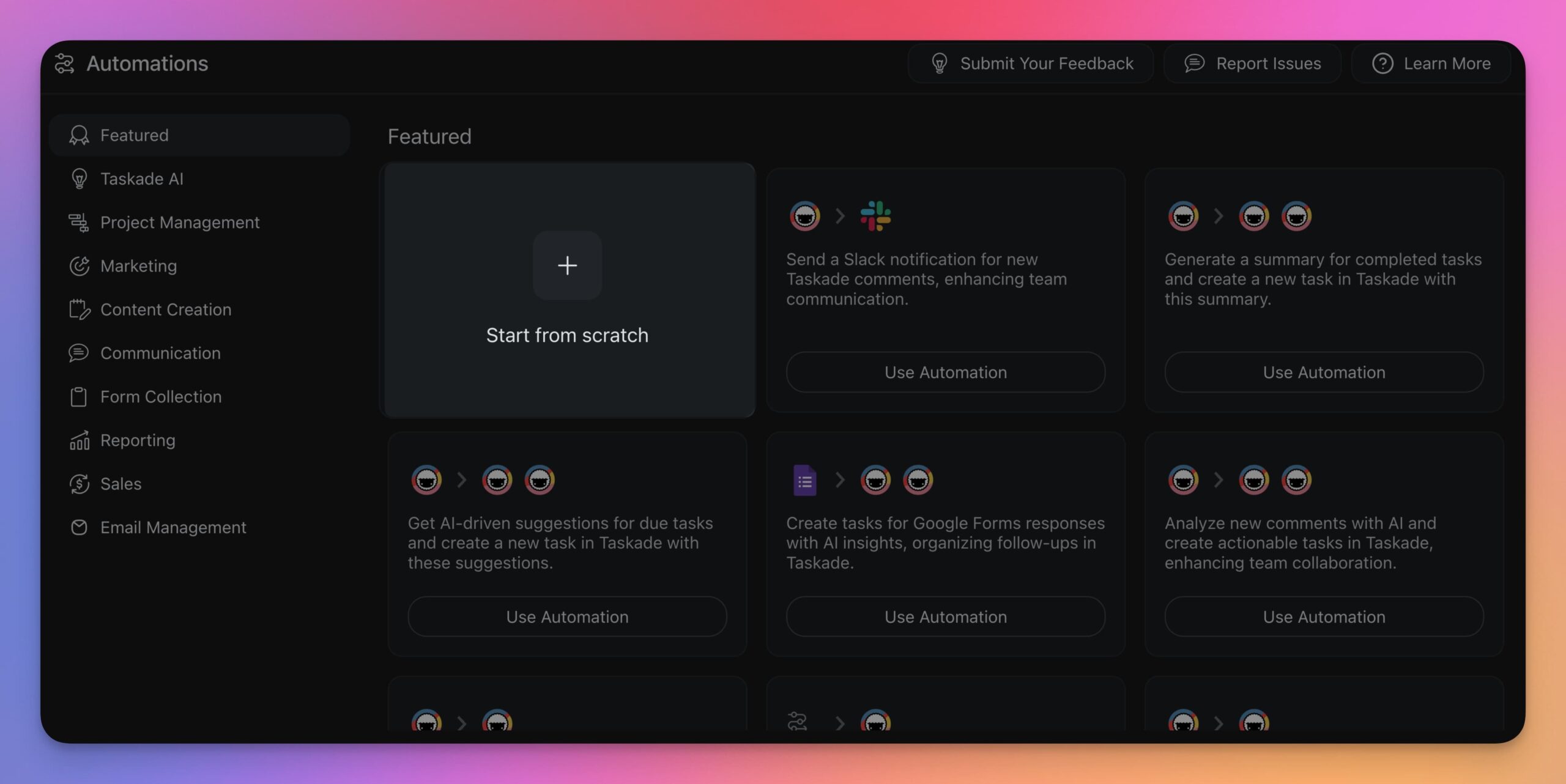
To kick off the automation, we’re going to use our new Form Trigger. The form will be used to collect basic information about the case and pass the details to the Legal Assistant Agent.
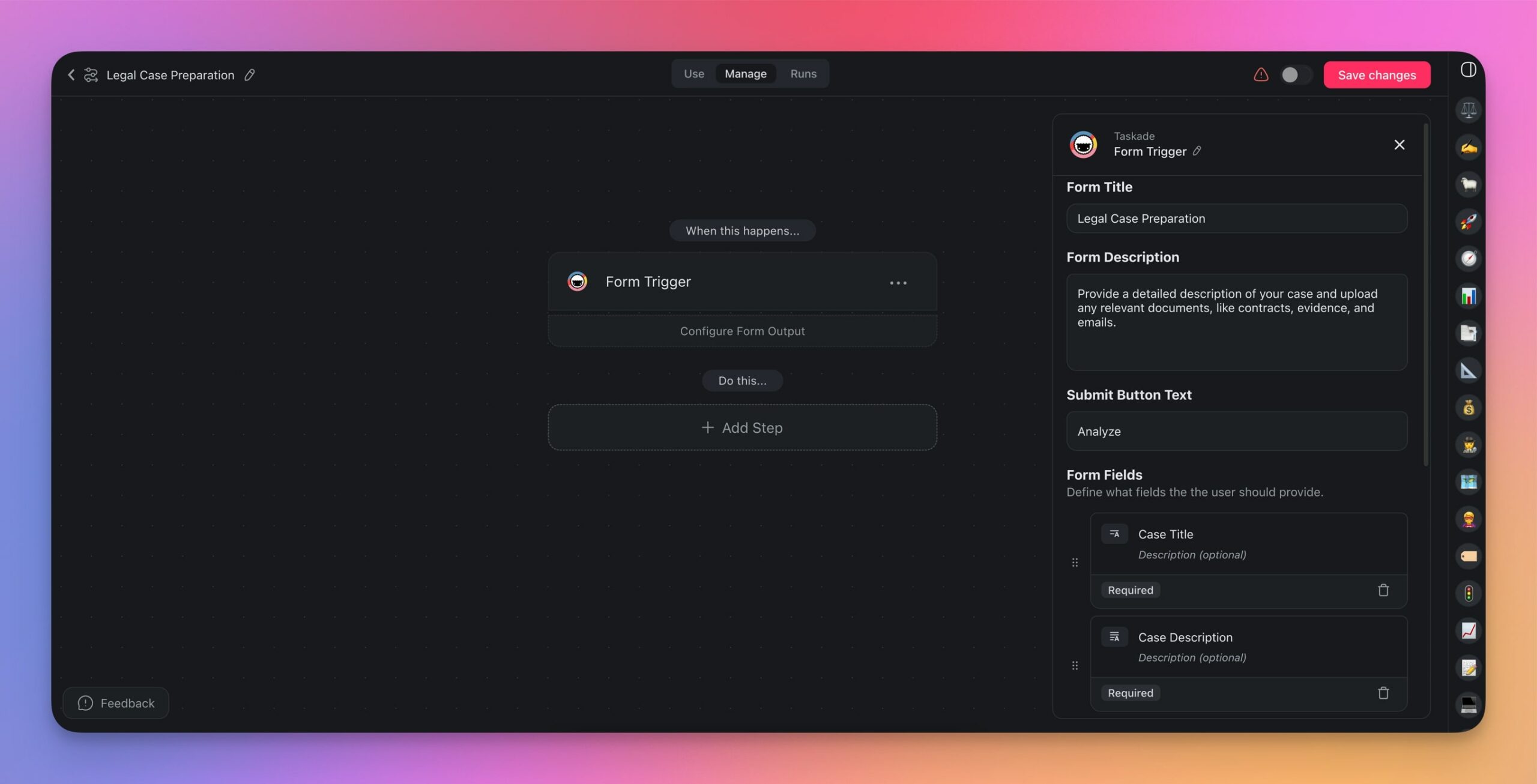
We’ll follow up the trigger with a series of actions (Run Agent Command), each corresponding to one prompt in our chain. Once this is done, we’ll add the final step that will add the final result to a project.
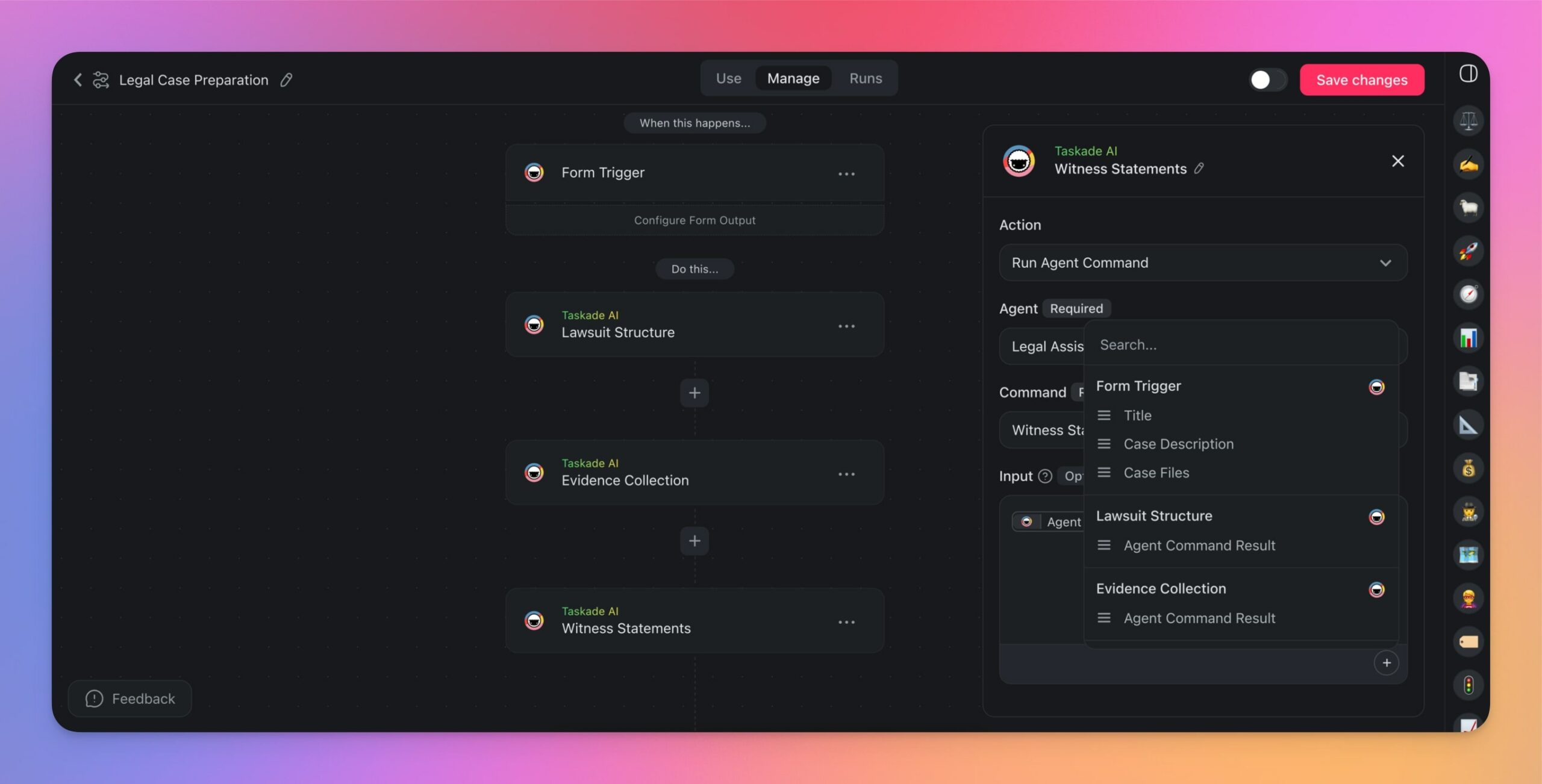
The automation is up and running, so let’s test it.
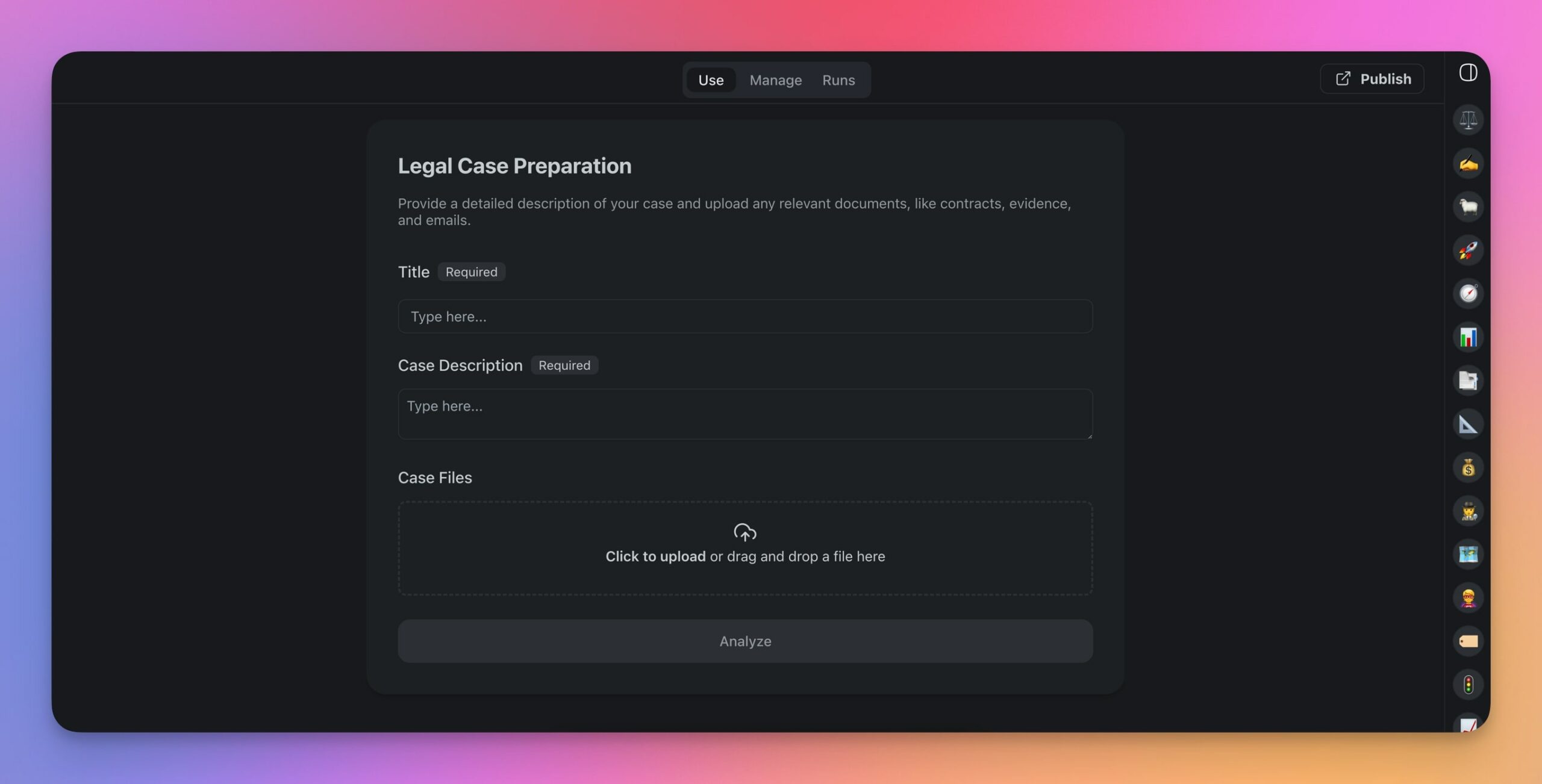
Go to the Use tab at the top of the automation creator and describe the case you’re working on in the form. Don’t forget to upload any relevant documents for the agent to analyze.
Check our Guide to Automations to learn how to make the most of this powerful feature! 👈
🔁 Agent Loop Chaining: How Production AI Systems Work
The examples above show manual prompt chains — you write each prompt and feed the output forward. But the most powerful AI systems in production today run prompt chains autonomously.
When we studied 120+ leaked system prompts from major AI companies, we found a consistent pattern: the agent loop. This is prompt chaining taken to its logical extreme, where the AI runs a continuous chain without human intervention.
Manus, one of the most sophisticated autonomous AI agents, operates on a five-step loop:
1. ANALYZE  → Read all events and context from the current session
2. PLAN     → Select tools and determine the next action
3. EXECUTE  → Run the action (browse, code, write, search)
4. OBSERVE  → Evaluate the result — did it succeed?
5. ITERATE  → If not done, loop back to step 1 with new context
This same pattern powers Cursor's agent mode, Windsurf Cascade, and Google's Gemini CLI. The AI doesn't just answer one question — it chains prompts itself, feeding each result into the next iteration until the entire task is complete.
The key difference from manual chaining? The AI decides what the next prompt should be based on the result of the previous one. It's a self-directed chain that adapts in real time.
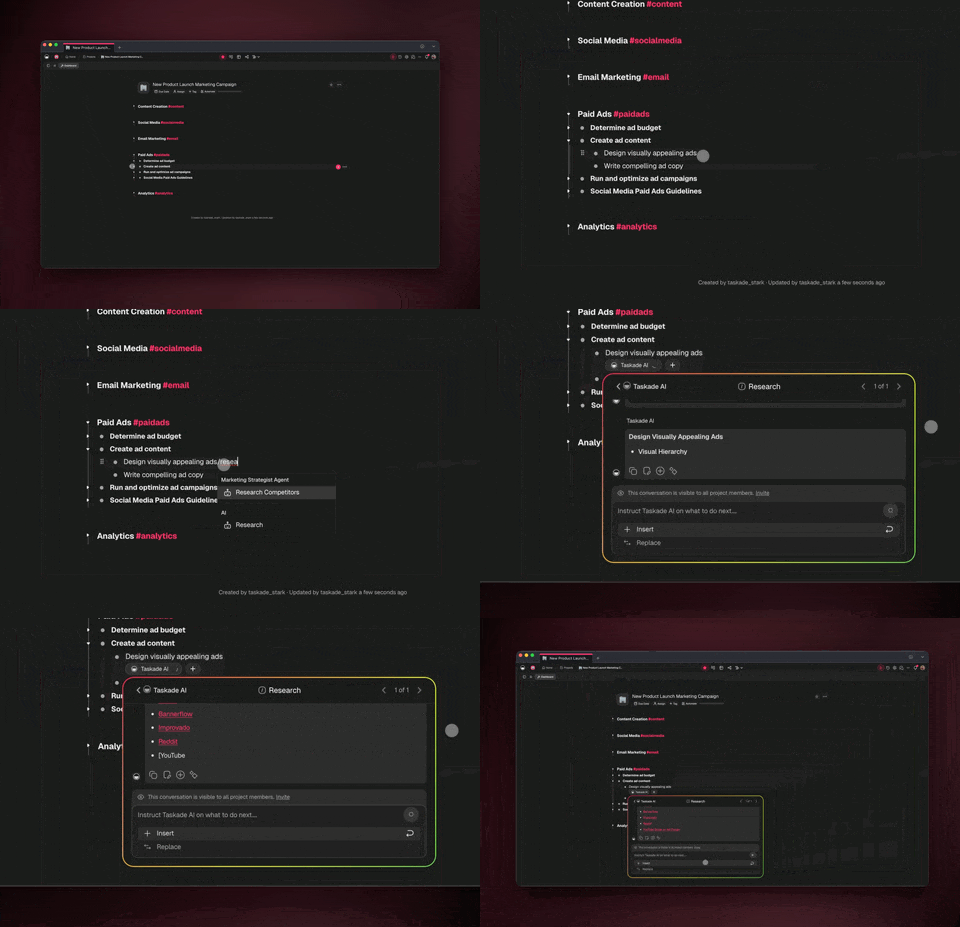
This is exactly how Taskade's AI agent teams work. Agents coordinate, pass context between each other, and chain their commands autonomously — no manual prompting required. For a broader look at how these loops fit into the agentic AI landscape, see Agentic Workflows: Paving the Path Towards AGI.
🛡️ Error Handling in Prompt Chains
One thing most prompt chaining guides don't cover: what happens when a step in the chain fails?
In manual chaining, you can spot errors and correct course. But in automated chains — especially those running inside workflow automations — a single failed step can cascade into garbage output for every step that follows.
Production AI systems solve this with three patterns:
1. Output Validation
After each step, validate the output before passing it to the next prompt. You can do this within the chain itself:
"Review the output above. Does it contain all required sections?
Is the data internally consistent? If any section is missing or
contradictory, regenerate that section only."
2. Retry Logic
If a step produces an invalid result, retry it with a modified prompt rather than continuing the chain with bad data. Set a maximum retry count (usually 2-3) to prevent infinite loops.
"The previous output was invalid because [reason]. Please try again
with these additional constraints: [constraints]. This is attempt
2 of 3."
3. Graceful Degradation
If a step fails after retries, don't crash the entire chain. Instead, mark that step as incomplete and continue with what you have:
"Step 3 (competitor analysis) could not be completed. Proceed with
steps 4-6 using the available data from steps 1-2. Note the gap
in your final output."
These patterns are visible in the leaked system prompts of Cursor, Bolt.new, and Claude Code — all of which include explicit error recovery instructions in their prompt architectures.
In Taskade, you can implement these patterns by adding validation commands to your agents and building conditional branches into your automation flows.
🧬 Prompt Chaining + Genesis: Living Workflows
Everything we've covered — manual chains, agent loops, error handling — comes together in Taskade Genesis.
Genesis doesn't just chain prompts. It chains entire systems: databases, agents, automations, and interfaces that work together as one living application.
Here's how prompt chaining maps to Genesis architecture:
| Manual Chaining | Agent Chaining | Genesis |
|---|---|---|
| You write each prompt | Agent decides the next prompt | Genesis builds the entire chain from a single description |
| Copy-paste between steps | Automatic context passing | Integrated data flow across projects, agents, and automations |
| Breaks if you lose context | Retries on failure | Self-healing workflows with persistent state |
| Text output only | Text + tool actions | Full applications — websites, dashboards, databases, and workflows |
When you tell Genesis to "Build a client onboarding system for my agency," it creates a prompt chain that spans your entire workspace:
- Trigger — New client fills out an intake form on your Genesis website.
- Agent chain — A specialized onboarding agent analyzes the form, qualifies the client, and generates a project plan.
- Automation chain — Taskade Automations create the project, assign team members, send a welcome email, and schedule a kickoff call.
- Persistent loop — Agents monitor the project, send check-in reminders, and flag milestones for review.
This is prompt chaining at scale — not a sequence of chat messages, but a living system that executes, adapts, and grows with your business.
Build your first Genesis workflow 🧬
⚡️ The Power and Potential of Prompt Chaining
Whether you're planning a new marketing campaign, coding a project, or providing customer support, prompt chaining can be a game-changer. By breaking down tasks into smaller, more manageable steps, you can achieve greater precision and consistency in your interactions with artificial intelligence.
Here are a few key takeaways from this article:
✨ Prompt chaining enhances control by breaking AI tasks into smaller, manageable steps.
✨ It improves the reliability, consistency, and precision of AI outputs.
✨ Sequential prompts reduce error rates by helping the AI retain context.
✨ Chained prompts are useful for content creation, programming, and other complex tasks.
✨ Prompt chaining helps ensure that AI outputs are logically structured and comprehensive.
Prompt chaining is not the be-all and end-all of human-AI interactions.
Taskade's Multi-Agent AI Teams are the next step in the evolution of AI tools. You can now create your workforce of the future trained on your own knowledge and connected to the tools you're already using.
You no longer need to manually feed AI prompts whenever you want to tackle a task. AI Teams can auto-delegate work so tasks are dynamically assigned to the most suitable agent. Each agent can then pick the relevant commands and execute them in sequences, without human intervention. Need a starting point? Browse ready-made prompt templates designed for chaining and multi-step workflows.
Watch a highlight of our latest updates to learn more! 👇
Sign up for Taskade AI and put your AI workflow on autopilot!
💭 Frequently Asked Questions About Prompt Chaining
What are the advantages of prompt chaining?
Prompt chaining has several key benefits. It breaks down complex tasks into smaller steps, making interactions with AI more accurate and manageable. This method reduces errors and creates a smooth flow of information, as each prompt builds on the previous one. It also allows for handling more detailed and nuanced inquiries, leading to more comprehensive and insightful responses.
Why would I chain prompts?
Chaining prompts is useful for tasks that require multiple steps or detailed information gathering. It helps maintain context throughout the interaction, ensuring the AI understands the topic better. This approach is especially effective in scenarios like data analysis, creative writing, and problem-solving, where each step can influence the next, providing a more coherent output.
What is prompt engineering?
Prompt engineering is the craft of designing and refining prompts to communicate effectively with AI models. It involves creating clear, specific, and contextually appropriate prompts that guide the AI to generate the desired responses. This skill is crucial for maximizing the potential of AI.
What are the components of a good AI prompt?
A good AI prompt includes four main components: clarity, specificity, context, and intent. Clarity ensures the prompt is easy to understand and free of ambiguous language. Specificity narrows down the focus, making it easier for the AI to provide relevant responses. Context provides background information, helping the AI grasp the situation better. Intent clarifies the purpose of the prompt, guiding the AI toward what you want to achieve.
Can I chain prompts inside of Taskade?
Absolutely, you can chain prompts in Taskade! Taskade supports chaining prompts in regular chats with Taskade AI, personalized interactions with custom AI agents, as well as high-level automations flows.
How can Taskade automations perform prompt chaining?
With Taskade's automation tools, you can set up workflows where the output of one task becomes the input for the next without human intervention. This chaining mechanism ensures a continuous flow of information and actions between users, custom AI agents, as well as external platforms and tools.
Keep reading:
- The Secret DNA of AI Systems: What 120+ Leaked Prompts Taught Us — How real AI companies chain prompts in production
- Types of Prompt Engineering — Master every technique from zero-shot to self-consistency
- AI Prompting Guide 2026 — Write effective prompts for GPT-4, Claude & LLMs
- Stop Worshipping Prompts. Start Building Workflows — Why execution beats clever words
