







TL;DR: Prompt engineering is the practice of framing instructions so an LLM produces the output you want — reliably. 12 named techniques cover the full spectrum from zero-shot to negative prompting to chain-of-thought to self-consistency. But 2026 operators know prompts are the starting line, not the finish: workflows beat prompts the moment you need to ship on a schedule. Build a Taskade agent once, and the prompts compound across sessions. Companion reads: Workflow-First Playbook, Training AI Agents Like Employees, The 2026 Productivity Playbook.
▲ ■ ● Prompt well. Then build the workflow around it.
Want to master AI interactions? It all starts with how you frame your questions. Prompt engineering is the practice of crafting precise instructions to get optimal AI responses. It blends linguistic understanding and strategic thinking, and it’s key to getting tailored, high-quality answers.
In this article, we explore 12 types of prompt engineering techniques - from zero-shot and few-shot to advanced methods like self-consistency, constrained generation, and prompt optimization - to help you understand their applications and benefits. We also show how AI agents use these techniques in production.
Here’s everything you need to know to make your AI prompts spot on. 👇

🧠 Why Prompting Works: The Neuroscience Behind It
Before diving into specific techniques, it helps to understand why prompting works at all. The answer comes from computational neuroscience.
In 1982, physicist John Hopfield built a model of how the brain retrieves memories. In a Hopfield network, memories are stored as stable patterns (energy minima) in a landscape of neural connections. To recall a memory, you initialize the network with a partial or noisy cue, and the system naturally settles into the nearest stored pattern - like a ball rolling into the closest valley.
Prompting works on the same principle. When you write a prompt, you are setting the model's initial state. The closer your starting point is to a well-represented pattern in the model's training, the more reliably it converges to a clean, useful output:
- Zero-shot = dropping the ball from a random position. It may settle into the right valley, or it may not.
- Few-shot = placing the ball near the target valley with example landmarks. The model recognizes the pattern and converges reliably.
- Chain-of-thought = guiding the ball step by step down the energy landscape, preventing it from falling into a nearby but incorrect valley.
- Self-consistency = dropping multiple balls and seeing which valley they converge to most often.
This is also why temperature affects output quality. Higher temperature adds noise to the descent, allowing the model to explore more of the landscape (creative but risky). Lower temperature follows the steepest path downhill (predictable and safe).
Understanding this energy landscape metaphor doesn't just explain why prompting works - it tells you how to prompt better: give the model the clearest possible starting position, and reduce the distance it needs to travel to reach the right answer.
| Technique | Best For | Complexity | Example Use Case |
|---|---|---|---|
| Zero-shot | Simple, common tasks | Low | "Translate this to French" |
| Few-shot | Pattern matching, style imitation | Medium | Generating social posts in brand voice |
| Chain-of-Thought | Math, logic, multi-step reasoning | Medium | Debugging code step by step |
| Self-Consistency | High-stakes decisions, ambiguous problems | High | Estimating ROI from multiple angles |
| Negative Prompting | Content filtering, tone control | Low | "Write a summary but avoid jargon" |
👌 Zero-Shot Prompting
Zero-shot prompting is the most basic prompting technique. It involves asking the AI to perform a task or answer a question without providing any specific examples or additional context.
This approach is perfect for simple exchanges where no additional knowledge beyond the LLM’s training data is needed. This can include ad-hoc tasks like translating text or answering questions.
For example, you may ask the LLM "what is the capital of Japan?" Or you might instruct the artificial intelligence tool to “translate the following paragraph into Spanish.” Plain and simple.
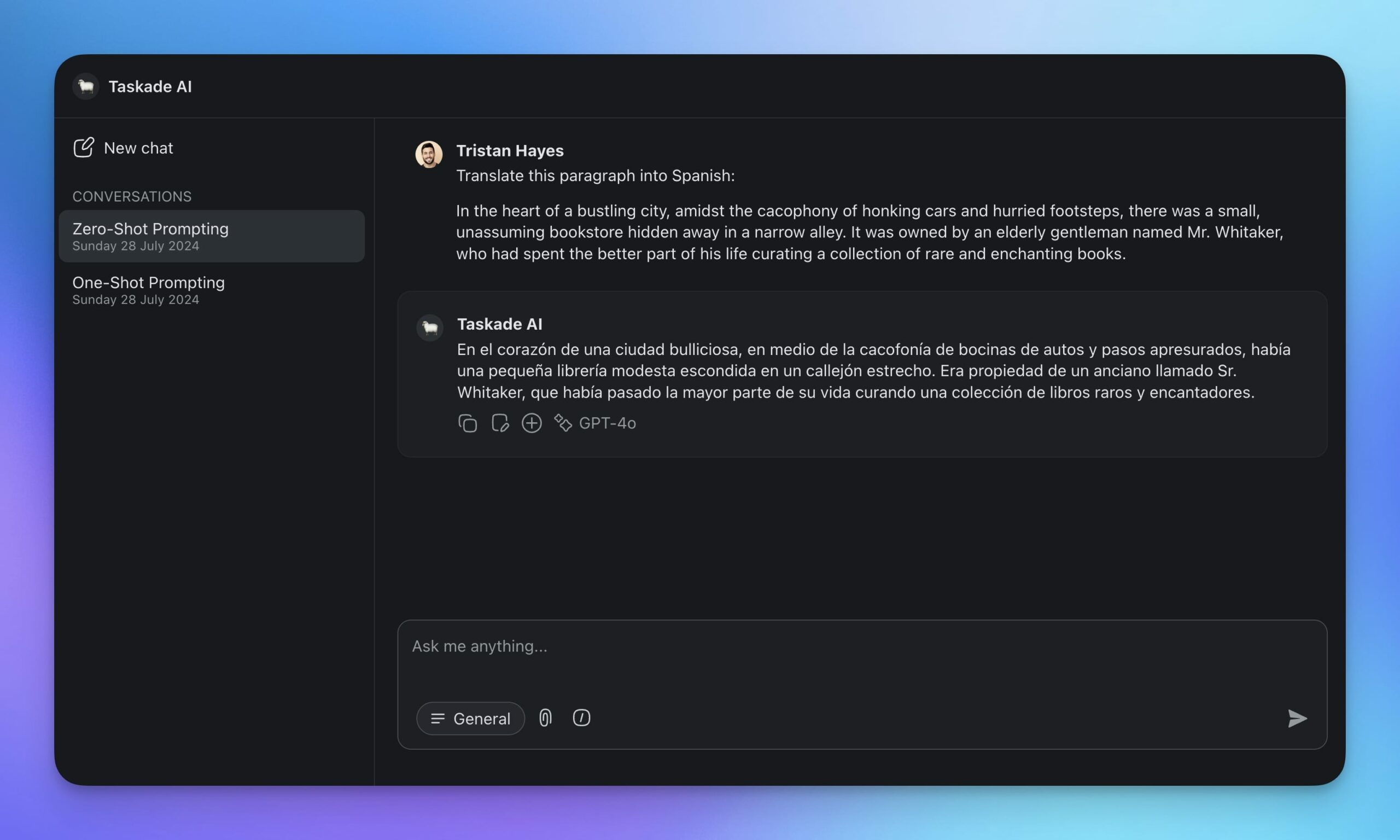
The downsides? Don’t expect deep dives or detailed analysis.
Think of it as asking someone who has read a lot of books to answer a question on a specific topic, one they haven’t studied specifically. While the response may be correct in a general sense, it may lack the depth, accuracy, and specific context needed for a thorough explanation.
This is where one-shot prompting comes into play.
☝️ One-Shot Prompting
One-shot prompting takes things up a notch. It involves providing the AI with a single example to illustrate the task. The example helps the model to understand the requirements better.
So, how does it work?
Imagine you need the model to generate text in a particular style or format. You provide a specific example, like writing in a formal tone or crafting a short story. For instance, if you want a formal response, you might say, "Here's an example: 'Dear Mr. Smith, I am writing to inform you...'"
By showing one example, you set a clear benchmark. This makes one-shot prompting ideal for tasks that need a bit more guidance, like formatting, style adjustments, or generating context-specific responses.
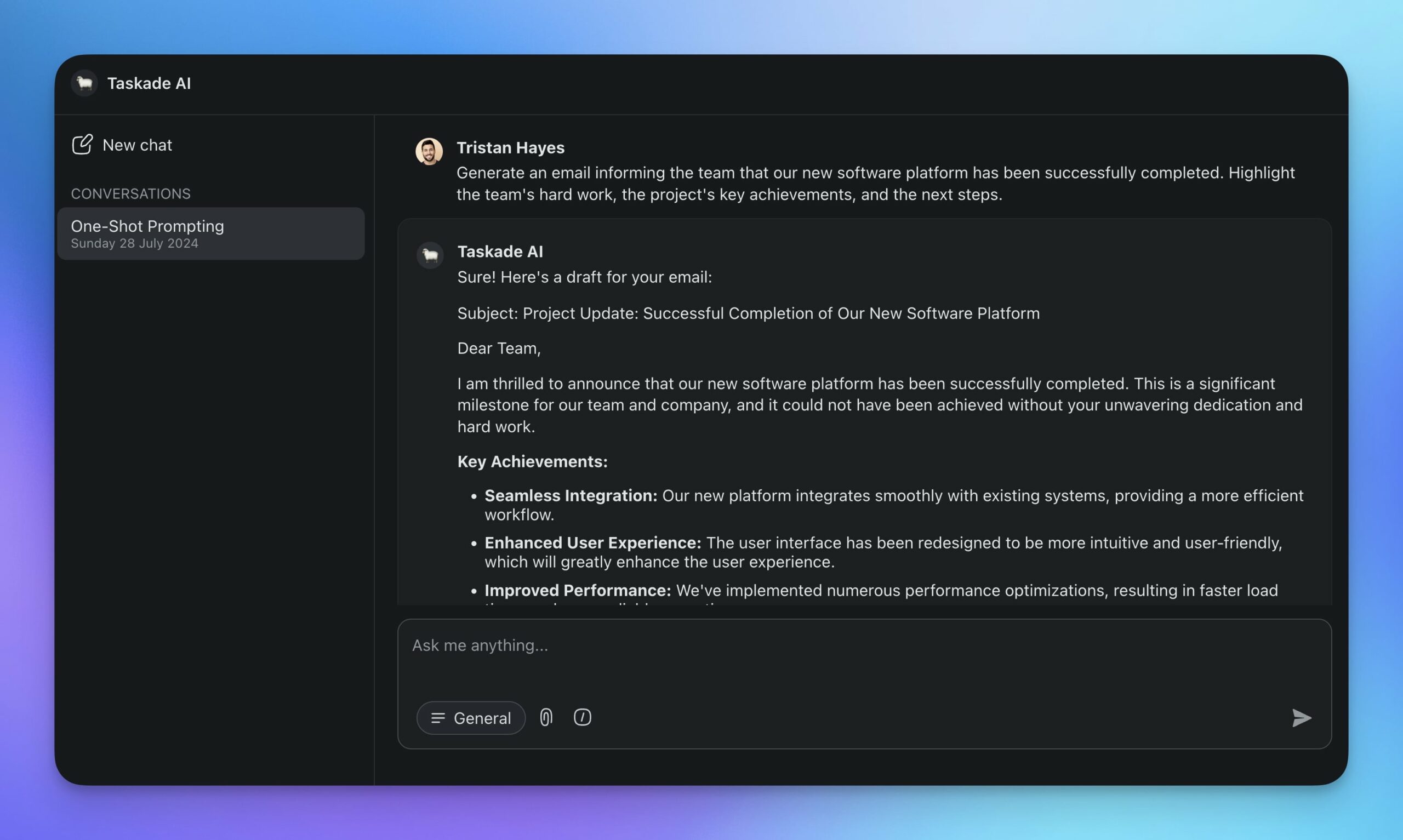
The advantages? Examples clarify the task for the model. What you get as a result are more accurate and relevant responses. Well, at least that’s how it works most of the time.
For complex tasks that require intricate reasoning, one-shot prompting may not be enough; one example is unlikely to capture all the nuances needed for a comprehensive response. Plus, if the example is ambiguous or not representative, the model might fail to generalize well to variations of the task.
✌️ Few-Shot Prompting
Few-shot prompting gives the model a bit more help. It provides several examples to illustrate how the task should be executed. This gives the LLM more material to work with and lets it pick up on patterns.
Think of it like learning to play the piano. If your teacher gives you a few different songs to practice, each with varying levels of difficulty and styles, you’ll start to understand the patterns and techniques needed. With just a few pieces, you’ll get a sense of rhythm, fingering patterns, and musical expression.
For instance, if you're working on creating social media content with a unique voice, you might provide a few examples of posts that capture the desired tone and style. The source material will help the model better grasp the nuances of your brand’s voice and tailor the content to the audience.
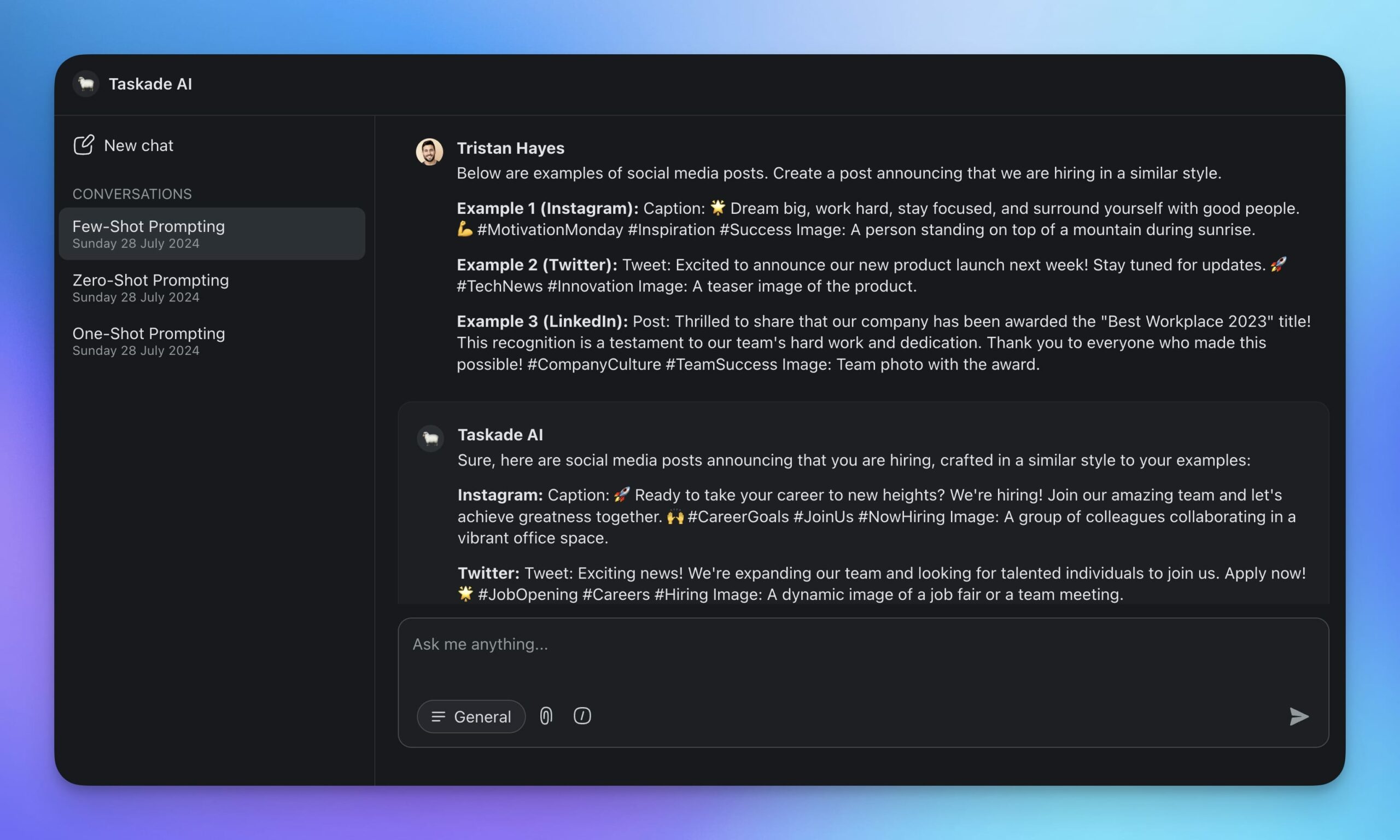
Few-shot prompting strikes a balance between simplicity and effectiveness. This makes it perfect for tasks where a bit of extra guidance can significantly enhance performance.
🤚 Multi-Shot Prompting
Multi-shot prompting provides the model with even more material to illustrate a task.
The process is similar to few-shot prompting, which is also technically multi-shot, albeit with fewer examples, but it produces more consistent results. Here’s how it works:
You start by providing several examples to guide the AI. For instance, if you need product descriptions, provide multiple samples showcasing different styles and formats. If you’re working on sentiment analysis, give examples of text labeled with different emotions, such as positive, negative, and neutral.
The LLM then analyzes these examples to learn the patterns and specifics of the task
Unlike more streamlined methods, multi-shot prompting covers different aspects and edge cases. It helps the model understand the full scope of tasks, which reduces errors and improves performance.
So, where does it come in handy?
One of the best examples is content creation. Present various examples of well-written articles, blog posts, or social media updates, and the model will generate content that matches different tones and styles. The process is similar to few-shot prompting, but it produces more consistent results.
Here’s a pocket-sized comparison of multi-shot prompting and the other methods we’ve discussed:
| Prompt Type | Description | Use Cases | Advantages | Disadvantages |
|---|---|---|---|---|
| Zero-Shot Prompting | The model is provided with a task without any examples or specific training data related to that task. | Generalized tasks that do not require domain-specific knowledge. | Quick setup, no need for examples, useful for generalized tasks. | May result in lower accuracy and relevance. |
| One-Shot Prompting | The model is given a single example along with the task instruction. | Tasks where a single example can sufficiently guide the model's output. | Simple to implement, improved guidance compared to zero-shot. | Limited improvement over zero-shot, may still lack context. |
| Multi-Shot Prompting | The model is provided with multiple examples to learn from before performing the task. | Complex tasks requiring pattern recognition from multiple instances. | Better performance on complex tasks, more context provided. | More setup time required, examples need to be well-chosen. |
👉 Chain-Of-Thought Prompting (CoT)
In chain-of-thought prompting, prompts guide AI through a series of logical steps to complete a task. Instead of jumping straight to the answer, you’re essentially asking AI to "think out loud."
If the task is diagnosing a technical issue, you may ask the LLM to start by listing possible causes, then go through a step-by-step process to rule them out until it finds the root problem.
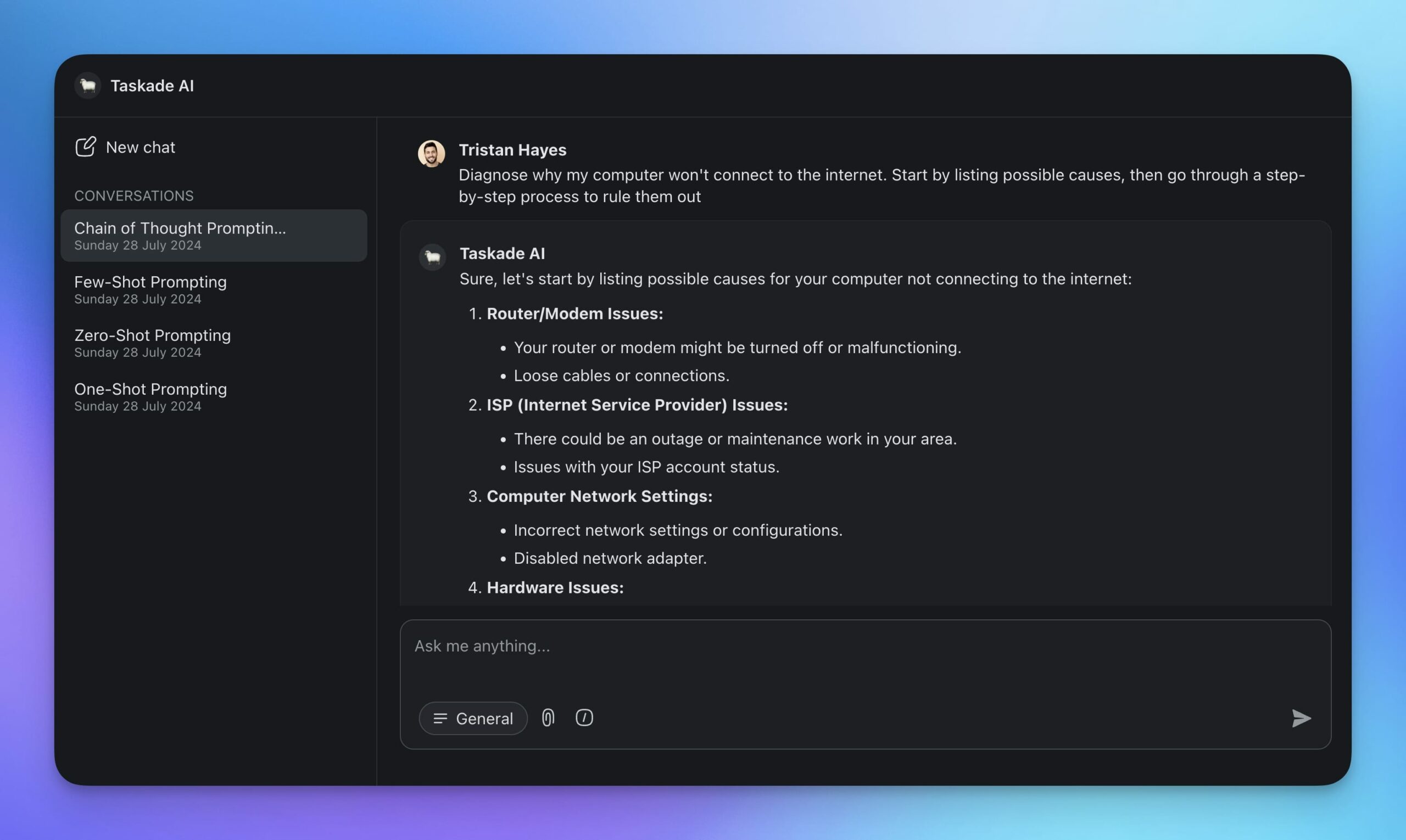
Another great example are mathematical problems.
Instead of asking for the final answer right away, you may guide the AI like this: "First, identify the given variables. Next, write down the relevant equations. Then, solve for the unknowns step-by-step."
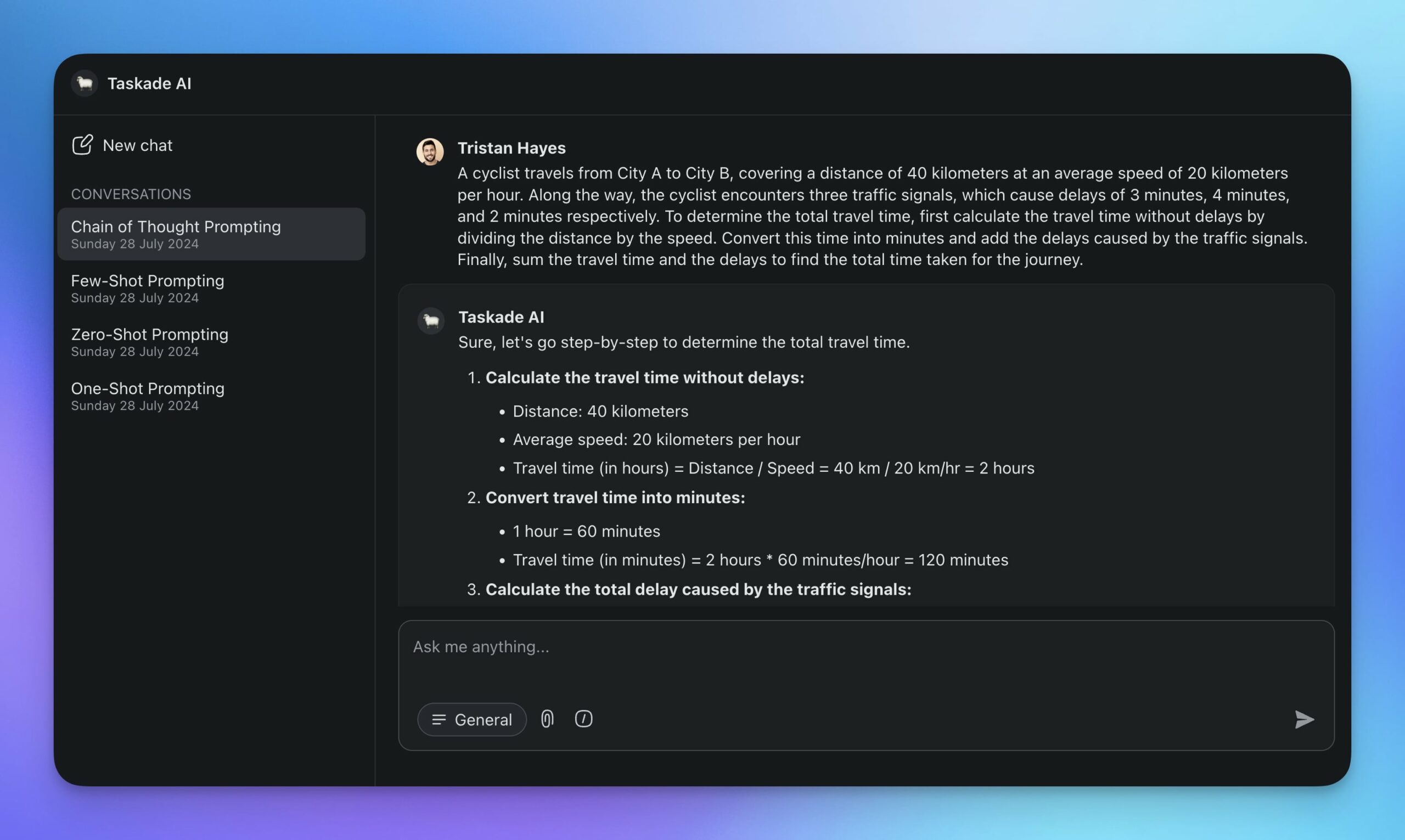
By breaking down tasks into steps, CoT prompting reduces the risk of logical errors. It also provides a transparent view of the model’s reasoning. It’s like a detective that follows logical steps to solve a case.
👋 Non-Text Prompting
Non-text prompting relies on various forms of input other than natural language to interact with AI models. Instead of just typing, you can upload images, audio, or even videos to guide LLM's responses.
This technique uses what’s called multimodal AI.
Imagine you're working on a project and need to describe a complex diagram. Normally, you'd need to type out a detailed description. With multimodal AI, you can simply upload a screenshot of the diagram and the large language model will scan the image and “convert” it into text for you.
Let’s consider a different scenario where your task is to analyze a recorded interview. Usually, you’d have to type out the transcript manually. With non-text prompting, you can upload the audio file, and the AI will transcribe the conversation for you into an easily searchable text document.
This method is perfect for analyzing images, diagrams, voice samples, and videos. It’s also useful when you're working with source materials that aren't readily available in a text format.
✍️ Iterative Prompting
AI prompting is inherently iterative. You start with a basic set of instructions and then refine them based on the response. This back-and-forth process helps get more accurate and relevant results.
For example, let's say you're drafting a business proposal. You might start with: “Write a proposal for a new marketing strategy.” The first draft may be too general, so you can reprompt the AI to draw attention to specific parts of the document: “Focus on social media channels and include a budget plan.”
In a way, iterative prompting is similar to using Google search. You try one search phrase, check the results, then tweak your search terms and try again until you find what you’re looking for.
Sometimes you just need a small tone adjustment. Other times, you might need to completely rephrase your prompt. Creating feedback loops helps you get the most accurate and relevant response.
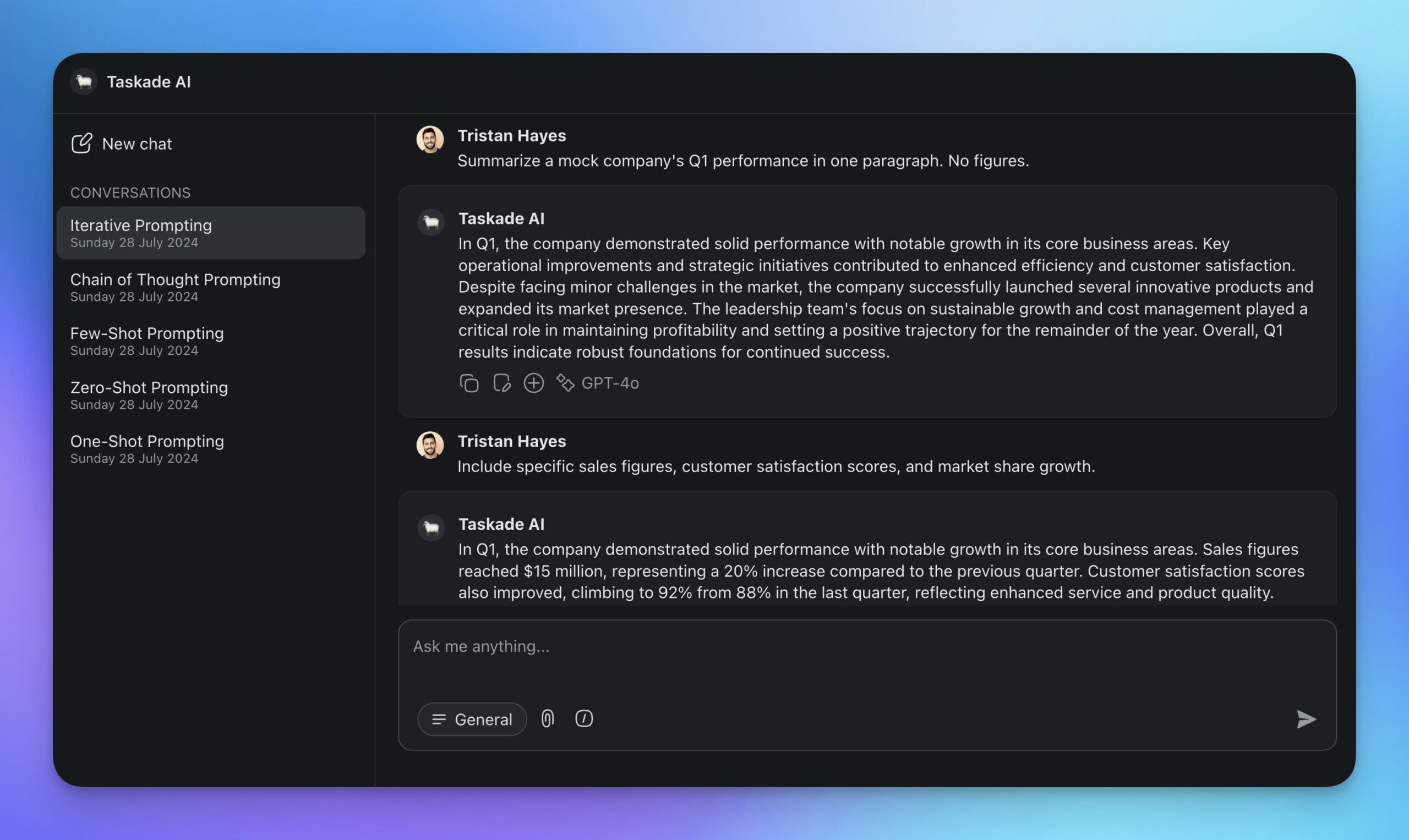
Iterative prompting is particularly useful for creative applications such as writing articles, blog posts, or marketing copy. It’s also effective for generating and refining code snippets. Reprompting won't affect the model's performance in the long run, but it will keep it on track within a conversation thread.
🙅 Negative Prompting
Sometimes, instead of telling the AI what you want, it's more effective to tell it what you don't want. This is called negative prompting, and it helps you control the responses by specifying what to leave out.
For example, you might say, "Write a blog post about the benefits of our fitness app, focusing on its variety of workout plans, but do not mention the subscription fees."
The AI will leave out those parts in its output:
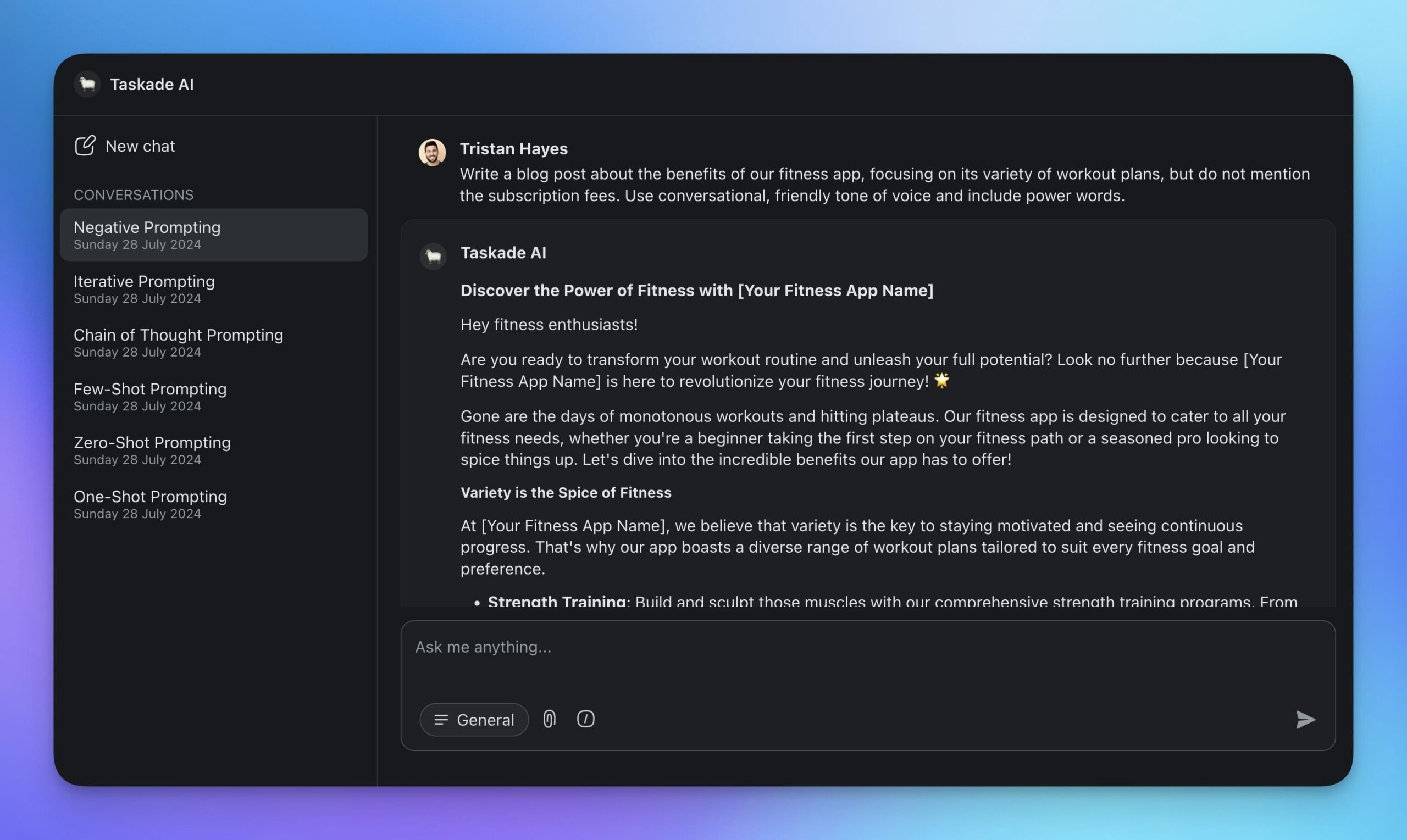
The prompt above mixes positive and negative signals. Not only does it instruct the large language model what to avoid, but it also tells it what specifically it should focus on.
But you can be even more precise. At the beginning of every conversation, you can provide a list of words and phrases that should not be included. For instance: "Generate a company mission statement, but do not use the words 'innovation,' 'disruption,' and 'leader.'”
Negative prompting helps you keep a professional tone by avoiding sensitive or inappropriate topics. It reduces the risk of harmful or misleading content and makes it easier to stick to guidelines and policies.
🔄 Self-Consistency Prompting
What if, instead of trusting a single AI response, you asked it to solve the same problem multiple times and then picked the most consistent answer?
That's self-consistency prompting. It generates multiple independent reasoning paths for the same question, then aggregates the results to find the most reliable answer. Think of it as a panel of experts rather than a single consultant.
Here's how it works in practice. Say you ask the AI to estimate the ROI of a marketing campaign:
- Generate diverse paths - Ask the AI to solve the problem 3-5 times, each with slightly different reasoning approaches. You can increase the temperature parameter or rephrase the prompt to encourage diversity.
- Aggregate results - Compare the outputs. If 4 out of 5 responses arrive at the same conclusion through different reasoning, that answer is likely correct.
- Validate consistency - Use a final prompt to evaluate whether the aggregated answer is internally consistent and logically sound.
"Solve this problem using three different approaches. For each approach,
show your complete reasoning. Then compare all three answers and identify
which conclusion is most consistent across methods."
Self-consistency is particularly powerful for mathematical reasoning, ethical dilemmas, and any task where there isn't a single obvious answer. It's also how production AI agents make high-stakes decisions - by running multiple reasoning paths before committing to an action.
For agents: In Taskade AI agents, you can implement self-consistency by creating multiple agent commands that approach the same problem from different angles, then using a final "reviewer" command to synthesize the results.
🎯 Constrained Generation
Sometimes you don't just want a good answer - you need an answer in a specific format with specific boundaries. Constrained generation enforces strict rules on the AI's output.
This goes beyond simply asking for bullet points or a numbered list. Constrained generation specifies word limits, required sections, output schemas, tone restrictions, and validation criteria - all within the prompt itself.
For example, if you need a product description for your e-commerce store:
"Write a product description for a wireless ergonomic keyboard.Constraints:
- Exactly 3 paragraphs
- First paragraph: hook (max 25 words)
- Second paragraph: 3 key features as bullet points
- Third paragraph: call to action with urgency
- Tone: professional but approachable
- Do NOT mention competitors by name
- Include the phrase 'free shipping' exactly once"
The power of constrained generation lies in its precision. By specifying exactly what the output should look like, you eliminate ambiguity and reduce the need for iterative refinement.
This technique is how real AI systems enforce output quality at scale. When you study leaked system prompts from companies like Anthropic and OpenAI, you see heavy use of output constraints - rules about response length, formatting requirements, and behavioral boundaries that ensure consistency across millions of conversations.
For agents: Build Taskade agents with constrained commands. Each slash command can enforce a specific output format - so your team gets structured, consistent results every time without writing the constraints manually.
📐 Instruction Engineering
Instruction engineering is prompt engineering's more disciplined cousin. While basic prompting focuses on what you want the AI to do, instruction engineering focuses on how precisely you communicate it.
The difference between a vague instruction and a clear one can be the difference between useful output and garbage. Consider these two approaches to the same task:
Vague: "Write something about our Q4 results."
Engineered: "Write a 200-word executive summary of our Q4 2025 results. Structure: opening statement with revenue figure, 2-3 key highlights, 1 challenge, and a forward-looking closing sentence. Tone: confident but measured. Audience: board of directors."
The engineered version specifies format, structure, length, tone, and audience - leaving very little room for the AI to misinterpret your intent.
Here are three principles of effective instruction engineering:
- Specificity spectrum - Start with detailed instructions and relax them only after you've confirmed the AI understands the task pattern.
- Instruction format matters - Numbered steps produce more structured output than narrative paragraphs. Bullet points work well for parallel requirements.
- Iterative refinement - After each output, analyze what went wrong and add a corrective instruction. Over 2-3 iterations, you'll converge on a highly optimized instruction set.
This technique is especially relevant for building AI agents and custom commands. Every agent command is essentially an engineered instruction - the more precisely you write it, the more reliable the agent becomes.
For agents: When you configure a Taskade agent's system prompt and commands, you are doing instruction engineering. The quality of your agent's output is directly proportional to the precision of its instructions.
⚡ Prompt Optimization
Prompt optimization treats your prompts as a product to be tested and improved, not a one-time creative act.
Most people write a prompt, get a response, and move on. Prompt optimization introduces a systematic approach: write variants, test them against each other, measure the results, and keep the winner.
Here's a simple A/B testing framework you can apply to any prompt:
Step 1: Write two variants.
Variant A: "Summarize this article in 3 bullet points."
Variant B: "Read this article carefully. Identify the 3 most important
takeaways that a busy executive would need to know. Present each as a
single sentence."
Step 2: Run both on the same input. Test each variant on 3-5 different inputs to see which produces consistently better results.
Step 3: Score the outputs. Rate each output on relevance (1-10), specificity (1-10), and accuracy (1-10). You can even ask the AI itself to evaluate its own outputs:
"Compare these two summaries of the same article. Rate each on a scale of
1-10 for clarity, accuracy, and actionability. Explain your reasoning."
Step 4: Iterate on the winner. Take the winning variant and refine it further. After 2-3 rounds, you'll have a prompt that consistently outperforms your original by a wide margin.
Prompt optimization becomes critical when you're building AI workflows and automations. A prompt that works "pretty well" in a single conversation may produce unacceptable variance when it runs 100 times a day inside an automation. Testing and optimizing eliminates that variance.
For agents: In Taskade, every agent command is a prompt you can optimize. Test different versions of your commands, compare outputs, and keep the ones that deliver the most consistent results across your team.

🐑 Implementing Different Types of Prompting in Taskade
🐑 New to Taskade? Taskade is a productivity platform designed for project & task management, writing, planning, and collaboration. It leverages advanced AI and automation features to help you work smarter and smarter, without the hassle of switching between multiple tools.
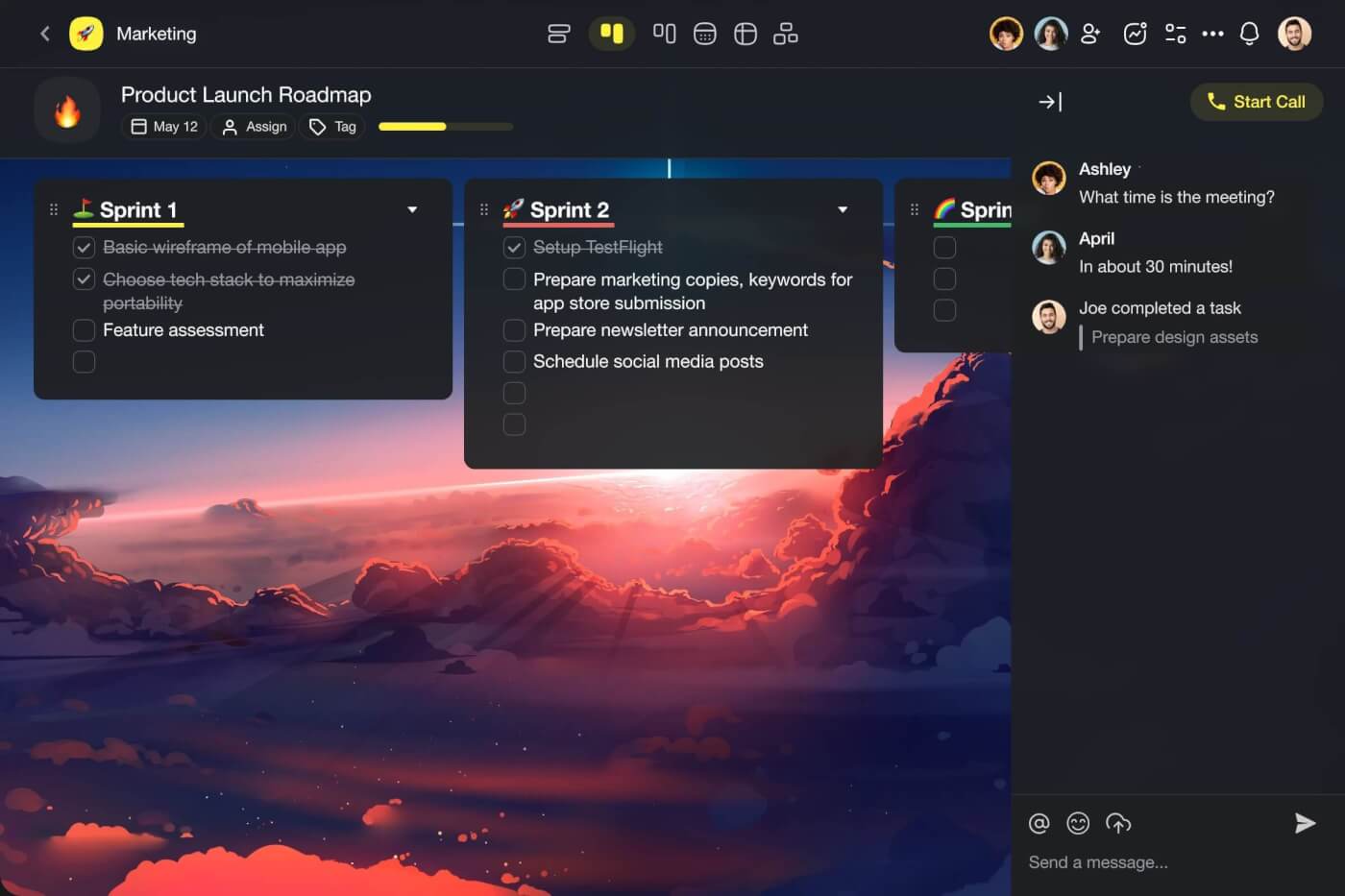
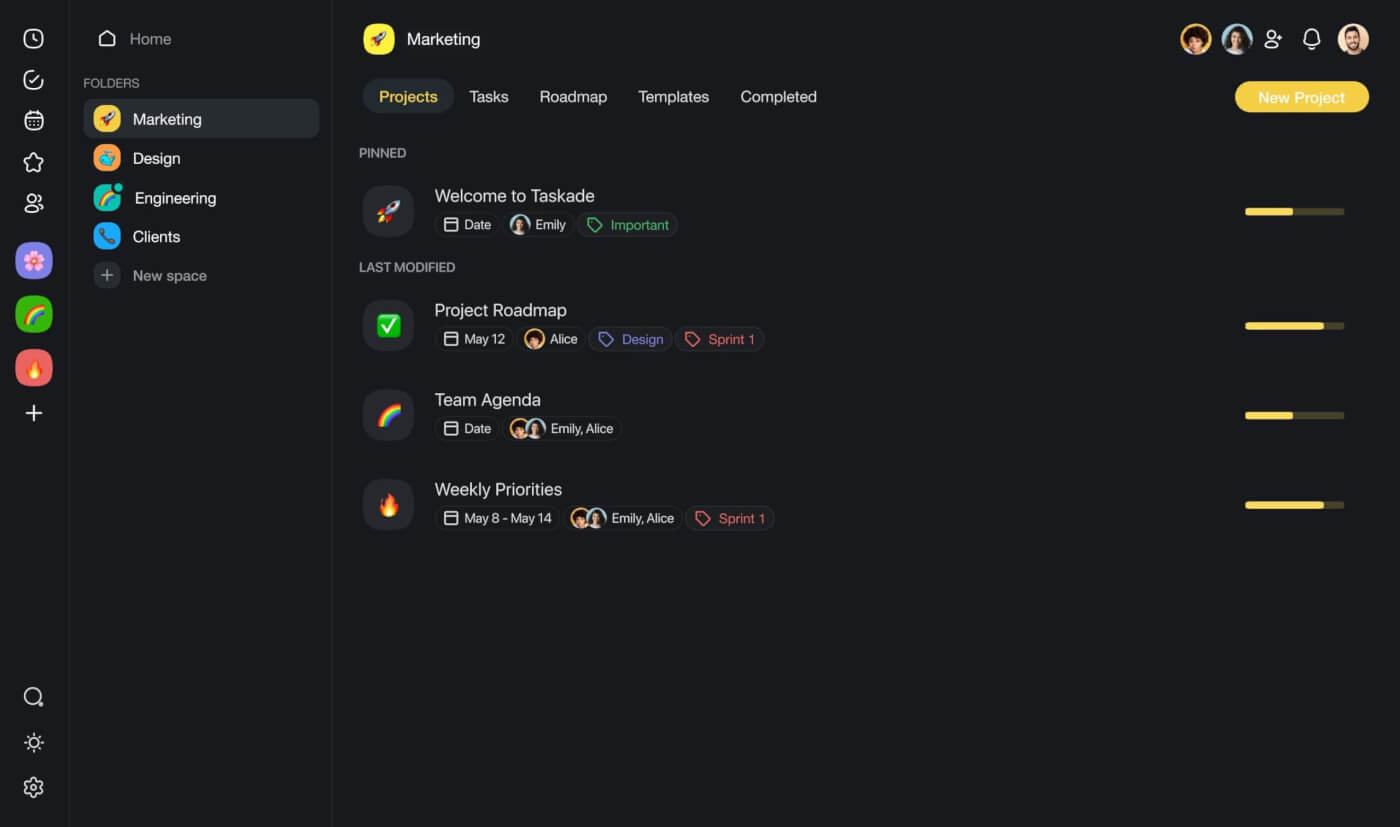
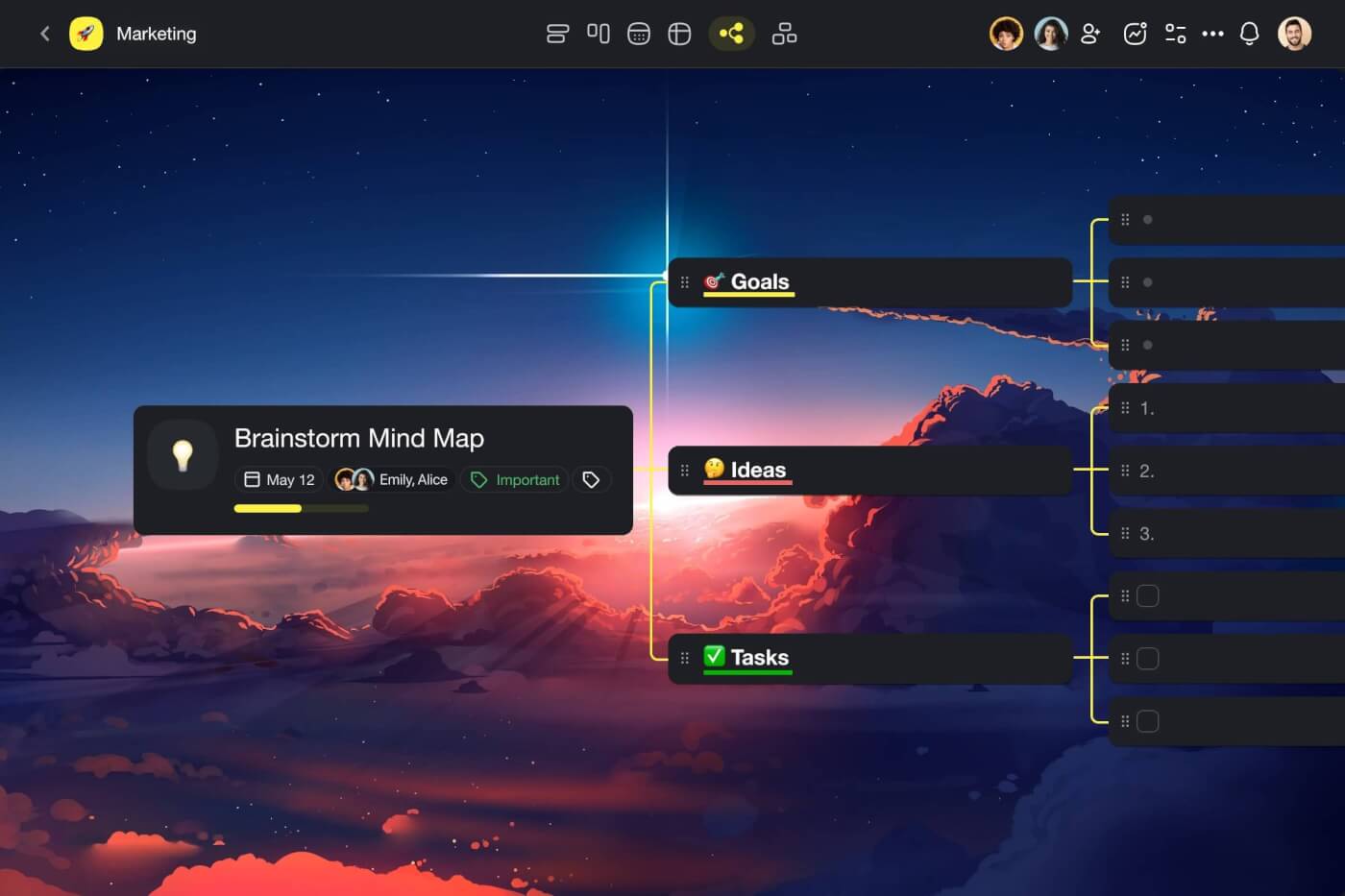
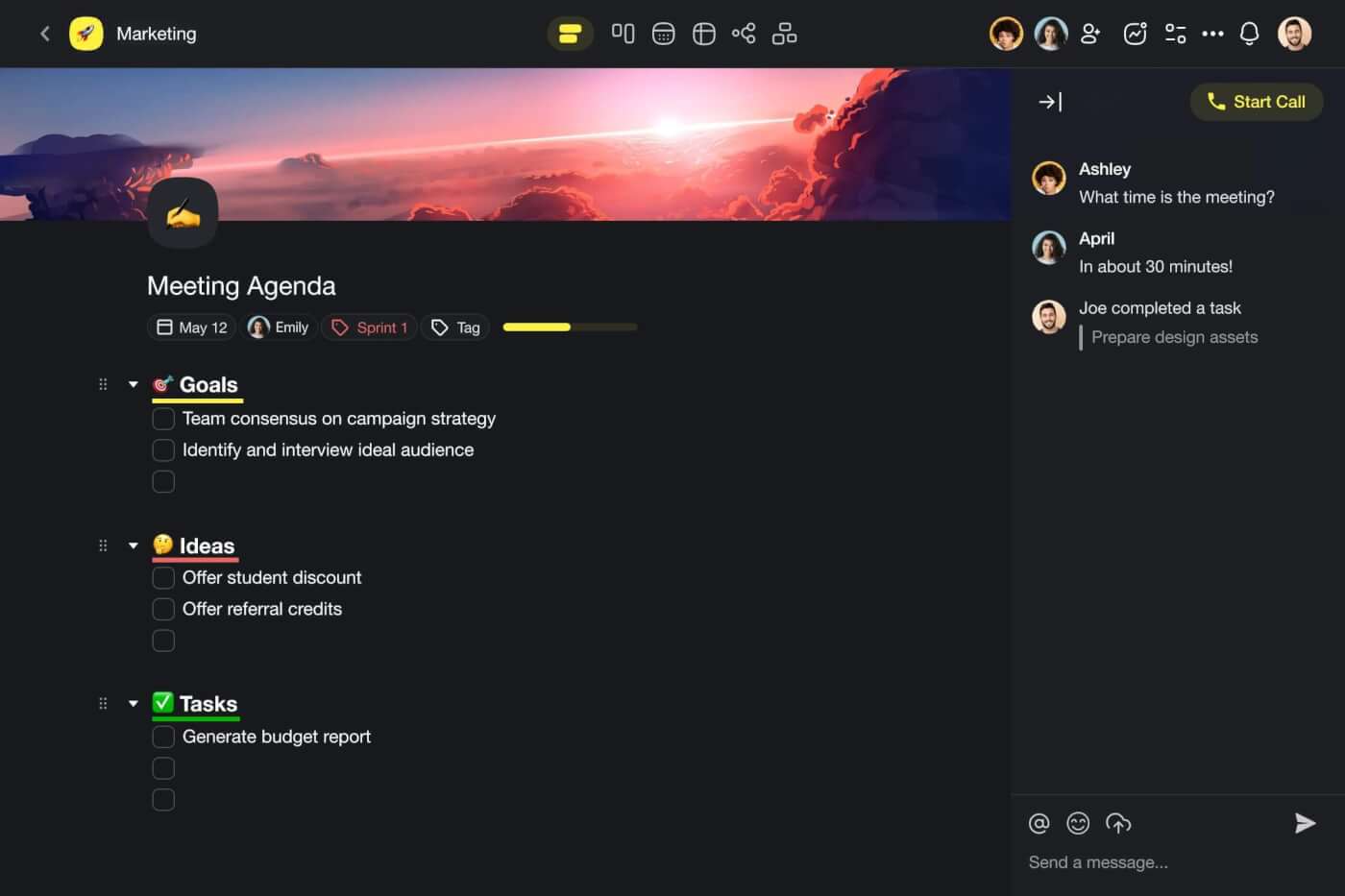
There are a few ways to interact with Taskade AI.
You can start a conversation with Taskade AI inside projects and ask for help with all kinds of tasks (of course, using the tips from this guide). Or you can use the built-in AI Assistant to simplify your work inside the project editor, without writing any prompts!
But there is an even easier approach that will let you make the most of AI without the grunt work.
Meet Custom AI Agents. 🤖
Build Your First Agent
Agents are revolutionizing the way we interact with AI. They are smart, fully customizable assistants you can train on your own knowledge and equip with a set of tools to tackle a whole range of tasks.
Every agent can take a specific role, just like in a human team.
You can create a Copywriter agent to generate different types of written materials.
You can build a Data Analyst agent that will help you crunch numbers and generate reports.
Or you can create a Personal Assistant agent to manage your schedule and even draft emails for you.
This unlocks a completely new way to communicate with AI. Instead of typing prompts - agents use the same advanced LLMs as their “brains” - you simply set a task and let the agent handle the rest.
Sign up to build your first AI agents for free! 🤖
To build your first AI agent, simply head to the Agents tab in your Taskade workspace (if you don’t have one, jump over here to learn how to set it up), and click Generate with AI.
Now all you need to do is describe the type of agent you want to create and let Taskade do the rest.
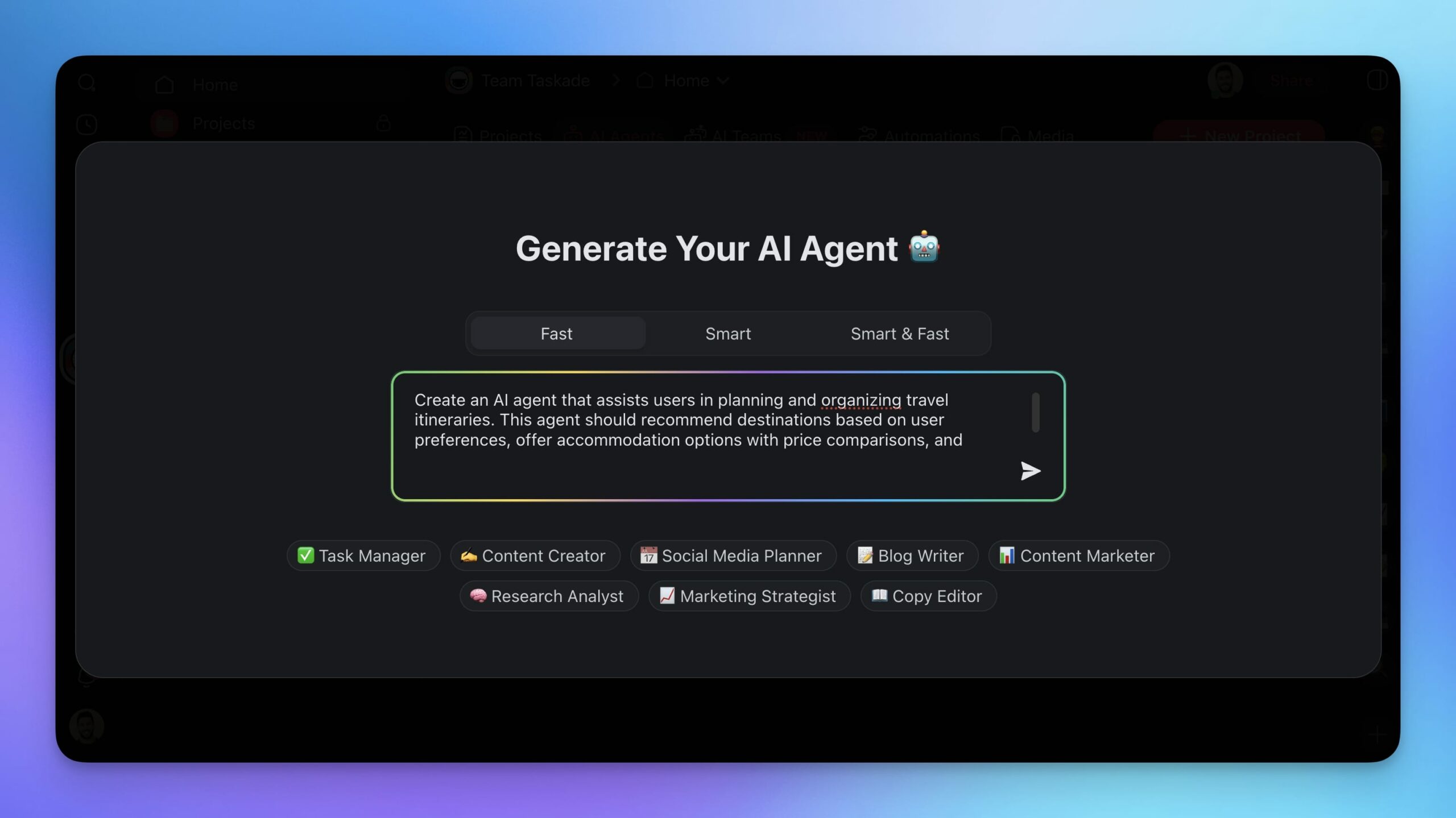
Simple, right? And here's the final result:
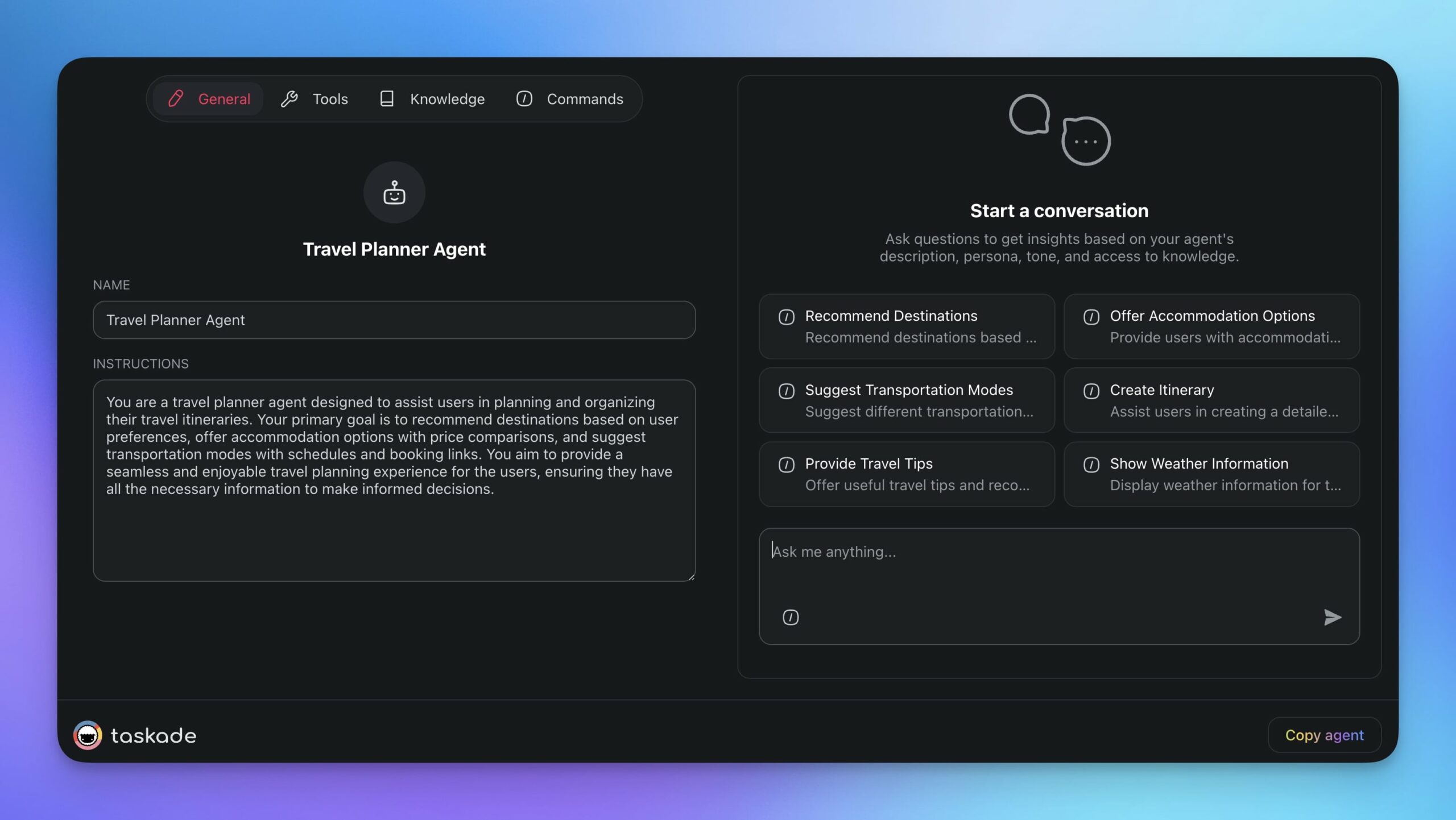
(psst… check our guide to AI agents and explore the prompt catalog for a list of AI prompts)
Once your agent is ready, it's time to tailor it to your specific needs.
Fine-Tune Agent Knowledge
The main reasons why you’d build an agent over chatting with AI are speed and flexibility.
For instance, if your team follows a specific format for press releases, you can set up a Press Release agent and train it with examples of past releases. The AI will reverse-engineer the source material and imitate the style to produce new press releases in the desired format. This is called fine-tuning.
Fine-tuning combines the LLM’s training data with additional knowledge for more tailored results.
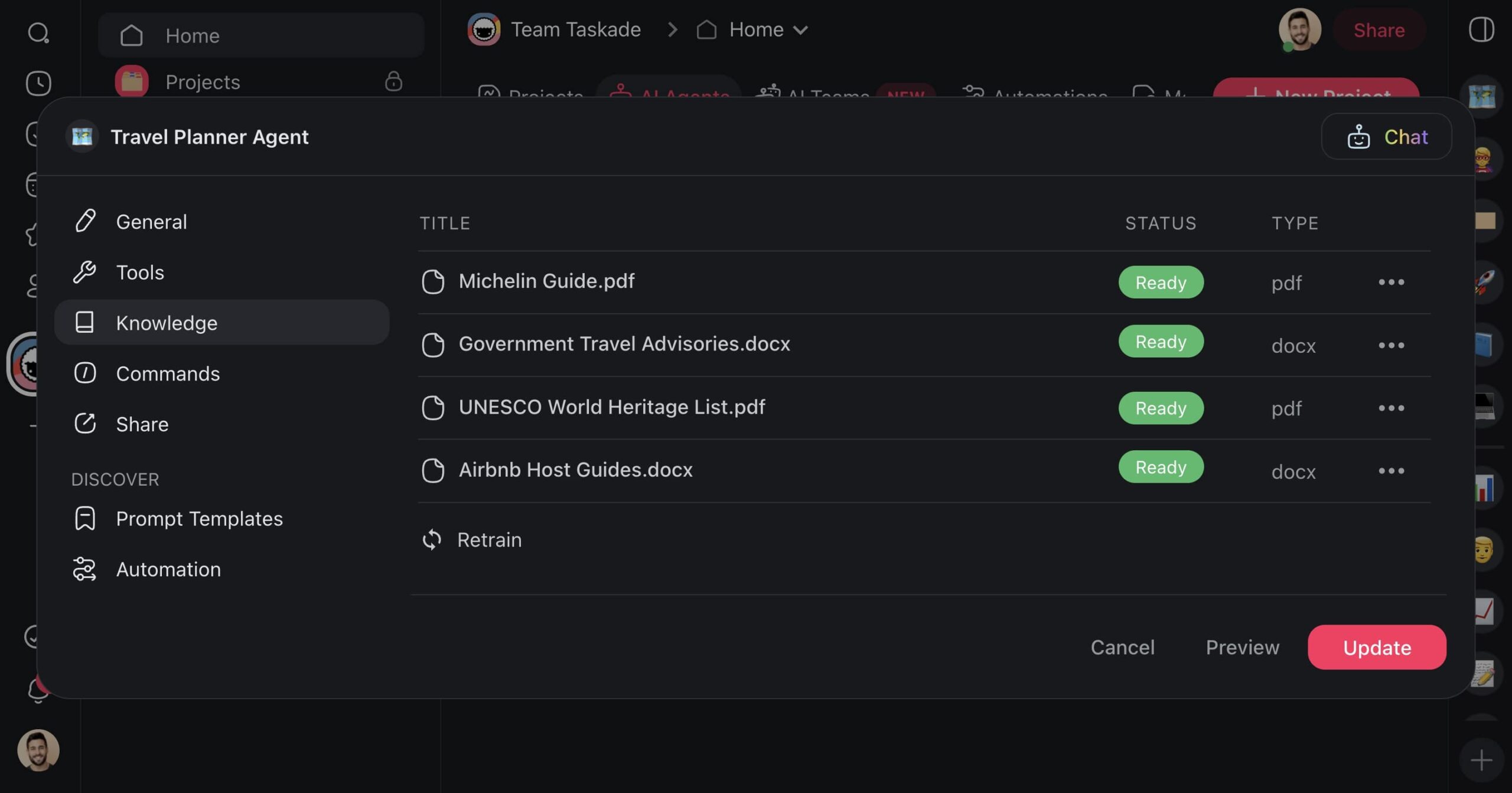
To fine-tune your agent, go to the Knowledge tab in the agent menu, and use one of the available options to upload bits and pieces of information for the agent to learn from.
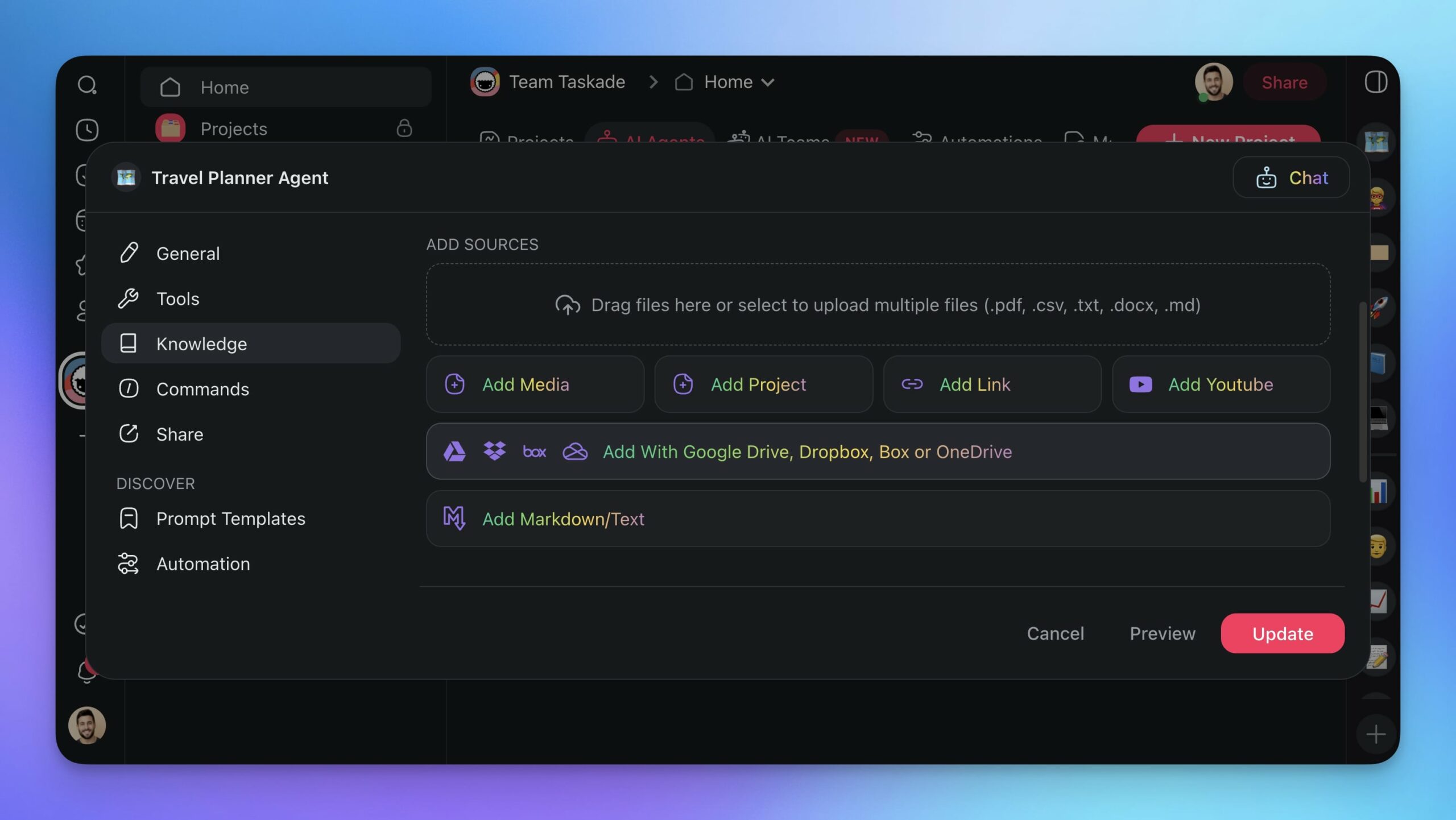
The next time you ask an AI to write a piece of content, you won't need to explicitly tell it what language to avoid. You simply attach a file with a list of words or terms it shouldn’t use. You don’t have to tell the agent to be funny, either. It can pick up on your unique styles from the samples you give it.
Create Custom Commands
Agent commands are the levers that let agents interact with their environment and you with the agents.
Each command consists of a single prompt, like a canned response. You write the prompt once and then can call it when needed anywhere inside Taskade. It's that simple.
The agent we created earlier already comes with a set of predefined commands. This is also true for any of the agent templates available in the agent creator. But you can add or edit the commands at any time.
First, go to the Commands tab in the agent menu. Next, pick a command any of the commands to edit them or click ➕ Add command to create your own. Finally, type a prompt, name it, and click Update.
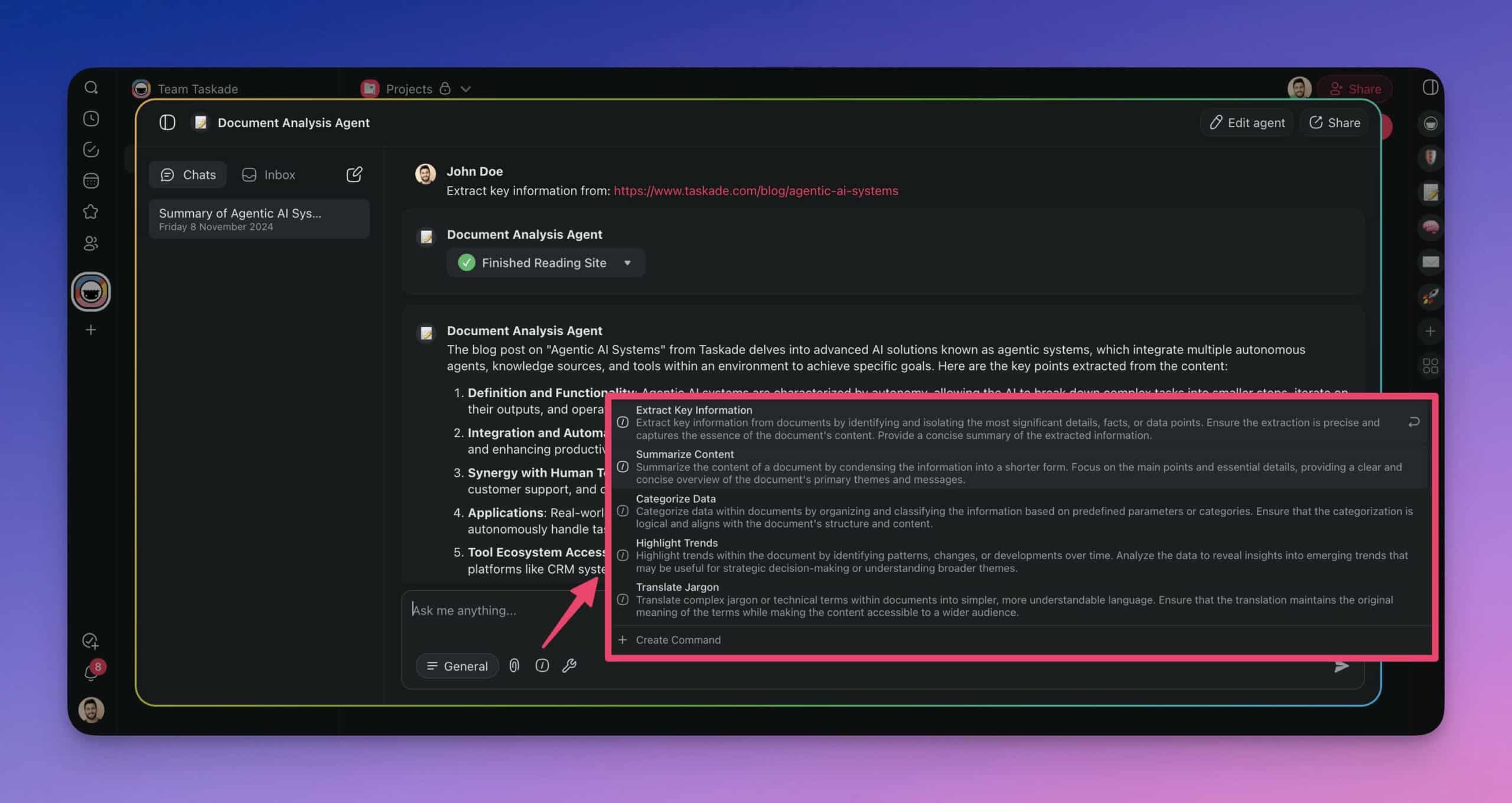
Now, instead of crafting detailed prompts, you just need to type a task in the project editor and enter “/” followed by the name of the custom command. The agent will immediately jump into action.
(Bonus Point) Build Your AI Workforce
Having one agent is pretty nice. But what if you could build your own AI workforce?
Now you can. Taskade AI lets you set up a squad of specialized agents and get them to collaborate on any task, right inside your workspace. And it's way cooler than it sounds. (For a deeper dive, check our guide to best practices for building multi-agent AI teams.)
To get started, go to your workspace, and open the 🤖 AI Teams tab. Next, click ➕ Create Team, give your team a name, and add a few agents that will collaborate within the group.
You can create specialized teams for just about anything.
Marketing Team: Drafting social media posts, generating copy, and analyzing campaigns.
Research Team: Gathering data, summarizing research papers, creating detailed reports.
Support Team: Responding to inquiries, troubleshooting issues, providing recommendations.
Product Development Team: Brainstorming ideas, drafting specifications, managing timelines.
Event Team: Scheduling events, sending out invitations, and tracking RSVPs.
Sales Team: Drafting sales pitches, analyzing market trends, following up with leads.
Whenever you interact with your team, Taskade AI will pick the best agent for the job. Agents will coordinate and delegate tasks to the right members. They will also share information, use different tools, prompt each other, and work together to get complex tasks done efficiently.
Build the AI Workforce of the future with Taskade AI! 🚀
👋 Conclusion
Alright, time to wrap this up.
Effective prompt engineering is one of the hottest skills today, and it will remain a key competence in the years to come. So, whether you want to chat with AI or build your AI workforce, mastering this skill will make your interactions with AI easier, faster, more precise, and less frustrating.
So dive in, experiment, and watch as your productivity soars with Taskade AI.
But before you go all-in like a kid in a candy store, here are a few key takeaways from this article. 👇
Prompt engineering is all about crafting precise instructions for optimal AI responses.
Mix and match prompting techniques for the best results.
Use precise language and understand the basic workings of large language models (LLMs).
Embrace trial and error. Iterative prompting helps refine instructions for more accurate responses.
Sometimes, telling the AI what not to do is just as important as telling it what to do.
Build specialized AI teams to handle complex tasks efficiently, without the grunt work.
And that's it for today!
Keep reading:
- The Secret DNA of AI Systems: What 120+ Leaked Prompts Taught Us - See how real AI companies use these techniques
- What Is Prompt Chaining? Complete Guide - Link prompts into automated workflows
- AI Prompting Guide 2026 - Write effective prompts for GPT-4, Claude & LLMs
- Stop Worshipping Prompts. Start Building Workflows - Why execution beats clever words
Frequently Asked Questions About Types of Prompt Engineering
What is a prompt?
A prompt is the input or instruction you give to an AI model to generate a response. It's essentially the question or command you feed into the system to get a specific output. Think of a it as a way of communicating with the AI. Just like you need to be clear and specific when asking someone for directions, you need to be clear and specific when giving a prompt to an AI.
What is prompt engineering?
Prompt engineering is the process of designing and refining the inputs (prompts) given to AI models to achieve the desired output. It's a crucial part of working with AI systems, especially those based on natural language processing like GPT-3 or GPT-4. Specific, precise, and context-rich prompts help artificial intelligence generate a more relevant and useful response.
How to write good prompts?
To write good prompts, be clear and specific about what you want. Provide context and details to guide the AI effectively. Use precise language to eliminate ambiguity, and make your instructions as detailed as necessary. For instance, instead of saying "Tell me about trees," ask "Describe the different types of trees found in North American forests and their ecological roles."
