







Backlog grooming is the single practice that separates high-velocity Agile teams from those drowning in outdated tickets and unclear priorities. According to the 17th State of Agile Report, 71% of organizations now use Agile practices, yet backlog management remains the top friction point for development teams.
In this guide, you will learn proven strategies for backlog grooming, compare the leading tools (Taskade, Jira, Linear, Shortcut), and discover how AI agents can automate the entire refinement process.
TL;DR: Backlog grooming keeps your sprint pipeline clean and actionable. Taskade AI agents automate prioritization, duplicate detection, and effort estimation across multiple project views with 100+ integrations. Teams report 60% less manual refinement time. Start free -->

What Is Backlog Grooming?
Backlog grooming (also called backlog refinement) is a Scrum and Agile ceremony where the product owner and development team review, prioritize, and update items in the product backlog. The goal is to ensure every item is clear, estimated, and ready for upcoming sprints.
Regular backlog refinement meetings prevent the product backlog from becoming overwhelming. They keep the project adaptable by reflecting new ideas, customer feedback, or market shifts.
The traditional approach to backlog grooming involves significant manual work: sorting tasks, updating details, estimating effort, and removing stale items. AI-powered tools like Taskade streamline this process so teams can focus on delivering value.
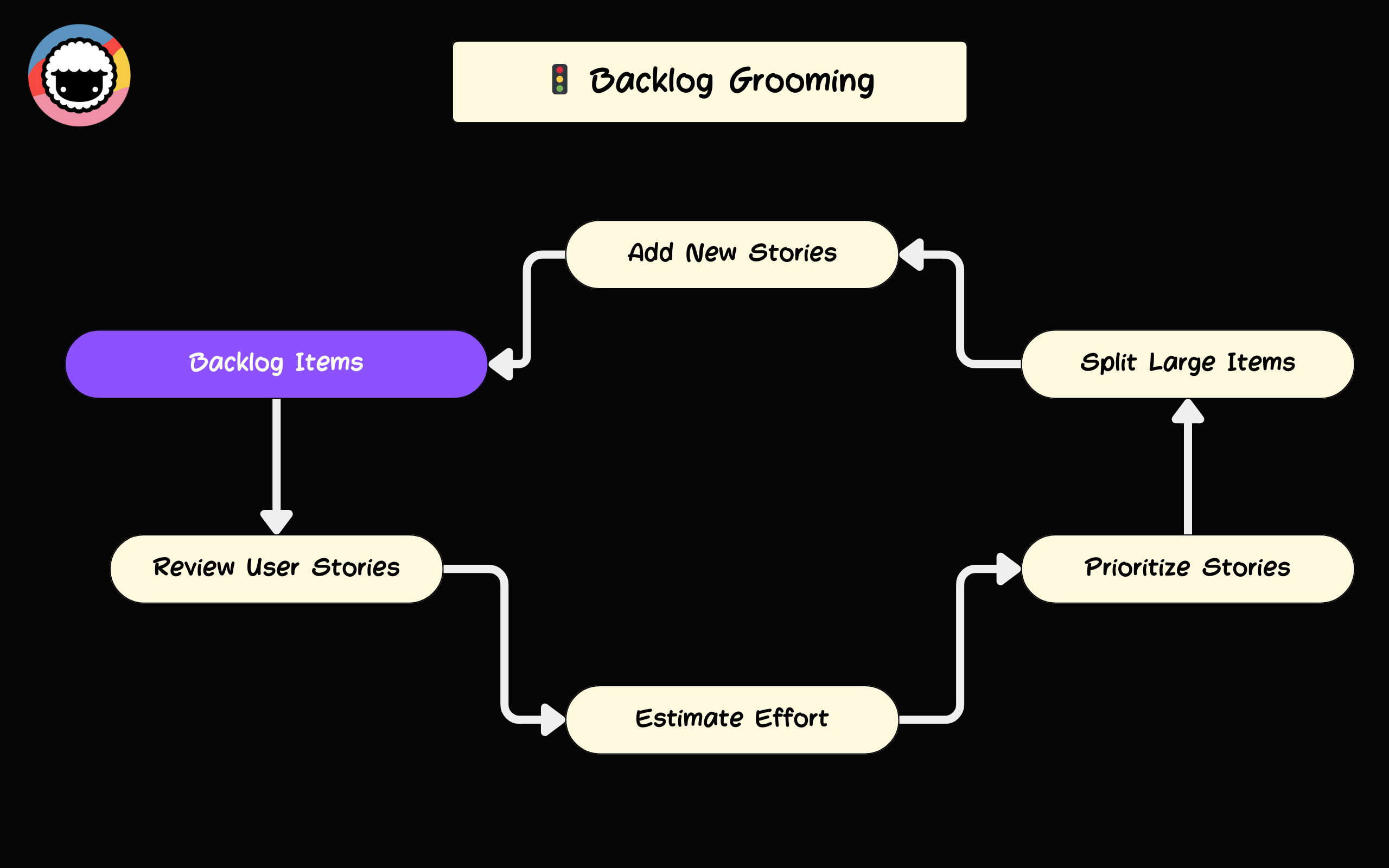
Why Backlog Grooming Matters for Agile Teams
Better Team Alignment
Regular grooming sessions ensure every team member understands the priorities and upcoming work. Fewer misunderstandings lead to smoother collaboration and more productive sprint planning sessions.
When everyone knows what is next, the team avoids last-minute scrambles and context switching. This is especially important for remote teams where asynchronous communication can create alignment gaps.
Higher Efficiency
Continuously refining and prioritizing tasks eliminates wasted effort on outdated or low-priority items. Teams maintain laser focus on what needs to get done.
The compound effect is significant: well-defined tasks are completed faster, blockers surface earlier, and sprint velocity becomes predictable. This makes project management measurably more effective.
Fewer Surprises
Nobody likes surprises in product development. Regular grooming identifies potential roadblocks before they escalate, reducing the costs associated with late-stage fixes.
By catching problems early, the team addresses them proactively. This saves time during sprint planning and prevents scope creep from derailing the iteration.
Faster Adaptation
Markets shift, priorities evolve, and new information surfaces constantly. Backlog grooming allows your team to adapt quickly and ensures the most relevant tasks stay front and center.
Both the product owner and the project manager should participate in these adjustments. Regular refinement keeps the team agile and responsive to competitive moves.
Improved Task Clarity
Adding details and context to backlog items makes them easier to understand and execute. When tasks include acceptance criteria, dependencies, and relevant documentation, teams move faster without second-guessing requirements.
Clear items also improve estimation accuracy, which directly impacts sprint planning and delivery predictability.
Backlog Grooming vs Jira vs Linear vs Shortcut
Choosing the right tool for backlog management depends on your team size, workflow complexity, and AI automation needs. Here is how the leading options compare:
| Feature | Taskade | Jira | Linear | Shortcut |
|---|---|---|---|---|
| AI-Powered Prioritization | AI agents auto-prioritize with RICE/MoSCoW | Manual rules + Atlassian Intelligence | Auto-prioritization limited | Manual priority fields |
| Project Views | Multiple views (List, Board, Calendar, Table, Mind Map, Gantt, Org Chart) | Board, List, Timeline, Calendar | Board, List, Timeline | Board, List, Timeline |
| AI Agents | built-in tools, custom agents, persistent memory | Atlassian Intelligence (limited) | No custom agents | No custom agents |
| Automation | 100+ integrations, event-driven workflows | Jira Automation rules | Built-in automation | Zapier-based |
| Effort Estimation | AI-assisted story points from historical data | Manual estimation with velocity tracking | Manual estimation | Manual estimation |
| Duplicate Detection | AI agents flag duplicates automatically | JQL queries required | Manual search | Manual search |
| Starting Price | Free / $10/mo (Pro) | Free / $8.15/user/mo | Free / $8/user/mo | Free / $8.50/user/mo |
| Real-Time Collaboration | Built-in chat, video, screen sharing | Comments only (requires Confluence) | Comments only | Comments only |
| RBAC | Role-based access (Owner to Viewer) | 4 tiers | 4 tiers | 3 tiers |
When to Choose Each Tool
Choose Taskade when you want AI agents that actively participate in backlog refinement, not just store tickets. Taskade is the only platform where agents can analyze, prioritize, estimate, and reorganize backlog items autonomously across multiple project views.
Choose Jira when your enterprise already runs Atlassian products and needs deep issue-tracking customization. Jira excels at complex workflow configurations but requires significant setup time.
Choose Linear when your engineering team wants a fast, keyboard-driven interface with minimal configuration. Linear is opinionated about workflows, which speeds up small teams but limits flexibility.
Choose Shortcut when you need a middle ground between Jira's complexity and Linear's simplicity. Shortcut balances flexibility with ease of use for mid-size teams.
Best Practices for Effective Backlog Grooming
Schedule Regular Sessions
Consistency is essential. Schedule backlog refinement meetings at the same time each sprint to make the process predictable. Weekly or bi-weekly sessions work well for most teams, depending on sprint length.
A team using two-week sprints typically runs a mid-sprint refinement session to keep the product backlog updated and prepped for the next sprint planning meeting.
Involve the Right People
Include key stakeholders: product owners, project managers, developers, and QA members. Diverse perspectives shape a more accurate and well-prioritized backlog.
Consider making sessions cross-functional. Designers, marketers, and analysts can offer insights that development teams might miss. The product owner's responsibilities include coordinating these voices into a coherent backlog.
Use the RICE Prioritization Framework
Not all tasks are created equal. RICE (Reach, Impact, Confidence, Effort) provides a quantitative scoring method that removes subjective bias from prioritization:
| RICE Component | What It Measures | Example |
|---|---|---|
| Reach | How many users this affects per quarter | 5,000 users/quarter |
| Impact | How much this moves the needle (0.25-3x) | 2x (high impact) |
| Confidence | How certain the estimates are (0-100%) | 80% confidence |
| Effort | Person-months required | 2 person-months |
| Score | (Reach x Impact x Confidence) / Effort | (5000 x 2 x 0.8) / 2 = 4,000 |
Higher RICE scores indicate items that deliver the most value per unit of effort. Taskade AI agents can calculate these scores automatically by analyzing your historical project data.
Add Details and Context
Every backlog item should include enough detail to be actionable:
- User story: "As a [user type], I want [feature] so that [benefit]"
- Acceptance criteria: Clear definition of done
- Dependencies: Links to related items
- Effort estimate: Story points or time-based
- Priority label: Must/Should/Could/Won't (MoSCoW)
For example, a user story about adding a login feature would include flow diagrams and criteria such as "The user must receive an error message if the password is incorrect."
Remove Stale Items Ruthlessly
A backlog filled with months-old items erodes trust in the system. Set a policy: if an item has not been updated in 30 days and is not in the next two sprints, archive it.
Taskade AI agents can automatically flag stale items and suggest whether to archive, merge, or re-prioritize them based on current project goals.
Use Tools Wisely
Use project management tools that support multiple views for visualizing your backlog. Taskade offers project views including Board for kanban-style organization and Mind Map for dependency visualization.
Features like task boards, custom fields, and automation workflows help streamline the grooming process and keep everything organized in one workspace.
How to Automate Backlog Grooming with Taskade AI

Product backlog grooming is tedious, time-consuming, and draining. Taskade lets you build custom AI agents directly inside your workspaces to automate the entire process.
Here is a step-by-step walkthrough.
Step 1: Set Up Your Backlog Project
Create a new project in your workspace titled "Project Backlog." This project will be your team's hub for tracking tasks, backlog items, and running refinement meetings.
In your workspace or folder, click + New Project and select AI Project Studio.
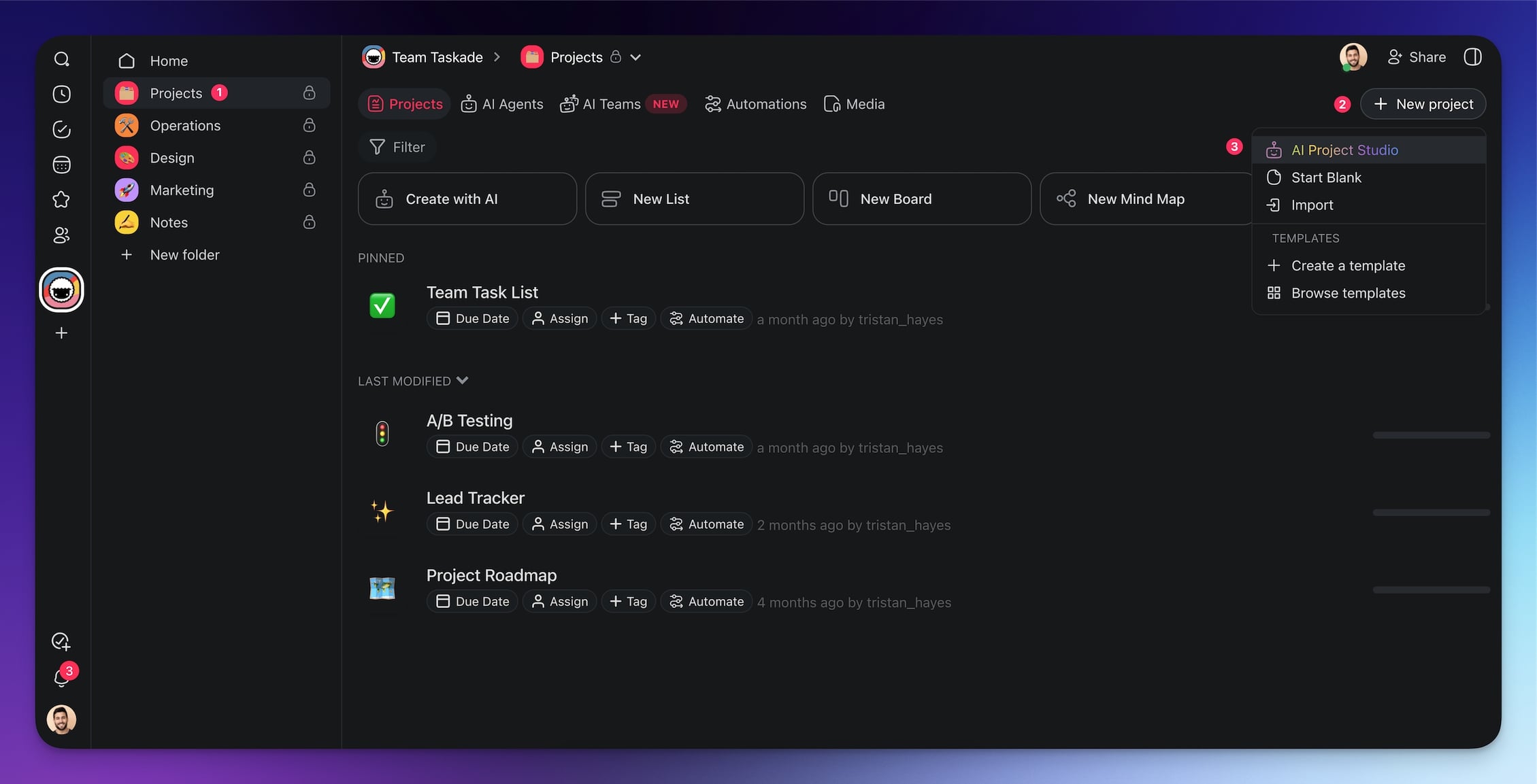
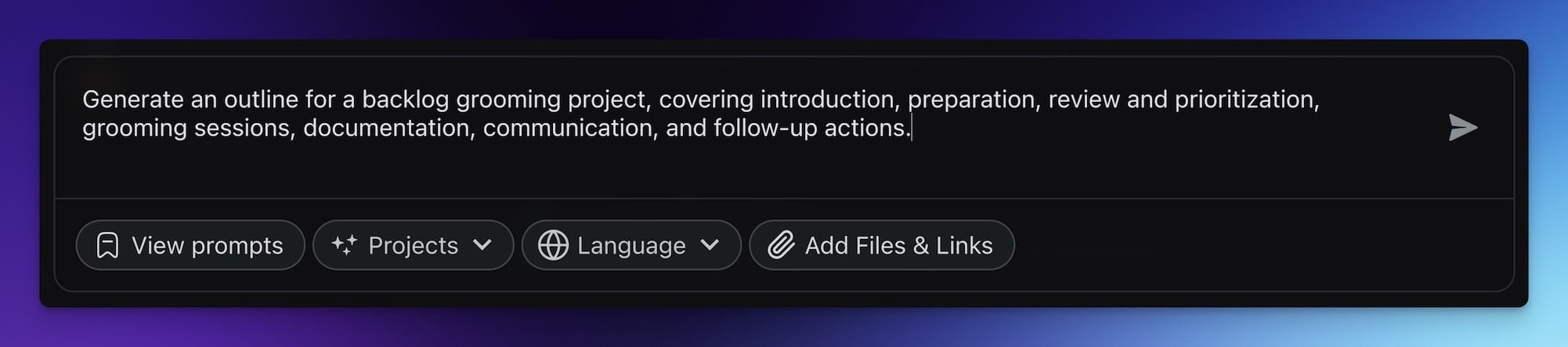
Use this prompt to generate a structured outline:
"Generate an outline for a backlog grooming project, covering introduction, preparation, review and prioritization, grooming sessions, documentation, communication, and follow-up actions."
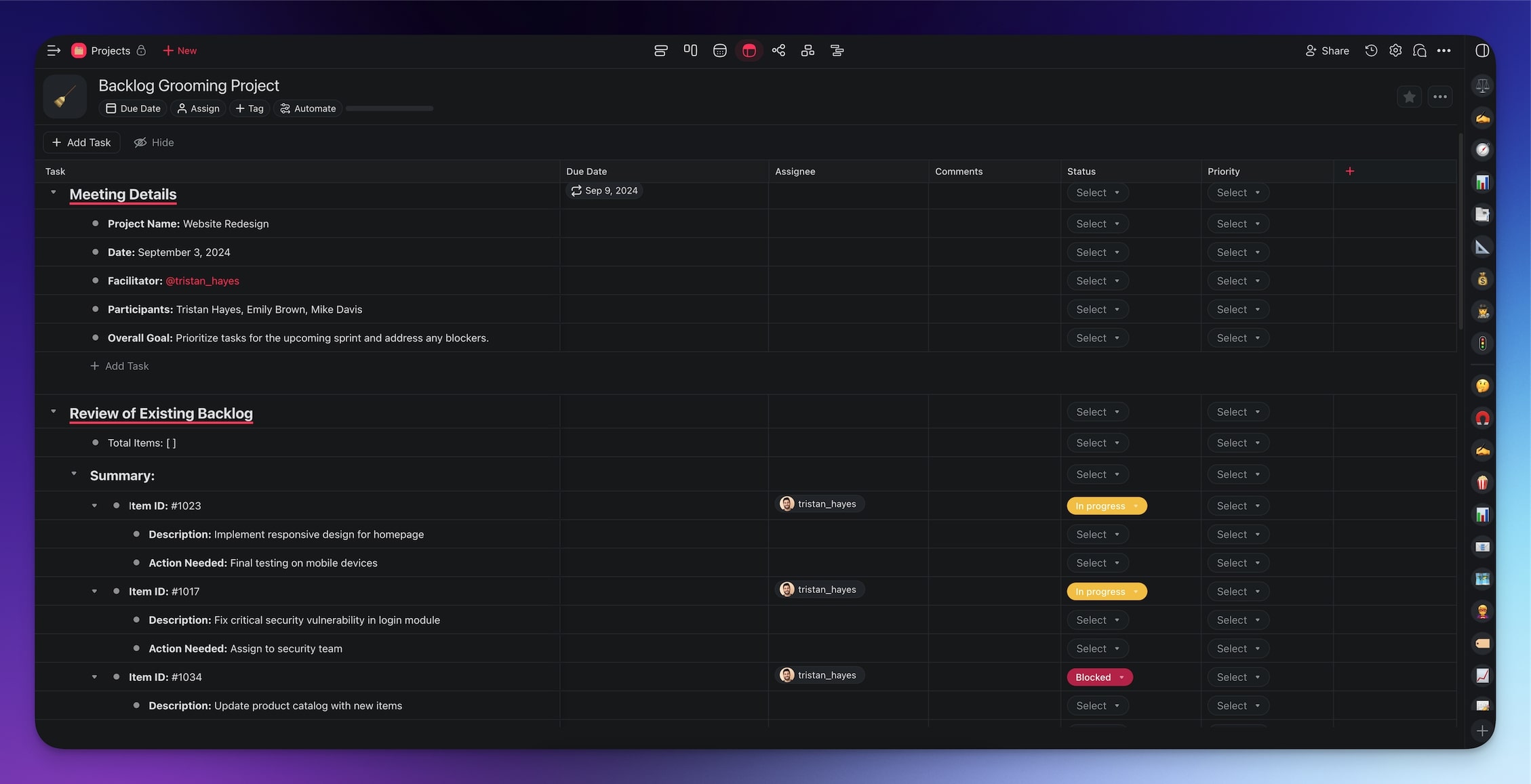
The AI generates a complete project structure in seconds:
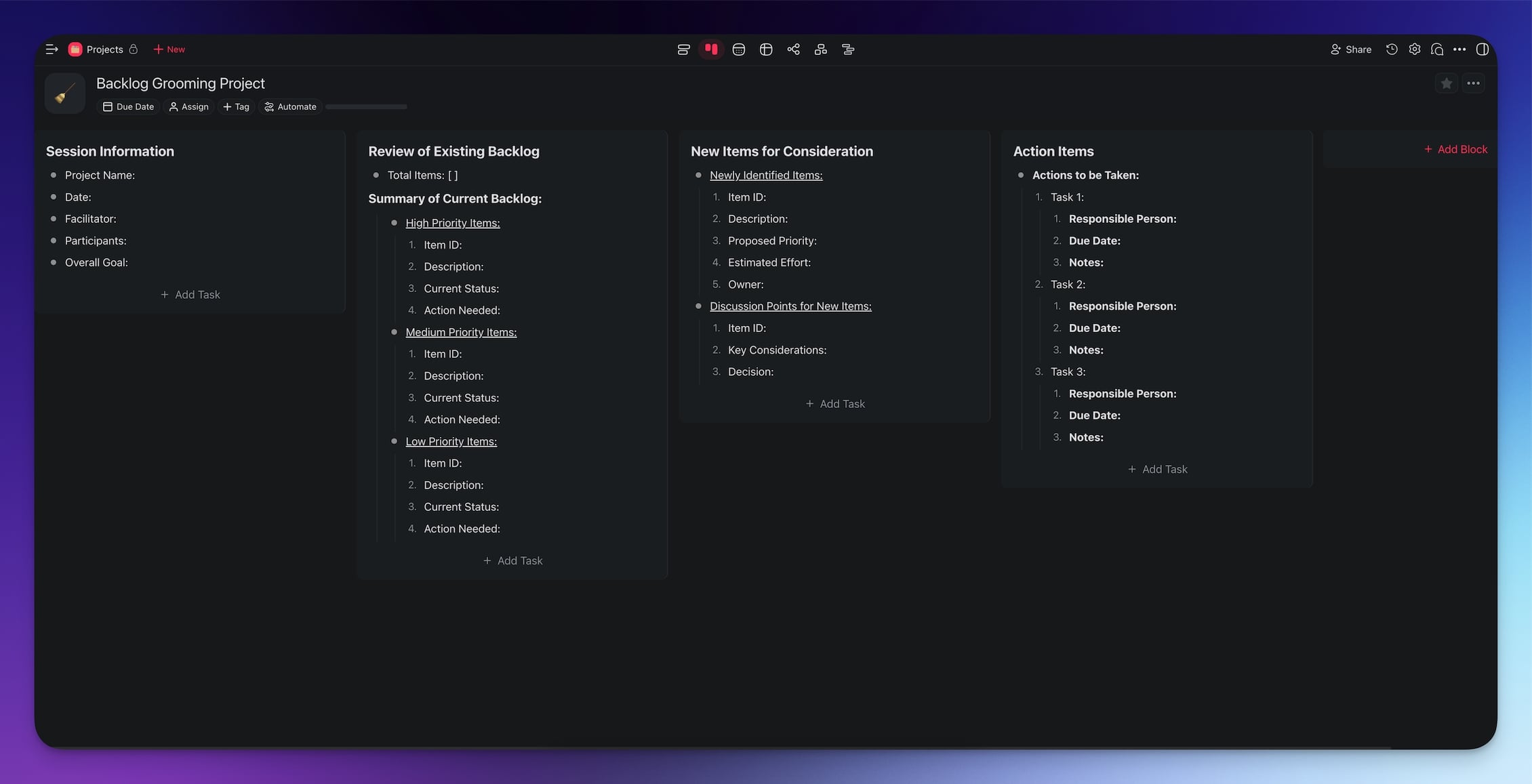
You can add a recurring task at the top of the project to track upcoming grooming sessions. Taskade sends notifications when events are due, so nothing slips through.
Step 2: Build a Backlog Grooming Agent
With the project in place, your automated backlog grooming workflow covers six key steps:
- Review backlog items: Examine each item for clarity and relevance
- Clarify requirements: Ensure tasks have well-defined acceptance criteria
- Prioritize tasks: Reorder based on importance and urgency using RICE or MoSCoW
- Estimate effort: Assign story points or time estimates based on historical data
- Identify dependencies: Map relationships and flag potential bottlenecks
- Update status: Mark items for the next sprint and archive stale tickets
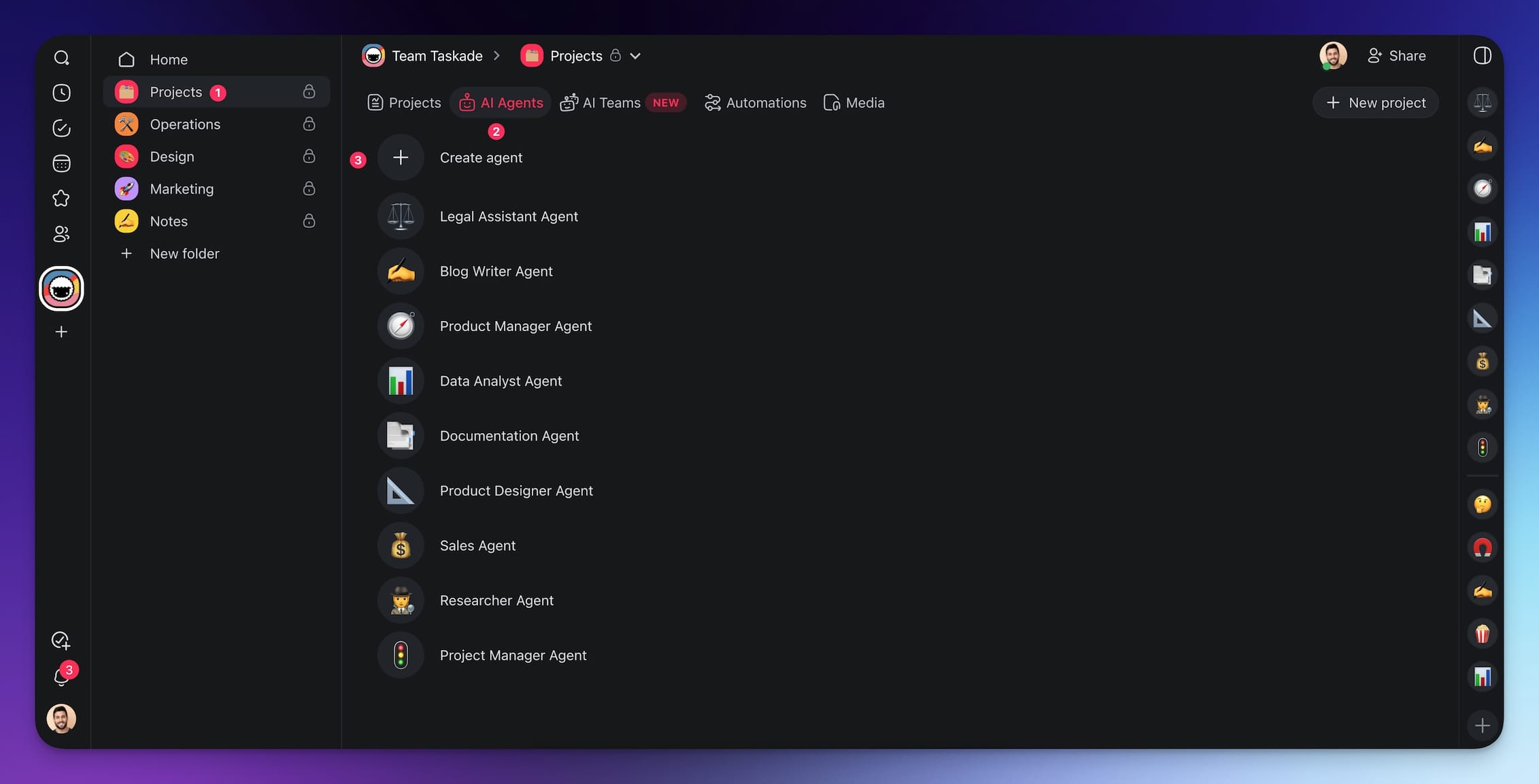
Go to the Agents tab in your workspace and choose Create agent.
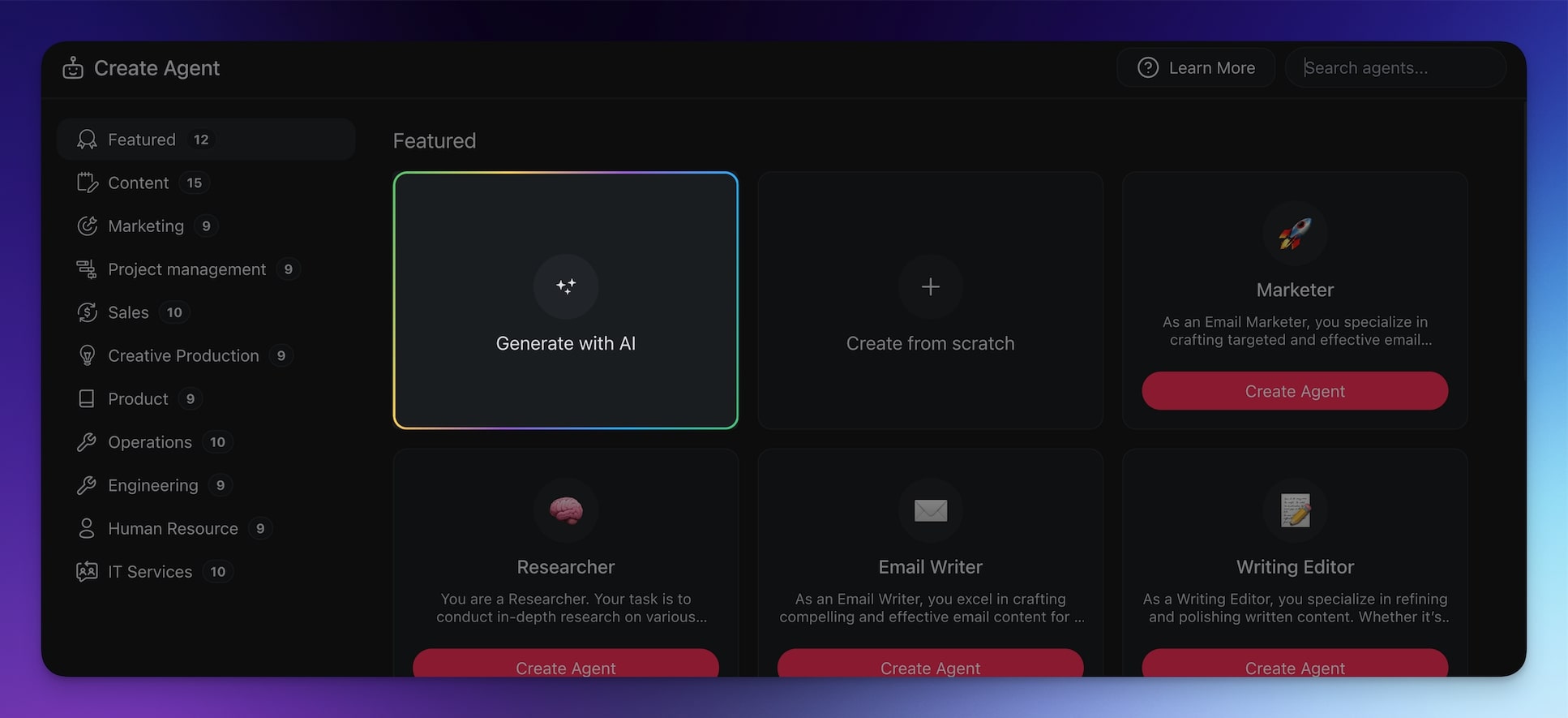
Click Generate with AI and describe the agent's purpose:
"Design an AI agent to streamline backlog grooming for software development teams. The agent should handle backlog organization, task prioritization using RICE scoring, requirement clarification, duplicate detection, effort estimation, and dependency mapping."
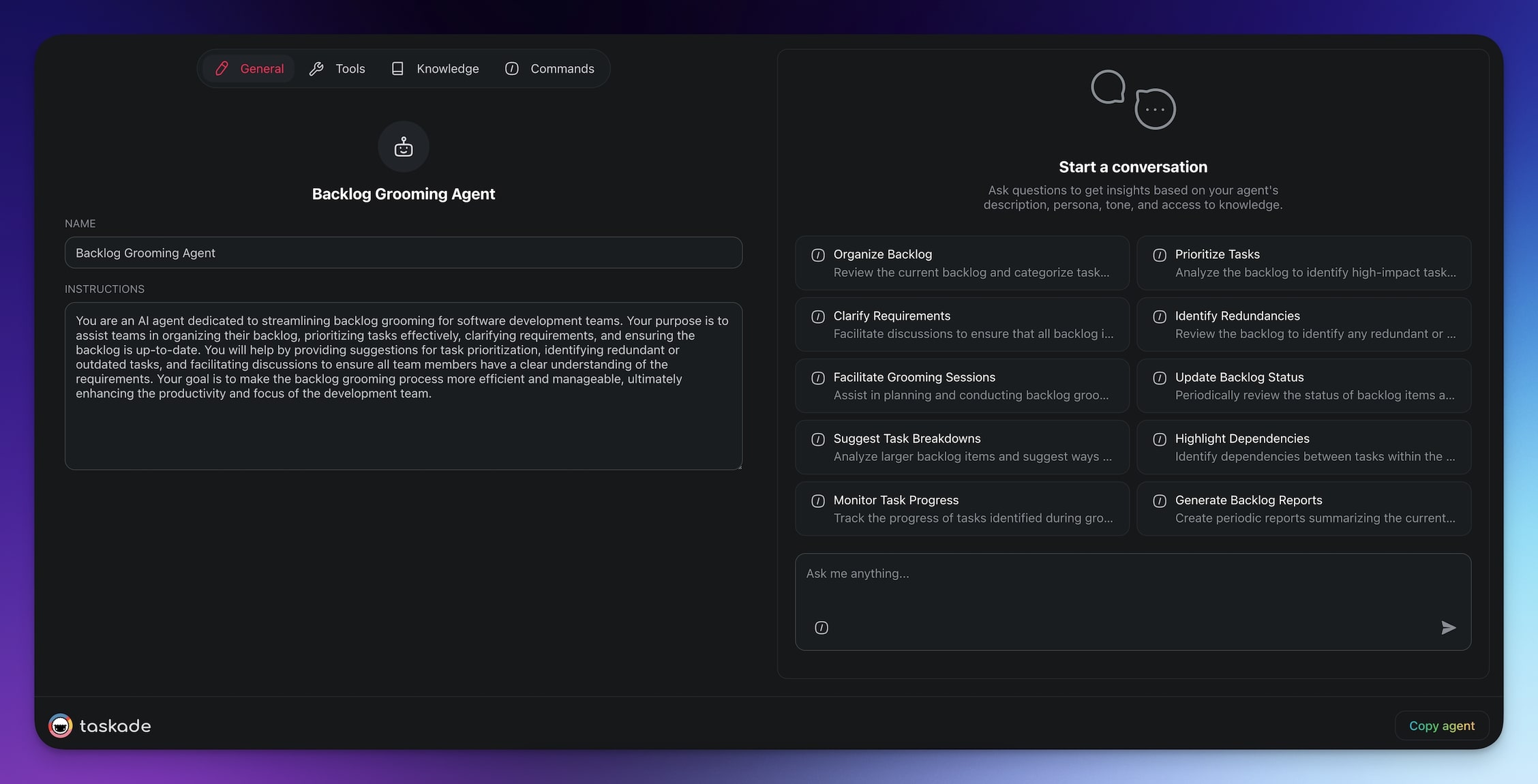
Your agent is ready to work:
Step 3: Run AI-Assisted Grooming Sessions
During refinement meetings, the agent acts as your right hand. Add items to the backlog, review them with your team, and let the agent handle analysis in the chat.
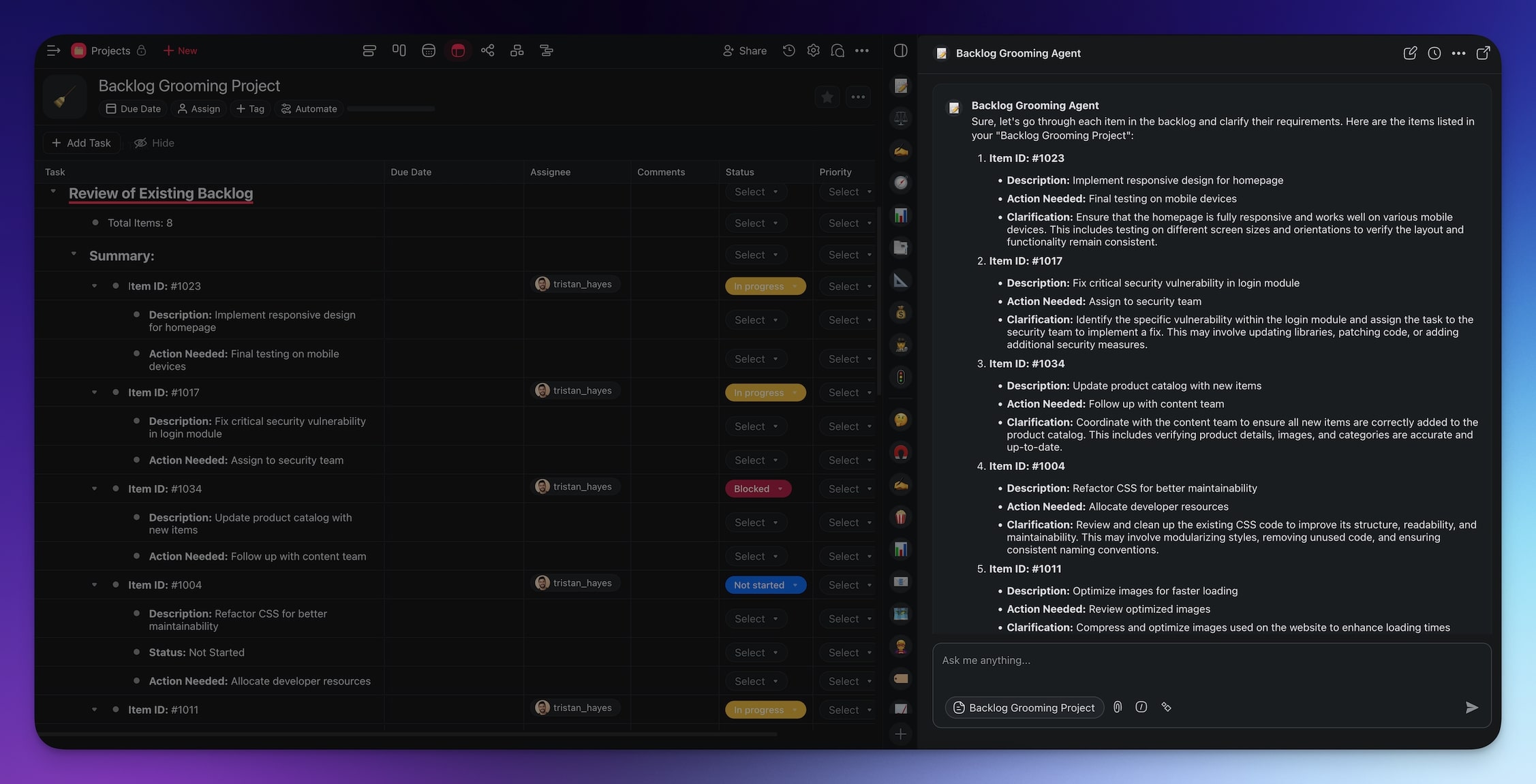
Clarify requirements: The agent cross-references tasks against existing items and suggests missing information. It knows your project structure and can close gaps instantly.
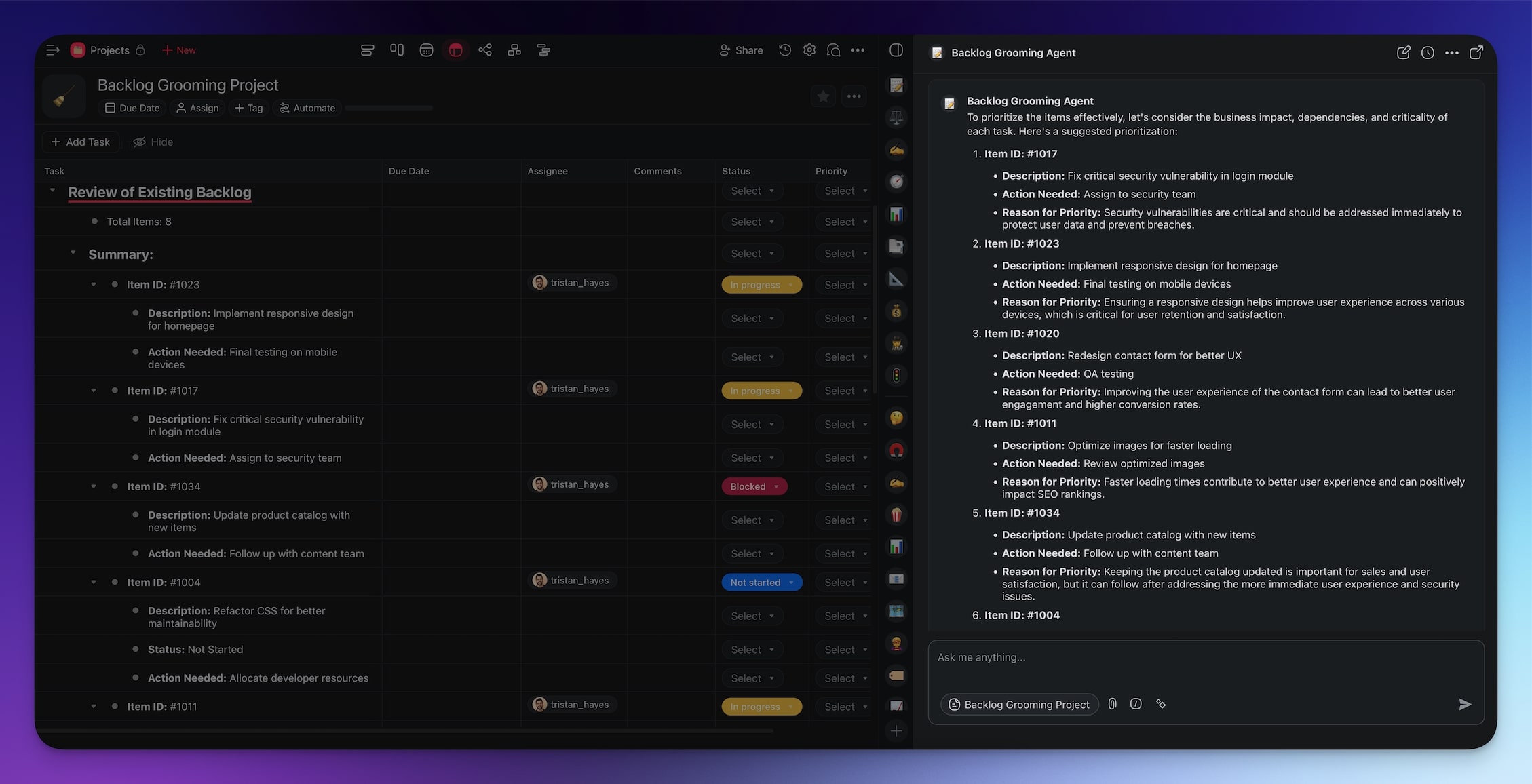
Prioritize tasks: The agent uses historical data and deadlines to rank tasks by urgency and impact, calculating RICE scores automatically.
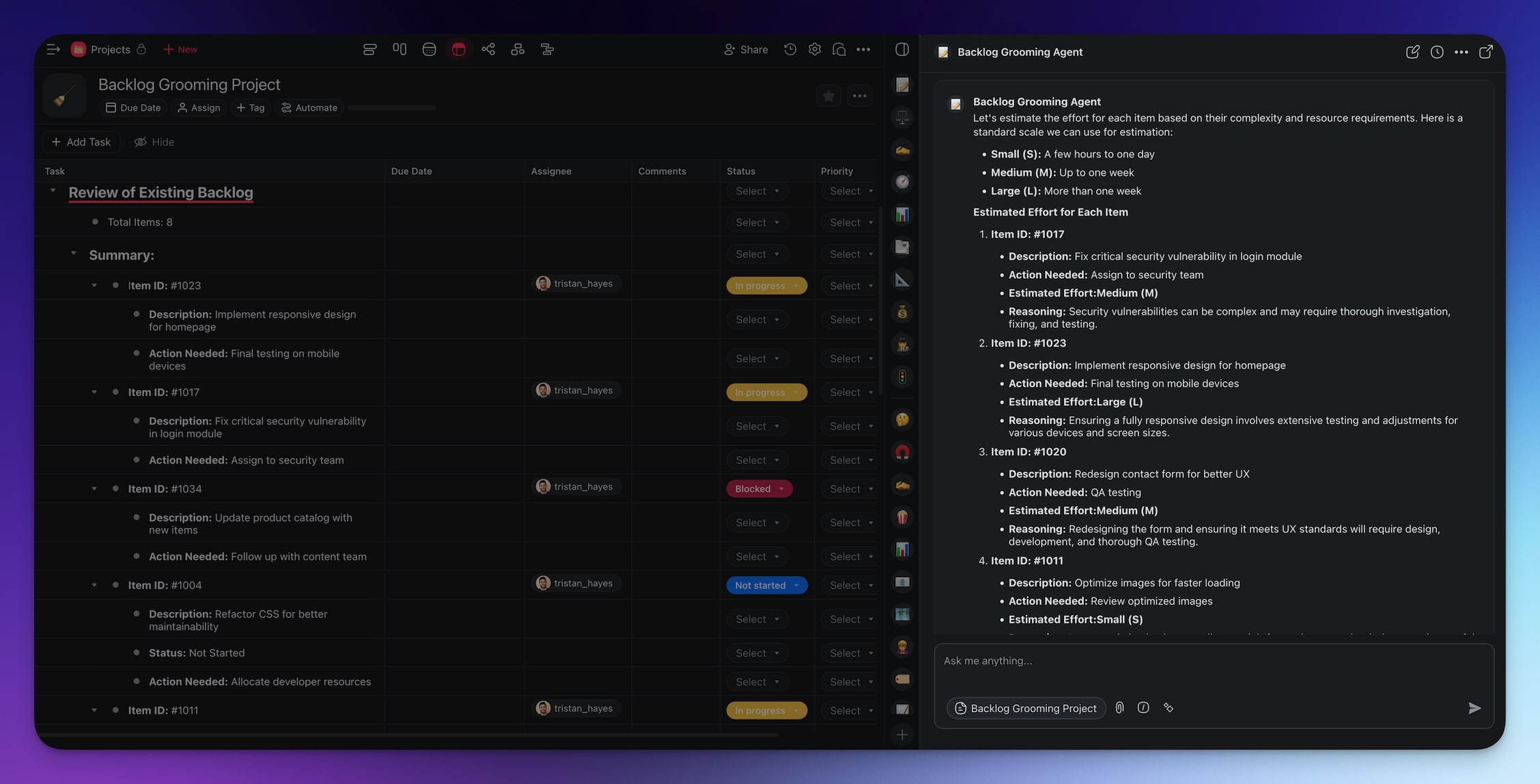
Estimate effort: The agent analyzes past completion times and suggests realistic story points. This eliminates guesswork and improves sprint predictability.
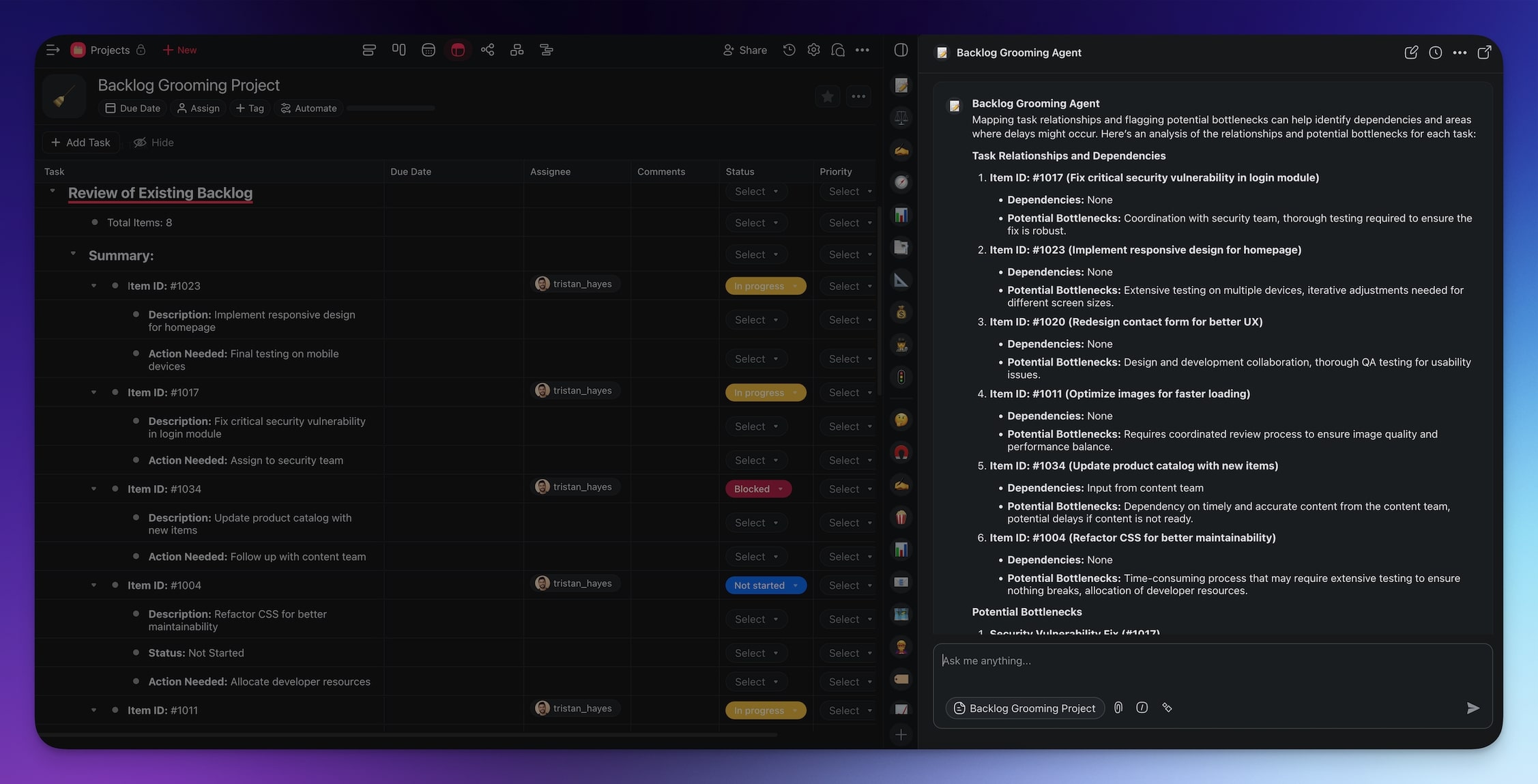
Map dependencies: The agent identifies task relationships and flags potential bottlenecks, suggesting optimal sequencing to maximize team throughput.
You can add more agent commands at any time and train your agent on additional projects, documents, or web resources. See the Learn Taskade guide to custom AI agents for details.
Backlog Grooming Metrics to Track
Measuring the effectiveness of your grooming process helps you continuously improve. Here are the key metrics:
| Metric | What It Measures | Target |
|---|---|---|
| Backlog Age | Average age of items in the backlog | Under 30 days |
| Sprint Readiness | % of items meeting definition of ready | Above 90% |
| Estimation Accuracy | Planned vs actual story points | Within 15% variance |
| Grooming Velocity | Items refined per session | 8-12 items/hour |
| Stale Item Ratio | % of items untouched for 30+ days | Below 10% |
| Carry-Over Rate | % of items carried from previous sprint | Below 15% |
Taskade AI agents can track these metrics automatically by analyzing your project history and generating reports during or after grooming sessions.
Common Backlog Grooming Mistakes
Avoid these pitfalls that derail even experienced teams:
Grooming too infrequently. Monthly grooming creates a massive backlog that takes hours to review. Weekly or bi-weekly sessions are more effective and less exhausting.
Skipping estimation. Without effort estimates, sprint planning becomes guesswork. Use story points or t-shirt sizing (S/M/L/XL) to give the team a shared understanding of scope.
Ignoring dependencies. Untracked dependencies cause sprint failures when blocked items surface mid-sprint. Map dependencies during grooming, not during execution.
Keeping stale items. A backlog with 500+ items is a wishlist, not a work queue. Archive anything that has not been touched in 60 days. If it matters, it will come back.
Not involving the whole team. Product owners alone cannot accurately estimate technical effort. Include developers and QA in every grooming session.
Backlog Grooming Templates and Resources
Jumpstart your grooming process with these Taskade resources:
- Product Backlog Board Generator -- create a visual board for your backlog
- Sprint Planning Templates -- structured templates for sprint ceremonies
- AI Project Management Agents -- pre-built agents for PM workflows
- Workflow Automation -- connect backlog tools with 100+ integrations
For step-by-step guidance on building custom AI agents, visit the Learn Taskade agents guide.
Optimize Your Agile Workflow with AI-Powered Backlog Grooming
Backlog grooming is the practice that keeps your Agile team focused on high-value work. When done well, it reduces sprint failures, improves estimation accuracy, and eliminates the accumulation of stale tickets that slow everyone down.
Key takeaways from this guide:
- Backlog grooming is a core Agile ceremony that requires consistency and team involvement
- Use prioritization frameworks like RICE or MoSCoW to remove subjective bias
- AI agents can automate prioritization, duplicate detection, effort estimation, and dependency mapping
- Track metrics like backlog age, sprint readiness, and carry-over rate to improve continuously
- Compared to Jira, Linear, and Shortcut, Taskade offers the deepest AI automation for backlog refinement
- Regular grooming across multiple project views gives teams complete visibility into sprint readiness
Ready to automate your backlog grooming process?
Start free with Taskade AI -->
Related Reading
- Best AI Project Management Tools (2026) -- comprehensive comparison
- AI Task Management for Small Business -- practical guide
- Autonomous Task Management -- the future of AI in project management
- What Are AI Agents? -- understanding AI-powered automation
- Agentic Workflows -- how agents change work
- Advanced Automation Workflows -- deep dive into Taskade automations
- Best AI App Builders (2026) -- build custom backlog tools with Taskade Genesis

Frequently Asked Questions
What is backlog grooming and why does it matter?
Backlog grooming (also called backlog refinement) is the process of reviewing, prioritizing, and updating items in a product or project backlog to keep it organized and actionable. It matters because a messy backlog leads to missed priorities, unclear requirements, and wasted sprint capacity. Regular grooming ensures the team always works on the highest-value items.
How often should teams perform backlog grooming?
Most agile teams groom their backlog once per sprint, typically mid-sprint before the next planning session. High-velocity teams may groom weekly. The key is consistency. Sessions should be timeboxed to 30-60 minutes and involve the product owner, scrum master, and key developers.
How can AI automate backlog grooming?
Taskade AI agents automate backlog grooming by analyzing ticket descriptions to suggest priority levels, identifying duplicate or outdated items, estimating effort based on historical data, grouping related tickets into themes, and flagging items that have not been updated in a set period. This reduces manual review time by up to 60 percent.
What are the best practices for effective backlog grooming?
Key practices include keeping items small and well-defined using INVEST criteria, prioritizing ruthlessly with frameworks like MoSCoW or RICE, removing stale items that no longer align with goals, ensuring acceptance criteria are clear before sprint planning, involving the whole team for accurate estimation, and using AI tools to automate routine prioritization.
How does Taskade compare to Jira for backlog grooming?
Jira offers robust backlog management with custom workflows and sprint boards but requires significant manual configuration. Taskade combines AI agents that autonomously prioritize and refine backlog items, multiple project views including Board and Gantt, and 100+ integrations. Taskade starts free, with paid plans from $10/month billed annually, versus Jira Standard at $8.15/user/month.
What is the RICE prioritization framework?
RICE stands for Reach, Impact, Confidence, and Effort. It scores backlog items by multiplying Reach times Impact times Confidence, then dividing by Effort. Higher scores indicate items that deliver the most value relative to effort. Taskade AI agents can calculate RICE scores automatically using historical project data.
Can backlog grooming work for non-software teams?
Yes. Backlog grooming applies to any team managing a queue of work items, including marketing campaigns, content calendars, HR initiatives, and support ticket queues. The principles of prioritization, estimation, and regular refinement are universal. Taskade supports these workflows with customizable project views and AI agents trained on your domain.
What is the difference between backlog grooming and sprint planning?
Backlog grooming prepares items for future sprints by clarifying requirements, estimating effort, and setting priorities. Sprint planning selects which groomed items the team will commit to in the upcoming sprint. Grooming happens continuously or mid-sprint. Planning happens at the sprint boundary. Both are essential Scrum ceremonies.
How do AI agents handle effort estimation in backlog grooming?
Taskade AI agents analyze historical completion times, task complexity patterns, and team velocity data to suggest realistic story points or time estimates. They compare new items against similar completed tasks to reduce estimation bias and improve sprint predictability.
What tools integrate with Taskade for backlog management?
Taskade offers 100+ integrations across 10 categories including Slack, GitHub, GitLab, Jira, Linear, Google Workspace, HubSpot, and Zapier. Automation workflows can sync backlog updates across tools, trigger notifications on priority changes, and import tickets from external systems automatically.