
Windsurf is now Devin Desktop. Cognition renamed it on June 2, 2026. If you are looking for alternatives because your editor changed under you, this guide starts with what actually happened and then ranks what to use instead.
TL;DR: Windsurf was acquired by Cognition (announced July 14, 2025) and relaunched as Devin Desktop on June 2, 2026;
windsurf.com/pricingnow redirects todevin.ai/pricing, where the entry paid tier is $20/month, not the old $15. For developers, Cursor ($20/mo) is the closest like-for-like swap. For everyone who would rather not write the code at all, Taskade Genesis turns one prompt into a running app with agents, a database and automations, free to start. Build one free →
Every price in this guide was read off the vendor's own pricing page on 2026-08-11 and is stamped with that date in the table below. In a category where a whole pricing page can disappear behind a redirect inside twelve months, that matters more than the usual "updated" badge.
Windsurf (formerly Codeium) carved out a strong niche as an agentic AI code editor. Cascade -- an AI that understood your entire codebase, orchestrated multi-file edits, and executed terminal commands -- set a standard for AI pair programming. But even at its best it was, at its core, a code editor for developers. If you don't write code, that power sits behind a skill gate. And if you do, there are now tools that go further. For a detailed feature breakdown, see our Taskade vs Windsurf comparison.
The market has evolved far beyond autocomplete and inline suggestions. Today's AI coding landscape includes autonomous engineering agents, prompt-to-app platforms, browser-based code generators, and no-code builders that deliver living software -- apps that think, act, and evolve without a single line of code. Some tools make coding faster. Others make coding optional.
This guide compares the 10 best Windsurf alternatives across every category: AI code editors, autonomous agents, prompt-to-app platforms, and no-code builders. Whether you're a professional developer looking for a better IDE, a startup founder who needs an MVP fast, or a team lead who wants internal tools without hiring engineers, you'll find the right fit here.
Let's explore your options. 🛠️
🔄 Windsurf Is Now Devin Desktop: What Actually Happened
Windsurf no longer exists as a product name. On June 2, 2026, Cognition relaunched it as Devin Desktop. If you are searching for Windsurf alternatives because the product you were using changed underneath you, that is why.
Most comparison articles still on page one for this query have not caught up. Several still describe Windsurf as "developed by Codeium," a company name that has not applied since 2025.
The timeline, with sources
| Date | What happened | Source |
|---|---|---|
| July 14, 2025 | Cognition announces a definitive agreement to acquire Windsurf, taking its "IP, product, trademark and brand." Cognition's own post cites $82M of ARR, enterprise ARR doubling quarter over quarter, and 350+ enterprise customers | cognition.com/blog/windsurf |
| ~July 2025 | Separately reported: Google paid a reported $2.4B to license Windsurf's technology and hire its founding team into DeepMind, after an OpenAI bid collapsed. Cognition then acquired what remained | Widely reported; not stated in Cognition's announcement |
| June 2, 2026 | Windsurf is relaunched as Devin Desktop. Cognition's wording: "Your plan, pricing, extensions, and other features remain the same: Devin Desktop is a new look for the product you already love" | devin.ai/blog |
| Today | windsurf.com/pricing returns a 308 redirect to devin.ai/pricing. Windsurf has no independent pricing page or plan ladder any more |
Verified 2026-08-11 |
A note on the numbers you will see elsewhere: the ~$250M purchase price widely attributed to this deal does not appear in Cognition's own announcement, and neither does any headcount. We have marked those as reported-not-confirmed rather than repeating them as fact.
What this means in practice
- Your subscription still works. Cognition explicitly kept plans, pricing and extensions intact through the rename.
- Pricing is now Devin's ladder, not Windsurf's. The old $15/month Windsurf Pro tier is history — see the pricing table below for what replaced it.
- The brand is retired. Bookmarks, docs and comparison articles referencing "Windsurf pricing" now resolve to Devin.
That is a genuine reason to re-evaluate, which is what the rest of this guide is for. For a detailed look at the editor's features, see our Windsurf review.

📊 Quick Comparison: Windsurf vs Alternatives
Every price below was read off the vendor's own pricing page on 2026-08-11, and each row says where it came from. In a category where an entire pricing page can 308-redirect away inside twelve months, an undated price table is worth very little.
| Platform | Best For | AI Agents | Coding Required | Hosting | Entry paid tier | Verified |
|---|---|---|---|---|---|---|
| Taskade Genesis | AI agents that build complete apps | ✅ Multi-agent teams | ❌ No | ✅ Included | $10/mo billed annually | taskade.com/pricing · 08-11 |
| Agentic AI code editing | ✅ Yes | ✅ Yes | ❌ | $20/mo (Devin Pro) | devin.ai/pricing · 08-11 | |
| Cursor | AI pair programming | ❌ | ✅ Yes | ❌ | $20/mo | cursor.com/pricing · 08-11 |
| GitHub Copilot | Inline code suggestions | ❌ | ✅ Yes | ❌ | $10/mo | docs.github.com · 08-11 |
| Bolt.new | Browser-based app generation | ❌ | Minimal | ❌ Export | $25/mo | bolt.new/pricing · 08-11 |
| Lovable | Design-first AI app building | ❌ | Minimal | ❌ Separate | from $25/mo | docs.lovable.dev · 08-11 |
| V0 by Vercel | React component generation | ❌ | ✅ Yes | ❌ Copy/paste | $30/mo | v0.app/pricing · 08-11 |
| Replit | Cloud-native autonomous coding | ✅ Agent mode | Some helpful | ✅ Included | $25/mo | replit.com/pricing · 08-11 |
| Claude Code | Terminal-based AI engineering | ❌ | ✅ Yes | ❌ | $20/mo (Claude Pro) | claude.com/pricing · 08-11 |
| Devin (cloud) | Fully autonomous engineering | ✅ Single agent | ✅ Yes (reviews) | ❌ | $20/mo | devin.ai/pricing · 08-11 |
| ClickUp Brain | AI-powered project management | ✅ Super Agents | ❌ No | ✅ Included | $7/user/mo+ | clickup.com · 08-11 |
If you read one row, read the Devin one. Devin was widely written up at $500/month when it launched, and a lot of still-published comparisons — including an earlier version of this one — never updated. Devin's own pricing page today lists Free $0 / Pro $20 / Max $200 / Team $80. The autonomous-agent premium that made Devin a punchline in 2025 is gone. Judge it on output, not on the old number.
What "$20/month" actually buys: the allowance problem
Comparing monthly prices in this category has quietly stopped being useful, because most vendors now meter usage and each one counts in a different unit. Same $20-ish price, wildly different meters:
| Tool | Entry tier | What you actually get | Unit |
|---|---|---|---|
| Cursor | $20 | ~$20 of "Other Models" usage | dollars of inference |
| Replit | $25 | $25 of credits | dollars of credits |
| v0 | $30 | $30 of included credits | dollars of credits |
| GitHub Copilot | $10 | $15 of AI credits | dollars of credits |
| Emergent | $20 | 100 credits | vendor credits |
| Bolt.new | $25 | from 10M tokens/month | tokens |
| Lovable | from $25 | 100 credits/month | vendor credits |
| Devin Desktop / Devin | $20 | "quotas" — no number published | ❓ |
| Taskade | $10 (annual) | 50,000 credits/month | vendor credits |
Two things fall out of that table that no other comparison seems willing to say:
- Several of these are effectively pass-through resale. Replit sells $25 of credits for $25. v0 sells $30 for $30. Cursor gives you roughly what you paid. The subscription is not where the margin is; the free tier funnel is.
- The two most-searched tools in this list won't tell you the number. Devin publishes "quotas that refresh daily and weekly." Cursor publishes "generous included usage" on some tiers. You cannot compute a cost-per-task for either without burning your own money first. That is a legitimate reason to prefer a vendor that publishes an explicit monthly allowance.
🤔 What Is Windsurf?
Windsurf was an AI-powered code editor built by Codeium, which began as an autocomplete engine and grew into a full IDE with AI at the center of the workflow. Its standout feature was Cascade -- an agentic AI that read your entire codebase, proposed multi-file changes, executed terminal commands, and iterated on problems in real time. Since June 2, 2026 the product ships as Devin Desktop.
Think of Windsurf as VS Code rebuilt from the ground up for the AI era. It supports familiar keybindings and extensions while adding deep AI integration that goes beyond simple autocomplete. Cascade doesn't just finish your lines of code -- it understands project architecture, reasons through multi-step problems, and coordinates changes across files.
Windsurf gained traction by undercutting Cursor. Its Pro plan sat at $15/month against Cursor's $20, with similar AI-assisted coding: strong autocomplete, contextual chat, and agentic multi-file editing.
The features it was known for:
- Cascade agentic AI -- understood your codebase, edited multiple files, ran commands
- Deep project indexing -- the AI knew your entire project structure and dependencies
- Multi-file editing -- refactor across dozens of files in one operation
- Terminal integration -- Cascade ran builds, tests, and package installs
- VS Code foundations -- familiar interface, extensions, and keybindings transfer
What changed: the product now ships as Devin Desktop, and the $15/month Pro tier no longer exists as a Windsurf plan — windsurf.com/pricing redirects to devin.ai/pricing, where the entry paid tier is $20/month.
Reading an older comparison? If an article still quotes "$15/month" for Windsurf Pro, or describes Windsurf as "built by Codeium," it was written before June 2, 2026 and has not been checked since. That includes a lot of pages currently ranking for this query.
🔍 Why Look for Windsurf Alternatives?
The editor is capable, but it has real limitations that push developers and teams to explore other options. The rename to Devin Desktop added a concrete one: the product you evaluated is no longer sold under the name you evaluated it by.
| Limitation | Impact |
|---|---|
| Cognition acquisition uncertainty | Product roadmap unclear as Windsurf integrates with Devin |
| Developers only | Non-coders cannot use Windsurf at all -- it's a professional IDE |
| Still writing code | Even with Cascade, you produce code that needs deployment, hosting, and maintenance |
| No built-in hosting | You write code in the editor, then handle DevOps separately |
| No AI agents for apps | Cascade helps you code, but your apps don't get embedded AI intelligence |
| No automations | No workflow automation or third-party integrations built in |
| Limited collaboration | Designed as a solo developer tool, not real-time team editing |
| No prompt-to-app | You can't describe an app and get a working product -- you get an editor to build it yourself |
| Desktop-bound | Requires local installation, no browser-based option for quick edits |
The core issue: Windsurf makes coding faster, but it doesn't change who can build software or what you get at the end. If your goal is a working application with intelligence, collaboration, and deployment handled automatically, Windsurf solves only the first step (writing code) and leaves everything else to you.
Some teams want a better AI code editor (Cursor). Some want autonomous code generation (Devin, Replit Agent). Some want browser-based app building (Bolt.new, Lovable). And some want to skip code entirely and build complete applications through AI agents (Taskade Genesis Apps).
AI Code Editors vs Living System Orchestrators: The Fundamental Split
Before comparing tools, understand the two fundamentally different approaches in the AI coding landscape:
AI Code Editors & Generators (Windsurf, Cursor, Bolt, Lovable, V0, Replit)
What they do: Help you write code faster or generate code for you
What you still need to do:
- Know how to code (or learn to maintain generated code)
- Set up database infrastructure (PostgreSQL, Supabase, MongoDB)
- Deploy to hosting (Vercel, AWS, Netlify, configure environment)
- Integrate AI capabilities (OpenAI API keys, prompt engineering)
- Add automation workflows (Zapier, Make, custom webhooks)
- Configure authentication, file storage, email services
- Maintain dependencies, security patches, hosting uptime
Time to production: 10-40 hours (coding + infrastructure + deployment)
Cost: Tool subscription + $50-700/month infrastructure
Result: Code files you write, deploy, and maintain
Living System Orchestrators (Taskade Genesis Apps)
What they do: Build complete, deployed, intelligent applications from natural language
Taskade Workspace DNA Architecture:
- Memory (Projects): Auto-generated database with custom fields, multiple views (list, board, calendar, table, action, mindmap, org chart, workflow)
- Intelligence (AI Agents): Workspace-aware agents that read YOUR data, learn from your business, make autonomous decisions
- Execution (Automations): 100+ integrations with autonomous workflows connecting everything
- Interface (Custom UI): Professional React/Vue interface orchestrating all three layers seamlessly
Time to production: 2-15 minutes, fully deployed with shareable link
Cost: Free to start, $10/month unlimited apps billed annually (no infrastructure bills, no token surprises)
Result: Living system that thinks, learns, acts, and evolves with your team
Example: Building a Task Management System
| What You Need | Windsurf (AI Code Editor) | Taskade Genesis (Living System) |
|---|---|---|
| Coding Skills | Professional developer required | None—describe in English |
| Database | You code Supabase integration (4-8 hours) | Projects database auto-created (instant) |
| AI Features | You code OpenAI integration (6-12 hours) | AI Task Assistant included (instant) |
| Automation | You code Zapier webhooks (3-6 hours) | Workflows: task done → notify (instant) |
| Team Collaboration | You code real-time sync (8-16 hours) | Real-time multiplayer built-in (instant) |
| Deployment | You configure Vercel (2-4 hours) | One-click publish with link (instant) |
| Views | You code Kanban + List (6-12 hours) | 7 view types built-in (instant) |
| Total Time | 30-60 hours | 5 minutes |
| Total Cost | Windsurf $15/mo + infrastructure $50-200/mo | Free to start, $10/mo billed annually |
The Difference: Windsurf helps you write code faster. Taskade Genesis eliminates the need to write code entirely and delivers living software that evolves.
💡 The question isn't "which code editor is best?" It's "do you need a code editor at all, or do you need living software?"
🏆 The 10 Best Windsurf Alternatives in 2026
#1 Taskade Genesis -- Best for AI Agents That Build Complete Apps ⭐

Taskade Genesis takes a fundamentally different approach to building software. Instead of helping you write code faster, it eliminates the need to write code at all. Describe what you want in plain English, and Genesis delivers a complete, working application -- not code files, not a prototype, but a live app with AI agents, automations, and real-time collaboration built in from the start.
This is the Build Without Permission philosophy. Anyone, regardless of technical background, should be able to describe a problem and get a working solution. Genesis creates living software -- apps that think, act, and evolve. Your applications run on your Taskade workspace, leverage AI agents trained on your specific data, and connect to 100+ integrations through built-in automations. No deployment pipelines. No database configuration. No hosting setup. The app works the moment it's created.
Where Windsurf gives developers a smarter editor, Genesis gives everyone the ability to build software. A founder can create an MVP in minutes. A marketing team can build a content calendar with AI-generated briefs. An operations manager can deploy a client onboarding portal without filing a single engineering ticket. Genesis doesn't just make coding faster -- it makes coding optional.
👍 Taskade Genesis Pros
- Multi-agent AI teams that collaborate on tasks autonomously
- Prompt-to-app: describe what you need, get a working app in minutes
- No coding required -- natural language is the only interface
- Real-time collaboration with video calls, comments, and role-based permissions
- 100+ integrations with automations that trigger across your tools
- Custom knowledge training -- agents learn from your documents and data
- Instant deployment with shareable links, no hosting required
- Multiple views (List, Board, Table, Mind Map, Gantt Chart, Calendar, Timeline, Org Chart)
- 150,000+ community apps to clone and customize
👎 Taskade Genesis Cons
- Not designed for custom low-level code (it's a no-code platform)
- Best suited for business apps, internal tools, and productivity workflows
💵 Taskade Genesis Pricing
- 🟢 Free: Build 3 Taskade Genesis apps with core AI features
- 🟣 Pro ($10/month billed annually): Higher limits, 10 users included, advanced automations, priority support
- 🟤 Business ($25/month billed annually): Team workspaces, SSO, admin controls
Example prompts and what Genesis delivers (find more in our AI prompt templates):
| Prompt | What You Get |
|---|---|
| "Build a sales CRM with lead scoring and follow-up reminders" | Complete CRM with AI-scored leads, automated reminders, pipeline views |
| "Create a team standup app that collects updates and summarizes them" | Standup form, AI-generated summaries, team dashboard |
| "Build a client onboarding portal with document uploads" | Full portal with file management, status workflows, notifications |
| "Create a content calendar for our marketing team" | Calendar view with pipeline, assignments, and status tracking |
| "Build a project tracker with automated status reports" | Dashboard with tasks, timelines, and AI-generated weekly reports |
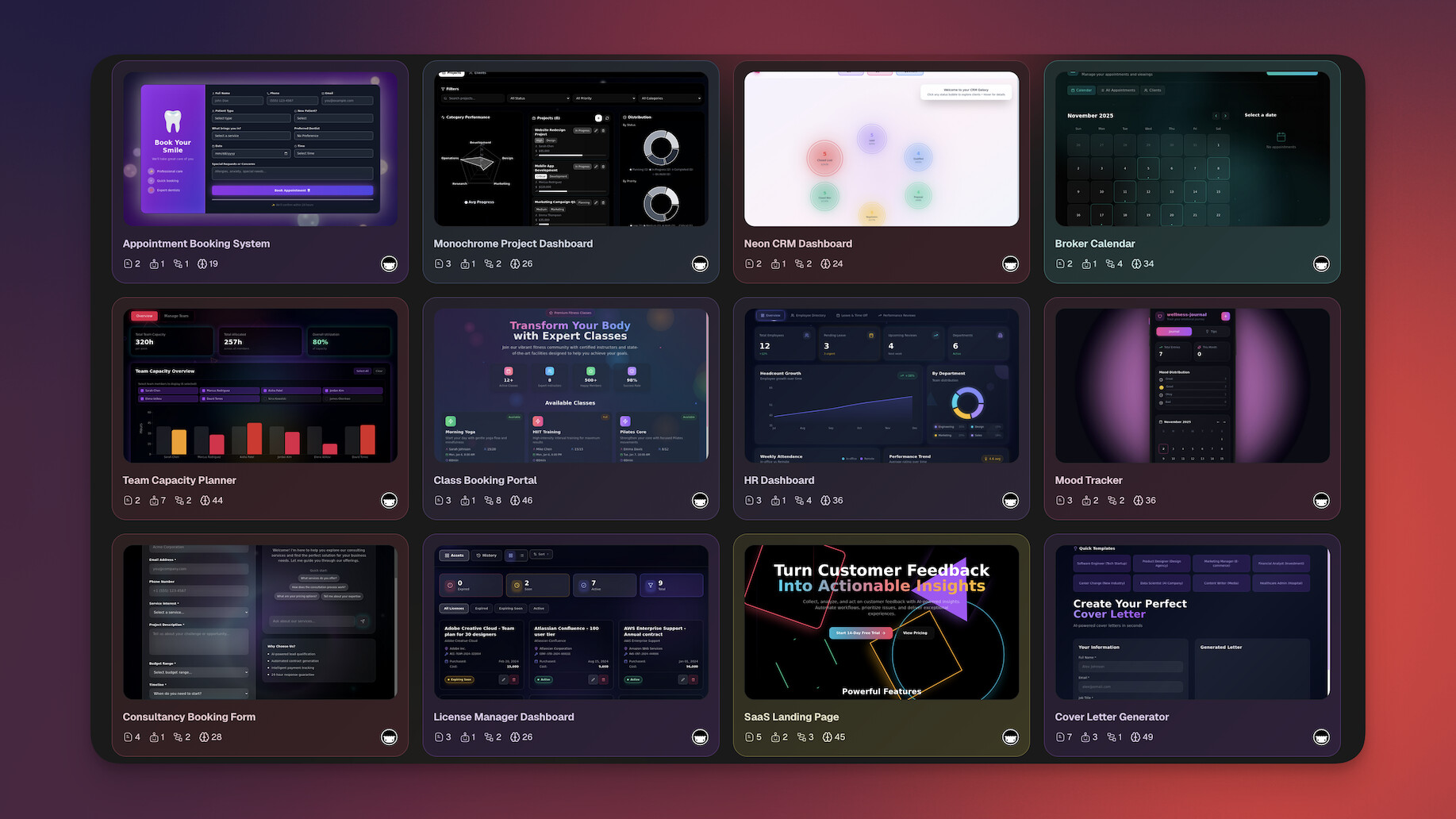
Taskade Genesis vs Windsurf:
| Feature | Windsurf | Taskade Genesis |
|---|---|---|
| Input | Write code with AI help | Natural language prompt |
| Output | Code files | Live working app |
| Coding required | ✅ Yes | ❌ No |
| AI Agents | Cascade (editing assistant) | ✅ Multi-agent teams for apps |
| Automations | ❌ | ✅ 100+ integrations |
| Backend/Database | ❌ Bring your own | ✅ Built into workspace |
| Collaboration | ❌ Solo tool | ✅ Real-time multiplayer + video |
| Hosting | ❌ | ✅ Instant sharing |
| Multiple views | ❌ Code editor only | ✅ views |
| Target user | Developers | Anyone |
| Free tier | Basic AI | ✅ 3 Taskade Genesis apps |
| Pricing | $15/month | Free / $10/month |
See Taskade AI Agents in action:
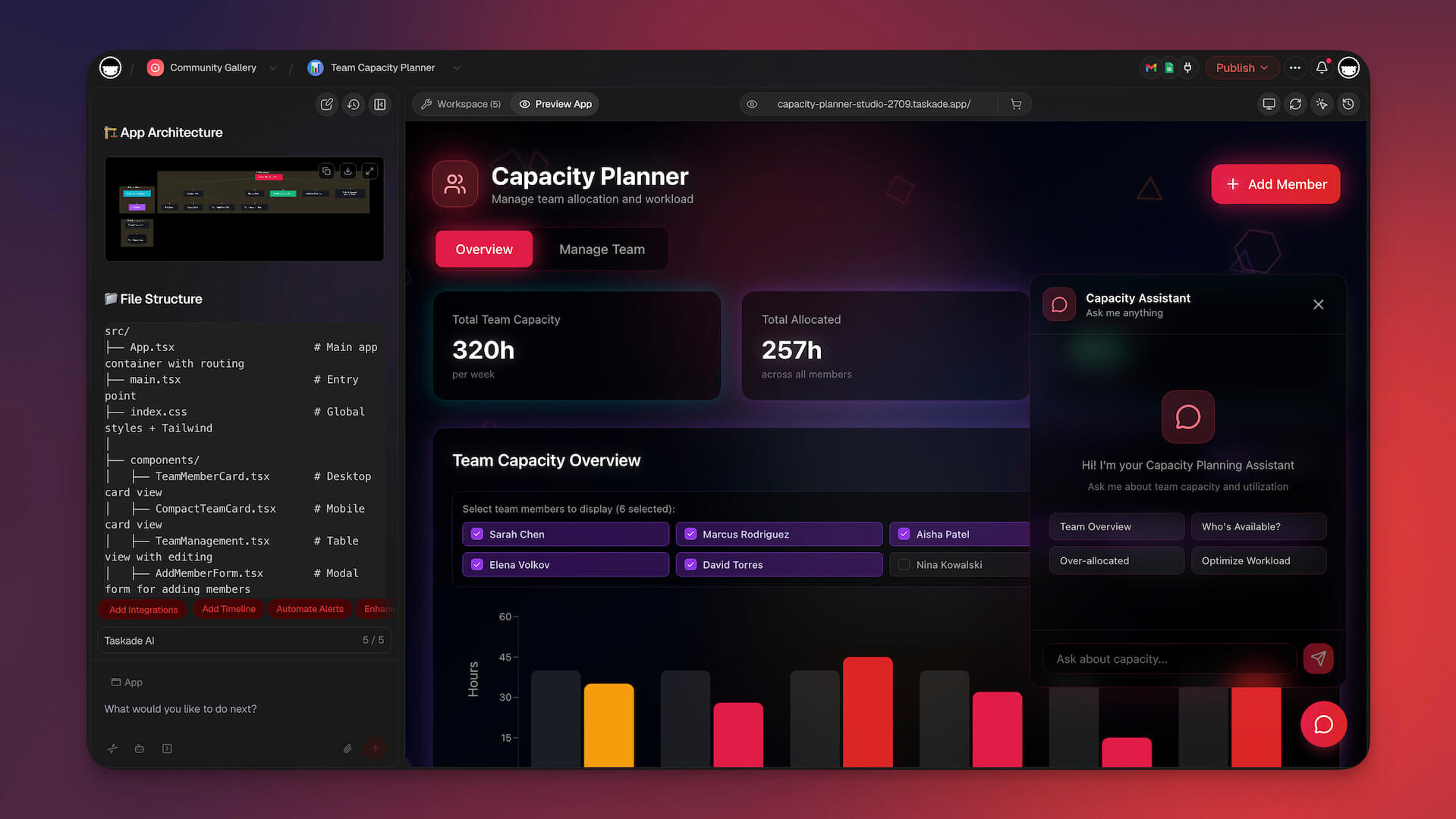
👉 Start building with Taskade Genesis -- no code required →
#2 Cursor -- Best for AI Pair Programming

Cursor is the AI-native code editor that arguably defined the category Windsurf competes in. Built as a fork of VS Code, Cursor introduced features that changed how developers interact with AI: Cmd+K for inline code editing, Composer for multi-file edits, and a codebase-aware chat that understands your entire project context. It's the most mature AI code editor on the market and the benchmark every competitor measures against.
Where Windsurf's Cascade takes an agentic approach (planning and executing multi-step changes), Cursor focuses on tight human-AI collaboration. You stay in control while the AI assists at every step -- writing code, refactoring, debugging, and answering questions about your codebase. Cursor's Tab completion is widely regarded as the best in the industry, predicting not just the next line but multi-line blocks of code based on project context.
Cursor and Devin Desktop now both start at $20/month, so the old price gap is gone. Many developers find Cursor's more polished experience and deeper AI integration the deciding factor. If you're a professional developer looking for the best AI-assisted coding experience and you're willing to pay for it, Cursor is the standard-bearer.
👍 Cursor Pros
- Best-in-class Tab completion with deep codebase awareness
- Cmd+K inline editing for rapid code changes
- Composer for coordinated multi-file edits
- Chat interface that understands your entire project
- VS Code foundation with full extension compatibility
👎 Cursor Cons
- Requires coding knowledge -- not accessible to non-developers
- More expensive than Windsurf at $20/month
💵 Cursor Pricing
- 🟢 Free: 2,000 completions/month, limited slow premium requests
- 🔵 Pro ($20/month): 500 fast premium requests/month, unlimited completions, usage-based credits for overages
- 🟣 Business ($40/user/month): Admin controls, centralized billing, SAML SSO
Cursor's pricing now uses a usage-based credits system for premium model requests beyond the base quota. For a deeper look at how Cursor compares, see our Cursor review.
👉 See full Taskade vs Cursor comparison →

#3 GitHub Copilot -- Best for Inline Code Suggestions
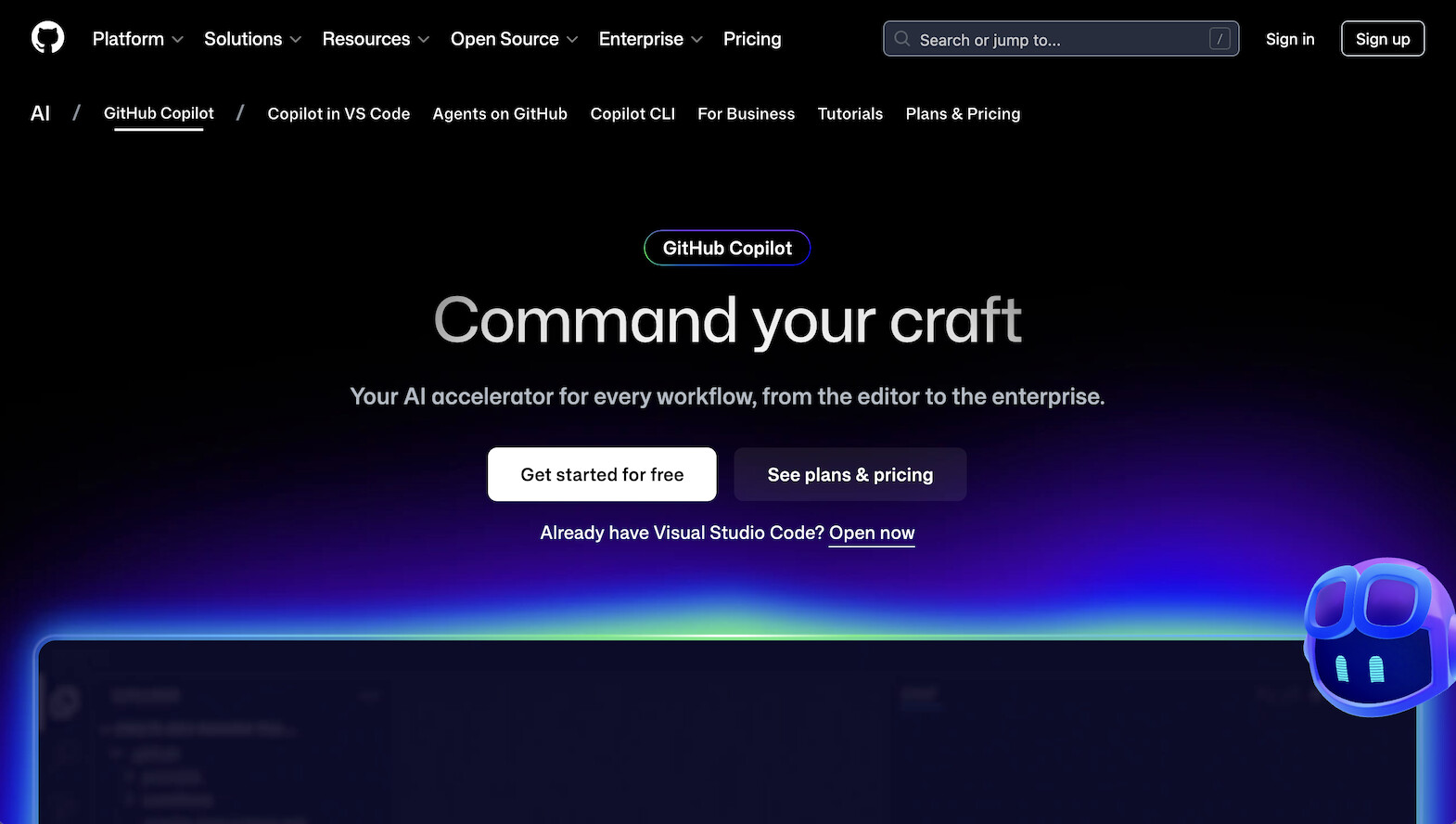
GitHub Copilot is the most widely adopted AI coding tool in the world. Backed by GitHub (Microsoft) and powered by OpenAI models, Copilot integrates directly into VS Code, JetBrains IDEs, and Neovim as an extension. Its strength is seamless inline completions -- it predicts what you're about to type and fills in entire functions, boilerplate, and repetitive patterns without breaking your flow.
Copilot has expanded well beyond autocomplete. Copilot Chat provides a conversational AI assistant inside your editor. Copilot Workspace (in preview) introduces agentic planning and multi-file editing capabilities. And enterprise features like code referencing, IP indemnity, and admin controls make it the go-to choice for large organizations. While Windsurf and Cursor are standalone editors, Copilot works as a plugin inside the editors developers already use -- no migration required.
The trade-off is depth. Copilot's codebase awareness is more limited than Cursor or Windsurf's full-project indexing. It excels at completing the line you're writing but is less capable at orchestrating complex multi-file refactors. For developers who want AI assistance without switching editors, Copilot is the path of least resistance.
👍 GitHub Copilot Pros
- Most widely adopted AI coding tool with massive training data
- Works inside VS Code, JetBrains, and Neovim -- no editor switch needed
- Copilot Chat for conversational assistance
- Copilot Workspace for agentic multi-file planning (preview)
- Enterprise features: IP indemnity, admin controls, code referencing
👎 GitHub Copilot Cons
- Codebase awareness is shallower than Cursor or Windsurf
- Plugin model means less integrated AI experience than native editors
💵 GitHub Copilot Pricing
- 🟢 Free: Limited completions for verified students and open-source maintainers
- 🔵 Individual ($10/month): Full features
- 🟣 Business ($19/user/month): Admin controls, IP indemnity
👉 See full Taskade vs GitHub Copilot comparison →
#4 Bolt.new -- Best for Browser-Based App Generation
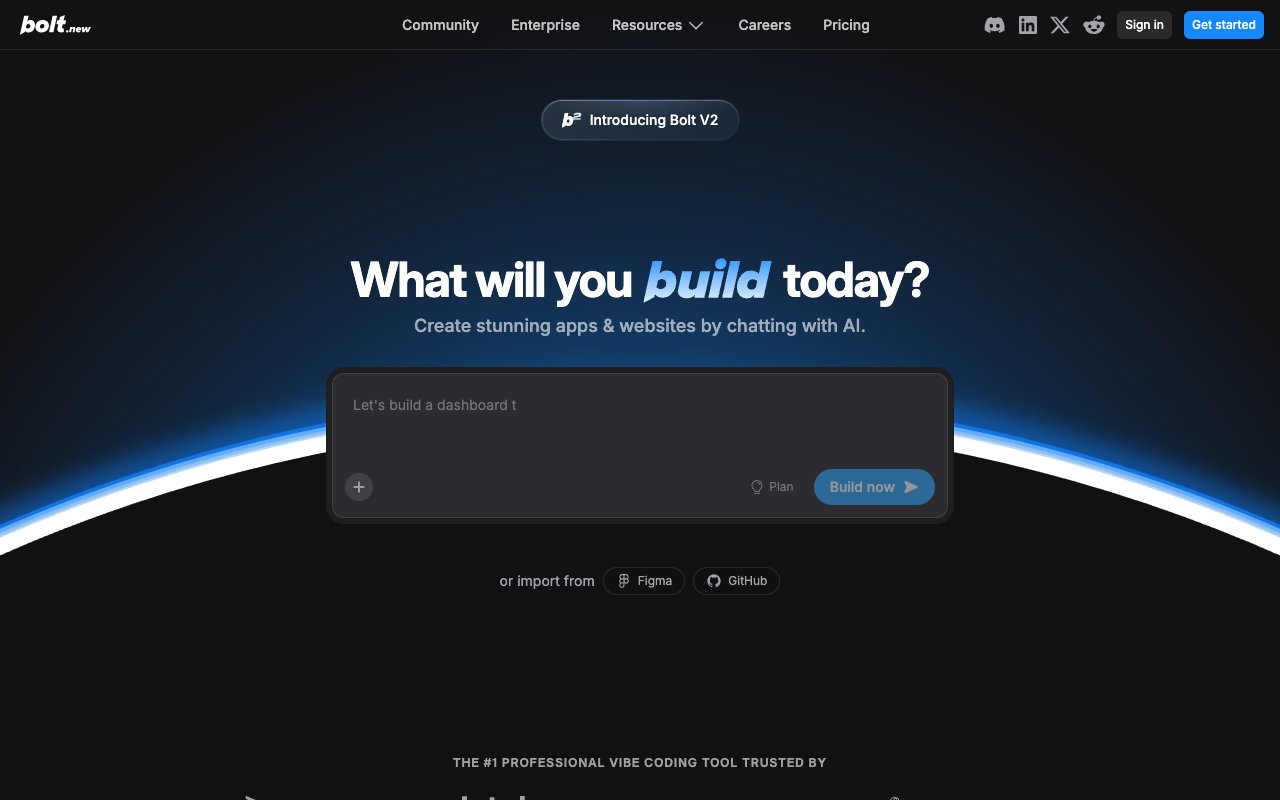
Bolt.new by StackBlitz pioneered browser-based AI app generation. Powered by WebContainer technology, Bolt runs an entire development environment inside your browser tab -- file system, terminal, package manager, and live preview. Type a prompt, watch a full React application materialize in real time, and interact with the result without leaving your browser. No local setup, no terminal, no deployment -- just instant app generation.
Bolt is fundamentally different from Windsurf. Where Windsurf helps you write code in a desktop IDE, Bolt generates entire applications from natural language prompts in a browser. It's the entry point to vibe coding for anyone who wants to see an idea come to life quickly. The speed is impressive -- a functional prototype can appear in under a minute. Multi-framework support (React, Vue, Svelte, and more) gives flexibility in the generated output.
The limitation is what happens after generation. Bolt produces frontend code that you need to export, host, and maintain. There's no built-in database, no authentication, no backend logic, and no AI agents in the generated apps. For quick prototyping and demos, Bolt is excellent. For production applications, it's just the starting point.
👍 Bolt.new Pros
- Browser-based -- zero setup, instant start
- Generates full React/Vue/Svelte apps from prompts
- Real-time preview as code is generated
- WebContainer technology runs everything in-browser
- Code export for further development
👎 Bolt.new Cons
- No backend, database, or authentication included
- Token limits can interrupt complex builds mid-generation
💵 Bolt.new Pricing
- 🟢 Free: Limited tokens
- 🔵 Pro ($25/month): No daily token limit, 10M tokens/month
👉 See full Taskade vs Bolt.new comparison →
#5 Lovable -- Best for Design-First AI App Building

Lovable (formerly GPT Engineer) generates full-stack React/TypeScript applications with a focus on beautiful, production-quality UI. Where Bolt prioritizes speed and Cursor prioritizes developer control, Lovable prioritizes design quality. The apps it generates look polished out of the box, with clean component architecture and modern styling that would take a designer and developer hours to produce manually.
Lovable's Supabase integration sets it apart from pure frontend generators. You can add backend features -- database tables, authentication, and API endpoints -- directly through the Lovable interface. This makes it closer to a full-stack builder than Bolt or V0, though the backend capabilities still require some configuration knowledge. GitHub export means your code lives in version control, and you can continue development in any editor.
For teams that care about design quality and want AI-generated apps that don't look AI-generated, Lovable delivers. The rebranding from GPT Engineer to Lovable reflects this design-forward identity. But like all code generators, the output is still code. Deployment, hosting, and ongoing maintenance remain your responsibility.
👍 Lovable Pros
- Generates the cleanest, most polished UI of any AI app builder
- Full-stack React/TypeScript output with modern architecture
- Supabase integration for database and authentication
- Design-to-code: interprets design intent accurately from prompts
- GitHub export for version control and continued development
👎 Lovable Cons
- Supabase backend requires additional configuration and cost
- No AI agents, automations, or built-in hosting
💵 Lovable Pricing
- 🟢 Free: Limited messages
- 🔵 Starter ($25/month): More messages, faster generation
👉 See full Taskade vs Lovable comparison →
#6 V0 -- Best for React Component Generation

V0 is Vercel's AI-powered tool for generating React components using shadcn/ui and Tailwind CSS. It occupies a specific and valuable niche: generating individual UI components and page layouts from text descriptions or image uploads. If you're building a Next.js application and need a pricing table, dashboard layout, or landing page hero section, V0 produces production-ready code that drops directly into your project.
V0 doesn't try to build complete applications. It generates components -- beautifully styled, accessible React code using the most popular modern UI libraries. The image-to-code feature is particularly powerful: upload a screenshot or mockup, and V0 recreates it in React. Combined with Vercel's deployment platform, it creates a tight loop from component generation to production deployment for Next.js projects.
For professional frontend developers working in the React/Next.js ecosystem, V0 is a productivity multiplier. For anyone looking to replace Windsurf as a complete development environment, V0 is too narrow -- it generates pieces of an app, not the whole thing.
👍 V0 Pros
- Generates production-ready React components with shadcn/ui
- Tailwind CSS styling that matches modern design standards
- Image-to-code: upload a mockup, get React code
- Preview and iterate on generated components in-browser
- Tight integration with Vercel's deployment ecosystem
👎 V0 Cons
- Generates components, not complete applications
- Requires existing React/Next.js project knowledge
💵 V0 Pricing
- 🟢 Free: 200 credits/month
- 🔵 Premium ($20/month): 5,000 credits, faster generation
👉 See full Taskade vs V0 comparison →
#7 Replit -- Best for Cloud-Native Autonomous Coding

Replit is a cloud-based development platform that combines a full IDE with AI-powered app generation. Its Agent mode is the standout feature: describe an application in natural language, and Replit Agent plans the architecture, generates the code, installs dependencies, and deploys the result -- all within a cloud environment that requires zero local setup. Unlike Windsurf's desktop-bound experience, everything runs in the browser.
Replit's built-in hosting is a major differentiator. When Agent generates an app, you can deploy it with one click and share a live URL immediately. This end-to-end pipeline (prompt to code to deployment) makes Replit the most complete developer-focused alternative to Windsurf. Multiplayer mode enables real-time collaboration, so teams can work on the same codebase simultaneously -- something Windsurf doesn't support.
The trade-off is that Replit is still a developer platform. Agent generates code that you manage as a traditional software project. There are no AI agents embedded in the generated apps, no workflow automations, and the generated output requires software engineering knowledge to maintain and extend. Hosting comes with compute limits that can constrain production workloads.
👍 Replit Pros
- Full cloud IDE -- no local installation required
- Agent mode generates complete apps from natural language
- Built-in hosting with one-click deployment
- Multiplayer coding for real-time team collaboration
- Supports 50+ programming languages
👎 Replit Cons
- Still a developer platform -- coding knowledge needed for maintenance
- Hosting compute limits can constrain production apps
💵 Replit Pricing
- 🟢 Free: Basic features, limited compute
- 🔵 Core ($25/month): More AI, better compute, always-on hosting
👉 See full Taskade vs Replit comparison →
#8 Claude Code -- Best for Terminal-Based AI Engineering
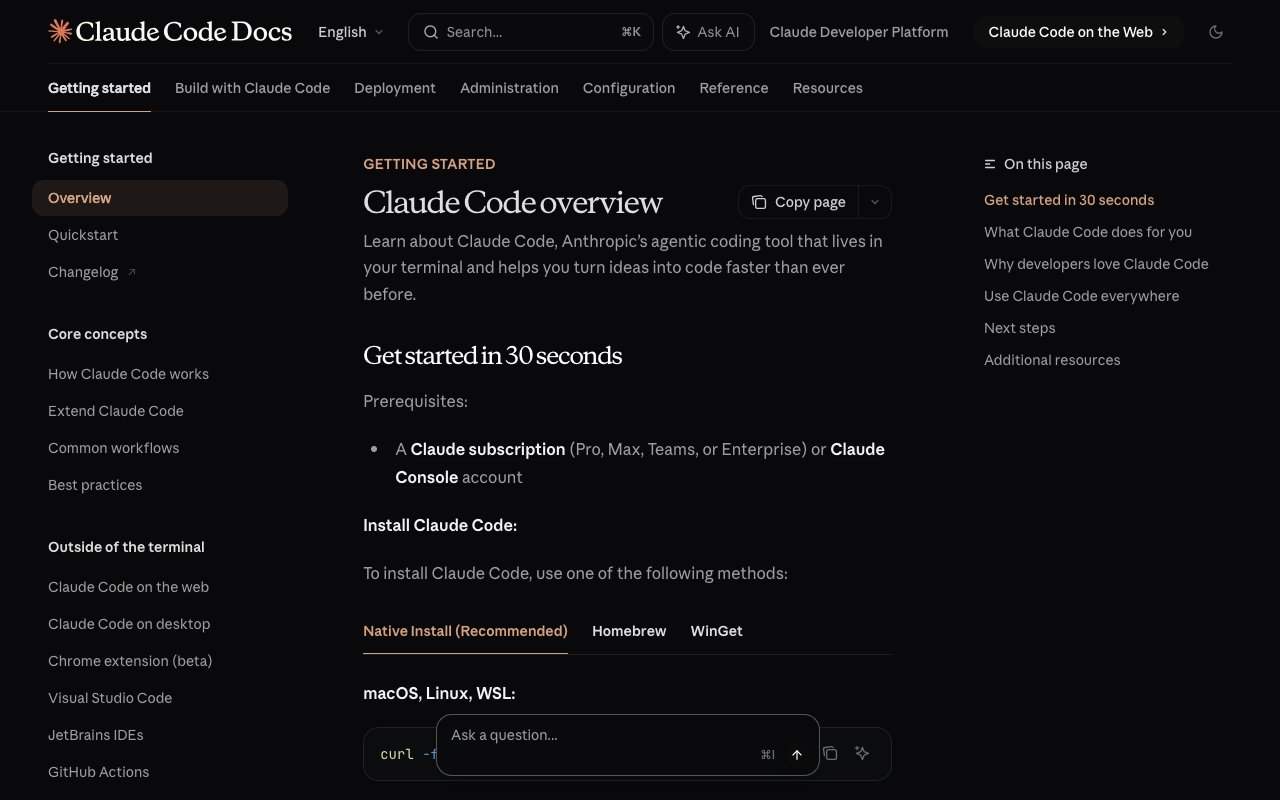
Claude Code is Anthropic's command-line AI coding tool. Instead of wrapping AI inside a graphical editor like Windsurf or Cursor, Claude Code runs in your terminal. It reads your codebase, understands project context, executes shell commands, creates and edits files, runs tests, and interacts with Git -- all through a conversational interface in the command line. Think of it as having an AI software engineer inside your terminal session.
The approach appeals to developers who live in the terminal and prefer text-based workflows over graphical IDEs. Claude Code leverages Anthropic's Claude models, which have some of the largest context windows in the industry -- meaning it can hold more of your codebase in memory during a session than most competitors. Its Git-native workflow means every change is traceable and reversible through standard version control.
Claude Code is usage-based rather than subscription-based, which makes it cost-effective for intermittent use but potentially expensive for heavy daily usage. It requires developer expertise (you need to understand what you're asking for and how to evaluate the output), and there's no graphical interface -- everything happens through text commands.
👍 Claude Code Pros
- Terminal-native -- works where many developers already live
- Massive context window holds more codebase context than competitors
- Git-native workflow with traceable, reversible changes
- Shell execution: runs tests, builds, and commands directly
- Usage-based pricing is cost-effective for intermittent use
👎 Claude Code Cons
- Terminal-only interface -- no graphical editor or preview
- Usage-based pricing can become expensive with heavy daily use
💵 Claude Code Pricing
- 🟢 Free: Limited usage through Claude.ai
- 🔵 Usage-based: Pay per tokens consumed (via Anthropic API)
👉 See full Taskade vs Claude Code comparison →
#9 Devin AI -- Best for Fully Autonomous Software Engineering
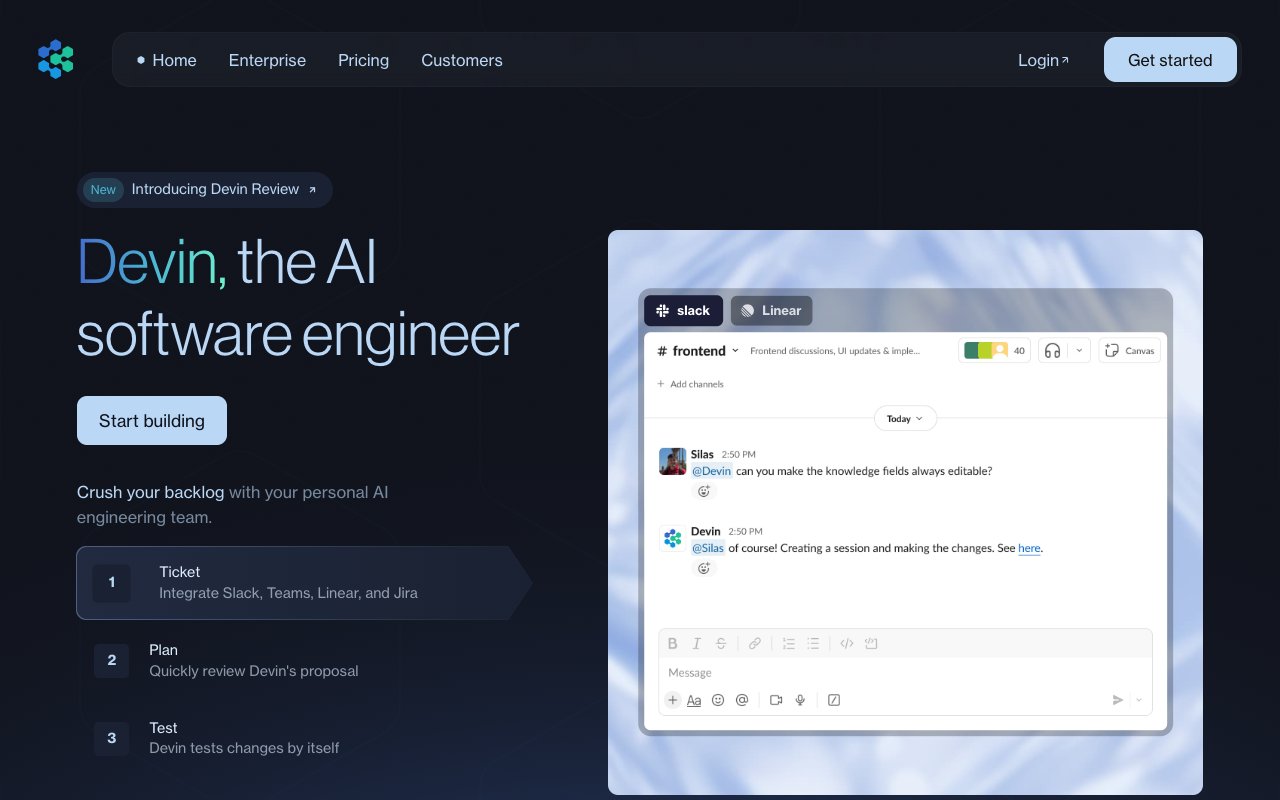
Devin by Cognition made waves as the "first AI software engineer." Cognition is the same company that acquired Windsurf and renamed it Devin Desktop, giving it both ends of the AI coding spectrum -- assisted editing and fully autonomous engineering -- under one subscription. Unlike Windsurf, which assists developers in real time, Devin operates autonomously. Give it a task -- "fix this GitHub issue," "add authentication to this app," "write and deploy this microservice" -- and Devin plans an approach, writes code across multiple files, tests the output, debugs errors, and pushes the result. It works in its own sandboxed environment with a code editor, browser, and terminal.
Devin represents the most ambitious vision of AI coding: complete autonomy. On certain benchmarks, it resolved real GitHub issues end-to-end without human intervention. For teams with repetitive engineering tasks (migrations, boilerplate setup, bug fixes from well-defined specs), Devin can save significant engineering time. Its ability to read documentation, search the web for solutions, and iterate on failures mirrors how a junior developer would approach unfamiliar problems.
The reality is more nuanced than the demos. Complex tasks can take hours of compute time, and context retention degrades during extended sessions. The price objection, however, is out of date: Devin launched at $500/month and now starts at $20/month, with Max at $200. Most teams still need senior engineers to review and direct its output. It is not replacing developers -- it is giving them an autonomous junior teammate.
👍 Devin AI Pros
- Fully autonomous: plans, codes, tests, debugs, and deploys
- Sandboxed environment with editor, browser, and terminal
- Can resolve real GitHub issues end-to-end
- Reads documentation and searches the web for solutions
- Iterates on errors without human intervention
👎 Devin AI Cons
- Quotas are not published as a number, so cost per task is hard to predict
- Complex tasks can take hours and context degrades over long sessions
💵 Devin AI Pricing
- 🟢 Free: No free tier
- 🔵 Pro ($20/month) / Max ($200/month) / Team ($80/month): verified on devin.ai/pricing, 2026-08-11
👉 See full Taskade vs Devin AI comparison →
#10 ClickUp AI -- Best for AI-Powered Project Management
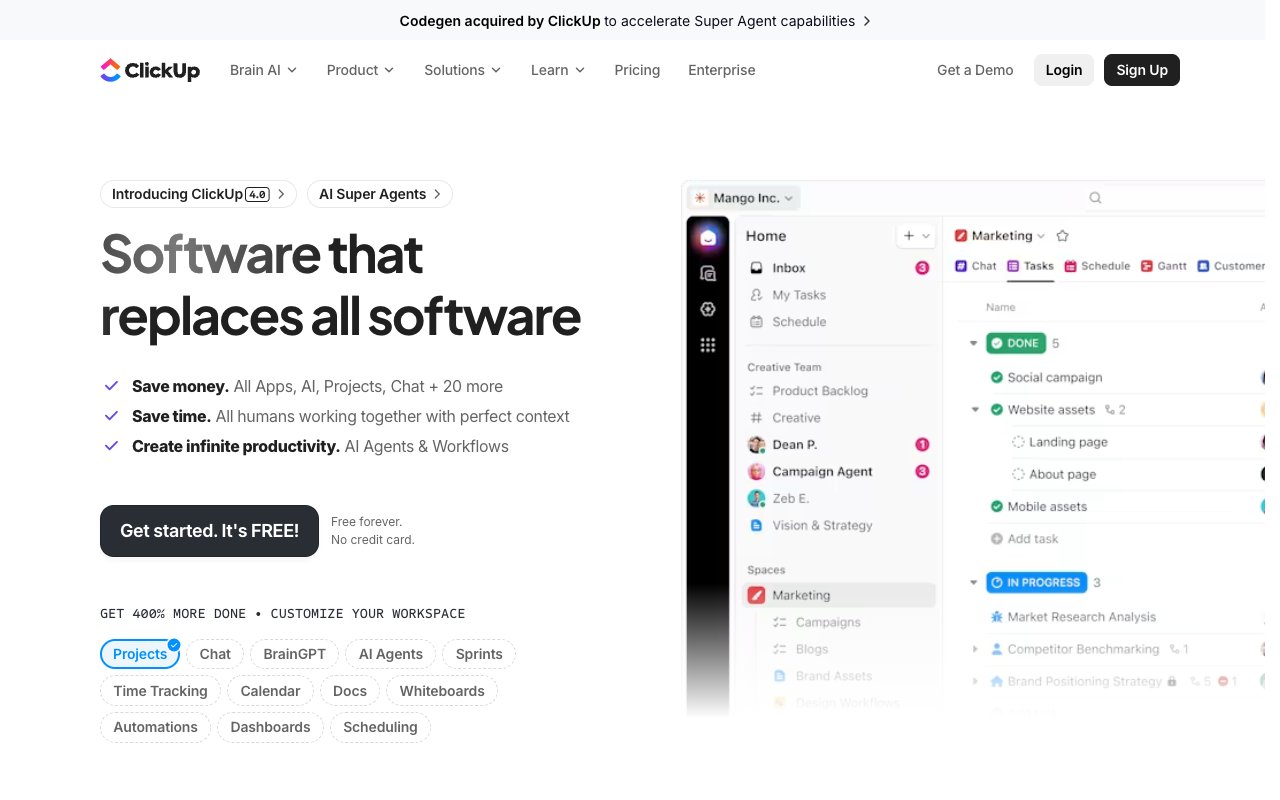
ClickUp AI approaches the AI workspace from a project management angle. Built on ClickUp's established project management platform, ClickUp Brain is a neural network that connects tasks, docs, and people across your workspace. It can answer questions about project status, generate documents, summarize threads, and search across your entire workspace. The recent launch of Super Agents -- autonomous AI teammates that can execute tasks without manual intervention -- pushes ClickUp into agentic territory.
ClickUp AI is not a coding tool. It's a work management platform with AI intelligence. Super Agents can draft project plans, create task breakdowns, generate status reports, and manage routine workflows autonomously. For teams that need AI to manage projects rather than write code, ClickUp occupies a different space than Windsurf entirely. The AI writes content, summarizes meetings, and coordinates work -- but it doesn't generate software applications.
This makes ClickUp AI a Windsurf alternative only in the broadest sense: both use AI to make work more productive. If your goal is building software, ClickUp is not the answer. If your goal is managing the work around software development (or any other business function) with AI assistance, ClickUp Brain and Super Agents offer a compelling, integrated experience.
👍 ClickUp AI Pros
- ClickUp Brain neural network connects all workspace data
- Super Agents: autonomous AI teammates for routine tasks
- AI writing for docs, emails, project plans, and summaries
- Workspace-wide search that understands context
- Integrates with existing ClickUp project management features
👎 ClickUp AI Cons
- Not a coding or app building tool -- limited to project management
- AI features add cost on top of already complex pricing tiers
💵 ClickUp AI Pricing
- 🟢 Free: Basic features (limited AI)
- 🔵 Unlimited ($7/user/month): Core features + limited AI
- 🟣 Business ($12/user/month): Full AI features, advanced automation
👉 See full Taskade vs ClickUp comparison →
📊 Taskade Genesis vs Windsurf: Detailed Comparison
Here's how the two platforms compare across every dimension that matters when choosing between a no-code AI app builder and an AI code editor:
| Feature | Windsurf | Taskade Genesis |
|---|---|---|
| Approach | AI-assisted code editing | AI-powered no-code app building |
| Target user | Professional developers | Anyone (developers and non-developers) |
| Primary input | Write code + AI assistance | Natural language prompts |
| Primary output | Code files | Live working applications |
| Coding required | ✅ Yes -- must know how to code | ❌ No -- describe what you need |
| AI model | Cascade agentic AI | Multi-agent AI teams |
| Codebase awareness | ✅ Full project indexing | N/A (no codebase) |
| Multi-file editing | ✅ Cascade orchestration | N/A (prompt-based) |
| AI agents in apps | ❌ | ✅ Trained on your data |
| Workflow automations | ❌ | ✅ 100+ integrations |
| Backend / database | ❌ Bring your own | ✅ Built into workspace |
| Hosting / deployment | ❌ Handle separately | ✅ Instant sharing |
| Real-time collaboration | ❌ Solo editor | ✅ Multiplayer + video calls |
| Multiple views | ❌ Code editor view | ✅ List, Board, Table, Mind Map, Gantt Chart, Calendar, Timeline, Org Chart |
| Community templates | ❌ | ✅ 150,000+ apps and workflows |
| Mobile access | ❌ Desktop only | ✅ iOS, Android, web |
| Free tier | Basic AI features | ✅ Unlimited app building |
| Pro pricing | $15/month | $10/month billed annually |
| Total cost of ownership | $15/mo + hosting + DB + auth | $10/month billed annually (everything included) |
The key difference: Windsurf helps developers write code faster. Taskade Genesis helps anyone build working software without code.
🎯 Final Verdict: Which Windsurf Alternative Is Right for You?
| Your Situation | Best Choice | Why |
|---|---|---|
| Don't know how to code | Taskade Genesis | Build complete apps with natural language -- no coding needed |
| Want the best AI code editor | Cursor | Most polished AI-assisted coding experience with Cmd+K and Composer |
| Want to stay in your current editor | GitHub Copilot | Plugin model works inside VS Code, JetBrains, and Neovim |
| Want browser-based app generation | Bolt.new | Instant prototyping with full apps generated in-browser |
| Care most about design quality | Lovable | Generates the most polished UI of any AI app builder |
| Need React components quickly | V0 | Best-in-class shadcn/ui + Tailwind component generation |
| Want cloud IDE with deployment | Replit | Full cloud dev environment with Agent mode and built-in hosting |
| Live in the terminal | Claude Code | AI engineering through CLI with massive context window |
| Need fully autonomous coding | Devin AI | Plans, codes, tests, and deploys without human intervention |
| Need AI project management | ClickUp AI | Brain neural network + Super Agents for work management |
| Want the cheapest Windsurf alternative | Taskade Genesis | Free to start, Pro at $10/mo billed annually, unlimited apps includes everything; Windsurf is $15/mo + external costs |
| Building a startup MVP | Taskade Genesis | Working app in minutes, not weeks |
| Enterprise developer team | GitHub Copilot Business | Admin controls, IP indemnity, org-wide deployment |
❓ Frequently Asked Questions
Is Windsurf free?
Yes. The product is now Devin Desktop and it keeps a free tier. The $15/month Windsurf Pro plan is gone; the entry paid tier is Devin Pro at $20/month. For comparison, Taskade Genesis offers a free tier for app building.
Is Windsurf better than Cursor?
Cursor has a more polished AI experience with Cmd+K and Composer, and is the benchmark for AI code editors. Windsurf's price advantage is gone now that it is Devin Desktop at $20/month, the same as Cursor Pro. Both require coding knowledge. If you don't want to code at all, neither is the right tool -- consider Taskade Genesis instead.
Can I use Windsurf without coding experience?
No. Windsurf is a professional code editor designed for developers. It requires knowledge of programming languages, project structures, and development workflows. For non-coders, platforms like Taskade Genesis let you build complete apps through natural language prompts without any coding knowledge.
What happened to Codeium?
Codeium rebranded to Windsurf in late 2024, moving from an AI autocomplete extension to a full AI-native code editor. Then it changed again: Cognition acquired Windsurf (announced July 14, 2025) and relaunched it as Devin Desktop on June 2, 2026.
Which Windsurf alternative is best for teams?
For development teams, GitHub Copilot Business offers enterprise features, admin controls, and works inside existing editors. Replit supports multiplayer coding for real-time collaboration. For non-technical teams that need to build apps, Taskade Genesis offers real-time collaboration, video calls, and shared workspaces where anyone can create and iterate on applications.
Can AI code editors replace developers?
Not yet. AI code editors like Windsurf, Cursor, and Copilot make developers significantly faster but don't replace the need for software engineering expertise. Even autonomous tools like Devin require senior engineers to review output. The shift in 2026 is that no-code platforms like Taskade Genesis are making it possible for non-developers to build certain categories of applications that previously required engineering teams -- business tools, internal apps, dashboards, and workflow automations.
Why look for Windsurf alternatives after the Cognition acquisition?
The question has been answered. Cognition announced the acquisition on July 14, 2025 and absorbed the product into its own line: Windsurf became Devin Desktop on June 2, 2026. Cognition said plans and pricing carried across, but the brand and the standalone pricing page are gone, and the $15 price point with them. For the full timeline, see the section above.
What is the best alternative to Windsurf in 2026?
The best alternative depends on your needs. Cursor ($20/month) is the closest competitor with similar features like multi-file editing and Background Agents. For non-developers who want apps without code, Taskade Genesis creates complete applications from prompts starting at $10/month billed annually. If you want to stay in your existing editor, GitHub Copilot works as a plugin. For fully autonomous coding, Devin AI (also owned by Cognition) handles end-to-end engineering tasks.
Is Cursor or Windsurf better after the acquisition?
In February 2026, Windsurf ranked number 1 in LogRocket's AI Dev Tool Power Rankings, ahead of Cursor at number 3. That snapshot predates the rename. Both products now start at $20/month, Cursor has the larger user base and ships Background Agents and BugBot, and the merge is no longer hypothetical: Devin Desktop and Devin's autonomous cloud agents are one subscription.
🚀 Get Started with the Right Tool
The AI coding landscape in 2026 offers more options than ever. Windsurf deserves credit for advancing agentic AI coding with Cascade, and it remains a strong choice for developers who want an affordable AI code editor. But the broader trend is clear: AI is not just making coding faster -- it's making coding optional for an expanding range of applications.
If you're a developer, tools like Cursor, Copilot, and Windsurf itself will make you more productive. If you're anyone else -- a founder, marketer, operations manager, consultant, or team lead -- the question isn't which code editor has the best AI. The question is why are you writing code at all?
Taskade Genesis answers that question. Describe what you need. Get a working app. Embed AI agents. Connect automations. Share with your team. No code, no deployment, no maintenance.
👉 Build your first app with Genesis -- Describe it in plain English and get a working app in minutes.
👉 Explore AI Agents -- Train agents on your data and embed them in your apps.
👉 Browse the Community -- Clone from 150,000+ apps, templates, and workflows.
👉 Compare pricing plans -- Free, Pro, Business, and Enterprise.
👉 Sign up free -- No credit card required.
📚 Related Reading
- Best Free AI App Builders in 2026 — 15 tested, no credit card
Reviews: - Cursor Review — In-depth review of the leading AI code editor
- Windsurf Review — Full breakdown of Windsurf features and pricing
- V0 Review — Vercel's AI component generator reviewed
- Best AI App Builders in 2026 — Complete guide to no-code and low-code AI builders
Alternatives Guides:
- Best Cursor Alternatives
- Best Devin AI Alternatives
- Best Bolt.new Alternatives
- Best Vibe Coding Tools in 2026
- What Is Vibe Coding?
- Best GitHub Copilot Alternatives — Free & open-source AI coding tools
Comparisons:
- Taskade vs Windsurf — Side-by-side comparison
- Taskade vs Cursor — AI code editors compared
- Taskade vs GitHub Copilot — Coding assistants compared
Start building:
- Clone a ready-made app template — Customize and deploy instantly
- AI App Builder — Build complete apps from one prompt
- Browse Community Apps — Clone real Genesis apps