






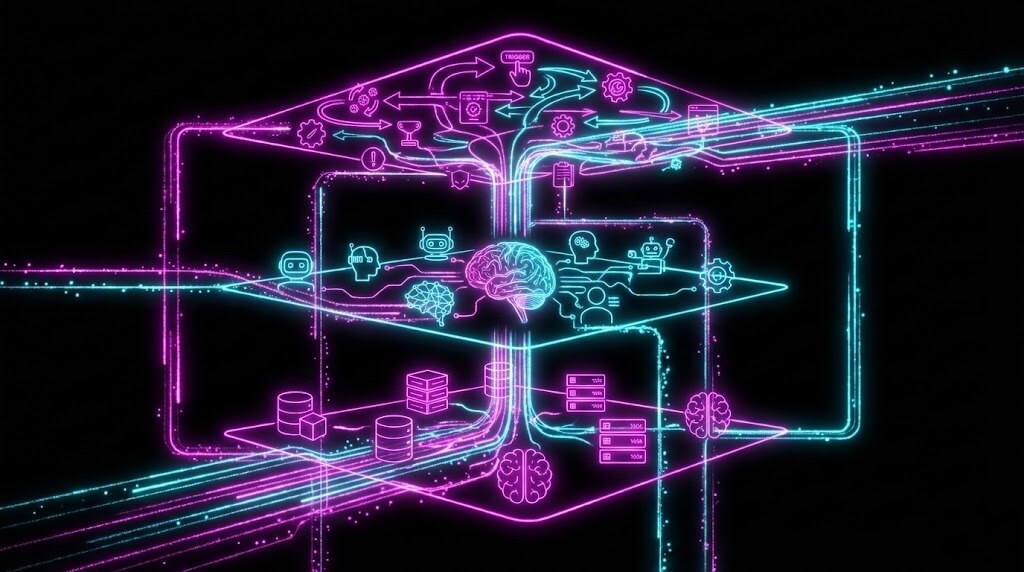
We have been installing apps for 15 years. Download, install, configure, learn. Repeat for every tool your business needs.
The app store era is ending. Not because apps are bad, but because a better model has emerged: living software.
TL;DR: The app store model forces users into a discover-install-configure cycle that creates data silos and integration overhead. Living software, powered by AI, generates custom applications from natural language descriptions with built-in memory, intelligence, and execution. Gartner projects the low-code market will hit $44.5B by 2028. Taskade Genesis already has 150,000+ living apps in its Community Gallery. Build your first living app free ->
The Problem With Static Apps
Every app you install today is frozen. Developers shipped a version, and that is what you get until they ship the next one.
Static apps do not know your context:
- Your CRM does not understand your sales process
- Your project manager does not know your team's workflow
- Your dashboard cannot anticipate what you will ask next
You adapt to tools instead of tools adapting to you. You are the integration layer, manually moving data between apps that do not talk to each other.
The numbers tell the story. The average organization now uses 130 SaaS applications according to Okta's 2024 Businesses at Work report, up from 89 in 2021. Each app creates another login, another data silo, another monthly bill. Employees spend an estimated 9.3 hours per week switching between tools, according to a 2024 Asana Work Index study.
This was acceptable when software was scarce. It is absurd when AI can generate custom applications in seconds.
The Market Shift: From App Stores to AI-Generated Software
The transition from installed apps to generated software is not a prediction. It is happening now and the market data confirms it.
| Metric | Source | Data Point |
|---|---|---|
| Low-code platform market (2028) | Gartner (2024) | $44.5 billion |
| No-code/AI dev market (2030) | Grand View Research | $187 billion projected |
| Average SaaS apps per org | Okta Businesses at Work 2024 | 130 applications |
| Weekly tool-switching time | Asana Work Index 2024 | 9.3 hours per employee |
| AI app generation speed | Taskade Genesis benchmarks | Under 60 seconds for most apps |
| Community-built apps | Taskade Community Gallery | 150,000+ live apps |
When Gartner projects a $44.5 billion low-code platform market by 2028, growing at roughly 20% annually, they are tracking a shift that living software accelerates further. Low-code reduced the barrier from "write code" to "drag components." Living software reduces it from "drag components" to "describe what you need."
What Is Living Software?
Living software is not installed. It is grown. It emerges from your data, learns from your patterns, and acts on your behalf.
Three pillars make software alive:
1. Memory (Your Data)
Living software knows what you know. Your projects, your documents, your history are all connected. No manual imports, no duplicate data entry, no context switching.
2. Intelligence (AI Agents)
Living software thinks. Not just responds to prompts, but understands goals and takes action. An agent that knows your sales pipeline can follow up with leads while you sleep. Taskade agents come equipped with built-in tools, persistent memory, and multi-agent collaboration capabilities powered by frontier models from top AI labs.

3. Execution (Automations)
Living software acts. Triggers fire, workflows execute, 100+ integrations sync without you watching. The software does not wait for instructions; it anticipates them.

When these three pillars connect, you get something fundamentally different from traditional apps. You get software that evolves with your business.
This self-reinforcing loop is what Taskade calls Workspace DNA: Memory feeds Intelligence, Intelligence triggers Execution, Execution creates Memory. The more you use it, the smarter it gets.
Why App Stores Are Dying
The app store model has structural problems that living software solves:
Fragmented Data
Every app creates another data silo. Your customer info lives in one app, project status in another, communication in a third. You become the integration layer.
Living software has one data layer. Everything knows everything.
Frozen Functionality
Traditional apps ship features. You get what developers decided to build. Want something different? Wait for an update or switch tools.
Living software generates functionality from prompts. Describe what you need, get it in minutes.
Human-Dependent Execution
Apps wait for you. They do not work while you are asleep, do not follow up on your behalf, do not adapt when circumstances change.
Living software has agents. They work continuously, adapting to new information.
Configuration Overhead
Every new app means setup. Onboarding, permissions, integrations, training. Multiply by every tool and every team member.
Living software emerges from existing data. Your workspace is already configured because the app inherits context.
| Problem | Traditional App Store | Living Software |
|---|---|---|
| Data silos | 130 separate databases | One unified workspace |
| Feature gaps | Wait for developer updates | Generate from prompts in minutes |
| Execution | Manual, human-dependent | Autonomous AI agents |
| Configuration | Hours per tool per user | Inherits workspace context |
| Integration | Zapier/Make glue code | Native 100+ integrations |
| Access control | Varies per tool | RBAC (Owner to Viewer) |
The Genesis Architecture
This is not theoretical. We built it.
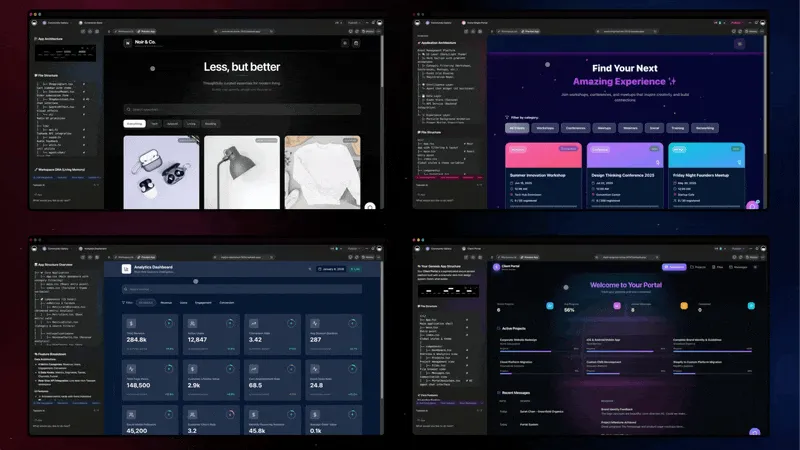
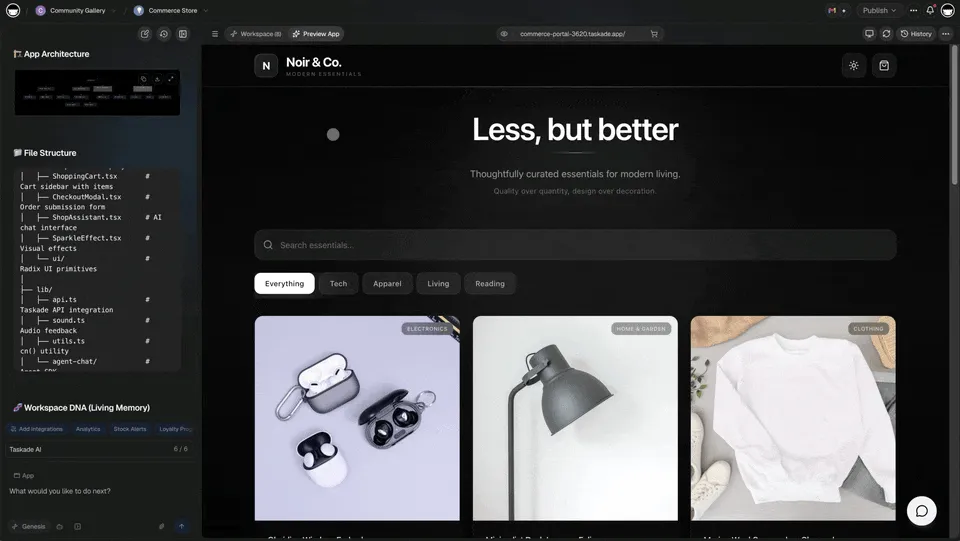
Taskade Genesis creates living software from prompts. One sentence, one app, running on your workspace data, with AI agents, with automations.
The architecture:
Workspace DNA -- Your projects, tasks, and documents form the data layer. No external database, no schema migration, no data sync issues. View your data in multiple project views: List, Board, Calendar, Table, Mind Map, Gantt, and Org Chart.
AI Agents -- Not assistants that wait for prompts. Autonomous agents that understand context and execute work. Your marketing agent knows your brand. Your sales agent knows your pipeline. Each agent has access to built-in tools, slash commands, and persistent memory.
Automations -- 100+ integrations that trigger based on events. Lead comes in? Agent qualifies them, creates a task, sends a follow-up, logs in CRM automatically.
One Prompt, One App -- Describe the application, Genesis creates it. Client portal. Booking system. Analytics dashboard. Your workspace becomes the backend.
This is not a feature. It is a paradigm shift.
The Economic Case for Living Software
The financial argument is straightforward. Traditional SaaS stacks are expensive, fragmented, and require ongoing maintenance. Living software consolidates.
| Cost Category | Traditional SaaS Stack | Living Software (Taskade) |
|---|---|---|
| CRM | $25-300/user/month | Included in workspace |
| Project management | $10-30/user/month | Included in workspace |
| Form builder | $25-80/month | Generated from prompt |
| Dashboard tool | $20-100/user/month | Generated from prompt |
| Automation platform | $20-100/month | 100+ native integrations |
| AI chatbot builder | $30-200/month | Built-in AI agents |
| Custom development | $5,000-50,000 per app | One prompt, one app |
| Annual total (10-person team) | $15,000-80,000+ | $120/year total for up to 10 users (Pro, billed annually) |
Taskade pricing starts at Free for individuals, with Pro at $10/month (annual billing) for teams up to 10 users. Compare that to the average enterprise spending $1,040 per employee per year on SaaS subscriptions (Zylo 2024 SaaS Management Index).
Living Software vs. Code Generators vs. No-Code Builders
The landscape of "app creation" tools is crowded, but the approaches are fundamentally different.
| Dimension | Code Generators (Cursor, Bolt, Lovable) | No-Code Builders (Bubble, Retool) | Living Software (Taskade Genesis) |
|---|---|---|---|
| Input | Code prompts | Visual drag-and-drop | Natural language description |
| Output | Source code files | Hosted application | Deployed living system |
| Database | You configure separately | Built-in but manual schema | Auto-generated from context |
| AI Intelligence | You integrate APIs | Third-party plugins | Native AI agents with memory |
| Automation | You wire Zapier/Make | Limited built-in triggers | 100+ integrations, autonomous |
| Deployment | You manage hosting | Platform-hosted | One-click publish, custom domains |
| Time to production | Hours to days | Days to weeks | Minutes |
| Ongoing maintenance | Developer required | Admin required | Self-evolving |
Code generators create files. No-code builders create configured applications. Living software creates deployed, intelligent systems that evolve.
Who Wins in the Living Software Era?
Builders, Not Developers
If you can describe what you want, you can build software. Coding becomes optional, not required. The builder economy expands from millions of developers to billions of people.
Teams, Not Tool Collectors
Instead of 10 apps that do not talk to each other, you have one workspace that does everything. Less context switching, fewer integrations, lower costs.
Operators, Not Maintainers
Traditional software requires maintenance. Updates, migrations, compatibility issues. Living software evolves. You describe changes, the system adapts.
Small Teams, Especially
Enterprise could always afford custom software. Living software gives the same capability to solopreneurs and small teams. Build what you need, when you need it.
The Permission Question
Traditional software requires permission:
- Permission from developers to build features you need
- Permission from IT to install new tools
- Permission from budgets to afford solutions
Living software removes permission. If you can describe it, you can build it. Today. Yourself.
We call this principle "Build Without Permission." It is not just a tagline. It is the entire point.
When building software takes minutes instead of months, you stop waiting. You stop asking. You start creating.
What Does Not Change
Living software does not replace everything. Some applications need:
- Deep technical customization
- Complex regulatory compliance
- Massive scale infrastructure
- Years of iterative development
For these, traditional software development still makes sense.
But for business applications, the portals, dashboards, trackers, and tools that make up most of what we use daily, living software is simply better.
Why install an app when you can describe one?
The Next Chapter
The transition from installed apps to living software mirrors earlier shifts:
- Desktop software to web apps
- Owned servers to cloud computing
- Manual coding to low-code/no-code
Each shift expanded who could build and what they could create.
Living software is the next expansion. AI agents, workspace backends, and prompt-to-app generation make everyone a builder.
The app store era gave us access to software. The living software era gives us the ability to create it.
That is not an incremental improvement. That is a revolution.
This is not a new idea so much as a finished one. In 1987, Bill Atkinson shipped HyperCard free with every Mac, and it had no app store at all — you did not download and install a stack, you just ran it and shared it, and you could open any card and read in plain English exactly what it did. The consumer and the creator were the same person. Living software is that promise rebuilt with memory and a network behind it.
And there is already a new "app store" emerging from it. The Taskade Community Gallery now has 150,000+ apps built by real users with Taskade Genesis. Unlike the old app store model (download, install, configure), you clone a living app into your workspace and customize it with natural language. Your data stays in your workspace. Your agents carry your context. Your automations connect to your tools.
The distribution model is changing too. You can share an entire application (projects, agents, automations) with a client, clone it across teams, or publish it to the community. Custom domains with automatic SSL make every app independently publishable. Version history means you can iterate without fear of breaking things.
This is what the end of the app store actually looks like: not fewer apps, but apps that anyone can build, share, and evolve.
Start Building
Ready to try living software?
- Build Your First Genesis App -- One prompt, one app
- Explore the Community Gallery -- Clone from 150,000+ apps
- Read the Genesis Manifesto -- The full philosophy
- Understand Workspace DNA -- The architecture explained
- Learn About AI Agents -- built-in tools
- Set Up Automations -- 100+ integrations
Frequently Asked Questions
What is living software and how is it different from traditional apps?
Living software adapts to your data, context, and workflows in real time. Traditional apps ship as static builds and only change when developers push updates. A living app evolves: its dashboards update as your data changes, its AI agents learn from new interactions, and its automations adjust to new conditions. Traditional apps are tools you adapt to. Living software adapts to you.
Why is the app store model declining?
The app store model requires users to discover, install, configure, and learn separate tools for every function. This creates data silos, integration overhead, and constant context switching. With 130 average SaaS apps per organization (Okta 2024), the overhead is no longer sustainable. AI enables instant app generation from natural language, making the install-and-configure cycle unnecessary.
Can AI-generated apps replace traditional SaaS products?
For many use cases, yes. AI-generated apps can replace standalone tools like simple CRMs, project trackers, booking systems, and dashboards, especially when those tools need to be customized to specific workflows. Where traditional SaaS still wins: highly regulated industries, extremely complex domain logic, and tools with massive established ecosystems.
What does it mean for apps to have memory, intelligence, and execution?
Memory means the app stores and recalls context across sessions, including project history, user preferences, and past interactions. Intelligence means AI agents reason about that data, answer questions, and make recommendations. Execution means automations act on triggers without manual intervention. This is the Workspace DNA architecture.
How large is the low-code and no-code market in 2026?
Gartner forecasts the low-code application platform market will reach $44.5 billion by 2028, growing at roughly 20% annually. Grand View Research projects the broader no-code and AI-assisted development market will exceed $187 billion by 2030.
What is Workspace DNA?
Workspace DNA is Taskade's architecture of three interlocking layers: Memory (projects and databases), Intelligence (AI agents with built-in tools), and Execution (100+ integration automations). These form a self-reinforcing loop.
How does living software handle security and access control?
Taskade provides role-based access control (Owner to Viewer). Published apps support custom domains with automatic SSL, password protection, and built-in OIDC/SSO for enterprise authentication.
What is the difference between code generators and living software?
Code generators like Cursor, Bolt, and Lovable produce source code files that still need deployment, database configuration, and infrastructure management. Living software platforms like Taskade Genesis produce fully deployed applications with built-in memory, AI agents, and automations. No hosting or DevOps required.
Related Reading
- The Origin of Living Software -- How we got here
- What Are AI Agents? -- The intelligence pillar
- AI Dashboard Examples -- See what is possible
- AI App Beginner Examples -- Start simple
- 5 Genesis Apps in 10 Minutes -- Practical examples
- Taskade Reviews -- What users say
- Chatbots Are Demos, Agents Are Execution -- Why intelligence alone is not enough
- How to Build AI Agents -- 60-second tutorial
Compare the Alternatives
AI App Builders:
- Taskade vs V0 -- AI code generation
- Taskade vs Lovable -- AI app builders
- Taskade vs Bolt -- Browser-based development
- Taskade vs Cursor -- AI code editors
- Taskade vs Replit -- Cloud development
- Taskade vs Windsurf -- Agentic coding
Workspace and Website Tools:
- Taskade vs Notion -- Workspace comparison
- Taskade vs Webflow -- Website builders
- Taskade vs Monday -- Project management
- Taskade vs ClickUp -- Productivity platforms