






The RACI model is a simple project management tool to help you plan and communicate your project. RACI is an acronym for Responsible, Accountable, Consult, and Inform. It helps you to better manage projects by clearly defining the roles and responsibilities of the people involved in your project.
TL;DR: The RACI model assigns Responsible, Accountable, Consulted, and Informed roles to every task — eliminating confusion on complex projects. Taskade AI agents can auto-generate RACI matrices, assign roles across 7 project views, and trigger workflow automations based on responsibility assignments. Try it free →
Project managers commonly use the RACI model when working on larger projects that stretch across multiple departments. This is due to the fact that RACI is fully customizable, giving you the flexibility to use it according to your project deliverables.
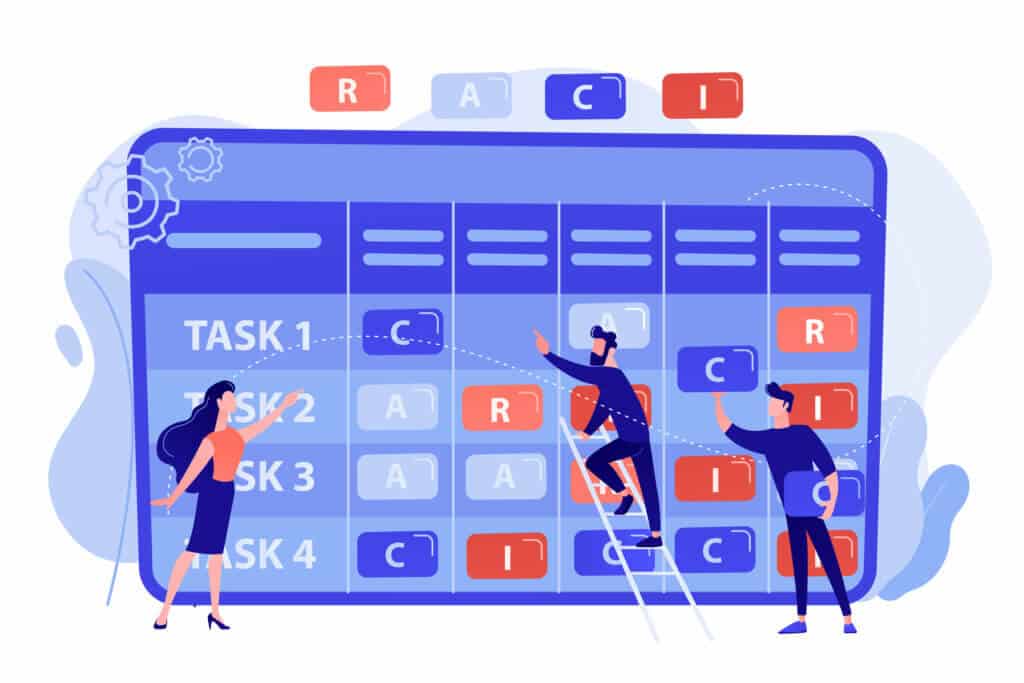
Using a RACI chart also allows project managers to assign tasks and track the progress of the team. This clear definition of project roles is crucial as it gives stakeholders a clear understanding of project roles.
The RACI matrix is also called Responsibility Assignment Matrix (RAM), or a Linear Responsibility Chart (LRC). Even though it is hard to pinpoint who exactly created LRC, it is believed that LRC was originally created in the 1950s. Various changes to the model eventually transformed it into the RACI matrix that we know today.
If you're a project manager looking to improve the productivity of your team, check out our list of the best online project management tools. With this list, you can find the best project management software to help you manage complex projects and tasks.
What Does RACI Stand For?
RACI is an acronym that stands for Responsible, Accountable, Consult, and Inform. A RACI chart is a matrix or simple diagram used to map task roles and responsibilities. The benefit is that it provides more granular detail about who is doing what on a project as compared to traditional basic task list assignments.
Here is how each of the 4 components is defined:
Responsible. These are the people who actually do the work and are responsible for completing the task. This would usually fall into the hands of executives or individual contributors.
Accountable. These refer to the responsible party accountable for the deliverables. Usually, people in this role are those in managerial roles. Accountable personnel are often those that delegate tasks to the Responsible role players.
Consult. These are the people who were consulted for this task. They can offer expert advice but is ultimately not responsible for this project. Think of this person or group as an advisor or a consultant that you go to before making any decisions.
Inform. These are the people who need to be in the loop regarding this project. This usually falls into the hands of senior management who have delegated the project to other line managers.
As you already now know, the RACI matrix is flexible. This means that even though employees may be skilled in multiple roles, ideally you would want to assign only one role to each employee. This allows them to focus their attention on ensuring that they’re fully accountable for a certain project task.
RACI’s versatile nature also means that you do not necessarily have to assign all the roles in your project. There is no point in engaging a consultant for simple tasks.
Breaking down a project and then using the RACI model to delegate tasks ensures that everyone involved in the project is clear about their roles and responsibilities. Responsibility and accountability are both prerequisites to a successful project, especially when it comes to larger projects.
Using a RACI matrix ensures that your team is on track to hit project milestones as scheduled.
How to Create a RACI Matrix?
To create a RACI chart, you first need to create a table to list your project deliverables and the persons involved. After that, assign the different RACI roles to each person in relation to their assigned task.
For example, if Jenny is the accountable manager for Task A, list the cell which intersects her name and task as 'A'. Repeat this process for everyone involved in the project.
| Project A | Jenny | Rob | Alison | Mike |
|---|---|---|---|---|
| Task A | A | R | I | C |
| Task B | C | I | R | A |
| Task C | R | C | A | I |
| Task D | I | A | C | R |
When done correctly, you can enjoy a bird’s eye view of everyone’s roles and responsibilities simply by looking at the spreadsheet. For bigger projects, we would recommend color-coding your cells to gain better clarity on the project.
RACI Matrix Best Practices
In order to use RACI effectively, there are a few guidelines to take into consideration.
Only 1 R/Responsible role per task. If you have multiple people responsible for a particular task, you could end up complicating things further. Having multiple R’s could lead to the same deliverable being delivered multiple times more than what is actually needed. Worse, your project team might be unsure of who’s actually responsible for the work, leading to the task not being completed.
Only 1 R/Responsible role per person. Even though each person can be responsible for multiple tasks in a project, it’s best not to. This is to keep them focused on one task at a time, thus preventing any sort of ambiguity.
Each task should only have 1 A/Accountable role. This ensures that the task is being monitored by one accountable manager only. Having more than one accountable role is redundant as there are other tasks that need to be accounted for.
Responsible and Accountable are mandatory. When it comes to RACI, every single task has to have a responsible person and another accountable party. This ensures that deliverables are delivered on time and to specification.
Consultants are not mandatory. Not all tasks are complicated enough to warrant a consultant. However, if you do work with a consultant, make sure that information is communicated clearly both ways so that you can get the job done.
Keep the project team informed. This is probably the simplest thing to do, but also the most crucial. Keeping everyone informed once updates are available ensures that your project can proceed without hiccups.
By following these steps, your project will have just the right amount of responsible and accountable parties to ensure its success.
When Should You Use A RACI Chart?
A RACI chart helps to clearly define the roles and responsibilities of everyone involved in the project. The most ideal scenario is to have everyone align on the RACI chart at the beginning and then carry on with their respective tasks.
RACI helps you to optimize your team according to everyone’s strengths. You’re able to assign tasks to specific people and ensure that everyone is clear on what they have to do. This limits misunderstandings when the project is underway.
Having a RACI chart that is accessible to all stakeholders will help to streamline communication within the project team. Whenever a problem pops up, your team knows exactly who to look for if they need help with a task by viewing the chart.
This limits constant back-and-forth communication, and instead promotes focus and improves team productivity.
Try out our free RACI chart template and get a headstart on creating your first RACI chart!
RACI vs. Traditional Task Assignment: Why It Matters
| Approach | Role Clarity | Decision Authority | Scalability | Best For |
|---|---|---|---|---|
| Simple task list | Low — one assignee | Unclear | Small teams only | Solo projects |
| RACI matrix | High — 4 distinct roles | Explicit (A = one owner) | Cross-functional teams | Multi-department initiatives |
| Taskade + AI agents | High — RACI + automation | AI-suggested, human-approved | Any team size | Modern, AI-assisted PM |
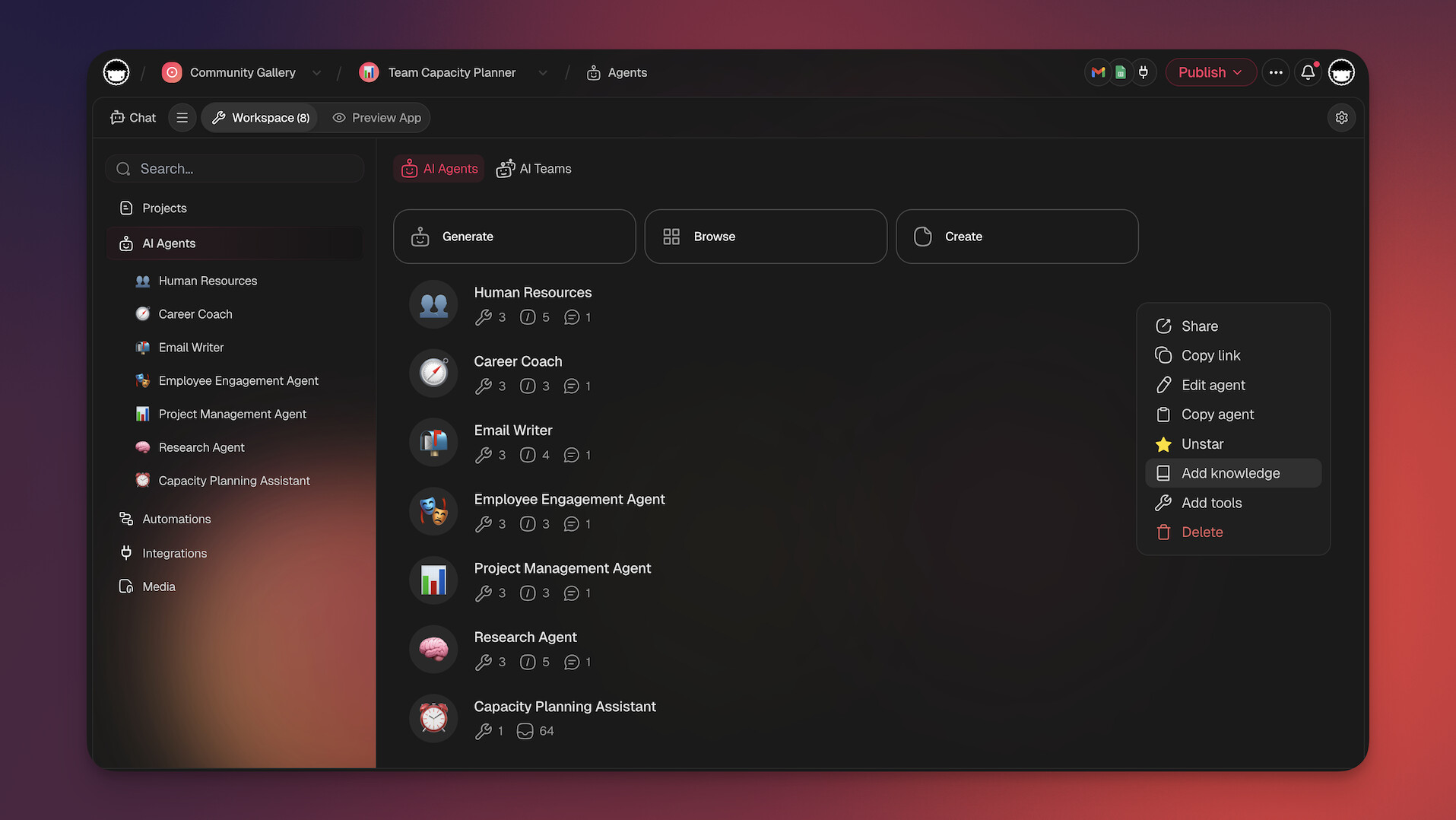
With Taskade, you can build RACI matrices in Table view, assign roles with 7-tier permissions (Owner, Maintainer, Editor, Commenter, Collaborator, Participant, Viewer), and deploy AI agents that auto-assign responsibilities based on team members' skills. Connect your workflow with 100+ integrations and explore ready-made systems in the Community Gallery.
Workspace DNA: Smarter Role Management Through Memory + Intelligence + Execution
Static RACI matrices break down when projects evolve — roles shift, team members change, and communication gaps emerge. Workspace DNA solves this with a self-reinforcing loop. Memory (Projects) stores every role assignment, approval chain, and stakeholder preference as structured data. Intelligence (AI agents) learns from past projects to recommend optimal RACI assignments and flag overloaded team members. Execution (Automations) acts on those insights — routing approvals to Accountable owners, sending updates to Informed stakeholders, and triggering escalation workflows when tasks stall. The result: your RACI framework becomes a living system that gets smarter with every completed project. Learn more about Workspace DNA and living software.
Agentic AI: Autonomous Role Assignment and Stakeholder Management
Agentic AI takes RACI beyond manual matrices. Autonomous AI agents continuously monitor your projects, ensuring every task has clear R, A, C, and I assignments. When a new task is created, agents analyze team member skills, current workload, and past performance to suggest the optimal Responsible party. Agents automatically notify Consulted stakeholders before decisions are made and keep Informed parties updated with AI-generated status summaries. With 22+ built-in tools, MCP connectors, and persistent memory, Taskade agents act as an always-on project coordinator. Build custom RACI management systems with Taskade Genesis — it's vibe coding for project management. Explore the Community Gallery for ready-made solutions.
RACI Role Automation: What AI Handles for Each Role
| RACI Role | Manual Approach | AI-Automated (Taskade) |
|---|---|---|
| Responsible | Manager assigns manually | AI agents suggest based on skills and workload |
| Accountable | Single owner tracks progress | AI monitors completion and escalates blockers |
| Consulted | Email chains for input | AI routes questions and collates feedback |
| Informed | Manual status emails | Automations send real-time updates |
| Overload detection | Spreadsheet review | AI flags team members with too many R assignments |
| Cross-project visibility | Separate matrices | Unified dashboard across 7 project views |
Master Project Success with Taskade AI! 🤖
🤖 Custom AI Agents: Build teams of AI agents with 22+ built-in tools to automate RACI assignment, task tracking, and stakeholder updates — powered by 11+ frontier AI models.
🪄 AI Generator: Describe your project and Taskade generates a complete plan with tasks, roles, and timelines in seconds.
✏️ AI Assistant: Use the AI Assistant to generate and edit content, prioritize tasks, and generate ideas with convenient /AI commands.
🔄 Automations: Automate handoffs between R, A, C, and I roles with triggers, conditions, and 100+ integrations.
💬 AI Chat: Discuss and refine your project goals using Taskade AI's conversational interface, available anywhere in Taskade.
🧬 Taskade Genesis: Build custom RACI management apps from a single prompt. It's vibe coding: describe your role structure, Taskade builds it as living software. Explore what others have built in the Community Gallery.
📖 Learn more: Ultimate Guide to Taskade Genesis | What Is Vibe Coding? | How Workspace DNA Works | Browse Templates
And much more...

Frequently Asked Questions
What is the RACI model in project management?
RACI is a responsibility assignment matrix that clarifies who does what on a project. Each letter represents a role: Responsible (the person doing the work), Accountable (the person ultimately answerable for the outcome — only one per task), Consulted (people whose input is sought before a decision), and Informed (people who are kept updated on progress). RACI prevents confusion, eliminates duplicate effort, and ensures every task has a clear owner.
When should you use a RACI matrix?
Use RACI when: projects span multiple departments or teams, roles and responsibilities are unclear or overlapping, there's confusion about decision-making authority, stakeholders complain about being left out of the loop, or tasks are falling through the cracks because 'everyone assumed someone else was doing it.' RACI is especially valuable for cross-functional projects, organizational restructuring, and any initiative involving more than 5-6 people.
How do you create a RACI chart?
To create a RACI chart: 1) List all project tasks or deliverables in rows, 2) List all team members and stakeholders in columns, 3) Assign one RACI letter to each cell — ensuring every task has exactly one 'A' (Accountable) person, 4) Review with the team to validate assignments and resolve conflicts, 5) Check for overloaded individuals (too many R's) and underutilized resources. Tools like Taskade's Table view make it easy to build and share RACI matrices with your team in real time.
What are common mistakes when using the RACI model?
Common RACI mistakes include: assigning multiple 'Accountable' people to one task (defeats the purpose — there should be exactly one), confusing 'Responsible' with 'Accountable' (R does the work, A owns the outcome), over-consulting (too many C's slow down decisions), under-informing (people feel blindsided), and creating the matrix once and never updating it. RACI should be a living document that evolves with the project, not a one-time exercise filed and forgotten.
How does Taskade Genesis help with RACI assignment and role management?
Taskade Genesis lets teams build custom RACI management apps from a single prompt. With 150,000+ apps already created, teams generate role-tracking dashboards, responsibility matrices, and stakeholder communication systems that deploy instantly with custom domains. Visit taskade.com/ai/apps to explore ready-made RACI tools or describe your ideal system and build it in seconds.
What is vibe coding and how does it apply to RACI management?
Vibe coding means building software by describing what you want in natural language rather than writing code. For RACI, teams describe their role structure and approval workflows in plain English, and Taskade Genesis generates a complete RACI management system with automated notifications for each role type. This replaces static spreadsheets with living, interactive responsibility matrices.
How do AI agents automate RACI workflows?
Taskade AI agents with 22+ built-in tools and MCP connectors automate RACI workflows by analyzing task requirements and suggesting optimal role assignments based on team members' skills and availability. Agents send automated updates to Informed stakeholders, route decisions to Accountable owners, and flag tasks where Responsible parties are overloaded. Persistent memory ensures agents learn team dynamics over time.
What is Workspace DNA and how does it improve role assignment?
Workspace DNA is Taskade's self-reinforcing loop of Memory, Intelligence, and Execution. Memory (Projects) stores team structures, skill profiles, and historical assignments. Intelligence (AI agents) recommends optimal RACI assignments based on past performance. Execution (Automations) routes tasks to the right people and triggers notifications across 100+ integrations. This loop ensures role clarity improves with every project cycle.