






Notion is an all-in-one workspace that combines notes, docs, wikis, databases, and project management in a single, flexible platform. What started in 2013 as a struggling startup eating noodles in Kyoto became an $11 billion company used by over 100 million people—and one of the most successful examples of community-led growth in SaaS history.
TL;DR: Notion is the all-in-one workspace founded in 2013 by Ivan Zhao and Simon Last. After nearly dying in 2015, the team rebuilt in Kyoto and rode community-made templates to an $11B valuation and 100M+ users. For teams that want AI agents that act on their docs, not just store them, see Taskade Genesis.
But where did it all start? What makes Notion different from Confluence or Obsidian? How did AI transform the platform? In today's article, we explore the complete history of Notion and the future of connected workspaces. 📝
🤖 What Is Notion?
Notion was founded in 2013 by Ivan Zhao (CEO), Simon Last (CTO), and three other co-founders. Their mission was ambitious—build a single tool to replace all the fragmented productivity apps people use: notes, docs, wikis, spreadsheets, project trackers, and databases.
"We want to build a tool that connects everyday work into one space. A place where you can think, write, and plan—powered by AI to help you work faster and smarter."
Ivan Zhao, CEO of Notion
What started as blocks-based note-taking evolved into something much more powerful:
- Databases: Flexible tables, kanban boards, calendars, galleries
- Pages: Nested, connected documents forming a wiki
- AI Assistant: Writing, Q&A, summarization powered by GPT-4, Claude, Gemini
- Templates: 30,000+ community-created workflows
- Collaboration: Real-time editing, comments, @mentions
- Integrations: Slack, GitHub, Figma, Google Drive
By January 2026, Notion had achieved:
- $11 billion valuation (tender offer, January 2026)
- 100+ million users globally
- 50%+ of ARR from AI-enabled customers
- 30,000+ templates in the marketplace
- Backing from Sequoia Capital, Index Ventures, GIC, Coatue
So, let's rewind and see how a near-bankrupt startup became one of the most beloved productivity tools ever built.
What comes after Notion? Notion invented the all-in-one workspace. Taskade was built AI-native from Workspace DNA — Memory feeds Intelligence feeds Execution. AI agents with 34 built-in tools, durable automations with 100+ integrations, and Genesis Apps that deploy from a single prompt. Try Taskade free →
🥚 The History of Notion
The Early Days: Ivan Zhao's Vision (2009-2013)
The Notion story begins with Ivan Zhao, a designer and programmer who believed software tools had become too rigid.
The Problem Zhao Saw:
In the late 2000s, productivity software was fragmented:
- Notes: Evernote
- Docs: Google Docs
- Wikis: Confluence
- Databases: Airtable, Excel
- Project Management: Asana, Trello
- Knowledge Base: Sharepoint
Each tool solved one problem but created integration headaches. Knowledge was siloed. Workflows didn't connect.
Zhao's insight: What if you could build one tool flexible enough to be all of these?

Ivan Zhao, founder and CEO of Notion, working on early prototypes of the all-in-one workspace concept.
The Founding (2013):
In 2013, Zhao recruited Simon Last (engineer) and three others to build this vision. They raised $2 million from angel investors—friends, family, and friends of friends.
The plan: Build a "tool for toolmaking"—a meta-app where users could construct their own productivity systems using building blocks.
The First Version (2013-2015):
Notion's first incarnation was... not great.
It was a complicated interface for creating workflows. Power users loved it. Everyone else was confused. Growth stalled.
By 2015, the company was running out of money.
Rock Bottom: Kyoto and Ramen (2015-2016)
In 2015, Ivan Zhao and Simon Last faced a crisis:
- Out of funding
- Laid off their only employees
- Product not working
Their solution: Start over.
To stretch remaining funds, they moved from San Francisco ($4,000+/month rent) to Kyoto, Japan (less than half the cost). They rented a small apartment and ate instant noodles for months.
The Rebuild:
Zhao and Last threw away the old codebase and rebuilt Notion with a simpler philosophy:
- Start with pages: Everything is a page, pages can nest infinitely
- Add blocks: Each page contains blocks—text, images, databases, embeds
- Make it beautiful: Clean design, delightful interactions
- Databases as blocks: Tables, kanban, calendar—all are blocks you add to pages
This sounds obvious now, but in 2015, it was revolutionary. No other tool combined docs and databases so seamlessly.
Notion 1.0 Launch (August 2016):
After a year in Kyoto, they released Notion 1.0.
The response was... tepid. A few hundred users. Positive feedback but slow growth.
But they were onto something.
The Product Hunt Moment (2018)
On March 2018, Notion launched Notion 2.0 on Product Hunt.
It exploded.
Notion 2.0 added:
- Faster performance (rebuilt infrastructure)
- Mobile apps (iOS and Android)
- Better databases (filters, sorts, linked databases)
- Collaboration (real-time editing, comments)
- Public pages (share pages as websites)
The Product Hunt community loved it—voting Notion #1 Product of the Day.
Within weeks, Notion gained thousands of new users. Word spread organically. Students, designers, engineers, writers—everyone found a use case.
The Template Community:
Early users started sharing templates:
- Student OS: Complete study system
- Personal CRM: Relationship tracker
- Content Calendar: Editorial planning
- Habit Tracker: Daily routines
- Reading List: Book notes and quotes
Templates became Notion's secret weapon. Instead of explaining features, users shared workflows. New users could duplicate a template and understand Notion instantly.
Community-Led Growth (2018-2020)
Between 2018 and 2020, Notion grew from 1 million to 20 million users—almost entirely through community-led growth.
The Ambassador Program:
Notion created an Ambassador Program where passionate users:
- Hosted local meetups
- Created video tutorials
- Built and shared templates
- Wrote blog posts and guides
- Started YouTube channels
Ambassadors weren't employees. They were fans who loved Notion so much they evangelized for free.
Notable Ambassadors:
- Marie Poulin: Notion consultant with 100K+ YouTube subscribers
- Thomas Frank: Productivity YouTuber (3M+ subscribers)
- Francesco D'Alessio: Tool Finder TV reviews
The Flywheel:
- User discovers Notion through ambassador content
- User duplicates a template to get started
- User customizes it for their workflow
- User shares their customized template
- New users discover through templates
- Repeat
This created exponential viral growth without traditional marketing spend.
Funding and Valuation Surge (2019-2021)
With traction proven, investors took notice.
Funding Timeline:
- 2018: $10M Series A led by Index Ventures
- 2020: $50M Series B led by Index Ventures @ $2B valuation
- 2021: $275M Series C led by Coatue @ $10B valuation
The $10 billion valuation shocked the industry. Notion had achieved "unicorn" status and then 10x'd it—all with community-led growth and minimal marketing spend.
Revenue Model:
- Free Plan: Personal use, unlimited pages and blocks
- Plus Plan ($8/user/month): Teams with unlimited file uploads
- Business Plan ($15/user/month): Advanced permissions, version history
- Enterprise: Custom pricing, SSO, compliance
The Key Metric:
By 2021, Notion had 20 million users but only 4 million paying. That's a 20% conversion rate—extraordinarily high for freemium SaaS.
Why? Because Notion became essential. Once you built your system in Notion, switching cost was prohibitive.
(update) Notion AI Launch (2022-2023)
In November 2022, OpenAI released ChatGPT. Within weeks, Notion shipped Notion AI.
How They Moved So Fast:
Notion got early access to GPT-4 and immediately integrated it. Within weeks they launched:
Writing Assistant:
- "Help me write" button in every page
- Autocomplete paragraphs
- Improve writing (grammar, clarity, tone)
- Summarize long documents
Q&A:
- Ask questions about your workspace
- Gemini retrieves relevant pages and answers
- Cites sources from your docs
Database Autofill:
- AI fills database properties automatically
- "Generate action items from meeting notes"
- Extract data from unstructured text

Notion AI writing assistant integrated directly into pages—helping users draft, improve, and summarize content.
Notion AI demo — writing assistant, Q&A search, and database autofill features in action.
Pricing:
Notion AI was sold as an add-on ($8/user/month for unlimited usage). This allowed free users to keep using Notion while paying for AI features if needed.
The Impact:
By end of 2025:
- 50%+ of ARR came from AI-enabled customers
- AI features drove conversion from free to paid
- Retention improved (AI increased stickiness)
(update) Notion Mail, Calendar & Ecosystem Expansion (2024-2026)
Notion didn't stop at notes and AI. They expanded into adjacent productivity tools.
Notion Calendar (Acquired Cron, 2023):
Notion acquired Cron, a beloved calendar app, and rebranded it as Notion Calendar:
- Time blocking and meeting scheduling
- Integrates with Notion pages (link meetings to docs)
- Works with Google Calendar, Outlook
Notion Mail (Acquired Skiff, 2024):
Notion acquired Skiff, a privacy-focused email client:
- Email integrated with Notion workspace
- Reference Notion pages in emails
- AI composes emails based on Notion docs
But...
The integrations were criticized:
- No deep database integration (users wanted email in databases)
- Privacy features removed (Skiff's end-to-end encryption scrapped)
- Gmail-only focus initially
Latest Valuation (January 2026):
In a tender offer (employees selling shares to investors), Notion was valued at $11 billion—up from $10B in 2021.
Investors: Sequoia, Index Ventures, GIC (Singapore's sovereign wealth fund).
Current Stats (2026):
| Metric | Value |
|---|---|
| Users | 100+ million |
| ARR | Undisclosed, but "accelerating growth" |
| Templates | 30,000+ in marketplace |
| AI Customers | 50%+ of revenue |
| Valuation | $11 billion |
🔎 The Community and Template Ecosystem
Notion's community is its moat.
The Template Marketplace:
With 30,000+ templates, Notion users can start with proven systems:
Popular Categories:
- Work: Project management, CRM, wikis
- Personal: Habit trackers, journals, finance
- Students: Note systems, study planners
- Creators: Content calendars, portfolios
- Teams: Sprint planning, meeting notes
Some templates are free, others are paid (creators monetize their work).
The Ambassador Ecosystem:
Notion Ambassadors run thriving businesses:
- Notion consultants: Build custom workspaces for clients
- Template creators: Sell templates earning $1K-$10K/month
- Course creators: Teach Notion mastery
- YouTube channels: Tutorial content with sponsorships
This ecosystem creates a self-sustaining growth engine.
🤯 The Competitive Landscape
Notion competes with many tools—because it replaces many tools.
Notion vs Confluence:
| Feature | Notion | Confluence |
|---|---|---|
| Use Case | All-in-one workspace | Team wiki |
| Design | Beautiful, customizable | Enterprise, functional |
| Databases | Native, flexible | Limited, requires Jira |
| Collaboration | Real-time, comments | Enterprise-grade, robust |
| Pricing | $8-15/user | $10-20/user (with Jira) |
| Best For | Startups, small teams | Large enterprises with Atlassian stack |
Verdict: Confluence for large orgs needing structure. Notion for teams valuing flexibility.
Notion vs Obsidian:
| Feature | Notion | Obsidian |
|---|---|---|
| Storage | Cloud-based | Local files (Markdown) |
| Collaboration | Native, real-time | Limited, plugin-based |
| Privacy | Data on Notion servers | Full control, offline |
| Performance | Slower with large pages | Fast, local execution |
| Pricing | Freemium, $8/user | Free (sync is $8/month) |
| Best For | Teams, collaboration | Personal knowledge, privacy |
Verdict: Obsidian for solo knowledge work prioritizing privacy. Notion for team collaboration.
The Notion Positioning:
Notion occupies a unique space: flexible enough for personal use, powerful enough for teams.
It's not the best wiki (Confluence wins). It's not the fastest note app (Obsidian wins). But it's the best all-in-one solution.
🤔 So, What Makes Notion Different?
The All-in-One Philosophy
Notion's core bet: consolidation beats specialization for most users.
Instead of:
- Evernote for notes
- Trello for projects
- Airtable for databases
- Confluence for wikis
- Google Docs for documents
You have Notion for everything.
The Benefits:
- Single source of truth: All knowledge in one place
- Connected information: Link pages, databases, projects
- Reduced context switching: No jumping between apps
- Unified search: Find anything across all your work
- Consistent interface: Learn once, use everywhere
The Trade-Offs:
- Not the best tool for any single task
- Performance issues with very large pages
- Vendor lock-in (hard to export and migrate)
But for most users, convenience > optimization.
The Blocks-Based Flexibility
Notion's blocks are Lego pieces for productivity.
Every block type:
- Text: Paragraphs, headings, lists
- Media: Images, videos, files
- Embeds: Figma, GitHub, Google Maps
- Databases: Tables, boards, calendars, galleries
- Advanced: Code snippets, math equations, diagrams
You combine blocks to create custom systems:
Example: Content Calendar
- Database block (table view)
- Properties: Title, Status, Publish Date, Author
- Linked database (calendar view of same data)
- Embedded Google Doc for drafts
- Status board (kanban view for workflow)
All on one page. Fully customized. No code required.
The AI Integration
Notion AI isn't a separate chatbot—it's embedded everywhere:
- Highlight text → "Improve writing" → AI rewrites for clarity
- Empty page → "Help me write about..." → AI generates draft
- Meeting notes → "Extract action items" → AI fills database
- Q&A → "What did we decide about X?" → AI searches workspace
This ambient AI feels invisible—it's just part of the workflow.
Multi-Model Support (2026):
Notion now lets users choose AI models:
- GPT-4: Best for creative tasks
- Claude 3: Best for long documents, coding
- Gemini 3: Best for multimodal (images + text)
Different tasks, different models—all in one interface.
⚡️ Potential Benefits of Notion
Democratizing Productivity Systems
Notion lowered the barrier to building sophisticated workflows.
Before Notion:
- Build custom productivity systems → hire developers
- Create databases → learn SQL or buy Airtable
- Set up wikis → deploy Confluence, manage servers
With Notion:
- Start with a template
- Customize with blocks
- Share with team
- Done
Non-technical users can build systems that used to require engineering teams.
Remote Work Enablement
Notion became essential for remote teams:
Use Cases:
- Company wiki: Onboarding docs, processes, values
- Meeting notes: Searchable, linked to projects
- Project tracking: Roadmaps, sprints, tasks
- Team docs: Strategy, planning, retrospectives
During COVID-19, Notion usage exploded—it was the perfect remote-first tool.
Concerns and Criticisms
Not everyone loves Notion:
Performance Issues:
- Large pages (500+ blocks) slow down
- Real-time sync can lag
- No offline mode (cloud-only is a problem)
Vendor Lock-In:
- Proprietary format makes migration hard
- Export is lossy (loses formatting, databases)
- Switching cost increases over time
Privacy Concerns:
- All data stored on Notion servers
- No end-to-end encryption
- Company can read your content
Overwhelming for Beginners:
- Blank page syndrome (too much flexibility)
- Learning curve for databases
- Templates help but can be complex
Notion's response: Continuous performance improvements, better exports, clearer privacy policies. But concerns remain.
👉 How to Get Started with Notion
Ready to build your all-in-one workspace?
Getting Started:
- Go to https://notion.so and sign up (free account)
- Start with a template:
- Browse https://notion.so/templates
- Pick a category (work, personal, students)
- Duplicate to your workspace
- Customize:
- Edit page structure
- Modify database properties
- Add your content
- Share with team (or keep private)
First Project Ideas:
Personal Dashboard:
- Daily tasks (database)
- Habit tracker
- Quick notes section
- Bookmarks and resources
Team Wiki:
- Company info
- Team directory
- Process documentation
- Meeting notes database
Project Tracker:
- Projects database (kanban view)
- Tasks linked to projects
- Timeline view for roadmap
- Status updates page
Pricing:
- Free: Personal use, unlimited pages
- Plus ($8/user/month): Teams, unlimited file uploads
- Business ($15/user/month): Advanced permissions, analytics
- Enterprise: Custom, SSO, compliance
Notion AI Add-On:
- $8/user/month for unlimited AI features
- Works with any plan
- Choose between GPT-4, Claude, Gemini
💡 Pro Tip: Building an AI-powered workflow system? Taskade AI offers similar all-in-one workspace features with AI agents, real-time collaboration, and project management—designed specifically for team workflows!
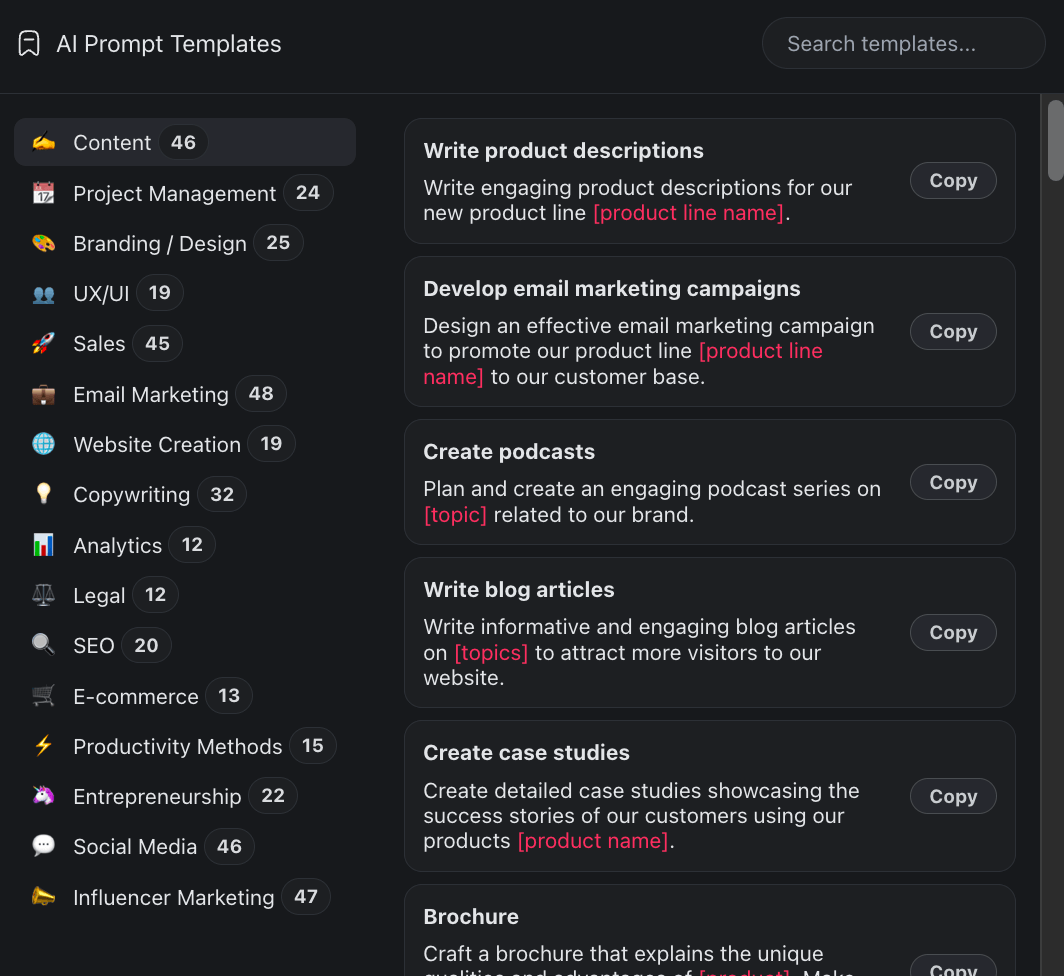
Taskade offers AI-powered workspace features similar to Notion, optimized for team collaboration and project management.
🚀 Quo Vadis, Notion?
From eating noodles in Kyoto in 2015 to an $11 billion company in 2026—Notion's journey is remarkable.
But the most important question isn't where they've been—it's where they're going.
Ivan Zhao's Vision:
"We want Notion to be the workspace where your best thinking happens. AI should help you think faster, organize better, and create more—without getting in your way."
Ivan Zhao, Notion CEO
Strategic Questions:
Can Notion maintain its community magic at scale?
With 100M users, the intimate community feel is harder to maintain:
- Ambassadors feel less connected
- Template marketplace is crowded
- Corporate customers have different needs than indie users
But Notion's grassroots culture remains strong.
Will AI commoditize Notion's features?
Every productivity tool now has AI:
- Coda has AI
- Asana has AI
- Monday.com has AI
What if AI assistants can work across any tool? Does Notion's all-in-one advantage erode?
Notion's bet: AI is better when it understands your entire workspace context. Fragmented tools can't match that.
What about the IPO?
At $11B valuation with accelerating growth, Notion is IPO-ready. Will they go public in 2026-2027?
Zhao has been patient—14 years building to this point. An IPO seems likely, but timing is everything.
The Path Forward:
Notion's moat isn't features—it's community, switching cost, and network effects.
Once you've built your life in Notion (notes, projects, wikis, databases), leaving is painful. The community creates more templates, making it easier for new users. The flywheel continues.
If Notion keeps improving performance, deepens AI integration, and maintains community trust—it could become one of the defining productivity platforms of the 2020s.
🐑 Before you go... Looking for an all-in-one workspace with AI agents for team collaboration? Taskade AI offers similar features to Notion, optimized for workflows!
💬 AI Chat: Coordinate projects, organize tasks, and keep teams aligned—all in one workspace.
🤖 AI Agents: Automate repetitive tasks and workflows while your team focuses on what matters.
✏️ AI Assistant: Brainstorm ideas, generate content, and organize information with AI help.
🔄 Workflow Generator: Create custom workflows and project templates in seconds.
Want to give Taskade AI a try? Create a free account and start today! 👈
🧬 From Block to Task: The Primitive Ceiling Notion Hit
Notion's block primitive was the winning claim of the 2018 era — every unit of content (paragraph, heading, image, database row, toggle) becomes the same atom, and you nest them however you want. That's why Notion crossed 100M users and raised at a $10B valuation.
But blocks have a structural ceiling: blocks describe, they don't execute.
| Test | Notion block (2018) | Taskade task (2026) |
|---|---|---|
| Composes upward? | ✅ block → page → workspace | ✅ task → project → workspace → app |
| Has state? | 🟡 content only | ✅ state, owner, schedule, priority |
| Can be assigned to a human? | 🟡 @ mention, manual | ✅ first-class owner field |
| Can be assigned to an AI agent? | ❌ (agents sit outside blocks) | ✅ agents complete tasks natively |
| Triggers automations on change? | ❌ | ✅ task events fire 100+ integrations |
| Renders in 7 project views? | 🟡 database views only | ✅ List, Board, Calendar, Table, Mind Map, Gantt, Org Chart |
A Notion "to-do" block has a checkbox — but the to-do doesn't trigger anything, doesn't assign to an agent, doesn't cascade into subtasks that fire automations when completed. Blocks plateau at "this is what you wrote." Tasks are already verb-shaped — which is exactly what AI agents need to act on natively.
That shift — from block-as-content to task-as-action — is the primitive transition of the AI era. Read fifty years of computing primitives →
🔗 Related Reading
- Fifty Years of Computing Primitives: File → Icon → Page → Block → Task — the five-decade lineage that places Notion's block primitive in context
- AI App Builders vs AI Workspace Builders — the 2026 category split, rooted in the primitive claim
- Workspace DNA Architecture — Memory + Intelligence + Execution, composed from the task atom
🔗 Resources
- https://www.notion.so/
- https://www.notion.so/templates
- https://en.wikipedia.org/wiki/Notion_(productivity_software)
- https://www.notion.com/blog/sequoia-index-purchase-shares-from-notion-employees
- https://research.contrary.com/company/notion
- https://www.notion.com/help/intro-to-databases
- https://www.notion.com/blog/introducing-q-and-a
- https://www.firstround.com/companies/notion
💬 Frequently Asked Questions About Notion
Who founded Notion?
Notion was founded in 2013 by Ivan Zhao (CEO), Simon Last (CTO), Chris Prucha, Jessica Lam, and Toby Schachman in San Francisco. After near-bankruptcy in 2015, Zhao and Last rebuilt Notion from scratch while living in Kyoto, Japan.
What is Notion used for?
Notion is an all-in-one workspace for notes, docs, wikis, databases, and project management. Users can create custom systems using blocks (text, images, databases, embeds) organized in nested pages. It's used by individuals for personal organization and teams for collaboration.
Is Notion AI free?
Notion offers a free tier with basic features, but Notion AI is a paid add-on costing $8/user/month. The AI add-on includes unlimited writing assistance, Q&A across your workspace, and database autofill. Without the add-on, AI features are restricted.
What is Notion AI?
Notion AI is an AI assistant integrated throughout Notion that helps with writing, summarizing, Q&A, and database autofill. Users can choose between GPT-4, Claude 3, and Gemini 3 models depending on the task. It works inline with your content, not as a separate chatbot.
Is Notion better than Google Docs?
Notion and Google Docs serve different purposes. Google Docs excels at real-time document collaboration with superior commenting and suggestion features. Notion excels at structured information (databases, wikis, linked pages). For simple docs, use Google Docs. For complex systems, use Notion.
How much does Notion cost?
Notion pricing includes: Free (personal use, unlimited pages), Plus ($8/user/month) for small teams, Business ($15/user/month) for advanced permissions, and Enterprise (custom pricing) with SSO and compliance features. Notion AI is an additional $8/user/month on any plan.
What are Notion templates?
Notion templates are pre-built page structures and databases that users can duplicate into their workspace. The Notion marketplace features 30,000+ templates for use cases like project management, note-taking, CRM, content calendars, and habit tracking. Some are free, others are paid.
Can Notion work offline?
No, Notion is cloud-based and requires internet connection. This is a frequent criticism, especially compared to local-first tools like Obsidian. Notion caches some data for brief offline viewing, but you cannot edit without internet.
Is Notion safe and private?
Notion stores data on its servers with encryption in transit and at rest, but it's not end-to-end encrypted. Notion employees can technically access your content. For highly sensitive information, consider local-first alternatives like Obsidian or encrypted note apps.
What is the difference between Notion and Obsidian?
Notion is cloud-based, collaborative, and all-in-one with databases and project management. Obsidian is local-first, privacy-focused, uses Markdown files, and excels at personal knowledge management. Notion is better for teams; Obsidian is better for individual knowledge work.
How much is Notion worth?
Notion reached an $11 billion valuation in January 2026 during a tender offer where Sequoia, Index Ventures, and GIC purchased shares from employees. The company previously raised at a $10 billion valuation in 2021.
Can you make money with Notion templates?
Yes, creators sell Notion templates in the marketplace, earning anywhere from $100 to $10,000+ per month depending on quality and marketing. Notion Ambassadors also make money through consulting, courses, and YouTube channels teaching Notion.
What is Notion Calendar?
Notion Calendar (formerly Cron) is a calendar app acquired by Notion in 2023. It integrates with Google Calendar and Outlook, allows time blocking, and links calendar events to Notion pages. It's free for Notion users.
Does Notion have email?
Yes, Notion Mail was launched in 2024 after acquiring Skiff. It integrates with Gmail and allows referencing Notion pages in emails. However, it lacks deep database integration that many users expected, and Skiff's privacy features were removed after acquisition.
🧬 Build Your Own AI Applications
While Notion builds the all-in-one workspace, Taskade Genesis focuses specifically on team workflows and AI-powered project management. Create custom AI agents, automate tasks, and coordinate teams with a single prompt. It's vibe coding for productivity—describe what you need, Taskade builds it as living software. Explore ready-made AI apps.
