






Tackling projects without a project plan is like solving a jigsaw puzzle without looking at the box. It’s frustrating, time-consuming, and counter-productive. So, unless you’re after a “let’s see what happens” approach, this article will teach you how to write a project plan in eight steps.
💡 Before you start... Are you new to project management? Be sure to check our Project Management Basics article where we discuss other essential PM concept.
So, without further ado, let's dive in. 👇
📑 What Exactly Is a Project Plan?
A Guide to the Project Management Body of Knowledge (PMBOK® Guide) defines a project plan as: “a formal, approved document used to guide both project execution and project control.”(1)
So far so good, but let’s dig a little deeper.
A project plan is usually created by project managers in the project planning phase. It defines the scope, project goals, objectives, and strategies that help project teams succeed.
It also answers a few important questions while doing so:
“What needs to be done to deliver a successful project?"
“Who are the external and internal stakeholders?”
“Who is responsible for specific tasks and deliverables?”
“How to carry out tasks and processes in the project?”
“When are specific tasks and deliverables due?”
“What tools and strategies will the project team use?”
Finally, a project plan sets the course and momentum for the project. The process of writing a plan usually involves the entire team and other key stakeholders (more on that in a moment).
🤔 Why Are Project Plans Important?
Counteract Scope and Budget Creep
Project and budget creep keeping you up at night?
You’re not alone. Scope and budget creep are the two most frequent project issues.
A project plan will help you set a clear timeline for outcomes and deliverables. It will also make it easier to control the resources allocated to the project, including time and money.
With a better understanding of the project objectives, your team will be able to focus on essential work and ignore any tasks that are out of scope. That, in turn, will make the project shorter and cheaper to deliver, which should make any investor happy.
Mitigate Risk
“What happens if people start jumping ship mid-project?”
“What if we run out of money?”
“What if laws and regulations change to our disadvantage?”
Every project has a degree of uncertainty. There are internal and external issues (more on that later on) that may block or completely foil team effort.
An ounce of prevention is worth a pound of cure. A project plan will help you assess project risks and create contingencies to counteract them if they occur. It will also let you switch into a “proactive” mode and prevent bottlenecks and obstacles in the first place.
Create a Single Source of Truth
Running a small project with a boutique, co-located team? Easy.
You can probably manage the entire thing using a notebook and swing by your team members’ desks for impromptu status updates (we’re not saying that you should).
But for more complex projects, you’ll need a more organized approach to communication.
A project plan will help you determine:
What kind of information you’ll share.
Who should be on the receiving end.
What communication mediums you will use.
How often communication should take place.
Think of the project plan as a single source of truth (SSOT) for project-related information. It specifies the frequency of meetings, communication tools, contact details, and pretty much everything you need to ensure a smooth flow of information in and around the project team.
Boost Ownership and Track Progress
Love micromanaging?
Trust us, it doesn’t work.
The most effective project teams are the ones that can act and make decisions dynamically, with a great deal of autonomy. But for that, you know exactly who does what and when.
A project plan tells the project team what they’re expected to do and what’s the timeline for each task they're assigned. This, in turn, drives ownership and accountability. It also makes it much easier to track progress, make adjustments, and keep deadlines and objectives in scope.
🚀 How to Create a Project Plan in 8 Steps
Identify Key Stakeholders and Secure Buy-In
Like any other document, a project plan needs an audience. In this case, your audience are the key stakeholders who are involved in or impacted by the project, either directly or indirectly.
And whether you like it or not, you have to keep the stakeholders happy.
Project stakeholders fall into two categories, internal and external. The first group usually includes the project team, executives, and other employees within the company. The second may involve investors, product users, the general public, regulatory authorities, or the media.
Start by making a list of stakeholders and define their role in the project:
“What is their role in the project?”
“How much influence do they have?”
“What are they expecting to gain from the project?”
“What are their concerns?”
“What kind of information do they expect?”
Once you've listed project stakeholders and identified their needs, you’ll be able to better match the tone and scope of information contained in the project plan. By providing the stakeholders with the information they expect, you’ll have solid arguments for securing buy-in down the road.
Define a Scope and Write a Scope Statement
According to the Project Management Institute (PMI), project scope “provides the documented basis for making all project decisions and is used to direct the project effort and communicate the project scope to the project team and other project stakeholders.”(2)
Ok, let’s unpack this.
A project scope specifies what project teams will and will not work on. It also includes project goals, requirements, and constrains you’ll need to keep in mind
Encapsulating all that requires a separate, internal document called a scope statement.
A scope statement is usually divided into three parts:
Justification: The first part of a scope statement explains the purpose of the project. It explains how the client/end user will benefit from carrying out the project.
Deliverables: This section should include a list of deliverables, their quantity, and specific acceptance criteria that determine whether they have been completed.
Objectives: Finally, objectives define what makes the project successful. Objectives should be quantifiable (if possible) and measurable.
You can draft your scope statement in an outline format, with each item organized hierarchically. Be precise and concise; the document shouldn’t be longer than 1-2 pages.
Identify Objectives, Outcomes, and Deliverables
Every project aims to deliver on two fronts—outcomes and deliverables.
But first, you need to define the objectives of your project.
As we’ve already mentioned, objectives are measurable and quantifiable benefits you expect to gain after completing the project. That can include a 20% increase in customer satisfaction, a decrease in company expenses, or improved manufacturing capabilities.
One of the best ways to formulate project objectives is the SMART framework.
Here’s an example. If your goal is to grow your business in 2023, your objectives should be:
Specific, e.g. “Hire 5 people for the marketing team”
Measurable, e.g. “Publish one new article every week”
Attainable, e.g. “Release incremental app updates every quarter”
Relevant, e.g. “Pitch your product to media outlets”
Time-bound “Increase conversions by 20% by the end of Q2”
“So, what about outcomes and deliverables?” 🤔
Outcomes are the achieved benefits of a project. For instance, an outcome of implementing a new CRM solution can be improved customer satisfaction by developing a new CRM solution.
Deliverables, on the other hand, are the products and services produced during the course of the project. Think a new employee onboarding app or a swimming pool in your neighborhood.
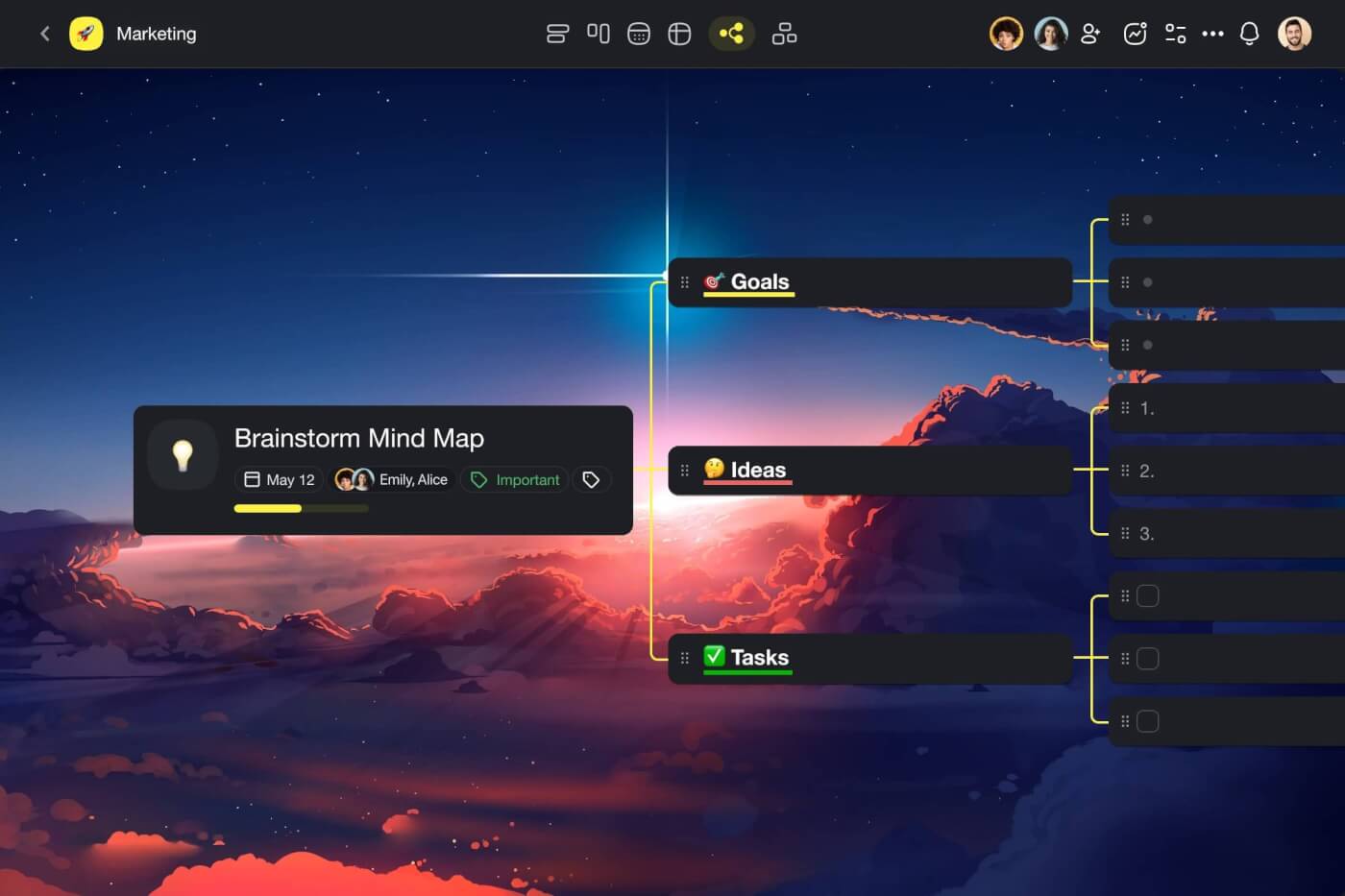
Think outside the box and brainstorm objectives using Taskade's Mind Map workflow.
Define Tasks and Responsibilities
No project can unfold without the right people on board.
In this stage, we’re going to create a detailed overview of the people involved in the project and their responsibilities. That includes both core project members as well as any subject matter experts who will help you deliver the project.
Creating a high-level overview of tasks and responsibilities will help you:
Drive accountability and ownership.
Keep track of deadlines and milestones.
Distribute the workload among team members.
Reduce micro-management and empower your team.
Find the right people with the right skills for the job.
Compile the hard and soft skills required for the project.
To determine roles and responsibilities in your team, you may use the RACI model.
RACI, an acronym for responsible, accountable, consulted, and informed, is designed to help identify roles in a project team. It also determines who’s responsible for which task/deliverable.
Let’s unpack each of the RACI roles:
Responsible: Person who will carry out the activity or create deliverables.
Accountable: Decision-makers in the project who oversee the completion of a task.
Consulted: Subject matter experts from other functional areas within the organization.
Informed: People you need to keep in the loop about project developments.
Here’s a simple RACI matrix you can use for your project:
| Name | 🔵 Project sponsor | 🟠 Business analyst | 🟢 Project manager | 🔴 Technical architect | 🟡 Applications development |
|---|---|---|---|---|---|
| ☑️ Manage sales | |||||
| ☑️ Assess job | |||||
| ☑️ Initiate project | |||||
| ☑️ Security governance | C | C | A | I | I |
| ☑️ Functional req. | A | R | I | C | I |
| ☑️ Acceptance criteria | A | R | I | C | I |
| ☑️ Design solution |
Example of a responsibility assignment (or RACI) matrix. Source: Wikipedia(3)
Set a Schedule and Budget
Two of the most common problems plaguing project teams?
Budget and scope creep.
Without a clear idea of when each outcome is expected and how much the project will cost, you can be pretty sure the timing and budget will spiral out of control pretty quickly.
A project schedule should include deliverables, task description (what you want to accomplish), task duration (how long it will take), dependencies, milestones, as well as required resources.
Setting a clear schedule will help you benchmark the progress you’re making against the milestones and correct course if needed. It will also give you a rough estimate of how long each stage of the project will last and how best to distribute the workload among team members.
Your budget, on the other hand, should include:
labor costs
materials
operating costs
research expenses
consulting services
travel and accommodation
hardware
software
You also need to account for contingency reserves for the “known unknowns,” just in case you do end up blowing the set budget. Aim for at least 5-10% of the total project cost.
Clients and investors like solid figures so be prepared when the questions start rolling in.
Creating a comprehensive project budget will not only help you prevent budget creep, but it will also make it much easier to liaise with stakeholders and address their concerns.
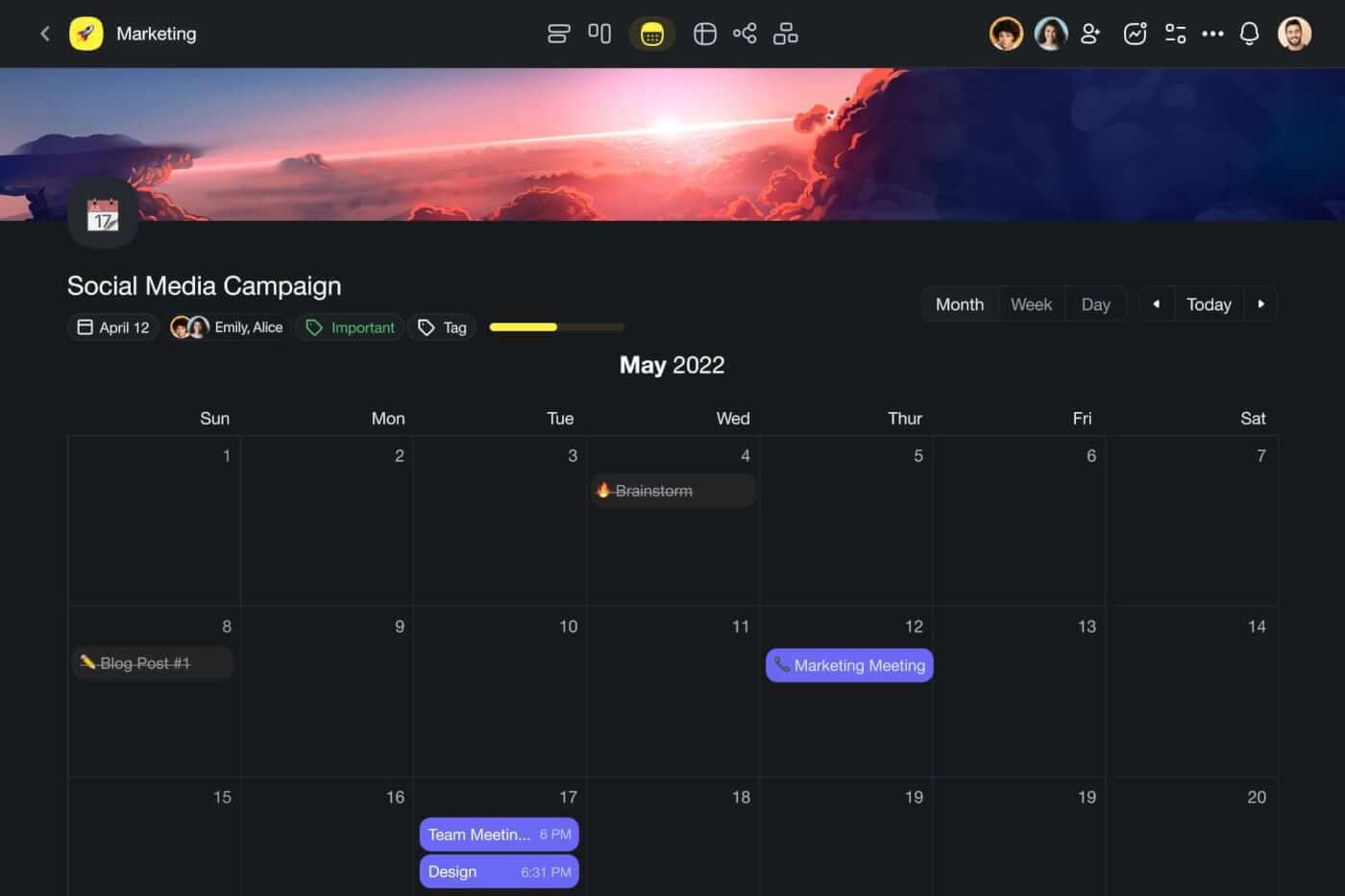
Plan ahead and create a bulletproof schedule in a shared, global calendar.
Define a Communication Plan
Communication is key, especially in the increasingly distributed world. But communication issues are still the primary cause of failure in over 50% of unsuccessful projects.(4)
Too frequent meetings
Poor flow of information
Communication silos
Defragmented knowledge
Misaligned expectations
Inadequate communication tools
Inefficient feedback loops
A communication plan is a separate document in the project plan that will help you pin down those issues and address them before you kick off the project.
The document should cover the following aspects:
🌟 Communication goals
👥 Key audience
💾 Types of information
🗓️ Meeting frequency
👩💻 Tools you will use
💡 Knowledge sharing practices
📣 Communication channels
For instance, you may decide to use video conferencing for longer updates and project management software for quick sync-ups. You can also benefit from creating a single source of truth (SSOT) where your team will have access to project documents 24/7.
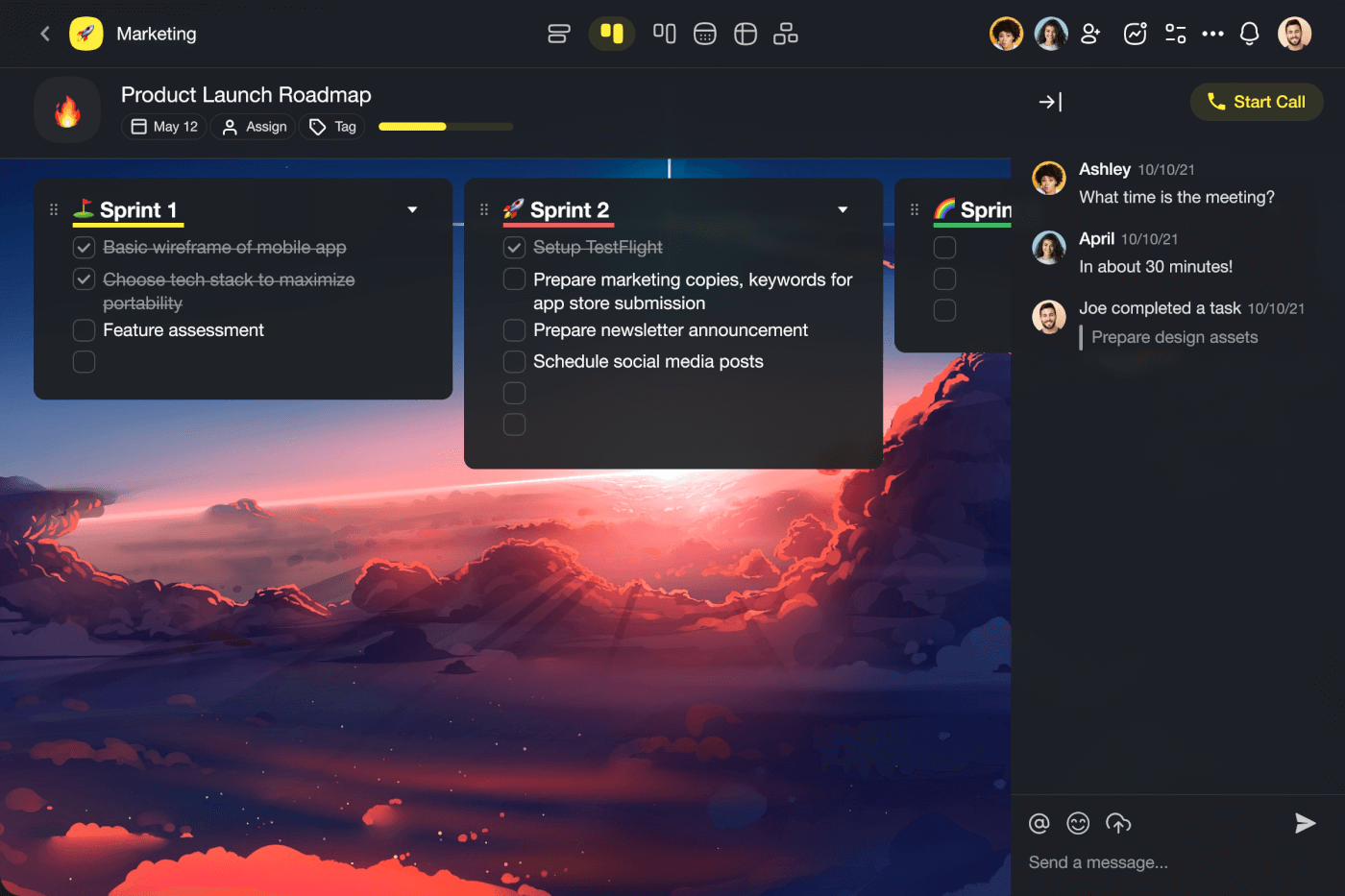
Taskade features free, unlimited chat, comments, and video conferencing.
Create a Contingency Plan
“Wow, that project was smooth sailing” said no one ever.
The harsh truth is that all projects face problems. Some of them are benign and can be fixed on the go. Others are in the “I left the stove on” category and can cost a lot of time and money to fix.
This is where a contingency plan comes into play.
The Project Management Institute defines a contingency plan as a document “defining action steps to be taken if an identified risk event should occur.”
You can draft a contingency plan in three steps:
Risk identification: Identify external and internal risks (what you can and can’t control).
Risk quantification: Determine which risks have the biggest impact.
Risk response development: Put together a plan to prevent or counteract the risks.
While you can’t control things like the weather or the economic situation, dealing with internal issues is fully within your control. Creating a fool-proof plan and acting early to remove the roadblocks will keep the project on track and increase its odds of success.
And thats's it! 🥳
Ready to kickstart your project plan? Grab this free project planning checklist! 👇
👋 Parting Words
Learning how to write a good project plan is just the first step. You still need to secure stakeholders’ buy-in, assemble the right team, and survive till project completion to tell the tale.
If you still need some extra help on that journey, try Taskade. 🐑
Taskade is real-time project management software that covers all project management needs.
💬 + ⚡️ Chat and collaborate in the same window, in the same app.
✅ + 🔎 Manage tasks and track progress across all your teams and projects.
🎨 + ⚙️ Customize everything and transform projects using dynamic workflows.
🖼️ + 🤖 Tap into 300+ free templates to automate your workflows.
Ready to transform your workflow with one of the best project management tools around?
Check this short introduction video and sign up for free today!
🔗 Resources
https://www.pmi.org/pmbok-guide-standards/foundational/pmbok
https://www.pmi.org/learning/library/project-scope-statement-skills-tools-7981
https://www.pmi.org/learning/library/communication-method-content-in-project-9937
Frequently Asked Questions
How do you write a project plan?
Write a project plan in eight steps: 1) Define the project scope and objectives, 2) Identify stakeholders and their expectations, 3) Create a Work Breakdown Structure (WBS) decomposing deliverables into tasks, 4) Estimate timelines and set milestones, 5) Assign resources and responsibilities, 6) Identify risks and mitigation strategies, 7) Establish communication and reporting cadences, 8) Get stakeholder sign-off. Use a project management tool like Taskade to build and share the plan collaboratively.
What should a project plan include?
A comprehensive project plan includes: project objectives and success criteria, scope statement (what's included and excluded), Work Breakdown Structure (task hierarchy), timeline with milestones and deadlines, resource allocation (who does what), budget estimates, risk register with mitigation strategies, communication plan (meeting cadences, status reports), dependencies between tasks, and acceptance criteria for deliverables. Not every project needs all elements — scale the plan to the project's complexity.
What is the difference between a project plan and a project charter?
A project charter is a high-level authorization document that formally approves the project's existence — it defines the business case, objectives, key stakeholders, and constraints. A project plan is the detailed execution roadmap created after the charter is approved — it breaks objectives into specific tasks, timelines, resource assignments, and risk mitigation strategies. The charter answers 'why and what'; the plan answers 'how, when, and who.'
What tools help create project plans?
Effective project planning tools need task hierarchy, timeline visualization, collaboration features, and templates. Taskade offers all four — with multiple project views including Gantt charts for timeline planning, Mind Maps for scope decomposition, List view for task breakdown, and AI agents that can generate project plans from natural language descriptions. Built-in templates provide starting frameworks for common project types, and real-time collaboration lets the whole team contribute to planning.