







Gizmo is an OpenAI-backed micro-app builder that lets anyone turn a natural-language prompt into a small, shareable application. The startup raised $9 million in January 2026, coined the term "micro apps," and is betting that single-purpose AI-powered utilities are the next front-end primitive. But is "micro" big enough for real teams? In this review we break down every feature, expose the gaps, and stack Gizmo against the seven strongest alternatives — including Taskade Genesis, the living-app builder that ships agents, automations, and memory alongside every app.
TL;DR: Gizmo excels at quick throwaway utilities but lacks agents, memory, and integrations. Taskade Genesis builds full living apps with 15+ frontier models, 100+ integrations, and a self-reinforcing Workspace DNA loop — 150,000+ apps and counting. Try it free.
What Are Micro Apps?
The term "micro app" appeared in TechCrunch coverage of Gizmo's $9M seed round in January 2026. It describes a new category of software sitting between browser widgets and full web applications — small, single-purpose, AI-generated, and instantly shareable via URL. Understanding this category is essential before evaluating any tool that claims to build them.
How TechCrunch Defined the Category in January 2026
TechCrunch writer Ivan Mehta described micro apps as "small, focused applications that solve exactly one problem and can be built in under 60 seconds from a single prompt." The article positioned micro apps as the natural evolution of ChatGPT Custom GPTs — from conversational wrappers to interactive, visual interfaces that non-developers can create, share, and iterate on without touching code. The framing resonated: "micro apps" pulled roughly 1,800 monthly searches within weeks of the article.
Micro Apps vs Traditional Web Apps
Traditional web apps require a codebase, a hosting provider, a CI/CD pipeline, authentication layers, and ongoing maintenance. They serve broad use cases and evolve over months or years. Micro apps flip every assumption. There is no codebase to maintain. There is no server to provision. The "deployment" is a shareable link. The trade-off is scope: micro apps solve one problem (a calculator, a quiz, a data visualizer) and they do not grow into multi-feature products. Think of them as the front-end equivalent of serverless functions — scoped, disposable, and fast to spin up.
| Dimension | Traditional Web App | Micro App |
|---|---|---|
| Build time | Weeks to months | Seconds to minutes |
| Codebase | Source files, repos, CI/CD | Prompt + generated UI |
| Hosting | Self-managed or PaaS | Built-in (URL share) |
| Scope | Multi-feature product | Single-purpose utility |
| Maintenance | Ongoing patches, updates | Regenerate or discard |
| Team size | 2-20+ engineers | 1 non-developer |
| Intelligence | Manual integrations | AI-powered by default |
| Memory | Database + ORM | None or ephemeral |
Micro Apps vs AI Agents
AI agents and micro apps both start from a prompt, but they diverge immediately after generation. An AI agent is a persistent process that reads context, reasons about goals, selects tools, and executes tasks autonomously — it acts. A micro app is a static user interface that displays. Agents have memory that accumulates over time. Micro apps reset on every page load. Agents connect to external systems through tool use and integrations. Micro apps are usually self-contained.
The distinction matters because the most valuable AI applications are the ones that do both: present an interactive interface and run intelligent processes behind it. That is exactly the gap that living apps fill — and that micro apps leave open.
Why Micro Apps Are the Next Front-End Primitive
Despite their limitations, micro apps represent a genuine shift in how software gets built. Three forces are converging:
- LLM quality — Frontier models from OpenAI, Anthropic, and Google can now generate functional UI from a single sentence.
- Distribution friction — Shareable URLs eliminate app stores, downloads, and sign-up walls.
- Non-developer demand — Marketers, teachers, and operators want custom tools but will never learn React.
Micro apps satisfy all three. The question is whether "micro" is the ceiling or the floor. For tools like Gizmo, it is the ceiling. For Taskade Genesis, micro apps are just the starting point — a prompt-generated interface that then gains agents, automations, and persistent workspace memory to become a living app.
What Is Gizmo?
Gizmo is an independent startup that builds a prompt-to-micro-app platform powered by OpenAI's Assistants API. It is not an OpenAI product, but it carries OpenAI's endorsement through the OpenAI Startup Fund. The company positions itself as the fastest way to turn an idea into a shareable, interactive application — without writing a single line of code.
Founding Team and OpenAI Backing
Gizmo was founded by a small team of ex-Google and ex-Meta engineers who previously worked on internal rapid-prototyping tools. The company attracted attention from the OpenAI Startup Fund early in its development, securing a spot in the fund's portfolio alongside other AI-native startups. OpenAI's involvement is strategic, not operational: Gizmo builds on top of the Assistants API and benefits from early access to new API features, but OpenAI does not control the product roadmap.
The $9M Seed Round
In January 2026, Gizmo announced a $9 million seed round. The OpenAI Startup Fund participated alongside several undisclosed angel investors and early-stage venture funds. The capital is earmarked for three priorities: expanding the component library, hiring frontend engineers, and building a marketplace for user-created micro apps. At $9M, Gizmo is well-funded relative to its stage but modestly capitalized compared to competitors like Replit ($200M+ total raised) or Vercel ($500M+ total raised).
Product Philosophy
Gizmo's thesis is radical simplicity. The founders argue that most software is over-engineered — teams build ten features when users need one. Micro apps strip away the bloat. You describe what you want, Gizmo generates a single-screen interface, and you share it via URL. No accounts. No databases. No backend. The philosophy is compelling for throwaway utilities (a tip calculator, a color palette generator, a quiz for a classroom), but it creates hard limits when users want persistence, collaboration, or automation.
Traction and Early Adoption
Gizmo has not disclosed MAU or revenue figures publicly. Based on community signals — Reddit threads, Twitter/X posts, and Product Hunt launches — the product has a niche but growing following among solo makers, educators, and prompt engineers who want to prototype ideas quickly. Early adopters praise the speed (sub-30-second app generation) and the clean default UI. Critics note the lack of data persistence, limited sharing controls, and the inability to connect micro apps to external tools.
Gizmo Features Deep Dive
Prompt-to-App Pipeline
Gizmo's core loop is straightforward: type a natural-language description, and the platform generates a single-page interactive application. The pipeline uses OpenAI's Assistants API under the hood, which means the generated app can call functions, handle structured inputs, and render dynamic UI components. Generation typically takes 10-30 seconds depending on complexity. You can iterate by refining the prompt or editing individual components after generation. The pipeline is fast and intuitive for simple use cases — calculators, converters, quizzes, data input forms. It struggles with multi-step workflows, conditional logic, and anything that requires persistent state across sessions.
The generated apps run entirely in the browser. There is no server-side rendering, no database, and no backend API. This architecture keeps things simple but imposes hard constraints: every app resets when the user closes the tab. For disposable utilities this is fine. For anything a team needs to rely on day after day, the lack of persistence is a dealbreaker.
Component Library
Gizmo ships with a curated set of UI components: text inputs, dropdowns, toggles, sliders, buttons, data tables, charts (bar, line, pie), and card layouts. The component library is clean and visually consistent, with a modern design language that favors whitespace and rounded corners. Components are responsive by default, scaling reasonably well across desktop and mobile viewports.
What is missing is depth. There are no calendar views, no Kanban boards, no Gantt charts, no mind maps. You cannot embed media (video, audio, PDFs) or render rich markdown. The component library covers "form + chart" use cases well but falls short for anything that requires spatial layout, temporal data, or rich content. Compare this to Taskade Genesis, which generates apps across multiple project views — List, Board, Calendar, Table, Mind Map, Gantt, and Org Chart.
Sharing and Distribution
Every Gizmo micro app gets a unique shareable URL. You can send the link to anyone — no account required to view or interact with the app. This is Gizmo's strongest distribution advantage: zero-friction access. There is no app store, no download, no sign-up wall. Click the link, use the app, close the tab.
The limitation is control. You cannot password-protect a micro app, restrict access by email domain, embed it in an iframe on your own site, or gate it behind authentication. There is no analytics dashboard showing who used your app or how often. For internal team tools, these gaps matter. For quick public utilities, the simplicity is a feature.
Monetization
Gizmo has hinted at a future marketplace where creators can list micro apps and charge per-use or per-month fees. As of April 2026, monetization features are not live. You cannot charge for access, gate content, or collect payments through a Gizmo micro app. If monetization is a priority, Taskade Genesis already supports publishing apps to a Community Gallery with 130,000+ live apps — including options for custom domains and password protection.
Integrations
Gizmo's integration story is minimal. Apps can call OpenAI functions and render structured outputs, but there are no native connections to Slack, Google Workspace, Notion, GitHub, Jira, Zapier, or any other third-party tool. You cannot trigger a webhook, send an email, update a spreadsheet, or post a message from a Gizmo micro app. Every app is a walled garden.
This is the single biggest gap relative to the competition. Taskade Genesis ships with 100+ integrations across communication, email, CRM, payments, development, productivity, content, data, storage, calendar, and e-commerce categories. Integrations are the difference between a demo and a workflow.
Mobile vs Web
Gizmo is web-first. The platform runs in desktop and mobile browsers, and generated micro apps are responsive, but there is no native iOS or Android app. There is no offline support. There is no push notification system. If your audience lives on mobile — and most non-desk workers do — Gizmo's reach is constrained.
Taskade Genesis apps, by contrast, work natively across iOS, Android, web, and desktop, and can be embedded directly in Slack or Microsoft Teams. The cross-platform story is not a nice-to-have; it determines whether your app is used once or used every day.
Visual Architecture: Gizmo vs Taskade Genesis
Before diving into pricing, it helps to see the architectural gap at a glance. The following diagrams trace data, intelligence, and distribution across both platforms — the same view product engineers would draw on a whiteboard.
Gizmo Architecture (Prompt → Static Output)
The chain is linear, short, and terminates at a static URL. There is no loop, no memory write, no downstream integration. Everything interesting happens once — at generation time.
Taskade Genesis Architecture (Prompt → Living App)
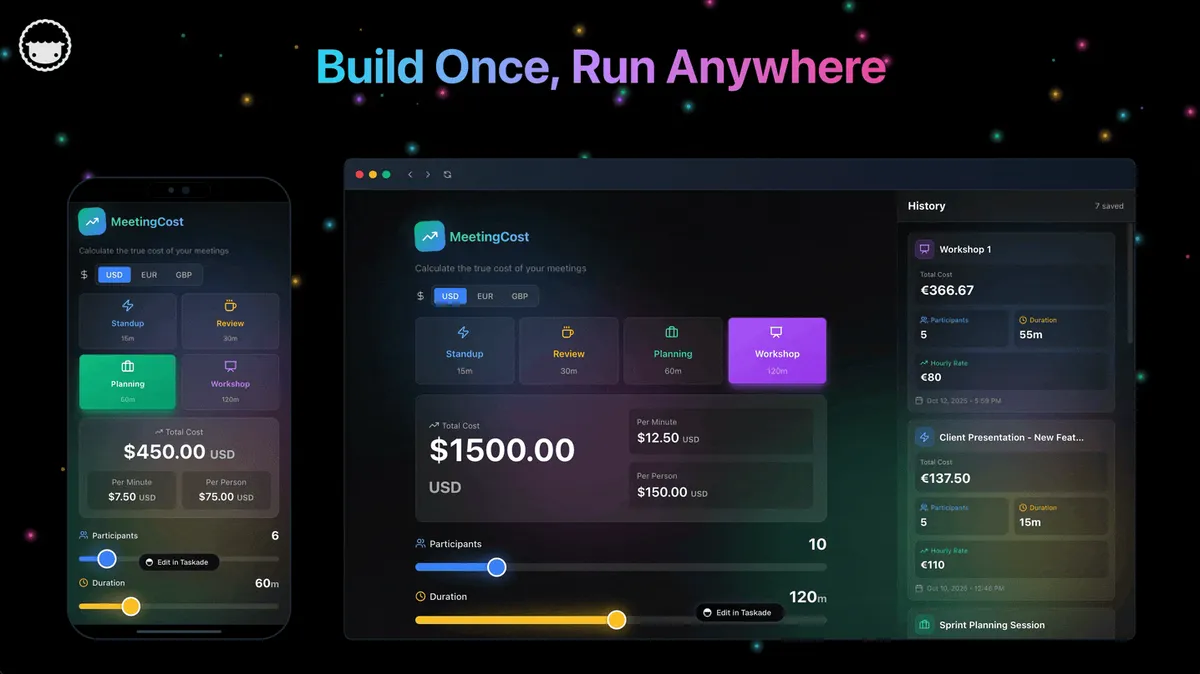
Note the feedback arrow: integrations write data back into the workspace, which becomes new memory for agents on the next cycle. That is the Workspace DNA loop. Gizmo has no equivalent arrow because it has no workspace.
Complexity Spectrum — Where Each Tool Lives
Most tools pick a rung on this ladder and stop. Taskade Genesis is the only platform that collapses the entire ladder into a single prompt-to-deploy pipeline.
Category Positioning Map
OpenAI Ecosystem Lock-in Risk
Because Gizmo is built exclusively on the OpenAI Assistants API, every shift in OpenAI rate limits, pricing, or deprecation policy cascades directly into the product. Taskade Genesis supports 15+ frontier models across three providers — if one provider hiccups, the platform can route around it.
Taskade Multi-Model Picker
Distribution Channel Map
24-Hour App Lifecycle
Pricing Curve (Entry Tiers)
Capability Score Across 8 Alternatives
Taskade Genesis scores 15 out of 15 across the capability matrix. Gizmo scores 4 — prompt-to-app, component library, shareable URL, partial mobile.
Capability Heatmap (15 Categories)
GIZMO vs TASKADE GENESIS — 15-CAPABILITY HEATMAP Capability Gizmo Taskade Genesis
============================== ============ ====================
- Prompt-to-app [10/10] [10/10]
- Component library [ 6/10] [10/10]
- Shareable URLs [10/10] [10/10]
- Custom domains + SSL [ 0/10] [10/10]
- Password protection [ 0/10] [ 9/10]
- AI agents (built-in tools) [ 0/10] [10/10]
- Persistent workspace memory [ 0/10] [10/10]
- Automations (branch/loop) [ 0/10] [10/10]
- 100+ integrations [ 0/10] [10/10]
- Multi-model picker (15+) [ 0/10] [10/10]
- Multiple project views [ 0/10] [10/10]
- RBAC [ 0/10] [10/10]
- Community Gallery [ 0/10] [10/10]
- Mobile (iOS/Android native) [ 2/10] [10/10]
- Free tier generosity [ 3/10] [ 9/10]
TOTAL [31/150] [148/150]
Cost of Static vs Living (12 months, team of 5)
        COST OF A MICRO APP OVER 12 MONTHS (TEAM OF 5)  Month     Gizmo (static)          Taskade Genesis (living)
======    ======================  =========================
1        $50  (5 x $10 Starter)  $10  (Pro, up to 10 seats)
3        $150 + rebuild time     $30  + accumulated memory
6        $300 + still ephemeral  $60  + 6mo of automation
9        $450 + more rebuilds    $90  + agent learning
12        $600 + apps still reset $120 + compounding value
  Hidden cost: Gizmo apps reset every session. The team
rebuilds state every time. Genesis apps compound.
Micro App Taxonomy
                     WHERE DOES YOUR APP LIVE?   +-----------+-----------+------------+----------+----------+
|  Widget   | Micro App |  Mini App  | Full App | Living   |
+-----------+-----------+------------+----------+----------+
| <1 screen | 1 screen  | 3-5 screens| 10+ pgs  | workspace|
| no state  | ephemeral | local save | database | DNA loop |
| embed     | URL only  | URL + save | domain   | everywh. |
| no AI     | 1 model   | 1 model    | 1-2 mdls | 15+ mdls |
+-----------+-----------+------------+----------+----------+
| Snippets  | Gizmo, v0 | Create.xyz | Lovable, | Taskade  |
|           |           | Base44     | Bolt,    | Taskade Genesis  |
|           |           |            | Replit   |          |
+-----------+-----------+------------+----------+----------+
Micro App Market Map (ASCII)
     MICRO APP MARKET BY FOUNDING YEAR AND FUNDING ROUND  Year   Tool            Stage         Raised        Model
2024   v0 (Vercel)     Product line  Vercel-owned  OpenAI
2024   Create.xyz      Seed          ~$4M          OpenAI
2024   Lovable         Seed          ~$7M          OpenAI
2024   Bolt.new        Seed          ~$8M          Anthropic
2024   Base44          Seed          ~$5M          OpenAI
2025   Replit Agent    Series C ext. $200M+ total  Mixed
2026   Gizmo           Seed          $9M (Jan)     OpenAI
2022   Taskade Genesis Series A+     Backed by      15+ models
Google/OpenAI
Gizmo Pricing
Gizmo uses a tiered pricing model. Exact pricing may shift as the product evolves, but the structure as of April 2026 is:
| Plan | Price (Monthly) | App Generations | Active Apps | AI Model Access | Sharing |
|---|---|---|---|---|---|
| Free | $0 | ~10/month | 3 | OpenAI base models | Public link only |
| Starter | ~$10/month | ~50/month | 20 | OpenAI frontier models | Public + unlisted |
| Pro | ~$25/month | Unlimited | Unlimited | All OpenAI models | Public + unlisted + embed |
| Team | ~$40/month/seat | Unlimited | Unlimited | All OpenAI models | + team workspace |
Note: Gizmo's pricing is estimated based on publicly available information and community reports. Plans and features may change. Compare with Taskade pricing: Free (11,000 credits), Pro ($10/month, 10 users included), Business ($25/month), Enterprise (custom).
Gizmo Strengths
Speed of generation. Gizmo consistently produces functional micro apps in under 30 seconds. The prompt-to-app loop is one of the fastest in the category, making it ideal for quick prototyping and brainstorming sessions.
Clean default UI. Generated apps look polished out of the box. The design language is modern, consistent, and responsive. You do not need to spend time tweaking fonts, spacing, or colors — the defaults work.
Zero-friction sharing. Every app gets a unique URL that anyone can access without creating an account. This removes the biggest distribution barrier for quick utilities and classroom tools.
OpenAI ecosystem alignment. Gizmo is tightly integrated with OpenAI's Assistants API, which means it benefits from every improvement OpenAI ships — better function calling, faster inference, expanded context windows.
Low learning curve. If you can write a sentence, you can build a Gizmo micro app. There is no visual builder to learn, no component tree to navigate, no deployment step to configure. The entire workflow is conversational.
Gizmo Weaknesses
No AI agents. Gizmo apps are static interfaces. They do not include autonomous agents that can reason, plan, use tools, or execute multi-step workflows. Once the app is generated, it sits there. Compare this to Taskade Genesis, where every app can embed AI agents with built-in tools, custom slash commands, and persistent memory.
No memory or persistence. Gizmo micro apps reset every time the user closes the tab. There is no database, no workspace, no saved state. For one-off calculators this is acceptable. For any tool a team needs to rely on — a tracker, a dashboard, a form with submission history — the lack of persistence is disqualifying.
Limited integrations. Gizmo has no native connections to third-party tools. No Slack. No Google Workspace. No Zapier. No webhooks. Every app is isolated. In a world where 100+ integrations are table stakes, this is a critical gap.
OpenAI-only models. Gizmo runs exclusively on OpenAI models. You cannot switch to Anthropic Claude, Google Gemini, or any other provider. Taskade Genesis offers 15+ frontier models from OpenAI, Anthropic, and Google, letting teams choose the best model for each task.
Limited free tier. The free plan caps you at roughly 10 app generations per month and 3 active apps. For comparison, Taskade Genesis gives every free user 11,000 credits — enough to build, test, and iterate on a complete first app before deciding to upgrade.
No custom domains. You cannot map a Gizmo micro app to your own domain. Every app lives on Gizmo's subdomain, which limits branding and professional use. Taskade Genesis supports custom domains and password protection for published apps.
The gap is easier to see when you map every major capability side by side:
             GIZMO vs TASKADE GENESIS — CAPABILITY HEATMAP  Capability               Gizmo          Taskade Genesis
======================== ============== ====================
Prompt-to-app             [==========]   [==========]
Component library         [======    ]   [==========]
Shareable URLs            [==========]   [==========]
Custom domains            [          ]   [==========]
Password protection       [          ]   [========  ]
AI agents (built-in tools)     [          ]   [==========]
Persistent memory         [          ]   [==========]
Automations               [          ]   [==========]
100+ integrations         [          ]   [==========]
Multi-model (15+)         [          ]   [==========]
multiple project views           [          ]   [==========]
RBAC (role-based)             [          ]   [==========]
Community gallery          [          ]   [==========]
Mobile (iOS/Android)      [==        ]   [==========]
Free tier generosity      [===       ]   [========  ]
  [=] = supported    [ ] = not supported    Partial = limited
Gizmo Strengths — Detailed
| # | Strength | Why It Matters | Ceiling |
|---|---|---|---|
| 1 | Sub-30s generation | Fastest feedback loop in category | Single-screen only |
| 2 | Clean default UI | No design skill required | Limited theming |
| 3 | Zero-friction URL sharing | No account walls | No access control |
| 4 | OpenAI Assistants API access | Inherits OpenAI improvements | Locked to one vendor |
| 5 | Conversational workflow | No builder UI to learn | No advanced layout |
Gizmo Weaknesses — Detailed
| # | Weakness | Impact | Workaround |
|---|---|---|---|
| 1 | No AI agents | Apps cannot act autonomously | Use Taskade Genesis agents |
| 2 | No memory/persistence | State resets every session | Use Workspace DNA |
| 3 | No integrations | Cannot connect to Slack, Gmail, Shopify | Use 100+ integrations |
| 4 | OpenAI-only models | No Claude, no Gemini | Use 15+ model picker |
| 5 | Stingy free tier | 10 generations/mo caps prototyping | 11,000 credits free |
| 6 | No custom domains | Branding locked to Gizmo subdomain | Taskade Genesis custom domains + SSL |
Micro Apps vs Living Apps — Definition Table
| Attribute | Micro App | Living App |
|---|---|---|
| Screens | 1 | Many (multiple project views) |
| State | Ephemeral | Workspace DNA memory |
| Intelligence | Generation-time only | Embedded agents (built-in tools) |
| Execution | None | Automations with branching/looping |
| Integrations | 0 | 100+ across 10 categories |
| Mobile | Responsive web | Native iOS + Android + desktop |
| Access control | None | RBAC |
| Distribution | URL | Gallery + embeds + custom domain |
| Model choice | 1 provider | 15+ frontier models |
| Compounds over time | No | Yes |
TechCrunch and Press References
| Publication | Headline Angle | Date | Takeaway |
|---|---|---|---|
| TechCrunch | "Gizmo wants to define 'micro apps' with $9M seed" | Jan 2026 | Category coinage |
| The Information | OpenAI Startup Fund portfolio coverage | Jan 2026 | Strategic backing |
| Product Hunt | Community launch | Q1 2026 | Early maker adoption |
| Reddit r/OpenAI | Discussion threads | Jan-Mar 2026 | Mixed reviews on persistence |
| Hacker News | Launch comments | Jan 2026 | Debate on API lock-in |
Monetization Model Comparison
| Model | Gizmo | Taskade Genesis |
|---|---|---|
| Direct app sales | Not yet | Not direct |
| Subscription gating | No | Via password + custom domain |
| Marketplace listing | Hinted, not live | Community Gallery live |
| Embedded in paid tools | No | Slack, Teams, websites |
| Custom domain brand | No | Yes |
| Usage analytics | No | Yes |
Distribution Channel Comparison
| Channel | Gizmo | Taskade Genesis |
|---|---|---|
| Shareable URL | Yes | Yes |
| Custom domain | No | Yes |
| Community gallery | No | 130,000+ apps |
| Slack embed | No | Yes |
| Teams embed | No | Yes |
| Website iframe | No | Yes |
| Mobile native | No | iOS + Android |
| Desktop app | No | Yes |
Taskade Genesis Deep Dive — Why It Is the #1 Alternative
If Gizmo is a scalpel for single-screen utilities, Taskade Genesis is the full surgical theater. Here is every capability a team gets the moment they type their first prompt:
Multiple Project Views for App Design
Every Genesis app can render the same underlying data in multiple project views: List, Board, Calendar, Table, Mind Map, Gantt, and Org Chart (Timeline is a scrolling component inside the Gantt view). Gizmo has one: a single-screen component layout. For any tool that involves tasks, dates, hierarchies, or relationships, the view flexibility alone is a reason to choose Taskade Genesis.
Role-Based Access Control
Taskade Genesis ships with a RBAC system: Owner to Viewer. You can publish an app to your entire team while locking specific actions down to specific roles. Gizmo has no access control — every URL is a public URL.
15+ Frontier Models From Three Providers
Taskade Genesis lets teams pick from 15+ frontier models across OpenAI, Anthropic, and Google. You can use OpenAI for reasoning-heavy tasks, Anthropic for long-context writing, and Google for multimodal speed — all from the same workspace. Gizmo runs on OpenAI only.
Built-in tools for Agents
Every Taskade Genesis agent has access to built-in tools: web search, file reading, project management, automation triggers, calendar access, integration calls, memory retrieval, and more. Combine them with custom tools and slash commands to build agents that act, not just respond.
Custom Agent Tools
Taskade Genesis supports custom agent tools — developer-defined functions that agents can call directly. This closes the gap between "AI assistant" and "real teammate" because agents can now act on top of your existing APIs, databases, and internal systems.
100+ Integrations Directory
Taskade Genesis includes a 100+ integration directory spanning Communication (Slack, Teams, Discord), Email/CRM (Gmail, Outlook, HubSpot, Salesforce), Payments (Stripe, Shopify), Development (GitHub, GitLab, Jira), Productivity (Notion, Google Workspace, Asana), Content (WordPress, Webflow), Data/Analytics (BigQuery, PostHog), Storage (Dropbox, Google Drive), Calendar (Google, Outlook), and E-commerce (Shopify, WooCommerce).
Custom Domains + Password Protection
Publish your Genesis app to a custom domain with automatic SSL. Gate access with a password for private team tools. Gizmo offers neither.
Community Gallery with 130,000+ Apps
Publish your app to the Community Gallery, a curated showcase of 130,000+ live Genesis apps across 24 verticals. Fork any app, remix it for your team, and contribute back. Gizmo has no gallery.
150,000+ Apps Built and 500,000+ Agents Deployed
Since the Genesis platform launch, users have built 150,000+ apps and deployed 500,000+ agents. This is not a demo — it is a working distribution channel with real daily users.
Generous Free Tier
The Taskade Genesis Free plan includes 11,000 one-time credits — enough to build, test, and iterate on a complete first app before deciding to upgrade. Gizmo caps at ~10 generations/month.
Pricing: Free / $10 / $25 / Enterprise
Taskade Genesis pricing (annual billing): Free, Pro $10/mo (10 users included), Business $25/mo, Enterprise custom. Taskade Genesis includes 15+ frontier models on the free plan, while Gizmo requires its paid Starter tier just to unlock frontier models.
Workspace DNA = Memory + Intelligence + Execution
This is the architectural thesis: Memory (workspace projects + documents) feeds Intelligence (AI agents with built-in tools), Intelligence triggers Execution (automations + 100+ integrations), and Execution creates new Memory. It is a self-reinforcing loop — the reason Genesis apps compound in value every day and Gizmo micro apps stay frozen. Read the manifesto: The Living App Movement.
Who Should Use Gizmo?
Solo Makers and Prompt Engineers
If you are a solo creator who wants to prototype ideas as fast as possible — a quiz, a calculator, a data visualizer — Gizmo's speed is hard to beat. The conversational workflow means you spend more time thinking about the problem and less time fighting a UI builder. Just know that your app will not persist data, connect to external tools, or scale beyond a single user.
Educators and Workshop Leaders
Gizmo is well-suited for classroom use. A teacher can generate a vocabulary quiz, a math drill, or a science simulator in under a minute and share it with students via a single link — no app store, no downloads, no student accounts. The limitation is that results are not saved. If you need to track student progress over time, you will need a tool with persistence and analytics, like Taskade Genesis.
Indie Hackers Testing Product Ideas
For early-stage founders who want to validate a concept before writing any code, Gizmo lets you put a functional prototype in front of users within minutes. The prototype will not have authentication, payments, or data storage, but it will answer the most important question: "Do people actually want this?" Once you have validated demand, you will likely outgrow Gizmo and move to a full app builder.
Best Gizmo Alternatives (Micro-App Builders 2026)
Gizmo opened a new category, but it is not the only player. Here are the seven strongest alternatives, starting with the tool that goes furthest beyond micro apps.
1. Taskade Genesis — Living Apps with Agents, Memory, and Automations
Taskade Genesis is not a micro-app builder. It is a living-app builder. The distinction matters: where Gizmo generates a static, single-screen utility, Taskade Genesis generates a full workspace application with embedded AI agents, triggered automations, persistent memory, and multiple project views (List, Board, Calendar, Table, Mind Map, Gantt, Org Chart).
What makes Taskade Genesis different from every tool on this list:
Workspace DNA. Every Genesis app runs inside a workspace where Memory (projects and documents) feeds Intelligence (AI agents), Intelligence triggers Execution (automations), and Execution creates new Memory. This is the self-reinforcing loop described in the Living App Movement manifesto — and it is why Genesis apps get smarter the longer they run.
AI agents, not just AI chat. Genesis apps can embed agents with built-in tools, custom slash commands, persistent memory, and public embedding. Agents read from the workspace, reason about tasks, and act — autonomously or on command. Gizmo has no agent layer at all.
15+ frontier models. Taskade Genesis offers frontier models from OpenAI, Anthropic, and Google. You are not locked into a single provider. Choose the best model for each task — or let the system route automatically.
100+ integrations. Connect your app to Slack, Google Workspace, GitHub, Jira, Shopify, Zapier, and dozens more. Gizmo connects to nothing outside of OpenAI.
Custom domains and password protection. Publish your app to a custom domain with SSL. Gate access with a password. Embed it in your website, Slack workspace, or Microsoft Teams channel.
Community Gallery. Publish to a public gallery with 130,000+ live apps. Fork, remix, and build on top of what others have created. Gizmo has no gallery or marketplace.
Role-based access. access control (Owner to Viewer) means you can share an app with your team without giving everyone full control.
Cross-platform. iOS, Android, web, desktop — plus embeds in Slack and Teams. Gizmo is web-only.
| Feature | Taskade Genesis | Gizmo |
|---|---|---|
| App type | Living apps (agents + automations + memory) | Static micro apps |
| AI models | 15+ from OpenAI, Anthropic, Google | OpenAI only |
| Integrations | 100+ | None |
| Views | 8 (List, Board, Calendar, Table, Mind Map, Gantt, Org Chart) | Single-screen |
| Agents | built-in tools, custom commands, persistent memory | None |
| Automations | Reliable automation workflows, branching, looping | None |
| Custom domains | Yes, with SSL | No |
| Free tier | 11,000 credits | ~10 generations |
| Community | 130,000+ apps | None |
| Pricing (annual) | Free / $10 / $25 / Enterprise | Free / ~$10 / ~$25 / ~$40 |
| RBAC | Owner to Viewer | None |
| Mobile | iOS, Android, web, desktop | Web only |
Pricing:
| Plan | Monthly (annual billing) | What You Get |
|---|---|---|
| Free | $0 | 11,000 one-time credits, basic views, Community Gallery |
| Pro | $10/month | 10 users included, advanced agents |
| Business | $25/month | Custom domains, priority support, advanced RBAC |
| Enterprise | Custom | Dedicated infrastructure, SSO, SLA |
Build your first living app with Taskade Genesis — free.
2. Lovable — Source-Code Output for Developers Who Want Ownership
Lovable generates full-stack web applications and hands you the source code. Unlike Gizmo, which keeps everything inside its platform, Lovable exports a clean codebase (React + Supabase) that you can deploy anywhere. This makes it the best choice for developers who want AI-assisted scaffolding but intend to own, customize, and maintain the code long-term.
The trade-off is complexity. You still need to understand React, manage a database, configure authentication, and handle deployment. Lovable accelerates the build phase but does not eliminate the maintenance burden. For non-developers, the source-code model is a dead end. For experienced builders, it is liberating.
Best for: Developers who want AI-generated scaffolding with full code ownership.
Limitation: No agents, no automations, no persistent memory — you build and maintain everything yourself.
Read more: Best Vibe Coding Tools
3. Bolt.new — Browser-Based Full-Stack for Speed-Oriented Developers
Bolt.new by StackBlitz runs an entire development environment in the browser — Node.js runtime, package manager, and preview — all powered by WebContainers. You describe an app in natural language, and Bolt generates a full-stack project you can edit, run, and deploy without leaving the browser tab.
Bolt is faster than traditional development but slower than Gizmo because the output is a real codebase that requires developer knowledge to iterate on. The sweet spot is hackathons, prototyping sprints, and MVPs where a developer wants to skip boilerplate but still needs full control over the stack.
Best for: Developers who want a full coding environment without local setup.
Limitation: No agents, no workspace memory, no integrations. You are still maintaining code.
Read more: Best Bolt.new Alternatives
4. v0 by Vercel — UI Component Generation for Frontend Teams
v0 by Vercel specializes in generating individual React and Next.js UI components from text or image prompts. It does not build full applications — it builds pieces (a pricing card, a dashboard widget, a navigation menu) that developers integrate into larger projects. The output is clean, accessible, and ready for production.
v0 is a precision tool, not a platform. It solves the "I need a component that looks like this" problem better than any other tool, but it does not handle routing, data, authentication, or deployment. Think of it as an AI-powered Figma-to-code bridge for frontend engineers.
Best for: Frontend developers who need production-ready UI components fast.
Limitation: Components only — no full apps, no backend, no agents, no automations.
Read more: Taskade Genesis vs Bolt.new
5. Replit Agent — Full-Stack Development with an AI Copilot
Replit Agent is an AI coding assistant embedded in Replit's cloud IDE. It can scaffold entire applications, write backend logic, configure databases, and deploy to Replit's hosting infrastructure. Of all the code-generation tools, Replit Agent comes closest to a true full-stack builder because it handles both frontend and backend in a single environment.
The trade-off is cost and complexity. Replit's pricing can scale steeply for production workloads, and the AI agent sometimes generates code that requires significant debugging. For experienced developers who want an AI pair programmer, Replit Agent is powerful. For non-developers, the learning curve is too steep.
Best for: Full-stack developers who want an AI copilot in a cloud IDE.
Limitation: Developer-centric — not accessible to non-technical users.
Read more: Free AI App Builders
6. Create.xyz — Solo Makers and Rapid Prototyping
Create.xyz targets solo makers who want to go from idea to deployed app as fast as possible. The platform generates full-page applications from prompts, with a visual editor for post-generation customization. It sits between Gizmo (single-screen utilities) and Lovable (full codebases) in terms of complexity and output.
Create.xyz's strength is its visual editor, which lets non-developers refine layout, colors, and content without touching code. The weakness is scale: the platform is designed for individual creators, not teams. There is no collaboration, no role-based access, and limited integrations.
Best for: Solo makers who want visual control over AI-generated apps.
Limitation: No team features, limited integrations, no agents.
7. Base44 — Database-Heavy Applications
Base44 focuses on data-centric applications — CRMs, inventory trackers, project dashboards — where the database is the product. The platform generates both the UI and the underlying data schema from a prompt, then lets you edit records, define relationships, and build views on top of structured data.
For teams that need a custom internal tool with a real database, Base44 is a strong choice. The limitation is that it is purely a data tool — there are no AI agents, no automations, no integrations beyond basic CSV import/export. If your workflow requires intelligence on top of data, you will need to supplement Base44 with another tool.
Best for: Teams that need custom database apps (CRMs, trackers, inventories).
Limitation: No AI agents, no automations, limited integrations.
Mega Comparison Matrix
| Feature | Taskade Genesis | Gizmo | Lovable | Bolt.new | v0 (Vercel) | Replit Agent | Create.xyz | Base44 |
|---|---|---|---|---|---|---|---|---|
| App type | Living apps | Micro apps | Full-stack code | Full-stack code | UI components | Full-stack code | Full-page apps | Database apps |
| AI models | 15+ (OpenAI, Anthropic, Google) | OpenAI only | OpenAI | Anthropic, OpenAI | OpenAI | OpenAI, Google | OpenAI | OpenAI |
| AI agents | built-in tools, custom commands | None | None | None | None | Coding agent only | None | None |
| Automations | Branching, looping, 100+ triggers | None | None | None | None | None | None | None |
| Memory/persistence | Workspace DNA (permanent) | None (resets on close) | Database (self-managed) | Database (self-managed) | None | Database (Replit) | Limited | Built-in DB |
| Integrations | 100+ | None | Supabase, Stripe | NPM ecosystem | None | NPM ecosystem | Limited | CSV import |
| Custom domains | Yes, with SSL | No | Self-hosted | Self-hosted | N/A | Replit domains | No | No |
| RBAC | Owner to Viewer | None | None | None | None | Replit Teams | None | Basic |
| Mobile apps | iOS, Android, web, desktop | Web only | Responsive web | Responsive web | N/A | Web + mobile preview | Responsive web | Responsive web |
| Community gallery | 130,000+ apps | None | None | None | None | Replit community | None | None |
| Free tier | 11,000 credits | ~10 generations | Limited | Limited | Limited | Limited | Limited | Limited |
| Pricing (entry) | $10/month | ~$10/month | ~$20/month | ~$20/month | ~$20/month | ~$25/month | ~$15/month | ~$15/month |
The Micro-App Market Map
Where does each tool sit on the spectrum from simple utility to full living application? The following map plots all eight tools across two dimensions: application complexity (what you can build) and deployment friction (how hard it is to ship).
THE MICRO-APP MARKET MAP 2026
Complexity vs Deploy Friction (8 Tools) HIGH +---------------------------------------------------------+
| |
C | Replit Agent * |
O | \ |
M | Lovable * \ Bolt.new * |
P | \ \ / |
L | \ \ / |
E | Base44 * \ \ / |
X | \ \ X |
I | \ \ / \ |
T | Create.xyz * ---------/ \ |
Y | \ X \ |
| \ / \ \ |
| +==========================================+ |
| || TASKADE GENESIS * (Living Apps) || |
| || Agents + Memory + Automations + 8 || |
| || Views + 100+ Integrations || |
| +==========================================+ |
| | |
| v0 * | |
| (components) | |
| | |
| Gizmo * | |
| (micro apps) | |
| | |
LOW +--------+--------+-------+--------+--------+------------+
LOW DEPLOY FRICTION HIGH
KEY:
- = Tool position
Taskade Genesis = LOW friction + HIGH complexity (living apps)
Gizmo = LOW friction + LOW complexity (micro apps)
Lovable/Bolt = HIGH friction + HIGH complexity (code output)
The market map reveals a clear pattern: most tools force a trade-off between complexity and friction. You either build something simple and ship it instantly (Gizmo, v0) or build something complex and spend hours on deployment (Lovable, Bolt.new, Replit). Taskade Genesis is the only tool that breaks this trade-off — high complexity, low friction — because the workspace is the deployment target. There is no separate hosting step.
Living App Loop
The reason Taskade Genesis apps get smarter over time is the Workspace DNA loop. This is not marketing language — it is the architectural difference between a living app and a micro app. Here is how the loop works:
Every time an agent reads from the workspace (Memory), reasons about a task (Intelligence), and fires an automation (Execution), the automation writes new data back to the workspace — which gives the agent more context for the next cycle. This is why Genesis apps improve automatically while Gizmo micro apps stay frozen. Read the full manifesto: The Living App Movement.
How Gizmo Builds vs How Taskade Genesis Builds
The architectural difference becomes clear when you trace the build pipeline step by step. Here is how Gizmo generates a micro app:
And here is how Taskade Genesis generates a living app:
The difference is not incremental. Gizmo ends at "shareable URL." Taskade Genesis begins there — and then adds agents that think, automations that act, and memory that accumulates. That is the gap between a micro app and a living app.
Free Tier Comparison
How much can you actually build on each platform before paying? The following chart compares free-tier generosity across all eight tools, measured in approximate app generations or equivalent credits:
Taskade Genesis leads with 11,000 one-time credits, enough to fund a complete first app build. Gizmo's free tier caps at roughly 10 generations per month. Most code-generation tools offer even less: 3-5 project scaffolds before requiring a paid plan. If you are evaluating tools, start with the one that lets you build the most before asking for your credit card.
Start building for free with Taskade Genesis.
Where Micro Apps Are Going in 2027
The micro-app category is less than a year old, but the trajectory is already clear. Three trends will reshape the landscape over the next 12 months.
Micro Apps Will Gain Memory
The biggest limitation of today's micro apps — ephemeral state — will not survive 2027. Users expect their tools to remember context, preferences, and history. Gizmo and similar platforms will need to add persistence layers (databases, key-value stores, or workspace integration) to remain relevant. The question is whether they bolt memory on as an afterthought or build it into the architecture from day one, as Taskade Genesis has done with Workspace DNA.
Agents Will Become Table Stakes
The line between "app" and "agent" is dissolving. Users do not want a dashboard that displays data — they want a dashboard that alerts them when a metric crosses a threshold, drafts a response, and executes the fix. AI agents will become a default layer in every app builder by mid-2027. Platforms that treat agents as an add-on will lose to platforms where agents are native, like Taskade Genesis.
The Marketplace Model Will Emerge
Gizmo's hints about a micro-app marketplace point to a broader trend: user-generated software as a distribution channel. Taskade is already ahead here with a Community Gallery of 130,000+ apps. By 2027, every app builder will need a public gallery, fork/remix mechanics, and discoverability features. The winners will be the platforms with the largest, most active creator communities — not just the best generation engine.
Related Reading
This article is part of a larger content series exploring AI app builders, agents, and the living-app movement. Start with the posts most relevant to your use case:
Sprint siblings (April 2026):
- The Micro App Economy: 150K Apps In (2026 State Report) — state-of-category report with 5 archetypes, Gizmo vs Taskade Genesis comparison, and monetization deep-dive
- AI App Builders vs AI Workspace Builders — the category split defining 2026
- The Living App Movement: Why Static AI Apps Are Obsolete — the manifesto that frames "living apps" vs "micro apps"
- AI Agent Builders: Complete Guide — every platform that builds AI agents, compared
- AI Agents Taxonomy — the classification framework for understanding agent types
- Community Gallery SEO — how the 130,000+ app gallery drives organic growth
- Best AI Dashboard Builders — tools for building data-driven dashboards with AI
- Taskade Genesis vs ChatGPT Custom GPTs — why GPTs are not apps
- Best AI Website Builders — full-site builders compared
- AI Prompt Generators — tools for crafting better prompts
Existing deep dives:
- Free AI App Builders — the most generous free tiers for app generation
- Best Bolt.new Alternatives — code-first builders ranked
- Best Vibe Coding Tools — AI-assisted development tools compared
- Taskade Genesis vs Bolt.new — living apps vs code generators head-to-head
Hub pages:
- Build with Taskade Genesis — start building living apps for free
- Community Gallery — 130,000+ apps to fork, remix, and learn from
Verdict
Gizmo deserves credit for naming a category. Micro apps are real, the demand is real, and the $9M seed from OpenAI Startup Fund validates the thesis. For quick throwaway utilities — a calculator, a quiz, a single-screen visualizer — Gizmo is fast, clean, and frictionless.
But "micro" is a ceiling, not a floor. The moment you need persistence, agents, automations, integrations, team collaboration, or cross-platform access, Gizmo runs out of road. Every one of those capabilities is native to Taskade Genesis.
The choice is straightforward:
- Use Gizmo if you want disposable single-screen utilities and you do not need memory, agents, or integrations.
- Use Taskade Genesis if you want living apps that think, remember, act, connect to 100+ tools, and get smarter every day through Workspace DNA.
The micro-app era has arrived. The living-app era is already ahead of it. Start building.
FAQ
What is Gizmo?
Gizmo is an OpenAI-backed micro-app builder that raised $9 million in January 2026. It lets users create small, focused apps from natural-language prompts, powered by OpenAI's Assistants API and frontier models. The platform specializes in single-screen utilities that can be shared via URL without requiring users to create an account.
What are micro apps?
Micro apps are small, single-purpose applications built from a prompt or short spec. The term was coined in January 2026 to describe a new category between browser widgets and full web apps. Micro apps are typically AI-powered, instantly shareable via URL, and designed to solve exactly one problem. They trade complexity for speed — you can build one in under 60 seconds, but it will not grow into a multi-feature product.
Gizmo vs Taskade Genesis — which is better?
Gizmo specializes in lightweight, disposable micro apps. Taskade Genesis builds full living apps with embedded AI agents (built-in tools), reliable automation workflows, persistent memory via Workspace DNA, and 100+ integrations. Taskade Genesis is better for teams, workflows, and any use case that requires persistence or intelligence. Gizmo is better for quick standalone utilities that do not need to remember anything.
Is Gizmo free?
Gizmo offers a limited free tier with approximately 10 app generations per month and 3 active apps. Paid plans start at roughly $10/month. For a more generous free tier, Taskade Genesis gives every user 11,000 one-time credits — enough to build dozens of living apps before deciding to upgrade. Paid plans start at $10/month (Pro), billed annually.
Can I monetize apps built with Gizmo?
Gizmo's monetization features are limited at launch. The company has hinted at a future marketplace, but as of April 2026, you cannot charge for access, gate content, or collect payments through a Gizmo micro app. For apps you can publish, share, and monetize through a public gallery with 130,000+ live apps, Taskade Genesis is a stronger choice — with custom domains, password protection, and a Community Gallery that already has a thriving fork-and-remix culture.
Does Gizmo work on mobile?
Gizmo offers a web-first experience. Generated micro apps are responsive and render on mobile browsers, but there is no native iOS or Android app, no offline support, and no push notifications. Taskade Genesis apps work natively across iOS, Android, web, and desktop, and can be embedded directly in Slack or Microsoft Teams — making them accessible wherever your team works.
What are the best Gizmo alternatives?
The seven best alternatives are: (1) Taskade Genesis for living apps with agents, memory, and automations; (2) Lovable for full source-code output; (3) Bolt.new for browser-based full-stack development; (4) v0 by Vercel for UI component generation; (5) Replit Agent for AI-assisted full-stack coding; (6) Create.xyz for solo makers; (7) Base44 for database-heavy applications. Taskade Genesis leads because it is the only platform that ships living apps — not static code or disposable utilities.
Did OpenAI build Gizmo?
No. OpenAI did not build Gizmo directly. Gizmo is an independent startup backed by OpenAI through the OpenAI Startup Fund. The company builds on top of OpenAI's Assistants API and benefits from close proximity to OpenAI's ecosystem, but the product, roadmap, and team are fully independent.
How much did Gizmo raise?
Gizmo raised $9 million in a seed round in January 2026. The OpenAI Startup Fund participated alongside other investors. The capital is earmarked for expanding the component library, hiring engineers, and building a marketplace for user-created micro apps. At $9M, Gizmo is well-funded for its stage but modestly capitalized compared to competitors with hundreds of millions in total funding.