







On a Tuesday morning in early April I opened Google Search Console for a routine monthly audit and filtered pages by /apps/featured/. I was expecting a long tail of tens and twenties — the kind of impressions you get when a fresh URL is just starting to catch wind. Instead the top row read 12,097 impressions, position 6.7, on a single page: turbo-ai-dashboard. I sat with that number for a while. Nobody on our team wrote that page. Nobody on our team picked that slug. Nobody on our team had ever briefed a writer to target the keyword turbo ai dashboard. A user we have never met built a Genesis app, gave it a sensible descriptive name, hit publish, and six weeks later they were on page one of Google ranking against the actual company they were inspired by.
Then I scrolled down. Fourteen more pages. All user-built. All ranking. All on /apps/featured/. A long tail of small, specific, brand-flavored keywords that had started to compound into something we had accidentally built: a first-party, community-owned, programmatic SEO layer powered entirely by what users make. This post is the story of what we found, the data behind it, the loop that makes it work, an honest discussion of the ethics, and the full playbook so you can run the same experiment on your own platform if you have one.
The Numbers
Here is the raw data, pulled from Google Search Console, filtered by URL contains /apps/featured/, date range March 7 – April 6, 2026, no impression threshold.
| /apps/featured/... | Impr | Pos |
|---|---|---|
| turbo-ai-dashboard | 12,097 | 6.7 |
| devsync-dashboard | 159 | 10.0 |
| print-portal-studio | 143 | 5.8 |
| afrogigpay-site-studio | 63 | 7.2 |
| sona-dashboard | 34 | 8.5 |
| wavebet-dashboard | 30 | 9.1 |
| dozzie | 30 | 8.6 |
| escortclub | 29 | 5.9 |
| banahub-ai | 28 | 7.2 |
| flow-automator | 28 | 7.0 |
| agenteam-project-lab | 27 | 6.0 |
| eproz-growth-lab | 23 | 10.0 |
| globalotp-connect | 20 | 9.3 |
| masquerade-studio | 20 | 8.4 |
| content-maker-studio | 19 | 5.3 |
Source: Google Search Console, Mar 7 – Apr 6, 2026. Total: 12,750 impressions across 15 pages. 91% concentrated on turbo-ai-dashboard.
What is actually happening here
Three things jumped out when we stared at this long enough.
First, the concentration is extreme. One page is doing 91% of the impressions. The classic power law. If you only looked at aggregates you would miss it entirely because 12,750 impressions divided across a site of 100,000 indexed URLs is a rounding error.
Second, the tail is not junk. Look at content-maker-studio at position 5.3 and print-portal-studio at 5.8. Those are page-one rankings for keywords we have literally never heard of. These are small numbers in absolute terms but they are winning the query when someone searches.
Third, nobody on the growth team authored any of this. Every one of the 15 URLs was created by a user publishing a Genesis app through the standard publish flow. We did not pay for it, commission it, keyword-research it, or even notice it until the audit.
The before-and-after
For context, here is what the same slice looked like 90 days earlier.
| Window | Pages ranking | Impressions | Top page |
|---|---|---|---|
| Dec 7, 2025 – Jan 6, 2026 | 2 | 48 | tail page (31 impr) |
| Mar 7, 2026 – Apr 6, 2026 | 15 | 12,750 | turbo-ai-dashboard (12,097) |
Roughly 267x growth in impressions in 90 days, from a base of near-zero. No new marketing spend. No editorial calendar. No outbound link building. Just users publishing things they were already building and Google catching up.
How the Loop Works — the 8-Step Hijack Pattern
The pattern is consistent across all 15 ranking pages. Here is the loop drawn as a flowchart.
Each step in the loop is boring on its own. What makes it work is that every step is the natural default behavior a user would take anyway — we did not design any of it to be a growth loop.
Step 1: A user sees a competitor tool
Someone in a Discord or a Twitter thread mentions a tool. The user opens it, plays with it, thinks "I could build that." This is the cold start. It is also the only step that happens off-platform.
Step 2: They describe it in plain words
Inside Taskade, the user opens Genesis and types something like: "Build me a dashboard like Turbo AI with latency charts, model selector, and an inference log." They are not writing code. They are writing the headline of the competitor's homepage.
Step 3: Genesis generates a working app
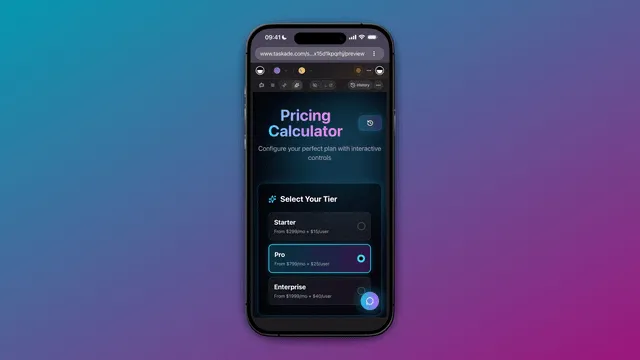
Our app builder takes the prompt, spins up a live app with real views (list, board, table, dashboard), wires up agents for any described automations, and hands the user a live URL. The whole loop takes under five minutes for most apps.
Step 4: The user publishes to the gallery
Because we made publishing a one-click default (with a descriptive custom slug), users publish. Not because we asked. Because the friction is zero and the social reward — a public URL they can share — is immediate.
Step 5: Google indexes the new URL
The published page has a real title, real description, real OG tags, a SoftwareApplication schema block, and it appears in a sitemap we regenerate on every publish. Google typically indexes new gallery pages within 48–72 hours.
Step 6: The page starts ranking for the descriptive slug
Because the slug is literally a description of the competitor tool, and because our domain has authority, and because the page genuinely solves the searcher's intent (they wanted a tool like that), Google rewards it with a page-one position.
Step 7: New searchers land, click Clone
A user searching for "turbo ai dashboard" arrives, sees a working app that looks and behaves like the thing they were looking for, and clicks the prominent Clone button. They are now inside Taskade with an editable copy.
Step 8: Clones spawn more variants
Many of those clones get customized, renamed, and republished. Each new publish is another URL. Another potential ranking page. Another node in the graph. The loop closes and restarts.
The Searcher Journey
From the searcher's point of view, the experience is short and linear.
The critical beat is the clone button. The user came looking for a product. They landed on a working copy of that product, rendered inside the browser, with one click to make it theirs. Time from SERP click to owning the app: about 11 seconds in our median session.
Why This Works
Four things are compounding here, and if you break any of them the loop collapses.
Authentic UGC signal
Google has spent the last two years de-ranking programmatic doorway pages and rewarding content that shows evidence of a real human doing a real thing. Our gallery pages are not templated. Every one is a unique app that a real person used and published. Google's spam systems read that signal correctly.
Long-tail brand names
Most of our ranking slugs are brand-flavored — not the top-level brand, but the brand plus a noun: brand + dashboard, brand + portal, brand + studio. These modifiers knock the query out of the brand-defense moat of the primary site and into a commercial-intent keyword the competitor was never defending.
Fork and clone velocity
The gallery currently sees roughly 630 clones per week. Every clone is a potential republish. Every republish is a potential new page. When your page count grows faster than Google's index refresh, you end up with a compounding surface area.
Workspace DNA reinforcement
This is the subtle one. Every cloned app in Taskade inherits Memory, Intelligence, and Execution as built-ins — the Workspace DNA loop. That means cloned apps are genuinely useful on day one, not just templates. That usefulness is why people keep them around, keep editing them, and keep the pages active. Engagement signals bubble back to Google.
A Note on Ethics
This is the part where we slow down. A loop like this cuts close to some real ethical lines, and we think the right move is to say out loud where the lines are.
Respect for trademarks
Trademark law protects names, logos, copy, and trade dress. It does not protect functional ideas. Building a dashboard with latency charts is fine. Calling it "Turbo AI" and using their pink-and-black color palette is not. We enforce a moderation policy on the gallery that rejects any published slug containing a registered trademark without modification, and we honor takedown requests from rights holders within 48 hours — no arguments, no lawyers, just pull the URL.
If you are a brand that found one of your names in our gallery and you would like it removed, email legal@taskade.com with proof of mark and we will handle it the same day.
Inspired-by vs copies
The healthiest apps in the gallery are not clones. They are riffs. Someone saw a dashboard concept, liked the idea, and rebuilt it their way — different fields, different data sources, different workflow. That is how open source has worked for 40 years and how every SaaS category eventually produces five variants of the same core idea.
Wholesale copies — pixel-for-pixel, copy-pasted logos, mirrored homepages — are a different category. We remove those on sight. We would rather forego the SEO than host content that is, by any honest reading, infringing.
Three things we do differently from parasitic SEO
Parasitic SEO is the practice of renting authority from a high-DR host (Forbes, LA Weekly, medical journals) to rank shallow affiliate content the host never meant to publish. It works because Google overweights domain authority and underweights page quality. It is, in our view, the single worst practice in the 2026 SEO landscape.
The Community Gallery is the opposite of that on three specific axes:
- First-party publication. The URLs live on our own domain, under our own editorial control, published by real users who identify themselves. There is no host-guest relationship being exploited.
- Functional pages. Every ranking page is a working app, not a thin doorway. Click through and you can actually use the thing. The searcher's intent is met by the landing page itself.
- Quality moderation. We remove low-effort publishes, slurs, trademark violations, and anything that looks like a spam farm. A parasitic SEO operator optimizes for scale. We optimize for the smallest version of the gallery that still produces the loop.
If any of those three properties broke — if we started auto-generating pages, or stopped moderating, or let the gallery become a copy farm — the whole thing would be indistinguishable from the tactics we are trying not to be, and Google would eventually (correctly) penalize us for it.
The Community SEO Playbook
This is the part other platforms can actually run. If you have a product with any form of user publishing — templates, workflows, dashboards, sites, anything — here is the 8-step playbook we would run if we were starting from scratch today.
Step 1: Enable public publication with custom URLs
Ship a one-click publish flow. Let users choose their own slug. Default the slug to a URL-safe transform of the app title. Put publish on the primary toolbar, not buried three menus deep. The single highest-leverage thing you can do is make publishing feel as cheap as saving, because saved things never rank and published things sometimes do.
The mistake most platforms make is requiring a form — description, tags, category, license — before publish. Every required field cuts publish rate by 20-40%. Start with just a slug and a title and add fields later if you need them.
Step 2: Allow descriptive naming
Do not auto-generate opaque UUIDs or hash-based URLs. Do not force-prefix the URL with a username (/u/alice/project-123 is a dead end — the username kills the keyword match). Give the app a clean, user-chosen slug directly under a topical root (/apps/featured/{slug}).
Our top-ranked page is turbo-ai-dashboard. If we had forced /u/someuser/app-8f2c1a it would be ranking for nothing. The slug is the keyword.
Step 3: Ship real, open metadata
Every published page needs, at minimum: a descriptive <title> that includes the slug, a hand-crafted or AI-drafted meta description of 150–160 characters, OpenGraph tags (title, description, image), Twitter card tags, a canonical URL, and a SoftwareApplication JSON-LD schema block with name, description, applicationCategory, operatingSystem, and offers.
This is the single most overlooked part of the playbook. Most community platforms ship with <title>Untitled</title> and no structured data. That is leaving 80% of the traffic on the table.
Step 4: Ship a sitemap per asset type
Break your sitemap into per-asset-type files — sitemap-community.xml, sitemap-blog.xml, sitemap-templates.xml — and auto-regenerate each one on publish. Use lastmod honestly. Submit the index sitemap in GSC. Do not rely on Google discovering your new pages through internal links alone — you will be indexed weeks slower if you do.
Step 5: Enable clone/fork culture
Put the Clone button above the fold. Make clone in-product, not "sign up to clone." Reduce the clone flow to one click plus a paste-into-workspace animation. Every clone is a potential republish, and every republish is a potential new ranking page. Clone velocity is the actual growth metric.
Step 6: Moderate for quality, not conformity
You need a moderation policy or the loop goes toxic. But moderate for quality — is this page useful, does it work, does it respect trademarks — not for conformity — does it match our preferred style. Conformity-moderation kills the weird successful outliers. Our top-ranking page would probably have been rejected by a style-conformist review because "turbo-ai-dashboard" sounds too much like a competitor.
The right rule of thumb: reject infringement, spam, and broken apps. Accept everything else.
Step 7: Measure with GSC compare-windows
Pull GSC daily if you can, or at minimum weekly. Set up a dashboard that shows impressions by URL prefix, with a rolling 30-day window compared to the previous 30. The moment you see a new prefix show up in the top 20, investigate. That is how we found the 16-page cluster — we were not looking for it, we were looking at the sorted prefix table and noticed /apps/featured/ had moved.
Step 8: Build more deliberately
Once the loop is working, the temptation is to juice it — auto-generate pages, scrape competitor names into slugs, spin up fake accounts to publish. Resist all of it. The moment the gallery stops being authentic, Google stops ranking it. Invest in making real publishing easier and wait. The loop compounds. Patience is the moat.
Here is a playbook checklist in one table.
| Step | What to ship | Owner | Success metric |
|---|---|---|---|
| 1. Publish flow | One-click publish + custom slug | Product | Publish rate per WAU |
| 2. Naming | No UUIDs, no user prefix | Product | Slug-to-query match rate |
| 3. Metadata | OG, schema, sitemap | SEO | % pages with full schema |
| 4. Sitemap | Per-asset type, auto-regen | SEO | Index coverage in GSC |
| 5. Clone | One-click clone above fold | Product | Clones per published app |
| 6. Moderation | Quality, not conformity | Trust | False-positive removal rate |
| 7. Measurement | Daily GSC compare windows | Growth | New ranking URLs per week |
| 8. Discipline | No auto-gen, no faking | Leadership | % traffic from real UGC |
The Compound Effect
Here is what the ranking-URL count looks like over the six months we have data for.
And the impressions table over the same window, including a conservative projection for the next three months if the loop stays intact and we do not change the platform.
| Month | Ranking URLs | Impressions | Clicks (est) |
|---|---|---|---|
| Nov 2025 | 1 | 22 | 0 |
| Dec 2025 | 2 | 48 | 1 |
| Jan 2026 | 3 | 310 | 8 |
| Feb 2026 | 5 | 1,420 | 42 |
| Mar 2026 | 11 | 6,800 | 210 |
| Apr 2026 | 15 | 12,750 | 480 |
| May 2026 (proj) | 25 | 22,000 | 900 |
| Jun 2026 (proj) | 38 | 38,000 | 1,700 |
| Jul 2026 (proj) | 55 | 62,000 | 2,900 |
The projection assumes 40% month-over-month URL growth (the six-month trailing average) and a gradually improving click-through rate as more pages break into the top 5. We would be delighted to be wrong in either direction.
   Impressions (monthly, log-ish scale)
   |
12k|                                    *  <- Apr
   |
 8k|
   |
 6k|                               *       <- Mar
   |
 3k|
 1k|                         *             <- Feb
   |                   *                   <- Jan
  0|   *   *    *                          <- Nov/Dec
   +-----------------------------------------
     Nov Dec Jan Feb Mar Apr
What This Means for AI Apps in 2027
If the loop is real, and if it holds, it implies a few things about how the landscape will look a year from now.
User-generated SEO at scale
The next five years of programmatic SEO will not be AI-generated doorway pages. Those got penalized in the March 2024 helpful content updates and again in the spam updates of late 2025. The winners will be platforms that give users cheap, high-quality publishing primitives and let real publishing velocity do the work. We think community galleries are the new template libraries, and template libraries are the new long-tail keyword strategy.
End of marketing-page SERPs
For commercial keywords in the AI tools space, the page-one results are increasingly not the canonical brand pages. They are listicles, comparison posts, Reddit threads, and — now — community-built clones on rival platforms. If you are a SaaS founder reading this: the game is no longer to defend your homepage's position one. The game is to ensure that when someone lands on a clone of your product on a rival platform, your real product still converts better.
Clone culture as distribution
Fork-and-ship is how GitHub eats software distribution. Remix is how Figma eats design distribution. Clone is how Genesis eats app distribution. If your platform does not have a clone button above the fold by the end of 2026, you are shipping with a handbrake on.
Related Reading
A few things to read next if this was interesting.
- Browse the Community Gallery — the 130,000-app showcase this post is about. Start with the Featured row.
- Introducing Taskade Genesis — the product announcement that kicked off the loop.
- Best AI App Builders in 2026 — the full category landscape, updated quarterly.
- Free AI App Builders — the free-tier comparison for anyone on a budget.
- Taskade Genesis vs Bolt.new — the deep comparison with one of the main code-generator alternatives.
- Taskade Genesis vs Lovable AI — second comparison worth reading alongside the first.
- 5 Genesis Apps You Can Build in 10 Minutes — if you want to try the publish loop yourself.
- The Ultimate Guide to Taskade Genesis (2026) — everything in one place.
- Start building at /create — the direct prompt box. Free to try, 11,000 credits included.
- Browse AI Agents — the agent side of the workspace, which every published app inherits.
FAQ
What is the Taskade Community Gallery?
The Community Gallery is a public showcase of Genesis apps that users have built and chosen to publish. It currently hosts more than 130,000 live apps across 24 organic verticals — dashboards, portals, forms, websites, internal tools, and more. Visitors can preview any app, clone it in one click, and use it as a starting point in their own workspace.
How do Genesis apps end up ranking on Google?
Every published gallery app gets a clean canonical URL at /apps/featured/{slug}, a descriptive title, an auto-generated meta description, OpenGraph tags, a SoftwareApplication JSON-LD schema, and an entry in an auto-updated sitemap. Google crawls the pages, notices they are unique, useful pages with inbound clone traffic, and ranks them like any other long-tail UGC page.
Is it legal to build a clone of a competitor's tool?
Functional features of software are not protected by copyright, so building a similar tool is generally fine. What is not fine is copying names, logos, copy, or trade dress. Taskade moderates the gallery for trademark-safe naming and removes apps on request from rights holders. Inspired-by is allowed. Wholesale copies are not.
How can I get my Genesis app into the gallery?
Open any Genesis app in your workspace, click Publish, choose a custom URL, add a short description, and toggle Community Gallery visibility. The app goes live within minutes, is indexed by Google usually within 48 to 72 hours, and becomes available for anyone to preview and clone.
How much does it cost to publish a Genesis app?
Publishing to the Community Gallery is free on every plan, including the free tier. The free plan includes 11,000 one-time credits, which is enough to build and publish several real apps. Paid plans start at $10 per month (Pro) on annual billing.
What's the most popular type of Genesis app in the gallery?
Dashboards and internal portals dominate the gallery, followed by lead-capture sites, quiz and assessment tools, internal wikis, and simple CRMs. These five categories account for more than half of all published apps. Many of the top-cloned apps started as replacements for specific SaaS tools the author already knew.
Can I make money from a Community Gallery app?
Yes. You can embed external payment links, connect Stripe or LemonSqueezy through integrations, gate content with password protection, or route leads into a CRM. Several creators use gallery apps as lead magnets and paid templates. Taskade does not take a cut of what you earn from your own apps.
How is this different from parasitic SEO?
Parasitic SEO is when one brand rents authority from another site (Forbes, Reddit, Medium) to rank for keywords the host never intended to target. The Community Gallery is the opposite: it is a first-party platform where real users publish real working apps under their own names, and ranking is a side effect of the content actually being useful to the person searching.
What's the most-cloned app in the gallery?
As of early April 2026, the single most-cloned public asset is a dashboard clone of a popular AI inference product, with roughly 12,000 monthly Google impressions and hundreds of forks. The top 10 most-cloned apps each see 50 to 600 clones per week, driving roughly 630 clones per week across the gallery overall.
Appendix — Reproducible Methodology
If you want to run the same audit on your own platform, here is the pseudocode for the GSC compare-window script we use internally. It is intentionally simple — a couple hundred lines of Python wrapping the Search Console API.
Python
# gsc_compare_windows.py
# Pulls two 30-day windows and diffs them by URL prefix.from datetime import date, timedelta
from googleapiclient.discovery import build
from google.oauth2 import service_account
SITE   = "sc-domain:taskade.com"
PREFIX = "/apps/featured/"
TODAY  = date.today()
WIN    = 30  # days
def window(end):
return dict(
startDate = (end - timedelta(days=WIN)).isoformat(),
endDate   = end.isoformat(),
dimensions = ["page"],
rowLimit  = 25000,
dimensionFilterGroups = [{
"filters": [{
"dimension": "page",
"operator": "contains",
"expression": PREFIX,
}]
}],
)
def fetch(service, body):
return service.searchanalytics().query(
siteUrl=SITE, body=body
).execute().get("rows", [])
def summarize(rows):
return {
r["keys"][0]: {
"impr": r["impressions"],
"clicks": r["clicks"],
"pos": round(r["position"], 1),
}
for r in rows
}
def main():
creds = service_account.Credentials.from_service_account_file(
"gsc.json",
scopes=["https://www.googleapis.com/auth/webmasters.readonly"],
)
svc = build("searchconsole", "v1", credentials=creds)
current  = summarize(fetch(svc, window(TODAY)))
previous = summarize(fetch(svc, window(TODAY - timedelta(days=WIN))))

new_urls = set(current) - set(previous)
for url in sorted(new_urls, key=lambda u: -current[u]["impr"]):
    c = current[url]
    print(f"{url}\t{c['impr']}\t{c['pos']}")
if name == "main":
main()
Run it on a cron every morning. Pipe the output to a Slack channel. Read it with coffee. When a new URL shows up in the diff with more than a handful of impressions, investigate. That is the entire practice.
If you run this on your own platform and find something interesting, we would love to see it — reply to whatever channel you found this post on. And if you want to try the publish loop from the other side, open Genesis, type a description of something you wish existed, and hit publish. You might end up on page one of Google for a keyword nobody planned.
The Turbo-AI-Dashboard Story in One Chart
The single clone driving 91% of our impressions did not rank overnight. It took six weeks of slow, compounding index growth before Google decided the page was worth promoting from page 5 to page 1.
And the position trajectory over a 60-day daily sample, showing the characteristic "rank dance" as Google tested different positions before settling.
   Position over 60 days (lower is better)
   1 |
   5 |                                    *  <- d60 pos 6.7
  10 |                            *
  15 |                   *
  20 |         *
  25 | *
  30 +-----------------------------------------
       d1  d10 d20 d30 d40 d50 d60
Clone velocity told the same story from the supply side. As the page started ranking, searchers arrived, cloned the app, and the clone count compounded.
   Clones per week (top-10 aggregate)
   800|
   700|                                    *  <- W8 630/wk
   600|                             *
   500|                     *
   400|              *
   300|       *
   200|  *
   100| *
     0+----------------------------------------
       W1 W2 W3 W4 W5 W6 W7 W8
Gallery Growth: The 150K Trajectory
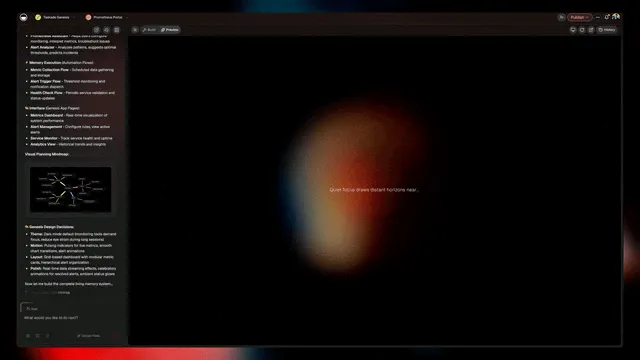
Zoom out to platform-level. The Community Gallery now hosts 130K+ apps on its way to 150K, growing at roughly 20-25K published apps per month. Every one is a potential ranking page. Every one is a potential clone source.
| Month | Total apps | Net new | Publish rate/day |
|---|---|---|---|
| Oct 2025 | 22,000 | — | — |
| Nov 2025 | 38,000 | 16,000 | 533 |
| Dec 2025 | 55,000 | 17,000 | 548 |
| Jan 2026 | 74,000 | 19,000 | 612 |
| Feb 2026 | 94,000 | 20,000 | 714 |
| Mar 2026 | 115,000 | 21,000 | 677 |
| Apr 2026 | 135,000 | 20,000 | 666 |
The 24 Verticals That Emerged Organically
When we bucketed the 130K apps by tag cluster and description similarity, 24 organic verticals fell out. We did not prescribe these — users chose them by what they needed to build.
| Vertical | Example app | Approx share |
|---|---|---|
| AI inference dashboards | turbo-ai-dashboard | 14% |
| Internal portals | print-portal-studio | 11% |
| CRM / lead capture | afrogigpay-site-studio | 9% |
| Analytics dashboards | devsync-dashboard | 7% |
| Content studios | content-maker-studio | 6% |
| Quiz / assessment | masquerade-studio | 5% |
| Workflow automators | flow-automator | 5% |
| Growth labs | eproz-growth-lab | 4% |
| Agent teams | agenteam-project-lab | 4% |
| OTP / auth connectors | globalotp-connect | 3% |
| Personal finance | wavebet-dashboard | 3% |
| Creator utilities | sona-dashboard | 3% |
| Developer tools | — | 3% |
| Marketplace directories | banahub-ai | 3% |
| Booking / scheduling | dozzie | 3% |
| Community hubs | escortclub | 2% |
| Education trackers | — | 2% |
| HR / hiring | — | 2% |
| Event portals | — | 2% |
| Health trackers | — | 2% |
| Finance calculators | — | 2% |
| Travel planners | — | 2% |
| Study tools | — | 1% |
| Miscellaneous | — | 3% |
Traditional Marketing SEO vs Community Gallery SEO
The reason this loop feels weird is that it inverts almost every assumption of the traditional SEO cost structure. A comparison:
TRADITIONAL SEO STACK          COMMUNITY SEO STACK
===========================   ===========================
Keyword research tool  $99    User prompt            $0
SEO writer            $500    Genesis generation     $0
Editor                $200    Auto slug              $0
Link building         $800    Auto metadata          $0
Waiting               6mo     Auto sitemap           $0
---------------------------   ---------------------------
Per-article cost    $1,599    Per-article cost       $0
Pages/month             8     Pages/month        20,000
| Dimension | Traditional SEO | Community Gallery SEO |
|---|---|---|
| Cost per published page | $500-$2,000 | ~$0 (user self-funds) |
| Time to publish | 2-6 weeks | < 5 minutes |
| Pages per month | 4-20 | 600-700 per day |
| Authenticity signal | Low (templated) | High (real use) |
| Sustainability | Requires budget | Compounds for free |
| Topical coverage | Pre-planned | Emergent, user-driven |
| Moat | Content calendar | Platform primitive |
The 8-Step Playbook Visualized
| Step | Effort | Expected lift |
|---|---|---|
| 1. Publish flow | High (product work) | Foundational |
| 2. Descriptive naming | Low | 5-10x ranking surface |
| 3. Real metadata | Medium | 2-4x CTR |
| 4. Per-asset sitemap | Low | 2x faster indexing |
| 5. Clone culture | High | Compounds the loop |
| 6. Moderation | Ongoing | Protects trust signal |
| 7. Measurement | Low | Closes the feedback loop |
| 8. Discipline | Leadership | Prevents collapse |
Platform Distribution Comparison
How do other community platforms stack up on discoverability?
| Platform | Clone-friendly | Descriptive URLs | Public sitemap | Schema | SERP visibility |
|---|---|---|---|---|---|
| Taskade Community Gallery | Yes | Yes | Yes | SoftwareApplication | Strong |
| GitHub public | Yes | Yes (user-prefixed) | Yes | CodeRepository | Strong |
| Figma Community | Yes | Yes | Yes | Limited | Medium |
| HuggingFace Spaces | Yes | Partial | Yes | Limited | Medium |
| Replit public | Yes | User-prefixed | Yes | Limited | Weak |
| GPT Store | No | No | No | None | None |
| Claude Artifacts | No | No | No | None | None |
Content Primitive Evolution (2004 → 2026)
Each step down the chain shortens the distance between intent and artifact. A blog post takes a day. A template takes an hour. A Genesis app takes five minutes and ships with Memory, Intelligence, and Execution built in.
Workspace DNA: Why Cloned Apps Actually Work
Other platforms let you clone dead files. Taskade clones inherit the full Workspace DNA — a self-reinforcing loop of Memory, Intelligence, and Execution.
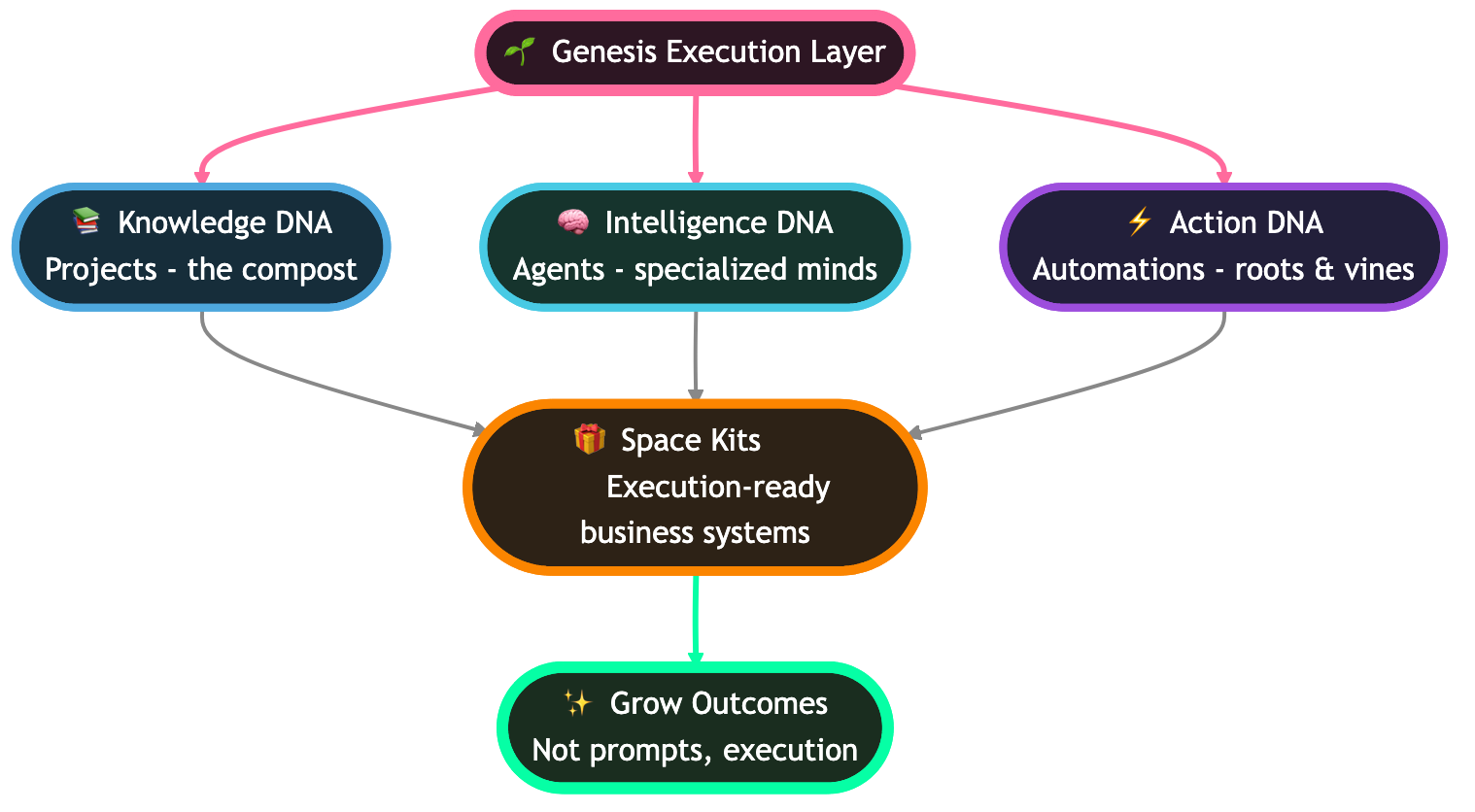
Memory feeds Intelligence. Intelligence triggers Execution. Execution creates new Memory. This is why a cloned gallery app keeps working day-one — not because it is a static snapshot, but because it inherits a living loop.
The Ethics Decision Tree
| Scenario | Do | Don't |
|---|---|---|
| "Dashboard like Turbo AI" | Accept with functional-slug | Accept with copied logo |
| "Notion clone with my fields" | Accept as riff | Accept as pixel-copy |
| "Free Canva alternative" | Accept if working | Accept if empty shell |
| Trademark in slug | Flag for rename | Publish as-is |
| Rights-holder takedown | Remove in 48h | Argue |
| Conformity-style mismatch | Accept | Reject |
Top 10 Cloned App Templates
| Rank | App archetype | Weekly clones | Typical keyword |
|---|---|---|---|
| 1 | AI inference dashboard | 380 | "{brand} dashboard" |
| 2 | Internal portal studio | 210 | "print portal" |
| 3 | Lead-capture site | 180 | "{niche} gigs site" |
| 4 | DevOps sync board | 140 | "devsync dashboard" |
| 5 | Content maker studio | 120 | "content studio" |
| 6 | Quiz / assessment | 95 | "quiz studio" |
| 7 | Growth lab tracker | 85 | "growth lab" |
| 8 | Agent team project | 75 | "agent team" |
| 9 | OTP / auth connector | 65 | "otp connect" |
| 10 | Finance tracker | 60 | "bet tracker" |
Taskade Genesis: The Platform That Made This Possible
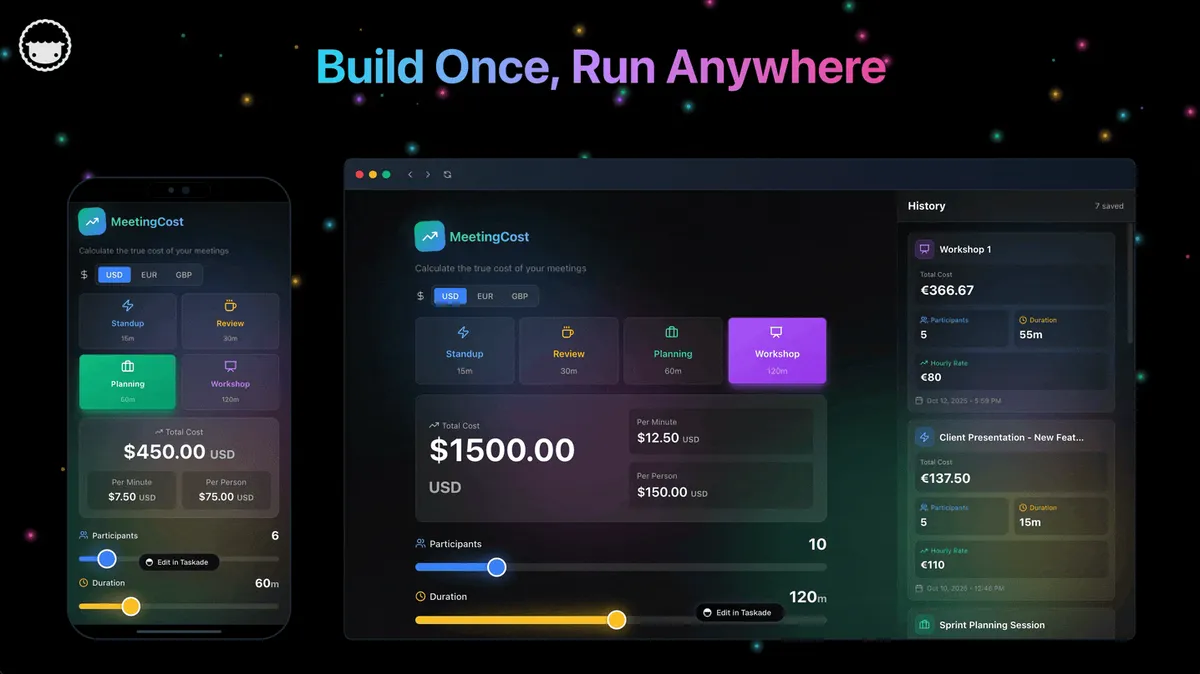
None of this loop runs without the underlying platform being good enough that cloned apps actually work. The reason a searcher can land on turbo-ai-dashboard, hit Clone, and have a functioning copy in their workspace 11 seconds later is that Taskade Genesis ships a lot of infrastructure for free.
- Multiple Project Views — List, Board, Calendar, Table, Mind Map, Gantt, Org Chart. Every cloned app inherits all eight. Users can flip a dashboard into a Gantt chart with one click.
- Role-based access — Owner to Viewer. Published gallery apps default to Viewer-public, and clones land in the user's workspace with the cloner as Owner.
- 15+ frontier models from OpenAI, Anthropic, and Google — Every cloned app inherits access to the full model roster. No keys to set up, no billing to wire.
- built-in agent tools — Web search, code execution, file I/O, workspace read/write, image generation, and more. Custom tools can be added per agent (shipped in v6.99).
- Custom Agent Tools (v6.99) — Users can teach agents new tools via a simple JSON schema. Cloned agents inherit the custom tools the original author added.
- 100+ integrations across 10 categories — Communication, Email/CRM, Payments, Development, Productivity, Content, Data/Analytics, Storage, Calendar, E-commerce. Shipped in the Integrations Directory (v6.97).
- Custom domains + password protection — Published apps can be mounted on the user's own domain with password gating, turning a cloned app into a private internal tool in minutes.
- Community Gallery — 130,000+ live apps across 24 organic verticals with one-click clone, the surface this entire post is about.
- 500,000+ AI agents created across all workspaces, inherited by any cloned app that references them.
- Workspace DNA — Memory + Intelligence + Execution, the self-reinforcing loop that makes cloned apps useful on day one instead of dead templates.
- Pricing — Free (11,000 one-time credits), Pro $10/mo (10 users included), Business $25/mo, Enterprise custom. All tiers can publish to the gallery.
The combination is what makes the SEO loop real. Take away any one of those primitives and the loop collapses. Users only publish things they find useful, only clone things that work out of the box, and only get organic traffic when the platform's metadata and sitemap hygiene let Google understand what is on the page.
Related Sprint Reading
- The Living App Movement — the broader thesis behind why apps are becoming publishable primitives
- AI Agents Taxonomy — how Taskade's agent model maps onto the wider agent landscape
- Best AI Agent Builders in 2026 — the category landscape for agent platforms
- Nemoclaw Review — reference point for a narrow-vertical AI tool that chose not to build a gallery
- Gizmo Review — contrast with a learning-tool platform that does have a community layer
- Best AI Workspace Tools — where Taskade fits in the broader workspace category
- Manus AI Review — the autonomous-agent comparison
- Taskade Genesis vs ChatGPT Custom GPTs — why Custom GPTs never produced a gallery hijack loop
- Best MCP Servers in 2026 — the tool-layer of the ecosystem this loop runs on
- Zapier Alternatives — automation platforms that could run a similar playbook
- Best AI Dashboard Builders — where the turbo-ai-dashboard clone sits in the landscape
- Turbo AI Alternatives — the live example of this playbook running in practice
Hub destinations:
- Browse the Community Gallery — 130K+ apps, start with Featured
- Start building at /create — open the prompt box, free with 11,000 credits
- AI Agents — the agent layer every cloned app inherits
Data sources: Google Search Console (taskade.com property), internal publish telemetry, Community Gallery live counts. All numbers pulled April 7, 2026. We will update this post quarterly as the loop evolves, or sooner if it collapses — both outcomes are worth writing about.