







When you manage a team or run a business, you can’t improvise on every decision and hope for the best. You need to prepare for emergencies, document processes, and put contingencies in place to troubleshoot before things escalate. In today’s article, you’ll learn how to write a Standard Operating Procedure (SOP) to make your business thrive in any situation.
Here’s everything you need to know.
TL;DR: A Standard Operating Procedure (SOP) is a written, repeatable process that makes work consistent across people, time, and scale. In 2026, the best SOPs are trainable Projects — not PDFs in a shared drive — so AI agents can read them, run them, and suggest improvements. When an SOP lives as a Project, every step is an executable task, not a paragraph. Companion reads: Training AI Agents Like Employees, The 2026 Productivity Playbook.
▲ ■ ● Write it once. Run it every time. Have an agent read it back.
📋 PDF SOP vs Executable SOP — The 2026 Upgrade
The average SOP dies in a shared drive. It gets written once during onboarding, nobody opens it again, and by the time someone needs it, half the steps are wrong. The fix isn't better writing. It's a better artifact.
| Dimension | PDF SOP (1990s–today) | Executable SOP (Taskade 2026) |
|---|---|---|
| Format | Frozen document | Live Taskade Project with tasks as executable steps |
| Update cycle | Annual "review" (rarely happens) | Each run leaves a trail; agents flag drift |
| Who runs it | Human reads, human does | Human or AI agent picks up the same Project |
| Compliance audit | "Did we follow it?" (unverifiable) | Run history + Memory = full audit trail |
| Onboarding cost | Days (reading + shadowing) | Minutes (agent walks the new hire through the live Project) |
| Delta detection | None | Agent compares last-N runs and proposes SOP update |
   Classic SOP lifecycle:                Executable SOP lifecycle:
   ┌────────────┐                       ┌────────────┐
   │ Write PDF  │                       │ Write as   │
   │ once.      │                       │ Project.   │
   └─────┬──────┘                       └─────┬──────┘
         │                                    │
         ▼                                    ▼
   ┌────────────┐                       ┌────────────┐
   │ File it.   │                       │ Run it.    │
   └─────┬──────┘                       └─────┬──────┘
         │                                    │
         ▼                                    ▼
   ┌────────────┐                       ┌────────────┐
   │ Forget it. │                       │ Agent logs │
   └─────┬──────┘                       │ drift +    │
         │                              │ suggests   │
         ▼                              │ updates.   │
   ┌────────────┐                       └─────┬──────┘
   │ Rewrite    │                             │
   │ every      │                             ▼
   │ 2 years.   │                       ┌────────────┐
   └────────────┘                       │ SOP gets   │
                                        │ better     │
                                        │ every run. │
                                        └────────────┘
The competitor playbook says "write a better PDF." The Taskade playbook says "don't write a PDF." An SOP that doesn't execute isn't an SOP — it's a memoir of one.
Companion reads: Training AI Agents Like Employees, Durable Execution for AI Workflows, The 2026 Productivity Playbook.
🚥 What Is a Standard Operating Procedure (SOP)?
A Standard Operating Procedure (SOP) is like an autopilot for your business. It’s a high-level document with step-by-step instructions on how to carry out a routine business process.
Here’s an example:
One of your customers goes on a Twitter rant about the quality of your services. The tweet gets traction, and a few other users weigh in. Maybe the competition adds its two cents, who knows? What matters is that publicity can make or break your business, so you need to act fast.
So, what do you do?
🔴 Cry foul, publicly confront the customer, and deny everything (not the best idea).
🟡 Bow your head, issue an official apology, and promise to do better next time.
🟢 Investigate, find a solution, and contact the customer to solve their problem.
When things don't go as planned, the time window to react is narrow, especially when you’re facing a problem your company hasn’t faced before. Standard operating procedures let you plan, prepare, and act quickly and confidently. You don’t have to come up with quick fixes and last-minute solutions; you always have vetted and tested contingencies at the ready.
Speaking of contingencies, grab this free SOP template. You'll need it later! 👇
But SOPs are not just for the “house on fire” types of emergencies. An SOP should be your default tool for routine business activities that require an organized approach, including:
☑️ Managing a production line
☑️ Operating and repairing equipment
☑️ Onboarding and training new employees
☑️ Hiring and terminating employment
☑️ Communication with internal and external customers
☑️ Launching a new marketing campaign
And more...
A well-written standard operating procedure will help your team perform routine tasks and carry out processes while observing laws, policies, company values, and compliance standards. It will also introduce predictability and structure where flexibility doesn't cut it.
⚡ Why Your Business Should Have Standard Operating Procedures
When you’re a startup, making decisions and acting on them is much simpler. You can improvise or skip a few steps, just to move faster and “get there first.” But once your business starts to grow, consistency is key. Even if that means becoming “predictable” and playing it safe.
An SOP can help you keep things coherent across different functional areas of the business, including strategy, marketing, finance, HR, and operations.
Here are a few other compelling reasons why you need SOPs in your business:
🌟 Improved Quality of Products and Services
All businesses make mistakes (some more often than others). The problem is that acquiring new customers is much more expensive than retaining existing ones. According to Oracle’s “One Size Doesn’t Fit All” study, 43% of US consumers blacklist brands that don’t meet their expectations.(1) To keep your customers happy, you need to give them the quality they signed up for.

Whether you’re writing code or manufacturing goods, choosing a different tool or technique can throw off the entire production process. Standard operating procedures help maintain the quality of products by documenting every part of the process, down to the quality of materials, use of equipment, and fine process details you can't afford to skip.
📌 Switch From Reactive to Proactive Mode
When a toaster catches fire, you don’t want to pour water all over it and get electrocuted. You need to pull the plug out (or switch off the power) and cover the appliance with a blanket to starve the fire of oxygen. It’s the same in business. You don’t want to jump at problems without good, well-thought-out solutions because that can make things really bad really quickly.

Standard operating procedures let you brainstorm business emergencies and prepare for all kinds of scenarios in advance. With an SOP in place, you can put contingencies in place and coordinate team effort by assigning people to parts of the process in advance. That, in turn, lets you switch from reactive to proactive mode, stay calm, and act quickly and decisively.
✊ Simplify Onboarding and Training
Teams, companies, and organizations are made of people. Until they aren’t. Sometimes, for various reasons, subject-matter-experts who know a process very well can’t complete their work. People take days off, leave the company, or go on vacation, but the work has to continue. You can't afford to halt production because the line manager calls in sick.

Standard operating procedures are an excellent training resource for existing and new employees. They remove ambiguity and guesswork, so new hires (or replacements) can jump right in and quickly understand all kinds of processes. SOPs also help preserve and transfer specialized knowledge when there’s a sudden talent drain at the company.
👩🚀 Increases Team Velocity
Are you tired of constant back and forth? If your team struggles to make decisions and act autonomously, it may be because they don't have the business intel they need to do so. Effective teams know how to manage and share knowledge; they self-organize, make better decisions, and act faster than those who don't. And clear, useful documentation is part of this process.

An SOP includes valuable, condensed knowledge that lets teams self-organize and act autonomously. With all the answers in a reliable knowledge management system, SOPs also reduce back and forth, and that's nothing to sneeze at in a distraction-ridden workplace.
👷♂️ Keep Your Employees Safe
According to the Bureau of Labor Statistics, there were 2.7 million nonfatal workplace injuries in 2020.(2) One of the leading causes of injury, apart from slips and falls, was contact with objects or equipment. Some of those accidents are bad luck, others are caused by negligence.

“How do I operate this machine?”, “what protective gear do I need?" Sure, you can "tell" your employees about safety guidelines. But it's much more effective to give them everything they need to know in a concise document they can print out and keep at hand at all times.
🥳 Improves Cross-Functional Collaboration
It’s often the case that individual roles and responsibilities in a business are vaguely defined so people. And when people don't exactly what exactly you expect them to do, they can't act the part. The good news is that a well-designed SOP can help team members understand what they’re supposed to do and how their role fits into a company-wide context.

Standard operating procedures drive ownership by defining "who" does "what" and "when" the need to do it. More importantly, SOPs help workers understand what their peers do and where their work overlaps. This kind of knowledge transfer improves cross-functional collaboration across teams and departments and boosts productivity across the company.
Now that you know the basics, let’s learn how to write an SOP in three simple steps. 👇
📝 Step-By-Step Guide to Writing an SOP
1. Consider the Purpose and Audience
Do you want to write an SOP for your team/department, or will it be used across the company? Are you addressing existing or new employees? Answering those questions will help you gauge the language, complexity, tone of voice, and background information you need to include.
If you’re working in a large company, chances are there are corporate guidelines in place for official documentation and/or internal communication. If you’re writing the document for your small business, well, let’s just say it’s a matter of usability rather than a protocol.
As it’s the case with everything else in life, formality depends on the context. After all, you know the communication dynamic, the words people use, and the expertise they have.
If you don’t know where to start, here are a few general rules you should keep in mind:
➕ Include bullet points and checklists when you're giving instructions.
➕ User present tense/active verbs, e.g. “The CFO approves the marketing budget.”
➕ Limit industry jargon and abstract/ambiguous term.
➕Consult subject-matter experts during the writing process.
➕ Create a glossary of terms if you’re writing for other teams/departments.
➕ Keep the style and formatting consistent across the document.
➕ Be very specific about who’s responsible for individual steps of the process.
➕ Include additional materials like links, maps, tables, and images.
It may be tempting to involve just C-execs and throw the SOP a the team to see if it sticks. That’s a recipe for disaster. If you’re not the process owner, you will lack the context and so SOP won’t change anything. People will dump the SOP on their drives and cling to the "old ways."
It’s important to think outside the box and invite stakeholders who are involved in the process. One of the best ways to write an SOP is to watch subject-matter experts carry out the process in a controlled environment. Ask questions, take notes, and pay attention to common and not-so-common issues that come up. Invite your team to collaborate on the document from day one.
2. Organize Your Document
Let’s start with the bad news: No two SOPs are identical, mostly because every team, business, and organization is unique. You can’t copy and edit an SOP of another business and call it day.
The good news is most SOPs follow roughly the same format and structure. To get the most out of your document, you should divide it into skimmable sections that’ll help your team understand the process at a glance. A typical SOP consists of:
🔠 Title
📖 Subject
🏷 Summary
📑 Table of contents
🗓️ Date (including revisions)
👥 Who it applies to
🌟 Roles and responsibilities
🗂️ Resources and materials
🛠 Troubleshooting
Of course, your document may include other sections or types of information. Remembers, it’s all about usability and comprehension. Include as much detail as needed to carry out SOPs steps, but don't bog your readers down with walls of text. You’re not writing a novel.
Once you have the basic structure in place, it’s time to add some grain. Flesh out each point, preferably in a checklist/bulleted list format; each step in the SOP may include its own subsections. Consider writing the document in an outline format to make it more scannable.
Writing an SOP in an outline format will keep it clean and readable. You can even fold headings and subheadings (more on that below) and let readers expand and focus on individual steps as they go through the list. You’ll learn how to outline an SOP at the end of this article.
3. Discuss and Test-Run Your SOP
An SOP is designed to help employees carry out tasks without additional guidance. You need to make sure that your team can understand why the process is important, what you expect them to do, and who’s responsible for carrying out the tasks outlined in each step.
Share the SOP with the team and run a few tests to see if everybody can follow the steps. Remember: you don’t want silent approval only to find out the document is useless. It’s better to discuss any issues early on than suffer from the fallback when in a real business scenario.
First, let's answer a few questions:
💭 Is the document structure easy to follow?
💭 Are the instructions precise and actionable?
💭 Does the SOP include troubleshooting steps?
💭 Are there any sections where people often get stuck?
💭 Does the document use tribal knowledge/ambiguous terms?
💭 Is there enough context and/or background information?
💭 Are roles and responsibilities clearly defined?
💭 Who can revise/update the document?
Consider showing the SOP draft to employees with no prior knowledge of the process. You may be biased and miss nuances because you know the steps. If your team struggles to follow the instructions in lab conditions, they will struggle to follow them under pressure.
Tools, equipment, and policies are likely to change over time. You need to revise the SOP every 6-12 months. Make sure people always use the latest version by adding revision dates every time you update the document. You should also make sure they can access the SOP 24/7.
Which brings us to Taskade.
🐑 How Taskade Can Help You Write an SOP
Taskade is a modern outliner and one of the best second brain apps for teams and individuals. You can use our editor to plan, structure, and write an SOP, gather feedback from your team, and share the document in a few clicks. Here’s how to write your first SOP with Taskade.
Start From Scratch or Use a Template
To create your first SOP, go to a Workspace—this is a collection of your Projects and Folders— and click the ➕ New Project  button in the top-right corner. You can start with a blank document or choose one of the 300+ built-in templates from the list on the left.
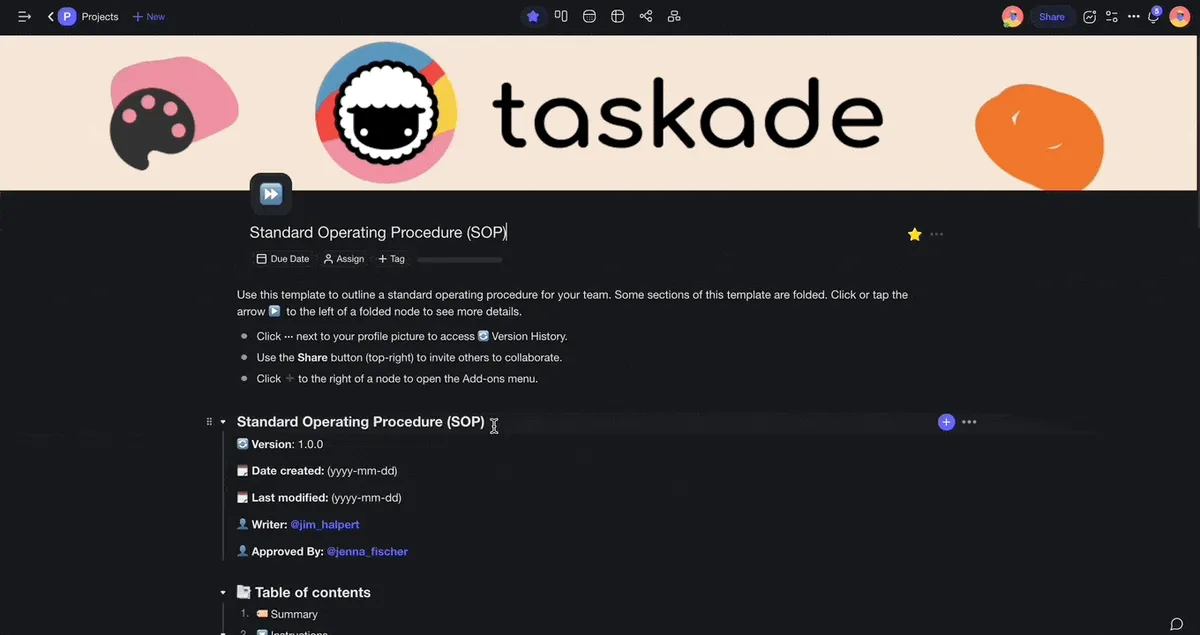
We'll start with our free Standard Operating Procedure (SOP) template.
The template gives you a basic document structure and a few pre-filled fields. Let's customize it a bit so it's more presentable. For starters, add a few steps, sections, and tasks. You can also upload branding elements to make it look the part. Taskade will automatically save the changes.
Great! Moving on. 👇
Use the Power of Outlining
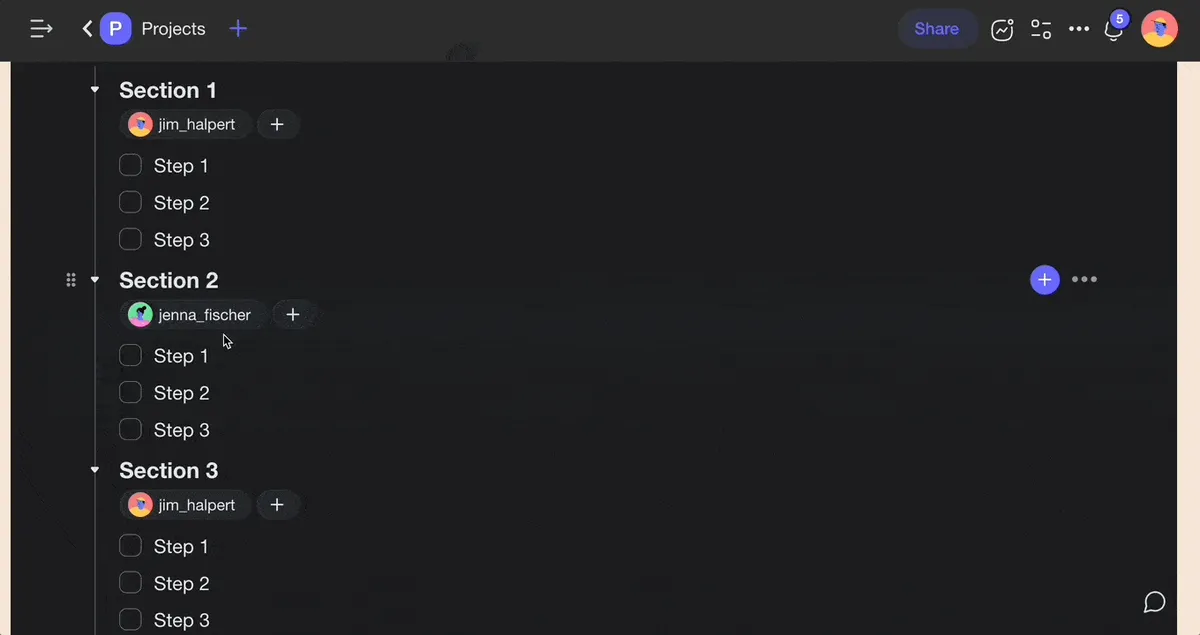
As you can see, our SOP is made of levels, with headings, subheadings, and bullet points in between. Fill in the gaps by adding detailed instructions for each step. Press ⌨️ Tab to quickly “indent” nodes and create a few subtasks under each task. Indenting tasks and outline levels will help your team understand the document structure and follow the sequence of steps.

Every level of the outline hierarchy can be folded and unfolded. For instance, you may hide all levels of your SOP document and focus on the one you’re currently writing. You can also fold all levels once the document is ready so your team can complete instructions one step at a time.
Collaborate on the SOP in Real Time
Every Project in Taskade is a living document you can collaborate on with your team in real time. Simply click the Share button  in the top-right corner to invite your team members to join. You can decide who can edit the document by setting permissions new project members.
Let's add a new project member and set their permissions to "Viewer."

Project members can add comments, chat, or start a video conference. Ask your team to submit feedback on individual steps and use the insights to improve your SOP. You can also run a poll to decide on the sequence of steps, task owners, and other SOP details.
(optional) Create a Table of Contents
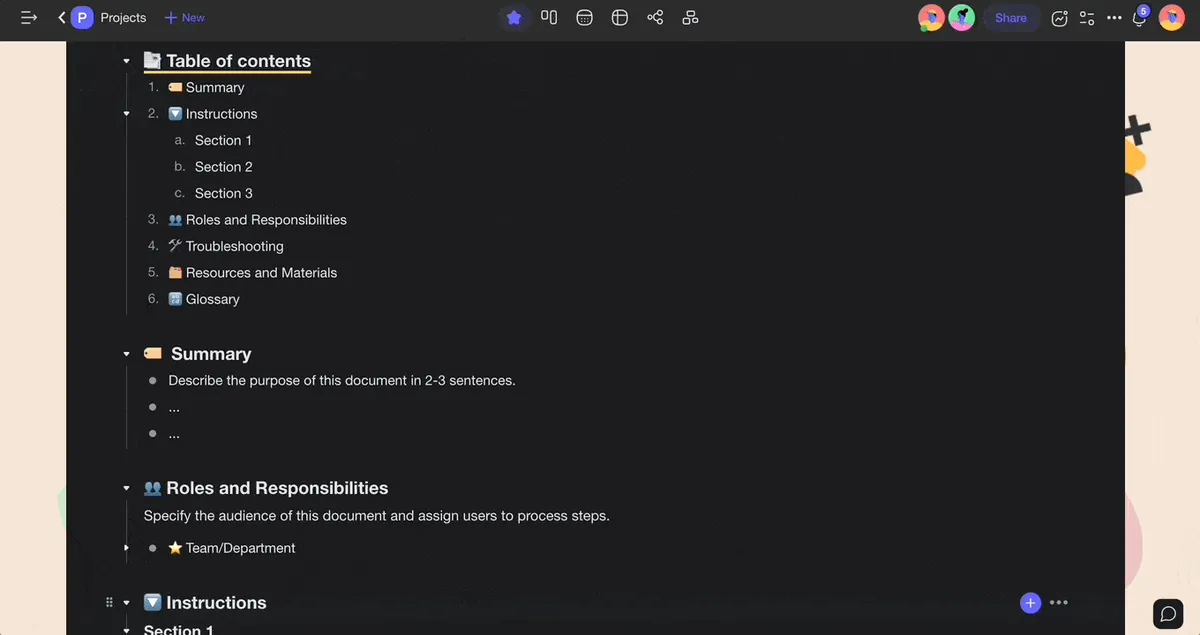
If your SOP is long and complex, consider adding a table of contents. The table of contents will help your team scan the document and quickly find what they’re looking for. ToC links will let your team jump to individual sections by clicking on headings and subheadings.
Here’s how to create a table of contents for your SOP:
Move the mouse cursors to the line that contains a section title.
Type “/“ + “link” and select “Copy Link” from the list.
Paste the link into the corresponding level of the TOC.
Repeat the process for the remaining section titles.
🖨 Share or Print Your SOP
It's time to show your SOP to the world. 🥳
Click the Share button again to invite other teams and departments directly to the document. You can use usernames/email addresses or copy the invite link and send it via email or text. This way, your team will have access to the latest version of the document the moment you introduce new changes.
And that’s it! 🥳
👋 Parting Words
A well-designed SOP will help your business grow and thrive, even when things don't go according to plan. It's also an excellent resource for new and existing employees, especially those working across time zones in a fully remote model.
If you still need help with outlining your documents, Taskade has your back.
Sign up and streamline your SOPs with Taskade AI! 🤖
🤖 Custom AI Agents: Deploy custom AI agents to automate and optimize business workflows. Run them in the background or when needed.
🪄 AI Generator: Use the AI Generator to create or update SOP documents and business process templates based on natural-language prompts.
✏️ AI Assistant: Improve your writing and editing skills with smart suggestions. Generate content, structure documents, and more.
🗂️ AI Prompt Templates Library: Access a library of AI prompt templates specifically designed for personal and business projects.
💬 AI Chat: Consult AI for instant advice on process optimization. It can serve as a first-line support for you and your team.
📄 Media Q&A: Use the power of artificial intelligence for a deep analysis of your business workflows, SOPs, and other documents.
And much more...

🔗 Resources
Frequently Asked Questions
What is a Standard Operating Procedure (SOP) and why do teams need one?
A Standard Operating Procedure (SOP) is a step-by-step document that details how to perform a recurring business process consistently. Teams need SOPs for three reasons: 1) Consistency — every team member follows the same process, reducing errors and variability in output, 2) Onboarding — new hires can get up to speed without relying on tribal knowledge locked in veterans' heads, 3) Scalability — documented processes can be delegated, automated, or improved systematically. Without SOPs, teams reinvent processes each time, leading to inconsistent results, knowledge loss when employees leave, and inability to identify bottlenecks for improvement.
How do you write a Standard Operating Procedure step by step?
Write an SOP in five steps: 1) Define the scope — identify the specific process, who performs it, and what triggers it (e.g., 'customer refund request'), 2) List the steps — walk through the process from start to finish, writing each action as a clear, numbered instruction. Include decision points ('If X, do Y; if not, do Z'), 3) Add context — include the purpose, required tools, safety notes, and definitions of key terms, 4) Review with practitioners — have someone who actually performs the process validate accuracy and completeness, 5) Format and distribute — use a template with a title, version number, author, and last-updated date. Store it in a shared workspace like Taskade where the team can access and update it easily.
What makes a good SOP template?
A good SOP template includes seven sections: 1) Title and document ID — clearly identifies the procedure, 2) Purpose — explains why this SOP exists and what outcome it ensures, 3) Scope — defines who the SOP applies to and under what conditions, 4) Roles and responsibilities — lists who performs each step and who approves, 5) Step-by-step procedure — the detailed instructions with decision trees for branching scenarios, 6) References — links to related SOPs, policies, or tools, 7) Revision history — version number, date, and author of each update. Keep language simple and actionable: 'Click Submit' beats 'The user should proceed to submit the form by clicking the Submit button.'
How can AI help create and maintain SOPs?
AI accelerates SOP creation and maintenance in four ways: 1) Drafting — AI can generate a first-draft SOP from a brief description of the process, saving hours of blank-page writing, 2) Formatting — AI structures raw notes into proper SOP format with numbered steps, decision points, and sections, 3) Updating — AI can review existing SOPs against new policies or tool changes and flag sections that need revision, 4) Translation — AI can convert technical SOPs into plain language for non-specialist audiences. Tools like Taskade combine AI agents with collaborative workspaces, so your team can generate, review, and update SOPs in one place with built-in version history and role-based access.