






Looking for the best second brain apps? Well, who doesn’t? We’re knee-deep in the information age, and effective knowledge management is more important than ever. Taking notes on napkins or the back of your hand doesn’t cut it anymore (sorry). That’s why we compiled a list of the best second brain apps to aggregate knowledge in 2024.
🧠 “Wait, Why Would I Need a Second Brain?”
A second brain isn’t just a made-up term. Well, technically it is, but it’s also part of the Building a Second Brain (BASB) methodology created by Tiago Forte at Forte Labs.(1)
In a nutshell, BASB (let’s stick to acronyms) is a framework for capturing and organizing information to create, surprise surprise, a more reliable “backup brain.”
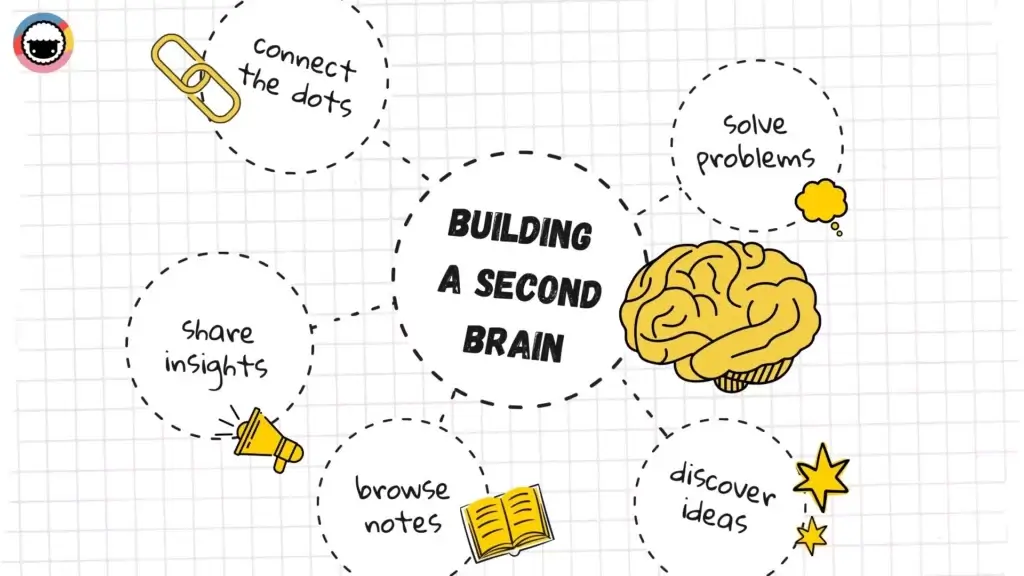
A second brain will let you:
Aggregate and curate a searchable body of knowledge.
Connect bits of information to create meaningful context.
Find inspiration and a point of reference for creative projects.
Every time you start a new project, your second brain will provide key insights in an instant, ready for reuse. A second brain keeps things like notes, documents, quotes, images, and videos in one place, meshed into a network of invaluable insights.
And we can't overstate the importance of a single source of truth.
You can create your second brain in a note-taking app, an outliner, or a text editor. Any app that lets you take, organize, and connect notes should work out of the box. Of course, there’re some nice-to-haves too, but we’ll get to that in a moment.
🤖 From a Second Brain to Productivity in 3 Steps
There are many second brain frameworks. You can build an index-based system like Niklas Luhmann’s Zettelkasten or use Tiago Forte’s BASB methodology. Regardless of the method, there are three universal steps you need to follow.
1. Capture and Organize. A second brain “digests” information from all kinds of sources. That can include emails, notes, videos, files, conversations, web clippings, or code snippets. The goal is to capture every insight you find interesting or those that could be used in future projects.
By incorporating a variety of "products" into your second brain, such as books, articles, and even music, you can expand your horizons and learn more about the topics that interest you.
Your second brain can also include:
Personal notes, thoughts, and ideas
Contacts and networking information
Personal and professional goals and objectives
Reviews of products you've used
Financial and accounting data
Inspirational quotes, images, and other media
Mind maps, diagrams, and other visual aids
Anything that goes in should bring value and build context.
2. Summarize and Connect. In the second step, you summarize your notes and carve out the key bits. You can do this immediately after taking a note or revisit your notes several times.
To make this task easier, ask yourself the following questions:
What are the key details or information included in the entry?
How does this relate to other entries or information in my second brain?
What is the most important information or insight that I want to retain?
How can I summarize this entry in a clear and concise way?
Are there any actionable steps or next steps that I need to take?
How can I categorize or tag this entry in a way that makes it easy to find?
Once this is done, it’s time to connect notes with internal backlinks using any of the knowledge base tools from our list. Building connections between entries will let you create a reliable external knowledge base that will answer all your questions and allow easy knowledge sharing.

3. Repurpose and Share. You don’t want your notes to accumulate digital dust. Second brain insights need to be regularly revisited, updated, and repurposed into new content.
Whether that means viral blog posts, online courses, or a team newsletter is entirely up to you. The overarching goal is to make information actionable and enable knowledge sharing.

Of course, there is no “right” way to set things up. Regardless of the online knowledge base you end up using, experiment with the three steps of the workflow and see what works for you.
Here are a few final tips that will help you make the most of knowledge base solution:
Choose the best app for knowledge base that fits your needs and preferences, and take the time to learn its features and functions.
If you want to share knowlege with your team, consider creating internal knowledge bases at your organization, and make sure that everyone can access them 24/7.
Don't overlook the value of public knowledge bases like Wikipedia, Quora, Stack Exchange, or Internet Archive in building your second brain.
Use effective content management strategies to keep your second brain organized and easy to navigate, including categorization, tagging, and search functionality.
Make a habit of regularly reviewing and updating your second brain, adding new information as you come across it and purging outdated or irrelevant information.
And now, it’s time for the main course of the evening. 👇
🤩 The 13 Best Second Brain Apps for 2024 Compared
You may be wondering: “What makes a good second brain app?”
Well, a couple of things. But the three most important are: 1) quick capture, 2) ability to create internal backlinks, and 3) no-nonsense content organization.
Here are some key considerations:
| 🧰 Essential Second Brain Features | ➕ Additional Features |
|---|---|
| Internal backlinks (cross-linking) | Collaboration features (note sharing, chat) |
| Hierarchical lists (outlining) | (Cloud) backup and synchronization |
| Text formatting (bullet lists, highlights) | Quick capture (web clipper, mobile) |
| Multimedia support (images, videos) | Markdown support and keyboard shortcuts |
| Quick and reliable search function | Import/export options |
| Granular organization (folders/tags) | Task management (due dates, recurring tasks) |
All the tools from our list check all or most of those boxes. Let's compare features, check prices, and choose the best app for knowledge base that will fit your unique use case.
Taskade
Taskade is modern outlining software that lets you take notes, track to-dos, and manage projects in infinite nested hierarchies. Taskade is also a collaborative workspace where you can work and chat with your team in real-time. It's the only app you need to tackle all your projects, now with a powerful AI integration powered by OpenAI's GPT-5!
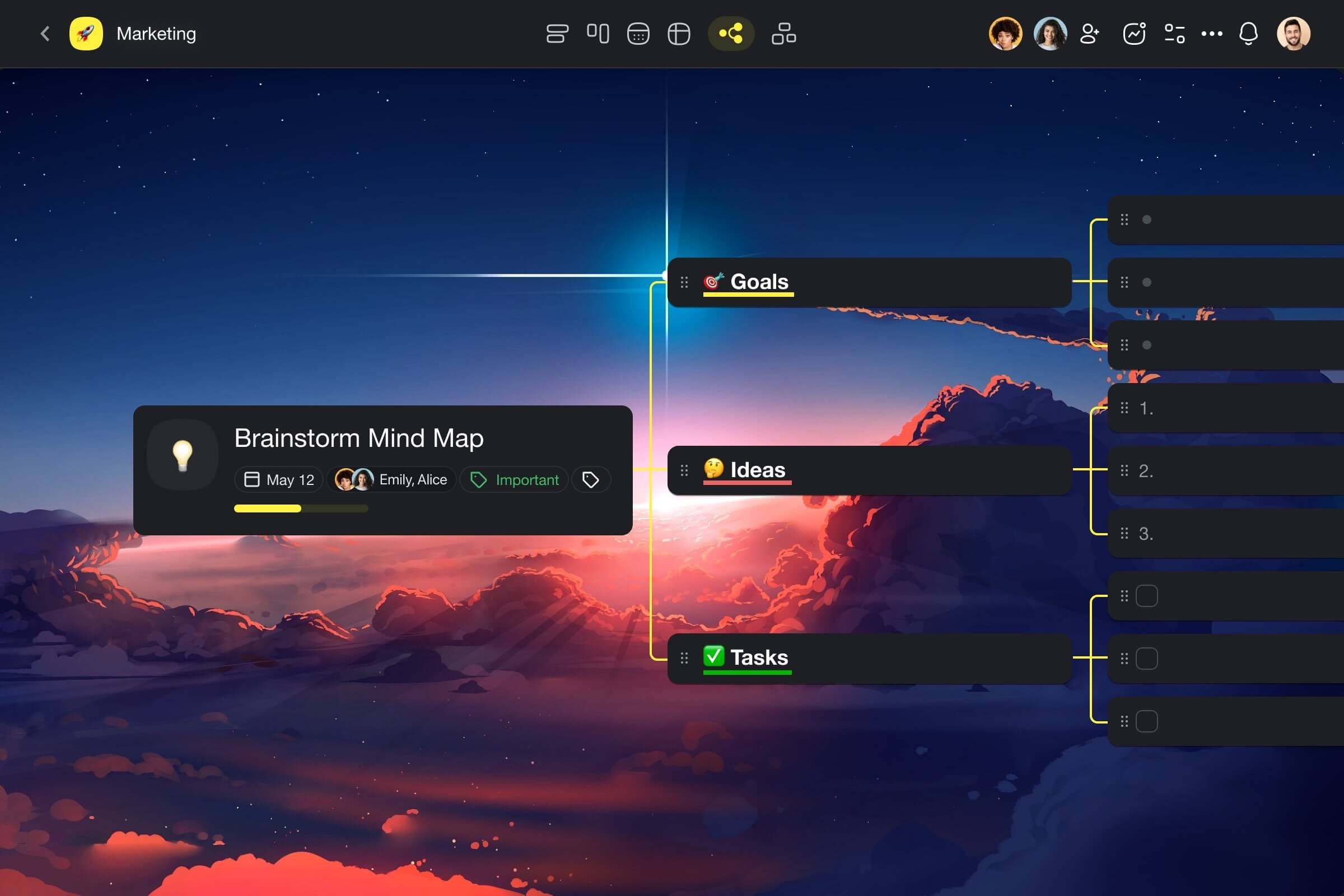
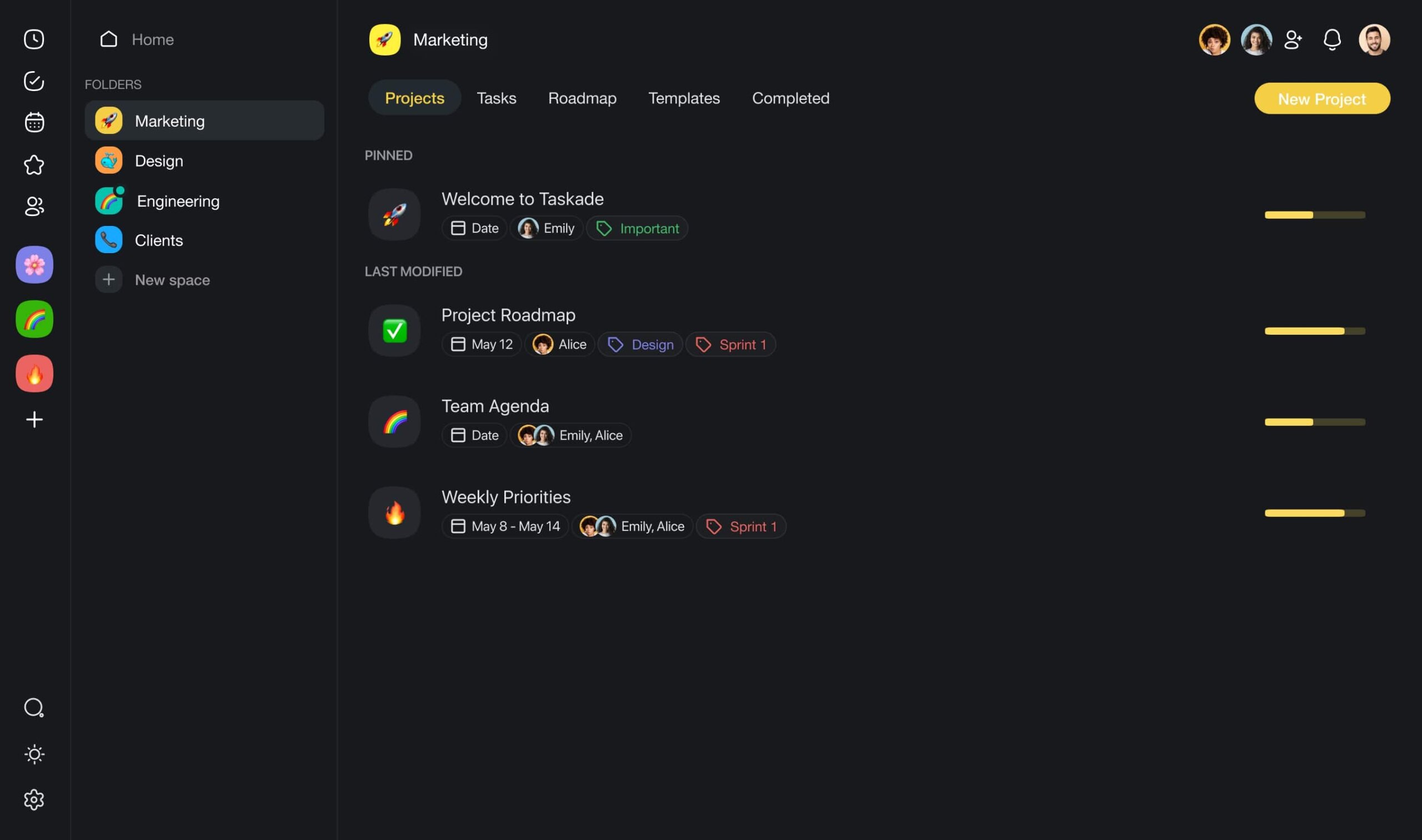
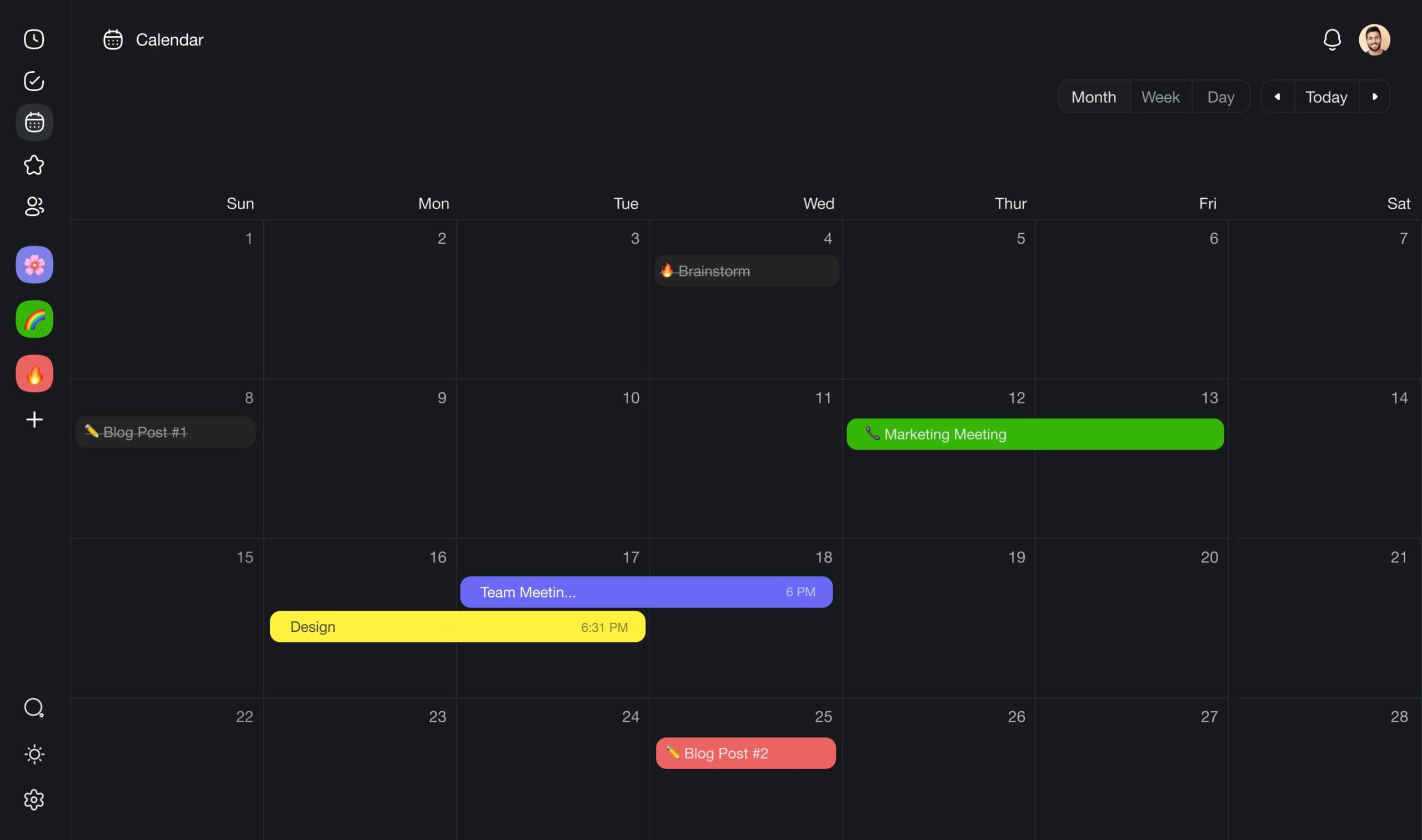
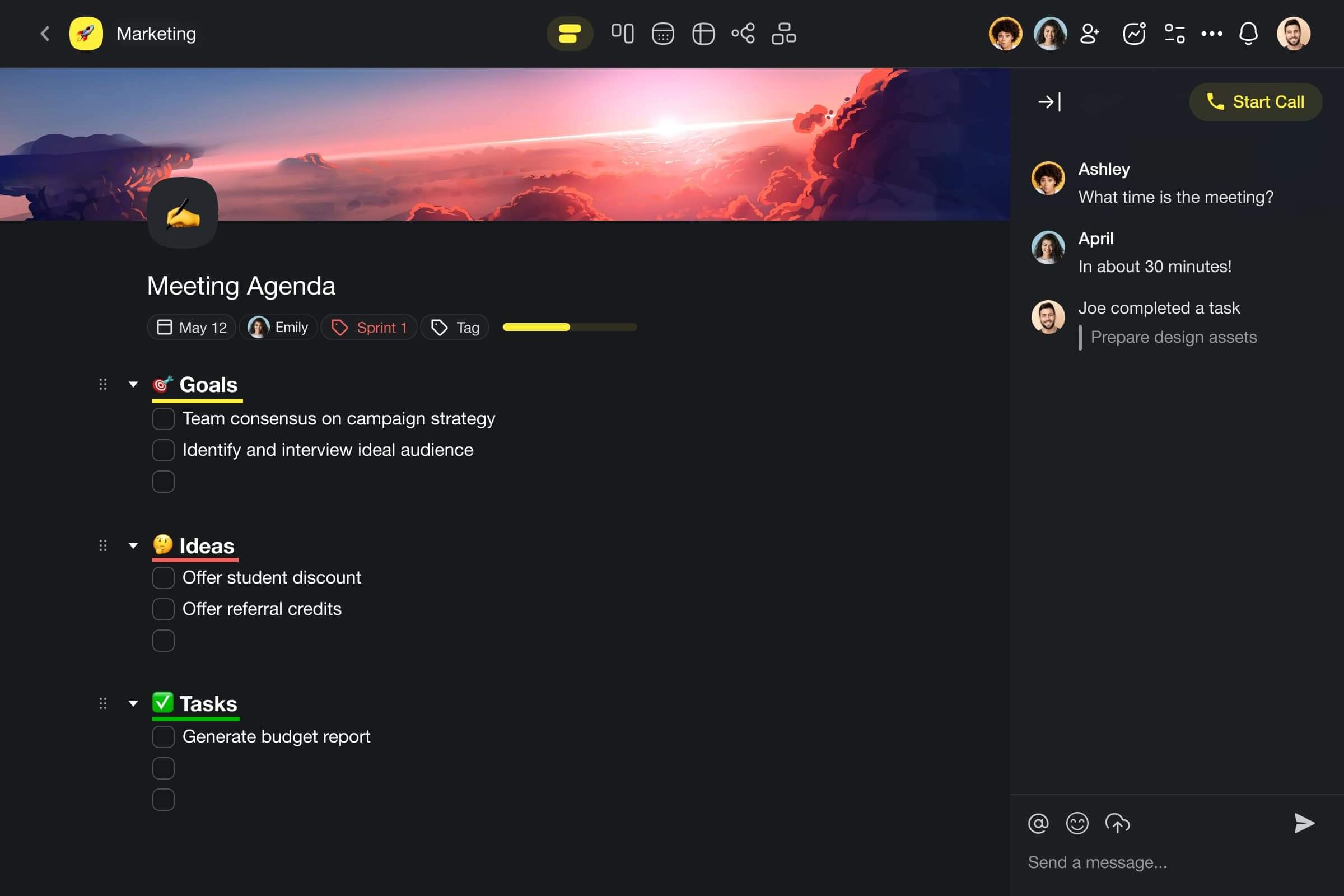
Think of Taskade as a lovechild of Trello, Asana, and Google Docs, except it’s prettier and much more powerful. And the best part? Taskade is free for personal use and packs everything you need to create a dream second brain setup.
Taskade “wraps” notes inside projects that can store anything from to-dos through documents to images, and videos. All the notes you add into Taskade are linkable and searchable so you can quickly find what you’re looking for.
But your notes aren’t limited to simple lists. Taskade is powered by tree-structured databases that let you transform projects into boards, org charts, and mind maps. And if you get stuck, you can use the built-in AI assistant to speed up your knowledge management workflow.
You can use Taskade to:
🤖 Automate workflows with teams of AI agents (more on that in the video below)
🔎 Get suggestions on relevant topics and sub-topics.
⚡️ Generate mind maps, outlines, and lists in seconds.
➕ Quickly develop ideas without leaving your notes.
🤔 Research keywords and guiding questions for your notes.
And much more!
Build a second brain with Taskade AI! 🤖
👍 Taskade Pros
🔸 Holistic AI integration powered by GPT-4 Turbo
🔸 Quick startup and a gentle learning curve
🔸 Real-time sync across all your devices
🔸 Quick project cross-linking with @mention
🔸 Color-coded tags with autocomplete
🔸 Snappy and intuitive user interface
🔸 1000+ built-in templates for all kinds of projects
🔸 Web Clipper plugin for quick web capture
🔸 Project backgrounds, dark mode, and more
🔸 Multiple formatting styles (bullets, colors, emojis)
🔸 Embedding content from sites like YouTube and Soundcloud
🔸 Built-in countdown / Pomodoro timer
👎 Taskade Cons
- Offline mode is currently only available in mobile apps
💵 Taskade Pricing
Visit Taskade's pricing page for a detailed breakdown of features and plans.
Want to learn more? Check how AI can help build a second brain. 👈
OneNote
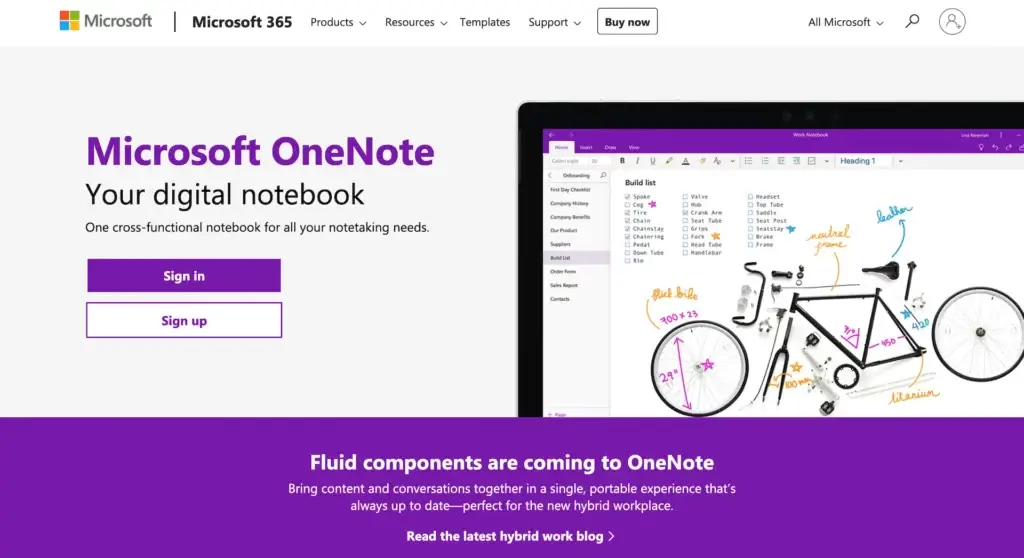
OneNote may be a dinosaur in the note-taking space, but it’s still kicking. While Microsoft launched the app 18 years ago (ages in computer years), it’s been through several overhauls that make it a surprisingly relevant second brain candidate for 2024.
(As long as you don’t mind living inside Microsoft’s 365 fairyland)
OneNote rocks the familiar — and still a bit overwhelming — ribbon-based interface we know from other tools in the Office family. It’s not as “cool” as more modern apps, but if you’re a Word/Excel lover, you should feel right at home.
Building a second brain in OneNote boils down to notebooks, sections, and pages that can be cross-linked in many different ways. Plus, OneNote handles multimedia reasonably well and comes with a handy web clipper for quick capture.
👍 OneNote Pros
Support for handwritten notes with optical character recognition (OCR)
Cross-linking across notebooks, sections, pages, and paragraphs
Multiple ways to customize notes, including collapsible lists
Available for desktop (Mac, Windows), web, and mobile
👎 OneNote Cons
Shows its age in looks and performance
The number of features may be overwhelming
Hit-and-miss search and problems with backward compatibility
💵 OneNote Pricing
- 🟢 Free
- Requires a Microsoft account
Obsidian
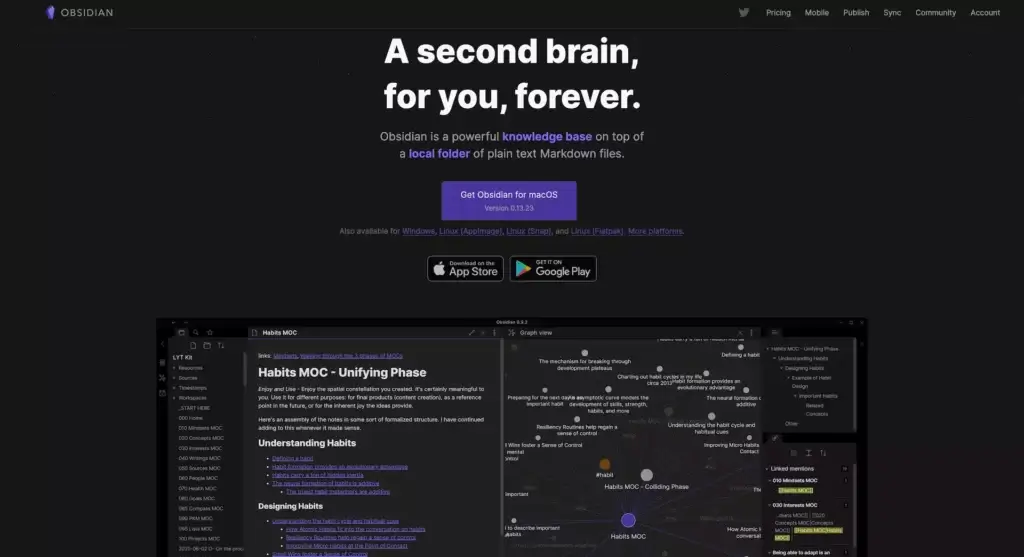
Obsidian is a relatively fresh but competent newcomer to the note-taking space. Notes in Obsidian are stored in markdown (.MD) files that can hold text, images, or to-dos. As expected, you can create internal links on a page, block, or heading level.
Obsidian lets you build a second brain in local “Vaults,” using proprietary sync, or inside external clouds like Dropbox. Unfortunately, the proprietary sync is only available as a paid add-on which complicates things for free users.
Obsidian is a good second brain software if you feel comfortable working with markdown files. It may not be the best choice, though, if you’re looking for a hands-free approach with cloud backup working out of the box.
👍 Obsidian Pros
A choice between local Vaults, external cloud, or proprietary sync
A large selection of proprietary and community plugins
Functional Graph view that shows connections between notes
Works on Mac, Windows, Linux, and iOS/Android.
👎 Obsidian Cons
Limited synchronization for iOS mobile apps
No collaboration features are available at the moment
May experience slowdowns with large Vaults
Out-of-the-box synchronization only as a paid add-on
💵 Obsidian Pricing
🟢 Personal (free)
For personal use (local only)
Access to plugins and API
Catalyst (+$25 one-time payment)
Support development
Early access to insider builds
🔵 Commercial ($50 per user/year)
For commercial use
Priority support
🟣 Sync Add-on (8$/month billed annually)
End-to-end encryption
Version history
🟡 Publish Add-on ($16/month billed annually)
Publishing notes
Graph view and outline
Check out our list if you're looking for the best Obsidian alternative.
Roam Research
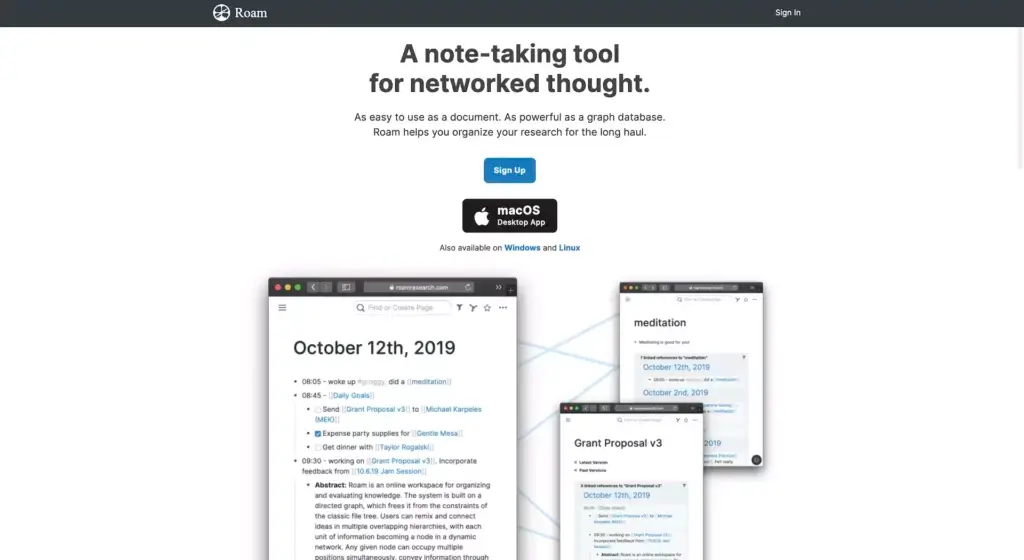
Roam Research does two things exceptionally well. It gives you the ability to create bi-directional links between notes. It also visualizes connections between notes as a knowledge graph based on the concept of graph databases. So far so good.
Unlike competitors, though, Roam’s user experience isn’t as clear-cut as we’d expect from one of the best second-brain apps. There’s some learning curve to it and not much in terms of guidance, so you’re left mostly with guesswork and community support.
Roam is slowly introducing basic collaboration features like graph sharing but the functionality is rather limited. You can add people to databases with edit/read-only rights, make your database public, or share individual pages. And that’s about it.
👍 Roam Research Pros
Solid implementation of bi-directional linking
Knowledge graph for tracking connections between notes
Markdown and /slash commands
Support for images, videos, and multimedia embeds
👎 Roam Research Cons
Too expensive for individual users
Limited features and bare-bones collaboration
Syncing sometimes gets sluggish with bigger databases
💵 Roam Research Pricing
🟢 Pro ($15/month billed annually)
3 private or public roam graphs
Unlimited editors/viewers
API access
🔵 Believer ($500/5 years as a one-time payment)
Priority access to new features
Priority support
If you're specifically looking for an alternative to Roam Research, Taskade is your best bet.
Notion
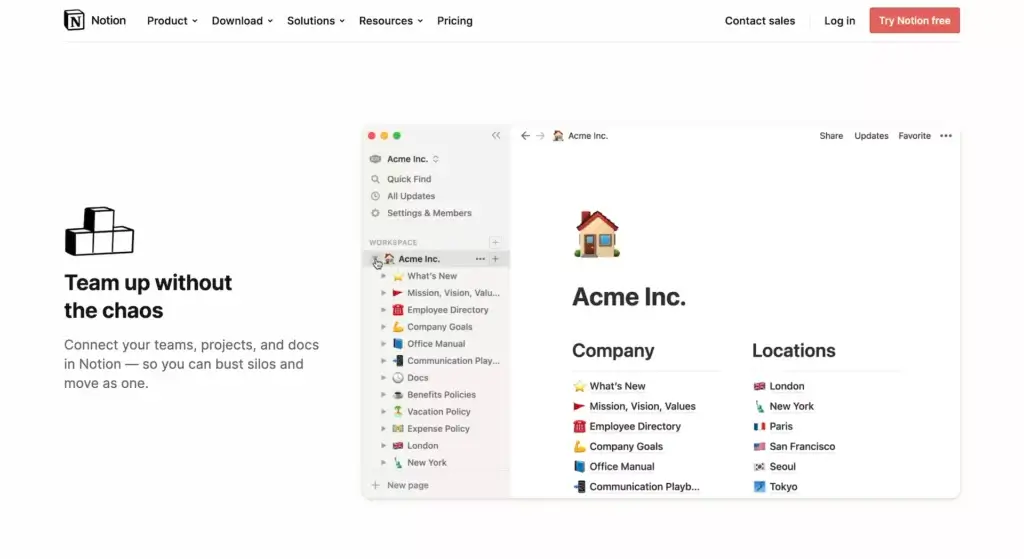
Building a second brain in Notion is a different kind of exercise. Instead of framing your notes inside hierarchical lists, Notion stores everything in databases and tables made of “blocks.” It’s like a big box of legos but with no instructions.
Notion databases don’t superimpose a content structure, so you can build your second brain any way you want. Every page and block can be linked to another with bi-directional backlinks automatically aggregated in collapsible lists.
The lack of clear structure and free-flowing content creation may be a bit overwhelming at first. Setting things up in Notion takes some time so it may not be the best solution if you’re looking for a quick, and hassle-free start.
Check out this list of Notion alternatives if you're looking for software that can help you get more work done.
👍 Notion Pros
Databases natively supporting wikis and knowledge bases
Can act as an external knowledge base for teams
Comparable user experience on desktop, mobile, and in a browser
Pages can be shared with others or published online
Offers communication and collaboration features…
👎 Notion Cons
… that are currently limited to async chat and comments
Takes plenty of time to set up and get started
Gets slower as you aggregate pages and files
Exporting to PDF is slow, especially with large databases
💵 Notion Pricing
🟢 Personal/Free
Unlimited blocks & pages
5 guests users/editors
Multi-device sync
🔵 Personal Pro ($4 per month)
Everything in the Personal plan +
Unlimited uploads and guest users
Version history
🟡 Team ($20/month)
Everything in the Personal plan +
Unlimited team members
Collaboration with permissions
Admin tools
🟤 Enterprise (custom)
Everything in the Team plan +
Advanced security with SAM/SSO
Evernote
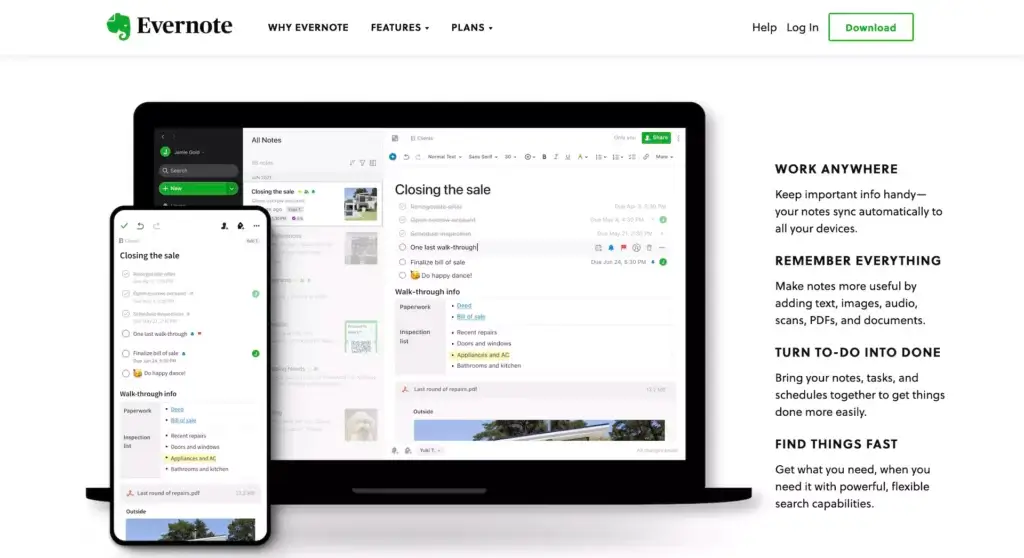
Back in the day, Evernote singlehandedly created the digital note-taking space. And while the days of Evernote glory are long gone, it’s still one of the best second brain apps you can use today. That’s as long as you can stomach the somewhat dated user experience.
On the functionality front, Evernote packs a rich set of note-taking features, including foldable lists, internal backlinks, reliable search, and a dedicated web clipper extension. It can also search in PDFs and images thanks to built-in OCR.
Like OneNote, Evernote collects notes in (stackable) notebooks. Notebooks store aptly named “notes” which, in turn, can be organized with #tags. The cherry on top is asynchronous collaboration via Work Chat and notebook sharing.
👍 Evernote Pros
The good ol' Evernote experience
Capable search and tagging
Basic asynchronous collaboration
Task management and OCR
👎 Evernote Cons
Hasn’t changed much over the last few years…
… and the new UI isn’t the most intuitive
Limited cross-platform synchronization in the free plan
No official Linux support and uneven cross-platform experience
💵 Evernote Pricing
🟢 Free
Cross-device sync (2 devices)
60 MB of storage for notes/month
Task management
Search and tagging
Uploading attachments
🔵 Personal ($7.99/month)
Everything in the Free plan +
Unlimited synchronization
10 GB of storage for notes/month
Google Calendar integration
Due dates and reminders
Offline access
PDF and image search with OCR
Customizable templates
PDF annotation
🟡 Professional ($9.99/month)
Everything in the Personal plan +
20 GB of storage for notes/month
Personalized Home screen
Assigning and tracking tasks
Location-based search
Export notes to PDF
Integration with 3rd part services
🟤 Teams ($14.99/month per user)
Everything in the Professional plan +
Integration with business apps
Admin dashboard
Custom onboarding
20 GB of storage +2 GB per user
And more…
Bear App
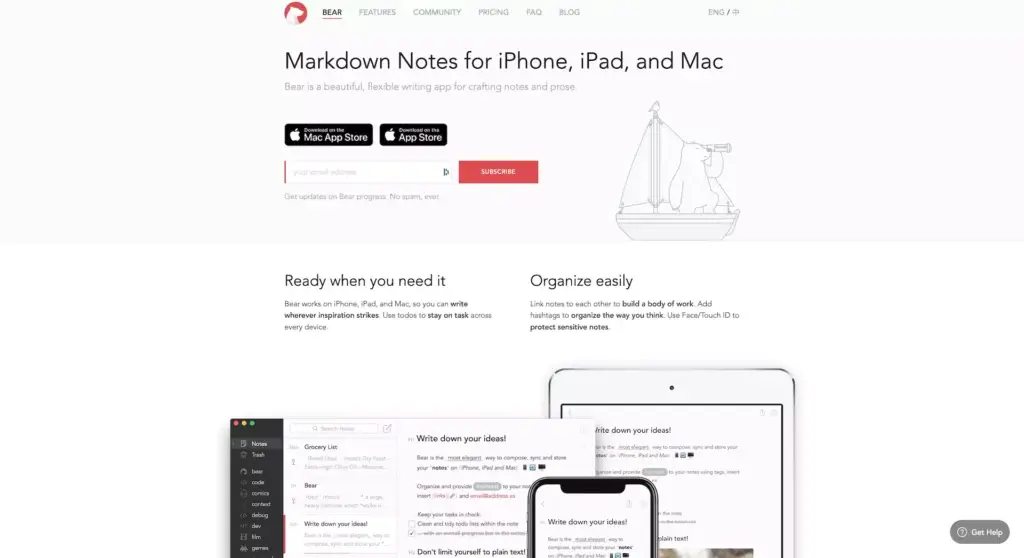
Bear is a minimalist, distraction-free writing app that lands closest to Evernote in pedigree. And that’s where the similarities end. Bear is modern, fast, and probably one of the most user-friendly text editors in the wild (if you’re into markdown).
Unlike other tools on our list, Bear doesn’t store notes in folders or notebooks. Instead, it lets you aggregate entries inside nestable tags. Every parent tag can have multiple children tags underneath so it’s easy to create clusters of related topics.
Love images and videos? We have some bad news. The app was designed with writers in mind so the multimedia support is somewhat limited. There are also no Windows or Android apps so no honey for you if you don’t an Apple device.
👍 Bear App Pros
Affordable monthly/yearly plans with unlimited devices
Streamlined writing with a fullscreen editor and colorful themes
Cross-linking with intuitive autocompletion
Lightweight with fast sync between desktop and mobile
👎 Bear App Cons
Organization with tags may be limiting
Limited multimedia support and no task management
Only available for Apple devices
No support for foldable lists or team collaboration
💵 Bear App Pricing
🟢 Free
Notes, tags, and attachments
Exporting to several file formats
🔵 Pro ($1.49/month or $14.99 annually)
Unlimited syn between devices
Colorful themes
Additional export options
Standard Notes
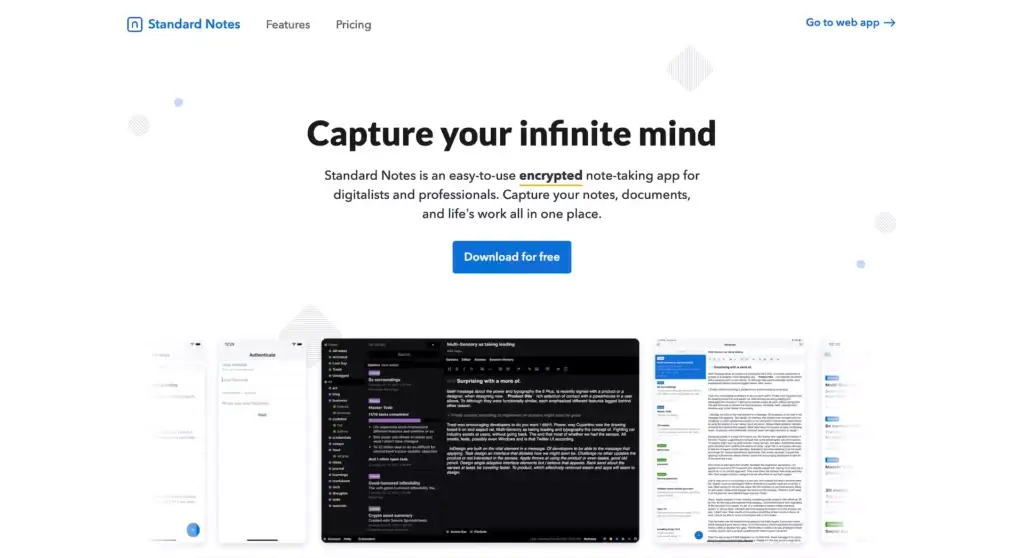
“And what if I’d rather go open-source?” Well, in that case, take a look at Standard Notes. Standard Notes is an open-source note-taking app that pairs solid UX with top-notch security that includes password protection and end-to-end encryption.
Building a second brain in Standard Notes is possible but not as intuitive as with other apps on the list. Since there's no backlinking feature, the only way to connect notes is to assign unique IDs and use the search to find them. Luckily, you can still #tag notes and organize them into folders.
Standard Notes doesn't offer any collaboration features but you can publish your drafts on the proprietary Listed blogging platform. Standard Notes works on all modern platforms, including Windows, Mac, Linux, Android, and iOS.
👍 Standard Notes Pros
End-to-end encryption and password-protected notes
Support for plain text/markdown, code, and to-dos
Listed blogging platform for publishing notes
Note history and cloud backup (paid)
👎 Standard Notes Cons
Most key features offered in the paid plan
No support for markdown in the free tier
Mobile apps feel underpowered
No sync/async collaboration
💵 Standard Notes Pricing
🟢 Free
Unlimited notes and devices
End-to-end encryption and offline access
Core ($4.99/month)
Everything in the Free plan +
30-day note history
Rich text and markdown
🔵 Plus ($9.99/month)
Everything in the Core plan +
Additional themes
Task and code formats
365-day note history
Listed custom domain
Tag nesting
🟣 Pro ($14.99/month)
Everything in the Plus plan +
Unlimited note history
Spreadsheets
Craft
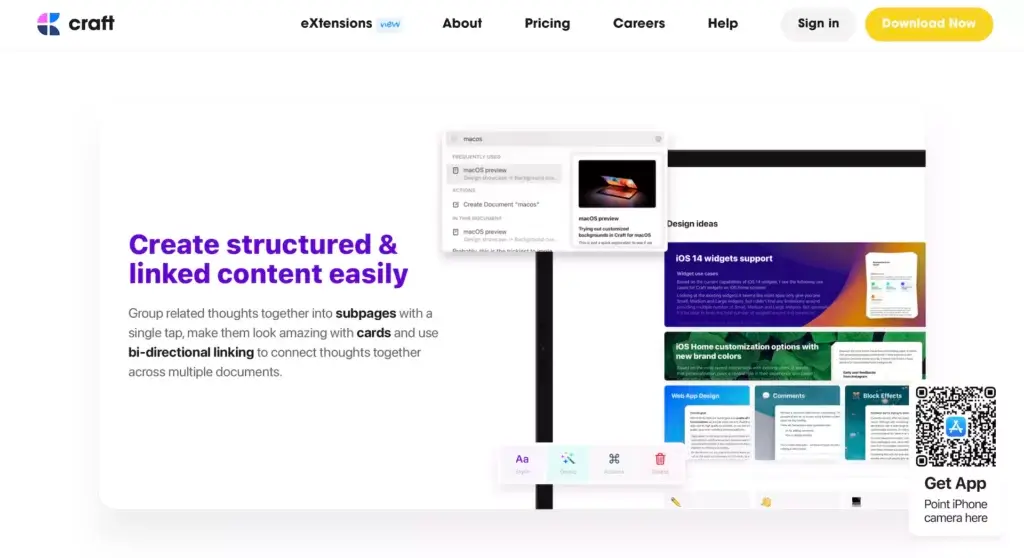
Craft is another fresh note-taking software that can double as your second brain. Launched in 2020, Craft lets users create aesthetic and rich notes on Mac, iOS, and in a web browser. At a glance, it may look like Apple Notes, but that’s where similarities end.
Notes in Craft are stored on “pages” that are organized into “folders.” But the rabbit hole goes even deeper. Craft’s hierarchical organization makes it possible to create sub-pages (called “cards”) and even bundle blocks of content into “groups.”
Of course, such intricate hierarchies beg for the ability to link everything together. Craft features an intuitive cross-linking mechanics that automatically aggregate all notes that link to a given page. There’s also a real-time collaboration component and (web) page sharing.
Emacs Org Mode
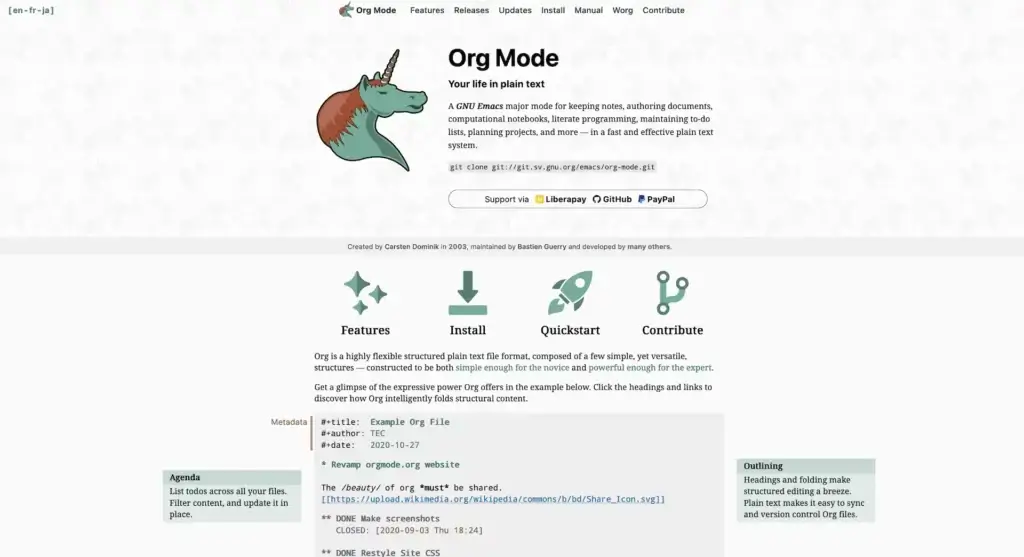
Created by Carsten Dominik in 2003, Org Mode (or simply “Org”) is a free extension or “mode” for the Emacs text editor. Org uses plain text files, supports a hierarchical content organization, and packs a ton of useful tricks, from to-do lists to markup links.
So, is this the right tool for you? Org isn’t a “modern” note-taking tool by any means. It comes with a bit of a learning curve too. But Org Mode's versatility makes it one of the best second brain apps, especially if you don't mind retro vibes and are willing to put in the time to learn it.
RemNote
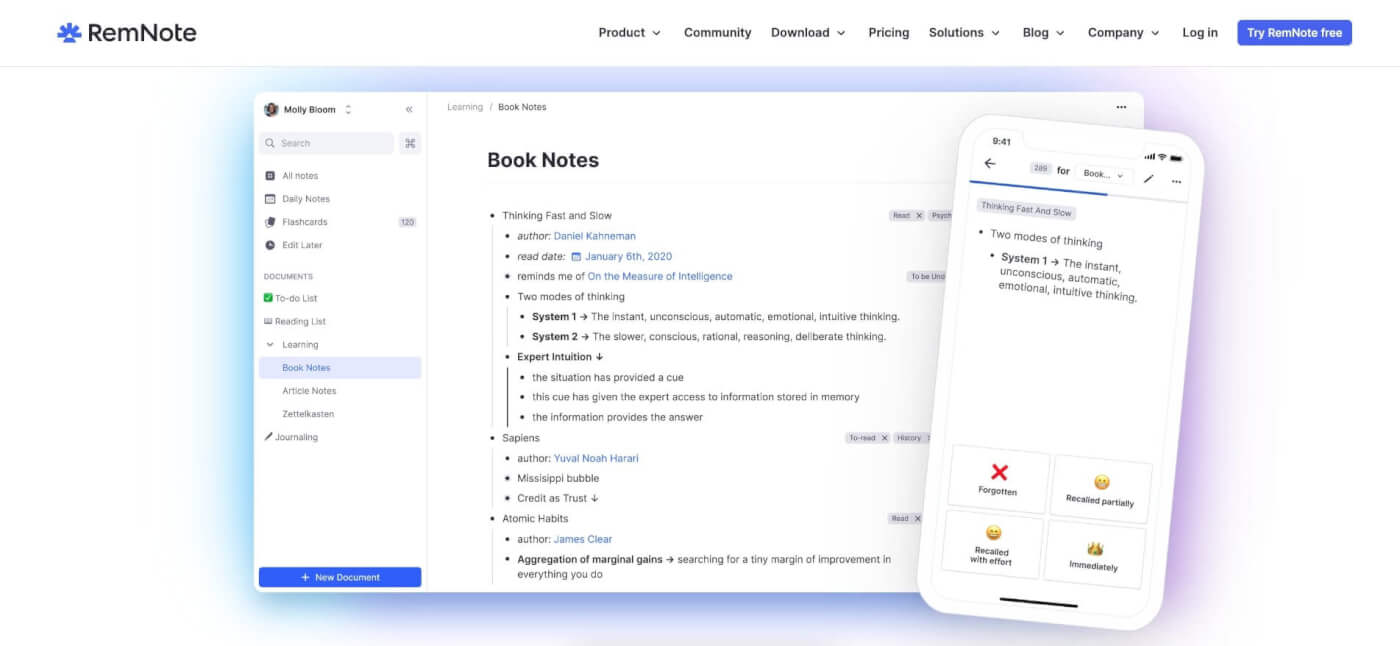
RemNote is an interesting tool for thought that combines the principles of spaced repetition, note-taking, and knowledge management. It organizes notes as "cards" that can be connected with each other, and uses a spaced repetition algorithm called Anki SM-2 to reinforce learning.
Similar to Tana, RemNote comes with its own implementation of the knowledge graph that displays the relationships between cards. Combined with flashcard-style notes, the app is a solid proposition for students and professionals who want to manage knowledge in an organized way.
👍 RemNote Pros
A unique approach to learning
Powerful knowledge graph
Flashcard-style notes
Customizable note templates
Strong search functionality
Markdown support
Cross-platform support
👎 RemNote Cons
Pricey one-time payment option
Not ideal for simple note-taking
Limited formatting options
No handwriting recognition
Limited export options
💵 RemNote Pricing
🟢 Free
Unlimited Rem Storage
2 knowledge bases
Unlimited devices
🔵 Pro (€ 8 / month billed annually)
Unlimited PDFs and knowledge bases
Unlimited file uploads
Collaboration features
Priority Support
🟡 Life Long Learner (€300 / one time)
Lifetime access to pro version on desktop
Cloud storage for 5 years
Tana
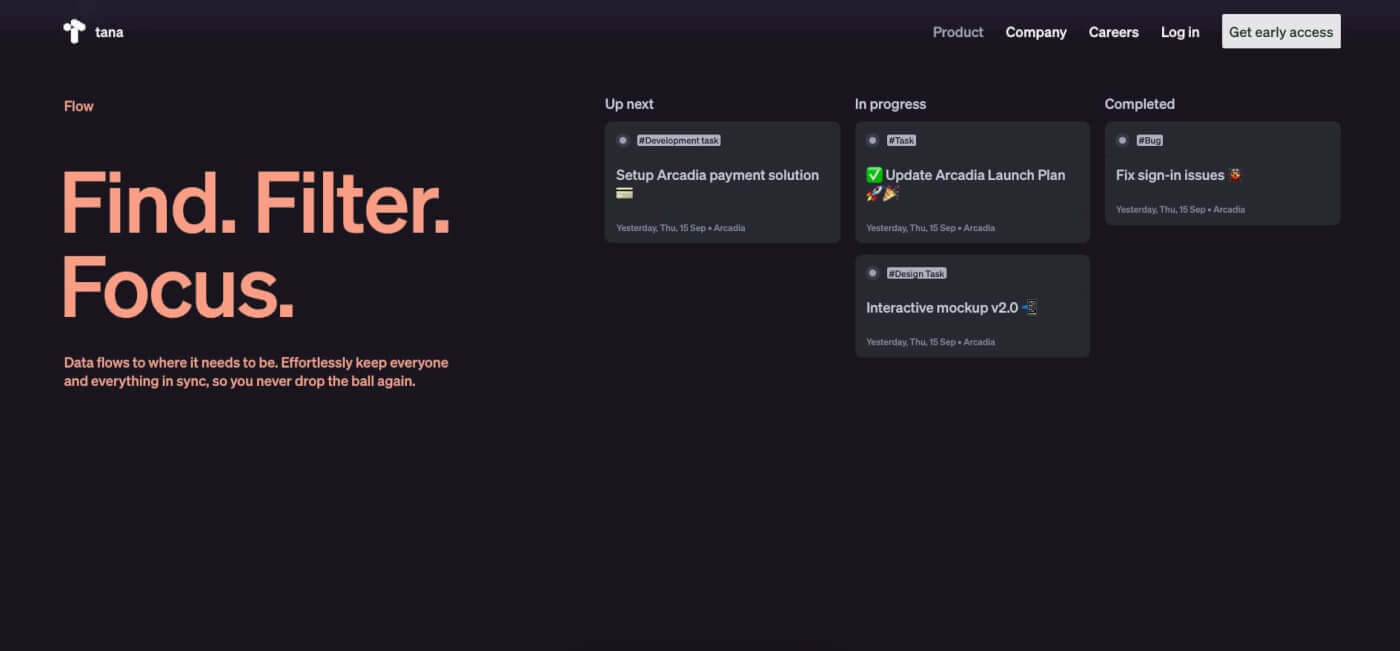
Tana is another holistic knowledge base tool that combines several knowledge management aspects including note-taking, organization and search. Similar to Obsidian, Roam, Tana comes with a built-in knowledge graph that makes it much easier to navigate connected notes.
The user interface is clean and simple — it breaks down into a navigation pane on the left and the editor space in the center. Most features are hidden from view. You need to call them using using what Tana cals a "Command Line" that's available under the ⌨️ Cmd/Ctrl + K shortcut.
Finally, the editor is built around the concept of nodes, which makes Tana a robust outlining tool, complete with folding nodes, drag & drop interface, and nested pages. Additional views including a list, table, cards, and columns help organize different types of content in one place.
👍 Tana Pros
Multiple editor views
Powerful Command Line
Clean and user-friendly interface
Aesthetic knowledge graph design
Nodes can act as nested pages
👎 Tana Cons
Still lacks a final pricing model
Only cloud-based
No mobile apps
💵 Tana Pricing
- 🟢 Free (for now)
Guru
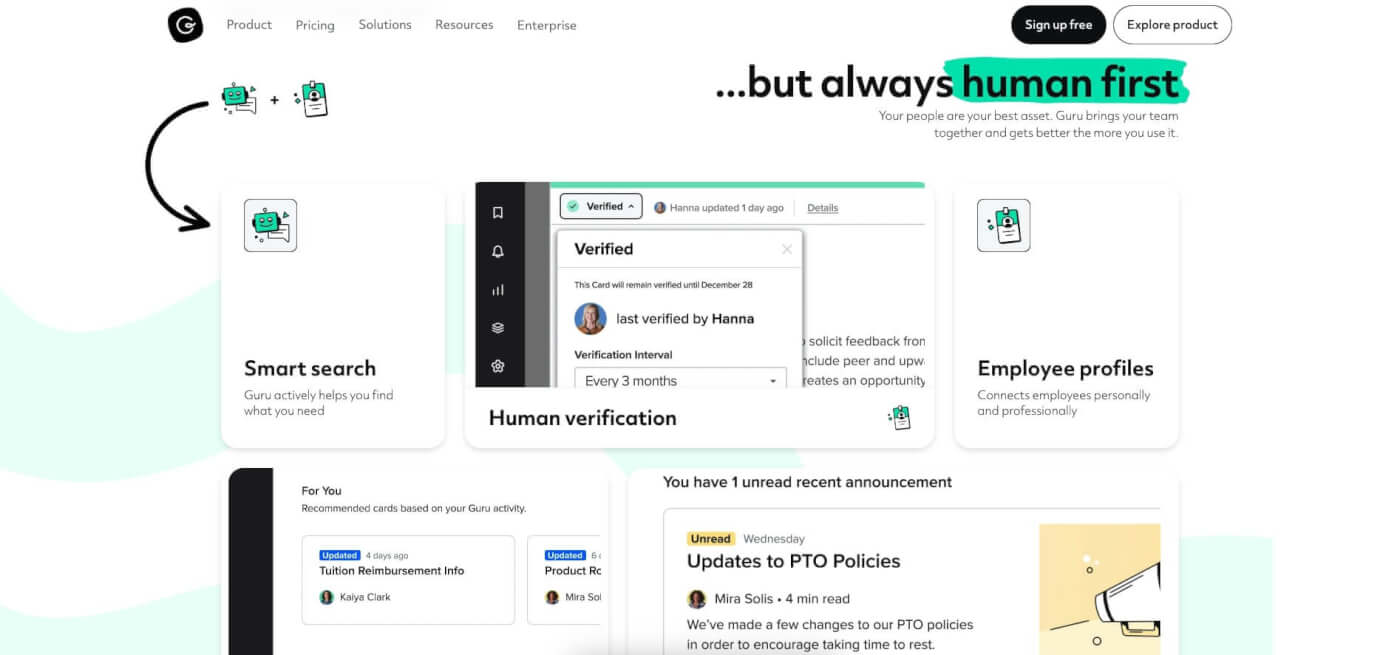
Guru is an AI-powered knowledge management solution designed to help teams manage and share knowledge more efficiently. Whether your team is working remotely or in the office, Guru can be a valuable tool for staying organized and collaborating effectively.
The app has a simple and user-friendly interface that quickly gives away its primary use case — to help organizations streamline knowledge management processes. All features, from the editor to build-in templates, are designed with teamwork in mind, and this is where Guru shines.
Apart from core features like knowledge capture, organization, and retrieval, Guru comes with an AI assistant that offers suggestions based on search history and usage. It can also generate, summarize, and improve internal documents, all seamlessly integrated into the core workflow.
👍 Guru Pros
Intelligent suggestions based on search history and usage patterns
Integrations with popular productivity and collaboration tools
Verification workflow for reviewing and approving new knowledge
Simple and user-friendly interface
Useful analytics dashboard
Integrations with Slack, Outlook, Teams and others
Security and privacy features
👎 Guru Cons
Limited multimedia support and no task management features
Some users may find the organization with tags limiting
Guru is not currently available on all platforms
There is no support for foldable lists (requires workarounds)
💵 Guru Pricing
🟢 Free
Limited to 3 users (+$5 per each user above the limit)
Browser extension
Slack and Teams integrations
Scheduled content verification
🔵 Builder ($10/month or $12 annually)
Advanced permissions
Analytics
Custom branding
And more...
🐑 Parting Words
Even the best app for knowledge base won't give superpowers (at least not overnight). But it will help you aggregate knowledge and create an intricate map of thoughts, observations, facts, and ideas. And that's the first step to transforming your work and personal life.
🧬 The Next Evolution: Your Second Brain, Alive
What if your second brain could think for itself? Taskade Genesis transforms knowledge management into living software — AI agents trained on your knowledge that can answer questions, execute tasks, and evolve as you learn. With vibe coding, describe what you need and Taskade builds it as a living app. Explore ready-made AI apps.
Ready to make the first step?
Plan, write, and organize smarter with Taskade AI! 🤖
Frequently Asked Questions About Second Brain Apps
What apps to use for a second brain?
The article already mentions several tools for creating a second brain, but a few stand out for their distinct use cases. Taskade is excellent for combining task management and note-taking. It also helps you organize thoughts and projects efficiently. Notion is versatile platform which allows you to manage notes, tasks, and databases all in one place. Finally, Evernote remains a reliable option for capturing and storing notes, documents, and images.
What is the second brain knowledge base?
A second brain knowledge base is a digital system to capture, organize, and retrieve information. Tools like Taskade offer useful features for this, including task management and note-taking. It's like having an external brain to manage knowledge, ideas, and tasks. This system integrates notes, documents, and insights, making them easy to find and use. The goal is to reduce mental clutter and boost productivity by storing and managing information in one place.
