







Every application started as a list.
Someone wrote down what they needed. Features. Users. Workflows. Then developers spent months turning that list into software — or teams spent weeks configuring no-code builders like Bubble, Retool, or Webflow.
TL;DR: Taskade Genesis collapses the software development timeline from months to
minutes. Write a to-do list, get a living system with AI agents, databases, and
automations. 150,000+ apps built since launch. Try it free →
Taskade Genesis collapses that timeline. Write a list. Get software. This is the AI Workspace Builder — where to-do lists become living systems.

| Traditional Development | No-Code Builders | Taskade Genesis |
|---|---|---|
| Idea, Requirements, Design, Dev, Test, Deploy | Idea, Configure, Connect, Test, Deploy | Idea, Prompt, Living System |
| 3-6 months | 2-4 weeks | 5-10 minutes |
| Developers + designers | Technical citizen developers | Anyone who can write a sentence |
| Static after deployment | Manual updates needed | Self-evolving with AI |
What Is an AI Workspace Builder?
An AI workspace builder transforms plain-text descriptions — lists, requirements, rough ideas — into fully functional software applications. Unlike code generators (Cursor, Bolt, Lovable) that produce source code files, Taskade Genesis creates deployed, intelligent systems that are ready to use the moment they are generated.
The difference is fundamental:
Code generators create files. Genesis creates deployed, intelligent living systems.
From List to Living Software
Consider a simple task list:
Project: Launch New Product
- [ ] Set up landing page
- [ ] Create email sequences
- [ ] Track leads
- [ ] Manage support tickets
- [ ] Report to stakeholders
In a traditional tool like Notion or Asana, this stays a checklist. You manually check boxes. Nothing connects. Nothing automates.
With Genesis, this list becomes:
- Landing page — SaaS Landing Page with custom domain
- Email sequences — Automated workflows that send based on triggers
- Lead tracking — Neon CRM Dashboard with AI-powered pipeline management
- Support tickets — Support Rating Dashboard with CSAT tracking
- Stakeholder reports — Investor Dashboard with automated KPI updates
One prompt. Complete system. Living software — powered by Workspace DNA.
The Philosophy: Lists Are Software
Traditional software development treats code as the primary artifact. Design systems, write functions, test edge cases, deploy to servers, maintain forever.
Genesis treats structure as the primary artifact. Every list implies structure:
| List Element | Implied Structure | Genesis Output |
|---|---|---|
| Tasks | Tracking system | Database with status, assignees, due dates |
| Contacts | Relationship database | CRM with interaction history |
| Processes | Automation rules | Triggered workflows with conditions |
| Goals | Progress metrics | Dashboard with AI-generated health scores |
| Notes | Knowledge base | Searchable memory with AI agents |
This is not magic. It is architecture. Genesis extracts the implied structure from your words and builds it across three layers: Memory (Projects), Intelligence (AI Agents), and Execution (Automations).
Example Transformations
Personal To-Do Becomes Intelligent Task Manager
Input list:
- [ ] Morning routine
- [ ] Work tasks
- [ ] Exercise
- [ ] Reading
Output: Minimalistic ToDo App
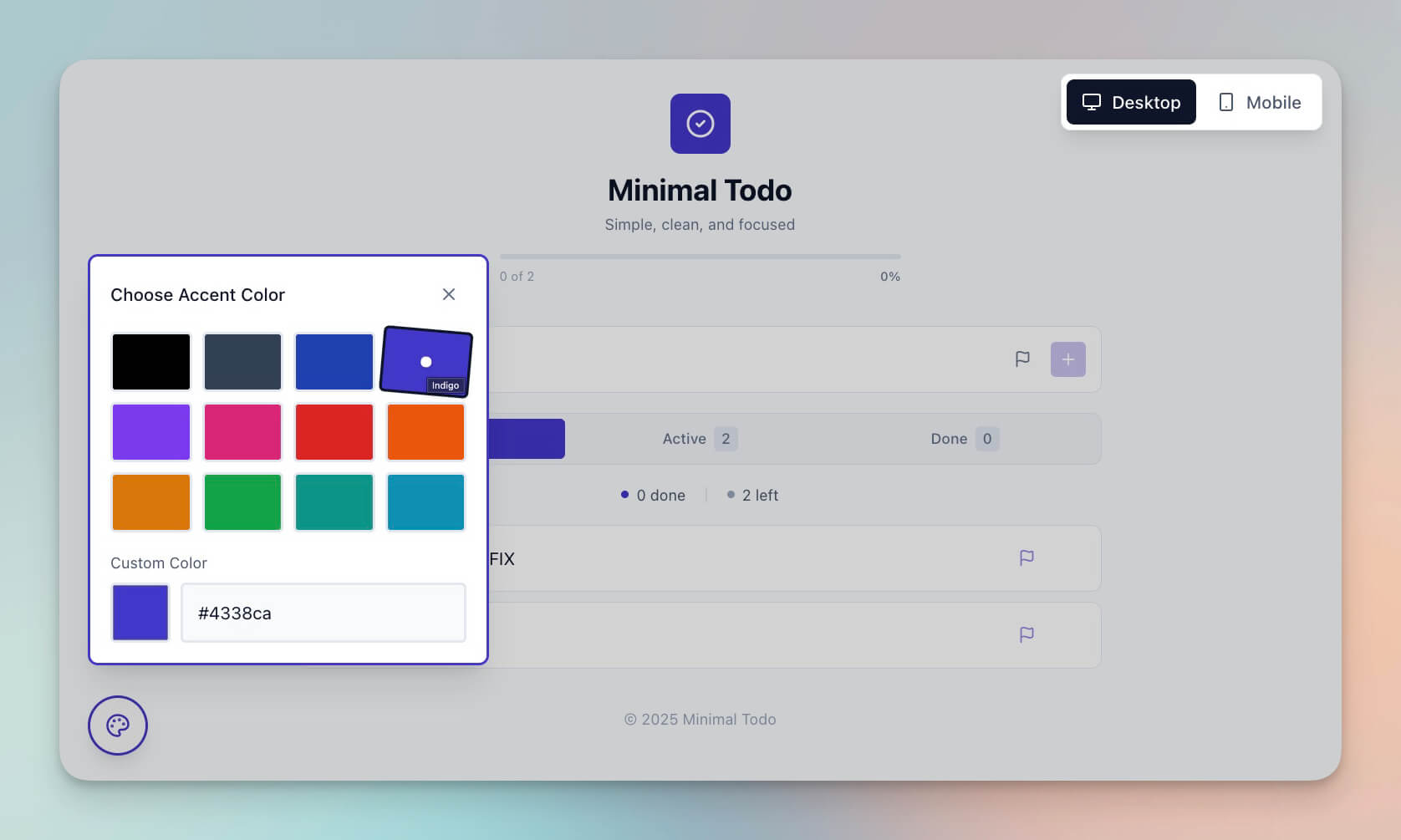
Plus:
- AI that prioritizes based on your patterns using persistent memory
- Automations that reschedule missed tasks
- Analytics on completion rates across multiple project views
Project Notes Become Project Dashboard
Input list:
Project Alpha
- Team: John, Sarah, Mike
- Deadline: March 15
- Budget: $50k
- Milestones: Design, Dev, Launch
Output: Monochrome Project Dashboard
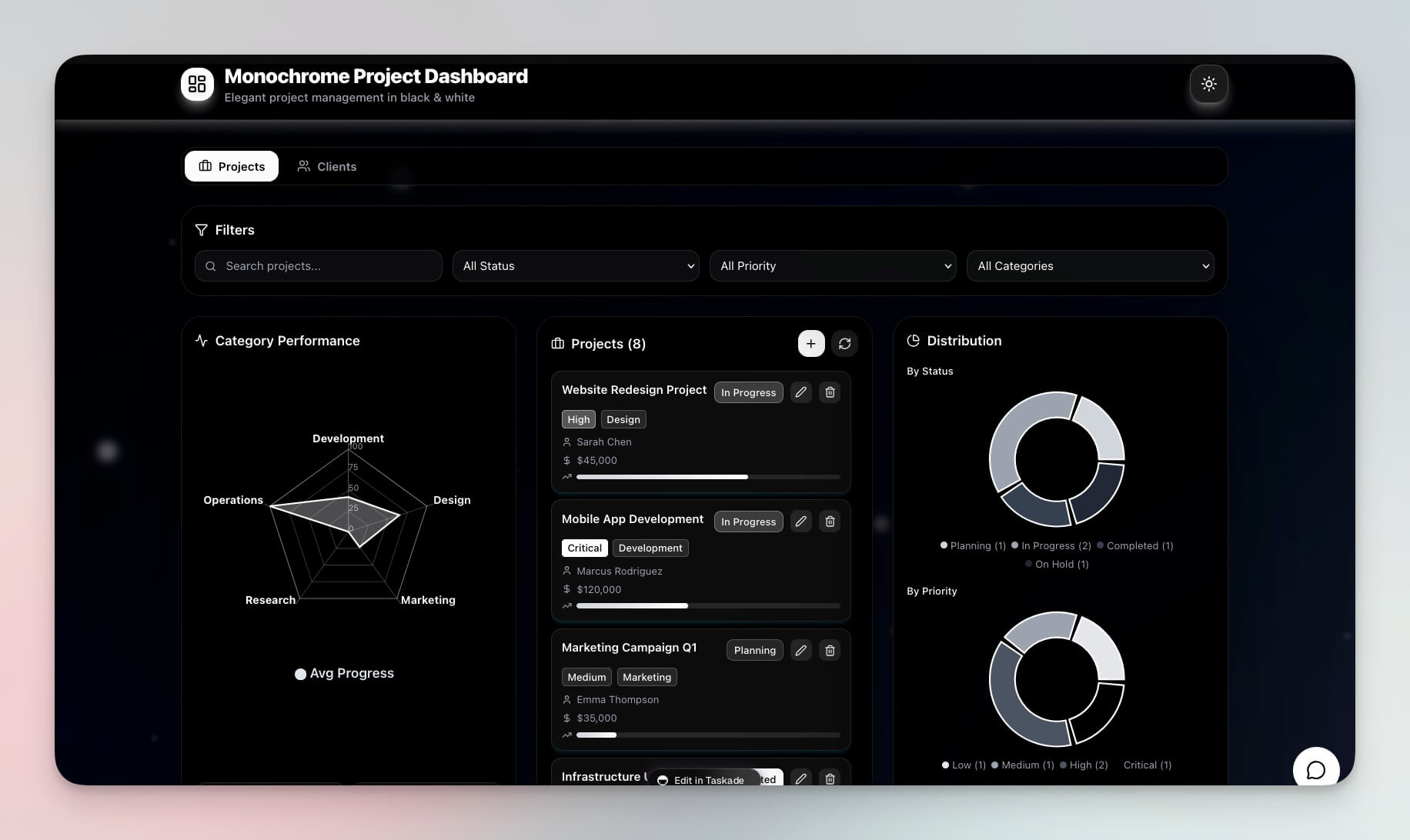
Plus:
- Team assignment tracking with role-based access
- Budget vs. actual monitoring with AI-generated alerts
- Milestone automation and deadline reminders via Slack or email
Customer List Becomes Full CRM
Input list:
Customers:
- Acme Corp - Enterprise - $10k/mo
- StartupXYZ - SMB - $500/mo
- BigCo - Enterprise - $25k/mo
Output: Neon CRM Dashboard
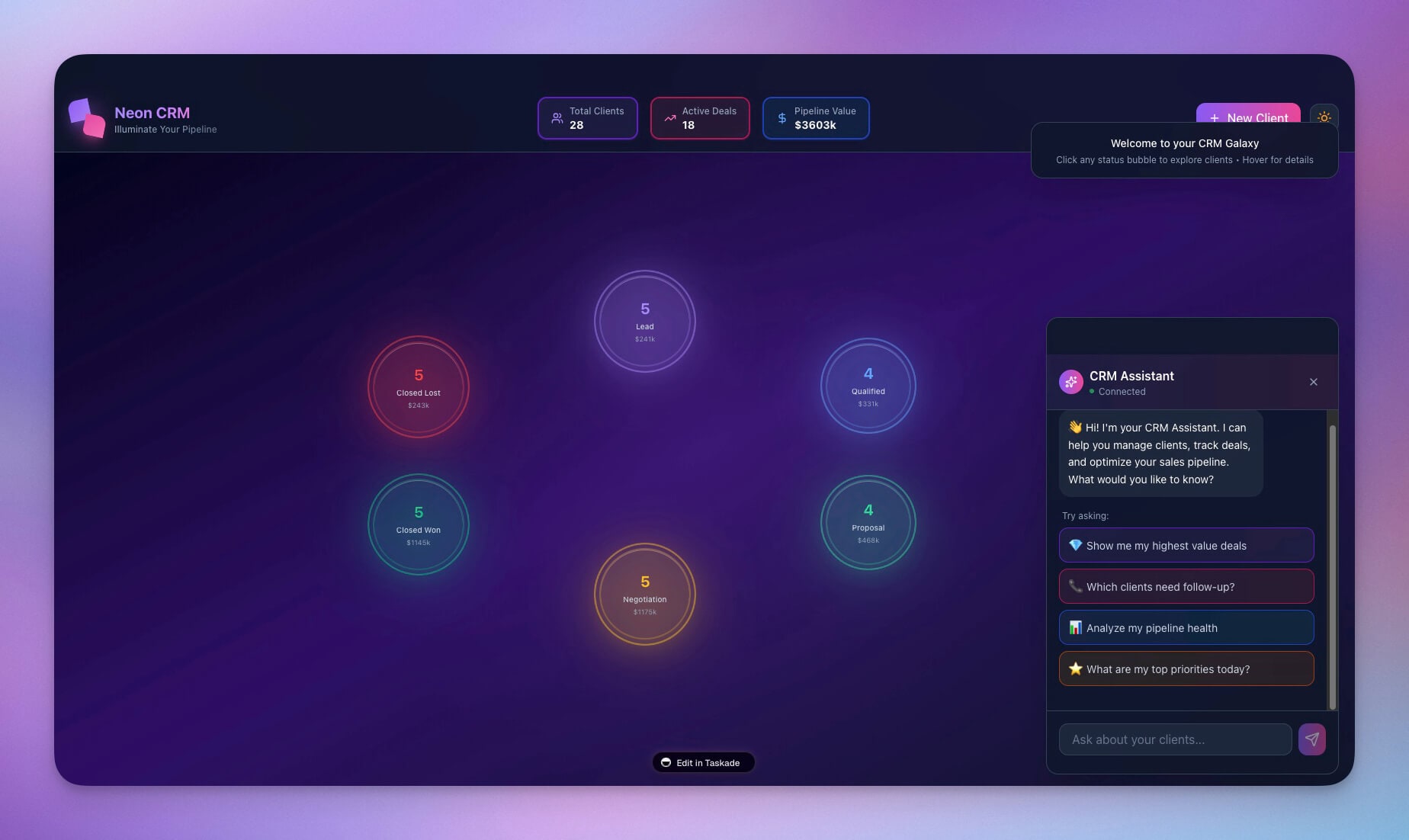
Plus:
- Full customer database with interaction history
- Revenue forecasting powered by AI agents
- Automated follow-ups via 100+ integrations
- Deal pipeline across Board and Table views
How It Works: Workspace DNA

Genesis uses Workspace DNA to transform lists into living systems. Three layers work together in a self-reinforcing loop:
1. Parse Structure
Genesis analyzes your list for:
- Entities (people, companies, tasks, products)
- Relationships (assignments, dependencies, ownership)
- Metrics (amounts, dates, counts, percentages)
- Workflows (sequences, conditions, triggers)
2. Create Memory
Structures become databases through Projects:
- Fields for each attribute with proper data types
- Multiple views for different perspectives (List, Board, Calendar, Table, Mind Map, Gantt, Org Chart)
- Relationships between records across tables
3. Add Intelligence
Context becomes understanding through AI Agents:
- Agents trained on your data with persistent memory
- built-in tools for analysis, search, and action
- Reasoning about priorities using frontier models from top AI labs
4. Enable Execution
Processes become automations through Workflows:
- Triggers for events (new record, status change, threshold breach)
- Actions for responses (send notification, update record, create task)
- Connected to 100+ integrations (Slack, Google Sheets, email, webhooks)
AI Workspace Builder vs No-Code vs Code Generators
Here is how Taskade Genesis compares to the tools teams typically consider for building internal applications:
| Capability | Taskade Genesis | Bubble (No-Code) | Retool (Low-Code) | Cursor (Code Gen) | V0 (Code Gen) |
|---|---|---|---|---|---|
| Input method | Natural language | Visual drag-and-drop | Visual + JavaScript | Code prompts | UI prompts |
| Time to working app | Minutes | Days to weeks | Hours to days | Hours to days | Minutes (UI only) |
| Built-in AI agents | Yes (built-in tools) | No | No | No | No |
| Built-in automations | Yes (100+ integrations) | Workflows plugin | Custom scripts | Manual | No |
| Hosting required | No (instant deploy) | Bubble hosting | Self-host or cloud | Self-host | Vercel deploy |
| Team collaboration | RBAC | Team plans | Team plans | Git-based | Git-based |
| Custom domains | Yes | Yes (paid) | Yes (enterprise) | Self-managed | Yes |
| Ongoing maintenance | Self-evolving | Manual updates | Manual updates | Code maintenance | Code maintenance |
| Annual pricing | Free / $10-$25/mo | $29-$349/mo | $10+/user/mo | $20-$40/mo | $20/mo |
The key difference: code generators create files you must host and maintain. No-code builders create apps you must manually update. Genesis creates living systems that evolve with your data.
Your Notes Are Your Spec
The quality of your list determines the quality of your software. More detail means more capability.
Weak list:
Task tracker
Strong list:
Task tracker for a marketing team with:
- Projects by campaign with budget tracking
- Tasks with assignees, due dates, priority (high/medium/low)
- Status tracking (backlog, in progress, review, done)
- Weekly summary emails to manager via automation
- AI assistant that suggests task priorities based on deadlines
- Slack notifications when tasks move to "review"
The strong list gives Genesis enough context to build a complete system with the right database schema, relevant AI agent capabilities, and appropriate automation triggers.
Lists You Can Transform Today
| Starting List | Becomes | Clone It |
|---|---|---|
| To-do items | Intelligent task manager | Minimalistic ToDo |
| Contact list | Full CRM system | Neon CRM |
| Project notes | Project dashboard | Monochrome Dashboard |
| Reading list | Reading tracker with AI recommendations | Book Tracker |
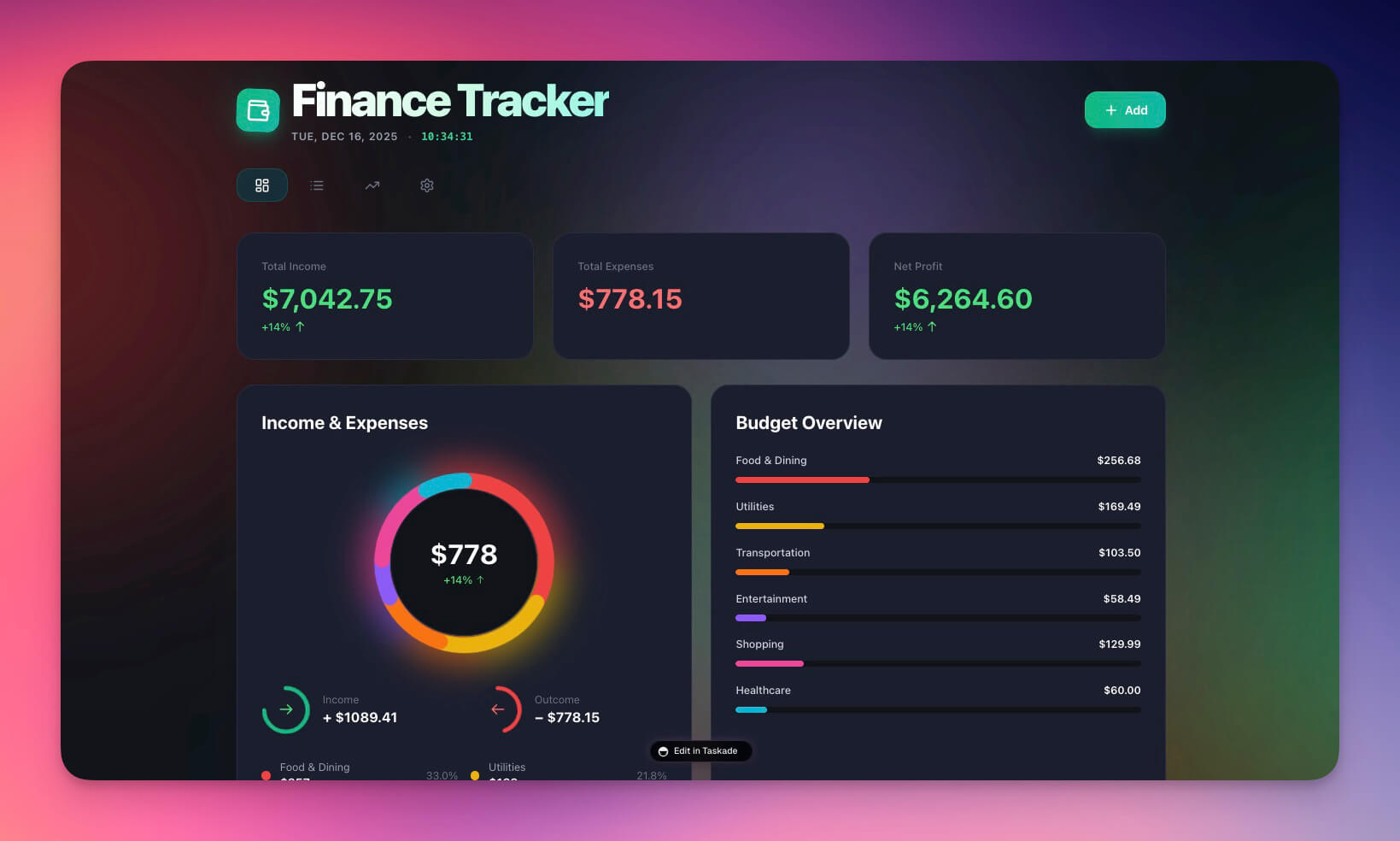
| Expense notes | Finance tracker with trend analysis | Finance Tracker |
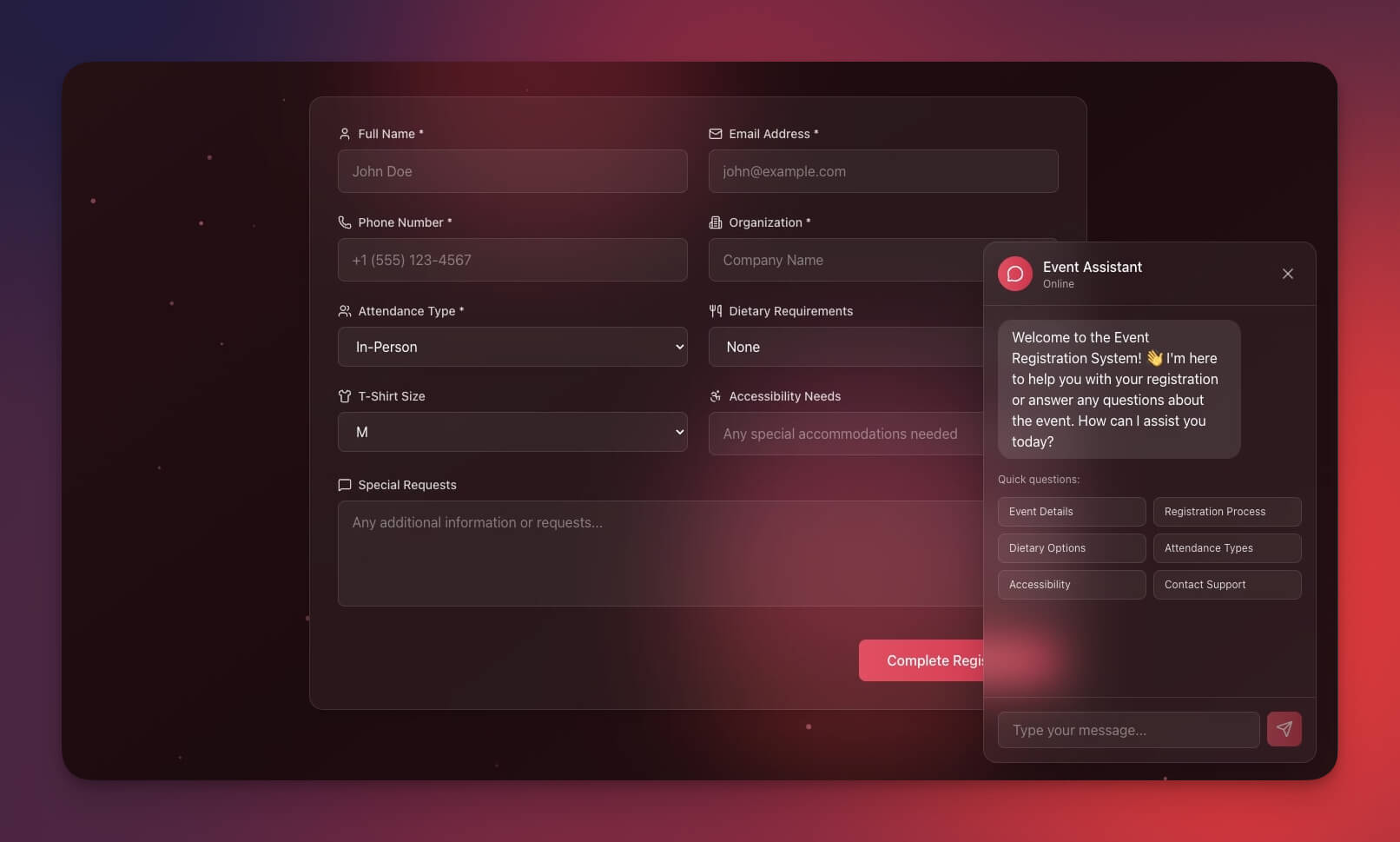
| Event plan | Event portal with registration | Event Portal |
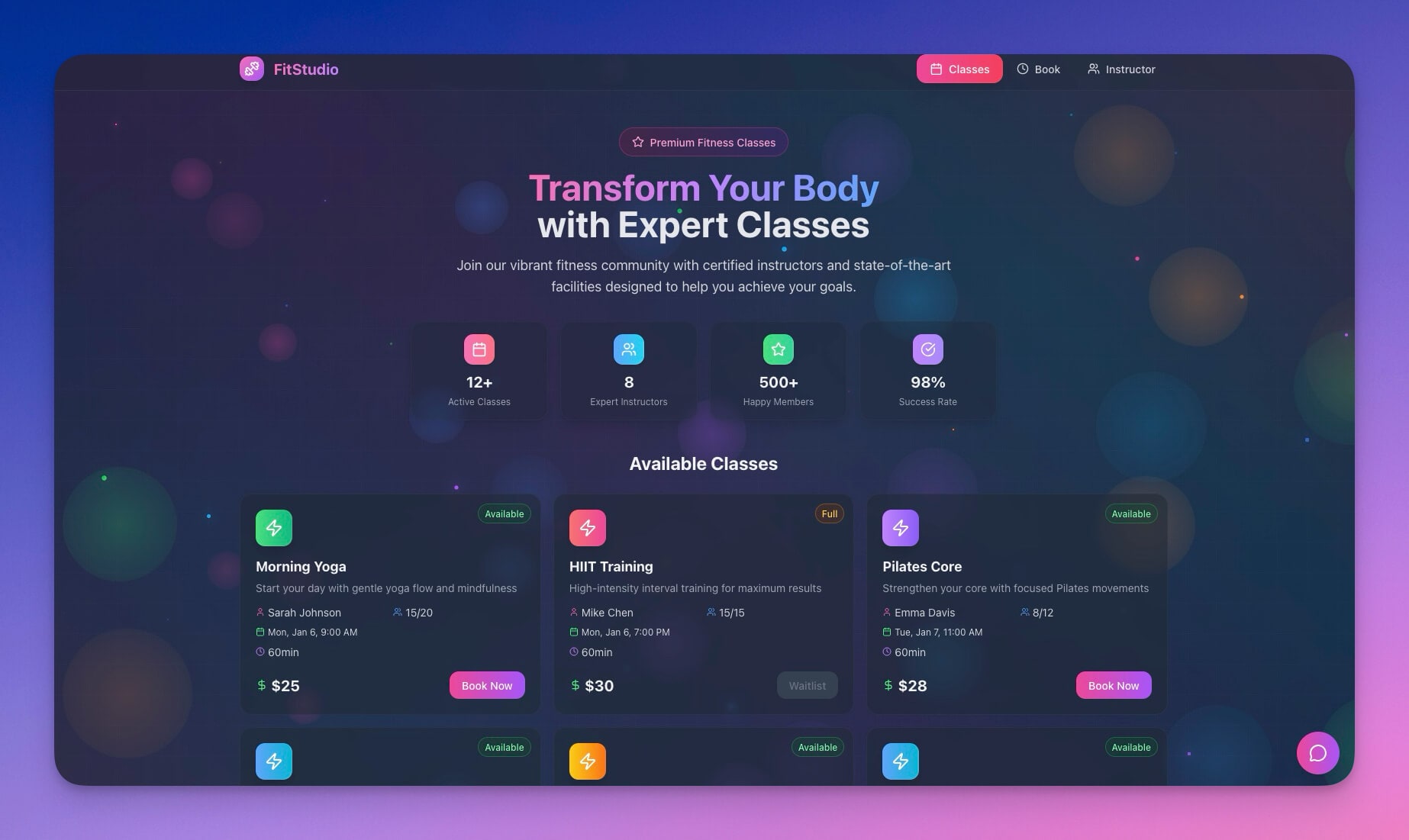
| Class schedule | Booking system with availability | Class Booking Portal |
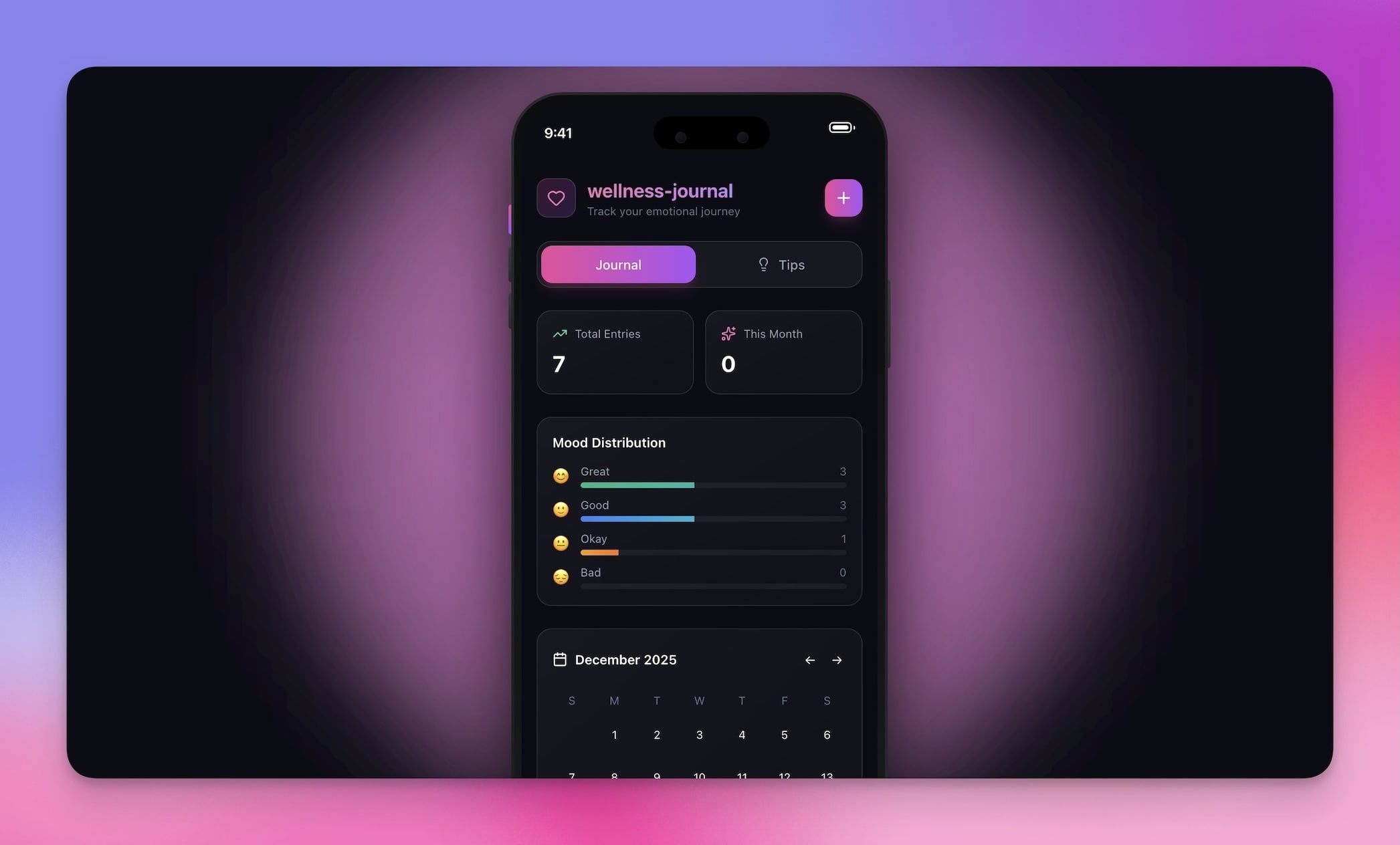
| Mood journal | Wellness tracker with AI coaching | Mood Tracker |
| Inventory list | Store manager with profit analysis | Store Manager |
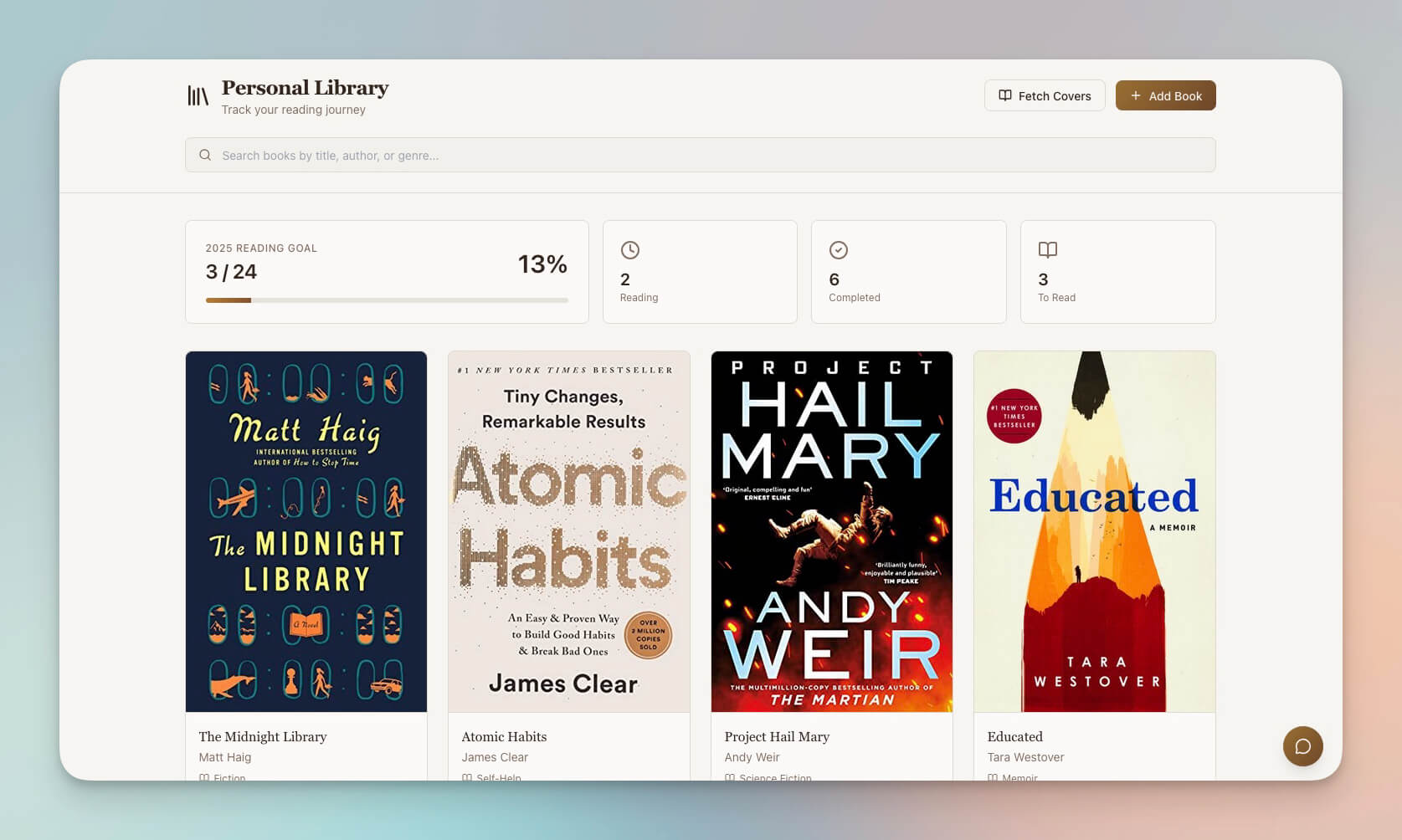
Why Living Software Matters
Traditional software is static. You build it, it stays that way until a developer changes it.
Lists are dynamic. They grow, change, evolve. Genesis workspaces match this reality because of Workspace DNA — the self-reinforcing loop where Execution creates Memory, Memory feeds Intelligence, and Intelligence triggers Execution.
| Static Software | Living AI Workspace |
|---|---|
| Fixed database schema | Adaptive structure that grows with your data |
| Hard-coded business logic | AI agents that reason about your specific context |
| Manual feature updates | Self-evolving automations based on patterns |
| Rigid process flows | Flexible workflows with 100+ integrations |
| Single-purpose tool | Multi-view system (multiple project views) |
| Requires developers | Natural language updates |
Your software grows with your list. No rebuilds. No migrations. No developers.
Start Transforming Your Lists
Turn your lists into living software:
- Open Taskade Genesis and click "Create App"
- Write or paste your list — tasks, contacts, processes, anything
- Use "Enhance Prompt" to expand your brief into a detailed spec
- Watch Genesis build your system with Projects, Agents, and Automations
- Customize, iterate, and share with role-based access
Learn more: Create Your First App →
Resources
Get started:
- Explore Community Apps — Clone workspace templates built by the community
- Workspace DNA — Understand the Memory + Intelligence + Execution architecture
- AI Agents Guide — Configure intelligent assistants
- Automation Triggers — Set up automated workflows
Your living workspace includes:
- Custom AI Agents with built-in tools and persistent memory
- Projects & Memory with multiple views (List, Board, Calendar, Table, Mind Map, Gantt, Org Chart)
- 100+ Integrations for automated workflows and notifications
Read more:
- 10 Personal AI Workspaces (Second Brain)
- How Workspace DNA Works
- Build Your First AI App: 12 Beginner Examples
- Build Without Permission
- The Origin of Living Software
- 10 AI Dashboards You Can Clone
Explore Taskade AI:
- AI Workspace — Create intelligent workspaces
- AI App Builder — Build complete applications from prompts
- AI Second Brain — Personal knowledge systems
Build with Genesis:
- Browse All Generator Templates — Apps, dashboards, websites, and more
- Browse Agent Templates — AI agents for every use case
- Explore Community Apps — Clone and customize

Frequently Asked Questions
What is an AI workspace builder?
An AI workspace builder transforms simple text descriptions — lists, requirements, ideas — into fully functional software applications. Taskade Genesis is an AI workspace builder that turns a to-do list into a living system with structured databases, AI agents with built-in tools, and automated workflows connected to 100+ integrations.
How does Taskade Genesis turn a list into software?
You write a natural language description of what you need — tasks, features, workflows. Genesis analyzes your input and generates a complete application with database schemas (Memory), AI agents (Intelligence), and automation rules (Execution). The result is not a mockup but a working system with real data storage, AI-powered actions, and automated processes.
What kinds of applications can I build from a simple prompt?
You can build project dashboards, CRM systems, client portals, e-commerce tools, support systems, content pipelines, booking platforms, and more. Each application includes multiple project views (List, Board, Calendar, Table, Mind Map, Gantt, Org Chart), AI agents powered by frontier models from top AI labs, and customizable automation workflows.
Do AI-generated workspaces support team collaboration?
Yes. Every Genesis workspace supports real-time collaboration with role-based permissions (Owner to Viewer). Multiple team members can work in the same workspace simultaneously, and AI agents assist everyone based on their role and context.
How does Taskade Genesis compare to traditional no-code builders?
Traditional no-code builders like Bubble and Retool require visual drag-and-drop configuration that still takes days or weeks. Taskade Genesis generates complete applications from a single natural language prompt in minutes. Genesis apps include built-in AI agents and automations that no-code builders lack — your app thinks and acts, not just displays.
What is the difference between a Genesis workspace and a code generator?
Code generators like Cursor, Bolt, and Lovable produce source code files that need hosting, deployment, and maintenance. Taskade Genesis creates living systems that are instantly deployed with built-in AI agents, databases, and automations. You get a working application, not a codebase to manage.
How much does it cost to build an app with Taskade Genesis?
Taskade offers a Free plan to get started. Paid plans include Pro at $10/month for up to 10 users and Business at $25/month for unlimited seats (annual billing). All plans include the Genesis AI app builder, AI agents, and automation workflows.
Can I publish a Genesis workspace as a public website?
Yes. Genesis workspaces can be published with custom domains, password protection, and built-in authentication. You can also embed workspaces in external sites or share them through the Community Gallery for others to clone.
What is Workspace DNA and how does it make lists into software?
Workspace DNA is Taskade's three-layer architecture: Memory (Projects that store structured data), Intelligence (AI Agents that analyze and act), and Execution (Automations that trigger workflows). When you write a list, Genesis maps each item to the appropriate layer — tasks become database records, processes become automation rules, and context becomes AI agent knowledge.
Is Taskade Genesis better than Notion for building internal tools?
Notion is a documentation tool with basic databases. Taskade Genesis builds living applications with AI agents that proactively analyze data, automations that trigger actions, and 100+ integrations. Notion requires manual updates. Genesis workspaces evolve with your data — Memory feeds Intelligence, Intelligence triggers Execution, Execution creates Memory.