






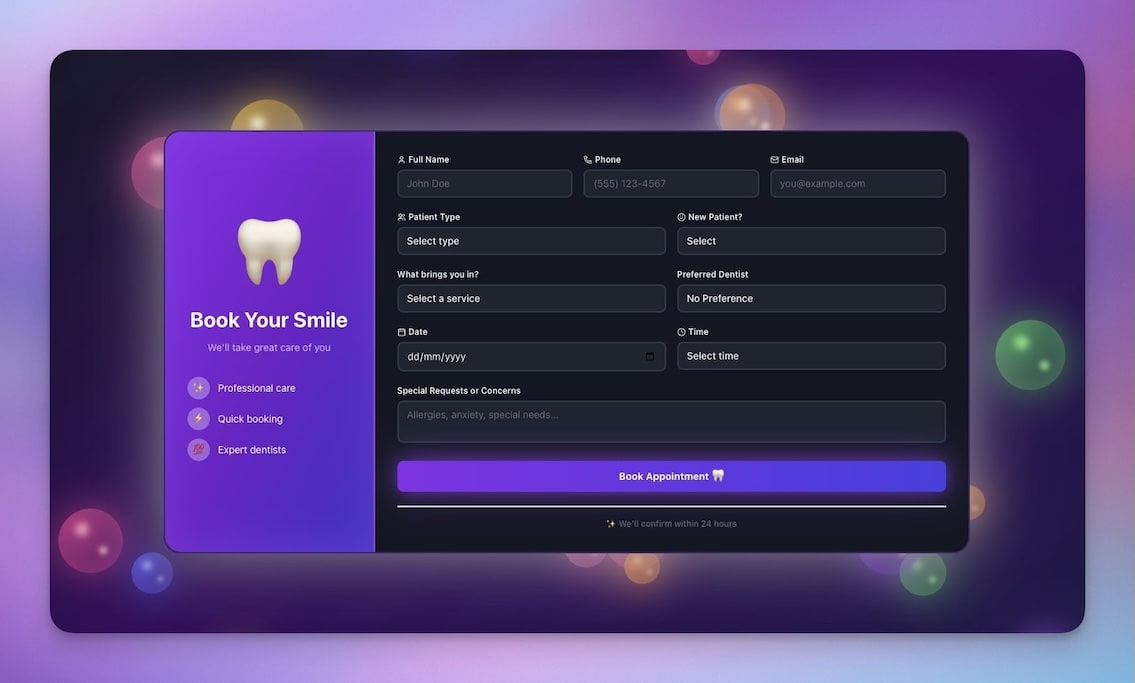
TL;DR — You do not need Calendly, Acuity, or a developer to build a booking system. Taskade Genesis lets you describe the scheduling app you need in plain language and generates a complete system with databases, AI agents, and automated confirmations in minutes. This guide covers 5 working booking apps you can clone today, a side-by-side comparison with dedicated scheduling tools, and a step-by-step prompt to build your own.
The Scheduling Problem
The global appointment scheduling market is projected to reach $633 billion by 2028. That number tells you something important: scheduling is not a solved problem. It is a massive, ongoing pain point for businesses of every size.
Industry research shows that roughly 38% of small businesses still rely on phone calls and email to manage appointments. Not a scheduling platform. Not a booking widget. Phone and email. The reasons are familiar: dedicated scheduling tools are expensive per seat, they are rigid in what they can do, and they force businesses to adapt to the software instead of the other way around.
On the enterprise end, tools like Calendly, Acuity Scheduling, and SimplyBook.me have established strong positions. They work well for what they do — letting someone pick a time slot on a calendar and sending a confirmation. But that is where they stop. They are scheduling links, not scheduling systems. They do not qualify leads. They do not route bookings to the right team member based on context. They do not trigger multi-step workflows when an appointment is booked, completed, or missed.
The gap between a static scheduling link and a true booking system is enormous. A scheduling link says "pick a time." A booking system handles the entire lifecycle: intake, qualification, scheduling, confirmation, reminders, follow-ups, no-show management, analytics, and CRM updates.
Until recently, closing that gap required either buying three or four separate tools and wiring them together with Zapier, or hiring a developer to build something custom. Both options are expensive, slow, and brittle.
Consider the hidden costs of the status quo. A missed appointment costs a service business an average of $200 in lost revenue. No-show rates without automated reminders hover around 20-30%. A business booking 100 appointments per month with a 25% no-show rate loses $5,000 monthly — far more than any scheduling software costs. Automated reminders alone cut no-show rates by half or more.
Then there is the time cost. A receptionist spending 30 minutes per day on scheduling — confirming, reminding, rescheduling, following up — burns 10+ hours per month. At $25/hour, that is $250 in labor for work that software handles in milliseconds.
The tools exist to solve these problems. The question is which one solves them without creating new ones.
Vibe coding changes this equation. With Taskade Genesis, you describe the booking system you need in natural language and get a working application — complete with data storage, AI intelligence, and automation workflows — in minutes. No code. No deployment. No hosting. No ongoing maintenance.
This article shows you exactly how.
5 Booking Apps You Can Clone Today
Before building from scratch, start with a working example. Each of these booking systems was built with Taskade Genesis and is ready to clone, customize, and deploy.
| # | App | Best For | Clone Link |
|---|---|---|---|
| 1 | Appointment Booking System | Consultants, coaches, healthcare | Clone |
| 2 | Fitness Class Booking Portal | Studios, gyms, workshops | Clone |
| 3 | Consultancy Booking Form | Agencies, B2B services, law firms | Clone |
| 4 | Room Booking Management | Offices, coworking spaces, venues | Clone |
| 5 | Broker Calendar | Real estate, insurance, financial services | Clone |
Each app includes pre-configured Projects (your database), AI Agents (your intelligent assistant), and Automations (your workflows). Clone one, add your data, and you have a live booking system.
How to Clone a Booking App
- Click any Clone link in the table above
- Sign in to your Taskade workspace (free)
- The app is copied to your workspace instantly
- Replace the sample services, hours, and branding with your own
- Share the link with clients or embed it on your website
The entire process takes under 5 minutes. You do not need to understand how the system was built — you just need to know what you want to change. Describe your modifications in plain language: "Change business hours to Monday through Saturday, 8am to 7pm" or "Add a new service called Deep Tissue Massage, 90 minutes, $120."
Why Build a Booking System With AI?
Traditional scheduling tools follow a linear path. A visitor picks a time, the system confirms, and the process ends. That is fine for simple one-on-one meetings. It falls apart the moment you need anything more.
Here is what the two approaches look like side by side:
TRADITIONAL SCHEDULING TOOL (Calendly, Acuity)
================================================
Visitor → Pick time → Confirm → Done.That's it. Everything else is manual.
GENESIS BOOKING APP (Taskade)
Visitor → AI qualifies → Pick time → Confirm
→ Reminder (24h) → Reminder (1h)
→ Follow-up (post-meeting)
→ CRM update → Analytics
→ Recurring booking suggestion
→ No-show detection → Re-engagement
Every step is automated. Every interaction is intelligent.
The difference comes down to Taskade's Workspace DNA architecture — three layers that work together:
Memory (Projects) — Your booking data lives in Projects with custom fields, multiple views (List, Board, Calendar, Table, Mind Map, Gantt, Org Chart), and structured records. Every appointment, client detail, service type, and time slot is stored and queryable. This is your database — no external infrastructure needed.
Intelligence (AI Agents) — Agents read your booking data and make decisions. A qualification agent asks prospects questions before showing availability. A routing agent assigns bookings to the right team member. A follow-up agent drafts personalized messages after appointments. These agents are trained on your data and work autonomously.

Execution (Automations) — Triggers fire automatically when bookings are created, updated, canceled, or completed. Actions include sending confirmations, updating calendars, notifying team members, logging data, and connecting to 100+ external tools. No Zapier subscription needed.
This three-layer architecture means a Genesis booking app is not a static form that collects times. It is a living system that qualifies, schedules, confirms, reminds, follows up, analyzes, and learns — all without manual intervention.
Here is a concrete example of what this looks like in practice:
- A visitor lands on your booking page. The AI Booking Agent greets them and asks what they need. Not a dropdown menu — a conversation. "I need a consultation about my company's tax strategy for Q2."
- The agent qualifies the lead. Based on the visitor's responses (company size, revenue, complexity), the agent scores the inquiry and routes it to the right team member. Enterprise clients go to senior partners. Small businesses go to associate consultants.
- The visitor picks a time. Available slots are filtered based on the assigned consultant's calendar, not a generic availability grid.
- The system confirms. An automated email goes out immediately with meeting details, preparation instructions, and a calendar invite.
- Reminders fire automatically. 24 hours before, 1 hour before — with the option to reschedule built in.
- After the meeting, follow-up begins. The Follow-up Agent drafts a personalized summary email. An automation creates a task to send a proposal within 48 hours. The client record updates with meeting notes.
- Analytics accumulate. Booking patterns, conversion rates, no-show rates, and revenue per appointment type are tracked automatically.
That entire workflow — from first visit to post-meeting follow-up — runs without any manual intervention. No Zapier. No spreadsheet. No remembering to send the follow-up email.
Deep Dives: All 5 Booking Apps
1. Appointment Booking System
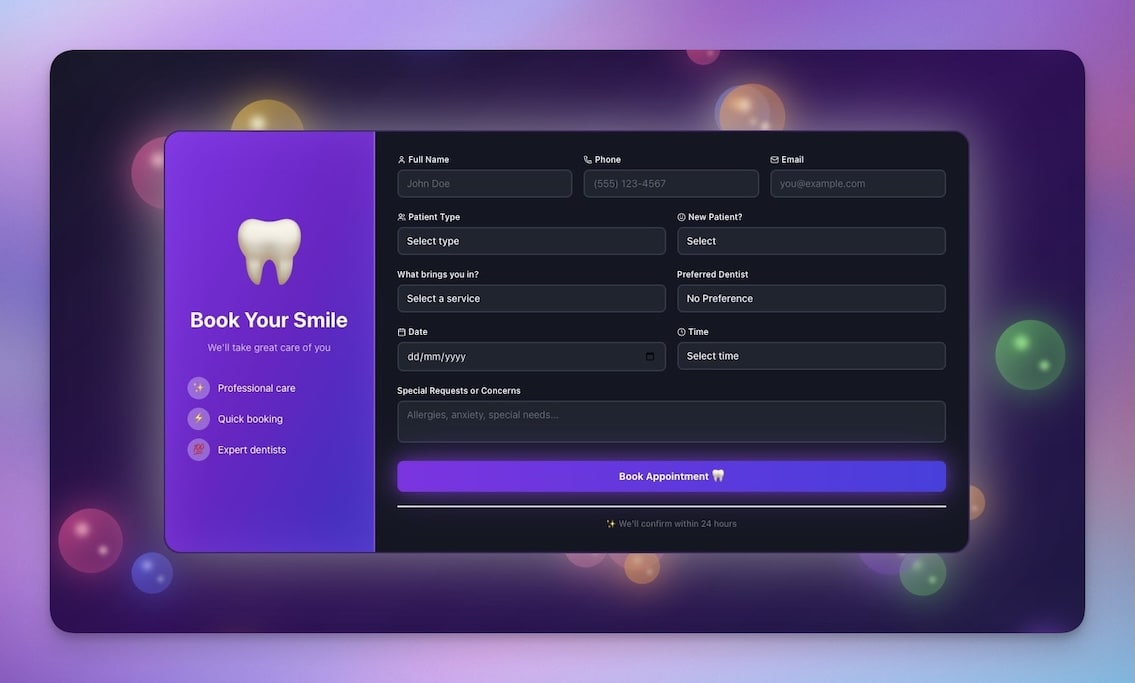
The Appointment Booking System is the foundational scheduling app. It handles the entire appointment lifecycle from service selection through post-appointment follow-up.
What it does: Visitors browse available services, select a date and time, fill in their contact details, and receive an automatic confirmation. The system tracks all bookings in a structured database, sends reminders before appointments, and logs outcomes for reporting.
Built for: Consultants, therapists, coaches, healthcare providers, accountants, lawyers — any professional who books one-on-one appointments with clients.
What is inside:
- Service catalog with descriptions, durations, and pricing
- Calendar-based availability display
- Client intake form with custom fields
- Booking confirmation and reminder sequences
- Admin dashboard with appointment history and analytics
- Status tracking: Pending, Confirmed, Completed, No-show, Canceled
Architecture: 3 Projects (Services, Bookings, Clients), 2 AI Agents (Booking Assistant that guides visitors through scheduling, Follow-up Agent that drafts post-appointment messages), 4 Automations (confirmation email on booking, 24-hour reminder, 1-hour reminder, post-appointment feedback request).
The Booking Assistant agent is trained on your services and availability. Instead of a static form, visitors interact with an AI that can answer questions like "What is the difference between a 30-minute and 60-minute session?" or "Do you have availability next Thursday afternoon?" before presenting the right booking options.
Clone Appointment Booking System
2. Fitness Class Booking Portal

Class-based booking is fundamentally different from one-on-one appointments. You are managing capacity, not availability. A yoga class has 20 spots, not one. Students need to see the schedule, book spots, join waitlists, and manage their upcoming classes — all from one interface.
What it does: Displays a weekly class schedule with instructor names, times, and remaining capacity. Students book spots, get added to waitlists when classes are full, and receive automatic notifications when spots open up. Instructors see their schedules and attendance reports.
Built for: Yoga studios, fitness centers, dance schools, martial arts gyms, cooking workshops, music schools — any organization that runs group sessions with limited capacity.
What is inside:
- Weekly class schedule with filters by type, instructor, and time
- Capacity management with real-time spot counts
- Waitlist system with automatic promotion when spots open
- Student profiles with booking history and attendance records
- Instructor dashboard with class rosters and attendance tracking
- Package and membership tracking (drop-in, 10-class pack, unlimited)
Architecture: 4 Projects (Classes, Students, Bookings, Instructors), 2 AI Agents (Schedule Assistant that helps students find the right class, Attendance Tracker that flags no-shows and engagement patterns), 5 Automations (booking confirmation, waitlist notification, class reminder, no-show tracking, weekly schedule email).
The real power is the capacity intelligence. When a student cancels, the system automatically moves the next person on the waitlist into the class and sends them a notification. When a class consistently fills up, the AI agent can suggest adding another session to the schedule.
Clone Fitness Class Booking Portal
3. Consultancy Booking Form
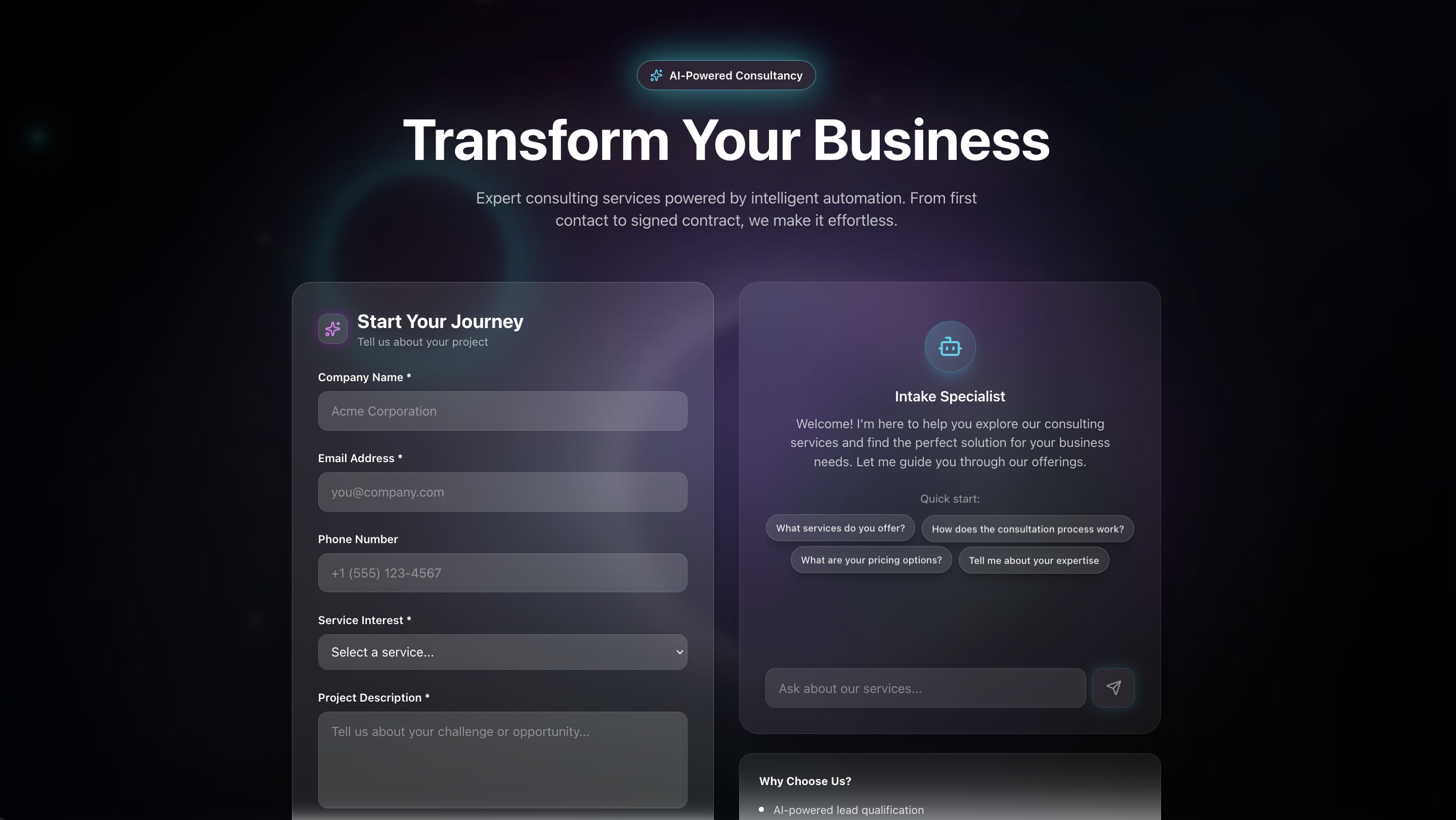
Most consultants do not want everyone to book a call. They want qualified prospects to book calls. The Consultancy Booking Form solves this by combining lead qualification with scheduling in a single flow.
What it does: Prospects answer qualifying questions — company size, budget range, timeline, specific challenges — before seeing available times. The system scores leads based on their responses and routes them to the appropriate consultant. High-value prospects get priority scheduling. Low-fit inquiries receive a polite redirect to self-service resources.
Built for: Consulting firms, marketing agencies, law firms, financial advisors, B2B SaaS companies — any business where pre-qualifying leads saves significant time.
What is inside:
- Multi-step intake questionnaire with conditional logic
- Lead scoring engine based on response values
- Consultant matching based on expertise and availability
- Calendar integration with available time slots
- Preparation materials sent automatically before meetings
- Post-consultation follow-up sequences with proposal templates
Architecture: 3 Projects (Leads, Consultants, Appointments), 3 AI Agents (Qualification Agent that scores and routes leads, Preparation Agent that gathers context before calls, Follow-up Agent that drafts proposals), 5 Automations (lead scoring on submission, consultant notification, confirmation with prep materials, reminder sequence, post-call follow-up).
The Qualification Agent is the standout feature. It reads the prospect's responses and determines fit based on criteria you define. A prospect with 500+ employees, a $50K+ budget, and a 3-month timeline gets routed directly to a senior partner's calendar. A prospect with 5 employees and no budget gets a helpful email with links to your blog and free resources. This happens automatically, saving hours of manual lead triage every week.
Clone Consultancy Booking Form
4. Room Booking Management
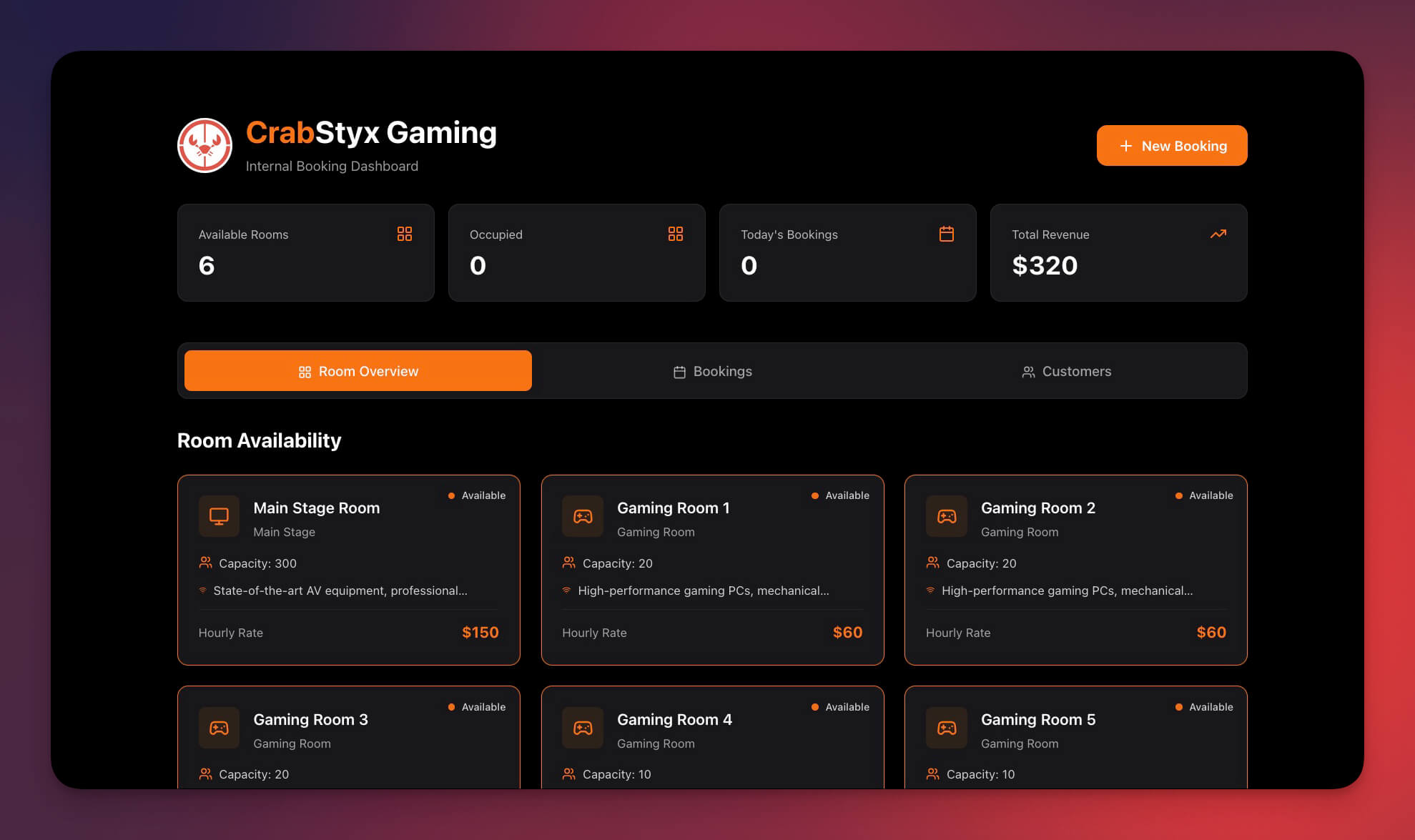
Double-booking a conference room is a small thing that causes disproportionate frustration. The Room Booking Management system eliminates this entirely with conflict detection, utilization tracking, and automated notifications.
What it does: Displays all rooms on a calendar view with real-time availability. Users book rooms for specific time slots, and the system prevents conflicts automatically. Recurring bookings are supported. Usage analytics show which rooms are popular, which are underutilized, and when peak demand occurs.
Built for: Offices, coworking spaces, universities, community centers, event venues, libraries — any organization managing shared physical spaces.
What is inside:
- Room catalog with capacity, amenities, floor location, and photos
- Calendar view showing all rooms with color-coded availability
- Conflict detection that blocks double-bookings before they happen
- Recurring booking support for weekly standups and recurring meetings
- Check-in confirmation to release unused bookings (no-show prevention)
- Utilization reports by room, day, and time period
Architecture: 3 Projects (Rooms, Bookings, Users), 2 AI Agents (Booking Assistant that suggests rooms based on meeting requirements, Utilization Analyst that generates weekly usage reports), 4 Automations (booking confirmation, 15-minute pre-meeting reminder, no-show release after 15 minutes, weekly utilization report to admins).
The conflict detection logic is critical. When someone tries to book Conference Room A from 2:00 to 3:00 on Tuesday, the system checks all existing bookings for that room and time. If there is a conflict, it suggests alternative rooms with matching capacity and amenities, or alternative time slots for the same room. This eliminates the back-and-forth that plagues shared calendar systems.
5. Broker Calendar
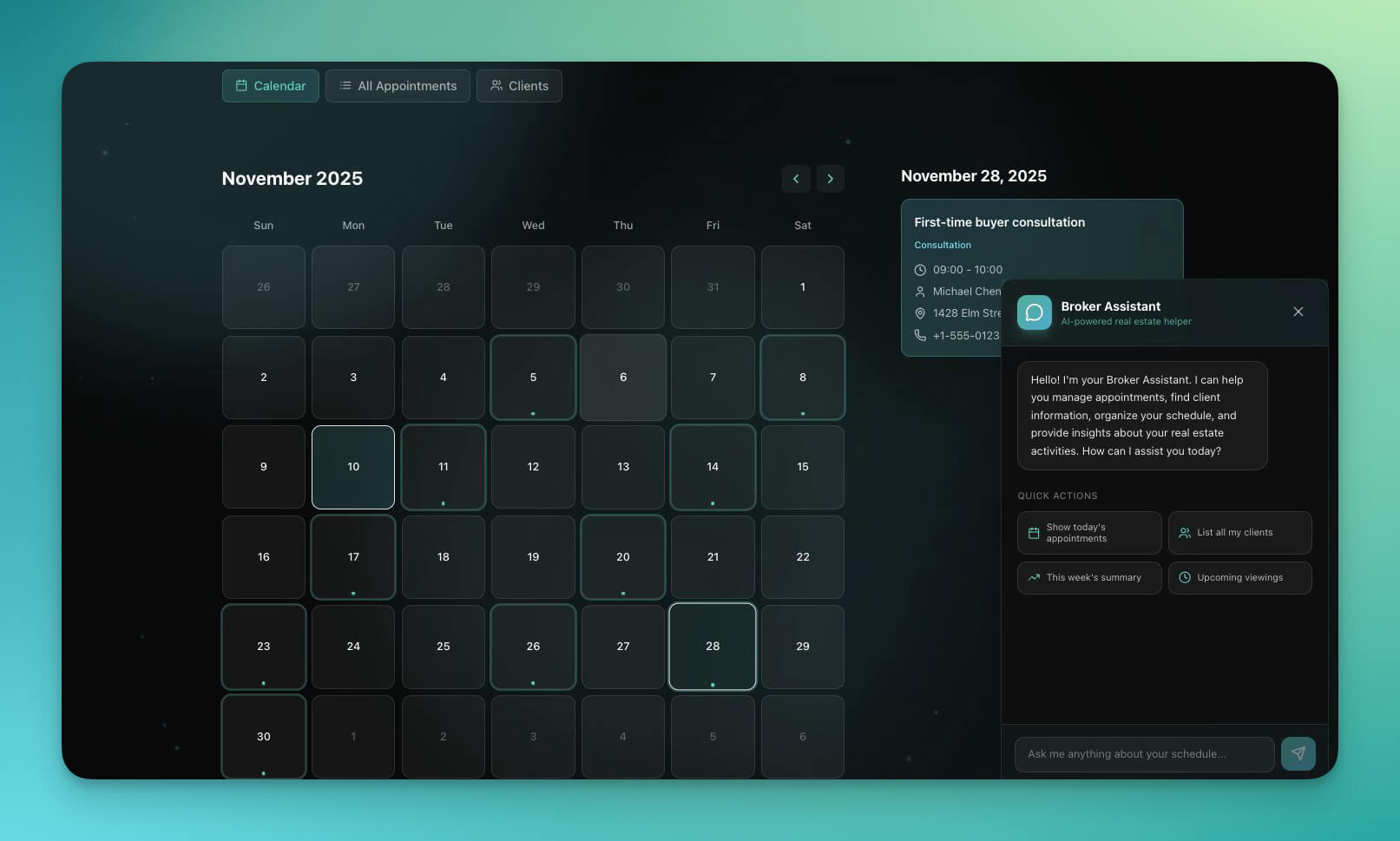
Real estate agents, insurance brokers, and financial advisors share a common scheduling challenge: they manage dozens of appointments across multiple locations, with varying durations, and each appointment requires preparation with client-specific context.
What it does: Clients browse available consultation types (property viewing, insurance review, financial planning session), select a time, and provide context about their needs. The system gives the broker a daily schedule with client profiles, preparation notes, and property or portfolio details for each meeting. Post-meeting workflows handle follow-ups, document requests, and next-step tracking.
Built for: Real estate agents, mortgage brokers, insurance advisors, financial planners, wealth managers — professionals who manage high-value, context-heavy appointments.
What is inside:
- Service types with different durations (15-minute phone screen, 30-minute consultation, 60-minute property viewing)
- Client profiles with history, preferences, and transaction records
- Daily agenda view with driving directions between locations
- Preparation briefs generated automatically before each meeting
- Follow-up task creation after appointments
- Pipeline tracking from initial inquiry to closed deal
Architecture: 4 Projects (Clients, Properties/Policies, Appointments, Pipeline), 3 AI Agents (Scheduling Agent that matches clients with available times, Preparation Agent that compiles client context before meetings, Pipeline Agent that tracks deal progress), 4 Automations (booking confirmation with address and directions, day-before preparation brief, post-meeting follow-up task creation, weekly pipeline summary).
The Preparation Agent is what separates this from a generic scheduling link. Before each meeting, it pulls the client's profile, previous interactions, property preferences (or insurance needs, or investment goals), and generates a one-page brief for the broker. Walking into a meeting prepared — without spending 20 minutes reviewing notes — is the kind of leverage that closes deals.
Live Demo
Try the Appointment Booking System live. This is a working Genesis app — interact with it, explore the interface, and see what you get out of the box:
This is not a mockup or a demo environment. It is a live Genesis app running on the same platform you would use. The data, the AI agent, and the automations are all real. You can explore the booking flow, test the interface, and see how the different components work together.
Want to customize it? Clone the app to your workspace and start modifying. Changes you make — adding services, adjusting time slots, configuring automations — take effect immediately. There is no build step, no deployment, and no waiting.
Build Your Own Booking System
Watch: Build a live AI app from a single prompt with Taskade Genesis.
You do not need to clone an existing app. You can build your own from scratch using a Genesis prompt. Here is a template you can paste directly into Taskade Genesis:
Build a booking system for [YOUR BUSINESS TYPE] with:BOOKING FLOW:
- Visitor selects a service from the catalog
- Visitor picks an available date and time
- Visitor fills in contact details and any required information
- System confirms the booking and sends a confirmation
FEATURES:
- Time slots: [15 / 30 / 60] minute increments
- Capacity: [1 for appointments / N for classes]
- Business hours: [Mon-Fri 9am-5pm / custom]
- Buffer time: [15 minutes between appointments]
- Confirmation page with booking details
- Admin dashboard showing all bookings by day/week/month
AUTOMATIONS:
- Email confirmation immediately after booking
- Reminder 24 hours before the appointment
- Reminder 1 hour before the appointment
- Follow-up message 24 hours after the appointment
- No-show detection if appointment is not marked complete
DATABASE FIELDS:
- Client: name, email, phone, notes
- Booking: service, date, time, duration, status
- Service: name, description, duration, price
Replace the bracketed values with your specifics. For example:
Build a booking system for a dog grooming salon with:BOOKING FLOW:
- Pet owner selects a grooming service (bath, trim, full groom, nail clip)
- Pet owner picks an available date and time
- Pet owner enters pet details (name, breed, size, special instructions)
- System confirms and sends details to the groomer
FEATURES:
- Time slots: 30-minute increments
- Capacity: 1 pet per groomer per slot
- Business hours: Tue-Sat 8am-6pm
- Buffer time: 15 minutes between appointments
- Service pricing displayed before booking
- Admin view showing daily groomer schedules
AUTOMATIONS:
- Confirmation email with service details and price
- Reminder with preparation instructions (bathing tips) 24 hours before
- Reminder 1 hour before
- Follow-up with rebooking prompt 6 weeks after appointment
- No-show tracking with automatic reschedule offer
Paste either prompt into Genesis, and you will have a working booking system within minutes. Every component — the database, the interface, the AI agent, and the automations — is generated and connected automatically.
Tips for Writing Better Booking Prompts
The quality of your booking system depends on the specificity of your prompt. Here are patterns that produce better results:
Be explicit about the booking flow. Do not just say "booking system." Describe each step the visitor takes. Does the visitor pick a service first, or a time first? Do they need to answer intake questions? Is there a confirmation page?
Specify your time constraints. Business hours, time zones, buffer times between appointments, and minimum lead time for bookings (e.g., "bookings must be made at least 2 hours in advance") all affect how the system behaves.
Define your statuses. Most booking systems need at least five statuses: Pending, Confirmed, Completed, Canceled, and No-show. If your business has additional states (e.g., "Rescheduled," "Waitlisted," "In Progress"), include them in the prompt.
Describe your automations in terms of triggers and actions. Instead of "send reminders," say "when a booking status changes to Confirmed, send an email with the appointment details, address, and preparation instructions." The more specific you are, the more useful the automation will be.
Include sample data. If you list example services with durations and prices in your prompt, Genesis will create a richer starting point. "Services: Basic Consultation (30 min, $75), Strategy Session (60 min, $150), Full Audit (90 min, $300)" gives the system concrete data to work with.
Taskade vs. Dedicated Booking Tools
The question most people ask is: "Why not just use Calendly?" It is a fair question. Here is a detailed comparison.
| Feature | Taskade Genesis | Calendly | Acuity Scheduling | SimplyBook.me |
|---|---|---|---|---|
| Build method | Describe in plain language | Configure pre-built templates | Configure pre-built templates | Configure pre-built templates |
| AI agents | Built-in, trainable on your data | None | None | None |
| Custom UI | Fully customizable interface | Limited branding options | Limited branding options | Theme customization |
| Database | Built-in Projects (multiple views) | No database — calendar only | No database — calendar only | Basic client records |
| Automations | Built-in engine, 100+ integrations | Basic email/SMS workflows | Basic email/SMS workflows | Basic notifications |
| Custom domain | Shareable link, embeddable | Custom link on paid plans | Custom link on paid plans | Custom domain on paid plans |
| Free plan | 3 apps, 1 AI agent, 3 automations | 1 event type, basic features | 7-day trial only | 50 bookings/month |
| Evolves with business | Add features by describing them | Fixed feature set per plan | Fixed feature set per plan | Fixed feature set per plan |
| Lead qualification | AI agent pre-qualifies visitors | Not available | Intake forms only (no scoring) | Basic intake forms |
| Post-booking workflows | Multi-step automated sequences | Single confirmation + reminder | Single confirmation + reminder | Basic notifications |
| Pricing | Free / Pro $10/mo billed annually | Free / $12/user/mo | $16/mo | $9.90/mo |
The core difference is not features — it is architecture. Calendly is a scheduling link. It does one thing well: let someone pick a time. Taskade Genesis builds a complete booking system with intelligence, data, and workflows baked in.
When you outgrow Calendly, you add Zapier ($20/mo) for workflows, a CRM ($50/mo) for client data, and maybe a form tool ($25/mo) for intake. With Genesis, those capabilities are already there. You describe what you need, and the system grows.
Where Each Tool Wins
To be fair, each tool has genuine strengths:
Calendly wins when you need the simplest possible scheduling link with zero learning curve. It invented the "pick a time" paradigm and executes it flawlessly. Native Google Calendar and Outlook sync is seamless. If all you need is a link that lets people book 30-minute meetings with you, Calendly is excellent.
Acuity Scheduling wins when you need service-based booking with built-in payment processing. Accept deposits, sell packages, and collect payments at the time of booking. The Squarespace integration is also strong for businesses already on that platform.
SimplyBook.me wins on breadth of native features at an affordable price. Accept bookings through Facebook, Instagram, and Google. Built-in point-of-sale features. The $9.90/month starting price is competitive for basic scheduling.
Taskade Genesis wins when you need more than a scheduling link. When you want AI intelligence that qualifies leads, agents that prepare you for meetings, automations that handle the entire post-booking workflow, and a database that grows with your business. Genesis is not a scheduling tool — it is a platform that can build scheduling systems along with everything else your business needs.
The question is not "which tool has the best booking feature?" It is "do I need a booking tool, or do I need a booking system?"
The Economics of Building vs Buying
For solo professionals, Calendly's free tier works fine. But the moment you have a team, the math changes dramatically.
DEDICATED TOOLS (5-person team)
================================
Calendly Teams:      $12/user/mo x 5 = $60/mo
Zapier (workflows):  $20/mo
CRM (client data):   $50/mo
Form tool (intake):  $25/mo
────────────────────────────────────
Total:               $155/month
                     $1,860/yearTASKADE GENESIS
Pro plan:             $10/month (billed annually)
(includes apps, agents, automations,
database, collaboration — unlimited)
────────────────────────────────────
Total:               $10/month
$120/year
That is a 15x cost difference. For a 5-person team, Genesis saves over $1,700 per year — and you get more capability, not less. The AI agents alone replace functionality that would cost hundreds per month from standalone AI tools.
Even compared to a single-user Calendly Pro subscription at $12/month, Genesis at $10/month billed annually is cheaper and includes an AI booking assistant, automated follow-up workflows, a full database, and the ability to build unlimited additional apps in the same workspace.
The economics become even more favorable over time. When you need a new feature in Calendly, you wait for them to build it or you buy another tool. When you need a new feature in Genesis, you describe it and the system adds it. Your scheduling system evolves at the speed of your business, not the speed of a product roadmap you do not control.
The Hidden Cost: Developer Time
There is another cost that rarely appears in pricing comparisons: the cost of building a custom booking system from scratch.
CUSTOM DEVELOPMENT
Freelance developer:   $100/hr × 80 hrs = $8,000
Design:                $2,000
Hosting (Vercel/AWS):  $50/mo
Database (Supabase):   $25/mo
Email service:         $20/mo
Maintenance:           $500/mo (ongoing bug fixes, updates)
────────────────────────────────────────────────
Year 1:                $8,000 + $2,000 + $1,140 = $11,140
Year 2+:               $7,140/year (maintenance + infrastructure)
Custom development makes sense for companies with unique, complex scheduling requirements and engineering teams to maintain the codebase. For everyone else, it is a disproportionate investment. A Genesis booking system delivers 90% of the functionality at 1% of the cost — and it is live in minutes instead of months.
Total Cost of Ownership: 3-Year View
| Solution | Year 1 | Year 2 | Year 3 | 3-Year Total |
|---|---|---|---|---|
| Calendly + Zapier + CRM (5 users) | $1,860 | $1,860 | $1,860 | $5,580 |
| Custom Development | $11,140 | $7,140 | $7,140 | $25,420 |
| Taskade Genesis Pro (billed annually) | $120 | $120 | $120 | $360 |
The three-year savings of Genesis over a Calendly stack is $5,220. Over custom development, the savings is $25,060. These are real dollars that flow directly to your bottom line.
Industry-Specific Booking Use Cases
Booking systems are not one-size-fits-all. Different industries need different workflows, fields, and automations. Here is how Genesis adapts to each:
| Industry | Booking Type | Key Requirements | Genesis Advantage |
|---|---|---|---|
| Healthcare | Patient appointments | Intake forms, provider matching, visit notes | AI agent collects symptoms before visit, routes to right provider |
| Real Estate | Property viewings | Location-based scheduling, multi-property tours | Preparation agent compiles property details and comps before showing |
| Education | Tutoring sessions | Subject matching, recurring schedules, progress tracking | Agent tracks student progress and suggests session frequency |
| Fitness | Class bookings | Capacity management, waitlists, package tracking | Automatic waitlist promotion, attendance analytics, engagement alerts |
| Professional Services | Consultations | Lead qualification, proposal generation, pipeline tracking | Qualification agent scores leads, preparation agent generates briefs |
| Events | Venue reservations | Date blocking, capacity limits, catering coordination | Conflict detection, vendor notification chains, budget tracking |
| Beauty & Wellness | Salon appointments | Service duration variance, stylist preferences, rebooking | Rebooking agent suggests next appointment based on service cycle |
| Automotive | Service appointments | Vehicle history, parts availability, service duration | Agent pulls vehicle history, estimates service time, orders parts |
| Legal | Client consultations | Conflict checks, billing integration, document prep | Qualification agent checks conflicts, preparation agent compiles case files |
| Financial Services | Advisory meetings | Compliance requirements, portfolio review prep, document collection | Preparation agent compiles portfolio performance and regulatory updates |
The pattern is the same across every industry: Genesis gives you a scheduling foundation plus AI intelligence that understands your specific domain. A generic scheduling link treats every booking the same. A Genesis booking system knows the difference between a first-time consultation and a recurring client check-in, and behaves accordingly.
How to Customize for Your Industry
Adapting a booking system to your industry follows a simple formula. Start with one of the five clone-ready apps above, then describe your modifications in plain language:
For healthcare: "Add a patient intake form with fields for insurance provider, medical history notes, and reason for visit. Route patients to the appropriate provider based on their reason for visit. Send preparation instructions 48 hours before the appointment."
For real estate: "Add property listings with addresses, photos, and listing prices. When a viewing is booked, generate a property brief for the agent with comparable sales, neighborhood stats, and the buyer's stated preferences."
For fitness: "Add class packages — 10-class punch card ($120), unlimited monthly ($150), and drop-in ($15). Track remaining sessions per student. Send a 'package running low' email when a student has 2 sessions left."
For legal: "Add a conflict check step before booking. When a new client enters their name and the opposing party, check existing client records for conflicts. If a conflict is detected, block the booking and notify the managing partner."
Each of these modifications takes seconds to describe and minutes to implement. With a traditional scheduling tool, most of these would require a custom integration, a third-party app, or would simply not be possible.
When NOT to Build Your Own
Honesty builds trust. There are situations where Taskade Genesis is not the right choice for your booking system:
You need strict HIPAA compliance for protected health information. If your practice handles PHI and requires BAA agreements, HIPAA-certified hosting, and audit trails that meet healthcare regulatory standards, use a dedicated HIPAA-compliant scheduling platform like Jane App, SimplePractice, or Kareo. Taskade provides enterprise-grade encryption but is not currently HIPAA-certified.
You need deep native calendar sync with Google Calendar or Outlook. Calendly and Acuity offer real-time, two-way calendar sync that blocks time across all connected calendars automatically. Taskade integrates with calendars through automations, which covers most workflows but is not the same as a native bidirectional sync. If your scheduling depends entirely on calendar blocking across multiple providers, a dedicated tool handles this more seamlessly.
You already have 10,000+ bookings per month on an existing platform. If you are running a high-volume scheduling operation on Calendly, Acuity, or SimplyBook with hundreds of integrations, team workflows, and established client habits, migrating carries real risk. The disruption cost may outweigh the savings. In this case, consider running Genesis in parallel for new use cases rather than replacing your existing system.
You need payment processing built into the booking flow. Some scheduling tools (Acuity, SimplyBook) include native payment collection at the time of booking. Genesis focuses on the scheduling, intelligence, and workflow layers. If collecting payment at booking time is critical, you may need to pair Genesis with a payment link or use a tool with native payment support.
For everyone else — solo professionals, small teams, growing businesses, anyone tired of paying per-seat pricing for a scheduling link — Genesis is the faster, cheaper, and more capable option.
The Middle Path: Run Both
If you are not ready to replace your existing scheduling tool entirely, consider running Genesis alongside it:
- Use Calendly for its core strength — simple meeting links shared externally
- Use Genesis for everything Calendly cannot do — lead qualification, client databases, automated workflows, internal booking systems, and analytics
Many teams start with Genesis for one use case (say, a room booking dashboard for the office) and gradually expand as they see the results. There is no need for an all-or-nothing migration. Genesis plays well alongside other tools because it is a workspace, not just a scheduling widget.
More in the Vibe Apps Series
This article is part of a series exploring what you can build with vibe coding and Taskade Genesis. Each guide covers a specific app category with working examples, prompts, and comparisons:
- Vibe Calculator Apps — Build calculators, estimators, and pricing tools
- Best Calculator Builders — AI calculator tools compared
- Build a Pricing Calculator — Step-by-step tutorial
- Vibe Event Apps — Event registration, ticketing, and management
- Vibe Finance Apps — Invoicing, budgeting, and expense tracking
- Vibe Utility Apps — Internal tools, dashboards, and workflows
- Vibe Learning Apps — Course platforms, quizzes, and training systems
- Build an Event Landing Page — Event pages with registration
- Vibe Apps Directory — The complete index of Genesis app guides
Explore the full Community Apps Library to browse 150,000+ apps built by Taskade users.
Frequently Asked Questions
Can I build a booking system without any coding?
Yes. Taskade Genesis lets you build complete booking systems by describing what you need in plain language. You get a working appointment scheduler with databases, AI agents, and automated confirmations — no coding, no deployment, no hosting setup required. Most systems are live within 5 to 15 minutes.
What types of booking systems can I build?
You can build appointment schedulers, fitness class booking portals, consultancy booking forms with lead qualification, room booking dashboards with conflict detection, broker calendars for property viewings, salon schedulers, tutoring session managers, and event registration systems. Over 150,000 Genesis apps have been created across every industry.
How does an AI booking system differ from Calendly?
Calendly is a fixed scheduling link — visitors pick a time and it syncs to your calendar. A Taskade Genesis booking system adds AI intelligence on top. Agents can qualify leads before showing available times, route bookings to the right team member, send personalized follow-ups, update your CRM, and trigger multi-step workflows. Genesis is a living system that evolves, not a static scheduling page.
Can I set up automated confirmations and reminders?
Yes. Taskade Automations let you set triggers for every stage of the booking lifecycle. You can send instant email confirmations when a booking is made, reminders 24 hours and 1 hour before the appointment, follow-up messages after the meeting, and no-show notifications. These workflows run automatically with no manual intervention.
How much does it cost?
Taskade offers a free tier that includes app generation, AI agents, and automations. Pro unlocks advanced features and higher limits from $10 per month billed annually. Compare that to Calendly at $12 per user per month, Acuity at $16 per month, or the cost of hiring a developer to build a custom system.
Can I embed a booking system on my website?
Yes. Every Genesis app gets a shareable link that you can embed on any website using a standard iframe. The booking system runs inside your site and visitors can schedule appointments without leaving the page. No custom code or plugins required.
How customizable are the booking systems?
Genesis booking systems are fully customizable. You can modify fields, add services, change time slot durations, configure capacity limits, set business hours, add intake questionnaires, and adjust the entire user interface. You refine the app by describing changes in plain language — for example, "add a 30-minute buffer between appointments" or "require a phone number on the booking form."
Can I build a multi-location booking system?
Yes. You can build booking systems that support multiple locations, each with its own availability, staff, and services. Genesis stores location data in Projects, and AI agents can route visitors to the correct location based on their preferences or geography. This is ideal for chains, franchises, or businesses with satellite offices.
Is a Taskade booking system HIPAA-compliant?
Taskade provides enterprise-grade security features including encryption at rest and in transit, but it is not currently HIPAA-certified. If your practice requires strict HIPAA compliance for protected health information, you should use a dedicated HIPAA-compliant scheduling platform. For general appointment scheduling that does not involve PHI, Taskade Genesis is a strong choice.
Does Taskade integrate with Google Calendar and Outlook?
Taskade supports 100+ integrations through its automation engine. You can connect booking workflows to Google Calendar, Outlook, Slack, email, and other tools using triggers and actions. While the integration is automation-based rather than native two-way calendar sync, it covers the most common scheduling workflows including creating calendar events and sending invitations.
Ready to Build Your Booking System?
You have three paths forward:
Path 1: Clone and customize. Pick the booking app closest to your needs, clone it to your workspace, and modify it with your services, hours, and branding. Time: 5-10 minutes.
Path 2: Build from scratch. Copy the prompt template above, fill in your details, and paste it into Genesis. Time: 10-15 minutes.
Path 3: Describe and iterate. Open Genesis, describe what you need in one sentence — "I need a booking system for a photography studio" — and refine from there. The AI will ask clarifying questions and build iteratively. Time: 15-20 minutes.
All three paths end at the same place: a working booking system with AI intelligence, automated workflows, and a shareable link you can embed on your website or send directly to clients.
No code. No deployment. No monthly per-seat fees.
What You Get on Day One
- A live booking system with a shareable URL
- AI agent trained on your services and availability
- Automated confirmation emails for every booking
- Reminder workflows that reduce no-shows
- An admin dashboard with all appointments in one view
- Multiple project views (List, Board, Calendar, Table, Mind Map, Gantt, Org Chart)
- Role-based access control (Owner to Viewer) so you can share with your team safely
- Real-time collaboration — your entire team can work in the same workspace
What You Get Over Time
- AI agents that learn your booking patterns and suggest optimizations
- Automations that handle increasingly complex workflows as you add them
- A growing database of client interactions, preferences, and history
- Analytics that reveal your most profitable services, busiest times, and conversion rates
- The ability to add entirely new apps (CRM, invoicing, client portal) in the same workspace
The booking system is the starting point. The workspace is the platform. Join 150,000+ teams who are already building with Genesis.
Get Started Free | Explore Genesis Apps | Browse Community Templates
Build your AI booking system with Taskade Genesis -- Get Started Free