







Run your whole business in one app.
CRM for customers. Finance tracker for money. Support system for tickets. Publishing pipeline for content. Client portal for projects — one connected Taskade Genesis workspace instead of 10+ separate subscriptions, logins, and context switches.
Genesis builds this business-in-a-box from a single prompt, wired together through Workspace DNA.
TL;DR: Run your whole business — CRM, finance, support, content, and client portals —
in one connected Taskade Genesis workspace, free to start, then $10/month billed annually.
Workspace DNA links every function: Memory feeds Intelligence, Intelligence triggers
Execution, Execution creates Memory. 150,000+ apps built. Try it free →

Here is how to build your complete business operating system.
Why Tool Sprawl Costs More Than You Think
The average small business pays $500-2000/month for disconnected SaaS tools. That number does not include the hidden costs: context switching between 10+ logins, manual data sync between silos, and broken workflows when one system changes its API.
Taskade Genesis eliminates this by unifying every business function into a single workspace. One prompt creates a connected system where CRM data feeds finance projections, support tickets update customer health scores, and content calendars sync with client delivery timelines.
| Cost Factor | Traditional Stack | Genesis Business-in-a-Box |
|---|---|---|
| Monthly SaaS spend | $500-2000/mo (10+ tools) | Free, then $10/mo billed annually |
| Logins to manage | 10+ separate credentials | One workspace |
| Data sync | Manual CSV exports, Zapier glue | Automatic via Workspace DNA |
| Context switching | Hours per week | Zero — everything in one place |
| Onboarding new hires | Provision 10+ accounts | One workspace invite |
| AI capabilities | Separate AI add-ons per tool | Built-in agents with built-in tools |
The Complete Business Stack
A complete business-in-a-box covers seven core functions — sales CRM, finance, support, content, client delivery, inventory, and investor reporting. Genesis replaces $260-830/month in separate tools with one connected workspace for every function.
| Function | Traditional Tool | Monthly Cost | Genesis Alternative |
|---|---|---|---|
| Sales/CRM | Salesforce, HubSpot | $50-150/mo | Neon CRM Dashboard |
| Finance | QuickBooks, Xero | $30-80/mo | Finance Tracker |
| Support | Zendesk, Intercom | $50-200/mo | Support Rating Dashboard |
| Content | Buffer, Hootsuite | $30-100/mo | Multi-Platform Publisher |
| Clients | Notion, Airtable | $50-150/mo | Client Portal |
| Inventory | Shopify, Square | $30-100/mo | Simple Store Manager |
| Investors | Carta, DocSend | $20-50/mo | Investor Dashboard |
| Total | 7+ subscriptions | $260-830/mo | One Genesis workspace |
With Genesis, these are not separate tools. They are one connected system powered by Workspace DNA — the architecture where Memory feeds Intelligence, Intelligence triggers Execution, and Execution creates Memory.
Component 1: Sales CRM
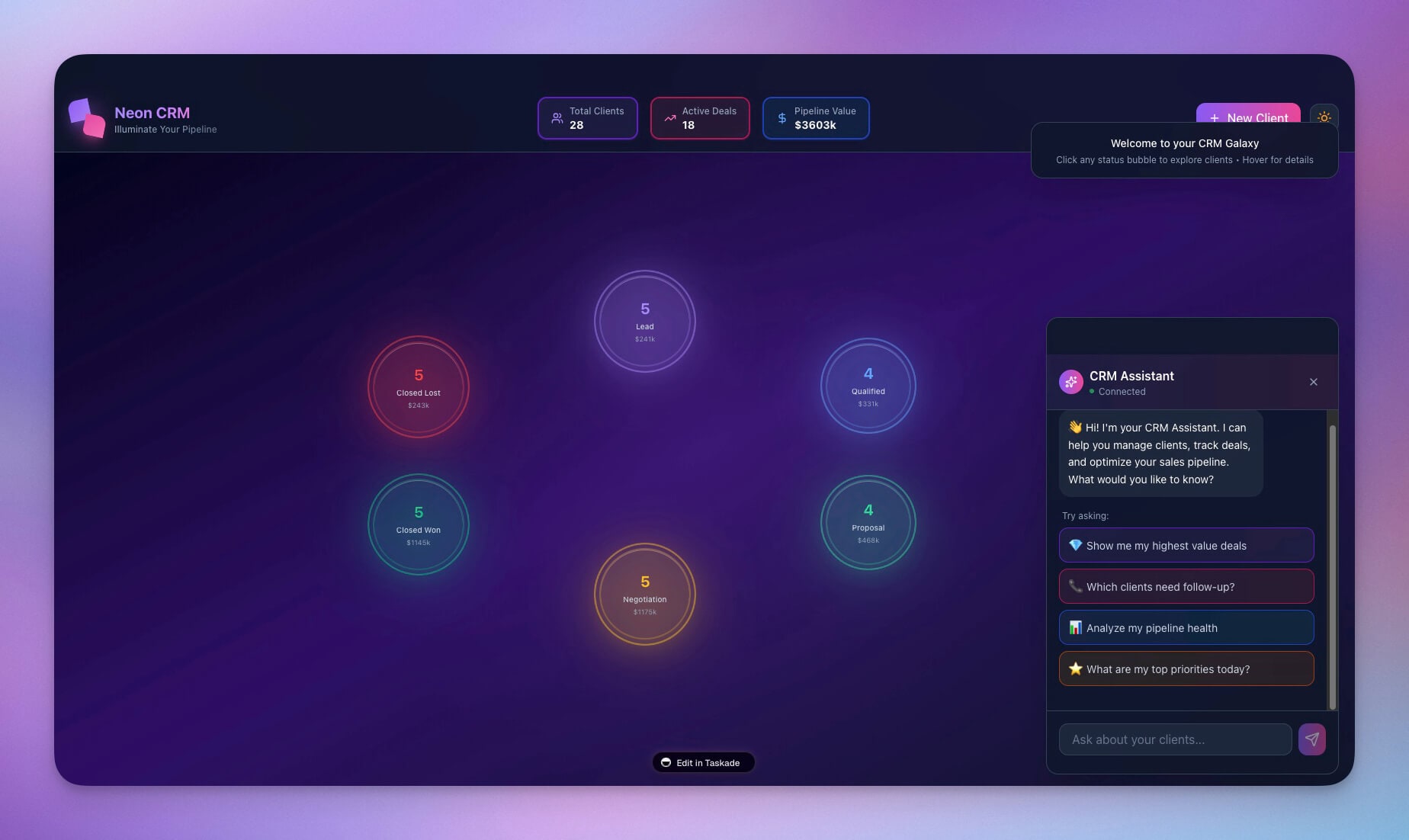
Every business needs customer relationship management. The Neon CRM Dashboard replaces tools like Salesforce and HubSpot with a Genesis-powered pipeline that includes AI-driven lead scoring, deal stage tracking, and revenue forecasting — all inside your workspace.
What the CRM includes:
| Feature | Description |
|---|---|
| Lead pipeline | Kanban board with drag-and-drop stage progression |
| Contact database | Structured records with company, role, and interaction history |
| Deal tracking | Value, probability, close date, and weighted pipeline view |
| Revenue forecasting | AI agent analyzes pipeline data and projects monthly revenue |
| Interaction log | Calls, emails, and meetings tied to contacts automatically |
Cross-system connections:
- CRM deal closed → Finance updates revenue automatically
- CRM customer created → Support enables ticket access
- CRM lead converted → Client Portal creates onboarding project
The AI agent in this CRM can answer questions like "Which deals are closing this month?" and "What is the average deal cycle for enterprise accounts?" — powered by frontier models from top AI labs.
If you want to compare CRM options before you commit to one, see the best AI CRM builders.
Component 2: Finance Tracker
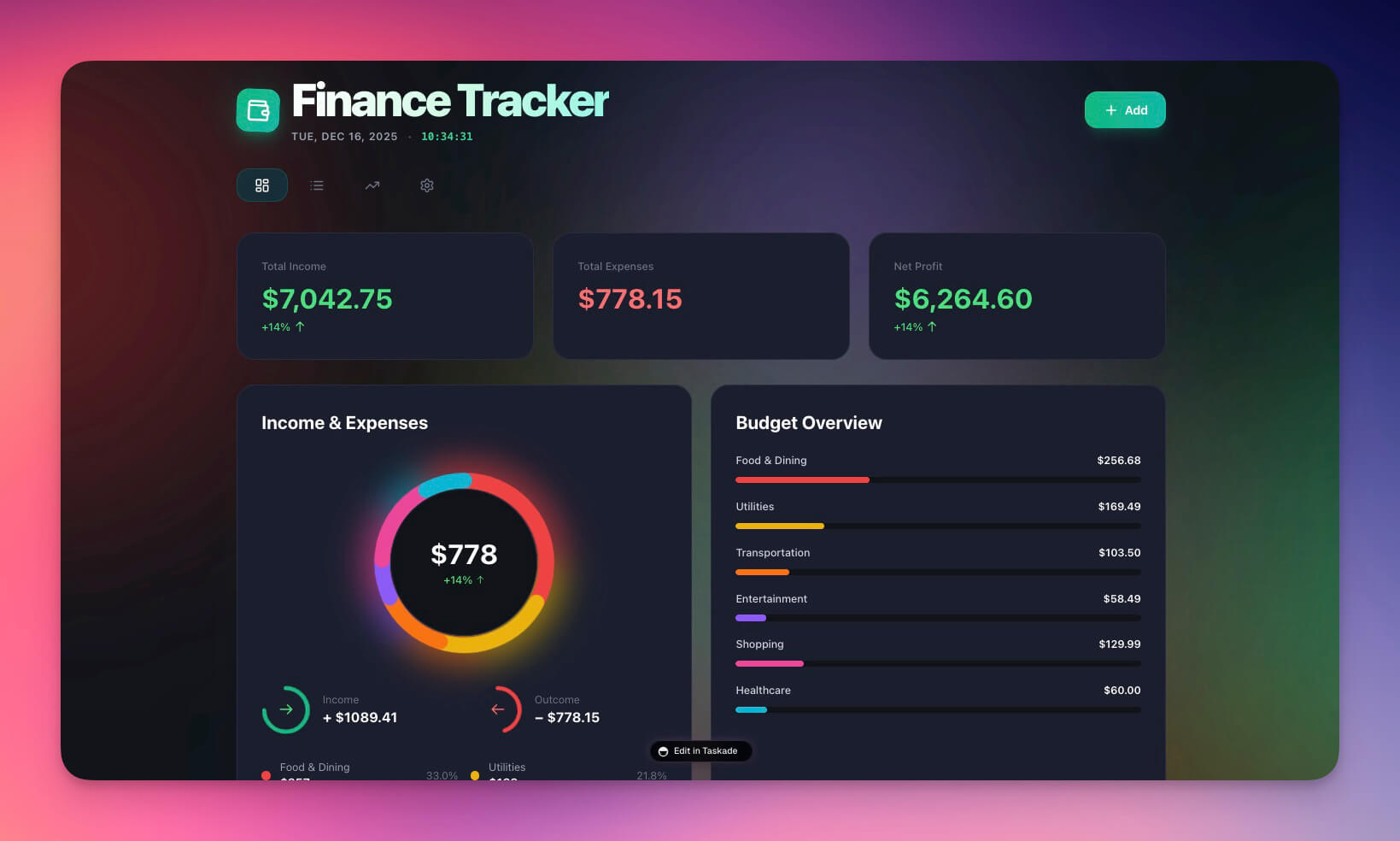
Cash flow visibility is the difference between a growing business and a failing one. The Finance Tracker Dashboard gives you real-time expense categorization, revenue tracking, and budget-vs-actual reporting without the complexity of QuickBooks or Xero.
Clone Finance Tracker Dashboard →
What the finance tracker includes:
- Cash flow monitoring with income and expense summaries
- Automatic expense categorization via AI agent
- Budget threshold alerts (triggers at 80% of category limit)
- Monthly trend analysis with comparison charts
- Weekly financial digest sent automatically
Cross-system connections:
- CRM closed deals → Finance records new revenue
- Finance budget alert → Investor Dashboard updates projections
- Finance expense logged → Operations tracks cost center
For a detailed walkthrough of how this dashboard was built, see How to Build a Finance Dashboard in 10 Minutes.
Component 3: Support System
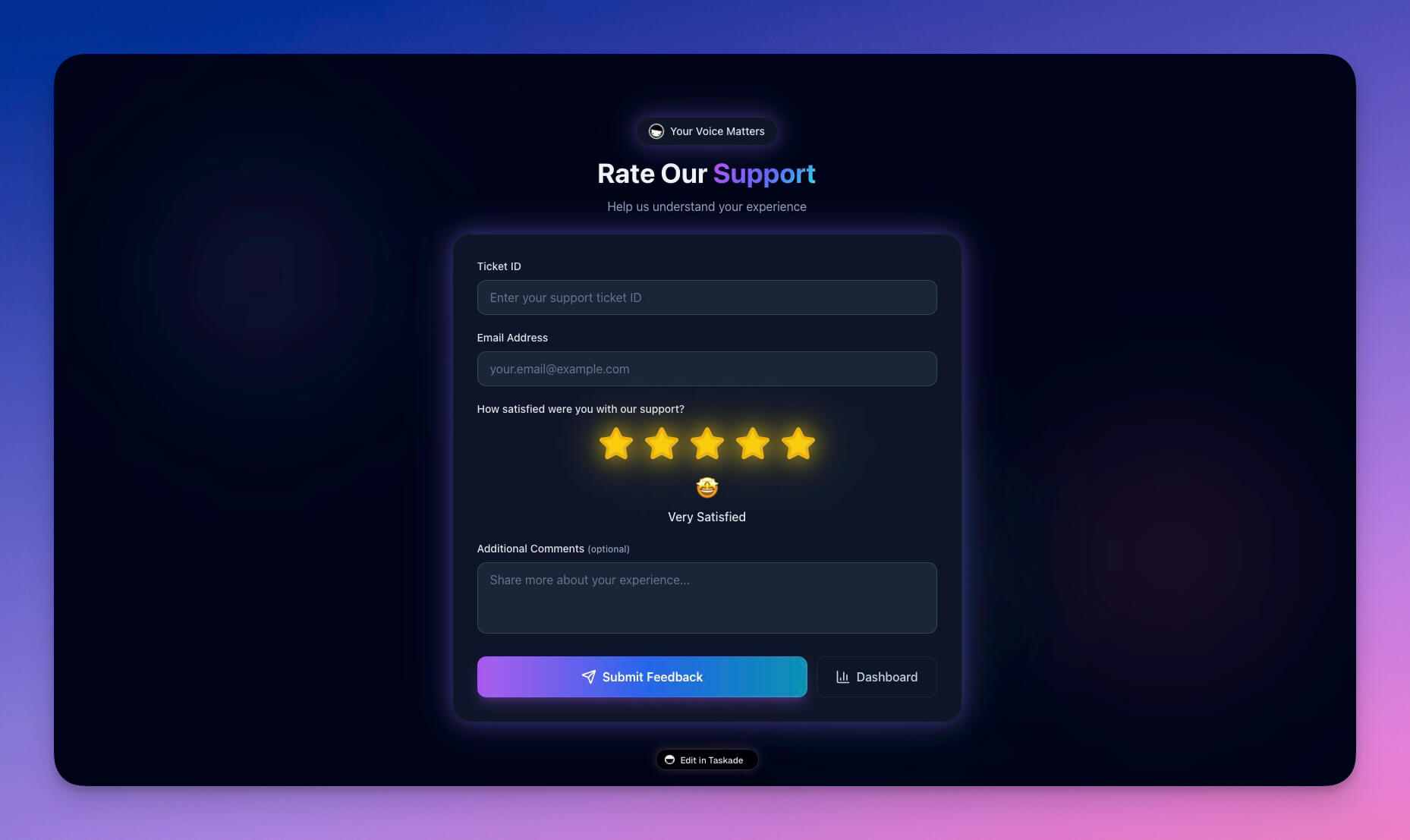
Customer support is where retention is won or lost. The Support Rating Dashboard tracks ticket volume, resolution times, satisfaction scores, and agent performance — with AI that summarizes trends and flags at-risk accounts.
Clone Support Rating Dashboard →
What the support system includes:
- Ticket management with priority routing
- Customer satisfaction (CSAT) score tracking
- Response time metrics and SLA monitoring
- Issue categorization with AI-suggested labels
- Escalation workflows for urgent tickets
Cross-system connections:
- Support ticket filed → CRM updates customer health score
- Ticket pattern detected → Content creates FAQ article
- Urgent escalation → Client Portal notifies account manager
Learn more about automations →
Component 4: Content Publisher
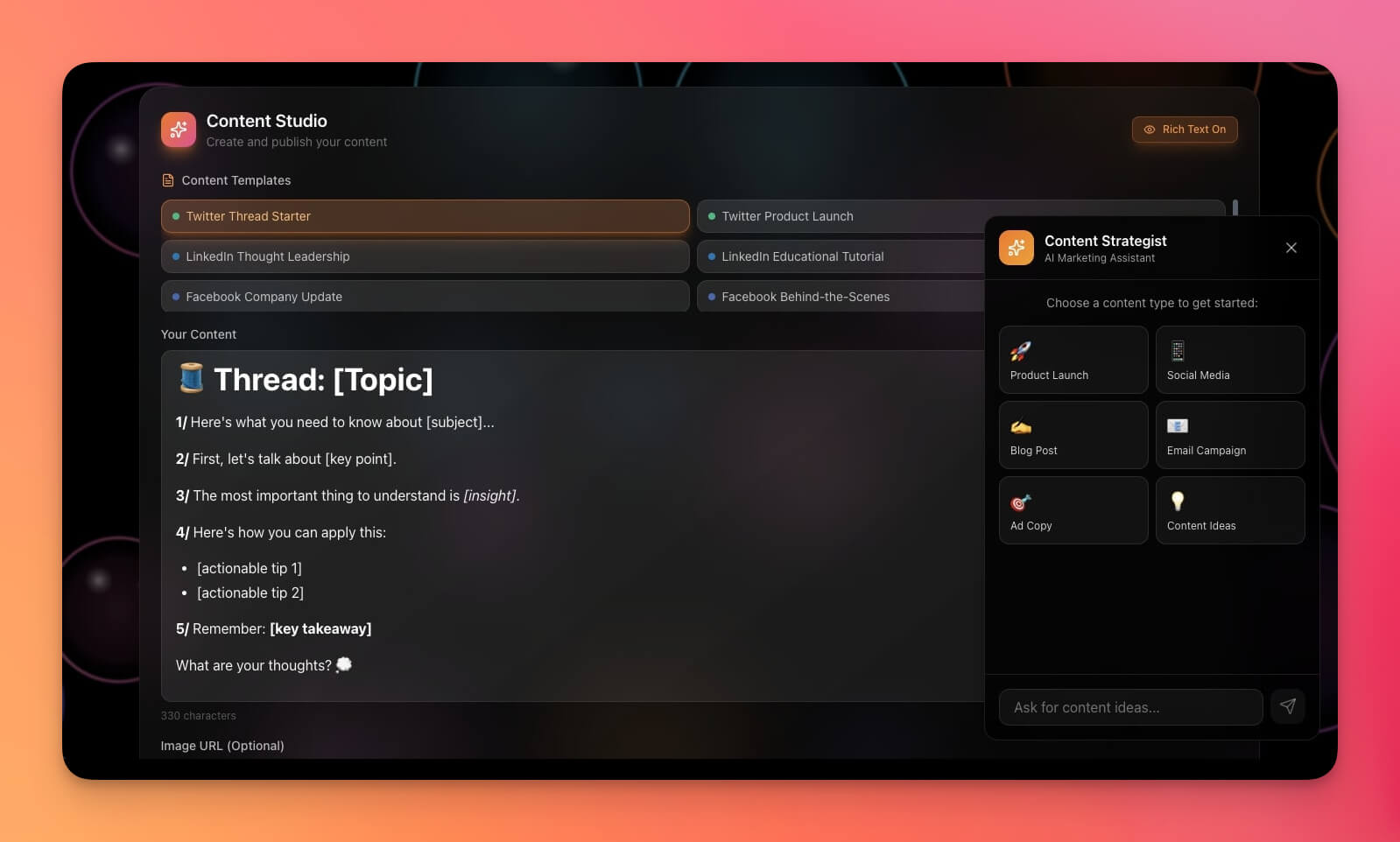
Consistent content drives leads. The Multi-Platform Publisher manages your content calendar, drafts, scheduling, and performance tracking across channels — with an AI agent that can generate drafts, suggest headlines, and repurpose content.
Clone Multi-Platform Publisher →
What the publisher includes:
- Content calendar with multi-platform scheduling
- Draft management with version history
- Performance tracking (views, engagement, conversions)
- AI agent that drafts posts, rewrites for different platforms, and suggests topics
- Approval workflow for team review
Cross-system connections:
- CRM lead source data → Content prioritizes high-converting topics
- Support FAQ trends → Content creates help articles
- Client milestones → Content drafts case study updates
Component 5: Client Portal
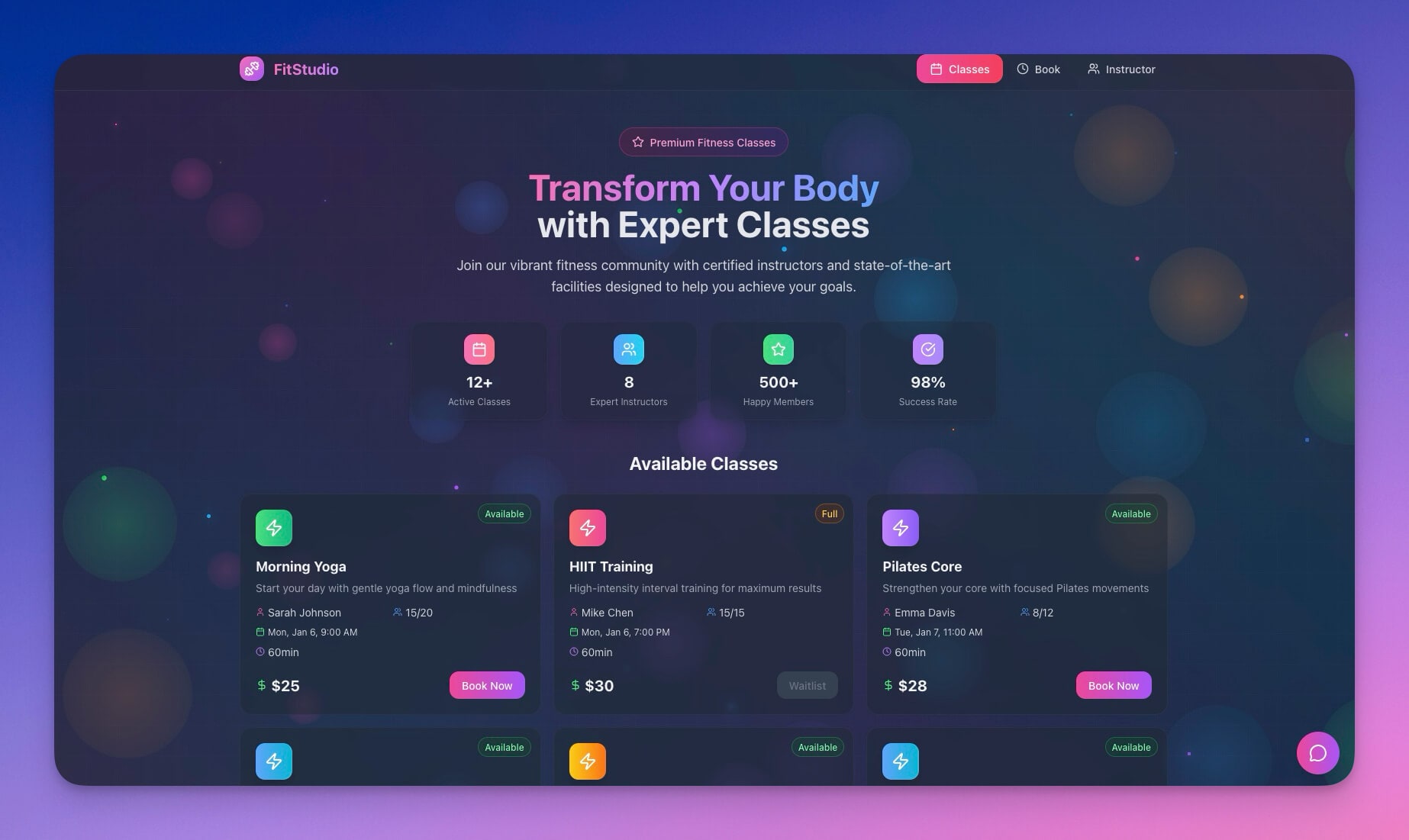
Deliver value to customers through a branded portal. The Client Portal handles project tracking, booking, file sharing, and status updates — with custom domains and password protection for a professional experience.
What the client portal includes:
- Project tracking with milestone visibility
- Booking and scheduling for client meetings
- File sharing with organized folders
- Status updates with automated notifications
- Built-in OIDC/SSO for secure client access
Want to compare portal-only options first? See the best client portal builders.
Cross-system connections:
- CRM deal won → Client Portal creates onboarding project
- Client project milestone → Finance triggers invoicing
- Client support ticket → Support system adds project context
Component 6: Investor Updates
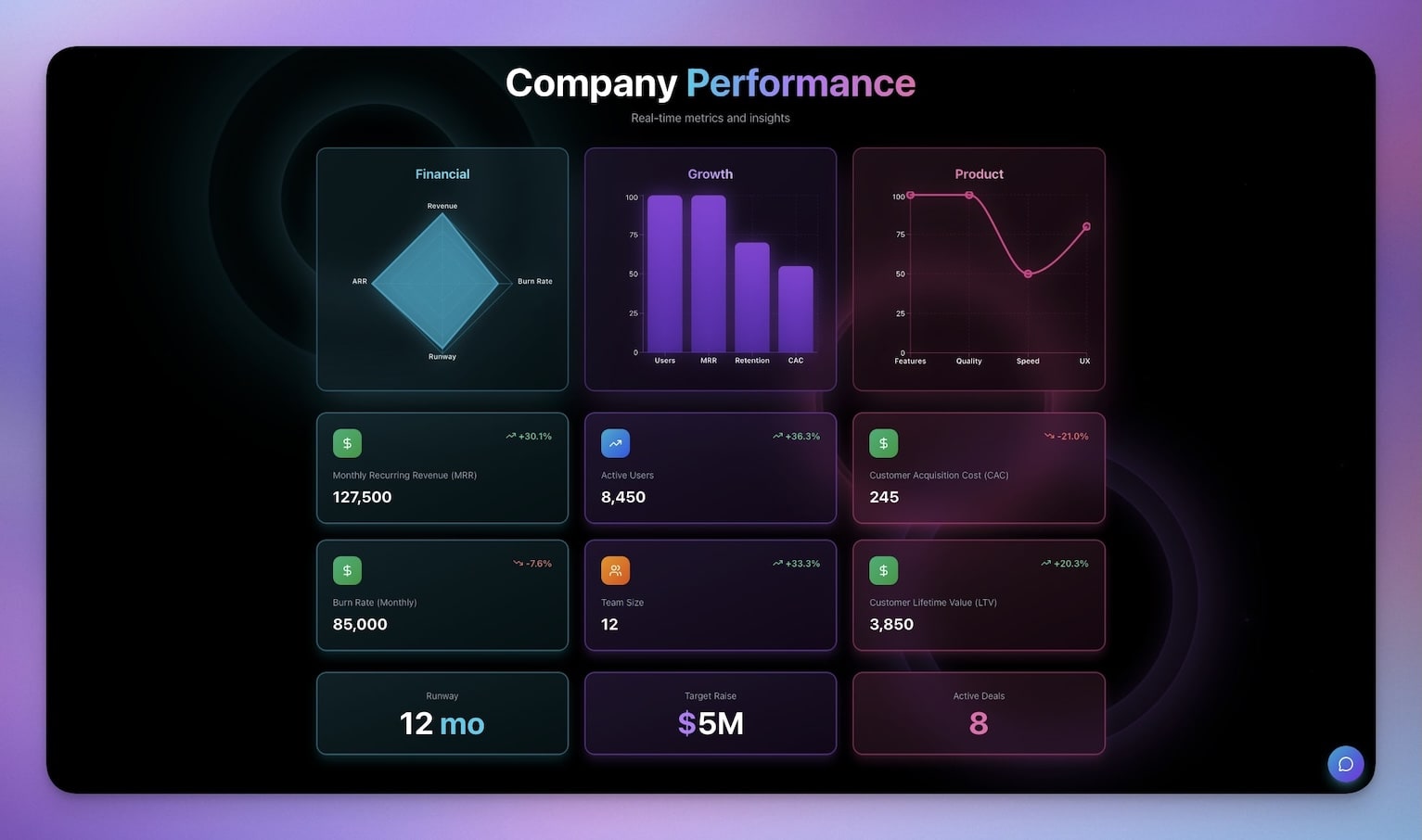
Keep stakeholders informed without the overhead of building slide decks. The Investor Dashboard pulls KPIs from your workspace data and presents them in a clean, shareable format.
What the investor dashboard includes:
- KPI visualization with real-time data
- Milestone tracking against quarterly goals
- Financial summaries pulled from your finance tracker
- Update history with version control
- Shareable link for board members
Cross-system connections:
- Finance revenue data → Investor metrics auto-refresh
- CRM pipeline → Investor growth projections
- Content performance → Investor engagement updates
How All Six Components Connect
The real power of a business-in-a-box is not the individual components — it is the connections between them. In traditional tools, you manually sync data between 7+ systems. In Genesis, Workspace DNA creates automatic connections through the Memory-Intelligence-Execution loop.
One customer action ripples through your entire business. No manual data entry. No sync issues. No "I forgot to update the CRM."
Building Your Business-in-a-Box: Two Approaches
You can build your operating system two ways. Both produce the same result — a connected workspace where every business function shares data automatically.
Option 1: Assemble from Components
Clone individual Genesis app templates and connect them:
- Start with the CRM Dashboard
- Add the Finance Tracker
- Connect the Support Dashboard
- Link the Client Portal
- Add the Content Publisher
- Build automations between them
This approach works best when you want to customize each component individually before connecting them.
Option 2: Generate from a Single Prompt
Describe your entire business to Genesis and let it build the system at once:
Build a complete business operating system for a consulting agency with:
- CRM for tracking leads, deals, and customer relationships
- Finance dashboard for revenue, expenses, and budget tracking
- Client portal with project delivery, booking, and file sharing
- Support system with ticket management and satisfaction tracking
- Content pipeline for blog, social media, and email marketing
- Investor dashboard with KPIs, milestones, and financial summaries
- AI agents for each function with cross-system awareness
- Automated workflows connecting everything: lead conversion triggers
  onboarding, invoice payment updates CRM, support tickets notify account managers
Genesis creates the entire system at once — all six components, their AI agents, and the automation workflows that connect them.
Learn more: Create Your First App →
Cross-System Automations That Run Your Business
The real power of a business-in-a-box is automated workflows that eliminate manual handoffs. Here are three automation chains that replace hours of weekly admin work.
Lead-to-Customer Pipeline
| Step | Trigger | Action | System |
|---|---|---|---|
| 1 | Lead converts in CRM | Create client project | Client Portal |
| 2 | Client project created | Send welcome sequence | Content Publisher |
| 3 | Welcome sent | Create first invoice | Finance Tracker |
| 4 | Invoice created | Update revenue forecast | Investor Dashboard |
Support Escalation Chain
| Step | Trigger | Action | System |
|---|---|---|---|
| 1 | Ticket marked urgent | Notify account manager | CRM |
| 2 | Account manager notified | Update customer health score | CRM |
| 3 | Health score drops | Schedule follow-up call | Client Portal |
| 4 | Follow-up completed | Log interaction | CRM |
Revenue Recognition Flow
| Step | Trigger | Action | System |
|---|---|---|---|
| 1 | Invoice paid | Update deal status to won | CRM |
| 2 | Deal marked won | Trigger milestone in client project | Client Portal |
| 3 | Milestone completed | Refresh investor metrics | Investor Dashboard |
| 4 | Metrics updated | Send weekly digest | Content Publisher |
All automation chains use Taskade's 100+ integrations including Slack, email, Google Calendar, and webhooks. Build custom chains using the automation workflow builder.
Traditional Stack vs. Business-in-a-Box: Full Comparison
A traditional stack means 10+ subscriptions, 10+ logins, and manual data sync between them. A Genesis business-in-a-box means one workspace, automatic sync through Workspace DNA, and role-based access from Owner to Viewer.
| Dimension | Traditional SaaS Stack | Taskade Business-in-a-Box |
|---|---|---|
| Subscriptions | 10+ separate tools | One workspace |
| Monthly cost | $500-2000+ | Free, then $10/mo billed annually |
| Data sync | Manual exports, Zapier glue | Automatic via Workspace DNA |
| Context switching | 10+ tabs, 10+ logins | Unified workspace |
| AI capabilities | Separate AI add-ons per tool | built-in AI agent tools |
| Access control | Different permission systems per tool | RBAC (Owner to Viewer) |
| Project views | Varies by tool | Multiple views per project (List, Board, Calendar, Table, Mind Map, Gantt, Org Chart) |
| Onboarding time | Days to weeks | Minutes from prompt |
| Custom automations | Zapier/Make required | Native automation builder |
| Custom domains | Per-tool setup | Built-in with automatic SSL |
This is why Genesis is not another productivity tool. It is business infrastructure.
Workspace DNA: The Architecture Behind the Box
Every business-in-a-box runs on Workspace DNA — the three-pillar architecture that makes Genesis apps intelligent and self-maintaining.
Memory (Projects and Databases) stores all structured business data — contacts, deals, invoices, tickets, content drafts. Each project supports multiple views for different perspectives on the same data.
Intelligence (AI Agents) reasons about your data using built-in tools, custom slash commands, and persistent memory. Agents powered by frontier models from top AI labs can answer questions, draft communications, and suggest actions across all business functions.
Execution (Automations) triggers workflows based on conditions and events. When a deal closes, a ticket escalates, or a budget threshold is reached, automations handle the downstream actions across your entire workspace via 100+ integrations.
Pricing: What a Business-in-a-Box Actually Costs
Genesis starts free, then $10/month billed annually for a team of up to 10 people on Pro, or $25/month billed annually for unlimited seats on Business — against $500-2000/month for a traditional 10+ tool SaaS stack.
| Plan | Monthly Cost (Annual) | Team Size | Best For |
|---|---|---|---|
| Free | $0 | Individual | Testing the concept |
| Pro | $10/mo | Up to 10 | Small teams |
| Business | $25/mo | Unlimited | Growing companies |
Compare that to $500-2000/month for 10+ separate SaaS subscriptions. The Pro plan at $10/month replaces your entire tool stack for a team of 10.
Start Building Your Business OS
Create your complete business operating system today.
Clone the components:
- Neon CRM Dashboard — Sales pipeline and contacts
- Finance Tracker — Cash flow and budgets
- Support Rating Dashboard — Tickets and satisfaction
- Multi-Platform Publisher — Content calendar
- Client Portal — Project delivery
- Investor Dashboard — KPIs and updates
Learn the fundamentals:
- Create Your First App — Step-by-step tutorial
- Workspace DNA — Understand the architecture
- Custom AI Agents — Build intelligent assistants
- Automation Triggers — Connect everything
Explore more templates:
- Browse Community Apps — 150,000+ apps to clone
- Browse Generator Templates — Apps, dashboards, websites
- Browse Agent Templates — AI agents for every use case
Read more:
- Free AI App Builders Compared
- From AI Productivity to AI Infrastructure
- 10 AI Sales and CRM Dashboards
- 10 AI Finance Workspaces for Founders
- Build Without Permission
- The Origin of Living Software
- The Anatomy of a Genesis App
- 10 AI Ops Dashboards for Lean Teams
- How to Build a Finance Dashboard in 10 Minutes
Explore Taskade AI:
- AI App Builder — Build complete applications
- AI Business Tools — Built for operations
- AI Startups — Tools for founders
- AI Dashboard Builder — Generate dashboards instantly
- AI Workflow Automation — Automate any business process

Frequently Asked Questions
What is a business-in-a-box and how does Taskade Genesis build one?
A business-in-a-box is a complete operating system for your business -- CRM, finance, support, content, and client portals -- in one connected workspace. Taskade Genesis builds it from a single prompt using Workspace DNA (Memory, Intelligence, and Execution). Instead of paying $500-2000/month for 10+ separate tools, you get one system that's free to start, then $10/month billed annually.
What business functions can Taskade Genesis replace?
Genesis can replace your CRM, finance tracker, support dashboard, content publisher, client portal, inventory manager, and more. Each function includes structured databases, AI agents powered by frontier models from top AI labs, and automated workflows with 100+ integrations. Data flows between functions automatically.
How does a unified business workspace improve productivity?
Tool sprawl causes context switching, data silos, and manual sync between disconnected systems. A unified Taskade workspace eliminates these problems. All business data lives in one place with multiple project views (List, Board, Calendar, Table, Mind Map, Gantt, Org Chart), AI agents handle cross-functional tasks, and automations keep everything synchronized.
Can I control who accesses different parts of my business workspace?
Yes. Taskade offers role-based access control (Owner to Viewer) so you can segment access by role. Sales teams see the CRM, finance sees the tracker, clients see their portal -- all within one workspace. Sensitive data stays isolated between departments.
How much does a business-in-a-box cost compared to separate tools?
A traditional SaaS stack for CRM, finance, support, content, and client portals costs $500-2000/month across 10+ subscriptions. Taskade Genesis replaces all of them free to start, with Pro at $10/month for teams up to 10 users and Business at $25/month for unlimited seats, both billed annually.
What AI capabilities come built into each business function?
Every function in your business-in-a-box includes AI agents with built-in tools, custom slash commands, and persistent memory. Agents can draft emails, analyze pipeline data, summarize support tickets, suggest content ideas, and generate financial reports. They are powered by frontier models from top AI labs.
Can I automate workflows between different business functions?
Yes. Taskade automations connect every function in your workspace. When a lead converts in your CRM, automations can create a client project, send a welcome sequence, update finance projections, and notify the support team -- all without manual intervention. You can build custom automation chains with 100+ integrations including Slack, email, and calendar.
How do I get started building a business-in-a-box with Genesis?
You can start two ways. Option 1: clone individual Genesis app templates (CRM, Finance, Support) from the Community Gallery and connect them. Option 2: describe your entire business in one prompt and let Genesis build the complete system at once. Both approaches produce a living workspace powered by Workspace DNA.