







Like many other startups, Notion didn’t have what you’d call a “smooth ride.” After a fair share of ups and downs and a near failure in 2015, co-founders Ivan Zhao and Simon Last were forced to rebuild the app from scratch. In this Notion review, we put on our detective hats and dig into the history of the product, its founding team, and the Lego-like approach to project management.
TL;DR: Notion nearly failed in 2015. Founders Ivan Zhao and Simon Last ran out of money and rebuilt the entire app from scratch in Kyoto on a shoestring, treating software like reusable "Lego blocks." Notion 2.0 launched in 2018 and reached a $10B valuation by 2021. For an AI-native take on the workspace, see Taskade Genesis.
📚 Want a peek behind the curtains of popular apps and productivity tools? Here are a few similar articles you should check when you’re done reading:
🐘 A Review of Evernote and The History of Digital Note-Taking
👋 Google Wave’s Failure is a Great Lesson for Modern Real-Time Collaboration Tools
💬 A Review of Slack, Glitch, and The History of Real-Time Communication
What comes after Notion? Notion invented the all-in-one workspace. Taskade was built AI-native from Workspace DNA — Memory feeds Intelligence feeds Execution. AI agents, automations, and Genesis Apps in one prompt. Try Taskade free →
🤖 A Notion Review and How It All Started
Software and Lego Bricks (2013–2015)
The no-code/low-code movement has been in the works for almost 20 years. The early attempts at empowering regular (read: non-technical) users to create and modify software started in 2003 when Matt Mullenweg and Mike Little released WordPress.
But it wasn’t until a few years later that the fleeting philosophy gained traction. Companies like Shopify, Canva, and Zapier allowed non-programmers to start building websites, creating digital assets, and automating workflows without writing a line of code.
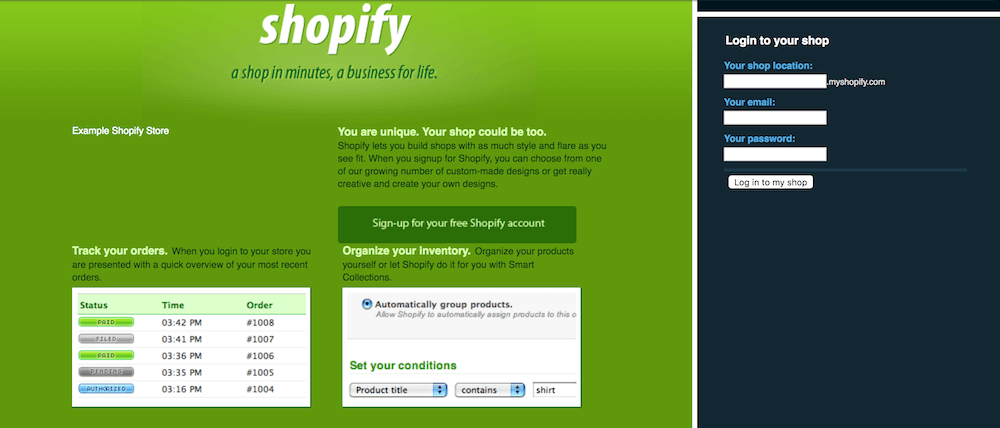
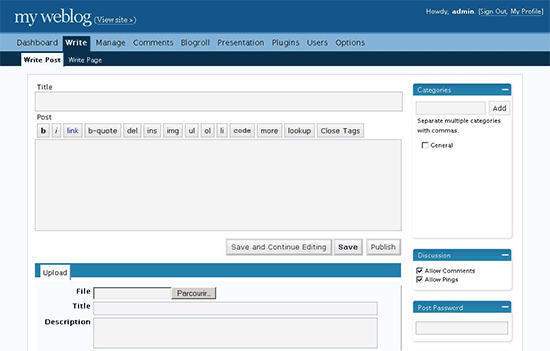
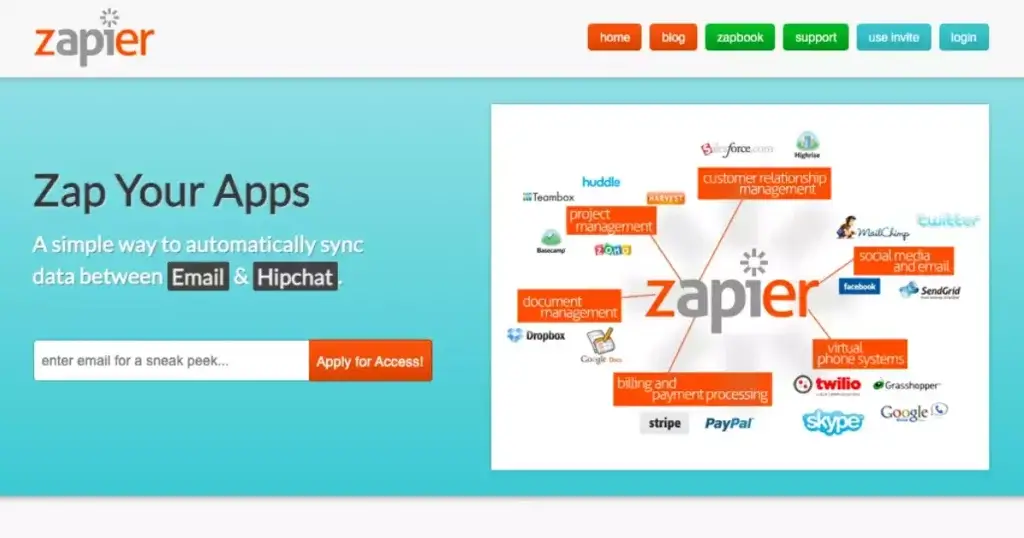
Early versions of Shopify, WordPress, and Zapier
The idea to build software from Lego-like bricks captured the imagination of many generations of developers, including Notion’s co-founders Ivan Zhao and Simon Last.
A cognitive science student at the University of British Columbia, Zhao was the only person in his group who knew how to code. Fuelled by a passion for video games, he picked the skill as a kid and was now able to use the expertise to build portfolio websites for his artist friends.(1)
Seeing the demand for his services, Zhao decided to create a no-code tool that’d let people without coding skills create their own stuff. He initially considered developing “the best web page builder” but later switched gears and focused on developing a productivity tool instead.
Simon Last, a computer science student at the University of Maryland, had a similar idea. Last was interested in “democratizing programming” and worked on visual programming environments for children. At some point, Last met with Ivan and Notion’s mysterious third co-founder named Toby to discuss a new “research project” that’d eventually become Notion.
🏗️ From Failure to Notion 1.0 (2015–2017)
The fledgling team began building prototypes around the concept of managing documents in a wiki-like manner. Their inspiration? Zhao and Last often mention the pioneers of computing like Douglas Engelbart, Alan Kay, Ted Nelson, and XEROX Parc’s Larry Tessler.
💬 “A generation of pioneers saw the computer as something far beyond a number-crunching machine. They dreamt a future where computers could amplify imagination (Alan Kay), augment intellect (Doug Engelbart), and expand our thoughts far beyond text on paper (Ted Nelson).”
—”Why we built Notion”(2)
But the early version of Notion wasn’t an overnight success. The team built the platform on an outdated technology stack that didn’t provide sufficient stability and headroom for growth. With no new investors in sight, Notion started limping before it learned how to fly.
At that point, there were 6 people working on the app, including Last and Zhao. A lack of funding left the co-founders with no choice but to downsize and go back to the drawing board. And that’s exactly what they did. Last and Zhao fired the fledgling team, packed up their belongings, and rented an apartment in Kyoto, Japan.
Zhao took over the artistic side of the business and spent days and nights—over 18 hours a day, according to an interview with Figma—redesigning the app. After countless iterations, he settled on a clean and simple design that’d become Notion’s trademark for years to come.
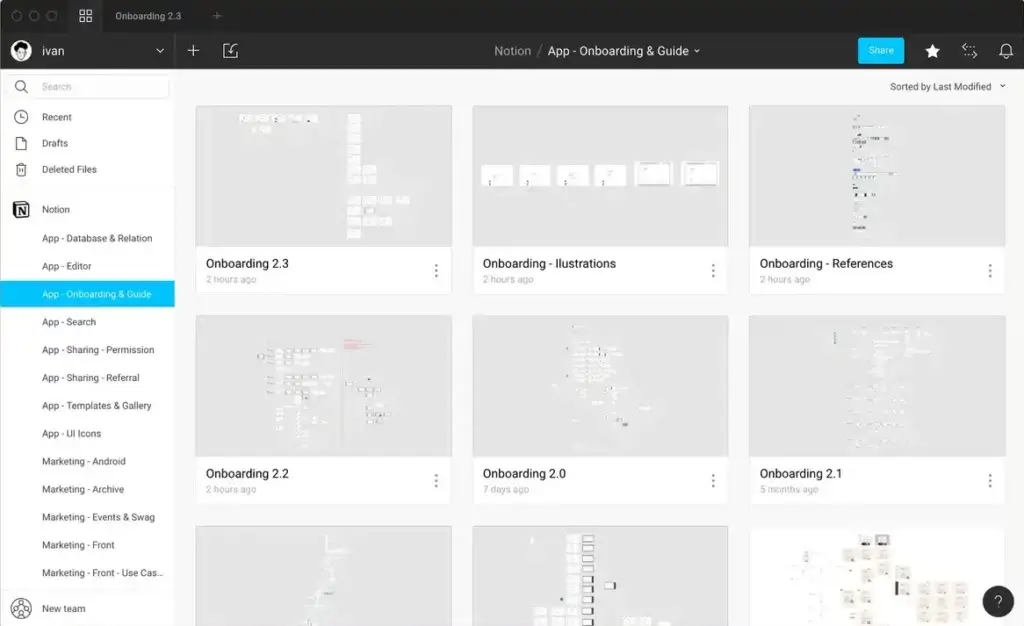
Notion prototype in Figma(3)
Rebuilding Notion from scratch wasn’t easy. Zhao and Last worked effortlessly with very little sleep, and at some point, Zhao even had to borrow $150,000 from his mother to keep things rolling. But the hard work paid out and in March 2016, the pair released Notion 1.0.
The new version of the app worked on Mac and in a web browser. Notion 1.0 allowed users to manage documents in a wiki-like manner, much like Atlassian’s Confluence. Their ambitions, however, stretched beyond that, as Notion was meant to “replace all other tools.”
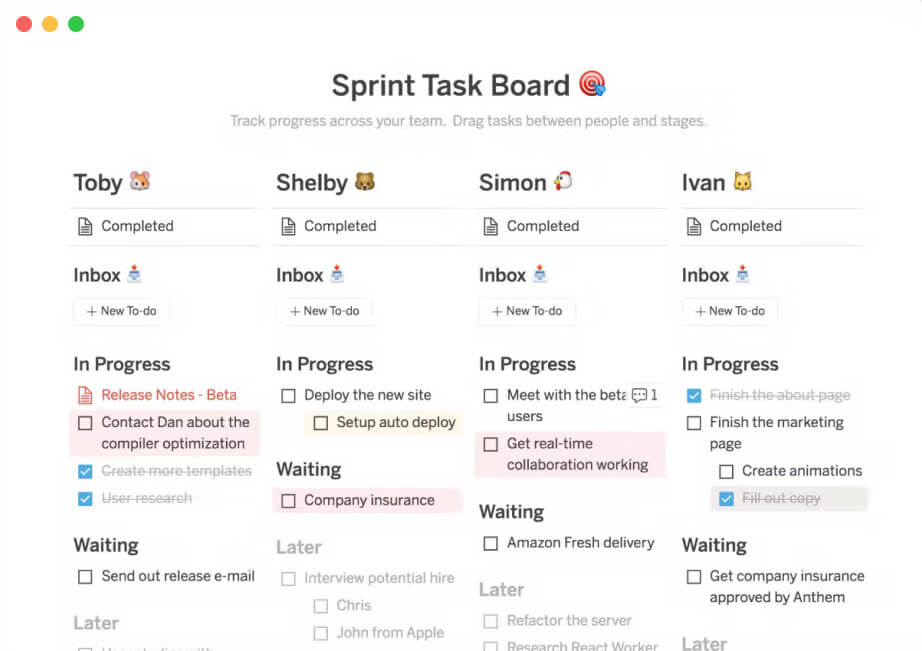
Notion 1.0 user interface via Product Hunt(4)
Notion 1.0 introduced trademark “blocks” users could use to store text, images, spreadsheets, and comments. In April 2016, the company announced a Slack integration, and in May 2017, Notion released a stand-alone Windows app. An iOS app followed a month later.
☀️ Notion 2.0 and New Horizons (2018–)
Zhao and Last built a solid product that was slowly getting traction around the web. But the original goal of “democratizing programming” was still on the table. The co-founders continued on their quest and in March 2018, they released Notion 2.0.
Unlike its predecessor, Notion 2.0 focused on powerful databases and a wide range of project management features. And that turned out to be a great decision. The app quickly gained popularity on Product Hunt and broke the magic barrier of 1 million users in September 2019.
The new-found focus helped the team bring Notion closer to the promised "all-in-one workspace." Notion 2.0 introduced Kanban boards, tables, and a calendar view, all of which helped it make a presence in the saturated project management/productivity market.
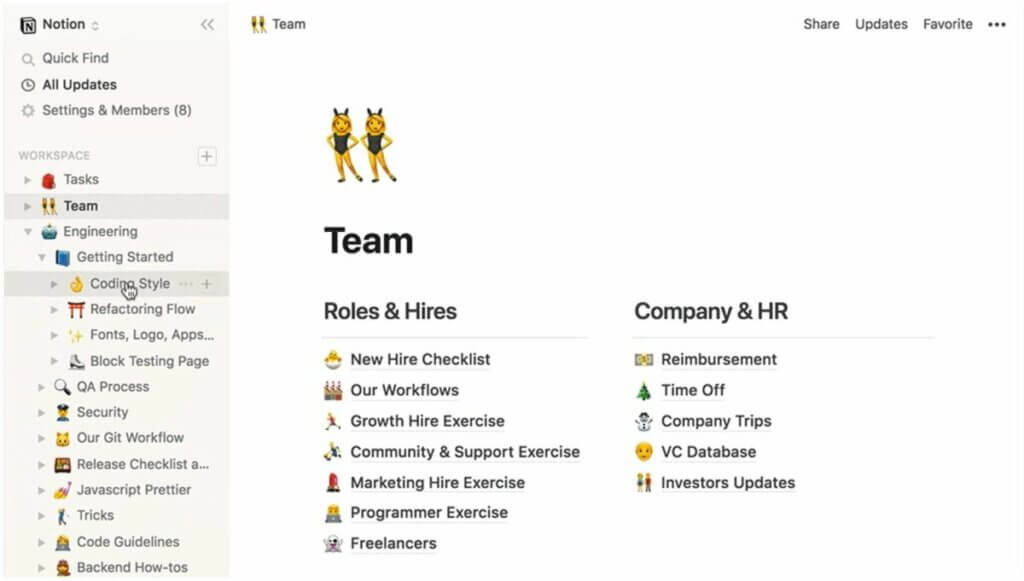
Notion 2.0 user interface via Product Hunt(4)
In May 2018, Notion overhauled its pricing tiers—users could now sign up for a cheaper Personal Plan—and on June 7, 2018, the company released a stand-alone Android app. By the end of the year, the team had also moved to a new HQ in San Francisco’s Mission district.
In early 2019, there were 10 people working at Notion. The growing headcount helped bring new updates to the table, including a Web Clipper extension for Chrome. The company also took a stab at Evernote with an import feature introduced in March of the same year.
In September 2019, Notion opened a free tier for students and educators. By the end of the year, the team grew to almost 30 people. That included 2 designers, 9 engineers, 4 people in marketing and sales, and 10 employees in the community and support teams.
In May 2021, the company released a long-awaited public beta of its API letting teams and individual users build their own integrations. The Notion API went out of Beta in March 2022 and in April, Notion hit another big milestone of 4 million users.
👍 Lego Bricks are Still in Fashion or Why We Like Notion
It's difficult to say exactly why Notion became so popular. Not because it’s particularly hard to uncover its merits, but rather because Notion does a handful of things well.
The main premise of the no-code/low-code movement is that regular users want the power to create. Of course, creating things in the digital world used to require at least rudimentary programming skills, but thanks to platforms like Notion, that’s no longer the case.
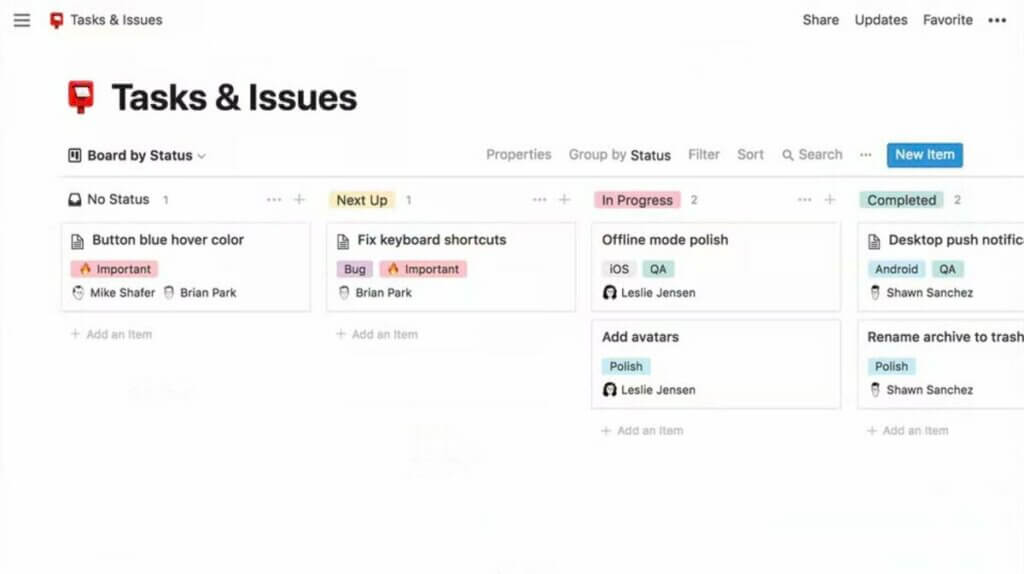
Notion 2.0 user interface via Product Hunt(4)
Notion and other no-code tools give users the flexibility to build, break down, and rebuild workflows from Lego-like blocks (we prefer Origami). Those blocks can be assembled in many different ways, making it possible to create completely new tools.
💬 “Most software these days are like toasters. They do one thing well. My co-founder Simon and I wanted to do something different with Notion. Instead of building another specialized tool, we wanted to build a set of LEGO-style software blocks — pages, databases, bulleted lists, embeds — that would let anyone in the world build their own tools to solve any problem they have.”
—Ivan Zhao in an interview with Anne-Laure Le Cunff(5)
But that’s not all. On top of its flexibility, Notion is also a competent project management and personal productivity tool. The app can handle anything from note-taking and planning to team collaboration and file management, making it a solid all-rounder through and through.
This Notion review wouldn’t be complete without mentioning Notion’s UI/UX design. It’s hard to overlook the company’s dedication to aesthetics, especially knowing Zhao’s prototyping marathons in 2015. The interface is clean, functional, and devoid of any superficial elements.
Apart from its aesthetic value, the simple design makes it easier for new users to learn the ropes without getting overwhelmed. That’s as long as they stay close to the surface because Notion’s flexibility (and inextricable complexity) is also one of its biggest drawbacks.
👎 Why Notion May Not Be the Tool for You
As much as we like Legos, building a set without instructions can be tricky.
There’s no single workflow you can stick to when building your first project in Notion. All you get is an assortment of digital bricks and it’s up to you to figure out how those bricks work and how to combine them together. And if you can’t, well, nobody said creativity is easy.
Instead of focusing on the actual work, Notion forces users into an endless cycle of experimentation. The overarching goal? Build and rebuild workflows until you’re satisfied.
And that’s productivity porn at its finest.
The lack of innate structure puts the responsibility to keep things organized on the user. Since Notion doesn’t offer predefined folders, dashboards, or menus, users need to create those from scratch, position elements on the page, and create all connections manually.
💬 “I don’t really think this approach works in a collaborative environment. You need to actually have much more restrictions because if you have a hundred people working on something, you can’t have everybody design their own database.
—Amir Salihefendić, Todoist CEO, in an interview with Keep Productive(6)
This is far from ideal, especially for users who need a project management app specifically to make organization easier. Building, breaking down, and rebuilding workflows is the last thing you want to do when there are a bunch of tasks on your plate and not enough time in the day.
And speaking of task management, Notion doesn’t excel here either.
Want to quickly add a task to your to-do list? Well, first you need to dig through a stack of pages, find the checklist you created, create the task, add a due da… Oh, did we mention Notion doesn’t support due dates? It doesn’t let you create recurring tasks either.
Of course, Notion is super flexible, so you can still add the missing functionality with creative workarounds (if you’re determined enough). But if writing 60-line formulas is not your idea of productivity, you should better look for Notion alternatives that are made for the job.
Speed and stability? A clean Notion database works like a fresh phone. It’s snappy and responsive, and there are very few stability issues. If you’re a power user, however, you should prepare for a nasty surprise because bulky databases can be slow to load.
Maintaining a CRM or building a second brain, both seemingly perfect use cases for Notionon’s backend, isn’t exactly a blazing fast experience. So, if you consider yourself a “knowledge hoarder,” you should probably look for a different tool that’s more suitable for the job.
💬 Notion App Frequently Asked Questions (FAQ)
“What do you use Notion for?”
- You can use Notion for most project management and personal productivity scenarios. That includes note-taking, task management, planning, document management, and team collaboration, among others.
“Is the Notion app free?”
- On top of its Personal Pro and Team plans, Notion offers a free tier for individual users. The plan is restricted to one user and comes with several limitations, including 5 MB for file uploads and no version history.
“Does Notion have 2FA?”
- No, Notion doesn’t offer two-factor authentication.
“Can I use Notion offline?”
- Yes, you can use Notion offline, but you need to leave the app open so it can cache the pages. Any pages you haven’t preloaded won’t be available.
🧬 2024-2025: The AI-Native Evolution
Notion's Lego-like approach was revolutionary, but a new paradigm emerged: AI-native workspaces.
In late 2022, Notion added "Notion AI" as a writing assistant. But this was AI as an add-on, not AI from the ground up. The fundamental architecture remained the same: users still build everything manually.
The Shift to AI-Native
Taskade Genesis (launched 2025) represents a different philosophy: what if the workspace itself was intelligent?
| Feature | Notion + AI | Taskade Genesis |
|---|---|---|
| AI integration | Add-on (+$10/user) | Built-in |
| Custom AI agents | ❌ | ✅ Train on your data |
| App generation | ❌ Manual building | ✅ One prompt |
| Intelligent automation | ❌ | ✅ AI decides |
| System that learns | ❌ | ✅ Workspace DNA |
Instead of manually building databases and connections like Lego bricks, you describe what you need and AI creates it:
"Build a CRM that tracks leads, scores them by engagement, and alerts sales when they're ready."
Genesis delivers a complete, working system, not a blank canvas.

What This Means for Users
Notion proved that non-technical users can build complex systems. Genesis is proving they don't have to build at all, they can describe.
The evolution:
- 2015: Build from Lego blocks (Notion)
- 2023: Get AI writing help (Notion AI)
- 2025: Describe and let AI build (Taskade Genesis)
👉 Experience AI-native workspaces with Taskade Genesis
👋 Parting Words
The no-code market has exceeded $43 billion. The power to create is no longer the domain of technical users, and we're now seeing the next evolution: AI-native tools that go beyond Lego blocks to intelligent systems that build themselves.
But that doesn't mean "ultimate flexibility" is the best solution for most users.
Is Notion's Lego-like approach an overkill? If you want to manage projects, take notes, and keep track of tasks without having to tinker too much, then the answer is probably "yes." Because when it comes to productivity, you definitely can have too much of a good thing.