Taskadetaskade
PricingLoginSign up for free →Sign up for free →
Loved by 1M+ users·Hosting 100K+ apps·Deploying 500K+ AI agents·Running 1M+ automations·Backed by Y Combinator
TaskadeAboutPressPricingFeaturesIntegrationsChangelogContact us
GalleryReviewsHelp CenterDocsFAQ
VibeVibe AppsVibe AgentsVibe CodingVibe Workflows
Vibe MarketingVibe DashboardsVibe CRMVibe AutomationVibe PaymentsVibe DesignVibe SEOVibe Tracking
Community
FeaturedQuick AppsTools
DashboardsWebsitesWorkflowsProjectsFormsCreators
DownloadsAndroidiOSMac
WindowsChromeFirefoxEdge
Compare
vs Cursorvs Boltvs Lovable
vs V0vs Windsurfvs Replitvs Emergentvs Devinvs Claude Codevs ChatGPTvs Claudevs Perplexityvs GitHub Copilotvs Figma AIvs Notionvs ClickUpvs Asanavs Mondayvs Trellovs Jiravs Linearvs Todoistvs Evernotevs Obsidianvs Airtablevs Basecampvs Mirovs Slackvs Bubblevs Retoolvs Webflowvs Framervs Softrvs Glidevs FlutterFlowvs Base44vs Adalovs Durablevs Gammavs Squarespacevs WordPressvs UI Bakeryvs Zapiervs Makevs n8nvs Jaspervs Copy.aivs Writervs Rytrvs Manusvs Crewvs Lindyvs Relevance AIvs Wrikevs Smartsheetvs Monday Magicvs Codavs TickTickvs Any.dovs Thingsvs OmniFocusvs MeisterTaskvs Teamworkvs Workfrontvs Bitrix24vs Process Streetvs Toggl Planvs Motionvs Momentumvs Habiticavs Zenkitvs Google Docsvs Google Keepvs Google Tasksvs Microsoft Teamsvs Dropbox Papervs Quipvs Roam Researchvs Logseqvs Memvs WorkFlowyvs Dynalistvs XMindvs Whimsicalvs Zoomvs Remember The Milkvs Wunderlist
Genesis AIVideo GuideApp BuilderVibe Coding
Agent BuilderDashboard BuilderCRM BuilderWebsite BuilderForm BuilderWorkflow AutomationWorkflow BuilderBusiness-in-a-BoxAI for MarketingAI for Developers
AI Agents
FeaturedProject ManagementProductivity
MarketingTranslatorContentWorkflowResearchPersonalSalesSocial MediaTo-Do ListCRMTask AutomationCoachingCreativityTask ManagementBrandingFinanceLearning and DevelopmentBusinessCommunity ManagementMeetingsAnalyticsDigital AdvertisingContent CurationKnowledge ManagementProduct DevelopmentPublic RelationsProgrammingHuman ResourcesE-CommerceEducationLegalEmailSEODeveloperVideo ProductionDesignFlowchartDataPromptNonprofitAssistantsTeamsCustomer ServiceTrainingTravel PlanningUML DiagramER DiagramMath TutorLanguage LearningCode ReviewerLogo DesignerUI WireframeFitness CoachAll Categories
Automations
FeaturedBusiness-in-a-BoxInvestor Operations
Education & LearningHealthcare & ClinicsStripeSalesContentMarketingEmailCustomer SupportHubSpotProject ManagementAgentic WorkflowsBooking & SchedulingCalendarReportsSlackWebsiteFormTaskWeb ScrapingWeb SearchChatGPTText to ActionYoutubeLinkedInTwitterGitHubDiscordMicrosoft TeamsWebflowRSS & Content FeedsGoogle WorkspaceManufacturing & OperationsAI Agent TeamsAll Categories
Wiki
GenesisAI AgentsAutomation
ProjectsLiving DNAPlatformIntegrationsProductivityMethodsProject ManagementAgileScrumAI ConceptsCommunityTerminologyFeatures
Templates
FeaturedChatGPTTable
PersonalProject ManagementSalesFlowchartTask ManagementEngineeringEducationDesignTo-Do ListMarketingMind MapGantt ChartOrganizationalPlanningMeetingsTeam ManagementStrategyGamingProductionProduct ManagementStartupRemote WorkY CombinatorRoadmapCustomer ServiceLegalEmailBudgetsContentConsultingE-CommerceStandard Operating Procedure (SOP)Human ResourcesProgrammingMaintenanceCoachingSocial MediaHow-TosResearchMusicTrip PlanningAll Categories
Generators
AI AppAI WebsiteAI Dashboard
AI FormAI AgentClient PortalAI WorkspaceAI ProductivityAI To-Do ListAI WorkflowsAI EducationAI Mind MapsAI FlowchartAI Scrum Project ManagementAI Agile Project ManagementAI MarketingAI Project ManagementAI Social Media ManagementAI BloggingAI Agency WorkflowsAI ContentAI Software DevelopmentAI MeetingAI PersonasAI OutlineAI SalesAI ProgrammingAI DesignAI FreelancingAI ResumeAI Human ResourceAI SOPAI E-CommerceAI EmailAI Public RelationsAI InfluencersAI Content CreatorsAI Customer ServiceAI BusinessAI PromptsAI Tool BuilderAI SEOAI Gantt ChartAI CalendarsAI BoardAI TableAI ResearchAI LegalAI ProposalAI Video ProductionAI Health and WellnessAI WritingAI PublishingAI NonprofitAI DataAI Event PlanningAI Game DevelopmentAI Project Management AgentAI Productivity AgentAI Marketing AgentAI Personal AgentAI Business and Work AgentAI Education and Learning AgentAI Task Management AgentAI Customer Relations AgentAI Programming AgentAI SchemaAI Business PlanAI Pitch DeckAI InvoiceAI Lesson PlanAI Social Media CalendarAI API DocumentationAI Database SchemaAll Categories
Converters
AI Featured ConvertersAI PDF ConvertersAI CSV Converters
AI Markdown ConvertersAI Prompt to App ConvertersAI Data to Dashboard ConvertersAI Workflow to App ConvertersAI Idea to App ConvertersAI Flowcharts ConvertersAI Mind Map ConvertersAI Text ConvertersAI Youtube ConvertersAI Knowledge ConvertersAI Spreadsheet ConvertersAI Email ConvertersAI Web Page ConvertersAI Video ConvertersAI Coding ConvertersAI Task ConvertersAI Kanban Board ConvertersAI Notes ConvertersAI Education ConvertersAI Language TranslatorsAI Business → Backend App ConvertersAI File → App ConvertersAI SOP → Workflow App ConvertersAI Portal → App ConvertersAI Form → App ConvertersAI Schedule → Booking App ConvertersAI Metrics → Dashboard ConvertersAI Game → Playable App ConvertersAI Catalog → Directory App ConvertersAI Creative → Studio App ConvertersAI Agent → Agent App ConvertersAI Audio ConvertersAI DOCX ConvertersAI EPUB ConvertersAI Image ConvertersAI Resume & Career ConvertersAI Presentation ConvertersAI PDF to Spreadsheet ConvertersAI PDF to Database ConvertersAI PDF to Quiz ConvertersAI Image to Notes ConvertersAI Audio to Notes ConvertersAI Email to Tasks ConvertersAI CSV to Dashboard ConvertersAI YouTube to Flashcards ConvertersAll Categories
Prompts
Blog WritingBrandingPersonal Finance
Human ResourcesPublic RelationsTeam CollaborationProduct ManagementSupportAgencyReal EstateMarketingCodingResearchSalesAdvertisingSocial MediaCopywritingContentProject ManagementWebsite CreationDesignStrategyE-commerceEngineeringSEOEducationEmail MarketingUX/UIProductivityInfluencer MarketingAnalyticsEntrepreneurshipLegalAll Categories
Blog
12 Best AI Dashboard Builders in 2026 (Free & Paid, Tested)15 Best MCP Servers for AI Developers in 2026 (Hosted + Self-Hosted)15 Best Zapier Alternatives in 2026 (Tested + Free Tier Winners)
13 Best AI Workspace Tools in 2026 (The Post-Notion Era)Manus AI Review 2026: The General-Purpose Agent Explained (+ 7 Alternatives)Taskade Genesis vs ChatGPT Custom GPTs: The Complete 2026 ComparisonHow 130,000 Genesis Apps Accidentally Hijacked Competitor SERPs (2026 Data)Gizmo Review 2026: The OpenAI-Backed Micro-App Builder (+7 Alternatives)AI Agents vs Copilots vs Chatbots: The Complete 2026 TaxonomyThe Living App Movement: Why Static AI Apps Are Obsolete in 2026NemoClaw Review 2026: NVIDIA's Enterprise Agent Fork Tested (+Alternatives)Taskade Genesis: Track Projects, Build Habits & Organize Knowledge (April 2026)The HyperCard Moment: From Bill Atkinson to AI Micro Apps (2026)How to Generate Creative Ideas: Idea Stacking, Visual Thinking & Storytelling Frameworks (2026)History of Apple: Steve Jobs' 50-Year Vision, From a Garage to a $3.7 Trillion AI Powerhouse (2026)Why One-Person Companies Are the Future of Work: AI Agents, Solo Founders, and the $1B Prediction (2026)Build Your Own AI CRM vs Paying Salesforce $300/Seat (2026)The Great SaaS Unbundling: How AI Agents Break Per-Seat Pricing (2026)Garry Tan SaaS Prediction Scorecard: 3 Months Later (2026)
AIAutomationProductivityProject ManagementRemote WorkStartupsKnowledge ManagementCollaborative WorkUpdates
Changelog
GenesisAuth & App Users (Apr 7, 2026)EVE Memory as Projects & Portuguese Support (Apr 6, 2026)Volume-Tiered Credit Packs (Apr 3, 2026)
Google Calendar Actions & Responsive Apps (Apr 2, 2026)EVE Commands & Smarter Messages (Apr 1, 2026)Better Genesis App Error Reporting (Mar 31, 2026)GitHub App Export & EVE Mentions (Mar 30, 2026)
Wiki
GenesisAI AgentsAutomation
ProjectsLiving DNAPlatformIntegrationsProductivityMethodsProject ManagementAgileScrumAI ConceptsCommunityTerminologyFeatures
© 2026 Taskade.
PrivacyTermsSecurity
Made withTaskade AIforBuilders
Blog›Product Updates›Live AI Kits, Agent History,…

Live AI Kits, Agent History, Dynamic Tools, and AI-Powered Forms!

Hi Taskaders! 🎉 We’re back with another round of exciting updates. This release introduces Live Preview in [Taskade AI Kits](https://help.taskade.com/en/art...

February 19, 2025·Updated January 16, 2026·7 min read·John Xie·Updates
On this page (8)
🧩 Live Preview in Taskade AI Kits🕑 AI Agent History​​​​​​ in Projects⚡️ Dynamic Output in Agent Tools🔎 Filter Custom Fields in Automation📝 Form Submitted Page in AI Forms✨ Other Improvements🚀 Join the CommunityFrequently Asked Questions

Hi Taskaders! 🎉

We’re back with another round of exciting updates. This release introduces Live Preview in Taskade AI Kits, detailed AI Agent History in Projects, and customizable Agent Tool Output. We’ve also rolled out advanced settings for the Filter action and brand-new AI Forms in Automation!

TL;DR: Taskade AI Kits now support live preview before installing and bundle 4 workflow components—projects, AI agents, automations, and templates—in one shareable package. This update also adds detailed agent history, customizable tool output, custom field filtering, and new AI-powered forms. Try it free →

🧩 Live Preview in Taskade AI Kits
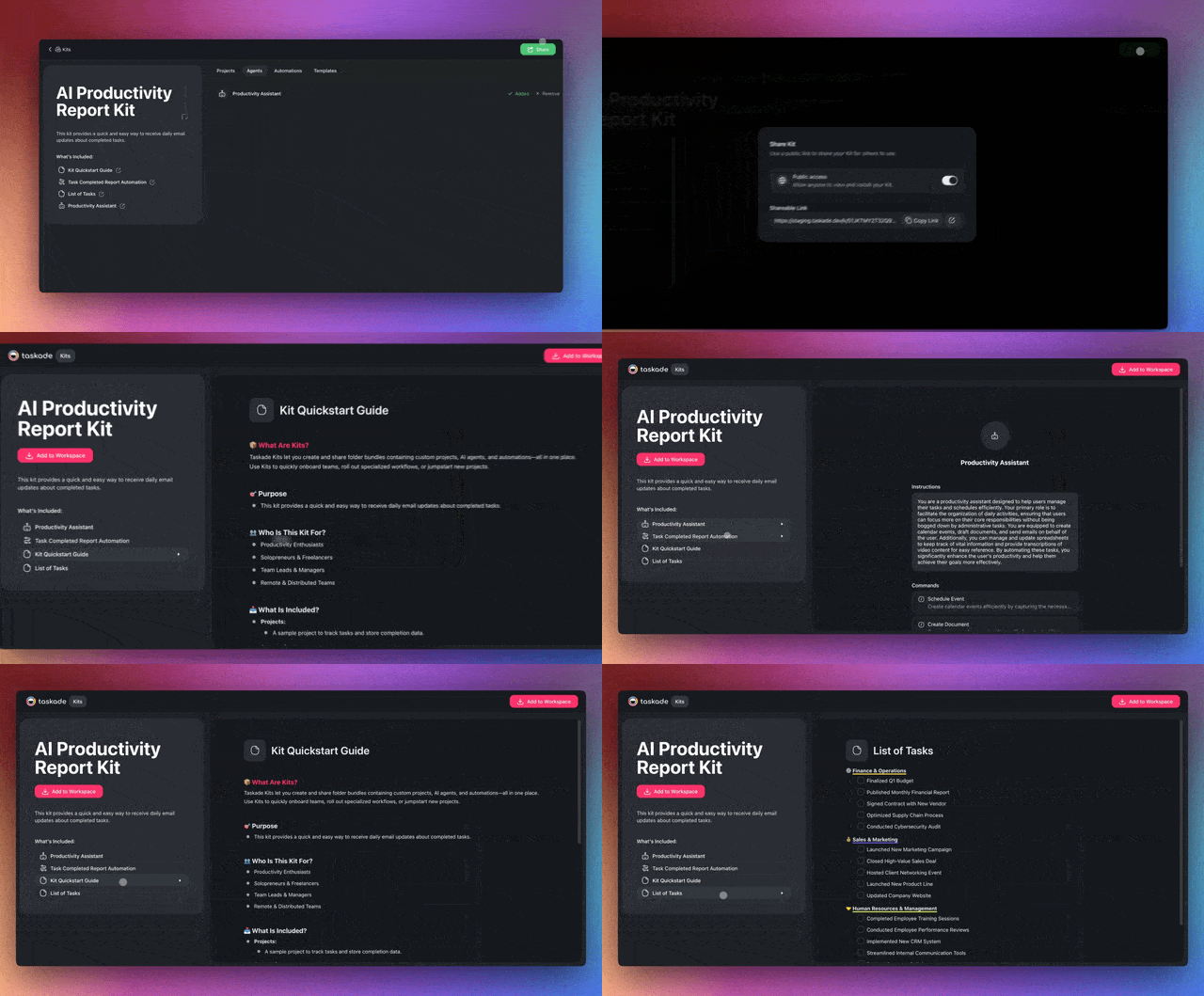
Preview mode for Taskade AI Kits.

Last week, we released Taskade AI Kits, a new way to bundle your entire workflows — Projects, AI Agents, Automations, and Templates — and share them with anyone. Now you can also edit and preview your AI Kits. Learn more.

 👉 How to use:

  1. Follow the link to a shared AI Kit. (Browse AI Kits)

  2. Select kit contents under What's Included to preview them.

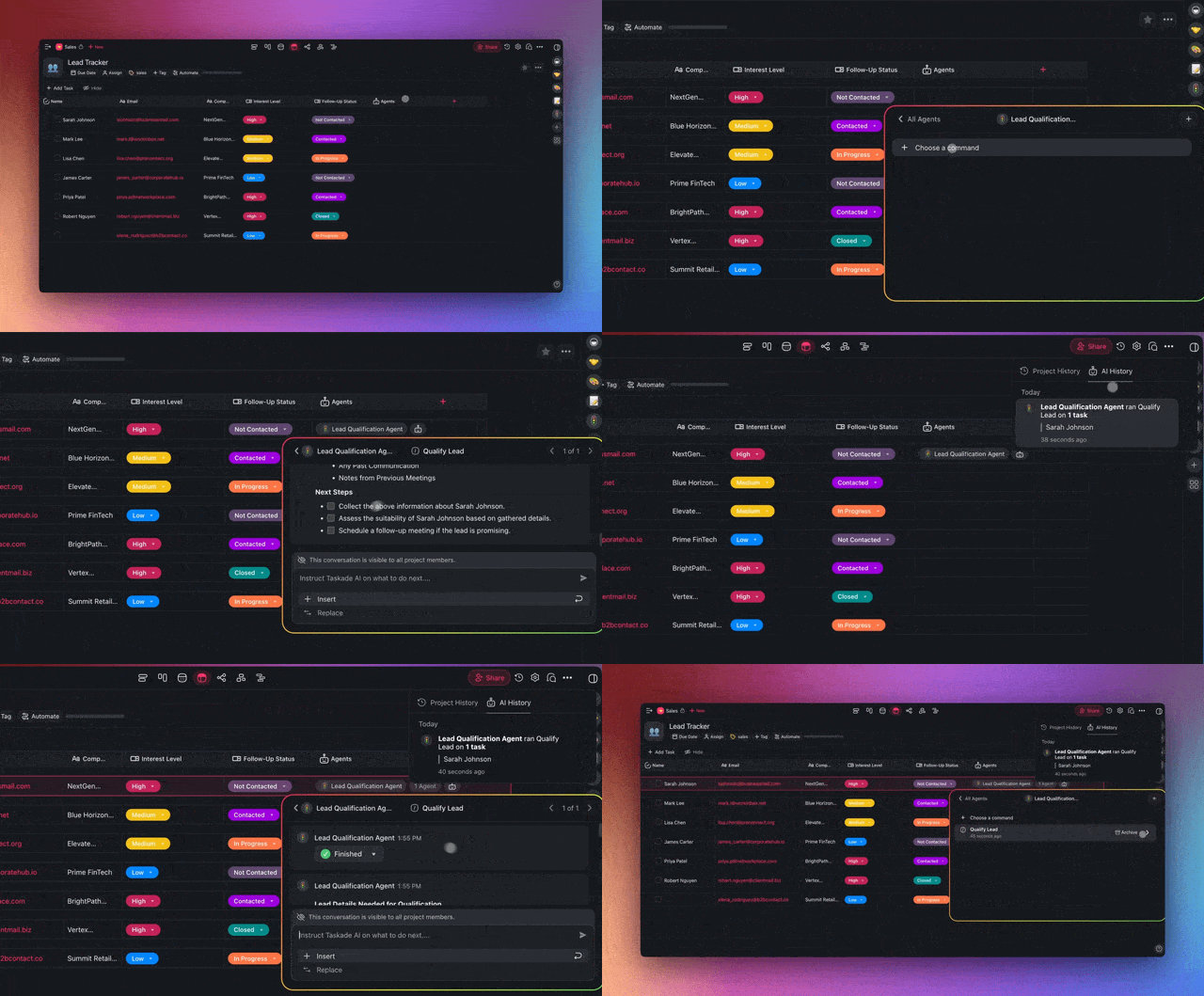
🕑 AI Agent History​​​​​​ in Projects

Enhanced history for AI Agents.

Keep track of AI-driven edits with the improved Project History tab. Trace all Agent Commands run in a project, discover how an agent arrived at a specific output, look up what prompts were used, and iterate on the output. Learn more.

  • Commands log: Access the entire conversation thread for any AI agent.

  • Team collaboration: See agent commands run by other project members.

  • Follow-up: Rerun commands and follow up on agent tasks.

👉 How to use:

  1. Click the clock icon 🕒 in the top-right corner of your project.

  2. Choose the AI History tab at the top.

  3. Click time stamps to highlight edits and open the command pop-up.

⚡️ Dynamic Output in Agent Tools
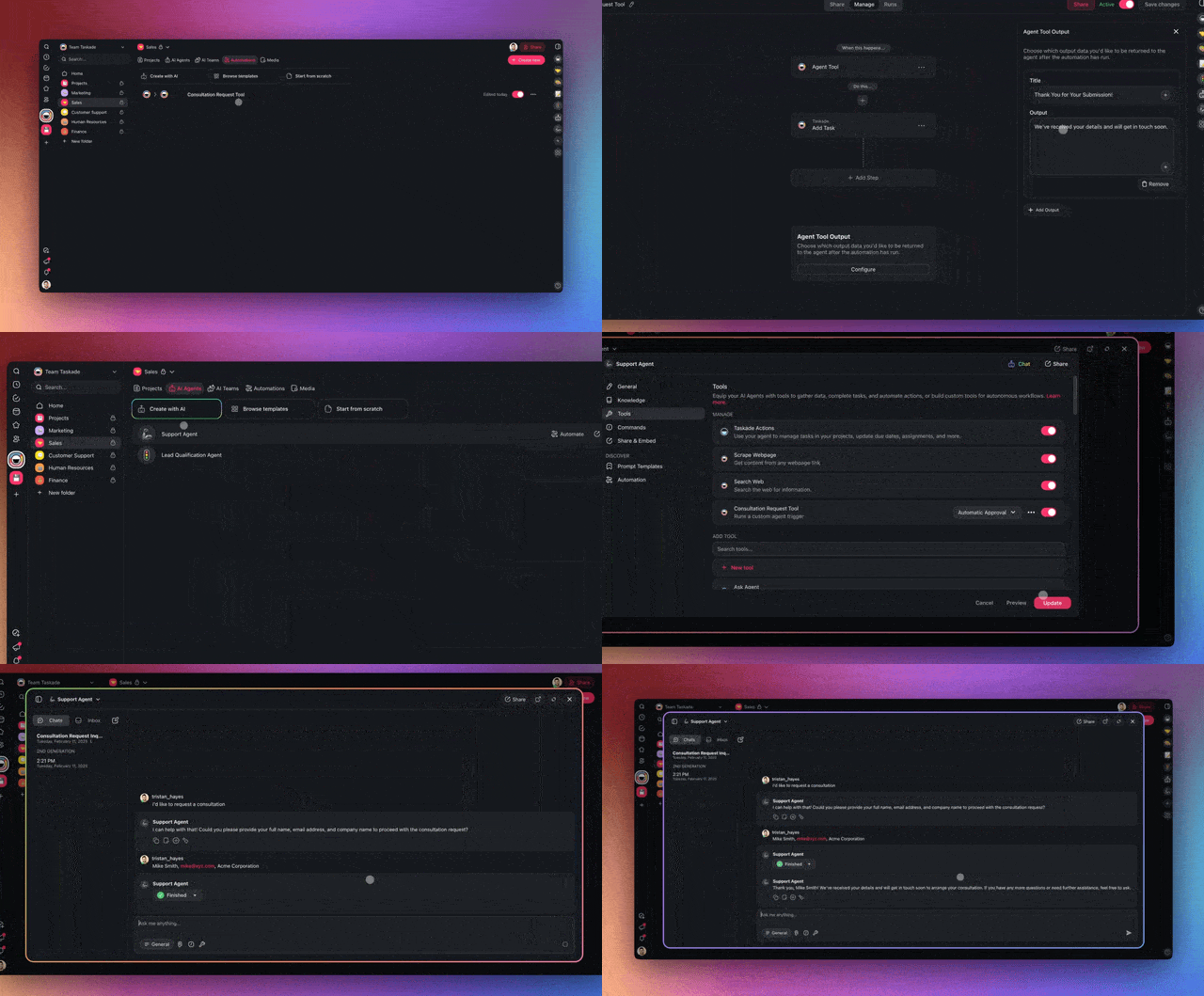
Agent Tools Output

The Agent Tool trigger now includes a new Output Field which gives you control over how the return data is structured. When a tool is activated during a conversation with an agent, the responses follow a pre-defined format. Learn more.

  • Better control: Customize the response when calling agent tools.

  • Consistency: Maintain consistent replies across agents using the same tool.

  • Uniform style: Ensure AI responses follow a specific style.

👉 How to use:

  1. Add a new agent tool and set its parameters.

  2. Click Configure in the Agent Tool Output block.

  3. Click ➕ Add Output and define the output format.

🔎 Filter Custom Fields in Automation
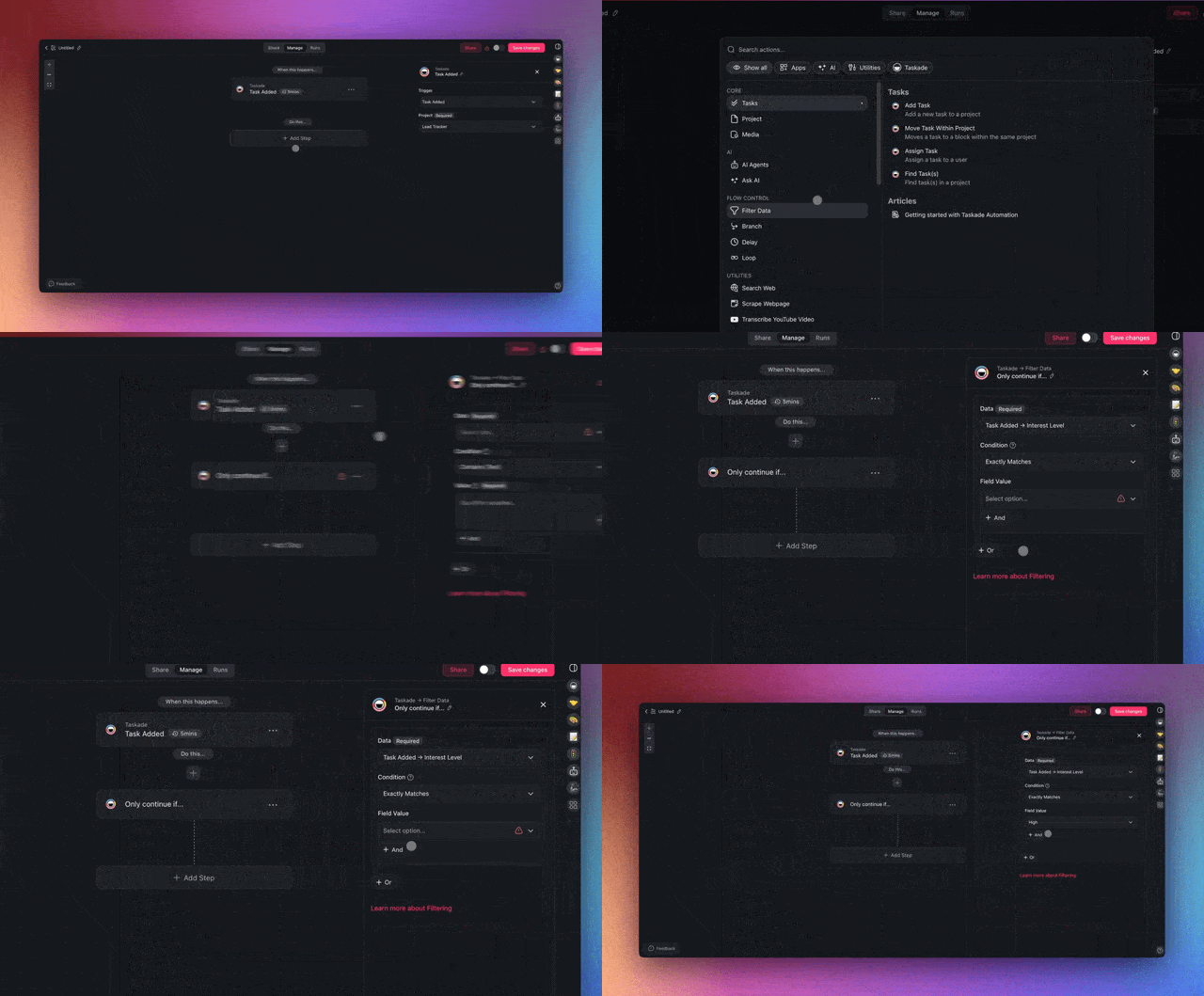
Custom Fields Automation Filter

You can now Filter automations using custom fields. If your project includes custom fields (e.g., priority, status), task triggers will pass them to filter actions. Learn more.

  • New filter option: Configure the Filter action with custom fields.

  • Consistent data processing: Align filtering rules with task attributes.

  • Dynamic updates: Automatically detect and pull new custom fields.

👉 How to use:

  1. Add the Filter action to your automation flow.

  2. Choose a custom field in the Data drop-down.

📝 Form Submitted Page in AI Forms
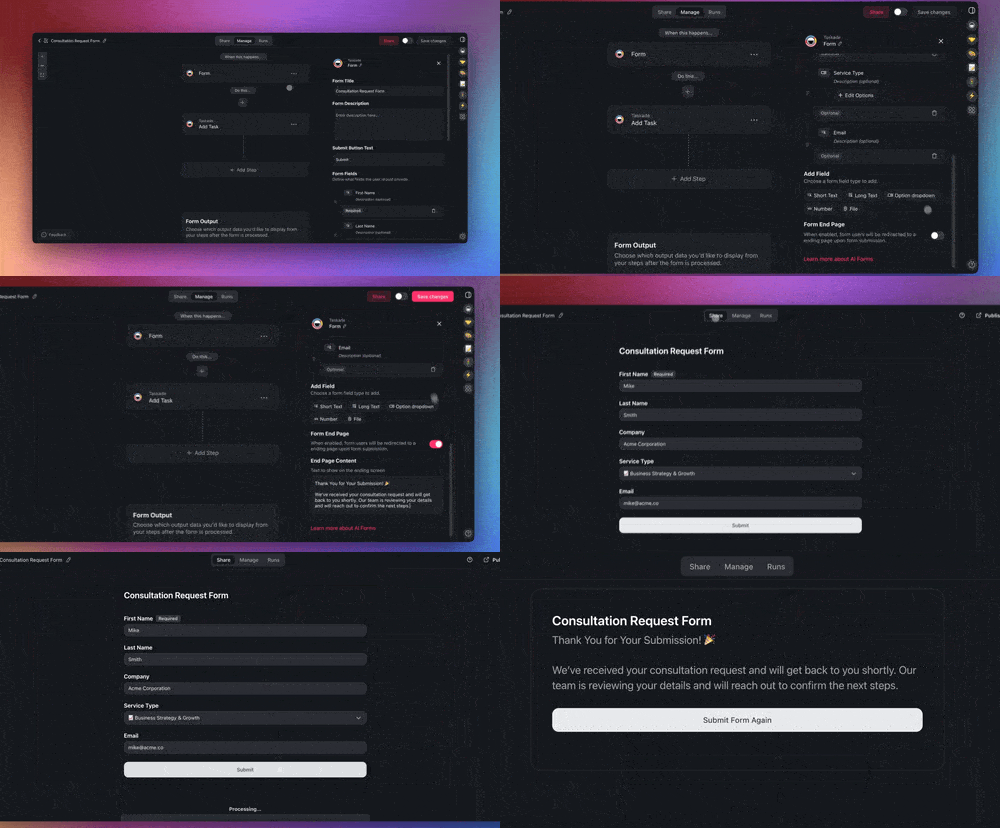
Ai Forms End Page

Don’t leave your form respondents hanging. The Form trigger now lets you configure a custom Form Submitted page with a structured follow-up message in your brand’s unique tone and style. Learn more.

  • Feedback: Let users know the form has been submitted.

  • Customization: Tailor the form experience with brand messaging.

  • Improved UX: Provide respondents with helpful content and next steps.

👉 How to use:

  1. Add and configure the Form trigger (see the first section).

  2. Enable Form End Page in the right sidebar.

  3. Enter the text you want to be displayed on the ending screen.

✨ Other Improvements

  • Coming Soon: Taskade Marketplace is on the way! A new hub for creators to share, discover, and monetize Taskade AI Kits — bundled AI agents, automations, and workflows — all in one place.

    • Early Access: Be among the first to explore and share your AI Kits! Sign up for early access on LinkedIn, Twitter / 𝕏, Facebook Group, and Reddit. Reply "Marketplace" for details!

    • 1-Click Deployment: Seamlessly install AI-powered workflows, projects, and agents with a single link.

    • For Creators & Teams: Build, preview, and get ready to share your AI Kits — marketing automation, productivity setups, and more.

  • New: Taskade AI Kits let you package and share AI-powered workspaces with a single click — complete with AI Agents, Automations, and Projects.

    • 👉 How to use: Tutorial | Browse AI Kits | Explore Kits by Industry

    • Customizable & Shareable Kits: Create, preview, and share like:

      • AI Lead Generation Kit — Organize and follow up on leads.

      • AI Customer Requests Kit — Manage customer requests.

      • AI Email Campaign Kit — Create custom email campaigns.

      • AI News Digest Kit — Collect info from multiple sources.

      • AI RSS Feed Kit — Gather research automatically.

    • Instant Setup: Deploy ready-to-use AI workflows effortlessly.

    • Everything Connected: AI Agents, Automations, and Projects.

    • Easily Share with Teams & Clients: No setup required.


  • New: Train AI Agents with Unlimited Web Links. AI Agents now learn from unlimited web links in real-time. Just drop links into a Taskade Project, and AI Agents will update their knowledge automatically.

    • 👉 Try the AI Agent Training Kit: Install Now

    • Use Projects as AI Knowledge: Store and organize useful links.

    • Real-time Sync: AI Agents update instantly as projects change.

    • Automate Learning: Connect RSS feeds, AI Forms, and more.

  • New: AI Agent Enhancements:

    • Improved Agent Knowledge for faster and more accurate responses.

    • Improved Agent Widgets: Embed fine-tuned agents on your websites.

    • Improved Project History: Review past agent commands in projects.

    • Improved Public Agent Inbox: Easily monitor and manage AI conversations with improved organization and filtering.

  • New: AI Automation Enhancements:

    • New Action & Trigger Menu: The redesigned automation setup makes selecting triggers and actions faster and more intuitive.

    • New Automation Actions & Triggers:

      • Transform Array to String: Simplify how data arrays are processed in automation workflows.

      • GitHub Automation: New Release Trigger. Automate pull requests, issues, and task syncing with real-time updates.

      • AI Agent Structured Output: AI Agents now support number and boolean values in structured responses, making automations more intelligent and adaptive.

    • Google Integration Enhancements:

      • Google Docs Integration: Search and manage Google Docs directly in workflows.

      • Google Sheets Enhancements: Better handling for rows and cells in triggers and actions.

    • HTTP Request & Webhook Updates:

      • Generate schemas automatically for easier workflow design.

      • Enhanced Webhooks & API Calls: Webhook triggers now offer better response handling for smoother third-party integrations.

  • Improved: Import Anything into Taskade:

    • Convert to Taskade: Create structured docs, tables, and projects.

    • Summarize with AI: Generate outlines from files, articles, or videos.

    • Import from Webpages: Extract data with the "Scrape Webpage" tool

  • Faster load times, improved automations, and better real-time updates.

  • Bug fixes and stability improvements across mobile and desktop apps.

Check out all the latest updates on our Changelog Forum.

🚀 Join the Community

Join us every Thursday at 4 PM (US PST) for our weekly Taskade LIVE stream, featuring demos, advanced use cases, and Q&A with the Taskade team.

Connect with us on our socials to learn, share your experience, or get support:

  • Chat, discuss, and learn in our Forum.​

  • Need help? The Help Center has all the answers!

  • Connect with fellow users in our Facebook Group.

  • Share insights and ideas on Reddit.

  • Follow us on and Twitter/X.

  • Watch our past Streams on Youtube

Check out our Latest Updates and share your feedback — we’d love to hear from you! Have questions? Visit our Help Center or contact us.

Here’s to 2025 — the Age of AI Agents and Agentic Workflows.

Let’s build the future together. 🚀

Building AI Agents that think, learn, and act,
so you can focus on what matters.

John Xie, Co-founder & CEO, Taskade

John Xie 

Co-founder & CEO, Taskade

— Team Taskade 🐑

P.S. Love Taskade? Share your experience on our testimonials page to get featured, or dive into our Affiliate Partnership program today!

Taskade AI banner.

Frequently Asked Questions

What is Live Preview in Taskade AI Kits?

Live Preview lets you view and interact with AI Kit contents before installing them. When browsing a shared AI Kit, you can select items under 'What's Included' to preview Projects, AI Agents, Automations, and Templates — seeing exactly what you'll get before deploying. Kit creators can also edit and update their kits with the preview mode.

How does AI Agent History work in Taskade projects?

The AI History tab in every project records every AI command and agent interaction. You can trace how an agent arrived at a specific output, review the full conversation thread, see prompts used by teammates, and instantly jump to previous edits. Click the clock icon in the top-right corner of any project to access it.

What is the Agent Tool Output feature in Taskade?

The Agent Tool Output field lets you control how data is structured when an automation tool is triggered during an AI Agent conversation. You can define the response format to maintain consistency across agents using the same tool, ensure responses follow a specific style, and structure return data for downstream processing.

Can I filter automations by custom fields in Taskade?

Yes. The Filter automation action supports custom fields from your projects. When tasks pass through a trigger, their custom field values (priority, status, tags, etc.) are available as filter criteria. This lets you route tasks based on specific attributes, creating dynamic workflows that respond to your project's data structure.

0%

On this page

🧩 Live Preview in Taskade AI Kits🕑 AI Agent History​​​​​​ in Projects⚡️ Dynamic Output in Agent Tools🔎 Filter Custom Fields in Automation📝 Form Submitted Page in AI Forms✨ Other Improvements🚀 Join the CommunityFrequently Asked Questions

Related Articles

/static_images/Taskade Genesis productivity apps for project tracking, habit building, and company knowledge management
April 1, 2026Product Updates

Taskade Genesis: Track Projects, Build Habits & Organize Knowledge (April 2026)

Three new Taskade Genesis productivity apps: a project tracker with milestones, a habit tracker with streaks, and a comp...

/static_images/Taskade Genesis community profiles with public pages, AI thinking modes, and multi-model agent support
March 19, 2026Product Updates

Taskade Genesis: Community Profiles, AI Thinking Modes & Multi-Model Agents (March 2026)

New in Taskade Genesis: public community profiles, four AI thinking modes (Standard, Thinking, Reasoning, Auto), and mul...

/static_images/Taskade Genesis booking apps for classes, appointments, and event RSVPs with automated confirmations
March 1, 2026Product Updates

Taskade Genesis: Book Classes, Schedule Clients & Track RSVPs (March 2026)

Three new Taskade Genesis booking apps: a class booking portal, an appointment scheduling system, and an event registrat...

/static_images/Taskade automation triggers for YouTube channels and RSS feeds with content pipeline workflows
February 21, 2026Product Updates

Automate YouTube, RSS Feeds & Content Pipelines — Taskade Product Updates (February 2026)

New YouTube and RSS automation triggers in Taskade. Monitor channels, transcribe videos, aggregate feeds, and build cont...

/static_images/Taskade Genesis CRM dashboard, client portal, and team capacity planner app highlights
February 12, 2026Product Updates

Taskade Genesis App Highlights: CRM, Client Portal & Capacity Planner (February 2026)

Three new Taskade Genesis app highlights: a team capacity dashboard, a neon CRM with deal pipelines, and a project porta...

/static_images/Taskade AI agent knowledge training interface showing file upload, cloud drive connection, and web URL ingestion for agent training
February 4, 2026Product Updates

Taskade Genesis: Train AI With Any File, Edit Apps Visually, Build With Maps (February 2026)

Train agents with any file format, cloud drive, or URL. Edit apps visually with element selector. Work with agent teams....

View All Articles
Taskade AI Kits: Live Preview, Agent History Tracking, Dynamic Tools & AI-Powered Forms | Taskade Blog