







Last tested: June 2026.
Which Turbo AI do you mean? Most people searching "Turbo AI alternatives" want the AI note-taker for students (turbo.ai / TurboLearn). A smaller group wants the analytics dashboard tool. We cover both below. Jump to note-taker alternatives or dashboard alternatives.
Related reading: If you are shopping for dashboard tools broadly, see our full roundup of the best AI dashboard builders in 2026, or compare the wider field in our guide to the best AI app builders in 2026. Building from prompts is the new default — see how to build your own app on Taskade Genesis, wire up AI agents and reliable automation workflows, or browse the Community Gallery to see what people are already shipping.
What Is Turbo AI? (The Note-Taker vs the Dashboard)
Turbo AI most commonly refers to TurboLearn, an AI note-taker used by 5M+ students that converts lectures, PDFs, and videos into formatted notes, flashcards, quizzes, and podcasts in about 30 seconds. It is trusted at schools like Harvard, MIT, and Yale and claims 99% accuracy. A separate, unrelated tool also called Turbo AI generates analytics dashboards from spreadsheet data. This guide covers alternatives to both, because the same search brings up both.
THE TWO PRODUCTS CALLED "TURBO AI"
==================================  TurboLearn (turbo.ai)              Turbo AI Dashboard

  AI note-taker for students         Analytics / charts tool
5M+ users, 99% accuracy            Upload CSV -> get chart
Lectures, PDFs, videos             Spreadsheet data only
Notes / flashcards / quizzes       Bar / line / pie charts
$9.99/yr  -  $19.99/mo             ~$20/mo individual
     \                          /
      \                        /
       v                      v
    Taskade Genesis wins BOTH:
    notes -> living knowledge app,
    data -> living dashboard.
    Free, 11,000 credits.  /create
Here is the note-taker most searchers are after, at a glance:
| What | TurboLearn (turbo.ai) |
|---|---|
| Type | AI note-taker / study tool |
| Inputs | Lectures, PDFs, videos, audio |
| Outputs | Notes, flashcards, quizzes, podcasts |
| Users | 5M+ (Harvard, MIT, Yale cited) |
| Free tier | All features, tight hidden quotas |
| Price | $9.99/mo annual, $19.99/mo monthly |
The free TurboLearn tier unlocks every feature but caps PDF uploads, audio hours, and quiz generation with undisclosed quotas, so it works as a demo rather than a daily driver. The sections below rank the best note-taker and study tools first, then cover the dashboard tools for the smaller analytics audience.
What Is the Turbo AI Dashboard Tool?
Turbo AI is also the name of a browser-based analytics platform that lets users upload datasets (CSV, Excel, Google Sheets links) and generate charts, summaries, and basic reports using natural language prompts. The product launched in 2024 and gained popularity on Product Hunt and X (formerly Twitter) among solo data analysts, freelancers, and small marketing teams who wanted a faster path from raw data to presentation-ready visuals.
The core workflow is simple: upload a file, type a question like "show me revenue by quarter," and Turbo AI generates a chart. The AI interprets column names, infers data types, and picks a chart format. For simple datasets, the experience is fast and frictionless.
Turbo AI's sweet spot is single-user, single-dataset analysis. You upload one file, you get one chart, you download or embed it. There is no persistent workspace, no team collaboration layer, no automation engine, and no way to wire a dashboard to live data sources like Stripe, PostHog, or Google Search Console.
The free tier is limited to a handful of queries per day. Paid plans start around $20/month for individuals. There is no team plan with shared workspaces or role-based permissions. For solo analysts who just need a quick chart from a CSV, Turbo AI works. For anything beyond that — recurring dashboards, team visibility, automated reporting, live integrations — you will hit the ceiling within a week.
That ceiling is why "turbo ai alternatives" is a growing search query. The rest of this guide shows you what to use instead.
Why People Look for Turbo AI Alternatives
Pricing That Scales Poorly
Turbo AI charges around $20/month per individual. That is reasonable for a solo freelancer running five queries a day. But the moment you need two seats, you are paying $40/month for a tool that has no shared workspace, no collaboration features, and no team views. Compare that to Taskade Genesis at $10/month for a 10-user team with unlimited dashboards, AI agents, multiple project views, and 100+ integrations. The economics flip quickly once you add a second person.
Limited Free Tier
Turbo AI's free tier caps you at a small number of daily queries — often fewer than 10 — with no saved dashboards and no export options beyond screenshots. For students, hobbyists, and early-stage founders who need to stretch every dollar, this is a hard limit. Taskade Genesis offers a free tier with 11,000 one-time credits, basic project views, and the ability to build and share dashboards publicly through the Community Gallery.
No Workspace Integration
Turbo AI operates in isolation. You upload data, get a chart, and leave. There is no project layer where you can attach tasks, notes, timelines, or meeting agendas to the same dashboard. There is no way to tag a teammate, assign a follow-up, or track action items that come out of a data review session. Modern teams do not analyze data in a vacuum — they analyze it inside a workspace where decisions turn into tasks. Turbo AI has no workspace. Taskade does.
No AI Agents
This is the biggest gap. Turbo AI generates charts from prompts. It does not have AI agents that can monitor a dashboard, detect anomalies, summarize trends, trigger reliable automation workflows when a metric crosses a threshold, or write daily/weekly reports. In Taskade Genesis, you can attach an AI agent to any project. The agent watches the data, summarizes it on a schedule, and fires automations — Slack alerts, email digests, Stripe reconciliation — without you opening the dashboard at all. Turbo AI requires you to come back and ask questions manually every time.
Feature Gap Summary
Here is a quick look at what Turbo AI is missing compared to a modern dashboard workspace:
| Capability | Turbo AI | Modern Dashboard Tool |
|---|---|---|
| Data input | CSV upload only | 100+ live integrations + CSV |
| Visualization | Static charts (bar, line, pie) | Multiple interactive project views |
| Team access | Single user | Multi-user with RBAC |
| AI agents | None | Auto-summarize, alert, report |
| Automation | None | Threshold alerts, scheduled flows |
| Workspace | None | Tasks, notes, timelines in same project |
| Publishing | Screenshot export | Custom domains, public URLs |
| Free tier | ~10 queries/day | 11,000 credits + full builder |
These gaps are not minor annoyances. They represent a fundamentally different product category. Turbo AI is a chart generator. The tools below are dashboard operating systems.
What to Look For in a Dashboard AI Tool
Before we rank the alternatives, here are the six criteria we weighted most heavily in our evaluation.
Live Data Connections
A dashboard that requires manual CSV uploads every time data changes is not a dashboard — it is a chart request form. The best tools connect to live data sources (Stripe, PostHog, Google Search Console, Salesforce, databases) and update automatically. This is table stakes in 2026.
AI Agent Layer
Can the tool attach an AI agent to a dashboard that monitors data, detects anomalies, and takes action? This is the difference between a tool you visit and a system that works for you. Most legacy BI tools have bolted on "AI" as a query assistant. The strongest alternatives have agents that run autonomously.
Multiple Views of the Same Data
A revenue number means different things on a Kanban board (deal pipeline), a Gantt chart (timeline to close), a table (raw transactions), and a calendar (payment dates). The best dashboard tools show the same data in multiple views without duplication. Turbo AI shows one chart per query. Taskade Genesis shows multiple views per project.
Team Collaboration
Dashboards are not useful if only one person can see them. Look for real-time multiplayer editing, comments, mentions, and role-based access so you can share dashboards with your team without giving everyone edit access. Turbo AI has no collaboration features.
Automation and Alerting
The best dashboards do not just display data — they act on it. When a metric crosses a threshold, the system should alert the right person, create a task, or trigger a workflow. Turbo AI has no automation. Taskade Genesis has reliable automation workflows with 100+ integrations.
Note-Taker Alternatives to Turbo AI
The best note-taker and study alternatives to Turbo AI (TurboLearn) turn lectures, PDFs, and videos into notes, flashcards, and quizzes. Taskade Genesis goes one step further and turns those notes into a living app you own. Here is the field at a glance, then the deep dives.
| Tool | Best For | Free Tier | Price (paid) |
|---|---|---|---|
| Taskade Genesis | Notes that become living apps | 11,000 credits, full builder | $10/mo (10 users) |
| NotebookLM | Source-grounded research notes | Generous free | Free / Plus |
| Notion AI | All-in-one note workspace | Yes (AI capped) | $10/mo add-on |
| Quizlet | Pre-made flashcard decks (500M+) | Yes | ~$8/mo |
| Anki | Free spaced repetition | Open-source | Free (mobile $25 once) |
| StudyFetch | Direct note-taker swap | Limited | ~$5/mo |
Clone a knowledge or study app instead of starting from scratch. Over 150,000 apps have been built and published on Taskade Genesis. Start from one of these, then point it at your own notes:
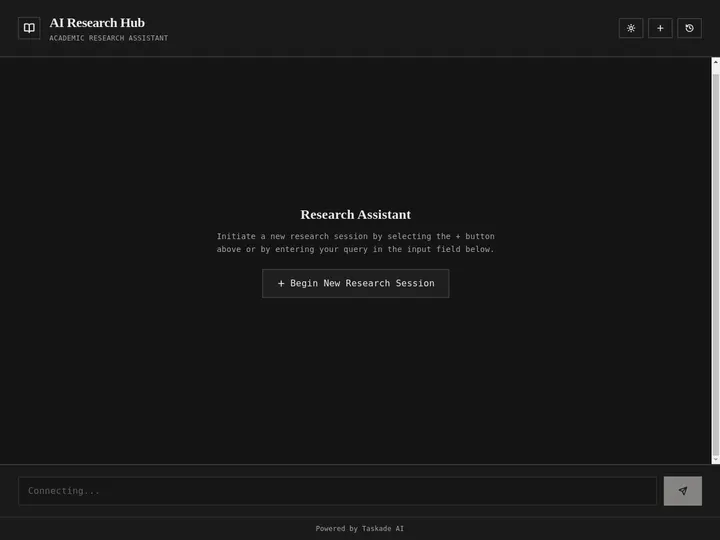

1. Taskade Genesis: Turn Notes Into a Living Knowledge App
Best for: Students and researchers who want notes to become an app they own and can extend with agents.
Taskade Genesis goes one step beyond a note-taker: it turns your notes into a living app you own. Drop in a lecture transcript or a stack of PDFs, and Taskade Genesis builds a knowledge base you can chat with, quiz yourself from, and share. Attach an AI agent (built-in tools, 15+ frontier models from OpenAI, Anthropic, Google) that summarizes new material daily and writes study guides on a schedule. Where TurboLearn gives you static notes, Taskade gives you a knowledge app with multiple project views, AI agents, and reliable automation workflows, starting free.
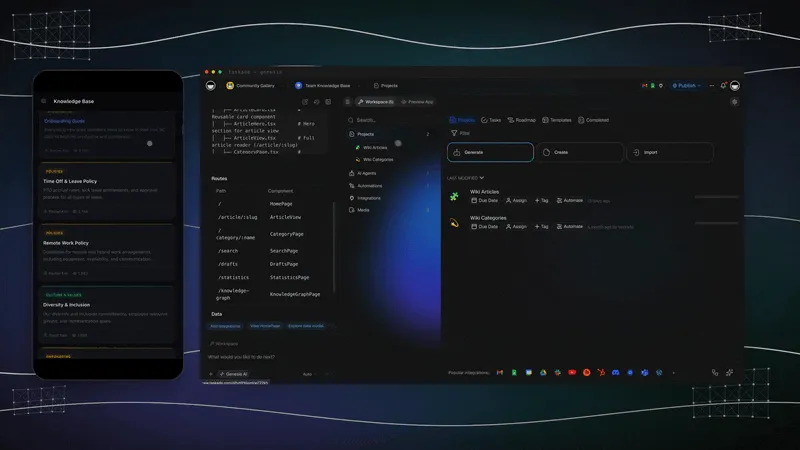
A note-taker hands you a document and stops. Taskade Genesis keeps working after the upload. Here is the difference end to end:
Chat with your notes, not just read them. Train an AI agent on any PDF, lecture transcript, or stack of source files, then ask it questions in plain language. The agent uses built-in tools and persistent memory, so it remembers what you covered last week and builds on it. See the how-to in Learn Taskade: build a knowledge chatbot and train an agent on files.
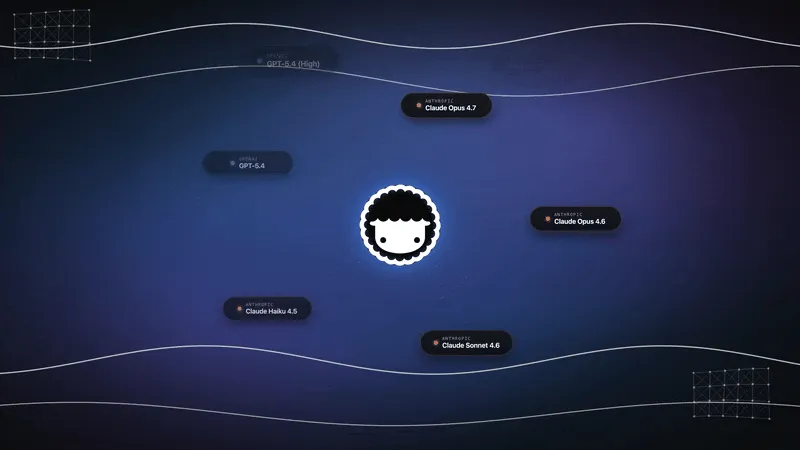
Pick the right model automatically. Taskade routes 15+ frontier models from OpenAI, Anthropic, and Google plus open-weight providers, with an Auto setting that picks per task and plan. You never have to guess which model to use for a summary versus a quiz.
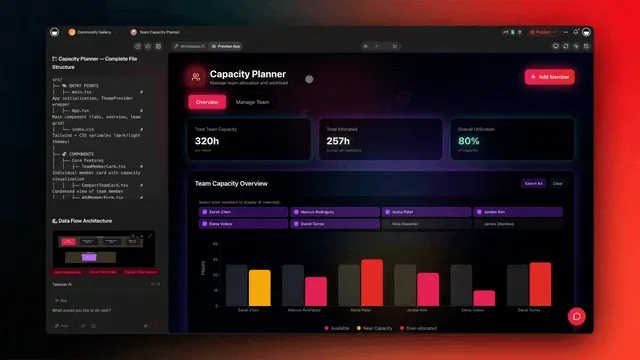
One prompt turns your notes into an app. A study tracker is more than a pile of notes. Use a Board for topics, a Calendar for exam dates, and a Table for sources, all on the same data across multiple project views. Over 150,000 one-prompt apps have already been built, and you can clone any of them from the Community Gallery.
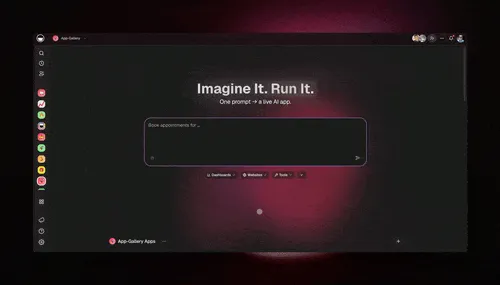
Here is how the study-focused comparison shakes out:
| Capability | TurboLearn | Taskade Genesis |
|---|---|---|
| Notes from PDFs/lectures | Yes | Yes |
| Flashcards + quizzes | Yes | Yes (agent-built) |
| Chat with your notes | Limited | AI agents, built-in tools |
| Turn notes into an app | No | Yes (one prompt) |
| Share / clone / publish | No | Custom domains + Gallery |
| Free tier | Tight quotas | 11,000 credits, full builder |
Strengths: Notes become a shareable app you own, AI agents refresh study material on a schedule, multiple views of the same data, free tier with 11,000 credits and the full builder.
Turn a pile of notes into a living study app. Most note-takers hand you a tidy document and stop. Taskade Genesis takes the same lecture transcript or PDF stack and builds a study app you can actually run a semester on. From one prompt you get a study tracker that shows your material across multiple project views — a Board for topics, a Calendar for exam dates, a Table for sources, a Mind Map for how ideas connect. Then you attach an AI agent (built-in tools, persistent memory) that reads each new upload, writes a fresh summary, and refreshes your flashcards and quizzes on a schedule. You own the app, you can share it with a study group, and anyone can clone it. Here is what that looks like in practice:
| What you build | How it works | The outcome |
|---|---|---|
| Study tracker (multiple views) | One prompt turns notes into a project: Board for topics, Calendar for deadlines, Table for sources | One place that holds the whole course, not scattered docs |
| Summary agent | An AI agent reads each new PDF or transcript and writes a plain-language recap | New material is digested for you the day you add it |
| Auto study guides + quizzes | The agent refreshes flashcards and practice questions on a schedule | Review material stays current without you rebuilding it |
| Share + clone | Publish the app with a public link or password protection | Your study group works from the same living app |
Limitations: It is a workspace, not a single-purpose flashcard app, so a student who only wants a quick deck before an exam may prefer a lighter tool.
2. NotebookLM: Source-Grounded Research Notes
Best for: Researchers and students who must trace every claim back to a cited source.
NotebookLM is Google's research notebook. Upload your sources, PDFs, slides, web pages, and it answers questions grounded only in those documents, with inline citations back to the original passage. It can generate study guides, briefing docs, FAQ lists, and an audio overview that turns your sources into a podcast-style conversation between two AI hosts.
Strengths: Citation grounding is best-in-class, the free tier is generous, and the audio overviews are genuinely useful for review on the go.
Limitations: It stays inside its notebook. There is no task layer, no automation, and no way to turn your notes into a shareable app. For source-grounded research, NotebookLM is the strongest free pick.
3. Notion AI: All-in-One Notes Workspace
Best for: People who want notes, docs, and databases in one familiar workspace.
Notion AI layers writing, summarizing, and Q&A on top of Notion's docs and databases. You can summarize a long lecture page, generate flashcard-style toggles, and ask questions across your whole workspace. For students already living in Notion, the AI add-on turns existing notes into study material without switching tools.
Strengths: Deep flexibility, huge template ecosystem, and one workspace for notes plus project tracking.
Limitations: The AI is priced as a per-seat add-on and capped, and Notion has no autonomous agents that refresh your study material on a schedule. For a side-by-side on the workspace question, see Notion vs Taskade.
4. Quizlet: Pre-Made Flashcard Decks
Best for: Students who want ready-made decks instead of building their own.
Quizlet is the largest flashcard library, with 500M+ user-created study sets and AI features that generate practice tests and explanations. If your topic is common, someone has likely already built a deck, so you can start studying in seconds rather than transcribing notes first.
Strengths: Enormous free deck library, fast quiz and test modes, strong mobile app.
Limitations: It is built around flashcards, not long-form notes or research, and the best AI features sit behind Quizlet Plus.
5. Anki: Free Open-Source Spaced Repetition
Best for: Serious memorization on a zero-dollar budget.
Anki is the open-source standard for spaced repetition. Its scheduling algorithm decides exactly when to resurface each card so you review just before you would forget. A massive community shares pre-built decks for languages, medicine, and law.
Strengths: Best-in-class spaced-repetition algorithm, completely free on desktop and web, and a deep deck library. Nothing here beats it for raw memorization at zero cost.
Limitations: The interface is dated, the learning curve is steep, and the official iOS app is a one-time $25 purchase. Anki memorizes cards. It does not take notes from a lecture for you.
6. StudyFetch, Knowt, and Mindgrasp: Direct Note-Taker Swaps
Best for: Students who want a near drop-in replacement for TurboLearn.
These three are the closest direct swaps. StudyFetch turns uploads into notes, flashcards, and an AI tutor named Spark. Knowt imports Quizlet sets and generates notes plus practice tests. Mindgrasp summarizes lectures, PDFs, and videos into notes and quizzes in minutes.
Strengths: Purpose-built for the lecture-to-flashcard workflow, friendly free tiers, and fast processing.
Limitations: Like TurboLearn, they hand you study material and stop. There is no workspace, no agents, and no way to turn the output into an app you own.
7. RemNote: Spaced-Repetition Note Systems
Best for: Note-takers who want flashcards built directly into their notes.
RemNote merges note-taking with spaced repetition. As you write notes, you mark key terms and RemNote turns them into flashcards automatically, so studying and note-taking happen in one flow. It is popular with medical and law students who manage dense, interconnected material.
Strengths: Notes and flashcards live in the same document, strong outlining, and a capable free tier.
Limitations: It is opinionated and takes time to learn, and it is focused on individual study rather than shareable, agent-powered apps.
Why Students Switch Away From Turbo AI
Students switch when a single-purpose note-taker stops keeping up with how they actually study. The most common switching triggers are reported limitations of the note-taker model itself, not knocks on any one product. Turbo AI reorders a lecture into clean notes, but it does not restructure the material into a course you can run all term. Knowing the trigger tells you exactly what to look for next.
| Switching trigger (student-reported) | What it means in practice | What to look for instead |
|---|---|---|
| Reorders notes, does not restructure | You get a tidy document, but topics, sources, and deadlines stay flat | A workspace with multiple views that hold a whole course |
| Multi-speaker transcription struggles | Seminars and group sessions blur speakers together | A dedicated transcription tool, or notes you can correct and extend |
| No spaced repetition | Flashcards exist but never resurface on a forgetting curve | A purpose-built SRS tool, or an agent that re-quizzes you on a schedule |
| No workspace | Notes live in isolation, away from tasks and exam dates | A project workspace where notes, tasks, and calendars share one app |
| Single-purpose, output stops | The note-taker hands you a file and stops working | An app that keeps working: summarizes new material and refreshes review |
The pattern across all five triggers is the same. A note-taker produces an output and stops. The fix is not a better note-taker, it is a study surface that keeps working after the upload. That is the gap the rest of this section closes.
Which Study Tool Fits How YOU Study?
The right pick depends on the single thing you need most, not on a feature checklist. If raw memorization is the bottleneck, a spaced-repetition system wins. If capturing a live lecture is the bottleneck, a transcription tool wins. If you want notes plus an AI tutor plus a workspace that runs your whole semester, that is where Taskade Genesis fits. Trace your main need below:
Two of the three paths still benefit from a place to live afterward. A memorized deck and a captured transcript are both more valuable inside a study app you can quiz yourself from, share with a group, and keep current.
Beyond Flashcards: Turn Study Material Into a Living Study App
Most study tools do one job and stop. Taskade Genesis turns your slides, PDFs, and links into a living study app that keeps working all term. That is the wedge no single-purpose study tool matches: notes plus multiple project views, plus an AI agent with built-in tools trained on your own material, plus reliable automation workflows that refresh your review schedule. A flashcard app memorizes cards. A study app remembers your course, tutors you on it, and runs the semester.
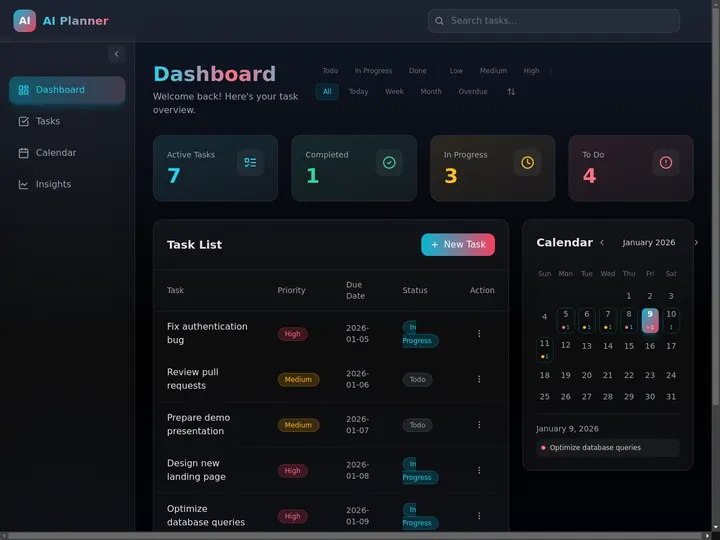
The difference shows up the moment you stop thinking in cards and start thinking in apps. A deck holds facts. A study app holds your whole course: topics on a Board, exam dates on a Calendar, sources in a Table, and how ideas connect on a Mind Map, all on the same material. Then an agent reads each new upload, writes a fresh recap, and refreshes your flashcards and quizzes without you rebuilding anything.
Train an AI tutor on your own slides, PDFs, and links. Feed your material into an agent's persistent memory, then ask it anything in plain language. It remembers what you covered last week and builds on it, so review compounds instead of resetting. See the how-to in Learn Taskade: build a knowledge chatbot and train an agent on files.
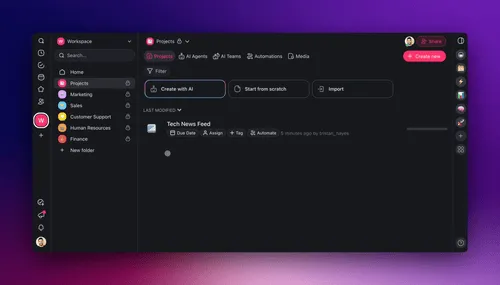
Here is the pipeline from raw material to a tutor app, end to end:
STUDY MATERIAL -> AI TUTOR APP PIPELINE
=======================================  [ Slides + PDFs + links ]
|
v
[ Train an agent on it ]  -- persistent memory, built-in tools
|
v
[ Living study app ]  -- multiple views: Board / Calendar / Table / Mind Map ...
/
v          v
[ Ask the    [ Auto study guides
tutor ]      + quizzes on a schedule ]
\          /
v        v
[ Share + clone with your study group ]
Add knowledge once, then keep asking. New material drops into the same agent, so your tutor gets smarter every week instead of starting over. The agent uses 15+ frontier models from OpenAI, Anthropic, Google, and open-weight providers, with an Auto setting that picks the right one per task.
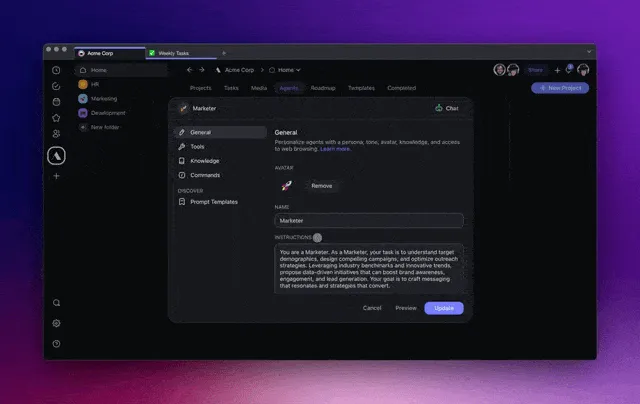
Study Tools on Durable Dimensions
On the dimensions that do not churn, Taskade Genesis is the only workspace option in this field. Flashcards and transcription are table stakes for the single-purpose tools. An AI tutor trained on your own documents, a multi-view workspace, and automation are where a study app pulls ahead. Here is the field on the dimensions that actually decide your semester:
| Capability | Flashcard tools | Transcription tools | Note-takers | Taskade Genesis |
|---|---|---|---|---|
| Flashcards | Yes | No | Limited | Yes (agent-built) |
| Lecture transcription | No | Yes | Limited | Limited |
| AI tutor on your docs | No | No | Limited | Yes (built-in tools) |
| Workspace + multiple views | No | No | Limited | Yes |
| Automation | Limited | No | No | Yes |
The single-purpose tools each win one column. Taskade Genesis is the only option that spans all five, because it is a workspace rather than a feature. For the pure-memorization column, a dedicated SRS tool like Anki still wins on its own ground, and that is the point: match the tool to the column you care about most.
Match Your Goal to the Right Tool
GOAL  ->  TOOL  (aligned map)
============================  Memorize fast, zero budget   ->  Anki / Quizlet
Flashcards inside my notes    ->  RemNote
Capture a live lecture        ->  A transcription tool
Cited research from sources   ->  NotebookLM
Notes + tutor + a workspace   ->  Taskade Genesis
Run my whole semester in one  ->  Taskade Genesis
Full Taskade Genesis Capabilities for Studying + the Vision
Taskade Genesis brings the whole study stack into one workspace: train a tutor on your material, build a study app from a prompt, and view your course seven ways. Here is what you get end to end:
| Capability | What it does |
|---|---|
| Train an agent on your material | Feed slides, PDFs, and links into an agent's persistent memory, then ask it anything |
| AI Agents v2 | built-in tools incl. web search, file analysis, persistent memory |
| One-prompt-to-app | Build a study planner or knowledge-base app from a prompt |
| Multiple project views | List, Board, Calendar, Table, Mind Map, Gantt, Org Chart |
| AI models | 15+ frontier models from OpenAI, Anthropic, Google, open-weight |
| Integrations | 100+ bidirectional |
The same engine builds a team knowledge base, so the app you make to survive finals is the same kind of app a team uses to run an internal wiki. Here is one built from a single prompt:

The vision: a study tool that does more than memorize cards. A workspace that remembers your course, tutors you on your own material, and runs your whole semester, free with 11,000 credits. Build your study app free →
Best Turbo AI Alternative by Study Style
The right Turbo AI alternative depends less on the tool and more on how you study. Three patterns cover almost everyone: you research from cited sources, you capture a live lecture or meeting, or you want your notes to grow into a study app you keep all term. For cited research, a source-grounded notebook like NotebookLM is the cleanest pick. For live capture, a dedicated transcription tool turns speech into text on the spot. For long-term memory plus a living study app, Taskade Genesis turns those notes into something that keeps working. Match your style below:
The takeaway: pick the tool that matches your study style, and remember that two of the three paths still benefit from a place to live afterward. Cited research and live transcripts are most valuable when they become part of a study app you can quiz yourself from, share with a group, and keep current. That is the gap Taskade Genesis fills — free, with 11,000 credits.
Dashboard Alternatives to Turbo AI
A smaller group searching "Turbo AI alternatives" wants the analytics dashboard tool, which turns spreadsheet data into charts. If that is you, the tools below replace it, and Taskade Genesis again leads because it turns data into a living dashboard rather than a static chart. For a broader roundup, see the best AI dashboard builders in 2026.
Taskade Genesis — Living Dashboards With AI Agents
Best for: Teams that want dashboards inside a workspace, not as a standalone tool.
Taskade Genesis does not build static charts. It builds living dashboards — projects that display data in multiple views (List, Board, Calendar, Table, Mind Map, Gantt, Org Chart), wire to 100+ integrations, and run AI agents that auto-summarize, auto-alert, and auto-update without human intervention.
What you get with Taskade Genesis: one prompt turns into a live app (150,000+ already built), AI agents with built-in tools, multi-agent collaboration, 15+ frontier models from OpenAI, Anthropic, Google, and open-weight providers, 100+ bidirectional integrations (triggers pull data in, actions push it out — native Shopify and Stripe), and reliable automation workflows that branch, loop, filter, wait, and resume from failure. That is the whole stack a dashboard needs, in one workspace.
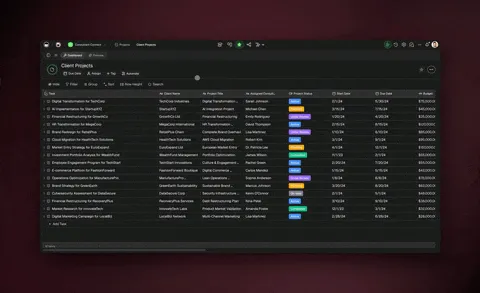
Here is what makes Taskade Genesis fundamentally different from Turbo AI:
Workspace-native dashboards. Every dashboard you build in Taskade Genesis is a project. Projects live inside workspaces where teams collaborate in real time. You can switch between a Table view for raw data, a Board view for Kanban-style tracking, a Mind Map view for brainstorming relationships, or a Gantt view for timeline dependencies — all on the same underlying data. Turbo AI gives you one chart. Taskade gives you multiple views of the same reality.
AI agents that work while you sleep. Attach an AI agent to any dashboard project. The agent can summarize yesterday's metrics every morning, compare week-over-week trends, flag anomalies, and write a plain-English report that gets posted to a Slack channel or emailed to your team. Taskade offers built-in tools for agents, plus custom tool creation so your agent can call any API. You can also run multiple agents together in orchestration mode, so one agent pulls the data while another writes the summary.
This is not theoretical. David, an IT program manager with no engineering team, prompted Taskade Genesis into a production project dashboard — Customers, Jobs, Invoices, and Team in one app — that his whole operation now runs on. The point of a living dashboard is exactly that: a non-developer ships something real and the agents keep it current.
100+ integrations for live data. Connect your dashboard to Stripe for revenue, PostHog for product analytics, Google Search Console for SEO, Gmail for support tickets, Slack for team communication, and dozens more. Data flows into your Taskade project through reliable automation workflows — no manual CSV uploads, no copy-pasting from spreadsheets.
Custom domains and public sharing. Publish any dashboard as a live app with a custom domain, built-in sign-in, and a public URL. Share it with clients, stakeholders, or the world. More than 150,000 one-prompt apps have been built on Taskade Genesis, and you can clone any of them straight from the Community Gallery.
Role-based access for teams. Taskade uses a permission system (Owner to Viewer) so you can give your CEO read-only access to the executive dashboard while your ops team edits the underlying data. Turbo AI has no permission model at all.
| Plan | Price (Annual) | Users | AI Credits | Features |
|---|---|---|---|---|
| Free | $0 | 1 | 11,000 one-time | Basic views, dashboard builder, Community Gallery |
| Pro | $10/mo | 10 | Included | All Free + 100+ integrations |
| Business | $25/mo | 10+ | Included | All Pro + custom domains, advanced RBAC, audit logs |
| Enterprise | Custom | Unlimited | Custom | SSO, dedicated support, SLA |
Bottom line: Turbo AI gives you a chart. Taskade Genesis gives you a living dashboard inside a workspace where agents, automations, and team collaboration are native. For teams of any size, the value per dollar is not close.
1. Hex — Collaborative Notebooks for Data Teams
Best for: Data engineers and analysts who think in SQL and Python.
Hex is a collaborative data workspace that combines SQL queries, Python notebooks, and interactive dashboards in a single canvas. If your team already writes SQL and Python daily, Hex feels like a natural extension of your workflow. You query your data warehouse directly — Snowflake, BigQuery, Redshift, Databricks — and build dashboards from the results without exporting to CSV first.
Hex's AI assistant ("Magic") can generate SQL from natural language, explain query results, and suggest chart types. The collaboration layer is strong: version control, commenting, branching, and sharing are all built in. Hex recently added scheduled runs and alerting, which brings it closer to a monitoring tool.
The downside: Hex is expensive for small teams. Pricing starts around $30/month per editor, and the free tier is limited to three projects. Hex also lacks a general-purpose workspace — it is not a project management tool, it has no task tracking, and it has no AI agents that can act on data autonomously. You analyze data in Hex, then context-switch to another tool to act on it. For data teams embedded in an engineering org, Hex is excellent. For cross-functional teams that need dashboards and project management together, Taskade Genesis is the better fit.
2. Julius AI — Quick Analysis Without Setup
Best for: Non-technical users who want fast answers from data files.
Julius AI is the closest direct competitor to Turbo AI in terms of workflow: upload a CSV, ask a question, get a chart. The difference is that Julius has a more capable AI engine, better chart formatting, and a more generous free tier. Julius supports multiple data files per analysis session, can generate multi-chart reports, and handles messy data (missing values, mixed types) more gracefully than Turbo AI.
Julius is designed for speed. You do not configure data sources, write SQL, or set up connections. You drag and drop a file and start asking questions. The AI generates charts, tables, and narrative summaries that you can export as PDFs or embed in presentations. Recent updates added support for Google Sheets integration and basic scheduling.
The limitation is the same as Turbo AI: Julius is a single-user, session-based tool. There is no workspace, no team collaboration, no task tracking, no automation, and no AI agents that run in the background. For a freelancer building a client report from a CSV, Julius is fast and effective. For a team that needs recurring dashboards with live data, you will outgrow Julius in a month. Free tier available with usage caps.
3. Mode Analytics — Traditional BI With an AI Layer
Best for: Mid-market companies already invested in SQL-based BI.
Mode Analytics has been a staple of the traditional BI stack since 2013. It combines a SQL editor, Python/R notebooks, and a drag-and-drop report builder. In 2025-2026, Mode added AI features — natural language query generation, automated chart recommendations, and an AI assistant for exploring datasets.
Mode's strength is maturity. It connects natively to major data warehouses (Snowflake, BigQuery, Redshift, Postgres), supports version-controlled queries, and has a solid permissions model for sharing reports across teams. The report builder produces polished, embeddable dashboards that update on a schedule.
The downside is complexity and price. Mode is not a tool you spin up in five minutes. It requires warehouse credentials, query writing, and some SQL knowledge to get real value. Pricing is opaque — you need to contact sales for anything beyond the free community tier. Mode also has no AI agents, no task management, and no workspace integration. It is a pure BI tool. For companies that already run a data warehouse and need a SQL-first BI layer, Mode is proven. For teams that want AI-native dashboards without a data engineering prerequisite, Taskade Genesis or Julius are faster on-ramps.
4. Retool — Internal Tool Builder With Dashboard Components
Best for: Developers building internal admin panels and operational dashboards.
Retool is a low-code platform for building internal tools. It is not a dashboard-first product, but its component library includes charts, tables, forms, and data grids that make it a strong choice for operational dashboards — admin panels, support dashboards, order management screens, and inventory trackers.
Retool connects to databases (Postgres, MySQL, MongoDB), APIs, and SaaS tools (Stripe, Twilio, Salesforce) natively. You drag components onto a canvas, wire them to data sources, and add logic with JavaScript. The result is a fully interactive internal tool, not just a read-only chart. Users can edit records, trigger actions, and run workflows directly from the dashboard.
The tradeoff: Retool requires developer involvement. Non-technical users cannot build dashboards from natural language prompts. Pricing starts around $10/month per user for the team plan, with a free tier for up to 5 users. Retool also has no AI agents, no project management layer, and no 7-view workspace. It is purpose-built for internal ops tools. If you need an admin panel that acts on data, Retool is strong. If you need a workspace where dashboards, tasks, agents, and automations coexist, that is Taskade Genesis.
5. Quadratic — Spreadsheet-First Data Analysis
Best for: Spreadsheet power users who want Python and SQL inside a familiar grid.
Quadratic is an open-source spreadsheet that supports Python, SQL, and JavaScript formulas alongside traditional spreadsheet formulas. Think Google Sheets meets Jupyter Notebook. You can write a Python script in one cell, reference its output in a standard spreadsheet formula in another cell, and build charts from the combined data.
Quadratic's free tier is generous. The open-source version runs locally with no usage limits. The hosted version offers collaboration, sharing, and cloud compute. For analysts who live in spreadsheets but need the power of Python for data cleaning, transformation, and visualization, Quadratic fills a gap that neither Google Sheets nor Excel covers well.
The limitation: Quadratic is a spreadsheet, not a workspace. There is no AI agent layer, no task management, no automation engine, and no integration marketplace. You analyze data inside the grid and export results manually. For heavy spreadsheet users who want a Python-powered upgrade, Quadratic is compelling. For teams that want dashboards tied to a workspace with agents and automations, Taskade Genesis covers more ground.
6. Lovable — Developer-First AI App Builder
Best for: Developers who want full code control over dashboard applications.
Lovable (formerly GPT Engineer) is an AI app builder that generates full-stack web applications from natural language prompts. You can prompt Lovable to "build a revenue dashboard that pulls from Stripe and displays monthly MRR, churn, and LTV" and get a deployable React application with API integrations.
The output is real code — React, TypeScript, Tailwind — that you can inspect, modify, and deploy on your own infrastructure. For developers who want total control over their dashboard UI and are comfortable maintaining a codebase, Lovable produces production-quality starting points fast.
The downside: Lovable generates code, not living applications. You deploy it, host it, maintain it, and debug it yourself. There are no AI agents monitoring the dashboard, no workspace-level collaboration, no task management, and no automation engine. Updates require re-deploying the application. For a developer building a one-off dashboard with specific design requirements, Lovable is fast. For a team that needs a living dashboard that evolves without re-deployment, Taskade Genesis is the better architecture. See our full Lovable review for more details.
7. Softr — Client-Facing Portals and Dashboards
Best for: Agencies and consultants building client portals on top of Airtable or Google Sheets.
Softr is a no-code platform that turns Airtable bases and Google Sheets into client-facing web applications — portals, directories, dashboards, and membership sites. If your data already lives in Airtable, Softr gives you a drag-and-drop builder to create a polished front end with user authentication, role-based access, and custom domains.
Softr's dashboard components include charts, list views, Kanban boards, and detail pages. The platform handles authentication, payments (via Stripe), and custom branding out of the box. For agencies that build client portals, Softr's template library and Airtable integration make it a fast path to a deliverable product.
The limitation: Softr is tightly coupled to Airtable and Google Sheets. If your data lives elsewhere, Softr is not the right tool. There are no AI agents, no natural language prompts for building dashboards, and no intelligent automation layer. Pricing starts at $49/month for the Basic plan. For Airtable-native teams building client portals, Softr is strong. For teams that want AI-generated dashboards with agents and workspace integration, Taskade Genesis is more capable and more affordable.
Mega Comparison Matrix
| Feature | Taskade Genesis | Turbo AI | Hex | Julius AI | Mode | Retool | Quadratic | Lovable | Softr |
|---|---|---|---|---|---|---|---|---|---|
| Free Tier | 11,000 credits | Limited queries | 3 projects | Yes (capped) | Community | 5 users | Open-source | Limited | No |
| AI Agents | built-in tools | No | Magic (query) | No | No | No | No | No | No |
| Project Views | Multiple | 1 (chart) | Notebook | Chart + table | Report | Canvas | Spreadsheet | Code | Portal |
| Team Collaboration | Real-time multiplayer | No | Yes | No | Yes | Yes | Yes | Via Git | Basic |
| Integrations | 100+ | CSV upload | Warehouses | CSV/Sheets | Warehouses | APIs + DBs | Local/cloud | API code | Airtable |
| Automation | Reliable workflows | No | Scheduled runs | No | Scheduled | Workflows | No | Manual | Zapier |
| Custom Domains | Yes | No | No | No | No | Yes | No | Self-host | Yes |
| RBAC | Owner to Viewer | No | Yes | No | Yes | Yes | Basic | No | Yes |
| Price (Team/mo) | $10 (10 users) | ~$40 (2 users) | ~$60+ (2 editors) | ~$40 (2 users) | Contact sales | $20+ (2 users) | Free (OSS) | $40+ | $98+ |
Living Dashboard vs Static Dashboard
The fundamental difference between Taskade Genesis and Turbo AI is living vs static. A Turbo AI dashboard is a snapshot — you upload data, get a chart, and the chart never changes until you come back and re-upload. A Taskade Genesis dashboard is alive — it pulls data through integrations, agents summarize it automatically, and automations fire when thresholds are crossed.
Here is how a living dashboard works end to end:
With Turbo AI, every step in that sequence requires a human. You upload the CSV manually. You write the query manually. You read the chart manually. You copy the insight into Slack manually. There is no agent, no automation, no integration layer. The dashboard is a picture. In Taskade, the dashboard is a system.
+-------------------------------------------+
|           TURBO AI WORKFLOW                |
|                                           |
|   [Human] --> Upload CSV --> Ask Question  |
|       |                         |          |
|       v                         v          |
|   Wait for                  Get Chart      |
|   new data                  (static)       |
|       |                         |          |
|       +--- Manual loop ---------+          |
+-------------------------------------------++-------------------------------------------+
|        TASKADE GENESIS WORKFLOW            |
|                                           |
|   [Human] --> Prompt once --> Dashboard    |
|                                 |          |
|                                 v          |
|                          [AI Agent]        |
|                           /     \          |
|                          v       v         |
|                   Summarize   Automate     |
|                   daily       alerts       |
|                          \       /         |
|                           v     v          |
|                       Slack / Email        |
|                      (no human needed)     |
+-------------------------------------------+
This is the "living software" paradigm. Dashboards are not reports you read — they are systems that act on your behalf. For a deeper exploration of this concept, read our piece on the living app movement.
Choose Your Alternative
Not every Turbo AI alternative is right for everyone. The best choice depends on whether you want study notes, a note workspace you own, cited research, or charts from data. Use this decision tree:
The pattern is clear: for free flashcards, Anki and Quizlet win. For cited research, NotebookLM wins. For charts from data, Julius or Hex win. For notes or data that become a living app you own and extend with agents, Taskade Genesis wins.
Free Tier Comparison
How much can you actually do for free? This matters for students, hobbyists, and early-stage founders who cannot justify $20/month for chart generation.
| Tool | Free Tier Details | Free Tier Score |
|---|---|---|
| Taskade Genesis | 11,000 credits, basic views, dashboard builder, Community Gallery, public sharing | 8/10 |
| Turbo AI | ~10 queries/day, no saved dashboards, no exports | 2/10 |
| Hex | 3 projects, limited compute | 4/10 |
| Julius AI | Usage-capped queries, basic exports | 6/10 |
| Mode | Community tier, public reports only | 5/10 |
| Retool | 5 users, limited apps | 6/10 |
| Quadratic | Open-source, unlimited local use | 9/10 |
| Lovable | Limited generations | 3/10 |
| Softr | No free tier (14-day trial only) | 1/10 |
Quadratic scores highest on pure free-tier generosity because the open-source version runs locally with no restrictions. But local-only means no collaboration, no AI agents, and no integrations. Taskade Genesis scores second highest because the free tier includes the full workspace experience — basic project views, dashboard builder, AI credits, and public sharing through the Community Gallery — with the team and automation features unlocked on paid plans.
Who Should Stay on Turbo AI?
Not every Turbo AI user needs to switch. Some workflows genuinely fit Turbo AI's model. Here are the three cases where staying makes sense.
Solo Analysts With One-Off CSV Jobs
If your job is "client sends me a CSV, I make a chart, I send it back," Turbo AI does that well enough. You do not need a workspace, you do not need agents, and you do not need integrations. The workflow is: upload, prompt, screenshot, email. Turbo AI charges ~$20/month for this. Julius AI does it slightly better with a more generous free tier. But if Turbo AI is already working and you have no team, the switching cost is real.
Users Who Only Need Bar and Line Charts
Turbo AI's chart engine is optimized for simple visualizations: bar charts, line charts, pie charts, scatter plots. If your reporting needs are limited to these four chart types and you never need interactive dashboards, Kanban boards, Gantt timelines, or mind maps, Turbo AI covers your use case. The moment you need a view beyond a static chart, you have outgrown the tool.
Budget-Conscious Users With No Team
If you work alone, have no team to collaborate with, and your budget is exactly $20/month, Turbo AI is a defensible choice for chart-only workflows. But know that Taskade Genesis offers a free tier with more capabilities (basic views, AI agents, dashboard builder, public sharing) and the $10/month Pro plan includes everything Turbo AI does plus the full workspace. The only scenario where Turbo AI wins on budget is if you are already paying and the hassle of switching outweighs the savings.
Migration Playbook: Turbo AI to Taskade Genesis
Migrating from Turbo AI to Taskade Genesis takes about 15 minutes for a typical dashboard. Here is the step-by-step flow:
Step 1: Export your data. In Turbo AI, download any datasets you have uploaded as CSV files. Turbo AI does not support structured exports of dashboard configurations, so you are exporting raw data only.
Step 2: Open Taskade Genesis. Go to taskade.com/create and start a new project. You can also open an existing workspace and create a new project inside it.
Step 3: Prompt Taskade Genesis. Upload your CSV and type a prompt like: "Build a revenue dashboard from this data. Show monthly trends, top customers, and churn risk. Use Table view for raw data and Board view for action items." Taskade Genesis will create the project with the appropriate views configured.
Step 4: Wire live integrations. Instead of re-uploading CSVs manually, connect your live data sources. Go to your project settings and add integrations — Stripe for revenue, PostHog for product analytics, Google Search Console for SEO performance, Gmail for support volume. Data flows in automatically through reliable automation workflows.
Step 5: Attach an AI agent. Create an AI agent inside the project. Configure it to summarize the dashboard data daily at 8 AM, flag any metric that changed by more than 15% week-over-week, and post the summary to a Slack channel. The agent uses built-in tools and can be extended with custom tool definitions.
Step 6: Set threshold automations. Configure automations so that when MRR drops below a target, churn rate exceeds a limit, or support ticket volume spikes, the system sends alerts to the right people without anyone opening the dashboard.
Step 7: Publish. Give the dashboard a custom domain, set password protection if needed, and share the URL with stakeholders. Publish to the Community Gallery if you want others to clone and remix your dashboard template.
Step 8: Cancel Turbo AI. Once your Taskade Genesis dashboard is running with live data, agents, and automations, there is no reason to keep paying $20/month for a tool that requires manual CSV uploads and produces static charts.
MIGRATION TIMELINE
Day 1:  Export CSVs from Turbo AI
Create Taskade Genesis project
Prompt dashboard from data
(Time: ~15 minutes)
Day 2:  Wire 2-3 integrations
Attach AI agent
Set first automation
(Time: ~30 minutes)
Day 7:  Verify agent summaries
Tune thresholds
Share with team
(Time: ~10 minutes)
Day 14: Cancel Turbo AI subscription
Save $20/month
(Time: ~2 minutes)
Most users report the migration is faster than expected because Taskade Genesis handles the dashboard layout, chart selection, and view configuration from the prompt — work that would take hours in a traditional BI tool.
Turbo AI Community Hijack
One more thing worth noting: the Turbo AI search queries that brought you here are already being served by the Taskade community. The page at /apps/featured/turbo-ai-dashboard-x7ybdpzhri2ljlxy ranks for "turbo ai dashboard" and related queries because real users have built dashboard apps in Taskade Genesis and published them to the Community Gallery.
This is not a theoretical alternative. People are already building Turbo AI replacements inside Taskade and sharing them publicly. You can clone a community dashboard, customize it for your data, wire your own integrations, and deploy it in minutes. More than 150,000 one-prompt apps have been built across every category — dashboards, CRMs, project trackers, content calendars, and more.
The community effect matters because it means you are not starting from zero. Instead of prompting Taskade Genesis from scratch, you can start from a template that someone else already battle-tested. For more on how the Community Gallery drives organic traffic and user acquisition, see our analysis of community gallery SEO.
Related Reading
Here are the sprint sibling articles and related guides that connect to this piece:
- Best AI Dashboard Builders in 2026 — The comprehensive roundup of all dashboard AI tools, not just Turbo AI alternatives
- Community Gallery SEO — How community-published apps rank for competitor brand queries like "turbo ai dashboard"
- AI Agent Builders — How to build agents that monitor and act on dashboard data
- The Living App Movement — Why static dashboards are being replaced by living systems
- Zapier Alternatives — The automation layer that powers living dashboards
- AI Agents Taxonomy — Understanding the agent types that work inside dashboards
- Free AI App Builders — More free-tier options for building dashboards and apps
- Best Genspark Alternatives — Another competitor alternative guide with detailed workspace comparisons
- Build a knowledge chatbot — Step-by-step guide to chat with your notes and source files
- Build an AI dashboard — How to turn spreadsheet data into a living dashboard
- Taskade pricing — Compare free, Pro, Business, and Enterprise plans
Hub pages:
Verdict
For the note-taker audience, each alternative genuinely wins at something. TurboLearn is fast and student-loved: roughly 30-second processing, a claimed 99% accuracy, podcast generation, and a mobile app make it frictionless when you just need flashcards before an exam. Anki's spaced-repetition algorithm is best-in-class and free, with a huge community deck library that nothing here beats for raw memorization at zero cost. NotebookLM is the strongest for source-grounded research, because Google's citation quality is excellent when you must trace every claim back to a source. Where Taskade Genesis pulls ahead is ownership: it turns those notes into a living app with AI agents and multiple project views that you can share, clone, and extend, free with 11,000 credits.
Now for the dashboard audience. Turbo AI carved a niche in quick chart generation from CSV data. That niche has not disappeared — solo analysts who need a fast chart from a file will continue to use tools like Turbo AI and Julius AI. But the niche is shrinking because the definition of "dashboard" has expanded. A dashboard in 2026 is not a static chart. It is a living system with integrations, agents, automations, collaboration, and multiple views of the same data.
Taskade Genesis is the strongest Turbo AI alternative for teams and free-tier users because it is the only tool in this comparison that combines dashboards with a workspace, AI agents, 100+ integrations, multiple project views, reliable automation workflows, and community-powered templates — starting at $0.
For data engineers who live in SQL and Python, Hex is the best specialized option. For quick analysis without setup, Julius AI is fast and free. For internal ops tools, Retool is proven. For spreadsheet-first workflows, Quadratic is open-source and generous. For developers who want full code control, Lovable generates real codebases. For Airtable-native agencies, Softr builds client portals fast.
But if you want a dashboard that thinks, acts, and evolves — one that does not wait for you to open it before it starts working — the answer is Taskade Genesis.
▲ ■ ● That is Workspace DNA — Memory holds your data, Intelligence reads it, and Execution acts on it. A living dashboard is that loop running on your behalf. Build yours free →
FAQ
What is Turbo AI?
Turbo AI is a dashboard and analytics tool that uses AI to generate charts and insights from uploaded data files. You upload a CSV or connect a Google Sheet, type a natural language question, and Turbo AI produces a chart. It is popular among solo analysts and small teams for quick one-off visualizations. The platform launched in 2024 and has grown through Product Hunt and social media. The free tier is limited to a small number of daily queries, and paid plans start around $20/month for individuals.
What is the best Turbo AI alternative?
The best Turbo AI alternative depends on your use case. Taskade Genesis leads for free users and teams that need workspace-native dashboards with multiple project views, AI agents, and 100+ integrations. Hex leads for data teams that write SQL and Python daily. Julius AI leads for non-technical users who want fast chart generation from CSV files. Retool leads for developers building internal operational dashboards. For most teams, Taskade Genesis offers the best combination of features, free-tier generosity, and price-to-value ratio.
Is there a free Turbo AI alternative?
Yes. Taskade Genesis offers a free tier with 11,000 one-time credits, basic project views, dashboard builder, and the ability to publish apps to the Community Gallery. Quadratic is open-source and runs locally with no restrictions. Julius AI offers a free tier with usage caps. Turbo AI's own free tier is one of the most limited in this comparison — fewer than 10 queries per day with no saved dashboards and no export options.
Turbo AI vs Taskade Genesis — which is better?
Turbo AI specializes in generating charts from uploaded data files. It does one thing well for solo users. Taskade Genesis is a full workspace where dashboards are one of multiple project views (List, Board, Calendar, Table, Mind Map, Gantt, Org Chart) and AI agents can auto-update data, summarize trends, and trigger reliable automation workflows. Genesis is stronger for teams, collaboration, and recurring dashboards. Turbo AI is stronger for a single analyst making a single chart from a single CSV. For any use case beyond that, Genesis provides more value at a lower price.
How much does Turbo AI cost?
Turbo AI pricing starts around $20/month for individual users. There is no published team plan with shared workspaces or role-based access. For comparison, Taskade Genesis starts free (11,000 credits), with the Pro plan at $10/month for 10 users. The Pro plan includes 100+ integrations and full AI agent capabilities, and the Business plan at $25/month adds custom domains — features that Turbo AI does not offer at any price point.
Can I migrate from Turbo AI to Taskade?
Yes. The migration process is straightforward: export your data as CSV files from Turbo AI, open Taskade Genesis, and prompt it to build a dashboard from your data. Genesis creates a project with multiple views configured for your data type. From there, wire live integrations (Stripe, PostHog, Google Search Console) so you never have to upload CSVs manually again. Attach an AI agent for daily summaries and set automations for threshold alerts. Most migrations take under 15 minutes. Taskade Pro at $10/month for 10 users replaces Turbo AI at $20/month for 1 user with significantly more features.
Does Turbo AI have AI agents?
No. Turbo AI focuses on chart generation from data queries. It does not have AI agents that can monitor dashboards, detect anomalies, summarize trends, or trigger actions based on thresholds. Taskade Genesis includes AI agents with built-in tools, persistent memory, and custom tool creation. You can attach an agent to any dashboard project and configure it to summarize data daily, flag outliers, post updates to Slack, and trigger reliable automation workflows — all without opening the dashboard manually.
What makes Taskade Genesis different from Turbo AI?
Taskade Genesis produces living dashboards — projects with embedded AI agents, 100+ integrations, multiple project views, custom domains, role-based access (Roles: Owner through Viewer), and reliable automation workflows. Turbo AI produces static charts from data queries. The difference is architectural: Turbo AI is a tool you visit to get a chart. Taskade Genesis is a workspace that runs dashboards, agents, and automations on your behalf — whether you are logged in or not. More than 150,000 one-prompt apps have been built on Taskade Genesis, ready to clone from the Community Gallery. Try it free →
Is Turbo AI the note-taker or the dashboard tool?
Both names exist. The popular one is TurboLearn, an AI note-taker with 5M+ users that turns lectures and PDFs into notes, flashcards, and quizzes. A separate analytics tool also uses the name Turbo AI for spreadsheet dashboards. Taskade Genesis replaces both, starting free with 11,000 credits.
Is Turbo AI free, and what are the limits?
TurboLearn has a free tier with all features but tight, undisclosed quotas on PDF uploads, audio hours, and quizzes. Paid plans run $9.99/mo billed annually or $19.99/mo monthly. Taskade Genesis offers a free tier with 11,000 credits and the full app builder.
What is the best free Turbo AI alternative for students?
For pure flashcards, Anki (open-source) and Quizlet (500M+ decks) are the strongest free picks. For research notes, NotebookLM is free and source-grounded. For notes that become a living app you own, Taskade Genesis is free with 11,000 credits and AI agents.
Can Taskade Genesis turn my lecture notes into flashcards or quizzes?
Yes. Upload a PDF or transcript and prompt Taskade Genesis to build a study app. An AI agent with built-in tools generates summaries, flashcards, and quizzes, then refreshes them on a schedule. Over 150,000 apps have been built this way.
How does Taskade Genesis compare to NotebookLM and Notion AI?
NotebookLM is best for citing sources, Notion AI for an all-in-one notes workspace. Taskade Genesis goes further: it turns notes into a shareable app with multiple project views, AI agents, and automations, publishable with a custom domain. See the head-to-head in Notion vs Taskade.
Why do students switch away from Turbo AI?
Students report that a single-purpose note-taker reorders notes without restructuring them into a course, struggles with multi-speaker transcription, has no spaced repetition, and offers no workspace. The output stops once you get a file. Taskade Genesis closes those gaps by turning notes into a living study app with multiple project views, an AI agent trained on your material, and automations that refresh review on a schedule, free with 11,000 credits.
Which study tool fits how I study?
If raw memorization is the bottleneck, a spaced-repetition tool like Anki, RemNote, or Quizlet wins. If capturing a live lecture is the bottleneck, a transcription tool wins. If you want notes plus an AI tutor plus a workspace that runs your whole semester, Taskade Genesis fits. It turns slides, PDFs, and links into a study app with multiple project views and an AI agent that uses built-in tools.
How is a living study app different from flashcards?
A flashcard app memorizes cards and stops. A living study app remembers your whole course. Taskade Genesis holds topics on a Board, exam dates on a Calendar, and sources in a Table, then trains an AI agent on your slides and PDFs so it summarizes new material and refreshes quizzes on a schedule. No single-purpose study tool matches notes plus multiple views plus an agent with built-in tools plus automation.