







Building a website used to mean learning code, hiring designers, or wrestling with drag-and-drop page builders for days.
Now you describe what you want and watch it appear in under 60 seconds.
Taskade Genesis generates complete, functional websites from natural language prompts. But unlike static site builders, Genesis websites are living systems — they include databases (Projects), AI assistants (AI Agents), and automated workflows (Automations).
TL;DR: Taskade Genesis builds complete websites from a single prompt — landing pages, portfolios, business sites, nonprofits, and more. Each site is a living system with AI agents (built-in tools), automations (100+ integrations), and custom domain support. 150,000+ apps built. Pricing is free to start, with Pro from $10/month billed annually. Try it free →
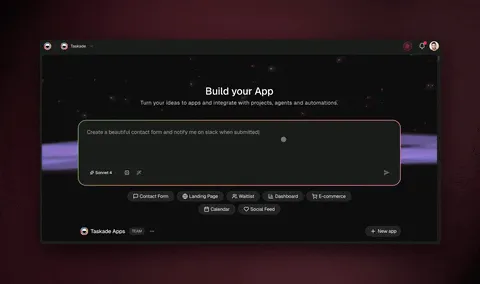
Here are 12 AI-generated websites you can clone and customize today.
How Genesis Website Creation Works
The process from prompt to published website follows four stages:
Every Genesis website is powered by Workspace DNA — the same architecture that runs complex business applications:
| Layer | What It Does | Website Example |
|---|---|---|
| Memory (Projects) | Stores structured data in multiple views | Contact form submissions, product listings, blog posts |
| Intelligence (Agents) | Processes data with frontier AI models | Chatbot answers visitor questions, generates content |
| Execution (Automations) | Triggers workflows across 100+ integrations | Sends email on form submit, syncs CRM, posts to Slack |
Which Website Type Should You Build?
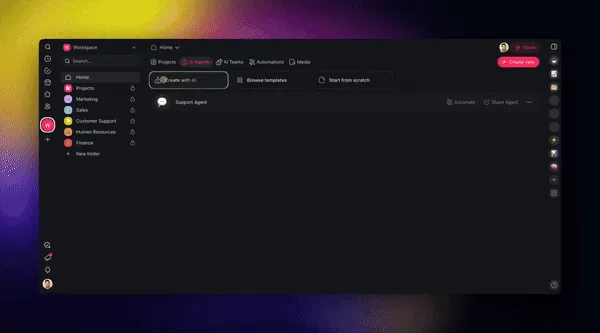
Not sure where to start? Use this decision tree based on your business model:
1. SaaS Landing Page
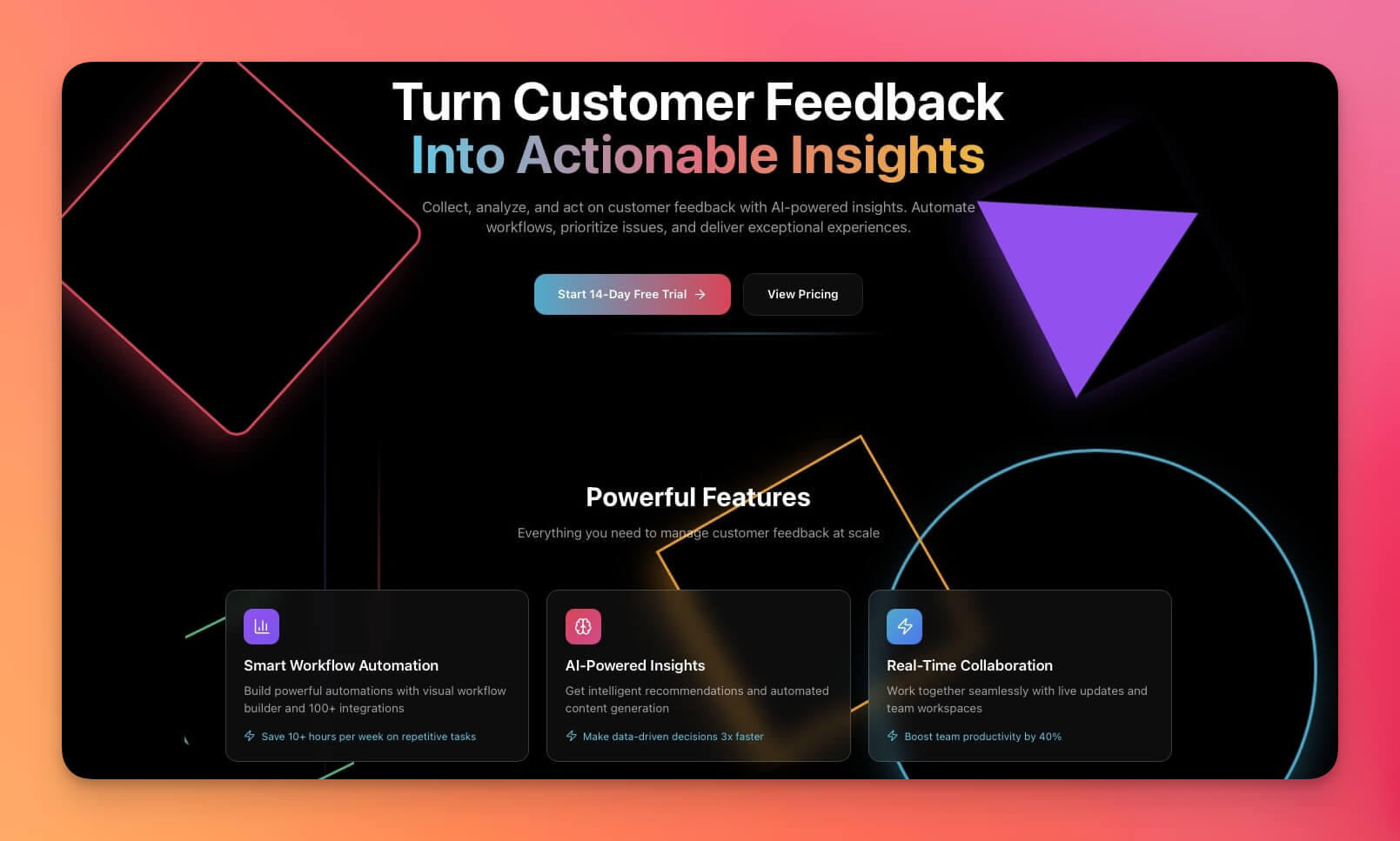
A modern landing page for software products with hero section, feature highlights, pricing table, and email capture. Optimized for conversion with clear CTAs and social proof sections.
Best for: SaaS founders, product launches, startups
Features:
- Hero section with primary CTA and value proposition
- Feature highlights with icons and descriptions
- Pricing table with plan comparison
- Email capture form connected to automation workflows
AI agent integration: A lead qualification agent processes form submissions, scores leads based on company size and use case, and routes high-intent prospects to your CRM via Salesforce or HubSpot integration.
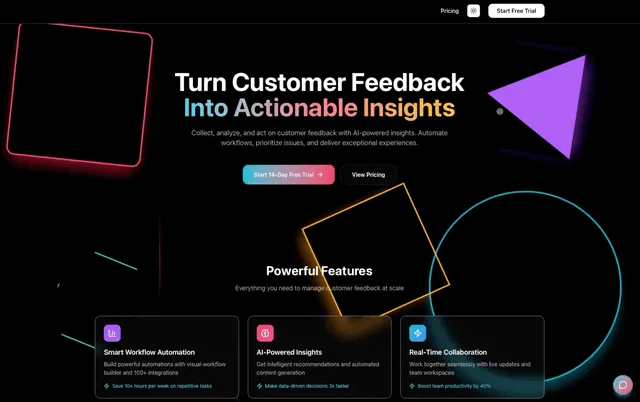
2. Real Estate Landing Page
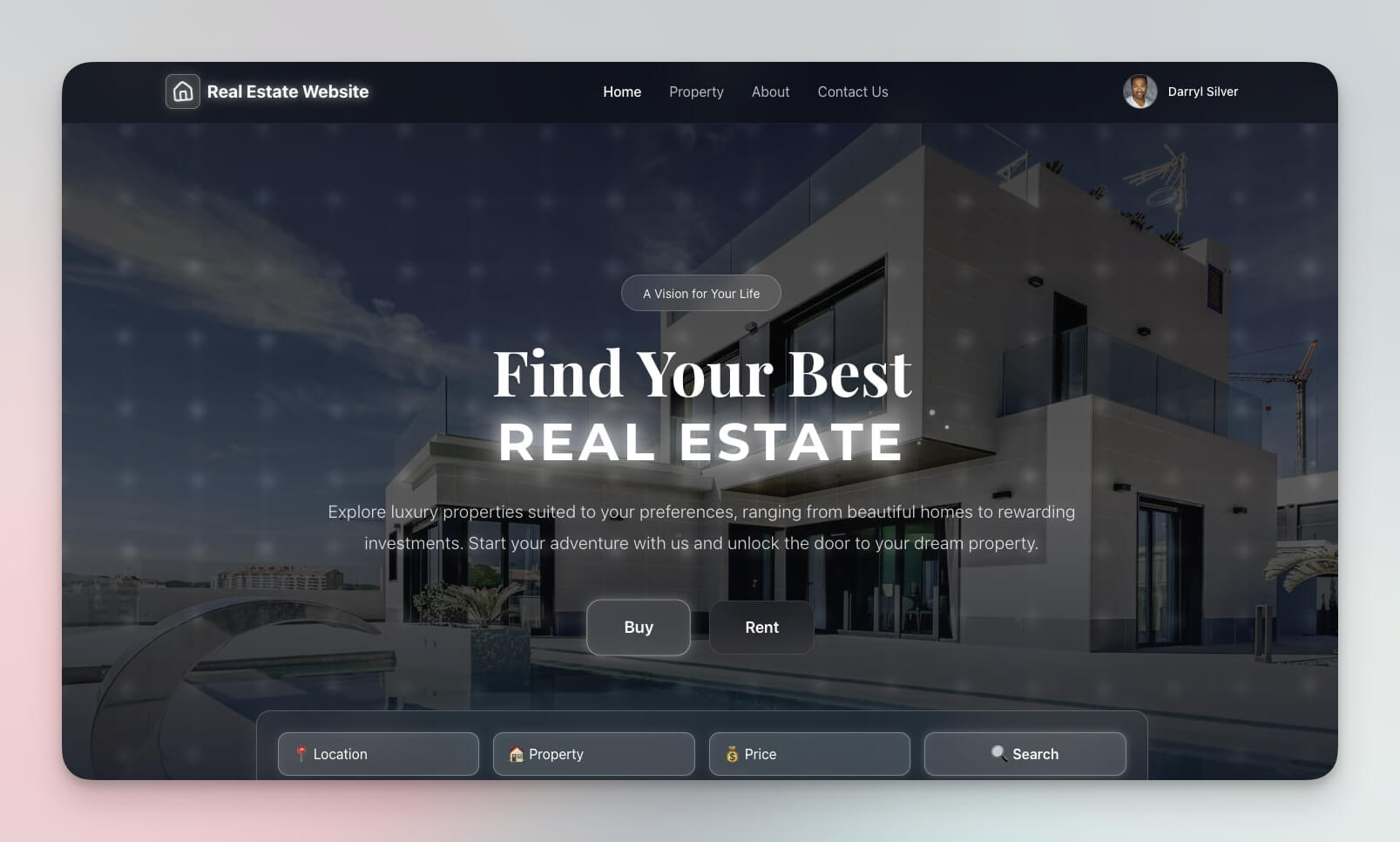
Property showcase with listings grid, search functionality, and inquiry forms. Built for real estate professionals who need a fast, professional web presence.
Best for: Realtors, property managers, real estate developers
Features:
- Property listings with photos, prices, and details
- Search and filter by location, price range, and property type
- Contact forms that route to agent profiles
- Calendar view for open house scheduling
AI agent integration: A property inquiry agent answers visitor questions about listings 24/7, qualifies buyer intent, and books viewing appointments via Google Calendar integration.
3. Nonprofit Organization Website
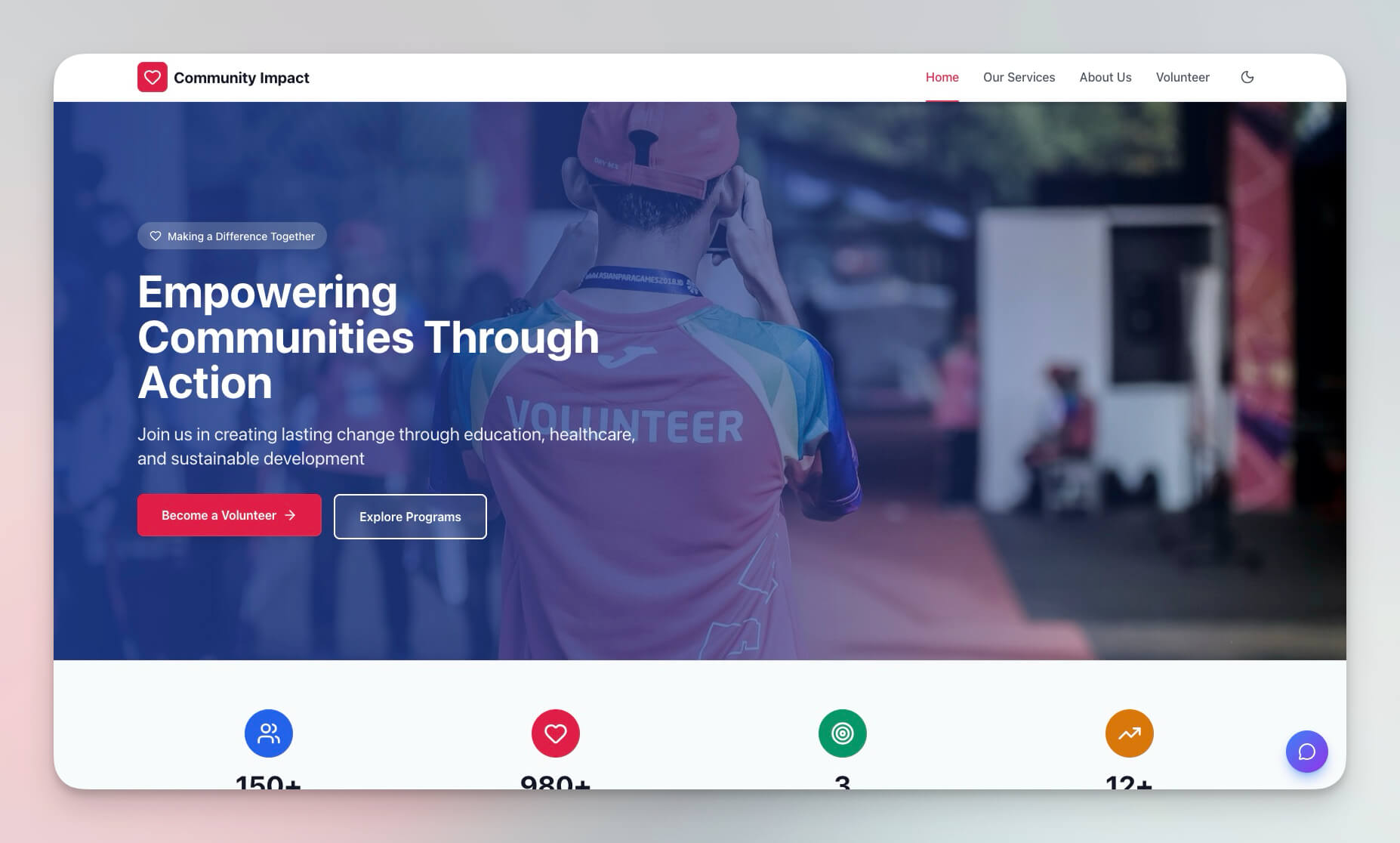
A complete nonprofit site with donation CTAs, volunteer signup forms, event calendar, and impact stories. Designed to build trust and drive action.
Best for: Charities, nonprofits, community organizations, social enterprises
Features:
- Donation collection with clear impact messaging
- Volunteer registration forms connected to a database
- Event calendar using Calendar view
- Impact showcase with metrics and stories
AI agent integration: A donor engagement agent sends personalized thank-you messages after donations, tracks volunteer hours, and generates quarterly impact reports from your project data.
4. BusinessPro Website
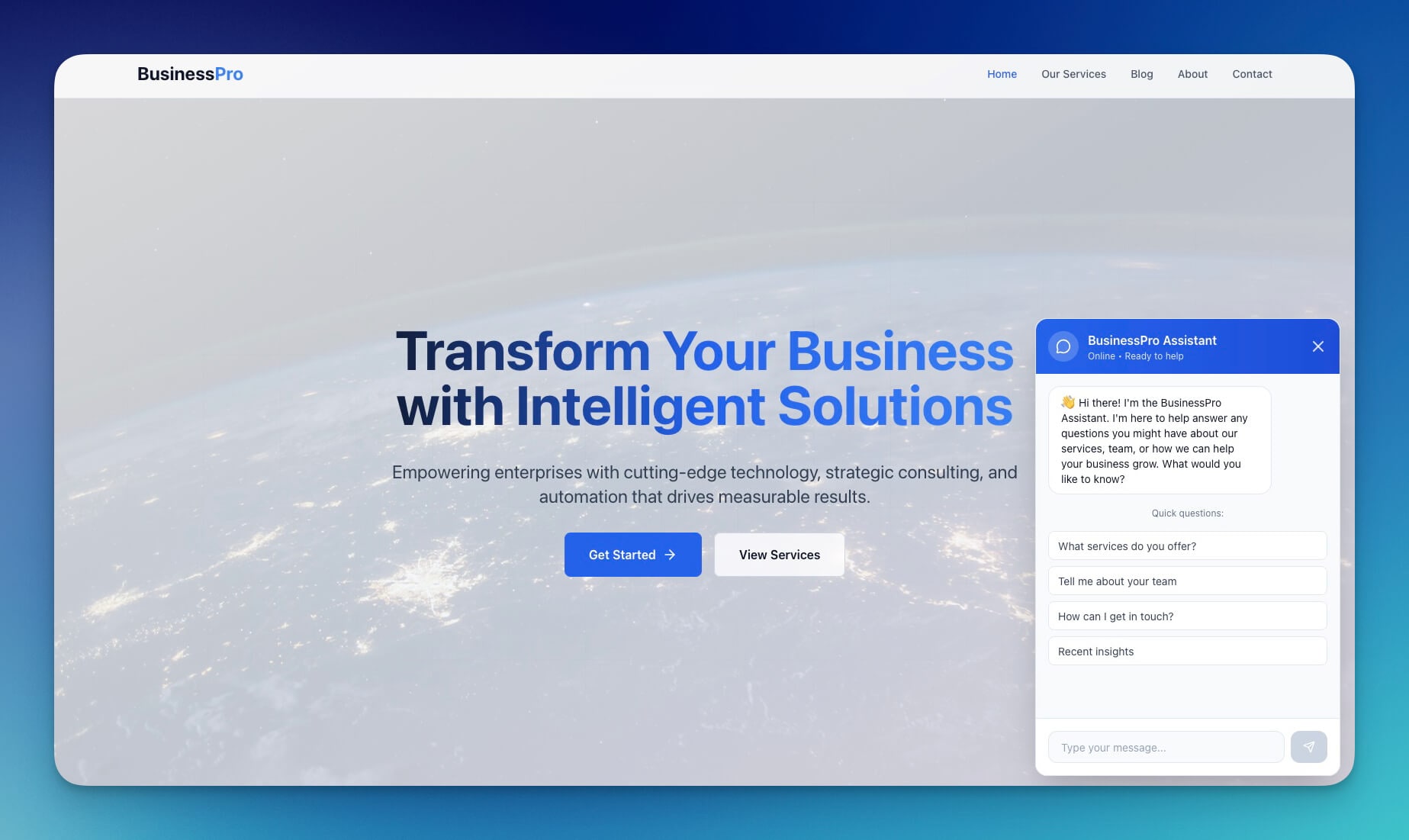
A professional business website with services overview, team profiles, client testimonials, and contact forms. The backbone of any consulting firm or agency web presence.
Best for: Consulting firms, agencies, professional services, B2B companies
Features:
- Services showcase with detailed descriptions
- Team profiles with photos and expertise areas
- Client testimonials and case study sections
- Multi-step contact forms with automation routing
AI agent integration: A business development agent qualifies inbound inquiries by industry and budget, routes enterprise leads to sales, and schedules discovery calls automatically.
5. Crypto Trading Landing Page
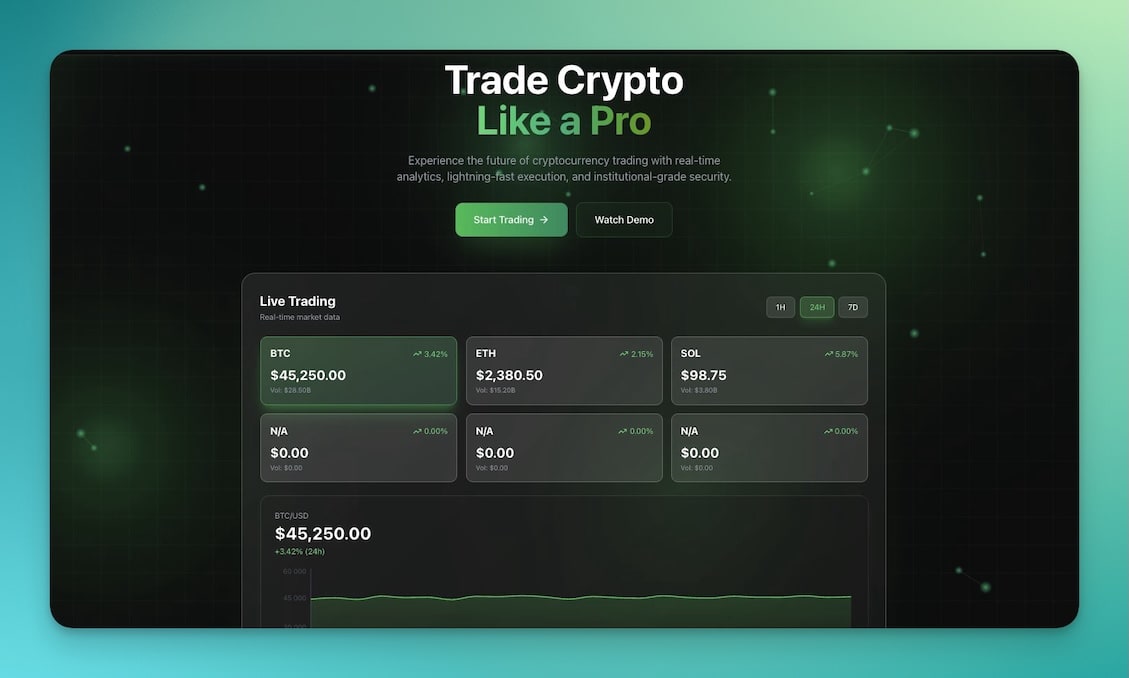
A bold, modern landing page for crypto and fintech products with dark theme, feature highlights, and prominent CTAs.
Best for: Fintech startups, crypto projects, trading platforms, DeFi products
Features:
- Product showcase with technical feature highlights
- Feature comparison sections
- CTA buttons for app downloads and signups
- Modern dark design with accent colors
AI agent integration: A product FAQ agent answers technical questions about your platform, explains features to non-technical visitors, and collects waitlist signups via email automation.
6. CrabStyx Site
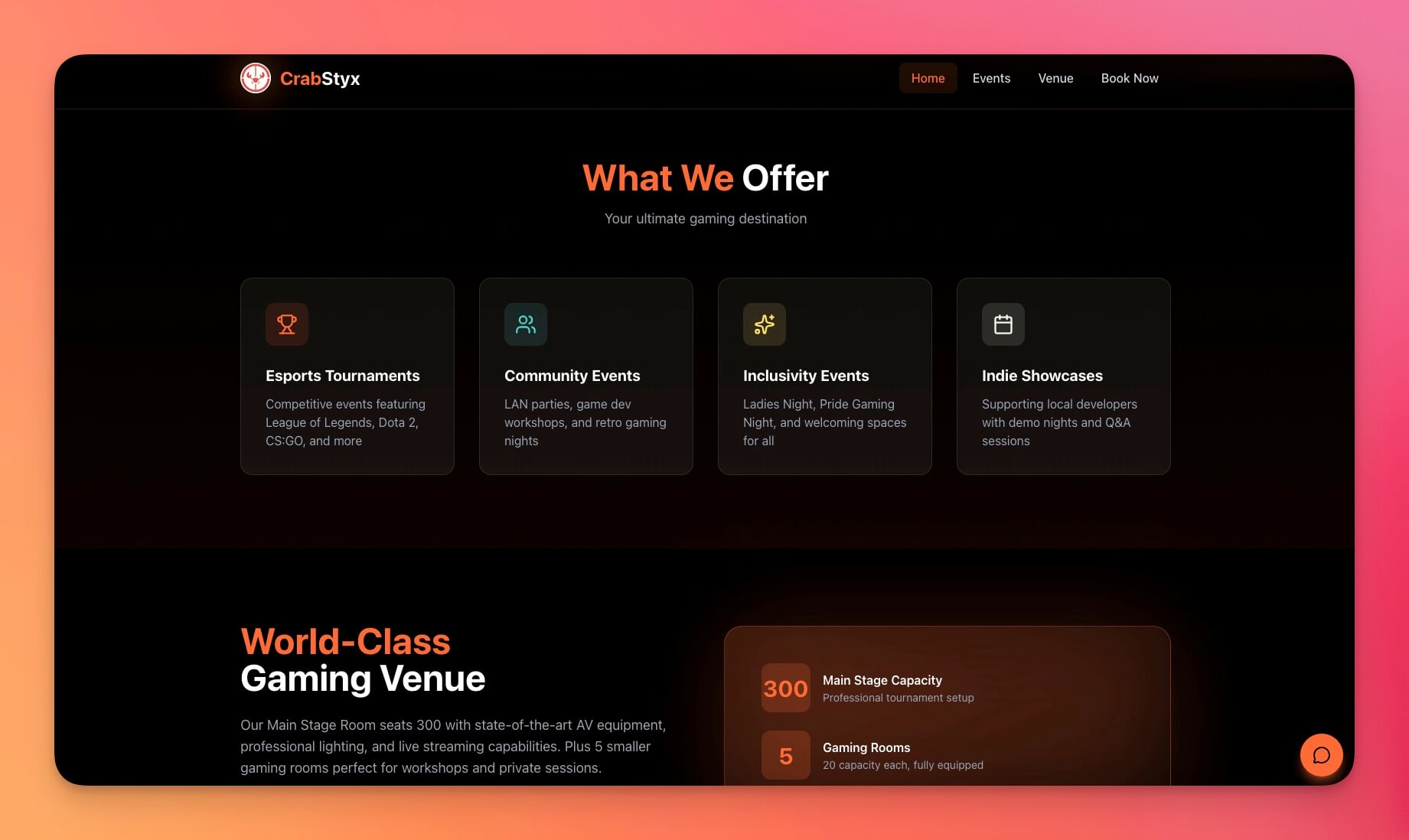
A playful, creative website template with unique styling, engaging animations, and bold visual identity. Perfect for brands that want to stand out.
Best for: Creative agencies, game studios, portfolios, experimental projects
Features:
- Creative layout with non-standard grid arrangements
- Animated elements and scroll-triggered effects
- Portfolio sections with project showcases
- Contact integration with creative brief forms
AI agent integration: A creative brief agent collects project requirements from potential clients, estimates scope based on past projects, and generates proposal outlines for your team to review.
7. Routes Tourism Website
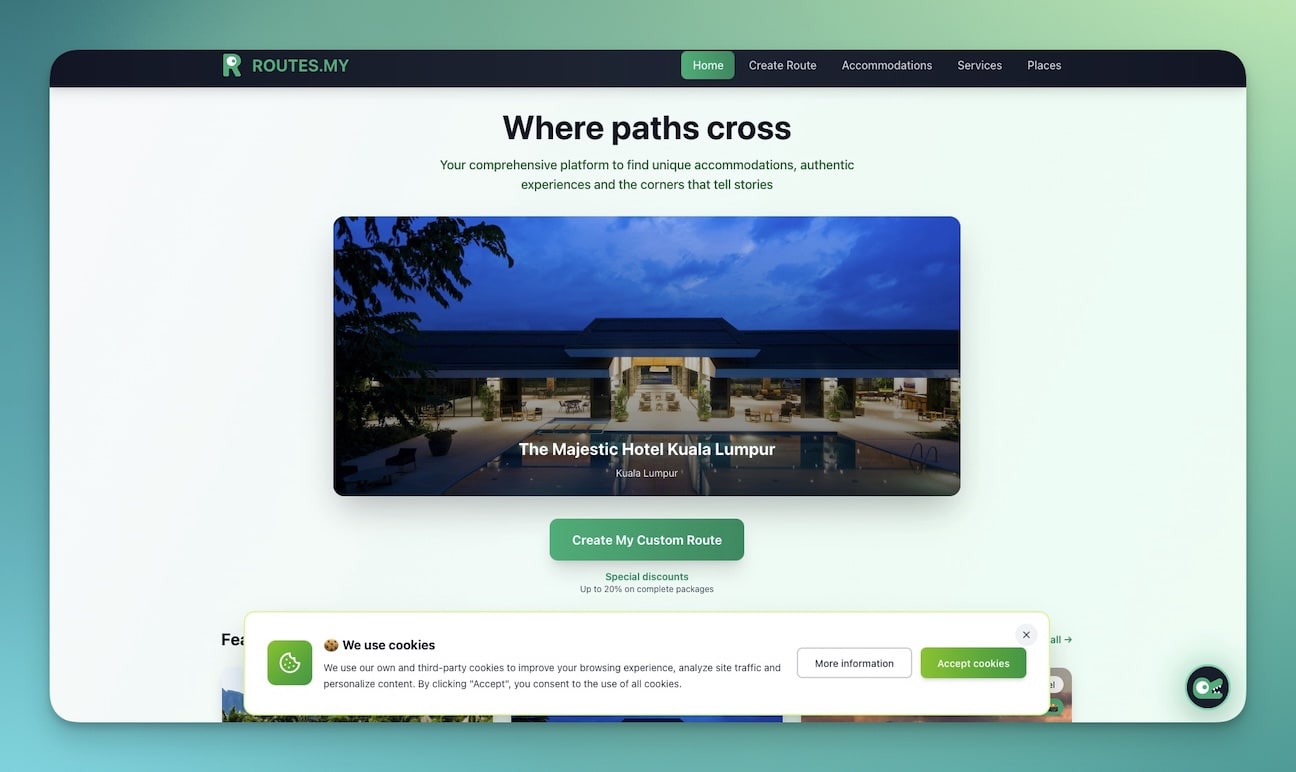
A travel and tourism site with destination showcases, tour packages, pricing, and booking forms. Designed to convert browsers into travelers.
Best for: Travel agencies, tour operators, destination marketing, hospitality
Features:
- Destination gallery with high-quality images and descriptions
- Tour packages with pricing tiers and itineraries
- Booking forms connected to automation workflows
- Travel guides and tips sections
AI agent integration: A travel concierge agent answers destination questions, recommends tours based on traveler preferences and budget, and processes booking confirmations via email automation.
8. Motivation Map Studio
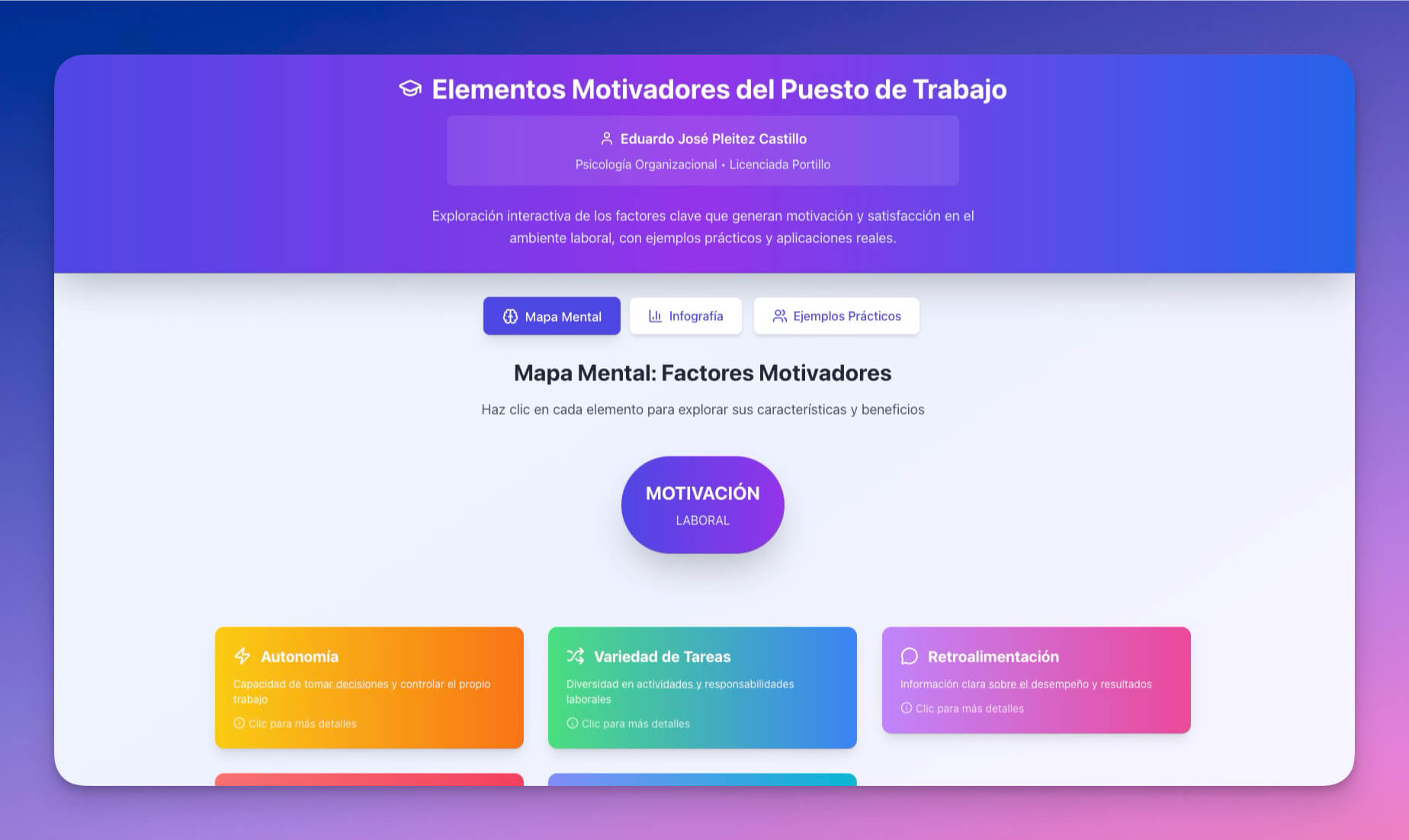
An interactive website for personal development and goal tracking. Combines content delivery with functional tools.
Best for: Coaches, self-improvement authors, productivity consultants
Features:
- Goal setting tools with interactive inputs
- Progress tracking dashboards
- Motivational content sections with multimedia
- Interactive elements for user engagement
AI agent integration: A coaching agent provides personalized goal-setting advice to visitors, tracks their progress entries, and sends weekly motivation summaries via email integration.
9. Exhibit Flow
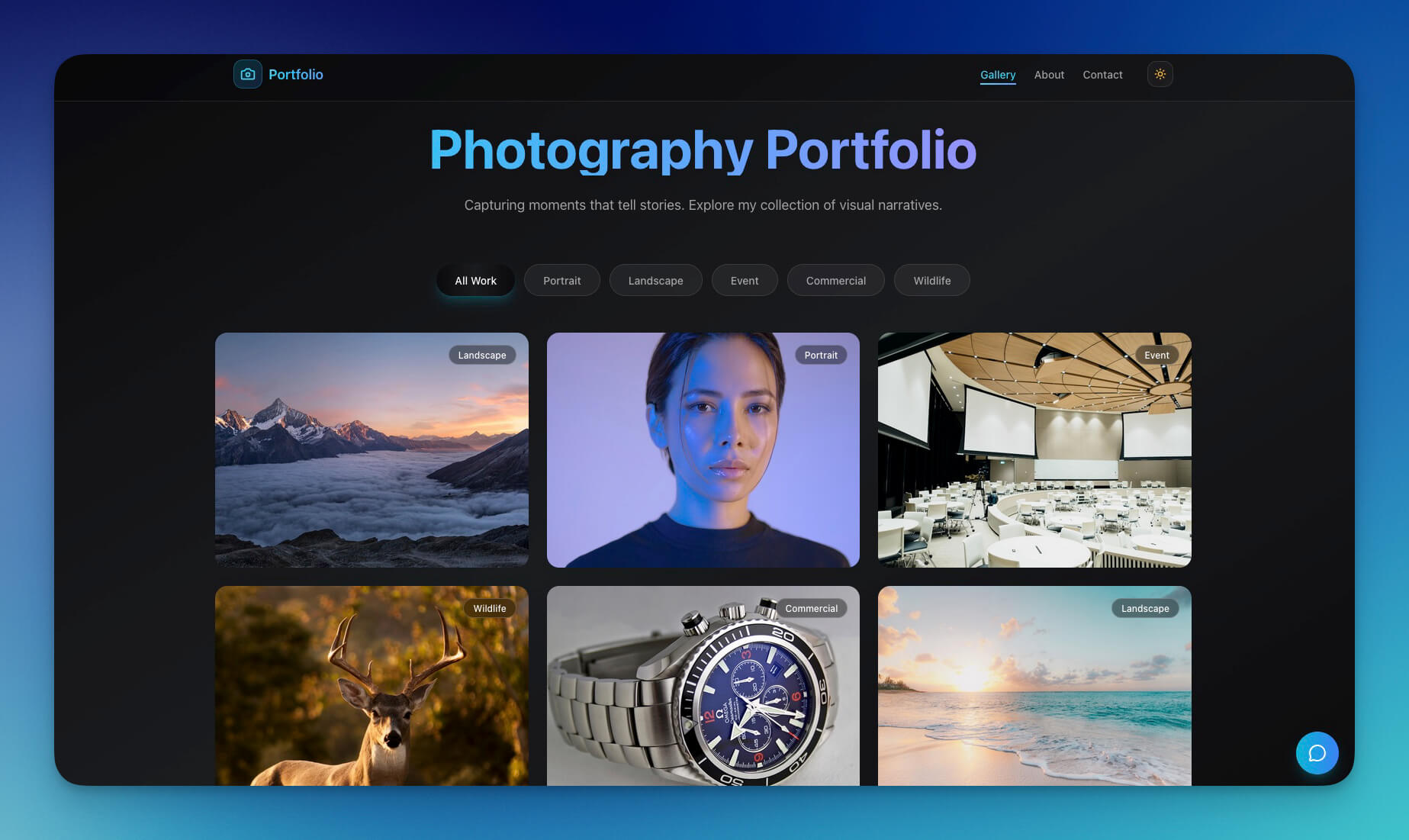
A gallery-style website for showcasing work, collections, or portfolios with clean grid layouts and full-screen image views.
Best for: Artists, photographers, museums, galleries, curators
Features:
- Gallery layout with responsive grid
- Full-screen image showcase with lightbox
- Collection organization by series, medium, or date
- Contact integration for commissions and inquiries
AI agent integration: An art inquiry agent handles commission requests, provides pricing based on your rate card, and schedules consultations through Google Calendar integration.
10. Gradient Studio V4
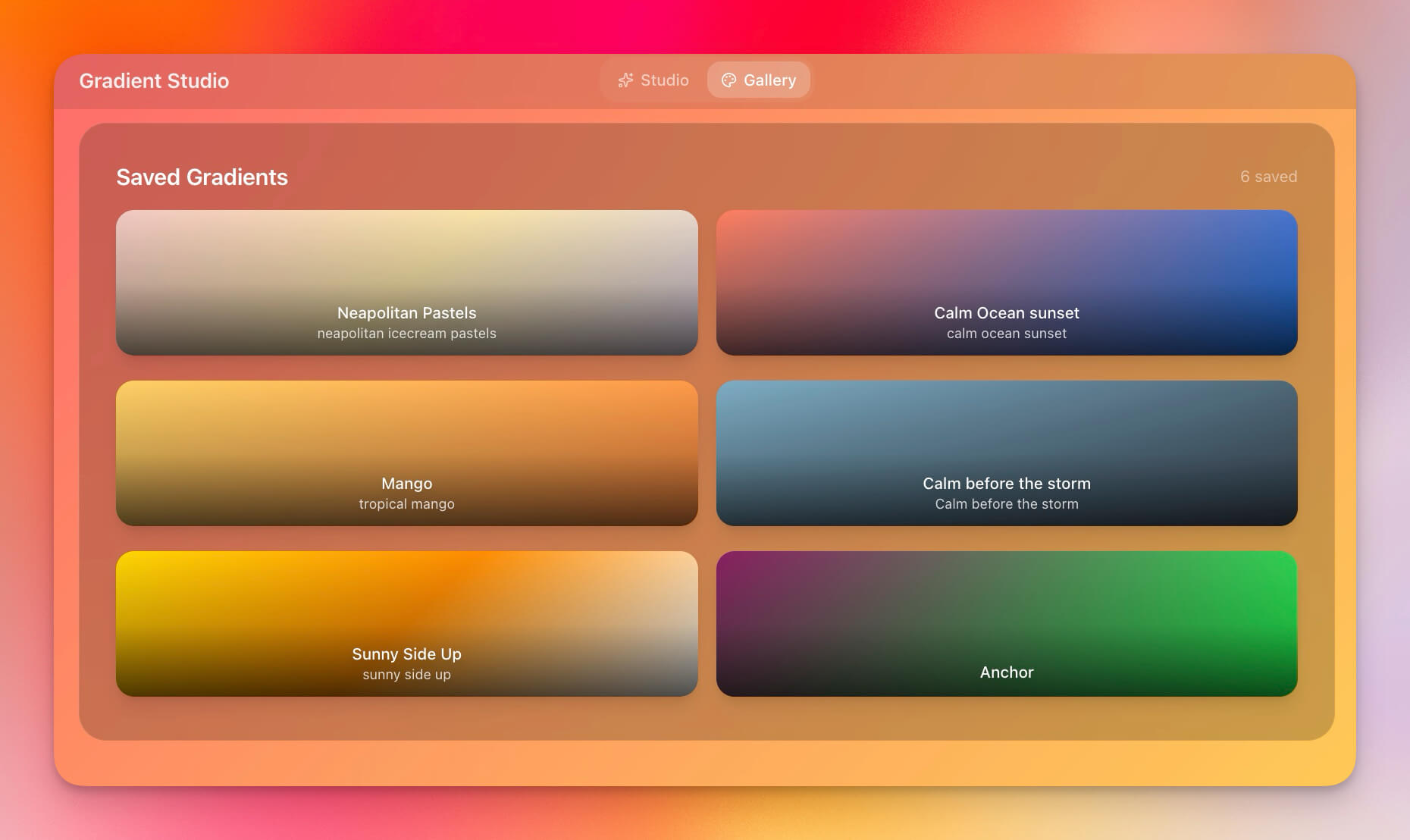
A design-focused website with beautiful gradient backgrounds, modern typography, and clean visual hierarchy. Ideal for design portfolios and creative studios.
Best for: Designers, creative studios, UI/UX portfolios, design agencies
Features:
- Gradient backgrounds with smooth color transitions
- Modern typography with custom font pairings
- Portfolio sections with project case studies
- Design showcase with before/after comparisons
AI agent integration: A design portfolio agent curates project highlights for different audience segments (clients vs. recruiters), generates case study summaries, and tracks portfolio engagement metrics.
11. Synth Wave Studio
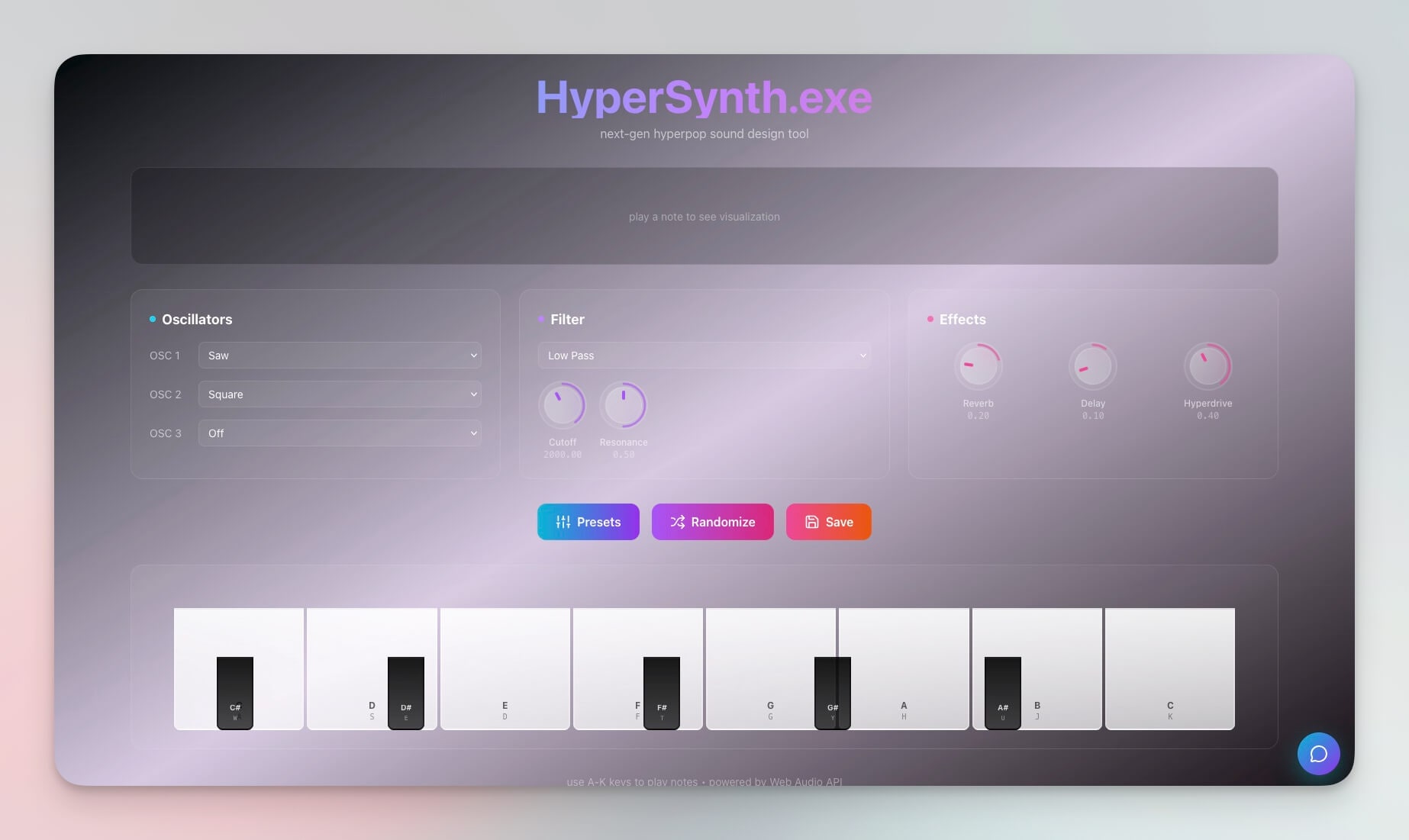
A retro-futuristic website with synthwave aesthetics, neon accents, and immersive visual effects. Makes a bold brand statement.
Best for: Music producers, creative projects, entertainment brands, event promotion
Features:
- Synthwave design with neon glow effects
- Neon accents and retro-futuristic typography
- Music integration with embedded players
- Visual effects and animated backgrounds
AI agent integration: A music promotion agent handles booking inquiries for live shows, collects DJ/artist rider requirements, and sends automated confirmation emails with event details.
12. Bluey Chatbot Website
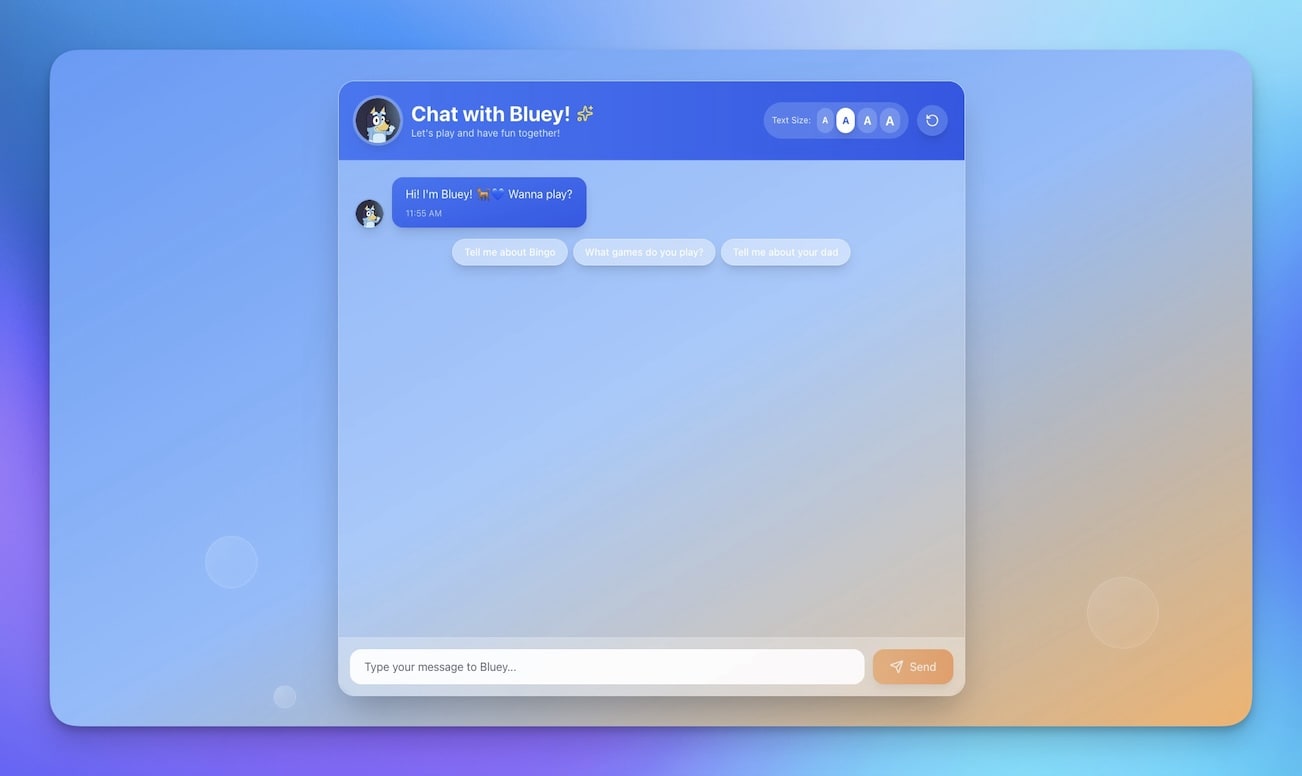
A website with an embedded AI chatbot for customer interaction, support, and lead qualification. The chatbot is a fully configured Taskade AI Agent with persistent memory.
Best for: Customer service, product support, FAQ automation, lead generation
Features:
- Embedded AI chatbot powered by frontier models
- FAQ automation that learns from your knowledge base
- Customer support with conversation history
- Lead capture with qualification scoring
AI agent integration: This template is built around agent interaction. The chatbot agent answers product questions using your documentation, escalates complex issues to human support via Slack integration, and logs all conversations for training data.
Taskade Genesis vs Traditional Website Builders
How does building a website with Genesis compare to traditional platforms?
| Feature | Taskade Genesis | Wix | Squarespace | Webflow | Framer |
|---|---|---|---|---|---|
| Starting Price | Free | $17/month | $16/month | $14/month | $5/month |
| Build Method | Single prompt | Drag and drop | Drag and drop | Visual + code | Design tool |
| Time to Launch | Under 60 seconds | Hours to days | Hours to days | Days to weeks | Hours to days |
| AI Agents | built-in tools, persistent memory | Basic AI text | None | None | None |
| Automations | 100+ native integrations | Limited (Wix Automations) | Limited (Zapier) | Limited (Zapier) | None |
| Built-in Database | Yes (multiple project views) | Yes (Wix Databases) | Limited | Yes (CMS) | Limited |
| Custom Domains | Yes (automatic SSL) | Yes | Yes | Yes | Yes |
| AI Chat on Site | Native agent embedding | Third-party widget | Third-party widget | Third-party widget | Third-party widget |
| Collaboration | Real-time, RBAC | Basic roles | Basic roles | Designer + Editor | Designer + Editor |
| App Capabilities | Full applications | Websites only | Websites only | Websites only | Websites only |
Traditional builders create web pages. Taskade Genesis creates living websites — applications that think, respond, and automate. Free to start, with Pro from $10/month billed annually. Compare plans →
Publishing and Custom Domains
Every Genesis website can be published to a custom domain with automatic SSL — no technical setup required.
How to Publish Your Genesis Website
- Build your site using any of the 12 templates above or your own prompt
- Customize the design, content, and AI agent configuration
- Connect your domain in the Genesis settings (custom domains guide)
- Configure DNS by adding a CNAME record pointing to Taskade
- Publish — automatic SSL activates within minutes
Domain and Hosting Features
| Feature | Details |
|---|---|
| Custom domains | Connect any domain you own |
| SSL certificates | Automatic, free, auto-renewing |
| Password protection | Gate access to specific pages or the entire site |
| Public sharing | Share via link or embed in other sites |
| SEO settings | Custom meta titles, descriptions, and structured data |
| Analytics | Track visitors via integrated analytics tools |
Custom domain support is available on Business ($25/month) and above. See the custom domains documentation for step-by-step setup instructions.
SEO for Genesis Websites
A website is only useful if people can find it. Here is how to optimize your Genesis website for search engines.
On-Page SEO Checklist
| SEO Element | How to Configure in Genesis |
|---|---|
| Meta title | Edit in page settings (55-60 characters recommended) |
| Meta description | Edit in page settings (150-160 characters recommended) |
| Heading hierarchy | Use H1 for page title, H2 for sections, H3 for subsections |
| Image alt text | Add descriptive alt text to every image |
| Internal links | Link between pages within your Genesis site |
| Page speed | Genesis sites are optimized by default (no bloated plugins) |
AI-Assisted SEO
Configure an AI agent to help with ongoing SEO:
- Content generation: Agent writes SEO-optimized blog posts based on your target keywords
- Meta tag optimization: Agent suggests improved titles and descriptions based on search data
- Content freshness: Automation triggers content updates on a schedule
- Competitor monitoring: Agent tracks ranking changes and suggests content gaps to fill
Structured Data
Genesis websites support structured data for rich search results. AI agents can generate FAQ schema, product schema, and organization schema based on your site content — the same schema generation system used on the Taskade marketing site.
What Makes Genesis Different
Traditional website builders give you static pages that look nice but do nothing beyond display.
Genesis gives you living websites:
| Traditional Builders | Genesis Websites |
|---|---|
| Static pages that display content | Dynamic, data-driven applications that process information |
| Manual content updates by humans | AI-assisted updates with agent content generation |
| Separate form tools (Typeform, etc.) | Built-in databases storing all form data in multiple project views |
| External integrations via Zapier | Native 100+ integrations built into every site |
| Design templates only | Intelligence included — AI agents respond to visitors 24/7 |
| Single-purpose websites | Full applications with automations, databases, and agents |
Every Genesis website is powered by the same Workspace DNA architecture that runs complex business applications — Memory, Intelligence, and Execution working together.
Generate Your Own Website
Create a custom website in minutes:
- Open Taskade Genesis and click "Create App"
- Describe your site (e.g., "Build a portfolio website for a UX designer with project case studies, about page, testimonials, and contact form with Calendly integration")
- Use "Enhance Prompt" to add details like color scheme, sections, and agent behavior
- Watch Genesis build the site with Projects, AI Agents, and Automations
- Customize design, content, and AI agent configuration
- Publish to your custom domain
Pro tips for better website prompts:
- Specify your industry and target audience
- Mention key sections (hero, features, pricing, testimonials, contact)
- Describe the desired AI agent behavior (FAQ bot, lead qualifier, booking assistant)
- List integrations you need (Stripe, Slack, Google Calendar)
Learn more: Create Your First App →
Start Building
Ready to build your own AI-powered website?
Resources:
- Explore Community Apps — Clone websites, portals, and dashboards from 150,000+ apps
- Create Your First App — Step-by-step tutorial
- Custom Domains Guide — Publish with your own URL
- Learn Workspace DNA — Understand the architecture
- Compare Plans — Free, Pro $10/mo, Business $25/mo
Your living workspace includes:
- Custom AI Agents with built-in tools and persistent memory
- Multiple Project Views — List, Board, Calendar, Table, Mind Map, Gantt, Org Chart
- 100+ Integrations connecting to every tool you already use
- Automated Workflows that run 24/7
Read more:
- 10 AI Dashboards You Can Clone in One Click
- 10 AI Client Portals You Can Deploy Instantly
- 12 AI Tools Built with Taskade Genesis
- What Is Vibe Coding?
- The Ultimate Guide to Taskade Genesis
- How Workspace DNA Works
- Free Bolt Alternative
- Free Lovable Alternative
Explore Taskade AI:
- AI Website Builder — Generate websites from one prompt
- AI App Builder — Build complete business apps
- AI App Hosting — Host and publish your apps instantly
- Browse Templates — Clone and customize
- Automate Workflows — Connect 100+ integrations

Frequently Asked Questions
Can AI really build a complete website from a single prompt?
Yes. Taskade Genesis generates complete, functional websites from natural language descriptions. Unlike static site builders, Genesis websites are living systems that include databases (Projects), AI assistants (Agents with built-in tools), and automated workflows (Automations with 100+ integrations). Over 150,000 apps and websites have been built on the platform.
What types of websites can I build with Taskade Genesis?
You can build SaaS landing pages, personal portfolios, business websites, nonprofit sites, e-commerce storefronts, event pages, real estate listings, tourism sites, and more. Each site includes interactive elements, data collection forms, and AI-powered features. Sites can be managed across multiple project views (List, Board, Calendar, Table, Mind Map, Gantt, Org Chart).
How is an AI-generated website different from a regular website builder?
Traditional website builders like Wix and Squarespace create static pages. Taskade Genesis creates living systems where websites are connected to databases, AI agents, and automations. Your website can process bookings, respond to inquiries via AI agents powered by frontier models, and trigger automated workflows. It is a full application, not just a web page.
Can I customize an AI-generated website after it is built?
Every Genesis website is fully customizable. You can edit content, adjust layouts, modify database schemas, reconfigure AI agents, and add new automation workflows. Share the site with collaborators using role-based permissions (Owner to Viewer) for team editing.
Can I use a custom domain for my Genesis website?
Yes. Taskade Genesis supports custom domains with automatic SSL certificates. You can connect your own domain name to any Genesis website, making it indistinguishable from a traditionally built site. Custom domains are available on Business ($25/month) and above. See the custom domains guide for setup instructions.
How does Taskade Genesis compare to Wix, Squarespace, and Webflow for website building?
Taskade Genesis starts free, with Pro from $10/month billed annually, versus Wix ($17/month), Squarespace ($16/month), and Webflow ($14/month). The key difference is that Genesis websites include built-in AI agents, automations, and databases. Traditional builders create static pages that require third-party integrations for any intelligence. Genesis creates living websites from a single prompt.
Do Genesis websites support SEO optimization?
Yes. Genesis websites support meta titles, descriptions, and structured data. You can configure SEO settings per page, add alt text to images, and set up URL structures. AI agents can also generate SEO-optimized content and suggest keyword improvements. For advanced SEO, connect analytics tools through the 100+ available integrations.
Can Genesis websites handle forms, payments, and user data?
Yes. Genesis websites can include contact forms, booking systems, and data collection interfaces connected to the built-in database (Projects). For payments, connect Stripe through the integrations system. For CRM, connect Salesforce or HubSpot. All data flows are secured with role-based access control.
How long does it take to build a website with Taskade Genesis?
Genesis creates a complete website from a prompt in under 60 seconds. You can then customize the design, add content, configure AI agents, and publish in minutes rather than weeks. The entire process from prompt to published site with a custom domain can be completed in under 30 minutes.
Is coding required to build a website with Taskade Genesis?
No coding is required. You describe your website in plain language and Genesis builds the complete site with structure, content, forms, and AI features. Non-technical users can customize everything through the visual editor. For advanced customization, you can add custom code if desired, but it is never required.