






Your brain was not built to remember everything.
It was built to think, create, and solve problems. The storage part? That is where a second brain comes in — an external system that captures, organizes, and retrieves information so your actual brain can focus on what matters.
With Taskade Genesis, you can build a personal AI workspace that acts as your second brain. Not just storage, but an intelligent system with built-in databases (Projects), AI assistants (AI Agents), and automated workflows (Automations).
TL;DR: Taskade Genesis turns a single prompt into a complete second brain workspace with AI agents (built-in tools, persistent memory), multiple project views, and 100+ integrations. Over 150,000 apps built. Clone any of the 10 templates below or build your own from scratch. Try it free →
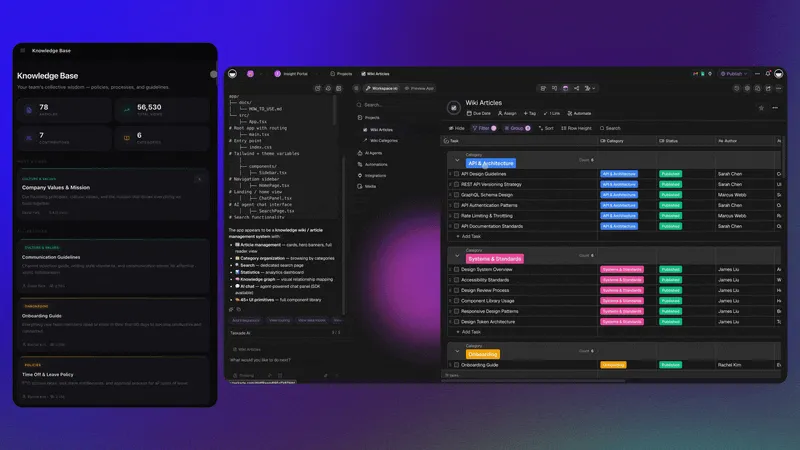
Here are 10 personal workspaces you can clone as your second brain today.
How an AI Second Brain Works
Before diving into the templates, it helps to understand how an AI-powered second brain differs from a traditional note-taking app. The process follows four stages: Capture, Process, Retrieve, and Apply.
| Stage | Traditional Notes | AI Second Brain (Taskade) |
|---|---|---|
| Capture | Manual typing, copy-paste | AI agents auto-capture from 100+ integrations |
| Process | Manual tagging, filing | Agents categorize, link, and summarize automatically |
| Retrieve | Keyword search only | Semantic search + agent-assisted retrieval |
| Apply | Read and act manually | Agents draft responses, trigger automations, surface insights |
With Taskade, each stage is powered by Workspace DNA — three pillars that form a self-reinforcing loop:
Memory feeds Intelligence. Intelligence triggers Execution. Execution creates new Memory. Your second brain grows smarter every day.
Second Brain Methodology: Which Framework Fits You?
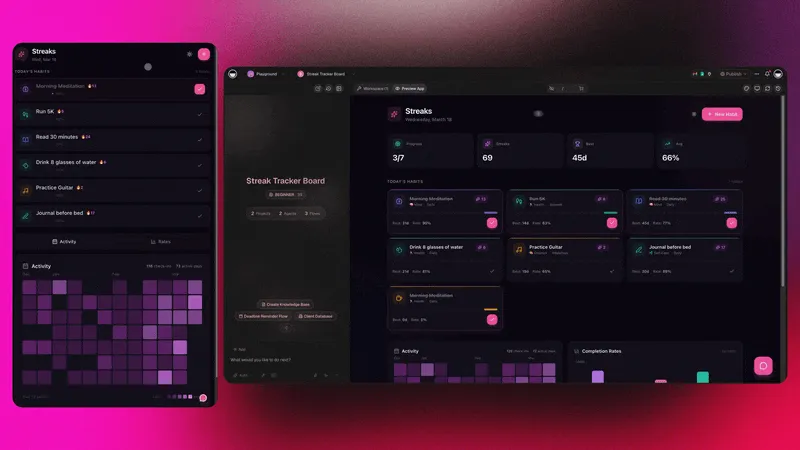
Before choosing a template, consider which personal knowledge management (PKM) methodology aligns with your thinking style. Taskade supports all of them — and AI agents can auto-categorize content into whichever framework you pick.
| Methodology | Core Idea | Best Taskade View | Ideal For |
|---|---|---|---|
| PARA (Tiago Forte) | Organize by actionability: Projects, Areas, Resources, Archives | List + Board | Action-oriented planners |
| Zettelkasten (Luhmann) | Atomic, interlinked notes that build a knowledge graph | Mind Map | Researchers, writers |
| GTD (David Allen) | Capture everything, process into next actions, review weekly | Board + Calendar | Busy professionals |
| CODE (Tiago Forte) | Capture, Organize, Distill, Express | List + Table | Content creators |
| Evergreen Notes (Andy Matuschak) | Concept-oriented, densely linked, continuously updated | Mind Map + List | Deep thinkers |
How AI agents enhance each methodology:
- PARA + Agent: An agent auto-moves items between Projects and Archives based on due dates and activity
- Zettelkasten + Agent: An agent suggests links between new notes and existing atomic notes using semantic similarity
- GTD + Agent: An agent processes your inbox, assigns contexts, and flags items for weekly review
- CODE + Agent: An agent distills long articles into key takeaways and suggests where to file them
Learn more about custom AI agents and how to configure them for your workflow.
1. Personal Expense Tracker
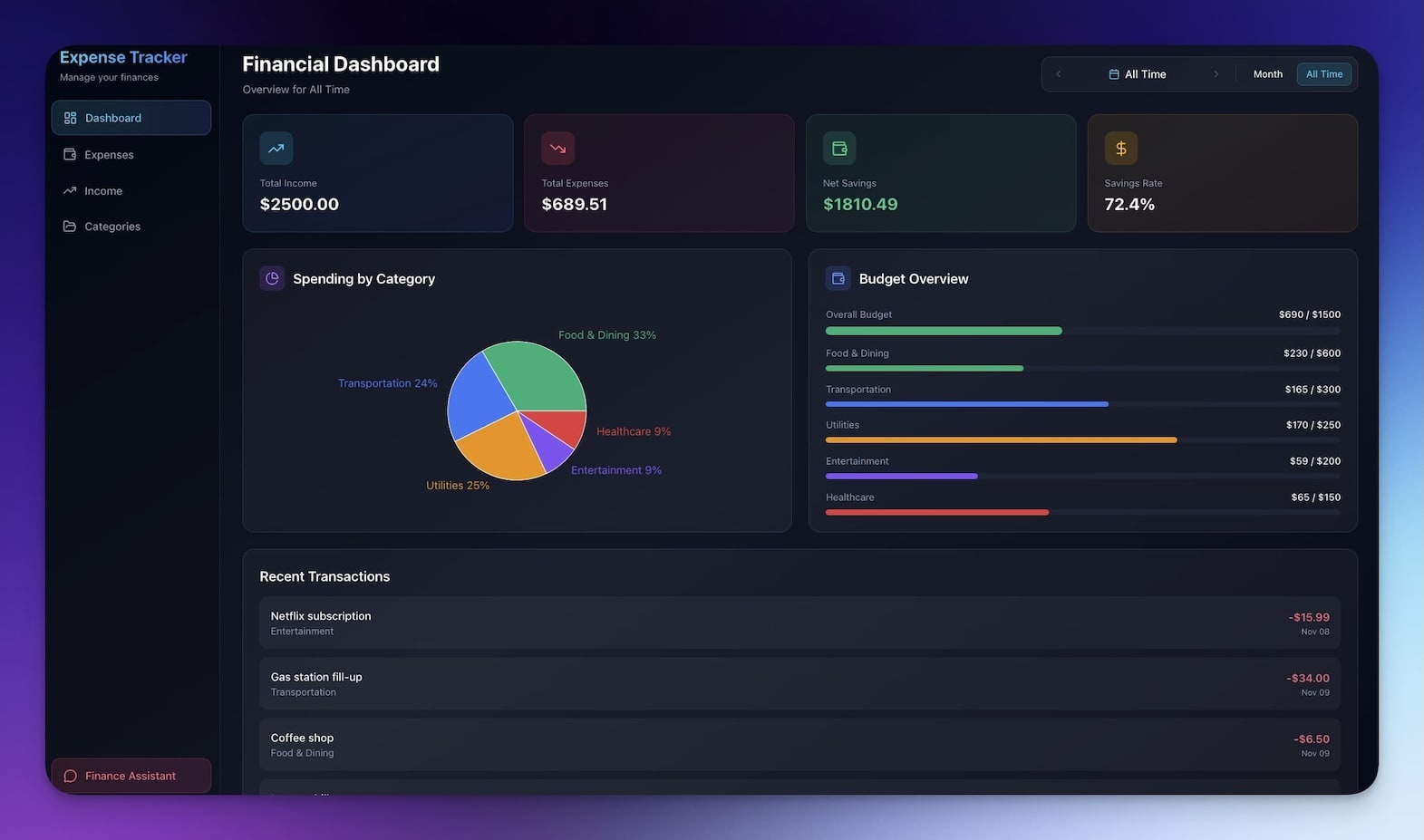
Track spending, set budgets, and understand where your money goes. An AI agent categorizes transactions automatically and spots spending patterns you might miss.
Best for: Personal finance, budgeting, money management
Features:
- Expense logging with automatic categorization
- Category-level budget tracking across multiple project views
- Monthly spending insights generated by AI
- Trend alerts via automated workflows
Agent integration: Assign a custom agent to analyze spending weekly, flag overspending categories, and suggest budget adjustments based on historical data.
2. Mood Tracker
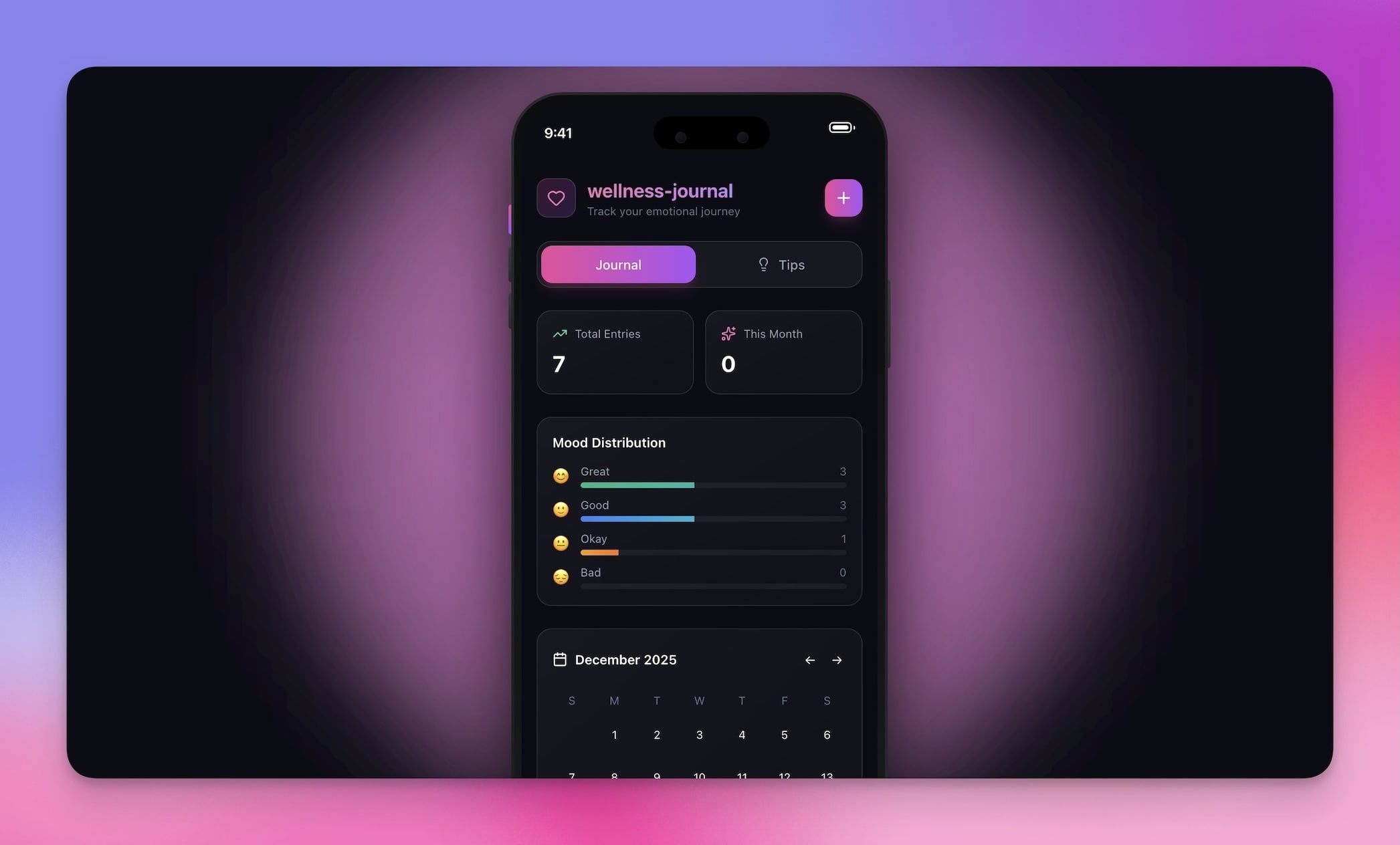
Monitor emotional patterns over time. Log moods, identify triggers, and build self-awareness with AI-assisted pattern recognition.
Best for: Mental wellness, self-improvement, journaling
Features:
- Daily mood logging with customizable scales
- AI-powered pattern recognition across weeks and months
- Trigger identification linked to calendar events
- Trend visualization in Table and Board views
Agent integration: A wellness agent reviews your mood entries weekly, identifies correlations between activities and emotional states, and suggests actionable self-care recommendations.
3. Book Reading Tracker
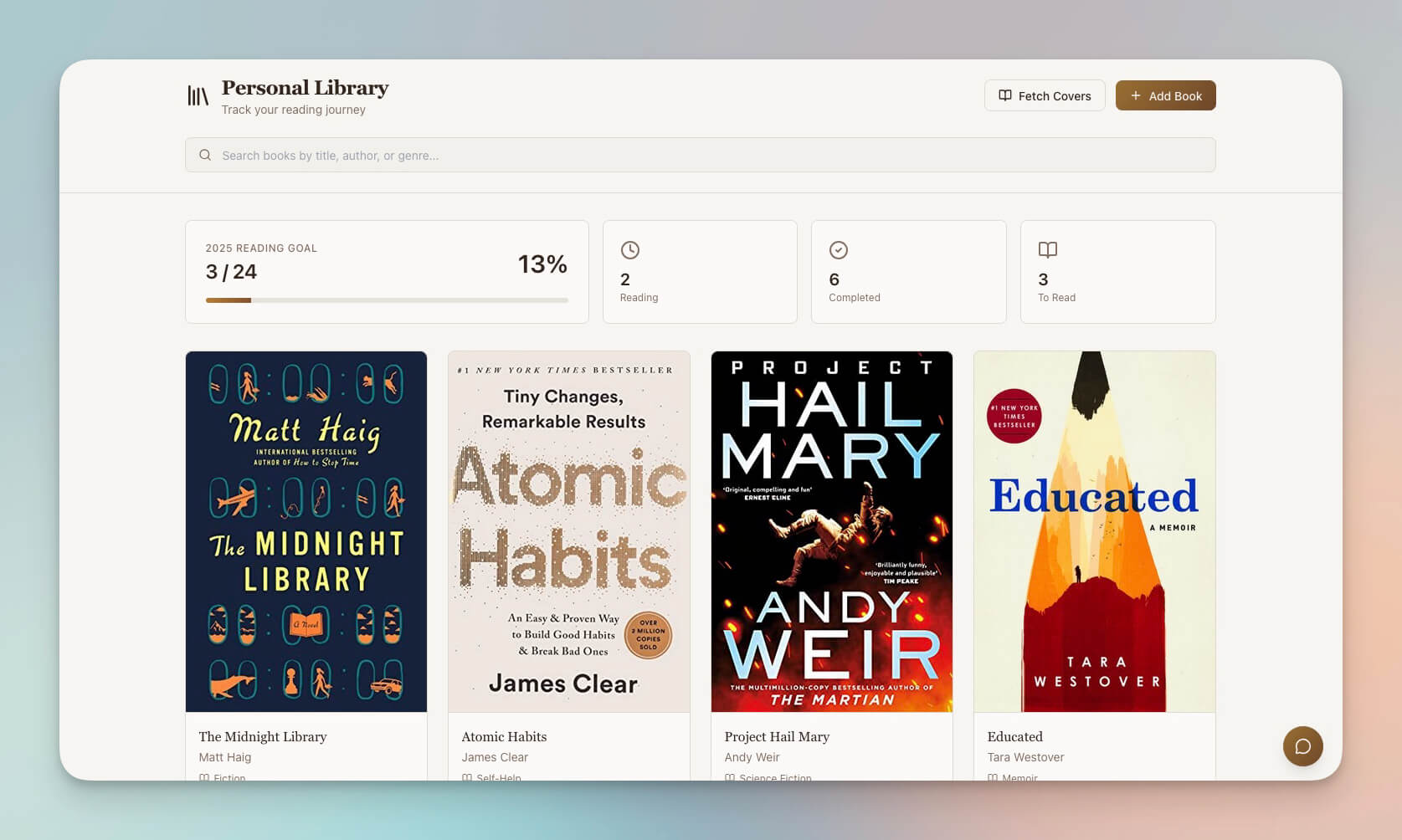
Track books you have read, want to read, and are currently reading. Add notes, ratings, and reading goals. AI helps you connect ideas across books.
Best for: Book lovers, students, lifelong learners
Features:
- Reading list management with status tracking (To Read, Reading, Finished)
- Progress tracking with page counts and completion dates
- Notes, highlights, and key takeaway extraction
- Reading statistics and year-over-year goal tracking
Agent integration: A reading assistant agent summarizes key themes, suggests related books from your library, and creates Zettelkasten-style atomic notes from your highlights.
4. Lens Insight Journal
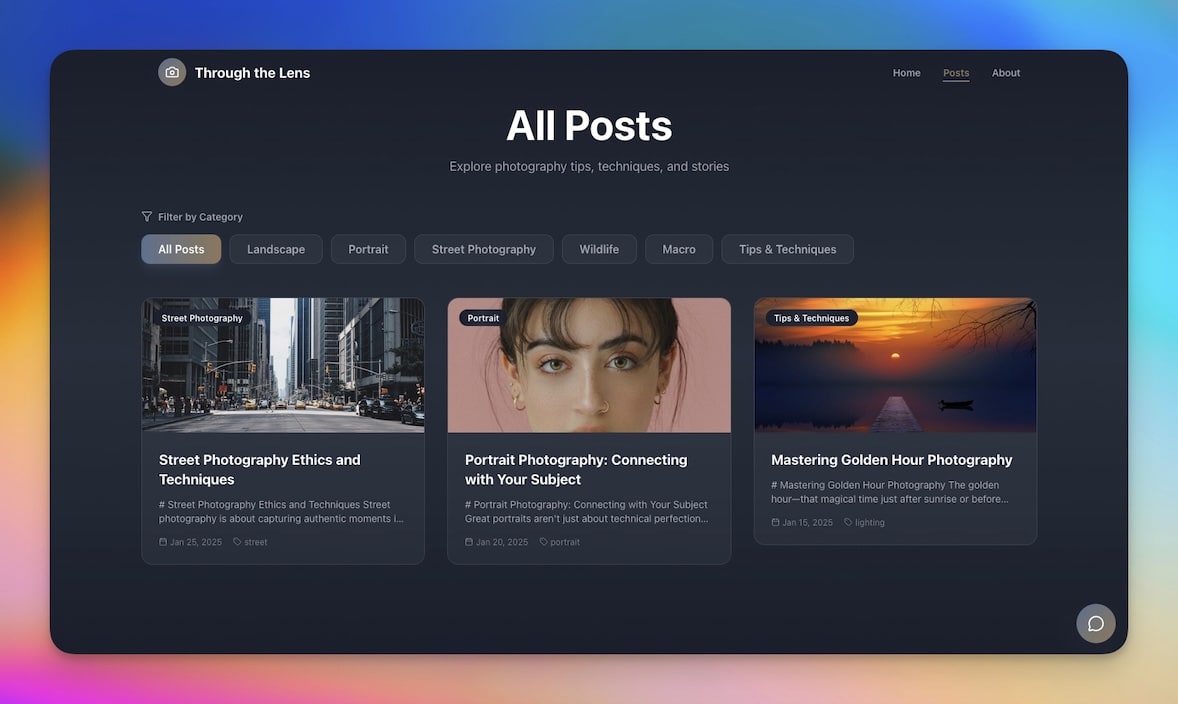
A visual journaling workspace for capturing thoughts, images, and insights. Great for photographers, designers, and visual thinkers who process information through imagery.
Best for: Photographers, visual thinkers, journalers
Features:
- Visual entries with image integration and metadata
- Insight capture with AI-assisted tagging
- Searchable archive across all journal entries
- Board view for visual mood boards and collections
Agent integration: A creative insight agent analyzes visual patterns across your journal entries and surfaces connections you might have missed between different observation sessions.
5. Motivation Map Studio
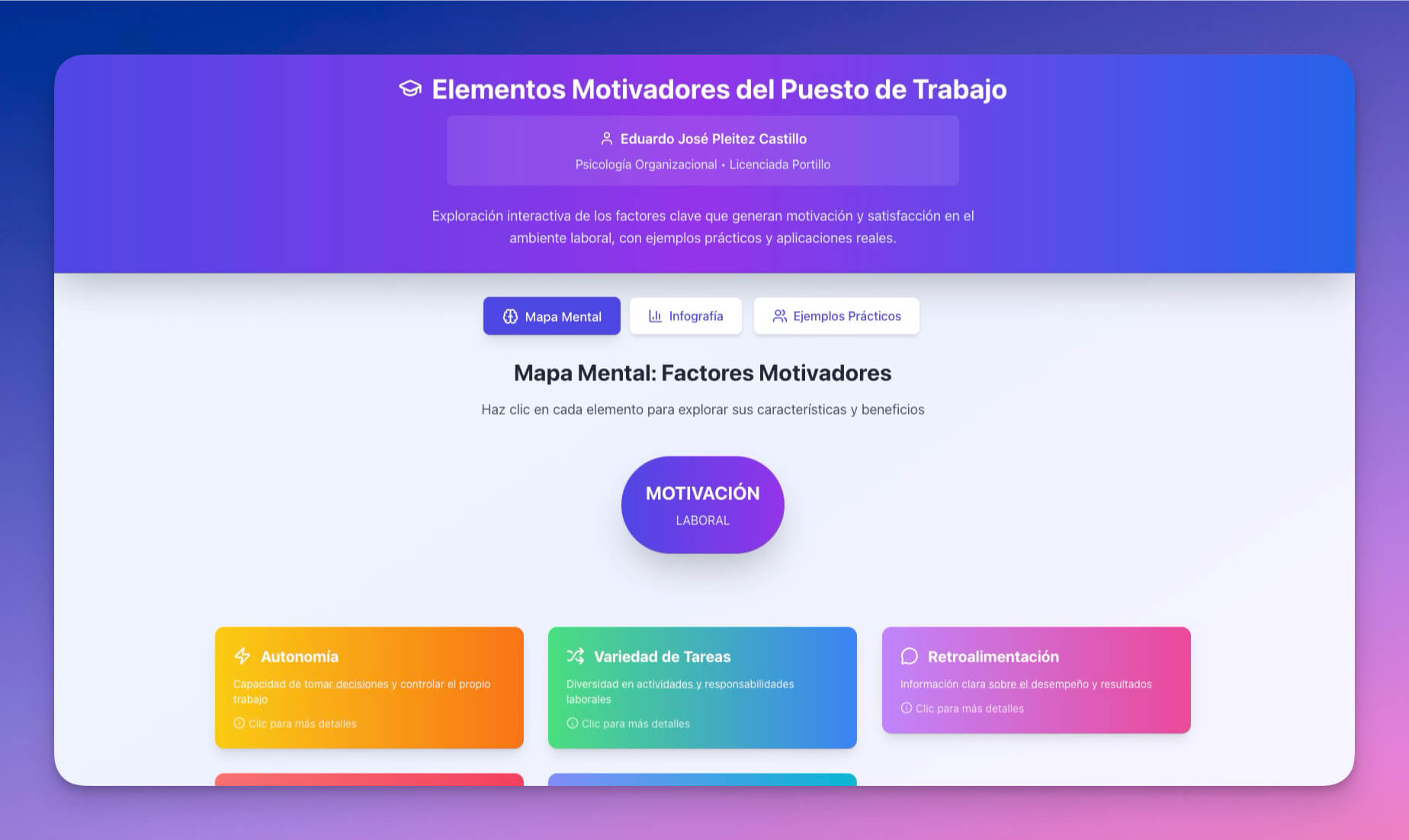
A workspace for goal setting, habit tracking, and personal development. AI helps break down big goals into actionable steps and keeps you accountable.
Best for: Goal setters, habit builders, personal development enthusiasts
Features:
- Goal breakdown into milestones and daily actions
- Habit tracking with streak monitoring
- Progress visualization in Gantt and Board views
- AI-powered planning that adjusts timelines based on your pace
Agent integration: A motivation agent reviews your progress daily, celebrates wins, flags stalled goals, and suggests micro-actions to maintain momentum via automated notifications.
6. Breathe Circle
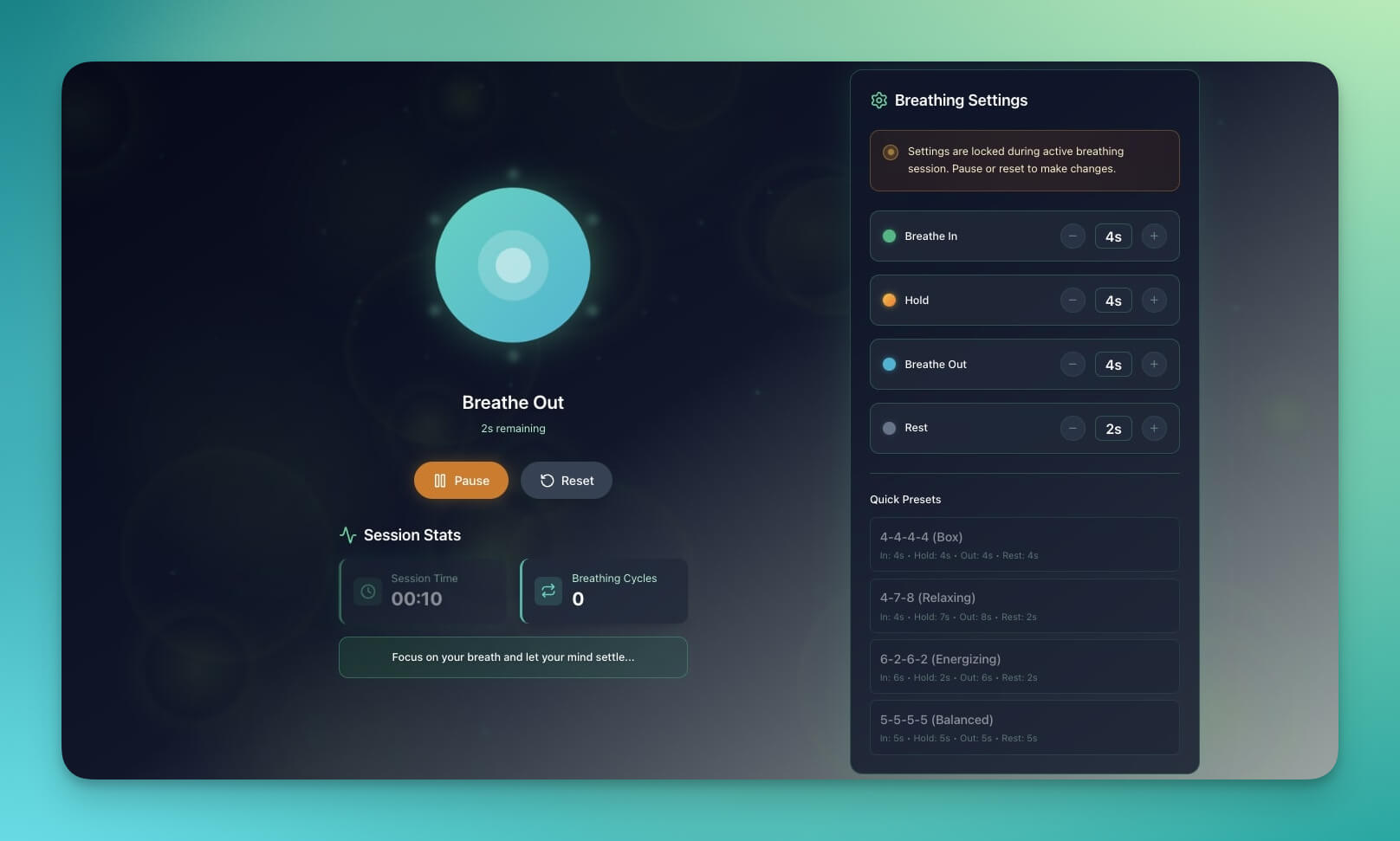
A mindfulness workspace with breathing exercises, meditation tracking, and calm interfaces. Track your practice and build a consistent meditation habit.
Best for: Meditation, mindfulness, stress management
Features:
- Guided breathing exercise templates
- Meditation session timer and logging
- Session history with duration and mood tracking
- Calm visual design optimized for focus
Agent integration: A mindfulness agent tracks your practice consistency, suggests session lengths based on your stress indicators, and sends gentle reminder automations at your preferred times.
7. Note Tiles
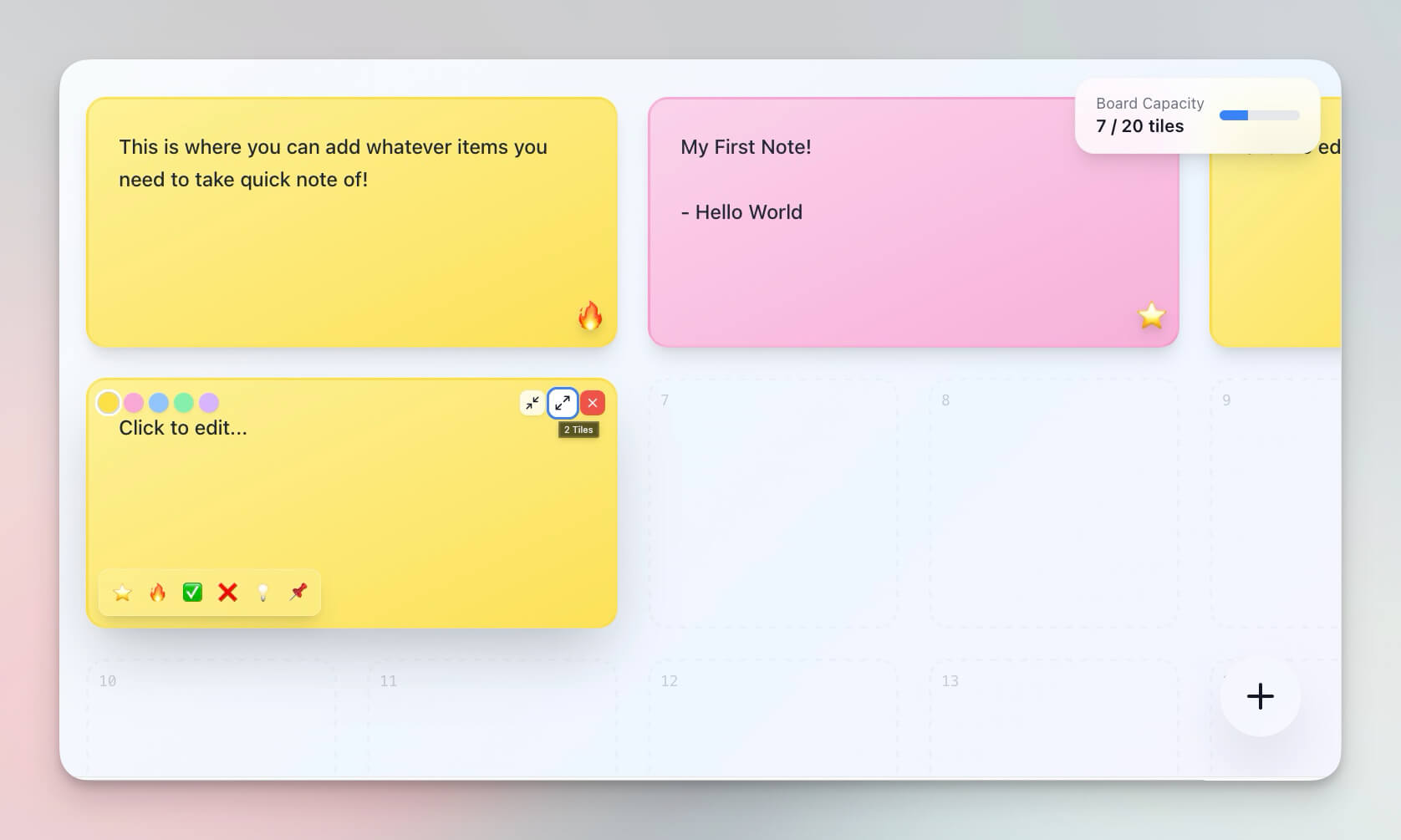
A visual note-taking workspace with tile-based organization. Perfect for brainstorming sessions, idea capture, and spatial thinking.
Best for: Visual thinkers, brainstormers, creatives
Features:
- Tile-based organization with drag and drop
- Color coding for categories and priorities
- Quick capture for fleeting ideas
- Mind Map view for expanding tile clusters into knowledge graphs
Agent integration: A brainstorming agent groups related tiles by semantic similarity, suggests connections between ideas, and expands individual tiles into structured outlines when prompted.
8. RSS-Feed Inbox
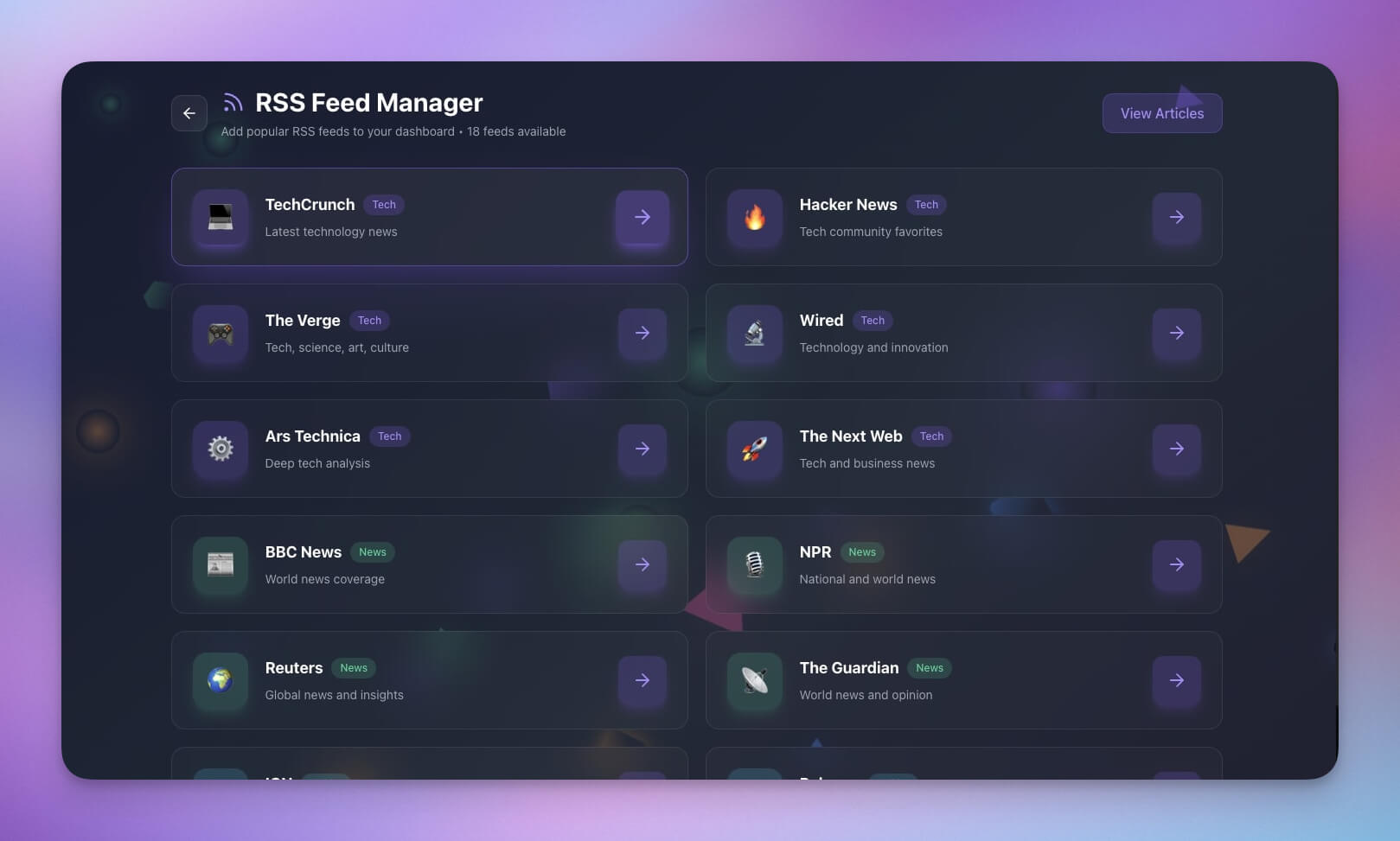
Aggregate and organize content from your favorite sources. AI summarizes articles, highlights what matters, and routes content to the right project.
Best for: Information consumers, researchers, news followers
Features:
- Feed aggregation from multiple sources
- AI-powered article summaries and key takeaway extraction
- Topic-based organization across folders
- Saved articles with full-text search
Agent integration: A research agent scans incoming articles, extracts key facts, tags them by topic, and routes high-priority items to your active projects via automation workflows. Connect to 100+ sources through Taskade integrations.
9. Minimalistic ToDo App
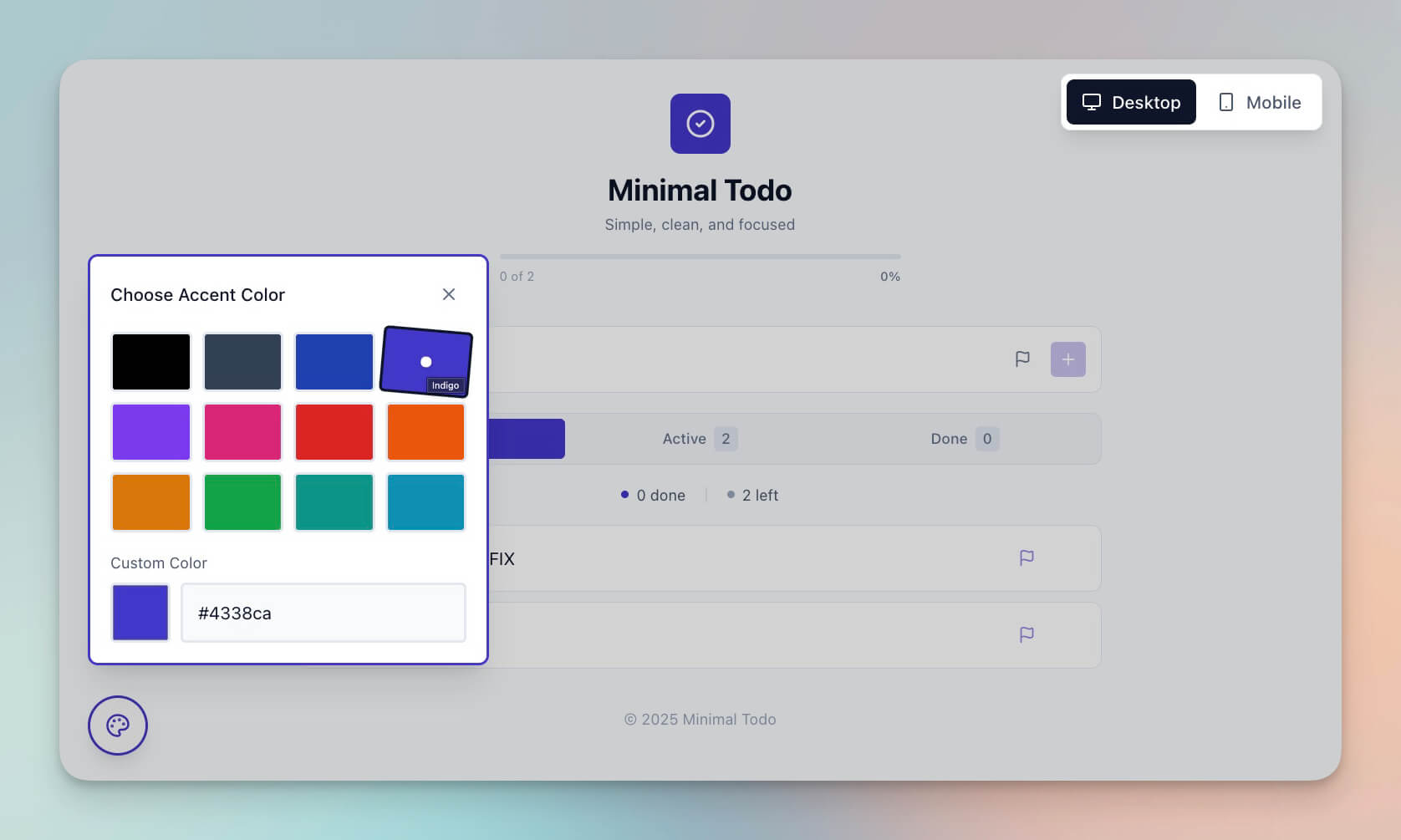
A distraction-free task manager that keeps you focused on what is next. No bloat, no complexity — just clear next actions.
Best for: Minimalists, focus enthusiasts, GTD practitioners
Features:
- Simple task lists with priority levels
- Distraction-free interface with focus mode
- Quick entry for rapid task capture
- Integration with Calendar view for time-blocking
Agent integration: A productivity agent applies GTD principles automatically — processing your inbox, assigning contexts, and flagging the single most important next action each morning.
10. Study/Work Timer + Music Player

A Pomodoro-style timer with ambient sounds for focused work sessions. Track your deep work hours and build a consistent focus habit.
Best for: Students, remote workers, focus enthusiasts
Features:
- Configurable Pomodoro timer (25/5, 50/10, custom intervals)
- Ambient music and sound integration
- Break reminders with stretch suggestions
- Session history with productivity analytics
Agent integration: A focus coach agent analyzes your session data, identifies your peak productivity hours, and suggests optimal work/break ratios based on your historical performance.
Taskade Genesis vs Other Second Brain Tools
How does Taskade Genesis stack up against popular second brain platforms? Here is a side-by-side comparison:
| Feature | Taskade Genesis | Notion | Obsidian | Roam Research |
|---|---|---|---|---|
| Starting Price | Free ($10/mo Pro) | Free ($10/mo Plus) | Free ($50/yr Sync) | $15/month |
| AI Agents | built-in tools, persistent memory | Basic AI (add-on) | Third-party plugins only | None |
| AI Models | Frontier models from top AI labs | Single model (OpenAI) | None built-in | None |
| Project Views | List, Board, Calendar, Table, Mind Map, Gantt, Org Chart | 6 (List, Board, Calendar, Table, Timeline, Gallery) | 1 (Editor + Graph) | 1 (Outliner + Graph) |
| Automations | 100+ integrations, native workflows | Limited (requires Zapier) | None | None |
| App Creation | Full apps from one prompt | Database templates only | Vault templates | Page templates |
| Custom Domains | Yes (custom domains) | No | No | No |
| Public Sharing | Apps, agents, and workspaces | Pages only | Publish plugin | Read-only graphs |
| Collaboration | Real-time, RBAC | Real-time, 4 roles | Limited (Sync only) | Multiplayer (beta) |
| Offline Access | Yes | Partial | Full | No |
Taskade Genesis is the only second brain platform that combines AI agents, automations, and app creation in a single workspace — free to start, with Pro from $10/month billed annually. Compare all plans →
Why Personal Workspaces Beat Traditional Apps
Traditional productivity apps store data. That is their entire function.
Genesis personal workspaces think with you:
| Traditional Apps | Genesis Workspaces |
|---|---|
| Static storage | Dynamic intelligence powered by frontier AI models |
| Manual organization | AI-assisted sorting with persistent memory |
| Isolated data silos | Connected context across all projects |
| Read-only history | Learning system that improves over time |
| Single purpose | Evolving capabilities with 100+ integrations |
| No automation | Workflow triggers that act on your behalf |
Your second brain should grow smarter as you use it. That is exactly what Workspace DNA delivers — a self-reinforcing loop of Memory, Intelligence, and Execution.
Data Migration Guide: Moving to Taskade
Already have notes in another tool? Here is how to bring everything into your new AI second brain.
From Notion
- Export your Notion workspace as Markdown & CSV (Settings → Export)
- Open Taskade and create a new workspace
- Drag and drop the exported folders into your Taskade project
- AI agents will auto-tag and organize imported content
- See the full Notion import guide
From Obsidian
- Locate your Obsidian vault folder on disk
- Select all
.mdfiles and drag them into a Taskade project - Internal
[[wiki-links]]convert to standard Markdown links - Use Mind Map view to visualize your knowledge graph
- See the full import documentation
From Apple Notes
- Select notes in Apple Notes and choose Export as PDF
- Upload PDFs to a Taskade project
- An AI agent extracts text and reformats content into structured notes
- Tag and organize using Board view columns
From Evernote
- Export notebooks as
.enexfiles from Evernote - Convert to Markdown using a free converter tool
- Import Markdown files into Taskade
- See the full Evernote import guide
| Source Tool | Export Format | Import Method | Link Preservation |
|---|---|---|---|
| Notion | Markdown + CSV | Drag and drop | Full |
| Obsidian | .md files | Drag and drop | Wiki-links converted |
| Apple Notes | Upload + AI extraction | Partial | |
| Evernote | .enex → Markdown | Convert then import | Full |
| Google Keep | Google Takeout | Import JSON/HTML | Partial |
| Roam Research | Markdown export | Drag and drop | Full |
Build Your Own Second Brain

Create your personal workspace in minutes:
- Open Taskade Genesis and click "Create App"
- Describe your system (e.g., "Build a personal knowledge base with notes, bookmarks, and daily journals organized using the PARA method")
- Use "Enhance Prompt" for customization options
- Genesis creates the workspace with Projects, AI Agents, and Automations
- Import existing notes from your current tool
- Start capturing information and watch your second brain grow

Upload documents, PDFs, and web pages directly to your agents. They build persistent memory from your content — so every interaction gets smarter.
Learn more: Create Your First App →
Second Brain Power User Tips
Once your second brain workspace is running, these advanced techniques will help you get more value from it:
1. Weekly Review Automation
Set up an automation that triggers every Friday. The agent scans all projects, flags stalled items, and generates a weekly digest.
2. Multi-Agent Collaboration
Assign different agents to different knowledge domains — one for work projects, one for personal reading, one for health tracking. They share context through Workspace DNA.
3. Template Stacking
Combine multiple templates above into a single workspace. Your Expense Tracker feeds data to your Motivation Map, which connects to your Mood Tracker for holistic life management.
4. Public Agent Sharing
Turn your best agents into public-facing tools that others can use. Share them in the Community Gallery and get feedback from other builders.
Start Building
Ready to build your own second brain?
Resources:
- Explore Community Apps — Clone workspaces and tools built by 150,000+ users
- Create Your First App — Step-by-step tutorial
- Learn Workspace DNA — Understand the architecture
- Browse Agent Templates — Pre-built agents for every use case
- Compare Plans — Free, Pro $10/mo, Business $25/mo
Your living workspace includes:
- Custom AI Agents with built-in tools and persistent memory
- Multiple Project Views — List, Board, Calendar, Table, Mind Map, Gantt, Org Chart
- 100+ Integrations connecting to every tool you already use
- Automated Workflows that run 24/7
Read more:
- Building a Second Brain Review and Complete Guide
- Introducing Taskade Genesis, Your Second Brain, Alive
- RSS Is Not Dead. It Is Learning.
- The Origin of Living Software
- What Is Vibe Coding?
- The Ultimate Guide to Taskade Genesis
- How Workspace DNA Works
Explore Taskade AI:
- AI App Builder — Build complete apps from one prompt
- AI Second Brain — Build your personal knowledge system
- AI Workspace — Create intelligent workspaces
- Automate Workflows — Connect 100+ integrations
- Browse Templates — Clone and customize
- Free Notion Alternative — See how Taskade compares

Frequently Asked Questions
What is an AI-powered second brain?
An AI-powered second brain is an external system that captures, organizes, and retrieves your knowledge using artificial intelligence. Unlike simple note-taking apps, it actively connects ideas, surfaces relevant information, and automates knowledge workflows. Taskade Genesis builds second brain workspaces with built-in databases, AI agents with persistent memory, and 100+ integrations.
How do I build a personal AI workspace?
With Taskade Genesis, describe the workspace you need in a single prompt and it generates a complete system with structured data, AI assistants, and automations. Over 150,000 apps have been built this way. You can also clone pre-built second brain templates and customize them to fit your personal workflow.
What makes Taskade different from other second brain tools?
Taskade combines multiple project views (List, Board, Calendar, Table, Mind Map, Gantt, Org Chart), AI agents powered by frontier models from top AI labs, and automated workflows with 100+ integrations in one workspace. Its Workspace DNA architecture (Memory, Intelligence, and Execution) means your second brain actively processes and acts on information.
Can I use a second brain workspace for both personal and team use?
Yes. Taskade workspaces scale from individual to team use. You can keep personal projects private and share specific workspaces with collaborators using role-based permissions (Owner to Viewer). AI agents work across both personal and shared spaces with persistent memory.
How does Taskade compare to Notion as a second brain?
Taskade goes beyond Notion's static databases by adding AI agents with built-in tools, persistent memory, and autonomous automations. While Notion requires manual organization and third-party AI add-ons, Taskade Genesis creates complete second brain systems from a single prompt with built-in intelligence. Pricing is free to start, with Pro from $10/month billed annually, versus Notion's $10/month.
What is Workspace DNA and how does it power a second brain?
Workspace DNA is Taskade's three-pillar architecture: Memory (Projects and databases that store knowledge), Intelligence (AI Agents that reason and act on your data), and Execution (Automations that trigger workflows). These three pillars form a self-reinforcing loop where your second brain gets smarter as you use it.
Can I migrate my notes from Notion, Obsidian, or Apple Notes to Taskade?
Yes. Taskade supports importing from Notion (workspace export as Markdown/CSV), Obsidian (drag-and-drop .md files), Apple Notes (export as PDF then import), Evernote, and plain text files. The import preserves formatting, links, and folder structure. See the Learn Taskade import guides for step-by-step instructions.
What second brain methodologies does Taskade support?
Taskade supports all major personal knowledge management frameworks including PARA (Projects, Areas, Resources, Archives), Zettelkasten (linked atomic notes via Mind Map view), GTD (Getting Things Done with automated inbox processing), and Building a Second Brain by Tiago Forte. AI agents can auto-categorize content into whichever framework you choose.
How much does an AI second brain workspace cost?
Taskade offers a Free plan with basic features. Paid plans start at $10/month (Pro, up to 10 seats) and $25/month (Business, unlimited seats). All paid plans include AI agents, automations, and 100+ integrations. Genesis app creation is available on every plan.
Can AI agents learn from my second brain data over time?
Yes. Taskade AI agents have persistent memory that grows with your workspace. As you add notes, documents, and data to your projects, agents reference that knowledge in future interactions. With frontier models from top AI labs, agents can summarize, connect, and retrieve information across your entire second brain.