







The fastest path to building useful software is tools. Tools solve one problem well. They are quick to build, easy to share, and people actually use them.
TL;DR: 12 real AI tools — calculators, generators, trackers, and creative utilities — built with Taskade Genesis and ready to clone in one click. Each tool includes databases, AI agents with built-in tools, and automation workflows. No coding required. Plans start free. Browse all tools in the Community Gallery →

With Taskade Genesis, you can generate AI-powered tools from a single prompt. Each tool comes with built-in databases (Projects), AI assistants (AI Agents), and automated workflows (Automations).
Here are 12 AI tools you can clone and use today — organized by category with a full comparison table at the end.
Complete Tool Comparison
Before diving into each tool, here is the full comparison across all 12.
| # | Tool | Category | Best For | Key Feature | Clone Link |
|---|---|---|---|---|---|
| 1 | Meeting Cost Calculator | Business | Managers, executives | Real-time cost calculation by salary | Clone → |
| 2 | Expense Splitter | Finance | Roommates, travel groups | Fair split with balance tracking | Clone → |
| 3 | QR Code Studio | Marketing | Marketers, event planners | Custom styling + batch generation | Clone → |
| 4 | Palette Extractor | Design | Designers, developers | Image color extraction with hex/RGB | Clone → |
| 5 | Invoice Generator | Business | Freelancers, consultants | Professional PDFs with tax calculation | Clone → |
| 6 | Flash Deck Maker | Education | Students, language learners | AI-assisted card generation | Clone → |
| 7 | D&D Mockery Generator | Creative | D&D players, game masters | Style-customized insult generation | Clone → |
| 8 | Multiplication Playground | Education | Parents, teachers, students | Gamified math practice | Clone → |
| 9 | Time Tracker | Productivity | Freelancers, remote workers | Project-categorized time logging | Clone → |
| 10 | Minimalistic ToDo App | Productivity | Anyone wanting simple tasks | Distraction-free task management | Clone → |
| 11 | Study/Work Timer | Productivity | Students, focus enthusiasts | Pomodoro timer + ambient music | Clone → |
| 12 | Note Tiles | Productivity | Visual thinkers, creatives | Tile-based drag-and-drop notes | Clone → |
Business and Finance Tools
1. Meeting Cost Calculator
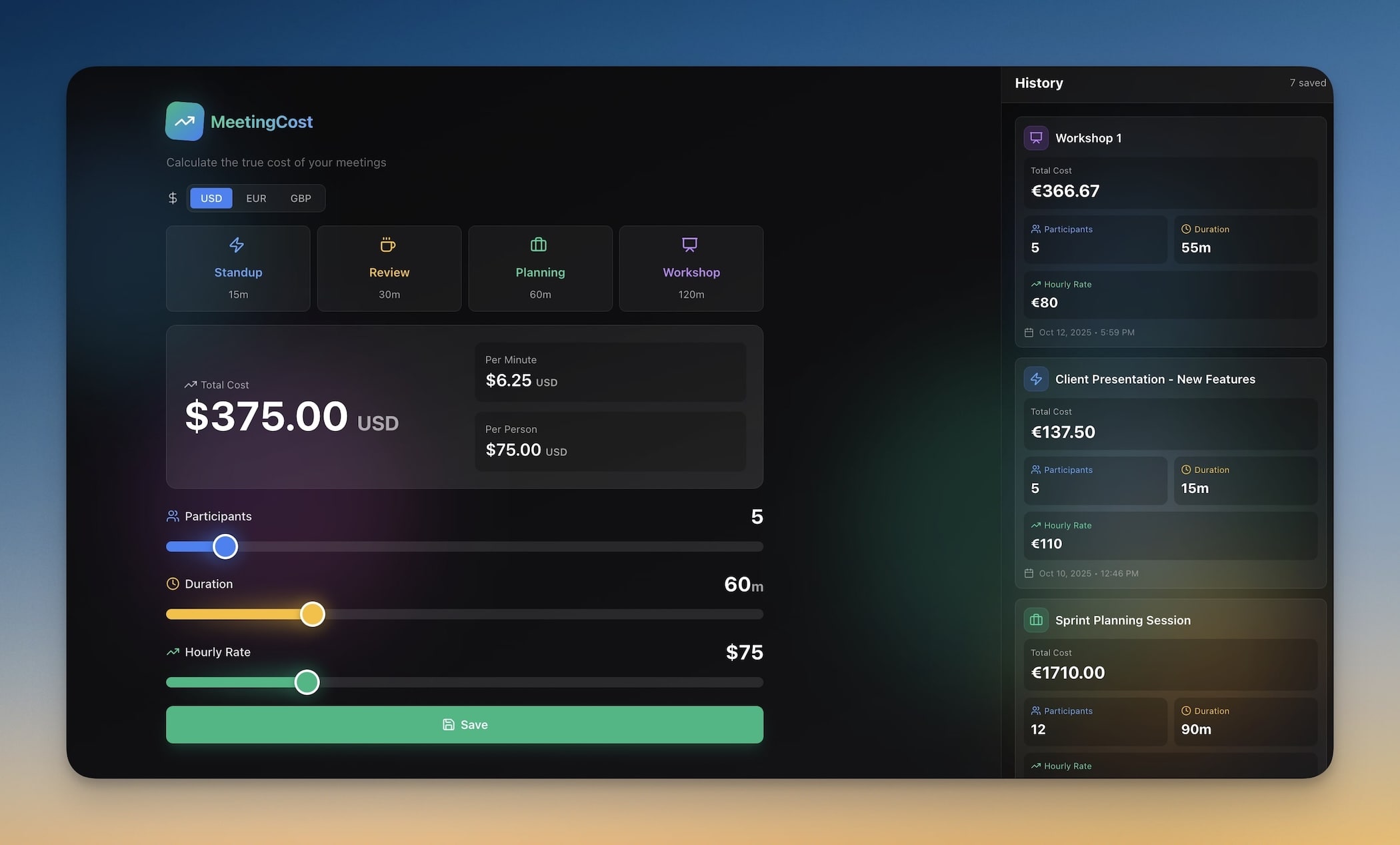
Calculate the real cost of meetings based on attendee salaries and duration. Every meeting has a price tag — this tool makes it visible so teams can justify (or cancel) that next sync.
Best for: Managers, executives, productivity-focused leaders
How it works:
- Enter each attendee's hourly rate or annual salary
- Set the meeting duration
- The calculator shows the real-time cost as the meeting runs
- AI agent analyzes meeting patterns and suggests which recurring meetings to keep, shorten, or eliminate
Key features:
- Salary input per attendee (hourly or annual)
- Real-time cost calculation during meetings
- Meeting ROI analysis comparing cost vs decisions made
- Historical meeting cost tracking across weeks and months
- AI recommendations for meeting optimization
Technical details:
| Component | Implementation |
|---|---|
| Data | Attendee profiles with salary data |
| Calculation | Real-time cost = (sum of hourly rates) x duration |
| AI Agent | Pattern analysis across meeting history |
| Automation | Weekly cost summary report |
Clone Meeting Cost Calculator →
2. Expense Splitter
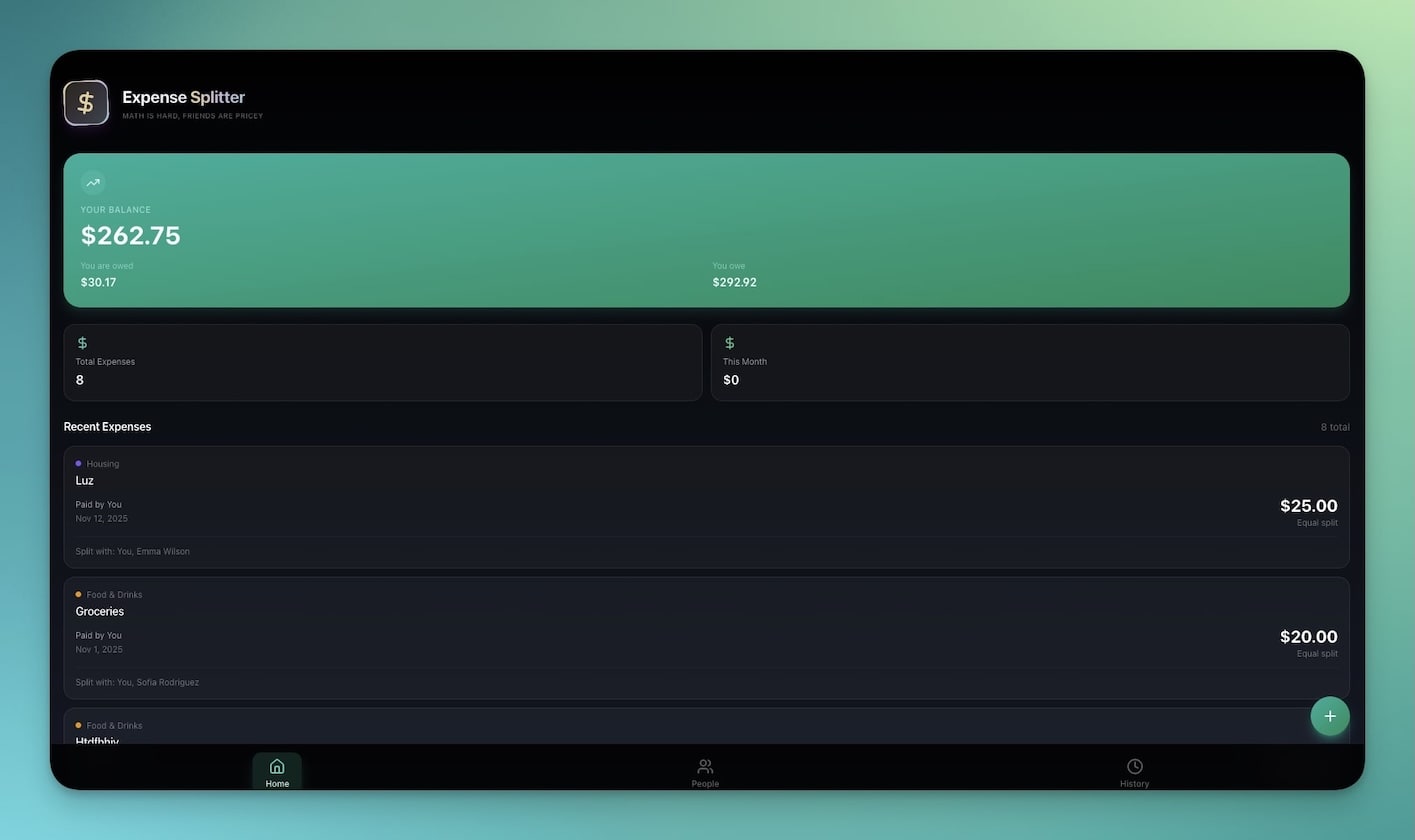
Split bills fairly among groups with automatic balance tracking. Handles unequal splits, shared expenses, and running balances across multiple events.
Best for: Roommates, travel groups, teams splitting lunch or event costs
How it works:
- Create a group and add members
- Log expenses with who paid and who owes
- The splitter calculates fair shares and running balances
- Track who has settled up and who still owes
Key features:
- Multi-person expense tracking across events
- Fair split calculations (equal, proportional, or custom)
- Running balance per person with settlement tracking
- Expense categorization (food, transport, accommodation, misc)
- Export summaries for record keeping
5. Invoice Generator
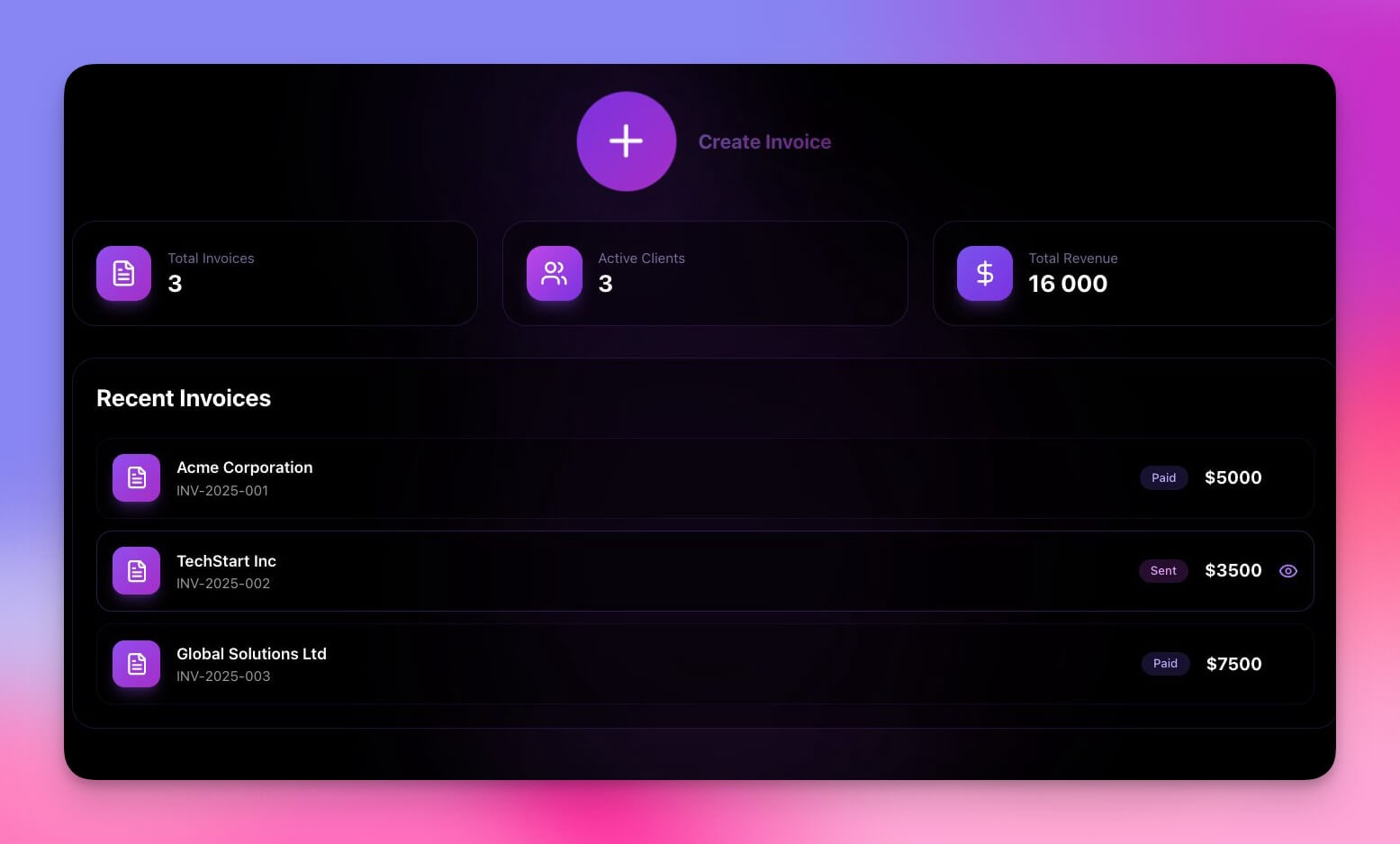
Create professional invoices in seconds. Input client details and line items, apply tax calculations, and export polished PDFs ready for sending.
Best for: Freelancers, small businesses, consultants, agencies
How it works:
- Enter your business details and client information
- Add line items with descriptions, quantities, and rates
- Apply tax rates and discounts
- Generate and download a professional PDF
Key features:
- Professional invoice templates with custom branding
- Line item management with quantity, rate, and subtotals
- Tax calculations (single rate, multi-rate, tax-exempt)
- PDF export ready for email or print
- Invoice numbering and history tracking
Design and Marketing Tools
3. QR Code Studio
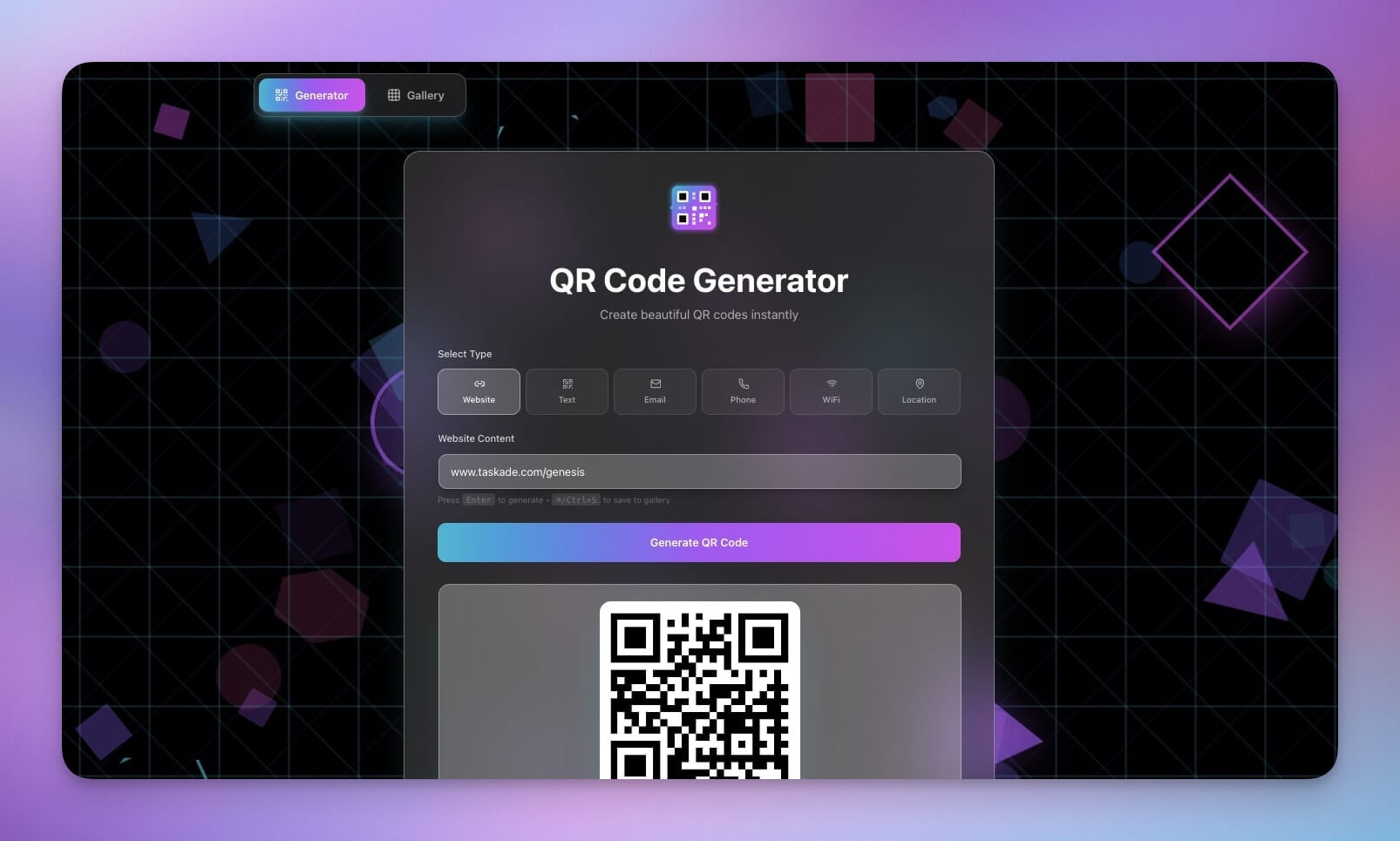
Generate and customize QR codes for links, contact information, Wi-Fi credentials, or any data. Includes styling options, color customization, and multiple download formats.
Best for: Marketers, event planners, restaurant owners, businesses
How it works:
- Enter the data to encode (URL, text, contact card, Wi-Fi)
- Customize the QR code appearance (colors, corners, logo)
- Preview the result
- Download in PNG, SVG, or batch-generate for multiple items
Key features:
- QR code generation for URLs, text, contacts, and Wi-Fi
- Custom styling with color schemes and corner shapes
- Logo embedding in center of QR code
- Multiple download formats (PNG, SVG)
- Batch generation for event badges, product labels, or marketing materials
4. Palette Extractor
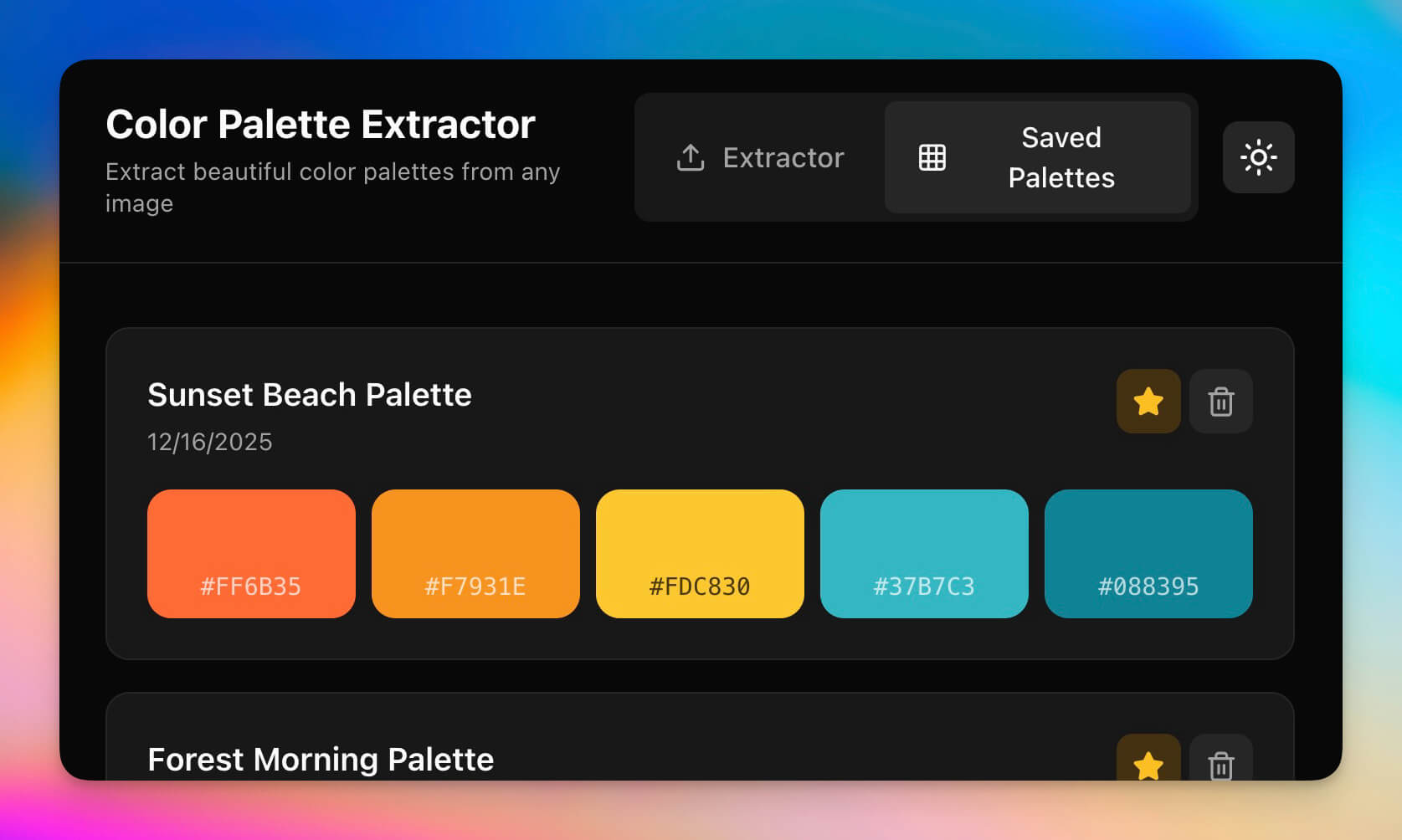
Extract color palettes from any image. Upload a photo, screenshot, or design and get hex codes, RGB values, and complementary color suggestions instantly.
Best for: Designers, front-end developers, artists, brand managers
How it works:
- Upload an image (photo, screenshot, or design file)
- The tool identifies dominant colors automatically
- Get hex codes, RGB values, and HSL values for each color
- View complementary and analogous color suggestions
Key features:
- Automatic dominant color extraction from any image
- Hex, RGB, and HSL color values for each extracted color
- Complementary and analogous color suggestions
- Palette export for design tools
- Color history for reference across projects
Education Tools
6. Flash Deck Maker

Create study flashcards with AI-assisted content generation and spaced repetition principles. The AI agent helps generate cards from your notes and tracks which concepts need more review.
Best for: Students, language learners, medical students, educators
How it works:
- Create a deck for your subject
- Add cards manually or paste notes for AI to generate cards
- Study with flip-card interface
- The system tracks your progress and prioritizes weak areas
Key features:
- Card creation (manual or AI-generated from notes)
- Deck organization by subject, chapter, or topic
- Spaced repetition scheduling based on recall performance
- Progress tracking with accuracy stats per deck
- Import from notes, PDFs, or text documents
AI Agent capabilities:
The built-in AI agent can generate flashcards from pasted text, suggest additional study cards for weak areas, and quiz you conversationally. It uses persistent memory to track your performance across study sessions.
8. Multiplication Playground
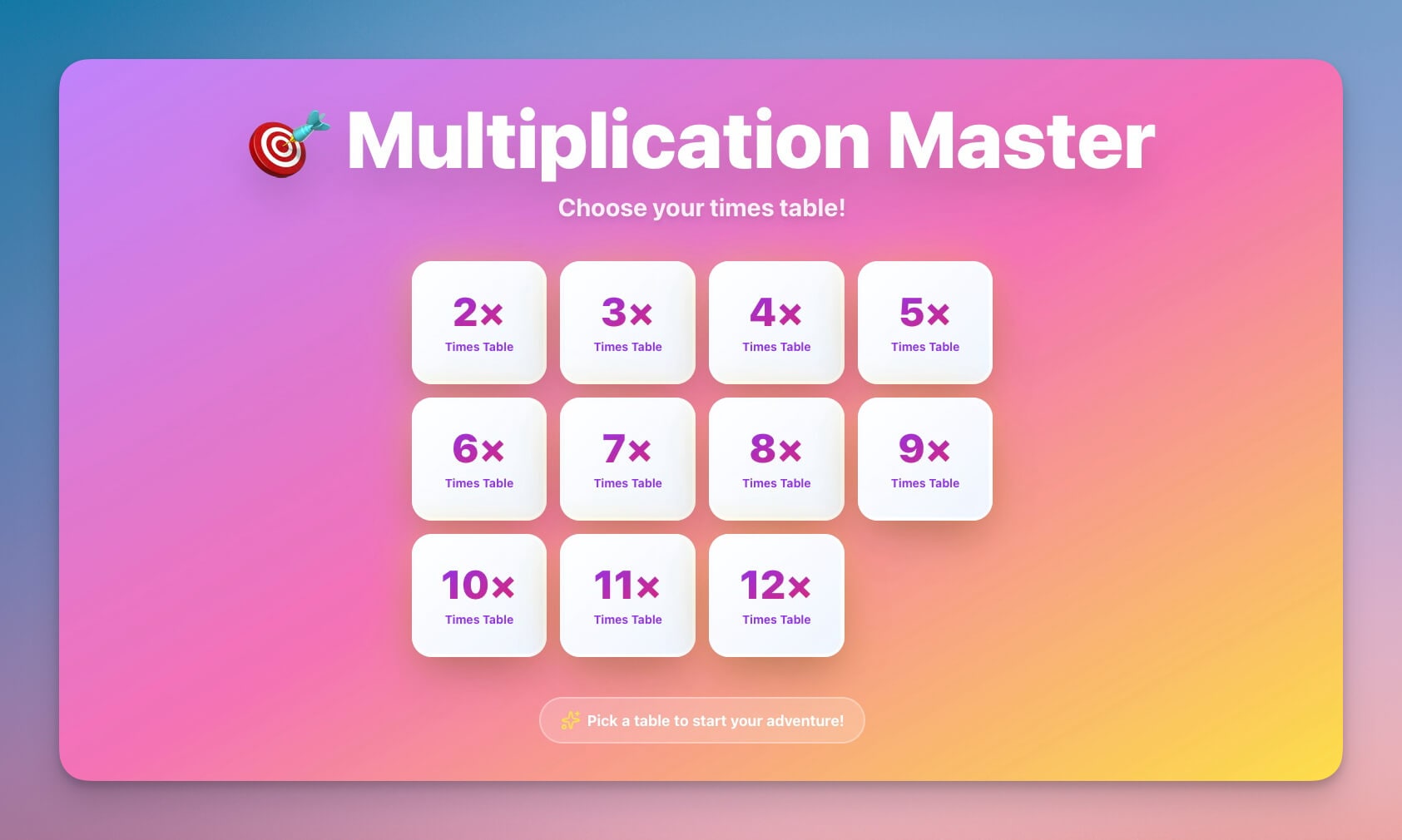
An interactive, gamified tool for practicing multiplication. Progressive difficulty levels keep young learners engaged while building math fluency.
Best for: Parents, elementary teachers, math tutors, students ages 6-12
How it works:
- Choose a difficulty level or specific times table
- Solve practice problems with instant feedback
- Track progress through levels and earn achievements
- Review missed problems and practice weak areas
Key features:
- Interactive practice problems with instant feedback
- Progressive difficulty from single digits to multi-digit
- Achievement tracking and streaks for motivation
- Times table focus mode for targeted practice
- Fun, colorful interface designed for young learners
Clone Multiplication Playground →
Productivity Tools
9. Time Tracker
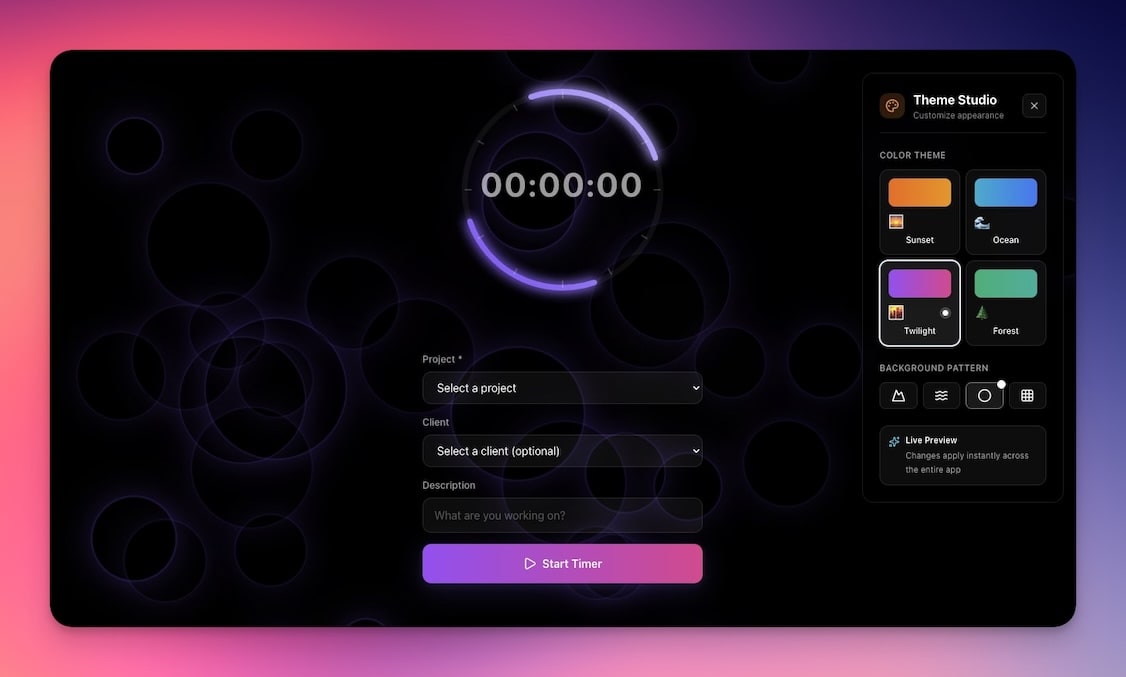
Log hours, categorize by project, and analyze where your time goes. Simple time tracking without the complexity and cost of enterprise tools like Toggl or Harvest.
Best for: Freelancers, remote workers, consultants, small teams
How it works:
- Start a timer or log time manually
- Assign each entry to a project and category
- View daily, weekly, and monthly reports
- Export time logs for invoicing or reporting
Key features:
- One-click timer start/stop or manual entry
- Project and category tagging for every entry
- Daily, weekly, and monthly analytics with charts
- Export options for client invoicing
- Billable vs non-billable hour separation
| Metric | What It Shows |
|---|---|
| Daily total | Hours worked today |
| Project breakdown | Time per project this week |
| Billable ratio | Percentage of time that is billable |
| Productivity trend | Hours worked over past 30 days |
10. Minimalistic ToDo App
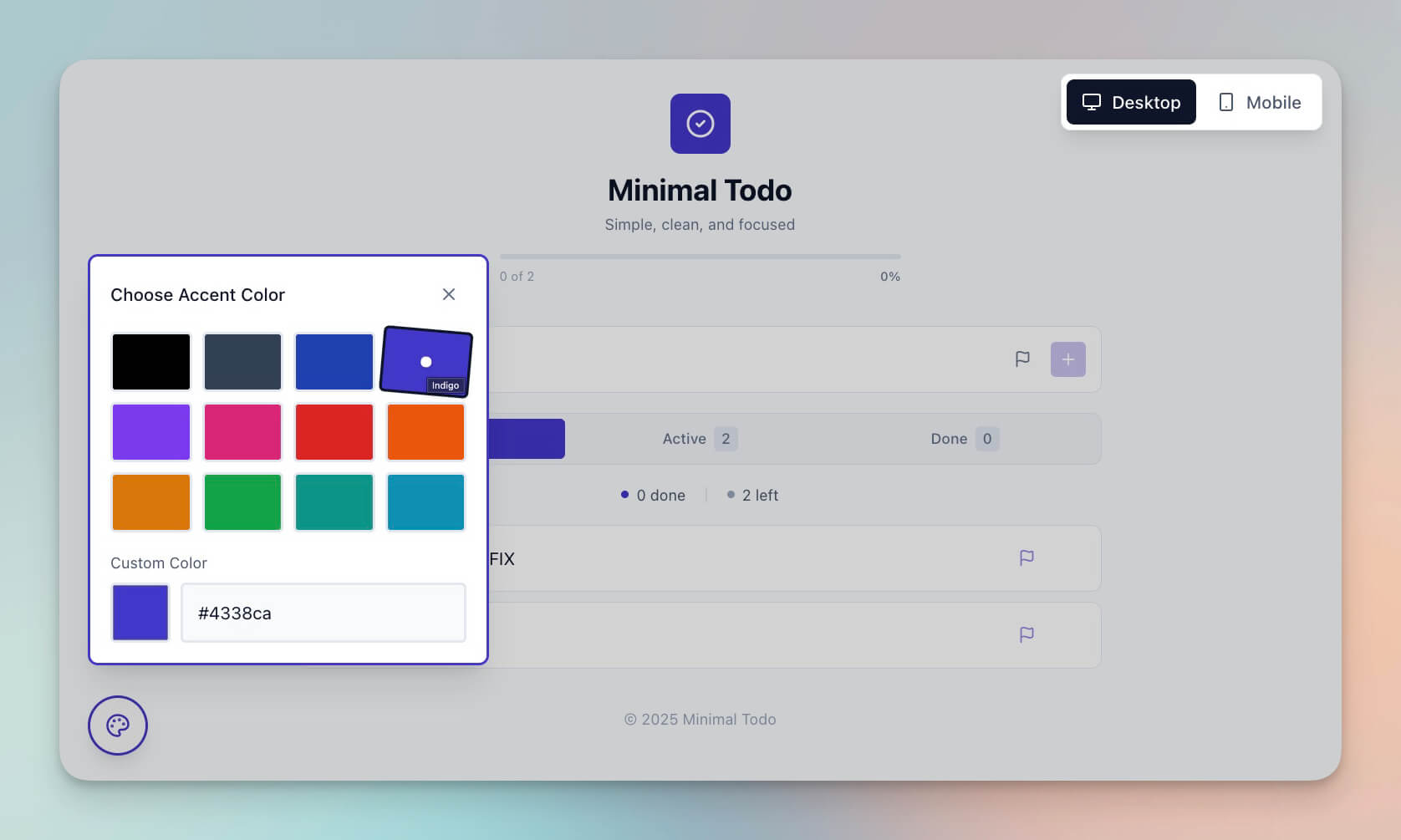
A clean, distraction-free task manager. No project hierarchies, no Gantt charts, no feature overload. Just tasks, completion tracking, and focus.
Best for: Anyone who wants simple task management without complexity
How it works:
- Add tasks with a single line of text
- Mark tasks complete as you finish them
- View remaining tasks in a clean, minimal interface
- Archive completed tasks at end of day
Key features:
- Single-line task creation with no required fields
- Completion tracking with satisfying check-off animation
- Clean, minimal interface with no visual clutter
- Focus mode that shows only today's tasks
- Daily archive of completed tasks
11. Study/Work Timer + Music Player

A Pomodoro-style timer with built-in ambient music for focused work sessions. Structure your day with timed work blocks and automatic break reminders.
Best for: Students, remote workers, anyone using the Pomodoro technique
How it works:
- Set your work interval (default: 25 minutes)
- Choose ambient sounds (rain, cafe, nature, lo-fi)
- Start the timer and focus
- Get a break reminder when the interval ends
Key features:
- Customizable work and break intervals
- Built-in ambient sounds and music player
- Session tracking (total focus time per day/week)
- Break reminders with gentle notifications
- Daily and weekly focus statistics
12. Note Tiles
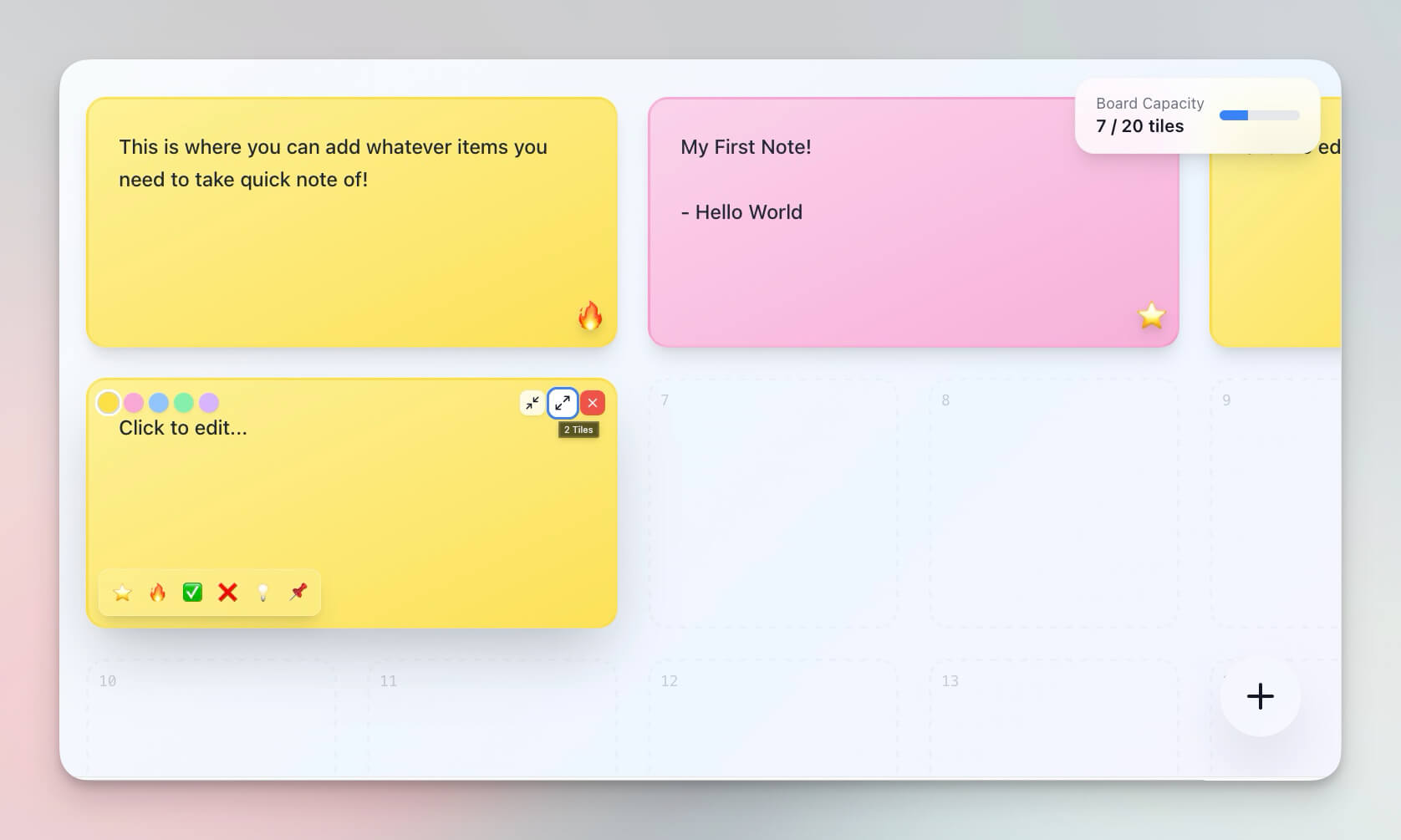
Visual note-taking with a tile-based interface. Each note is a tile you can rearrange, color-code, and organize spatially — ideal for brainstorming and visual thinking.
Best for: Visual thinkers, brainstormers, designers, creatives
How it works:
- Create notes as tiles on a canvas
- Drag and drop to organize spatially
- Color-code by theme, project, or priority
- Export or share your tile board
Key features:
- Tile-based note creation with rich text
- Drag-and-drop spatial organization
- Color coding by category, priority, or mood
- Export options (image, text, or shareable link)
- Responsive layout that works on desktop and mobile
Creative Tools
7. D&D Mockery Generator
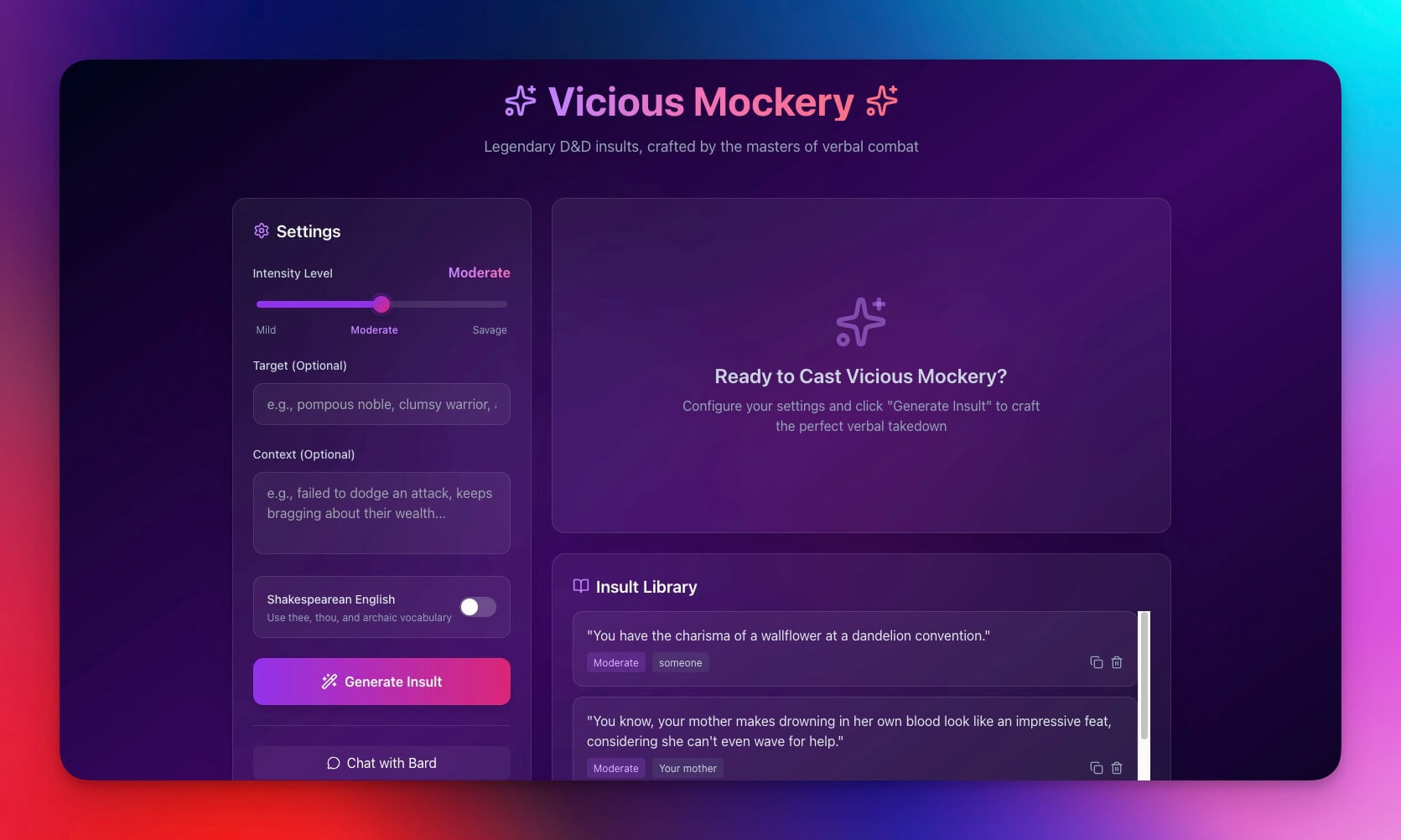
Generate creative, contextual insults for your D&D character's Vicious Mockery spell. Customize the style, target type, and severity for the perfect in-game burn.
Best for: D&D players, game masters, tabletop RPG enthusiasts
How it works:
- Select the target type (dragon, goblin, noble, etc.)
- Choose the mockery style (witty, crude, poetic, Shakespearean)
- Generate insults with one click
- Save favorites for quick access during gameplay
Key features:
- AI-generated insults tailored to D&D context
- Style customization (10+ mockery styles)
- Target-type awareness for contextual burns
- Save and organize favorite mockeries by campaign
- Share with your party via public link
How Taskade Genesis Builds Tools: Workspace DNA

Every tool Genesis creates uses the three pillars of Workspace DNA — the architecture that makes simple tools behave like full applications.
| Pillar | Role in Tools | Example |
|---|---|---|
| Memory (Projects) | Stores user data, calculations, saved items, history | Time Tracker stores entries in a Project database |
| Intelligence (Agents) | Generates content, makes suggestions, processes inputs | Flash Deck Maker uses an AI agent to generate cards from notes |
| Execution (Automations) | Triggers actions, sends notifications, exports data | Invoice Generator auto-numbers invoices and tracks payment status |
This architecture means your tools can be as simple as a calculator or as complex as a full CRM — all from a single prompt, all within one workspace.
Tool Capabilities by Category
| Category | Tools | AI Agent | Automation | Database | Sharing |
|---|---|---|---|---|---|
| Business | Meeting Calculator, Invoice Generator | Cost analysis, invoice numbering | Weekly reports, payment reminders | Attendee data, invoice history | Public link, PDF export |
| Finance | Expense Splitter | Balance optimization | Settlement reminders | Expense log, balances | Group sharing |
| Design | QR Studio, Palette Extractor | Batch generation, color suggestions | None | Generated assets | Download, embed |
| Education | Flash Deck, Multiplication | Card generation, adaptive difficulty | Study reminders | Decks, progress | Student sharing |
| Productivity | Time Tracker, ToDo, Timer, Note Tiles | Time analytics, focus insights | Break reminders, daily summaries | Time entries, tasks, notes | Team sharing |
| Creative | D&D Mockery | Style-aware generation | None | Saved favorites | Party sharing |
Build Your Own Tool
Create a custom tool in minutes with Taskade Genesis:
- Open Genesis and click "Create App"
- Describe your tool in plain language (e.g., "Build a unit converter for length, weight, and temperature with history tracking")
- Use "Enhance Prompt" to add specifics Genesis might suggest
- Watch Genesis build the tool with Projects, AI Agents, and Automations
- Test and customize through conversation or visual editing
- Share with the world via public link, embed, or Community Gallery
Learn more: Create Your First App →
Frequently Asked Prompt Patterns
Need inspiration? Here are proven prompt patterns for common tool types:
| Tool Type | Prompt Pattern | Result |
|---|---|---|
| Calculator | "Build a [domain] calculator that takes [inputs] and shows [outputs]" | Input form + calculation engine + history |
| Tracker | "Build a [thing] tracker with [fields], [views], and [reports]" | Database + dashboard + export |
| Generator | "Build a [content] generator with [style options] and [save/share]" | AI generation + customization + library |
| Portal | "Build a [domain] portal with [public pages], [admin dashboard], and [user management]" | Public site + admin views + permissions |
Start Building
Ready to build your own AI-powered tool?
Resources:
- Explore Community Apps — Clone tools, dashboards, and websites
- Create Your First App — Step-by-step tutorial
- Learn Workspace DNA — Understand the architecture
- Custom AI Agents — The intelligence layer
Your workspace includes:
- Custom AI Agents — built-in tools with persistent memory
- Projects & Memory — The database layer for all your tools
- 100+ Integrations — Connect to Slack, email, calendar, and more
- Multiple Project Views — List, Board, Calendar, Table, Mind Map, Gantt, Org Chart
Read more:
- 10 AI Dashboards You Can Clone in One Click
- Build Your First AI App: 12 Beginner Examples
- 10 Personal AI Workspaces (Second Brain)
- Build Without Permission
- 10 AI Apps for Students and Educators
Explore Taskade AI:
- AI App Builder — Build complete apps from one prompt
- AI Agent Builder — Create intelligent assistants
- Vibe Coding — Build apps with natural language
- Browse Community Apps — Clone and customize real apps
Explore the Vibe Apps series:
- Vibe Calculator Apps — 10 AI calculators you can build without code
- Vibe Utility Apps — 10 AI converters and dev tools you can clone
