







Creators are one-person media companies.
You are the writer, editor, designer, publisher, and community manager — all at once. The tools that were supposed to help just created more tabs, more dashboards, more context switching. Notion for ideas. Buffer for scheduling. Canva for graphics. Linktree for links. Mailchimp for newsletters.
TL;DR: Taskade Genesis builds your entire Creator OS from a single prompt —
content pipelines, AI writing agents, automated multi-platform publishing, and
audience management. One workspace replaces 8+ creator tools. Try it free →

Taskade Genesis builds your Creator OS from a single prompt. Content ideas become drafts, drafts become published pieces, and one piece becomes many — all connected through Projects (Memory), AI agents (Intelligence), and automated workflows (Execution).
The Creator's Reality:
- Average creator uses 8+ different tools for content production
- Content repurposing takes up to 70% of total creation time
- Manual posting across platforms wastes hours every week
- Context switching between tools kills creative flow
Genesis solves this: One prompt becomes a complete content pipeline.
Why Fragmented Creator Tools Fail
Most creators stitch together 8-10 separate tools. Each handles one step of the content lifecycle. None of them talk to each other, and none of them learn from your patterns.
| Tool | What It Does | What It Misses |
|---|---|---|
| Notion | Store ideas and drafts | No AI writing, no publishing |
| Buffer | Schedule social posts | No content creation, no repurposing |
| Canva | Design graphics | No content management, no scheduling |
| Linktree | Link aggregation | No content pipeline |
| Mailchimp | Email newsletters | No content creation, no social |
A Taskade Genesis creator hub handles the entire lifecycle — ideation, drafting, editing, repurposing, scheduling, publishing, and analytics — in one workspace with AI agents that maintain your voice across every format.
Creator Tool Comparison: Genesis vs Popular Platforms
| Feature | Taskade Genesis | Notion | Buffer | Canva | Mailchimp |
|---|---|---|---|---|---|
| Content ideation | AI agents brainstorm | Manual | No | Templates only | No |
| Long-form writing | AI with voice memory | Manual | No | No | Basic editor |
| Content repurposing | AI auto-reformats | Manual | No | Manual resize | No |
| Multi-platform scheduling | 100+ integrations | No | Yes (limited) | Basic | Email only |
| Editorial calendar | Multiple project views | Calendar DB | Calendar | No | Campaign calendar |
| AI writing assistants | built-in tools, persistent memory | Basic AI | No | Magic Write | No |
| Team collaboration | RBAC | Team plans | Team plans | Team plans | Team plans |
| Audience feedback | Built-in portals | No | Basic analytics | No | Email analytics |
| Pricing (annual) | Free / $10-$25/mo | Free / $10-$18/mo | Free / $6-$120/mo | Free / $13-$30/mo | Free / $13-$350/mo |
| Living system | Yes | No | No | No | No |
Quick Reference: All 8 Creator Hubs
| # | Hub | Function | Best For | Clone |
|---|---|---|---|---|
| 1 | Multi-Platform Publisher | Multi-channel posting | Content creators, marketers | Clone → |
| 2 | RSS-Feed Inbox | Content curation | Curators, newsletter writers | Clone → |
| 3 | Note Tiles | Idea capture | Writers, researchers | Clone → |
| 4 | Lens Insight Journal | Reflection and insights | Writers, reflective thinkers | Clone → |
| 5 | Motivation Map Studio | Goal visualization | Coaches, creators | Clone → |
| 6 | Book Reading Tracker | Research tracking | Content researchers, learners | Clone → |
| 7 | Cover Letter Generator | Outreach templates | Sponsor outreach, pitches | Clone → |
| 8 | Testimonial Portal | Audience feedback | Course creators, coaches | Clone → |
Here are 8 AI creator hubs you can clone and build your content empire on.
1. Multi-Platform Publisher
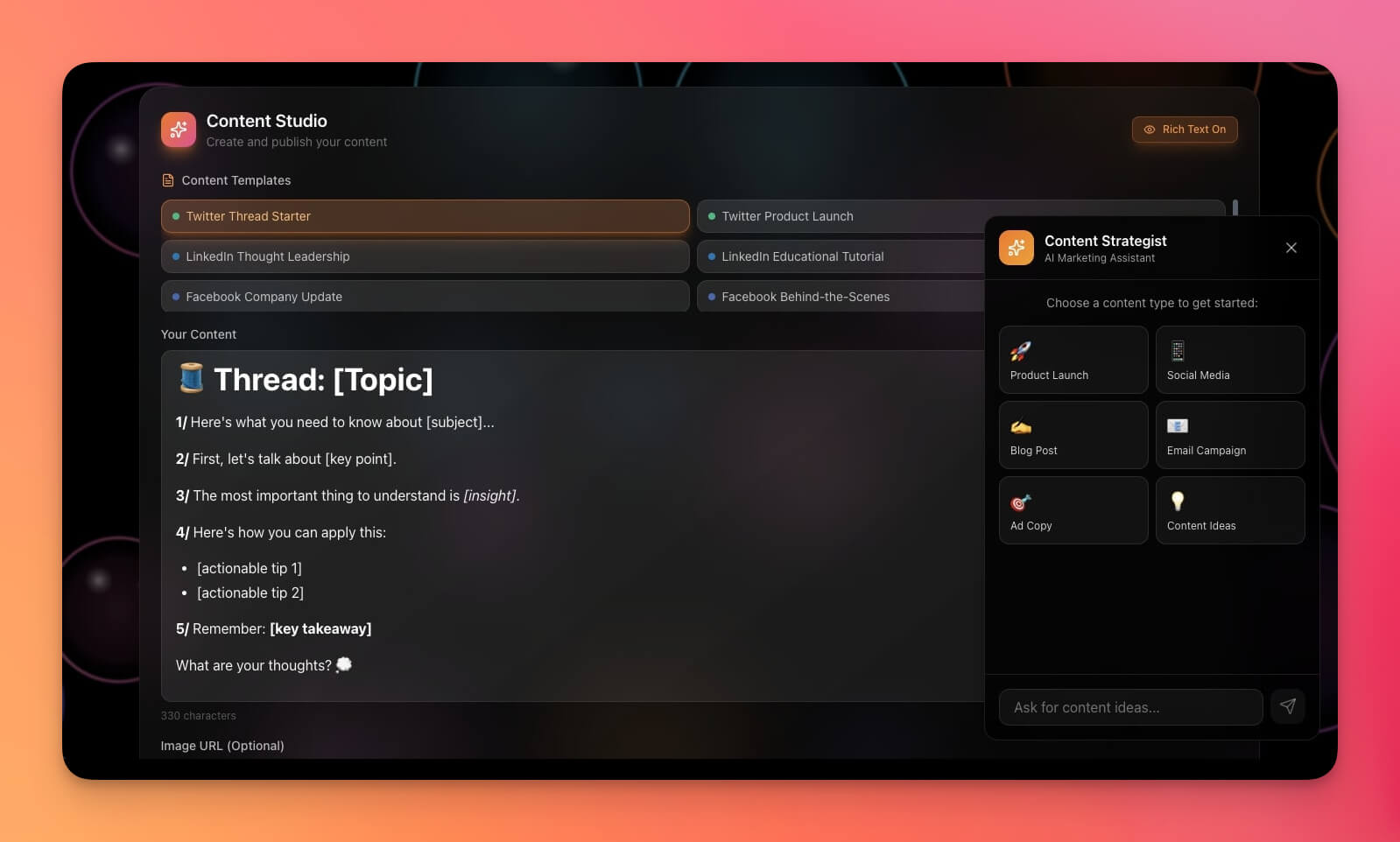
The Multi-Platform Publisher is the centerpiece of any Creator OS. It manages content across every channel from a single dashboard — blog posts, social media, newsletters, and video descriptions — with AI agents that reformat content for each platform's requirements.
Best for: Content creators, social media managers, marketing teams
Features:
- Multi-channel editorial calendar across Calendar and Board views
- Platform-specific formatting (AI auto-adjusts for Twitter, LinkedIn, Instagram, blog)
- Scheduling interface with automated publishing workflows
- Performance tracking with AI-generated optimization suggestions
- Content repurposing pipeline: one draft becomes 5+ platform-specific pieces
How it compares: Buffer schedules posts you have already written. This Genesis hub writes, reformats, and schedules — handling the entire pipeline from ideation to distribution via 100+ integrations.
Clone Multi-Platform Publisher →
2. RSS-Feed Inbox
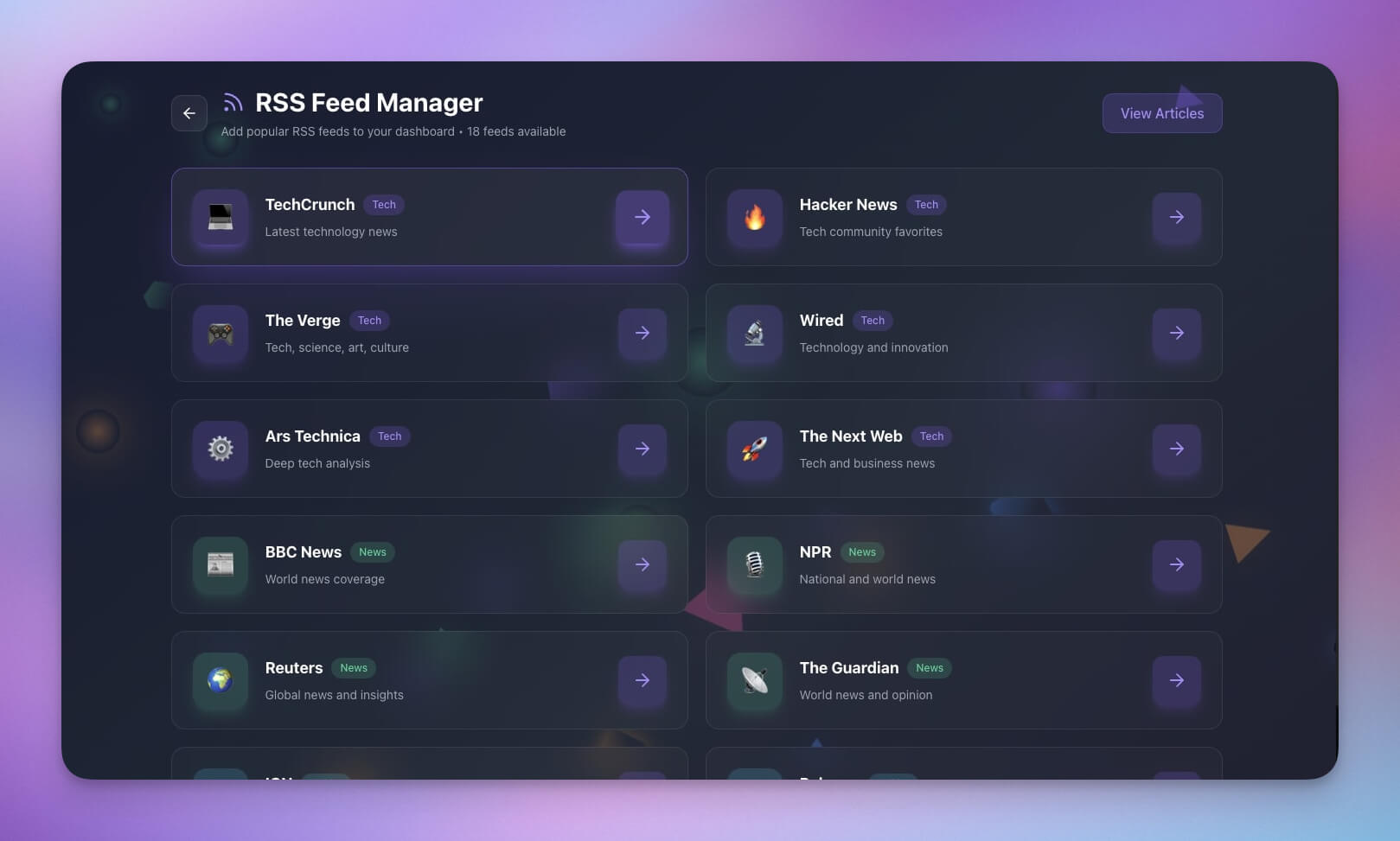
Aggregate content from your favorite sources in one place. The AI agent summarizes articles, identifies trending topics, and suggests content angles based on what is performing in your niche. Essential for newsletter writers and content curators.
Best for: Curators, researchers, newsletter writers
Features:
- Feed aggregation from multiple RSS sources
- AI-powered article summarization and tagging
- Read/unread tracking with List and Table views
- Save-for-later with one-click draft creation
- Automated topic alerts when trending subjects appear
Learn more about RSS workflows: RSS Isn't Dead. It's Learning.
3. Note Tiles
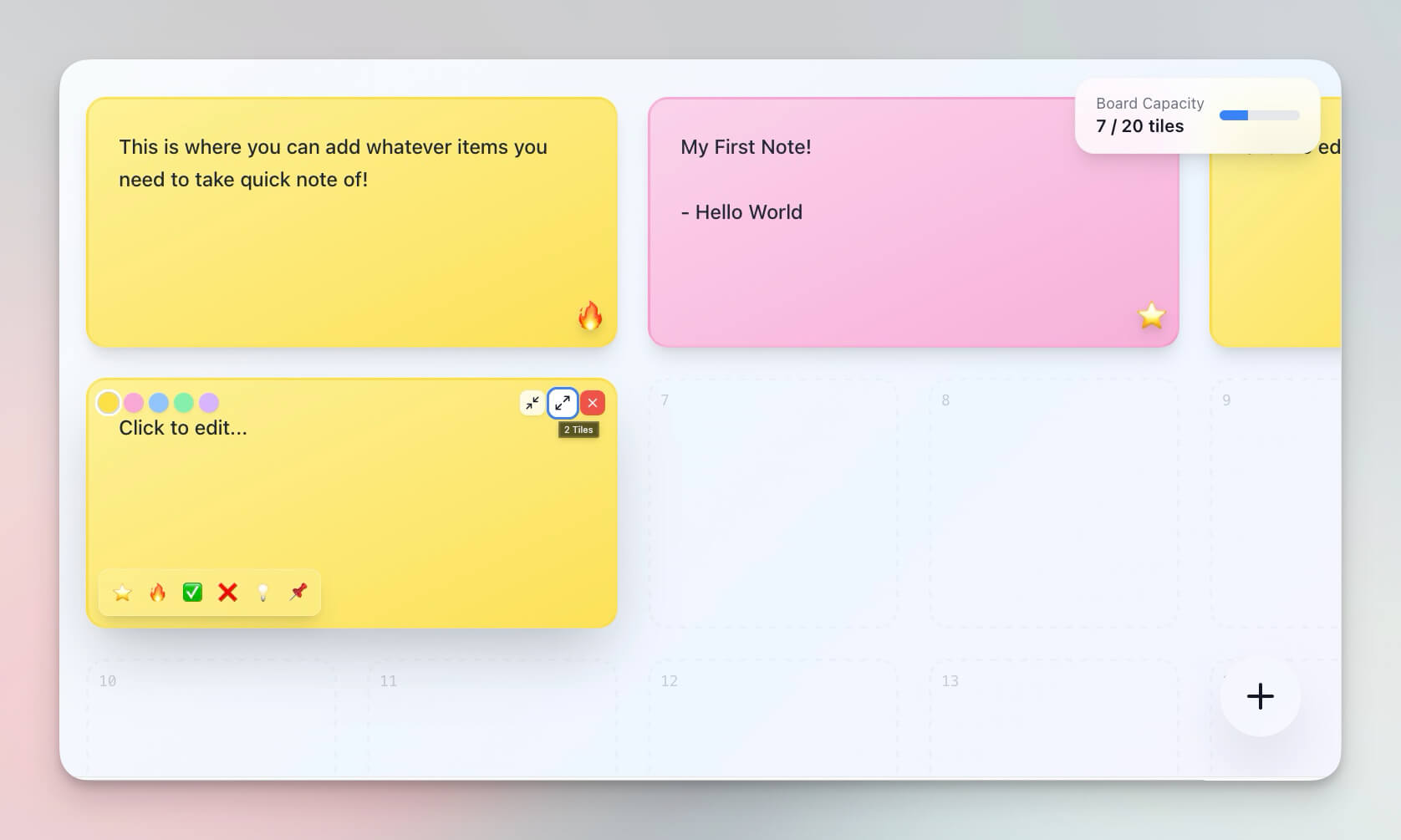
A visual note-taking system for capturing ideas and content snippets on the go. The tile-based interface makes it easy to scan dozens of ideas at once, while AI agents with persistent memory connect related notes and suggest when ideas are ready to become drafts.
Best for: Writers, researchers, visual thinkers
Features:
- Tile-based capture with color coding by content type
- Quick entry for capturing ideas in seconds
- AI-powered connection mapping between related notes
- Search and filter across your entire idea library
- Mind Map view for visual brainstorming sessions
4. Lens Insight Journal
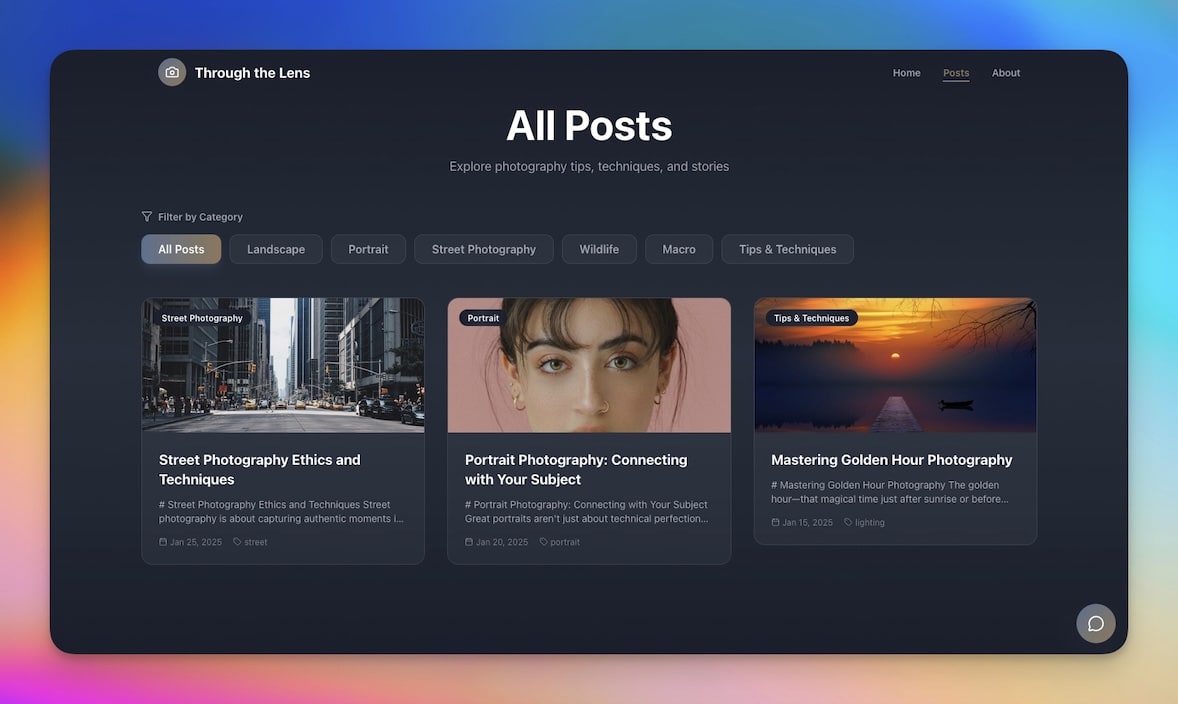
A journaling system for capturing observations and insights that fuel your content. The AI agent identifies recurring themes in your journal entries and suggests content topics based on what you are naturally thinking about.
Best for: Writers, creators, reflective thinkers
Features:
- Daily writing prompts generated by the AI agent
- Insight tracking with theme tags and categories
- Pattern recognition across weeks and months of entries
- One-click export: journal insight becomes content draft
- Calendar view for tracking journaling streaks
5. Motivation Map Studio
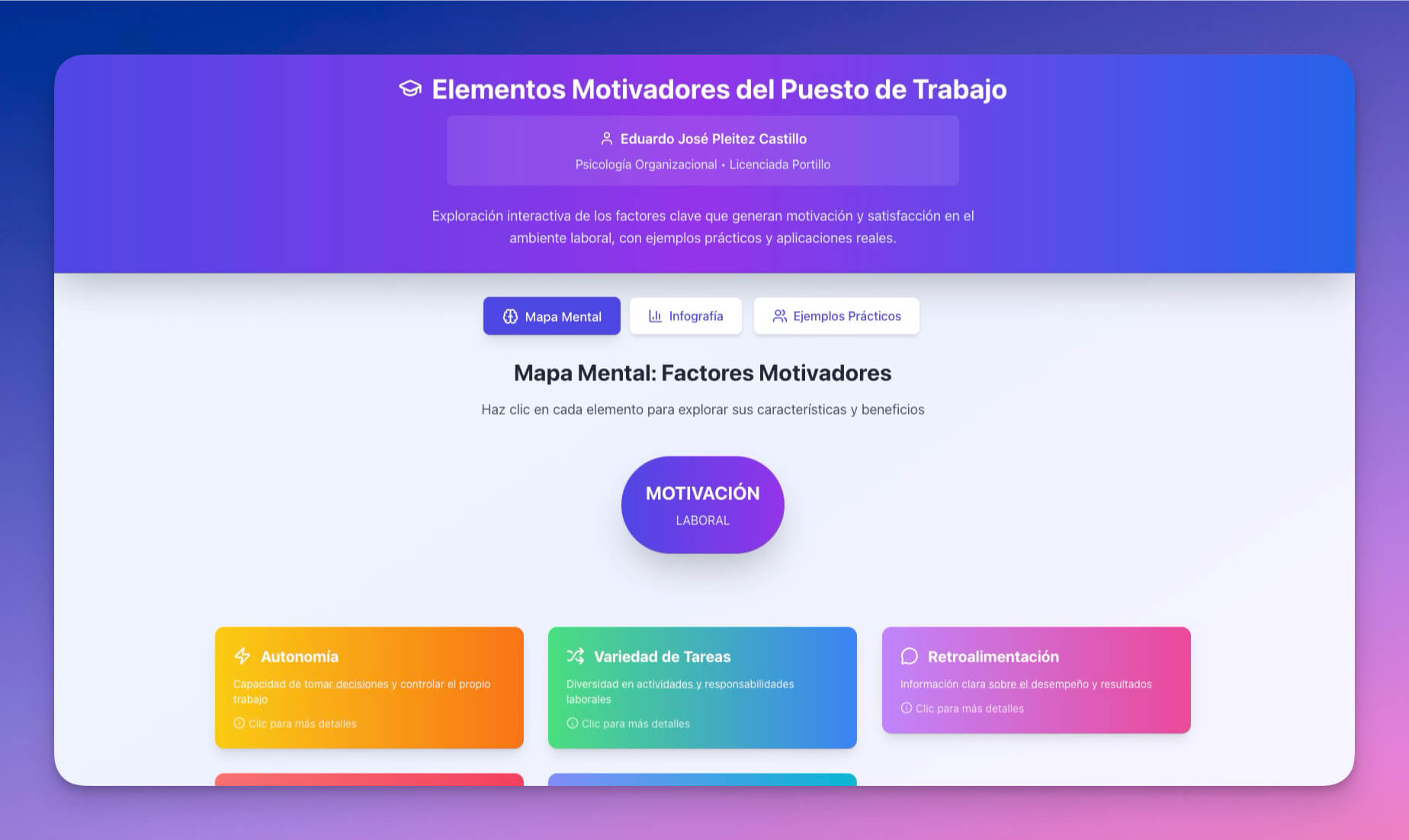
Visualize goals, motivations, and creative direction using Mind Map and Board views. For creators, this becomes a content strategy map — the AI agent breaks large goals ("grow newsletter to 10K subscribers") into actionable content tasks.
Best for: Creators planning content strategy, coaches, personal development
Features:
- Goal mapping with hierarchical breakdown (vision to weekly tasks)
- Motivation and energy tracking for creative output patterns
- Visual boards for content themes and editorial direction
- AI-generated milestones with realistic timelines
- Automated weekly reviews of progress toward creator goals
6. Book Reading Tracker
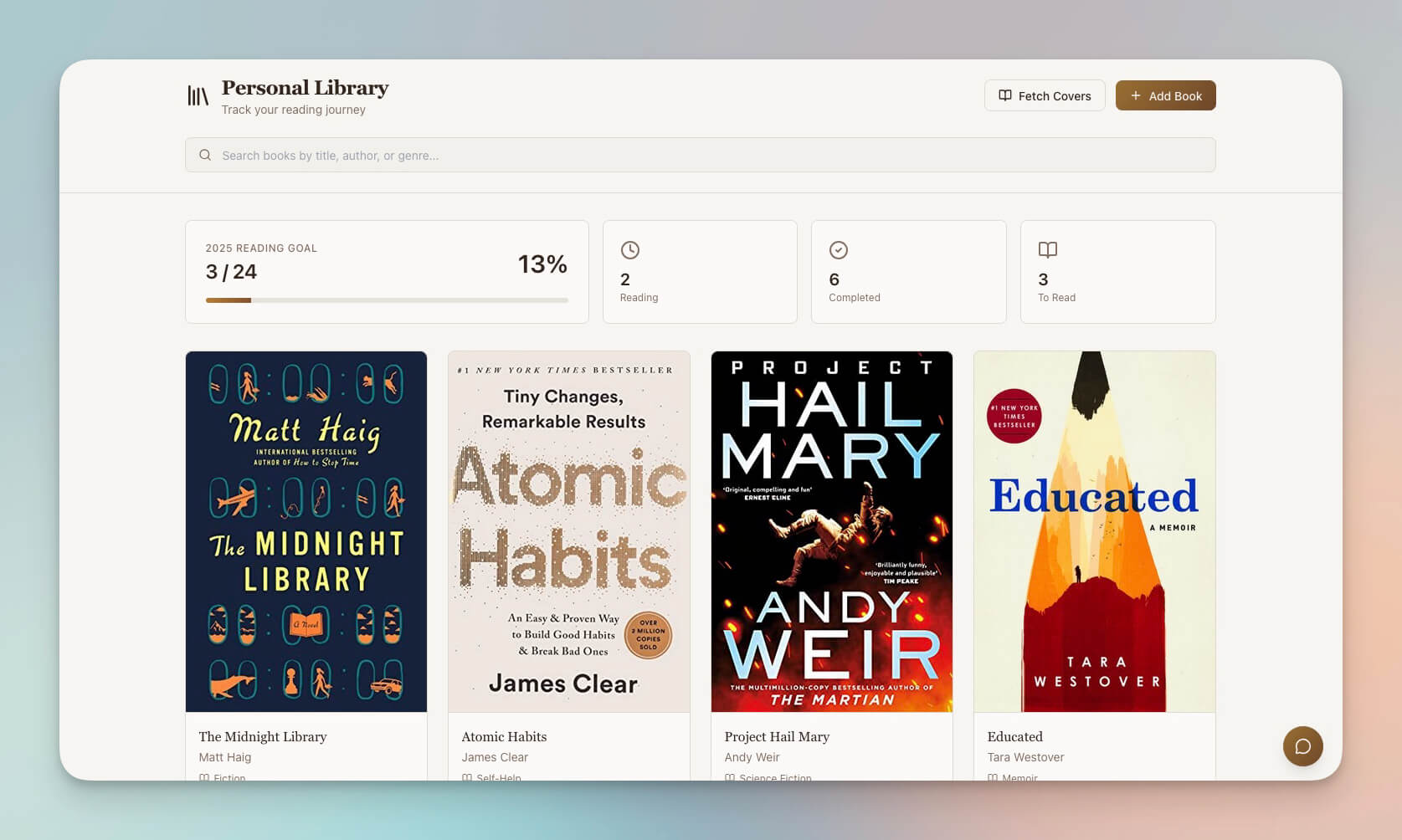
Track reading progress for content research and idea generation. The AI agent extracts key takeaways, connects concepts across books, and suggests how reading insights can become content pieces.
Best for: Writers, content researchers, lifelong learners
Features:
- Reading list management with status tracking (to-read, reading, finished)
- Note-taking and quote capture per book
- AI-powered concept extraction and cross-book connections
- Recommendation engine based on your reading patterns and content niche
- Table view for filtering by genre, topic, and rating
7. Cover Letter Generator
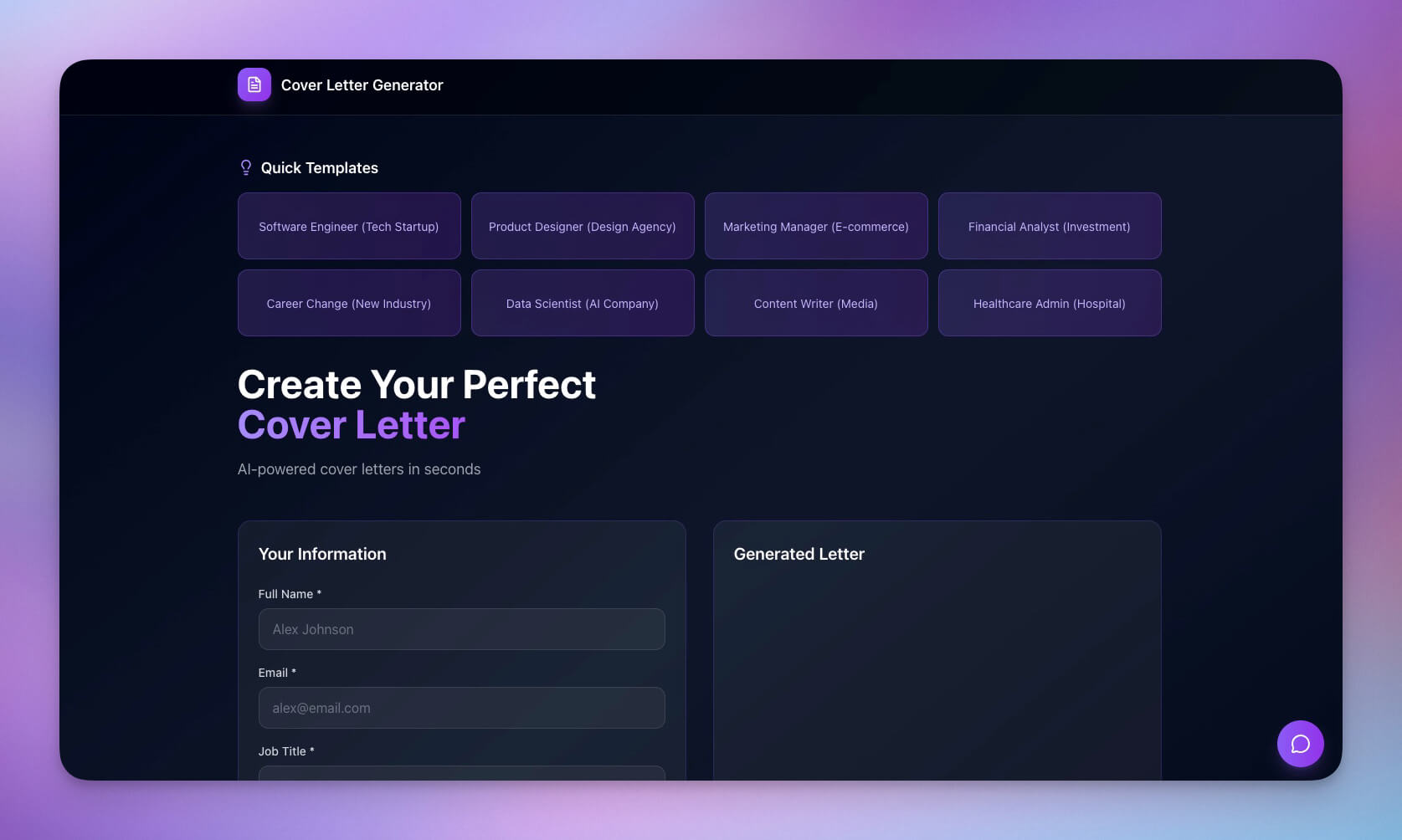
Generate personalized outreach content from templates — adapted for creator sponsorship pitches, collaboration proposals, and brand partnership inquiries. The AI agent personalizes each letter using your portfolio data and the recipient's public information.
Best for: Creators seeking sponsors, collaborators, brand partnerships
Features:
- Template library for sponsorship pitches, collab requests, and guest posts
- AI-powered personalization using persistent memory of your brand
- Output formatting for email, DM, and formal letter styles
- History tracking with follow-up reminders via automations
- Response rate analytics to optimize your outreach
Clone Cover Letter Generator →
8. Testimonial Portal App
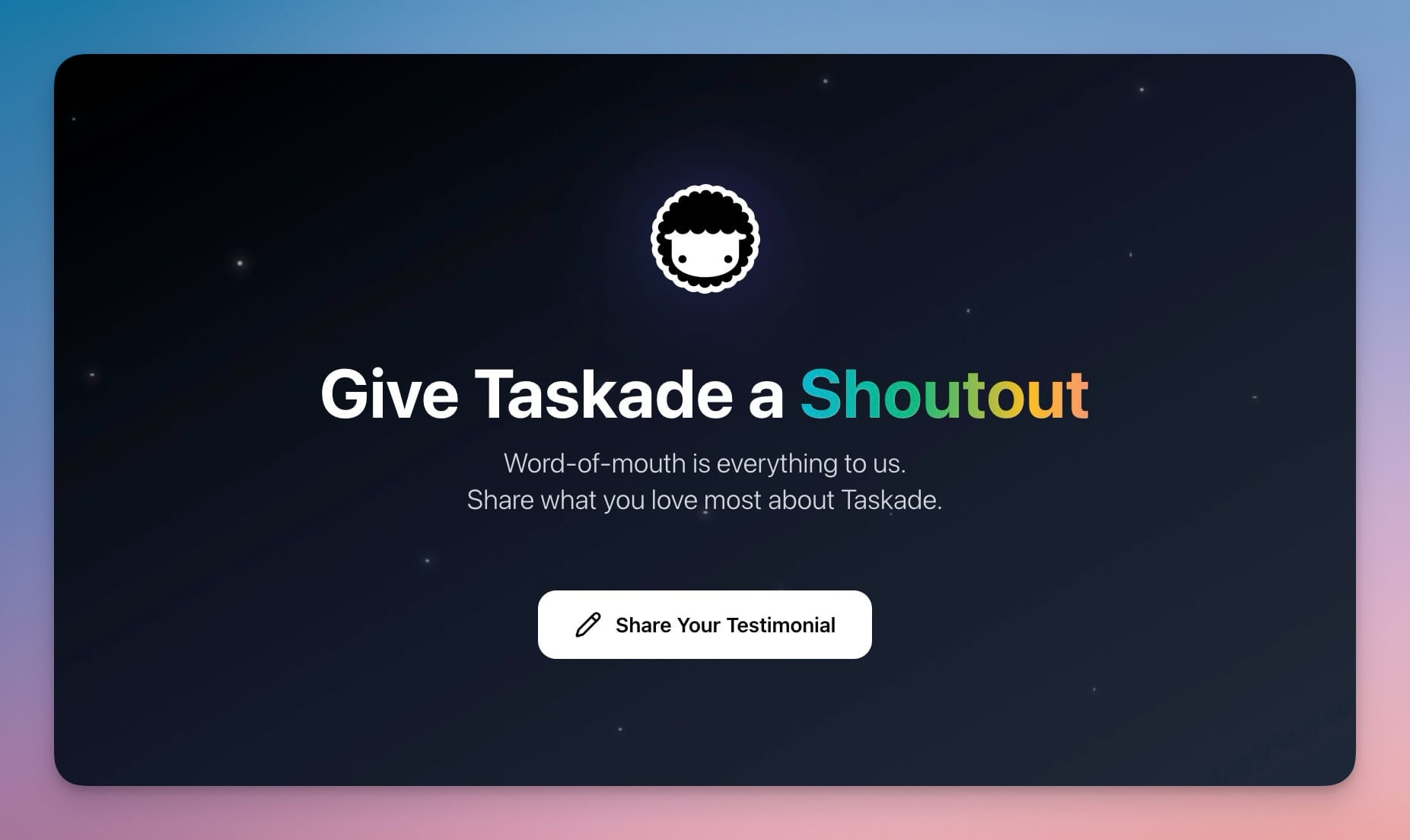
Collect and showcase audience testimonials with a public-facing portal. The AI agent categorizes feedback, identifies your strongest testimonials, and formats them for different marketing contexts (social proof, sales pages, email signatures).
Best for: Course creators, coaches, community builders
Features:
- Public submission form with custom domain support
- Approval workflow with role-based access
- AI-powered categorization and highlight extraction
- Display formatting for website embeds, social posts, and sales pages
- Automated thank-you messages when testimonials are approved
The Creator OS Architecture: Content as a Living System
One prompt becomes a complete content pipeline. Here is how Workspace DNA powers your Creator OS:
| Layer | Creator Function | Example |
|---|---|---|
| Memory (Projects) | Content database, idea backlog, published archive | 200 blog post ideas organized by theme and priority |
| Intelligence (AI Agents) | Writes drafts, repurposes content, maintains voice | "Turn this 2,000-word blog post into 5 LinkedIn posts and a newsletter intro" |
| Execution (Automations) | Publishes, distributes, tracks performance | Auto-post to Twitter when blog status changes to "Published" |
This is why a Genesis Creator OS outperforms stitching together Notion + Buffer + Canva + Mailchimp. Separate tools cannot learn from each other. A Genesis workspace sees your entire content lifecycle and optimizes every step.
Creator Automations You Can Set Up
Connect your hub to real workflows through 100+ integrations:
- Content repurposing — AI agents turn one blog post into social threads, newsletter snippets, video scripts, and podcast notes
- Publishing schedules — automated multi-platform posting via Slack, email, and webhooks
- Idea capture pipeline — RSS feeds flow into notes, notes flow into drafts, drafts flow into published content
- Engagement tracking — monitor comments and feedback with automated alerts
- Newsletter compilation — aggregate the week's best content into a formatted newsletter send
- Sponsor reporting — automated performance reports for brand partners
Learn more: Automation Triggers →
Build Your Custom Creator OS
Create a content hub tailored to your exact workflow:
- Open Taskade Genesis and click "Create App"
- Describe your hub (e.g., "Build a content pipeline with idea capture, AI-assisted draft writing, multi-platform publishing, editorial calendar, and automated content repurposing across social, newsletter, and blog")
- Use "Enhance Prompt" — the AI expands your brief into a detailed content system spec
- Genesis creates the hub with Projects, Agents, and Automations
- Connect your publishing platforms via 100+ integrations
- Let AI amplify every piece of content you create
Learn more: Create Your First App →
Start Building Your Creator OS
Ready to replace your 8-tool stack with one living workspace?
Resources:
- Explore Community Apps — Clone creator tools built by other creators
- Create Your First App — Step-by-step Genesis tutorial
- Workspace DNA — Understand the Memory + Intelligence + Execution architecture
- AI Agents Guide — Configure AI writing assistants
- Automation Triggers — Set up content distribution workflows
Your living creator hub includes:
- Custom AI Agents with built-in tools, persistent voice memory, and frontier models
- Projects & Memory with multiple views (List, Board, Calendar, Table, Mind Map, Gantt, Org Chart)
- 100+ Integrations for automated publishing and content distribution
Read more:
- RSS Isn't Dead. It's Learning.
- 10 Personal AI Workspaces (Second Brain)
- 12 AI Tools Built with Taskade Genesis
- Build Without Permission
- AI Workspace Builder: Turn Lists Into Live Software
- 8 AI Health and Wellness Workspaces
Explore Taskade AI:
- AI Marketing Tools — Built for creators and marketers
- AI App Builder — Build complete apps from one prompt
- Vibe Marketing — Create with AI assistance
Build with Genesis:
- Browse All Generator Templates — Apps, dashboards, websites, and more
- Browse Agent Templates — AI agents for every use case
- Explore Community Apps — Clone and customize

Frequently Asked Questions
What is an AI creator hub?
An AI creator hub is a centralized workspace where content creators manage their entire pipeline — ideation, drafting, editing, publishing, and repurposing — powered by AI automation. Taskade Genesis builds creator hubs from a single prompt, combining databases for content tracking, AI agents with built-in tools for writing and editing, and automated workflows connected to 100+ integrations.
How can creators automate content repurposing?
Content repurposing takes up to 70% of creation time when done manually. With Taskade Genesis, AI agents automatically transform a blog post into social media threads, newsletter snippets, and video scripts. Automated workflows handle scheduling and publishing across platforms, turning one piece of content into many formats without manual effort.
What AI models power Taskade's content creation tools?
Taskade supports frontier AI models from top AI labs. Creators can choose the best model for each task: one for brainstorming, another for long-form writing, another for summarization. AI agents use these models with built-in tools and persistent memory to maintain your voice and style across all content.
Can I manage a newsletter and blog from one workspace?
Yes. Taskade Genesis creates unified content hubs that handle blogs, newsletters, RSS feeds, and social media from a single workspace. Content flows through multiple project views (List, Board, Calendar, Table, Mind Map, Gantt, Org Chart) so you can track editorial calendars, manage drafts, and schedule publications in one place.
How does Taskade Genesis compare to Notion for content creators?
Notion is a documentation tool with basic databases and no built-in AI agents or automations. Taskade Genesis builds living content systems where AI agents write drafts, repurpose content across formats, and maintain your voice with persistent memory. Automated workflows handle multi-platform publishing — Notion requires manual copy-paste for every platform.
Is Taskade Genesis better than Buffer for social media scheduling?
Buffer is a social media scheduling tool focused on post timing and basic analytics. Taskade Genesis builds complete content pipelines — from ideation through drafting, editing, repurposing, and publishing — with AI agents that generate platform-specific variations. Buffer handles the last mile (scheduling). Genesis handles the entire content lifecycle.
Can Taskade Genesis replace Canva for content design?
Taskade Genesis focuses on content management, writing, and workflow automation rather than graphic design. Many creators use Genesis for the content pipeline (ideation, writing, scheduling, repurposing) and Canva for visual assets, connecting both through automated workflows via 100+ integrations.
How much does it cost to build a creator hub with Taskade?
Taskade offers a Free plan to get started. Paid plans include Pro at $10/month for up to 10 users and Business at $25/month for unlimited seats (annual billing). All plans include the Genesis AI app builder, AI writing agents, and automation workflows for content distribution.
Can multiple creators collaborate in one content hub?
Yes. Taskade supports real-time collaboration with role-based permissions (Owner to Viewer). A content team can have editors with full access, guest writers with Checker access, and clients with Viewer access to approve content before publication.
What is Workspace DNA and how does it help content creators?
Workspace DNA is Taskade's architecture where Memory (content databases in Projects), Intelligence (AI writing agents), and Execution (automated publishing workflows) form a self-reinforcing loop. Content ideas feed the AI writer, the writer produces drafts, automations distribute the content, and audience feedback creates new content ideas.