
Definition: An autonomous workflow is an event-driven automation that runs without human babysitting — it fires on a trigger, branches based on conditions, retries on failure, and persists state across crashes. Taskade Automations run on a durable execution engine, which is why a Stripe webhook from yesterday still executes correctly even if the worker crashed twice in between.
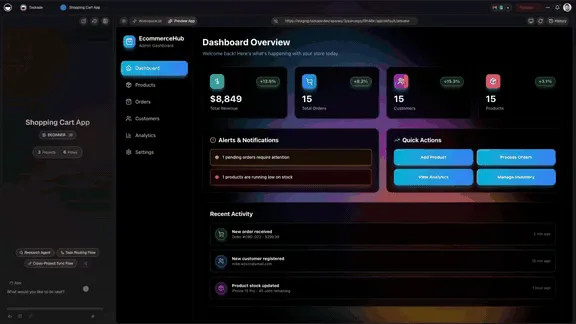
Why Durable Execution Matters
Most automation tools (Zapier, Make, n8n) use best-effort execution: a worker picks up an event, runs it, hopes nothing crashes. If it does crash, the event might silently disappear. For lightweight notification flows that's fine. For payment reconciliation, billing follow-ups, or any flow where "did it run?" actually matters, it's a bug factory.
Taskade's automation engine does durable execution:
- Every step is checkpointed
- If a worker crashes, another worker resumes from the last checkpoint
- Retries are automatic with exponential backoff
- You can pause a workflow for days (waiting for a customer reply) and resume exactly where you stopped
This is why "autonomous" is more than "scheduled cron job." Autonomous means guaranteed delivery — the workflow will complete, even if the world isn't cooperating.
Bidirectional Integrations (Triggers + Actions)
Taskade's 100+ integrations are bidirectional. Each integration has both:
- Triggers — pull external events into Taskade ("new Stripe payment," "new Slack message in #leads," "new Calendly booking," "Webhook received")
- Actions — push data out to external services ("create Stripe checkout session," "post to Slack channel," "update Notion page," "create GitHub PR")
This means autonomous workflows aren't just receiving the world — they're acting on it. A single workflow can read a Slack message, ask an agent to classify intent, write to a Project, fire a Stripe checkout, and post a confirmation back to Slack. End-to-end, no human in the middle.
Workflow Primitives
| Primitive | What It Does |
|---|---|
| Trigger | Wake the workflow up (event, schedule, webhook) |
| Action | Do something in the world |
Branch (if) |
Take different paths based on a condition |
Loop (for each) |
Repeat over a list (e.g., for each new lead) |
| Filter | Skip if a condition isn't met |
| Wait | Sleep until a date or until a condition becomes true |
| Sub-workflow | Call another workflow |
| Agent call | Hand off to an AI agent for reasoning |
The agent-call primitive is what makes Taskade's autonomous workflows different from classical Zapier flows: they can stop, ask an LLM, get a structured answer (ask_ai_structured, v6.162+), and branch based on the result.
Recent Capabilities (v6.140 → v6.164)
| Version | Capability |
|---|---|
| v6.141 | Google Calendar listEvents and getFreeBusy actions |
| v6.149 | Stripe checkout session action; GitHub export to existing repo with branches and PRs; private repo import |
| v6.150 | Taskade Genesis project export to Markdown / text action |
| v6.160 | Project Title / Date wrappers (pin, tag, untag, date utilities); format / replace / match utility nodes |
| v6.161 | utils.jsonExtract (JSONPath via jsonpath-plus); setProjectTitle action; HTTP-Webhook trigger (gated to Business+) |
| v6.162 | ask_ai_structured — typed JSON output via your JSON Schema; website.summarize — one-click URL-to-summary |
| v6.162 | Billing-cycle-anchored AI credit windows |
A Real Workflow
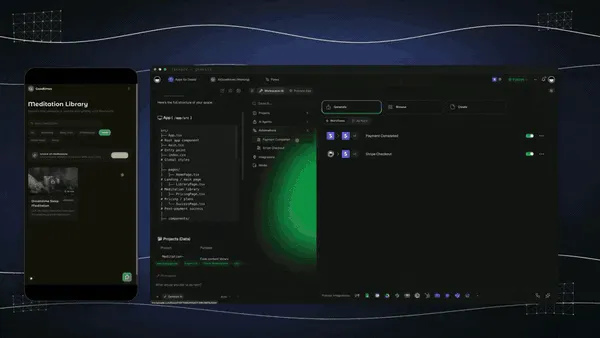
Trigger: Stripe webhook —
checkout.session.completed
Step 1: Extract customer email + plan + amount viautils.jsonExtract
Step 2: Update CRM Project (find row by email, set status to "Customer", attach plan)
Step 3: Branch — if amount > $1,000, run "high-value onboarding agent"; else run "standard onboarding agent"
Step 4: Both agents callask_ai_structuredto generate a personalized welcome message
Step 5: Send welcome via Gmail action
Step 6: Post to #new-customers Slack channel
Step 7: Schedule a "day 7 check-in" sub-workflow for next Tuesday at 10am
That's all configurable in the Taskade Automations builder, no code. Run it once, it runs forever.
Human-in-the-Loop
Not every workflow should be fully autonomous. For high-impact actions (refund > $X, send email to > N people, deploy to production), you can add an approval step — the workflow pauses, waits for a human to click Approve / Reject in the inbox, then continues. Durable execution means it can wait days if needed.