






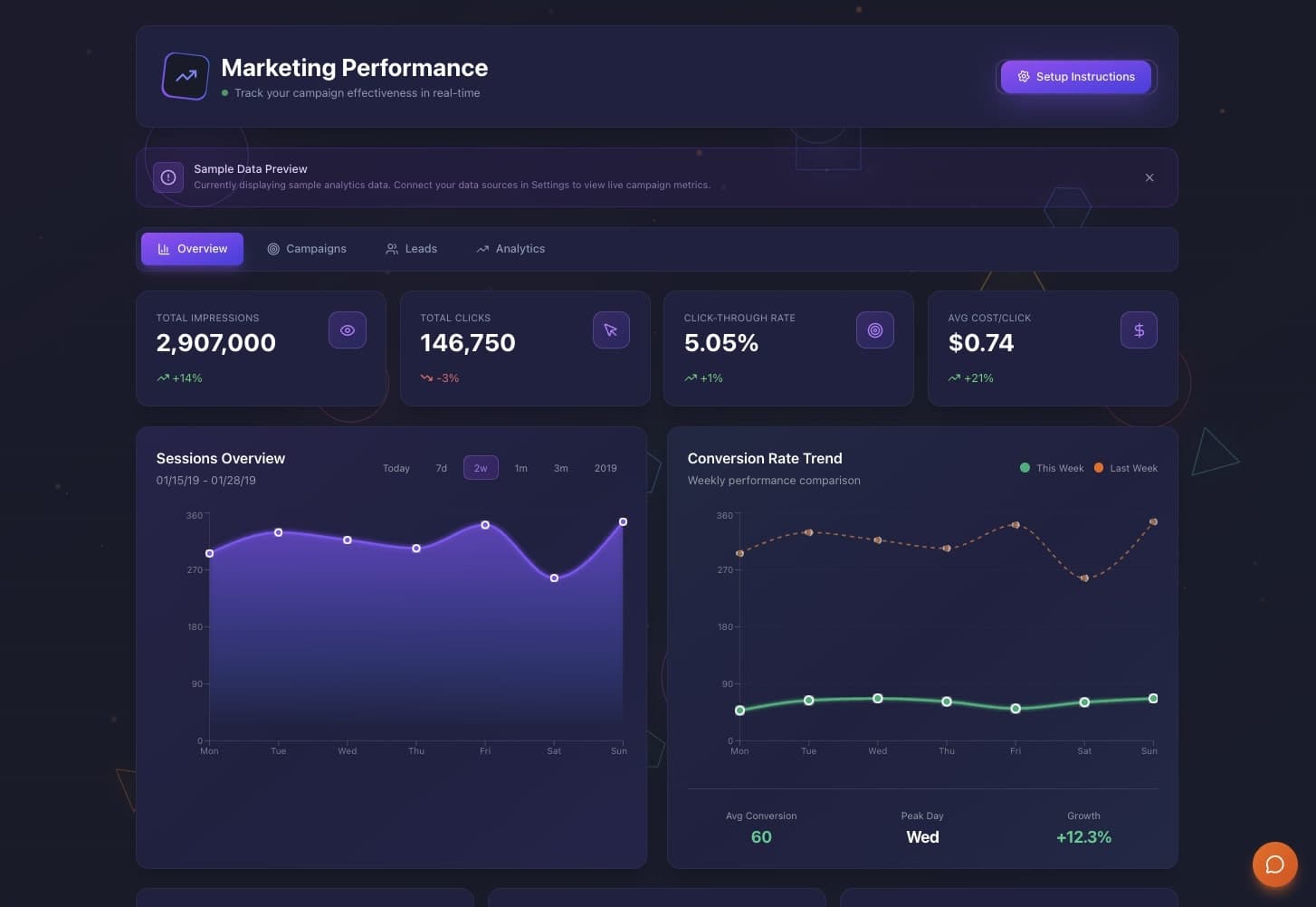
A KPI dashboard shows each number you care about, who owns it and whether it is on target, and tells you every week what changed. This guide shows how to turn a Google Sheet or an Excel export into that dashboard in Taskade Genesis without code, what it costs, five other ways to do it, and when a dedicated BI tool is the better fit. To compare BI tools, read dashboard tools compared by data source.
TL;DR: A KPI dashboard shows each number you care about, who owns it and whether it is on target, and tells you every week what changed. Taskade Genesis turns your sheet into that dashboard, with a goal for each person and a weekly summary on a schedule. Pro is $10/month billed annually. See plans and prices
Quick answer
To build a KPI dashboard from Google Sheets without code, pick 5 to 8 numbers, give each one a goal and an owner, bring the rows in by import or a sync, and schedule a weekly summary. Looker Studio, which Google now calls Data Studio, is free for charts. Taskade Genesis adds a goal for each person and the weekly summary, in one app that your team can open.
You do not have to give up the sheet on day one. Many teams keep entering numbers in Google Sheets and let the dashboard read them. The sheet stays the place where data goes in. The dashboard becomes the place where people look.
What a KPI dashboard needs
A useful KPI dashboard answers three questions in five seconds: are we on target, who is behind, and what changed this week. To answer them, it needs source rows, a goal for each number, an owner, a few clear cards and a weekly summary. The table maps each spreadsheet habit to its dashboard version.
| Part | Spreadsheet habit | Dashboard version |
|---|---|---|
| Source rows | One tab per week, copied by hand | One project that the sheet feeds by import or sync |
| Goals | A number in a cell comment, or in someone's head | A Goals project: one row per person per number |
| Owner | The name on the tab | An owner field on every goal |
| Cards | A chart that someone rebuilds each month | Cards that show actual, goal and a status band |
| Weekly summary | An email someone writes on Monday | A scheduled automation that writes and sends it |
The layout below is a simple target for the first version. Each card shows the number, the goal and a band. Below the cards, a table lists each person against their goal.
+--------------------------------------------------------------------------+
|  WEEKLY KPIs                                     Week of 2026-10-12      |
+-----------------------+-----------------------+--------------------------+
|  Units shipped        |  Orders on time       |  Returns                 |
|  1,840 / goal 2,000   |  96% / goal 95%       |  2.1% / goal under 3%    |
|  [ CLOSE ]            |  [ ON TARGET ]        |  [ ON TARGET ]           |
+-----------------------+-----------------------+--------------------------+
|  PEOPLE AGAINST GOAL                                                     |
|  Name      Number          Actual   Goal   Status                        |
|  Maria     Units packed      420     400   ON TARGET                     |
|  Dev       Units packed      310     400   BEHIND                        |
|  Aiko      Orders checked    188     180   ON TARGET                     |
+--------------------------------------------------------------------------+
|  Summary (Monday 08:00): Units 8% under goal. Dev is behind on packing.  |
+--------------------------------------------------------------------------+
Pick 5 to 8 numbers
A KPI dashboard works when it holds few numbers. Each number needs an owner who can move it and a goal for the week or the month. The table gives a starting set for four common businesses. Keep the numbers you already track, and drop any number that nobody acts on.
| Business | Numbers to start with | Goal period |
|---|---|---|
| Small factory or print shop | Units made, units shipped, rework rate, output per person | Weekly |
| Agency or studio | Billable hours, projects on schedule, invoices sent, new leads | Weekly |
| Online store | Orders, average order value, returns, support tickets | Weekly |
| Field service | Jobs done, first-visit fix rate, jobs per technician, open quotes | Weekly |
The same idea works by role. If each team lead owns one block of the dashboard, start with the numbers below.
| Role | Numbers to start with | Who moves it |
|---|---|---|
| Sales | New leads, calls or demos, deals won, pipeline value | Each salesperson |
| Marketing | Visitors, sign-ups, cost per lead | The marketing lead |
| Operations | Output per person, on-time rate, rework rate | Each shift lead |
| Support | Tickets opened, tickets past target, time to the first reply | The support lead |
| Finance | Cash in, invoices overdue, spend against budget | The finance lead |
Prepare the sheet before you build
A clean sheet is the part that decides whether the dashboard is right. Five rules prevent most wrong cards, and each one takes minutes to apply. Fix the sheet first, then build on it.
- One header row. Put each column name in row 1 and nothing above it.
- One row per person per period. "Maria, 2026-10-12, 420 units" is one row. Do not put weeks side by side as columns.
- No merged cells and no totals rows. The dashboard adds the totals. A totals row counts twice.
- One date format. Use
YYYY-MM-DDin every row, so a week filter finds every row. - Numbers as numbers. Write
420, not420 unitsorapprox 400.
Which card or chart for which question
Pick the chart from the question the reader asks. A single number with its goal answers "are we on target?", a line answers "is it getting better?", and a bar answers "who is ahead?". Most KPI dashboards need only these three.
| Question | Card or chart | Example |
|---|---|---|
| Are we on target this week? | Number card with goal and band | 1,840 / goal 2,000, CLOSE |
| Is it getting better? | Line chart over 8 to 12 weeks | Orders on time by week |
| Who is ahead or behind? | Bar chart or a sorted table | Units packed per person |
| What share is each part? | Stacked bar (not a pie) | Returns by reason |
Add a date filter for this week, this month and this quarter, so one dashboard serves the Monday meeting and the month-end review. Ask Taskade EVE to "add a week, month and quarter filter to every card".
How the data moves from the sheet to the summary
The data moves in one direction: the sheet feeds the dashboard's project, the dashboard compares each row with its goal, and a Monday automation turns the week into a summary. There are two ways in. A CSV import works on every plan. A Google Sheets sync keeps the dashboard current and needs a paid plan.
Build it in Taskade in 3 steps
To build the KPI dashboard in Taskade, clone a working dashboard app, bring in your rows, then set goals and the weekly summary. The first version needs one sheet and the list of goals you already track. Each step below says which plan it needs.
Step 1: Clone the KPI dashboard
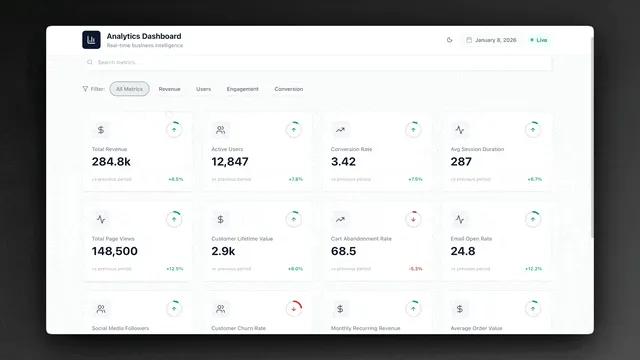
Clone the KPI dashboard and pick the workspace for it. Taskade copies the Analytics Dashboard app and its projects into that workspace. A clone counts as 1 of the 3 apps on the Free plan.
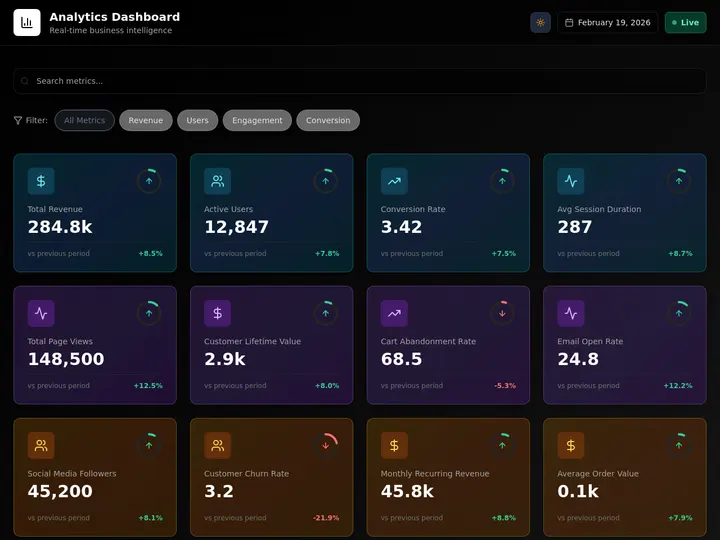
The app opens with sample business numbers. Replace them with yours. Here is what it holds and what to change first.
| Part of the app | What it shows | What you change first |
|---|---|---|
| KPI tiles | One number per tile, with the change from the previous period | Rename the tiles to your 5 to 8 numbers |
| Filters | Groups of tiles, such as Revenue, Users and Engagement | Rename the groups to your teams |
| Search | Find a metric by name | Nothing |
| Data project | The rows behind the tiles | Replace the samples with your sheet in Step 2 |
To start from a blank page instead, describe the dashboard in Create. Prompts that build or change the app use AI credits. Paste a prompt like this one and edit the numbers:
Build a weekly KPI dashboard for a 2-department production team.
Data: one row per person per week with department, units made,
units shipped and rework count. Goals: one goal per person per number.
Show cards for each number with actual, goal and a status band
(on target, close, behind), and a table of people against their goals.
Every Monday at 8:00, write a short summary of last week and email it
to the operations lead.
The AI dashboard guide walks through the same build in more detail, and living dashboards explains why the dashboard stays in step with the project behind it.
Step 2: Bring in your data
Your rows reach the dashboard in one of two ways. A CSV import works on every plan and fits a weekly or monthly update. A Google Sheets connection keeps the dashboard current as people type, and it needs a paid plan.
| Option | How it works | Plan | Best for |
|---|---|---|---|
| A: CSV import | Export the sheet to CSV, then import it into the data project | Every plan | A trial, or numbers that change once a week |
| B: Google Sheets sync | New Row and Row Updated triggers copy each row into the project | Paid plans | Numbers that people enter every day |
| C: Excel | Save the sheet as CSV, then use option A | Every plan | Teams that work in Excel |
For option A, follow the CSV import guide:
- In Google Sheets, open File, then Download, then Comma-separated values (.csv).
- In Taskade, open the dashboard's data project and import the CSV file.
- Pick the primary column, for example the person's name.
- Set each column type: number for counts, date for the week.
- Open the dashboard and check that the tiles show your numbers.
A CSV file can be up to 5 MB on every plan, which holds many years of weekly rows for a small team. For option B, connect Google Sheets in a new automation and pick the sheet. The Google Sheets automations show common setups. There is no Excel connector, so an Excel file does not sync on its own.
Step 3: Set goals and the weekly summary
Goals turn a list of numbers into a KPI dashboard. Add a Goals project next to the data project, with one row per person per number. Then add the Monday automation that writes and sends the summary.
| Person | Number | Goal | Period | Owner |
|---|---|---|---|---|
| Maria | Units packed | 400 | Week | Packing lead |
| Dev | Units packed | 400 | Week | Packing lead |
| Aiko | Orders checked | 180 | Week | Quality lead |
| Whole team | Rework rate | Under 3% | Week | Operations lead |
The dashboard compares each person's actual number with the goal. A simple band works well: on target at 100% or more, close from 90% to 99%, behind under 90%. Ask Taskade EVE to add the band to the cards, or set it by hand.
Then open Automations and add the weekly summary:
| Part | Setting | Plan |
|---|---|---|
| Trigger | Schedule, Every Week, Monday, 08:00, your time zone | Every plan |
| Step 1 | Find last week's rows and the goals | Every plan |
| Step 2 | AI step: write 5 lines on what moved, who is behind and what to check | Every plan (uses AI credits) |
| Step 3 | Email the summary to the lead, or post it to Slack | Email on every plan, Slack on paid plans |
The sequence below shows one Monday run, from the clock to the email in the lead's inbox.
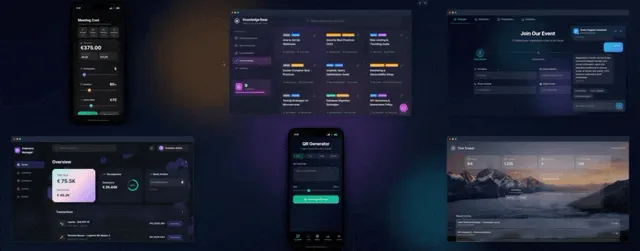
A US promotional-products maker uses Taskade Genesis to record production output, compare each employee with goals for 2 departments, and get a production summary every week on a schedule.
You are done when the dashboard shows your numbers against their goals, and a test run of the Monday automation sends a summary that names the person who is behind.
Ask the dashboard a question instead of writing a formula
An AI agent with the data project and the Goals project in its knowledge can answer a plain question about the rows, so you do not need a new formula for each one-off question. Ask "Who was under 90% of goal two weeks in a row?" and the agent reads both projects to answer. The answer is only as good as the rows, so keep the sheet clean. Agent answers use AI credits.
The free route: a KPI dashboard inside Google Sheets
You can build a basic KPI dashboard inside Google Sheets with three tabs and four formulas, at no cost. It suits one person who reads the numbers. Use three tabs: Data (the raw rows), Calc (one row per person with actual and goal) and Dashboard (cards and charts).
| Job | Formula on the Calc tab |
|---|---|
| Actual for Maria this week | =SUMIFS(Data!D:D, Data!A:A, "Maria", Data!B:B, ">="&$B$1) |
| Status band | =IF(C2>=D2, "ON TARGET", IF(C2>=0.9*D2, "CLOSE", "BEHIND")) |
| Trend in one cell | =SPARKLINE(FILTER(Data!D:D, Data!A:A="Maria")) |
| Last week's rows only | =QUERY(Data!A:D, "select A, sum(D) where B >= date '2026-10-12' group by A") |
In the formulas, column A is the name, B is the week start date, D is the count, and cell B1 holds the start of this week. Add conditional formatting on the status column: green for ON TARGET, amber for CLOSE, red for BEHIND.
The sheet method stops at three points: nobody gets the Monday summary unless someone writes it, every viewer can edit the formulas, and a new person means a new set of formula rows. That is where the Taskade build above takes over. It keeps the sheet as the input and adds goals, owners and the scheduled summary.
Worked example: a 6-person packing team
A 6-person team that enters one row per person each working day uses about 136 automation runs a month with the Google Sheets sync. That is above the 10 runs on Free and well inside the 1,000 runs on Pro. Each new or changed row starts one run, and each automation counts one run from trigger to finish.
| Automation | What sets it off | Runs a month |
|---|---|---|
| Google Sheets sync | 6 rows a day x 22 working days | 132 |
| Monday summary | 4 Mondays | 4 |
| Total | 136 |
On Free, the same team can skip the sync and import a CSV each Monday instead. Then only the summary runs, and it uses AI credits that you earn or buy.
Mon-Fri  6 people type a row each day in Google Sheets
           -> sync adds each row to the Data project     132 runs
Monday   08:00 summary reads last week + Goals            4 runs
           -> "Units 8% under goal. Dev is behind."      ---------
                                                          136 of 1,000 on Pro
What Taskade Genesis adds to a KPI dashboard
Taskade Genesis turns one prompt into a live app with its own database, so the rows, the goals, the cards and the summary are one app that the team opens. Here is what that gives a small team that tracks KPIs:
- One prompt builds the live dashboard. Create makes the data project, the Goals project and the cards. Taskade EVE edits the app in chat, for example "add a quarter filter and a card for rework rate".
- An AI agent answers questions about the numbers. An AI agent with both projects in its knowledge answers "who was behind two weeks in a row?" without a new formula.
- Automations bring the data in and send the note out. Automations work with 100+ integrations. Triggers pull events in, such as a new sheet row, and actions push data out, such as the Monday email.
- Workspace DNA keeps it together. The rows and the goals are memory, the agent is intelligence, and the automations are execution. The Taskade Genesis wiki explains the model.
- Start from a kit and share a link. Clone a ready-made dashboard from the Community Gallery, share the link with the team, and put it on your own domain on Business and up.
Plan facts: Free has 3 apps, 1 agent, 2 members and no starting AI credits. Pro is $10 a month billed annually.
When to replace spreadsheets with a dashboard
Replace a spreadsheet with a dashboard when people copy the sheet every week, when two copies disagree, or when the owner of a number must open the sheet to see it. Most teams move one sheet at a time, starting with the sheet that people copy every week. The table shows four common sheets and the working Taskade Genesis app that replaces each one. Each app is a starting point that you clone and rename.
| Spreadsheet today | App to start from | What you gain |
|---|---|---|
| Production or sales numbers by week | Analytics Dashboard | KPI cards, goals per person, a weekly summary |
| Budget tracker by category | Finance Tracker Dashboard | Income, payments and budgets with charts |
| Contact list with deal values | Neon CRM Dashboard | Contacts grouped by deal stage |
| Equipment log with service dates | Maintenance Tracker Dashboard | Equipment service and work orders in one place |
Two things change when the numbers move out of a sheet. First, each number has one home, so nobody works from an old copy. Second, the people who own a number see it without opening the sheet. Two things do not change: someone still enters the data, and a bad row still gives a bad card. For the CRM case, see how to build a CRM without code. For more dashboard ideas, see AI dashboard examples and AI ops dashboards for lean teams.
What it costs
A Taskade KPI dashboard runs on Free with CSV imports, 2 members and 10 automation runs a month, which fits a trial. The weekly summary uses one run each Monday and uses AI credits, and Free starts with none. The Google Sheets sync needs a paid plan. Pro is $10/month billed annually for up to 10 members.
| Plan | Price | Members | Automation runs a month | AI credits a month | Google Sheets sync |
|---|---|---|---|---|---|
| Free | $0 | 2 | 10 | None to start | No, use CSV import |
| Pro | $10/mo billed annually ($20 monthly) | Up to 10 | 1,000 | 50,000 | Yes |
| Business | $25/mo billed annually ($50 monthly) | Unlimited | 10,000 | 150,000 | Yes |
Free starts with no AI credits. You earn credits with referrals and invites, or buy a credit pack on any plan. A sheet that syncs every row uses one automation run per new or changed row, so a team that enters 30 rows a day needs Pro. Role-based access from Owner to Viewer lets the team read the dashboard while one person edits it. The full table is on the pricing page.
Other ways to do it
A dedicated dashboard tool is the better choice when you need many charts from many data sources. Google Sheets charts are enough when one person reads the numbers. We checked each vendor's pricing page on 2026-10-19. The prices are from the plan cards, not from search snippets.
| Option | Free plan | Paid from | Best for |
|---|---|---|---|
| Google Sheets charts | Yes | $0 | One person and simple charts |
| Looker Studio (Data Studio) | Yes | Pro $9 per user per project a month | Many charts from many Google sources |
| Databox | Yes, but Google Sheets is not on Free | Analyst $71 a month, billed annually | Marketing teams with many data sources |
| Geckoboard | No, 14-day trial | Essentials from $79 a month, billed annually | A TV wall dashboard for the office |
| Zoho Analytics | Yes, 2 users and 10,000 rows | Basic $24 a month, billed annually | Reports and joins across more rows |
| Taskade Genesis | Yes, 2 members and 3 apps | Pro $10 a month, billed annually | Goals per person and a weekly summary next to the work |
Looker Studio, which Google now calls Data Studio, is the strongest free option for charts, and it connects to Google Sheets and other Google data at no cost. Databox connects to many data sources and has a free plan with 1 user and 3 data sources, and its Team Core plan is $199 a month billed annually. Geckoboard is built for a screen on the office wall, with large, readable cards that a team sees all day. Zoho Analytics has a free plan for 2 users and 10,000 rows, and it suits a team that needs reports across several tables.
Google Sheets charts cost nothing and live where the data already is. They fit when one person builds the chart and reads it. Pick one of the tools above when the chart must pull from many sources. Pick the Taskade build when the goals, the owners and the weekly note matter more than the chart.
Limitations: when Taskade is not the right fit
Choose a BI tool when you need joins across large databases, millions of rows or live ad-platform data. Taskade fits a team that tracks a handful of numbers and wants owners, goals and a weekly note in the same place. These are the limits to know before you build:
- No Google Analytics, Google Ads or Excel connector. Export those numbers to a sheet or a CSV first.
- Not built for millions of rows or SQL. A KPI dashboard for a small team holds weekly rows, not raw event data.
- The Google Sheets sync is a paid-plan step. On Free, re-import a CSV when the numbers change.
- Each synced row uses an automation run. A sheet with hundreds of edits a day needs a plan with enough runs, or a daily import instead.
- The weekly summary uses AI credits. Free starts with no AI credits.
FAQ
Can I build a KPI dashboard from Google Sheets without code?
Yes. Pick 5 to 8 numbers, give each one a goal and an owner, bring the rows in from your sheet, and schedule a weekly summary. In Taskade Genesis, clone the Analytics Dashboard app, import your sheet as a CSV or connect Google Sheets on a paid plan, then add a Goals project and a Monday automation.
Does the dashboard update when the sheet changes?
Yes, if you connect Google Sheets. The New Row and Row Updated triggers start an automation when a row is added or changed, and the automation writes the row into the dashboard's project. Google Sheets steps need a paid plan. On Free, export the sheet to CSV and import it again when the numbers change.
Can I set a goal for each person?
Yes. Add a Goals project with one row per person per number, for example Units packed, owner Maria, goal 400 a week. The dashboard compares each person's output with the goal and shows who is on target, close or behind.
How does the weekly summary work?
A Schedule trigger runs the automation every Monday at 08:00 in your time zone. An AI step reads last week's rows and the goals and writes a short summary: what moved, who is behind and what to check. An email step sends it. The AI step uses AI credits, and Slack needs a paid plan.
Can my team see the dashboard without editing it?
Yes. Taskade uses role-based access from Owner to Viewer, so you can give a manager edit rights and the rest of the team view-only access. To share the published app outside the workspace, app sign-in works on every plan. Sign-in confirms who each person is, so match each record to the person's email and test it with a second account.
Can I use Excel instead of Google Sheets?
Yes, through a CSV file. Save the Excel sheet as CSV and import it into a Taskade project. There is no Excel connector, so an Excel file does not sync on its own. Re-import the CSV when the numbers change, or move the source sheet to Google Sheets.
How much does a KPI dashboard cost in Taskade?
Free covers 2 members, 3 apps and 10 automation runs a month, and it starts with no AI credits, so it fits a trial with CSV imports. Pro is $10 a month billed annually ($20 monthly) for up to 10 members, with 50,000 AI credits and 1,000 automation runs a month, and it adds the Google Sheets sync.
Which chart is best for a KPI?
Use a number card with the goal and a status band for "are we on target?", a line chart over 8 to 12 weeks for "is it getting better?", and a bar chart or a sorted table for "who is ahead?". Use a stacked bar instead of a pie for shares. Most small-team KPI dashboards need only these.
Can I make a KPI dashboard in Google Sheets without another tool?
Yes. Use three tabs: Data for raw rows, Calc with SUMIFS for each actual and an IF formula for the status band, and Dashboard for the cards and charts. SPARKLINE shows a trend in one cell. The sheet method fits one reader. It sends no weekly summary and lets every viewer edit the formulas.
When is Looker Studio, Databox or Geckoboard the better choice?
Pick a dedicated dashboard tool when you need many charts from many data sources, ad-platform data or a TV wall in the office. Looker Studio, now named Data Studio, is free. Databox Analyst is $71 a month billed annually, and Geckoboard Essentials starts at $79 a month billed annually.
Sources
- Looker Studio (Data Studio) pricing: https://cloud.google.com/looker-studio (checked 2026-10-19)
- Databox pricing: https://databox.com/pricing (checked 2026-10-19)
- Geckoboard pricing: https://www.geckoboard.com/pricing/ (checked 2026-10-19)
- Zoho Analytics pricing: https://www.zoho.com/analytics/pricing.html (checked 2026-10-19, prices shown in US dollars)
- Taskade plans: pricing (checked 2026-10-19)
Related reading
- AI dashboard builders, ranked by what each one builds
- How to build an ops dashboard without code and how to automate reporting dashboards
- How we built the finance dashboard
- KPI templates, the dashboard generator and the AI dashboard builder
- How to build a help desk without code and how to build a client portal without code
Start from a working app in the Community Gallery, see what else Taskade Genesis can build, add an AI agent that answers questions about your numbers, or browse automations for the rest of your reporting.
▲ ■ ● Memory · Intelligence · Execution. Your numbers, your goals and your Monday summary in one app.