







Freelancing is freedom — until admin work eats your billable hours.
Between chasing invoices, tracking time, managing clients, and generating proposals, the business side of freelancing can consume as much energy as the actual craft. A 2025 Payoneer survey found that the average freelancer spends 36% of their working week on non-billable tasks, with invoicing and client communication topping the list.
TL;DR: Taskade Genesis lets freelancers build custom AI-powered tools — invoicing, time tracking, CRM, proposals, expense tracking — from a single workspace starting at $0. Clone any of the 10 tools below in one click or describe your own and deploy it in minutes. No coding required. Start building free →

What if you could replace five SaaS subscriptions with one workspace that builds exactly what you need? That is what this guide covers: 10 essential AI tools for freelancers, all built with Taskade Genesis and ready to deploy instantly.
Why Freelancers Need AI-Powered Tools in 2026
The freelance admin burden is measurable. According to the Freelancers Union, independent workers spend an average of 15 hours per week on administrative tasks that generate zero revenue. The cost compounds: at a billing rate of $75/hour, that is $58,500 per year in lost income.
| Admin Task | Weekly Hours Lost | Annual Cost at $75/hr |
|---|---|---|
| Invoicing and payment follow-ups | 2-3 hours | $9,750 |
| Time tracking and reporting | 1-2 hours | $5,850 |
| Client communication and CRM | 3-4 hours | $11,700 |
| Proposal and contract drafting | 2-3 hours | $9,750 |
| Expense tracking and bookkeeping | 1-2 hours | $5,850 |
| Total | 9-14 hours | $42,900 |
AI tools automate the tedious parts so you can focus on billable work. But the problem with most freelance software is fragmentation — you need FreshBooks for invoicing, Toggl for time tracking, Calendly for booking, and a separate CRM for client management. That is four logins, four subscriptions, and zero data integration.
Taskade Genesis solves this by letting you build all your freelance tools in one workspace. Each tool connects to your Projects (persistent memory), AI Agents (intelligent assistants), and Automations (workflow execution).
Taskade Genesis vs Traditional Freelance Tools
Before diving into the 10 tools, here is how Taskade Genesis compares to the standalone SaaS products most freelancers use today.
| Feature | FreshBooks | Toggl | Calendly | Taskade Genesis |
|---|---|---|---|---|
| Starting price | $19/mo | $10/seat/mo | $10/seat/mo | Free |
| Invoicing | Yes | No | No | Yes (custom) |
| Time tracking | Basic | Yes | No | Yes (custom) |
| Client CRM | Basic | No | No | Yes (custom) |
| Booking/scheduling | No | No | Yes | Yes (custom) |
| AI agents | No | No | No | built-in tools |
| Workflow automation | Limited | No | Limited | 100+ integrations |
| Custom app building | No | No | No | Yes (prompt-to-deploy) |
| All-in-one workspace | No | No | No | Yes |
The key difference: Taskade Genesis does not give you a rigid template. It builds exactly what you describe, connects it to your project data, and lets AI agents automate the repetitive parts.
10 AI Tools for Freelancers — Clone in One Click
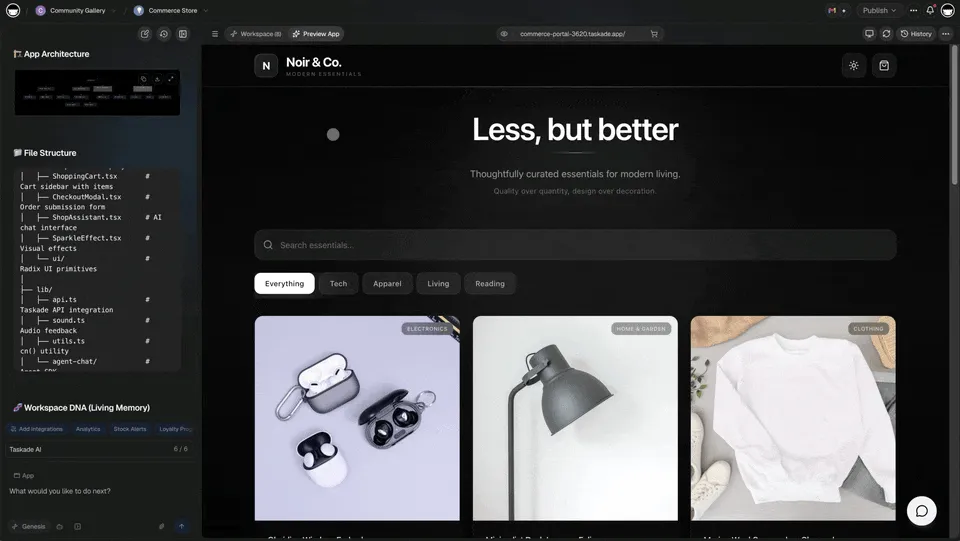
1. Invoice Generator
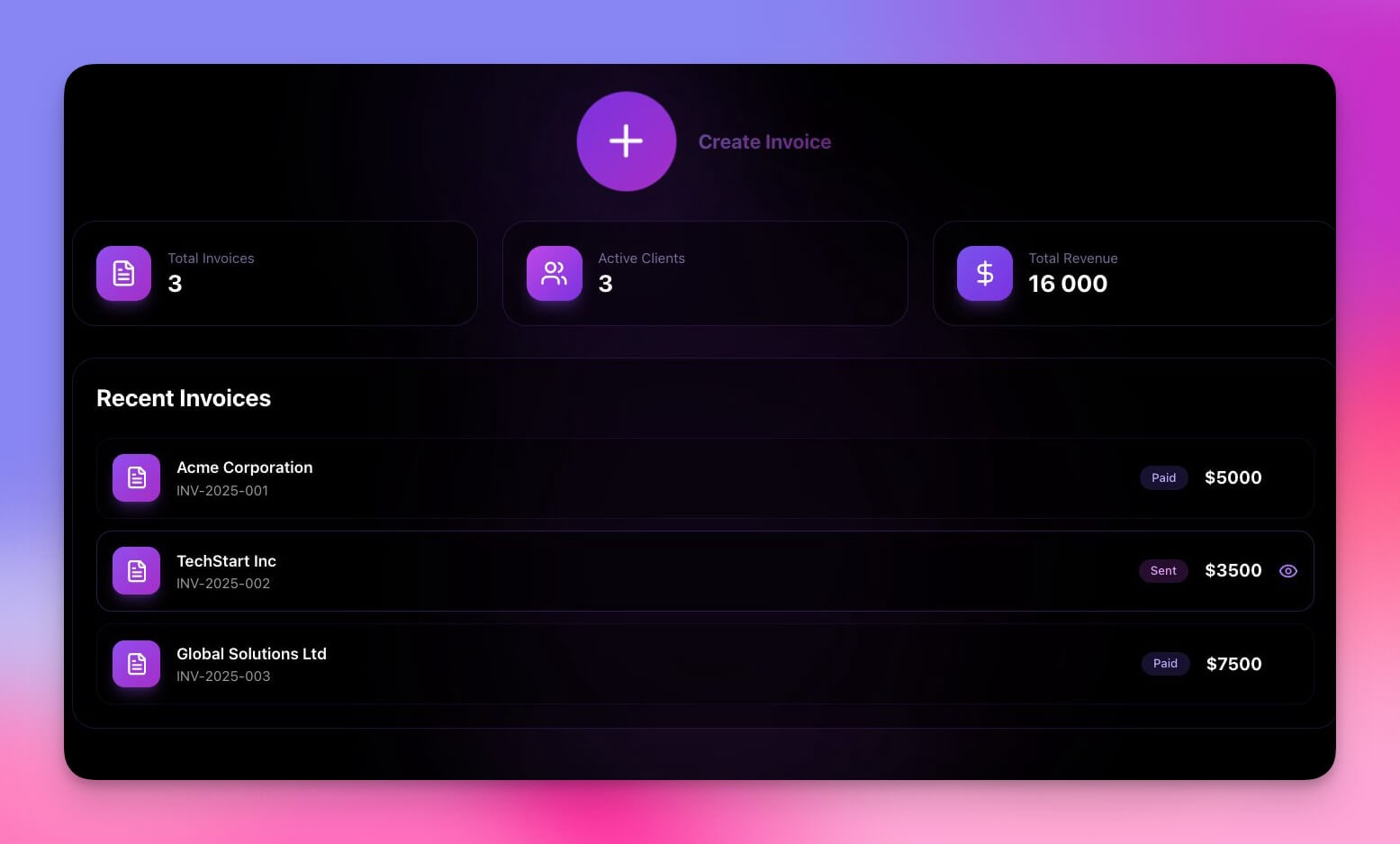
Stop wrestling with Word templates or paying $19/month for invoicing subscriptions. This AI invoice generator creates professional invoices instantly with automatic calculations, tax handling, and PDF export.
How it works: Describe your billing structure to the AI agent, and it generates line-item invoices from your tracked hours. The tool stores client information in Projects so you never re-enter contact details.
Features:
- Professional invoice templates with your logo and brand colors
- Automatic tax and subtotal calculations
- Client information storage across sessions (persistent memory)
- Payment status tracking with overdue alerts
- Export to PDF (see also: PDF and document conversion tools)
Perfect for: Any freelancer who sends invoices
2. Time Tracker
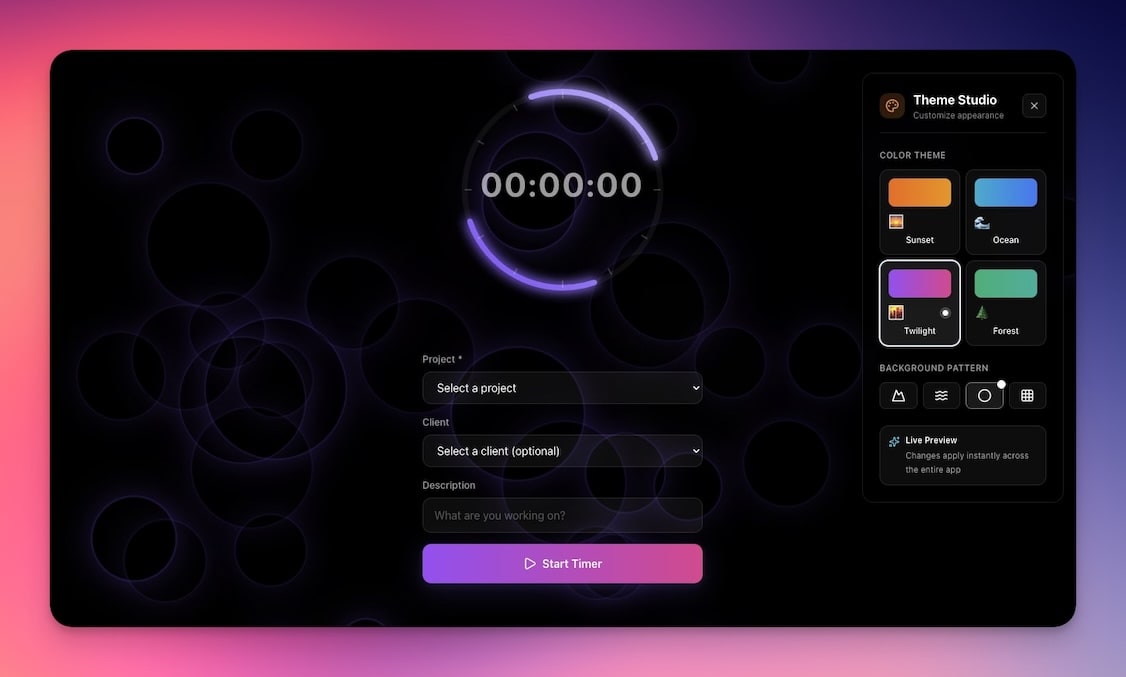
Freelancers who track their time earn 17% more than those who estimate after the fact, according to a 2024 Harvest study. This time tracker gives you a clean, distraction-free interface with project-based organization and automatic reporting.
Unlike Toggl ($10/seat/month), this tool lives inside your workspace and connects directly to your invoicing and client management data.
Features:
- One-click start/stop time tracking
- Project-based and task-based organization
- Daily, weekly, and monthly summaries with visual breakdowns
- Direct integration with invoice generation
- Exportable reports for clients and accountants
Perfect for: Hourly freelancers, consultants, and agencies
3. Personal CRM
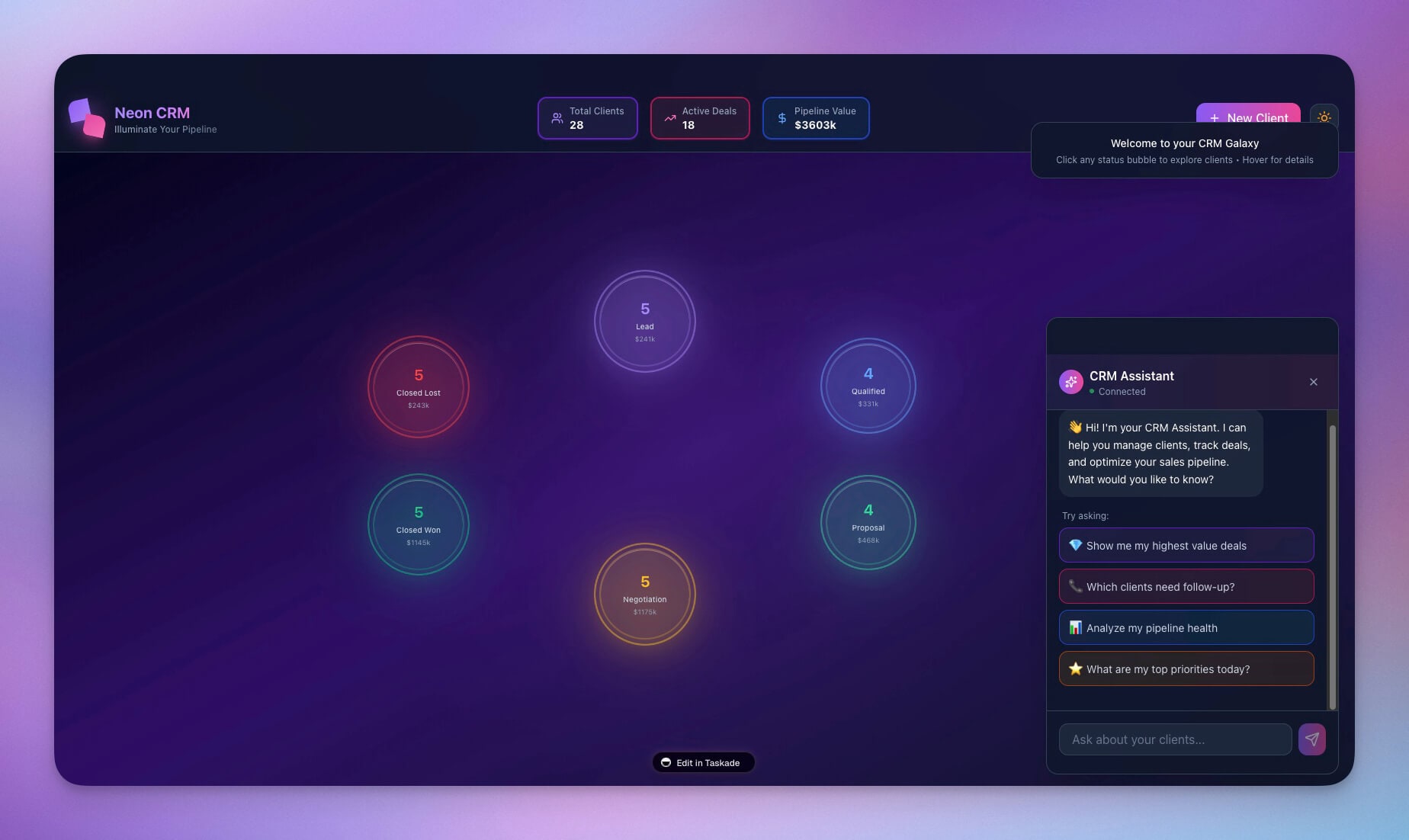
Track clients, leads, and opportunities without expensive CRM subscriptions. Built for solo operators who need relationship management without the complexity of Salesforce or HubSpot.
The AI agent inside this CRM can draft follow-up emails, flag deals that have gone cold, and suggest next actions based on your communication history. All data persists in Projects so the agent remembers context across conversations.
Features:
- Contact management with custom fields for your workflow
- Deal pipeline tracking across stages (Lead, Proposal, Active, Completed)
- Automated follow-up reminders via Automations
- Communication history and notes per client
- Revenue forecasting and monthly reports
Perfect for: Freelancers building long-term client relationships
4. Cover Letter Generator
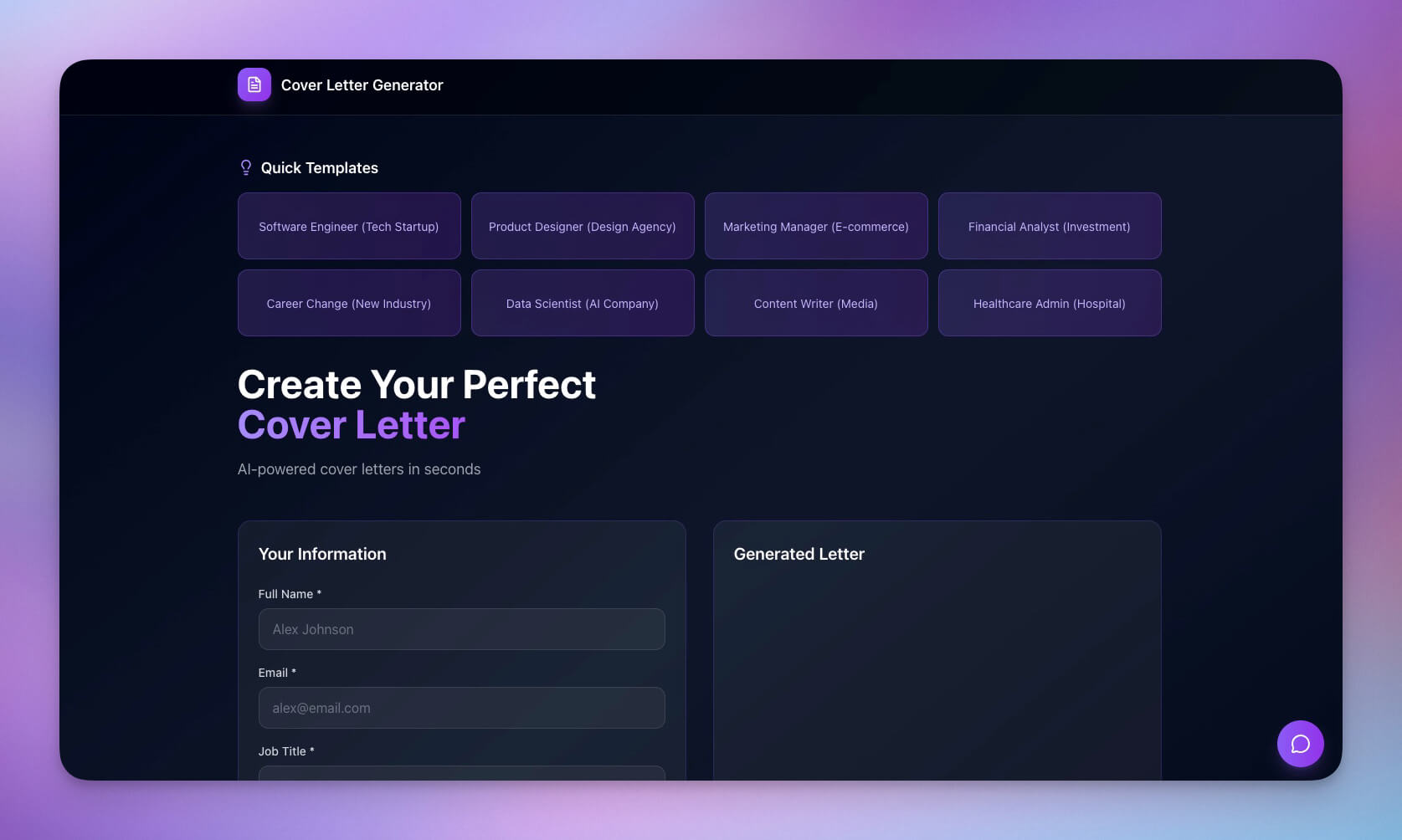
Applying for freelance gigs or pitching clients? This tool generates tailored cover letters that highlight your relevant experience and match the tone of the posting.
The AI agent analyzes the job description, extracts key requirements, and maps them to your skills and portfolio. You can generate multiple versions in different tones — professional, conversational, or technical — and iterate through conversation.
Features:
- AI-powered personalization based on job descriptions
- Multiple tone options (professional, conversational, technical)
- Experience and portfolio highlighting
- Quick iteration through conversation ("make it shorter", "emphasize leadership")
- Export-ready formatting for email or PDF
Perfect for: Freelancers applying to job boards or pitching new clients
Clone Cover Letter Generator →
5. Consultancy Booking Form
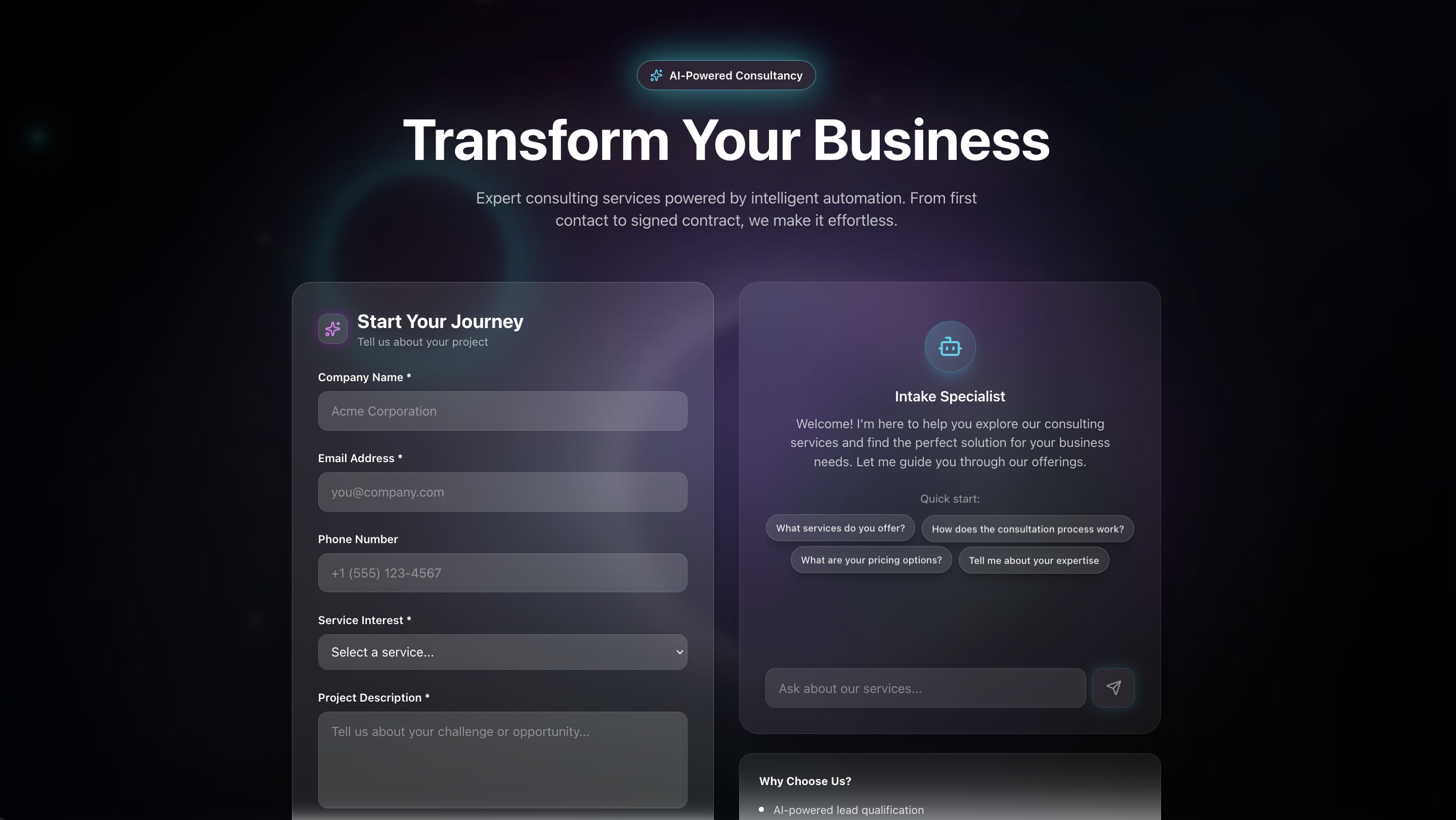
Let clients book consultations without the back-and-forth email chain. This booking form captures project details before the call so you arrive prepared, and it costs nothing compared to Calendly's $10/seat/month.
Features:
- Custom intake questions tailored to your service offering
- Automatic confirmation emails via Automations
- Buffer time settings between consultations
- Client information stored in your workspace Projects
- Reminder notifications for both you and the client
Perfect for: Consultants, coaches, and service-based freelancers
Clone Consultancy Booking Form →
6. Personal Expense Tracker
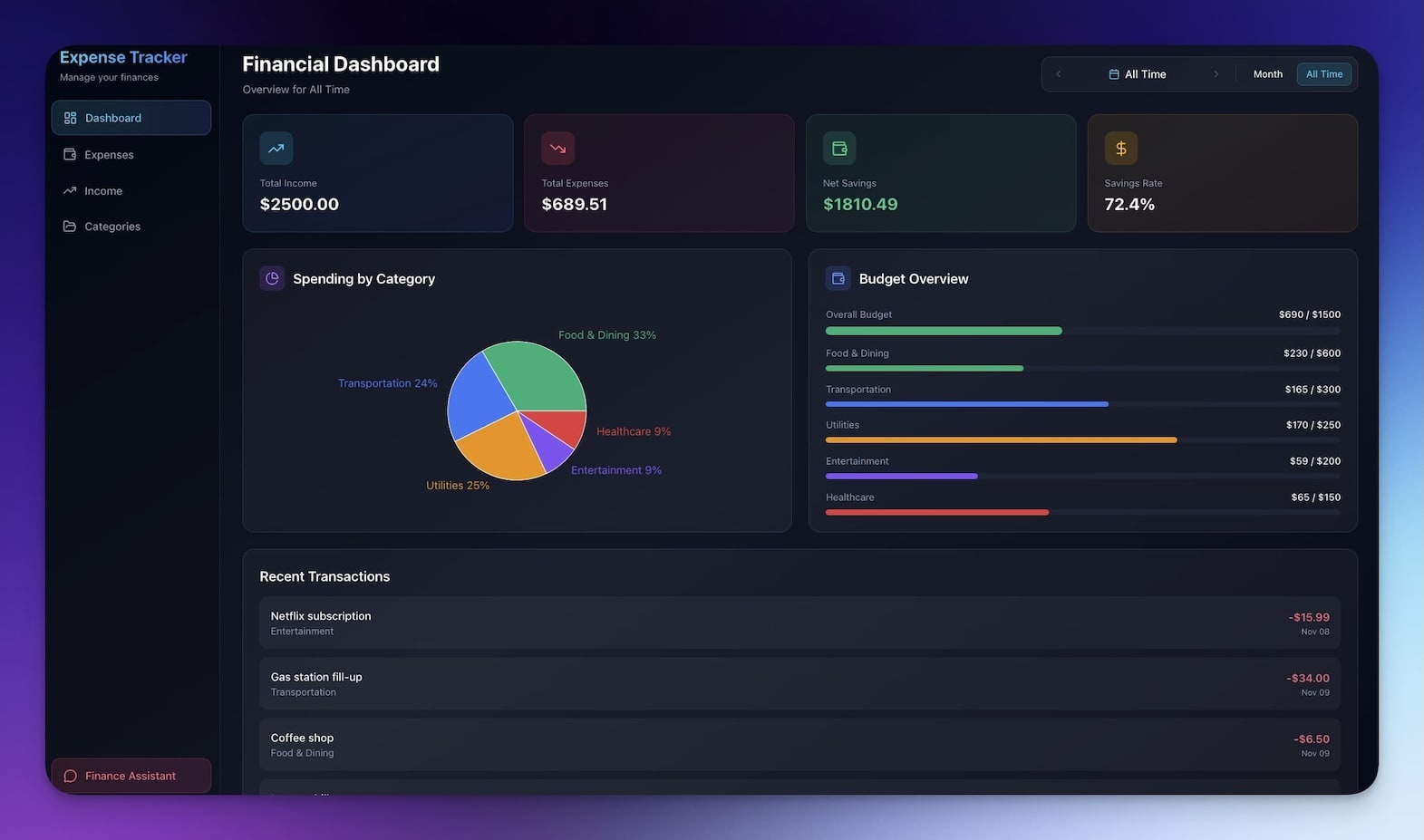
Track business expenses for taxes without complicated accounting software. The IRS allows freelancers to deduct business expenses, but only with proper documentation. This tool makes categorization and record-keeping effortless.
Features:
- Expense categorization (travel, software, equipment, office, meals)
- Receipt notes and attachment support
- Tax category tagging aligned with Schedule C deductions
- Monthly summaries with category breakdowns
- Export-ready reports for accountants
Perfect for: Any freelancer tracking deductible expenses
Clone Personal Expense Tracker →
7. Finance Tracker Dashboard
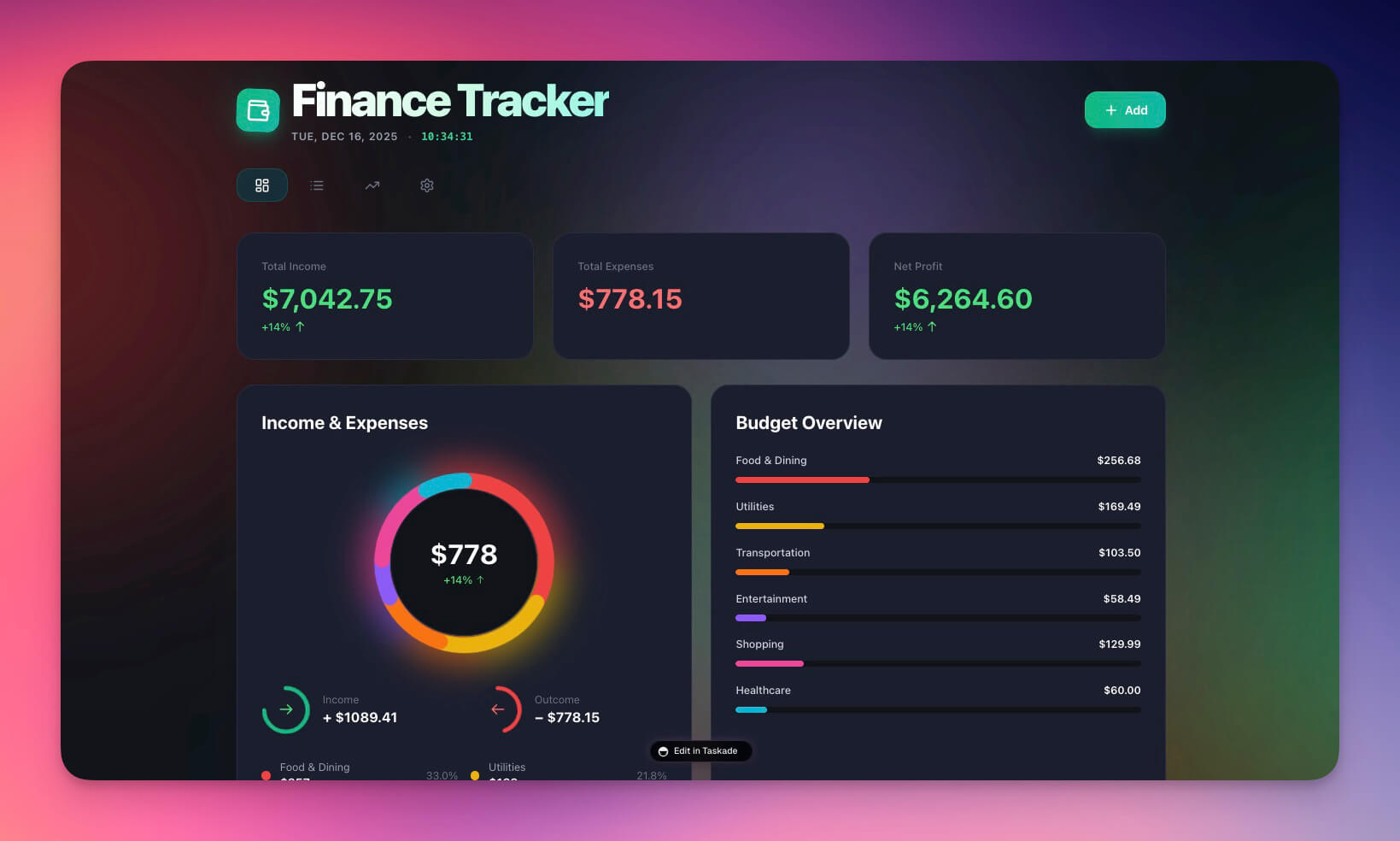
See your freelance income, expenses, and profit at a glance. This visual dashboard makes financial health obvious — no accounting degree required.
The AI agent can analyze spending patterns, flag unusual expenses, and project monthly revenue based on your pipeline data from the CRM tool.
Features:
- Income vs expense tracking with visual charts
- Profit margin visualization by month and quarter
- Category breakdowns for top spending areas
- Trend analysis to spot seasonal patterns
- Goal tracking for annual revenue targets
Perfect for: Freelancers wanting a clear financial picture
Clone Finance Tracker Dashboard →
8. Testimonial Portal App

Social proof wins more clients than any sales pitch. This portal collects and displays client testimonials automatically — send the link after project completion and let the tool do the work.
92% of B2B buyers are more likely to purchase after reading a trusted review (G2, 2024). Make gathering that proof effortless.
Features:
- Easy testimonial submission form with guided prompts
- Photo and company logo upload
- Display-ready formatting for your website or portfolio
- Approval workflow before publishing
- Embeddable widget for external sites
Perfect for: Freelancers building a portfolio and social proof
Clone Testimonial Portal App →
9. Multi-Platform Publisher
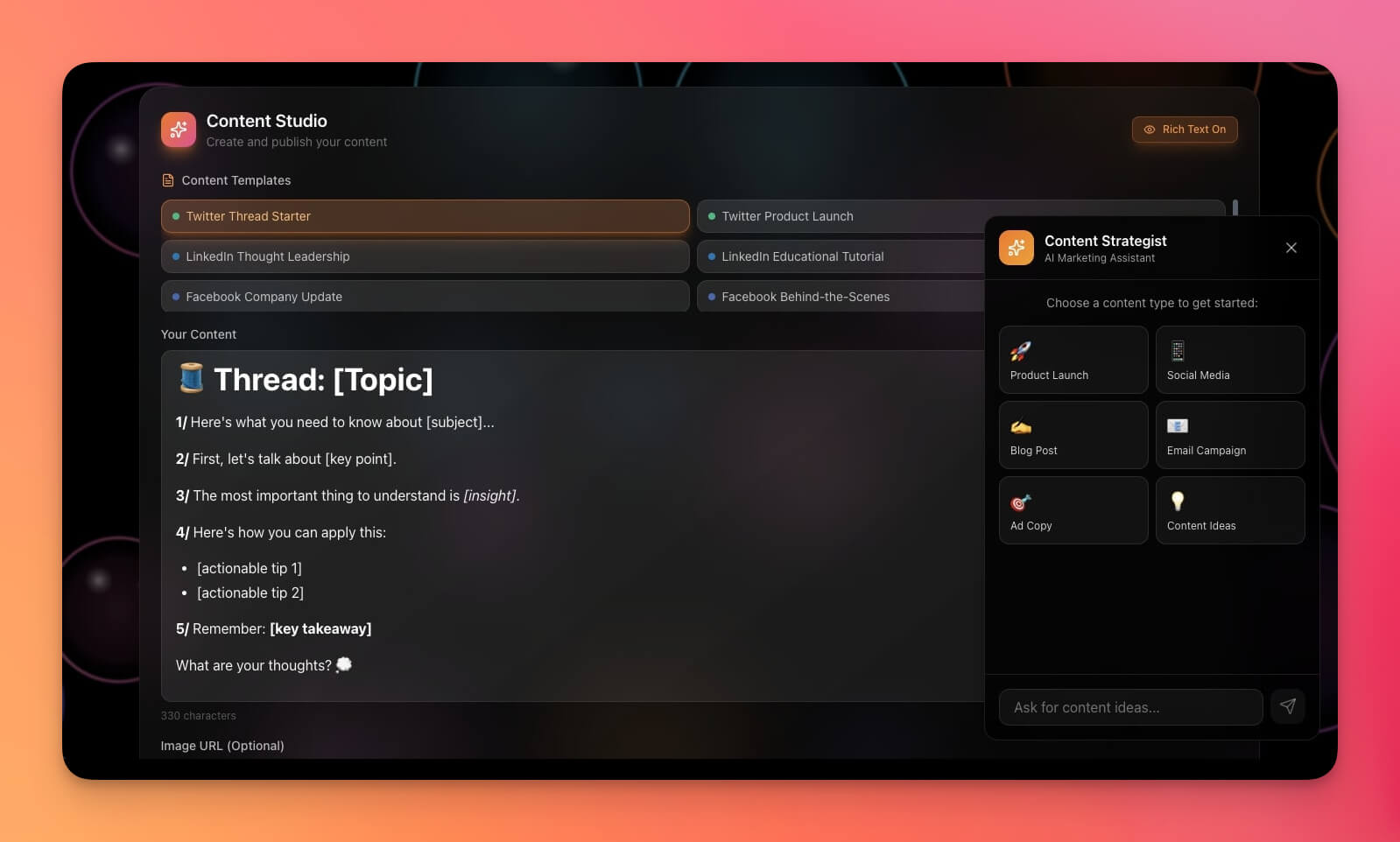
Create content once, publish everywhere. Manage your social media presence and content marketing without juggling Buffer, Hootsuite, and native platform dashboards.
The AI agent can repurpose a single blog post into LinkedIn updates, Twitter threads, newsletter blurbs, and Instagram captions — all formatted for each platform.
Features:
- Multi-platform content management (LinkedIn, Twitter, blog, newsletter)
- Content calendar with visual scheduling
- AI-powered content repurposing across formats
- Performance analytics overview
- Draft management and approval workflows
Perfect for: Freelancers doing their own marketing and content
Clone Multi-Platform Publisher →
10. Meeting Cost Calculator
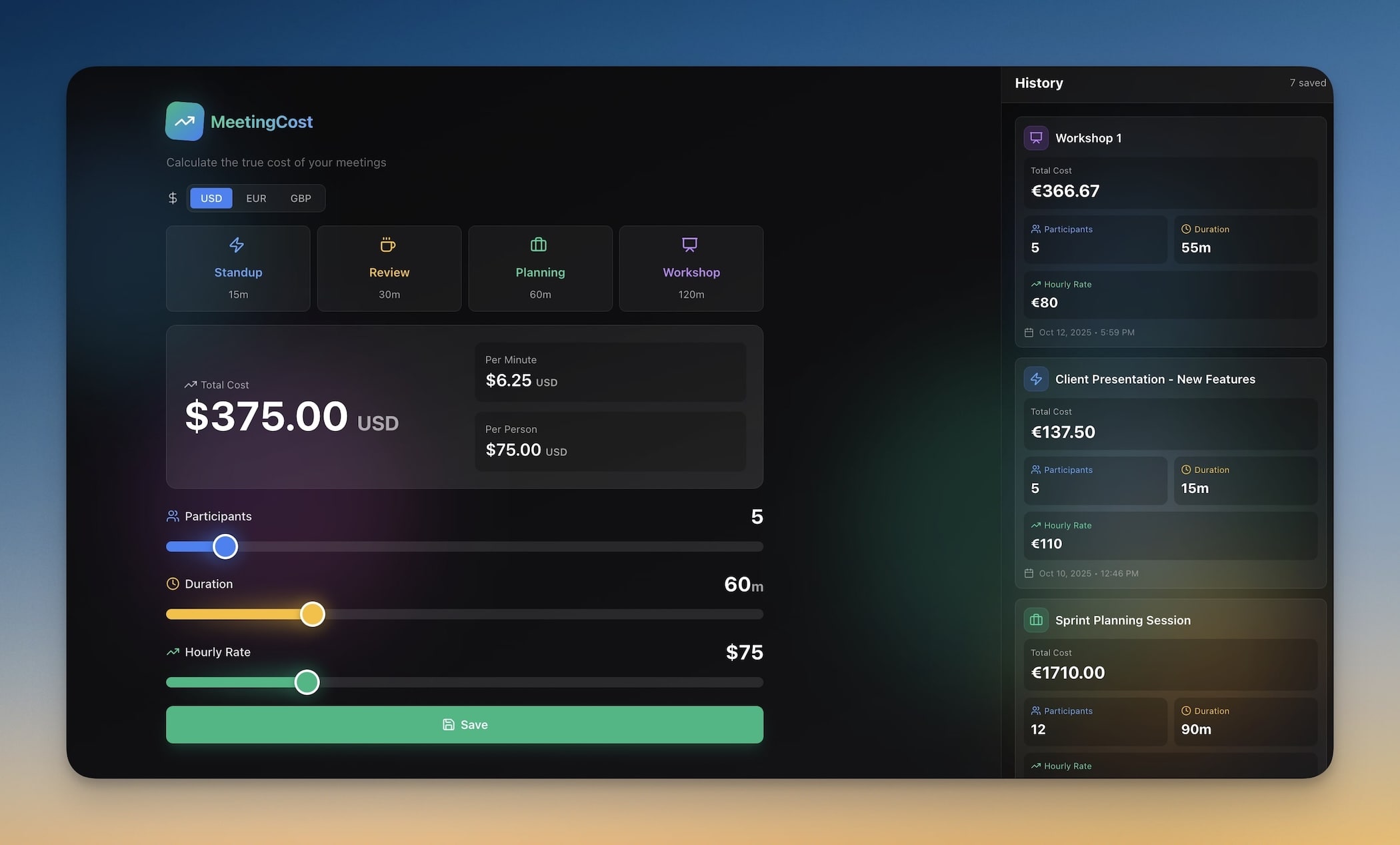
Show clients the true cost of meetings based on attendee rates. A one-hour meeting with five people at $100/hour costs $500 — and most freelancers attend 5-10 meetings per week. This tool quantifies the cost and encourages efficient communication.
Features:
- Hourly rate inputs for multiple attendees
- Real-time cost calculation during meetings
- Historical meeting cost tracking
- ROI comparison (meeting cost vs deliverable value)
- Shareable results for client presentations
Perfect for: Consultants justifying meeting time and promoting async collaboration
Clone Meeting Cost Calculator →
The Freelance Admin Stack — All in One Workspace
Here is how the 10 tools connect inside a single Taskade workspace to form a complete freelance operating system.
Every tool shares the same Projects data layer. When you track time on a project, the invoice generator pulls those hours automatically. When a new client books a consultation, the CRM creates a contact record. When you send an invoice, the finance dashboard updates your revenue projections.
This is Workspace DNA — Memory (Projects) feeds Intelligence (Agents), Intelligence triggers Execution (Automations), and Execution creates new Memory. The cycle accelerates with every client interaction.
Customize Every Tool for Your Workflow
Every tool above is a starting point. With Taskade Genesis, you customize through natural conversation with the AI agent:
| Customization Request | What Happens |
|---|---|
| "Add my logo and brand colors to the invoice template" | Agent updates the visual theme across all invoice outputs |
| "Include a field for project phase in the time tracker" | Agent adds a dropdown with your custom phases |
| "Add automatic follow-up emails 7 days after sending invoice" | Agent creates an Automation that monitors payment status |
| "Connect expense categories to my accounting software tags" | Agent maps categories to your Chart of Accounts |
| "Add a retainer tracker showing hours used vs available" | Agent builds a usage dashboard with alerts at 80% capacity |
The tools adapt to you — not the other way around. And because every tool runs on the same AI Agents with built-in tools and 100+ integrations, the customization possibilities are unlimited.
Build Your Own Freelance Tools
Need something specific that is not in the list above? Describe it to Taskade Genesis and get a working tool in minutes:
Example prompts:
- "Create a project proposal generator that includes scope, timeline, pricing tiers, and terms and conditions"
- "Build a client onboarding portal with contract signing, project kickoff questions, and file upload"
- "Create a retainer tracker showing hours used vs available with automatic alerts at 80% usage"
- "Build a freelance portfolio site with project gallery, testimonials, and contact form"
Every tool you build includes AI Agents that learn your patterns, Projects that store your data, and Automations that handle the repetitive work.
Start building with Taskade Genesis →
How Freelance AI Tools Save Real Money
The ROI of automating freelance admin is concrete. Here is a conservative estimate for a freelancer billing $75/hour.
| Tool | Manual Cost/Month | SaaS Alternative | Taskade Genesis |
|---|---|---|---|
| Invoicing | 10 hrs x $75 = $750 | FreshBooks $19/mo | Included |
| Time tracking | 6 hrs x $75 = $450 | Toggl $10/mo | Included |
| CRM | 8 hrs x $75 = $600 | HubSpot $20/mo | Included |
| Booking | 4 hrs x $75 = $300 | Calendly $10/mo | Included |
| Expense tracking | 4 hrs x $75 = $300 | Expensify $12/mo | Included |
| Total saved | $2,400/month | $71/month in SaaS | Free to $10/mo |
Taskade pricing: Free ($0), Pro ($10/mo billed annually for up to 10 users), Business ($25/mo billed annually). Most solo freelancers run comfortably on the free or Pro tier.
Five Automations Every Freelancer Should Set Up Today
Connect your tools to real workflows with Taskade Automations. Each automation runs on 100+ integrations and triggers automatically.
- Invoice on completion — When a project status changes to "Delivered," generate an invoice from tracked hours and email it to the client
- Overdue payment follow-up — 7 days after invoice sent with no payment, send a polite reminder; escalate at 14 and 30 days
- New client onboarding — When a booking form is submitted, create a client record in the CRM, send a welcome email, and create a project folder
- Weekly financial summary — Every Friday at 5 PM, compile income, expenses, and outstanding invoices into a summary report
- Testimonial request — 3 days after project completion, send the client a link to your testimonial portal
These automations replace hours of manual work with reliable, repeatable workflows. Learn more in the Automations guide.
Freelance AI Tools: The Competitive Advantage
The best freelancers are not just skilled at their craft — they run efficient businesses. AI tools give you that edge:
- Save 5-10 hours weekly on admin tasks that generate zero revenue
- Never miss billable time with automatic tracking connected to invoicing
- Impress clients with professional systems that rival agency operations
- Scale your business without hiring staff or buying enterprise software
- Get paid faster with automated invoicing and follow-up sequences
These tools will not cost you a fortune in SaaS subscriptions. Clone them once, customize them through conversation, and they are yours.
Related Guides
- 50+ AI Apps You Can Clone from the Community Gallery
- 10 Best AI App Builders in 2026
- 10 Best AI CRM Software for 2026
- 10 AI Client Portals You Can Deploy Instantly
- 10 AI Sales and CRM Dashboards
- What Is Vibe Coding?
Explore Taskade AI:
- AI Workflow Automation — Automate follow-ups and billing
- AI CRM Builder — Build CRMs from one prompt
- AI Website Builder — Generate client portals
- Browse All Generator Templates — Apps, dashboards, and tools
- Browse Agent Templates — AI agents for every use case
- Explore Community Apps — Clone and customize
Start building your freelance tools →

Frequently Asked Questions
What AI tools do freelancers need most in 2026?
The essential AI tools for freelancers cover invoicing, time tracking, client management, proposal generation, and project dashboards. Rather than subscribing to separate SaaS products for each function, AI app builders like Taskade Genesis let you build custom freelance tools from a single workspace starting at $0 on the free tier.
How can AI help freelancers save time on admin work?
AI automates the most time-consuming freelance tasks: generating invoices from tracked hours, drafting proposals from project briefs, sending follow-up reminders to clients, and organizing project files. Freelancers report reclaiming 5 to 10 hours per week that were previously lost to administrative overhead.
Is there a free AI tool for freelance invoicing?
Taskade Genesis includes a free tier that lets freelancers build custom invoice generators, time trackers, and client portals. Unlike standalone invoice tools such as FreshBooks or Wave, Genesis apps connect to your project data and can automate the entire billing workflow from time tracking to PDF export.
Can I build a custom freelance CRM without coding?
Yes. Describe your ideal client management system to Taskade Genesis and get a working CRM with pipelines, contact records, and automated follow-ups. No templates or drag-and-drop configuration required. The platform uses AI agents powered by 15+ frontier models from OpenAI, Anthropic, and Google.
How does Taskade Genesis compare to FreshBooks for freelancers?
FreshBooks is a dedicated accounting tool starting at $19 per month for basic invoicing. Taskade Genesis lets you build an invoicing app plus time tracking, CRM, proposals, and expense tracking in one workspace starting at $0. Genesis apps also include AI agents with built-in tools that automate follow-ups and generate reports.
What is the difference between Taskade Genesis and Toggl for time tracking?
Toggl is a standalone time tracker starting at $10 per seat per month. Taskade Genesis builds custom time trackers that connect to invoicing, client management, and expense tools in the same workspace. AI agents can automatically categorize time entries, generate weekly summaries, and flag unbilled hours.
Can Taskade Genesis replace Calendly for freelance booking?
Taskade Genesis can build booking and consultation forms with intake questions, calendar integration, automated confirmations, and follow-up sequences. Unlike Calendly at $10 per month per seat, Genesis booking tools live inside your workspace alongside CRM data, project notes, and automated workflows.
How do AI agents help freelancers manage client relationships?
Taskade AI agents with persistent memory track client preferences, communication history, and project context across sessions. Agents can draft follow-up emails, prepare meeting summaries, flag overdue invoices, and surface opportunities for upselling. They work autonomously with built-in tools and 100+ integrations.
What automations should every freelancer set up?
The highest-impact automations for freelancers include invoice generation from tracked hours, follow-up reminders for unpaid invoices, client onboarding sequences for new projects, weekly income and expense summaries, and deadline alerts for deliverables. Taskade lets you build all of these in one workspace with 100+ integrations.
Is Taskade Genesis secure enough for client data?
Taskade provides a permission system with roles from Owner to Viewer, workspace-level data isolation, and automatic SSL for custom domains. You can give clients view-only access to their project portal while keeping financial data restricted to your account. All data is encrypted in transit and at rest.