






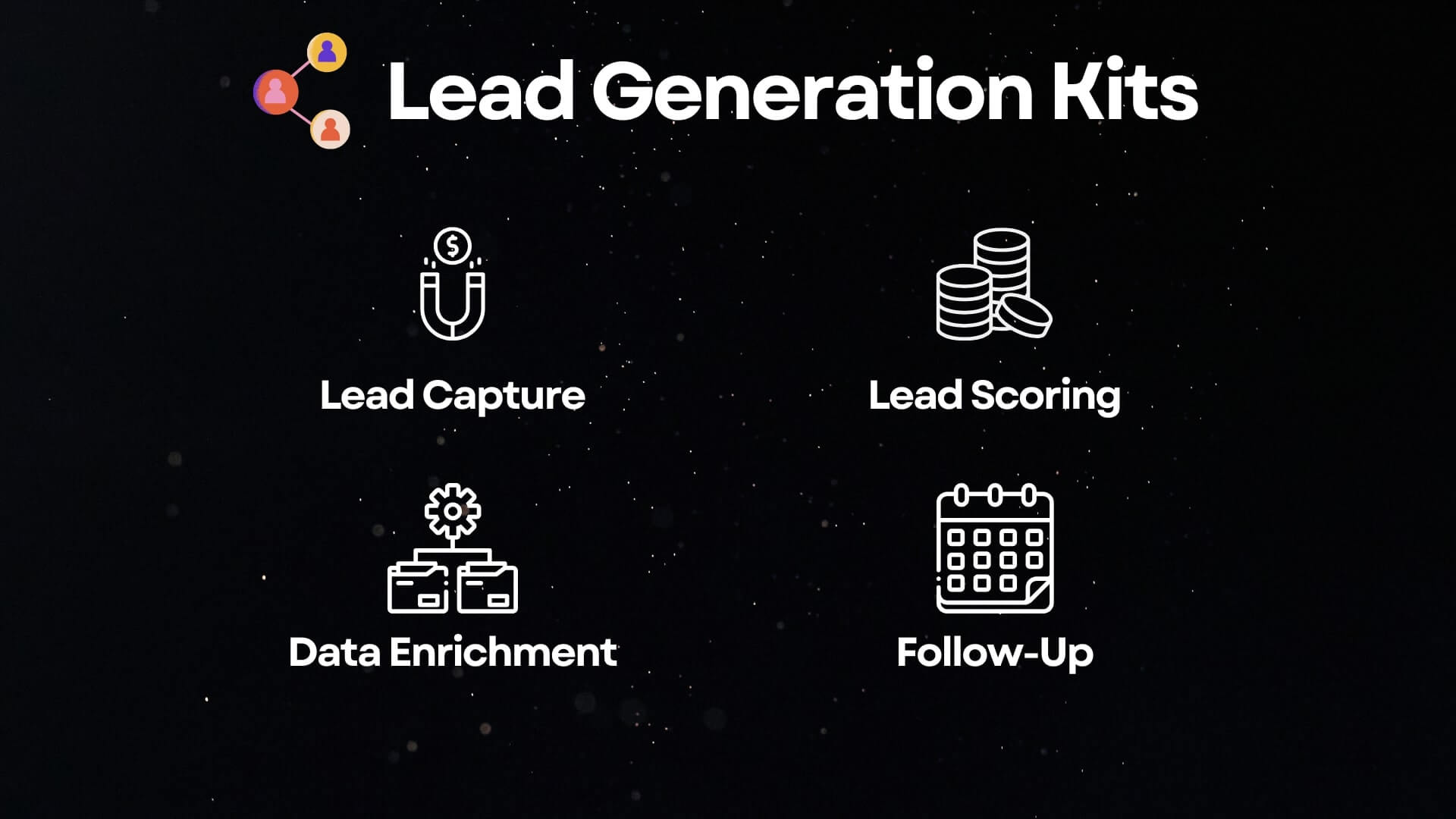
HubSpot reports 43% of sales reps cite poor lead quality as their top blocker. Add in manual research and scattered follow-ups, and deals slip away. That's exactly why we built these AI lead generation automations — to help you capture, qualify, and convert faster.
TL;DR: Taskade AI Kits automate the full lead generation pipeline — capture, scoring, enrichment, and follow-up — saving SDRs 10+ hours per week. One-click setup, no coding, 100+ integrations. Launch your first kit →

To help teams move faster and work smarter, we built a set of AI Kits designed for lead generation. Each is a one-click, ready-to-use workflow that automates a key part of your funnel.
Why Lead Generation Needs AI Automation in 2026
Manual lead management is the single biggest time drain for sales teams. Here's what the data shows:
- 43% of reps cite poor lead quality as their top blocker (HubSpot, 2024)
- Average SDR spends 6-8 hours per week on manual list building
- 78% of buyers purchase from the vendor that responds first (Lead Connect)
- Only 27% of leads ever get contacted after initial capture (Salesforce)
The gap between capturing a lead and acting on it is where revenue dies. AI automation closes that gap by handling the repetitive work — scoring, enriching, routing, and following up — while your team focuses on conversations that close deals.
The Lead Generation Automation Stack
Top AI Lead Generation Automations at a Glance
Below is a quick comparison of the AI-powered lead generation kits featured in this article. Each one solves a different friction point in your top-of-funnel workflow.
| Kit | What It Does | Best For | Time Saved |
|---|---|---|---|
| AI Lead Generation Kit | Automatically finds and qualifies leads using your ICP | Sales and marketing teams building outbound lists | 6-8 hrs/week |
| AI Lead Scoring Kit | Scores and prioritizes leads based on fit and engagement | B2B teams triaging inbound leads | 2-4 hrs/week |
| AI Lead Enrichment Kit | Enriches leads with firmographic and contact data | SDRs and marketers doing segmented outreach | 1-2 hrs/week |
| Contact Form Automation Kit | Captures, assigns, and summarizes inbound submissions | Teams relying on website contact forms | 2-3 hrs/week |
Taskade vs. HubSpot vs. Salesforce vs. Zapier for Lead Generation
| Capability | Taskade AI Kits | HubSpot | Salesforce | Zapier |
|---|---|---|---|---|
| Lead capture | One-click kit | Forms + landing pages | Web-to-Lead | Multi-step zap |
| AI lead scoring | All paid plans ($10/mo+) | Professional ($890/mo) | Enterprise ($165/user/mo) | No native scoring |
| Lead enrichment | Apollo integration included | Operations Hub ($890/mo) | Data.com (additional) | Third-party connectors |
| Automated follow-up | AI agent drafts + sends | Sequences (Pro+) | Sales Engagement (add-on) | Email integration |
| AI agents | built-in tools | ChatSpot (limited) | Einstein (Enterprise+) | No |
| Project management | Multiple views, built-in | No | No | No |
| App builder | Genesis — full apps | No | Lightning (dev required) | No |
| Starting price | Free (paid from $10/mo) | $20/mo (scoring: $890/mo) | $25/user/mo | $20/mo |
AI Lead Generation Kit: Automated List Building
Time Saved: Save 6-8 hours/week by eliminating manual list building
Collecting leads is easy. Acting on them at scale? That's where most teams stumble. Without a structured handoff between marketing and sales, your pipeline becomes a guessing game. If your team's juggling multiple tools just to keep up, you're losing qualified opportunities every week.
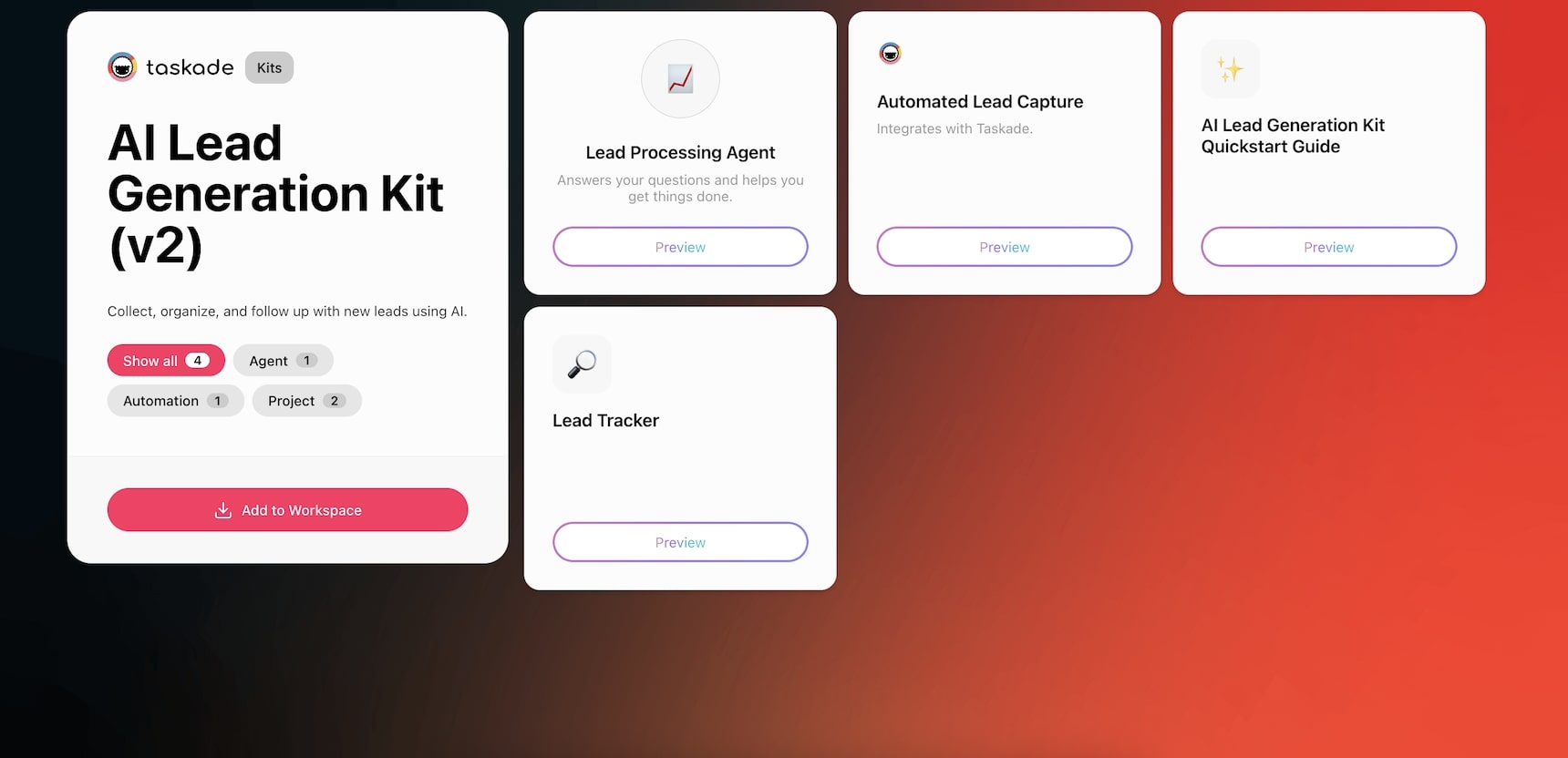
The AI Lead Generation Kit solves this by turning raw form submissions into ready-to-act tasks in Taskade. It captures lead details, routes entries based on form inputs, and automatically runs a lead processing agent to summarize the contact and recommend next steps. The AI agent analyzes each lead against your ideal customer profile and suggests priority level, outreach angle, and potential objections.
Who It's For
- Sales and marketing teams capturing leads from websites or campaigns
- Agencies qualifying prospects across multiple channels
- Anyone who needs a structured pipeline without a full CRM setup
Kit Contents
- Projects
- Kit Quickstart Guide
- Lead Tracker
- Automations
- Automated Lead Capture
- Agents
- Lead Processing Agent
- Projects
Business Benefits
- Standardize lead intake and reduce manual triage
- Respond faster with context-rich summaries
- Eliminate messy handoffs between marketing and sales
- AI agent recommends next steps for each lead
How it works: When a form submission arrives, the automation creates a structured lead record in your Taskade project. The Lead Processing Agent then analyzes the submission — pulling key details like company size, industry, and stated needs — and generates a summary with recommended next steps. The lead appears in your pipeline as an actionable task, ready for your team to review.
Add the AI Lead Generation Kit to your workspace
AI Lead Scoring Kit: Prioritize High-Intent Leads
Time Saved: Save 2-4 hours/week by removing the need to qualify and sort leads
Inbound interest is only valuable if it gets acted on fast. But too often, contact form submissions sit untagged in inboxes, buried in threads, or missed entirely. That often happens in lean sales and support teams juggling multiple priorities. Manual follow-ups cost time, and lost leads cost revenue.
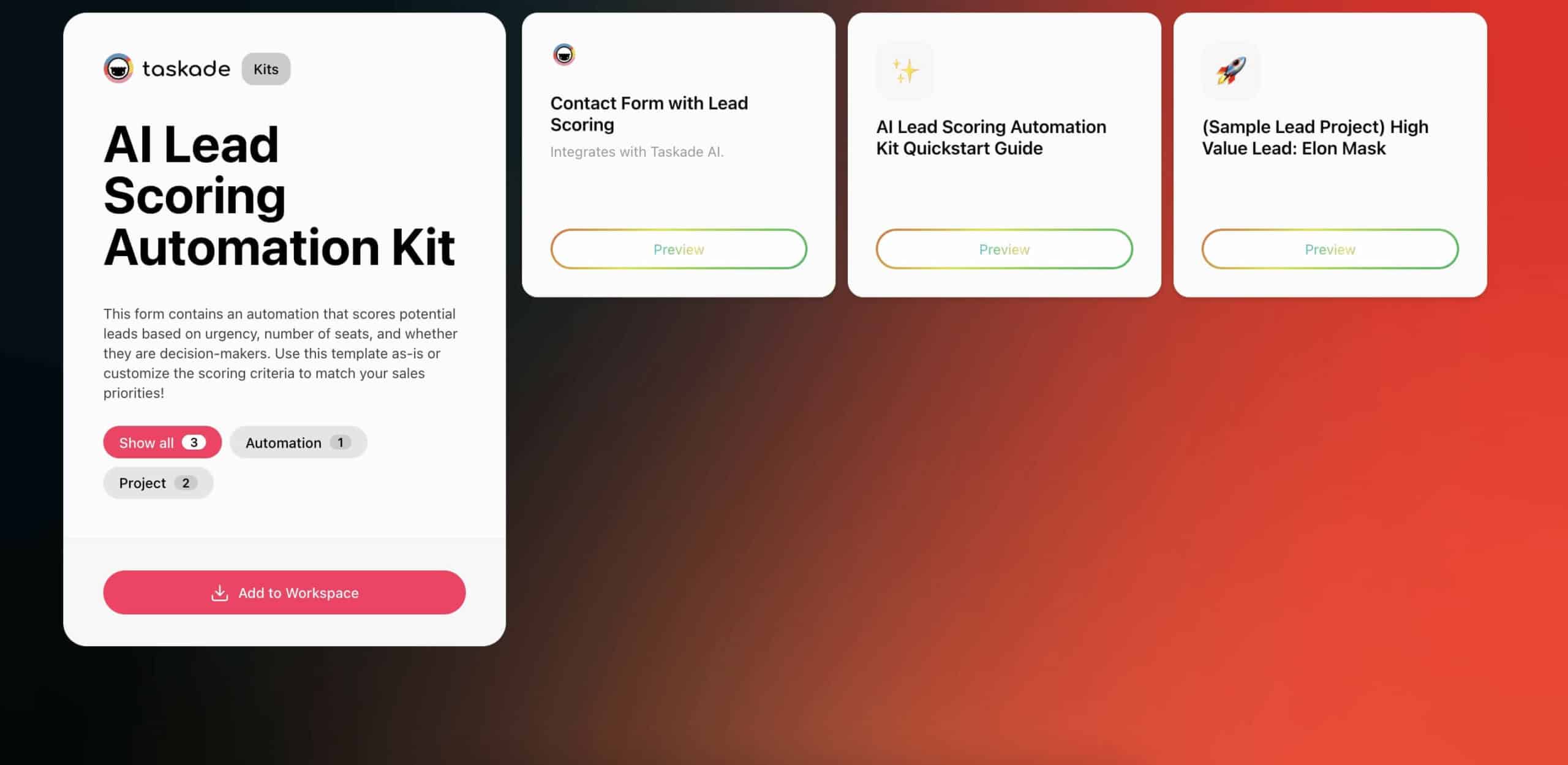
The AI Lead Scoring Automation Kit transforms every submission into a tracked, actionable lead. (Need to convert incoming documents first? Taskade handles that too.) It captures incoming inquiries, summarizes the message, assigns the task, and even drafts a reply using Taskade AI. You get speed, consistency, and no more dropped leads.
How AI Lead Scoring Works
AI lead scoring evaluates leads across two dimensions:
| Dimension | Signals | Weight |
|---|---|---|
| Fit Score | Company size, industry, role, location, technology stack | 40-60% |
| Engagement Score | Page visits, email opens, form submissions, content downloads | 40-60% |
| Combined Score | Weighted aggregate of fit + engagement | Priority ranking |
Leads scoring above your threshold get fast-tracked to sales. Leads below get nurtured automatically. This replaces the manual process of reviewing every lead individually.
Who It's For
- SMBs and service teams handling inbound requests
- Agencies needing a faster way to follow up
- Sales teams struggling with lead handoff from marketing
Kit Contents
- Projects
- Kit Quickstart Guide
- Sample Lead Project
- Automations
- Contact Form with Lead Scoring
- Projects
Business Benefits
- Never miss or lose track of inbound leads
- Reduce response times with auto-generated email drafts
- Eliminate manual triage and task assignment
- Improve team accountability with clear ownership
- Convert more inquiries by following up faster and smarter
Add the AI Lead Scoring Automation Kit to your workspace
AI Lead Enrichment Kit: Fill the Data Gaps
Time Saved: Save 1-2 hours/week by automatically filling in missing lead details
Getting a name and email is just the start. Without additional context — like job title, company size, location, or tech stack — it's tough to personalize or prioritize. That gap forces reps to chase LinkedIn profiles, scan databases, and stitch together information manually. It slows everything down.
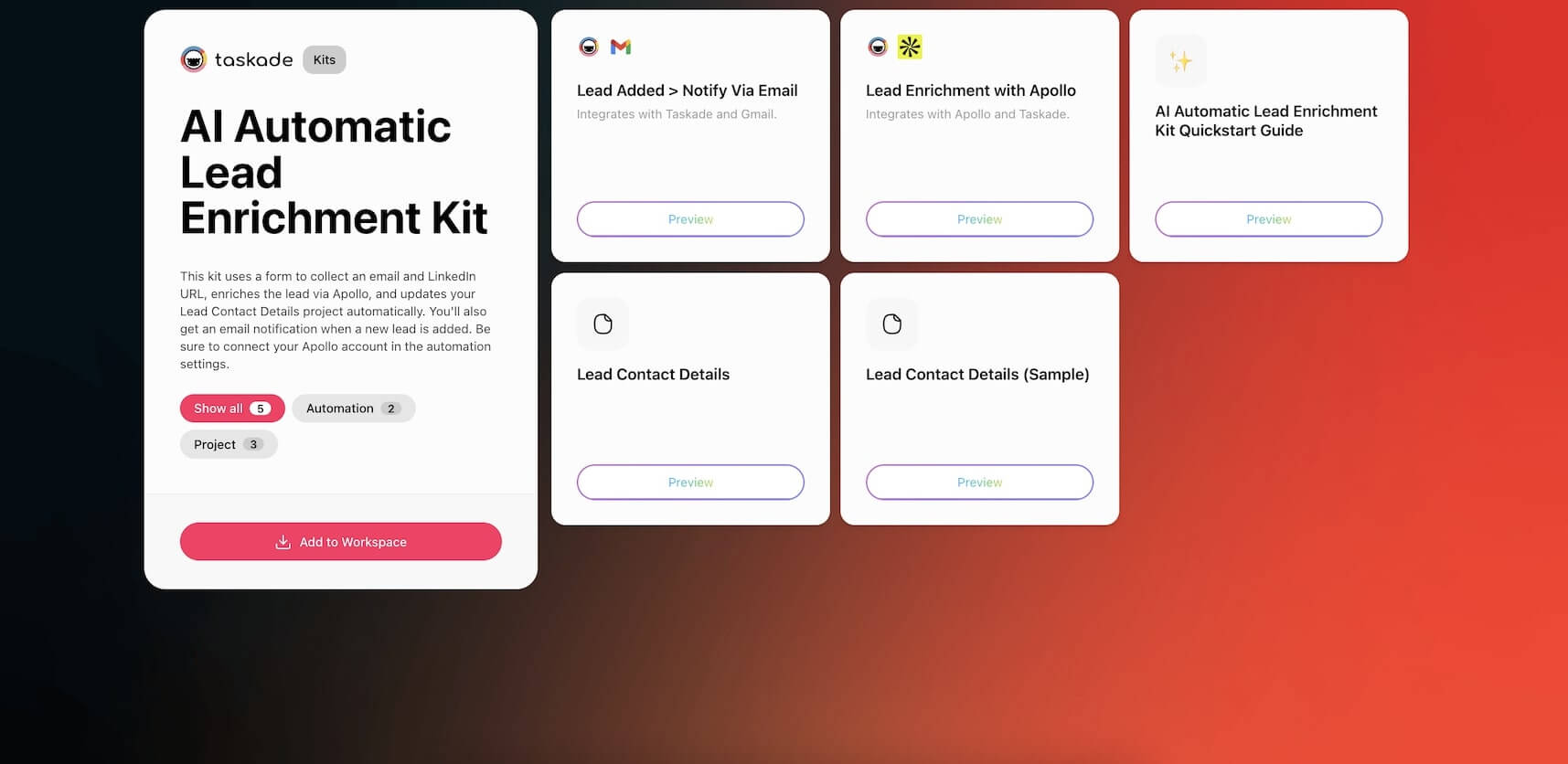
The AI Automatic Lead Enrichment Kit fills in those blanks for you. Once a lead is submitted, this kit automatically pulls enriched data from Apollo and updates a shared CRM project. You'll even get a notification when a new lead is processed, so your team can follow up with full context.
What Data Gets Enriched
| Data Point | Source | How It Helps |
|---|---|---|
| Company size | Apollo/LinkedIn | Qualify against ICP team size requirements |
| Industry | Apollo | Route to industry-specific sales reps |
| Job title | Apollo/LinkedIn | Identify decision-makers vs. researchers |
| Technology stack | Apollo | Tailor product positioning to existing tools |
| Social profiles | LinkedIn/Twitter | Enable personalized outreach |
| Funding stage | Crunchbase/Apollo | Assess budget potential |
| Location | Apollo | Time zone and regional routing |
Who It's For
- SDRs writing high-conversion outbound
- Growth marketers managing segmented campaigns
- Sales ops teams standardizing CRM hygiene
- Founders or small teams doing it all themselves
Kit Contents
- Projects
- Kit Quickstart Guide
- Lead Contact Details (template)
- Lead Contact Details (sample project)
- Automations
- Lead Enrichment with Apollo
- Lead Added Notify via Email Automation
- Projects
Business Benefits
- Automatically enrich contacts with firmographic and technographic data
- Eliminate time lost to tab-switching and manual research
- Improve segmentation and message targeting at scale
- Ensure CRM records stay clean and actionable
- Keep reps focused on selling, not searching
Add the AI Automatic Lead Enrichment Kit to your workspace
Contact Form Automation Kit: Close the Response Gap
Time Saved: Save 2-3 hours/week by turning form submissions into tasks
When someone fills out a contact form on your site, the clock starts ticking. Every hour without a response increases the risk of losing that lead to a competitor. And if your inbox isn't organized? You run into delays and missed opportunities that should've been easy wins.
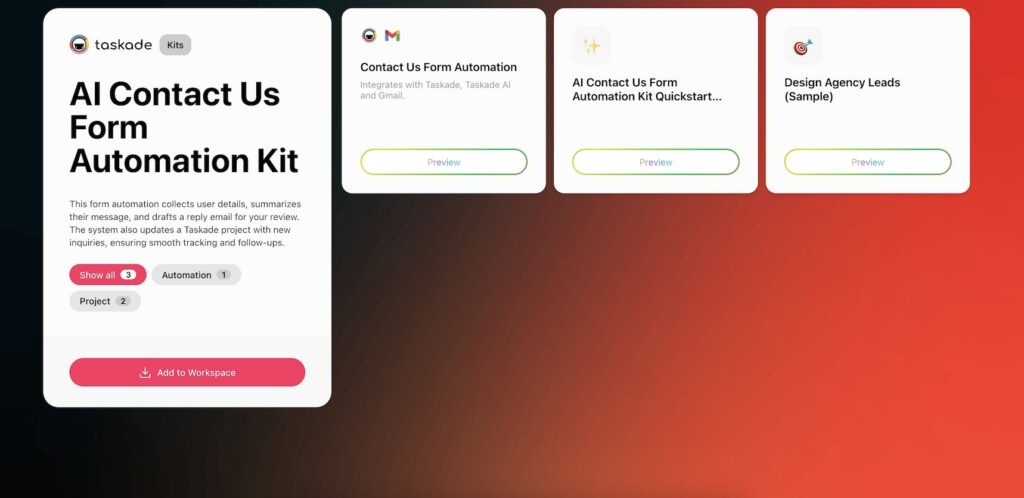
This AI Contact Us Form Automation Kit turns every submission into a structured workflow. It captures key details, summarizes the inquiry using AI, creates a task in a dedicated project, and drafts a follow-up email without extra effort on your part. Everything's logged, assigned, and ready for review.
Response Time Impact on Conversion
Research consistently shows that speed-to-lead is the strongest predictor of conversion:
| Response Time | Conversion Impact |
|---|---|
| Under 5 minutes | 21x more likely to qualify the lead (Lead Connect) |
| 5-30 minutes | Baseline conversion rate |
| 30-60 minutes | 50% drop in qualification rate |
| Over 1 hour | 80% drop — lead likely contacted a competitor |
| Over 24 hours | Near-zero qualification probability |
The Contact Form Automation Kit ensures every submission gets acknowledged within minutes, not hours.
Who It's For
- Small teams managing high volumes of inquiries
- Agencies or consultants needing clear assignment and response flows
- Sales reps relying on marketing handoffs
Kit Contents
- Projects
- Kit Quickstart Guide
- Design Agency Leads (sample project)
- Automations
- Contact Us Form Automation
- Projects
Business Benefits
- Respond faster and more consistently to inbound leads
- Turn unstructured form data into clear, actionable next steps
- Avoid missed follow-ups and inbox chaos
- Improve cross-team handoff between marketing and sales
- Save hours weekly on manual triage
Add the AI Contact Form Automation Kit to your workspace
Building a Complete Lead Pipeline with Taskade
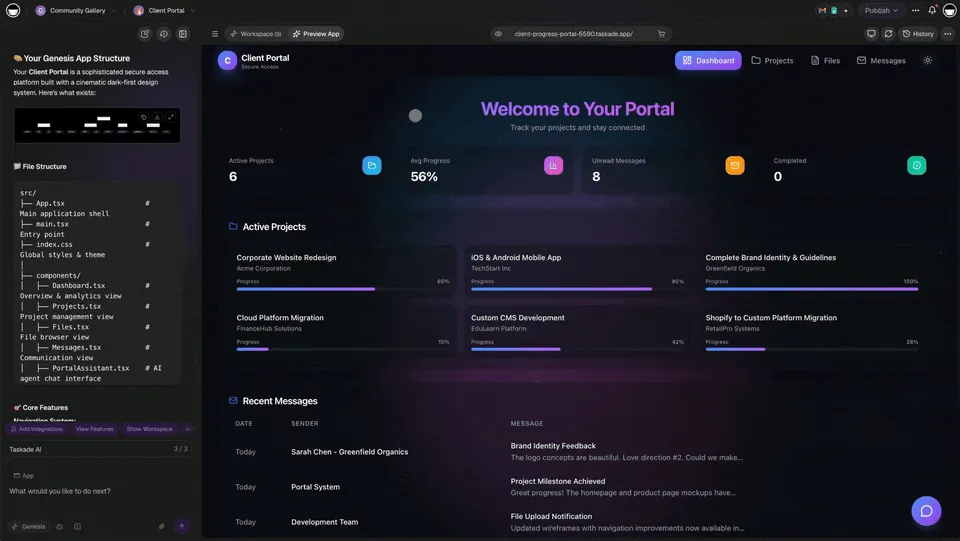
The four kits above solve individual pain points, but the real power comes from connecting them into a complete pipeline. Here's how the kits work together:
Recommended Pipeline Configuration
| Pipeline Stage | Kit | Connects To | AI Agent Role |
|---|---|---|---|
| Capture | Lead Generation Kit | Forms, landing pages, outbound | Summarizes and routes leads |
| Score | Lead Scoring Kit | Capture output | Assigns priority based on ICP fit |
| Enrich | Lead Enrichment Kit | Scored leads | Adds firmographic data from Apollo |
| Respond | Contact Form Kit | Inbound forms | Drafts personalized follow-up emails |
| Nurture | Custom automation | Low-score leads | Drip campaign via email integration |
| Close | CRM integration | Qualified leads | Syncs with HubSpot/Salesforce |
For teams that need a custom pipeline beyond the pre-built kits, Taskade Genesis can generate complete lead management systems — including dashboards, agent workflows, and automation triggers — from a single prompt.
Lead Generation Automation Best Practices
Define Your ICP Before Automating
Automation amplifies your process — good or bad. Before deploying lead scoring, document your ideal customer profile: company size, industry, role titles, budget range, and technology stack. The AI agent uses this profile to score leads accurately.
Start with the Biggest Time Sink
Don't deploy all four kits simultaneously. Identify your biggest bottleneck:
- Spending hours building lists? Start with Lead Generation Kit
- Drowning in unsorted inbound? Start with Lead Scoring Kit
- Missing context for personalization? Start with Lead Enrichment Kit
- Losing leads from slow follow-up? Start with Contact Form Kit
Connect to Your Existing Stack
Taskade's 100+ integrations mean your lead pipeline doesn't have to replace your CRM. Push enriched, scored leads directly to HubSpot, Salesforce, or Pipedrive. Use Slack notifications for high-priority leads. Sync with Google Sheets for reporting.
Use AI Agents for Continuous Improvement
Taskade's AI agents can analyze your lead pipeline performance over time. Create a Pipeline Analysis Agent that reviews conversion rates by lead source, scoring accuracy, and follow-up effectiveness. This creates a compounding intelligence loop — the system gets smarter with every lead it processes.
Learn more about building intelligent systems with Workspace DNA.
Not Sure Where to Start?
Automation works best when it solves a pain point, not when you try to fix everything at once. Use this quick quiz to navigate the kits from this article and find the right solution for your team.
What's your biggest lead challenge today?
A. We don't have a consistent way to find good-fit leads
Start with: Lead Generation KitB. We're spending too much time figuring out who to contact
Start with: Lead Scoring KitC. Our leads lack context and personalization is hard
Start with: Lead Enrichment KitD. Inbound requests fall through the cracks
Start with: Contact Form Automation Kit
What outcome would drive the most impact?
A. A larger, high-quality prospect pipeline
Start with: Lead Generation KitB. Better alignment between SDRs and AEs
Start with: Lead Scoring KitC. More effective outbound campaigns
Start with: Lead Enrichment KitD. A faster and more accountable inbound flow
Start with: Contact Form Automation Kit
Where does your team lose the most time today?
A. Manually building prospect lists and researching companies
Start with: Lead Generation KitB. Sorting through new leads and deciding who to follow up with
Start with: Lead Scoring KitC. Jumping between tools to find missing lead data
Start with: Lead Enrichment KitD. Responding to form submissions or assigning follow-ups
Start with: Contact Form Automation Kit
Your Best Starting Point
Mostly A — Start with the Lead Generation Kit
Mostly B — Start with the Lead Scoring Kit
Mostly C — Start with the Lead Enrichment Kit
Mostly D — Start with the Contact Form Automation Kit
Frequently Asked Questions
How does AI automate lead generation?
AI lead generation automation handles four key stages: capturing leads from forms and sources, scoring them against your ideal customer profile, enriching contact data from public sources, and triggering personalized follow-up sequences. Each stage runs without manual intervention, saving SDRs 10+ hours per week.
What is AI lead scoring and how does it work?
AI lead scoring assigns numerical values to leads based on fit (company size, industry, role) and engagement (page visits, email opens, form submissions). This lets sales teams prioritize high-intent leads instead of working through unsorted lists. HubSpot reports 43% of reps cite poor lead quality as their top blocker — lead scoring directly addresses this.
Can AI enrich lead data automatically?
Yes. AI lead enrichment kits pull firmographic and contact data from public sources like Apollo, adding company size, industry, social profiles, and technology stack to raw lead records. This eliminates the 1-2 hours per week SDRs typically spend on manual lead research.
How do contact form automations work?
Contact form automation captures inbound submissions, creates structured records in a CRM project, assigns leads to team members based on routing rules, and sends AI-drafted acknowledgment emails. All triggered automatically when a form is submitted, with no manual processing required.
How does Taskade lead automation compare to HubSpot?
Taskade bundles lead automation with AI agents, project management, and 100+ integrations starting at $0 for the free tier. HubSpot Marketing Hub starts at $20/month for basic email and forms, with lead scoring only available in Professional at $890/month. Taskade includes AI-powered lead scoring in all paid plans starting at $10/month billed annually.
How does Taskade lead automation compare to Salesforce?
Salesforce Sales Cloud starts at $25/user/month (Essentials) with lead scoring available in Enterprise at $165/user/month. Taskade provides AI-powered lead capture, scoring, enrichment, and follow-up in all paid plans starting at $10/month billed annually for up to 3 seats. Taskade also includes an AI app builder and project management that Salesforce requires separate products for.
Can I build a complete lead generation pipeline without code?
Yes. Taskade AI Kits are pre-built automation workflows that launch with one click. Each kit includes projects, automations, and AI agents. You can also build custom lead pipelines using the visual automation builder with 100+ integrations, branching logic, and AI agent tools — no coding required.
What is the best AI tool for lead generation in 2026?
For teams that want lead generation bundled with AI agents and project management, Taskade offers the best value. For enterprise CRM with deep customization, Salesforce or HubSpot may be better fits. For teams that only need automation connectors, Zapier or Make provide broader app coverage. Taskade's advantage is combining all four functions in one workspace.
How much time do AI lead generation automations save?
Based on per-kit estimates: lead capture saves 6-8 hours/week, lead scoring saves 2-4 hours/week, lead enrichment saves 1-2 hours/week, and contact form automation saves 2-3 hours/week. Combined, teams save 10-15 hours per week on lead management tasks.
Can Taskade automations integrate with existing CRM tools?
Yes. Taskade integrates with HubSpot, Salesforce, and other CRM platforms through its 100+ integration library. You can trigger Taskade automations from CRM events, push enriched lead data back to your CRM, and sync pipeline stages. The automation builder supports webhooks for custom CRM connections.
Wrapping Up
Great lead generation isn't about one magic tool — it's about building systems that scale. From sourcing to scoring to follow-up, every minute you save on manual work is time your team can reinvest into conversations that move the needle.
The AI-powered kits from this article help you streamline the busywork, reduce delays, and give your team a clear path from contact to conversion. Combined, they save SDRs 10-15 hours per week on lead management tasks.
So, are you ready for the next step?
Join Taskade and start building!
Read more:
- What Is Vibe Coding? — Build apps from natural language
- How Workspace DNA Works — The architecture behind Taskade
- What Are AI Agents? — Complete guide to AI teammates
- AI Dashboard Examples — Business intelligence apps
- Ultimate Taskade Genesis Guide — Everything about Genesis
- Agentic Workflows for Startups — 10 automation patterns
Explore Taskade:
- AI App Builder — Build complete apps from one prompt
- AI Agents — Digital teammates with built-in tools
- Automation Workflows — 100+ integrations
- Community Gallery — Clone and customize apps
- Integrations — Connect all your tools
- Pricing — Free to Business plans
- Templates — Pre-built project templates
- Learn Taskade — Step-by-step help articles
- Bolt Alternative — Compare Genesis vs Bolt
