






Video Conferencing with Taskade
Hey Taskaders 👋 Many of you are working from home now so we thought we’d remind you of our free [video conferencing feature](https://help.taskade.com/hc/en-us...
On this page (1)
Hey Taskaders 👋
Many of you are working from home now so we thought we’d remind you of our free video conferencing feature on Taskade.
With our web, mobile, and desktop apps, you can chat and video conference with your team while collaborating in real-time.
To start a conference call, simply press the Video Call button at the top-right corner of your project space. Be sure to share the project link with your team first to let everybody join instantly. ⚡️
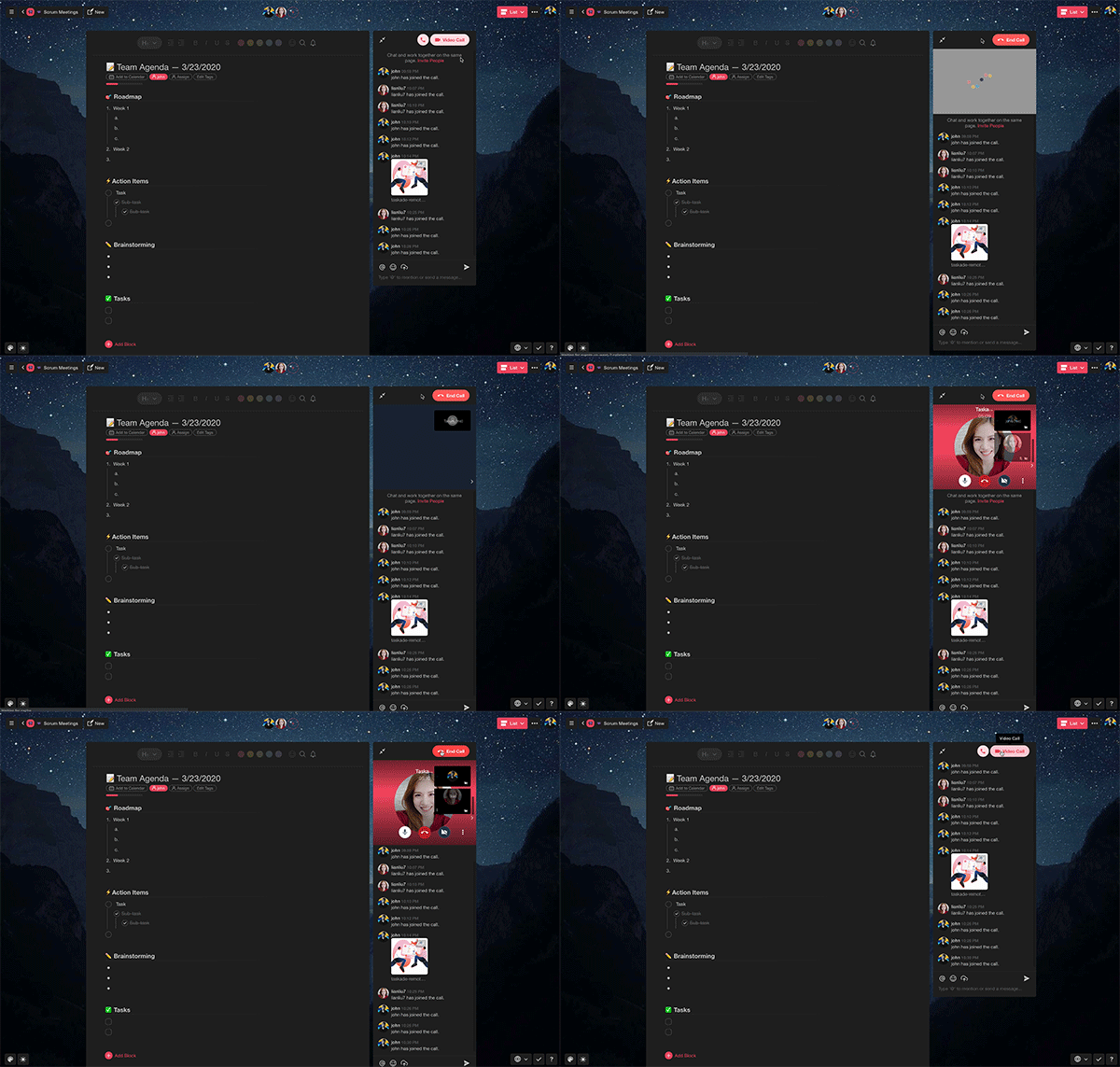
To learn more about remote collaboration on Taskade, drop by our help center or check this how-to video call template. 🎥
We hope you’re staying safe and doing well amid the chaos and uncertainty of the current situation. As always, don’t hesitate to reach out if you need a hand or just want to say hello.
We’re here for you! 🙂
— Team Taskade 🐑
Frequently Asked Questions
Does Taskade have free video conferencing?
Yes. Taskade includes free built-in video conferencing in every project. Press the Video Call button at the top of any project to start a call. All project members can join instantly — no separate app, account, or meeting link required.
Can I collaborate on projects during a video call in Taskade?
Yes. Taskade's video calls run inside the project workspace so you can edit tasks, take notes, and collaborate in real-time while on the call. Everyone on the call sees the same project and can contribute simultaneously.
Does Taskade video conferencing work on mobile?
Yes. Taskade's video calling works across web, iOS, Android, and desktop apps. Join or start a video call from any device, with the same real-time collaboration features available regardless of platform.
How do I start a video call in Taskade?
Open any project and click the Video Call button at the top-right corner. Share the project link with your team so they can join. All participants can see each other, share screens, and edit the project together during the call.