






You have a great idea. It is the best idea the world has ever seen. Maybe it is a new product, or perhaps a small tweak to how your business operates that could save hours every week. You can see exactly how it should work, who would use it, and why it would make things better.
But then reality hits. To turn that brilliant idea into something real, something your team can actually use or your customers can actually buy, you need software. And that means developers, budgets, timelines, and a whole lot of technical conversations.
Something fundamental has shifted in how we create software. The barrier between having an idea and having a working app has virtually disappeared.
TL;DR: AI app builders like Taskade Genesis create production-ready software from natural language descriptions in under 10 minutes. Unlike code generators that produce files, Genesis delivers living software with built-in AI agents, automations, and 100+ integrations. Over 150,000 apps built since launch. Build your first app for free.

The State of the App Builder Market in 2026
The software development landscape is undergoing its biggest transformation since the shift from desktop to cloud. Gartner projects the low-code and no-code platform market will exceed $187 billion by 2030, with AI-powered app builders driving the fastest-growing segment.
Three forces are converging to make this revolution possible:
| Force | Impact | Market Shift |
|---|---|---|
| Large Language Models | AI understands natural language requirements | From code-first to prompt-first |
| Cloud Infrastructure | Instant deployment without server management | From months to minutes |
| Workspace Integration | Apps inherit existing data and workflows | From isolated tools to connected systems |
This is not incremental improvement. It is a category-defining shift in who can build software and how fast they can do it.
The Hidden Cost of "Good Enough" Software
Did you know that you probably spend 21% of your time on tasks that could be automated? That is more than one full day every week doing work that software should handle.
You know exactly what needs to be fixed:
- You are stuck using accounting software that does not track the metrics you actually care about
- Your team juggles three different tools to manage one simple process
- Your customers get frustrated because your booking system does not work the way your business operates
The problem is not that good software does not exist. The problem is that good software for your weird, specific, perfectly logical business process does not exist on any app store.
According to McKinsey's 2025 Digital Transformation survey, 67% of businesses report using software that only meets 60-70% of their actual requirements. The remaining gap costs an average of 12 hours per employee per month in workarounds.
That is where AI app builders change the equation entirely.
How AI App Builders Actually Work
App builders let you create software without writing code. You describe what you need in plain English and they build business applications for you.
But here is where most app builders fail you. They give you mockups, pretty interfaces that do not actually do anything. You can create a beautiful booking form, but it cannot process leads. You can create a stunning dashboard, but it cannot connect to your real data.
What Makes Taskade Genesis Different
Taskade Genesis is different because it builds on Workspace DNA: Memory (your projects and data), Intelligence (your AI agents), and Execution (your automations). Every app you create inherits this foundation automatically.
When you ask Genesis for a booking app, you get a fully-functional backend with email confirmations, databases, and more. When you ask for a dashboard, you get live data and real business intelligence.
Everything is powered by your Taskade workspace. The data you control.
AI App Builder Comparison
| Feature | Taskade Genesis | Bolt.new | Lovable | Cursor |
|---|---|---|---|---|
| Input | Natural language | Natural language | Natural language | Code + prompts |
| Output | Living apps with AI agents | Static code files | Static web apps | Code edits |
| Deployment | Instant (one click) | Requires hosting setup | Requires hosting | Manual |
| AI Agents Built-In | Yes (built-in tools) | No | No | No |
| Automations | 100+ integrations | No | No | No |
| Persistent Memory | Workspace DNA | None | None | None |
| Custom Domains | Yes | Manual setup | Manual setup | N/A |
| Pricing | Free / $10/mo Pro | $20/mo | $20/mo | $20/mo |
The fundamental difference: code generators create files you need to deploy and maintain. Taskade Genesis creates deployed, intelligent living systems that think, learn, and execute within your workspace.
Build Your First App in 5 Minutes
Step 1: Think About What Is Slowing You Down
What manual process takes too much time? Where do you lose track of important information? What would make your customers' experience smoother?
Do not overthink it. Pick the problem that frustrated you most this week.
Step 2: Open Genesis and Describe Your Problem
New to Taskade? Click the button below to get started.
The first thing you see when you open Genesis is the prompt box.
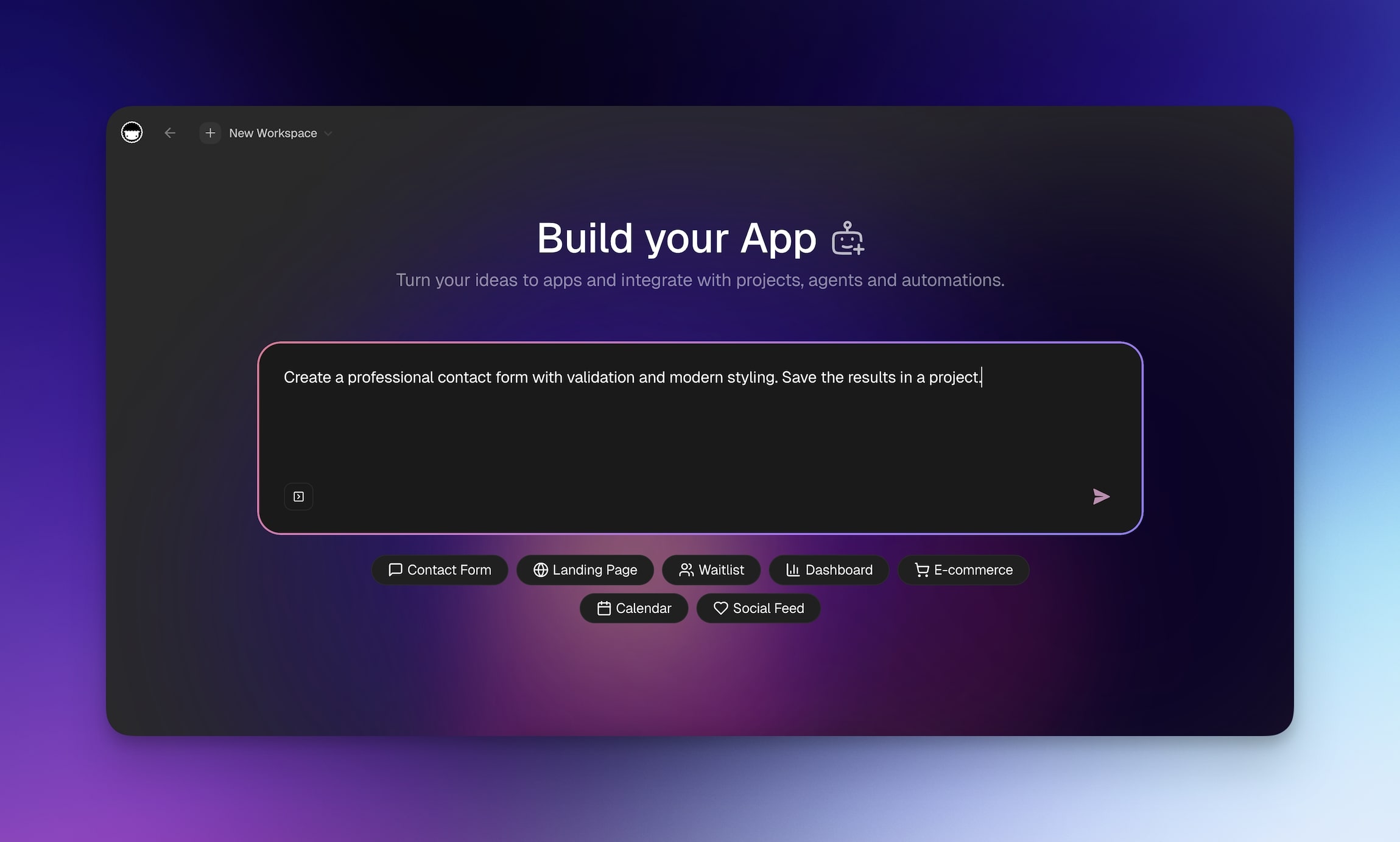
All you need to do is describe your problem or idea as you would to a friend.
Be specific about your business context. Instead of "I need a booking system," try:
"I run a massage therapy practice where clients need to book sessions with specific therapists. Build an app that will help me manage that."
The more context you give Genesis, the better your app will be.
Step 3: Watch Genesis Build Your Complete Solution
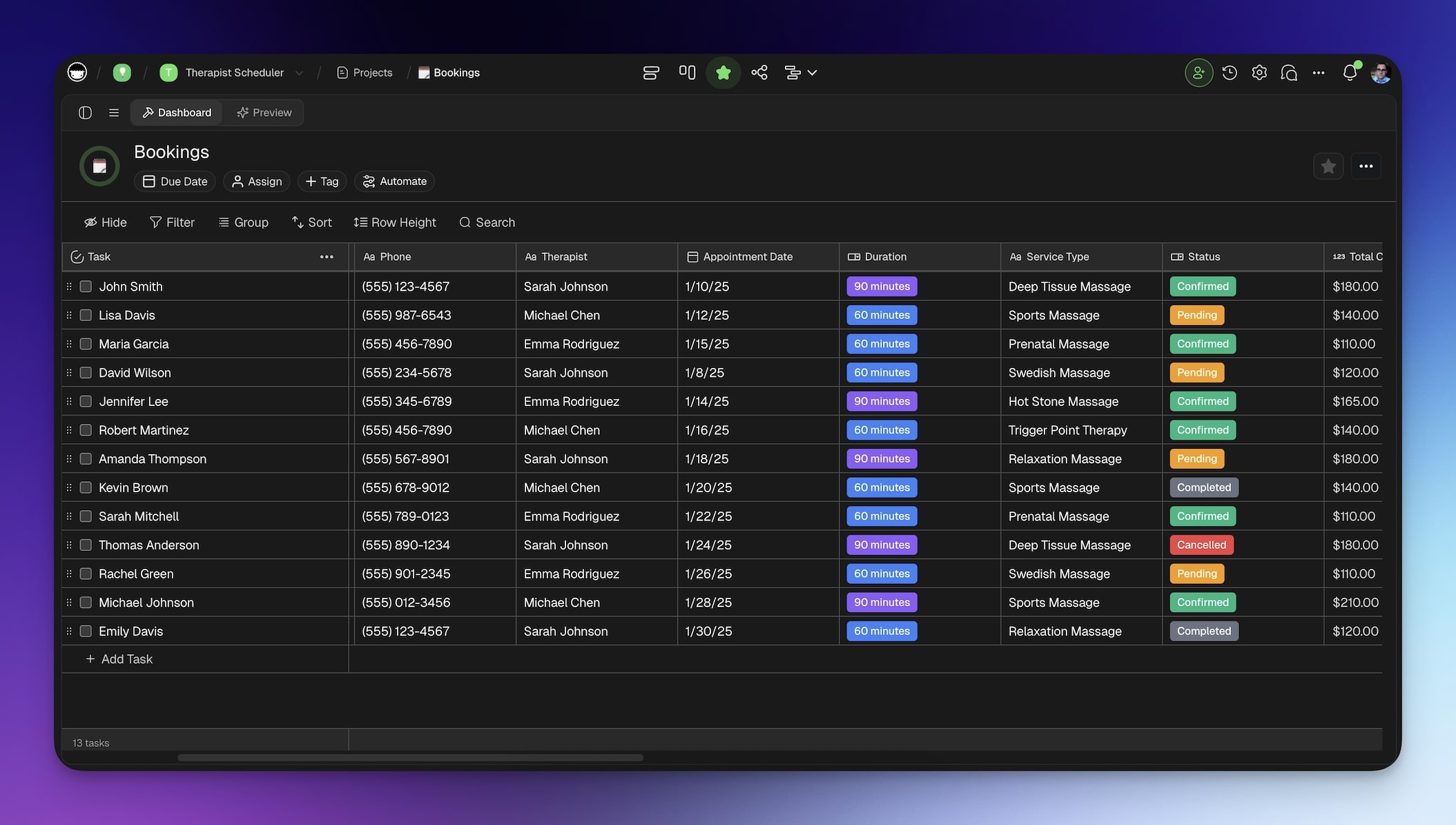
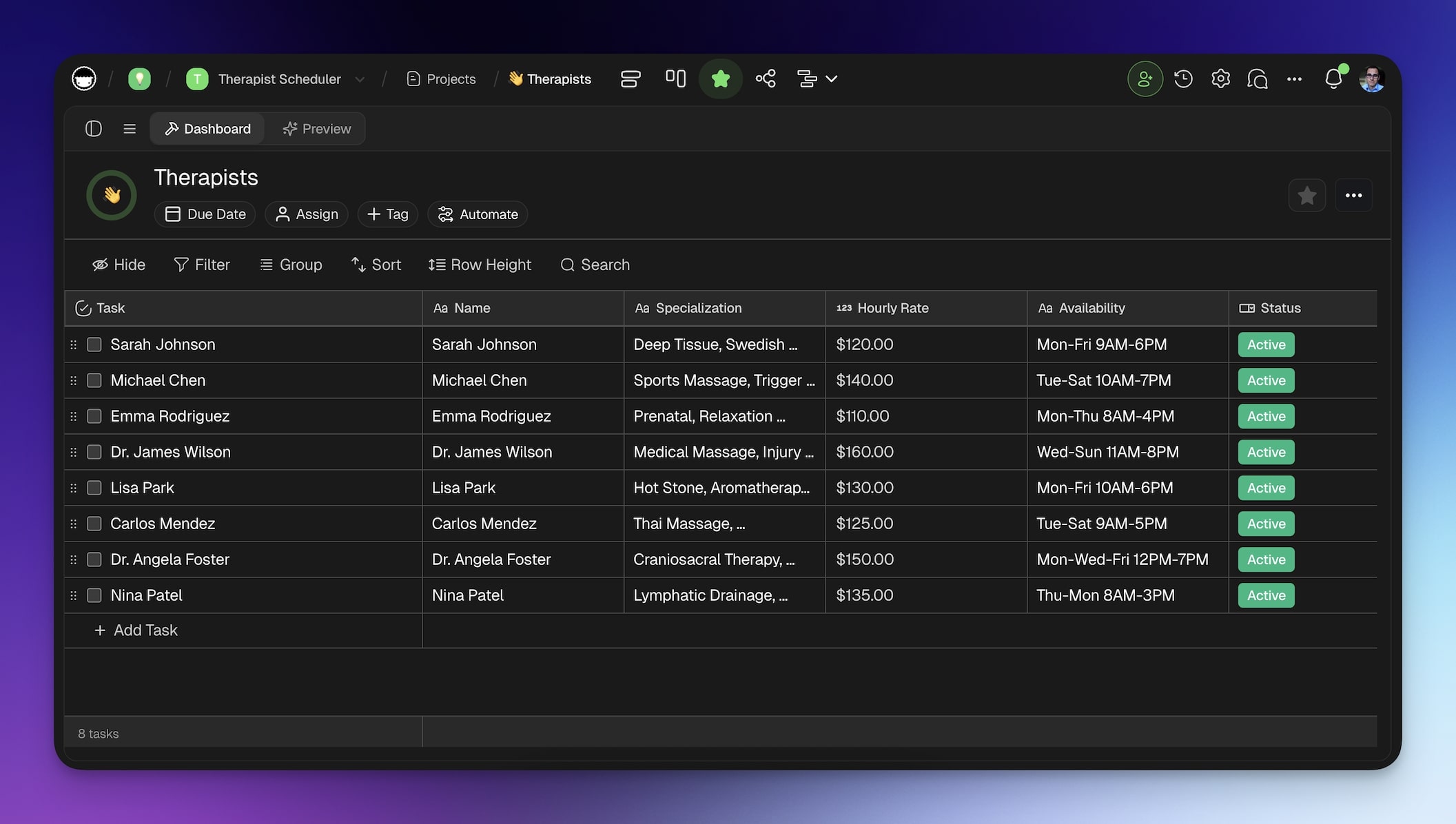
You will get a database for client information, automated workflows for follow-ups, and a working interface. An actual business logic that handles edge cases and real-world scenarios.
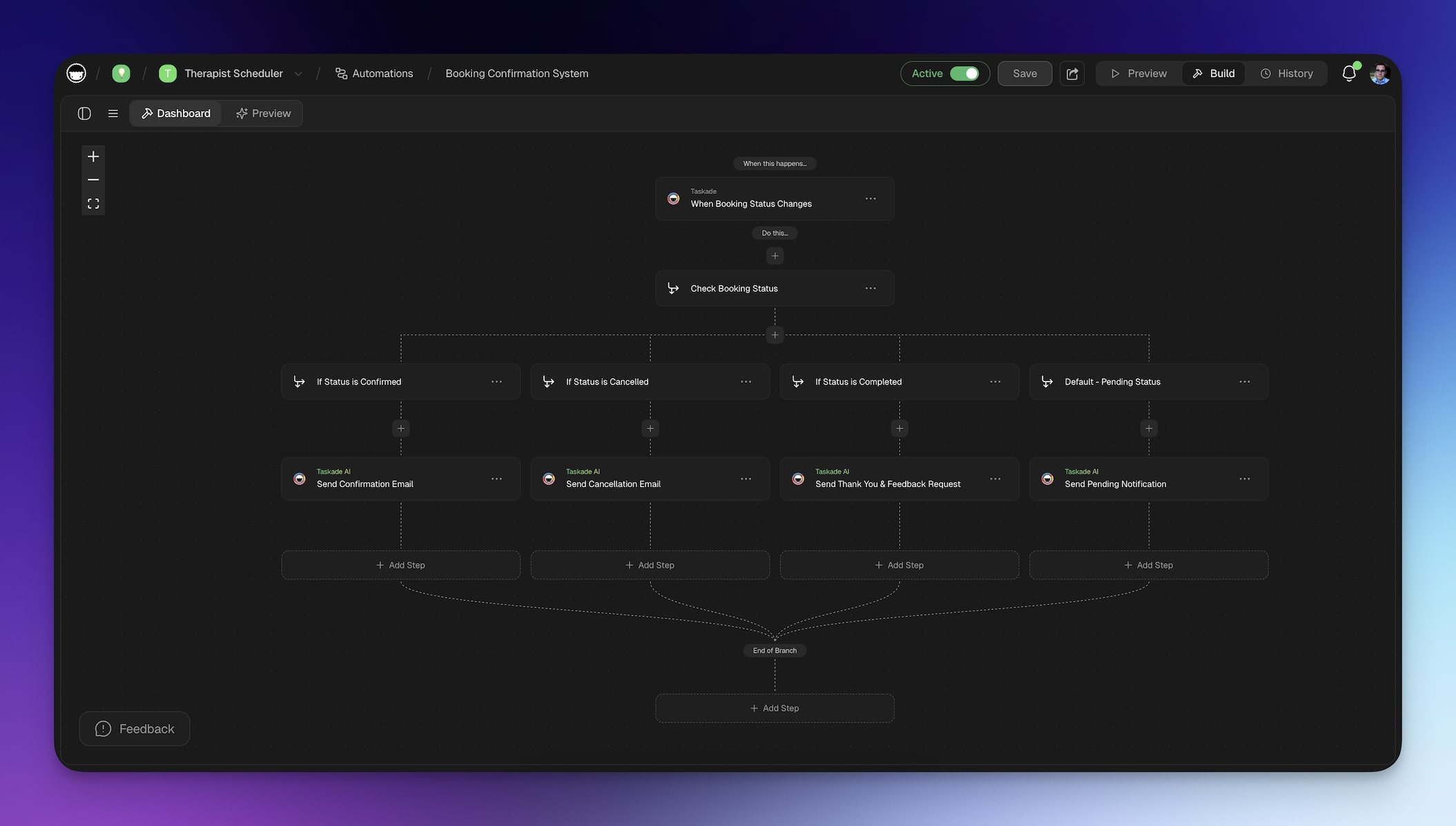
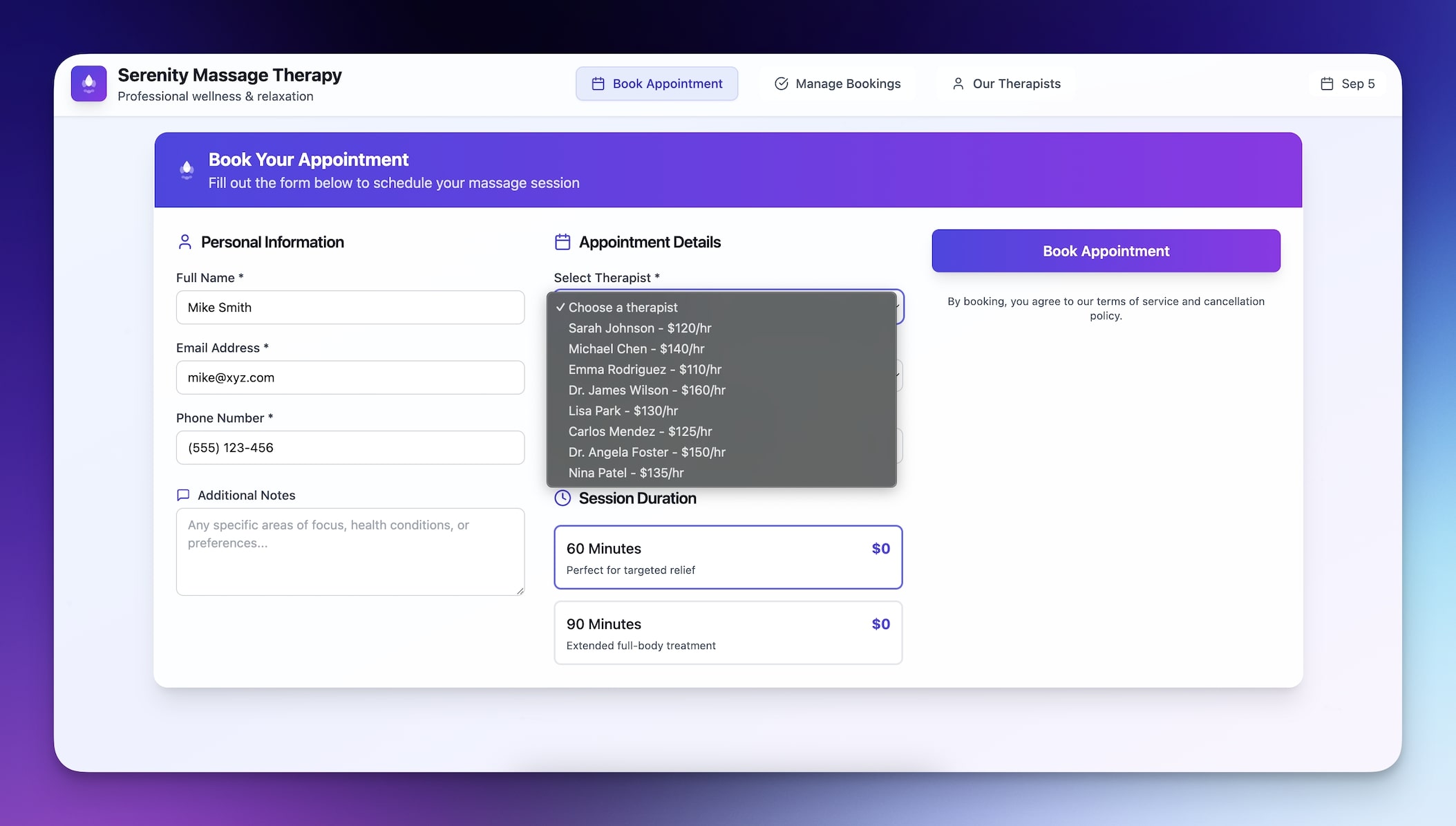
Step 4: Iterate and Test Like Your Customers Would
Click through the user flow. Submit test data. Check how it looks on your phone.
Genesis gives you a live preview so you can catch issues before your customers do.
Want to change something? Make adjustments through conversation:
"Apply dark mode and add beautiful particle effects"
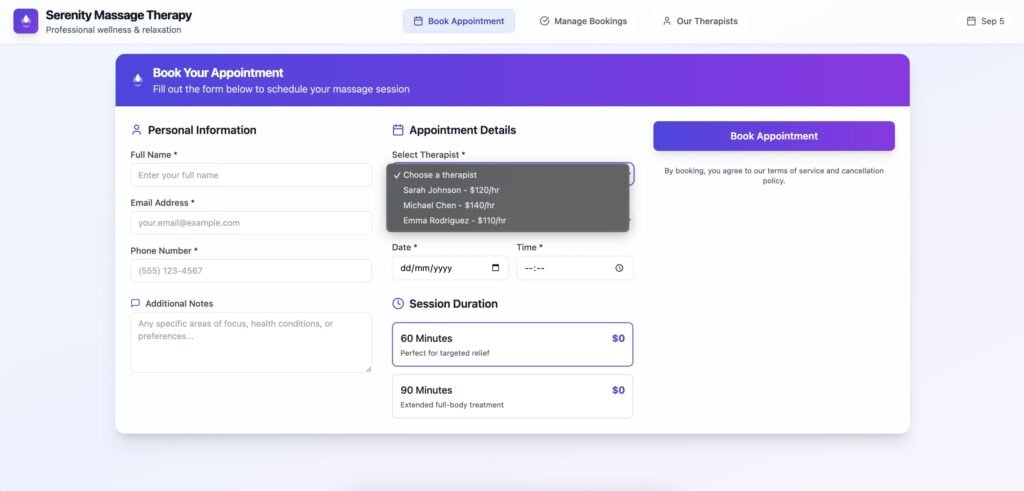
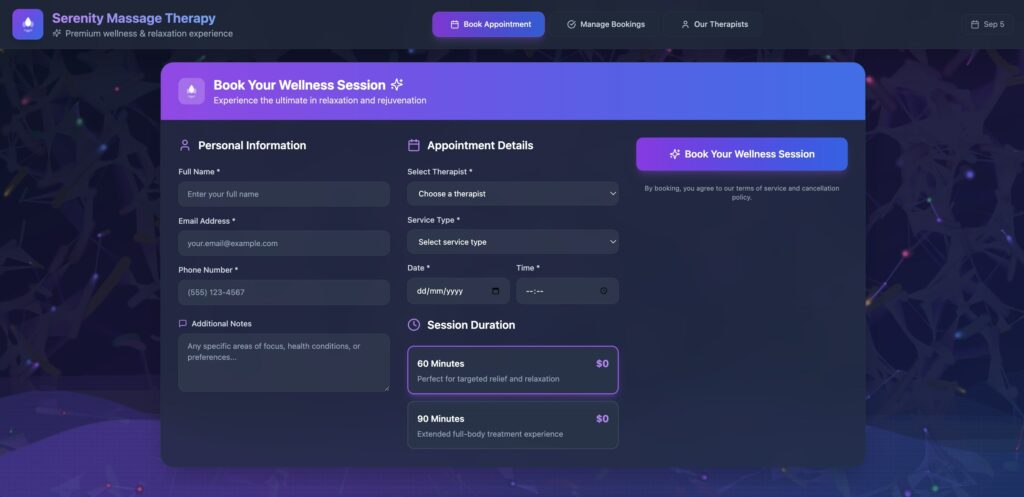
Genesis understands business language and implements changes immediately.
Step 5: Share Your App with the World
Click publish and get an instant URL. Your app supports custom domains, password protection, and even OIDC/SSO authentication for enterprise deployments.
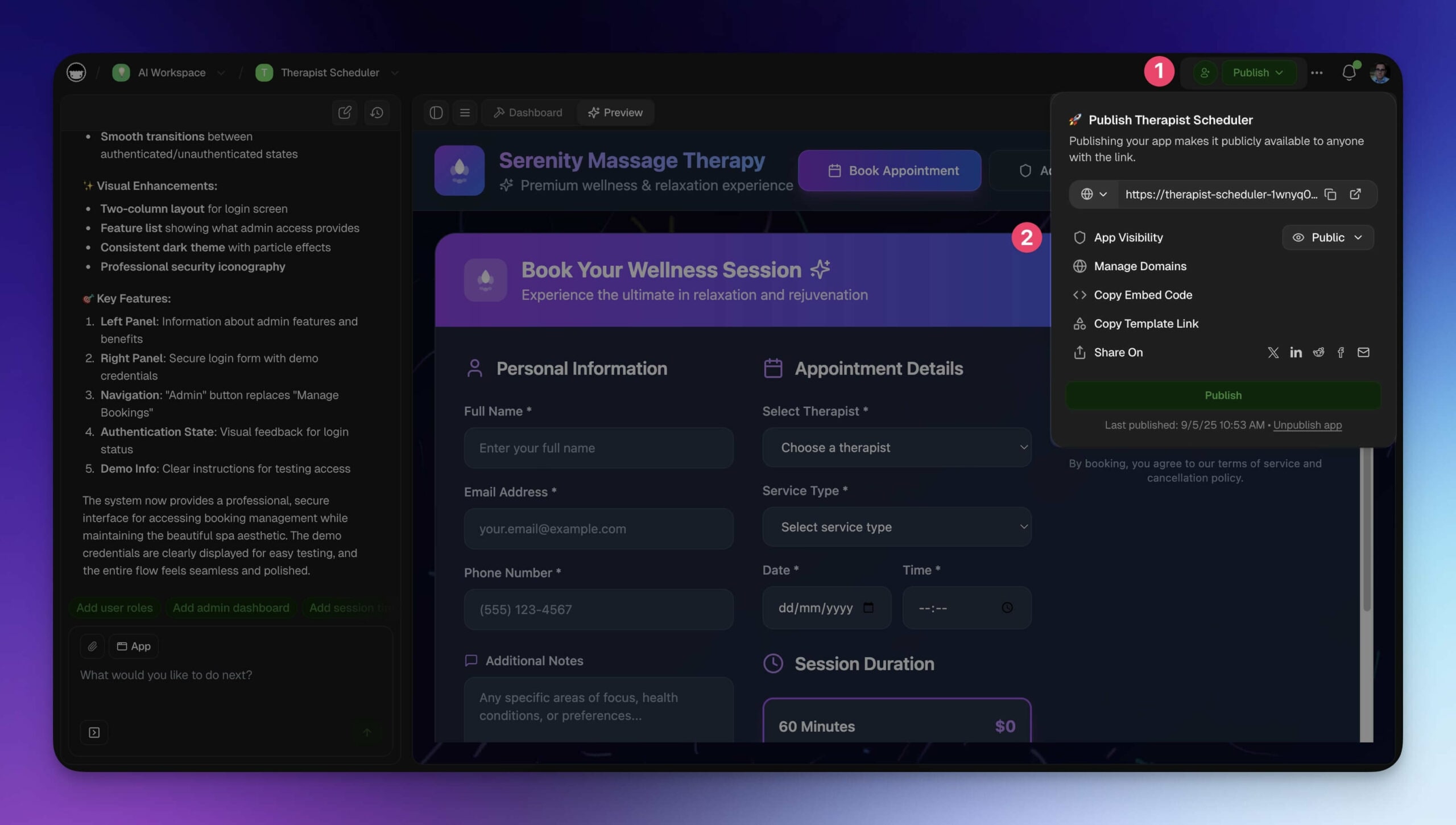
Your app is live and ready for real users. No servers to configure, no hosting to worry about.
Real Solutions You Can Build with Taskade Genesis

The best way to understand what is possible is to see how other business owners are using Genesis to solve real problems.
Customer Feedback Form
"Build a customer feedback form for my business."
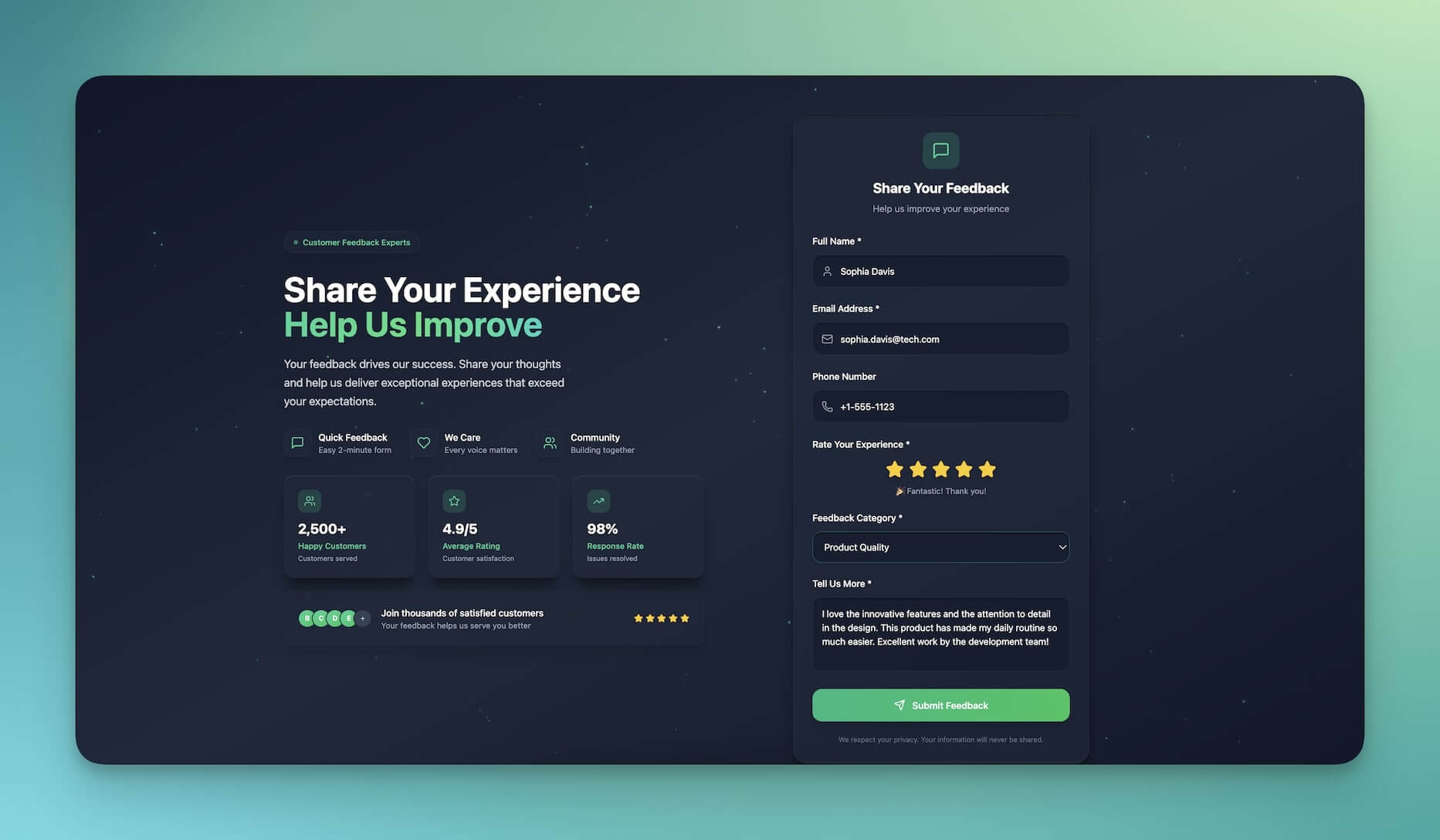
Follow-up prompts:
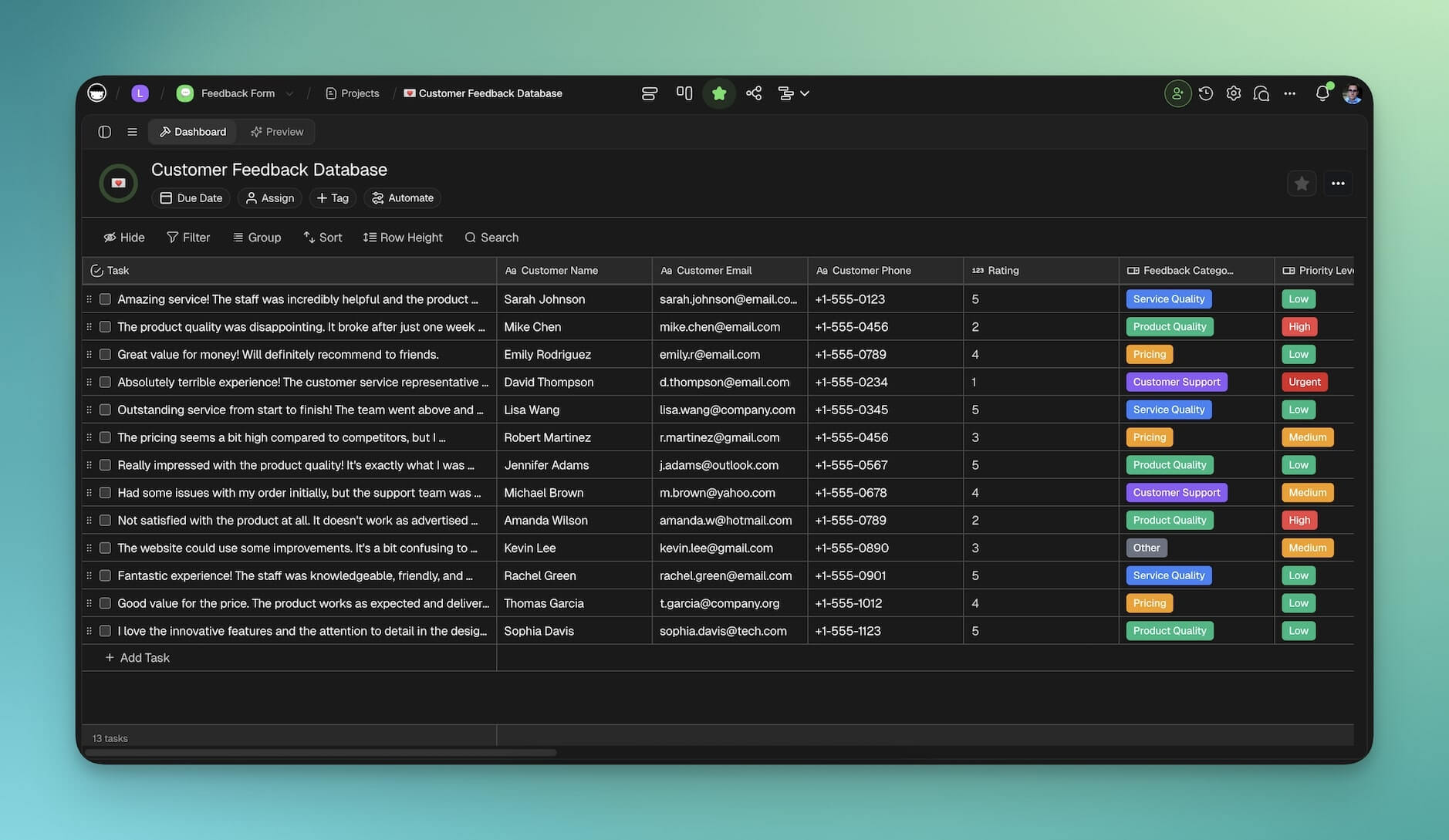
"Add automatic alerts when someone rates us 2 stars or below"
"Send urgent complaints directly to my manager's phone"
"Track feedback in a connected project database"
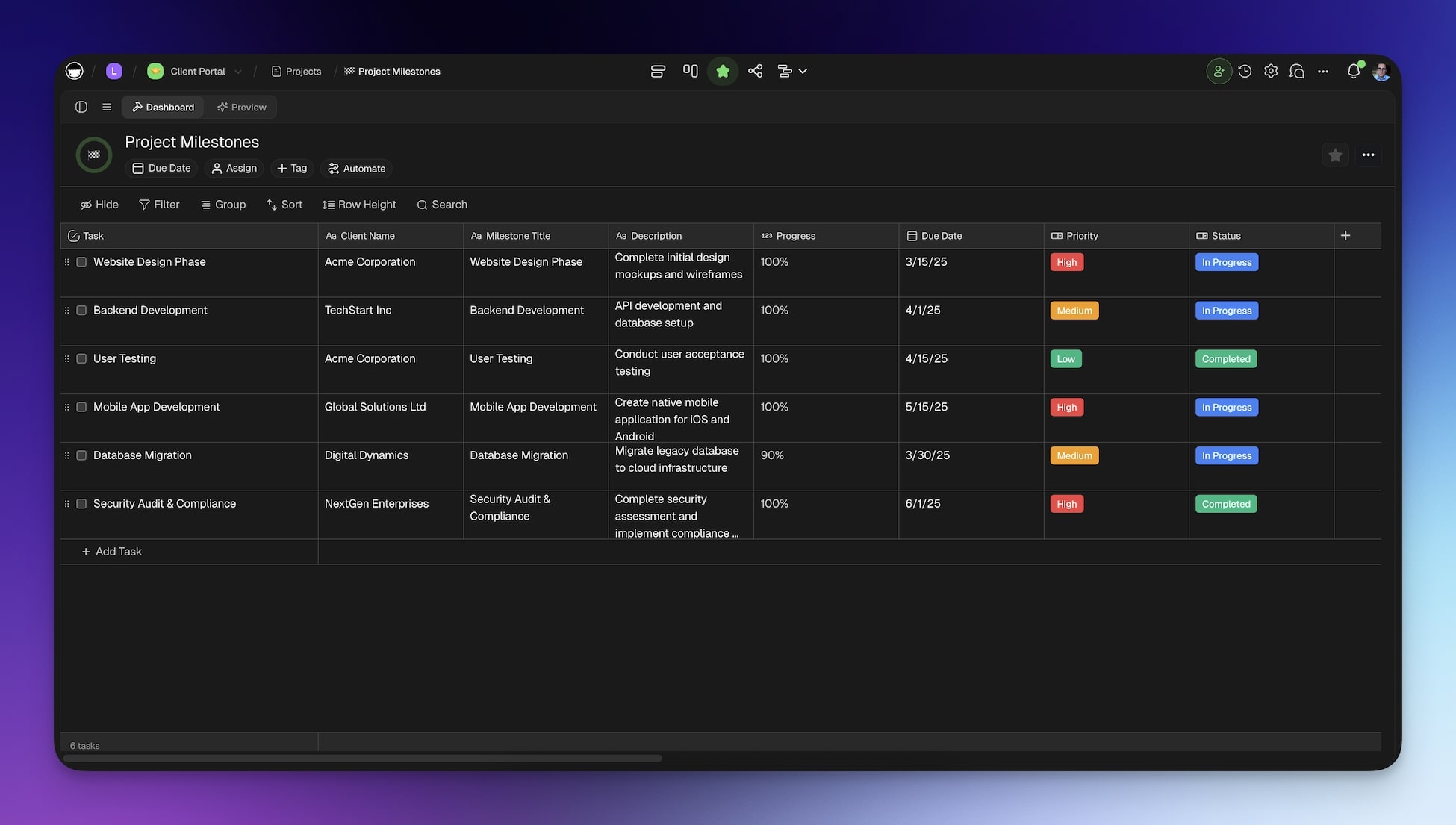
Client Portal
"Build a client portal for my development team."
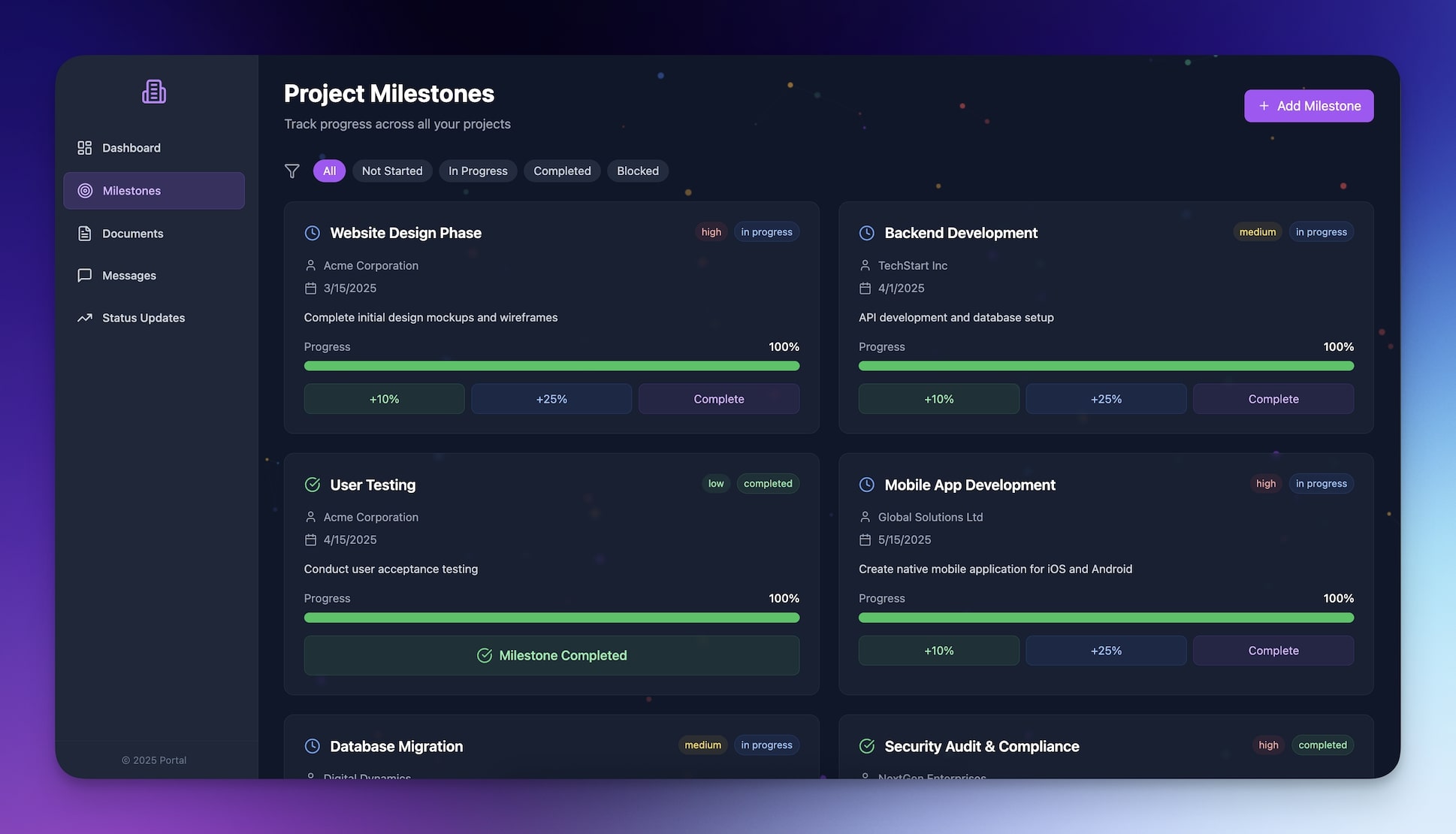
Follow-up prompts:
"Add project milestone tracking with progress bars"
"Let clients upload documents and leave comments"
"Send weekly status updates automatically"
"Include a messaging system for quick questions"
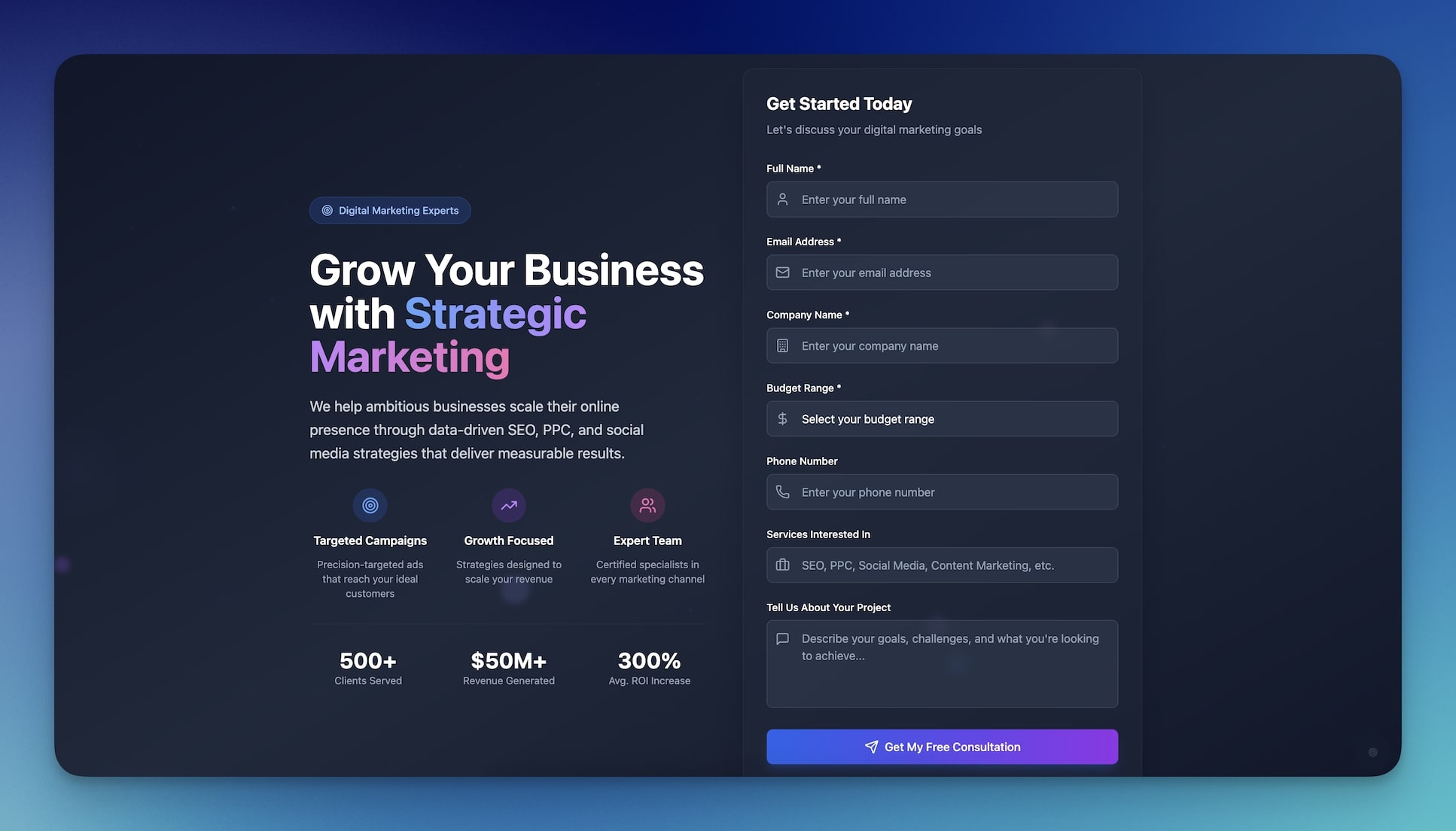
Lead Capture Form
"Build a lead capture form for my digital marketing business."
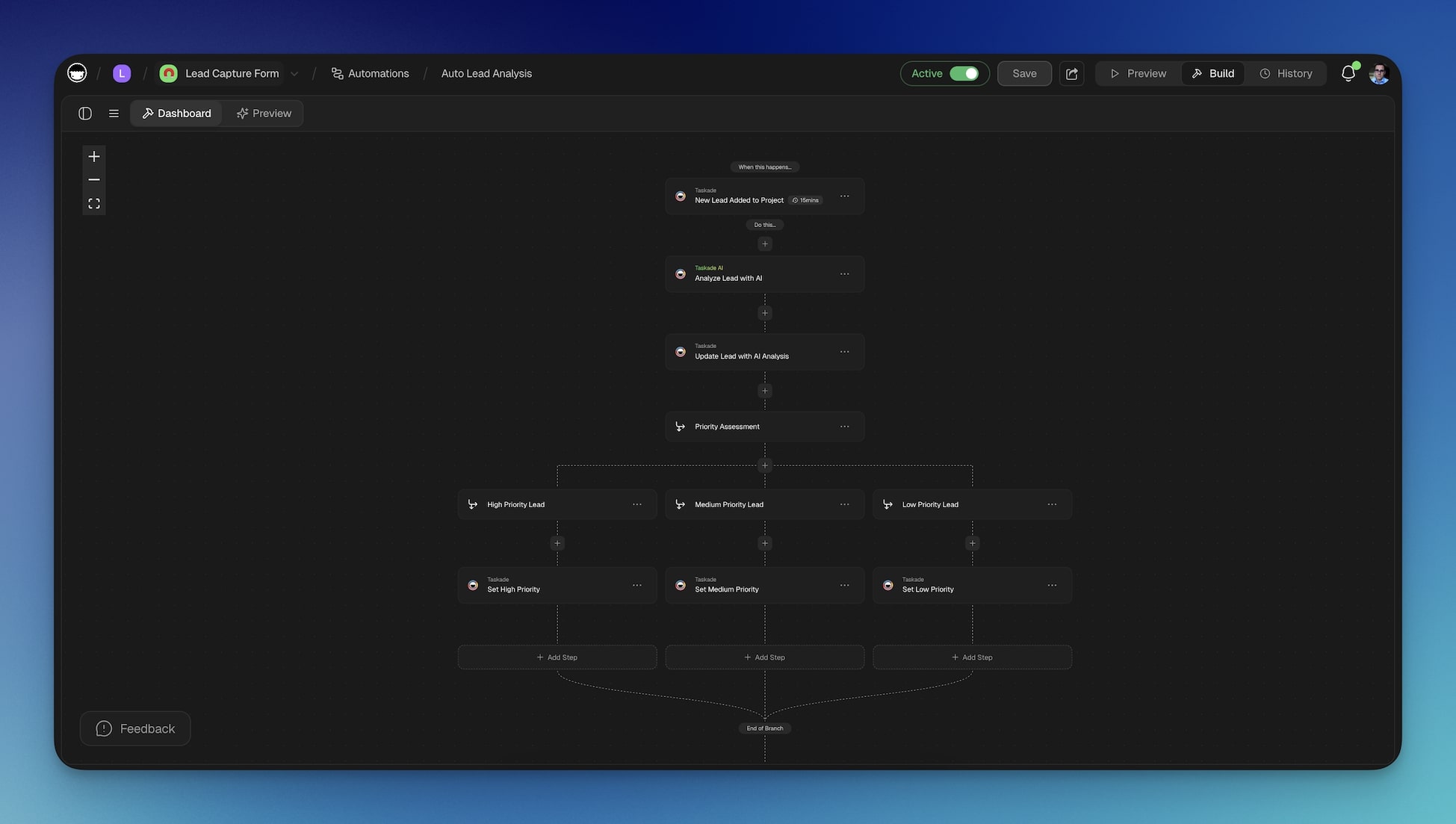
Follow-up prompts:
"Turn leads into new tasks inside the workspace"
"Automatically schedule calls for high-value prospects"
"Send follow-up emails to warm leads after 3 days"
"Track which marketing channels send the best leads"
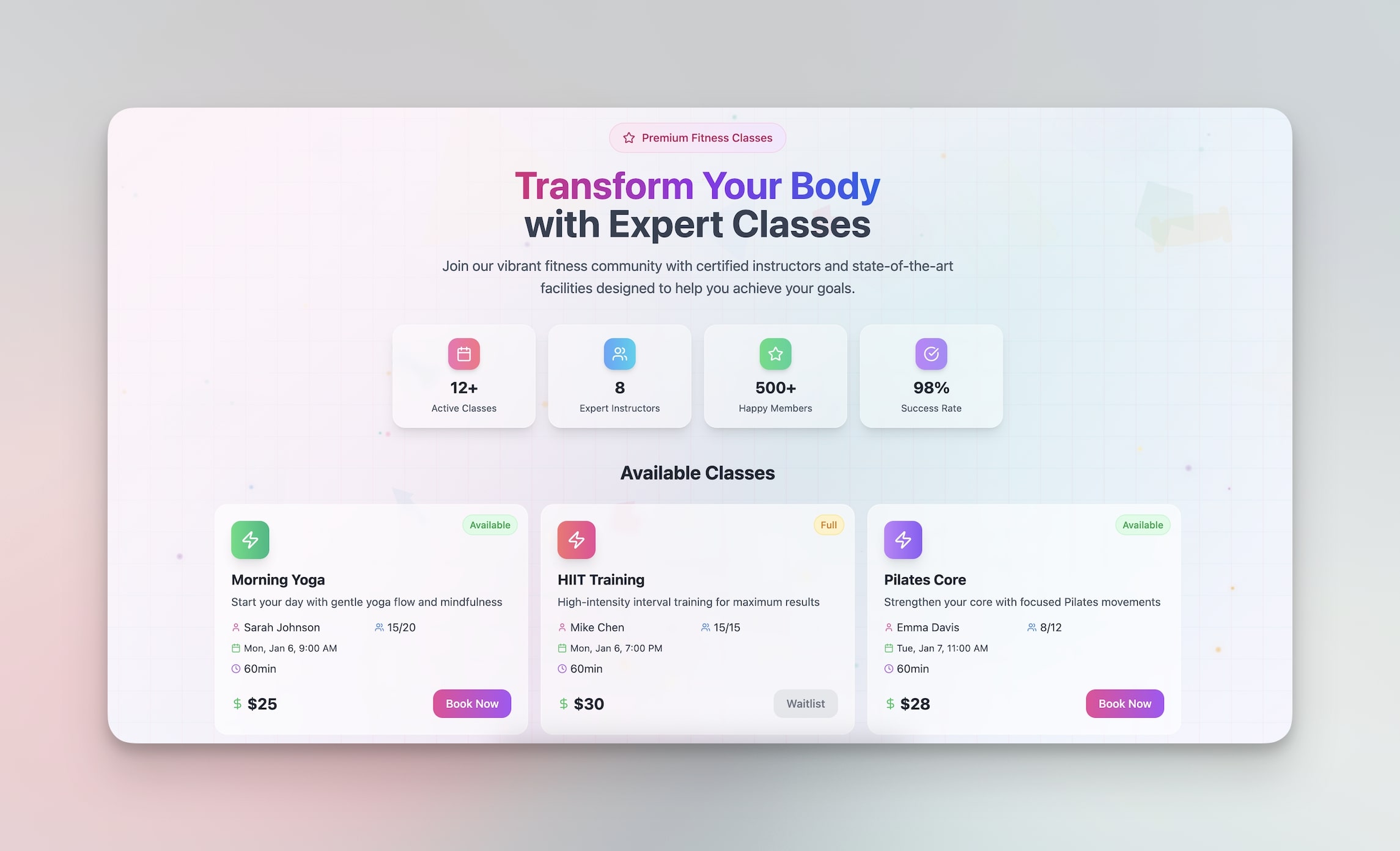
Booking Page
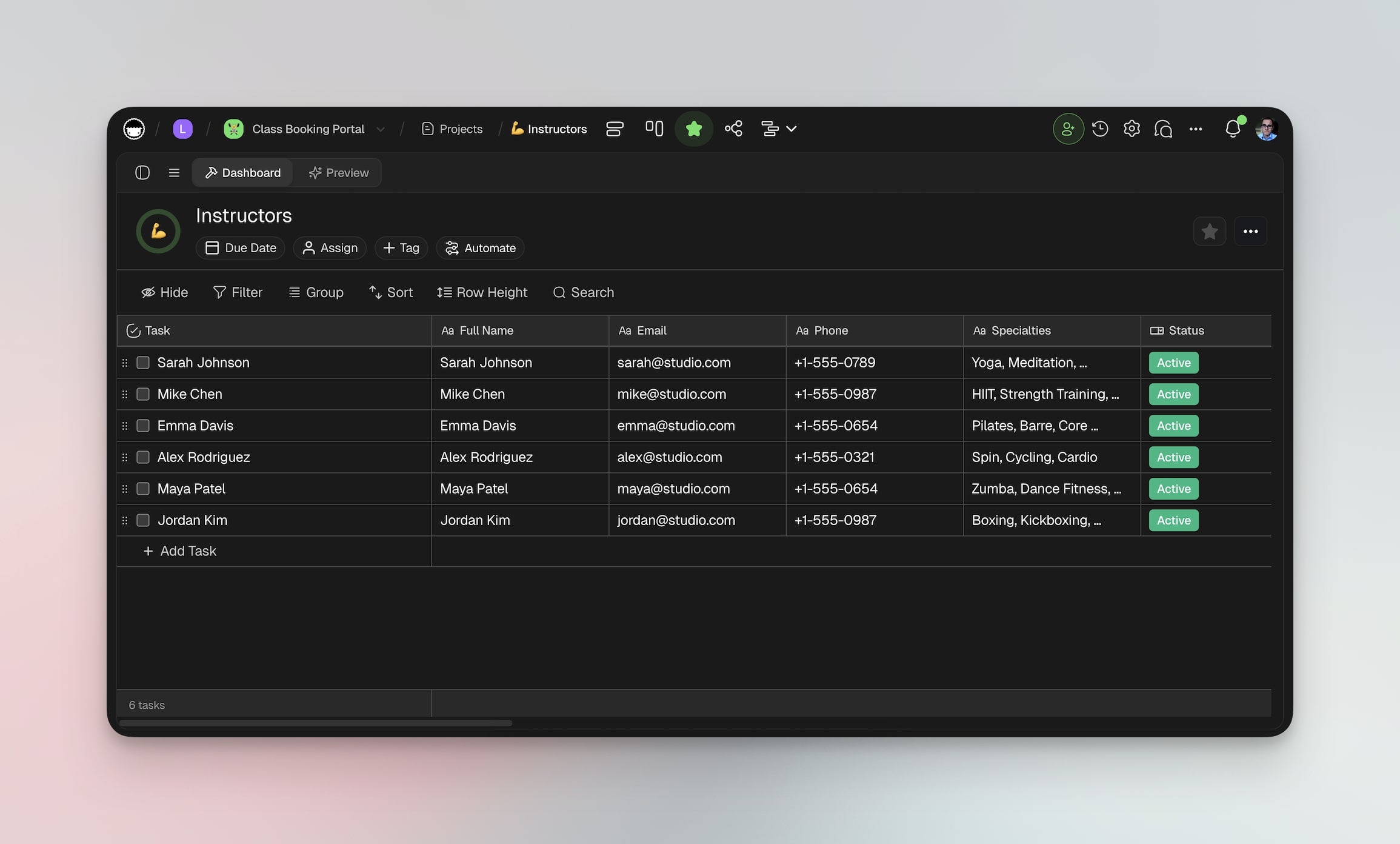
"Create a class booking system for my fitness studio."
Follow-up prompts:
"Send reminder texts 2 hours before class starts"
"Include a waitlist for popular classes"
"Let instructors mark attendance from their phone"
The Economics of AI App Building
For the first time in business software history, you do not have to be the buyer. You can be the builder.
No more settling for software that does 70% of what you need. No more paying monthly fees for features you will never use. No more explaining your business to developers who do not understand your industry.
| Metric | Traditional Development | No-Code Tools | Taskade Genesis |
|---|---|---|---|
| Time to first version | 3-6 months | 2-4 weeks | 2-15 minutes |
| Cost | $15,000-$100,000+ | $50-$500/month | Free / $10/mo |
| Technical skill required | High (developers) | Medium (visual builders) | None (natural language) |
| Built-in AI | Custom ML integration | None | AI agents + built-in tools |
| Automations | Custom coding | Limited | 100+ integrations |
| Iteration speed | Days to weeks | Hours | Minutes (via conversation) |
| Deployment | DevOps required | Platform-specific | One-click publish |
Instead of adapting your business to fit software limitations, you build software that fits your business perfectly. Every workflow, every edge case, every specialized requirement that makes your operation unique gets handled exactly the way you want.
And here is the best part: you can test ideas without betting the farm. Build it in 5 minutes, try it for a week, scrap it if it does not work, and go back to the drawing board. No 6-month development cycles. No $50K investments. Just rapid-fire testing of business ideas.
Your competitive advantage is not what software you can afford anymore. It is how quickly you can turn problems into solutions.
The Invitation
Think about the software problems in your business right now. The ones you complain about. The ones where you say "I wish this thing could just..."
Stop wishing.
Your ideas do not have to stay trapped in your head anymore. They do not have to wait for budget approval or the right developer or the perfect timing.
They can become real, working software in the time it takes to drink a cup of coffee.
What problem frustrated or inspired you most this week? That is where you start.
Build your first app with Taskade Genesis
Clone These Ready-Made Apps
Don't want to start from scratch? Clone any of these Genesis apps in one click:
| Category | Ready-to-Clone Apps |
|---|---|
| Dashboards | Finance Tracker |
| Booking Systems | Room Booking |
| Websites | SaaS Landing Page |
| Business Tools | Neon CRM |
| Productivity | Time Tracker |
Your living workspace includes:
- Custom AI Agents — The intelligence layer
- Projects and Memory — The database layer
- 100+ Integrations — The automation layer
Related Guides:
- What is Vibe Coding? — The new era of app creation
- 10 Best AI App Builders — Complete comparison
- 10 Best AI Website Generators — Build sites without code
- 10 Best AI Dashboard Builders — Analytics made easy
- Free AI App Builders — No-cost options compared
- Text to App — The prompt-to-deploy pipeline
- Origin of Living Software — Where it all began
- How Workspace DNA Works — The architecture explained
- Build Your First AI App — 12 beginner examples
- Agentic Workflows for Startups — Practical applications
- What Are AI Agents? — The intelligence behind your apps
- AI Predictive Project Management — Smarter planning
Explore Taskade:
- AI App Builder — Build complete apps from one prompt
- AI Dashboard Builder — Generate dashboards instantly
- Workflow Automation — Automate any business process
- Community — Browse and clone community apps
- Generator Templates — Apps, dashboards, websites, and more
- Agent Templates — AI agents for every use case

Frequently Asked Questions
What is an AI app builder?
An AI app builder creates working software from natural language descriptions. Instead of writing code or dragging UI components, you describe what you need and the AI generates a functional application with interface, database, and logic. Taskade Genesis produces complete apps in under 10 minutes with built-in AI agents and workflow automations.
Can I build real business software without hiring developers?
Yes. AI app builders produce functional business tools including CRMs, booking systems, dashboards, and client portals from text descriptions. The output is working software with databases, forms, and automations that you can deploy immediately, not a static mockup. Taskade Genesis pricing starts at Free with Pro plans at $10/month.
How long does it take to build an app with AI?
Most AI app builders produce a working first version in 2-15 minutes depending on complexity. Traditional development of equivalent functionality typically takes weeks to months. The AI-generated app serves as a starting point you can iterate on through conversation.
What is the difference between AI app builders and traditional no-code tools?
Traditional no-code tools like Bubble and Webflow require you to manually design interfaces and configure logic, which still takes hours to days. AI app builders start from a text description and produce a complete application. Taskade Genesis adds Workspace DNA, meaning apps get built-in AI agents, automations, and 100+ integrations automatically.
How big is the AI app builder market?
Gartner projects the low-code and no-code platform market will exceed 187 billion dollars by 2030. The AI app builder segment is growing fastest, with over 150,000 apps built on Taskade Genesis alone since launch. The shift from code-first to prompt-first development represents a fundamental change in how software gets created.
What types of apps can I build with AI?
AI app builders handle dashboards, CRMs, booking systems, landing pages, client portals, feedback forms, inventory trackers, e-commerce tools, and internal business applications. Taskade Genesis supports custom domains, password protection, and OIDC/SSO authentication for enterprise use cases.
What is vibe coding and how does it relate to app builders?
Vibe coding is a development approach where you describe what you want in natural language and AI builds it. Taskade Genesis pioneered workspace-native vibe coding, where apps are built within your existing workspace and automatically inherit your AI agents, project data, and automation workflows.
Can multiple people collaborate on an AI-built app?
Yes. Taskade Genesis apps live in shared workspaces with role-based access control (Owner to Viewer). Teams can co-edit apps in real time, and published apps can be shared publicly or embedded in websites. The Community Gallery hosts apps for anyone to clone and customize.
How do AI app builders compare to hiring developers?
Hiring developers for a custom business app typically costs 15,000 to 100,000 dollars and takes 3-6 months. AI app builders produce equivalent functionality in minutes for a fraction of the cost. The tradeoff is less pixel-level control, but the speed advantage makes it practical to test ideas before committing to custom development.
What happens to my data in AI-built apps?
In Taskade Genesis, your data stays in your workspace under your control. You can export, modify, or delete it anytime. Apps are backed by your Taskade workspace (Workspace DNA), so all data flows through the same secure infrastructure with 100+ integrations.