






AI Prompting Guide 2026: Write Effective Prompts for GPT-4, Claude & LLMs
Learn how to write effective AI prompts in 2026. Complete guide to prompting GPT-4, Anthropic Claude (latest), o1, and other LLMs for better results in writing, coding, and analysis.
On this page (20)
Interacting with AI models like GPT-4 or Llama 2 is easy. You type a prompt — a set of instructions for the AI — and wait for the magic to happen. 🪄 Except, sometimes the results are not quite what you expected. But don't worry, because this guide will help you up your AI prompting game.
Here's the thing — in the world of artificial intelligence, your words are your currency. The clearer and more precise your AI prompts, the more likely you are to hit the jackpot and get the golden nugget of information you're after (yes, we know that’s a cheesy metaphor).
This AI prompt writing guide is designed to demystify communication with artificial intelligence and give you a clear path from a newbie prompter to a fully-fledged prompt engineer. And the best part? It's tailored for everyone, whether you're already familiar with AI or just starting out.
So, without further ado, let's dive in! 🚀
💡 Just a heads up… all the examples were made with Taskade AI.
⚙️ Understanding LLMs and Their Response Mechanisms
“Do robots dream of electric sheep?” 🐑
We don’t know. But what's clear is that there's a whole lot of buzzing in their electronic brains between the time you type in your query and the moment you get a response.

A large language model (LLM) uses complex algorithms to analyze language structures, identify patterns, and understand context. This allows it to generate responses that are not only relevant to prompts provided by the user (yes, we're looking at you!) but also coherent and contextually sound.
The model doesn't "understand" text in the human sense.
It calculates probabilities of what word or phrase should logically follow next.
Every time you type a prompt, the language model performs a detailed analysis of its content. It evaluates the syntax, identifies the main themes, and correlates these with its stored knowledge to generate an accurate and relevant answer (well, most of the time).
Of course, this is a tl;dr version. If you want to learn more, be sure to check our article that takes an in-depth look into Generative AI.
With the basics out of the way, let’s have some fun. 🥳
⭐ Tips For Effective AI Prompting
Coke's kept their recipe a secret for over 100 years — talk about playing hard to get! But when it comes to AI prompt writing we believe in sharing the love.
Effective prompts consist of three key ingredients that make them so effective.
First, there's clarity — your prompt should be crystal-clear, so the AI knows exactly what you're looking for. Then comes context — background information can help the AI understand the prompt in the right frame. And don't forget about specificity — this steers the AI in the direction you want it to go.
The key is to find the right ratio of each ingredient.
Be Clear and Specific
Language models are excellent at deciphering the nuances of the human language, thanks in large part to advancements in natural language processing (NLP).
Except for the times when they’re not.
Remember, AI can't read your mind (for now); it relies entirely on the information you input as well as its own training data. That’s why you need to use simple and straightforward language to convey your intent — no jargon, vague expressions, unnecessary complexity, or ambiguous phrases.
Take a look at these AI prompt examples:
Prompt: "Tell me about that thing in space."
"Tell me about that thing in space."
Answer: "Space contains many objects like planets, stars, and satellites. Could you specify what you're referring to?"
That didn't go well, but we can try to improve the prompt:
Prompt: "Explain the formation of black holes in space."
Answer: "Black holes form from the remnants of a large star that has ended its life cycle. When such a star depletes its nuclear fuel, it undergoes a supernova explosion and collapses into a dense point, creating a black hole."
"Explain the formation of black holes in space."
As you can see, a precise prompt yields much better results.
Tell It What To Do And What Not To Do
In many ways, an LLM is like a spirited toddler — it can display a wide range of behaviors, some desired and some not. To make the most of your AI-powered tool, you've got to be crystal clear about what you want it to do and what's off-limits. It needs to be right there from the start.
In your prompt, include specific instructions about what the AI should include or exclude, the desired tone, the required level of detail, and any boundaries or restrictions you want to set.
Here are two examples:
Prompt #1
Prompt #1: "Write a short sci-fi story without any violence, suitable for young teenagers."
Answer: "In the year 2305, humanity had reached the stars, but none shone as brightly in our imaginations as the mysterious Planet Lumina. Hidden in a distant galaxy, it was said to be a world where the impossible was possible (...)"
Prompt #1:
Prompt #2
Prompt #2: "Provide email marketing tips for a health and wellness brand, avoiding aggressive sales tactics and focusing on building trust with the audience."
Answer: "For a health and wellness brand, focus on providing valuable content related to health tips and wellness practices. Use a gentle, informative tone in your emails. Build trust by sharing testimonials and success stories, and avoid overt sales pitches. Encourage readers to explore your services in a non-intrusive way."
Use Context
Let's consider the following scenario.
You're asking an AI assistant to book a table at a nearby restaurant. You define the price and maximum distance, but you forget to specify your culinary preferences and restrictions.
The AI could point you to a lively Mexican place or a serene French bistro — not the worst recommendations by any measure. That's as long as you're not on a gluten-free mission or your taste buds prefer a gentle whisper over a spicy serenade. 🌮
The lesson for today? AI models need context to give you tailored responses.
This boils down to giving them extra details, even if they may seem obvious — the reasons behind your queries, the timing of your requests, what you're looking for, and any other relevant information.
To see how retrieval techniques pair with generation to supply that missing context, check out our breakdown of Retrieval Augmented Generation (RAG).
To better understand this tip, compare these two AI prompts:
Prompt #1
Prompt #1: "Find me a restaurant within 5 miles under $30 per person."
Answer: "There's a popular Mexican restaurant 4 miles away, the average cost per meal is $25 per person. They're known for their vibrant flavors and lively atmosphere."
Prompt #1:
Prompt #2
Prompt #2: "Find me a gluten-free restaurant within 5 miles under $30 per person."
Answer: "There's a quaint Italian place 3 miles away offering a variety of gluten-free options. The average cost is $28 per person, and they have a serene ambiance."
"Find me a gluten-free restaurant within 5 miles under $30 per person."
See the difference? 👌
Provide Details of How the Output Should Appear
There are many ways you can shape the AI output to better match your intent.
For instance, a simple prompt like: "Generate a summary of the latest scientific discoveries in the field of biology" will return a paragraph of text listing key findings and breakthroughs. Useful, but you still need to put in some work to format and organize it. AI is supposed to do that for you.
To save some time, you can provide more details on the structure of the expected response, such as requesting bullet points, a Markdown syntax, a numbered list, or a concise paragraph.
Here's what we mean by that:
Prompt #1:
Prompt #1: "Summarize the key points of the latest UN climate report."
Answer: "The latest UN climate report highlights the increasing pace of climate change, the urgent need for global emissions reduction, and the significant impacts on ecosystems and biodiversity."
Prompt #1:
Prompt #2
Prompt #2: "List the top 5 findings of the latest UN climate report in bullet points."
Answer:
"1. Global temperatures are rising faster than expected.


Emissions must be halved by 2030 to avoid severe impacts.

Ocean acidification is accelerating.

Climate change disproportionately affects poorer regions.

Renewable energy adoption is key to mitigation."
"List the top 5 findings of the latest UN climate report in bullet points."
Give Examples
Let’s go back to our toddler analogy (this is the last time; we promise!)
Like children, LLMs can learn by imitation. And we’re not just talking about the extensive data sets they are fed during training. An LLM can also learn from the examples you provide during chats.
Examples can come in all shapes and sizes — samples of text in specific styles or tones, code snippets for programming tasks, existing graphic designs for creative projects, or even structured data.
This way, you can nudge the AI to follow the format, style, or tone you desire, essentially "teaching" it to mimic your preferences and intentions. Here's a simple example to better illustrate this point:
Prompt: "Extract key information from this business meeting transcript. Example of extracted data: Date: [Date], Attendees: [Names], Key Decisions: [Decisions]"
Answer: "Date: April 10th; Attendees: John, Sarah; Key Decisions: Increase marketing budget, Launch new product line in Q3"
P
Use Tones
The tone of AI’s responses mirrors the language and tone you use when interacting with it. But you don't have to leave it all to chance. You can set the desired tone in the prompts you provide.
If you ask the AI model to explain something in a cheerful and simple manner, it will adapt its language to fit that request. If you prefer a more formal or technical tone for a specific task, simply mention that preference in your prompt; the model will switch gears, and don a metaphorical lab coat. 👩🔬
It’s that simple.
Prompt #1: "Explain how photosynthesis works in a cheerful and simple way."
Answer: "Photosynthesis is like a magic trick plants perform! They take sunlight, water, and CO2, and turn them into food and oxygen. Isn't that amazing? It's like cooking, but with sunlight!"
Prompt #1
"Explain how photosynthesis works in a cheerful and simple way."
Not the most elegant explanation, but it gets the message across!
Prompt #2
Prompt #2: "Provide a formal and technical explanation of quantum computing."
Answer: "Quantum computing refers to the use of quantum-mechanical phenomena, such as superposition and entanglement, to perform computation. Quantum computers operate on quantum bits, or qubits, which represent and store information in a multidimensional state."
"Provide a formal and technical explanation of quantum computing."
Define The Audience
What's your aim?
Educating, entertaining, or advising? Each goal needs a different style. Education needs clarity, entertainment should be engaging, and advice should be straightforward.
Culture matters too. Different places have different norms. If your audience comes from a diverse range of cultures, it's important to be sensitive to those differences and adapt your style.
Finally, consider the medium. Written content may require a more formal tone, while spoken or video content can often be more conversational. Ultimately, it's all a matter of who you're talking to.
AI may know how to appeal to specific audiences, but it's your job to guide it.
Prompt #1
Prompt #1: "Write an educational piece on climate change suitable for a global audience."
Answer: "Climate change is a global challenge affecting every region on Earth. While its impacts vary across different geographies, the need for collective action is universal. Understanding local contexts is key to developing effective strategies that respect cultural diversity (...)"
"Write an educational piece on climate change suitable for a global audience."
Prompt #2
Prompt #2: "Create a script for a podcast episode on work-life balance in a conversational tone."
Answer: "Welcome to our podcast! Today, we're diving into the world of work-life balance. It's not just about dividing your time; it's about enjoying both work and leisure. So, how do we find that sweet spot? Let’s talk about setting boundaries, finding what energizes you (...)"
"Create a script for a podcast episode on work-life balance in a conversational tone."
Point Out Mistakes
A big part of working with AI is correcting its mistakes.
From petty blunders like mixing up dates or names to more significant errors in understanding a complex topic, these slip-ups are part of the learning curve.
When you catch a mistake, don't hesitate to point it out.
It could be as simple as saying, “Actually, the event happened in 2001, not 2011,” or as complex as explaining a nuanced concept that the AI misunderstood.
If you do nothing and let the AI run with its narrative, it will perpetuate the mistake in subsequent generations. The errors will compound and undercut whatever you're working on.
Here are two ways you can correct AI's mistakes:
AI Statement: "The Mars Rover Curiosity landed on Mars in 2016."
Possible Correction: "Actually, the Mars Rover Curiosity landed on Mars in 2012, not 2016."
AI Statement: "The Mars Rover Curiosity landed on Mars in 2016."
AI Statement: "Photosynthesis in plants occurs in the mitochondria."
Possible Correction: "Photosynthesis in plants actually occurs in the chloroplasts, not the mitochondria. Chloroplasts contain chlorophyll, which is essential for photosynthesis, whereas mitochondria are involved in cellular respiration."
AI Statement: "Photosynthesis in plants occurs in the mitochondria."
Iterative Prompting
Here’s the bad news: Even if you follow all the tips from this guide, there will be times when your AI input and output will not align perfectly. The good news is that’s just part of the learning curve.
Consider it a creative collaboration.
Each time you fine-tune your AI prompts, you're teaching the AI model a bit more about what you're after. It's like a dance — sometimes you lead, sometimes you follow.
Iterative prompting allows you to gradually refine AI’s understanding of what you’re working on within a single conversation. This could mean adding more details, asking a different set of questions, or even correcting misconceptions. Consider the following examples:
AI Statement: "Here's a basic recipe for chocolate chip cookies: Mix flour, sugar, and chocolate chips. Bake at 350°F for 12 minutes."
Follow-up: "Thanks for the recipe! To make it even better, consider adding a pinch of salt for flavor balance, using brown sugar for a chewy texture, and chilling the dough for an hour before baking for softer cookies."
AI Statement: "Here's a travel itinerary for a weekend trip: Day 1 - Museums, Day 2 - Parks."
Possible Correction: "I'd like to refine the itinerary. On Day 1, let's prioritize art museums, and on Day 2, focus on nature parks with hiking trails. Also, any restaurant recommendations nearby?"
Advanced Techniques in Prompt Engineering
Ready for the next level? 🚀
Great!
Then let's move on to the arcane arts of prompt engineering: advanced techniques. You may not need them in casual chats, but they will come in handy whenever you want to delve deeper into a topic.

Persona Creation
Did you know that AI can have its own, unique personality?
Well, not a real personality. At least not in the human sense of the word. It’s more of a reflection of the many ways or tones we humans use to communicate.
For instance, a travel guide will use a completely different language and tone compared to a fitness coach. They will also boast different expertise and priorities.
Imagine crafting a character for a novel. That's what persona creation is all about.
You’re essentially “training” AI to mimic human-like communication within a specific context — the right words, tone, and responses to make the model seem more human, without the fluff.
Check these AI prompt examples to see what we mean:
Persona: Travel Blogger 📸
"You are a travel blogger with a passion for exploring hidden gems around the world. Share your latest adventure in a lively and descriptive manner, highlighting the unique experiences you've encountered."
Persona: Health Guru 🧘♀️
"You are a health and fitness guru known for your expertise in nutrition. Give a detailed explanation of the benefits of a balanced diet and the importance of regular exercise, using a motivational and informative approach."
Cognitive Verifiers
Sometimes, the best way to find an answer is to, well… ask more questions.
The cognitive verifier pattern is an advanced prompting technique that involves encouraging AI to ask additional questions for better clarity or context.
Think of it as an intellectually stimulating conversation with a friend. You start with one question and dig deeper to get to the heart of the matter. But in this case, you’re prompting AI to figure out the questions itself, before it generates an output. Here's how it works.
Prompt #1: "Please analyze the economic impacts of climate change by answering three specific questions. Each question should focus on a different economic aspect. Then, integrate these answers for a comprehensive understanding."
Prompt #1: "Please analyze the economic impacts of climate change by answering three specific questions. Each question should focus on a different economic aspect. Then, integrate these answers for a comprehensive understanding."
AI's Response:
Sub-Question 1: How is climate change affecting global agricultural output and food prices?

Sub-Question 2: What financial burdens are climate-related natural disasters placing on infrastructure and the insurance industry?
Sub-Question 3: How does climate change influence the global energy market, particularly the shift towards renewable sources?
Integrated Answer: Climate change is reducing agricultural output, leading to higher food prices globally. It is also causing more frequent and severe natural disasters, resulting in significant financial strain on infrastructure and insurance industries. Furthermore, it's accelerating the shift towards renewable energy, requiring substantial investment but offering potential long-term economic benefits and sustainability.
Prompt #2: "To explore the health effects of climate change, answer three targeted questions covering different health-related issues. Then, combine these answers to provide an overall perspective on climate change's impact on health."
Prompt #2: "To explore the health effects of climate change, answer three targeted questions covering different health-related issues. Then, combine these answers to provide an overall perspective on climate change's impact on health."
AI's Response:

Sub-Question 1: How does climate change influence the spread of infectious diseases?
Sub-Question 2: What are the effects of climate-induced air pollution on respiratory health?
Sub-Question 3: What mental health challenges are associated with climate-related disasters?
Integrated Answer: Climate change is expanding the range of infectious diseases by altering the habitats of disease vectors. It's worsening air pollution, which aggravates respiratory conditions like asthma. Additionally, climate change is leading to an increase in mental health issues, such as depression, as people face the consequences of climate-related disasters. These aspects together show how climate change is a significant threat to public health.
Chain of Thought (CoT) Prompting
CoT involves providing a series of "thought nodes" to the model. Each nodes represents a part of the overall reasoning process, and the model evaluates the output at each stage.
For instance, in a standard prompt, you might simply ask, "If it costs $1.50 to paint a square foot, and the room is 10 feet by 12 feet, what is the total cost to paint the room?"
With Chain of Thought prompting, you guide the model through each calculation step:
"Calculate the area by multiplying the length by the width, which gives us 10 feet times 12 feet. Then, multiply the total area by the cost per square foot, which is $1.50."
Unlike traditional prompting, CoT prompting encourages AI models to evaluate their reasoning at each stage of a generation. This means that, if everything goes well, a model will correct its course if it identifies an error in its reasoning process.
Consider two more AI prompt examples:
Few-Shot Prompting: "Three friends go out to dinner. The total bill is $75. They decide to split the bill equally. How much does each person pay?"
"To find out how much each person pays, divide the total bill by the number of people. $75 divided by 3 equals $25. So, each person pays $25."
Few-Shot Prompting: "Three friends go out to dinner. The total bill is $75. They decide to split the bill equally. How much does each person pay?"
Direct Instruction Prompting: "Water freezes at 0 degrees Celsius and boils at 100 degrees Celsius. Let's work through the problem step by step. At what temperature is water both a solid and a liquid?"
AI's Response:
"To solve this, think about the state of water at different temperatures. Water turns from liquid to solid at 0 degrees Celsius and from liquid to gas at 100 degrees Celsius. Therefore, at 0 degrees Celsius, water can be both solid and liquid during the freezing process."
Direct Instruction Prompting: "Water freezes at 0 degrees Celsius and boils at 100 degrees Celsius. Let's work through the problem step by step. At what temperature is water both a solid and a liquid?"
Prompt Templates and Frameworks
Alright, here's a little hack that might seem obvious but is a real game-changer.
Most people’s interactions with AI revolve around one-off prompts. They're great for when you need a quick result, like generating clever tweets. But to get the most out of AI, you need to think bigger.
Instead of spending minutes or hours writing prompts, create a set of templates to speed things up.
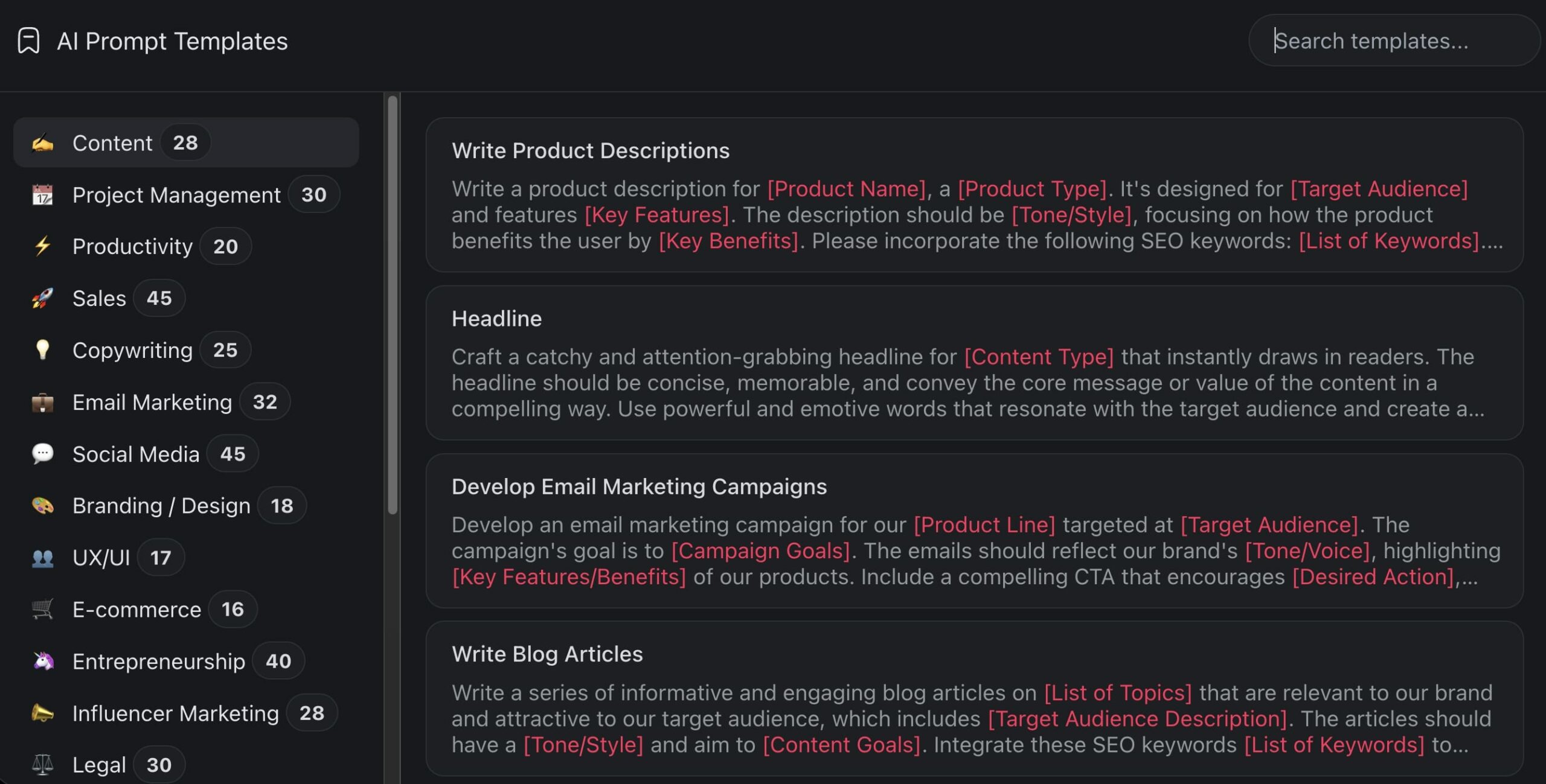
It doesn’t have to be anything elaborate. You can start with a few conversation starters that have given you good results in routine tasks. Whether it's data analysis, content generation, or customer support, custom templates can save you a ton of time. And speaking of templates...
Did you know that Taskade comes with hundreds of AI prompt templates for every occasion? You can also check other catalogs with the finest selection of Taskade's AI generators and AI bots and agents,
System vs. User vs. Assistant Messages
Every modern AI API — whether OpenAI, Anthropic, or Google — structures conversations around three message types. Understanding this architecture is the single biggest unlock for better AI results, yet most prompting guides skip it entirely.
Here's the three-layer message architecture:
System message — The hidden instructions that define who the AI is, what it can do, and how it should behave. Users typically don't see this. When you use ChatGPT, Claude, Gemini, or Grok, there's a system prompt running in the background shaping every response. (We analyzed 120+ of these in our leaked system prompts study.)
System: "You are a senior marketing strategist with 15 years of
experience in B2B SaaS. You provide actionable advice backed by
data. You format responses with clear headers and bullet points.
You never recommend strategies without explaining the reasoning."
User message — This is your prompt. The question, instruction, or task you send to the AI. This is what most people think of as "prompt engineering."
User: "Create a go-to-market plan for a new project management
tool targeting remote teams of 10-50 people."
Assistant message — The AI's response. In multi-turn conversations, previous assistant messages become part of the context, which is why the AI "remembers" what you discussed earlier in the chat.
Why does this matter for your prompting? Because the system message is the most powerful lever. A well-crafted system message can transform the same user prompt from a generic response into an expert-level answer.
In Taskade, every AI agent you build has its own system prompt — the agent's persona, knowledge, and commands. When you configure an agent, you're writing the system message. When you chat with it, you're writing the user message. Understanding this separation lets you put permanent instructions in the system layer and keep your user prompts short and focused. See How to Build Your First AI Agent in 60 Seconds for a hands-on walkthrough.
Model-Specific Prompting Tips
Not all AI models respond the same way to the same prompt. After studying leaked system prompts from every major AI company, we've identified how each model's behavioral programming shapes its responses — and how you can adjust your prompts accordingly.
ChatGPT (GPT-4, GPT-4o, o1)
ChatGPT is optimized for helpfulness and broad knowledge. Its system prompts emphasize being "helpful, accurate, and safe." It tends to produce longer, more detailed responses by default.
- Use explicit length constraints ("Answer in 3 sentences") to control verbosity.
- For reasoning tasks, ask it to "think step by step" — GPT models respond well to explicit chain-of-thought triggers.
- o1 and reasoning models handle multi-step logic internally. You don't need to break down the reasoning — just state the problem clearly.
Claude (Anthropic)
Claude's system prompts are calibrated for nuance and intellectual honesty. It's designed to acknowledge uncertainty, ask clarifying questions, and avoid over-formatting.
- Claude responds well to conversational, direct prompts. You don't need elaborate structures.
- If you want lists or structured output, ask explicitly — Claude's default is to write in prose.
- For complex analysis, Claude excels when given all the context upfront rather than drip-fed across multiple turns.
Gemini (Google)
Gemini's system prompts emphasize conciseness. Its internal instructions often say "fewer than 3 lines of text output per response" and favor brevity.
- If you need detailed output from Gemini, explicitly override its conciseness bias: "Provide a comprehensive answer with full details."
- Gemini handles multimodal inputs (images, code, documents) natively. Use non-text inputs when possible.
- For factual queries, Gemini benefits from web-grounded prompts that reference current information.
Grok (xAI)
Grok is designed to be more direct, edgy, and willing to engage with controversial topics. Its system prompts encourage "shortest answer" patterns.
- Don't expect diplomatic answers. Grok's strength is its directness — lean into that for tasks where you want unfiltered analysis.
- For creative tasks, Grok can produce unexpectedly original results because it's less constrained by safety defaults.
- Like Gemini, Grok defaults to brevity. Ask for detail explicitly when needed.
The key takeaway? The same prompt will produce different results across models — not because one model is "better," but because each has different default behaviors baked into its system prompt. Adjust your prompts to work with each model's tendencies, not against them. And if you're wondering whether prompts alone are enough, read why chatbots are demos while agents are execution.
In Taskade, you can select from 11+ AI models across OpenAI, Anthropic, and Google and switch between them per agent. This means you can build specialized agents that use the best model for each task.
Final Thoughts: Elevating Your AI Prompting Skills
Phew… that was a crazy ride.
We hope that the prompt crafting tips from this article will make your interactions with AI more productive and seamless. You can apply them all at once, or experiment with one or two and compare your results. Before you go, here’s what we learned today:
🔸 Be clear and specific
🔸 Tell AI what to do and what not to do
🔸 Use context
🔸 Provide details of how the output should appear
🔸 Give examples
🔸 Use tones
🔸 Define the audience
🔸 Point out mistakes
🔸 Refine your prompts with each generation
🔸 Create AI personas
🔸 Practice Chain of Thought (CoT) prompting
🔸 Use cognitive verifiers
🔸 Understand the system/user/assistant message architecture
🔸 Adjust your prompts for different models (ChatGPT, Claude, Gemini, Grok)
And that's it!
Did you know that Taskade is the only AI productivity tool you need to get stuff done?
Taskade includes a range of powerful AI features that will help you organize projects, manage tasks, and collaborate in real-time with team members, all wrapped in a user-friendly interface.
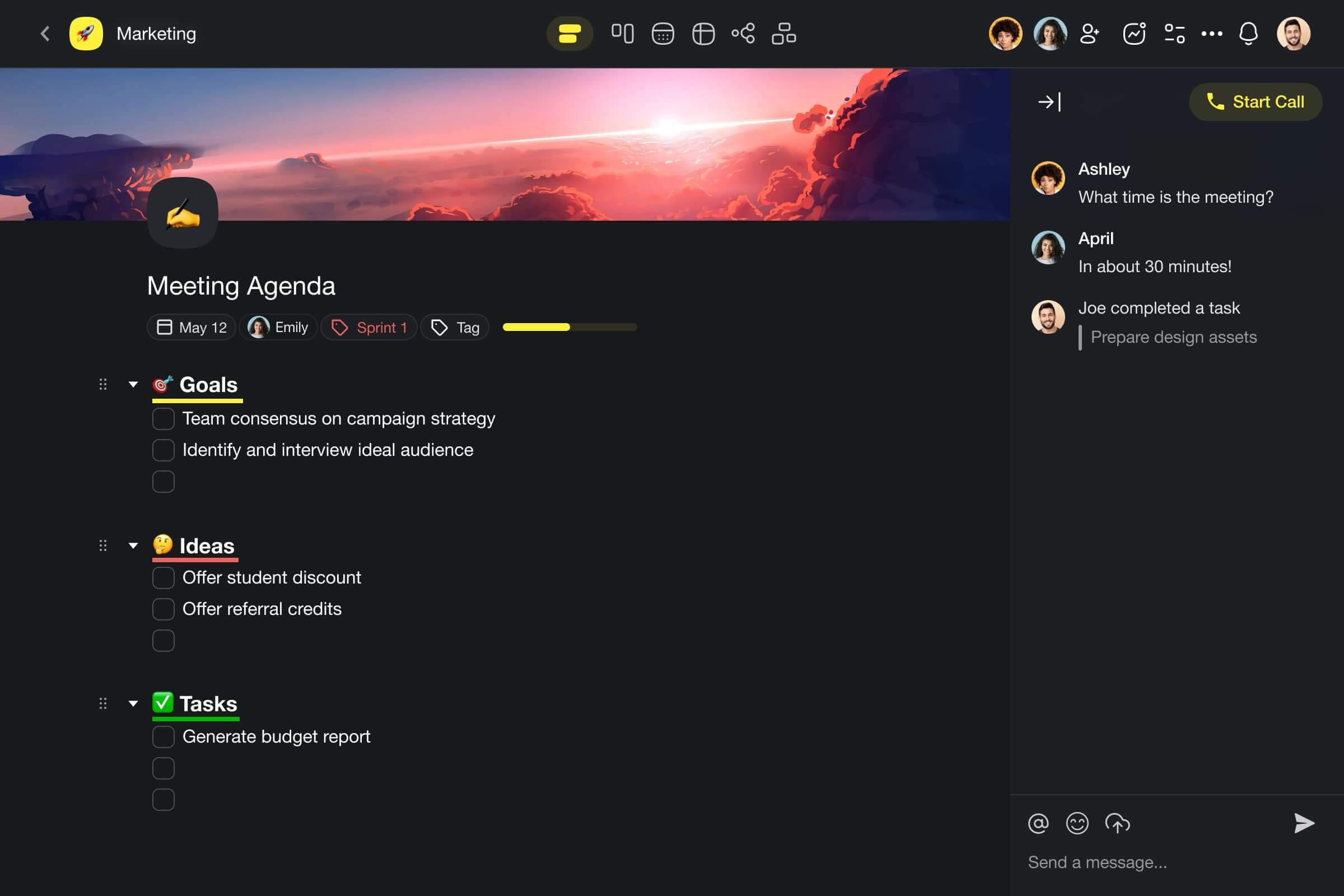
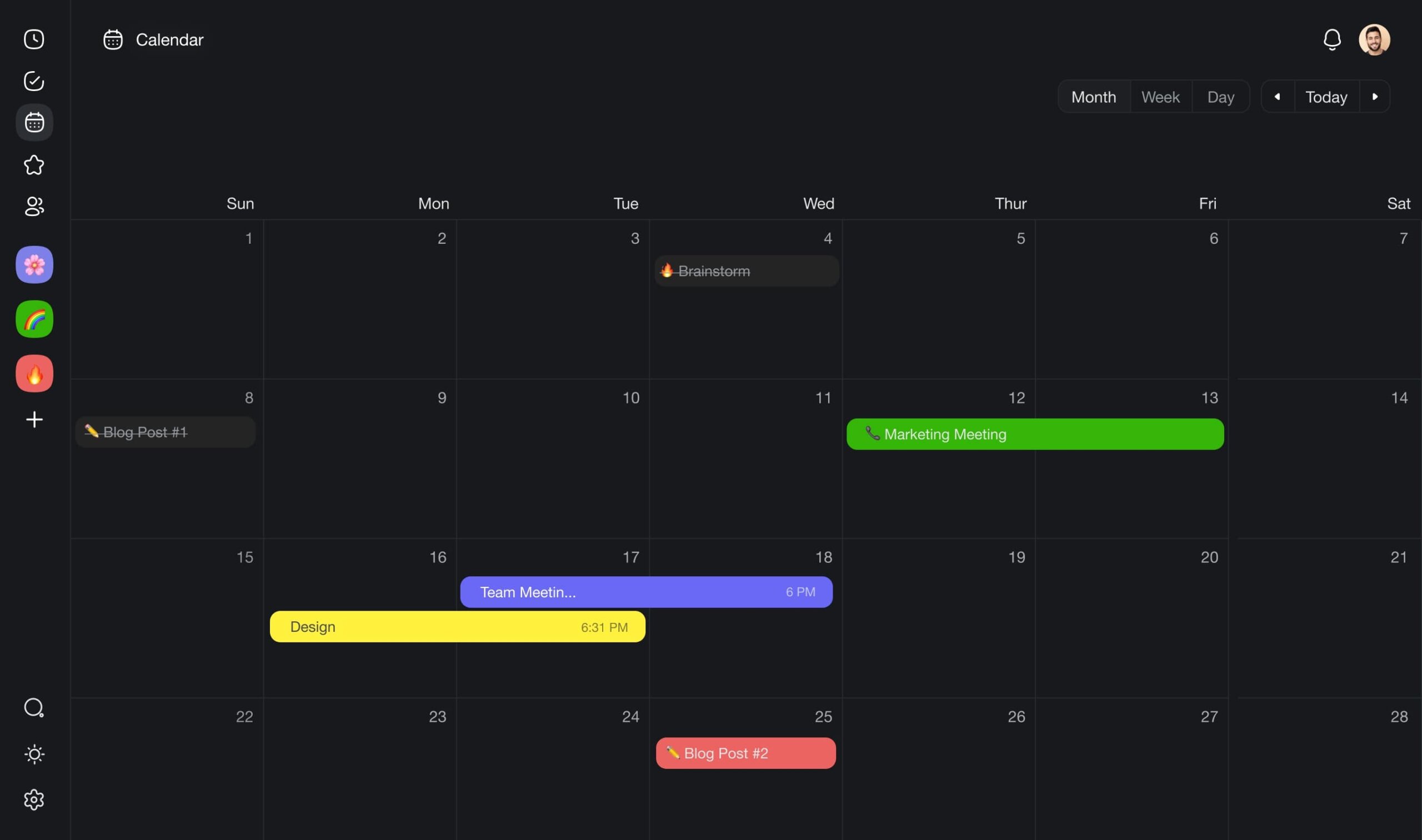
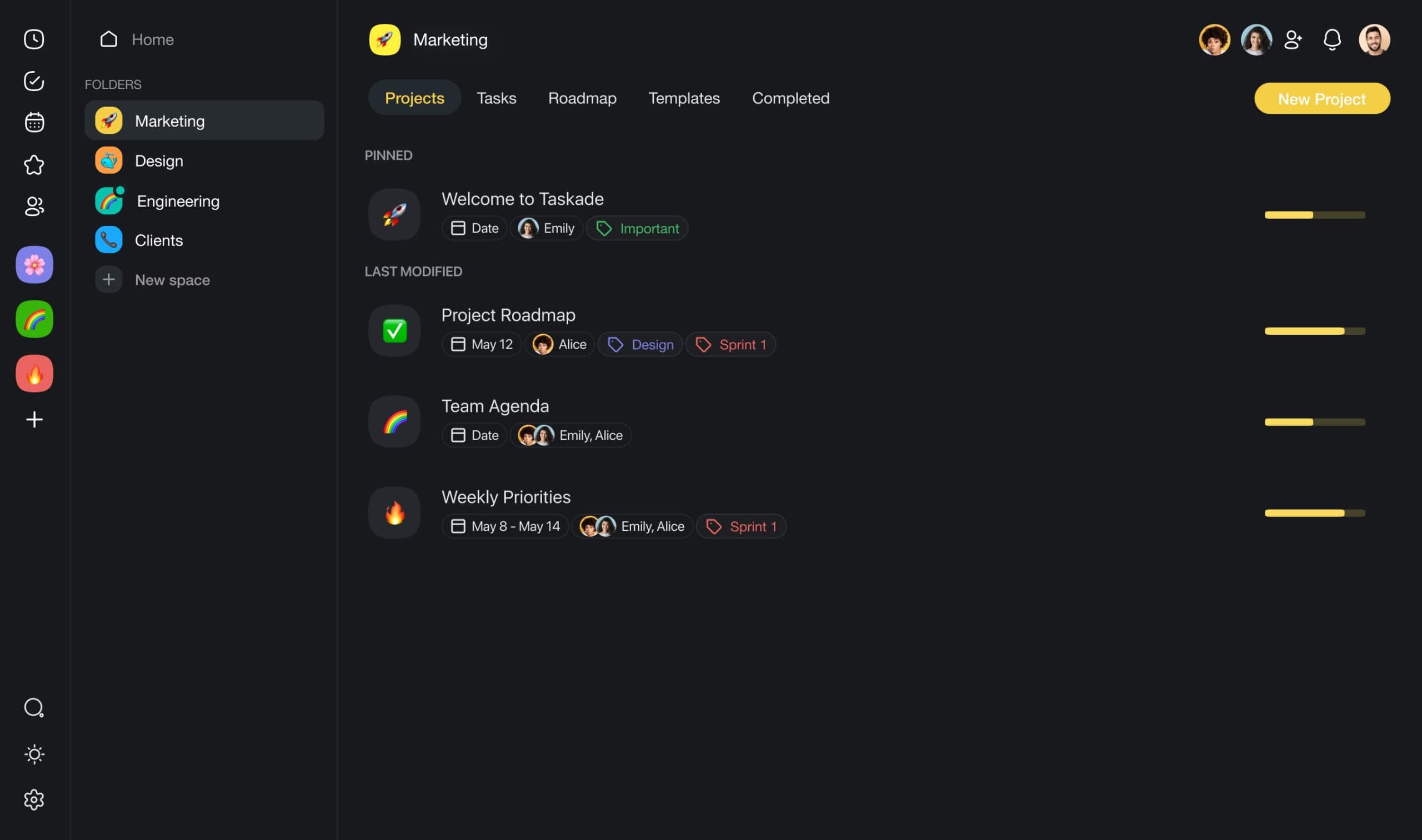
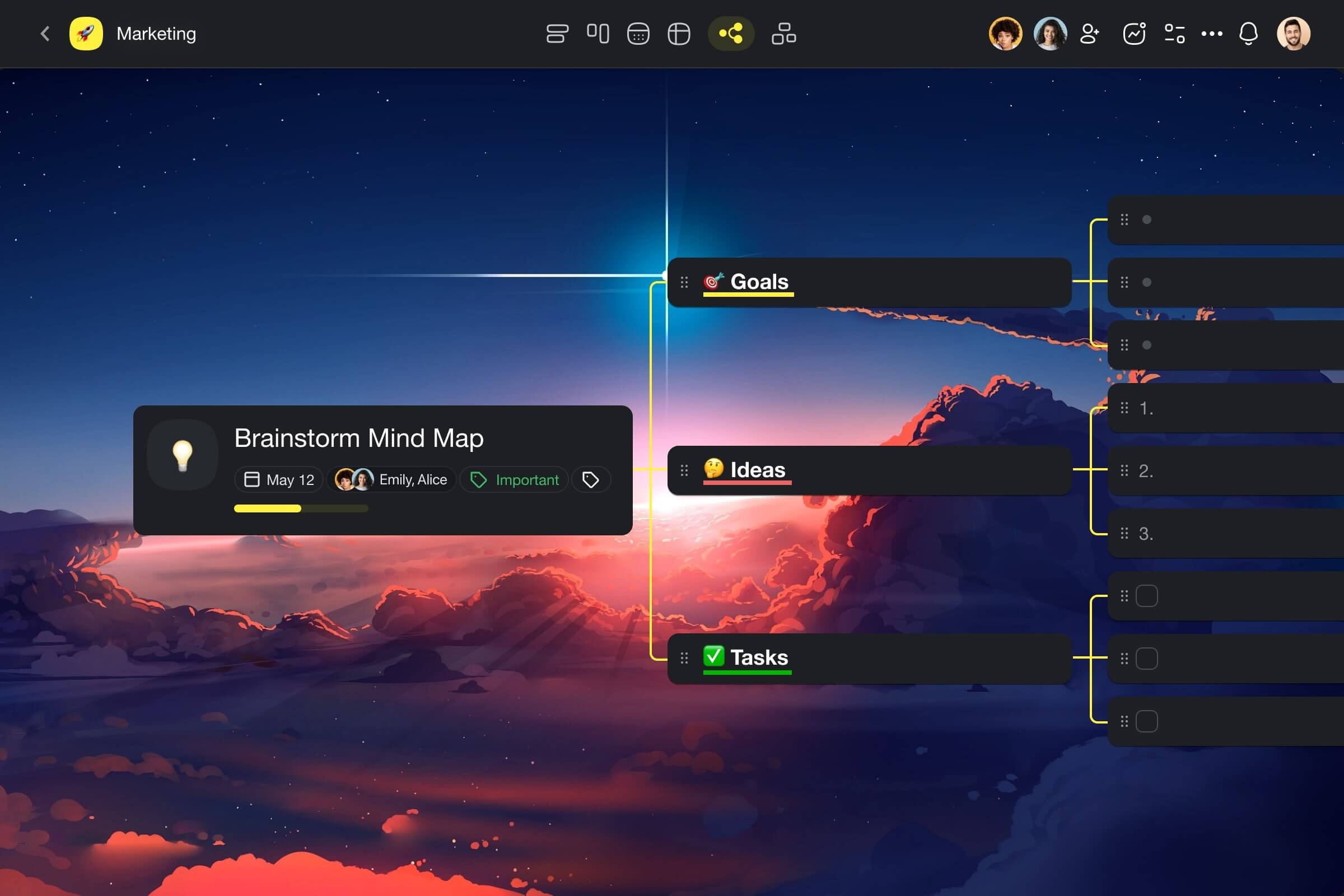
Sign up to supercharge your campaigns with Taskade AI 🤖
🪄 Workflow Generator: Use the power of AI to automatically generate projects, documents, mind maps, or any other workflow you can think of. Just type your prompt, sit back, and watch the magic!
📚 Built-In AI Prompts: Taskade features hundreds of AI prompts for every occasion, from creative tasks like writing and brainstorming to structured project planning.
✏️ AI Assistant: Tap into the power of Taskade AI directly in the project editor. Choose from dozens of handy /AI commands or define your own as part of Custom AI Agents.
🤖 Custom AI Agents: Interactions with AI don't have to feel like a chore. Agents will help you automate routine tasks and streamline your workflows. No coding skills needed!
Visit Taskade’s pricing page for a breakdown of AI features and plans.
Frequently Asked Questions About AI Prompts
What is prompting in AI?
Prompting in AI refers to providing an initial input or set of instructions to an AI model to guide its behavior or output. This helps the model understand the context and generate appropriate responses.
Is AI prompting a skill?
Yes. AI prompting is considered a skill because it involves crafting precise and effective prompts to elicit the desired responses from AI systems.
What is an example of a good AI prompt?
A good AI prompt is clear, concise, and specific. For instance: "Write a short story about a brave knight who saves a kingdom from a dragon."
Is ChatGPT prompting a skill?
Yes. Prompting ChatGPT effectively is a skill, as it requires constructing prompts that guide the model to generate useful and relevant responses.
How to be an AI prompt engineer?
To become an AI prompt engineer, focus on understanding the behavior of different AI models, practicing prompt creation, and staying updated with advancements in AI technology. Formal education in AI or related fields can be beneficial but is not always necessary.
Keep reading:
- The Secret DNA of AI Systems: What 120+ Leaked Prompts Taught Us — See how real AI companies write system prompts
- Types of Prompt Engineering — Master 12 techniques from zero-shot to self-consistency
- What Is Prompt Chaining? Complete Guide — Link prompts into automated workflows
- Stop Worshipping Prompts. Start Building Workflows — Why execution beats clever words
