






Managing big chunks of work and solving complex problems on the fly isn’t exactly easy. In today’s article, we set out to find the best AI outliner software for 2026 that’ll help you plan, organize, and get things done, one indent at a time.
TL;DR: The best AI outliner apps in 2026 combine hierarchical note-taking with frontier AI models for auto-generating outlines, expanding ideas, and managing tasks. Taskade leads with 8 project views, custom AI agents, and real-time collaboration starting free. Try Taskade free →
Here’s the thing. The legendary Emacs Org Mode has been around since 2003. But while its utility is still top-notch, it’s not the most user-friendly outliner out there.
If you want to outline documents and plan your work but don’t want to leaf through lengthy manuals, we have a steaming-hot lineup of 10 Org Mode alternatives at a ready.
👨💻 What Is Outlining Software Anyway?
Every action, no matter how simple, can be broken down into a sequence of incremental steps. This principle applies to everyday activities, e.g. preparing breakfast, as well as high-level professional tasks like managing a team, planning projects, or drafting documents.
🌳 Outlining is the process of creating hierarchies to contain whatever you're thinking or working on. An outline breaks complex processes into smaller, more manageable bits.
Outliner software boosts creativity by allowing you to build an infinite number of outline levels. Advanced outlines have features like drag-and-drop editing, folding/unfolding, keyboard shortcuts, and real-time collaboration that allowed you to create even the most complex outlines with no problems.
Key benefits of outlining software include:
⚡️ Unlimited visual hierarchy for complex outlines
⚡️ Quick indent/outdent to create hierarchies
⚡️ Folding/unfolding outline levels
⚡️ Intuitive navigation with keyboard shortucts
⚡️ Real-time sync and backup in the cloud
⚡️ Drag-and-drop workflows
⚡️ The ability to outline collaboratively
⚡️ Undo/redo to quickly revert changes
⚡️ Customizable visuals and color-coding
⚡️ Deep linking and multimedia elements
⚡️ Powerful search and tagging features
⚡️ And more…
A solid outliner/outline processor is a must-have tool for all kinds of creative and organizational tasks. That can include writing, project planning, knowledge management, note-taking, bullet journaling, or building a second brain!
So, what do you say we take a look at 10 awesome outliners?
🏆 The Best Outlining Software for 2026
Outlining tools come in all shapes and sizes. That’s why we’ve put together a selection of the best outlining software so you don’t have to go through trial and error.
Taskade
Workflowy
Scrivener
OmniOutliner
Dynalist
Checkvist
Roam Research
Obsidian
Notion
Athens Research
Taskade
Taskade is a cloud-based, collaborative outlining software that combines project and task management with powerful advanced outlining features, all fit for a modern knowledge worker.
Turn the chaos of everyday commitments into an aesthetic, organized structure of cascading tasks. Break ideas and problems into hierarchical lists and focus on the work that matters.
And the best part?
Taskade is the only cloud outliner app that syncs everything in real-time!
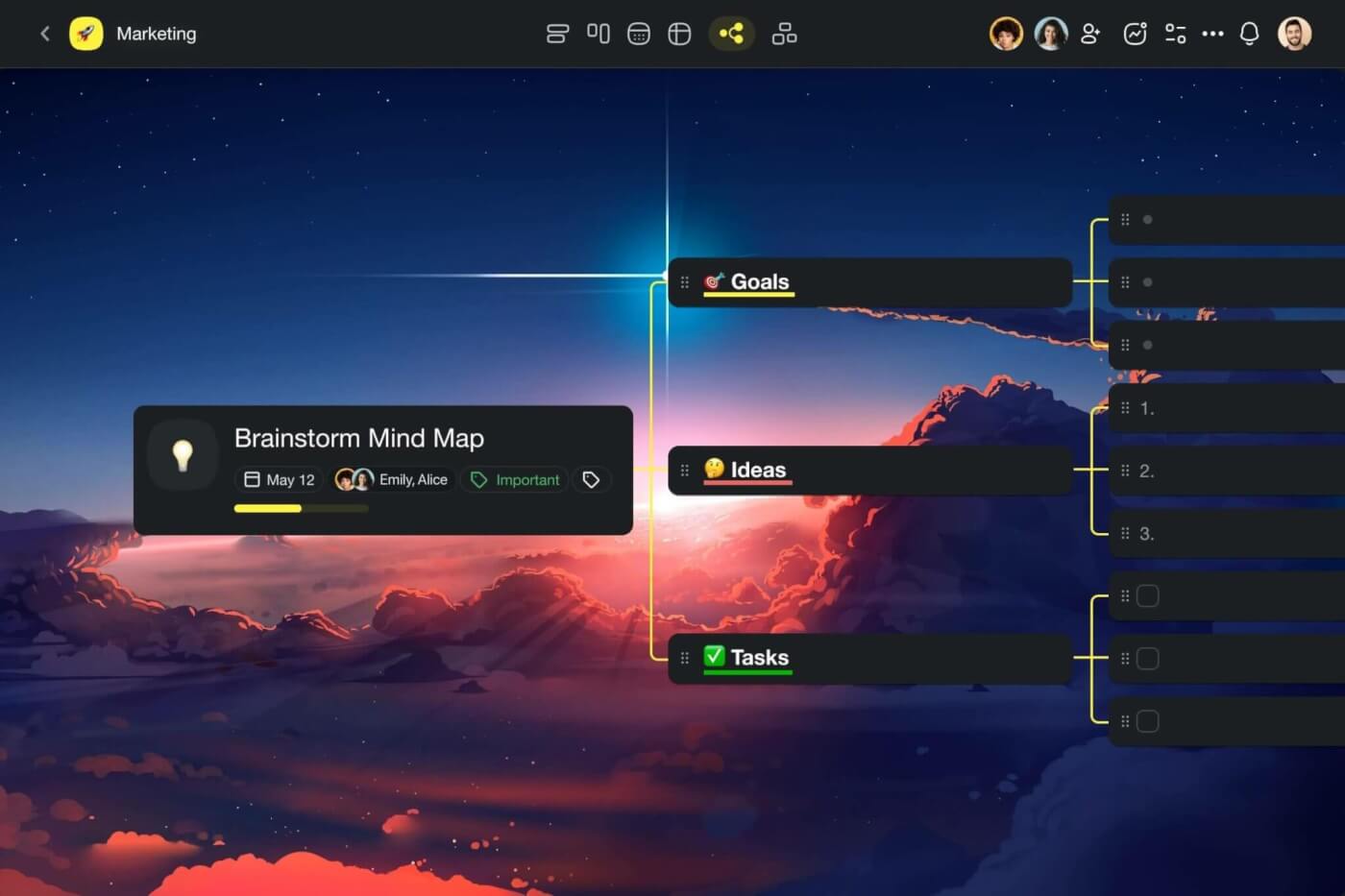
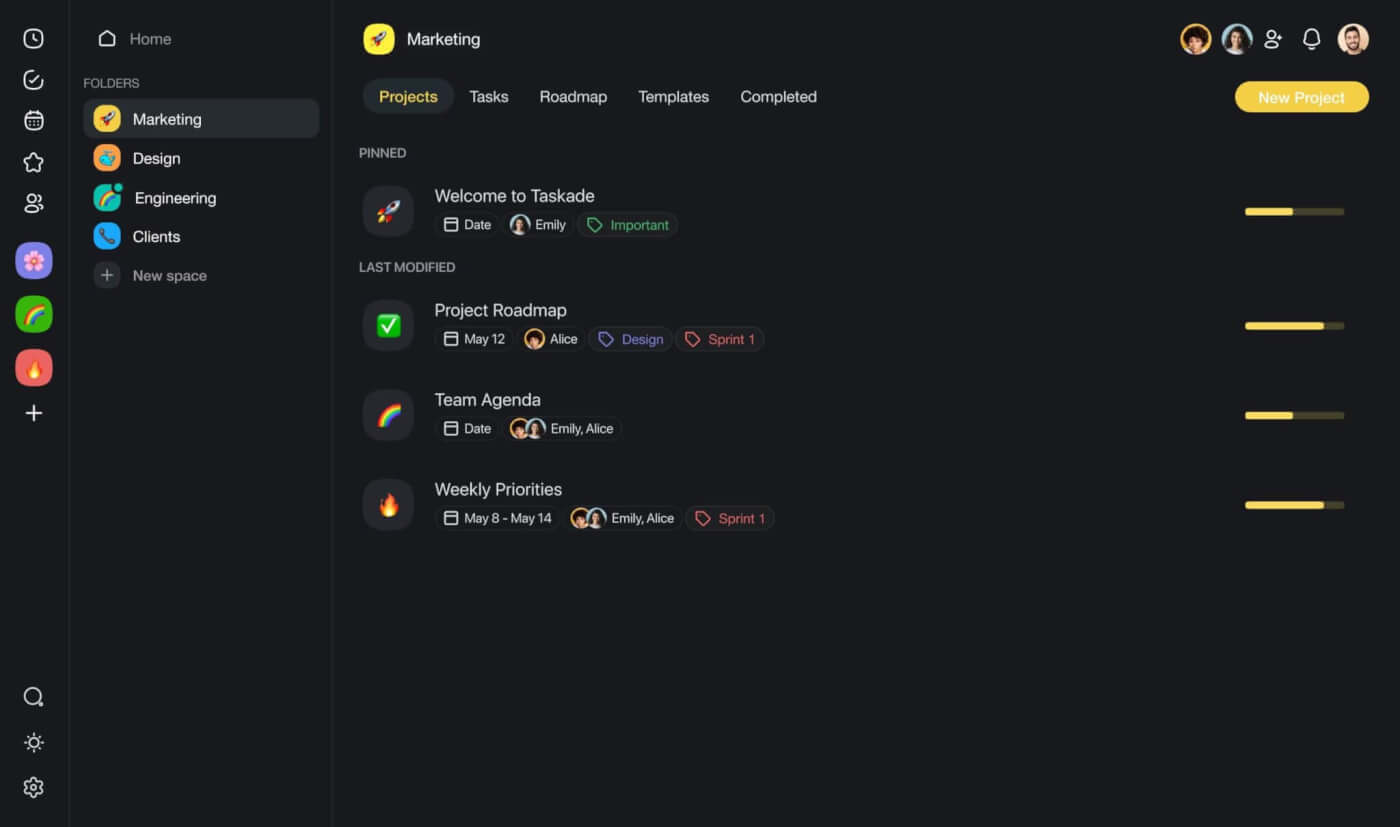
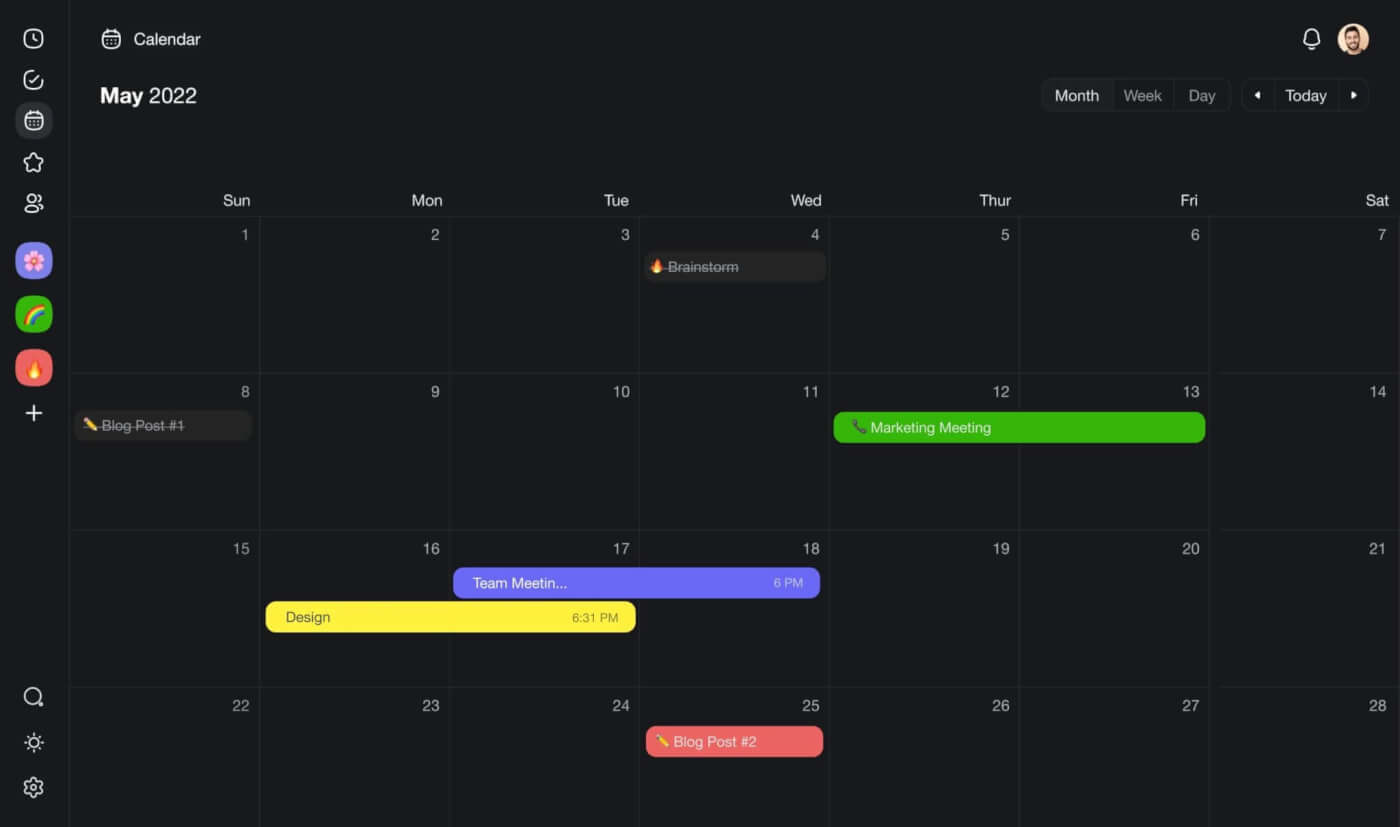
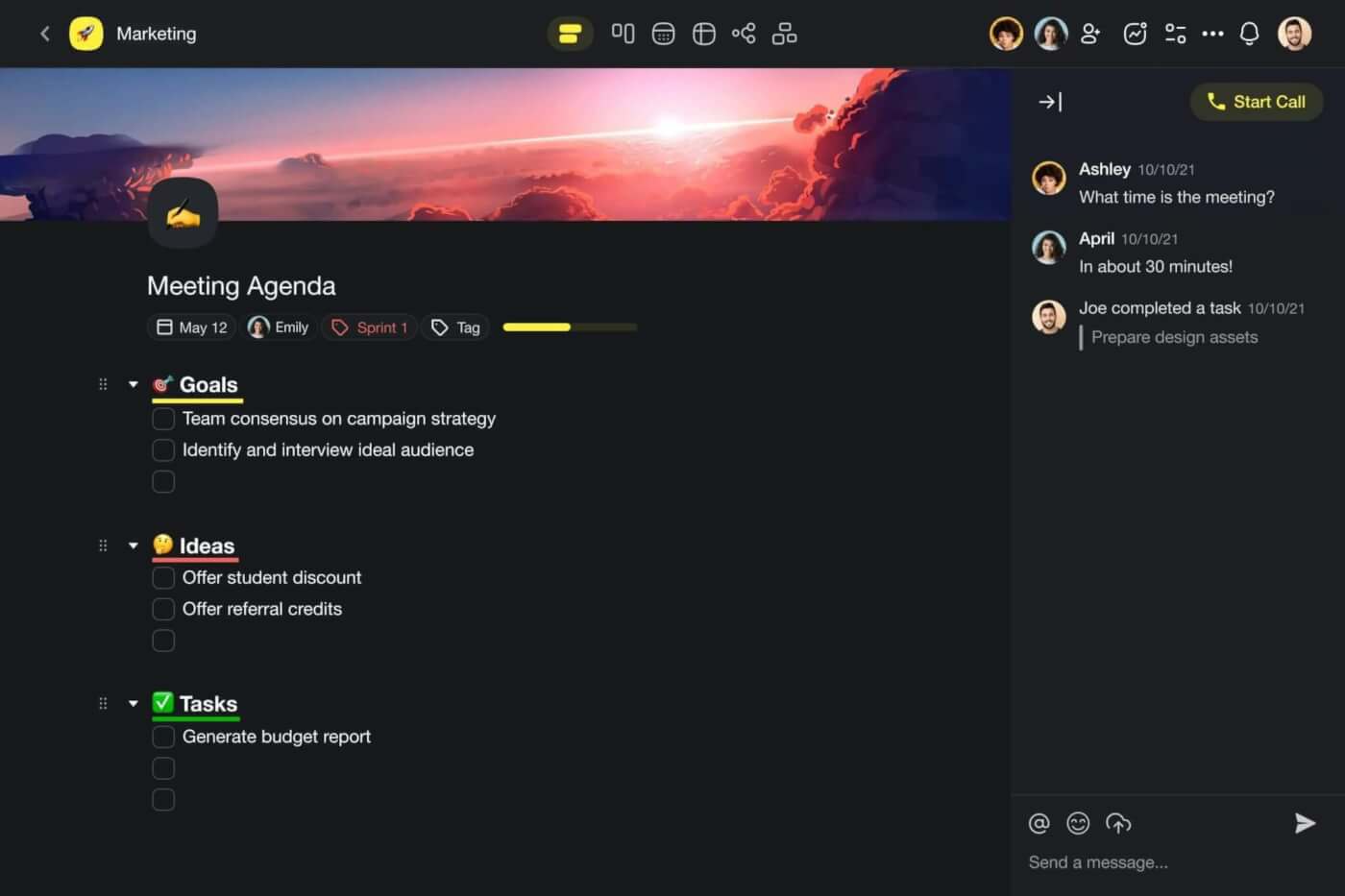
Outlining items in Taskade is simple. All you need to do is add a few lines of text inside any of your projects and indent sub-tasks or lower-level elements with the ⌨️ Tab key.
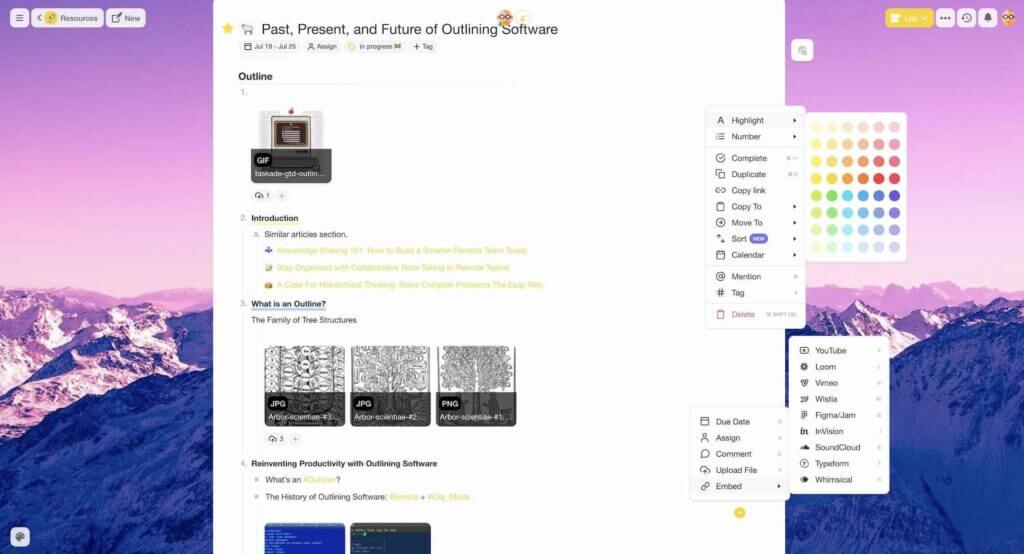
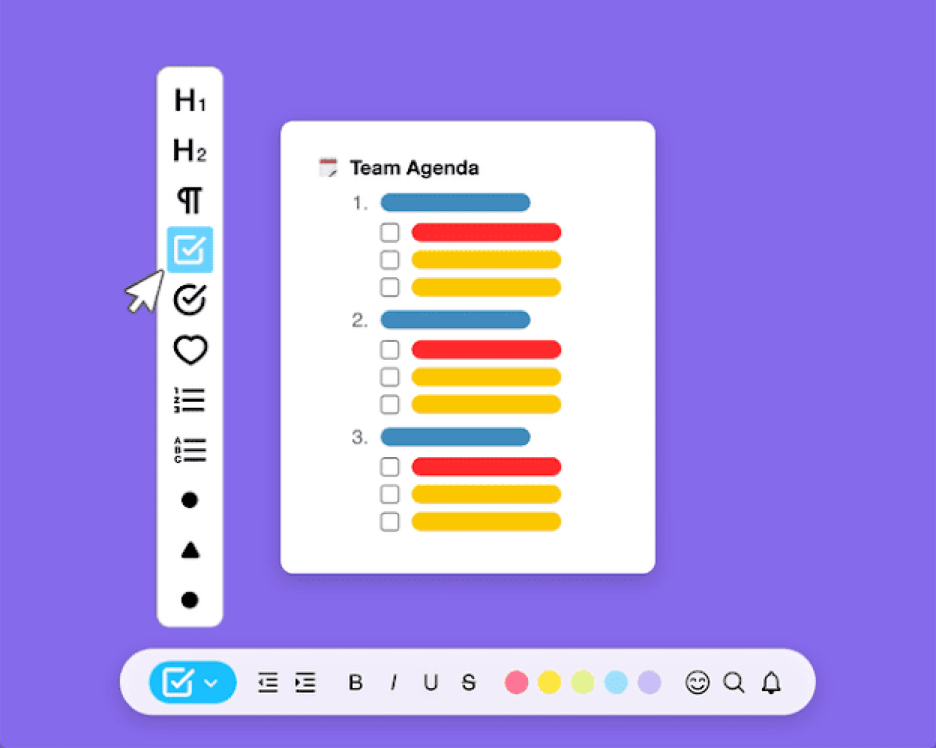
Every outline you create in Taskade can be formatted and customized to give it a unique flavor. Choose from several different node formats including checklists, bullets, and headings and add finishing touches with beautiful highlight colors.
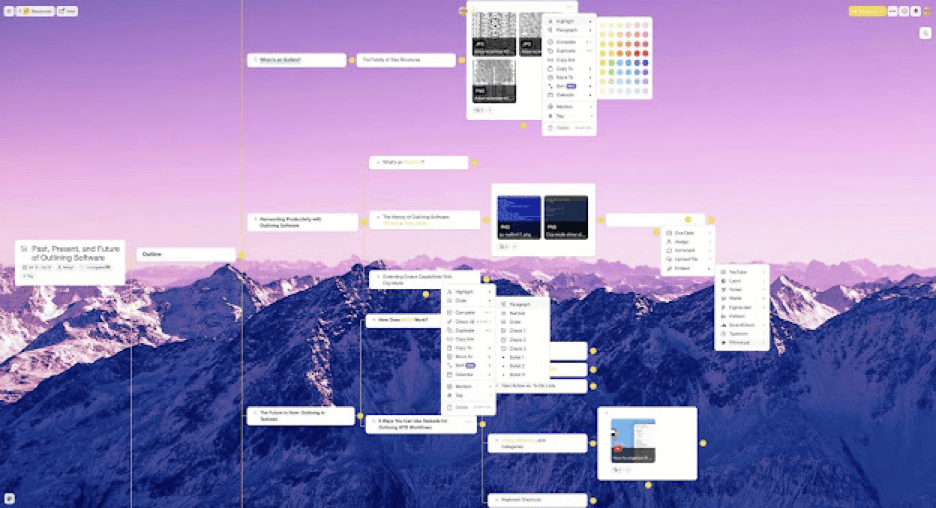
Finally, Taskade outlines are stored in a tree-structured database, which means they’re designed to be organized hierarchically. You can use Taskade’s flexible workflow to transform your outlines into mind maps, Kanban boards, customizable tables, or org charts.
But wait, there’s more!
🌟 Taskade Select Outlining Features
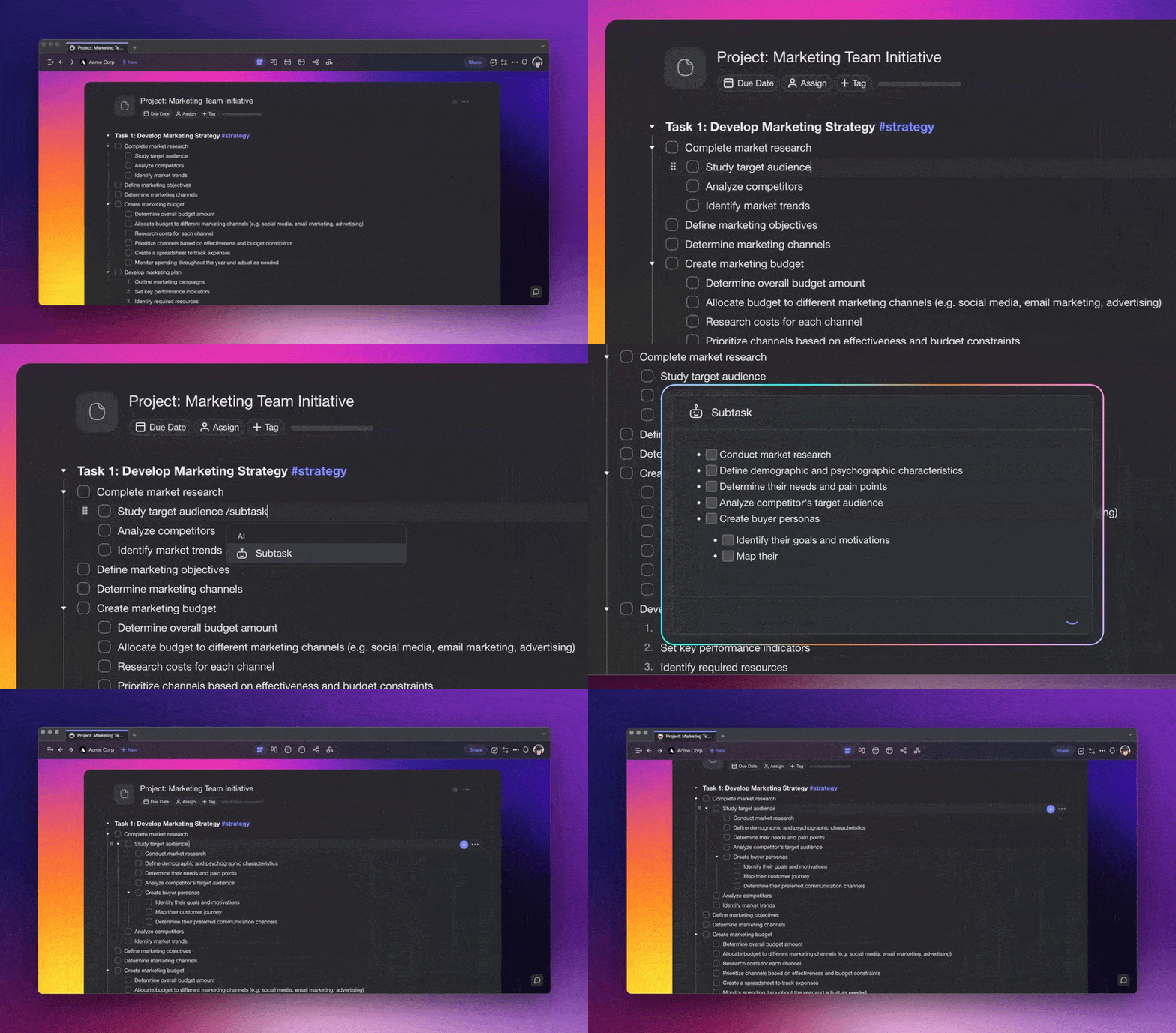
AI Workflow. Taskade uses frontier AI models from OpenAI, Anthropic, and Google to help you generate high-level outlines with spanning, nested levels. All you need to do is select a node, type /outline or /subtask, and let Taskade structure your thoughts and ideas. You can also use the Workflow Generator and AI Chat to get more done faster.
Fold/Unfold. Fold (collapse) a parent task/bullet element to hide its subtasks. Indent a node with the ⌨️ Tab key and unfold lists with the ⌨️ Shift+Tab keyboard shortcut.
Keyboard Navigation. Use keyboard shortcuts to reorder, format, or complete/check the elements of your outline without taking your hands off of the keyboard!
500+ Templates. Taskade comes packed with 500+ templates for every occasion. Modify templates from our catalog or craft new ones inside your workspaces.
Multi-Select. Select and format multiple outline elements or bulk-assign tasks to other team members. You can also copy, paste, and indent selected blocks.
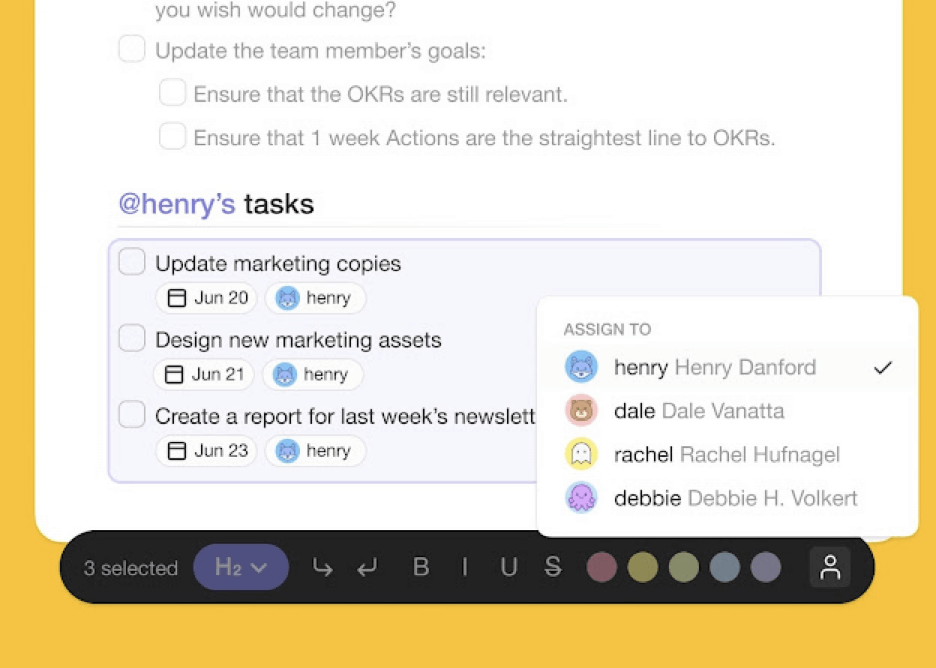
Customize Sub-Tasks. Customize the format of your sub-tasks at individual outline levels. Choose from headings, numbered lists, shapes, and more.
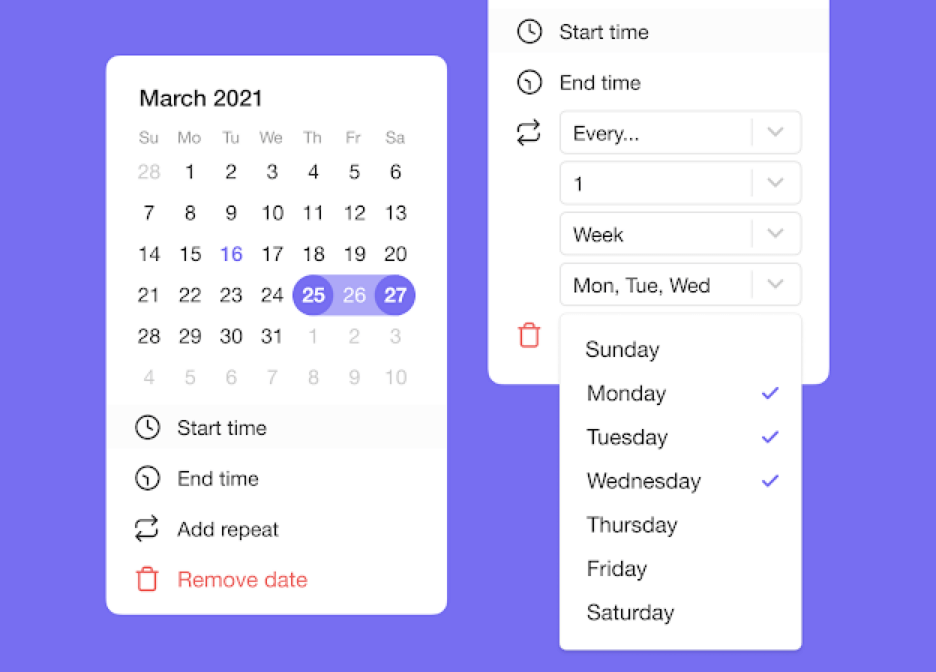
Recurring Tasks. Add due dates with start and end time to outline elements. Set tasks to repeat daily, weekly, monthly, or yearly and never forget a thing.
Communication. Combine chat, video conferencing, calls, and project comments. Engage in stimulating conversations while getting work done together in real-time.
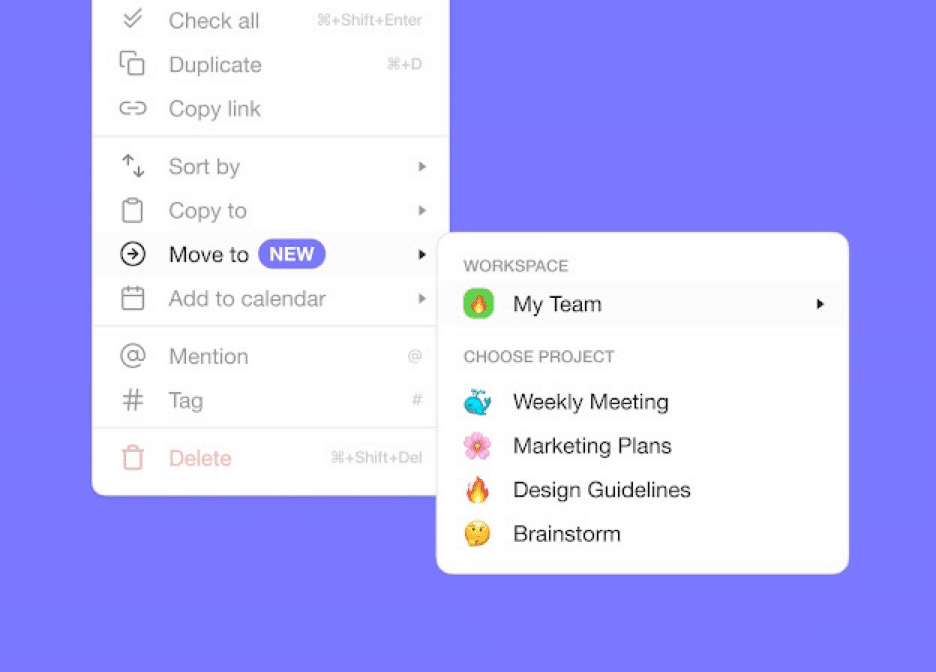
Move Tasks. Move and copy selected nodes and outline elements to other projects across any workspace. You’ll receive a pop-up notification on completion.
Deep Linking. Use internal links and create connections between nodes in your workspaces. Use the @mention functionality to quickly select link destinations.
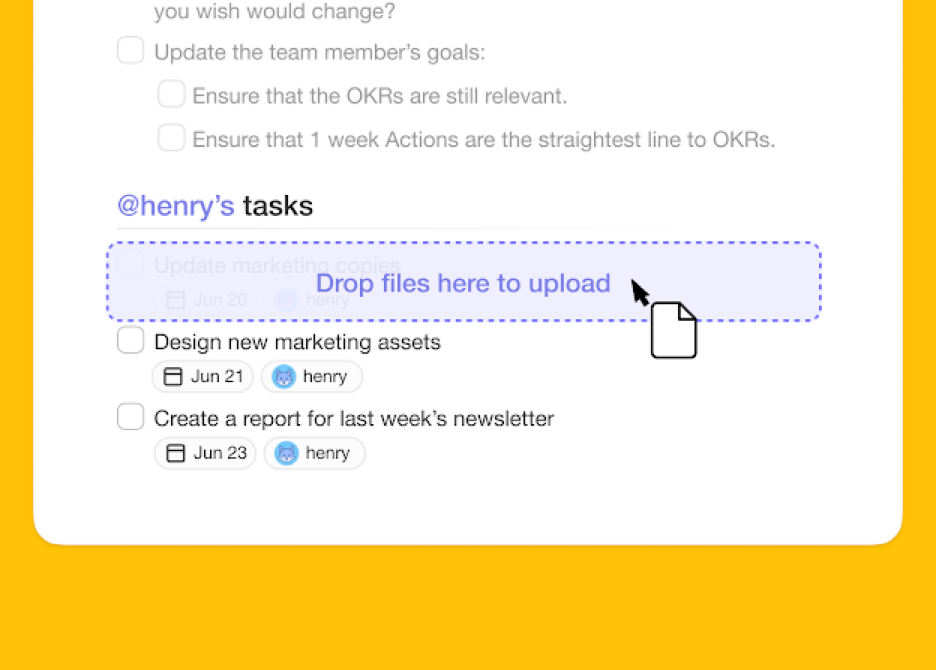
Drag-And-Drop File Uploads. Add images, videos, and documents to nodes and make your outlines shine. Use the intuitive drag-and-drop interface to upload.
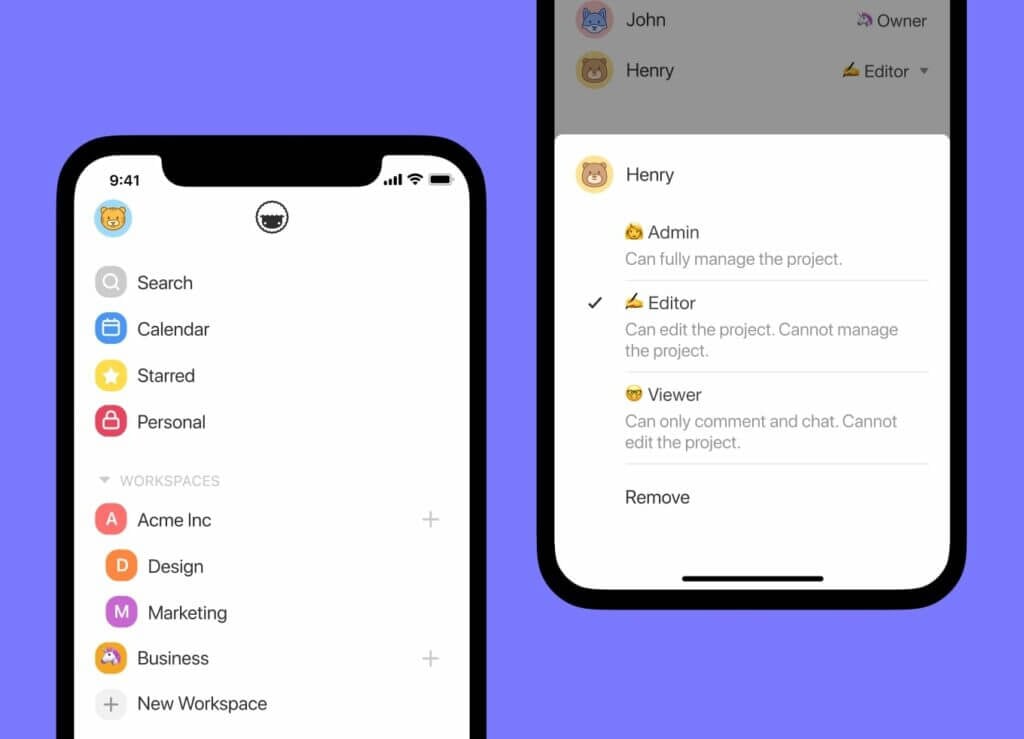
User Roles & Permissions. Manage outline collaborators, set editing permissions, and define user roles. Choose from multiple roles including Owner, Editor, Commenter, Collaborator, and Viewer.
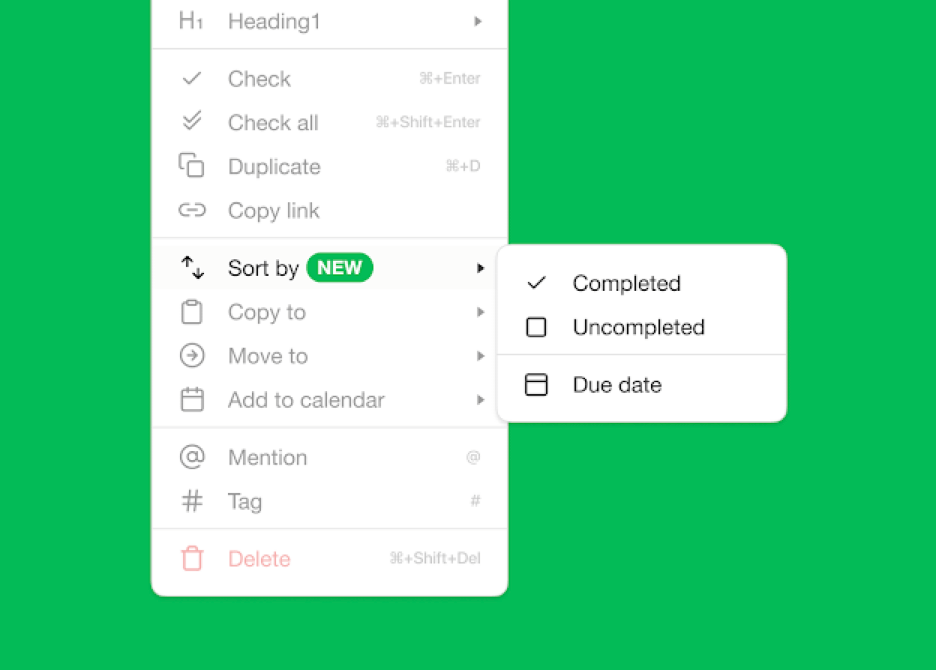
Sort Tasks. Sort sub-tasks/children elements by completed/uncompleted stats or the due date. Task sorting can be accessed from a convenient pop-up menu.
Project Views. Use Taskade's flexible workflow to visualize your writing project in several ways. You can transform documents into lists, ,mind maps, boards and more.
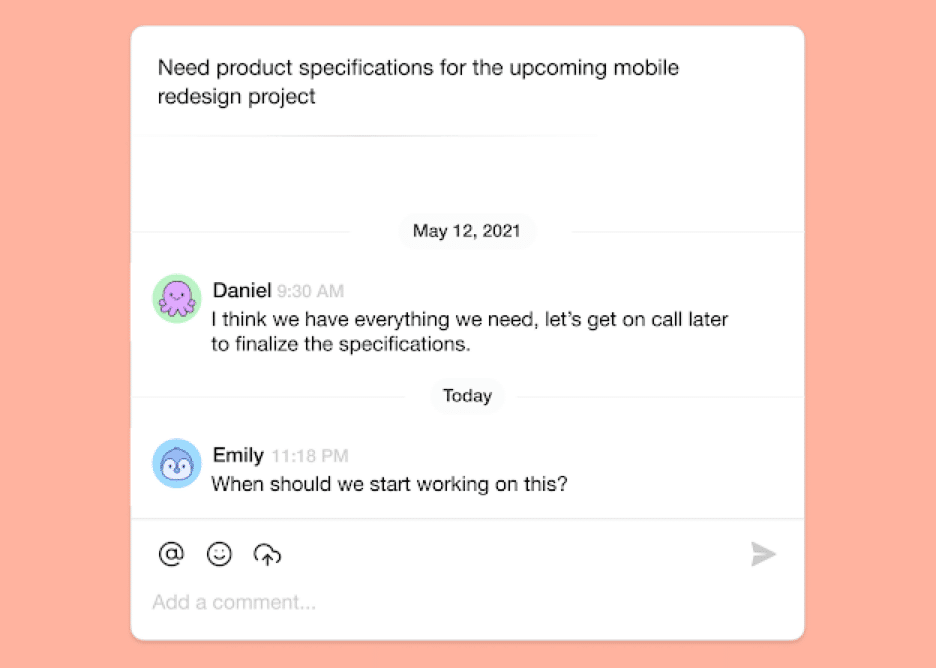
Comments. Comment and discuss the contents of your outlines with others. Invite collaborators to edit projects together and gather valuable feedback.
Keyboard Shortcuts. Move between tasks, add new content blocks, change the order of elements, and edit your outlines using universal keyboard shortcuts.
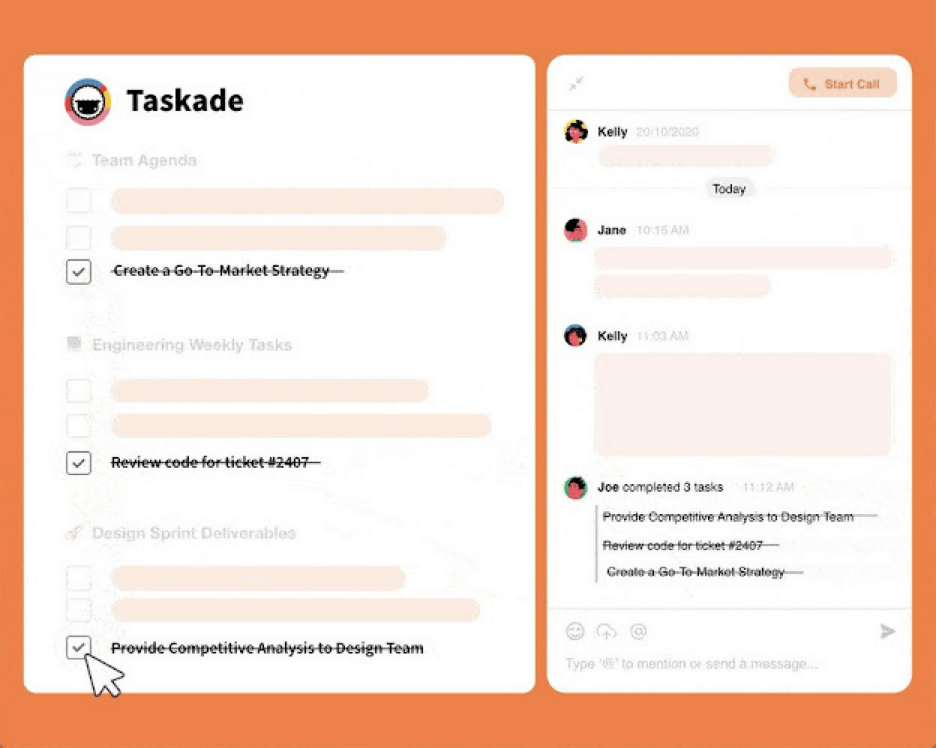
Project Activity. When somebody checks off an outline item, there’s a chat notification with the editor’s name and scope of the changes. Keep everybody on the same page anytime, anywhere.
Search. Find information within outlines or run global searches across workspaces and subspaces. Quickly move between projects anywhere in Taskade.
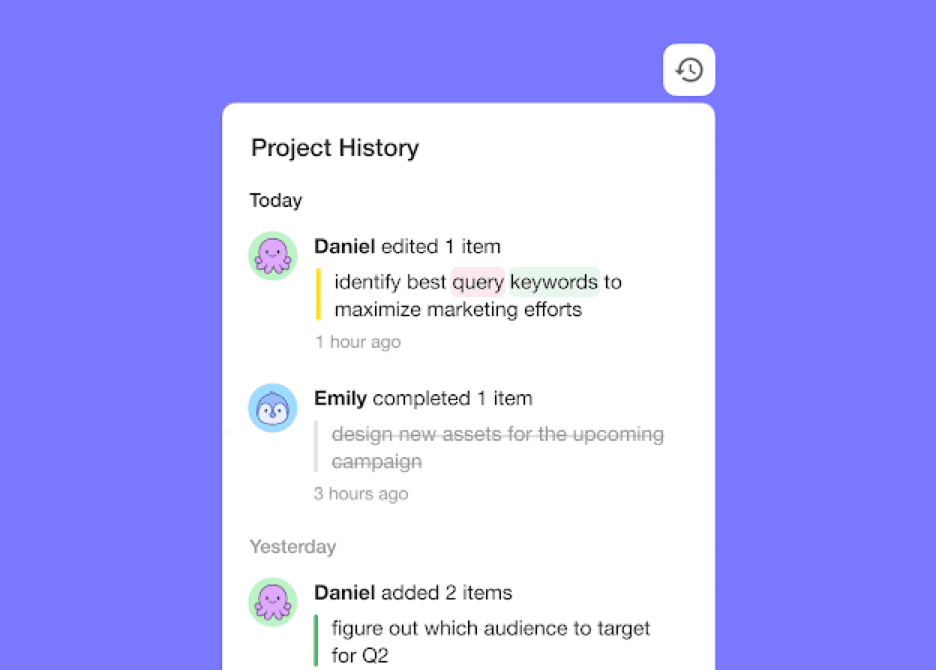
Project History. See all the changes made by you and other collaborators. Click on the entries to navigate to the edited items within the outline.
Notification Control. Prioritize deep, focused work with push notification settings. You can turn notifications off for each workspace or individual project.
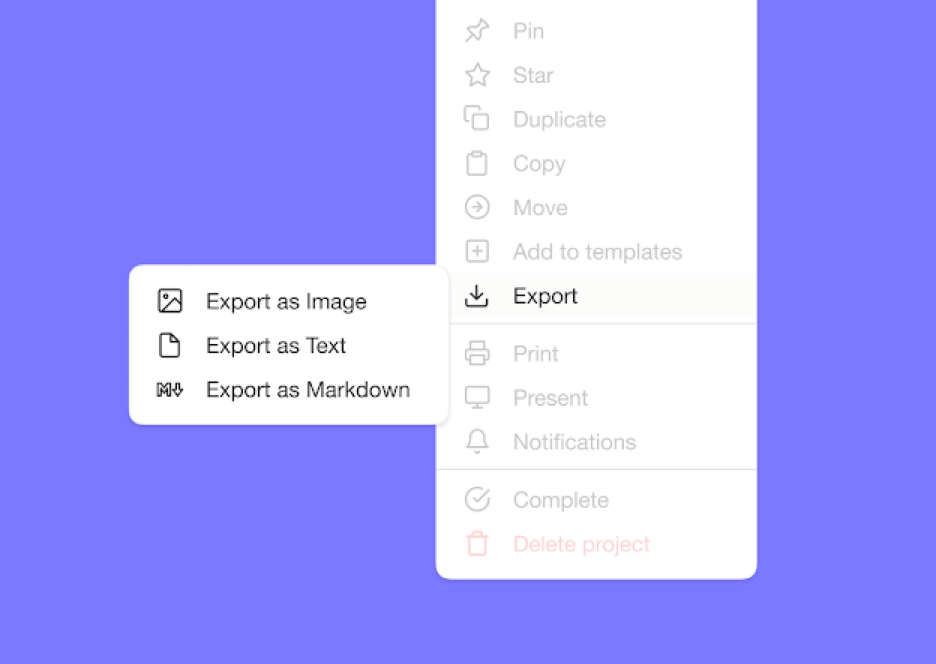
Export and Print. Taskade supports the export of visual outlines as plain text or markdown files. Attach them to emails, presentations, or for print.
Undo/Redo. Correct mistake and safely restore your outlines to a previous state. You can also use undo/redo when editing a project or collaborating with others in real-time.
Mobile and Desktop App. Sync your outlines between Mac, Linux, and Windows or outline on the go with Android / iOS mobile app.
💸 Taskade Pricing
🟢 Free (forever!)
Unlimited outlines and projects
Cloud storage for files and projects
AI credits included
Access to 1,000+ free templates
And more...
🔵 Starter ($6/month billed annually)
Everything in the Free plan +
Additional workspaces and project members
More cloud storage and longer project history
Additional AI credits, integrations, and sharing options
And more...
🟣 Pro ($16/month billed annually, 10 users included)
Multiple workspaces and project members
Custom branding and advanced integrations
Advanced team permissions
Guest sharing and video meetings
And more...
🟡 Business ($40/month billed annually)
Additional workspaces
Expanded cloud storage
Additional AI credits
SSO and advanced security
And more...
🟤 Enterprise (custom pricing)
Unlimited workspaces and storage
Dedicated support and custom contracts
And more...
Try Taskade for free today!
Workflowy
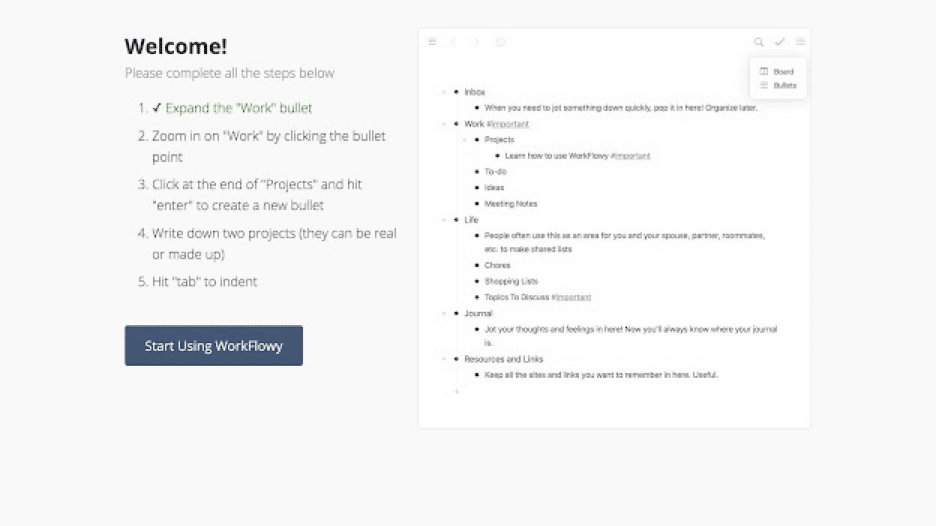
Workflowy is streamlined outlining software that lets you map out all kinds of projects. The outliner app offers a minimalist, distraction-free outliner environment. You can use Workflowy in a web browser or get it for Windows, Mac, Linux, and mobile devices.
Like Taskade, Workflowy was nurtured under Y Combinator’s wings and was designed to address the everyday project management problems. Workflowy uses a hierarchical tree structure that accentuates the flexibility of ordinary lists.
🌟 Workflowy Select Features
Infinite nested lists (in Workflowy Pro)
Filtering features
Color-coded tags and highlighting (beta)
Multi-factor authentication
Outline backup to Dropbox
A selection of themes and fonts
Outline sharing and collaboration
💸 Workflowy Pricing
🟢 Basic/Free
All features included
Limited to 250 bullets/month
File upload limited to 100 MB
Only basic sharing
🔵 Workflowy Pro ($4.08 billed annually)
Unlimited bullets
Unlimited file uploads
Advanced sharing features
Backup to Dropbox
Premium support
See how Workflowy compares to Taskade. 👈
Scrivener
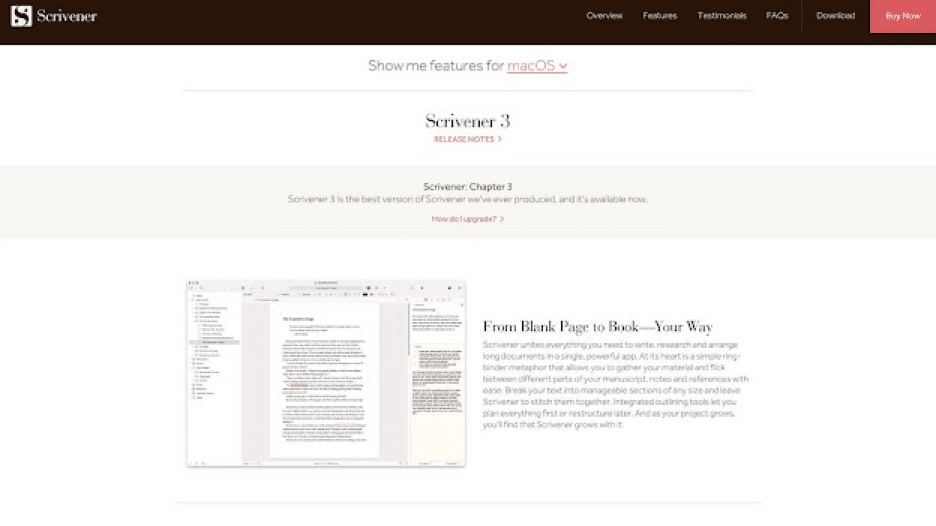
Scrivener is a writing and outlining tool designed for students, academics, and writers. It’s a complete writing suite with everything you need to research, outline, and draft documents. Scrivener works on macOS, Windows, and iOS.
Scrivener is not really a cloud outliner per see, but you can sync your outlines to Google Drive and Dropbox to sync between multiple devices.
🌟 Scrivener Select Features
Organization into folders and subfolders
Meta-data including keywords and labels
Drag-and-drop outline organization
Customizable templates
Side-by-side outline preview
Full-screen outlining
Printing and export
💸 Scrivener Pricing
🟢 Standard macOS/Windows ($49 one-time purchase)
🔵 Educational macOS/Windows ($41.65 one-time purchase)
🟣 Mobile for iOS ($19.99 one-time purchase)
🟡 Mac + Windows bundle ($80 one-time purchase)
OmniOutliner
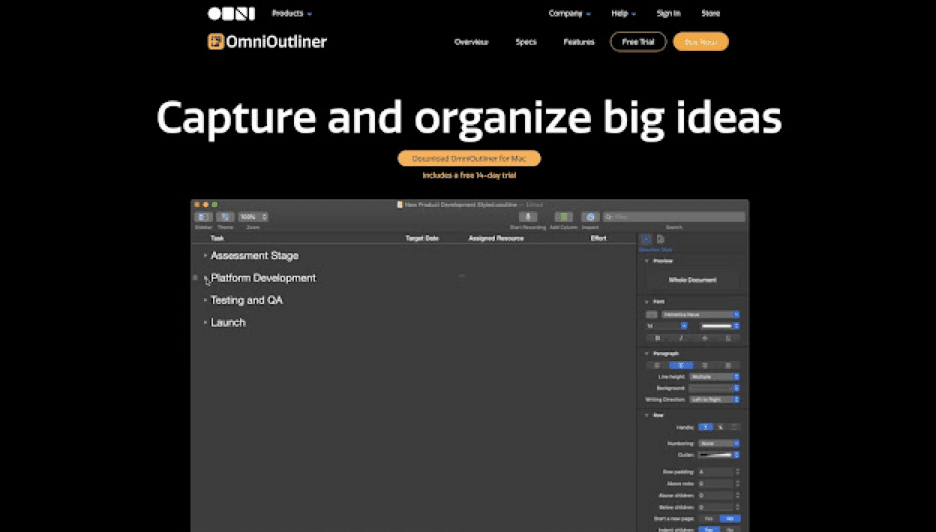
A dedicated outlining tool from the creators of OmniFocus. OmniOutliner is a simple cloud outliner app for brainstorming, organizing information, and creating high-level hierarchical lists. The app offers automation via JavaScript.
🌟 OmniOutliner Select Features
Typewriter mode
Bult-in themes
Light and dark mode
Keyword-based search
Document statistics
Resizable columns
Keyboard shortcuts
💸 OmniOutliner Pricing
🟢 Subscription ($4.99/$49.99 monthly/yearly)
🔵 For teams ($4.99/$49.99 per user)
🟣 Mac ($99 one-time purchase)
Dynalist
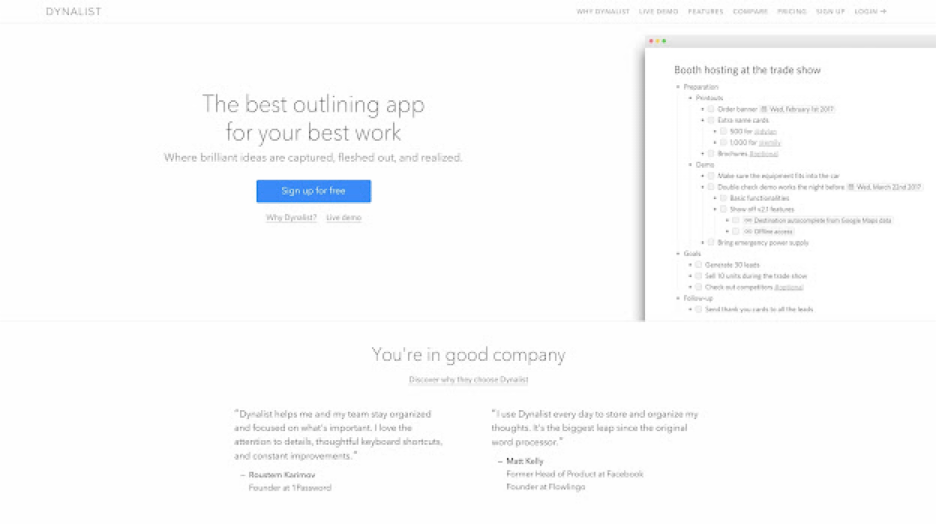
Another piece of distraction-free outlining software for personal and business use. Previously called Omniflow, Dynalist evolved into a lightweight outliner and a note-taking app for “logical thinkers.” It’s a solid choice for focused work sessions.
Dynalist is a reliable outliner app that has the potential to be a powerful tool. However, recently the team has diverted focus into developing its flagship product, Obsidian.
🌟 Dynalist Select Features
Markdown formatting
Light and dark mode
Browser extension
Node-level formatting
Color-coded labels and tags
List sorting options
Google Calendar sync
File and item finder
Internal cross-linking
A selection of themes and fonts
💸 Dynalist Pricing
🟢 Free
Unlimited items/documents
Internal linking
Markdown formatting
Dates, tags, and checklists
Sharing and collaboration
Up to 5 bookmarks
Export/import
🔵 Pro ($7.99/$9.99 annually/monthly)
Everything in the Free plan +
Google Calendar integration
Version history
Dropbox/Google Drive backup
Custom shortcuts
Priority email support
See how Dynalist compares to Taskade (click). 👈
Checkvist
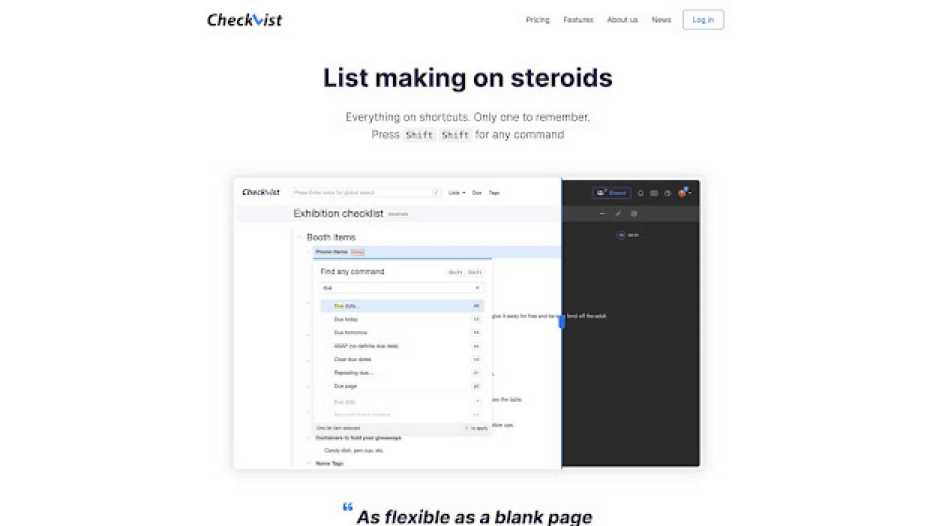
Checkvist offers a fair balance between a task manager, to-do list, writing app, and, most importantly, an outliner. Built around hierarchical data organization, the tool features everything you need to tackle a wide range of creative projects.
🌟 Checkvist Select Features
Keyboard-first navigation
Focus and dark mode
Private and public sharing
Collaboration features
Markdown formatting
Word and progress counters
Tags, due dates, and attachments
CSS customization
💸 Checkvist Pricing
🟢 Free
Unlimited hierarchical lists
Unlimited sharing and collaboration
Add tasks via email
Markdown, notes, due dates
Import and export
Mobile (offline) web app
🔵 Pro ($3.90/month per user or $39/year)
Everything in the Free plan +
2 GB attachments
Google Calendar sync
UI customization
Private tags and tag colors
Bulk operations (multi-select)
30-day backup + Dropbox sync
Roam Research
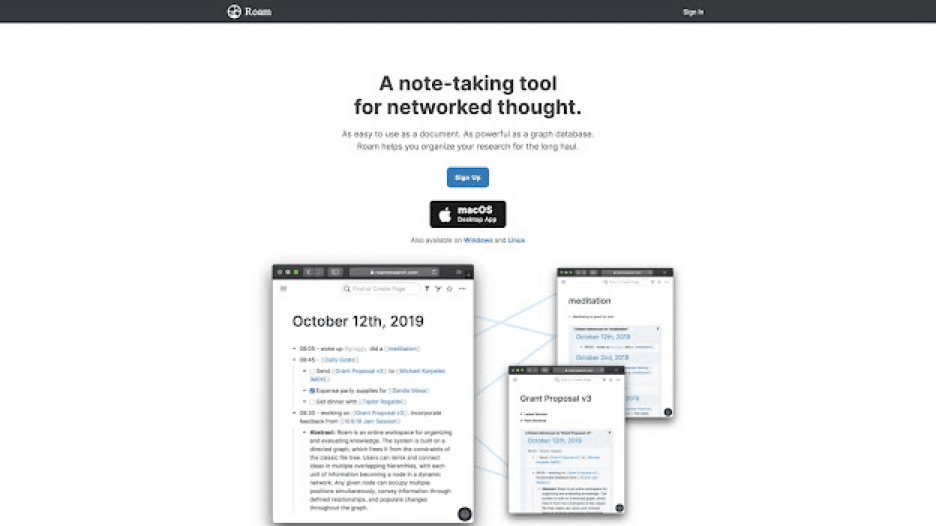
Roam Research is a note-taking tool designed for heavy-duty research, brainstorming, and knowledge management. Like other outliners on our list, Roam packs a simple, distraction-free UI that’s perfect for metacognition or “thinking about thinking.”
🌟 Rome Research Select Features
Bi-directional linking
Markdown support
The Daily Note and The Graph
Task management features
Theme customization via CSS
Search, tags, and filtering options
💸 Roam Research Pricing
🟢 Pro ($15/month or $165/year)
3 private or public Roam graphs
Unlimited collaborators
🔵 Believer ($500/5 years)
Everything in the Pro plan +
Priority access to new features
Priority support and community calls
See how Roam Research compares to Taskade. 👈
Obsidian
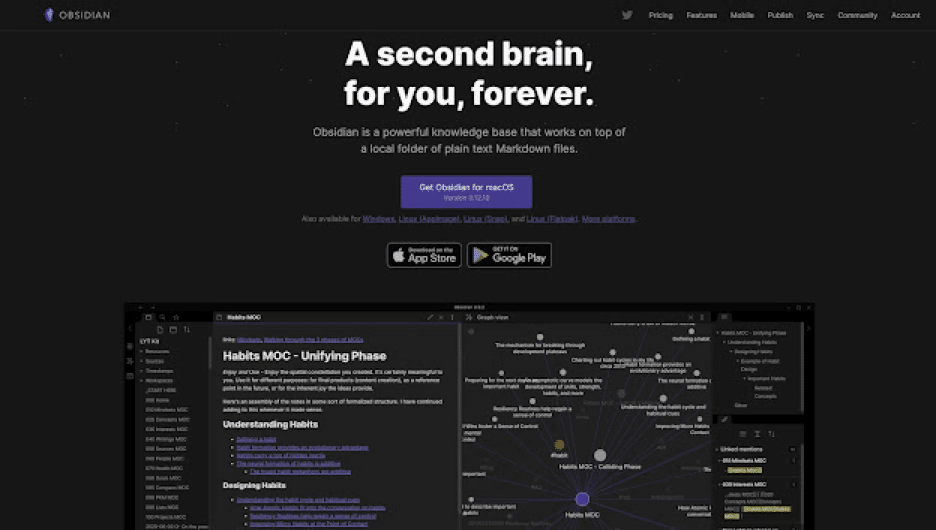
A note-taking, brainstorming, and outlining platform designed to act as a knowledge base or a digital “second brain.” Obsidian can be used with local folders or external/proprietary sync. The app is based on plain text Markdown files.
🌟 Obsidian Select Features
Markdown support
Cross-linking and graph view
Browser extension
Multiple resizable UI panes
Official and community plugins
Pre-made UI themes
Proprietary and external sync
Bi-directional linking
💸 Obsidian Pricing
🟢 Free for personal use
Doesn’t require an account
Plugins and API
🔵 Catalyst ($25/50/100 one-time purchase)
Support the development process
Access to insider builds
🟣 Commercial ($50/year per user)
Ready for commercial use
Priority support
🟡 Sync Add-On ($8/month billed annually)
End-to-end encryption
Built-in version history
Priority email support
🟤 Publish Add-On ($16/month billed annually)
Selective notes publishing
Graph view and outline
Priority email support
See how Obsidian compares to Taskade (click). 👈
Notion
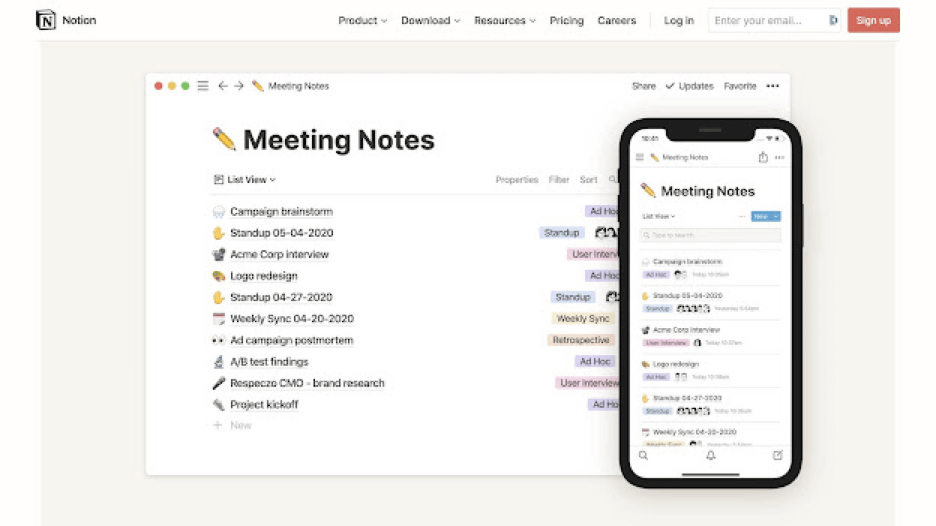
Notion is an all-in-one workspace for personal and team projects. The platform offers a highly customizable workflow fit for engineering, creative, HR, and sales projects of all shapes and sizes. A good choice for productivity geeks.
🌟 Notion Select Features
Integrations and templates
Real-time collaboration
Embed with 500+ tools
Fluid user interface
Drag-and-drop organization
Multiple project views
Check out our Notion alternatives list if you're looking for more options!
💸 Notion Pricing
🟢 Personal/Free
Unlimited pages & blocks
5 guests editors
Cross-platform sync
🔵 Personal Pro ($4 per month)
Everything in the Personal plan +
Unlimited file uploads and guests
Access to version history
🟡 Team ($20/month)
Everything in the Personal plan +
Unlimited team members
Collaboration tools
Advanced permissions
Admin toolkit
🟤 Enterprise (custom pricing)
Everything in the Team plan +
SAM/SSO + advanced security
Dedicated manager
Custom contract
See how Notion compares to Taskade (click). 👈
Athens Research
An open-source sibling of Roam, Athens Research is an open-source note-taking, knowledge management, and outlining app. Athens is a solid choice for advanced users looking for an independent, self-hosted outlining solution.
🌟 Athens Research Select Features
Built using a graph database (GDB)
Support for bi-directional linking
Organization with block references
Auto-complete and undo/redo
Import from Roam Research
💸 Athens Research Pricing
🟢 Free Open Source
Unlimited pages
Unlimited blocks
Self-hosted, local-first
🔵 Enterprise (custom)
Everything in the Free plan +
For commercial use
Contribute to Athens
📊 AI Outliner Tools Comparison Table (2026)
| Feature | Taskade | Workflowy | Obsidian | Roam Research | Notion | Dynalist |
|---|---|---|---|---|---|---|
| AI Integration | Built-in (11+ frontier models) | None | Via plugins | None | Notion AI (add-on) | None |
| Custom AI Agents | Yes (22+ tools) | No | No | No | No | No |
| Real-Time Collaboration | Yes | Limited | No | No | Yes | Limited |
| Project Views | 8 (List, Board, Mind Map, Calendar, Table, Gantt, Org Chart, Timeline) | 1 (List) | 1 (Document) | 1 (Document) | 4 (List, Board, Calendar, Table) | 1 (List) |
| Mind Map View | Yes | No | Via plugin | Graph view only | No | No |
| Mobile App | iOS + Android | iOS + Android | iOS + Android | No native app | iOS + Android | iOS + Android |
| Free Plan | Yes | Limited (250 bullets/mo) | Yes (personal) | No ($15/mo min) | Yes | Yes |
| Starting Price | $6/mo | $4.08/mo | Free (sync $8/mo) | $15/mo | $10/mo | $7.99/mo |
How Workspace DNA Powers Smarter Outlining
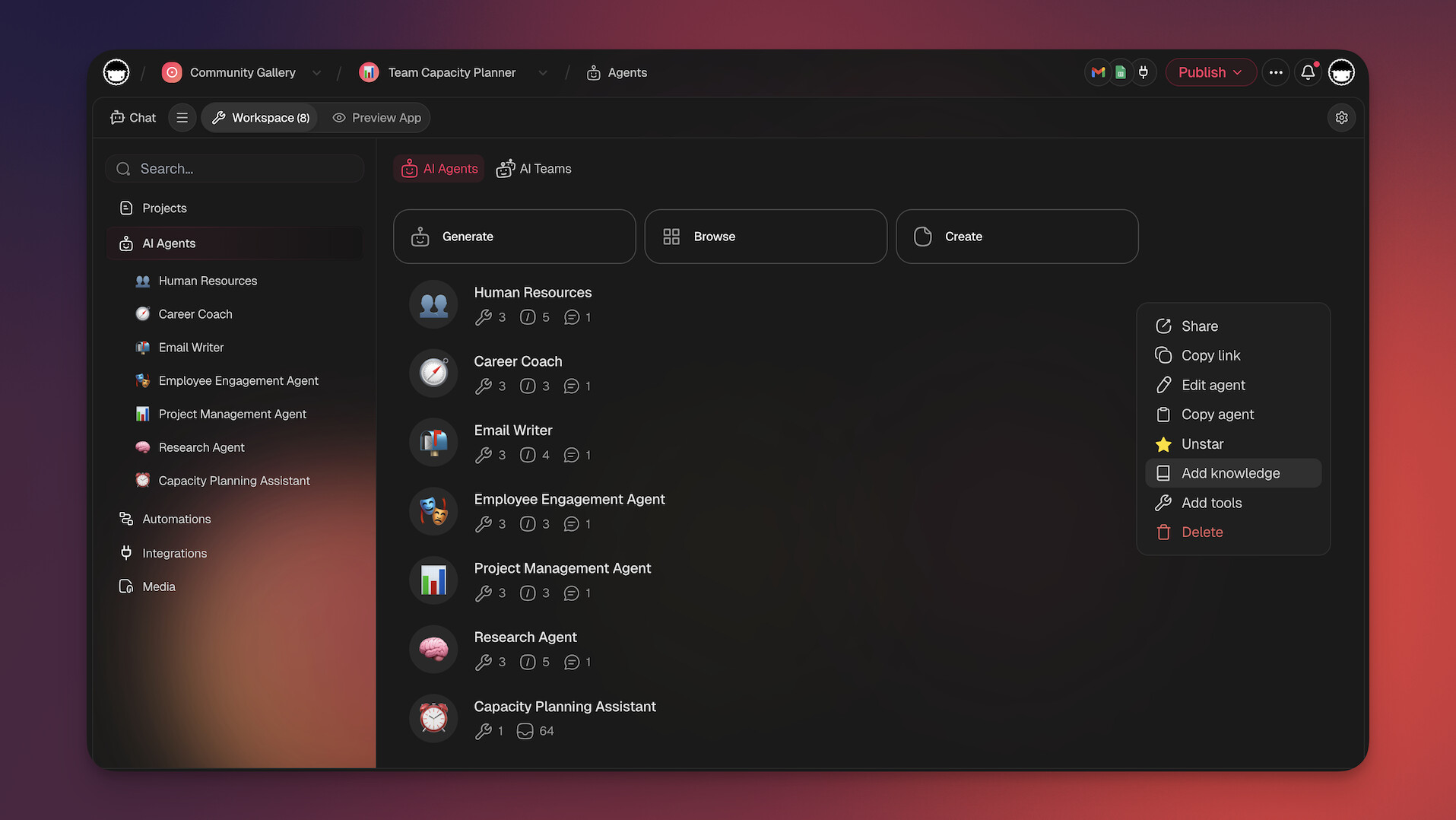
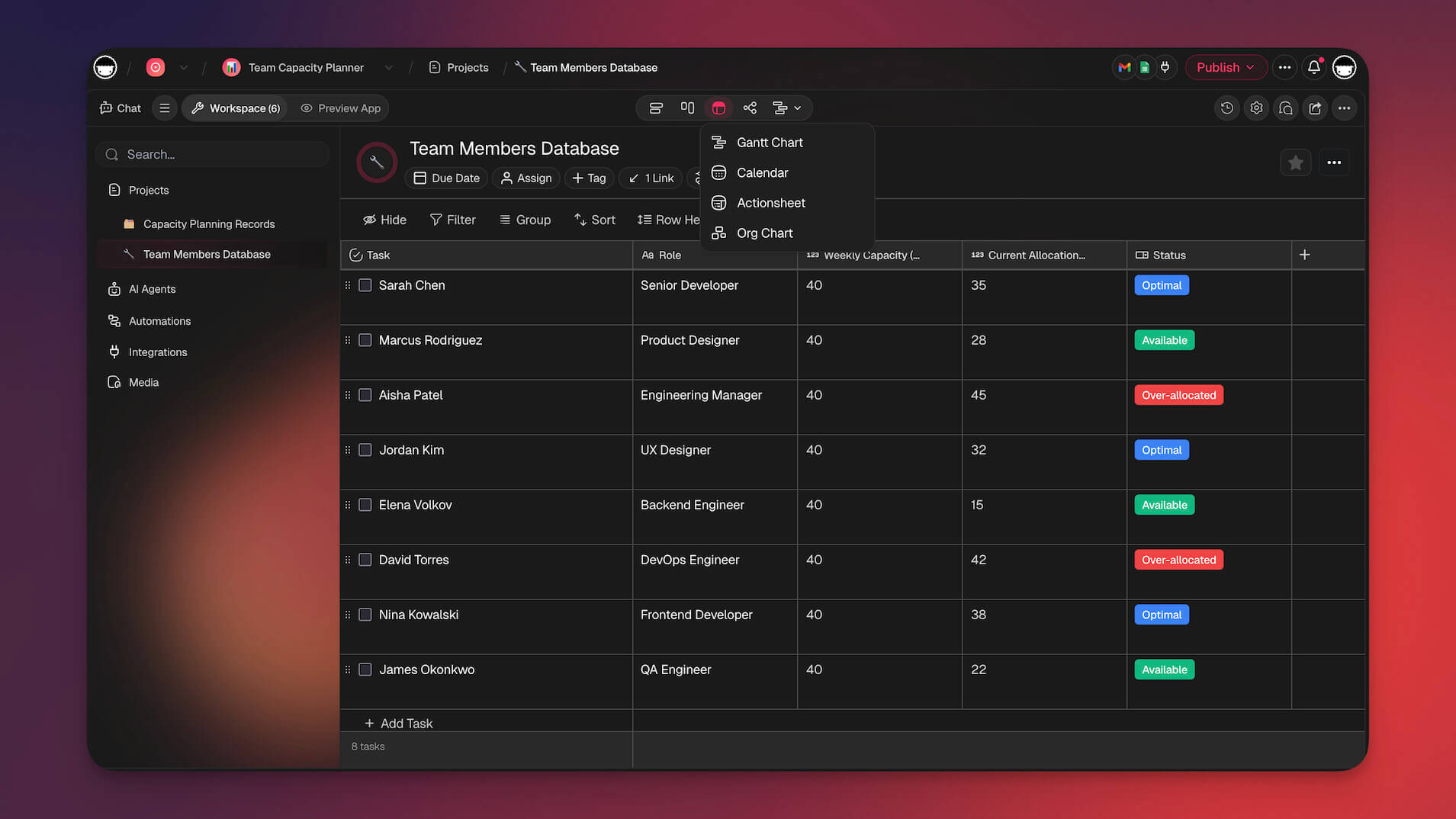
Taskade is built on Workspace DNA — a self-reinforcing architecture of Memory + Intelligence + Execution. For outlining, this means your projects serve as structured knowledge bases across 8 views (List, Board, Calendar, Table, Mind Map, Gantt, Org Chart, Timeline). AI agents act as the Intelligence layer, understanding your outlines, surfacing relevant content, and suggesting connections you might miss. The Execution layer triggers automations that keep your outlines alive — syncing updates, sending notifications, and running workflows based on changes to your outlined data. This loop ensures that every outline you create feeds back into a smarter, more connected workspace. Learn more in our personal knowledge management guide and Building a Second Brain review.
Agentic AI and Vibe Coding for Outliners
The era of static outliners is over. With Taskade AI agents, you can deploy autonomous assistants equipped with 22+ built-in tools, MCP connectors, and persistent memory to manage your outlines. Agents can generate hierarchical structures from a brief description, reorganize content by priority, expand bullet points into full paragraphs, and even research topics to fill in gaps — all without leaving your workspace.
Vibe coding takes this further. Instead of configuring tools manually, you describe your ideal outliner in plain language and Taskade Genesis builds it as a live, deployed app. With 150,000+ apps already built, Genesis users are creating custom outliners, research dashboards, and knowledge management systems tailored to their exact workflows. Explore the ultimate guide to Taskade Genesis to see what is possible.
📊 Taskade Pricing for Outliner Features (2026)
| Plan | Price | Key Outliner Features |
|---|---|---|
| Free | $0 | Unlimited outlines, AI credits, 1,000+ templates, cloud sync |
| Starter | $6/mo (annual) | More AI credits, additional workspaces, integrations |
| Pro | $16/mo (annual, 10 users) | Custom branding, advanced permissions, guest sharing |
| Business | $40/mo (annual) | SSO, expanded storage, priority support |
| Enterprise | Custom | Unlimited everything, dedicated support, custom contracts |
🚀 Pick the Best Outlining Software
Outlining is a simple and elegant way to manage the complexities of everyday life. With a solid outliner at hand, you and your team will solve problems, organize knowledge, and tackle every creative venture that comes your way.
⚡️ Map out ideas as you would on paper
⚡️ Create outlines with a great level of detail
⚡️ Keep everything secure in the cloud
⚡️ Use shortcuts and drag-and-drop magic
⚡️ Revert changes to your outlines in a blink
⚡️ Customize everything the way you like it
⚡️ Collaborate with others and get things done
Build better outlines with Taskade AI 🤖
🤖 Custom AI Agents: Set up your own AI agents to organize and plan your tasks or create clear, actionable plans for any project or goal.
🪄 AI Generator: Simplify the creation of personal projects and documents with an AI. Turn ideas into structured outlines and detailed plans.
✏️ AI Assistant: Use frontier AI models to enhance your writing and outlining tasks. Perfect for quickly drafting, organizing, and editing.
🗂️ AI Prompt Templates Library: Dive into a wide array of AI prompt templates to guide and inspire your personal and work projects.
💬 AI Chat: Engage with AI in a one-on-one conversation to dissect complex ideas, find solutions to problems, or plan next steps.
📄 Media Q&A: Use AI to analyze and summarize documents. Extract key insights without spending hours reading the whole thing.
🧬 Build Your Own AI Outliner with Taskade
Why settle for pre-built tools when you can create your own? Taskade Genesis lets you build custom AI-powered outliners, note systems, and knowledge bases with a single prompt. It's vibe coding — describe your perfect outliner and Taskade builds it as living software. Explore ready-made AI apps in our community or build your own.
Taskade's AI agents can organize outlines, generate content, and automate workflows across your entire workspace. Browse templates to get started instantly.
And much more...
Frequently Asked Questions About the Best AI Outliner Tools
Can AI make an outline?
Yes, AI can make an outline. Tools like Taskade and other AI writing assistants can generate structured outlines based on provided inputs and topics.
Can ChatGPT write a book?
Yes, ChatGPT can assist in writing a book by generating content, offering ideas, and helping with structure. However, human oversight is essential to ensure coherence and quality.
How do you convert AI to outlines?
To convert AI-generated content into outlines, use tools like Taskade to automatically structure the content into headings, subheadings, and bullet points.
Which AI tool is best for academic writing?
The best AI tool for academic writing is Taskade, as it provides features for organizing research, creating structured outlines, and collaborating with peers.
