






Hi Taskaders 👋
We’re back with another exciting update to make our platform work smarter and faster for you and your team. Give it a try and let us know what you think.
🪄 AI Assistant
Type any “/ai” command and hit enter to open the new AI Assistant. Instantly copy, regenerate, or insert the results. Taskade AI is now available at your fingertips. Learn more.
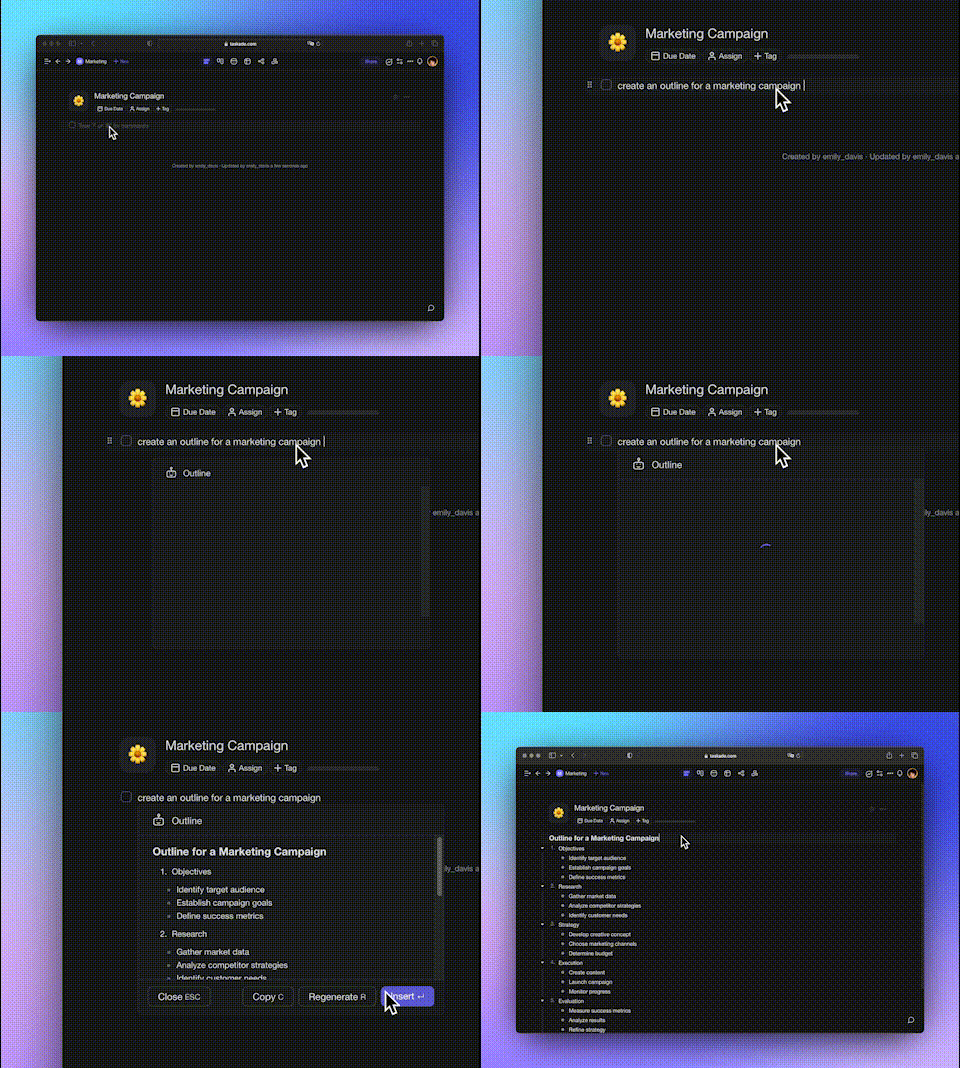
taskade outline video
🌏 AI Translate
Want to translate tasks and notes into various languages? Just use "/translate"! Need more languages? Just ping us, and we'll add them! Learn more.
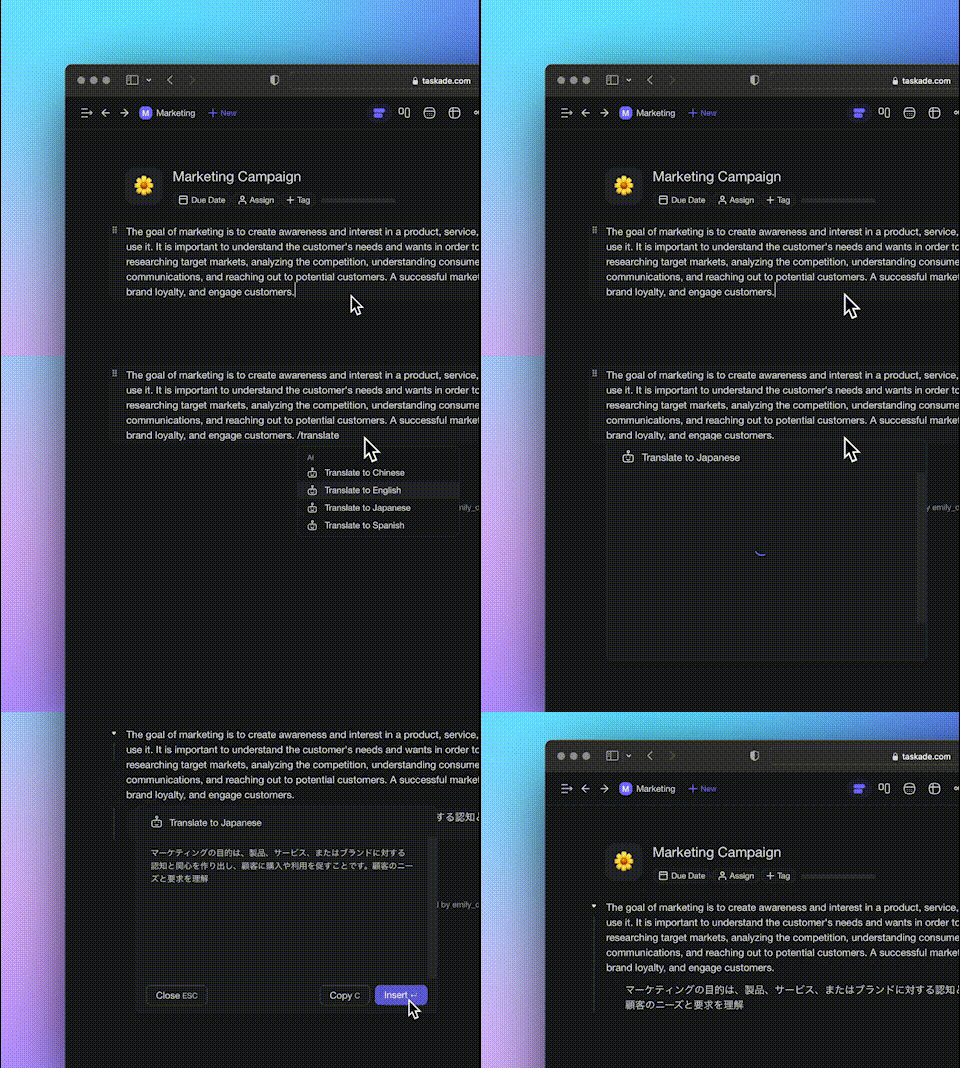
taskade translate video
✅ Progress Bar
The progress bar now counts all tasks and sub-tasks when you tick off checkboxes within a project. This includes calculating sub-sub-tasks, regardless of hierarchy. Bullets and notes are no longer counted toward the progress bar. Learn more.
Only checkboxes are now counted
Sub-task checkboxes are also counted properly
Progress bar now updates in real-time as you change list formatting
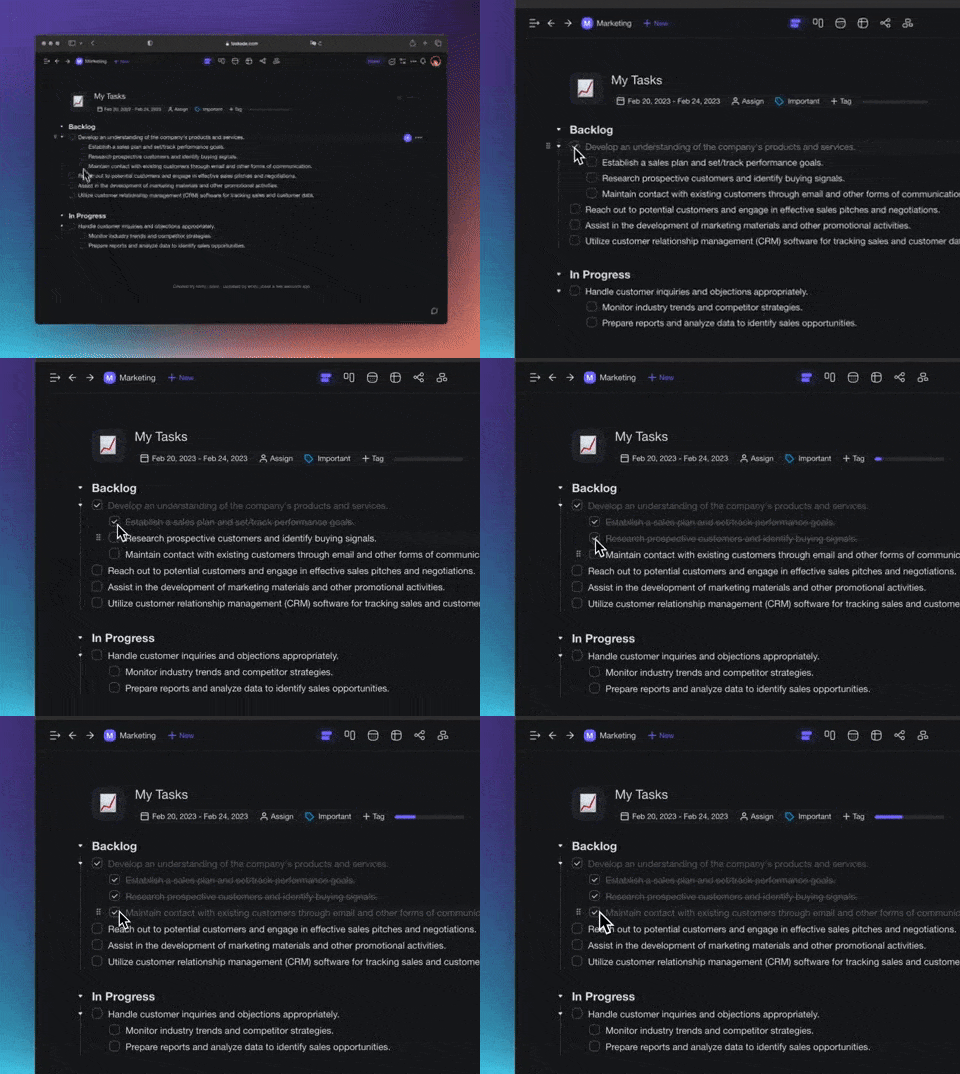
taslade progress 2
🎉 Other Improvements
New: Search project now highlights the text with your theme color
New: Improved Google Calendar Integration with faster 2-way syncing
New: Comments & Chat Messages now display code block, code snippets, ordered and numbered lists via simple markdown support
New: Added Import from Evernote, more import options coming soon
New: Updated Keyboard Shortcuts in-app menu design (Open CTRL+⇧+/)
New: Ability to disable share links for projects
New: Quick Add now supports assigning task
Fixed: Editor performance improvements
Fixed: SAML improvements and optimizations
Fixed: Project headers no longer displays your own profile avatar
Fixed: Collaborators can now use templates
Fixed: Shared with me now shows recent projects never viewed before
Various bug fixes and performance improvements
Have any questions? Visit our Help Center or let us know. 😊
— Team Taskade 🐑
Frequently Asked Questions
How do I use the Taskade AI Assistant?
Type any /ai command in the project editor and press Enter to open the AI Assistant. It generates results instantly that you can copy, regenerate, or insert directly into your project. Commands include /outline, /expand, /rewrite, /summarize, and /translate.
Can Taskade AI translate tasks and notes?
Yes. Type /translate followed by your target language to convert tasks and notes into various languages. Taskade supports a growing list of languages, and you can request additional language support from the team.
How does the progress bar work in Taskade?
The progress bar counts all checked tasks and sub-tasks within a project, including nested sub-sub-tasks regardless of hierarchy depth. It updates in real-time as you complete checkboxes and excludes bullets and notes from the calculation.
Does Taskade support importing content from Evernote?
Yes. Taskade supports importing notes and notebooks from Evernote, along with imports from Todoist, Workflowy, Dynalist, and standard Markdown files. Access the import options from the project menu to migrate your existing content.