






The pandemic has left your work-from-home motivation reserves dry? Don’t worry, we’ve all been there. The intrinsic drive is only one part of the productivity equation. You still need social interactions to keep the ball rolling. Enter virtual coworking.
In this article, we dig deep to uncover the benefits of virtual coworking spaces. We also show you how you can create one for your distributed team.
💡 Before you start… This article is part of our “remote lifestyle” series. For more practical tips, check other similar stories on the blog:
👩💻 What Is a Virtual Coworking Space?
Coworking venues are membership-based, shared office spaces where people can work, study, network, chill out, and take part in exclusive community events.
The coworking boom started in 2005 with a software engineer Brad Neuberg.
Neuberg, who’s credited with coining the term “coworking,” needed both the flexibility of freelancing and the social aspect of work he enjoyed in his 9-5.(1)
Long story short, he went on to establish the first coworking space called San Francisco Coworking Space at Spiral Muse feminist collective.
Neuberg’s initiative kick-started the new movement and prompted more venues to open all over the world. But it wasn’t until 2010 when coworking went mainstream.
Five years after the San Francisco Coworking Space was born, Adam Neumann and Miguel McKelvey founded WeWork. The company set out to lease New York’s vacant office spaces and turn them into productivity hubs for work and networking.(2)
WeWork venues expanded all over the world, and within a few years formalized the paradigm shift started by Brad Neuberg. It showed that coworking was fun.
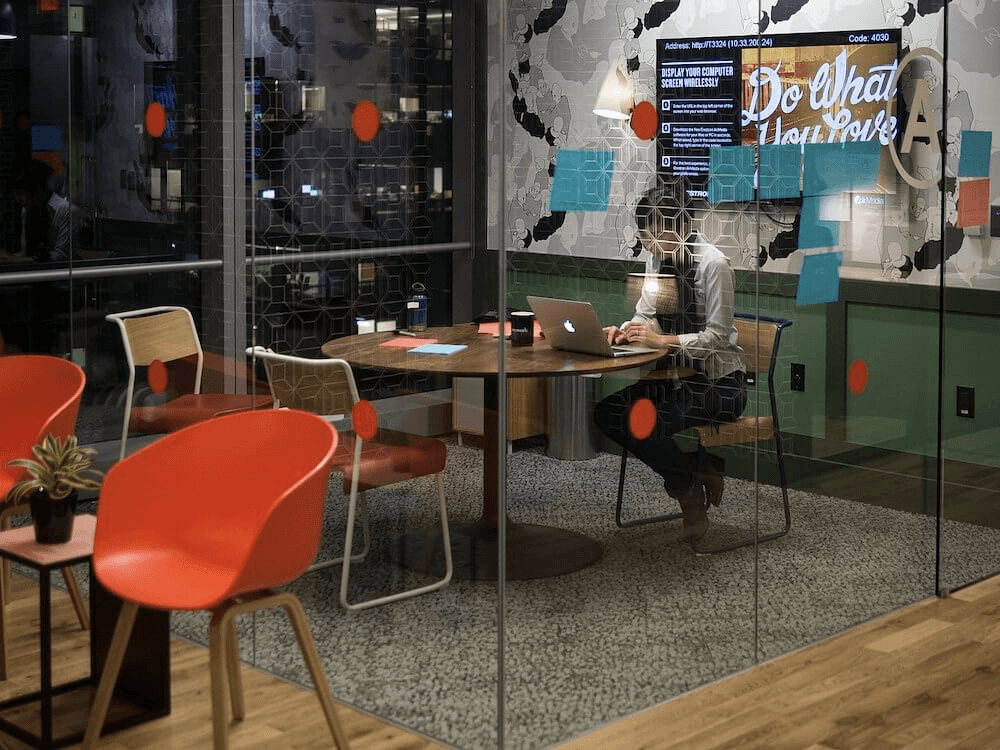
A WeWork coworking space via Wikipedia(3)
Although WeWork failed commercially and lost much of its glamour in 2019, it had managed to popularize the concept of coworking and give it proper momentum.
But 2020 brought another paradigm shift to the way we work.
The COVID-19 pandemic combined with the growing popularity of collaboration tools has accelerated the move to a fully distributed, remote work model.
And this is where virtual coworking enters the stage.
Virtual coworking aims to replicate the productive, focused, fist-bumping, caffeine-fueled vibes of coworking venues, minus the fist-bumping.
Commercial aspects aside, virtual coworking is a great way to keep yourself (and your team) focused, motivated, accountable, and more productive.
Sounds cool, right?
🚀 What Are the Benefits of Virtual Coworking?
The Social Vibes
The magic of virtual coworking lies in the ability to “be” around other people. The human-human brush, even if it’s just on video, is gold in a remote setup.
As one r/productivity Reddit user vents out:
“I work remotely. My boss is several states away. I speak to him once a week. I am ROWE (Results only work environment) so I'm not clocking in/out. It's up to me. Problem is, working remotely means I work alone. Which means I am lonely, depressed, and really unproductive.”(4)
Sounds familiar?
Whether it’s a deep work session or a virtual yoga class, adding a social element to the pot makes us willing to participate and more likely to reach the finish line.
Plus, there’s the tribal allegiance that comes with a coworking membership. After all, “sense of belonging” is a key element in Maslow’s hierarchy of needs for a reason.
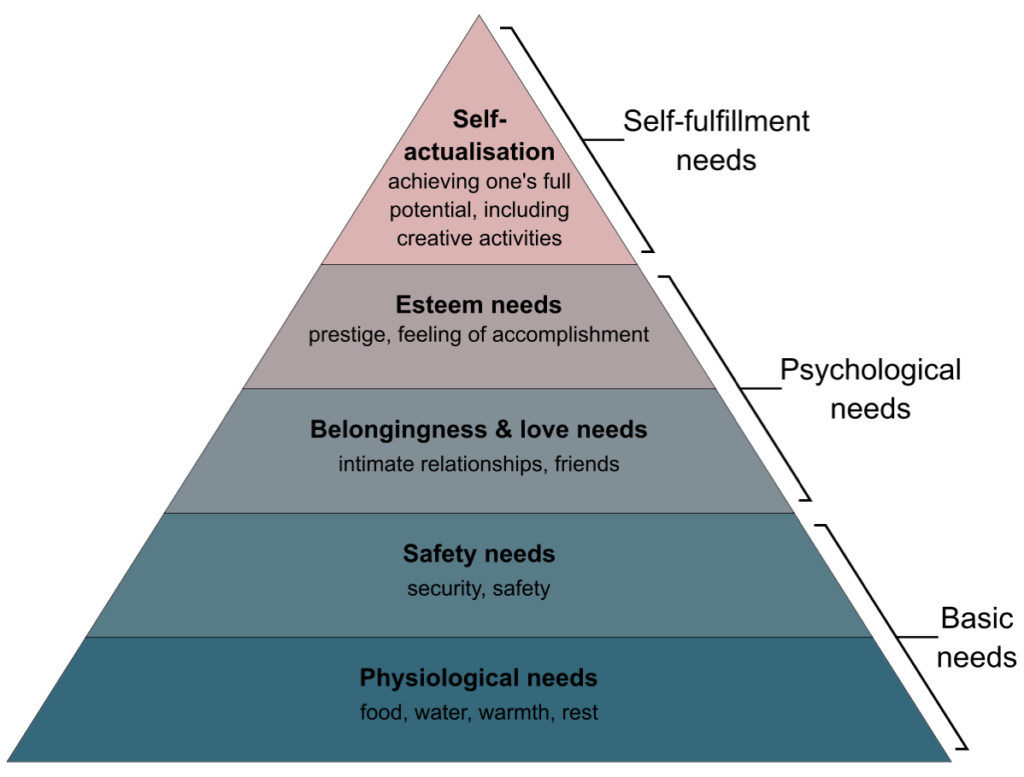
Maslow’s Hierarchy of Needs via Wikipedia(5)
And the best part?
The life in virtual coworking spaces is always on. People are working, brainstorming ideas, and striking partnerships 24/7 so the WFH loneliness bug doesn’t bite (often).
Extra Creative Juices
(Virtual) coworking spaces bring together people with different experience, skillsets, interests, and specializations. And that’s the best incubator for ideas you can hope for.
And speaking of great ideas, many successful companies, including giants like Spotify, Duolingo, or Instagram, sprouted inside coworking spaces.(6)
Coworking spaces, virtual or otherwise, remove the typical office nuances—power struggles and bureaucracy included—and let members work on anything they like in the most productive environment possible.
When you add spontaneous, organic interactions, like grabbing a virtual lunch or coffee, the opportunity for innovation becomes a viable proposition.
Accountability and Productivity Boost
Many people see home offices as a respite from all the distractions of the regular office. Noisy coworkers, phone conversations, office celebrations, you get the idea.
On the other end of the spectrum, there are remote workers who don’t know how to be their own boss and need an extra layer of accountability and motivation.
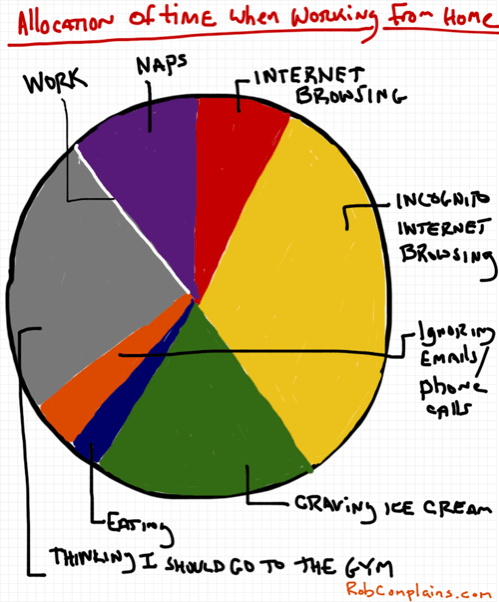
Allocation of Time when Working From Home by Rob Pollak(7)
Coworking provides both.
Most virtual coworking spaces require members to work with their webcams and microphones on. Just to make sure people do work when they’re supposed to.
The visual proof that your team (or coworking partner) is busy is enough to boost productivity and keep you from “pretending” to work, like fiddling with your phone.
🐑 How to Create a Virtual Coworking Space in Taskade
1. Communication/Collaboration Hub
First, you need to decide what kind of coworking venue your team needs. Is it strictly for work, leisure, or both? Who do you want to invite?
Here’s a handful of ideas to get you started:
📑 Exclusive, team-only space for work and leisure
🤝 Cross-team, shared collaboration space
🧘♂️ Virtual chillout room for activities like yoga classes
🔥 Education hub for expert talks and “fireside” chats
🧠 1-on-1 video chat for deep coworking sessions
Of course, you can mix and match and choose whatever works for your team. The key is to make the purpose of the space clear so people know what to expect.
Start by setting up a dedicated Taskade Workspace and invite a handful of people. Don’t worry about the items on the list. We’ll get to them in a moment.
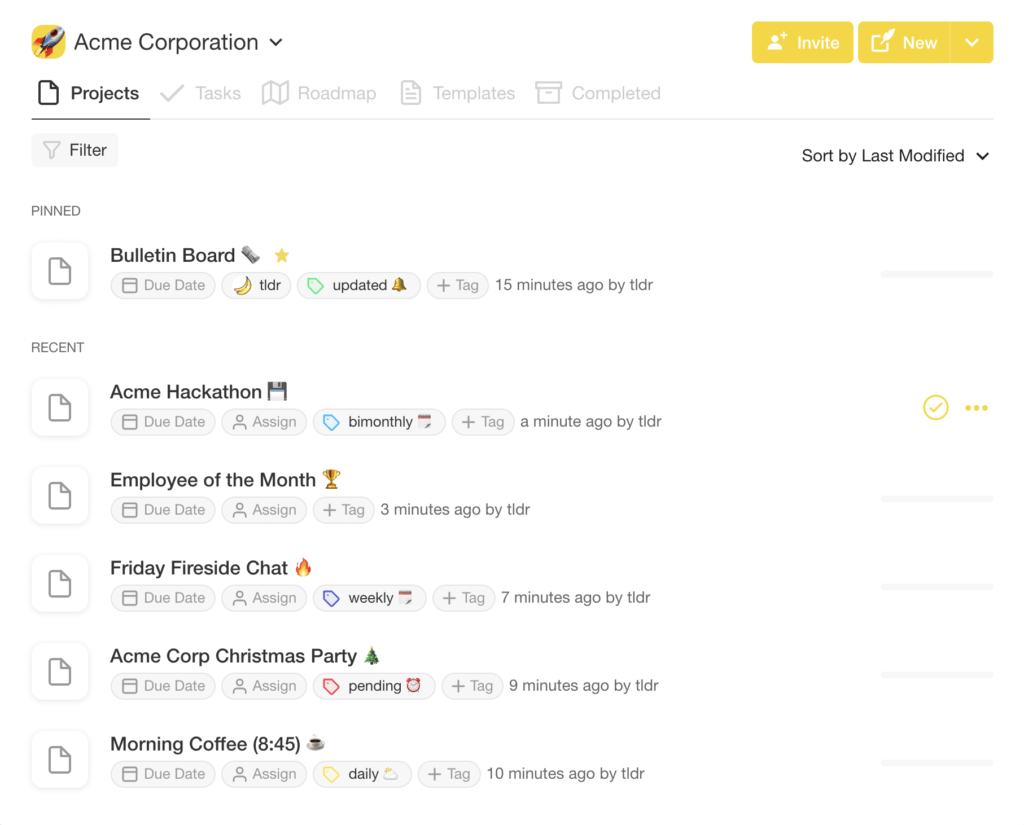
Once inside the coworking space, it’s time to interact with the group. For the best experience, you’ll want your team to use a microphone and webcam combo.
On top of free video conferencing, Taskade offers chat and VoIP calls. These are great for quick brainstorming or to follow up after a coworking session.
2. Rules of Engagement
Your team’s virtual coworking space should be a place where everybody feels empowered, productive, and comfortable around other members.
Whenever you create a new coworking space or event in Taskade, you can decide who can join in. While every team member can send invitations, it’s up to the people with workspace management and editing access to moderate and keep a finger on the pulse of things.
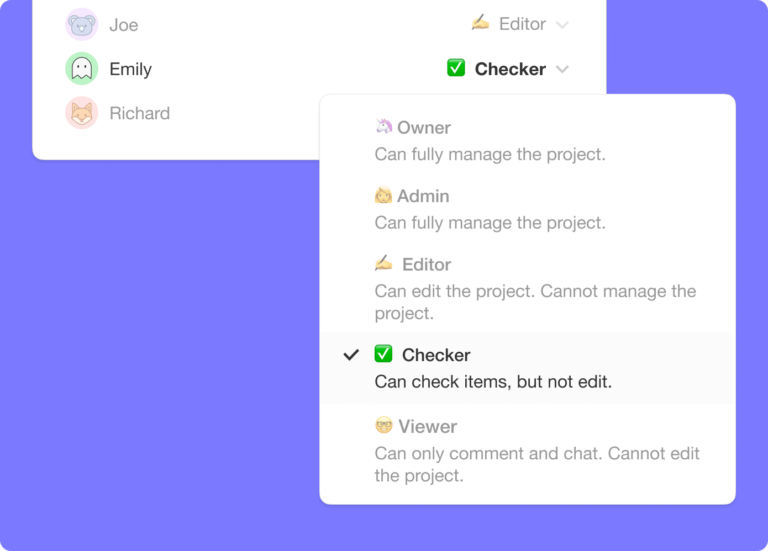
Every coworking space and community event (more on that below) should come with a set of membership rules. Here are some basic rules to adhere to when coworking:
📄 Always read the rules when joining a new space.
👁 Keep your webcam and microphone on.*
🔕 If possible, mute or turn off your phone.
🤲 Be nice to others and maintain a cordial atmosphere.
🍪 Don’t munch, crunch, or slurp. Mute your mic if you must.
🤫 Don’t interrupt others, unless you’re collaborating.
🤝 Keep socializing for community events/coffee breaks.
To make your job easier, here’s a handy template that’ll help you quick-start a team coworking space in a jiffy. Simply copy it to your Taskade workspace.
3. Scheduling and Structure
With a coworking space and a set of rules in place, it’s time to introduce a little bit of structure. Just so your team can get the best experience nine times out of ten.
The best way to do that is to create a separate project for each event and proceed to add them to a publicly available notice board.
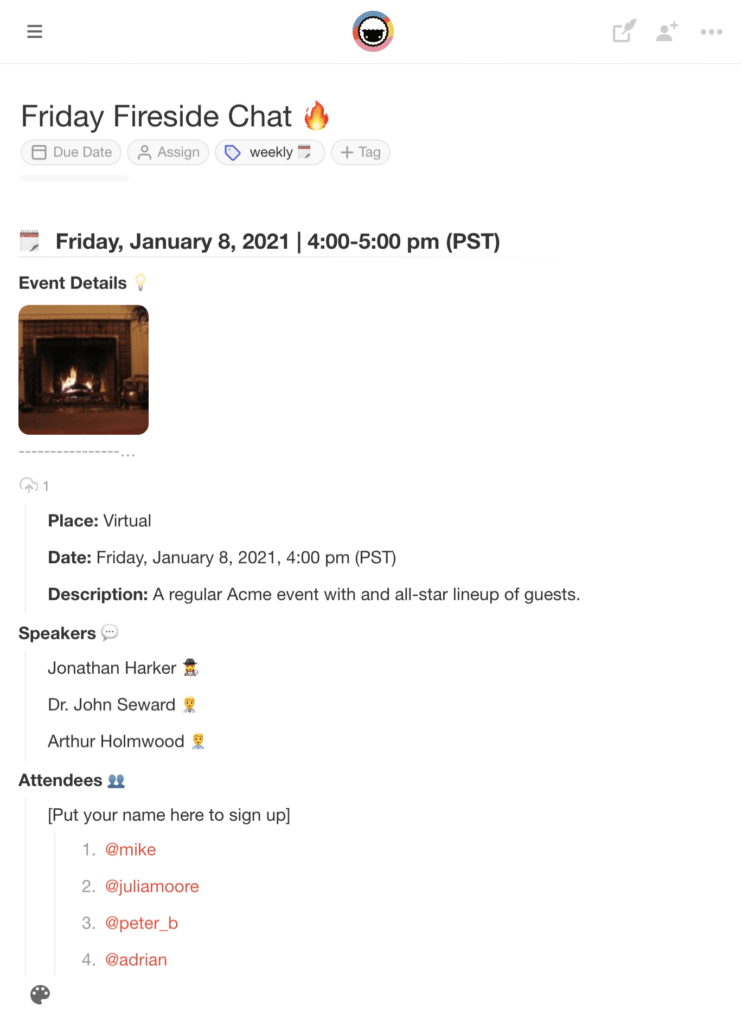
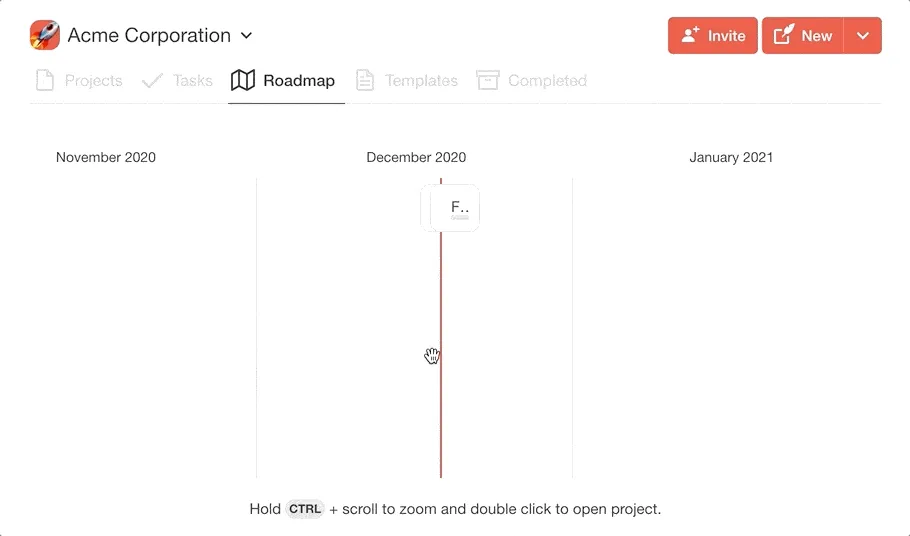
Each event in the calendar is also automatically added to the Roadmap. This way your team can easily browse coworking sessions and fit them into their schedule.
🎉 5 Cool Virtual Coworking Ideas (+Template)
Finally, you want to make sure that your team spends some quality time in the coworking space. Here’s a list of six simple exercises that’ll help you achieve that.
1. Home-Office Tour
A virtual home-office tour is a great way to get grounded in time and space. It’ll let you feel as you were sharing a physical office space with your team.
👁 Invite your remote team to a short video conference.
🏡 Move the camera around to show your team your workspace.
👉 Narrate the “tour” and tell others how you work.
🔄 Take turns and let everybody do one round.
💬 Leave 10-15 minutes for a low-key discussion.
Remember that this is an optional activity. If any of your team members doesn’t feel comfortable showing their workspace, that’s perfectly ok.
2. Deep Work/Focus Session
This is one of the key activities for your team’s virtual coworking space. Its purpose is to give your team extra motivation and accountability to get work done.
🖐 You can run this exercise for the entire team, in groups, or as a 1-on-1.
👁 Start a video conference and ask the team to turn on their webcams.
🎯 Give everybody 30 seconds to discuss what they're working on.
⏲ Set a Pomodoro timer for 25 minutes and start working on the task.*
🤫 Don’t interrupt your coworking partners and focus on your own work.
🔔 When the time runs out, take a 5-minute break, rinse, and repeat.
If you’re looking for inspiration, here’s a great coworking session put together by College Info Geek creator Thomas Frank. 👇
*Depending on your team’s preference, you can use longer Pomodoro sessions—45 minutes works like a charm—and schedule longer breakfast in-between.
3. Virtual Coffee Break
Who doesn’t love a sip of delicious coffee (tea works too) in the morning? It wakes you up, boosts your energy, and tastes even better when you’re in good company.
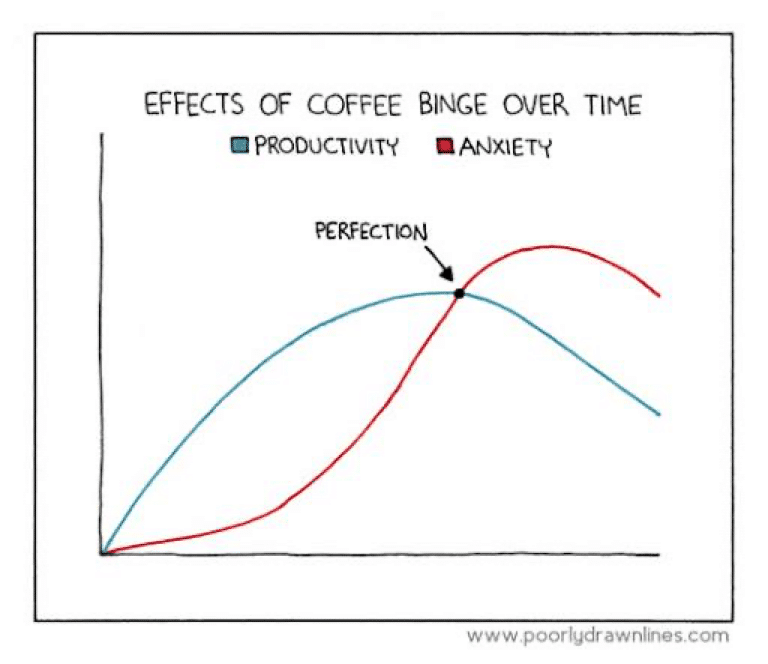
Effects of Coffee Binge Over Time by Reza Farazmand(8)
🗓 Set a recurring “morning coffee” event in your team’s calendar.
⏰ You can also use the downtime between coworking sessions.
☕️ Prep your coffee, tea, or snacks and jump on a video conference.
⚡️ Spend 10-15 minutes to chat about everybody’s day/plans/ideas.
A casual, virtual coffee/lunch break is a powerful team-building ritual you should incorporate into your team’s coworking routine.
4. Virtual Book Club
Virtual book clubs are a popular pastime in fully distributed teams. Not only do they provide a fine educational value, but they’re also a breeding ground for ideas.
👋 Create a “Virtual Book Club” project and look for recruits.
📚 Brainstorm a few genres/categories you want to explore.
🧠 Let every member suggest one book for each category.
💬 Discuss the reading material and decide on a reading schedule.
🗓 Aim for two meetings/month, with two weeks of reading time per book.
💭 Come up with a set of questions to kick off a discussion.
👁 Start a video conference and discuss the book with the team.
Choose manageable reading materials. Everybody reads at a different pace so pick books that won’t interfere with your team’s work schedule.
5. Virtual Office Celebrations/Events
Social events and celebrations are an important part of the remote team dynamic. They bring people together and foster that much-needed sense of tribal allegiance.
Here are a handful of ideas:
🧛 Halloween costume party
🏆 Employee of the month contest
🎂 Birthdays and anniversaries
🎄 Virtual Christmas party
🎮 Team video game matches
You can also use the downtime to celebrate small wins with the team. Whether it’s a successful project wrap or client acquisition, they will keep that camaraderie sky high!
Want to quickly set up a coworking space in Taskade? Grab this free remote team activities templates to get started. 👇
Frequently Asked Questions
What is a virtual coworking space?
A virtual coworking space is an online environment where remote workers and teams come together to work simultaneously — replicating the social presence and accountability of a physical coworking space. It can range from video-on work sessions to shared digital workspaces where team members collaborate in real time.
How does virtual coworking help remote workers?
Virtual coworking combats isolation and boosts motivation by creating a sense of shared presence. Working alongside others — even virtually — increases accountability, provides social interaction, and mimics the productive energy of a physical office without requiring a commute.
What happened to coworking spaces like WeWork after remote work went mainstream?
Physical coworking spaces saw a significant decline as remote work surged. Many pivoted to hybrid models or added virtual options. Meanwhile, digital-first collaboration platforms like Taskade emerged as the new coworking standard, providing the community and structure of shared spaces entirely online.
What tools create the best virtual coworking experience?
The best virtual coworking combines presence awareness with productive collaboration. Look for tools that offer shared workspaces, real-time editing, ambient video or presence indicators, and built-in task management. Taskade creates a virtual coworking feel with multiplayer editing and collaborative project views.
🐑 Conclusion
Staying motivated and productive at home is a heck of a challenge. Distractions, fluctuating schedule, social calls… and nobody around to keep you accountable.
The good news is you don’t have to hire a personal wingman to keep you on track. With a team-wide, virtual coworking space, you always get the support you need.
So, why not use Taskade to set things in motion? With free video conferencing, chat, and calls, your team will stay connected whenever and wherever they are.
Jump over here to create a free account today! 👈
Till next time! 👋
🔗 Resources
http://codinginparadise.org/ebooks/html/blog/start_of_coworking.html
https://www.newyorker.com/culture/culture-desk/the-rise-and-fall-of-wework
https://en.wikipedia.org/wiki/WeWork#/media/File:WeWork_SF_interior_(23119290411).jpg
https://www.reddit.com/r/productivity/comments/6c28sa/accountability_when_working_remotely/