






New Layout, Drag to Upload, Highlight Colors, and more!
Hi Taskaders 🎉 We've worked hard to make Taskade work better for you! Here's what's new: ## ****************⚡️ ****New Layout******************** We're thr...
On this page (5)
Hi Taskaders 🎉
We've worked hard to make Taskade work better for you! Here's what's new:
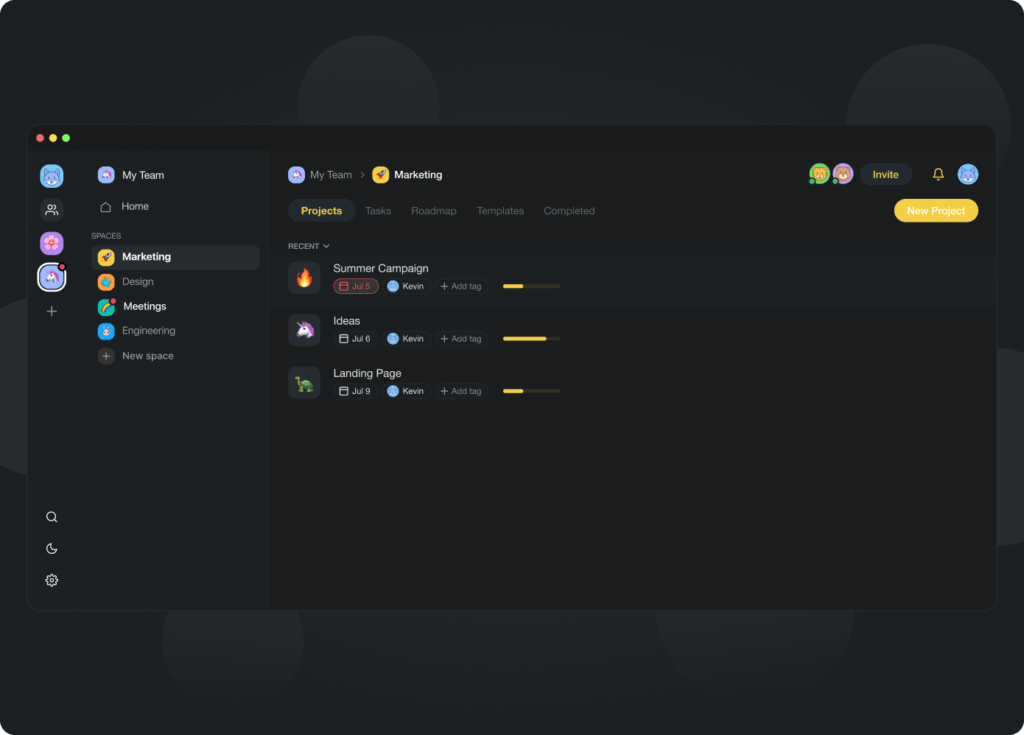
⚡️ New Layout
We're thrilled to release an update to our workspace layout. This takes us one step closer towards our vision for a unified workspace. Send us your feedback and let's work together to turn ideas into action!
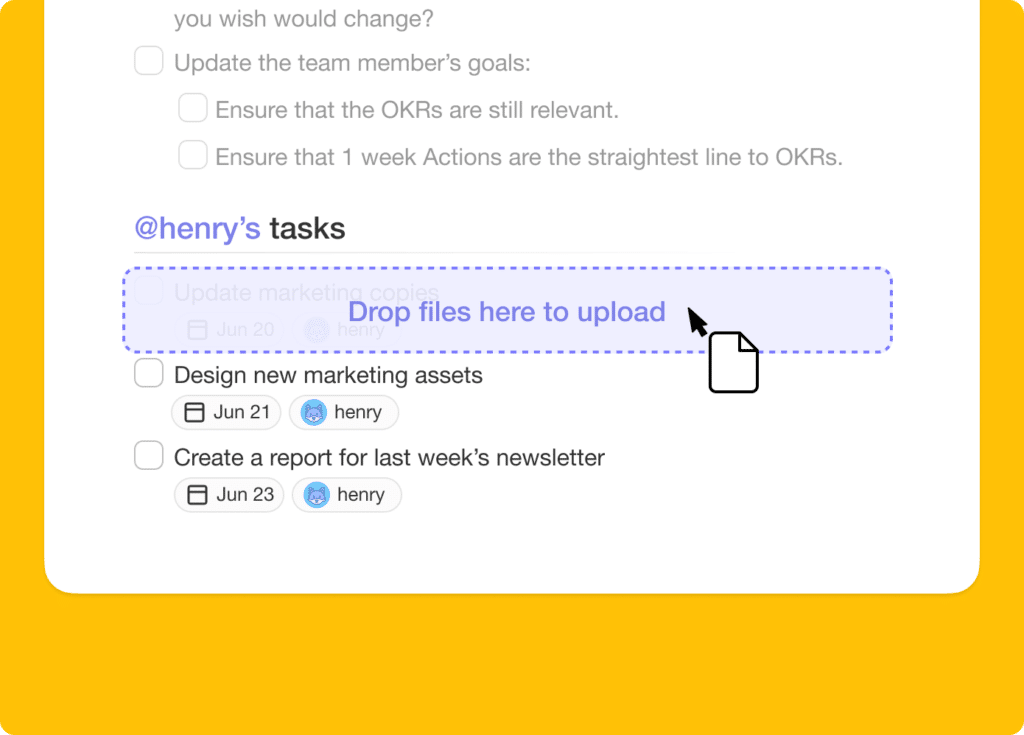
⚡️ Drag to Upload
Attaching files to your task just got easier, simply drag and drop your files onto your tasks to upload.
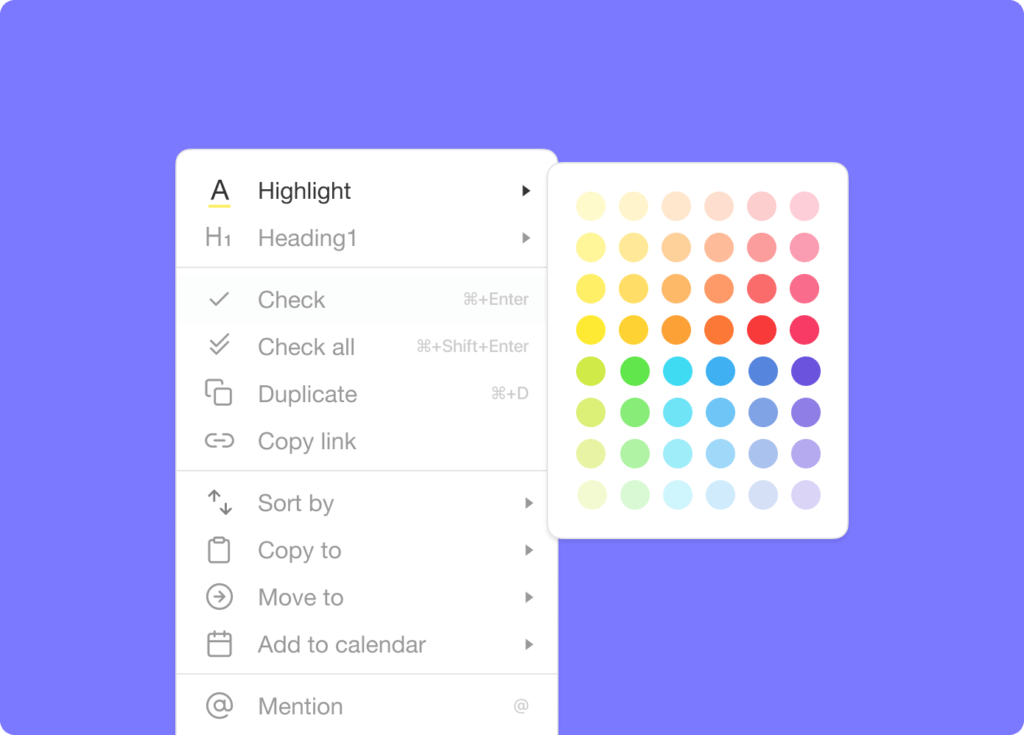
⚡️ Highlight Colors
We now support 48 new highlight colors to brighten your projects. Mix and match them to better organize your tasks!
🎉 Other Improvements
- New: Embed add-on now supports Invision, Whimsical, Vimeo, Typeform.
- New: Video conferencing now supports virtual backgrounds!
- New: Added sort tasks alphabetically, A-Z, Z-A.
- CTRL/⌘ + K and CTRL/⌘ + F now supports search all projects & spaces.
- Added audio playback support for MP3 & WAV in tasks, chat, comments.
- Added option to Embed a Taskade project in Share project menu.
- Added Polish, Turkish, Vietnamese to languages supported.
- Added ability to remove project emoji icons.
- Improved timestamp tooltips in chat and comments
- Improved performance and bug fixes.
| Thanks again for supporting Taskade, and as always, don’t hesitate to reach out or visit our help center if you need help. We’re here for you! 😊 — Team Taskade 🐑 |
|---|
Frequently Asked Questions
Can I drag and drop files to upload in Taskade?
Yes. Simply drag a file from your desktop or file manager and drop it onto any task in a Taskade project to attach it. The file uploads automatically and appears as an attachment on that task — no need to navigate through upload menus.
Does Taskade support text highlight colors?
Yes. Taskade supports 48 highlight colors for text. Select text and choose a highlight color to visually organize, prioritize, or categorize tasks and notes within your project. Mix and match colors to create a color-coded system that works for your team.
What content can I embed in Taskade projects?
Taskade supports embedding content from YouTube, Loom, Figma, Vimeo, Wistia, InVision, Whimsical, and TypeForm directly in your projects. Embedded content shows inline previews so team members can view videos, designs, and forms without leaving the project.
Can I sort tasks alphabetically in Taskade?
Yes. Taskade supports alphabetical sorting (A-Z and Z-A) for tasks within a project. Access sorting options from the task menu or project settings to quickly organize items alphabetically — useful for reference lists, glossaries, or any content that benefits from alphabetical order.