






Compare the top AI chatbots for complex tasks in 2026. In this article, we rank the leading platforms, explain the shift from traditional chatbots to autonomous AI agents, and show you how to build agentic workflows that actually execute work, not just answer questions.
TL;DR: Traditional chatbots answer questions. AI agents execute work. Taskade combines frontier models from top AI labs with autonomous agents, 100+ integrations, and workflow automation in one workspace. Free plan available, paid plans from $10/month billed annually. Try Taskade free
What Are AI Chatbots and How Have They Evolved?
AI chatbots are software programs that use large language models (LLMs) and natural language processing to understand and generate human-like responses. But the 2026 landscape looks nothing like the early days of scripted replies.
The journey started in the 1960s with ELIZA, an MIT program that used pattern matching to mimic a therapist. For decades, chatbots remained rule-based and limited. The breakthrough came with transformer architectures and large language models, which let chatbots learn complex language patterns instead of following rigid scripts.
Today, the most capable platforms have moved beyond "chatbot" entirely. They deploy autonomous AI agents that can plan multi-step workflows, use tools, maintain persistent memory, and collaborate with other agents, all without constant human prompting.
| Era | Technology | Capability | Example |
|---|---|---|---|
| 1960s-2010s | Rule-based scripts | Pattern matching, scripted responses | ELIZA, PARRY |
| 2022-2023 | Large language models | Conversational AI, content generation | ChatGPT, Claude |
| 2024-2025 | Multi-modal models | Text, voice, image, and code understanding | GPT-4o, Gemini |
| 2026+ | Agentic AI platforms | Autonomous execution, tool use, persistent memory | Taskade AI Agents |
This evolution matters because the tool you choose determines whether AI merely answers your questions or actually executes your work.
The Chatbot-to-Agent Evolution: Why It Matters in 2026
The most important shift in AI productivity is the transition from reactive chatbots to proactive agents. A chatbot waits for your prompt. An agent takes initiative.
Here is what separates the two approaches:
| Feature | Traditional Chatbot | Agentic AI Platform |
|---|---|---|
| Interaction model | One prompt, one response | Autonomous multi-step execution |
| Memory | Session-based (resets) | Persistent across conversations |
| Tool use | None or limited plugins | built-in tools, custom tools |
| Integrations | API only | 100+ native integrations |
| Collaboration | Single user | Multi-user + multi-agent |
| Workflow automation | Manual chaining | Trigger-based automation flows |
Understanding this distinction will save you from investing in a chatbot when what you actually need is an execution engine.
Taskade: The Agentic AI Platform for Complex Tasks
Taskade is the only productivity platform where humans and AI agents work together in the same workspace, at the same time. It goes beyond chat to deliver autonomous execution across your entire workflow.
Here is what makes Taskade different from standalone chatbots.
Level 1: Contextual AI Chat
Taskade AI lives where you work. Open any project, click the chat button, and interact with AI that has full context about your tasks, documents, and team responsibilities.
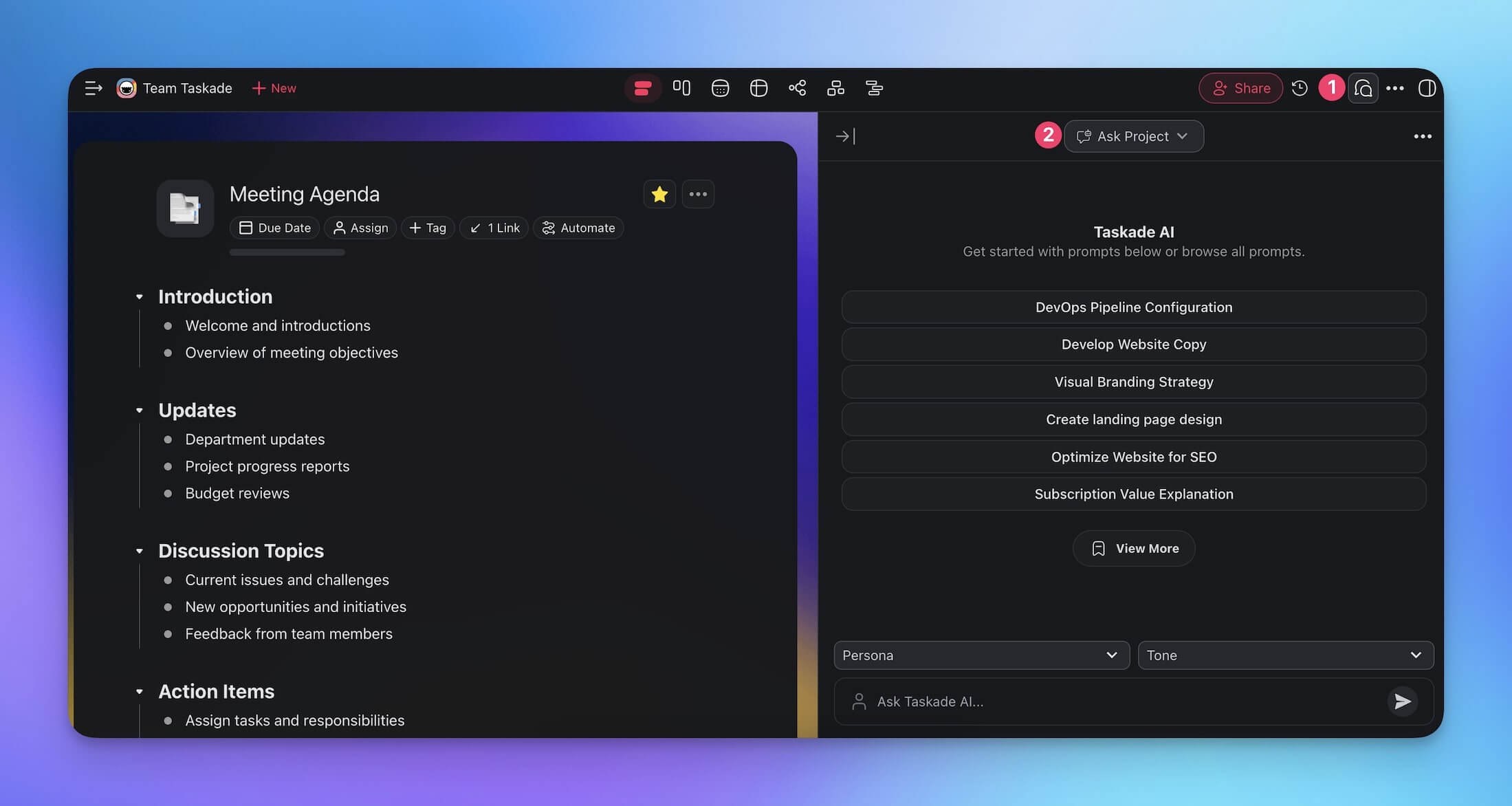
Unlike standalone chatbots, Taskade AI can reference your project data directly. Ask it to summarize meeting notes, draft emails based on project context, or identify blockers across your task list. It understands your work because it lives inside your work.
You can also customize responses with AI chat personas and tones for more tailored output.
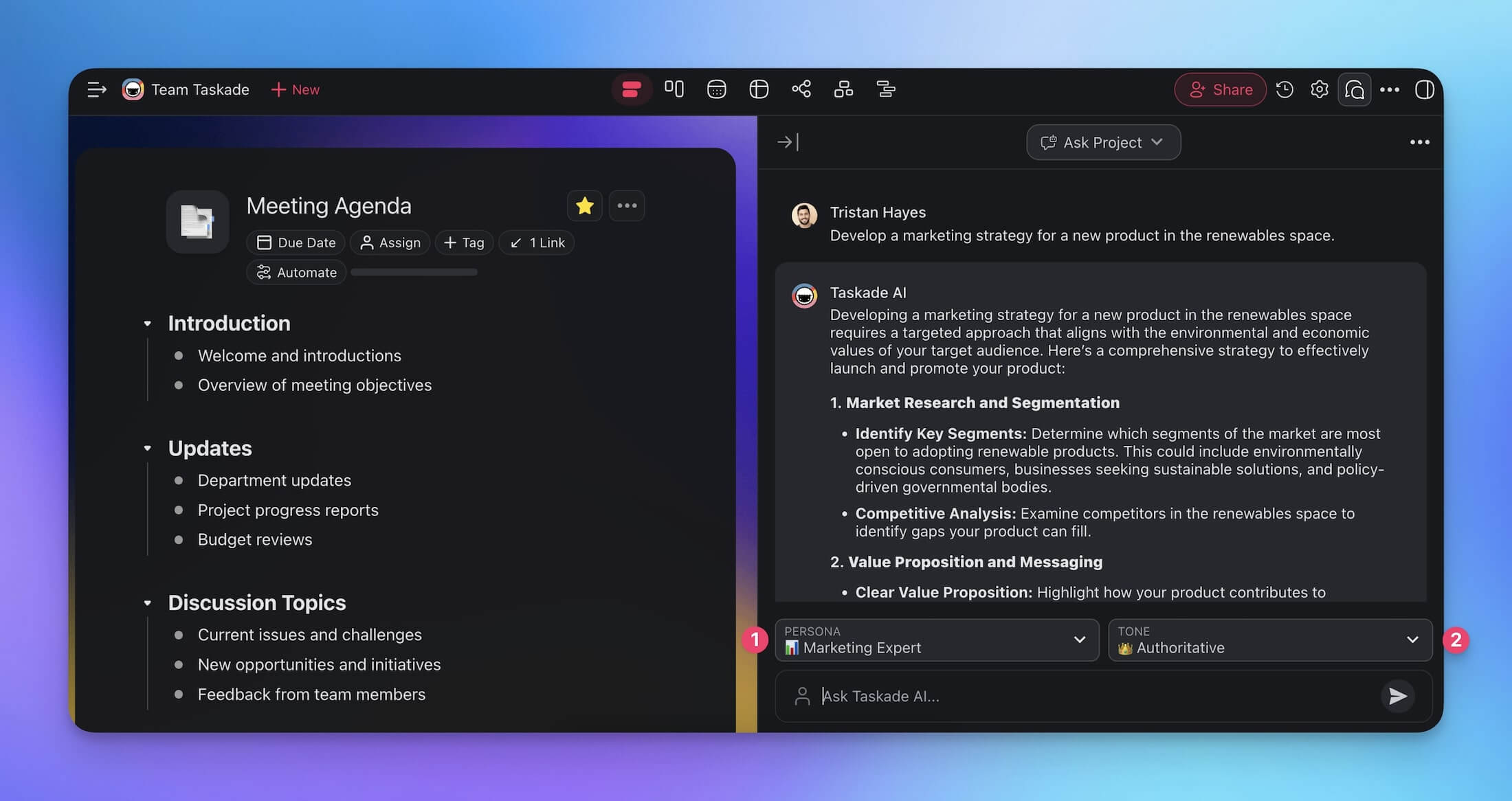
Want real-time AI collaboration? Invite your team into the same chat. Multiple people can brainstorm with AI simultaneously, making Taskade the only platform where human-AI collaboration happens collectively.
Start collaborating with your team and AI agents
Level 2: Custom AI Agents with built-in tools
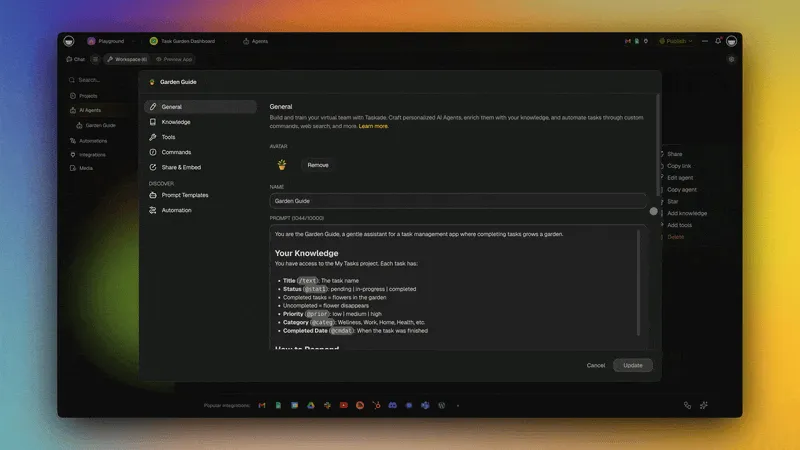
Taskade AI agents are autonomous assistants that go far beyond what any chatbot can do. Each agent has unique knowledge, skills, and access to built-in tools including web search, document analysis, and project management.
Here is an example. You want to qualify incoming sales leads automatically. Instead of prompting a chatbot each time, you build a Lead Processing agent:
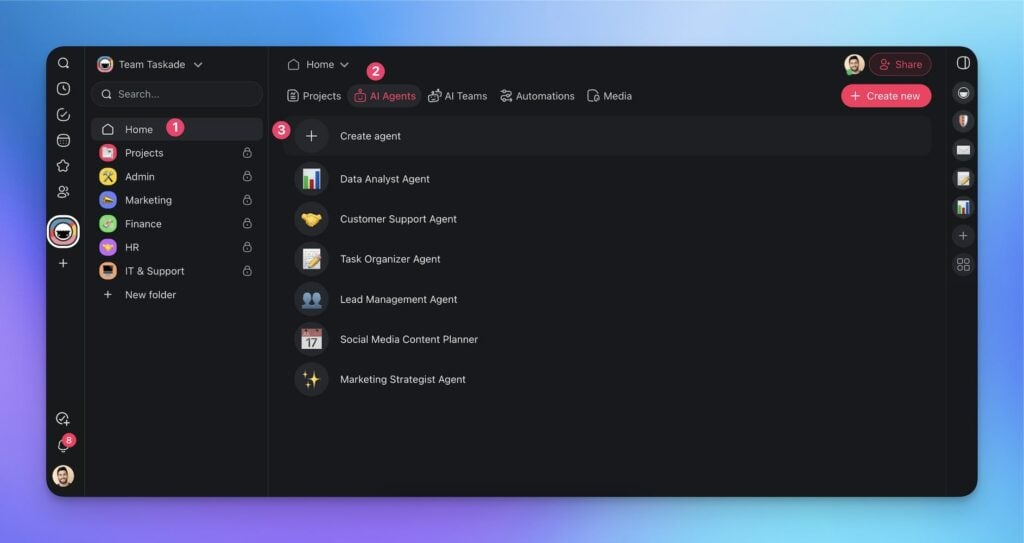
- Go to the Agents tab in your workspace and click Create agent.
- Describe the agent's purpose:
Create a deal agent that integrates with my HubSpot account to qualify leads, analyze customer data, draft pitches, and automate follow-up emails.
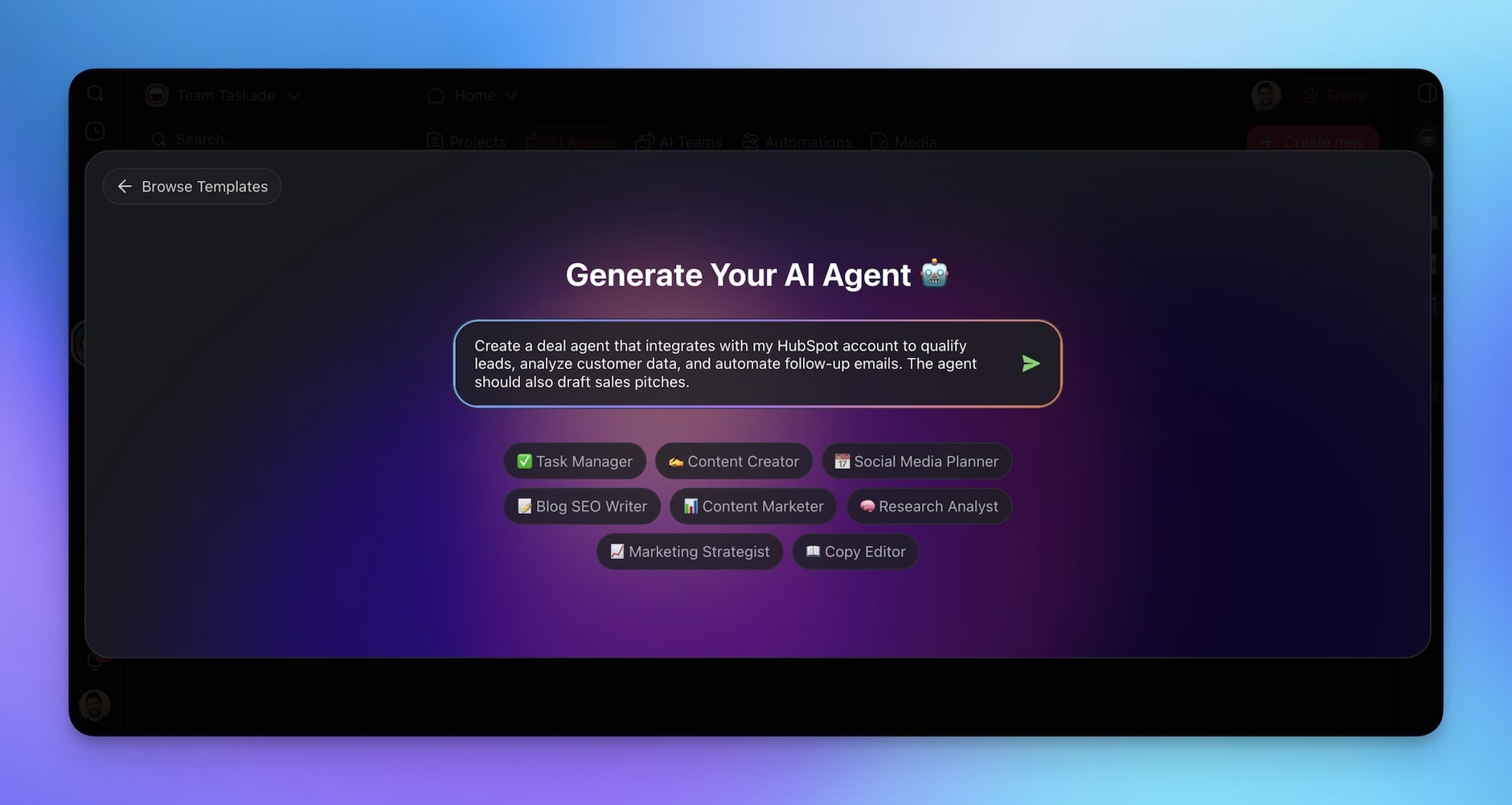
- Your agent is ready. It can now qualify leads, draft personalized pitches, and update your CRM autonomously.
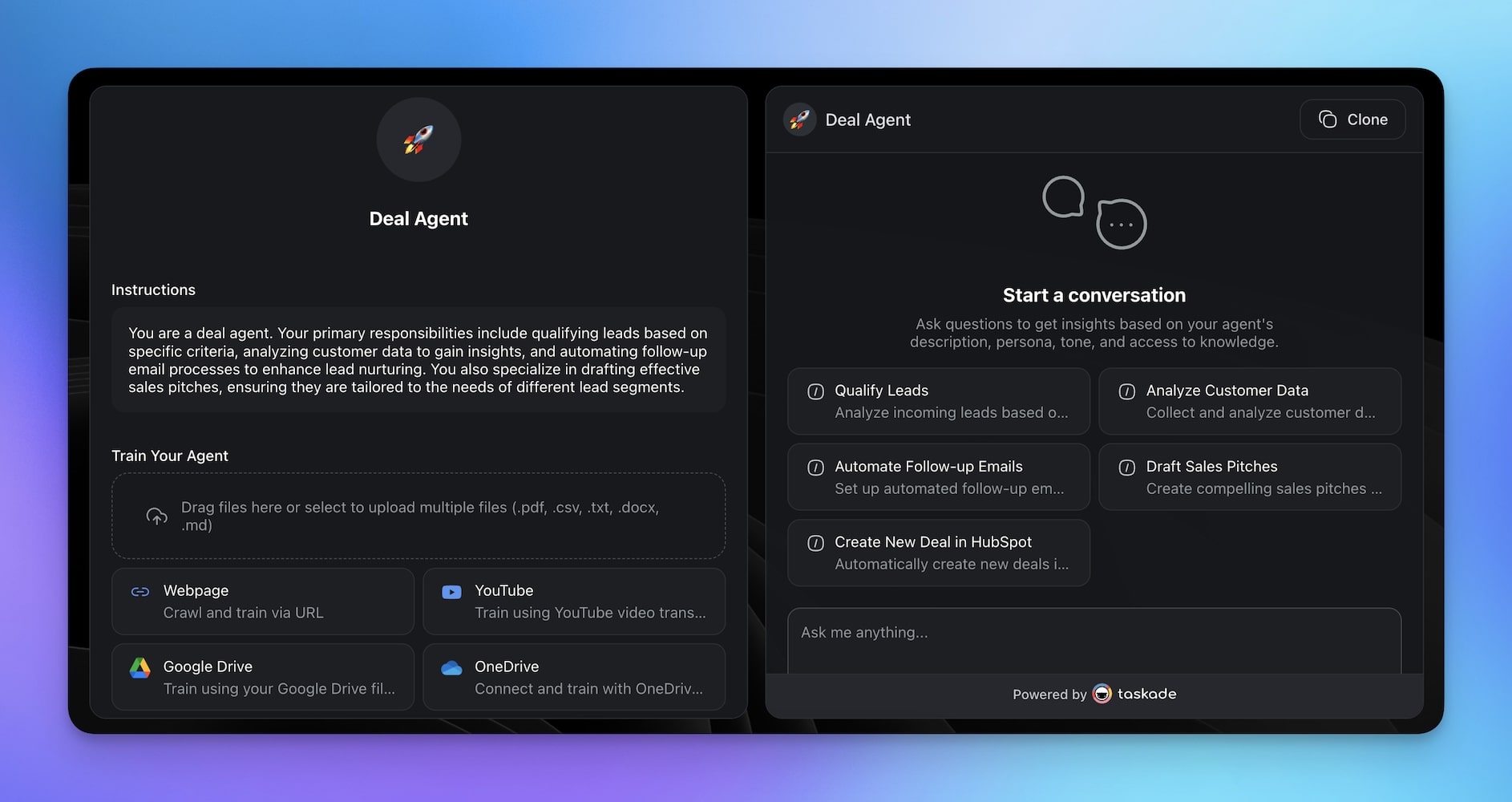
Make agents smarter by uploading documents to their knowledge base. The more context an agent has, the better it performs across complex tasks.
Key agent capabilities in 2026:
- Slash commands for reusable prompt sequences
- Persistent memory that carries context across conversations
- Multi-agent collaboration where agents work together on complex tasks
- Public embedding to deploy agents on external websites
- Custom tools for domain-specific functionality
Level 3: Workflow Automation with 100+ Integrations
AI chat and autonomous agents are powerful on their own. Combined with workflow automation, they become an execution engine.
Taskade automation eliminates manual prompting. Instead of typing instructions for each task, you build trigger-based flows that run automatically.
Every automation flow connects to 100+ tools and platforms including Gmail, Slack, Google Docs, HubSpot, Salesforce, LinkedIn, Notion, and more. Your AI agents act as decision-making engines within these flows, executing tasks and making dynamic choices at every step.
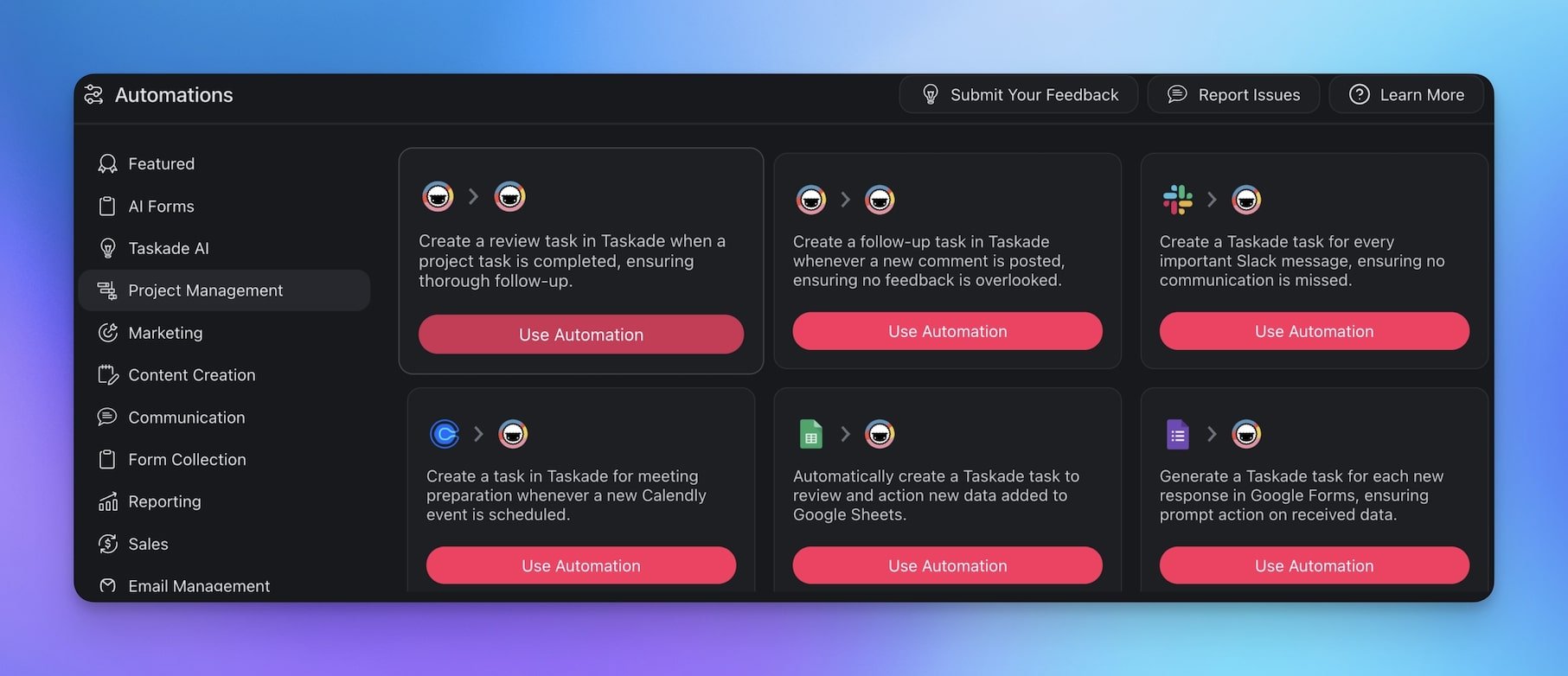
Build your first automation flow
Other Leading AI Chatbots in 2026
ChatGPT (OpenAI)
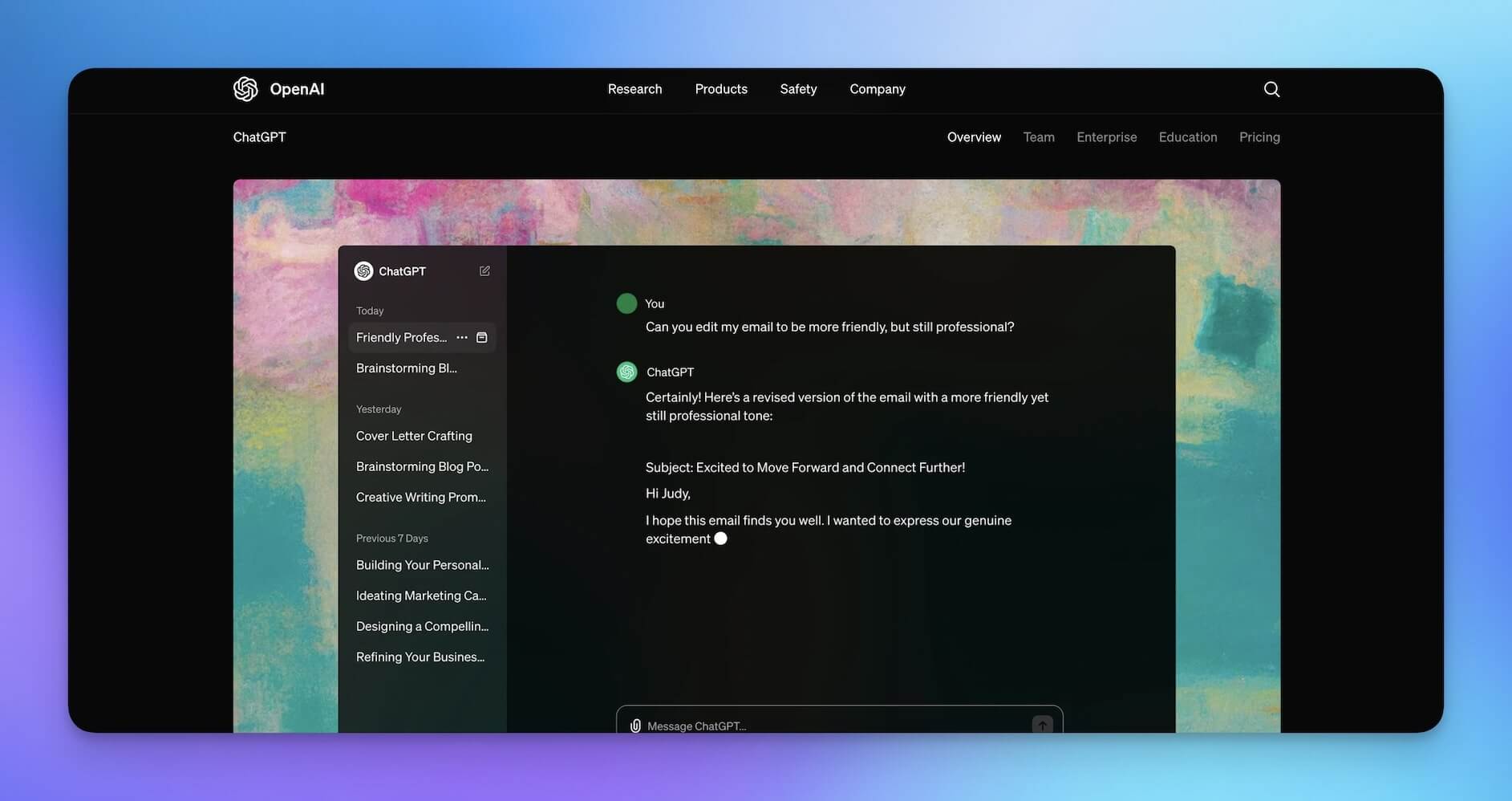
ChatGPT remains the most widely used AI chatbot. Launched by OpenAI in late 2022, it brought conversational AI to the mainstream. The latest versions offer multi-modal input and output including text, voice, images, and code execution.
ChatGPT excels at ad-hoc content generation, coding assistance, and creative brainstorming. The introduction of Custom GPTs added some personalization, but ChatGPT still operates as a standalone tool without native project management, team collaboration, or workflow automation.
Key Features:
- Multi-modal input (text, voice, vision, files)
- Custom GPTs for specialized use cases
- Code interpreter and data analysis
- Image generation with DALL-E
- Plugin ecosystem for third-party integrations
Best For: Individual users who need a general-purpose AI assistant for ad-hoc tasks.
Limitation: No native task management, team collaboration, or automation engine. Every interaction requires manual prompting.
Claude (Anthropic)
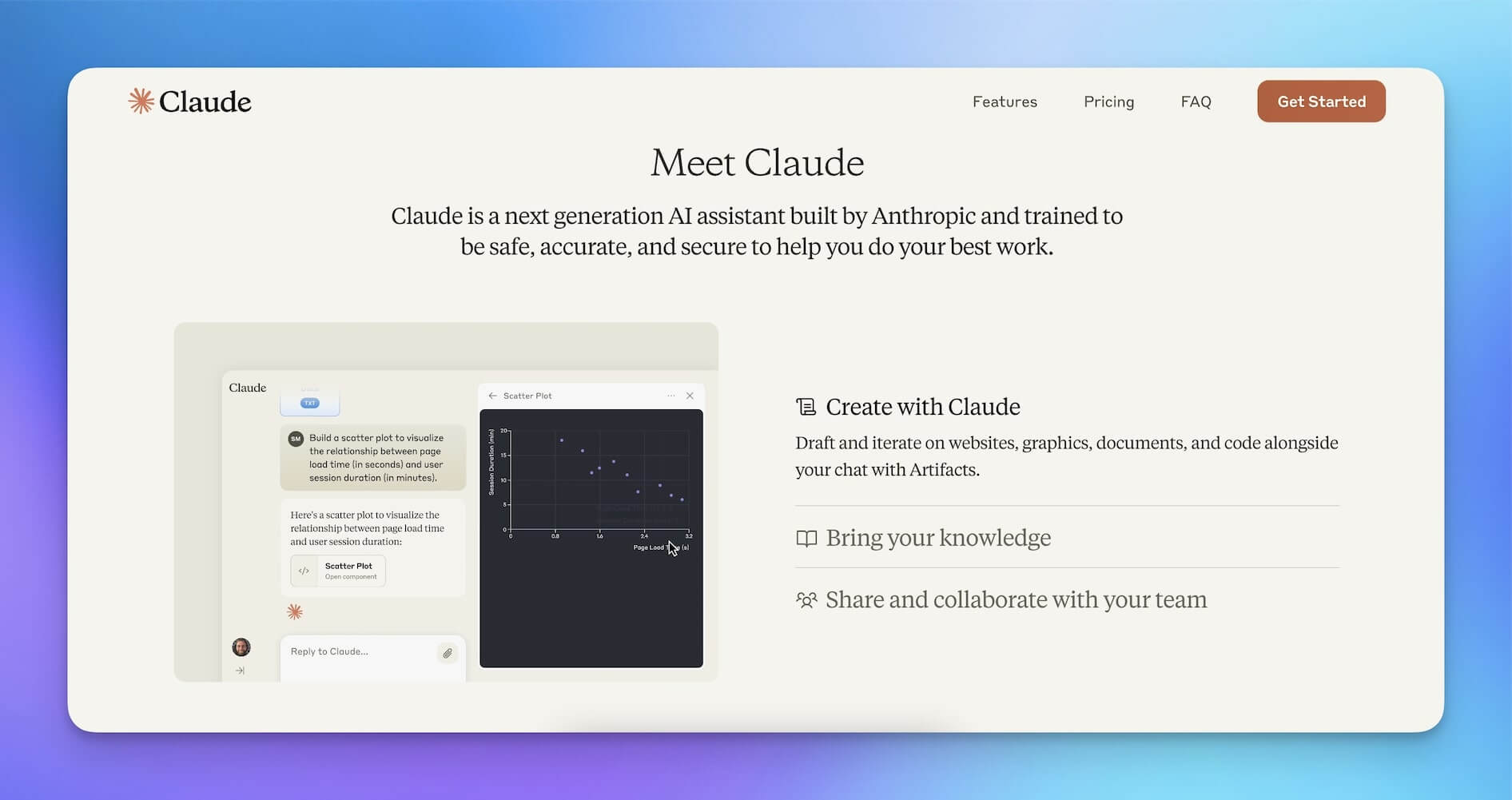
Claude is developed by Anthropic with a focus on safety and reasoning. The platform uses a family of models (Haiku for speed, Sonnet for balance, and Opus for complex reasoning) and handles long-context tasks exceptionally well.
Claude stands out for its thoughtful responses and ability to process documents up to 200K tokens. It is particularly strong for research, analysis, and nuanced writing tasks.
Key Features:
- Extended context window (up to 200K tokens)
- Strong reasoning and analysis capabilities
- Document and image understanding
- Artifacts feature for code and content creation
- Enterprise API with safety controls
Best For: Organizations and researchers who need careful, nuanced AI reasoning with long-context support.
Limitation: No built-in project management, automation, or multi-agent orchestration.
Gemini (Google)
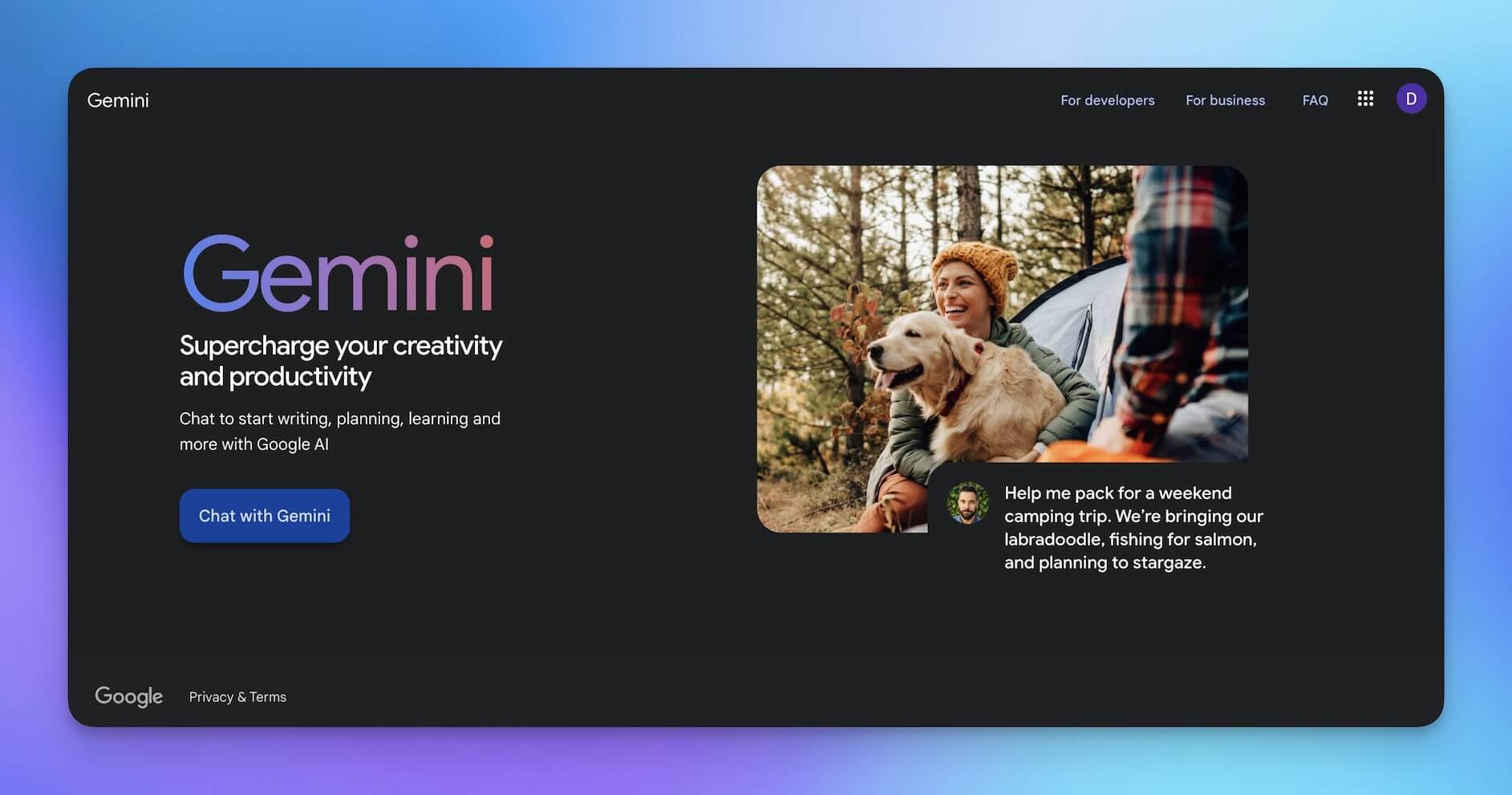
Google's Gemini (formerly Bard) has matured significantly since its rocky 2023 launch. Tight integration with Google's ecosystem, including Search, Docs, Sheets, Gmail, and Drive, makes it the natural choice for teams already embedded in Google Workspace.
The latest Gemini models offer strong multi-modal reasoning, code generation, and the ability to access real-time information through Google Search grounding.
Key Features:
- Deep Google Workspace integration
- Real-time search grounding for current information
- Multi-modal processing (text, images, audio, video)
- Scalable model architecture (Nano, Flash, Pro, Ultra)
- Developer API with generous free tier
Best For: Teams already using Google Workspace who want AI integrated into their existing tools.
Limitation: Limited to the Google ecosystem. No standalone project management or agentic workflow capabilities.
Microsoft Copilot
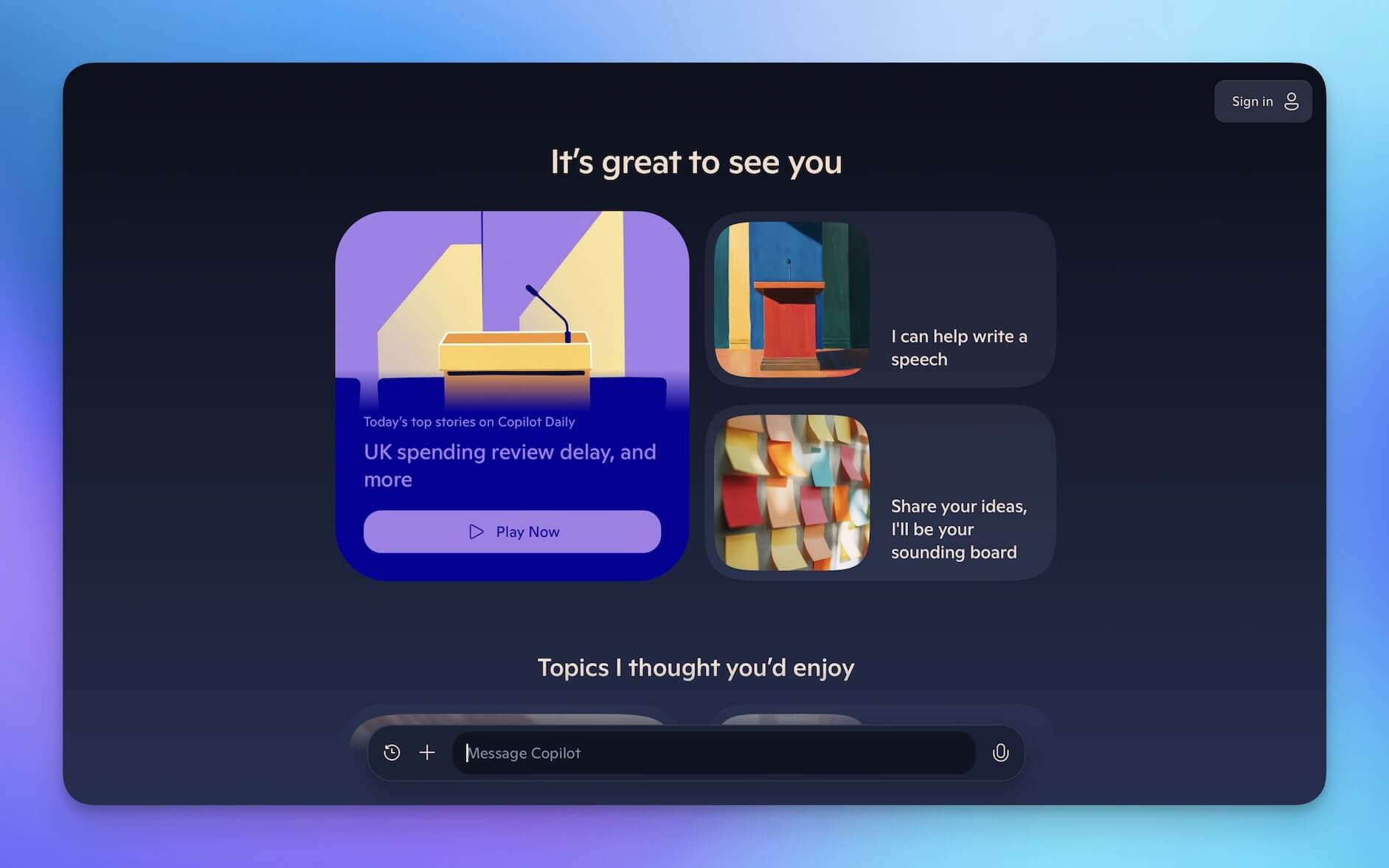
Microsoft Copilot integrates OpenAI's models directly into Microsoft 365 apps including Word, Excel, Outlook, Teams, and PowerPoint. It is the most seamless AI experience for organizations standardized on Microsoft's stack.
Copilot can draft documents, analyze spreadsheets, summarize email threads, and generate meeting transcripts, all within the apps teams already use daily.
Key Features:
- Embedded in Word, Excel, Outlook, Teams, and PowerPoint
- Intelligent document editing and data insights
- Meeting transcription and summarization
- Enterprise security and compliance
- Copilot Studio for custom agent building
Best For: Organizations using Microsoft 365 who want AI embedded into their existing productivity suite.
Limitation: Locked to Microsoft ecosystem. Expensive per-seat pricing ($30/user/month for M365 Copilot).
Jasper AI
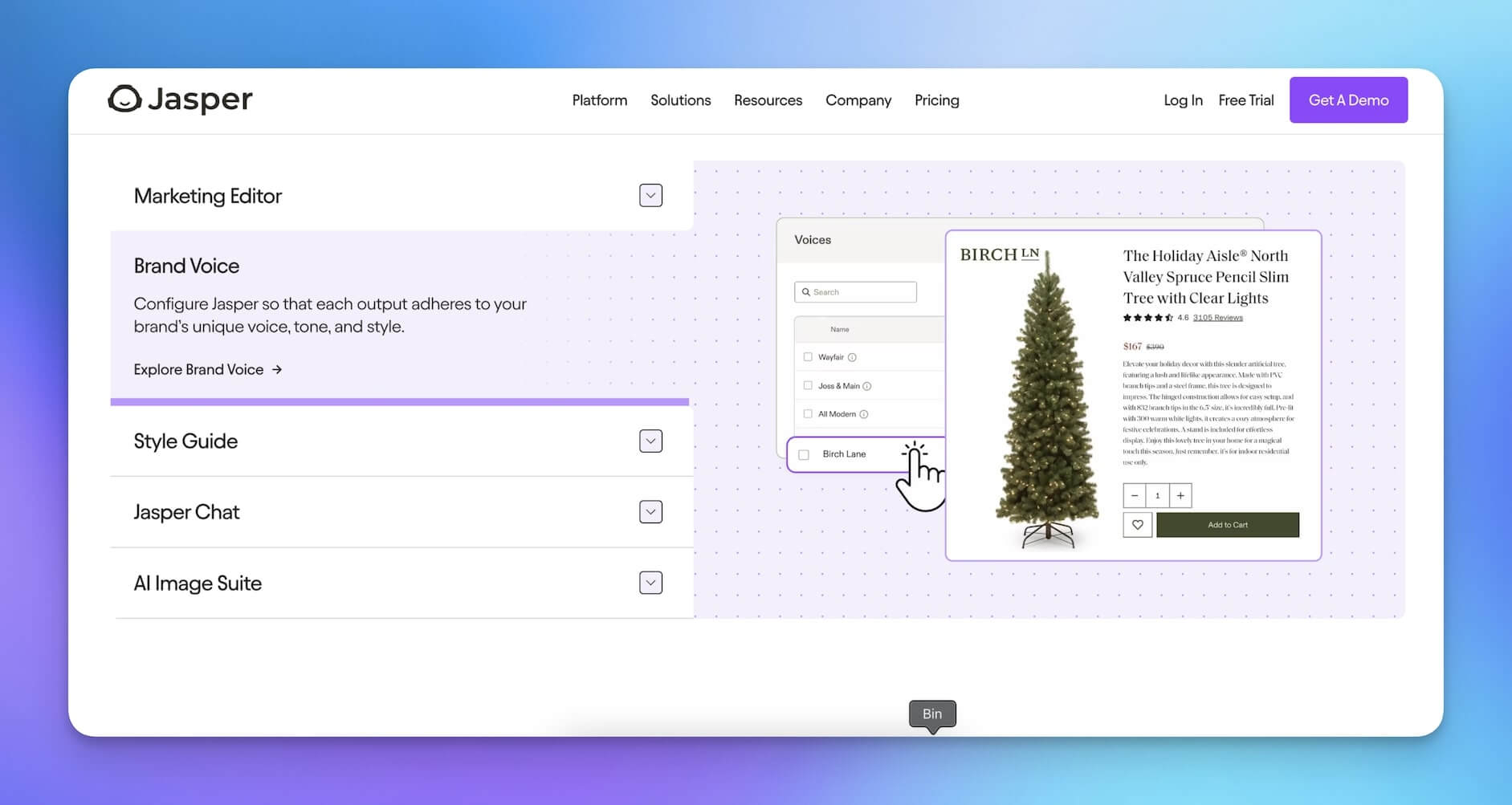
Jasper AI focuses specifically on marketing content creation. It generates blog posts, social media copy, ad copy, and marketing emails with brand voice consistency. Jasper is more specialized than general-purpose chatbots.
The platform includes a knowledge base, image generation, and integrations with marketing platforms. It is designed for marketing teams who need high-volume content production with brand guidelines.
Key Features:
- Brand voice and style guide enforcement
- Marketing-specific content templates
- Image generation suite
- Knowledge base for brand context
- Campaign management tools
Best For: Marketing teams focused on high-volume content creation with brand consistency.
Limitation: Narrow focus on marketing content. No project management, team collaboration, or workflow automation.
AI Chatbot Comparison: Features at a Glance
| Feature | Taskade | ChatGPT | Claude | Gemini | Copilot | Jasper |
|---|---|---|---|---|---|---|
| AI Models | Frontier models from top AI labs | OpenAI only | Anthropic only | Google only | OpenAI only | Multiple |
| Custom AI Agents | Yes (built-in tools) | Custom GPTs (limited) | No | No | Copilot Studio | No |
| Workflow Automation | Yes (100+ integrations) | No | No | No | Power Automate (separate) | No |
| Project Management | Yes (multiple views) | No | No | No | Via M365 | No |
| Team Collaboration | Real-time with AI | No | No | Limited | Via Teams | Limited |
| Persistent Memory | Yes | Limited | Limited | Limited | Via M365 Graph | No |
| Multi-Agent | Yes | No | No | No | Limited | No |
| Pricing (annual) | Free / $10-$25/mo | Free / $20/mo | Free / $20/mo | Free / $20/mo | $30/user/mo | $39/seat/mo |
How to Choose the Right AI Chatbot for Your Needs
Selecting the right platform depends on how you plan to use AI. Here are the criteria that matter most.
Integration with Existing Tools
The best AI chatbot fits into your current workflow without requiring a complete tool migration. Check for native integrations with your email, CRM, communication, and project management tools.
Taskade connects to 100+ integrations across 10 categories. ChatGPT and Claude require third-party middleware like Zapier for most integrations, which adds cost and complexity.
Multi-Model Support
Different tasks benefit from different AI models. A coding task might perform better with one model, while creative writing shines with another. Platforms that support multiple models give you flexibility.
Taskade provides access to frontier models from top AI labs, all within the same workspace. Most standalone chatbots lock you into a single provider.
Agentic Capabilities
If your work involves repeating multi-step processes, you need more than a chatbot. You need agents that can run autonomously with triggers, tools, and persistent memory.
Evaluate whether the platform supports custom AI agents, workflow automation, and multi-agent collaboration. These capabilities separate tools that answer questions from tools that execute work.
Security and Access Control
For team deployments, security is non-negotiable. Look for role-based access control, data encryption, and compliance certifications.
Taskade offers role-based access (Owner to Viewer) so you can control exactly who accesses what. Review the roles and permissions documentation for details.
Collaboration Features
AI is most valuable when teams can share insights, refine outputs together, and build on each other's work. Look for real-time collaboration, shared agent access, and collective brainstorming capabilities.
Taskade is the only platform where multiple team members can interact with AI agents simultaneously in the same workspace. Explore multiple project views including List, Board, Mind Map, Gantt, Calendar, Table, and Org Chart.
Best Practices for Using AI Chatbots in Complex Workflows
Start with a Clear Objective
Define what you want AI to accomplish before choosing a tool. A content brainstorming session needs different capabilities than automated lead processing. Match the platform to the workflow, not the other way around.
Build Reusable Agent Workflows
Instead of prompting AI from scratch every time, create custom agents with pre-built commands and knowledge bases. An agent that understands your brand voice, project history, and team structure delivers consistently better results than ad-hoc chatbot interactions.
Browse the prompt template library and automation templates for ready-made starting points.
Connect AI to Your Data Sources
AI chatbots produce generic output without context. Give your agents access to relevant documents, project data, and historical information through knowledge bases. Context-rich agents outperform context-free chatbots by a wide margin.
Automate Repetitive Sequences
If you find yourself prompting the same multi-step workflow repeatedly, build an automation flow. Triggers can fire on new emails, form submissions, scheduled intervals, or task assignments, eliminating the need for manual AI interactions entirely.
Measure and Iterate
Track which AI workflows save the most time and refine them. Start with simple automations and expand as you learn what works. The teams that get the most value from AI treat it as an evolving system, not a one-time setup.
The Future: From Chatbots to Living Software
The trajectory is clear. AI is moving from passive conversation to active execution. The next generation of productivity tools are not chatbots at all. They are living software systems that build, deploy, and manage themselves.
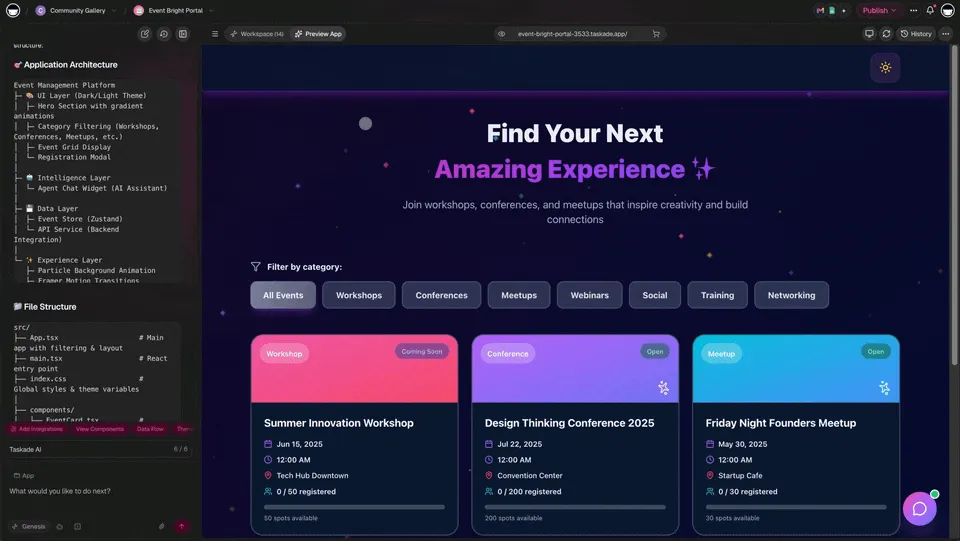
Taskade Genesis represents this future. Describe what you need, and Genesis creates complete AI applications with built-in agents, automations, and databases. It is vibe coding at its best: one prompt produces a full, deployed application.
| What You Describe | What Genesis Builds |
|---|---|
| "A customer support dashboard" | Live app with AI agent, ticket routing, analytics |
| "A content calendar for my team" | Project with multiple views, automation flows, agent support |
| "A lead qualification pipeline" | CRM with forms, agent scoring, email automation |
Explore what others have built in the Community Gallery and browse AI apps for inspiration.
Key Takeaways
The AI chatbot landscape in 2026 has split into two clear categories: standalone conversational tools and integrated agentic platforms. Here is what to remember:
- Traditional chatbots like ChatGPT and Claude excel at individual tasks but require manual prompting for every interaction
- Agentic platforms like Taskade combine AI chat with autonomous agents, workflow automation, and 100+ integrations
- The choice depends on whether you need a tool that answers questions or one that executes work
- Security, multi-model support, and team collaboration are critical evaluation criteria for team deployments
- The future belongs to agentic workflows that run autonomously, not chatbots that wait for prompts
Build Living Software with Taskade Genesis
Chatbots are demos. AI agents are execution. With Taskade Genesis, go beyond conversations and build complete AI applications that act autonomously. Describe your workflow, and Taskade creates living software.
Get started with Taskade for free
Explore More:
- Custom AI Agents — Build autonomous agents with built-in tools
- Workflow Automation — Connect 100+ integrations
- AI Agent Chat for Teams — Collaborative AI brainstorming
- Taskade Pricing — Free, Pro $10/mo, Business $25/mo (billed annually)
- Community Gallery — Explore and clone AI apps
- Prompt Templates — Ready-to-use prompts for every use case
- AI Apps — Browse Genesis-built applications
- What is Vibe Coding? — Build apps with natural language
- 10 Agentic Workflows — Self-running AI systems
Frequently Asked Questions
Which AI chatbots are best for handling complex, multi-step tasks in 2026?
For complex tasks, look beyond basic Q&A chatbots. Platforms like Taskade offer AI agents with built-in tools that can break down problems, access project data, use custom tools, and execute multi-step workflows autonomously. ChatGPT, Claude, and Gemini handle complex reasoning, but they lack built-in project management, 100+ integrations, and team collaboration that workspace-integrated agentic platforms provide.
What makes an AI chatbot suitable for team productivity?
A productivity-focused AI chatbot should integrate directly into your workflow rather than exist as a separate app. Key capabilities include access to your team knowledge base, the ability to create and update tasks, real-time collaboration, persistent memory across conversations, and support for multiple AI models. Taskade combines all of these with role-based access control from Owner to Viewer for enterprise-grade security.
How do AI chatbots improve productivity for complex workflows?
AI chatbots reduce time spent on research, drafting, brainstorming, and coordination. Agentic chatbots go further by autonomously handling entire sequences like researching a topic, drafting a report, breaking it into tasks, and assigning follow-ups. Taskade agents can chain these steps with 100+ integrations and run on schedules or triggers without manual prompting.
Are AI chatbots secure enough for sensitive business tasks?
Enterprise-grade AI chatbot platforms implement encryption, access controls, and data isolation. When evaluating options, check for SOC 2 compliance, data retention policies, and whether the platform processes data through third-party models. Taskade provides workspace-level permissions with a role-based access control system covering Owner to Viewer roles.
What is the difference between an AI chatbot and an AI agent?
An AI chatbot responds to individual prompts in a conversational interface. An AI agent operates autonomously, using custom tools, persistent memory, and multi-step reasoning to complete complex workflows without constant human input. Agents can also collaborate with other agents, trigger automations, and integrate with external services like Gmail, Slack, and HubSpot.
Can AI chatbots replace human workers in 2026?
AI chatbots and agents augment human work rather than replace it. They handle repetitive tasks like email drafting, data summarization, and report generation, freeing teams to focus on strategy, creativity, and decision-making. The most effective approach treats AI as a teammate within your workspace, not a standalone tool.
How much do AI chatbot platforms cost for teams?
Pricing varies widely. ChatGPT Plus costs $20 per user per month for individual use. Taskade offers team plans starting at Free, with Pro at $10 per month (billed annually) for up to 10 users, and Business at $25 per month (billed annually) with unlimited seats. All paid plans include access to frontier AI models from top AI labs.
What are agentic workflows and why do they matter?
Agentic workflows are AI-driven processes where autonomous agents plan, execute, and iterate on tasks without step-by-step human instruction. They matter because they transform AI from a reactive question-answer tool into a proactive execution engine. Taskade agents can use slash commands, built-in tools, and persistent memory to run entire workflows autonomously.