






Looking for Notion alternatives that offer better AI, lower costs, or local-first privacy? This comparison reveals the top productivity platforms in 2026, from AI-powered workspaces to markdown-based knowledge bases.
Quick Winner: Taskade leads with AI-first action ($16/mo for 10 users — unlimited AI agents + video calls) for teams wanting to execute, not just document. Notion excels at flexible documentation but now requires the $20/user/mo Business plan for AI access. Choose based on whether you prioritize action (Taskade) or documentation (Notion).
What Changed in 2026: The AI Agent Arms Race
The Notion alternatives landscape has shifted dramatically since early 2025. Every major productivity platform is now racing to add AI agents:
| Platform | AI Agent Status (Feb 2026) | AI Pricing | Key Limitation |
|---|---|---|---|
| Taskade | GA since 2023 | Included in Pro ($16/mo, 10 users) | — |
| Notion | GA (3.2, Jan 2026) | Business plan required ($20/user/mo) | No automations, document-only |
| ClickUp | GA (Super Agents) | $7-12/user + AI credits | Credit-based limits |
| Monday.com | GA (Agent Factory) | Separate product ($49/mo) | Not integrated with boards |
| Asana | Beta (AI Teammates) | AI Studio Pro add-on | GA expected mid-2026 |
The critical differentiator is no longer "does it have AI?" — every platform does. The question is: does the AI actually execute work, or does it just write text?
- Notion 3.2 agents can work for 20 minutes autonomously across documents — impressive for content work, but they operate within Notion's document paradigm. No automation workflows, no custom tools, no public embedding.
- ClickUp Super Agents offer 500+ work skills through their Codegen acquisition (December 2025), but run on credit-based pricing that scales with usage.
- Monday Agent Factory launched as a separate product that doesn't even require a Monday.com account — essentially a standalone chatbot builder.
- Asana AI Teammates are still in beta with checkpoint governance (human approval required at each step).
- Taskade AI Agents have been production-ready since 2023 with 33 built-in tools, persistent memory, custom slash commands, multi-model support, and automation workflows powered by a durable execution engine. No credit limits on Pro.
This context matters for choosing a Notion alternative in 2026. If AI agents are important to your workflow, the pricing math has changed significantly.
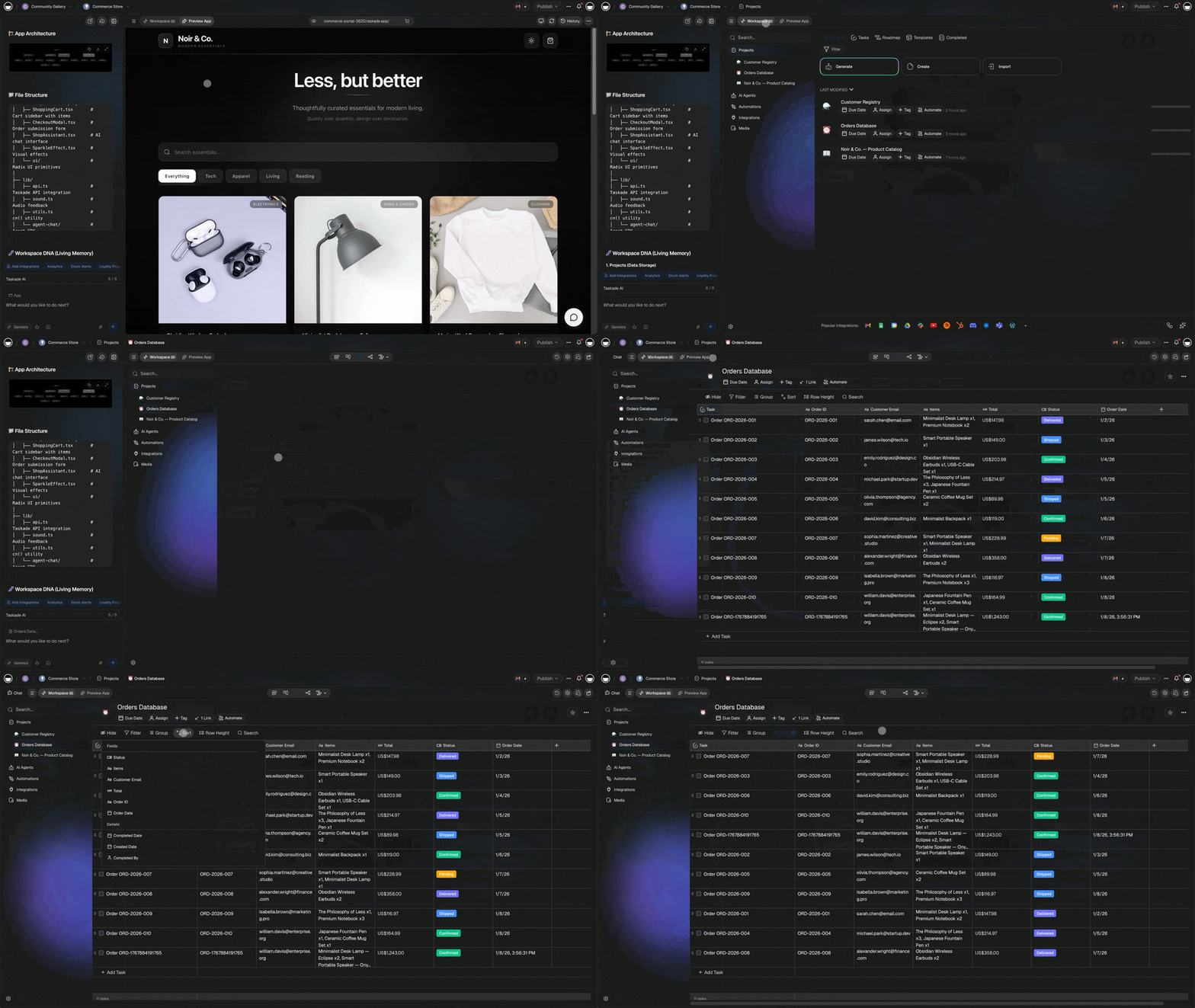
Quick Comparison Table
| Platform | Pricing | Best Feature | Best For |
|---|---|---|---|
| Taskade | $16/mo (10 users) | Unlimited AI agents + video calls | Action-oriented teams |
| Notion | $10-20/user/mo | Flexible databases | Documentation-heavy |
| Obsidian | Free (or $8/mo sync) | Local-first, graph view | Privacy advocates |
| Coda | $10-30/user/mo | Advanced automation | No-code builders |
| Anytype | Free | P2P, complete privacy | Privacy maximalists |
| Capacities | Free-$12/mo | Networked notes | Personal knowledge |
| AppFlowy | Free (open source) | Notion clone, self-hosted | Self-hosters |
1. Taskade - Best AI-First Alternative
Why It's #1
Taskade flips Notion's philosophy: action over documentation. While Notion excels at organizing information, Taskade focuses on getting things done with unlimited AI and built-in communication.
Key Advantages Over Notion
✅ Unlimited AI: frontier models from OpenAI GPT, Anthropic Claude (Sonnet + Opus), and Google Gemini Pro ($16/mo unlimited apps vs Notion's limited AI)
✅ Video Calls Built-In: No Zoom needed (Notion has no video)
✅ Action-Oriented: Tasks first, docs second (Notion is docs first)
✅ Lower Cost: $16/mo for 10 users vs $10-20/user for Notion
✅ Simpler UX: Less overwhelming than Notion's endless options
Pricing Comparison
Notion Plus (10 users):
- 10 × $10 = $100/month (no AI — AI requires Business plan)
Notion Business (10 users, with AI):
- 10 × $20 = $200/month
Taskade Pro (10 users):
- $16/month flat (all 10 users included)
- Unlimited AI agents + video calls included
Savings vs Notion Business: $184/month = $2,208/year
When to Choose Taskade Over Notion
- You want to execute, not just plan: Taskade's AI generates tasks and workflows; Notion stores information
- You need video calls: Built into Taskade, absent from Notion
- You want unlimited AI: Taskade $20 includes unlimited; Notion charges extra
- You prefer simplicity: Notion can feel overwhelming with database relations and complex setups
Use Case Example
Startup Team (Reddit): "Switched from Notion to Taskade. Notion became our graveyard of docs no one read. Taskade's video calls + AI task breakdown = actual execution. Saving $150/month vs Notion + Zoom."
Workspace DNA: Why Taskade Is Architecturally Different
Notion gives you pages and databases. Taskade gives you a workspace where projects, AI, automation, and communication work as one:
- Projects (Memory) — Structured tasks with custom fields, due dates, and assignments — visible across list, board, calendar, mind map, Gantt, org chart, and table views. Not "build your own database from scratch." Open a project, pick a view, start working.
- Agents (Intelligence) — Notion AI writes paragraphs. Taskade AI agents take action. An agent can read your sprint project, draft a status report for stakeholders, identify bottlenecks, and suggest next steps — because it understands your work, not just words on a page.
- Automations (Execution) — When a document is marked "Approved," an automation publishes it, notifies the team on Slack, and creates follow-up tasks. Notion delegates this to Zapier. Taskade handles it natively across 100+ services.
- Communication (Connection) — Video calls, screen sharing, and real-time chat live inside the workspace. Notion has comments. Taskade has conversations.
Notion documents your work. Taskade gets your work done.
2. Notion - Original Flexible Workspace
What It Does Well
- Ultimate Flexibility: Build any structure with databases, relations, and rollups
- Notion 3.2 Agents (January 2026): AI agents that work 20 minutes autonomously across documents — can create pages, build databases, analyze comments, and execute multi-step workflows
- Enterprise Search: Connected search across Slack, GitHub, Microsoft Teams, Jira, and Asana
- Multi-Model Support (new in 3.2): Choose between models from OpenAI, Anthropic, and Google
- Templates: Extensive marketplace with thousands of community templates
Pricing (Updated February 2026)
- Free: Limited features, no AI
- Plus: $10/user/month - Unlimited blocks, 100 guests, no AI access
- Business: $20/user/month - AI agents, Enterprise Search, advanced permissions, SAML SSO
- Enterprise: Custom pricing - full suite, custom data residency
Important change (May 2025): Notion discontinued the separate $10/user/month AI add-on. AI features including agents are now bundled exclusively into Business and Enterprise plans. Plus plan users have zero AI access — a significant cost consideration for teams choosing between Notion and alternatives.
Cost Reality: 10-Person Team
| Notion Plan | Monthly Cost | AI Included? |
|---|---|---|
| Plus (no AI) | $100/month | No |
| Business (with AI) | $200/month | Yes |
| + Zoom (no video) | +$150/month | — |
| Total with AI + video | $350/month | — |
Taskade Pro: $16/month (10 users, unlimited AI, built-in video calls) — 95% cheaper
Limitations
- Documentation > Action: Great for storing info, not for executing workflows
- No Video Calls: Still requires Zoom/Meet/Google Meet separately
- AI Gated Behind Business Plan: $20/user/mo is the minimum for AI access — no affordable AI tier
- No Automation Engine: Notion delegates workflow automation to Zapier and third-party tools
- No Public Agent Embedding: Cannot embed AI agents on external sites or client portals
- Complexity: Steep learning curve for database relations and advanced setups
Best For: Teams prioritizing documentation, databases, and flexible knowledge bases — who can afford $20+/user/month
→ Read Full Taskade vs Notion Comparison
→ Compare Taskade vs Notion →
3. Obsidian - Local-First Privacy Alternative
Why Privacy Advocates Love It
Obsidian stores everything as markdown files on your device—no cloud, no vendor lock-in, complete privacy.
Key Features
- 100% Local: Files on your machine, not in cloud
- Graph View: Visualize note connections
- Plugins: 1,000+ community extensions
- Markdown-Based: Plain text, future-proof
Pricing
- Free: Full desktop app, unlimited notes
- Sync: $8/month (optional cloud sync)
- Publish: $8/month (optional web publishing)
Obsidian vs Notion
| Feature | Obsidian | Notion |
|---|---|---|
| Privacy | ✅ Local-first | ⚠️ Cloud-based |
| Cost | Free | $10-20/user |
| Databases | ⚠️ Via plugins | ✅ Native |
| Collaboration | ⚠️ Limited | ✅ Excellent |
Trade-Off: Maximum privacy and zero cost, but weaker collaboration than Notion
Best For: Solo users, privacy advocates, markdown lovers, PKM (Personal Knowledge Management)
4. Coda - Advanced Automation Alternative
Why Teams Choose It
Coda combines Notion's flexibility with Google Sheets' formulas and advanced automation—best for no-code app builders.
Key Features
- Packs: 300+ integrations (Slack, GitHub, Google, etc.)
- Automation: Advanced workflow automation
- Formulas: Spreadsheet-like calculations in docs
- Templates: Pre-built apps and workflows
Pricing
- Free: 2 makers, limited docs
- Pro: $10/maker/month - Unlimited docs, 3 editors
- Team: $30/maker/month - Advanced features, unlimited editors
- Enterprise: Custom pricing
"Makers" vs "Editors": Makers build docs, Editors use them (only makers count for billing)
Coda vs Notion
| Feature | Coda | Notion |
|---|---|---|
| Automation | ✅ Advanced | ⚠️ Basic |
| Formulas | ✅ Spreadsheet-like | ⚠️ Limited |
| Integrations | ✅ 300+ Packs | ⚠️ Limited |
| Simplicity | ⚠️ Complex | ✅ Simpler |
Best For: No-code builders, automation-heavy workflows, teams replacing spreadsheets
5. Anytype - P2P Privacy Alternative
The Privacy Maximalist Choice
Anytype uses peer-to-peer encryption—not even Anytype can read your data. Local-first like Obsidian but with collaboration.
Key Features
- P2P Encrypted: End-to-end encryption, zero-knowledge
- Local-First: Works offline, syncs via P2P
- Graph View: Networked notes like Obsidian
- Types and Relations: Notion-like databases, but private
Pricing
- Free: Unlimited everything (currently in beta)
- Future Paid Tiers: TBD (storage limits likely)
Anytype vs Notion
| Feature | Anytype | Notion |
|---|---|---|
| Privacy | ✅ E2E encrypted | ⚠️ Cloud-based |
| Cost | Free | $10-20/user |
| Maturity | ⚠️ Beta | ✅ Mature |
| Collaboration | ⚠️ Early stages | ✅ Excellent |
Trade-Off: Maximum privacy and free, but still in beta (features evolving)
Best For: Privacy-focused users, early adopters, those wanting Notion-like features without cloud
6. Capacities - Networked Notes Alternative
The Personal Knowledge Management Specialist
Capacities focuses on networked thinking—connect ideas, not just organize them.
Key Features
- Object-Based: Notes are typed objects (books, people, ideas)
- Daily Notes: Built-in journaling
- Graph View: Visualize knowledge connections
- AI Studio: Built-in AI for synthesis
Pricing
- Free: Unlimited notes, 2 spaces
- Pro: $12/month - Unlimited spaces, AI features
Capacities vs Notion
| Feature | Capacities | Notion |
|---|---|---|
| Networked Notes | ✅ Purpose-built | ⚠️ Via relations |
| Personal Use | ✅ Optimized | ⚠️ Team-focused |
| Simplicity | ✅ Simpler | ⚠️ Complex |
| Team Collab | ❌ Limited | ✅ Excellent |
Best For: Solo users, personal knowledge management, researchers, writers
7. AppFlowy - Open-Source Notion Clone
The Self-Hosted Alternative
AppFlowy is an open-source Notion clone—self-host for complete control.
Key Features
- 100% Open Source: Fork, modify, self-host
- Notion-Like UX: Familiar interface for Notion refugees
- Local-First: Works offline by default
- Community-Driven: Active development, plugin ecosystem
Pricing
- Free: Completely open source
- Self-Hosted: Your infrastructure costs only
AppFlowy vs Notion
| Feature | AppFlowy | Notion |
|---|---|---|
| Cost | Free | $10-20/user |
| Control | ✅ Full (self-hosted) | ⚠️ Vendor-controlled |
| Maturity | ⚠️ Young | ✅ Mature |
| Polish | ⚠️ Good | ✅ Excellent |
Best For: Open-source advocates, self-hosters, teams wanting Notion features without subscription
Detailed Comparison
Pricing (10-Person Team)
| Platform | Monthly Cost | Annual Cost |
|---|---|---|
| Taskade Pro | $20 | $240 |
| Obsidian | $0-80 (if sync) | $0-960 |
| Notion Plus | $100 | $1,200 |
| Coda Pro | $100 (makers only) | $1,200 |
| Notion Business | $200 | $2,400 |
| Capacities | $120 | $1,440 |
| Anytype | $0 (beta) | $0 |
| AppFlowy | $0 (self-hosted) | $0 |
Annual Savings vs Notion Business
- Taskade: Save $1,560/year ($1,800 - $240)
- Obsidian: Save $1,200-1,800/year
- Anytype/AppFlowy: Save $1,800/year (free)
Feature Comparison Matrix
AI Capabilities
| Platform | AI Features | Cost |
|---|---|---|
| Taskade | Unlimited (frontier models from OpenAI GPT, Anthropic Claude, and Google Gemini) | Included ($16/mo unlimited) |
| Notion | AI assistant (Business plan only) | Bundled into Business ($20/user/mo) |
| Capacities | AI Studio | Included ($12/mo) |
| Others | None or plugins | N/A |
Winner: Taskade for unlimited multi-model AI
Collaboration
| Platform | Video Calls | Real-Time | Comments |
|---|---|---|---|
| Taskade | ✅ Built-in | ✅ Yes | ✅ Yes |
| Notion | ❌ No | ✅ Yes | ✅ Yes |
| Coda | ❌ No | ✅ Yes | ✅ Yes |
| Obsidian | ❌ No | ⚠️ Limited | ⚠️ Plugins |
| Anytype | ❌ No | ⚠️ P2P sync | ⚠️ Limited |
Winner: Taskade for built-in video calls
Privacy
| Platform | Data Storage | Encryption | Self-Host |
|---|---|---|---|
| Obsidian | Local-first | ✅ Optional | ✅ Yes |
| Anytype | P2P | ✅ E2E | ✅ Yes |
| AppFlowy | Local/self-hosted | ✅ Optional | ✅ Yes |
| Notion | Cloud-only | ⚠️ In transit | ❌ No |
| Taskade | Cloud | ⚠️ In transit | ❌ No |
Winner: Anytype for end-to-end encryption, Obsidian for local-first
Use Case Recommendations
Best for Action-Oriented Teams: Taskade
Why: Built-in AI generates tasks and workflows. Video calls eliminate Zoom. Focus on execution, not endless documentation.
Example: "Our team was drowning in Notion docs no one read. Taskade's AI + video calls = we actually ship now."
Best for Documentation-Heavy Teams: Notion
Why: Unmatched flexibility for wikis, SOPs, databases. Best for knowledge-heavy orgs.
Example: "We have 500+ pages of product documentation. Notion's databases and relations are essential."
Best for Solo Privacy Advocates: Obsidian
Why: Free, local-first, markdown. Perfect for personal knowledge management without cloud.
Example: "I own my notes as plain text files. No vendor lock-in, no subscriptions, perfect privacy."
Best for No-Code Builders: Coda
Why: Advanced automation, 300+ integrations, spreadsheet formulas. Build apps without code.
Example: "We replaced 5 tools with Coda. Notion couldn't handle our automation needs."
Best for Maximum Privacy: Anytype
Why: P2P encryption, zero-knowledge. Not even Anytype can read your data.
Example: "As a journalist, I need end-to-end encryption. Anytype delivers Notion features without cloud risks."
Best for Personal Knowledge: Capacities
Why: Object-based notes, daily notes, graph view. Purpose-built for PKM.
Example: "Capacities' object types (books, people, ideas) match how I think. Better than Notion's generic databases."
Best for Self-Hosters: AppFlowy
Why: Open source Notion clone you can self-host. Complete control.
Example: "We needed Notion features on our infrastructure for compliance. AppFlowy delivered."
Migration Guide: Notion → Alternatives
Migrating to Taskade
- Export Notion workspace as Markdown
- Import to Taskade or recreate key workflows
- Use AI to rebuild task structures
- What You Gain: Unlimited AI, video calls, lower cost
- What You Lose: Database complexity, extensive templates
Migrating to Obsidian
- Export Notion as Markdown
- Import markdown files to Obsidian vault
- Install plugins for missing features (databases, etc.)
- What You Gain: Privacy, local storage, no subscription
- What You Lose: Collaboration, cloud sync (unless paid)
Migrating to Coda
- Export Notion databases as CSV
- Import to Coda tables
- Rebuild automations with Coda Packs
- What You Gain: Advanced automation, formulas
- What You Lose: Simplicity, some formatting
Frequently Asked Questions
Which Notion alternative is completely free?
Obsidian is free forever for personal use (sync costs $20/mo unlimited). AppFlowy is free and open source. Anytype is currently free in beta. Taskade and Capacities have free tiers with limits. For unlimited free, choose Obsidian or AppFlowy.
Which alternative has better AI than Notion?
Taskade Pro at $16/month for 10 users includes unlimited AI agents with 33 built-in tools and 15+ frontier models. Notion 3.2 added agents but requires the Business plan at $20/user/month ($200/month for 10 users). Capacities includes AI Studio at $12/month. Taskade delivers more AI at a fraction of the cost.
Can I use markdown files like Notion?
Obsidian and AppFlowy use pure markdown files. Notion stores data in proprietary format but can export to markdown. If markdown portability matters, choose Obsidian (local markdown files) over Notion.
Which is more private: Notion or alternatives?
Anytype (P2P end-to-end encryption), Obsidian (local-first), and AppFlowy (self-hosted) are far more private than Notion (cloud-only). For maximum privacy, choose Anytype or self-hosted AppFlowy.
Does any alternative have Notion's database features?
Coda has advanced database features with formulas and automation (more powerful than Notion for some use cases). Anytype has types and relations similar to Notion. AppFlowy is cloning Notion's databases. Obsidian requires plugins (Dataview). Taskade focuses on tasks, not complex databases.
Which alternative is easiest to learn?
Taskade is simpler than Notion (less overwhelming, AI-guided). Capacities is intuitive for personal use. Coda has steeper learning curve (more powerful = more complex). Obsidian is simple for basic notes, complex for advanced features. Easiest: Taskade or Capacities.
Can I collaborate in real-time like Notion?
Taskade, Coda, and Notion all support real-time collaboration. Taskade adds video calls. Obsidian has limited collaboration (via sync plugin). Anytype's P2P collaboration is early. AppFlowy's collaboration is developing. For team collaboration, choose Taskade, Coda, or stick with Notion.
Which alternative is cheapest for teams?
Taskade Pro at $16/month for 10 users (includes unlimited AI and video calls) is the cheapest full-featured paid option. Obsidian at $0 (or $8/user for sync) is cheaper but limited collaboration. Anytype and AppFlowy are free but less mature. For full-featured team collaboration with AI, Taskade wins on cost.
Do I need to pay for Notion AI separately?
As of May 2025, Notion discontinued its separate AI add-on. AI agents are now bundled exclusively into the Business plan ($20/user/month) and Enterprise. Plus plan users ($10/user/month) have no AI access at all. Taskade Pro at $16/month for 10 users includes unlimited AI agents, making it 12x more cost-effective than Notion Business for team AI usage.
Which alternative has the best mobile apps?
Notion has excellent mobile apps. Taskade has strong mobile apps with video calls. Obsidian's mobile app is good for notes. Coda's mobile app is functional but desktop-first. Anytype's mobile app is developing. For mobile, Notion and Taskade are best.
The Bigger Picture: AI Workspace Tools in 2026
Choosing a Notion alternative in 2026 isn't just about notes and databases anymore. The workspace category has expanded into AI agents, automation workflows, vibe coding, and app generation. Here's how the alternatives landscape connects to the broader AI workspace trend:
Beyond Notion: What About AI-First Platforms?
If you're leaving Notion specifically because of AI limitations, you might also consider:
- Taskade Genesis — goes beyond notes and tasks into vibe coding: describe an app in natural language and Genesis builds it. CRM dashboards, client portals, knowledge bases, and project trackers — all generated from prompts, all deployed instantly. This is fundamentally different from Notion's document-first approach.
- Genspark — AI Workspace 2.0 with $100M ARR in 9 months. Focused on autonomous content generation with 80+ tools. But at $24.99-249.99/month per user and no native project management, it's targeting enterprise budgets, not teams.
- ClickUp 4.0 — acquired Codegen in December 2025 to power Super Agents. Strong project management + AI, but credit-based AI pricing ($7-12/user/month + AI credits) gets expensive for active teams.
Annual Cost Comparison (10 Users, With AI)
| Platform | Annual Cost | AI Agents | Automation | Video Calls |
|---|---|---|---|---|
| Taskade Pro | $240 | Unlimited | Native (durable execution) | Built-in |
| ClickUp Business + AI | $1,440+ | Credit-limited | Native | Via integration |
| Notion Business | $2,400 | 20-min sessions | Via Zapier | None |
| Monday.com Pro + Agent Factory | $1,788+ | Separate product | Native | None |
| Asana Advanced + AI Studio | $3,000+ | Beta | Basic | None |
For teams where AI execution matters more than document flexibility, the cost difference is stark. Taskade Pro at $240/year delivers more AI capability than Notion Business at $2,400/year.
Related Reading
For deeper comparisons across specific categories:
- Best Vibe Coding Tools 2026 — how vibe coding is changing app building
- Vibe Coding for Teams — team case studies with Taskade Genesis
- Vibe Coding vs No-Code vs Low-Code — three approaches compared
- Best AI Project Management Tools — AI-focused PM comparison
- Best AI Task Management Tools — small business tools ranked
- Best OpenClaw Alternatives — AI agent platform comparison
Final Verdict
Choose Taskade If...
✅ You want action over documentation (execute, not just plan)
✅ You need unlimited AI included ($16/mo unlimited)
✅ You want built-in video calls (no Zoom needed)
✅ You prefer simplicity over Notion's complexity
✅ You're a startup or small team focused on shipping
Best For: Action-oriented teams, startups, remote teams, AI users
Choose Notion If...
✅ You prioritize flexible documentation (wikis, databases)
✅ You need complex database relations
✅ You have extensive template needs
✅ You can afford $10-20/user
✅ Your workflow is knowledge-heavy (SOPs, docs, research)
Best For: Documentation-heavy teams, knowledge bases, content teams
Choose Obsidian If...
✅ You want local-first privacy (markdown files on device)
✅ You're a solo user or small team
✅ You prefer zero subscription cost (free forever)
✅ You value plain text portability (no vendor lock-in)
✅ You're into personal knowledge management
Best For: Privacy advocates, solo users, PKM enthusiasts, writers
Choose Coda If...
✅ You need advanced automation (beyond Notion)
✅ You want 300+ integrations (Packs)
✅ You're building no-code apps
✅ You use spreadsheet formulas heavily
✅ You can afford $10-30/user
Best For: No-code builders, automation-heavy workflows, power users
Choose Anytype If...
✅ You require maximum privacy (P2P, E2E encryption)
✅ You want Notion features without cloud
✅ You're an early adopter (comfortable with beta)
✅ You need zero-knowledge storage
Best For: Privacy maximalists, early adopters, journalists, activists
Choose Capacities If...
✅ You focus on personal knowledge management
✅ You want networked notes (object-based thinking)
✅ You're a solo user or small team
✅ You prefer simplicity over Notion's complexity
Best For: Researchers, writers, personal knowledge builders
Choose AppFlowy If...
✅ You want open source (self-host, fork, customize)
✅ You need Notion features self-hosted
✅ You prefer no subscription (free forever)
✅ You're technically capable (self-hosting)
Best For: Open source advocates, self-hosters, privacy-focused teams
Next Steps
Try Taskade Free
Experience AI-first productivity with unlimited tasks:
Upgrade to Pro — $16/mo for 10 Users
Get unlimited AI, video calls, and team collaboration:
Bottom Line: Notion excels at flexible documentation for knowledge-heavy teams at $10-20/user. Taskade delivers AI-first action and team collaboration at $16/month with video calls. Obsidian offers local-first privacy for free. Coda powers no-code automation at $10-30/user. Anytype provides P2P encryption for privacy. Choose based on whether you prioritize documentation (Notion), action (Taskade), privacy (Obsidian/Anytype), or automation (Coda).
Related Comparisons
Head-to-Head Productivity Matchups:
- Taskade vs Notion - Detailed 1v1 comparison
- Taskade vs Monday.com - Simplicity vs visual customization
- Taskade vs Asana - Startups vs enterprises
- Taskade vs Trello - Multi-view vs kanban-only
- Taskade vs Airtable - Project management vs databases
Compare Pages:
- Compare Taskade vs Notion → — Side-by-side feature comparison
No-Code Platform Comparisons:
- Taskade Genesis vs Softr - Custom apps vs Airtable portals
- Taskade Genesis vs Webflow - Web apps vs marketing sites
Also in the Notion Alternatives series:
- 21 Best Notion Alternatives for Docs, Wikis & Teams — Classic workspace comparison
- Best Notion AI Alternatives — Writing, Q&A & Autofill — AI-specific feature comparison
Alternative Guides:
- Best Monday Alternatives 2026 - Project management tools ranked
- Best Vibe Coding Tools 2026 - AI coding market overview
Sources: