






“What’s a project outliner?” If you’re here looking for an answer, it can only mean one thing–you need a better way to manage all your tasks, projects, and creative exploits.
In the next chapter of “outlining” series, we cover everything you need to know to start your adventure with modern project outliner tools. You’ll master key outlining operations and learn how to visualize projects hierarchically to stay on top of every task.
🐇 Before you dive in… The rabbit hole of productivity goes deep. But you don’t have to explore it all by yourself. Check these cool guides when you’re done reading.
🧰 Think, Organize Visually: The Best Outlining Tools in 2021
👑 A Case For Hierarchical Thinking: Solve Complex Problems The Easy Way
🌟 A Primer on Using a Project Outliner
What Is a Project Outliner?
A project outliner is a powerful tool that lets you organize information in a hierarchical way. Its core functionality is similar to that of a bulleted list you’re probably familiar with after years of using word processors like Microsoft’s Word. But there's more to outliners than meets the eye.
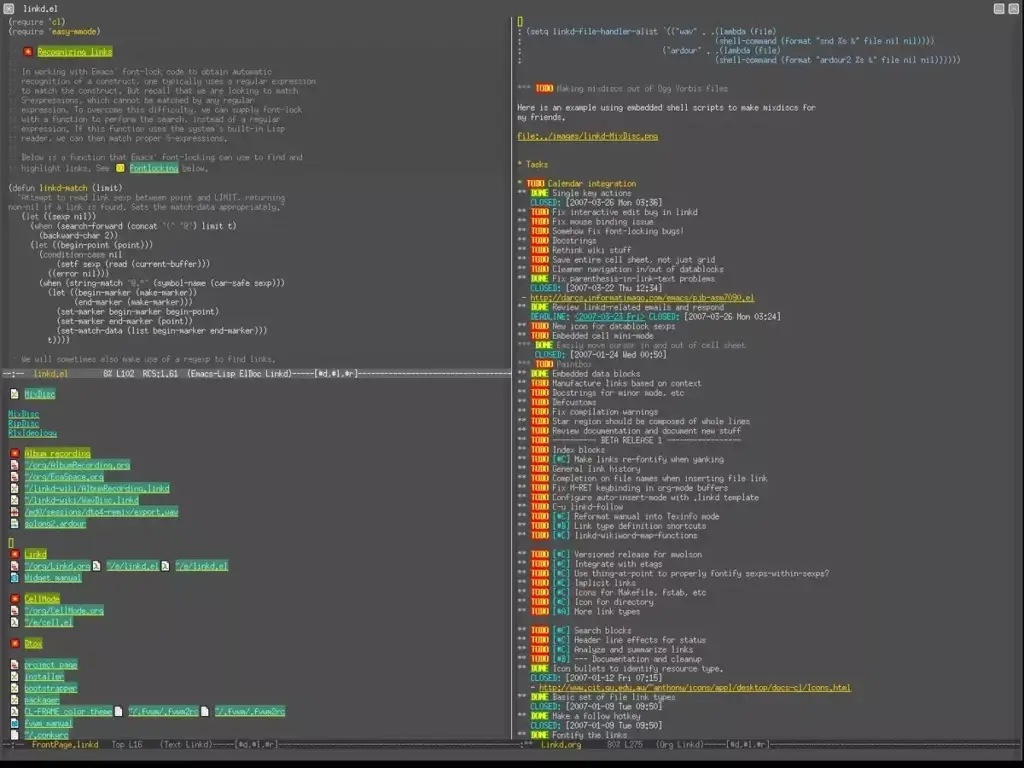
One of the oldest tools in the outlining flock is Org Mode. Released back in 2003, Org Mode is an advanced extension for the classic Emacs text editor. On top of Emacs’ text editing magic, it adds features like foldable hierarchical lists, to-dos, a calendar, and more.
Keeping track of every project item suddenly became that much easier. The only problem? Org Mode isn't exactly user-friendly. 👇
The good news is an outliner is just a vessel to help manage deliverables.
Modern outliners offer a holistic, end-to-end approach to project management and cover all productivity bases, from planning through collaboration to task management. Some will even let you transform project outlines into interactive mind maps. But more on that in a bit.

With the power of outlining, you can bite into infinitely complex projects and break them into a series of incremental steps or tasks. With project outlines, managing deadlines doesn't seem to be such a mammoth task. After all, a problem or idea is just a sum of its parts.
And now, let's get down to business.
🤹♂️ What Can You Use a Project Outliner For?
The overarching purpose of outlining software is to organize information in a hierarchical way. This is usually done with two outlining operations–nesting and folding/unfolding. Both let you highlight the connections between tasks and easily filter out list elements.
"Aren't outliners reserved for writers?" That's an excellent question. Writers love using outlining software for taking notes and structuring documents. But a project outliner is a much more versatile tool that’s excellent for anybody who needs a simple but powerful solution to...
✅ Manage all tasks in one simple tool.
✍️ Capture information/take quick notes.
👑 Visualize all kinds of hierarchical systems.
📝 Plan and structure documents before drafting.
👁 Plan, manage, and debrief projects.
💬 Prepare a meeting agenda/talking points.
🪨 Break complex ideas/problems into chunks.
📍 Connect the dots between ideas.
🔄 Create reusable checklists and templates.
An outliner is the Swiss Army Knife of productivity. It’s perfect for personal and professional projects of varying scope and complexity as well as any enterprise that requires a holistic approach to problem-solving and brainstorming.
⚙️ How Does a Project Outliner Work?
Every outline starts as a linear index of elements. It can be something as simple as a grocery list or a makeshift meeting agenda. In order to transform those lists into proper outlines, you need to learn a few basic outlining concepts and operations.
But don't worry, there really isn't that much to remember so you can rest assured know that this won't eat into your project timeline.
Parent/Child Elements
The fundamental mechanic that makes a project outlines “tick” is the relationship between parent and child elements. For simplicity’s sake, let’s call them tasks and sub-tasks.
A task (parent) is a superordinate element of an outline that occupies the highest level of a hierarchy. A sub-task (child) is a lower-level element that’s “nested” under a task.
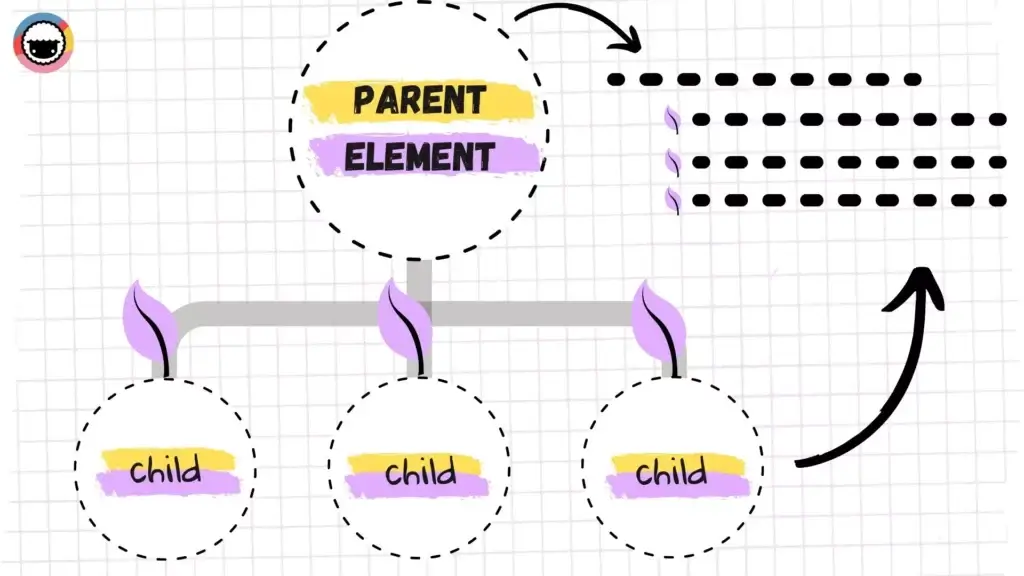
An outliner lets you quickly highlight the relationship between tasks and subtasks by indenting or nesting lower-level elements in a hierarchy. This simple step is actually one of the most important facets of effective project management.
But there’s more.
Folding/Unfolding
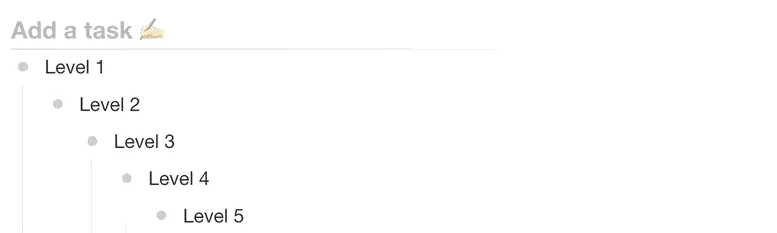
The division into higher/lower-level elements is a great way to visually identify tasks and sub-tasks and their position in a hierarchy. That brings us to folding/unfolding.
Fold/unfold is one of the most important operations in a project outliner and also something you can’t do with pen & paper. Simply put, it lets you “hide” a specific level of an outline and every child element nested inside that level.
As a project manager, one of your tasks should be to ensure that your project team can track project goals effectively. By folding and unfolding tasks, the project timeline won't appear too clunky, making it easier for you to track progress.
#Tags and Formatting
Project outliners make it super easy to organize information out of the box. But why not take things up a notch with a selection of styling/formatting options and color-coded #tag?
Typical outlining tweaks include different heading and bullet types as well as basic formatting options like bold, italics, underline, and strikethrough. #Tags, on the other hand, add granularity and allow you to easily filter out project contents.
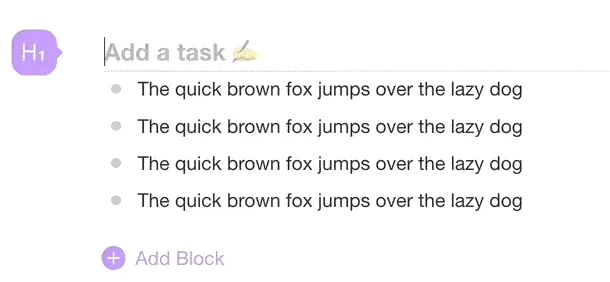
#Tags and formatting options improve content organization and task management without adding unnecessary complexity. It’s as close to distraction-free productivity as it gets.
Keyboard Navigation and Shortcuts
Many outliners are optimized for keyboard use. One cool benefit of keyboard-oriented workflows is the ability to get things on the (virtual) page blazingly fast.
We build Taskade with keyboard shortcuts in mind so you can build outline levels without taking your hands off the keyboard. You can check tasks, edit outline structure, fold/unfold levels, and apply formatting options using just your keyboard.
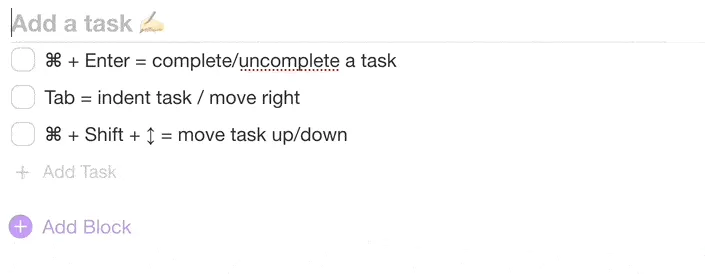
You can visit our live demo page to test a few basic key combinations. Start with ⌨️ Tab/Shift+Tab to indent/outdent, ⌨️ Shift + ⬆/⬇ to select multiple elements, and ⌨️ ⌘ + Enter to "check" a task.
If you're a project manager that prefers intensive mouse-clicking, that's fine too. But to fully use the power of a project management tool, you should start to get familiar with keyboard shortcuts.
Cross-Linking and Search
Project outliners come with cross-linking capabilities so you can easily connect tasks, notes, documents, and insights to get a high-level overview of every project.
Internal links are also perfect for combining individual entries as well as entire projects into clusters. Connecting the dots help save time when projects get hectic.

Taskade lets you run global searches as well as in-Project queries for a quick lookup. Simply click on search results to navigate directly to tasks and projects.
👑 Project Outliners Are the Apex of Task Management
With the productivity space as it is now (read: crowded), you may be wondering: “Do I really need another app to get work done?” And that’s a perfectly valid question.
The problem with modern productivity stacks is that they’re anything but holistic. We got to the point when there’s an app for everything. Heck, we need apps to manage all the apps we, well… supposedly need. That’s a long way from true productivity.
Project outliners, on the other hand, offer a back-to-the-roots approach to productivity based on the familiar concept of a bulleted list. They are...
🌩 Fast, lightweight, and reliable (cloud synchronization)
⌨️ Designed with efficiency in mind (keyboard-oriented)
♾ Like an Infinite canvas for brainstorming and problem-solving
🧠 Geared toward metacognition and critical thinking
🧘♂️ The best medium for holistic task management
🤝 Fit for real-time collaboration (more on that down below)
Unlike bloated, future-rich platforms that get in the way, outliners are extremely lean but still pack a powerful productivity punch. Plus, most project outliners are also modular which means you start with a list but can progress to infinitely more complex—and still blazingly fast—constructs.
🤖 The Rise of Collaborative Project Outliners
Wouldn’t it be cool if you could pair the simplicity of an outliner with powerful collaboration features to get work done with your team? The good news is you can!
Taskade is a modern project outliner and task management app that helps teams plan, work, and chat using one unified platform. And, in case you're wondering, everything syncs in real-time! ⚡️
Team Communication (Chat, Video Conferencing, Calls)
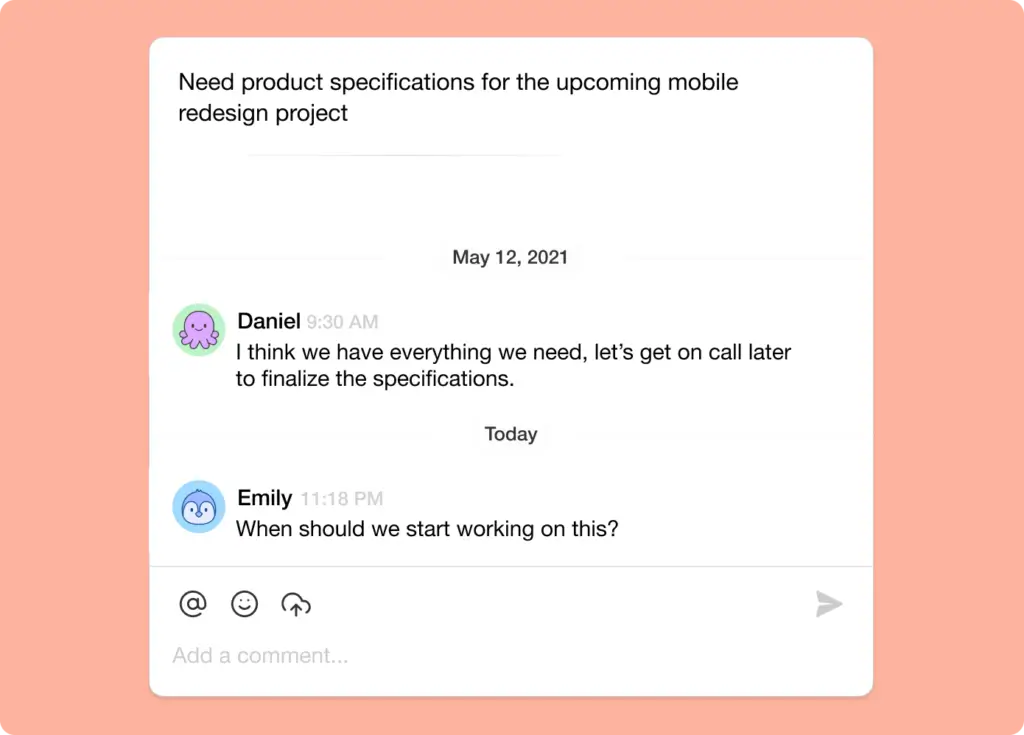
Taskade features three communication channels—video conferencing, chat, and regular VoIP calls— so you and your team can discuss whatever you’re working on.
Every outline you create is essentially a self-contained team workspace with an integrated chat window. You can send direct messages, start a video meeting, or jump on a team call without shuffling windows or leaving the app.
Planning (Calendar) and Task Management (My Tasks)
In Taskade, every outline is essentially a to-do list, complete with due dates, #tags, and task owners. All your tasks and sub-tasks are also visible in a shared Calendar and My Tasks space.
My Tasks include information like task due date and task owners. The Calendar displays all tasks and projects with due dates and/or date ranges across all Workspaces. This way, you can easily track everything that happens in your team in real-time.
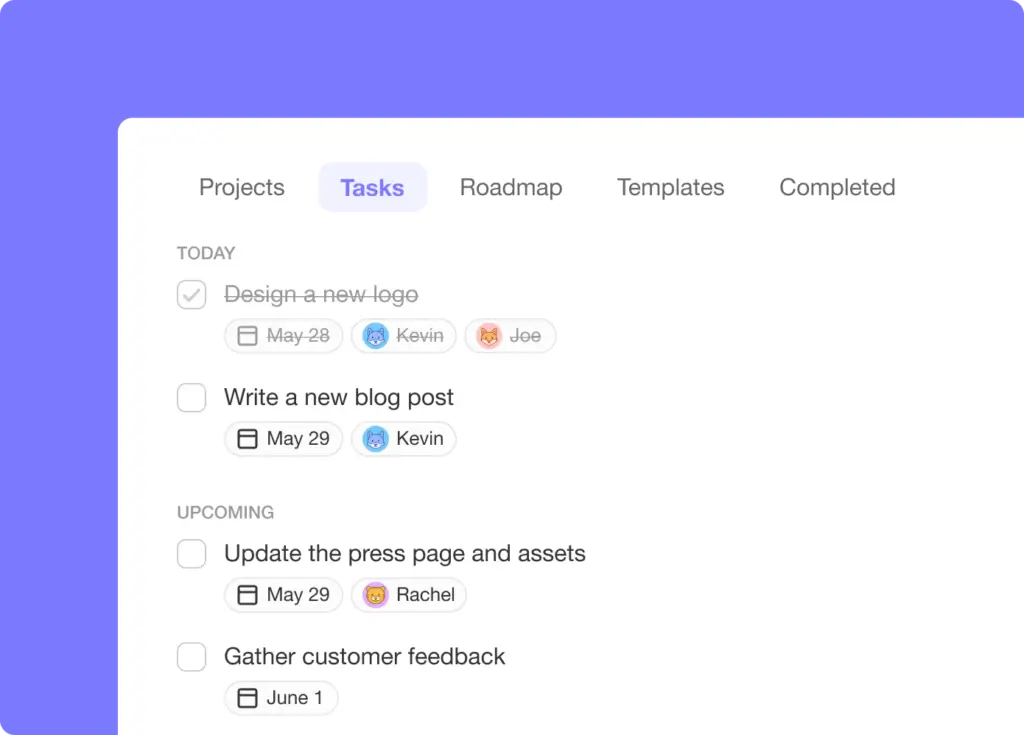
Want to track your tasks across different ecosystems? Taskade syncs with Apple, Google, and/or Outlook calendars so you can see all scheduled tasks and projects in your favorite calendar.
Outlining on the Go (Mobile Outliner)
What good is a project outliner if you can’t manage tasks and chat with your team on the go? Taskade comes with fully-fledged mobile apps, ready to hit the road.
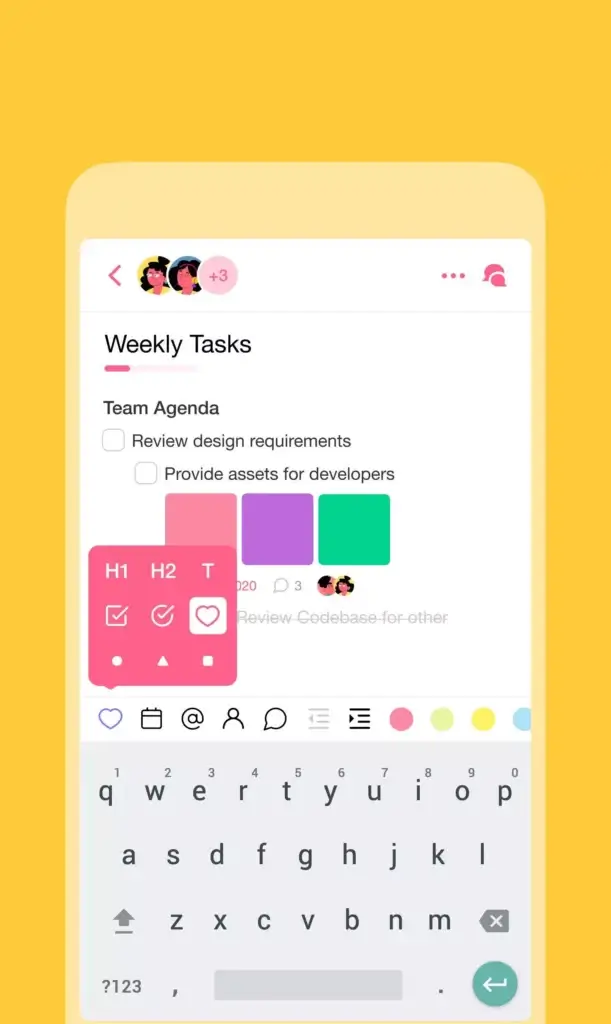
Our mobile apps are available on iOS and Android and support the same powerful outlining features you can find in "big" desktop clients. Create high-level hierarchies, apply different formatting options, fold & unfold outline levels, and more.
Visit our downloads page and pick the right app for your device! 👈
Team Management (Roles and Permissions)
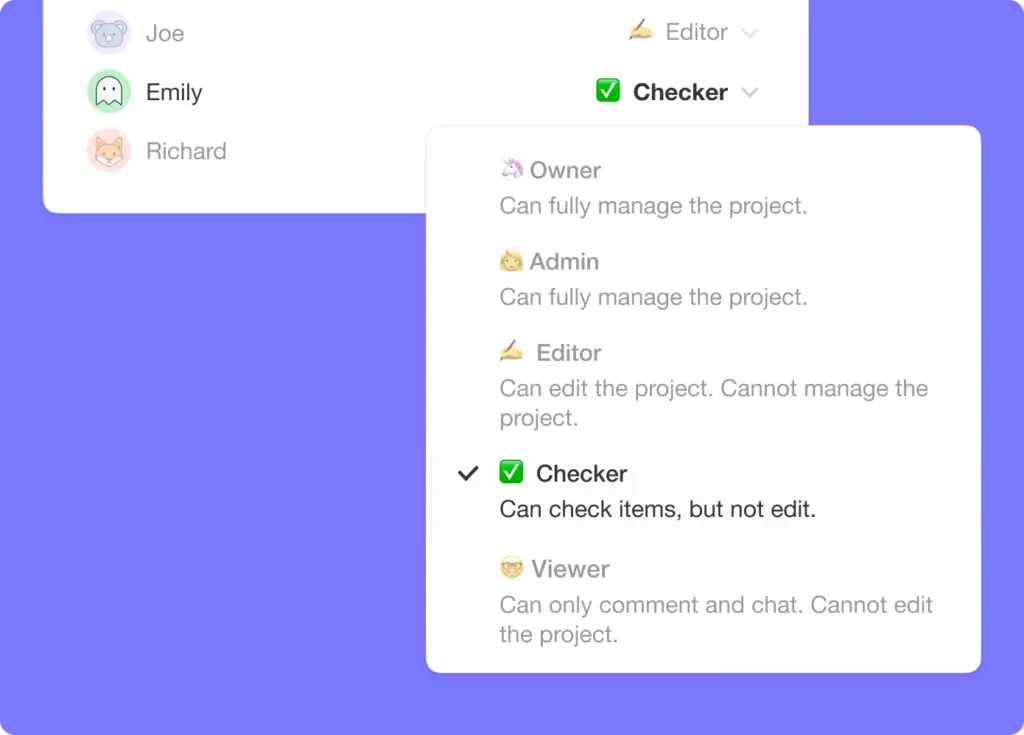
Finally, let's talk about team management. Every time you invite a team member to collaborate on an outline, you get to decide what they can change by defining User Roles & Permissions.
Taskade lets you choose between five distinct user roles—viewer, editor, admin, owner, and checker—each with its own set of editing privileges. You can set user roles when inviting new members to collaborate and modify them later in Workspace settings.
👋 Parting Words
A project outliner is a simple but powerful tool for all kinds of projects. Using a dedicated outliner app like Taskade will help you make the most of hierarchical structures with your team.
Bring order into the chaos of task management with Taskade AI! 🤖
🤖 Custom AI Agents: Deploy AI agents to supercharge your workflows — prioritize tasks, generate content, and much more.
🪄 AI Generator: Create detailed outlines for projects — the generator will suggest hierarchical breakdowns of tasks to help you crush your goals.
✏️ AI Assistant: The assistant will help you generate content, introduce edits for clarity and impact, and prioritize tasks based on impact.
🗂️ AI Prompt Templates Library: Access a wide range of AI prompt templates designed for personal and business task management.
💬 AI Chat: Engage with AI Chat for immediate assistance in structuring projects, organizing tasks, and planning next steps.
📄 Media Q&A: Extract valuable insights from documents, spreadsheets, and other resources for more informed productivity choices.
And much more...
Frequently Asked Questions About Project Outliners
What is a project outline?
A project outline is a structured plan that highlights the main components of a project. It includes key objectives, tasks, timelines, and resources needed. The outline serves as a roadmap that helps you and your team understand the project's scope and direction. Using a project outliner tool can make this process easier by organizing and managing all the details effectively.
How to present a project outline?
To present a project outline, start with a clear introduction that explains the project's goals and objectives. Use a logical structure, breaking down the outline into main sections like tasks, timelines, and resources. Visual aids like charts, graphs, and timelines can make your presentation more engaging and easier to understand. A project outliner software like Taskade can help you create a detailed and visually appealing project outline.
How long is a project outline?
The length of a project outline can vary depending on the project's complexity. For simpler projects, a one-page outline may suffice. More complex projects might require several pages to cover all the details. The key is to be concise yet comprehensive, ensuring that all critical aspects are covered without overwhelming the reader. A project outliner tool can help find the right balance.
How do you write a good project outline?
To write a good project outline, start by clearly defining the project's goals and objectives. Break down the project into smaller, manageable tasks. Assign timelines and resources to each task. Use headings and bullet points to organize information logically. Make sure to include key milestones and deliverables. Review and revise the outline to ensure clarity and completeness. Using project outliner software can streamline the process.
