






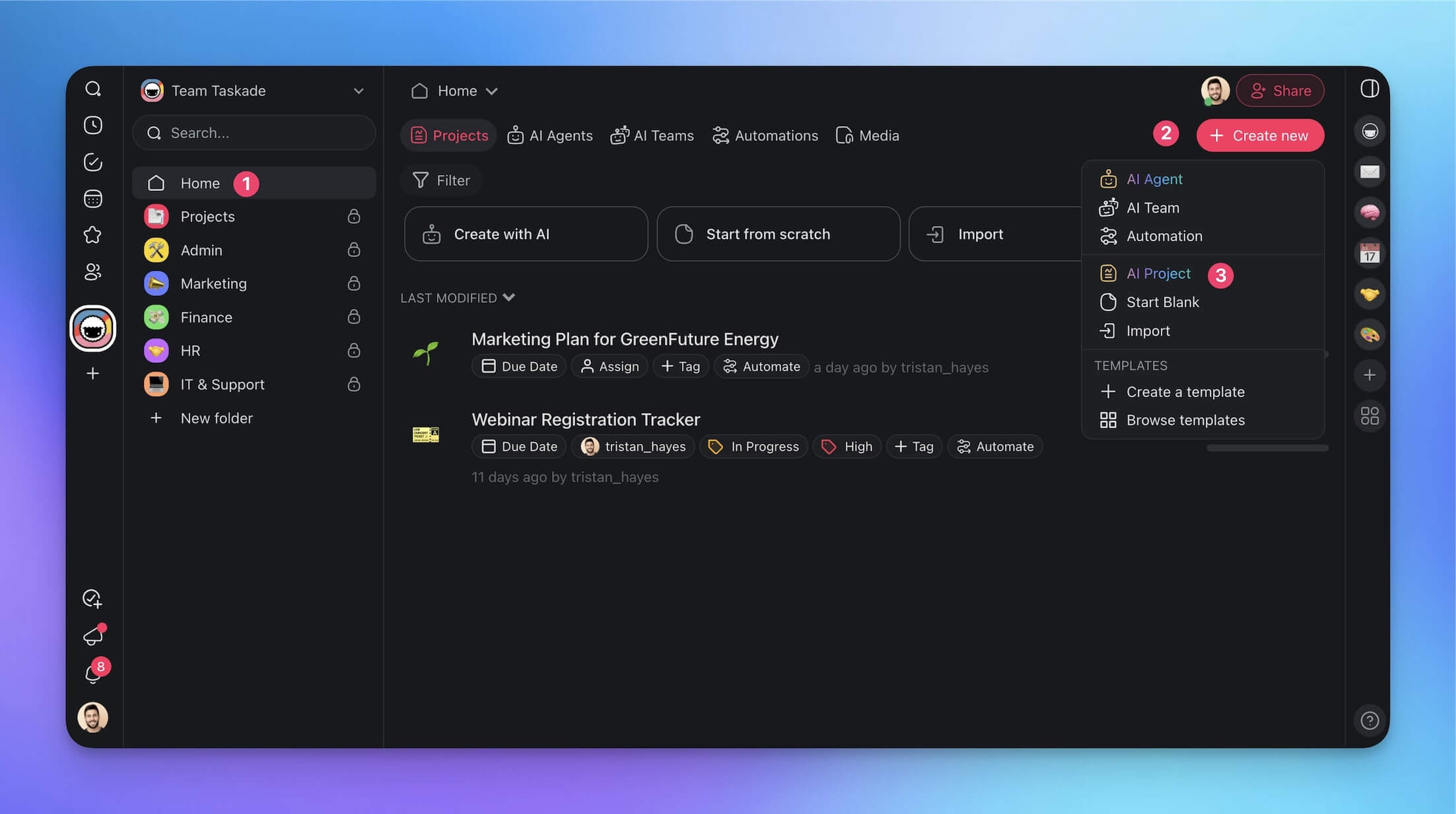
The challenge of building internal tools reveals a stark choice: Taskade Genesis's AI-first workspace approach versus Retool's specialized low-code platform for admin panels and dashboards. This comprehensive comparison reveals which tool delivers better value, faster development, and the right fit for your organization.
Quick Verdict: Retool excels at rapid internal tool development for teams already drowning in SQL and APIs, offering drag-drop UI with database connections starting at $10/user/month. Taskade Genesis provides AI-powered full-stack development at a flat $10/month with integrated project management, winning for teams who need more than just internal tools. The choice depends on specialization vs versatility.
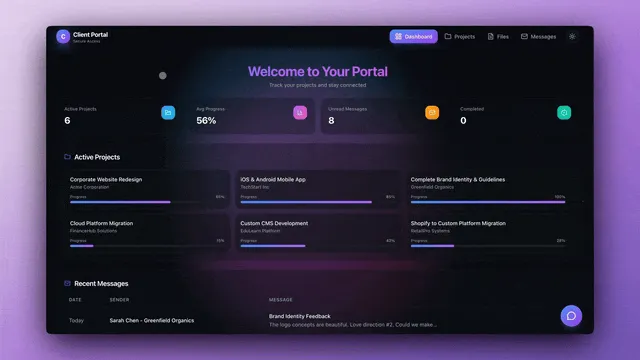
Quick Comparison: Taskade Genesis vs Retool
| Feature | Taskade Genesis | Retool |
|---|---|---|
| Pricing | $10/mo flat, unlimited apps | Free, Team $10+/user, Enterprise custom |
| Primary Focus | All-in-one workspace + AI coding | Internal tools & admin panels |
| Development Method | AI prompts (natural language) | Low-code drag-drop + SQL |
| User Types | All team members | Standard users (builders) + End users (viewers) |
| Database Support | ✅ Any (AI-generated schemas) | ✅ 40+ databases (native connectors) |
| Code Access | ✅ Full export | ⚠️ Limited (some export, proprietary platform) |
| Project Management | ✅ Tasks, workflows, kanban | ❌ None (tools-only) |
| Collaboration | ✅ Real-time multi-user editing | ✅ Team features (Business plan) |
| AI Assistance | ✅ frontier models from OpenAI GPT, Anthropic Claude, and Google Gemini (core feature) | ✅ AI agents (add-on, hourly pricing) |
| Mobile Apps | ✅ iOS, Android, desktop | ⚠️ Mobile-optimized web apps |
| Learning Curve | Low (describe what you want) | Moderate (learn Retool's patterns) |
| Best For | Teams, full-stack development | Internal tools, admin dashboards |
What is Taskade Genesis?
Taskade Genesis is an AI-powered workspace that generates complete applications through natural language prompts, combining Memory + Intelligence + Execution for full-stack development and project management.
Core Approach: AI-First Development
Natural Language to Full-Stack Apps:
- Describe your internal tool in plain English → AI generates complete code
- Multi-model AI: Choose OpenAI GPT (frontier models), Anthropic Claude Sonnet (latest), or Google Gemini Pro (latest)
- Generate frontend (React, Vue) + backend (Node.js, Python) + database schemas
- Export complete, readable code (not proprietary platforms)
Example Internal Tool Workflow:
You: "Build an employee directory with search, department filters, and contact export"
Genesis AI:
→ Generates React frontend with search UI and filters
→ Creates REST API with employee endpoints
→ Designs PostgreSQL database schema
→ Adds CSV export functionality
→ Includes authentication and permissions
Key Capabilities
Full-Stack AI Development
- Frontend: React, Vue, Next.js, plain HTML/CSS/JS
- Backend: Node.js, Python (Django/Flask), REST APIs, GraphQL
- Databases: PostgreSQL, MySQL, MongoDB (AI-generated schemas)
- Authentication: JWT, OAuth, RBAC
- Support for 20+ languages and frameworks
Integrated Workspace Beyond Code
- Real-time collaboration with 10 members on Pro, unlimited on Business
- Project management: kanban boards, Gantt charts, task tracking
- Built-in wiki for documentation (perfect for internal tool docs)
- Video calls and screen sharing
- AI agents for workflow automation
Cross-Platform Access
- Web, desktop (Mac/Windows/Linux), mobile (iOS/Android)
- Offline editing with sync
- API access for custom integrations
Pricing: $10/month flat (up to 10 seats) for a generous monthly AI credit allowance and unlimited projects; $25/month flat for unlimited seats
Real User Review (Reddit, r/programming): "Built our admin dashboard in Retool, paid $200/month for 20 team members. Rebuilt with Genesis in 3 days using AI prompts, now paying $25/month flat on Business for the same 20 users AND we got project management included. Plus we own the code."
👉 Build your internal tool free →
Workspace DNA: Internal Tools That Think
Retool connects to your database. Taskade Genesis is the database — and the brain on top of it:
- Projects (Memory) — Every internal tool starts with structured data. No connectors to configure, no endpoints to wire up. Describe "employee directory with departments and roles" and the data structure exists instantly — viewable as a table, board, calendar, mind map, Gantt, org chart, or list.
- Agents (Intelligence) — Retool can query your data. Taskade Genesis agents can reason about it. An agent inside your admin dashboard can surface anomalies ("Support tickets doubled this week — here are the three common threads") without a single line of custom logic.
- Automations (Execution) — Trigger-based workflows across 100+ services. When an employee submits a PTO request through your Taskade Genesis tool, an automation checks their balance, notifies their manager on Slack, and updates the shared calendar. No Zapier middleman.
- App Interface (Surface) — A professional interface that unifies data, AI reasoning, and automation into a single pane of glass — with real-time multiplayer editing, video calls, and comments built in.
Retool builds internal tools. Taskade Genesis builds internal tools that learn, connect, and evolve with your team.
What is Retool?
Retool is a low-code platform specifically designed for building internal tools—admin panels, dashboards, database GUIs, and workflow automation. Founded in 2017, Retool has become the go-to solution for teams that need to quickly ship internal tools without custom development.
Core Technology: Low-Code for Internal Tools
Drag-and-Drop UI Builder:
- Pre-built components for tables, forms, charts, buttons
- Connect to databases visually (PostgreSQL, MySQL, MongoDB, 40+ integrations)
- Write SQL queries directly in the interface
- JavaScript for custom logic
- Visual workflow builder
Dual User Model:
- Standard Users (builders): People who create and edit tools ($10+/month each)
- End Users (consumers): People who only view/use tools (often free or cheaper)
Example Workflow:
1. Connect to your PostgreSQL database visually
2. Drag table component onto canvas
3. Write SQL query: SELECT * FROM employees WHERE department = {{dropdown.value}}
4. Add filters (dropdowns, search bars)
5. Add action buttons (edit, delete, export)
6. Publish internal tool for team
Key Features
Database & API Connections
- Native connectors for 40+ databases (PostgreSQL, MySQL, MongoDB, Snowflake, etc.)
- REST and GraphQL API integration
- Pre-built integrations (Stripe, Twilio, SendGrid, etc.)
- Custom JavaScript for complex logic
Pricing Tiers (based on Retool's 2026 pricing):
- Free Plan: Basic features for small teams/individuals
- Team Plan: Starting at $10/user/month (standard users)
- Business Plan: Higher pricing with advanced features
- Enterprise: Custom pricing with SSO, advanced security
Add-On Costs:
- AI Agents: Priced per hour (AI-powered automation)
- Additional workflow runs beyond 500/month
- Premium support
Limitations
- Specialized for internal tools only (not general-purpose development)
- Standard users require paid seats ($10+/user)
- No built-in project management or documentation
- Limited customization beyond Retool's component library
- Some vendor lock-in (though better than Bubble)
Real User Review (ProductHunt): "Retool is perfect for our ops team—built 5 admin dashboards in 2 weeks. But paying $10/user adds up (15 users = $150/month). Genesis at $25/month flat on Business (all 15 users included) gives us the same capability plus project management. Considering a switch."
Pricing Breakdown: $10 Flat vs $10+/User
Taskade Genesis Pricing
Free Plan (Forever)
- 3 Genesis apps and up to 6,000 lifetime AI credits
- Basic project features
- Up to 2 workspace members
- All platforms (web, mobile, desktop)
- Full code export
Pro Plan - $10/month flat (billed annually, up to 10 seats)
- A generous monthly AI credit allowance (frontier models from OpenAI GPT, Anthropic Claude, and Google Gemini)
- Unlimited projects and tools
- Up to 10 seats (Business is $25/month flat for unlimited seats)
- 50GB storage per workspace
- AI agents and automations
- Full code export and ownership
- No distinction between "standard" and "end" users—everyone gets full access
💡 Cost Example: 20-person team building internal tools = $25/month on Business, flat for unlimited seats (everyone can build and use tools)
Retool Pricing
Free Plan - $0
- Limited features
- Good for testing and small use cases
- Community support
Team Plan - $10+/user/month
- Standard users (builders) pay full price
- End users (viewers) often free or discounted
- Up to 500 workflow runs/month
- Connect to any database
- Email support
Business Plan - Higher pricing
- Advanced features (source control, usage analytics)
- Individual workspaces for teams
- Better security and compliance
Enterprise - Custom pricing
- SSO, advanced security
- Dedicated support
- SLA guarantees
💡 Cost Example: 20-person team (5 builders, 15 viewers)
- 5 standard users × $10 = $50/month minimum
- If all 20 need builder access: $200+/month
Additional Costs:
- AI Agents: Priced per hour of usage (mimics labor pricing)
- Workflow runs: Additional costs beyond 500/month
- Premium support: Enterprise add-on
Total Cost of Ownership Comparison
Team of 20 (All Members Can Build Tools)
| Scenario | Taskade Genesis | Retool |
|---|---|---|
| All 20 can create tools | Business flat rate = $25/mo | 20 × $10+ = $200+/mo |
| Project Management | Included | Need external tool (+$50/mo Notion/Linear) |
| Documentation | Included (built-in wiki) | Need external tool (+$30/mo Confluence) |
| Total | $25/mo | $280+/mo |
| Annual | $300 | $3,360+ |
Winner: Taskade Genesis saves $3,060+/year and includes project management + docs
Team of 20 (5 Builders, 15 Viewers)
| Scenario | Taskade Genesis | Retool |
|---|---|---|
| User access | Business flat rate = $25/mo (all full access) | 5 × $10 = $50/mo (only builders) |
| Flexibility | Any of 20 can build tools anytime | Only 5 designated builders can create |
| Total | $25/mo | $50/mo (but limited to 5 builders) |
Winner: Taskade Genesis - $25/mo flat covers all 20 people versus $50/mo for Retool's 5 designated builders. Choose Retool only if you want strict builder/viewer separation enforced by billing.
Feature Comparison: Internal Tools Development
Development Speed
Taskade Genesis (AI-First)
- Time to Build Internal Tool: 30 minutes - 2 hours (AI generates code from description)
- Iteration Speed: Fast (natural language refinements)
- Learning Curve: Low (describe what you need)
- Complexity Limit: None (handles advanced logic via code)
Example: "Build a customer support dashboard with ticket queue, status filters, and response forms" → Genesis generates complete tool in 1 hour.
Retool (Low-Code)
- Time to Build Internal Tool: 1-4 hours (drag-drop + SQL queries)
- Iteration Speed: Fast (visual changes quick, SQL tweaking moderate)
- Learning Curve: Moderate (learn Retool patterns and component library)
- Complexity Limit: Moderate-High (complex logic requires JavaScript; limited to Retool's capabilities)
Example: Same customer support dashboard → Retool build in 2-3 hours (drag components, write SQL, connect workflows).
Verdict: Genesis AI is slightly faster for AI-fluent developers. Retool is faster for those comfortable with SQL and visual builders.
Database & Data Source Integration
Taskade Genesis
- AI generates database schemas (PostgreSQL, MySQL, MongoDB)
- Connect to existing databases via AI-generated code
- Write custom queries and integrations
- Full control over data access patterns
Retool
- Native connectors for 40+ databases (PostgreSQL, MySQL, Snowflake, BigQuery, etc.)
- Visual query builder + raw SQL support
- Pre-built integrations for Stripe, Salesforce, Twilio, etc.
- Resource management for multiple data sources
Verdict: Retool wins for rapid database connectivity (plug-and-play connectors). Genesis offers more flexibility for custom schemas.
UI Components & Customization
Taskade Genesis
- AI generates any UI (React, Vue, HTML/CSS)
- Unlimited customization (full code access)
- Can match your existing design system
- Requires understanding generated code for deep customization
Retool
- 100+ pre-built components (tables, forms, charts, maps, etc.)
- Consistent Retool design language
- Customization via CSS and JavaScript
- Limited to Retool's component ecosystem
Verdict: Retool for speed and consistency. Genesis for unlimited customization and unique designs.
Code Ownership & Export
Taskade Genesis
- ✅ Full code export (React, Node.js, Python, etc.)
- ✅ Host anywhere (AWS, Vercel, Netlify, your server)
- ✅ No vendor lock-in (switch platforms anytime)
- ✅ Modify code manually in any IDE
- ✅ Version control with Git
Retool
- ⚠️ Limited export (some components export as JSON, not full code)
- ⚠️ Primarily hosted on Retool (self-hosted option for Enterprise)
- ⚠️ Moderate vendor lock-in (rebuilding elsewhere is difficult but possible)
- ⚠️ Limited code access (JavaScript for logic, but not underlying platform)
- ✅ Version control via Retool's built-in Git integration
Verdict: Genesis offers true code ownership. Retool has moderate lock-in (better than Bubble, worse than full code).
Use Case Analysis: Which Tool Wins Where?
Best for Rapid Admin Dashboards
Winner: Retool (slight edge)
For quick internal tools with database connectivity:
- Drag table component, connect to PostgreSQL, done
- Pre-built components save time vs writing React code
- SQL-first approach for data teams
- Perfect for ops/analytics teams who live in databases
Example: "Build admin panel to manage user accounts" → Retool: 1 hour; Genesis: 1.5 hours (AI generates but requires deployment).
Best for Custom Internal Apps
Winner: Taskade Genesis
For internal tools with unique requirements:
- AI generates fully custom code (not limited to Retool components)
- Match your company's design system perfectly
- Complex business logic in real code
- Export and integrate with existing infrastructure
Example: "Build HR onboarding system with multi-step workflows, document signing, and integrations" → Genesis handles complexity better.
Best for Teams with Mixed Skill Levels
Winner: Retool
For teams where:
- Some members know SQL but not coding
- Ops/analytics teams need to build tools themselves
- Visual interface lowers barrier to entry
Genesis requires understanding AI prompts and generated code.
Best for Developers Who Value Code
Winner: Taskade Genesis
For engineering teams who:
- Want full code ownership
- Prefer real code over proprietary platforms
- Need to integrate tools deeply with existing systems
- Value platform independence
Genesis treats internal tools as first-class code projects.
Best for Budget-Conscious Teams
Winner: Taskade Genesis (if all users need builder access)
Cost Comparison (20-person team, all can build):
- Genesis: $25/month on Business, flat for unlimited seats (all have full access)
- Retool: $200+/month (all standard users) + no project management
Winner: Taskade Genesis (even with a strict builder/viewer split)
Cost Comparison (20-person team, 5 builders only):
- Retool: $50/month (only 5 can build)
- Genesis: $25/month (and all 20 can build)
Choose based on whether you need flexibility (anyone can build) or strict roles.
Collaboration & Workflow Integration
Taskade Genesis Collaboration
Real-Time Multiplayer
- Live editing of code and docs
- @mentions for assigning tasks
- Comment threads on code blocks
- Video calls and screen sharing
- Activity feed for changes
Integrated Project Management
- Kanban boards for tracking internal tool development
- Task lists for feature requests and bugs
- Built-in wiki for documenting internal tools
- AI agents for automation (e.g., "remind team of pending reviews")
Team Cost: $10/month (all features included)
Retool Collaboration
Team Features (Business Plan)
- Multiple users can edit apps (but not simultaneously in real-time)
- Version control via Git integration
- Permissions and access control
- Usage analytics
Limitations
- No real-time multiplayer editing
- No built-in project management
- No documentation system (requires Confluence/Notion)
- No communication features (requires Slack)
Team Cost: $10+/user/month for standard users (builders)
Verdict: Genesis provides integrated workflow (code + tasks + docs). Retool focuses purely on tool building (requires external PM/docs).
Real User Experiences: Community Reviews
Taskade Genesis User Reviews
Case Study: Startup Engineering Team (Indie Hackers)
"We built 8 internal tools in Genesis—customer support dashboard, inventory manager, analytics viewer. AI generated all code in days. Cost: $10/month flat for 8 engineers. Previous Retool quote was $150/month for 15 users (only 8 could build). Genesis gave us more flexibility for less."
Case Study: Agency (Reddit, r/webdev)
"We use Genesis to build client internal tools. Generate code with AI, customize visually, deploy to client's infrastructure. They own the code. With Retool, clients would be stuck on Retool forever—our clients prefer owning code. Genesis enables that."
Development Speed (ProductHunt review)
"Genesis AI built our HR dashboard in 2 hours. I described workflows in chat, AI generated React + Node.js + PostgreSQL. Retool might've been 1 hour faster, but I own the code now. Trade-off worth it."
Retool User Reviews
Ops Team Love (Reddit, r/retool)
"Our ops team (5 non-engineers) built 12 admin tools in Retool. The SQL-first approach works perfectly—they know SQL but not React. Retool's pre-built components saved us from custom development. $50/month for 5 builders is very reasonable."
Engineering Team Perspective (Hacker News)
"Retool is great for simple CRUD dashboards. But once we needed complex logic, we hit limitations. JavaScript workarounds felt hacky. Wish we'd built in real code from the start. Considering Genesis for new tools."
Database Integration Praise (ProductHunt)
"Connected our Snowflake data warehouse to Retool in 5 minutes. Built analytics dashboard in 2 hours. The 40+ database connectors are killer—no other tool has this breadth. Genesis would require manual integration code."
Cost Concerns (Twitter)
"We have 20 team members, but only 8 build Retool apps. Paying $80/month ($10 × 8). If we wanted everyone to build, it'd be $200+/month. Genesis is $25 flat for all 20. Cheaper outright, and Genesis gives more flexibility."
Common Complaints
Taskade Genesis
- "Pre-built database connectors in Retool are faster than AI-generating integration code"
- "Retool's components look more polished out-of-the-box than AI-generated UIs"
- "Wish Genesis had visual SQL query builder like Retool"
Retool
- "Standard user pricing adds up fast—$200+/month for 20 builders"
- "Some vendor lock-in—hard to migrate Retool apps to custom code"
- "JavaScript workarounds for complex logic feel clunky vs real code"
- "No project management—need Notion/Linear separately (+$50/month)"
Migration Strategies
Switching from Retool to Taskade Genesis
Step 1: Document Retool Apps
- Export app JSON from Retool
- Document all SQL queries and business logic
- Screenshot UI layouts for reference
Step 2: Rebuild with Genesis AI
- Describe each Retool app to Genesis AI
- AI generates equivalent React + backend code
- Customize generated code as needed
- Time estimate: 1-3 days per simple app, 1-2 weeks per complex app
Step 3: Consolidate Workflow
- Move project management into Genesis kanban
- Document tools in built-in wiki
- Set up team collaboration
Cost Impact:
- Cancel Retool ($50-200+/month depending on users)
- New cost: Genesis ($10/mo flat, unlimited apps)
- Savings: Variable (depends on user count)
Worth It?: If you value code ownership and pay for many Retool standard users, yes.
Switching from Taskade Genesis to Retool
Step 1: Analyze Generated Code
- Review Genesis-generated React components and APIs
- Identify database queries and integrations
Step 2: Rebuild in Retool
- Recreate UI using Retool components
- Convert SQL/API logic to Retool queries
- Connect to same databases visually
- Time estimate: 1-2 days per app (faster than Genesis → Retool)
Cost Impact:
- Add Retool ($10+/user/month for builders)
- Cancel Genesis ($10/month flat)
- Additional cost: $10+ per builder per month, replacing Genesis's single flat fee
Worth It?: Only if your team strongly prefers visual SQL tools over code and you have strict builder/viewer separation.
Frequently Asked Questions
What's the difference between Retool standard users and end users?
Standard users ($10+/month each) can build and edit Retool apps. End users only view and use apps (often free or cheaper). This matters for budgeting—if 10 people need to build tools, you pay for 10 standard users. Taskade charges one flat rate regardless of role—Pro is $10/month flat for up to 10 seats and Business is $25/month flat for unlimited seats, both billed annually—and everyone can build.
Can I export Retool apps to code?
Limited. Retool offers JSON export of app structure, but not full code export like Genesis. Migrating to custom code requires rebuilding. Retool offers self-hosted Enterprise option with more control. Genesis generates exportable React/Node.js code from day one.
Does Genesis have database connectors like Retool?
No pre-built connectors. Genesis AI generates integration code for any database (PostgreSQL, MySQL, MongoDB, etc.). More flexible but requires AI to write connection code vs Retool's plug-and-play connectors.
Which is faster for building admin dashboards?
Retool is slightly faster for simple database CRUD tools (1-2 hours vs Genesis's 1.5-3 hours). Genesis is faster for complex custom apps requiring unique logic. Both are fast compared to manual custom development (days-weeks).
Can non-developers use Retool?
Yes, if they know SQL. Retool's visual interface + SQL queries work well for ops/analytics teams. Genesis requires comfort with AI prompts and understanding generated code—better for developers.
Does Retool have AI features?
Yes. Retool offers AI Agents (priced per hour) for automation. Taskade Genesis is $10/mo billed annually, flat with unlimited apps and no extra hourly charges.
Which has better database performance for internal tools?
Retool is optimized for database-heavy internal tools with smart query caching and pagination. Genesis-generated code quality depends on AI prompts but offers full optimization control since you own the code.
Can I use Retool for customer-facing apps?
Technically yes, but Retool is designed for internal tools. Customer-facing apps are better built with Genesis (full code control, unlimited customization) or other platforms designed for public apps.
Does Genesis integrate with my existing databases?
Yes. Describe your database to Genesis AI, and it generates connection code (PostgreSQL, MySQL, MongoDB, etc.). You provide connection strings, and AI handles the rest.
Which is better for teams with strict security requirements?
Retool Enterprise offers SOC 2, HIPAA compliance, SSO, etc. Genesis Enterprise offers similar (SSO, advanced security). Both meet enterprise security needs. Genesis advantage: you can self-host exported code for complete control.
Can I use both Retool and Genesis together?
Yes. Some teams use Retool for rapid ops dashboards (SQL-first) and Taskade Genesis at $10/mo billed annually, flat with unlimited apps, makes hybrid approaches affordable.
Does Retool work offline?
No. Retool is cloud-based (or self-hosted Enterprise). Genesis offers offline editing on desktop/mobile apps with sync when reconnected.
Final Verdict: Which Should You Choose?
Choose Taskade Genesis If...
✅ You value code ownership and want to export/host anywhere
✅ You're an engineering team comfortable with code
✅ You need project management + tool building in one platform
✅ You want all team members to have builder access ($25/month flat for unlimited seats vs $10+/user)
✅ You're building custom internal apps with unique requirements
✅ You prefer AI-generated code over visual low-code
✅ You want platform independence (no vendor lock-in)
Best For: Engineering teams, agencies, developers who value code ownership, teams needing integrated workflows
Pricing: $10/month flat for up to 10 seats, $25/month flat for unlimited seats (includes project management)
Choose Retool If...
✅ You're an ops/analytics team that lives in SQL
✅ You need rapid database dashboards with 40+ pre-built connectors
✅ Your team has non-developers who know SQL but not coding
✅ You have strict builder/viewer roles (only 5-10 people build tools)
✅ You prefer visual low-code over AI prompts
✅ You're building database-centric internal tools exclusively
✅ You're comfortable with moderate vendor lock-in
Best For: Ops teams, data analysts, non-developer internal tool builders, SQL-first organizations
Pricing: $10+/user/month for standard users (builders only)
Next Steps
Try Taskade Genesis Free
No credit card required:
- Up to 6,000 lifetime AI credits to test internal tool building
- Full access to project management
- Export generated code
- Up to 2 workspace members
👉 Build your admin dashboard free →
Upgrade to Pro for $10/Month Flat
Unlock a generous monthly AI credit allowance for internal tool building:
- A generous monthly AI credit allowance (frontier models from OpenAI GPT, Anthropic Claude, and Google Gemini)
- Unlimited projects and tools
- Full code export and ownership
- Integrated project management and docs
Try Retool
- Start with Free plan at Retool.com
- Connect to your databases
- Test pre-built components
- See if SQL-first approach fits your team
Explore More Comparisons
- Free AI Internal Tools Dashboard (Retool Alternative)
- How to Build an Internal Tool Without Code
- Taskade Genesis vs Glide
- Vibe Coding vs No-Code vs Low-Code
Learn Internal Tools Development
- Build an Internal App With No Engineers
- Internal Tools Best Practices
- AI Agent Templates for Internal Tools
Bottom Line: Retool excels at rapid SQL-based internal dashboards for ops teams comfortable with visual low-code ($10+/user). Taskade Genesis delivers superior value for engineering teams with a generous monthly AI credit allowance + project management for $10/month and full code ownership. Choose Retool for database-first simplicity, Genesis for code ownership and integrated workflows.
Used both tools? Share your experience on Twitter/X or join our community.
Related Comparisons
No-Code Platform Showdowns:
- Taskade Genesis vs Bubble - Code ownership vs visual programming
- Taskade Genesis vs Glide - Real database vs spreadsheet apps
- Taskade Genesis vs Softr - Custom apps vs Airtable portals
- Taskade Genesis vs Webflow - Web apps vs marketing sites
AI App Builder Comparisons:
- Taskade Genesis vs Windsurf - Premium features vs free forever
- Taskade Genesis vs V0 - Complete apps vs component library
Alternative Guides:
- Best Bubble Alternatives 2026 - No-code alternatives ranked
- Best Vibe Coding Tools 2026 - Complete AI coding market overview
Sources:
- Retool Pricing 2026
- Retool Pricing Analysis (Adalo Blog)
- Understanding Retool Total Cost of Ownership