
🤖 Build AI Agents on Mobile, Train with Links & YouTube, Add Widgets, and More
Hi Taskaders! 🎉 We just leveled up Taskade Mobile! The latest [iOS and Android](https://www.taskade.com/downloads) updates bring everything you need to build...
Hi Taskaders! 🎉
We just leveled up Taskade Mobile!
The latest iOS and Android updates bring everything you need to build, train, and launch AI agents, right from your phone. Create projects faster, automate workflows on the go, and bring your favorite widgets to the home screen. Here’s what’s new in this update.👇
🧠 Train Agents with Docs, Videos & Links
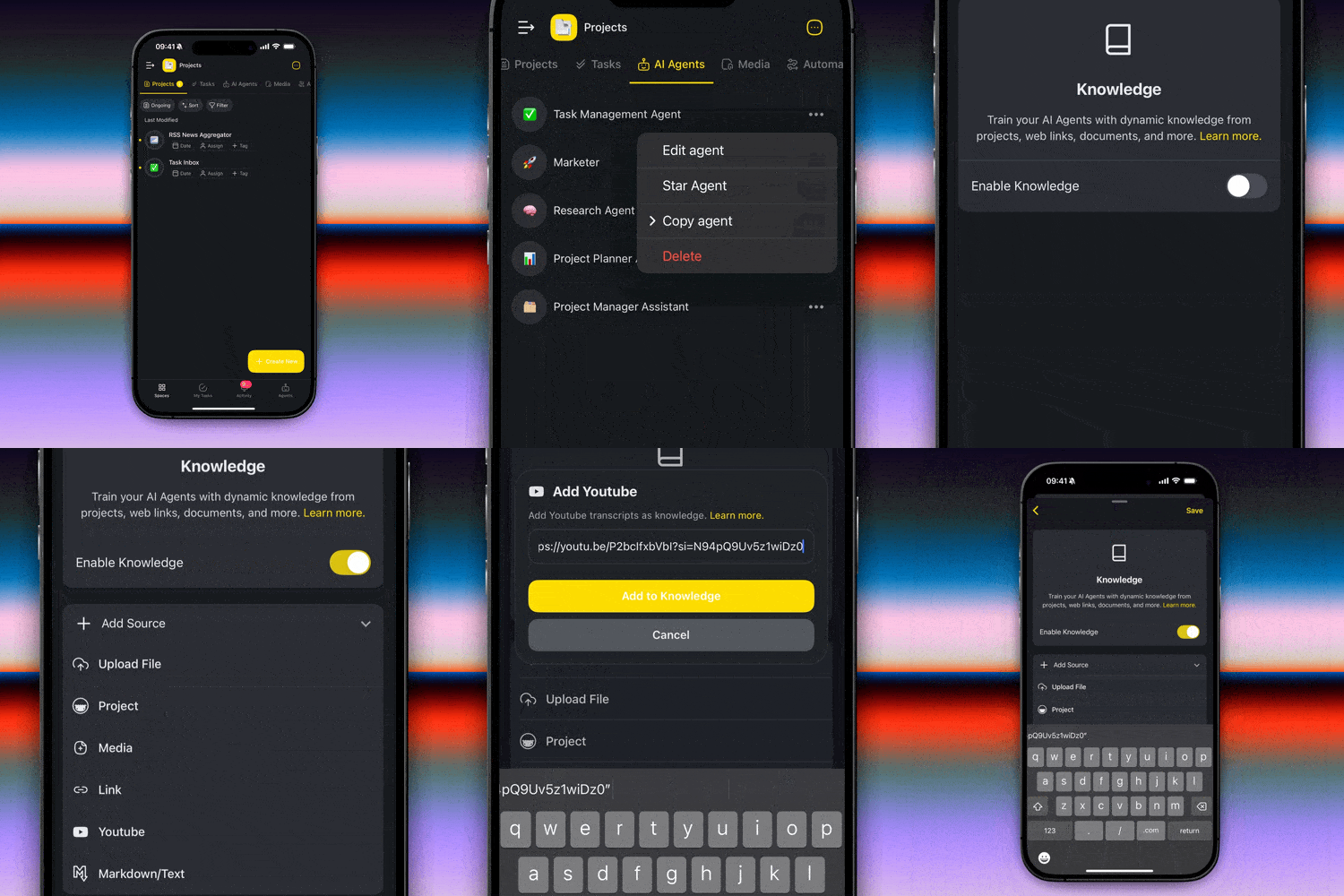
Build the perfect team of AI agents. Train your agents using real-time knowledge from your projects or the web. Add YouTube videos, PDFs, Docs, Web Links, and more directly in mobile. Learn more.
Train: Upload and manage agent knowledge on the go.
Customize: Add YouTube videos, web links, upload files and more.
Learn: Pull in live data from your Taskade projects and workspaces.
👉 How to use:
Agents tab > (···) More menu > Edit Agent > Knowledge
🤖 Build and Launch AI Agents Anywhere
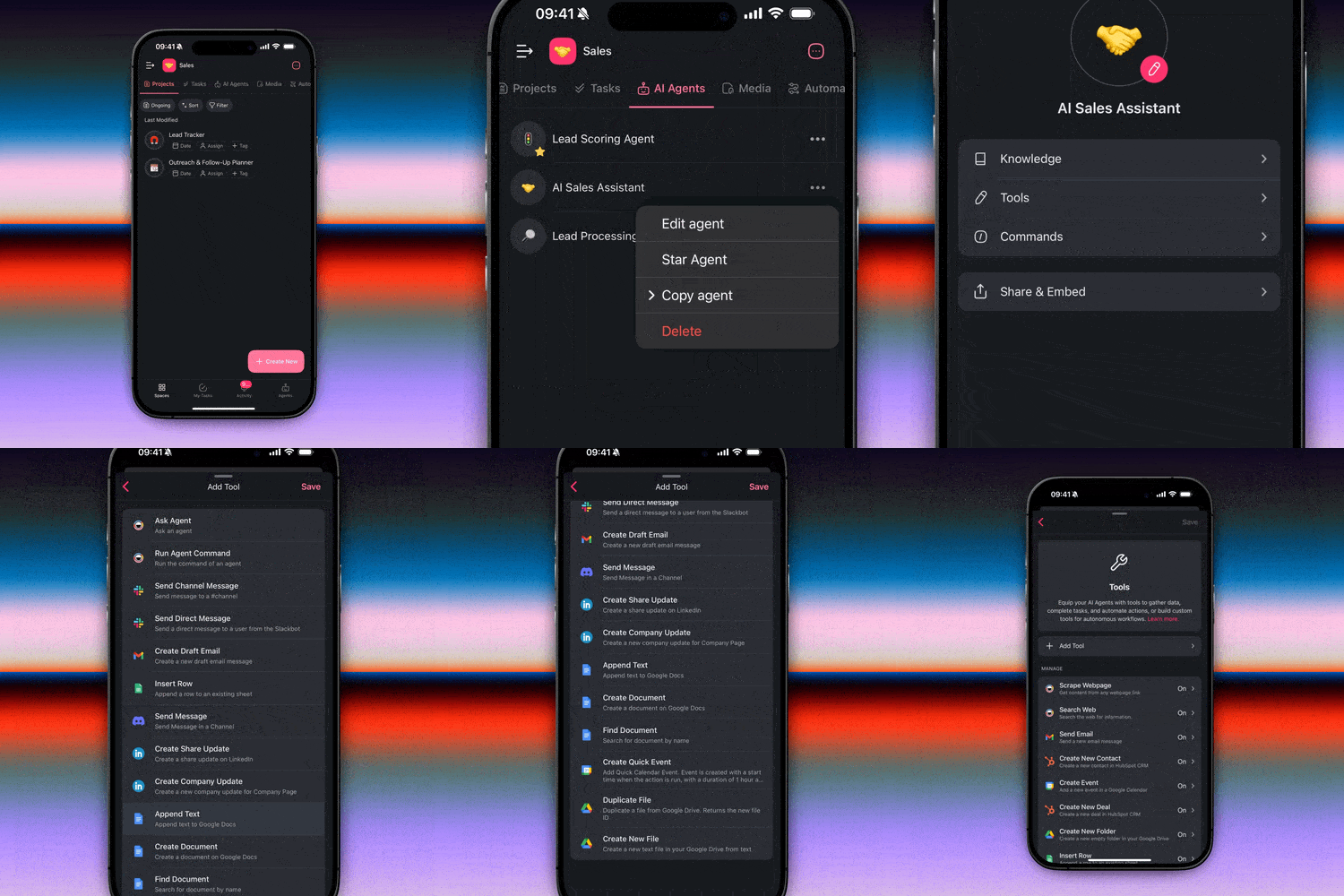
Create, customize, and manage your AI Agents with tailored tools, smart prompts, and powerful actions, all right from your phone on iOS and Android. Learn more.
Manage tools: Enable or disable tools for each agent.
Edit prompts: Customize system prompts and commands.
Automate tasks: Connect agents with automation and workflows.
👉 How to use:
Agents tab > (···) More Menu > Edit Agent > Tools
🚀 Generate Projects and Agents with AI
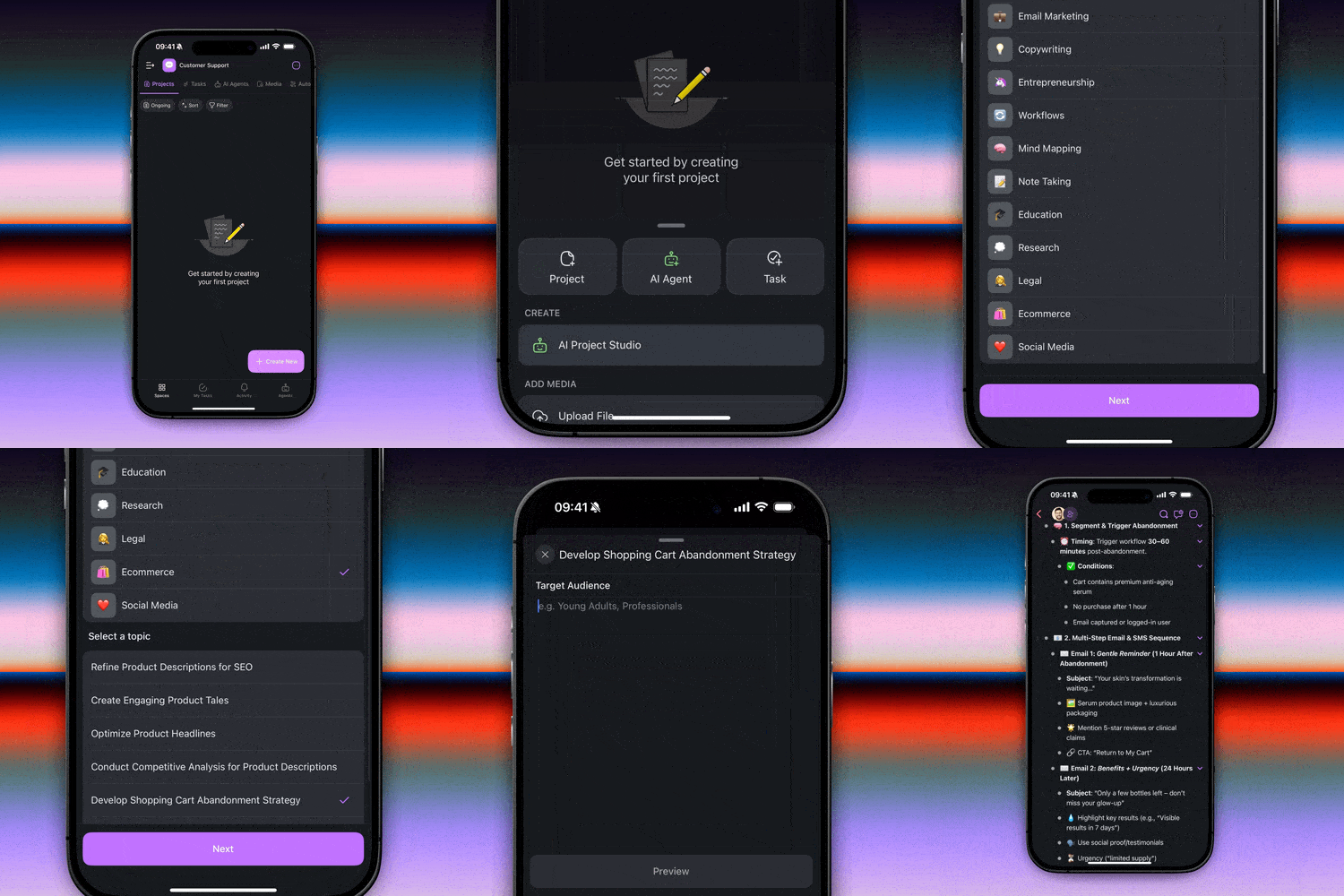
Create new projects, agents, and tasks instantly by tapping the "+" button. Start your next project in seconds with AI Project Studio. One prompt = full setup. Learn more.
Create: Launch new projects and agents from one place.
Generate: Use AI to map out plans, timelines, ideas and more.
Browse Templates: Jump into ready-made workflows to move faster.
👉 How to use:
Spaces > Create New ➕ > Project, Agent or Task
📊 Add Custom Fields to Your Tasks
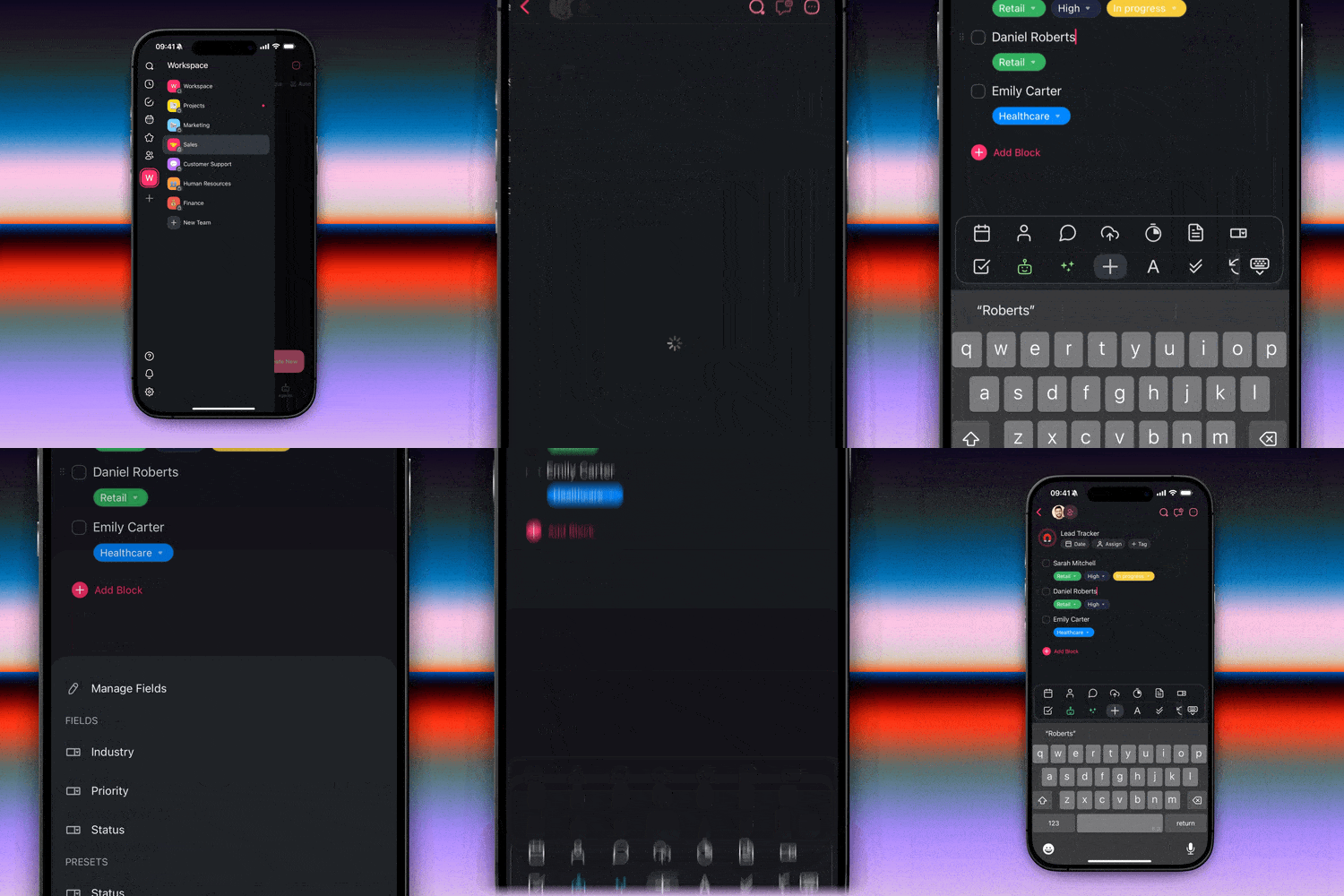
Make your tasks smarter, more actionable, and easier to track with custom fields. Add context for any tasks in your projects, anytime, anywhere on iOS and Android. Learn more.
Add new fields: Capture details like status, priority, or task owners.
Customize presets: Edit pre-defined custom fields to fit your workflow.
Access across devices: Fields sync in real-time across desktop and mobile.
👉 How to use:
Select a task > tap ➕ in the toolbar > Custom Fields button.
🏠 Add Agents to Your Home Screen
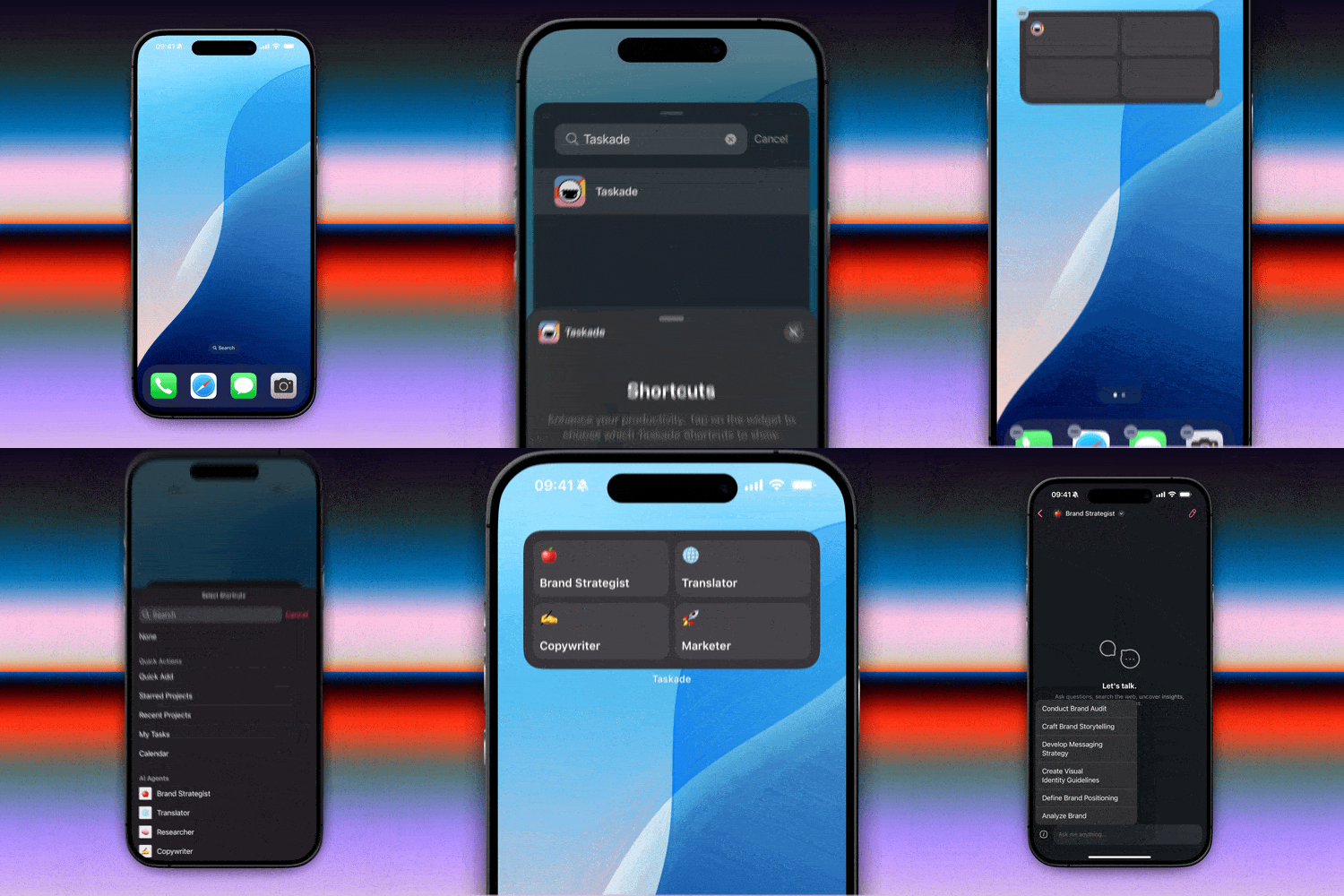
Launch your favorite agents instantly with iOS and Android widgets. Learn more.
One-tap access: Launch agents directly from your mobile home screen.
Multiple widgets: Add different agents to your screens for any workflows.
👉 How to use:
Touch & hold Home Screen > Add Widget > Taskade > Shortcuts > Select Agent
⭐ Favorite Your AI Agents
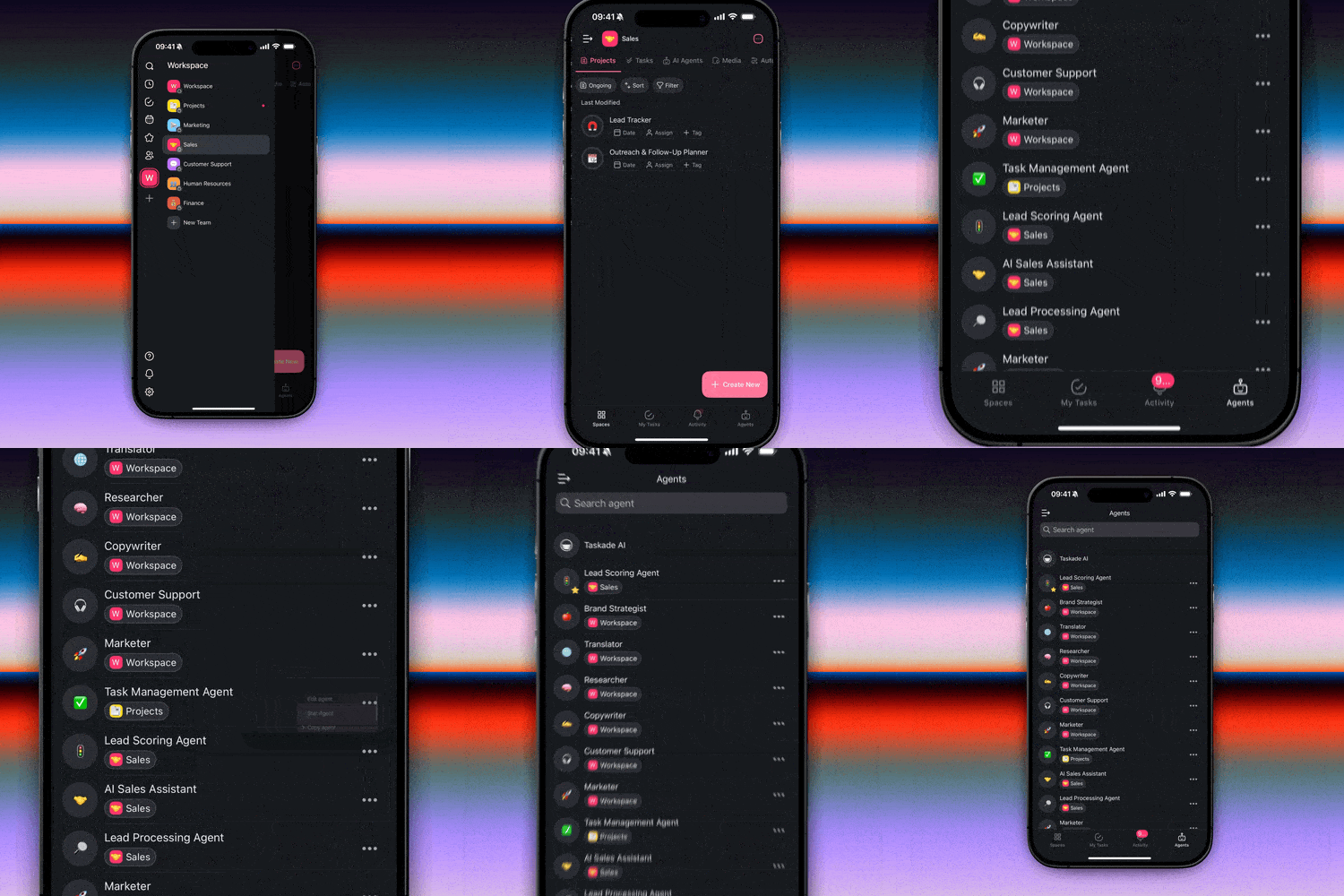
Need your go-to agents front and center? Star any agent for easy access. Launch your favorite agents and engage in conversations instantly with new mobile widgets. Learn more.
No more searching: Star agents for faster access.
Stay focused: No more scrolling through long lists.
Collaborate: Make shared agents easier to find for your team.
👉 How to use:
Agents tab > Choose agent > (···) More Menu > Star agent
🧩 Other Improvements
🧪 Developer Tools
Taskade MCP is now live: Our new open-source Model Context Protocol (MCP) server and OpenAPI codegen toolkit lets you connect Taskade’s API to any MCP-compatible client like Claude or Cursor
Generate MCP agent tools in minutes with our OpenAPI codegen
Explore the repo, try the demo, and start building: github.com/taskade/mcp
Learn more about MCP and what it unlocks for AI Agents in our latest blog post
✨ New on Taskade Mobile
Launch Taskade Automation directly from your phone
Star your favorite AI Agents for quick access anytime
Create projects faster with a new floating + button
Open agent chats with helpful conversation starters
Search, organize, and manage AI Agents on mobile
Add AI Agents and Workspaces to your home screen with new widgets
Explore and manage all your workspaces in one place
Enjoy a modern, full-screen content layout
🧼 Mobile User Experience
Create and edit your AI Agents with more control
Improved Table View support and visuals across the app
Cleaner layout when sharing agents and creating projects
Workspace “Folders” renamed to “Teams” for better clarity
🎨 Mobile UI Improvements
Edge-to-edge modern layout across all views
Improved Move/Copy interface for tasks and projects
Refreshed visuals for splash screens and profiles
Updated emoji picker with a cleaner design
Polished Automation tabs and banners
🐞 Mobile Bug Fixes
Fixed login experience for Android and iOS devices
Fixed camera permission and media/file upload issues
Fixed bugs related to project comments, timers, and more
Fixed template loading, project headers, and activity icons
Improved stability when creating or opening agents and projects
Improved automation and workflow access for Android and iOS devices
Fixed various performance issues and bugs
Check out all the latest updates on our Changelog.
🚀 Join the Community
Join us every Friday at 9 AM (US PT) for our weekly Live Stream on Youtube, featuring product demos, advanced use cases, and live Q&A with the team.
📺 Missed a stream? Watch all past episodes on our YouTube channel
🤝 Connect with us: Forum | Official Subreddit | Facebook Group
📢 Stay on top of the latest product updates and share your feedback — we'd love to hear from you! Have questions? Visit our Help Center or contact us.
🧠 One System. One Flow. Built for You.
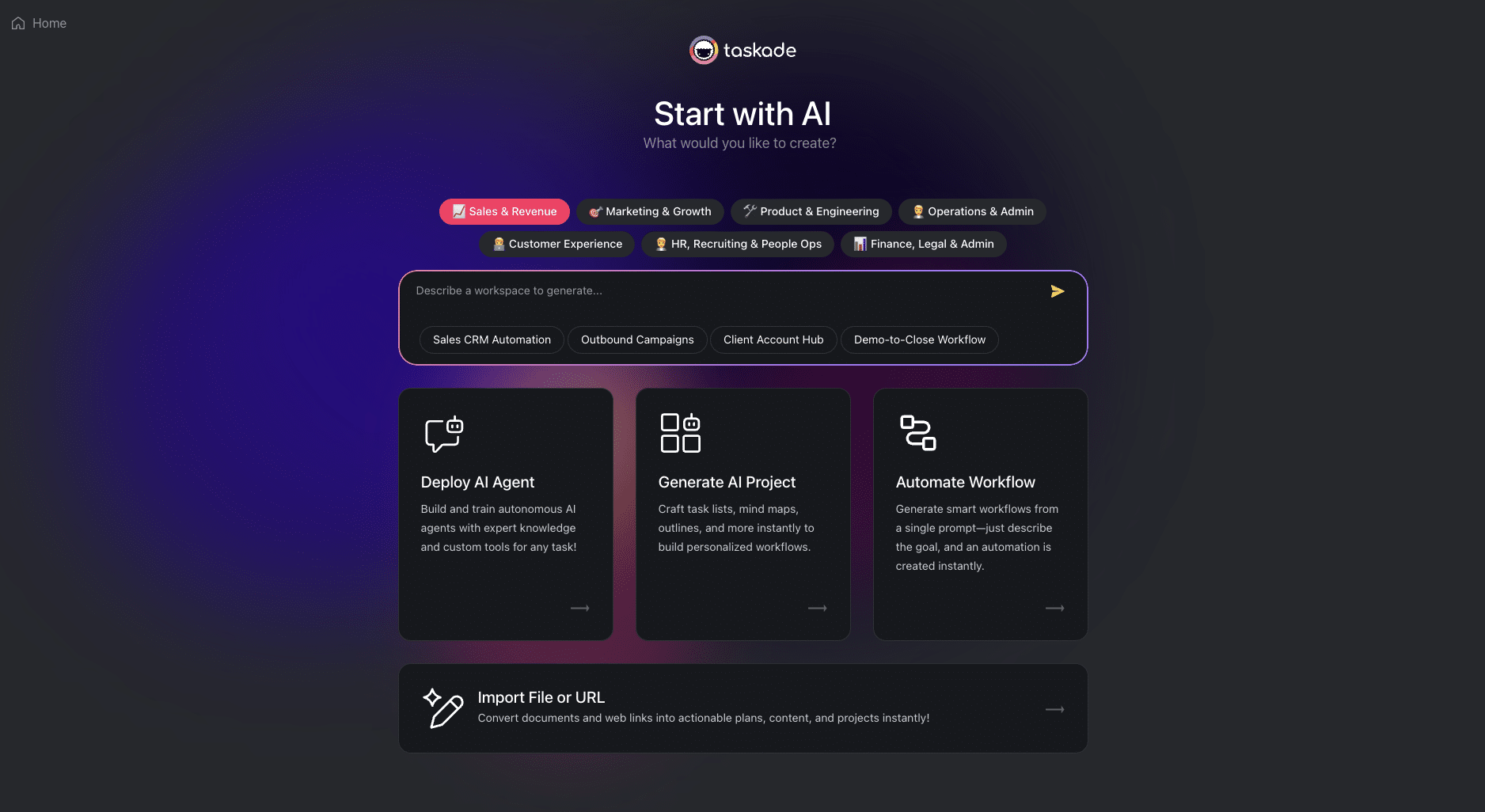
The age of AI Agents is here, and it’s just the beginning. With Taskade, one prompt builds it all — projects, agents, and automations working together in a single workspace.
Your agents don’t just assist, they think, plan, and act alongside you.
This is how we go from automation to autonomy. From idea to execution. One system. One flow. More coming soon in our summer of autonomy. Stay tuned!
John Xie, Co-founder & CEO, Taskade
John Xie
Co-founder & CEO, Taskade
— Team Taskade 🐑
P.S. Love Taskade? Share your experience on our testimonials page to get featured, or explore our Affiliate Partnership program today!
